
19 Best Web Application Development Software for 2026

Web Application Development Software Shortlist
Here’s my shortlist of web application development software:


Web application development software includes the tools, frameworks, and platforms your team uses to design, build, test, and deploy web-based applications. If you’re searching for the best web application development software, you’re likely balancing the need for reliability, security, and scalability with the pressure to deliver projects on time and meet the expectations of stakeholders, all while keeping up with evolving tech.
The right software can help you manage complex codebases, automate workflows, and support modern architectures while reducing risk and downtime. In this list, you’ll find a range of options for coding, UI design, backend integration, and deployment, so you can choose the tools that fit your team’s needs and your organization’s goals.
Why Trust Our Software Reviews
Web Application Development Software Summary
This comparison chart summarizes pricing details for my top web application development software selections to help you find the best one for your budget and business needs.
| Tool | Best For | Trial Info | Price | ||
|---|---|---|---|---|---|
| 1 | Best for real-time backend integration | Free plan available | Pay-as-you-go | Website | |
| 2 | Best for low-code enterprise-grade solutions | Free trial available | Pricing available upon request | Website | |
| 3 | Best for an extensible code editing environment | Free plan available | Free to use | Website | |
| 4 | Best for cross-platform UI consistency | Free plan available | Free to use | Website | |
| 5 | Best for advanced debugging and profiling tools | Free 30-day trial available | From $45/user/month | Website | |
| 6 | Best for no-code app prototyping | Free plan available | From $36/month | Website | |
| 7 | Best for progressive component-based architecture | Free plan available | Free to use | Website | |
| 8 | Best for internal tool customization | Free demo available | From $12/builder/month + $7/internal user/month | Website | |
| 9 | Best for reusable UI component libraries | Free plan available | Free to use | Website | |
| 10 | Best for rapid development with built-in security | Free plan available | Free to use | Website |
-

Site24x7
Visit WebsiteThis is an aggregated rating for this tool including ratings from Crozdesk users and ratings from other sites.4.6 -
Docker
Visit WebsiteThis is an aggregated rating for this tool including ratings from Crozdesk users and ratings from other sites.4.6 -
Pulumi
Visit WebsiteThis is an aggregated rating for this tool including ratings from Crozdesk users and ratings from other sites.4.8





Web Application Development Software Reviews
Below are my detailed summaries of web application development software that made it onto my shortlist. My reviews offer a detailed look at the features, best use cases, and integrations of each platform to help you find the best one for you.

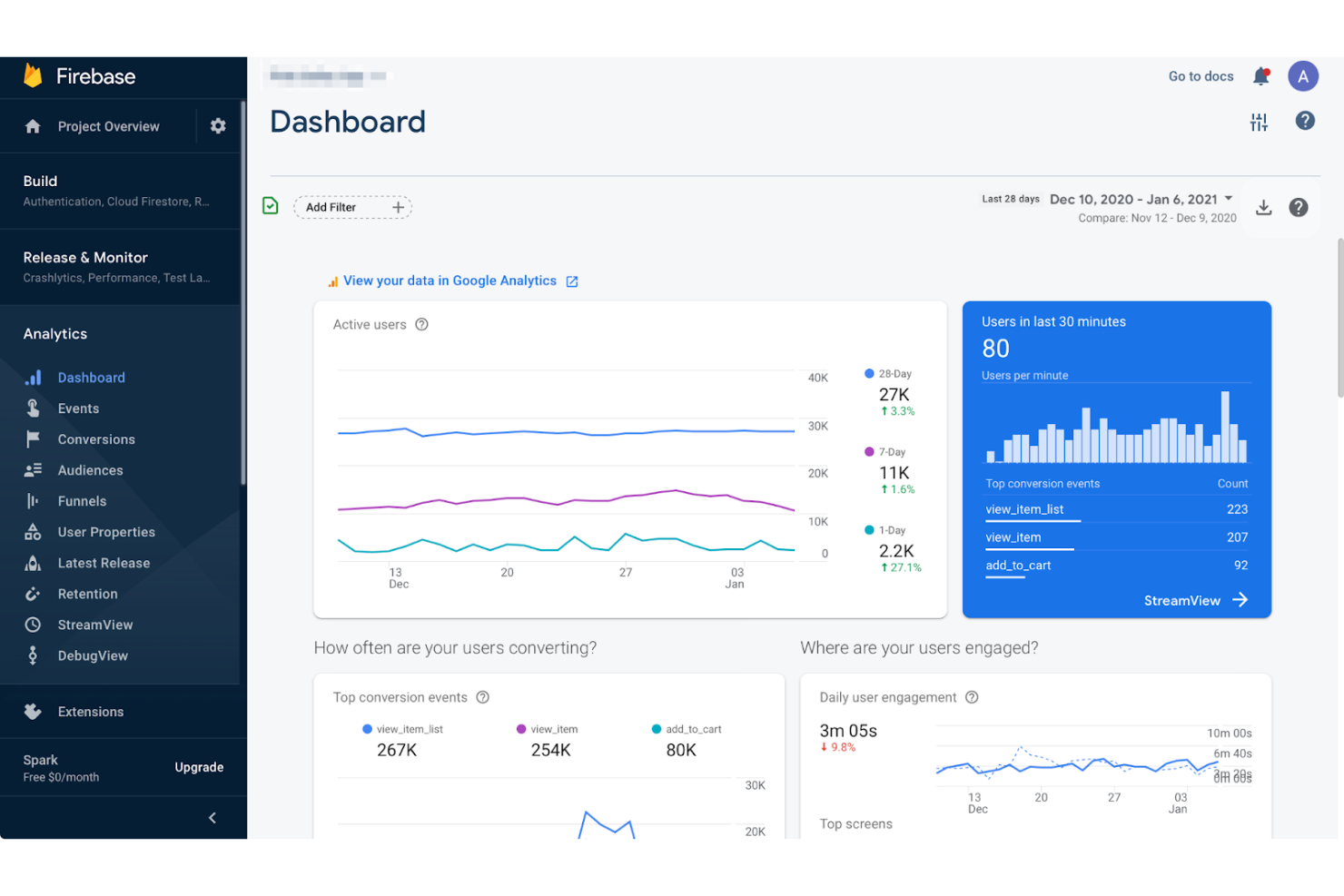
Firebase offers a cloud-based platform designed for developers who need real-time data synchronization and scalable backend services. It’s especially useful for teams building interactive web apps, chat platforms, or collaborative tools that require instant updates across users. If you want to offload backend management and focus on rapid feature development, Firebase stands out for its real-time database and integrated authentication.
Who is Firebase Best For?
Mobile and web developers in small to mid-sized companies globally integrating real-time backend services into applications.
Why I Picked Firebase
What makes Firebase a strong choice for web application development is its real-time backend integration, which is essential for apps that need instant data updates across users. The real-time database lets you sync data between clients and servers with minimal latency, making it ideal for chat apps, collaborative tools, and live dashboards. I also like that Firebase includes built-in authentication, so you can manage user sign-ins and security without extra infrastructure. These features help you deliver interactive, always-up-to-date web experiences without building a custom backend from scratch.
Firebase Key Features
Some other features that make Firebase useful for web application development include:
- Cloud Firestore: Store and sync structured data at scale with strong querying capabilities and offline support.
- Cloud Functions: Run backend code in response to events triggered by Firebase features or HTTPS requests, without managing servers.
- Hosting: Deploy fast and secure static and dynamic web content with built-in SSL and global CDN.
- Crashlytics: Monitor, prioritize, and fix stability issues in real time with detailed crash reports.
Firebase Integrations
Integrations include Google Ads, AdMob, Google Play, BigQuery, Slack, Jira, PagerDuty, Android Studio, and more.
Pros and Cons
Pros:
- Scalable hosting delivers static and dynamic content globally
- Built-in authentication handles user sign-in and security workflows
- Real-time database sync supports collaborative and interactive web apps
Cons:
- Vendor lock-in makes migrating away from Firebase challenging
- Limited support for complex relational data compared to SQL databases

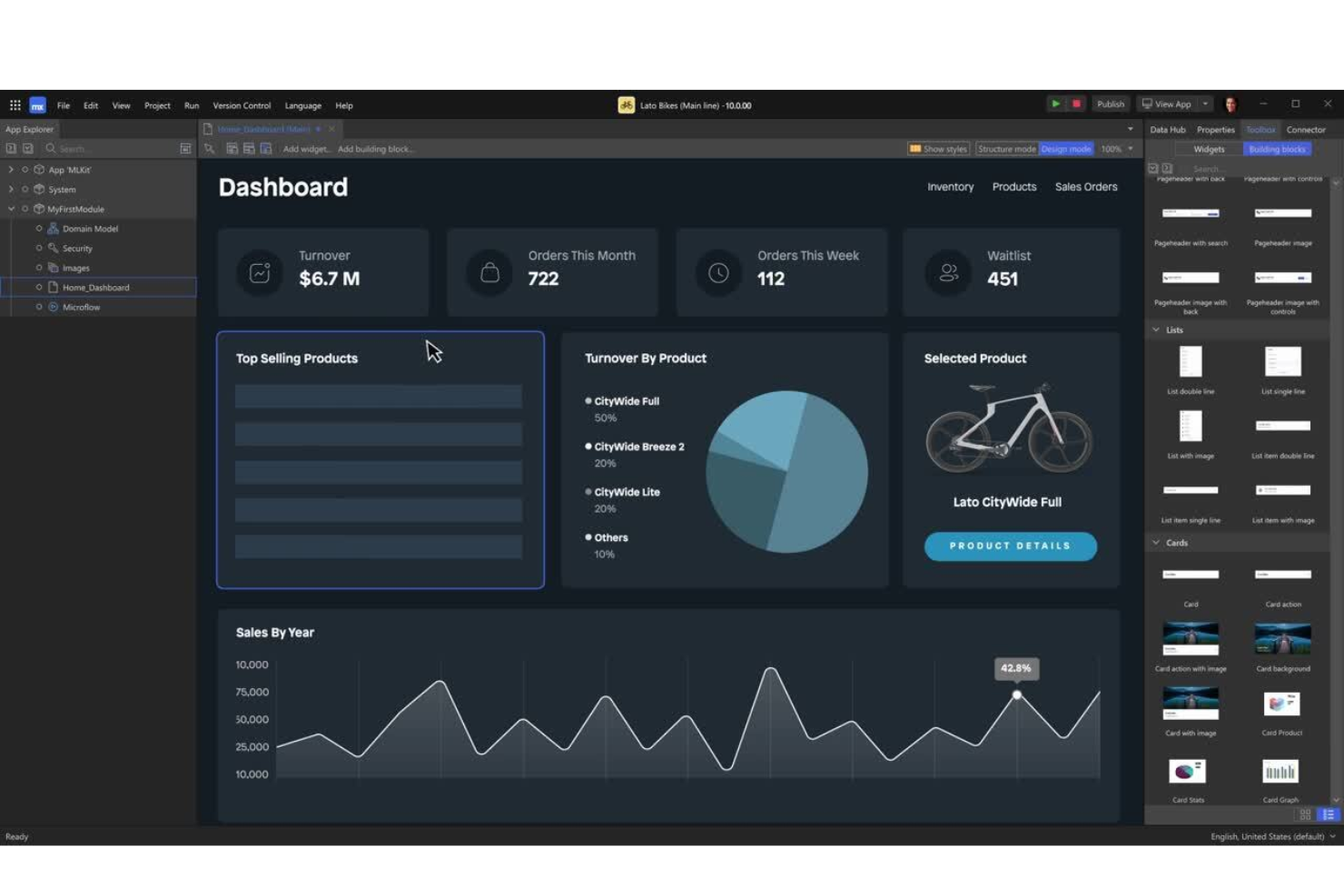
Mendix offers a low-code platform designed for organizations that need to build enterprise-grade applications with speed and scalability. It’s a strong fit for IT teams in large businesses or regulated industries that want to empower both developers and business users to collaborate on complex solutions. With Mendix, you can address challenges like legacy modernization, process automation, and integration with existing enterprise systems—all without deep coding expertise.
Who is Mendix Best For?
IT and business teams in mid-sized to large enterprises globally deploying low-code solutions for enterprise-grade applications.
Why I Picked Mendix
For teams that need to deliver enterprise-grade solutions without heavy coding, Mendix stands out for its low-code approach. The platform’s visual development environment lets both developers and business users design, test, and deploy applications quickly, which is especially valuable for large organizations with complex requirements. I like that Mendix includes built-in tools for workflow automation and advanced data integration, making it easier to connect with existing enterprise systems. These features make Mendix a strong choice for businesses looking to modernize processes and scale their web applications efficiently.
Mendix Key Features
Some other features that make Mendix appealing for web application development include:
- App Store: Access a marketplace of pre-built modules, connectors, and templates to accelerate development.
- Mobile App Development: Build native and progressive web apps from the same platform.
- Automated Testing Tools: Use built-in testing features to validate application logic and performance.
- Role-Based Access Control: Manage user permissions and security at a granular level.
Mendix Integrations
Integrations include SAP, Siemens Teamcenter, AWS, Microsoft Azure, Red Hat OpenShift, Snowflake, Microsoft Power BI, Tableau, Qlik, and more.
Pros and Cons
Pros:
- Version control and collaboration features support large development teams
- Built-in connectors simplify integration with major enterprise systems
- Visual development tools support rapid prototyping and deployment cycles
Cons:
- Limited flexibility for UI customization compared to hand-coded frameworks
- Advanced custom logic often requires switching to traditional coding
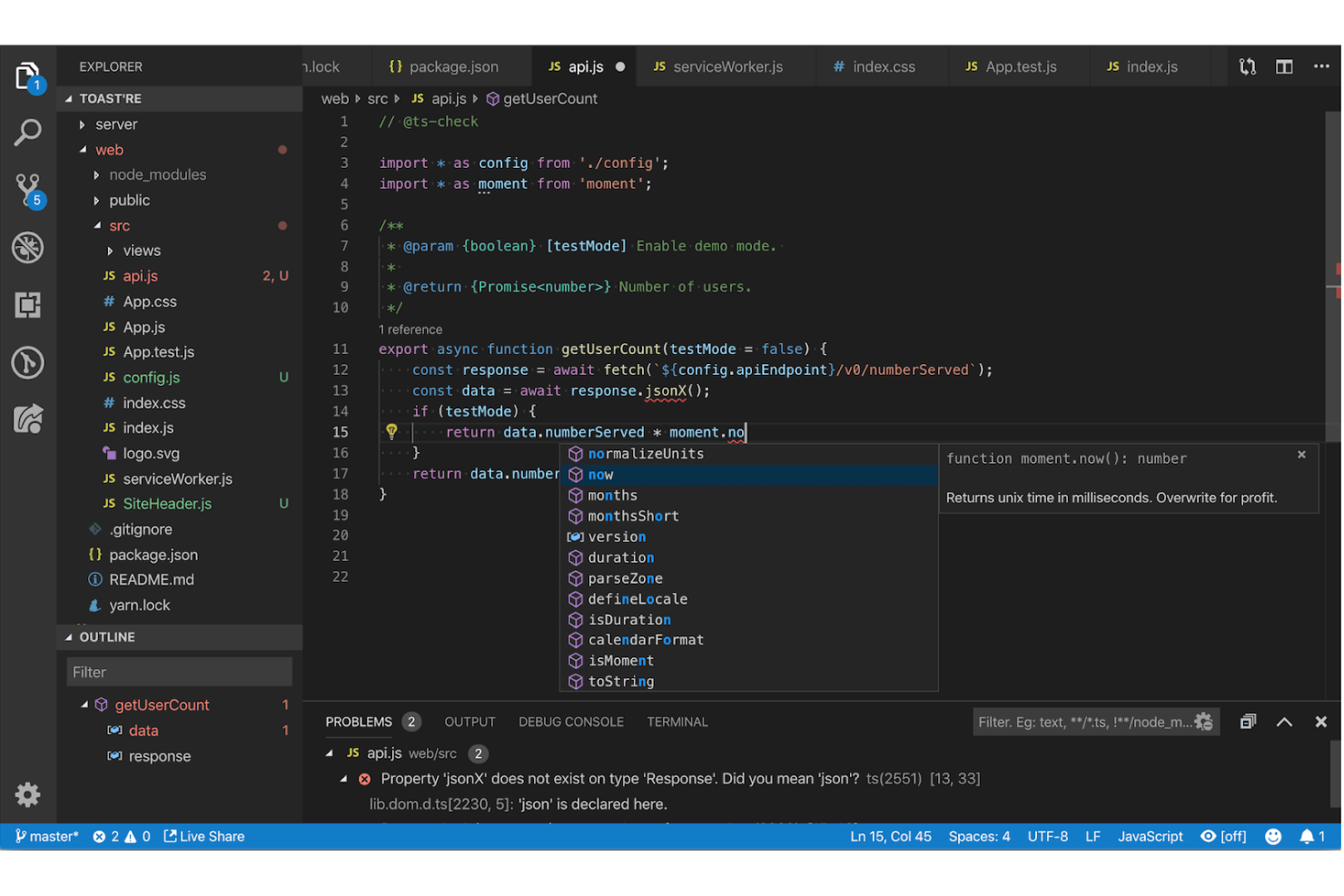
Visual Studio Code stands out for developers who want a highly customizable and extensible code editing environment. It’s a strong fit for teams building web applications that need support for multiple languages, frameworks, and workflows in one place. With its vast extension marketplace and built-in debugging tools, Visual Studio Code helps you tailor your workspace to match your project’s needs.
Who is Visual Studio Code Best For?
Developers and IT teams in small to large organizations worldwide using a highly extensible and customizable code editing environment.
Why I Picked Visual Studio Code
What drew me to Visual Studio Code is its unmatched extensibility, which is especially valuable for web application development. You can install extensions for nearly any language, framework, or workflow, so your editor adapts as your project evolves. I appreciate how the built-in terminal and source control features let you manage code, run scripts, and handle versioning without leaving the editor. This flexibility makes Visual Studio Code a strong choice for teams that need a customizable environment to support diverse development needs.
Visual Studio Code Key Features
Some other features that make Visual Studio Code appealing for web application development include:
- IntelliSense: Get smart code completion, parameter info, and quick info for supported languages.
- Live Share: Collaborate in real time with other developers directly within your editor.
- Emmet Support: Use shorthand syntax to quickly generate HTML and CSS code.
- Integrated Debugging: Set breakpoints, inspect variables, and step through code without leaving the editor.
Visual Studio Code Integrations
Integrations include GitHub, Azure, Docker, Kubernetes, ESLint, Prettier, Jupyter, Vim, and more.
Pros and Cons
Pros:
- Built-in Git integration allows version control without leaving the editor
- Integrated terminal supports running scripts and managing servers directly
- IntelliSense provides context-aware code completion for multiple languages
Cons:
- Workspace settings sometimes conflict when switching between multiple projects
- Debugging support varies in quality across different languages and frameworks

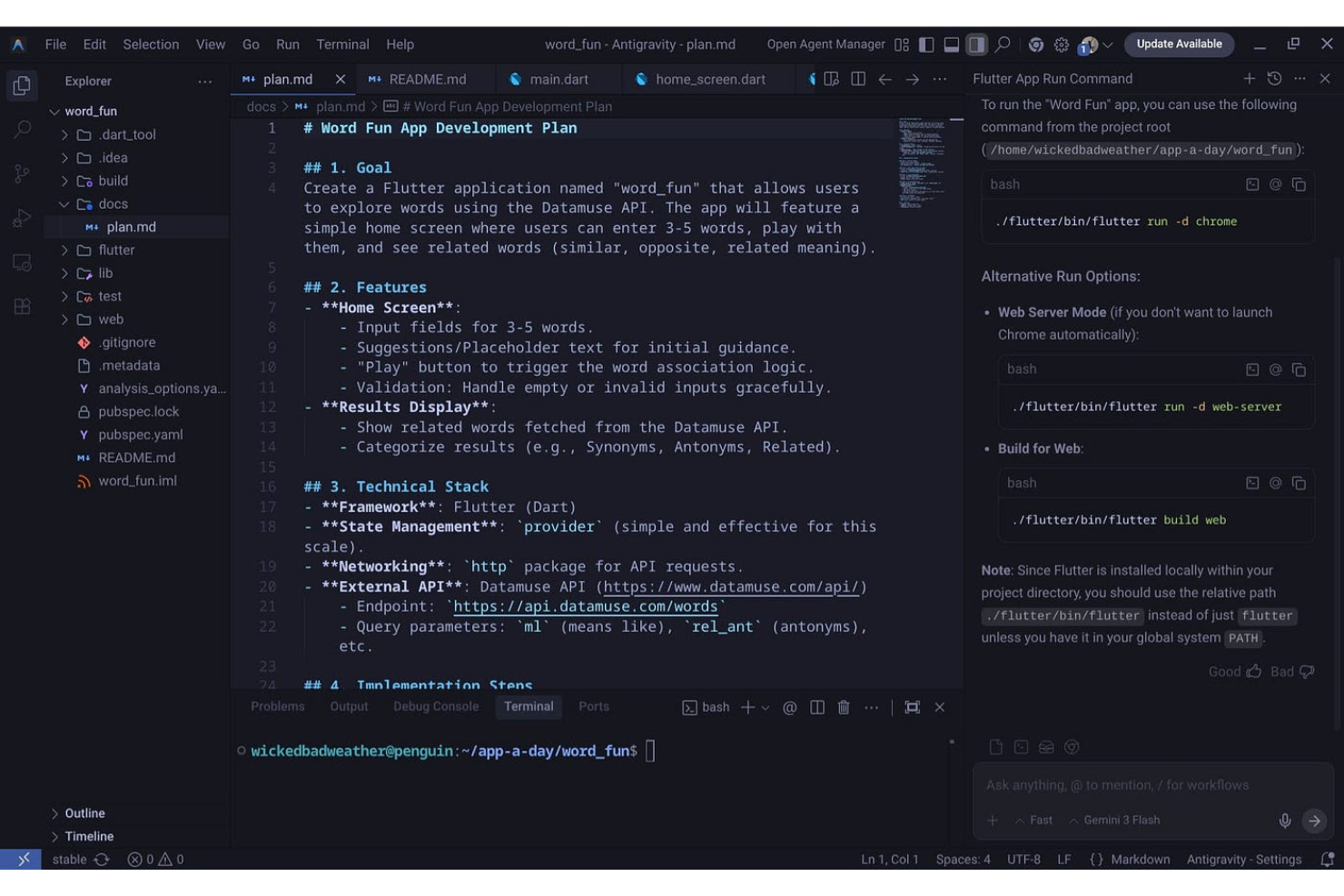
For teams that need pixel-perfect UI across web, mobile, and desktop, Flutter offers a single codebase approach. It’s especially useful for product teams, agencies, and developers who want to maintain a consistent look and feel on every platform. Flutter’s widget-based architecture and strong support for custom design systems help you deliver branded, high-performance apps without platform-specific rewrites.
Who is Flutter Best For?
Mobile and frontend developers in small to mid-sized organizations globally creating cross-platform user interfaces with consistent design.
Why I Picked Flutter
Consistency across platforms is a challenge for many web application projects, and Flutter directly addresses this with its unified UI toolkit. I picked Flutter because its widget-based framework lets you build interfaces that look and behave the same on web, iOS, Android, and desktop. The hot reload feature also makes it easy to iterate on designs and see changes instantly, which is valuable for teams focused on visual accuracy. For anyone who needs to maintain a single design system across multiple platforms, Flutter’s approach to cross-platform UI stands out.
Flutter Key Features
Some other features that make Flutter appealing for web app development include:
- Extensive Widget Library: Access a wide range of customizable widgets for building complex UIs.
- Internationalization Support: Build applications that support multiple languages and regions.
- Built-In Testing Tools: Use integrated unit, widget, and integration testing frameworks.
- Rich Animation APIs: Create smooth, interactive animations and transitions within your app.
Flutter Integrations
Integrations include Firebase, Google Maps, SQLite, Sentry, RevenueCat, Appwrite, Supabase, and more.
Pros and Cons
Pros:
- Rich widget library enables highly customized user interfaces
- Hot reload feature accelerates UI development and debugging cycles
- Single codebase supports web, mobile, and desktop deployment
Cons:
- SEO optimization is limited due to the client-side rendering approach
- Web performance can lag behind native frameworks for complex apps

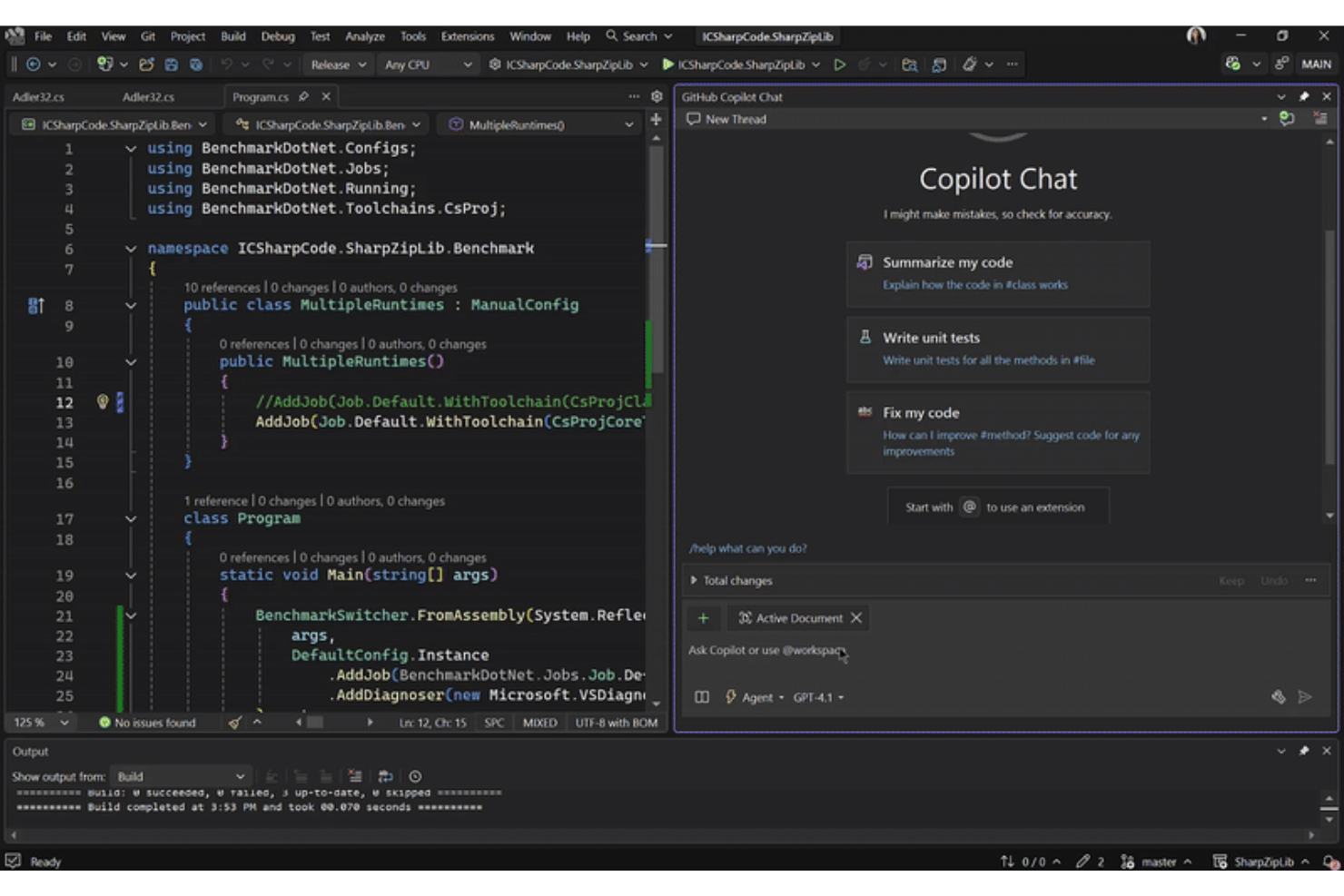
Microsoft Visual Studio gives web developers a full-featured environment for building, testing, and debugging complex web applications. It’s a strong fit for teams that need advanced debugging, profiling, and code analysis tools to manage large codebases or troubleshoot performance issues. If you’re working on enterprise-grade projects or require deep integration with Microsoft’s ecosystem, this platform stands out for its depth and flexibility.
Who is Microsoft Visual Studio Best For?
Software developers and engineering teams in mid-sized to large organizations worldwide using advanced debugging, profiling, and integrated development tools.
Why I Picked Microsoft Visual Studio
I chose Microsoft Visual Studio for this list because its advanced debugging and profiling tools set it apart in web application development. The integrated debugger lets you step through code, inspect variables, and diagnose issues across client and server environments without leaving the IDE. I also appreciate the built-in performance profiler, which helps you identify bottlenecks and optimize resource usage in real time. These features make it a strong choice for teams handling complex applications where troubleshooting and performance tuning are top priorities.
Microsoft Visual Studio Key Features
In addition to its debugging and profiling strengths, Microsoft Visual Studio offers several other features that support web application development:
- IntelliSense code completion: This feature provides context-aware code suggestions and auto-completion for multiple languages, helping you write code faster and with fewer errors.
- Live Share collaboration: Collaborate with teammates in real time by sharing your development session, allowing for pair programming and instant code reviews.
- Integrated Git support: Manage source control directly within the IDE, including branching, merging, and commit history, without switching tools.
- Extensive extension marketplace: Access a wide range of extensions to add frameworks, language support, and productivity tools tailored to your workflow.
Microsoft Visual Studio Integrations
Integrations include Azure, GitHub Copilot, SQL Server, Docker, Unity, Azure DevOps, Microsoft Teams, and more.
Pros and Cons
Pros:
- IntelliSense offers context-aware code completion for multiple languages
- Built-in profiler helps identify and resolve performance bottlenecks
- Advanced debugging tools support both client and server code
Cons:
- Limited support for non-Microsoft tech stacks compared to competitors
- High system resource usage can slow down older machines

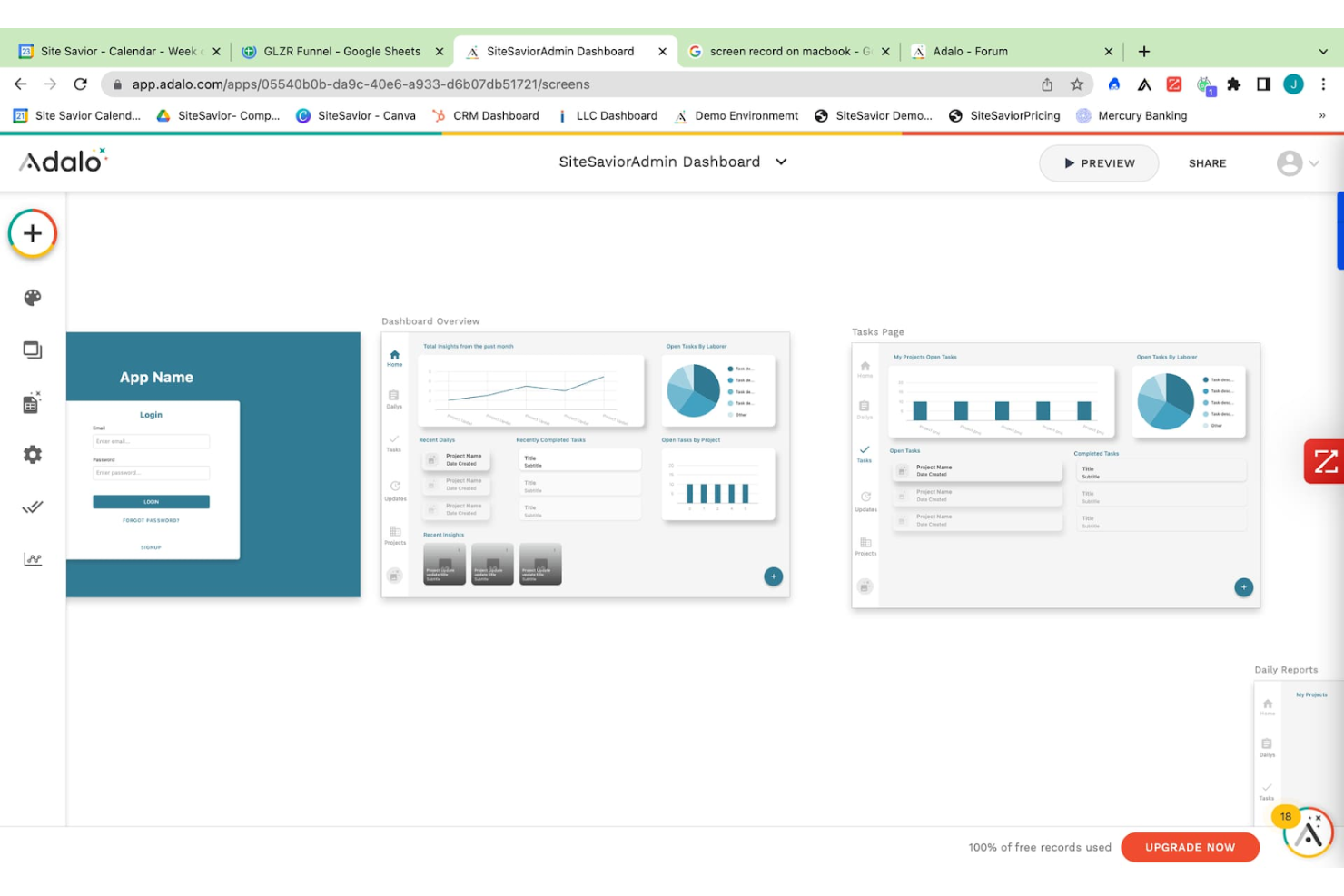
If you need to quickly prototype and launch web or mobile apps without writing code, Adalo is built for you. It’s especially useful for product managers, startups, and small businesses that want to validate ideas or create MVPs with interactive features. Adalo’s drag-and-drop interface and built-in database let you design, test, and iterate on app concepts in real time.
Who is Adalo Best For?
Product managers and startup teams in small organizations worldwide prototyping no-code applications quickly.
Why I Picked Adalo
When it comes to quickly prototyping apps without code, Adalo offers a focused solution for turning ideas into interactive web or mobile applications. The platform’s drag-and-drop builder lets you visually assemble screens, link actions, and create user flows in minutes, which is ideal for rapid prototyping. I appreciate that Adalo includes a built-in database and logic editor, so you can test real app functionality before committing to full development. These features make Adalo a strong choice for teams or individuals who need to validate concepts and iterate on designs with minimal technical barriers.
Adalo Key Features
Some other features that make Adalo useful for web app prototyping include:
- Component Marketplace: Browse and add pre-built components like charts, forms, and navigation menus to your app.
- Custom Actions: Set up custom logic and workflows triggered by user interactions or data changes.
- Push Notifications: Send real-time updates and alerts to users on mobile devices.
- App Publishing Tools: Publish directly to the web, iOS App Store, or Google Play from the platform.
Adalo Integrations
Integrations include Stripe, Google Maps, AdMob, Twilio, SendGrid, Mixpanel, Mailchimp, Typeform, and more.
Pros and Cons
Pros:
- Component marketplace offers reusable elements for common app features
- Built-in database supports dynamic content and user data management
- Drag-and-drop builder allows rapid creation of interactive app screens
Cons:
- Version control and team collaboration features are minimal
- Performance issues can occur with larger or data-heavy applications

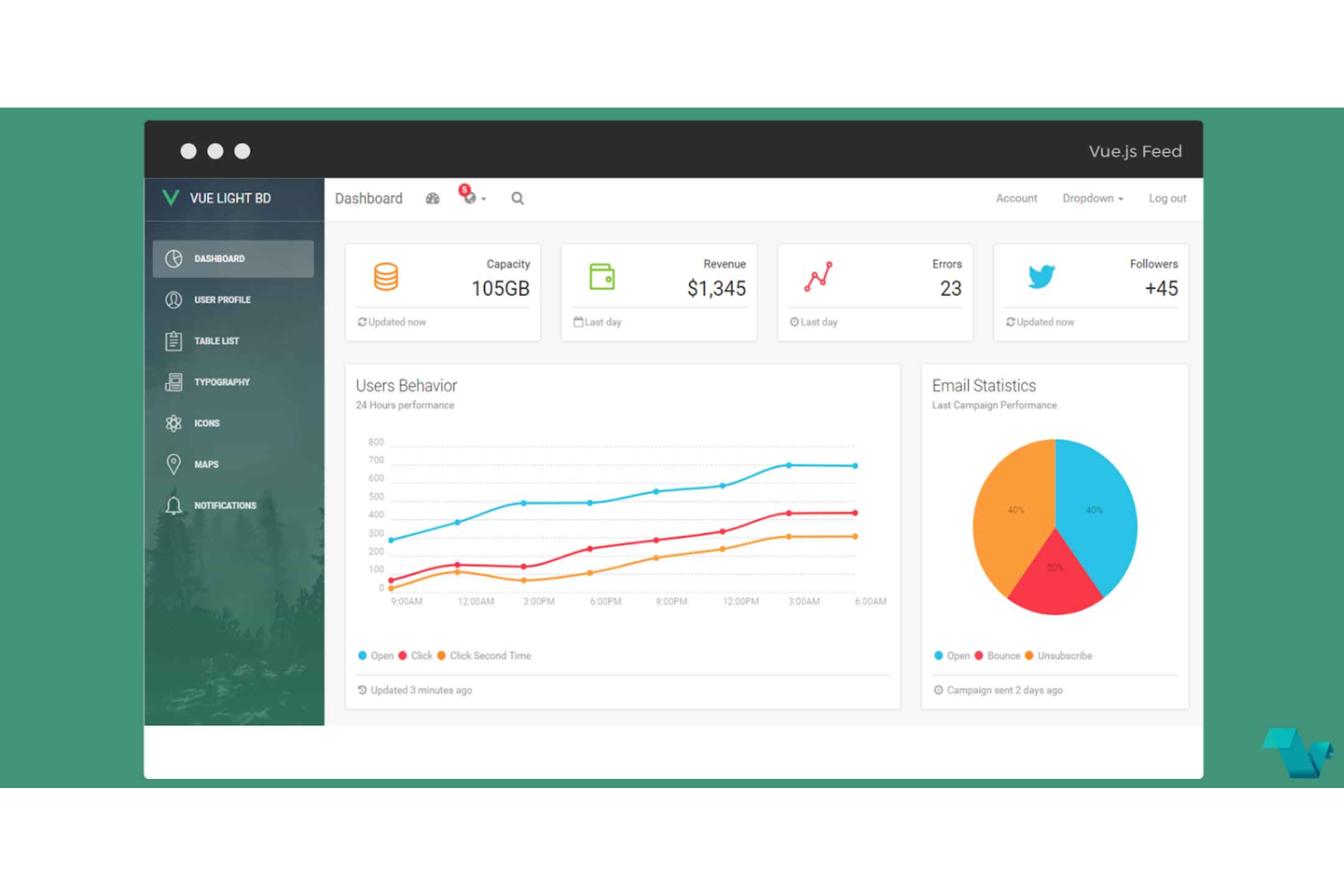
If you’re looking for a flexible way to build modern web interfaces, Vue.js offers a progressive, component-based approach. It’s a strong fit for frontend developers and teams who want to start small and scale up to complex single-page applications. Vue.js stands out for its gentle learning curve, reactive data binding, and ability to integrate with existing projects without a full rewrite.
Who is Vue.js Best For?
Frontend developers and product teams in small to mid-sized companies in North America and Europe building progressive, component-based web applications.
Why I Picked Vue.js
What drew me to Vue.js is its progressive component-based architecture, which gives you the flexibility to adopt it incrementally or use it as the foundation for large-scale web applications. This approach lets you break your UI into reusable, self-contained components, making it easier to manage and scale complex projects. Vue.js also offers a reactive data binding system that keeps your interface in sync with your data model, reducing manual updates and potential errors. For teams that want to modernize legacy apps or build new ones from scratch, Vue.js provides a modular structure that adapts to your workflow.
Vue.js Key Features
In addition to its modular architecture, I also found these features valuable for web development:
- Single-File Components: Organize template, logic, and styles in one file for better maintainability.
- Vue CLI: Use a command-line interface to scaffold, build, and manage projects efficiently.
- Transition System: Add animations and transitions to elements and components with built-in directives.
- DevTools Extension: Debug and inspect component hierarchies and state changes directly in your browser.
Vue.js Integrations
Native integrations are not currently publicly listed.
Pros and Cons
Pros:
- Vue CLI offers fast project scaffolding and build tools
- Single-file components simplify code organization and project structure
- Reactive data binding keeps UI and data model synchronized automatically
Cons:
- Smaller talent pool for hiring compared to more established frameworks
- Large-scale state management can require additional libraries like Vuex

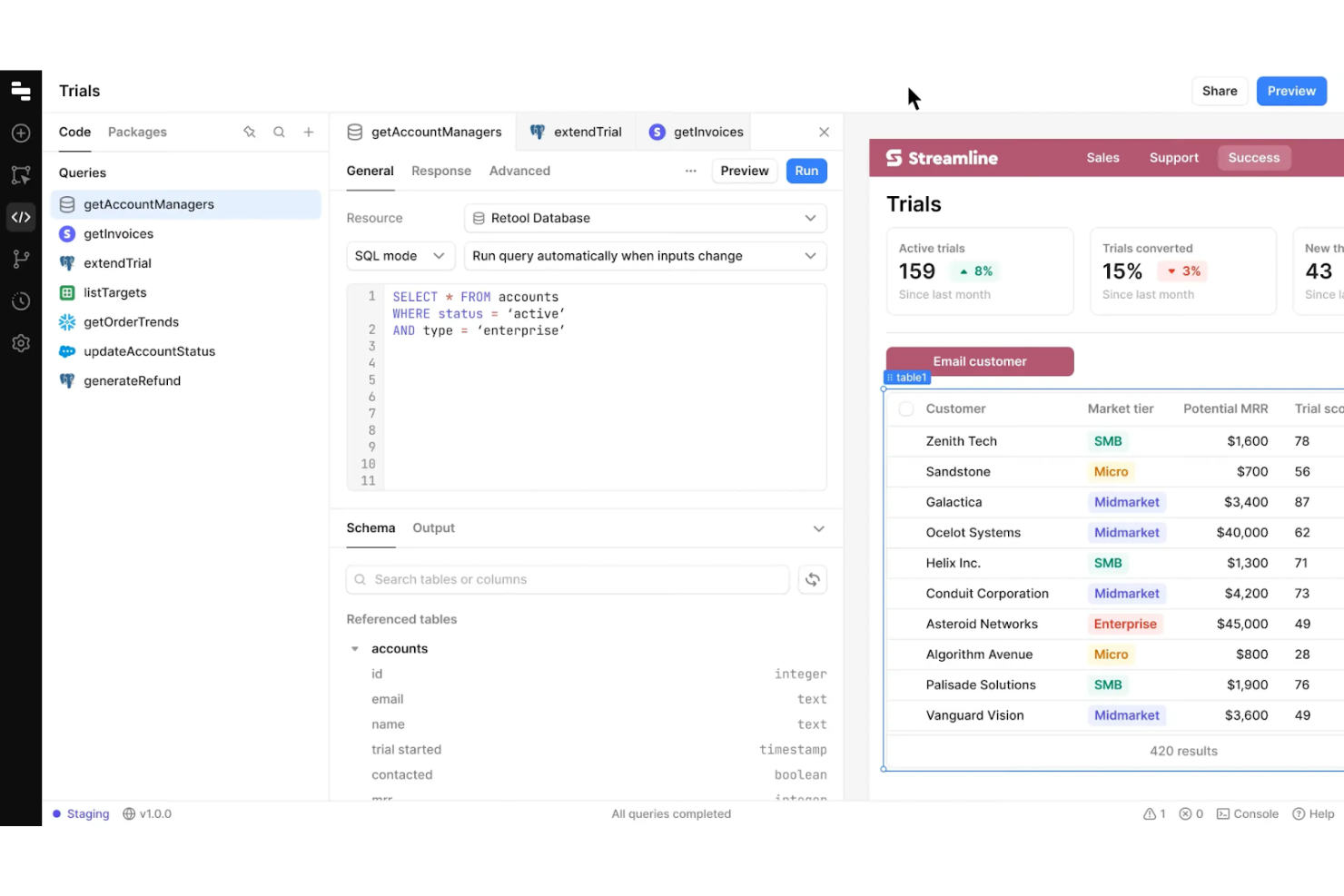
Retool gives IT teams and developers a way to quickly build and customize internal web applications without starting from scratch. It’s especially useful for businesses that need to connect multiple data sources and automate internal workflows with tailored interfaces. With its drag-and-drop components and direct database integrations, Retool helps you create tools that match your team’s exact operational needs.
Who is Retool Best For?
Product managers and internal operations teams in mid-sized companies globally customizing internal business tools and dashboards.
Why I Picked Retool
Retool stands out for teams that need to build highly customized internal tools without heavy coding. Its drag-and-drop interface lets you assemble dashboards, admin panels, and workflow apps that connect directly to your databases and APIs. I picked Retool because it gives you granular control over UI components and logic, so you can tailor every part of your tool to your business process. This level of customization is especially valuable for IT and operations teams who need to adapt tools quickly as requirements change.
Retool Key Features
Some other features that make Retool useful for web application development include:
- Pre-built Component Library: Access a wide range of ready-made UI elements like tables, forms, and charts.
- Role-Based Access Controls: Set granular permissions for users and teams within your internal tools.
- Version History: Track changes and roll back to previous versions of your applications.
- JavaScript Scripting Support: Add custom logic and data manipulation directly within your app using JavaScript.
Retool Integrations
Integrations include PostgreSQL, MySQL, MongoDB, Salesforce, Slack, Google Sheets, Stripe, Zendesk, AWS S3, and more.
Pros and Cons
Pros:
- JavaScript support allows for custom logic within app components
- Direct integration with SQL databases and REST APIs is available
- Drag-and-drop editor accelerates building complex internal web apps
Cons:
- Mobile responsiveness is less advanced
- Limited design flexibility compared to traditional front-end frameworks

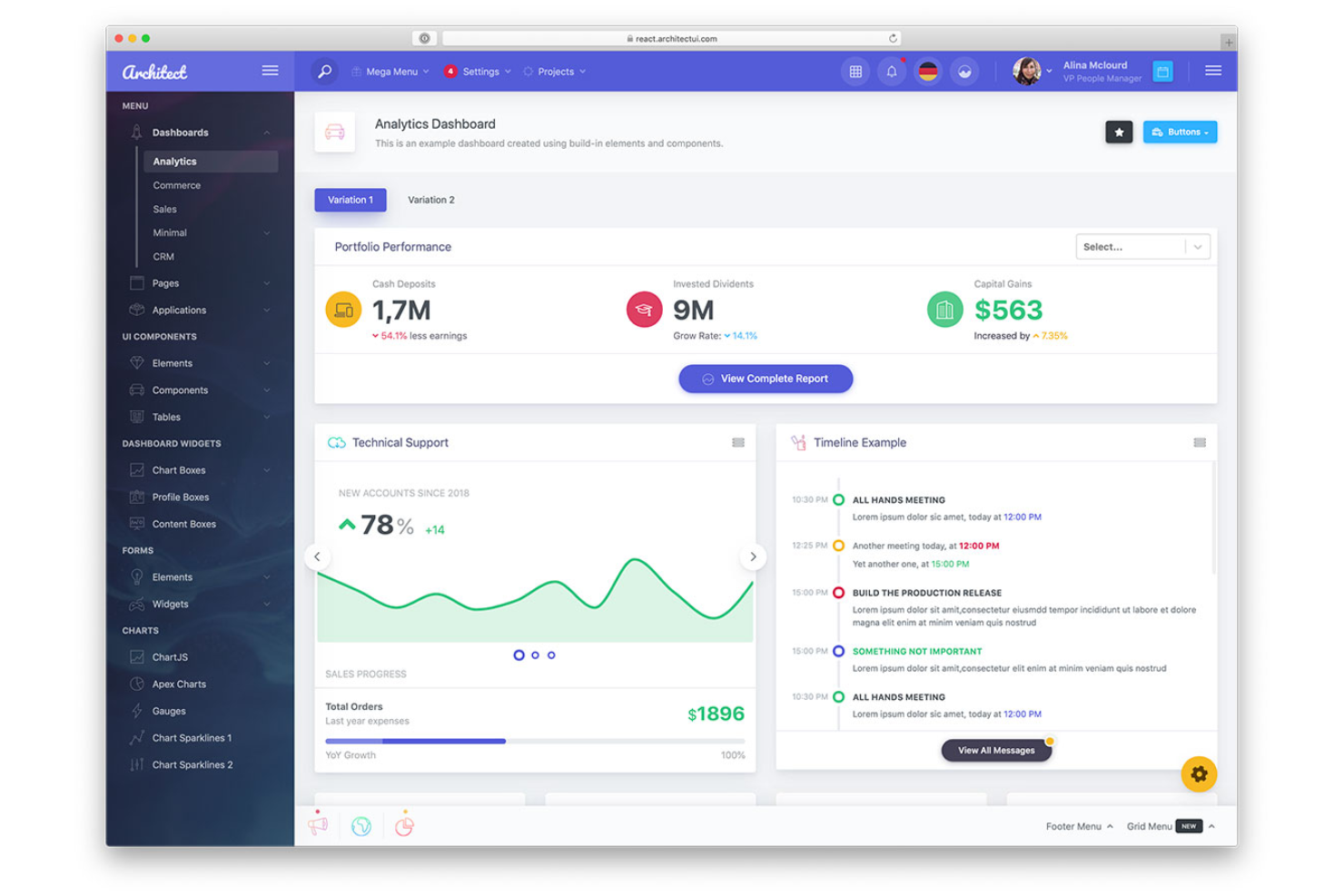
React gives frontend developers and engineering teams a way to build complex web interfaces using reusable UI components. It’s especially useful for organizations that need to maintain large-scale applications with consistent design and behavior across different parts of the product. React’s virtual DOM and component-driven structure help teams manage state, optimize rendering, and create interactive user experiences.
Who is React Best For?
Frontend developers and engineering teams in mid-sized to large organizations globally building reusable UI component libraries for web applications.
Why I Picked React
One thing that sets React apart is its focus on building reusable UI component libraries, which is a major advantage for web application development. With React, you can create modular components that encapsulate their own logic and styling, making it easier to maintain and scale large projects. I appreciate how React’s component-driven approach encourages consistency and reusability across different parts of an application. The virtual DOM also helps optimize rendering, so your interfaces stay responsive even as your codebase grows.
React Key Features
Some other features that make React appealing for web application development include:
- JSX Syntax: Write UI components using a syntax that combines JavaScript and HTML for clearer, more maintainable code.
- React Hooks: Manage state and side effects in functional components without writing class components.
- React DevTools: Inspect component hierarchies and state changes directly in your browser during development.
- Concurrent Rendering: Improve app responsiveness by allowing React to prepare multiple versions of the UI at once.
React Integrations
Native integrations are not currently publicly listed.
Pros and Cons
Pros:
- JSX syntax allows for clear and maintainable component code
- React Hooks simplify state management in functional components
- Virtual DOM enables fast updates for dynamic user interfaces
Cons:
- Boilerplate code increases with complex application requirements
- No built-in routing or state management requires extra libraries
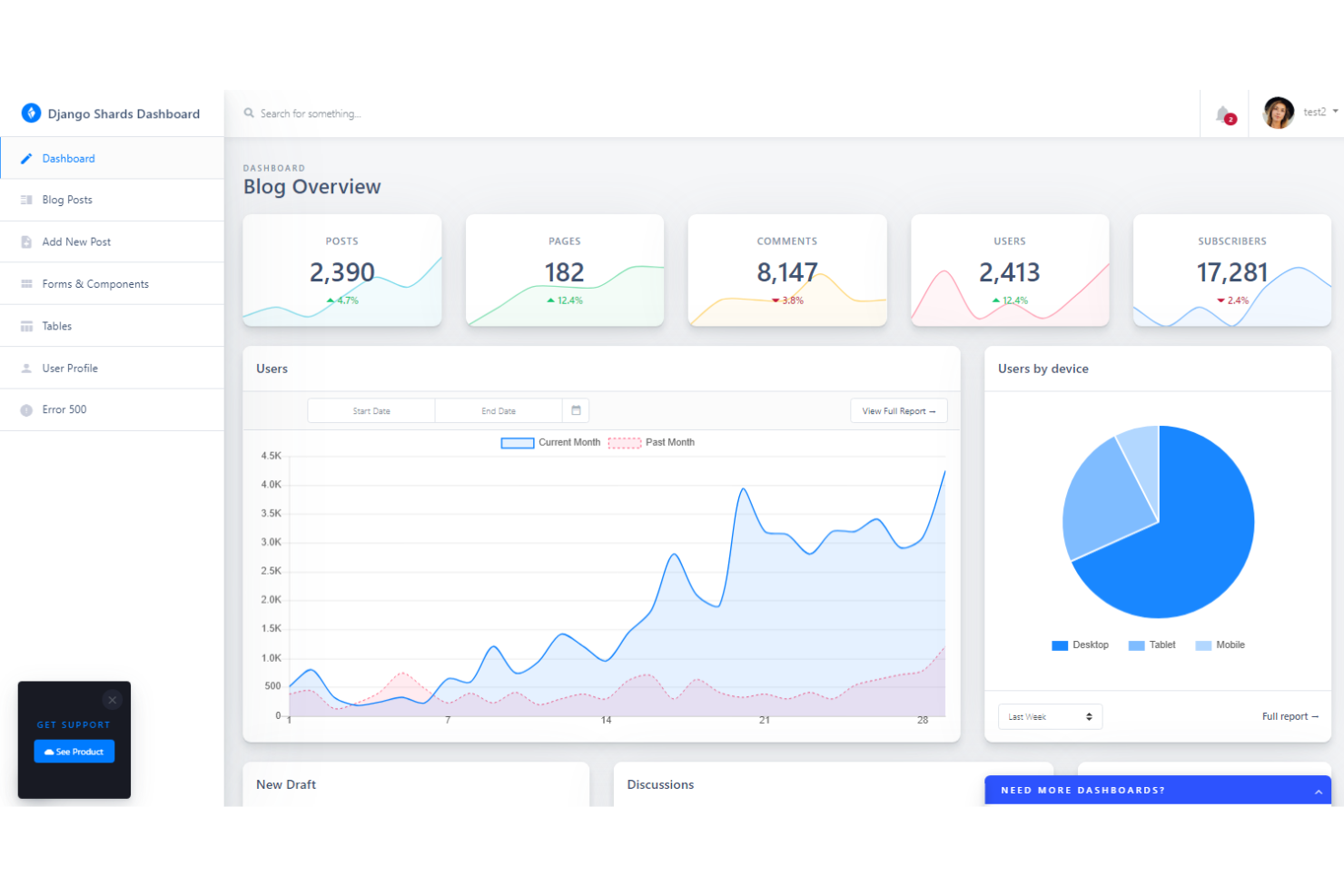
Django is a Python-based framework designed for teams that need to launch secure web applications quickly. It’s especially useful for developers in regulated industries or organizations handling sensitive data, thanks to its built-in security features. If you want a solution that handles authentication, permissions, and common web vulnerabilities out of the box, Django stands out for its focus on security and rapid development.
Who is Django Best For?
Backend developers and product teams in small to mid-sized organizations in North America and Europe developing applications rapidly with built-in security features.
Why I Picked Django
When rapid development and security are top priorities, Django offers a unique combination that’s hard to match. Its built-in authentication system and automatic protection against common threats like SQL injection and cross-site scripting help teams launch secure applications without extra overhead. I appreciate how Django’s “batteries-included” approach provides ready-to-use components for user management, permissions, and admin interfaces. This makes it a strong fit for organizations that need to move fast while meeting strict security requirements.
Django Key Features
Some other features that make Django appealing for web application development include:
- Object-Relational Mapper (ORM): Map database tables to Python objects for easier data manipulation and queries.
- Template Engine: Build dynamic HTML pages using Django’s built-in templating system.
- URL Routing: Define clean, readable URLs with flexible routing patterns.
- Internationalization Support: Localize applications with built-in tools for translation and formatting.
Django Integrations
Native integrations are not currently publicly listed.
Pros and Cons
Pros:
- ORM supports multiple database backends with minimal configuration
- Automatic protection against common web vulnerabilities is included
- Built-in admin interface accelerates backend management tasks
Cons:
- Upgrading between major versions can require significant code changes
- Asynchronous programming support is less mature than in FastAPI
Other Web Application Development Software
Here are some additional web application development software options that didn’t make it onto my shortlist, but are still worth checking out:
- Angular
For building large-scale enterprise apps
- Docker
For containerized deployment workflows
- Tailwind CSS
For utility-first CSS styling
- WeWeb
For visual front-end customization
- Global App Testing
For on-demand QA testing services
- MySQL
For scalable relational databases
- NocoBase
For open-source workflow automation
- Sencha Ext JS
For data-intensive UI components
- GitHub Copilot
For AI-powered code suggestions


Web Application Development Software Selection Criteria
When selecting the best web application development software to include in this list, I considered common buyer needs and pain points like supporting modern development workflows and scalability for growing projects. I also used the following framework to keep my evaluation structured and fair:
Core Functionality (25% of total score)
To be considered for inclusion in this list, each solution had to fulfill these common use cases:
- Build and deploy web applications
- Support front-end and back-end development
- Enable integration with databases and APIs
- Provide version control compatibility
- Offer debugging and testing tools
Additional Standout Features (25% of total score)
To help further narrow down the competition, I also looked for unique features, such as:
- Built-in real-time collaboration tools
- Visual drag-and-drop interface builders
- AI-powered code generation or suggestions
- Advanced security and compliance controls
- Automated deployment pipelines
Usability (10% of total score)
To get a sense of the usability of each system, I considered the following:
- Intuitive navigation and interface layout
- Customizable workspace or dashboard
- Clear documentation and tooltips
- Minimal setup required to start a project
- Responsive design for different devices
Onboarding (10% of total score)
To evaluate the onboarding experience for each platform, I considered the following:
- Availability of step-by-step tutorials or guides
- Access to template projects or starter kits
- Interactive product tours for new users
- Training videos and live webinars
- In-app chatbots or help widgets
Customer Support (10% of total score)
To assess each software provider’s customer support services, I considered the following:
- Multiple support channels like chat, email, and phone
- Fast response times to support requests
- Access to a knowledge base or help center
- Community forums or user groups
- Availability of dedicated account managers
Value For Money (10% of total score)
To evaluate the value for money of each platform, I considered the following:
- Transparent and flexible pricing plans
- Free trial or free tier availability
- Features included at each pricing level
- Cost compared to similar tools in the market
- Discounts for annual or volume subscriptions
Customer Reviews (10% of total score)
To get a sense of overall customer satisfaction, I considered the following when reading customer reviews:
- Consistency of positive feedback across platforms
- Reported reliability and uptime of the tool
- Quality of support and onboarding experiences
- Frequency of updates and new features
- Real-world examples of business impact
How to Choose Web Application Development Software
It’s easy to get bogged down in long feature lists and complex pricing structures. To help you stay focused as you work through your unique software selection process, here’s a checklist of factors to keep in mind:
| Factor | What to Consider |
|---|---|
| Scalability | Will the software handle increased users, data, and complexity as your business grows? Check for limits on projects, users, or API calls. |
| Integrations | Does the tool connect natively with your existing databases, authentication systems, CI/CD pipelines, or monitoring tools? |
| Customizability | Can you adapt the platform to your team’s coding standards, workflows, and branding? Look for support for custom themes or plugins. |
| Ease of use | How quickly can new team members become productive? Consider the learning curve and whether the UI matches your team’s experience level. |
| Implementation and onboarding | What resources are required to get up and running? Assess migration tools, documentation, and the availability of onboarding support. |
| Cost | Are pricing tiers transparent and predictable as your usage grows? Watch for hidden fees, overage charges, or required add-ons. |
| Security safeguards | Does the platform support your security policies, such as SSO, encryption, and audit logs? Review compliance certifications if needed. |
| Support availability | What support channels are offered, and are they available during your business hours? Check for SLAs and escalation paths for incidents. |
What Is Web Application Development Software?
Web application development software is a set of tools and platforms that help teams design, build, test, and deploy web-based applications. These solutions support both front-end and back-end development, offering features for coding, debugging, integration, and version control. They enable IT specialists to create scalable, secure, and maintainable web applications that meet business and user needs.
Features of Web Application Development Software
When selecting web application development software, keep an eye out for the following key features:
- Code editor: A built-in environment for writing, editing, and managing code, often with syntax highlighting, auto-completion, and error detection to speed up development.
- Version control integration: Direct support for tools like Git, allowing teams to track changes, collaborate, and manage code branches within the development environment.
- Debugging tools: Utilities for identifying, isolating, and fixing errors in code, including breakpoints, step-through execution, and real-time error reporting.
- Database connectivity: Features that enable integration with various databases, making it easier to manage data models, run queries, and handle migrations.
- API management: Tools for creating, testing, and documenting APIs, which help teams connect their applications to external services and internal systems.
- Responsive design support: Capabilities for building interfaces that automatically adjust to different screen sizes and devices, providing a consistent user experience.
- Testing frameworks: Built-in or integrated tools for unit, integration, and end-to-end testing, helping teams validate application functionality before deployment.
- Deployment automation: Features that simplify the process of moving code from development to production, including continuous integration and delivery pipelines.
- Role-based access control: Settings that let administrators define user permissions, so only authorized team members can access or modify specific parts of the project.
Common Web Application Development Software AI Features
Beyond the standard web application development software features listed above, many of these solutions are incorporating AI with features like:
- Code generation: AI analyzes project requirements and context to automatically generate code snippets or entire functions, helping teams accelerate development and reduce manual coding errors.
- Automated code review: AI scans codebases for bugs, security vulnerabilities, and style inconsistencies, providing real-time feedback and suggestions to improve code quality before deployment.
- Intelligent test case creation: AI examines application logic and user flows to suggest or generate relevant test cases, increasing test coverage and reducing the risk of missed edge cases.
- Natural language queries: AI enables developers to interact with documentation, databases, or codebases using plain language questions, speeding up information retrieval and troubleshooting.
- Predictive performance optimization: AI monitors application behavior and usage patterns to recommend optimizations, such as caching strategies or resource allocation, that can improve speed and reliability.
Benefits of Web Application Development Software
Implementing web application development software provides several benefits for your team and your business. Here are a few you can look forward to:
- Faster development cycles: Built-in code editors, reusable components, and automation tools help teams deliver applications more quickly.
- Increased collaboration: Version control integration and real-time editing features make it easier for multiple developers to work together on the same project.
- Greater scalability: Support for modern frameworks, database integration, and deployment automation allows applications to grow with your business needs.
- Improved security: Role-based access controls and built-in security safeguards help protect sensitive data and maintain compliance.
- Consistent user experience: Responsive design support and testing frameworks help applications work reliably across devices and browsers.
- Improved onboarding: Documentation, templates, and interactive guides help new team members become productive faster.
- Reduced operational risk: Automated testing, code review, and deployment pipelines minimize the chance of errors reaching production.
Costs and Pricing of Web Application Development Software
Selecting web application development software requires an understanding of the various pricing models and plans available. Costs vary based on features, team size, add-ons, and more. The table below summarizes common plans, their average prices, and typical features included in web application development software solutions:
Plan Comparison Table for Web Application Development Software
| Plan Type | Average Price | Common Features |
|---|---|---|
| Free Plan | $0 | Basic code editing, limited project storage, community support, and access to core templates. |
| Personal Plan | $10-$40/user/month | Advanced code editing, version control integration, small-scale database support, and email support. |
| Business Plan | $20-$100/user/month | Team collaboration tools, API access, improved security controls, priority support, and automated deployments. |
| Enterprise Plan | $60-$1000+/month | Custom integrations, advanced compliance features, dedicated account management, SLA-backed support, and audit logs. |
Web Application Development Software FAQs
Here are some answers to common questions about web application development software:
How do I know if my team needs web application development software?
If your team is building, maintaining, or scaling web-based applications, you likely need dedicated development software. These tools help manage code, improve collaboration, and support integration with databases and APIs, making complex projects more manageable.
Can I migrate existing projects into the new web application development software?
Yes, most platforms support importing existing codebases and data. Check for migration guides, compatibility with your current frameworks, and available support resources for a smooth transition without disrupting ongoing work.
What security considerations should I keep in mind when choosing a platform?
Look for features like role-based access control, encryption, audit logs, and compliance certifications. Make sure the software aligns with your organization’s security policies and regulatory requirements, especially if you handle sensitive or regulated data.
How do web application development software solutions support team collaboration?
Many platforms offer version control integration, real-time editing, and project management tools. These features help multiple developers work on the same codebase, track changes, and resolve conflicts efficiently.
Are there hidden costs I should watch for with these tools?
Yes, some platforms charge extra for advanced features, additional users, storage, or premium support. Review pricing tiers carefully and estimate your future needs to avoid unexpected expenses as your projects grow.