
19 Best VMware Alternatives Reviewed in 2026

Best VMware Alternatives Shortlist
Here’s my shortlist of the best VMware alternatives:


In today’s rapidly evolving tech landscape, you may question whether VMware remains the best fit for your team’s needs. Virtualization and cloud computing are essential, but you might be facing challenges regarding cost, scalability, or specific features that VMware no longer addresses.
As an independent software reviewer, I know how critical it is to use tools that truly align with your business goals. In this article, I'll share my unbiased, well-researched top picks for VMware alternatives.
You'll discover options that address your specific challenges, offering flexibility and tailored solutions. Let's dive in and find the best fit for your team.
What Is VMware?
VMware is a virtualization and cloud computing software that helps businesses manage and optimize their IT infrastructure. IT professionals, system administrators, and cloud architects often use VMware for its ability to improve efficiency and reduce hardware costs. Virtualization, cloud management, and compatibility features support your team's need for scalable and flexible IT solutions. Overall, VMware provides value by enabling efficient resource management and operational productivity.
Best VMware Alternatives Summary
This comparison chart summarizes pricing details for my top VMware alternatives to help you find the best one for your budget and business needs.
| Tool | Best For | Trial Info | Price | ||
|---|---|---|---|---|---|
| 1 | Best for on-demand global compute instances | Free plan available | Pricing upon request | Website | |
| 2 | Best for private cloud orchestration | Free to use | Free forever plan | Website | |
| 3 | Best for service-provider hosting platforms | Free demo + free 30-day trial available | Pricing upon request | Website | |
| 4 | Best for Linux-based virtualization | Free to use | Free plan available | Website | |
| 5 | Best for high-performance workloads | Free plan available | Pricing upon request | Website | |
| 6 | Best for open-source virtualization | Free plan available | From €120/CPU socket/year | Website | |
| 7 | Best for hybrid cloud environments | Free test drive available | Pricing upon request | Website | |
| 8 | Best for containerized workloads | Free demo + free 60-day trial available | Pricing upon request | Website | |
| 9 | Best for edge computing solutions | Free trial + Free demo available | From $189/core/year | Website | |
| 10 | Best for community-driven support | Free to use | Free plan available | Website |
Why Trust Our Software Reviews
-

Freshservice
Visit WebsiteThis is an aggregated rating for this tool including ratings from Crozdesk users and ratings from other sites.4.6 -
Deel IT
Visit Website -
Rippling IT
Visit WebsiteThis is an aggregated rating for this tool including ratings from Crozdesk users and ratings from other sites.4.8




Best VMware Alternatives Reviews
Below are my detailed summaries of the best VMware alternatives. My reviews offer a thorough look at the key features, pros and cons, integrations, and ideal use cases of each tool to help you find the best one for you.

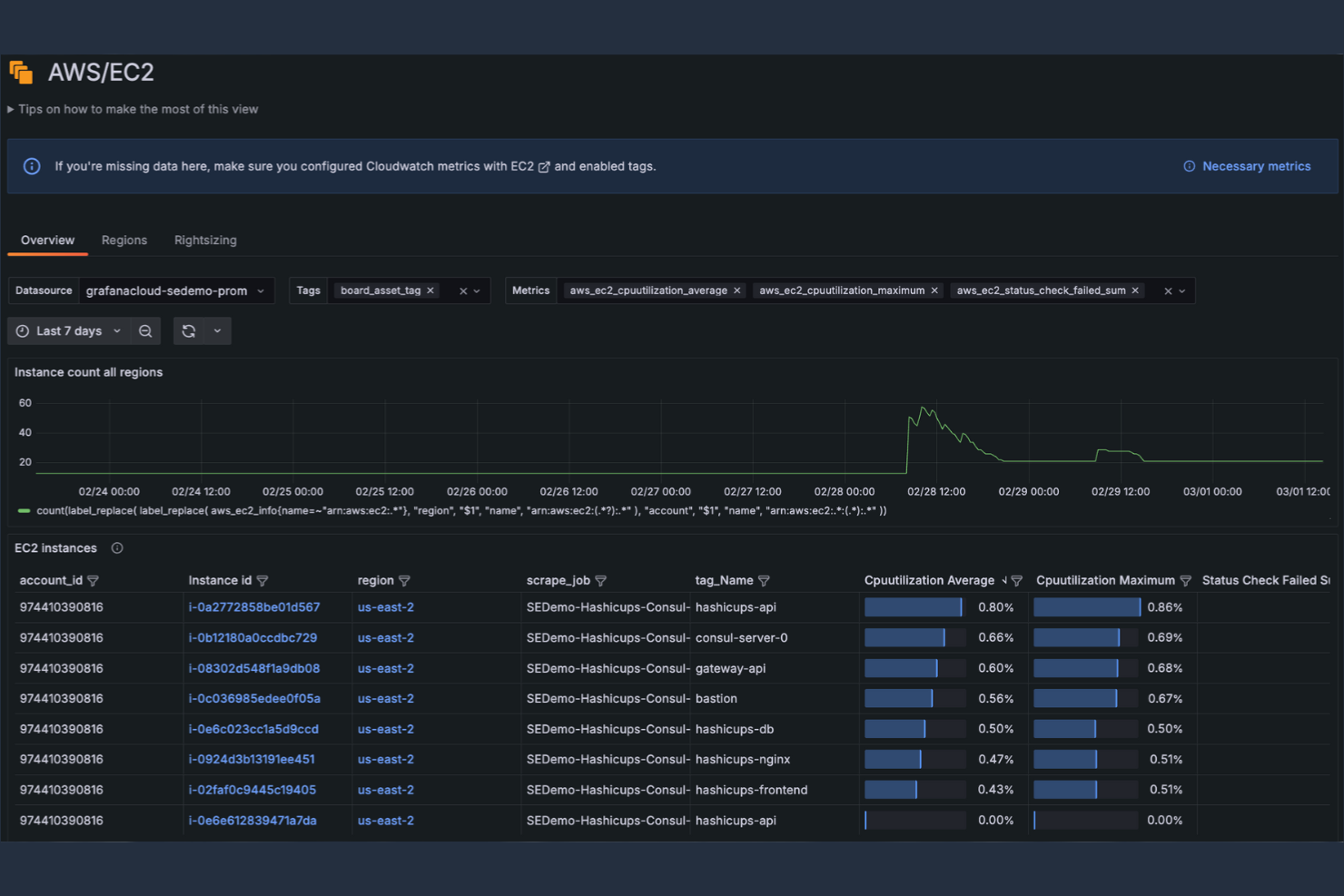
Amazon EC2 is a cloud computing service that provides scalable compute capacity for developers and businesses. It enables you to launch and manage virtual servers, handling web-scale cloud computing with ease.
Why it's a good VMware alternative: Amazon EC2 offers scalability that allows your team to adjust computing power according to demand.
Standout Features and Integrations:
Features include pay-as-you-go pricing to control costs, multiple instance types to match your workload requirements, and built-in security features to protect data and applications.
Integrations are not publicly listed.
Pros and Cons
Pros:
- Cost-effective model
- Variety of instance types
- Scalable according to demand
Cons:
- Data egress fees
- Requires cloud expertise

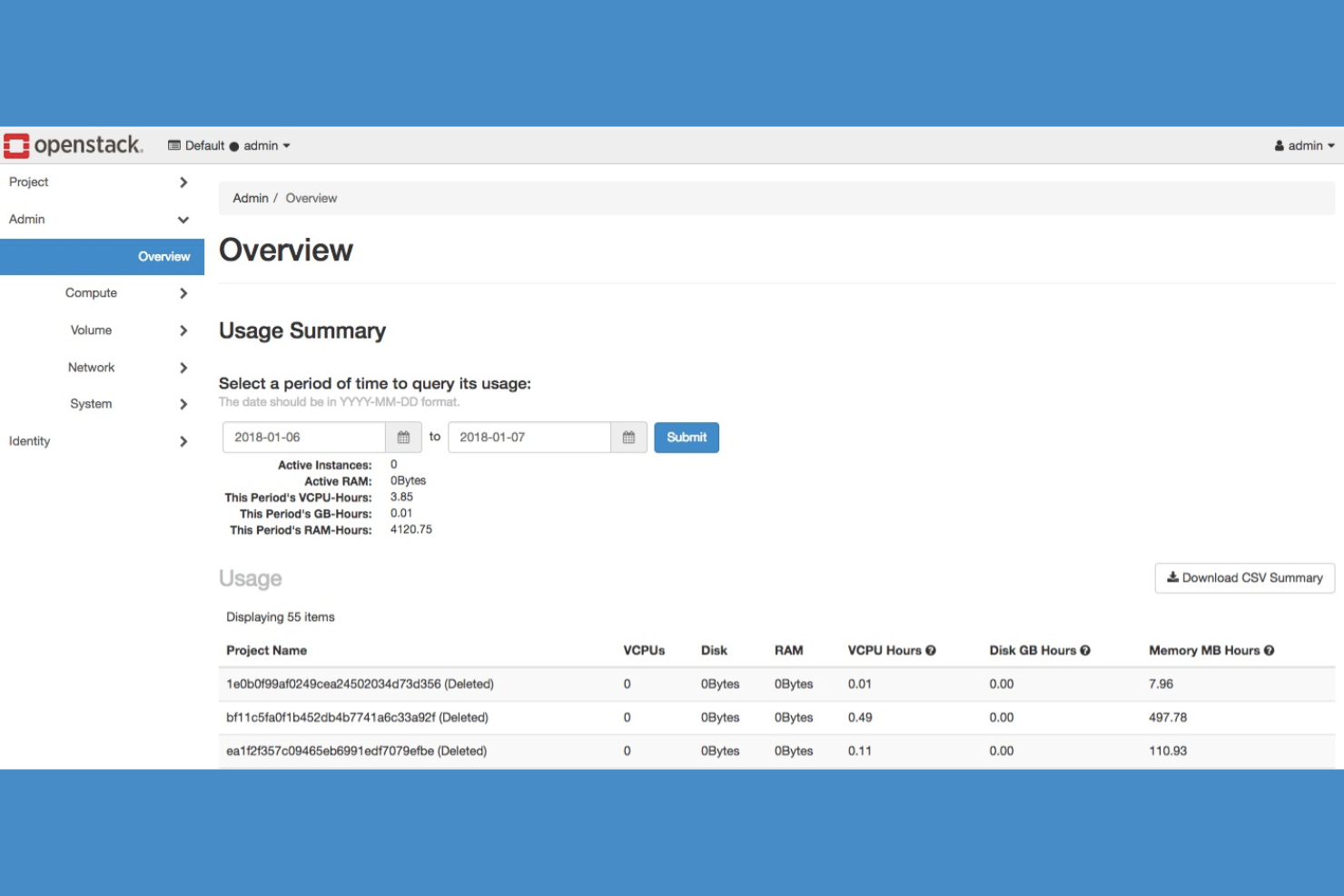
OpenStack is an open-source cloud computing platform designed for developers and IT teams looking to build and manage public and private clouds. It enables the deployment and management of virtual machines and other resources in a cloud environment.
Why it's a good VMware alternative: OpenStack offers the flexibility of an open-source solution, allowing you to customize and scale your cloud infrastructure. The platform supports a wide range of hypervisors, giving you more options for integration. With a strong community backing, you'll find extensive resources and support.
Standout Features and Integrations:
Features include a modular architecture deploying only required components, a web-based dashboard for managing virtual machines and storage, and extensive API support for automation and integration.
Integrations include Ceph, Kubernetes, Docker, Ansible, Terraform, Jenkins, Prometheus, Grafana, Nagios, Puppet, and more.
Pros and Cons
Pros:
- Supports multiple hypervisors
- Modular architecture
- Open-source flexibility
Cons:
- Complex multi-service maintenance
- Inconsistent storage plug-ins

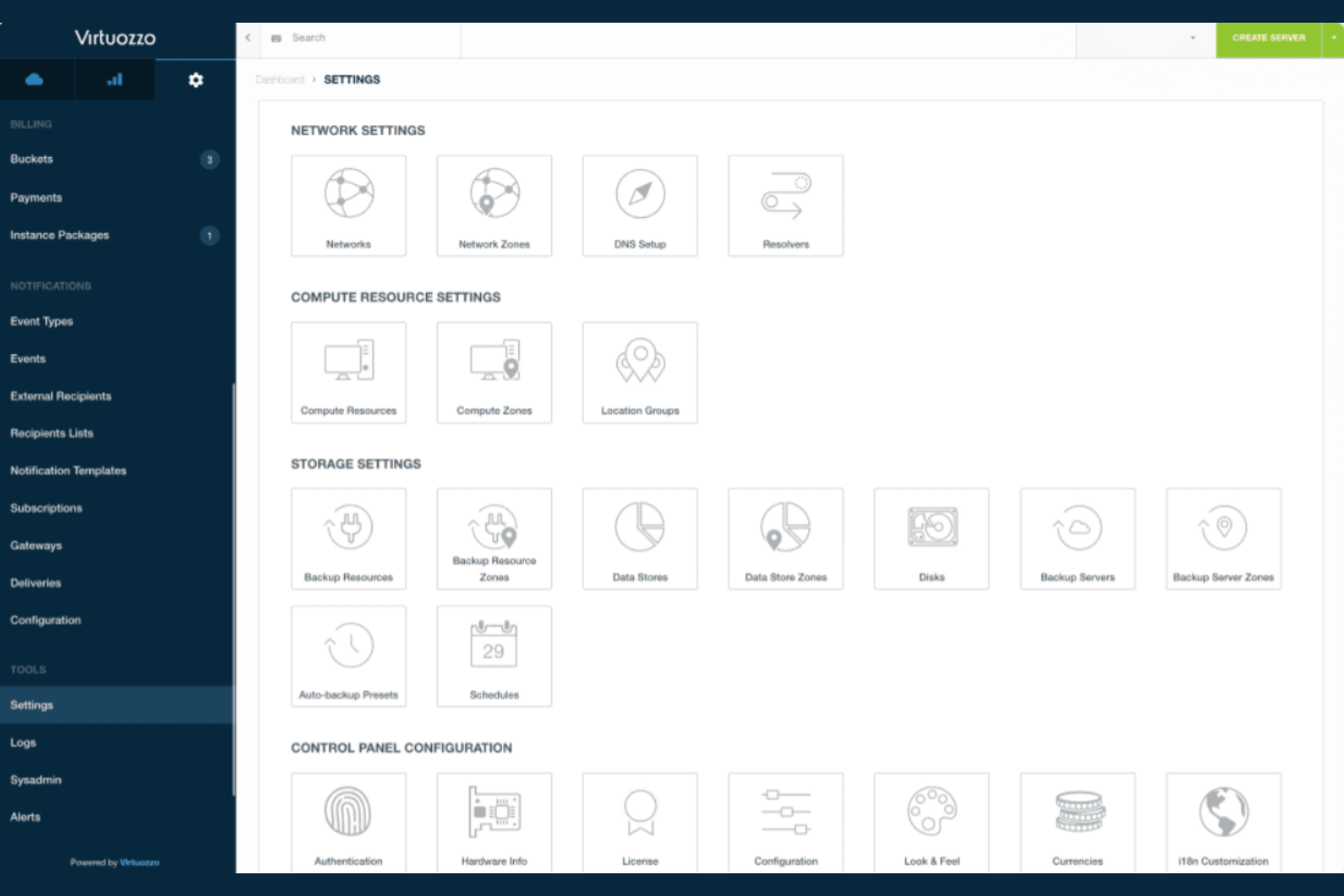
Virtuozzo is a virtualization and cloud platform designed for businesses looking to deploy cloud-native applications efficiently. It serves IT teams by providing container management, virtualization, and storage solutions.
Why it's a good VMware alternative: Virtuozzo offers container management alongside traditional virtualization, making it ideal for cloud-native applications. Built-in security features protect your applications, keeping them safe and secure.
Standout Features and Integrations:
Features include a hyper-converged infrastructure, or HCI, that integrates compute and storage resources. It also supports load balancing for distributed workloads. Automated updates simplify system maintenance, while self-service capabilities allow users to deploy and manage applications independently.
Integrations are not publicly listed.
Pros and Cons
Pros:
- Automated updates
- Hyper-converged infrastructure
- Supports cloud-native applications
Cons:
- Dependency on the Virtuozzo ecosystem
- Not ideal for single-server deployments

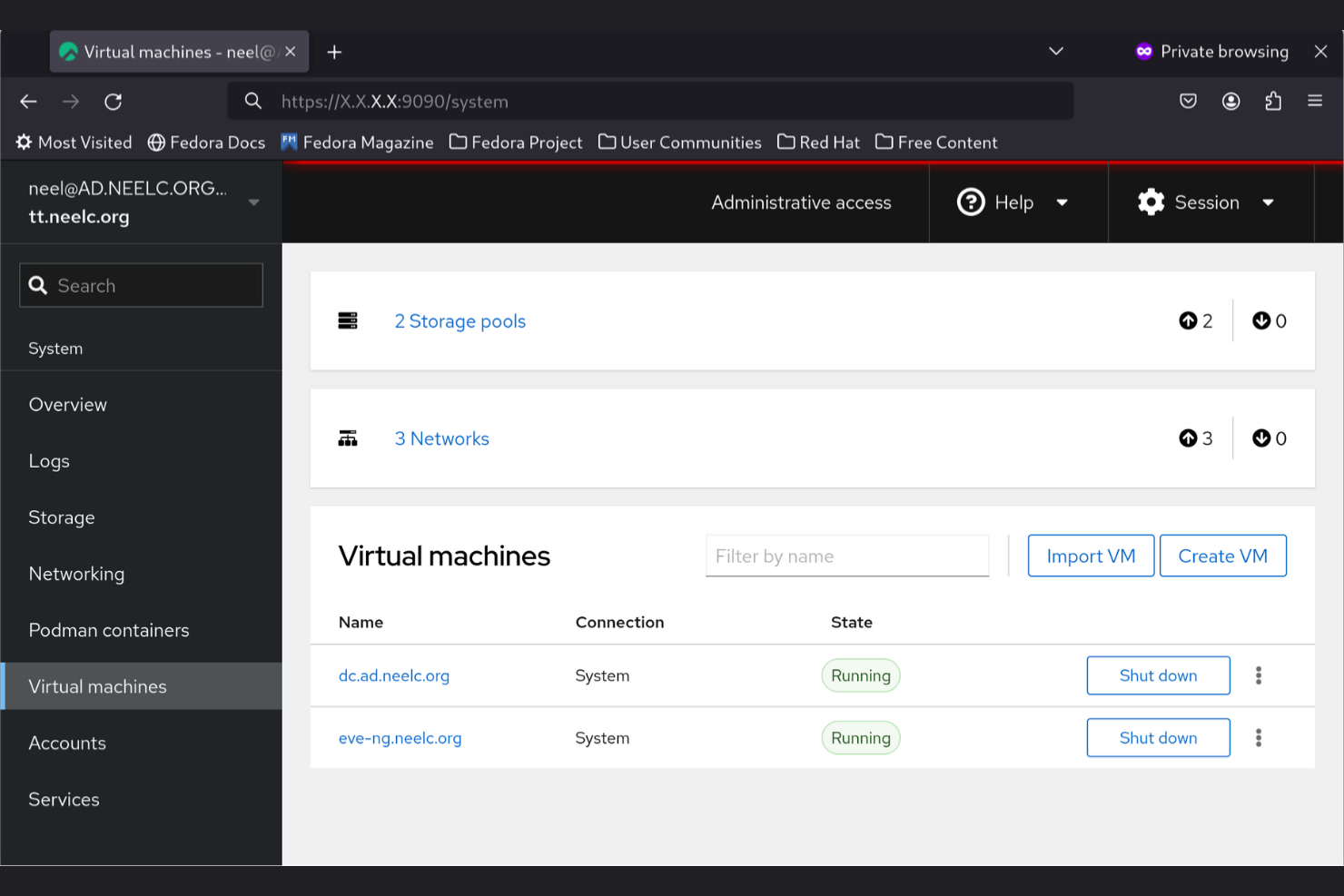
KVM is a virtualization solution built into the Linux kernel, ideal for IT professionals and developers who rely on Linux environments. It allows you to run multiple virtual machines on Linux, utilizing the hardware's full capabilities.
Why it's a good VMware alternative: As a Linux-based virtualization tool, KVM integrates natively with Linux distributions, making it a natural choice if your team uses Linux. It offers high performance by directly accessing hardware resources, which helps you maximize efficiency. KVM is versatile and supports a wide range of guest operating systems. Its open-source nature gives you the flexibility to customize and extend functionalities as needed.
Standout Features and Integrations:
Features include support for running multiple virtual machines using hardware virtualization extensions, broad compatibility with Linux distributions for flexible deployment, and live migration to move workloads without downtime.
Integrations include QEMU, Libvirt, OpenStack, oVirt, Proxmox VE, Virt-manager, CloudStack, Ansible, Red Hat Enterprise Linux, SUSE Linux Enterprise, and more.
Pros and Cons
Pros:
- Supports many guest OS
- Direct hardware access
- Native Linux integration
Cons:
- Less polished UI
- Linux-specific skills are necessary

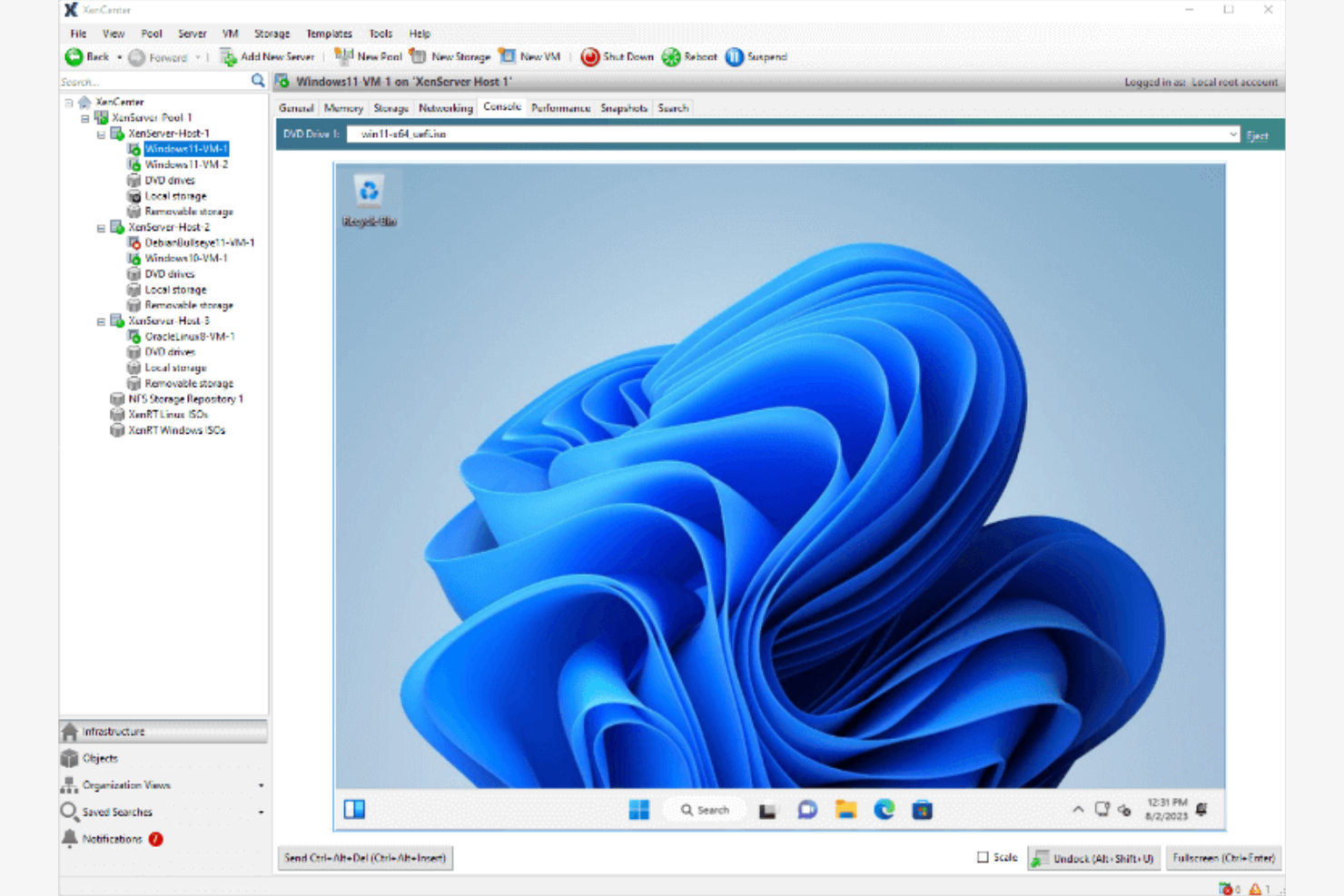
XenServer is a virtualization platform used primarily by IT professionals and businesses needing a reliable solution for managing server workloads. It performs key functions like server consolidation, resource management, and virtual machine deployment.
Why it's a good VMware alternative: High-performance workloads benefit from XenServer's ability to handle demanding applications efficiently. It supports multiple operating systems, which provides flexibility for diverse on-premises IT environments.
Standout Features and Integrations:
Features include live patching, which allows updates without rebooting, centralized management, and support for multiple operating systems. Your team can also take advantage of its advanced security measures to safeguard your virtual machines.
Integrations include Citrix Workspace, NetScaler ADC, and more.
Pros and Cons
Pros:
- Offers live patching
- Handles multiple operating systems
- Supports high-performance workloads
Cons:
- Citrix ecosystem lock-in
- Windows-only management

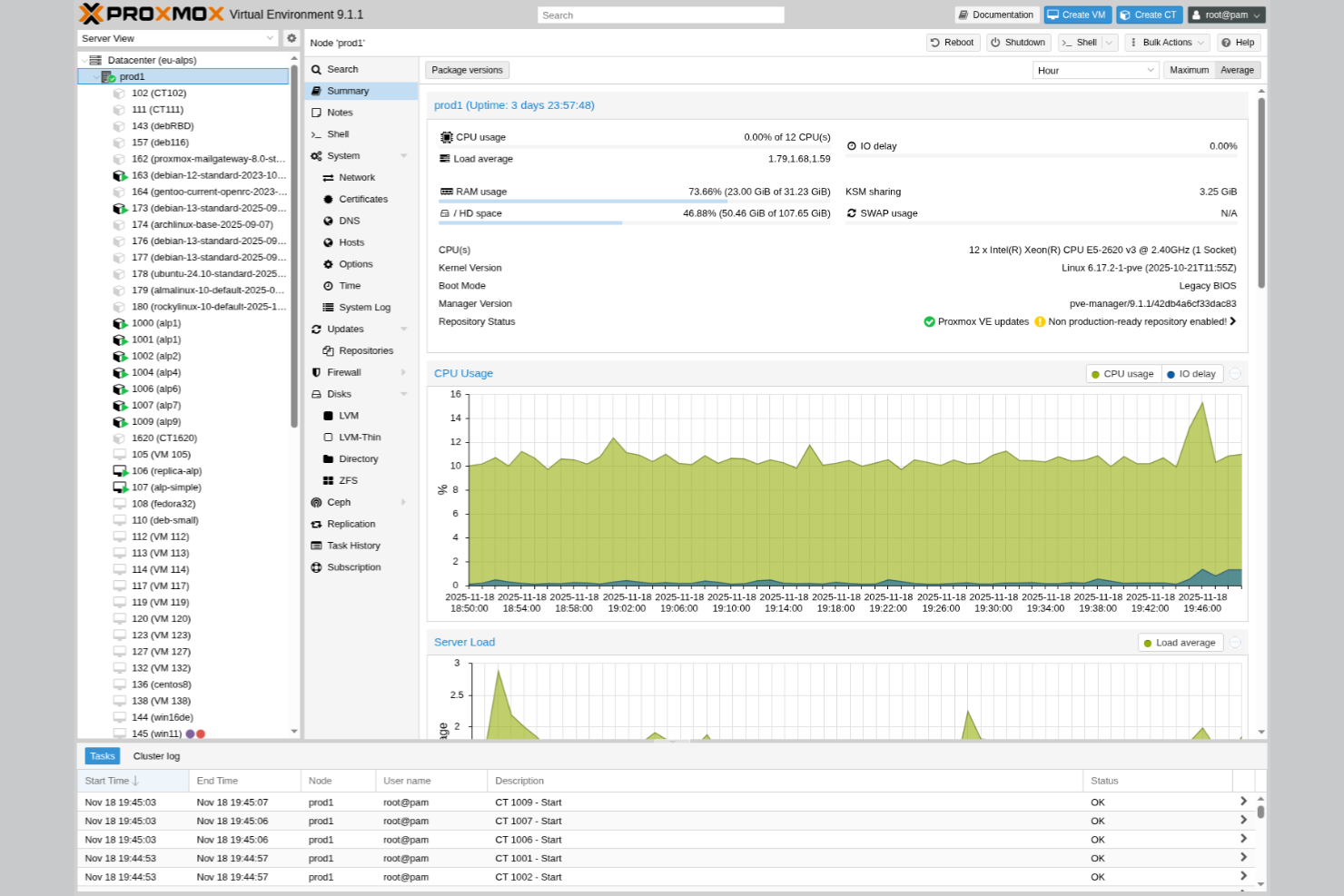
Proxmox Virtual Environment is an open-source virtualization management solution catering to IT teams and developers seeking flexibility and control over their infrastructure. It performs key functions such as managing virtual machines, containers, and storage.
Why it's a good VMware alternative: Proxmox Virtual Environment's open-source nature allows you to customize and tailor your virtualization setup. It supports both KVM for virtual machines and LXC for containers, giving you versatile options. It's a cost-effective choice, especially if you're looking to avoid licensing fees.
Standout Features and Integrations:
Features include a web-based interface for simplified administration, built-in backup and restore functions, and live migration without downtime.
Integrations include Ceph, ZFS, Open vSwitch, and more.
Pros and Cons
Pros:
- Web-based management interface
- Supports KVM and LXC
- Open-source flexibility
Cons:
- Limited third-party enterprise integrations
- Requires significant virtualization knowledge
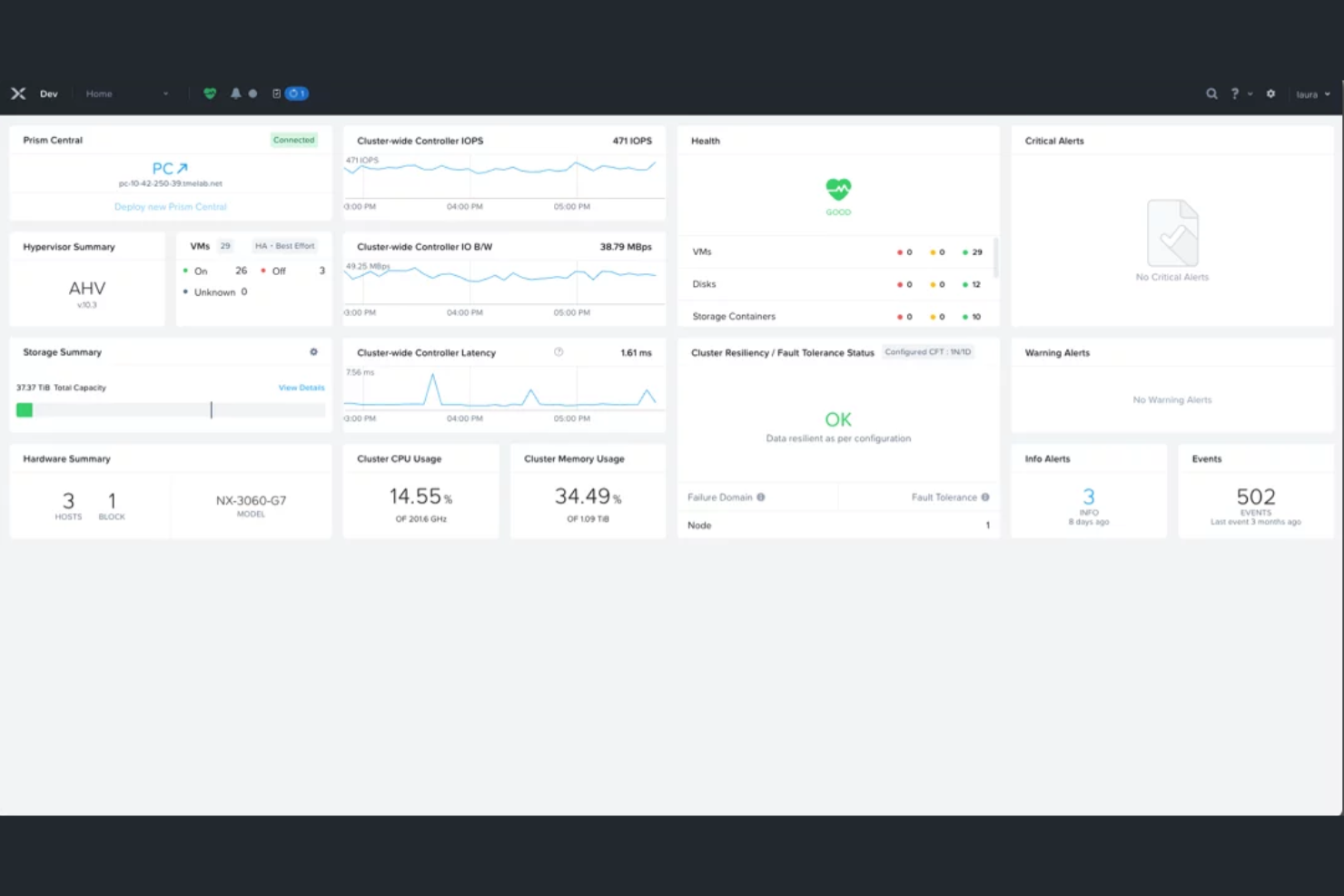
Nutanix AHV is a virtualization solution tailored for businesses aiming to simplify their IT infrastructure with a focus on hybrid cloud environments. It supports functions like virtual machine management and resource optimization.
Why it's a good VMware alternative: Nutanix AHV integrates tightly with Nutanix's hyper-converged platform, providing enterprise-grade virtualization with simpler management across hybrid cloud environments. It reduces reliance on costly add-ons, helps avoid vendor lock-in, and serves as a practical alternative to VMware ESXi and VMware vSphere.
Standout Features and Integrations:
Features include built-in security, automated operations, and high availability with automated failover. The intuitive interface makes deploying and scaling virtual machines straightforward. Advanced features include native microsegmentation, AI-powered predictive analytics, and self-healing security configurations.
Integrations are not publicly listed.
Pros and Cons
Pros:
- Integrated with hyper-converged infrastructure
- Automated operations
- Simplifies hybrid cloud management
Cons:
- Official support is a paid extra
- Requires specific hardware compatibility

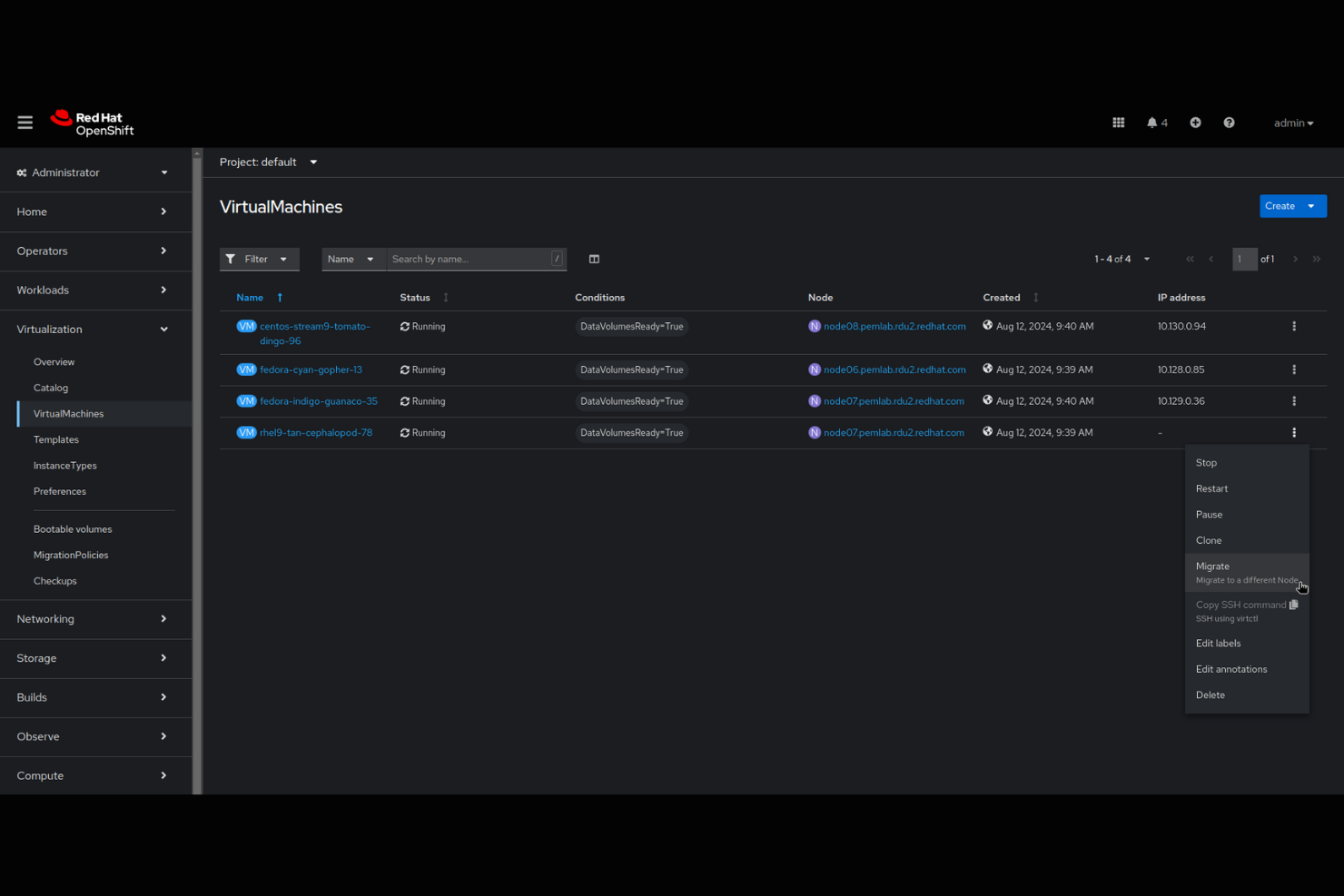
Red Hat OpenShift Virtualization is a solution for IT teams looking to manage containerized and virtual machine workloads. It integrates with Kubernetes to simplify the deployment and management of applications.
Why it's a good VMware alternative: Red Hat OpenShift Virtualization lets you run virtual machines alongside containers in a single platform, making it a powerful piece of virtualization software. This integration with Kubernetes makes it ideal for modern application development. You can manage both virtual machines and containers using the same set of tools, reducing complexity and improving ease of use. Its open-source nature provides flexibility and adaptability for your team's needs.
Standout Features and Integrations:
Features include built-in monitoring, logging, and automated provisioning. The platform offers automated scaling to handle changes in demand efficiently and role-based access control to manage user permissions.
Integrations are not publicly listed.
Pros and Cons
Pros:
- Unified management tools
- Supports containerized and VM workloads
- Integrates with Kubernetes
Cons:
- Fewer VM features than dedicated hypervisors
- Requires Kubernetes knowledge

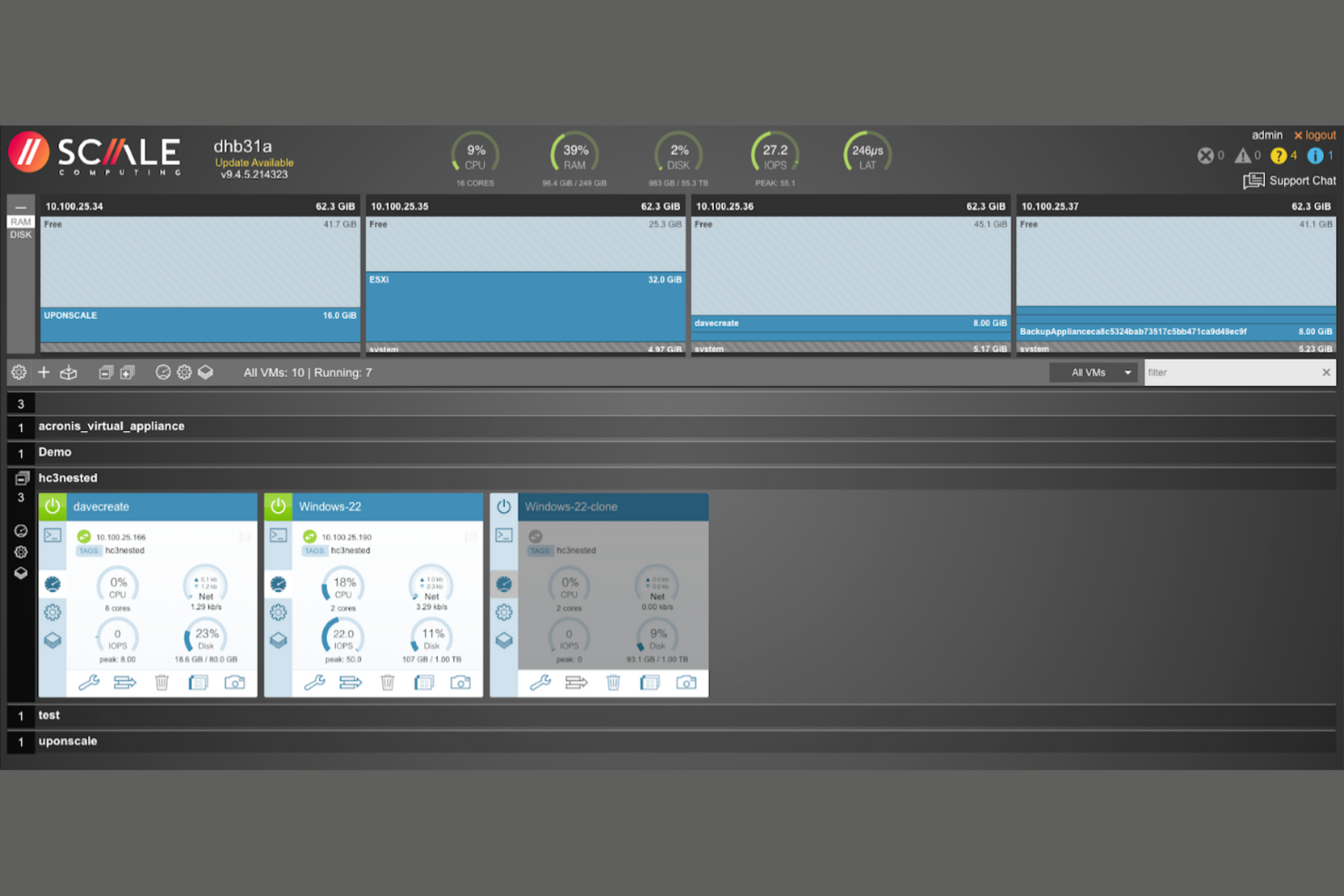
Scale Computing is a hyper-converged infrastructure solution designed for small to medium-sized businesses and IT teams looking to simplify their data center management. It combines virtualization, servers, storage, and backup into a single platform.
Why it's a good VMware alternative: Scale Computing offers a simplified approach to managing edge and distributed computing environments, which is ideal if your team operates in distributed locations.
Standout Features and Integrations:
Features include automated management and monitoring that reduce manual tasks. The self-healing architecture helps maintain continuous operation by minimizing downtime. With its ease of deployment, you can set up IT resources quickly and efficiently.
Integrations include Veeam, Acronis, Commvault, Arcserve, Zerto, Microsoft Azure, Google Cloud, Amazon Web Services, Cloudian, Wasabi, and more.
Pros and Cons
Pros:
- Unified management
- Straightforward deployment
- Strong built-in resilience
Cons:
- Lacks some advanced platform capabilities
- Scaling and workload limits

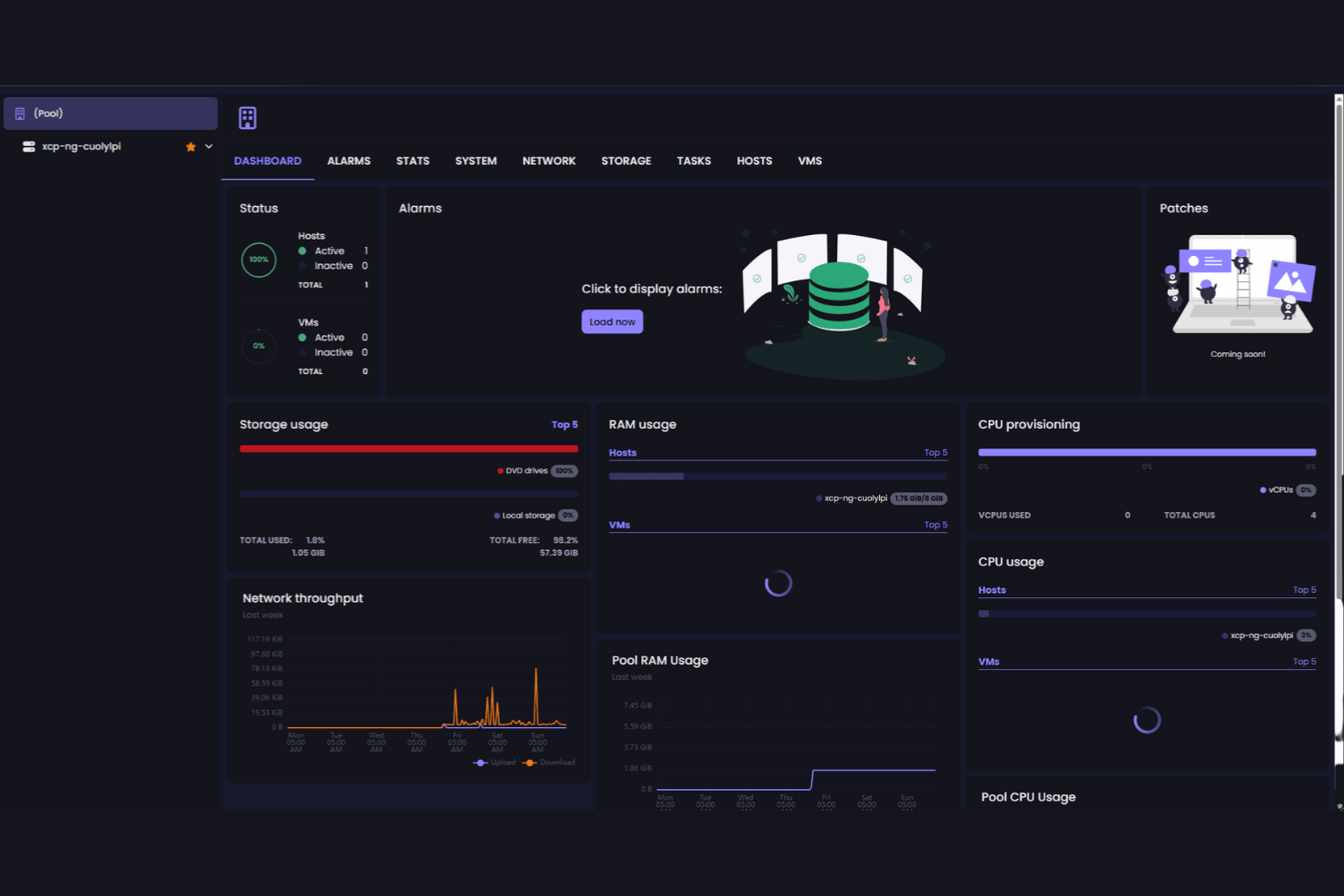
XCP-ng is an open-source virtualization platform designed for IT professionals and developers looking for a flexible, community-supported solution. It provides virtual machine management and resource allocation for various business needs.
Why it's a good VMware alternative: XCP-ng offers a cost-effective solution with strong community support, making it ideal if you're seeking a customizable and collaborative environment.
Standout Features and Integrations:
Features include broad hardware capability, community-driven updates for continuous improvement, and open-source flexibility for customization.
Integrations include Xen Orchestra, Ansible, Jenkins, Docker, Kubernetes, Veeam, Zabbix, and more.
Pros and Cons
Pros:
- Supports a wide range of hardware
- Cost-effective solution
- Strong community support
Cons:
- Less out-of-the-box automation
- Management depends on Xen Orchestra
Other VMware Alternatives
Here are some additional VMware alternatives that didn’t make it onto my shortlist, but are still worth checking out:
- Cycle
For container deployment
- Google Compute Engine
For high-performance computing
- OpenNebula
For simple cloud management
- Apache CloudStack
For open-source cloud orchestration
- SUSE Virtualization
For Kubernetes integration
- Microsoft Azure Local
For hybrid cloud infrastructure
- Ace Cloud Hosting VDI
For remote desktop solutions
- Harvester
For open-source hyperconvergence
- Platform9
For managed Kubernetes services


VMware Alternatives Selection Criteria
When selecting the best VMware alternatives to include, I considered common buyer needs and pain points related to virtualization and cloud computing software products, like scalability and cost-effectiveness. I also used the following framework to keep my evaluation structured and fair:
Core Functionality (25% of total score)
To be considered for inclusion in this list, each solution had to fulfill these common use cases:
- Create and manage virtual machines
- Optimize resource allocation
- Confirm data security
- Support multiple operating systems
- Provide backup and recovery options
Additional Standout Features (25% of total score)
To help further narrow down the competition, I also looked for unique features, such as:
- Advanced automation capabilities
- Integrated container management
- Built-in disaster recovery
- AI-driven analytics
- Hybrid cloud support
Usability (10% of total score)
To get a sense of the usability of each system, I considered the following:
- Intuitive user interface
- Clear documentation
- Easy navigation
- Customizable dashboards
- Accessibility across devices
Onboarding (10% of total score)
To evaluate the onboarding experience for each platform, I considered the following:
- Availability of training videos
- Interactive product tours
- Access to templates
- Webinars and live demonstrations
- Chatbots and 24/7 support
Customer Support (10% of total score)
To assess each software provider's customer support services, I considered the following:
- Availability of live chat
- Email support response time
- Phone support availability
- Detailed knowledge base
- Community forums
Value for Money (10% of total score)
To evaluate the value for money of each platform, I considered the following:
- Pricing transparency
- Flexible payment plans
- Cost relative to features
- Discounts for long-term contracts
- Free trial or demo availability
Customer Reviews (10% of total score)
To get a sense of overall customer satisfaction, I considered the following when reading customer reviews:
- Overall satisfaction rating
- Feedback on reliability
- Comments on customer service
- Ease of integration feedback
- Reports on performance issues
Why Look for a VMware Alternative?
While VMware is a good choice of virtualization and cloud computing software, there are a number of reasons why some users seek out alternative solutions. You might be looking for a VMware alternative because…
- You need more cost-effective pricing
- Your team requires a simpler deployment
- You're seeking better support for hybrid environments
- You want more flexible licensing options
- Your organization demands heightened security features
- You're looking for improved customer support
If any of these sound like you, you've come to the right place. My list contains several virtualization and cloud computing software options that are better suited for teams facing these challenges with VMware and looking for alternative solutions.
VMware Features
Here are some of the features of VMware, to help you contrast and compare what alternative solutions offer:
- vMotion: Enables live migration of virtual machines without downtime.
- vSphere HA: Provides high availability for applications by restarting virtual machines automatically in case of server failure.
- Distributed Resource Scheduler (DRS): Balances computing workloads with resource allocation.
- vSAN: Integrates storage with your virtual machines.
- vSphere Replication: Offers data protection and disaster recovery by maintaining consistent data replication across sites.
- vCenter Server: Centralizes management of your virtual environment, providing a single pane of glass for monitoring and administration.
- vSphere Web Client: Provides a web-based interface for managing your virtual infrastructure.
- Virtual Volumes (vVols): Simplify storage operations by managing storage at the virtual machine level.
- vSphere Fault Tolerance: Provides continuous availability for applications by running a secondary virtual machine in lockstep with the primary one.
- vSphere ESXi Hypervisor: Offers a bare-metal hypervisor that optimizes performance and consolidates workloads.
What's Next:
If you're in the process of researching virtualization and cloud computing software, connect with a SoftwareSelect advisor for free recommendations.
You fill out a form and have a quick chat where they get into the specifics of your needs. Then you'll get a shortlist of software to review. They'll even support you through the entire buying process, including price negotiations.