
16 Best Smartsheet Alternatives Picked for 2026

Best Smartsheet Alternative Shortlist
Here’s my shortlist of the best Smartsheet alternatives:


A strong Smartsheet alternative gives your team flexible project tracking, customizable workflows, and reliable collaboration features—all in a cloud-based platform. If you’re searching for a Smartsheet alternative, you’re likely facing limits with templates, automation, or integrations, or you need a tool that better fits your team’s processes.
The right solution can help you manage complex projects, support cross-team work, and adapt to changing business needs. In this list, you’ll find top Smartsheet alternatives for 2026, each with unique strengths to help you choose the best fit for your IT environment.
What Is Smartsheet?
Smartsheet is a cloud-based work management platform designed for project tracking, task management, and team collaboration. It uses a spreadsheet-style interface to organize workflows, automate repetitive tasks, and centralize project information. Smartsheet supports file sharing, real-time updates, and integration with popular business tools. IT teams, project managers, and business users rely on Smartsheet to coordinate work, monitor progress, and manage resources across multiple projects and departments.
Best Smartsheet Alternatives Summary
This comparison chart summarizes pricing details for my top Smartsheet alternative selections to help you find the best one for your budget and business needs.
| Tool | Best For | Trial Info | Price | ||
|---|---|---|---|---|---|
| 1 | Best for database-style project organization | Free plan + free demo available | From $20/user/month (billed annually) | Website | |
| 2 | Best for customizable task views | Free plan + free demo available | From $7/user/month (billed annually) | Website | |
| 3 | Best for open-source deployment options | 14-day free trial + free plan available | From $7.25/per user/month (25-user minimum; billed annually) | Website | |
| 4 | Best for simple team onboarding | Free forever plan available | From $3.99/user/month (billed annually) | Website | |
| 5 | Best for flexible knowledge management | Free plan + free demo available | From $10/member/month (billed annually) | Website | |
| 6 | Best for cross-team coordination | 30-day free trial + free plan available | From $10.99/user/month (billed annually) | Website | |
| 7 | Best for integrated time tracking | Free plan available | From $6/user/month (billed annually) | Website | |
| 8 | Best for visual project tracking | Free plan available | From $9/user/month (billed annually) | Website | |
| 9 | Best for creative project collaboration | Free demo available | Pricing upon request | Website | |
| 10 | Best for advanced workflow automation | Free plan + free demo + 14-day free trial available | From $10/user/month (billed annually) | Website |


Why Trust Our Software Reviews
-

Freshservice
Visit WebsiteThis is an aggregated rating for this tool including ratings from Crozdesk users and ratings from other sites.4.6 -
Deel IT
Visit Website -
Rippling IT
Visit WebsiteThis is an aggregated rating for this tool including ratings from Crozdesk users and ratings from other sites.4.8




Best Smartsheet Alternatives Reviews
Below are my detailed summaries of the best Smartsheet alternatives that made it onto my shortlist. My reviews offer a detailed look at the features, best use cases, and integrations of each platform to help you find the best one for your team.

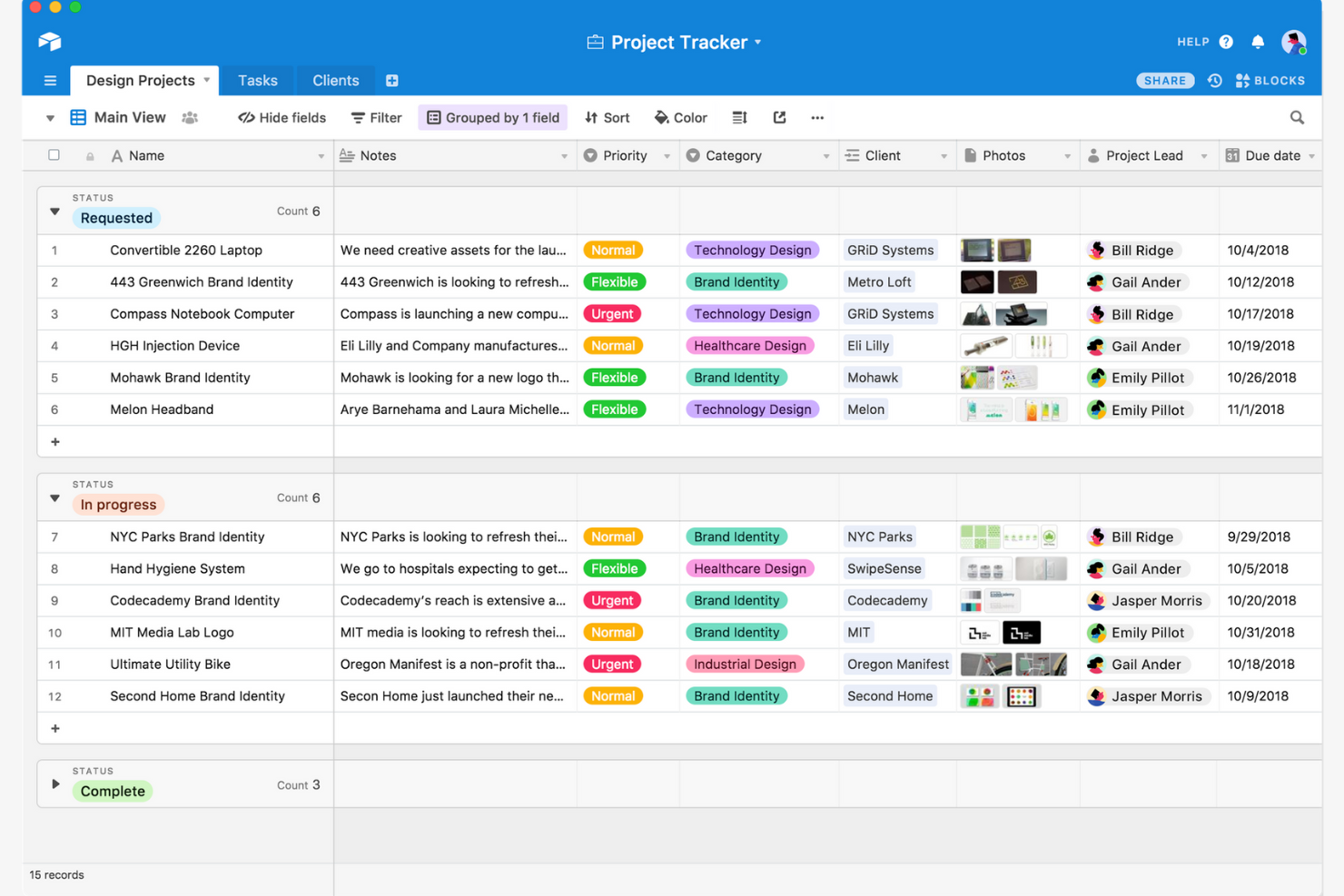
If your team needs to organize projects with complex, relational data, Airtable offers a flexible database-style approach. It’s a strong fit for IT specialists, operations teams, and project managers who want to structure information beyond simple lists or grids. Unlike Smartsheet, Airtable lets you link records across tables, customize data types, and build tailored workflows for unique project needs.
Why Airtable Is a Good Smartsheet Alternative
When you need to organize projects with more structure than a spreadsheet, Airtable’s database-style setup stands out. I picked Airtable because it lets you create linked tables, so you can manage relationships between tasks, assets, or resources in a way that’s not possible in Smartsheet.
You can also define custom field types—like attachments, checkboxes, or dropdowns—to match your project’s data requirements. This approach is especially useful for IT teams and project managers who need to track interconnected information across multiple workflows.
Airtable Key Features
Some other features that make Airtable useful for project organization include:
- Interface Designer: Build custom dashboards and interfaces to visualize and interact with your data.
- Automations: Set up triggers and actions to automate repetitive tasks within your bases.
- Calendar View: Display records on a calendar to track deadlines and project timelines.
- Permission Controls: Assign granular access levels to collaborators for better data security.
Airtable Integrations
Integrations include Slack, Google Drive, Salesforce, Jira, Zendesk, Outlook, Google Calendar, Box, Miro, and Tableau.
Pros and Cons
Pros:
- Multiple view options include grid, Kanban, calendar, and gallery
- Interface Designer allows custom dashboards for different project needs
- Relational database structure supports linking records across multiple tables
Cons:
- Permission settings lack row-level access controls for sensitive data
- Large bases with many records can experience performance slowdowns

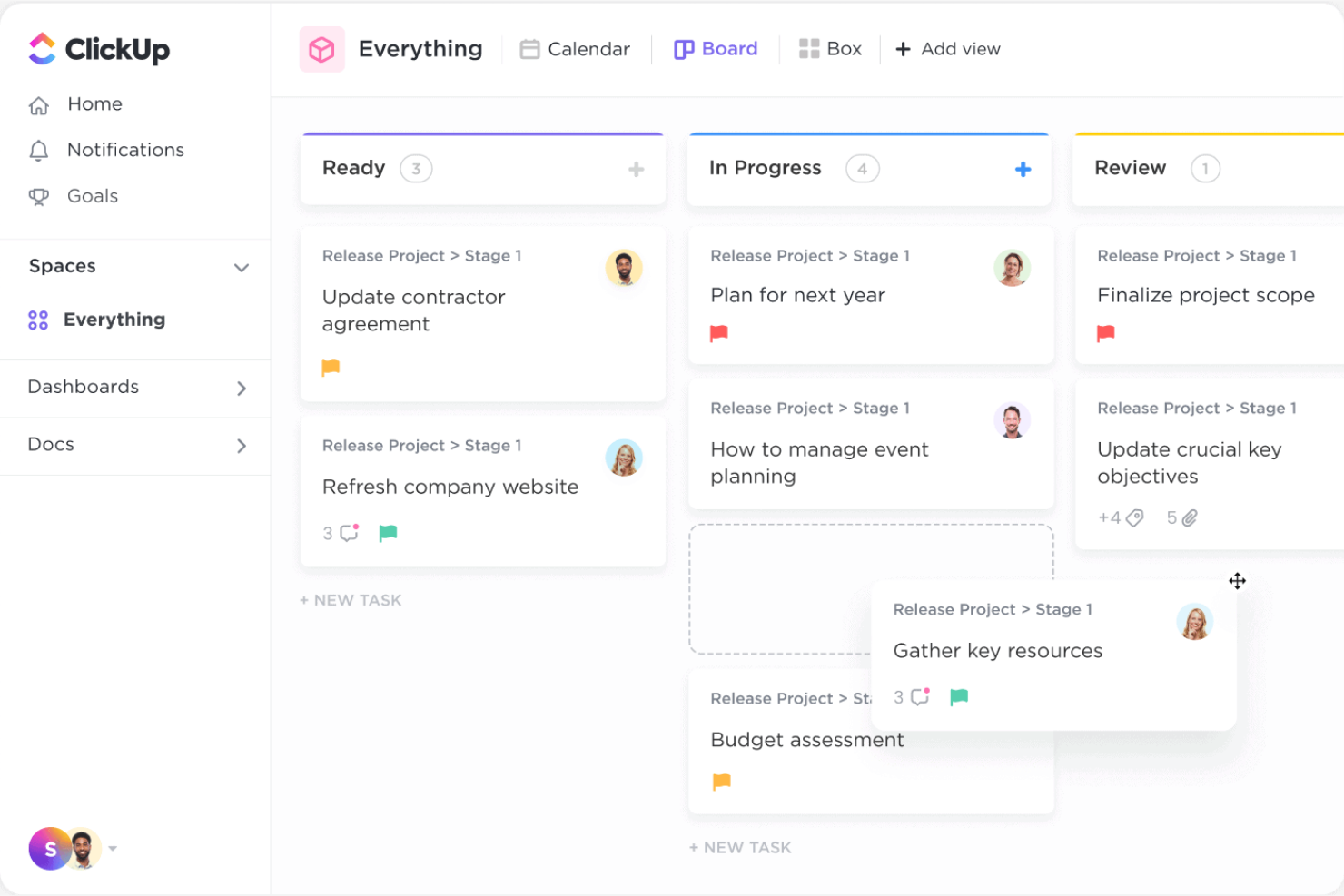
ClickUp stands out for teams that want to tailor how they view and manage tasks. It’s a strong fit for IT specialists, project managers, and operations teams who need to switch between list, board, Gantt, or calendar views depending on the project. Unlike Smartsheet, ClickUp lets you customize nearly every aspect of your workspace, so you can match your workflows to your team’s exact needs.
Why ClickUp Is a Good Smartsheet Alternative
If you want a work management platform that adapts to your team’s preferred way of working, ClickUp is worth considering. I picked ClickUp because it lets you switch between list, board, Gantt, and calendar views for the same set of tasks, so every team member can work in the format that suits them best.
You can also create custom fields and statuses to match your team’s unique processes. This level of flexibility makes ClickUp a strong alternative to Smartsheet for teams that need more control over how they visualize and organize their work.
ClickUp Key Features
Some other features in ClickUp that are valuable for work management include:
- Automations: Set up custom rules to automate repetitive tasks and notifications.
- Docs and Wikis: Create and organize internal documentation directly within your workspace.
- Time Tracking: Log time spent on tasks with built-in timers and manual entry.
- Goal Tracking: Set, track, and visualize progress toward team or project goals.
ClickUp Integrations
Integrations include Slack, GitHub, GitLab, HubSpot, Google Drive, Outlook, Figma, Zoom, Microsoft Teams, and Dropbox.
Pros and Cons
Pros:
- Custom fields and statuses help tailor workflows to specific processes
- Built-in time tracking supports detailed workload management
- Multiple task views let teams switch between list, board, and Gantt
Cons:
- Permission settings can be confusing for complex team structures
- Reporting and dashboard features are less advanced than Smartsheet

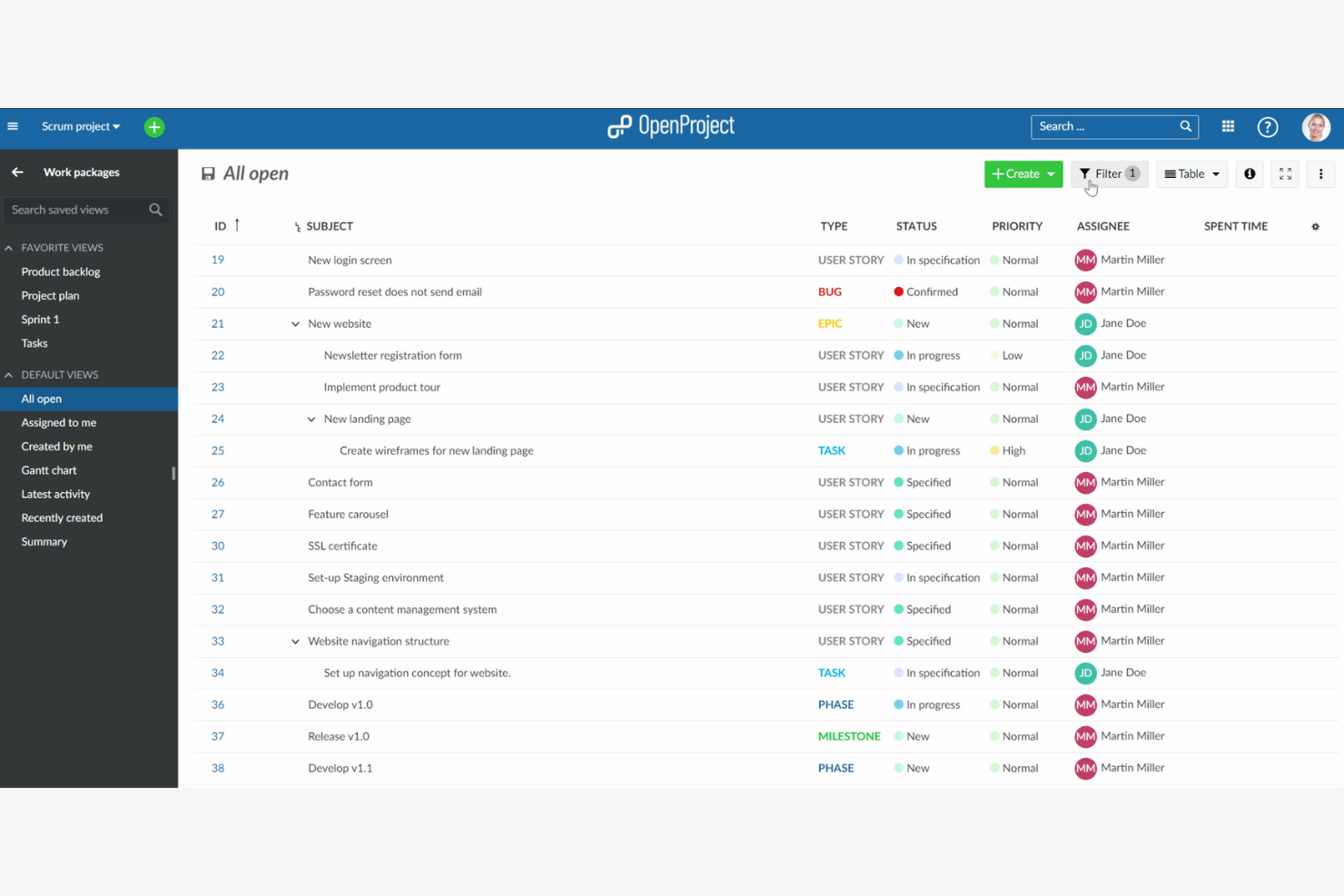
OpenProject stands out for teams that need open-source flexibility and control over their project management environment. It’s a strong fit for IT departments, public sector organizations, and privacy-focused businesses that want to self-host or customize their work management platform. Unlike Smartsheet, OpenProject gives you full access to source code and deployment options, supporting strict data security and compliance needs.
Why OpenProject Is a Good Smartsheet Alternative
If you’re looking for a work management platform with open-source deployment options, OpenProject is a clear choice. I picked OpenProject because it lets you self-host or run the platform in your own private cloud, giving you full control over your data and infrastructure. The tool also provides access to its source code, so you can customize workflows, permissions, and security settings to fit your organization’s requirements. These capabilities make OpenProject especially appealing for teams with strict compliance, privacy, or customization needs that Smartsheet can’t address.
OpenProject Key Features
Some other features that make OpenProject useful for work management include:
- Gantt Charts: Plan and visualize project timelines with interactive Gantt charts.
- Agile Boards: Manage tasks and sprints using built-in Agile and Scrum boards.
- Time Tracking: Log hours and monitor project progress with integrated time tracking.
- Wiki and Documentation: Create and organize project documentation directly within the platform.
OpenProject Integrations
Integrations include Nextcloud, OneDrive, SharePoint, GitHub, GitLab, and openDesk.
Pros and Cons
Pros:
- Wiki and documentation tools centralize project knowledge and files
- Gantt charts and Agile boards offer flexible project planning options
- Self-hosting and open-source code support strict data privacy needs
Cons:
- Advanced configuration and setup may require technical expertise
- Fewer native integrations than most commercial project management tools

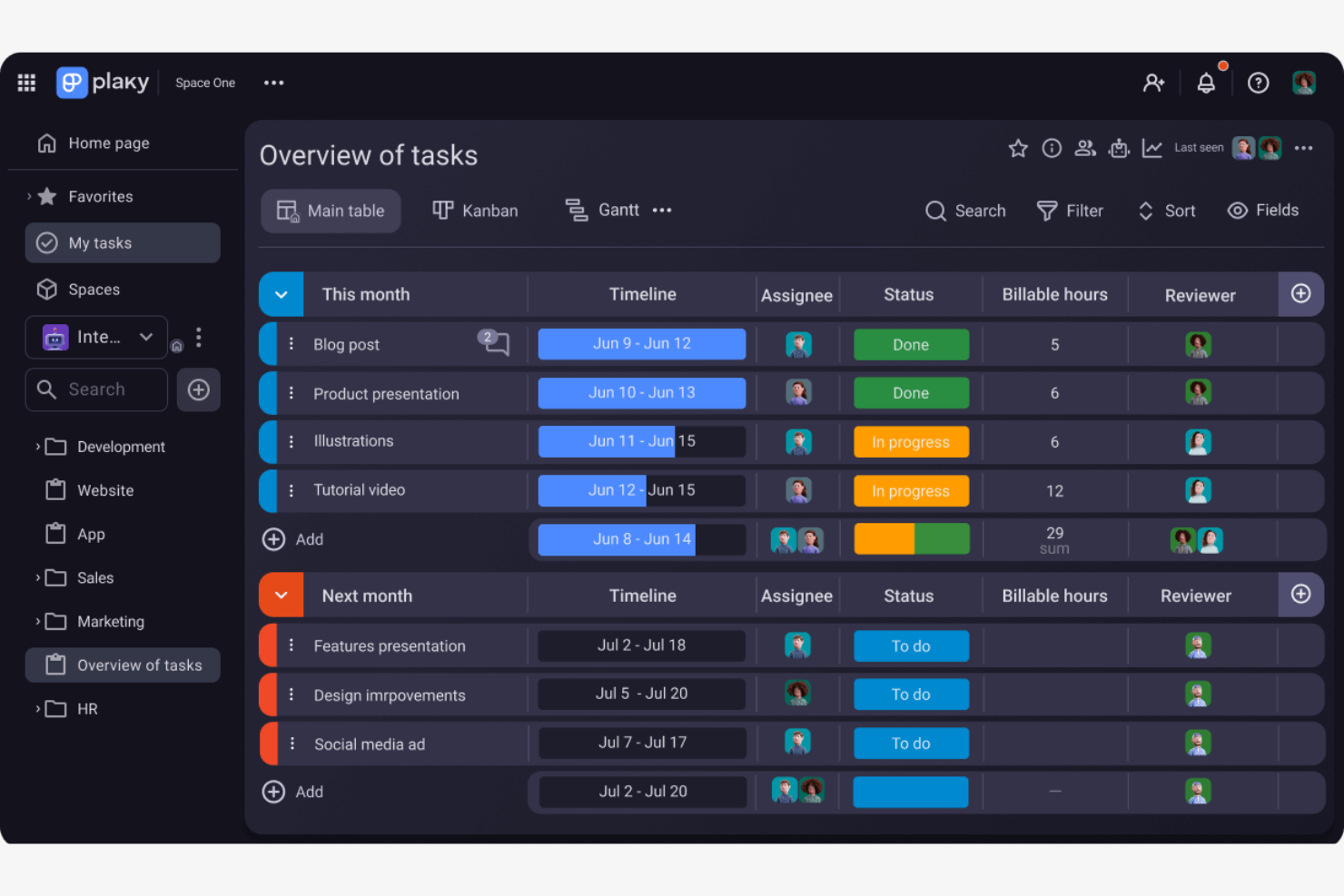
Plaky is designed for teams that want a straightforward, no-fuss approach to project management. It’s especially useful for small businesses, startups, or departments that need to get new users up and running quickly without a complex setup. Unlike Smartsheet, Plaky focuses on simple onboarding and an intuitive interface, making it easy for anyone to start collaborating right away.
Why Plaky Is a Good Smartsheet Alternative
For teams that want to get started with minimal friction, Plaky stands out as a Smartsheet alternative focused on simple team onboarding. I picked Plaky because it lets you create and assign tasks, set up boards, and invite new users in just a few clicks.
The platform’s templates and drag-and-drop board setup help new team members get oriented quickly, even if they haven’t used a work management tool before. This makes Plaky a strong fit for organizations that need to onboard users fast without overwhelming them with advanced configuration.
Plaky Key Features
Some other features that make Plaky useful for work management include:
- Custom Fields: Add and configure custom fields to tailor boards to your team’s workflow.
- File Attachments: Upload and attach files directly to tasks for easy reference.
- Commenting: Leave comments on tasks to keep discussions organized and accessible.
- Activity Log: Track changes and updates with a detailed activity log for each board.
Plaky Integrations
Integrations include Pumble.
Pros and Cons
Pros:
- The simple onboarding process allows new users to start quickly
- Task boards and templates help teams organize work visually
- Free plan includes unlimited users and projects for small teams
Cons:
- Reporting and analytics options are basic and lack depth
- No built-in Gantt chart or timeline view for project planning

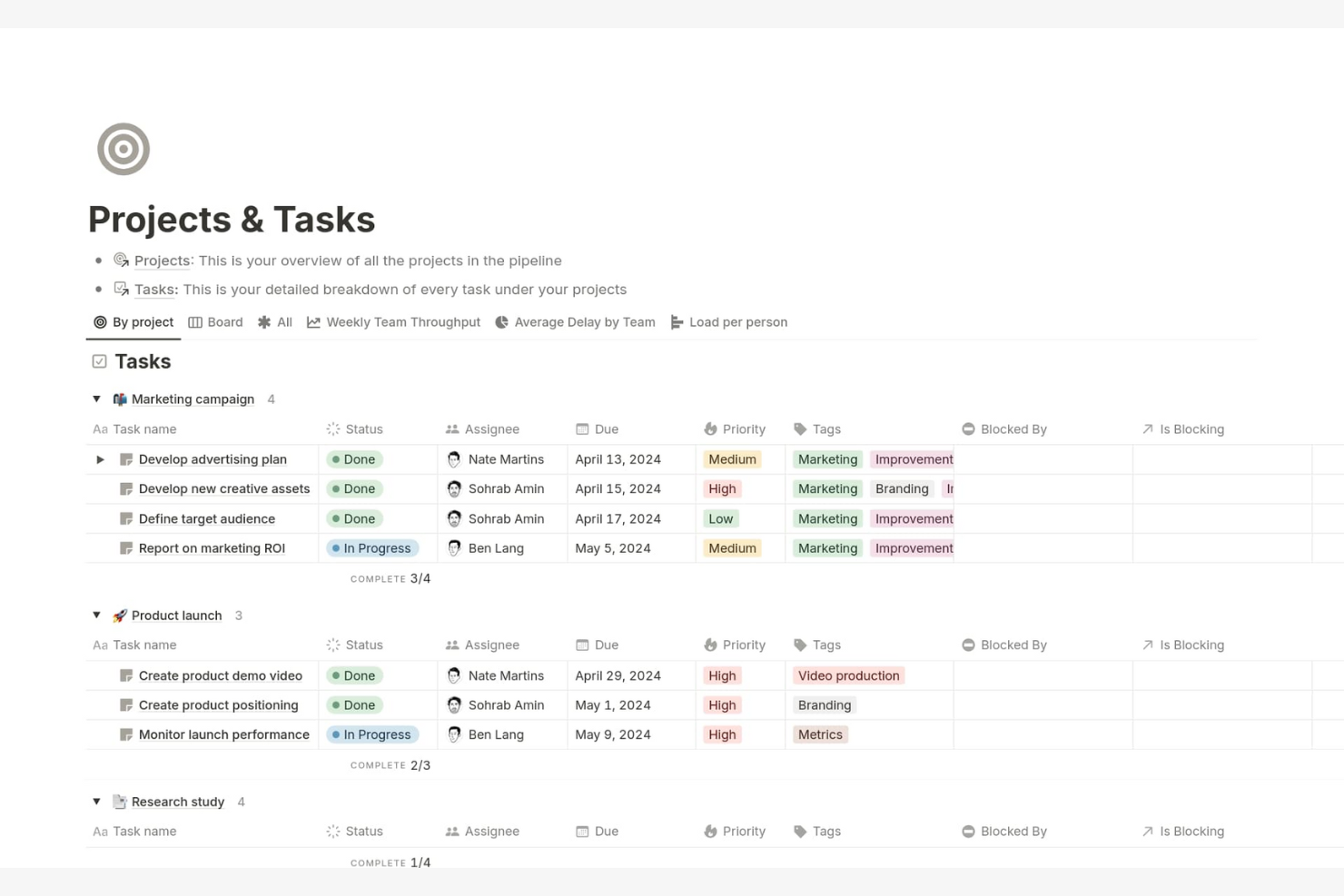
If you need a cloud-based platform that adapts to your team’s unique workflows, Notion is worth a look. It’s especially useful for IT teams, project managers, and cross-functional groups who want to combine documentation, project tracking, and knowledge sharing in one place. Unlike Smartsheet, Notion lets you build custom databases, wikis, and dashboards to fit your exact processes.
Why Notion Is a Good Smartsheet Alternative
For teams that need flexible knowledge management alongside project tracking, Notion offers a different approach than Smartsheet. I picked Notion because it lets you create custom wikis, databases, and interconnected pages that adapt to your team’s structure and workflows. You can organize everything from IT documentation to project plans and meeting notes in a single workspace. This flexibility makes Notion a strong choice if your work management needs go beyond spreadsheets and require a more dynamic, knowledge-driven environment.
Notion Key Features
Some other features in Notion that are useful for work management include:
- Kanban Boards: Organize tasks and projects visually with drag-and-drop boards.
- Calendar View: Display tasks, deadlines, and events in a calendar format for better scheduling.
- Permission Controls: Set granular access levels for pages, databases, and workspaces.
- Template Gallery: Access a library of pre-built templates for project management, documentation, and more.
Notion Integrations
Integrations include Slack, Jira, GitHub, Asana, Google Drive, Figma, Trello, Webex, Datadog, and Panther.
Pros and Cons
Pros:
- Kanban, calendar, and list views offer flexible task management
- Linked pages and wikis support detailed documentation needs
- Custom databases let you build tailored project tracking systems
Cons:
- Permission settings can be complex for larger organizations to manage
- No built-in Gantt chart for timeline-based project planning

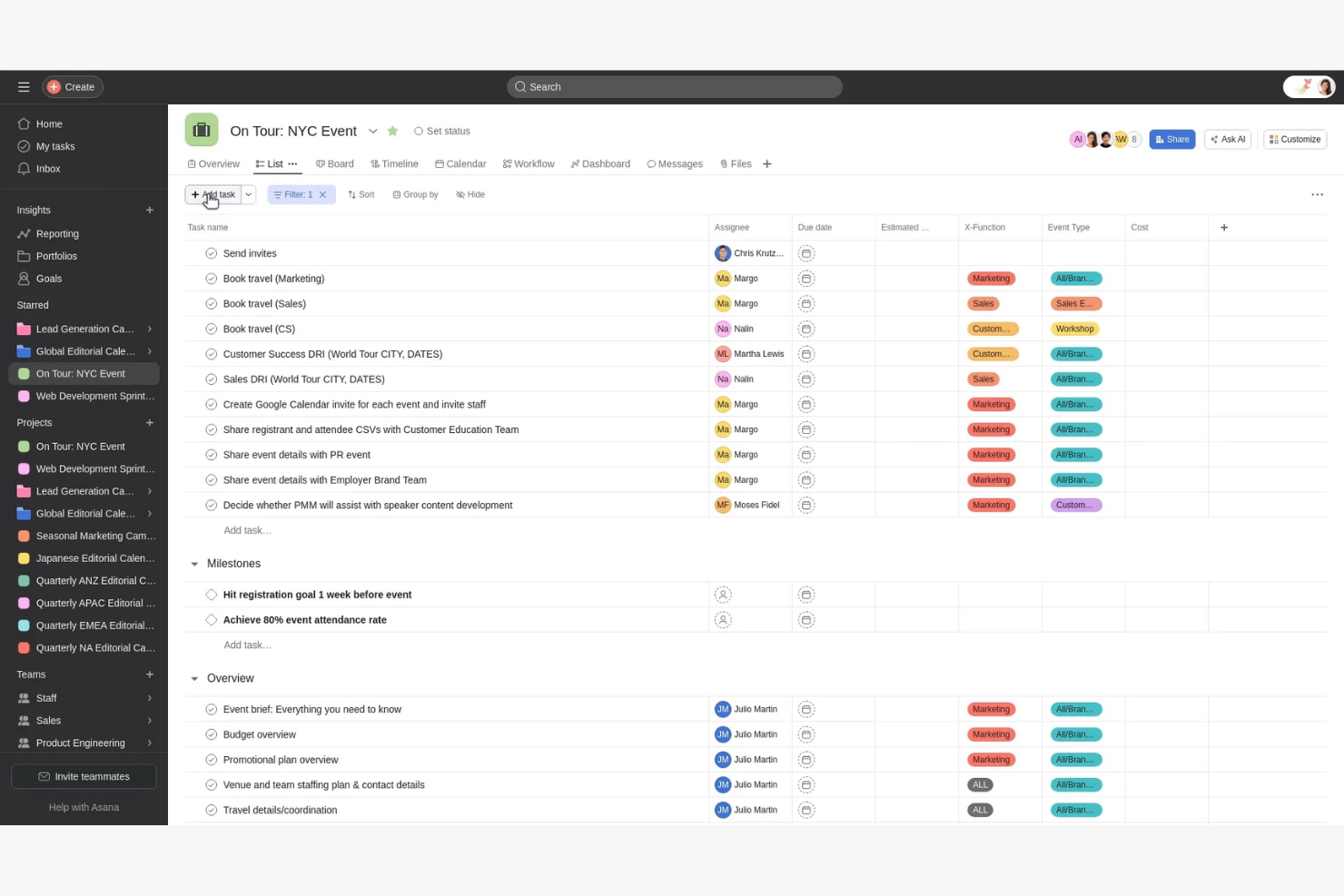
Teams that need to coordinate work across multiple departments often turn to Asana for its flexible project and workflow management. It’s especially useful in terms of alignment for organizations with cross-functional projects, recurring processes, or distributed teams.
Asana stands out from Smartsheet by offering advanced automation, visual workflow builders, and a wide range of collaboration tools designed for complex, multi-team environments.
Why Asana Is a Good Smartsheet Alternative
For teams that need to coordinate work across departments, Asana offers features that go beyond what you’ll find in Smartsheet. I picked Asana because its workflow builder lets you automate handoffs and approvals between teams, making cross-team projects much easier to manage.
The platform’s timeline, board, and calendar views help everyone stay on the same page, even when projects span multiple functions. Asana’s advanced rules and task assignment options also support complex, multi-step processes that require input from different groups.
Asana Key Features
Some other features that make Asana useful for work management include:
- Custom Fields: Add specific data points to tasks to track project details or priorities.
- Workload Management: Visualize team capacity and balance assignments across members.
- Milestones: Mark key project achievements to track progress toward goals.
- Forms: Collect and route work requests directly into projects with customizable forms.
Asana Integrations
Integrations include Slack, Google Drive, Microsoft Teams, Salesforce, Zoom, Jira Cloud, Dropbox, Outlook, Gmail, and Tableau.
Pros and Cons
Pros:
- Built-in workload management visualizes team capacity and assignments
- Task dependencies and milestones help manage complex project schedules
- Multiple project views support timeline, board, and calendar formats
Cons:
- Guest access controls are less flexible than some competitors offer
- No built-in spreadsheet-style grid for data-heavy project tracking
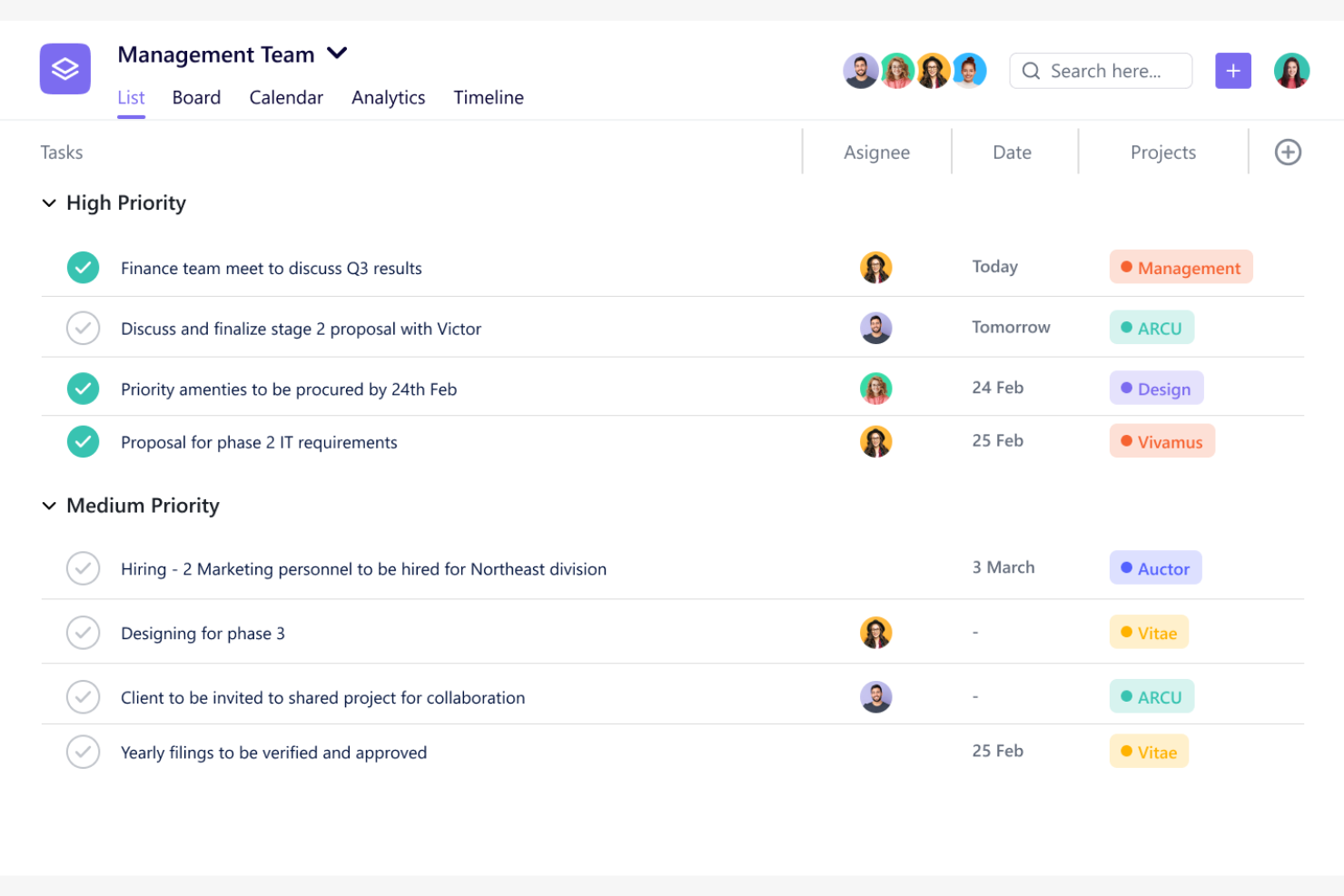
If you’re looking for a work management platform with built-in time tracking, SmartTask is worth a closer look. It’s a strong fit for project-driven teams and service businesses that need to track hours alongside tasks and projects. Unlike Smartsheet, SmartTask combines project management, time tracking, and client collaboration in one place, helping you manage both work and billable time without switching tools.
Why SmartTask Is a Good Smartsheet Alternative
Unlike many other work management platforms, SmartTask includes integrated time tracking as a core feature, making it a strong Smartsheet alternative for teams that need to monitor hours and productivity. I picked SmartTask because you can log time directly on tasks, generate timesheets, and track billable hours without leaving the platform.
The built-in timer and manual time entry options help teams capture work hours accurately for both internal and client projects. This focus on time tracking makes SmartTask especially useful for service businesses and project-based teams that need to manage both tasks and time in one place.
SmartTask Key Features
Some other features that make SmartTask appealing for work management include:
- Project Portfolio View: See all your projects in a single, consolidated dashboard.
- Task Dependencies: Establish dependencies to manage task sequencing and prevent bottlenecks.
- Built-In CRM: Track leads, deals, and client communications within the same platform.
- Customizable Workflows: Adapt task stages and processes to fit your team’s needs.
SmartTask Integrations
Integrations include Google Drive, Dropbox, Google Sheets, Google Calendar, Slack, Mailchimp, Twilio, Razorpay, Ozonetel, and Jotform.
Pros and Cons
Pros:
- CRM features allow tracking leads and client communications natively
- Task dependencies help manage task sequencing and avoid bottlenecks
- Built-in time tracking and timesheets support project-based billing
Cons:
- Limited automation options compared to other work management tools
- Gantt chart view is only available on paid plans

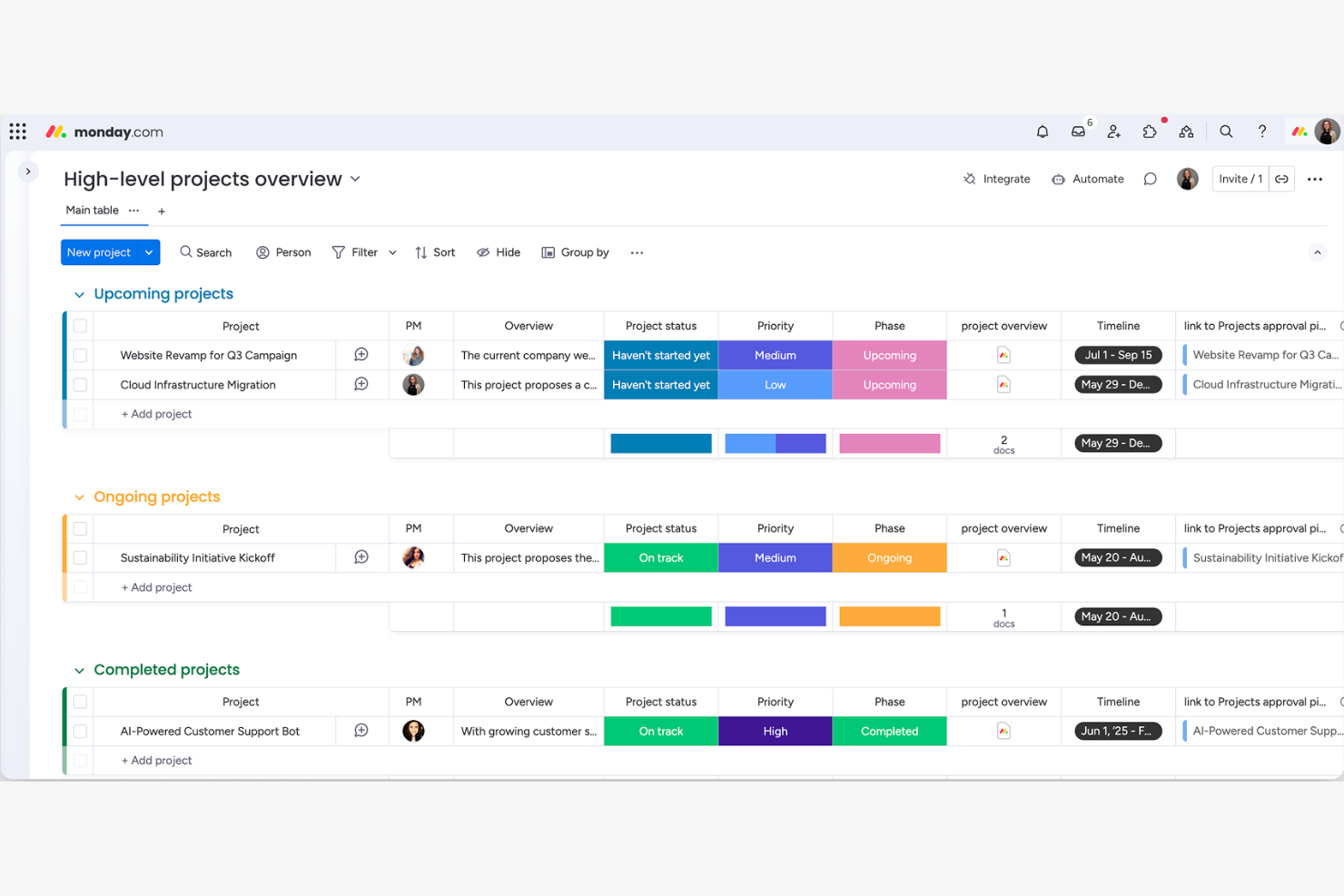
Teams looking for a highly visual way to track projects often turn to monday.com. This platform is especially useful for IT, operations, and cross-functional teams that need to see project status at a glance and manage dependencies visually. Unlike Smartsheet, monday.com offers color-coded boards and timeline views that make it easy to spot bottlenecks and keep everyone aligned.
Why monday.com Is a Good Smartsheet Alternative
For teams that want a more visual approach to project management, monday.com offers a clear advantage. I picked monday.com because its color-coded boards, timeline, and calendar views make it easy to track project progress and spot issues quickly. You can drag and drop tasks, set up visual automations, and use customizable dashboards to monitor multiple projects at once. These features help teams stay organized and maintain visibility across complex workflows, making monday.com a strong alternative to Smartsheet for visual project tracking.
monday.com Key Features
Some other features in monday.com that are useful for work management include:
- Form Builder: Create custom forms to collect and route requests directly into boards.
- Workload Management: Visualize team capacity and assign tasks based on availability.
- File Management: Attach, preview, and organize files within tasks and projects.
- Audit Log: Track changes and user activity for better accountability and compliance.
monday.com Integrations
Integrations include Slack, Microsoft Teams, Google Drive, Outlook, Zoom, Dropbox, Jira, HubSpot, Salesforce, and Gmail.
Pros and Cons
Pros:
- Native integrations connect with major business and productivity tools
- Built-in workload view supports resource allocation across teams
- Visual boards and timelines make project tracking transparent
Cons:
- Formula and calculation features are less flexible than spreadsheet-based tools
- Advanced reporting options are limited compared to Smartsheet
New Product Updates from monday.com

monday.com Adds Time Range Support to Calendar Widget
monday.com introduces time range support in the Calendar Widget. This update allows users to visualize events across their full duration instead of single dates, improving scheduling clarity. For more information, visit monday.com’s official site.

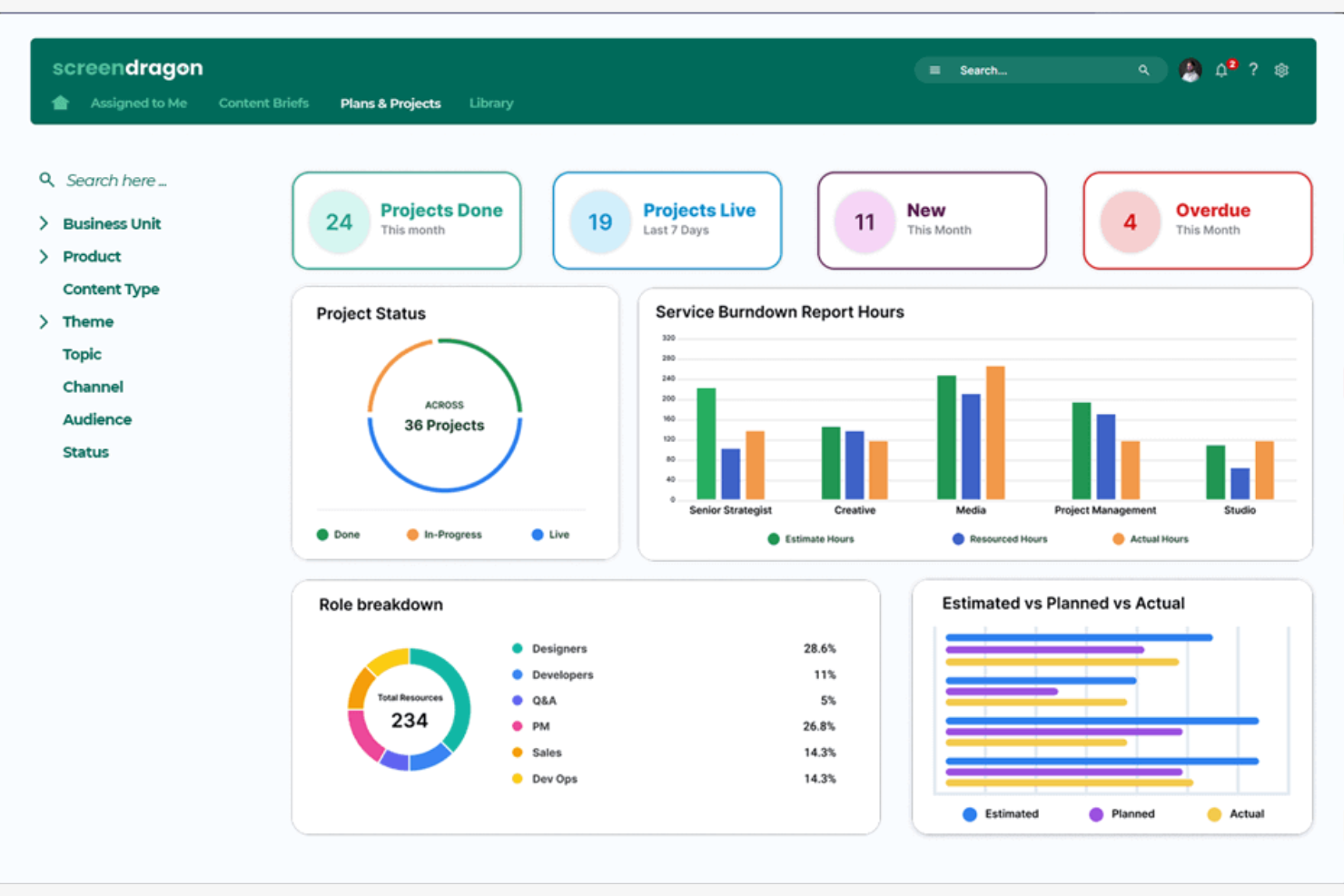
Creative teams looking for a cloud-based platform to manage complex projects often turn to Screendragon. This tool is built for marketing, agency, and design teams that need advanced collaboration, resource management, and creative workflow features. If you’re struggling with scattered feedback and version control, Screendragon brings everything into one place for smoother creative project delivery.
Why Screendragon Is a Good Smartsheet Alternative
Unlike Smartsheet, Screendragon is purpose-built for creative project collaboration, making it a strong choice for marketing and agency teams. I picked Screendragon because it offers visual workflow design tools and built-in creative approval processes that help teams manage feedback and content versions in one place.
The platform also supports resource management tailored to creative workloads, so you can allocate designers, copywriters, and other specialists efficiently. If your projects involve multiple rounds of creative review and collaboration, Screendragon’s specialized features address those needs directly.
Screendragon Key Features
Some other features in Screendragon that are valuable for creative and project-focused teams include:
- Budget Management: Track project budgets, expenses, and forecasts within the platform for better financial oversight.
- Digital Asset Management: Store, organize, and retrieve creative assets directly from project workspaces.
- Custom Reporting: Build tailored reports to analyze project performance, resource usage, and timelines.
- Task Automation: Set up automated task assignments and notifications to keep projects moving without manual intervention.
Screendragon Integrations
Integrations include Microsoft 365, Trello, Box, OneDrive, Jira, Google Drive, Slack, Microsoft Teams, Salesforce, and SAP.
Pros and Cons
Pros:
- Resource management tools help allocate creative team members efficiently
- Built-in digital asset management centralizes creative files and assets
- Visual workflow builder supports complex creative project processes
Cons:
- Interface can feel overwhelming for smaller or non-creative teams
- Pricing is not transparent and requires direct contact for quotes

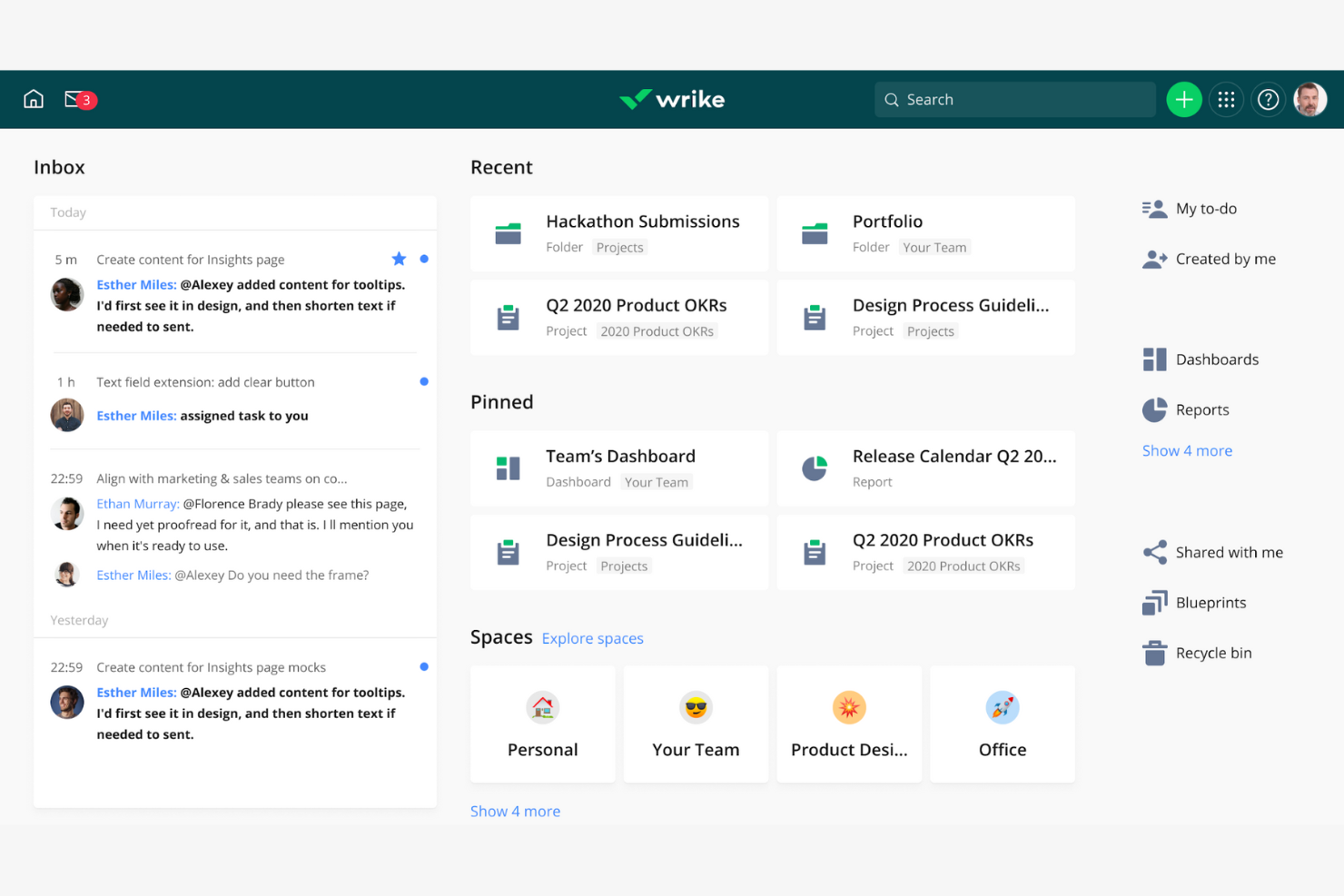
Wrike is a cloud-based platform designed for teams that need advanced workflow automation and granular control over project processes. IT specialists and project managers who handle complex, multi-step projects will find Wrike’s automation, custom request forms, and dynamic dashboards especially useful. If you’re looking for more flexibility and automation than Smartsheet offers, Wrike stands out with its deep workflow customization and real-time reporting.
Why Wrike Is a Good Smartsheet Alternative
Wrike stands out for teams that need advanced workflow automation beyond what Smartsheet provides. I picked Wrike because its automation engine lets you build custom rules to trigger actions, assign tasks, and update statuses without manual input. The platform also offers dynamic request forms that route work based on user responses, which helps IT and operations teams manage complex intake processes. With real-time dashboards, you can monitor automated workflows and project progress at a glance.
Wrike Key Features
Some other features in Wrike that are useful for IT teams and project managers include:
- Gantt Chart View: Visualize project timelines and dependencies with interactive Gantt charts for better scheduling and resource planning.
- Document Proofing: Review, comment on, and approve files directly within tasks to keep feedback organized and accessible.
- Time Tracking: Log hours spent on tasks and projects to support accurate reporting and resource allocation.
- Role-Based Access Controls: Set granular permissions for users and groups to protect sensitive project data and manage access across teams.
Wrike Integrations
Integrations include Salesforce, HubSpot, Jira, GitHub, Microsoft Teams, Slack, Google Drive, Zoom, Outlook, and Dropbox.
Pros and Cons
Pros:
- Real-time dashboards provide up-to-date project visibility
- Dynamic request forms streamline intake and project initiation
- Workflow automation engine supports complex, multi-step processes
Cons:
- Interface can feel cluttered with many simultaneous projects
- Advanced automation features require higher-tier paid plans
New Product Updates from Wrike

Streamlining Workspaces with New Updates
Wrike announces custom space templates, AI Agents in Wrike Labs, and a new Guage widget to improve project management. For more information, visit Wrike's official site.
Other Smartsheet Alternatives
Here are some additional Smartsheet alternative options that didn’t make it onto my shortlist, but are still worth checking out:
- Basecamp
For centralized team communication and project discussions
- Microsoft Planner
For lightweight task planning and team scheduling
- Jira
For agile software development teams
- Teamwork
For client-focused project delivery
- Trello
For Kanban-style project boards
- Excel
For fully customizable, formula-driven project tracking


Smartsheet Alternatives Selection Criteria
When comparing Smartsheet vs. many of the popular alternatives to include in this list, I considered common buyer needs and pain points related to cloud-based work management platform products, like managing complex project workflows and supporting cross-team collaboration. I also used the following framework to keep my evaluation structured and fair:
Core Functionality (25% of total score)
To be considered for inclusion in this list, each solution had to fulfill these common use cases:
- Create and assign tasks
- Track project progress
- Set deadlines and reminders
- Share files and documents
- Collaborate with team members
Additional Standout Features (25% of total score)
To help further narrow down the competition, I also looked for unique features, such as:
- Custom workflow automation
- Database-style record linking
- Built-in time tracking
- Advanced reporting and analytics
- Visual dashboard builders
Usability (10% of total score)
To get a sense of the usability of each system, I considered the following:
- Clean and intuitive interface design
- Logical navigation structure
- Minimal clicks to complete common actions
- Responsive performance with large data sets
- Accessibility for users with different needs
Onboarding (10% of total score)
To evaluate the onboarding experience for each platform, I considered the following:
- Availability of step-by-step product tours
- Access to pre-built templates
- Training videos and webinars
- In-app chatbots or guided help
- Clear documentation for setup and migration
Customer Support (10% of total score)
To assess each software provider’s customer support services, I considered the following:
- Multiple support channels (chat, email, phone)
- Fast response times
- Access to a knowledge base or help center
- Availability of onboarding specialists
- Community forums for peer support
Value For Money (10% of total score)
To evaluate the value for money of each platform, I considered the following:
- Transparent pricing structure
- Features included in lower-tier plans
- Flexibility to scale with team size
- Free plan or trial availability
- No hidden fees or surprise charges
Customer Reviews (10% of total score)
To get a sense of overall customer satisfaction, I considered the following when reading customer reviews:
- Consistency of positive feedback
- Commonly reported issues or frustrations
- Praise for specific features or support
- Reports of downtime or reliability problems
- Willingness to recommend to others
Why Look For a Smartsheet Alternative?
While Smartsheet is a capable cloud-based project management software platform, there are several reasons why some teams may begin evaluating alternatives. You might be looking for a Smartsheet alternative because…
- You need more advanced, database-style organization beyond spreadsheet-style views
- Reporting and analytics features feel too limited for stakeholder visibility
- Permission controls don’t meet your security or governance requirements
- Performance slows down as project management features scale across larger, more complex initiatives
- You want more flexible automation, add-ons, or API access to support custom workflows.
- You’ve found the user interface less intuitive than expected, especially if ease of use is a priority.
- The steep learning curve is cumbersome when introducing the platform to new stakeholders.
If any of these sound familiar, you’re in the right place. The alternatives below include all-in-one and no-code options designed for scalability, stronger reporting, and a more user-friendly experience—particularly for growing teams that need flexibility without sacrificing control.
Smartsheet Key Features
Here are some of the key features of Smartsheet, to help you contrast and compare what alternative solutions offer:
- Grid, card, Gantt, and calendar project views
- Automated workflows and approval processes
- Resource management and allocation tools
- Real-time collaboration and commenting
- File attachments and document management
- Customizable dashboards and reporting
- Cell-level formulas and conditional formatting
- Integration with Microsoft, Google, and Slack
- Activity logs and audit trails
- Role-based permission controls
What’s Next:
If you're in the process of researching a Smartsheet alternative, connect with a SoftwareSelect advisor for free recommendations.
You fill out a form and have a quick chat where they get into the specifics of your needs. Then you'll get a shortlist of software to review. They'll even support you through the entire buying process, including price negotiations.