
19 Portainer Alternatives for 2026

Portainer Alternative Shortlist
Here’s my shortlist of the top Portainer alternatives:


A strong Portainer alternative gives you reliable self-hosted container management, flexible orchestration, and clear visibility into your deployments—without locking you into a single workflow. If you’re searching for options beyond Portainer, you’re likely balancing the need for control, security, and ease of use across complex container environments. This list will help you compare best alternatives, highlighting how each tool handles container orchestration, dashboard usability, automation, and integration with your existing stack. Use this guide to find a solution that fits your team’s technical requirements and operational goals.
What Is Portainer?
Portainer is a self-hosted container management platform that provides a web-based interface for deploying, monitoring, and managing Docker and Kubernetes environments. It helps IT teams control containers, images, networks, and volumes from a single dashboard. Portainer is used by system administrators and DevOps teams to simplify container operations, automate routine tasks, and maintain visibility across multiple hosts or clusters. Its straightforward interface supports both small-scale and enterprise container deployments.
Why Trust Our Software Reviews
Best Portainer Alternatives Summary
This comparison chart summarizes pricing details for my top Portainer alternative selections to help you find the best one for your budget and business needs.
| Tool | Best For | Trial Info | Price | ||
|---|---|---|---|---|---|
| 1 | Best for built-in CI/CD integration | Free trial available | From $0.076/hour | Website | |
| 2 | Best for rapid app deployment | Free demo available | From $5/month | Website | |
| 3 | Best for enterprise-grade orchestration | Free demo available | Pricing upon request | Website | |
| 4 | Best for terminal-based container control | Free to use | Free | Website | |
| 5 | Best for hybrid cloud compatibility | Free trial + free demo available | From $299/month | Website | |
| 6 | Best for managing Docker Compose projects | Free to download | Free | Website | |
| 7 | Best for YAML configuration management | Free plan available | Free | Website | |
| 8 | Best for home server environments | Free plan available | From $29 (lifetime license) | Website | |
| 9 | Best for simplified web-based dashboards | Free demo available | From $6.67/month (billed annually) | Website | |
| 10 | Best for real-time monitoring features | Free plan available | Pricing upon request | Website |
-

Site24x7
Visit WebsiteThis is an aggregated rating for this tool including ratings from Crozdesk users and ratings from other sites.4.6 -
Docker
Visit WebsiteThis is an aggregated rating for this tool including ratings from Crozdesk users and ratings from other sites.4.6 -
Pulumi
Visit WebsiteThis is an aggregated rating for this tool including ratings from Crozdesk users and ratings from other sites.4.8





Portainer Alternatives Reviews
Below are my detailed summaries of the best Portainer alternatives that made it onto my shortlist. My reviews offer a detailed look at the features, capabilities, and integrations of each platform to help you find the best one for your needs.

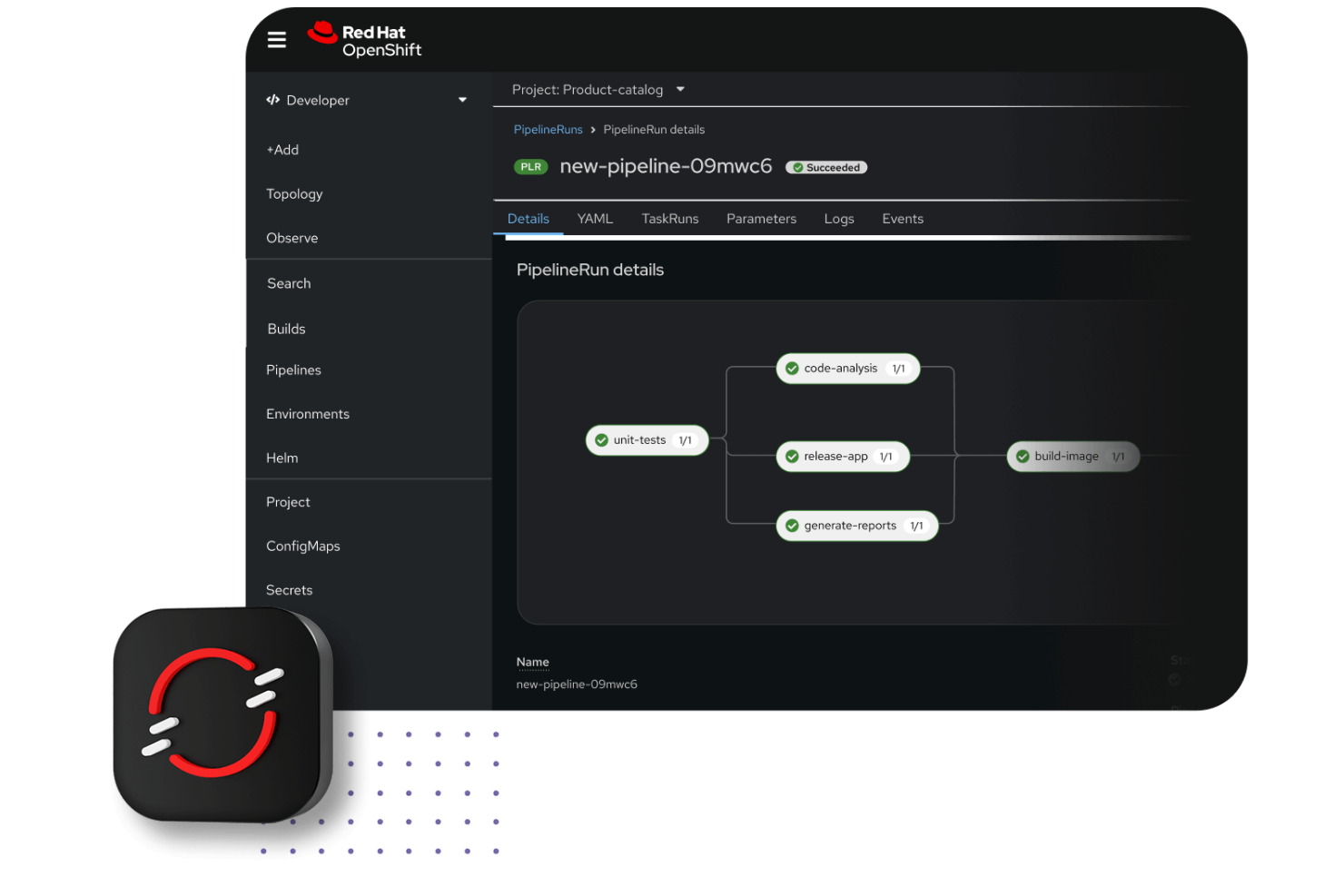
If you’re looking for a self-hosted container management platform with integrated CI/CD, Red Hat OpenShift is worth considering. It’s designed for IT teams and DevOps professionals who want to automate application delivery and streamline software development workflows. OpenShift stands out from Portainer by offering built-in pipelines, developer tools, and enterprise-grade automation for complex deployment needs.
Why Red Hat OpenShift Is a Good Portainer Alternative
Unlike many container management platforms, Red Hat OpenShift comes with built-in CI/CD integration that’s ready for enterprise use. I picked OpenShift because it includes native pipelines, automated build and deployment workflows, and developer self-service tools that help teams move code from commit to production without leaving the platform. These features let you standardize and automate your software delivery process, which is something Portainer doesn’t offer out of the box. If you need a self-hosted solution that tightly connects container orchestration with continuous integration and delivery, OpenShift is built for that purpose.
Red Hat OpenShift Key Features
Some other features in OpenShift that may interest you include:
- Integrated image registry: Store and manage container images directly within the platform.
- Role-based access control (RBAC): Define granular permissions for users and teams across projects.
- Multi-tenancy support: Run multiple isolated projects or workloads on the same cluster.
- Automated cluster upgrades: Apply updates and patches to clusters with minimal manual intervention.
Red Hat Open Shift Integrations
Integrations include Kubernetes, Docker, Grafana, Elastic Stack, Istio, Knative, and Tekton.
Pros and Cons
Pros:
- Automated cluster upgrades reduce manual maintenance and downtime
- Multi-tenancy enables secure isolation of projects within a single cluster
- Advanced RBAC supports granular access control for large teams
Cons:
- Some advanced features only in paid enterprise plans
- Complex configuration can slow setup for smaller teams

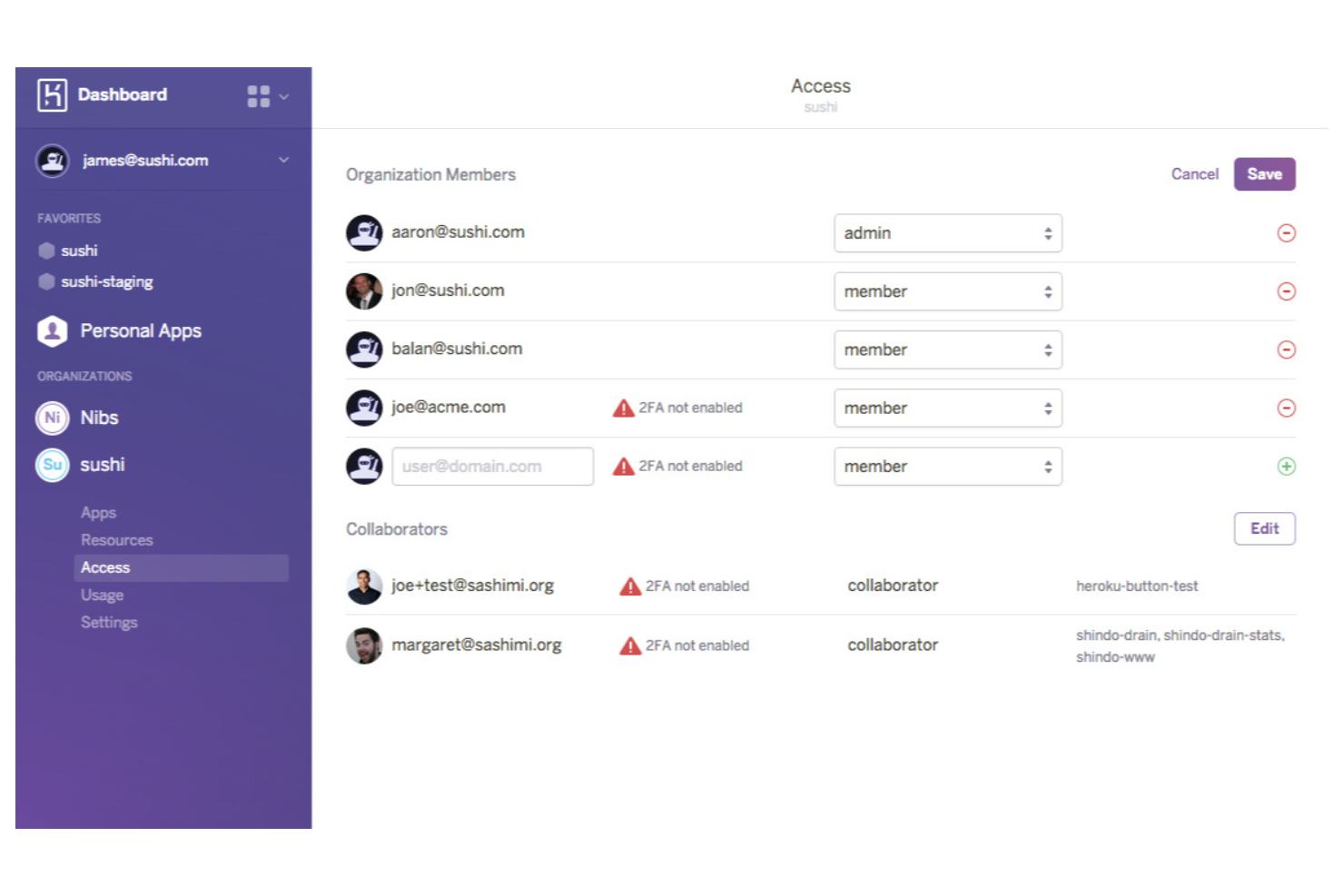
Developers looking to deploy applications quickly without managing infrastructure often turn to Heroku. This platform appeals to teams who want to focus on code and rapid iteration, rather than container orchestration or server maintenance. Unlike Portainer and other self-hosted solutions, Heroku handles scaling, patching, and runtime management for you, making it ideal for fast-paced projects and startups.
Why Heroku Is a Good Portainer Alternative
If you want to deploy applications with minimal setup and fast iteration, Heroku offers a different approach than Portainer. I picked Heroku because it automates build, deployment, and scaling processes, letting you push code and see changes live in minutes. The platform’s managed runtime environment and built-in scaling tools remove the need for manual container orchestration or infrastructure management. For teams focused on rapid app deployment and frequent updates, Heroku can help you move faster than most self-hosted container platforms.
Heroku Key Features
Some other features in Heroku that may interest you include:
- Add-ons marketplace: Choose from a wide range of pre-integrated services for databases, caching, monitoring, and more.
- Config Vars management: Store and manage environment variables securely for each application.
- Release management: Roll back to previous versions of your application with a single command.
- Heroku CLI: Use a command-line interface to manage apps, scale resources, and access logs directly from your terminal.
Heroku Integrations
Integrations include GitHub, Slack, Salesforce, New Relic, and Kafka.
Pros and Cons
Pros:
- Massive ecosystem of one-click add-ons
- Automatic OS patching and security updates
- Fully managed PaaS requires zero DevOps
Cons:
- No direct access to underlying servers
- High vendor lock-in to Salesforce stack

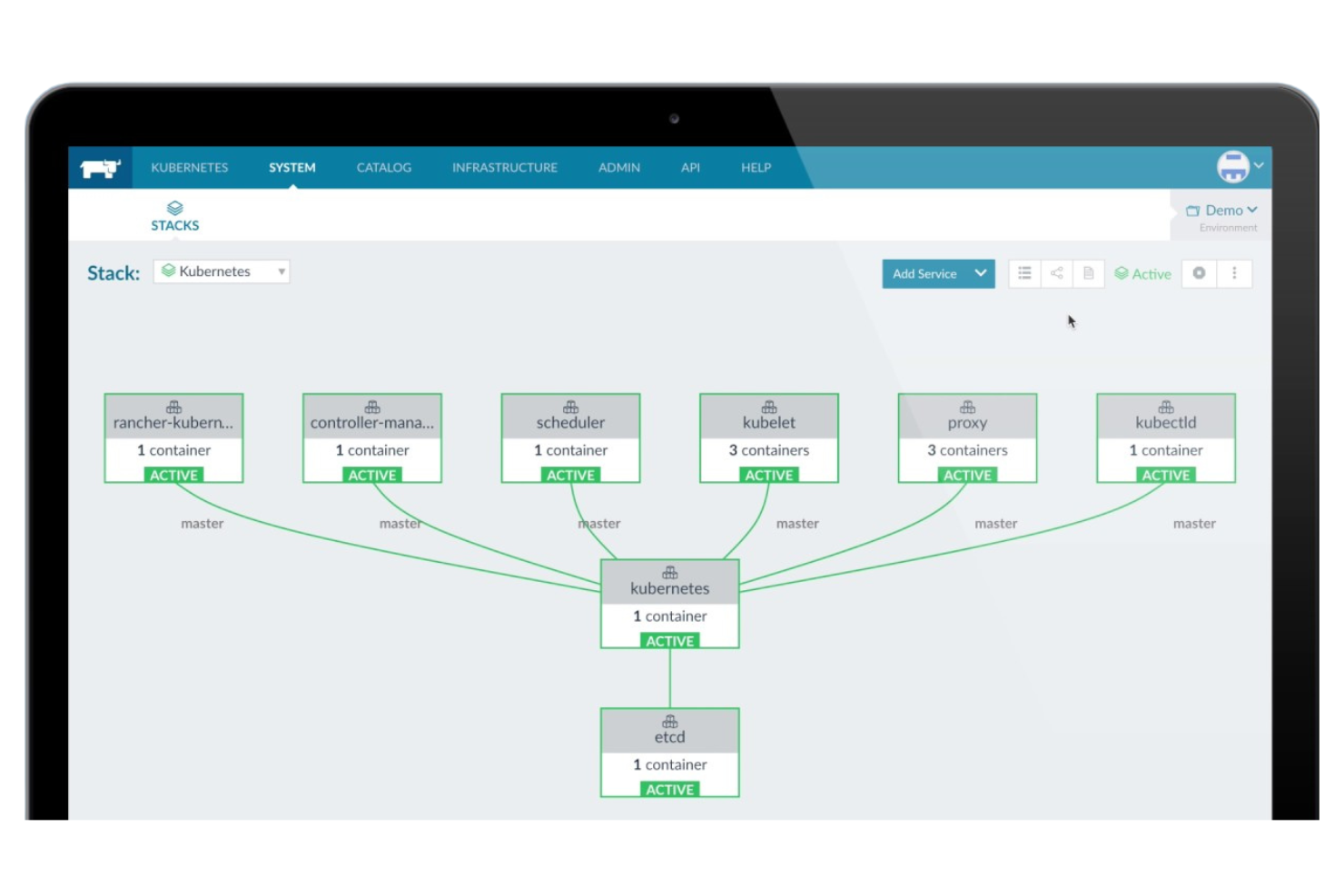
Rancher stands out for organizations that need enterprise-grade orchestration and centralized control over large-scale Kubernetes environments. It’s a strong fit for IT teams in regulated industries or global enterprises that require advanced security, policy management, and multi-cluster governance. If you’re looking for a Portainer alternative with deep support for complex, production-grade Kubernetes operations, Rancher is built for that level of scale and control.
Why Rancher Is a Good Portainer Alternative
For teams that need more than basic container management, Rancher delivers enterprise-grade orchestration and governance across Kubernetes clusters. I picked Rancher because it offers centralized policy management, advanced security controls, and built-in support for multi-cluster operations—capabilities that go beyond what Portainer provides for large-scale environments. Rancher lets you enforce security standards, manage user access, and automate cluster provisioning from a single interface. If your business requires strict compliance and operational consistency across many Kubernetes clusters, Rancher is purpose-built for those needs.
Rancher Key Features
Some other features in Rancher that may interest you include:
- Application catalog: Deploy pre-configured applications and services from a curated library.
- Integrated monitoring and alerting: Track cluster health and receive alerts for performance or availability issues.
- Centralized logging: Aggregate and view logs from multiple clusters in one place.
- Support for multiple cloud providers: Manage Kubernetes clusters across AWS, Azure, Google Cloud, and on-premises environments.
Rancher Integrations
Integrations include Kubernetes, Docker, K3s, Helm, Istio, and Jenkins.
Pros and Cons
Pros:
- Enables hybrid Kubernetes management from one interface
- Offers curated application catalog for rapid deployment
- Supports advanced RBAC for large teams
Cons:
- Requires more resources than lightweight alternatives
- Does not support direct management of standalone Docker hosts

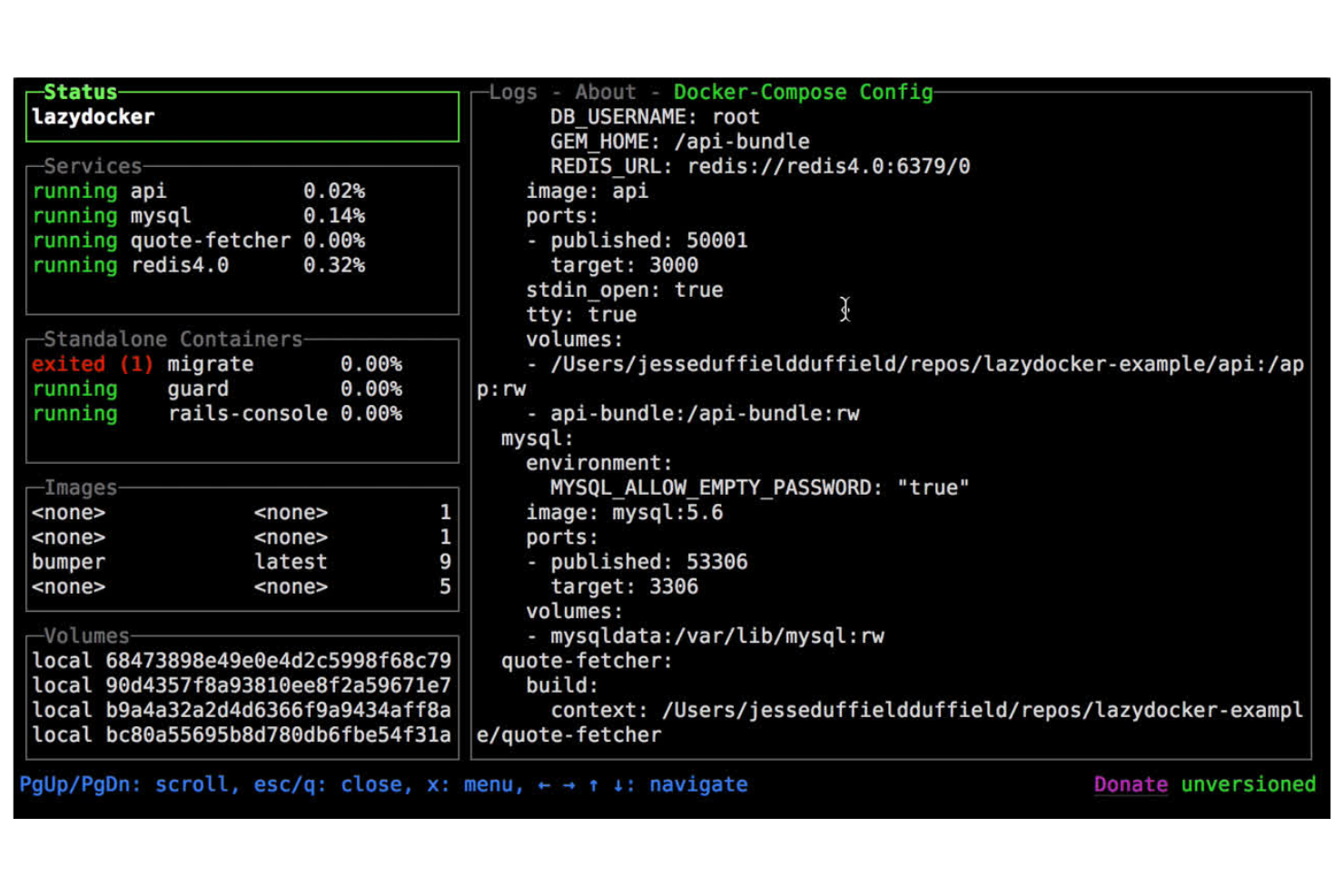
For teams that prefer working in the terminal, Lazydocker offers a unique approach to container management. It’s especially useful for system administrators and DevOps professionals who want a lightweight, text-based interface to monitor and control Docker containers and services. Unlike Portainer, Lazydocker stands out by providing a simple, interactive terminal UI that doesn’t require a web browser or additional server components.
Why Lazydocker Is a Good Portainer Alternative
If you’re looking for a container management tool that works entirely in the terminal, Lazydocker is a strong alternative to Portainer. I picked Lazydocker because it gives you an interactive, text-based UI for viewing logs, inspecting containers, and managing Docker resources without leaving your shell. You can quickly restart, stop, or remove containers and services using simple keyboard shortcuts, which is ideal for users who want to avoid web-based dashboards. For IT specialists who value speed and minimalism, Lazydocker’s terminal-first approach is a practical fit.
Lazydocker Key Features
Some other features in Lazydocker that may interest you include:
- Real-time resource monitoring: View live CPU and memory usage for containers and services.
- Docker Compose support: Manage multi-container applications defined in docker-compose.yml files.
- Configurable key bindings: Customize keyboard shortcuts to match your workflow preferences.
- Container log tailing: Instantly access and scroll through logs for any running container.
Lazydocker Integrations
Integrations include Docker, Docker Compose, and Kubernetes.
Pros and Cons
Pros:
- Open source project with active community contributions
- Lightweight installation requires no additional server components
- Real-time resource monitoring displays live CPU usage
Cons:
- No graphical dashboard for visualizing container relationships
- Limited to local Docker environments

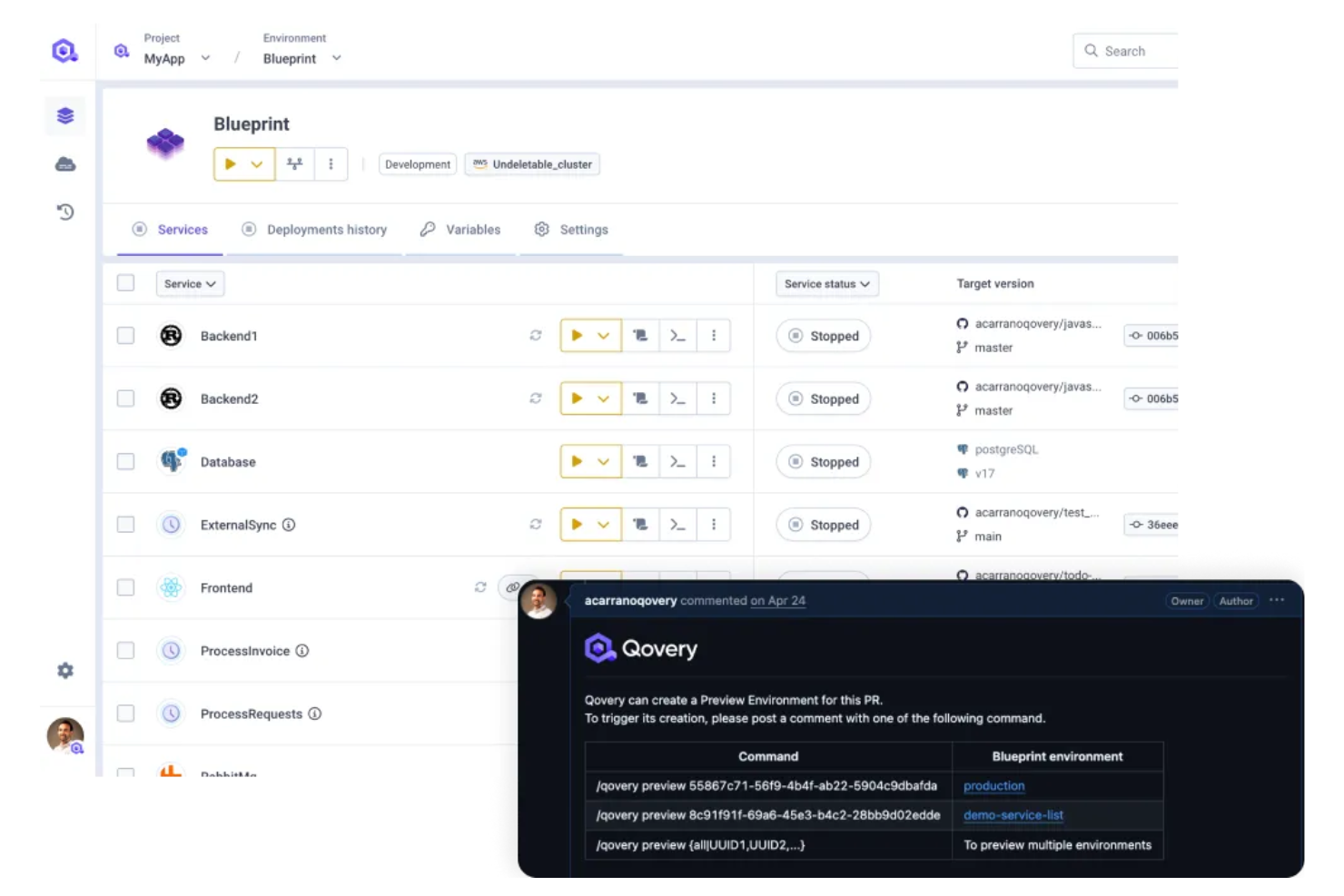
Qovery is built for IT teams and developers who need to manage containers across both public and private clouds. Unlike Portainer, it’s designed to simplify hybrid cloud deployments, letting you orchestrate workloads on AWS, Azure, Google Cloud, and on-premises infrastructure from a single interface. If you’re looking to bridge cloud and on-prem environments without juggling multiple tools, Qovery is purpose-built for that challenge.
Why Qovery Is a Good Portainer Alternative
Hybrid cloud compatibility is where Qovery really sets itself apart from Portainer. I picked Qovery because it lets you deploy and manage containers across multiple cloud providers and on-premises infrastructure from a single control plane. The platform supports automated environment provisioning and seamless workload migration between clouds, which is especially useful for teams balancing compliance, cost, or performance needs. If you need a container management solution that’s built for hybrid and multi-cloud operations, Qovery is purpose-built for that scenario.
Qovery Key Features
Some other features in Qovery that may interest you include:
- Git-based deployment workflows: Trigger application deployments automatically from your Git repository.
- Built-in secrets management: Store and manage environment variables and secrets securely within the platform.
- Role-based access control: Assign granular permissions to users and teams for different projects and environments.
- Integrated logging and monitoring: Access real-time logs and performance metrics directly from the dashboard.
Qovery Integrations
Integrations include AWS, Google Cloud Platform, Bitbucket, Docker, Kubernetes, Terraform, and Slack.
Pros and Cons
Pros:
- Scales from single apps to microservices
- Handles K8s networking and SSL for you
- No YAML needed with git-push deployments
Cons:
- Build times can be slower than Portainer
- Monthly cost is higher for small teams

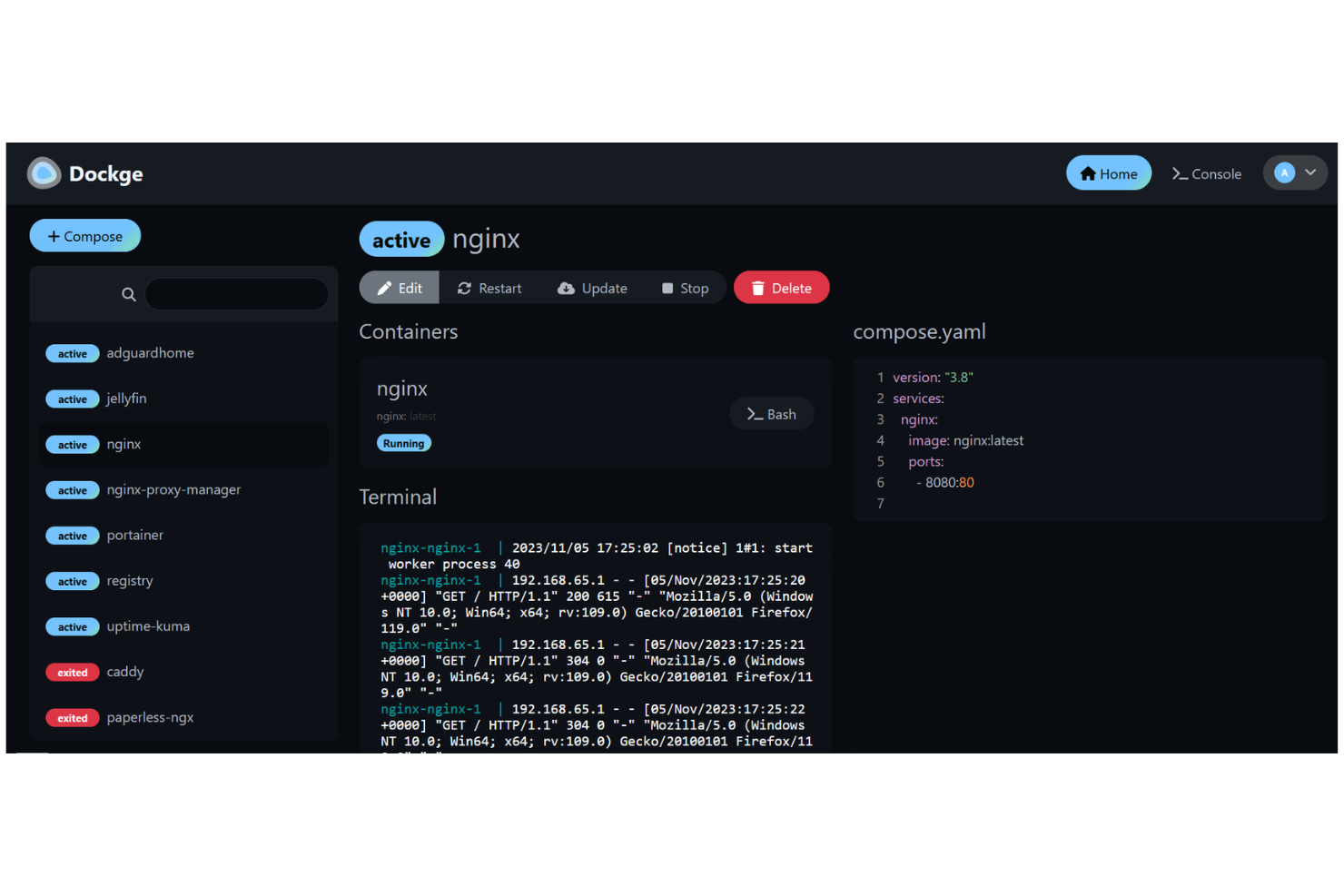
Dockge is a web-based dashboard designed specifically for managing Docker Compose projects. It’s a strong fit for IT specialists and teams who want a focused, no-frills interface for handling multi-container setups without the overhead of broader orchestration tools. If you’re looking for a lightweight alternative to Portainer that streamlines Docker Compose workflows, Dockge stands out for its simplicity and direct approach.
Why Dockge Is a Good Portainer Alternative
For teams focused on Docker Compose, Dockge offers a purpose-built solution that’s hard to match. I picked Dockge because it lets you visually manage, start, stop, and monitor multi-container applications defined in docker-compose.yml files. The dashboard provides clear status indicators and direct access to logs for each service, making troubleshooting and oversight straightforward. If your container management needs revolve around Docker Compose rather than full Kubernetes orchestration, Dockge delivers targeted functionality without unnecessary complexity.
Dockge Key Features
Some other features in Dockge that may interest you include:
- Project import/export: Move Docker Compose projects between environments by importing or exporting configuration files directly from the dashboard.
- Environment variable management: Edit and manage environment variables for each project without leaving the web interface.
- Role-based access control: Assign different permissions to users, allowing for safer multi-user management of container projects.
- Service restart policies: Configure automatic restart policies for individual services to help maintain uptime and recover from failures.
Dockge Integrations
Integrations include Docker, Docker Compose, and Podman.
Pros and Cons
Pros:
- Allows granular control over environment variables per project
- Supports project import and export for easy migration
- Provides direct editing of docker-compose.yml files in the UI
Cons:
- Documentation and community support are not extensive
- Limited user management compared to enterprise platforms

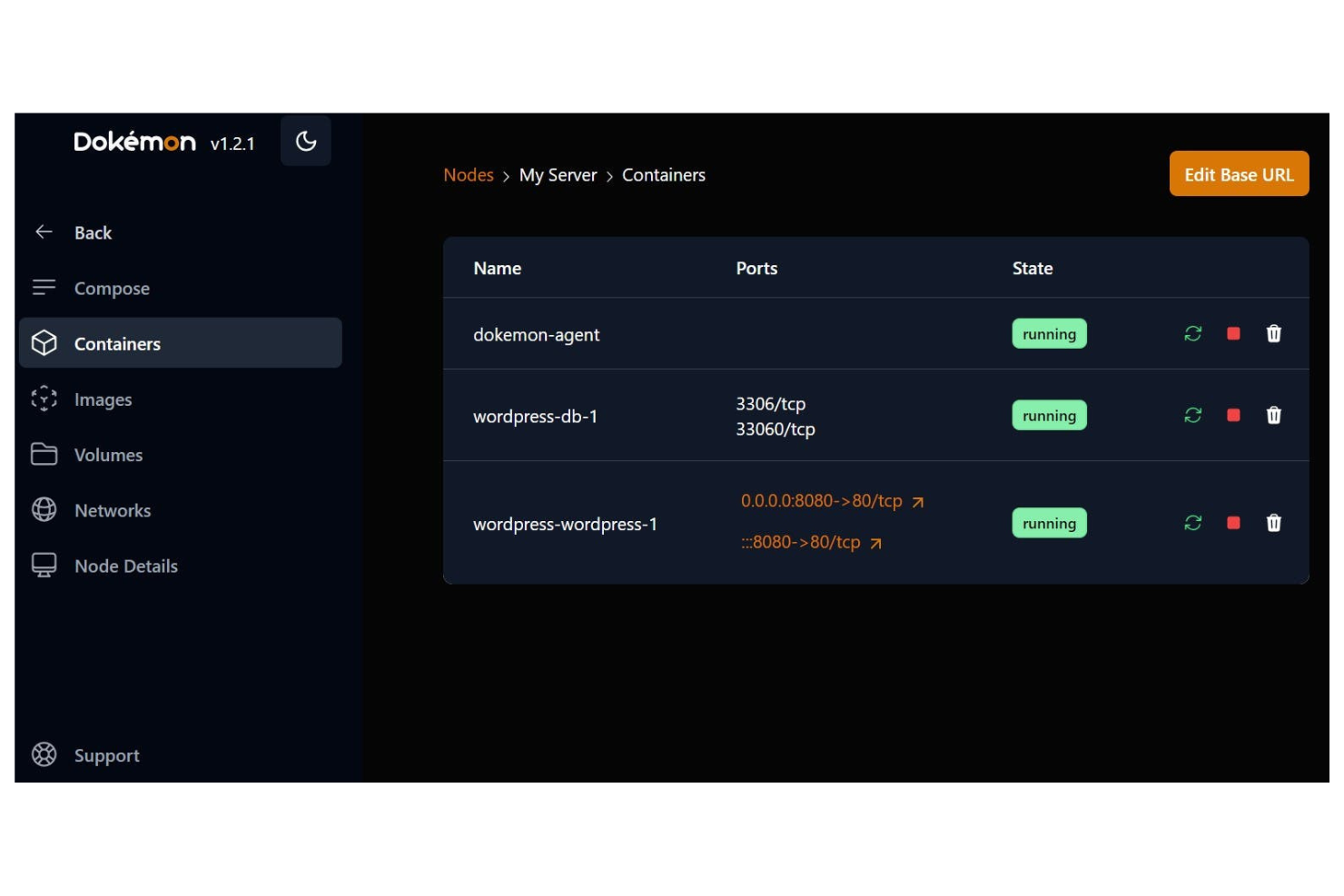
For teams that want precise control over container configurations, Dokemon offers a unique approach centered on YAML management. It’s especially useful for IT specialists and DevOps engineers who need to maintain complex, versioned infrastructure as code. Unlike Portainer, Dokemon stands out by letting you manage and validate container setups entirely through YAML files, making it ideal for environments where configuration consistency and auditability are priorities.
Why Dokemon Is a Good Portainer Alternative
If you’re looking for a self-hosted platform that prioritizes YAML configuration management, Dokemon takes a different approach than Portainer. I picked Dokemon because it lets you define, store, and validate all container configurations using YAML files, which supports version control and repeatability. The tool also includes built-in schema validation to catch errors before deployment, helping teams avoid misconfigurations. For IT specialists who want to treat infrastructure as code and maintain strict configuration standards, Dokemon offers a focused solution.
Dokemon Key Features
Some other features in Dokemon that may interest you include:
- Container lifecycle management: Manage the full lifecycle of containers, from creation to removal, using YAML-driven workflows.
- Role-based access control: Assign permissions to users and groups to control access to configuration and deployment actions.
- Change history tracking: View and audit all changes made to configuration files over time.
- CLI tool integration: Use command-line tools to interact with Dokemon for scripting and automation tasks.
Dokemon Integrations
Integrations include Docker, Docker Compose, Kubernetes, Traefik, Let's Encrypt, and GitHub.
Pros and Cons
Pros:
- Lightweight with low system overhead
- Native Docker Compose file support
- Real-time logs and resource monitoring
Cons:
- Still evolving with occasional bugs
- Fewer third-party app templates

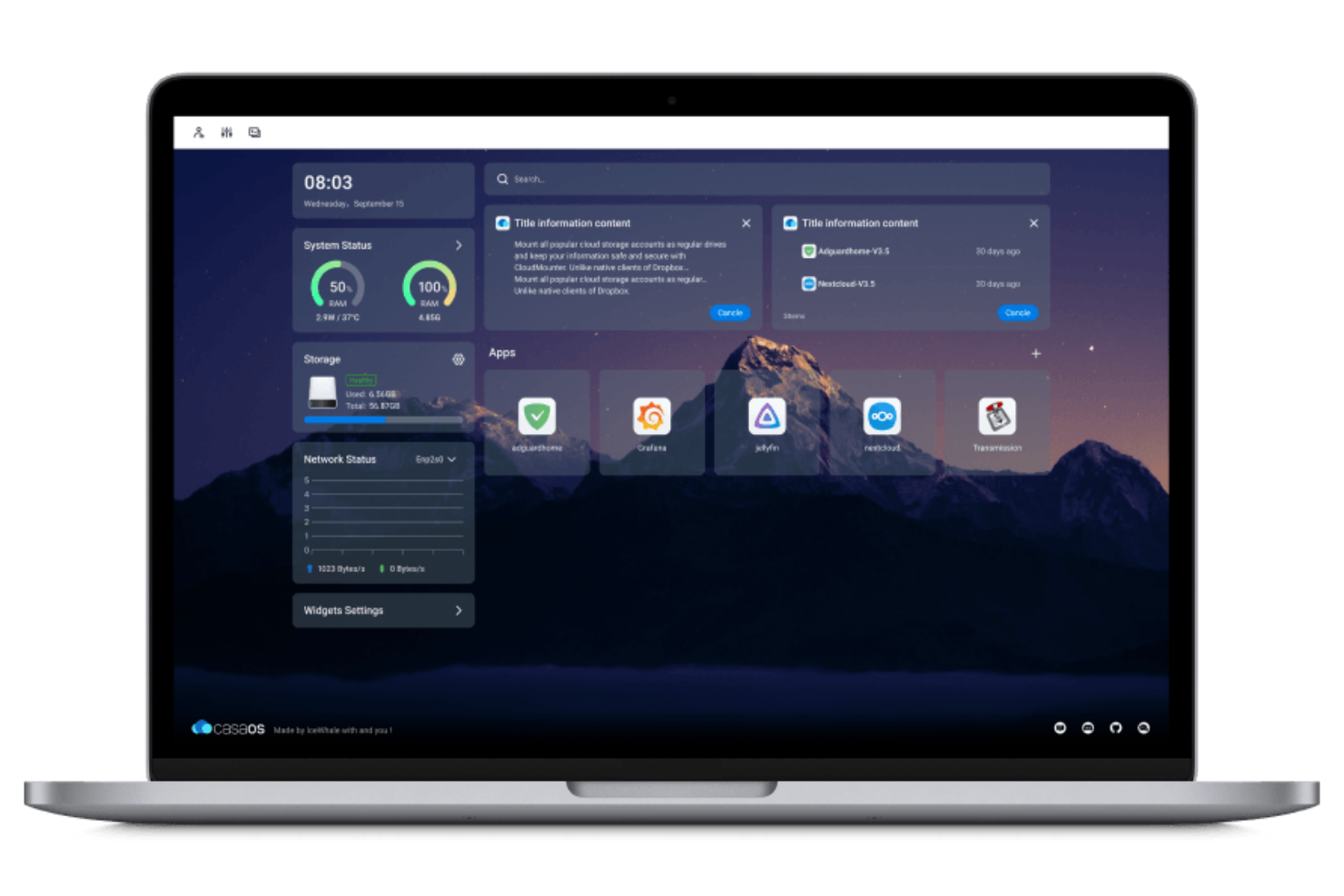
CasaOS is designed for IT specialists and home lab enthusiasts who want a user-friendly way to manage containers and services on personal servers. It stands out from Portainer by focusing on home server environments, offering a simple web interface and one-click app installations tailored for non-enterprise use. If you need a platform that makes it easy to run and organize media servers, file sharing, and smart home tools, CasaOS is built with those needs in mind.
Why CasaOS Is a Good Portainer Alternative
For anyone managing a home server, CasaOS offers a focused experience that Portainer doesn’t. I picked CasaOS because it’s built specifically for home environments, with features like a curated app store for one-click deployment of popular home server applications. The platform also provides a dashboard that’s tailored for monitoring and controlling media servers, file sharing, and smart home integrations. If your priority is running and organizing personal or family services on your own hardware, CasaOS is designed with those needs at the forefront.
CasaOS Key Features
Some other features in CasaOS that may interest you include:
- Plugin system: Extend platform functionality with community-developed and official plugins.
- User management: Create and manage multiple user accounts with different access levels.
- Storage management: Monitor and configure attached storage devices directly from the dashboard.
- Automatic updates: Enable the system to check for and apply updates to installed apps and the platform itself.
CasaOS Integrations
Integrations include Docker, Plex, Jellyfin, Nextcloud, Radarr, Bitwarden, Portainer, and Transmission.
Pros and Cons
Pros:
- Low resource overhead on Linux
- Built-in file manager and sharing
- One-click app store for easy setup
Cons:
- App store is missing niche images
- Fewer enterprise features than Portainer

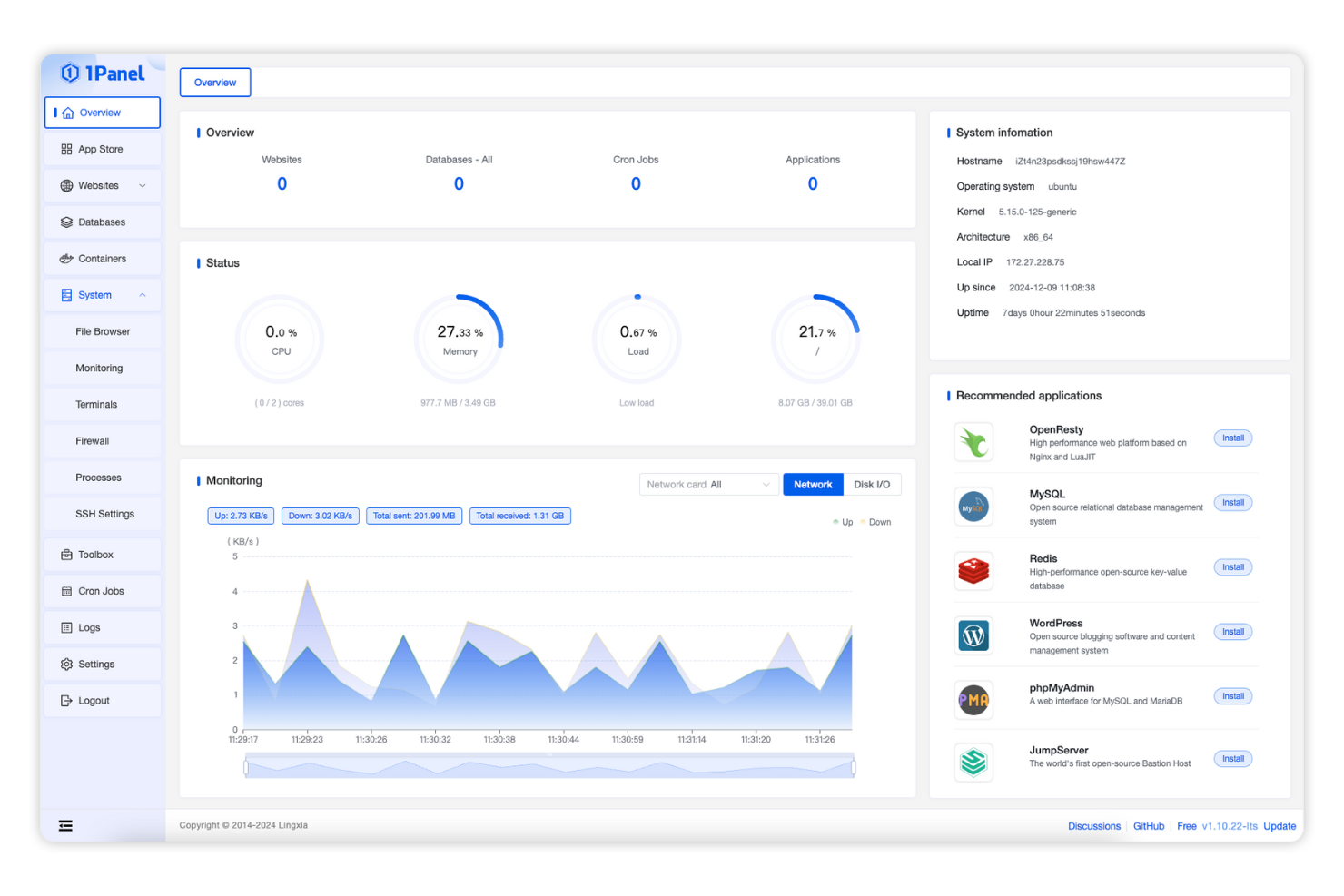
With 1Panel, you get a web-based dashboard designed for straightforward container management. It’s a strong fit for IT teams and small businesses that want a visual, simplified way to deploy and monitor containers without the complexity of traditional platforms. Unlike Portainer, 1Panel emphasizes a clean interface and quick access to core management features, making it easier for less specialized users to handle day-to-day container operations.
Why 1Panel Is a Good Portainer Alternative
For teams that want a more visually focused approach to container management, 1Panel offers a clear advantage over Portainer. I picked 1Panel because its dashboard is designed to highlight essential container metrics and controls without overwhelming users with advanced options. The platform provides quick access to container status, resource usage, and deployment actions, all from a single, simplified interface. This makes 1Panel especially appealing if you’re looking for a solution that prioritizes clarity and speed for day-to-day container operations.
1Panel Key Features
Some other features in 1Panel that may interest you include:
- App marketplace: Install and manage a variety of pre-configured applications directly from the dashboard.
- Role-based access control: Assign different permissions to users based on their roles within your organization.
- Resource monitoring widgets: View real-time CPU, memory, and disk usage for your containers and host system.
- Integrated file manager: Upload, download, and organize files within your container environments through a web interface.
1Panel Integrations
Integrations include MySQL, Redis, WordPress, Nginx, Apache, PHP, Node.js, and Python.
Pros and Cons
Pros:
- Includes database and file management
- Modern and fast web-based interface
- Built-in WAF and server security tools
Cons:
- Smaller community than Portainer
- Lacks advanced multi-cluster support

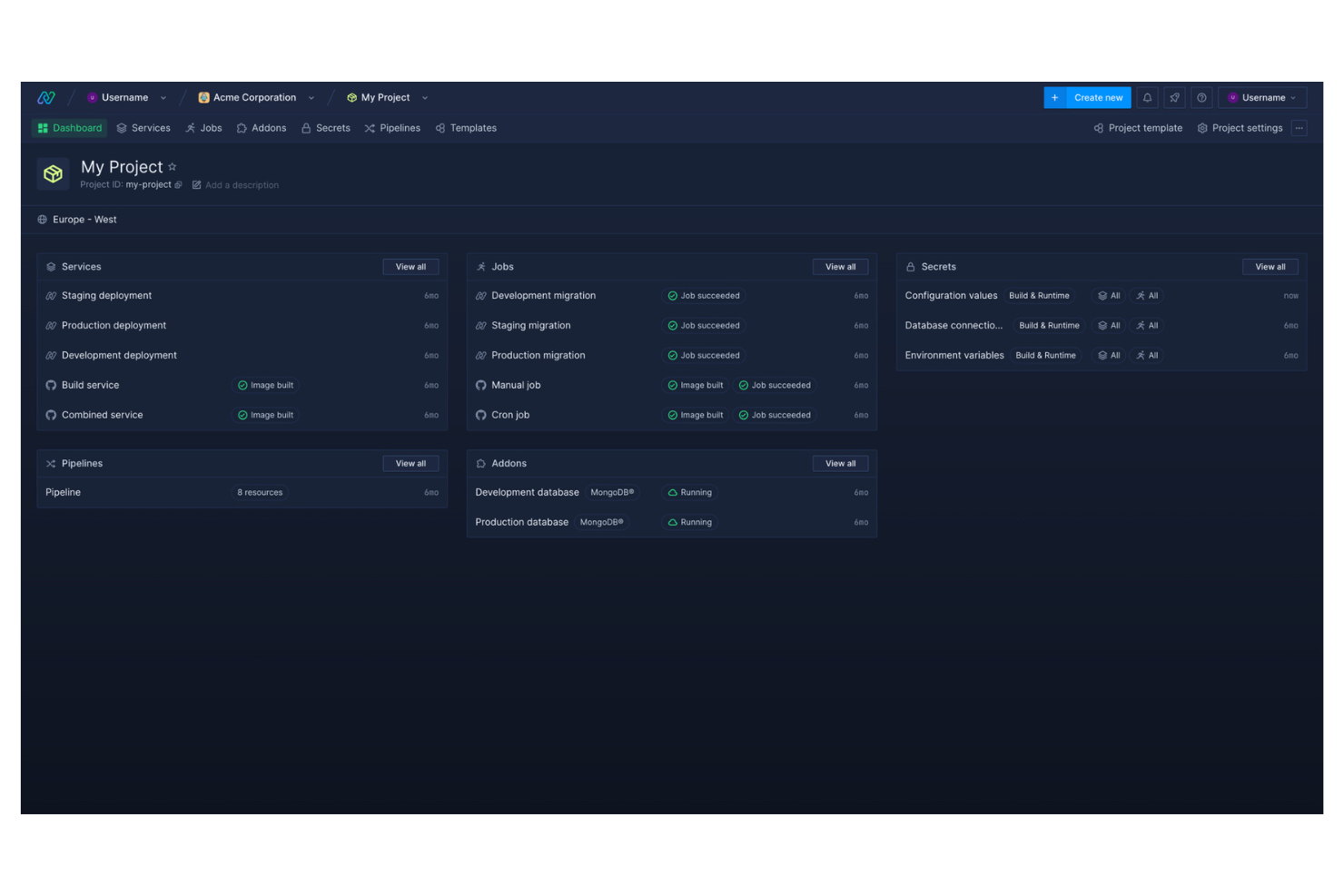
If you need real-time visibility into your containerized workloads, Northflank is worth a close look. This platform is designed for IT teams and developers who want detailed, live monitoring and instant feedback on deployments. Northflank stands out from Portainer by offering built-in, granular monitoring tools that help you catch issues and optimize performance as they happen.
Why Northflank Is a Good Portainer Alternative
For teams that need real-time monitoring built into their container management workflow, Northflank offers a clear advantage over Portainer. I picked Northflank because it provides live metrics, detailed logs, and instant deployment feedback directly within the platform. These features let you track resource usage, spot anomalies, and respond to issues as they happen, without relying on third-party monitoring tools. If you want a self-hosted solution that prioritizes real-time operational insight, Northflank is a strong choice.
Northflank Key Features
Some other features in Northflank that may interest you include:
- Automated build pipelines: Set up continuous integration and deployment workflows directly within the platform.
- Custom domain management: Assign and manage custom domains for your deployed services.
- Role-based access control: Define user roles and permissions for secure team collaboration.
- Integrated secrets management: Store and manage sensitive environment variables securely within your projects.
Northflank Integrations
Integrations include GitHub, GitLab, Docker, Kubernetes, Slack, and DigitalOcean.
Pros and Cons
Pros:
- Deploy to your own cloud or their infra
- Managed GPUs for AI and ML workloads
- Native CI/CD with Git-to-deploy flow
Cons:
- Less focus on raw Docker Swarm support
- Enterprise features can be expensive
Other Portainer Alternative
Here are some additional portainer alternative options that didn’t make it onto my shortlist, but are still worth checking out:
- Komodo
With multi-cluster Kubernetes setups
- Dyrector
For automated deployment pipelines
- Google Kubernetes Engine
For managed Kubernetes scalability
- DuploCloud
For compliance automation in deployments
- VMware Tanzu
For vSphere environment compatibility
- Azure Kubernetes Service
For Azure Active Directory integration
- Flux
With GitOps-driven configuration management
- Amazon EKS
For AWS ecosystem integration
- Platform9
For remote cluster management


Portainer Alternatives Selection Criteria
When selecting the best Portainer alternatives to include in this list, I considered common buyer needs and pain points related to self-hosted container management platform products, like simplifying container orchestration and maintaining control over on-premises infrastructure. I also used the following framework to keep my evaluation structured and fair:
Core Functionality (25% of total score)
To be considered for inclusion in this list, each solution had to fulfill these common use cases:
- Deploy and manage containers
- Monitor container health and resource usage
- Support multi-node and multi-cluster environments
- Provide user access controls and role management
- Enable container image management
Additional Standout Features (25% of total score)
To help further narrow down the competition, I also looked for unique features, such as:
- Built-in compliance and security automation
- GitOps-driven configuration management
- Native integration with major cloud providers
- Automated backup and disaster recovery tools
- Advanced network policy and segmentation controls
Usability (10% of total score)
To get a sense of the usability of each system, I considered the following:
- Clear and intuitive dashboard layout
- Minimal steps required for common tasks
- Customizable views and workflows
- Responsive interface performance
- Accessibility for users with different technical backgrounds
Onboarding (10% of total score)
To evaluate the onboarding experience for each platform, I considered the following:
- Availability of step-by-step setup guides
- Access to training videos and documentation
- Interactive product tours or onboarding checklists
- Migration tools for importing existing containers
- Support for live chat or onboarding webinars
Customer Support (10% of total score)
To assess each software provider’s customer support services, I considered the following:
- Availability of 24/7 support channels
- Access to a searchable knowledge base
- Responsiveness to technical issues and tickets
- Community forums or user groups
- Availability of dedicated account managers
Value For Money (10% of total score)
To evaluate the value for money of each platform, I considered the following:
- Transparent and predictable pricing structure
- Flexible plans for different team sizes
- Inclusion of core features in base pricing
- Cost of add-ons or premium support
- Discounts for annual or multi-year commitments
Customer Reviews (10% of total score)
To get a sense of overall customer satisfaction, I considered the following when reading customer reviews:
- Consistency of positive feedback across platforms
- Reports of reliability and uptime
- Feedback on support quality and responsiveness
- User comments on feature completeness
- Trends in recent updates or improvements
Why Look For a Portainer Alternative?
While Portainer is a good choice of self-hosted container management platform, there are a number of reasons why some users seek out alternative solutions. You might be looking for a Portainer alternative because…
- You need advanced automation or GitOps workflows
- You require deeper integration with specific cloud providers
- You want more granular security and compliance controls
- You need support for larger, multi-cluster environments
- You are looking for more flexible storage or networking options
If any of these sound like you, you’ve come to the right place. My list contains several self-hosted container management platform options that are better suited for teams facing these challenges with Portainer and looking for alternative solutions.
Portainer Key Features
Here are some of the key features of Portainer, to help you contrast and compare what alternative solutions offer:
- Centralized dashboard for managing multiple clusters and environments
- Role-based access control for user and team management
- Support for Docker, Kubernetes, and Swarm orchestration engines
- Integrated container image registry management
- Real-time monitoring of container health and resource usage
- One-click application deployment using templates
- Network and volume management for containers
- API access for automation and integration with external tools
- Audit logging for tracking user actions and system changes
- Built-in support for managing secrets and environment variables