
22 Nextiva Alternatives in 2026

Nextiva Alternatives Shortlist
Here’s my shortlist of the best Nextiva alternatives:


The best Nextiva alternatives offer reliable VoIP calling, flexible integrations, and scalable features that support business communication needs. If you’re searching for Nextiva alternatives, you’re likely looking for solutions that match or exceed its call quality, support options, and ease of use—without sacrificing security or compliance. This list will help you compare leading options, understand their unique strengths, and choose a VoIP platform that fits your team’s workflow and growth plans.
What Is Nextiva?
Nextiva is a cloud-based communications platform built for business communications across voice, SMS, team messaging, and video meetings.
It combines VoIP phone service, business phone system tools, and contact center solutions in one platform, making it a fit for small business teams, startups, and growing companies that need a more unified way to manage customer and internal conversations.
With support for phone numbers, call routing, call forwarding, auto attendant, IVR, and video conferencing, Nextiva helps both large and small teams handle daily communication from a single workspace.
Best Nextiva Alternatives Summary
This comparison chart summarizes pricing details for my top Nextiva alternative selections to help you find the best one for your budget and business needs.
| Tool | Best For | Trial Info | Price | ||
|---|---|---|---|---|---|
| 1 | AI-powered voice, video, and messaging platform | 14-day free trial available | From $15/month (billed annually) | Website | |
| 2 | Intelligent cloud contact center with advanced AI and automation | Free demo available | From $119/user/month | Website | |
| 3 | Unified communications platform with advanced call management | Free demo available | From $20/month (billed annually) | Website | |
| 4 | JustCall offers cloud calling and SMS for sales and support teams. | 14-day free trial | From $15/month (billed annually) | Website | |
| 5 | Flexible cloud communications with unified voice, messaging, and video | 14-day free trial available | From $19.99/month | Website | |
| 6 | Unified calling with video meeting integration | Free demo available | From $13.32/month (billed annually) | Website | |
| 7 | Automated contract review and negotiation for legal teams | 7-day free trial | From $15/user/month (billed annually) | Website | |
| 8 | Cloud-based phone system with deep CRM and helpdesk integrations | 7-day free trial | From $30/user/month (billed annually) | Website | |
| 9 | Advanced call routing and analytics for distributed teams | 14-day free trial available | From $19/month (billed annually) | Website | |
| 10 | AI-powered customer experience and communications platform | Not available | From $24/month (billed annually) | Website |
Why Trust Our Software Reviews
-

Site24x7
Visit WebsiteThis is an aggregated rating for this tool including ratings from Crozdesk users and ratings from other sites.4.6 -
Docker
Visit WebsiteThis is an aggregated rating for this tool including ratings from Crozdesk users and ratings from other sites.4.6 -
Pulumi
Visit WebsiteThis is an aggregated rating for this tool including ratings from Crozdesk users and ratings from other sites.4.8





Nextiva Alternatives Reviews
Below are my detailed summaries of the Nextiva alternatives that made it onto my shortlist. My reviews offer a detailed look at the features, integrations, and pricing of each platform to help you find the best one for you.
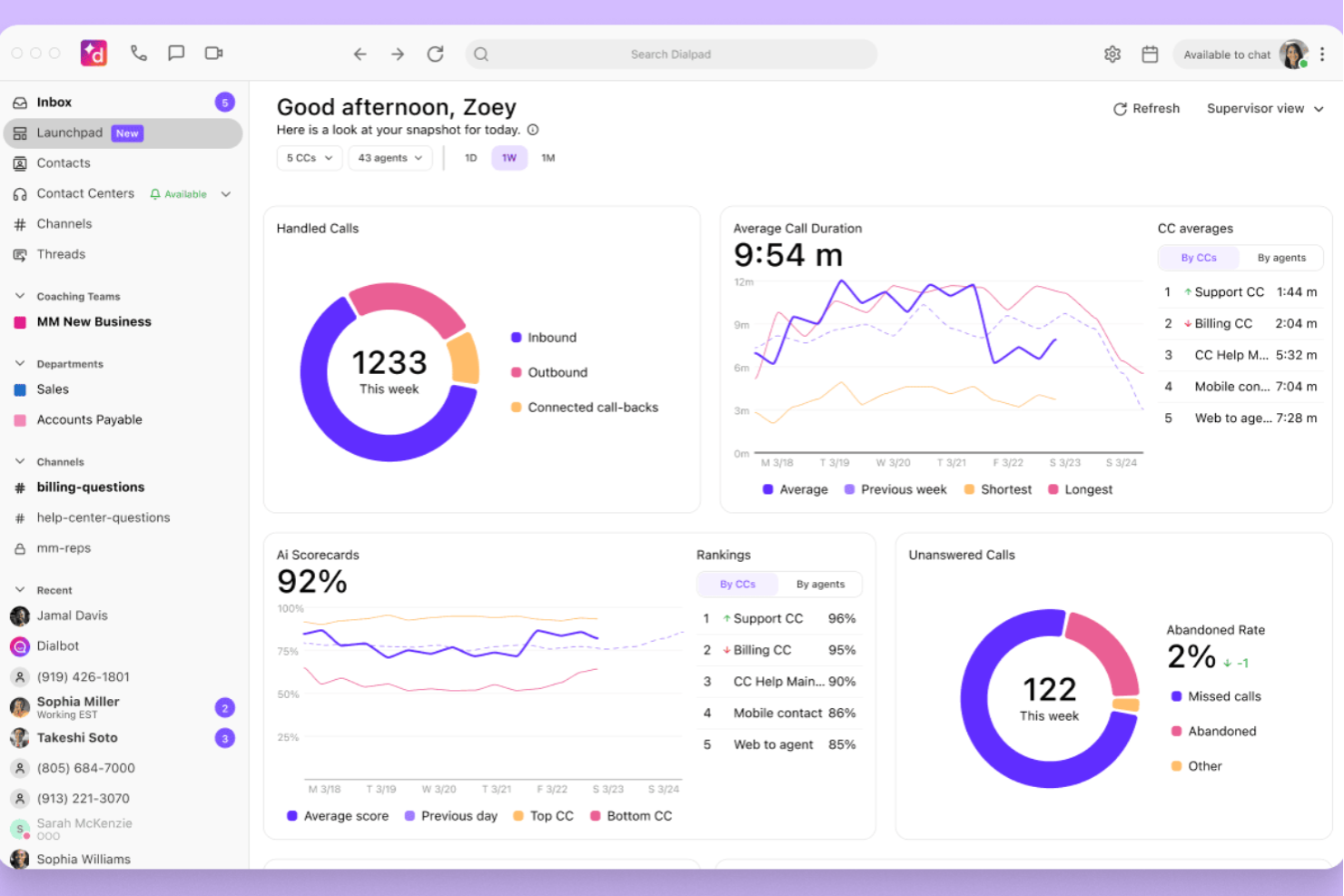
Dialpad is a cloud-based communications platform designed for businesses that want unified voice, video, and messaging in one place. It’s especially useful for organizations with remote or hybrid teams that need flexible, mobile-friendly calling and collaboration. If you’re looking for a modern alternative to legacy phone systems or want to simplify multi-channel communications, Dialpad is worth a look.
Who Is Dialpad Best For?
Dialpad is a strong fit for small to mid-sized businesses and distributed teams that need unified communications with built-in AI features.
Why Dialpad Is a Good Nextiva Alternative
What makes Dialpad stand out as a Nextiva alternative is its deep investment in AI-powered voice, video, and messaging. I picked Dialpad for teams that want real-time transcription, live call coaching, and automated post-call summaries built directly into their communications platform. These AI features help reduce manual note-taking and support faster, more informed decision-making during and after calls. If you’re looking for a solution that brings advanced AI into everyday business conversations, Dialpad is a strong contender.
Dialpad Key Features
Some other features that set Dialpad apart include:
- Multi-level auto attendant: Route incoming calls automatically to the right department or person using customizable menus.
- Voicemail transcription: Receive transcribed voicemails directly in your inbox for quick review and follow-up.
- Call recording: Record calls on demand or automatically for training, compliance, or quality assurance.
- Mobile and desktop apps: Access all calling, messaging, and meeting features from dedicated apps on any device.
Dialpad Key Features
Integrations include Salesforce, HubSpot, Zendesk, Microsoft Teams, Google Workspace, Slack, Okta, Rippling, Clio, and ServiceNow.
Pros and Cons
Pros:
- Built-in voicemail transcription for all users
- Global number provisioning for remote teams
- AI-powered live call transcription and summaries
Cons:
- Admin dashboard can be complex for beginners
- SMS capabilities are limited in some regions
Five9
Intelligent cloud contact center with advanced AI and automation
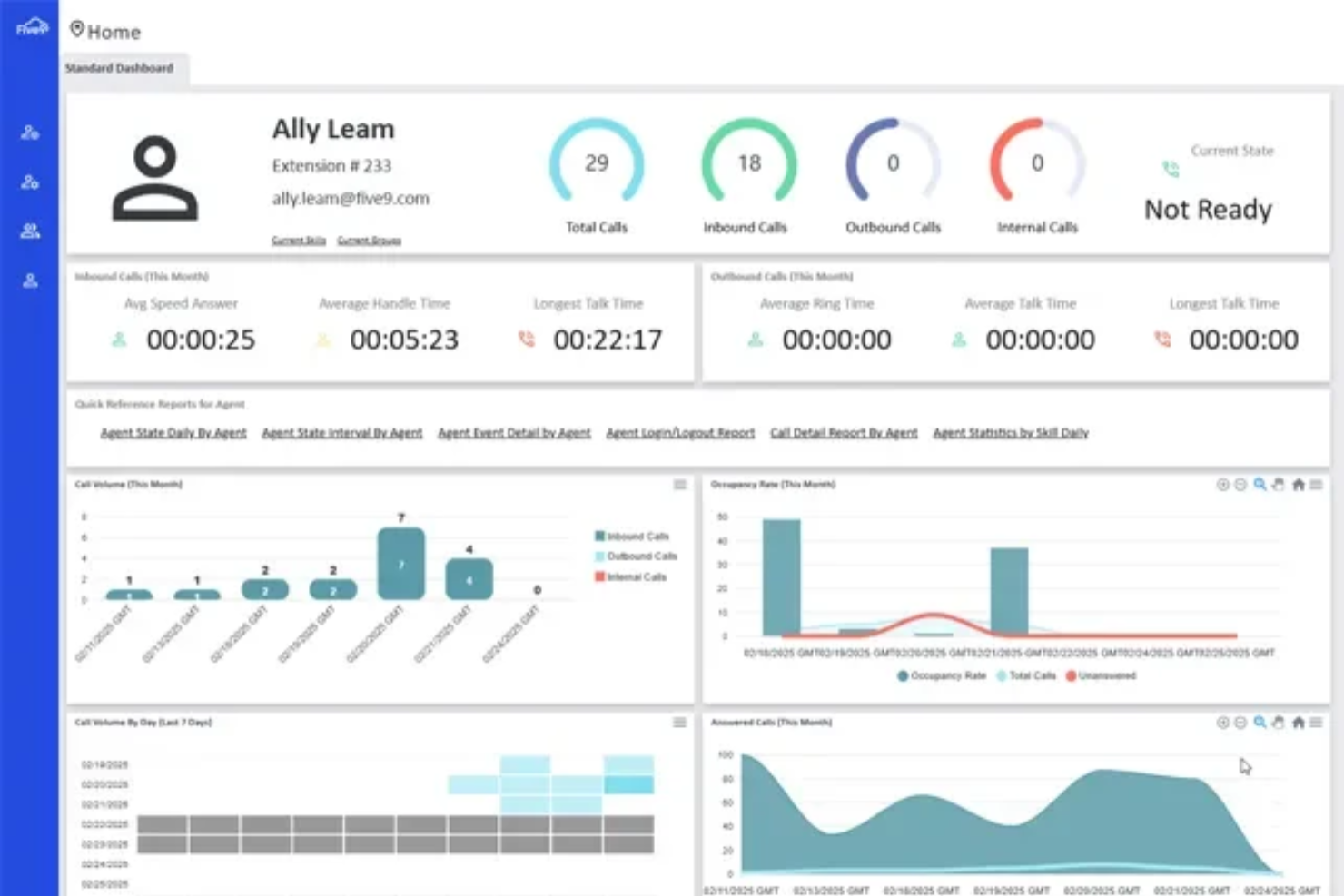
If you’re looking for a cloud contact center platform that goes beyond basic calling, Five9 is worth considering. It’s designed for businesses that need advanced call routing, omnichannel support, and automation to handle high volumes of customer interactions. Five9 can help contact center teams improve response times and deliver more personalized service across voice, chat, and digital channels.
Who Is Five9 Best For?
Five9 is a strong choice for mid-sized to large contact centers that need scalable, AI-driven customer engagement across multiple channels.
Why Five9 Is a Good nextiva alternative
What sets Five9 apart as a Nextiva alternative is its focus on intelligent cloud contact center capabilities with advanced AI and automation. I picked Five9 for teams that need features like predictive dialing, intelligent virtual agents, and real-time speech analytics to manage high call volumes and complex customer journeys. These tools help automate repetitive tasks and surface actionable insights during live interactions. If your business relies on sophisticated call routing and wants to leverage AI for both agent productivity and customer experience, Five9 is a strong fit.
Five9 Key Features
In addition to its AI-driven automation and analytics, Five9 offers several other features that support complex contact center operations:
- Omnichannel Routing: Route customer interactions across voice, chat, email, SMS, and social channels from a single platform.
- Workforce Management: Forecast demand, schedule agents, and track adherence with built-in workforce management tools.
- Quality Management: Monitor, score, and review agent interactions with integrated quality assurance tools.
- CRM Integrations: Connect directly with Salesforce, Zendesk, Microsoft Dynamics, and other leading CRM systems for unified customer data.
Five9 Integrations
Integrations include Salesforce, ServiceNow, Microsoft Dynamics 365, Oracle, Zendesk, Oracle NetSuite, and custom CRM systems via API.
Pros and Cons
Pros:
- Omnichannel support across voice, chat, and SMS
- Real-time speech analytics for live calls
- AI-powered call routing and agent assistance
Cons:
- Reporting customization options are somewhat restricted
- Limited SMS capabilities in some regions
Unified communications platform with advanced call management
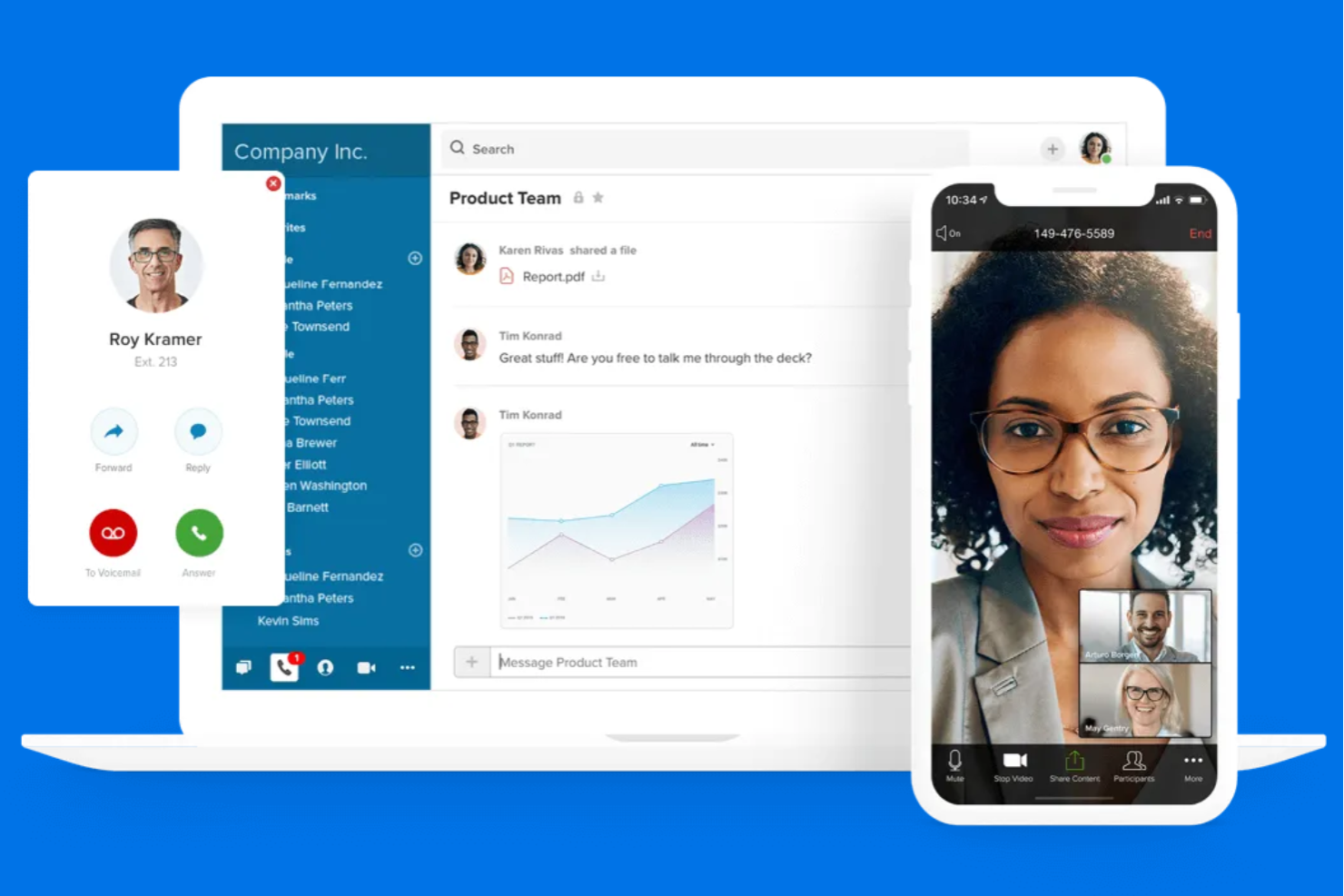
RingCentral is a cloud-based communications platform designed for businesses that need unified voice, video, and messaging in one place. It’s a strong fit for organizations with distributed teams or those requiring advanced call routing and collaboration tools. Companies looking for deeper integrations and more customization than Nextiva offers may find RingCentral especially appealing.
Who Is RingCentral Best For?
RingCentral is a good fit for mid-sized to large businesses that need unified communications across multiple locations or remote teams.
Why RingCentral Is a Good Nextiva Alternative
When I look for a unified communications platform with advanced call management, RingCentral stands out for its robust call routing and multi-level auto-attendant features. The platform supports complex call flows, making it easier for larger organizations to manage high call volumes and distributed teams. I also appreciate its built-in analytics, which help IT teams monitor performance and optimize communication workflows. These capabilities make RingCentral a strong choice for businesses that need more advanced call handling than what Nextiva typically offers.
RingCentral Key Features
Some other features that make RingCentral appealing for business communications include:
- Team Messaging: Send instant messages, share files, and create group chats within the platform for quick collaboration.
- Video Conferencing: Host HD video meetings with screen sharing and recording options for remote or hybrid teams.
- Mobile App: Access calls, messages, and meetings from iOS and Android devices to stay connected on the go.
- Fax Integration: Send and receive faxes digitally without the need for traditional fax machines.
RingCentral Integrations
Integrations include Salesforce, Google Workspace, Microsoft Teams, Jira, Nuclei SMS Archiving, Beetexting, Shadow All-In-One Analytics, Slack, Zendesk, and HubSpot.
Pros and Cons
Pros:
- Extensive integrations with business software
- Built-in video meetings and team messaging
- Advanced call routing for complex organizations
Cons:
- International calling rates are higher than average
- Call quality can fluctuate during peak hours

JustCall
JustCall offers cloud calling and SMS for sales and support teams.
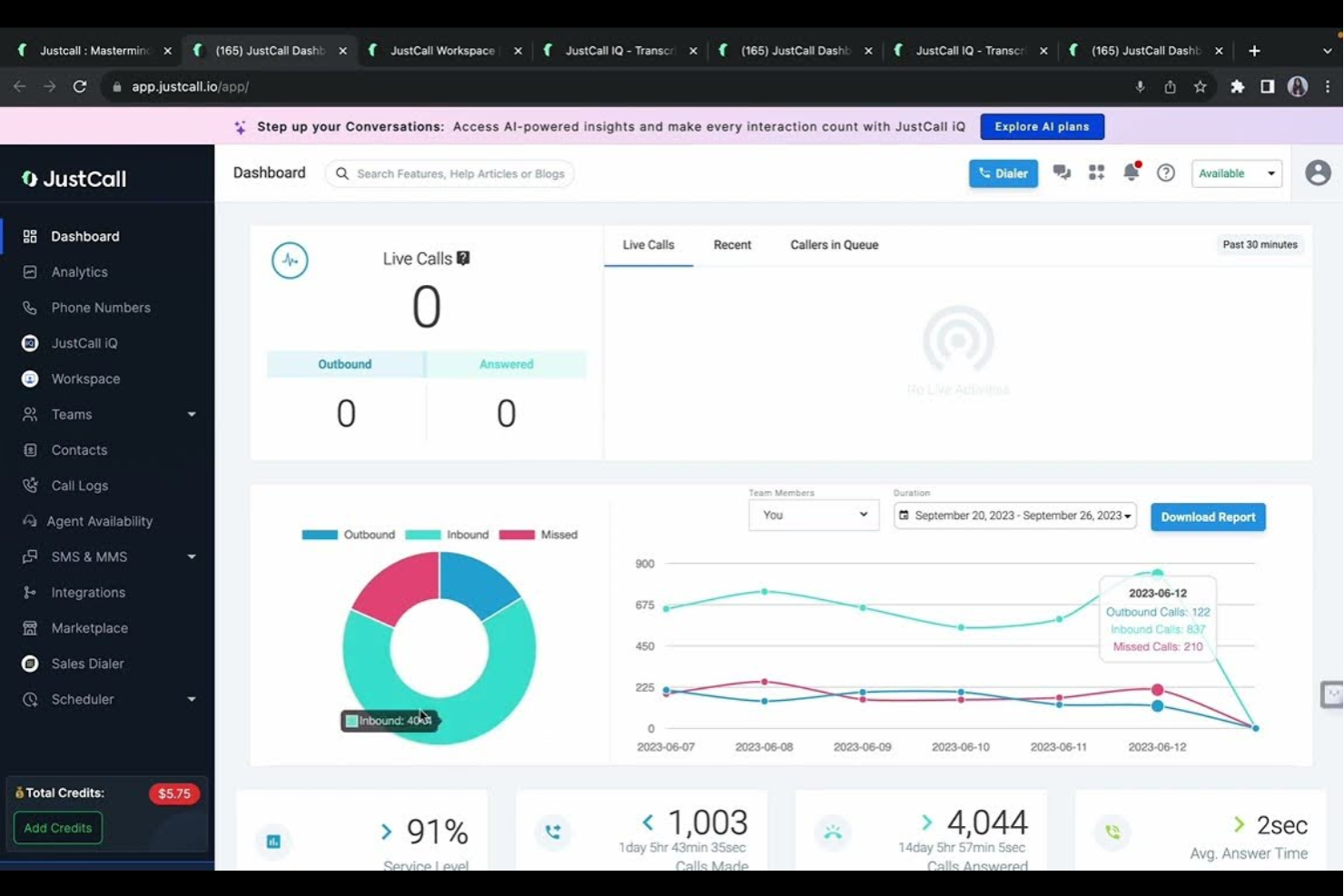
JustCall offers a cloud-based phone system designed for sales and support teams that need reliable calling and SMS capabilities. It’s a strong choice for businesses looking to unify global communications and manage customer interactions from one platform. Teams seeking advanced call management and analytics beyond what traditional phone systems provide may find JustCall especially useful.
Who Is JustCall Best For?
JustCall is a strong fit for sales and support teams in small to mid-sized businesses that need a cloud-based phone system with integrated call and SMS features.
Why JustCall Is a Good Nextiva Alternative
What sets JustCall apart as a Nextiva alternative is its focus on AI-powered call analytics and automation. I picked JustCall because it not only provides a cloud phone system but also offers real-time call transcription and sentiment analysis, which can help teams monitor quality and coach agents. The platform’s AI tools automatically surface insights from calls, making it easier to identify trends and improve customer interactions. For businesses that want more than just basic telephony, JustCall’s analytics-driven approach offers a clear advantage.
JustCall Key Features
Some other features in JustCall that stand out for teams considering Nextiva alternatives include:
- Multi-level IVR: Set up interactive voice menus to route calls to the right department or agent.
- Call Recording: Automatically record inbound and outbound calls for quality assurance and training.
- SMS Campaigns: Send bulk SMS messages and manage text-based outreach directly from the platform.
- Click-to-Call Chrome Extension: Place calls from any webpage or CRM with a single click using the browser extension.
JustCall Integrations
Integrations include HubSpot, Salesforce, Pipedrive, ActiveCampaign, monday.com, Zoho, Zendesk, Freshdesk, Copper, and Intercom.
Pros and Cons
Pros:
- Integrates with major CRM and helpdesk platforms
- Native SMS and bulk texting capabilities
- AI-powered call analytics and transcription tools
Cons:
- No built-in fax or eFax support
- Fewer built-in team messaging features
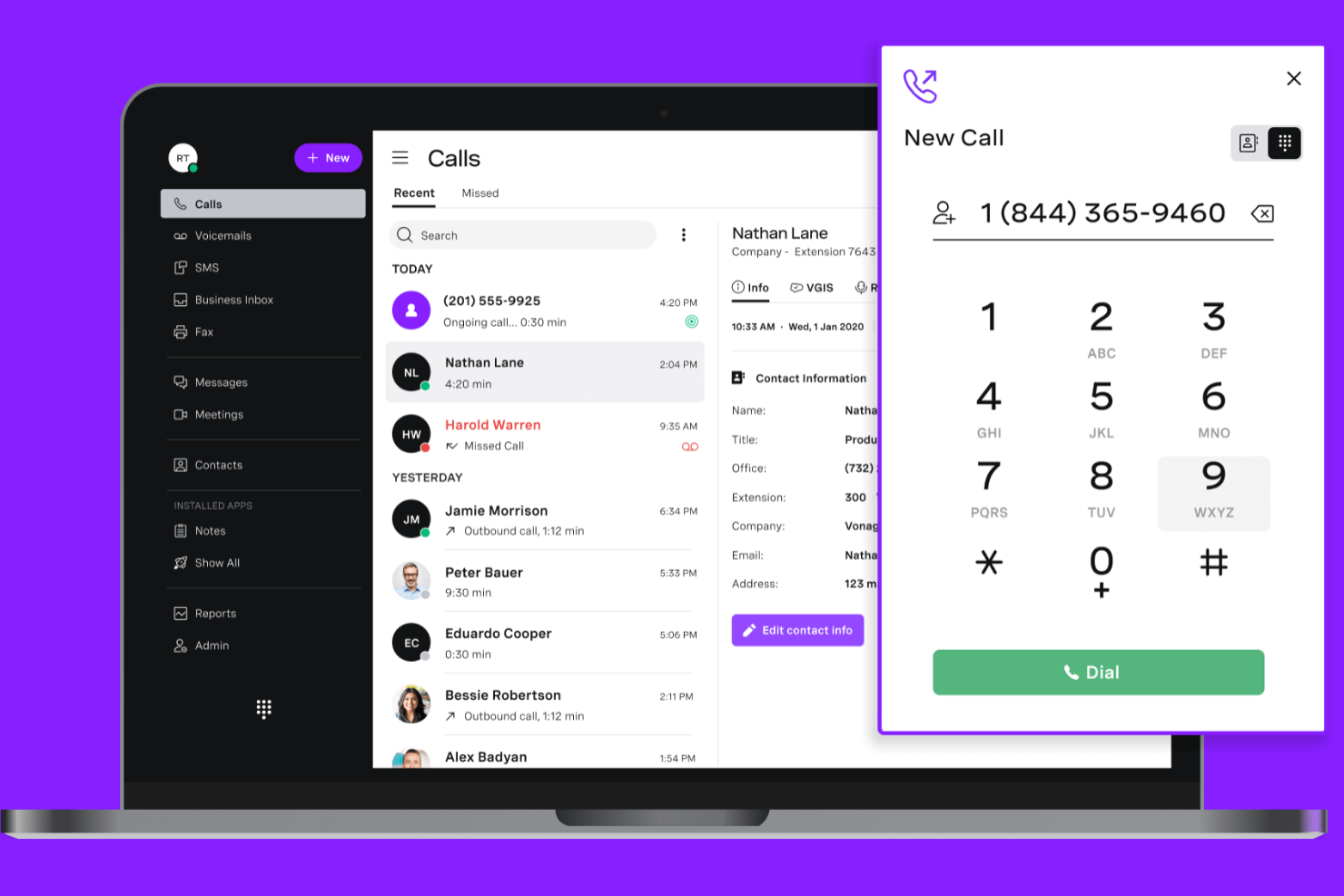
Vonage offers a cloud-based communications platform designed for businesses that need unified voice, messaging, and video in one solution. It’s a strong fit for organizations looking to modernize customer and team communications without heavy infrastructure. If you want flexible deployment options and a wide range of communication APIs, Vonage is worth a closer look.
Who Is Vonage Best For?
Vonage is a good fit for mid-sized businesses and enterprises that need unified communications across voice, messaging, and video channels.
Why Vonage Is a Good Nextiva Alternative
What makes Vonage a strong Nextiva alternative is its flexibility in delivering unified communications across voice, messaging, and video. I picked Vonage for teams that want to mix and match communication channels or embed them into custom workflows using APIs. The platform’s ability to support both traditional phone systems and modern app-based calling stands out for businesses with hybrid or remote teams. If you need a solution that adapts to changing communication needs and integrates with your existing tools, Vonage is a solid choice.
Vonage Key Features
Some other features that make Vonage appealing to businesses looking for Nextiva alternatives include:
- Call recording: Automatically capture and store calls for compliance and training purposes.
- Virtual receptionist: Route incoming calls to the right department or person with customizable automated greetings.
- Mobile app: Make and receive business calls, texts, and video meetings from any mobile device.
- Team messaging: Enable real-time chat and file sharing within your organization through a dedicated messaging platform.
Vonage Integrations
Integrations include Microsoft Teams, Salesforce, Microsoft Dynamics 365, ServiceNow, Zendesk, Slack, NetSuite, HubSpot, Clio, and SpinSci.
Pros and Cons
Pros:
- Integrates natively with Microsoft Teams and Salesforce
- Supports video meetings alongside voice and messaging
- Offers programmable APIs for custom workflows
Cons:
- Reporting tools lack advanced customization options
- Call quality may drop during high traffic

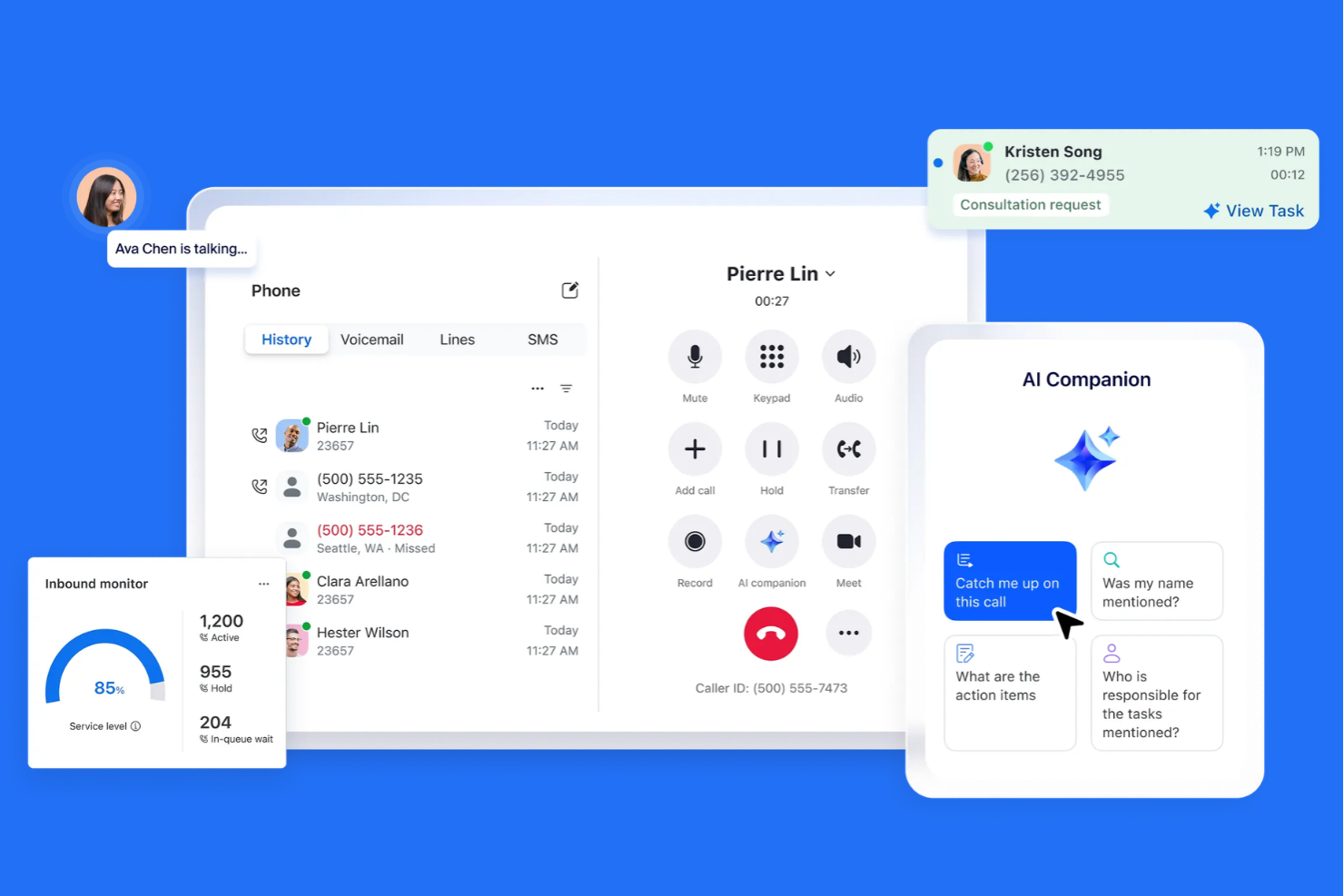
If your team already relies on Zoom for meetings, Zoom Phone offers a way to unify calling and collaboration in one platform. It’s designed for businesses that want to manage voice, video, and messaging from a single interface. Zoom Phone helps IT teams reduce tool sprawl and simplify communications management across locations.
Who Is Zoom Phone Best For?
Zoom Phone suits distributed organizations and hybrid teams that want to centralize voice and video communications on a single platform.
Why Zoom Phone Is a Good Nextiva Alternative
What makes Zoom Phone a strong Nextiva alternative is its ability to bring calling and video meetings together in one unified experience. I picked Zoom Phone for teams that want to move easily between phone calls and Zoom video meetings without switching platforms. Features like call flip between devices and integrated voicemail transcription help keep communications fluid and accessible. If your business already uses Zoom for collaboration, Zoom Phone extends that familiar environment to voice, making it easier to manage all communications in one place.
Zoom Phone Key Features
Some other features in Zoom Phone that are worth noting for teams considering Nextiva alternatives include:
- Auto Attendant: Lets you set up automated call routing and menu options for incoming calls.
- Call Recording: Allows you to record calls on demand or automatically for compliance and training.
- E911 Support: Provides enhanced emergency calling with location tracking for safety and regulatory needs.
- Call Delegation: Enables assistants or team members to make and receive calls on behalf of executives or shared lines.
Zoom Phone Integrations
Integrations include Salesforce, Microsoft Teams, Google Workspace, HubSpot, Slack, Microsoft Dynamics 365, ServiceNow, Zendesk, Okta, and Workday.
Pros and Cons
Pros:
- Call delegation for executive assistants
- Flexible call routing and auto attendant options
- Native integration with Zoom Meetings platform
Cons:
- Requires Zoom ecosystem for full functionality
- No built-in SMS for all regions
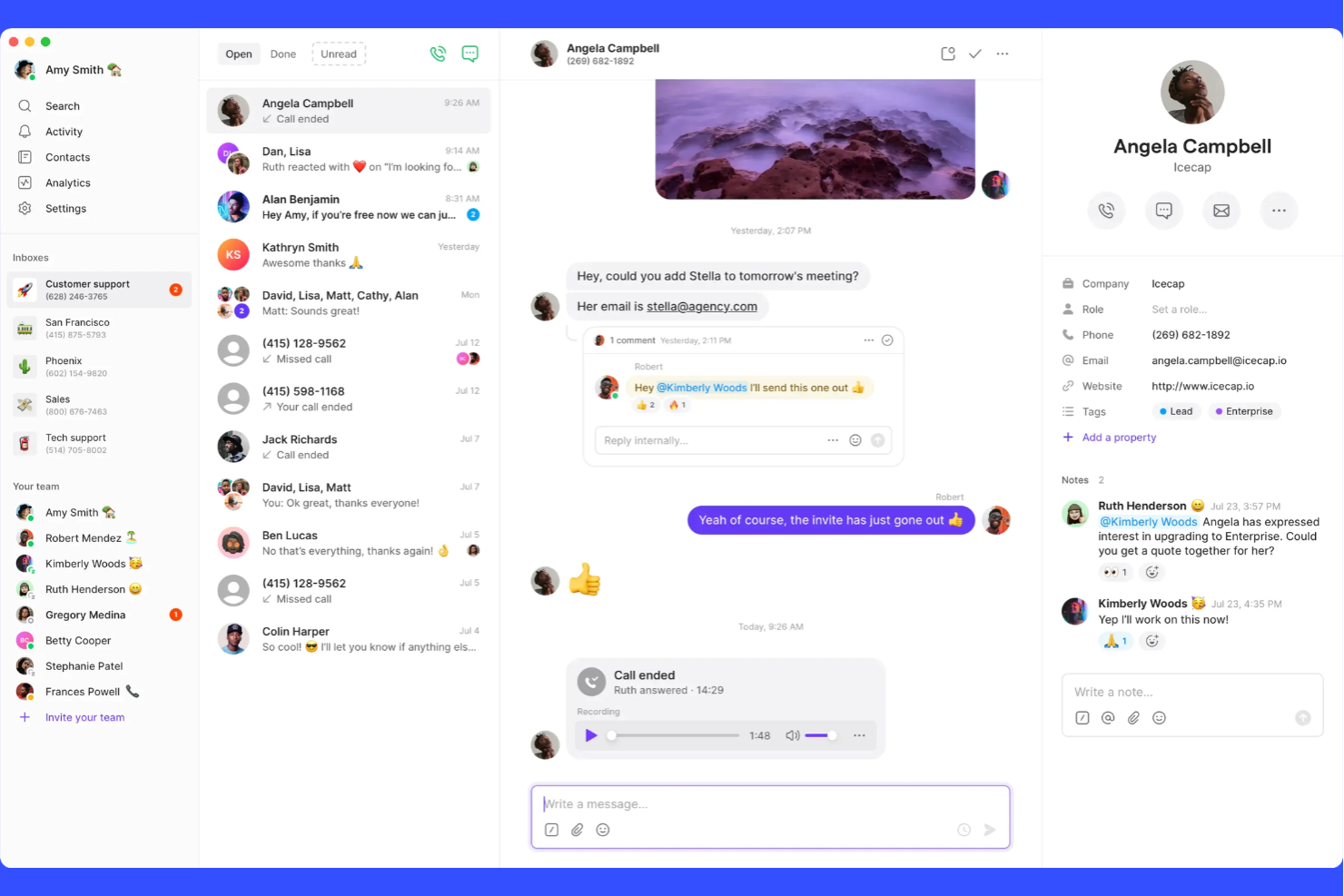
Legal and procurement teams looking to automate contract review may want to consider Quo. The platform is designed to speed up negotiations and reduce manual legal work for organizations handling high contract volumes. Quo stands out for its focus on AI-driven contract analysis and workflow automation, which can help teams manage risk and compliance more efficiently than traditional contract management tools.
Who Is Quo Best For?
Quo is a strong fit for legal and procurement teams in mid-sized to large organizations that need to automate and accelerate contract review workflows.
Why Quo Is a Good Nextiva Alternative
Unlike traditional communication platforms, Quo focuses on automating contract review and negotiation, which is a major advantage for legal and procurement teams. I picked Quo because its AI-driven contract analysis can flag risks, suggest edits, and help standardize negotiation language across your organization. The platform also supports collaborative workflows, allowing multiple stakeholders to review and approve contracts in a single, centralized space. For teams that need to move quickly through high volumes of contracts while maintaining compliance, Quo offers a specialized solution that Nextiva doesn’t address.
Quo Key Features
Some other features in Quo that legal and procurement teams may find valuable include:
- Clause Library: Lets you store, manage, and reuse approved contract clauses for consistency across agreements.
- Redlining Tools: Provides in-platform markup and change tracking for clear contract edits and negotiations.
- Audit Trail: Maintains a detailed log of all contract changes and user actions for compliance and transparency.
- Template Management: Allows you to create and manage standardized contract templates to speed up document creation.
Quo Integrations
Integrations include HubSpot, Salesforce, Pipedrive, Attio, Jobber, Clay, Gong, Slack, Google Contacts, and Fireflies.ai.
Pros and Cons
Pros:
- Detailed audit trails for compliance tracking
- Centralized clause library for legal teams
- AI-driven contract review and negotiation
Cons:
- Not designed for customer support ticketing
- No built-in voice or messaging features

Aircall
Cloud-based phone system with deep CRM and helpdesk integrations
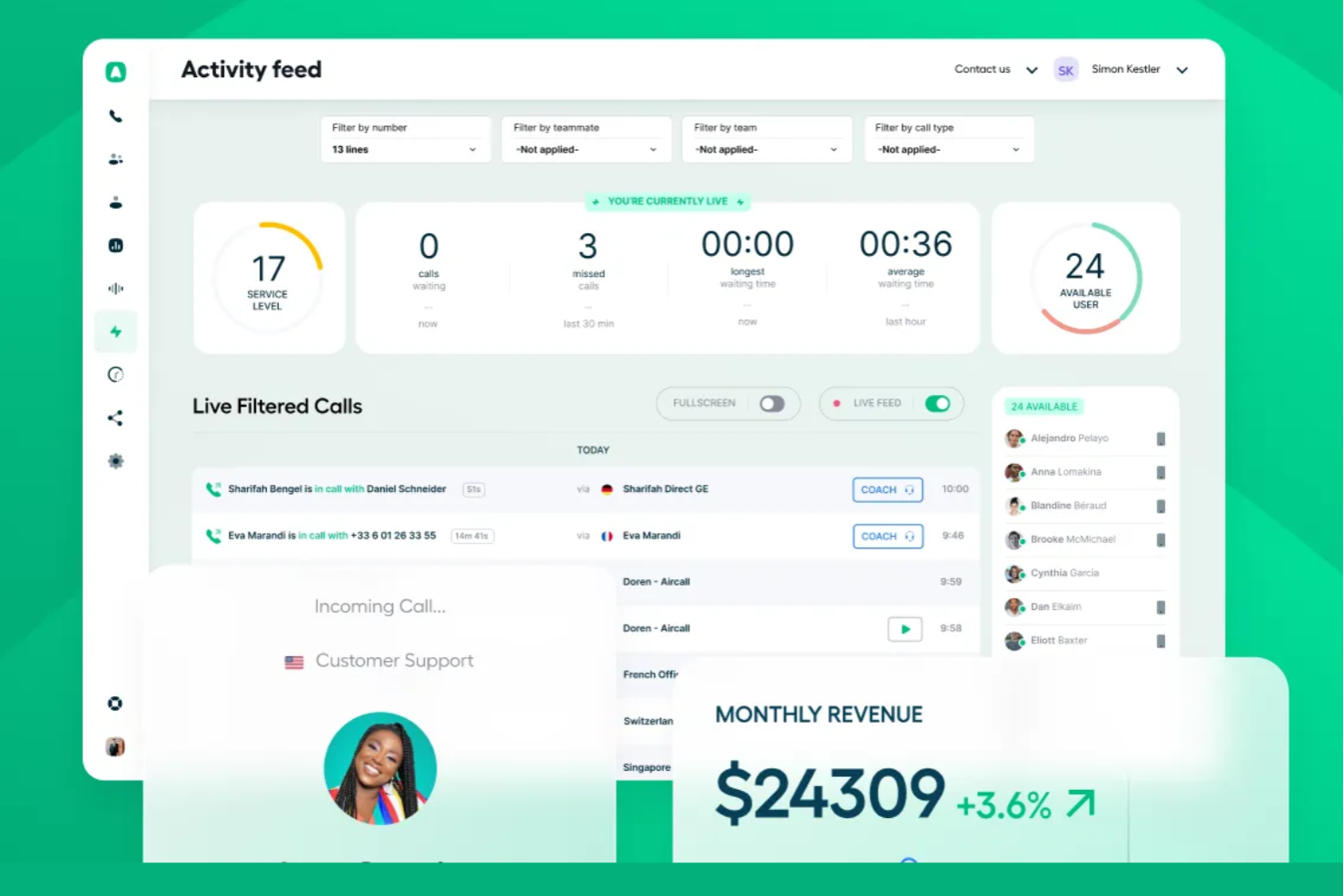
If you’re looking for a cloud-based phone system that connects tightly with your CRM or helpdesk, Aircall is worth considering. It’s designed for sales and support teams that need real-time call data and streamlined workflows. Aircall helps businesses unify phone operations and customer context without heavy IT overhead.
Who Is Aircall Best For?
Aircall is a strong choice for small to mid-sized sales and support teams that rely on integrating phone activity with CRM or helpdesk platforms.
Why Aircall Is a Good Nextiva Alternative
What sets Aircall apart as a Nextiva alternative is its focus on deep, ready-made integrations with leading CRM and helpdesk platforms. I picked Aircall for teams that want to automatically sync call activity, notes, and recordings directly into tools like Salesforce, HubSpot, or Zendesk without manual workarounds. The platform’s click-to-dial, screen pop, and real-time call logging features help sales and support teams keep customer context front and center. If your business depends on connecting phone conversations with customer data, Aircall’s integration-driven approach is a clear advantage.
Aircall Key Features
Some other features in Aircall that stand out for teams considering Nextiva alternatives include:
- Call queuing: Automatically places incoming calls in a queue and distributes them to available agents based on your routing rules.
- Shared call inbox: Lets teams view, assign, and follow up on missed calls and voicemails from a centralized dashboard.
- Warm transfer: Allows agents to speak with a colleague before transferring a live call, improving handoffs and customer experience.
- Call tagging: Enables users to categorize calls with custom tags for easier tracking, reporting, and follow-up.
Aircall Integrations
Integrations include Salesforce, HubSpot, Intercom, Zendesk, Pipedrive, Microsoft Dynamics, Slack, Shopify, Freshdesk, and Zoho CRM.
Pros and Cons
Pros:
- Warm transfer and call tagging features
- Shared call inbox for team collaboration
- Click-to-dial from browser or CRM
Cons:
- Call quality can vary with network
- Limited SMS support in some regions

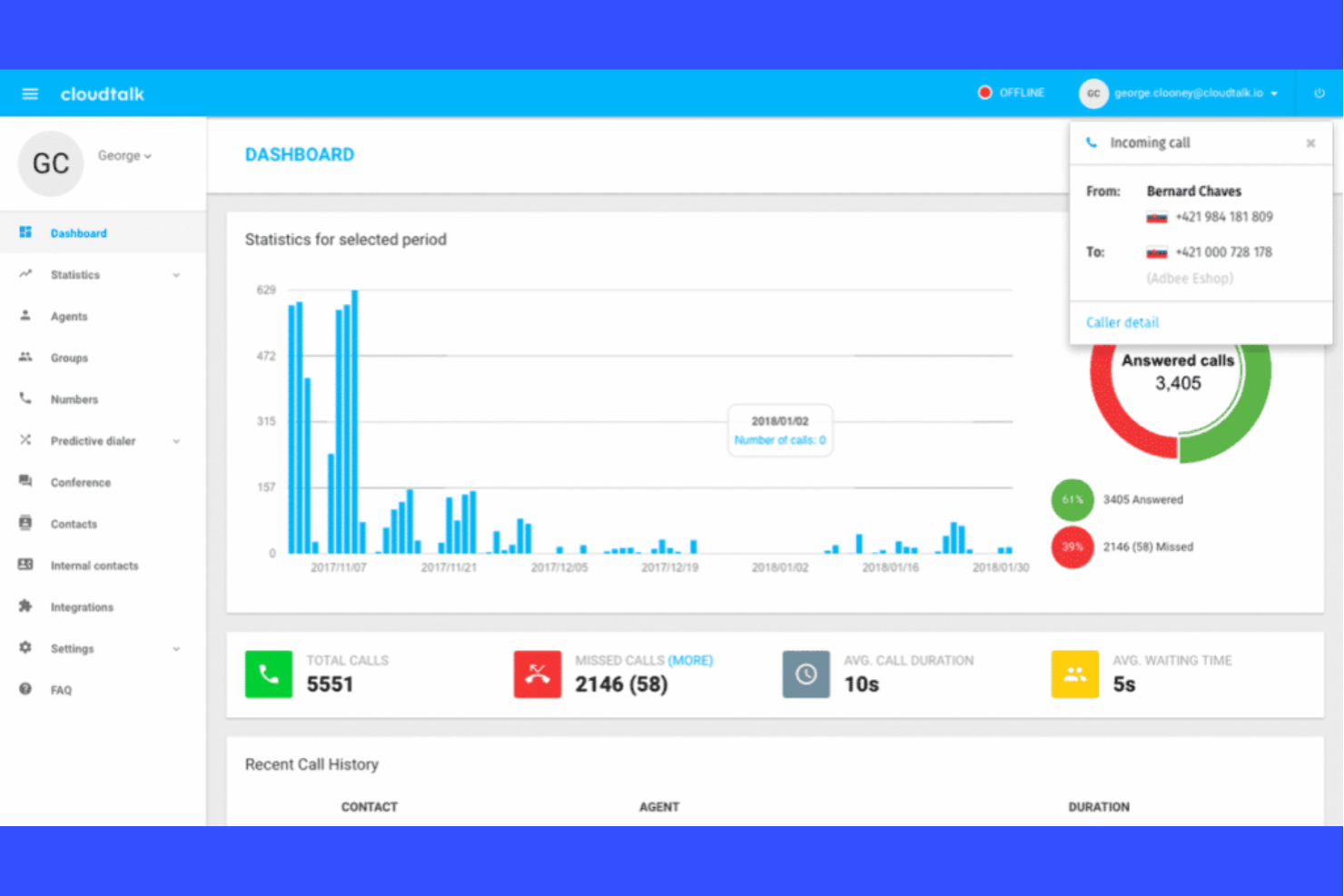
CloudTalk is a cloud-based phone system designed for distributed teams and contact centers. It appeals to businesses that need advanced call management and want to support remote or hybrid workforces. If you’re looking for a solution that handles high call volumes and complex routing, CloudTalk addresses those needs directly.
Who Is CloudTalk Best For?
CloudTalk is a strong choice for distributed sales and support teams in mid-sized businesses that need advanced call routing and analytics.
Why CloudTalk Is a Good Nextiva Alternative
When I’m looking for a phone system that can handle complex call flows across distributed teams, CloudTalk stands out. Its advanced call routing lets you set up detailed rules based on agent skills, business hours, or caller location, which is especially useful for remote or multi-location teams. I also appreciate the real-time analytics dashboard, which gives you actionable insights into call performance and agent activity. These features make CloudTalk a strong alternative to Nextiva for organizations that need more control and visibility over their communications.
CloudTalk Key Features
Some other features in CloudTalk that are worth highlighting for IT and operations teams include:
- Call Transcription: Automatically transcribes calls in multiple languages for easy review and compliance.
- Voicemail Drop: Lets agents leave pre-recorded voicemail messages with a single click.
- Ring Groups: Routes inbound calls to multiple agents or teams to reduce response times.
- Single Sign-On (SSO): Supports secure, centralized authentication for all users.
CloudTalk Integrations
Integrations include Salesforce, HubSpot, Zendesk, Pipedrive, Zoho CRM, Microsoft Teams, Intercom, Freshdesk, Monday, and Shopify.
Pros and Cons
Pros:
- Supports both desktop and mobile softphones
- Click-to-call browser extension for web apps
- Skill-based call routing for distributed teams
Cons:
- Occasional call quality issues reported by users
- International numbers require additional purchase
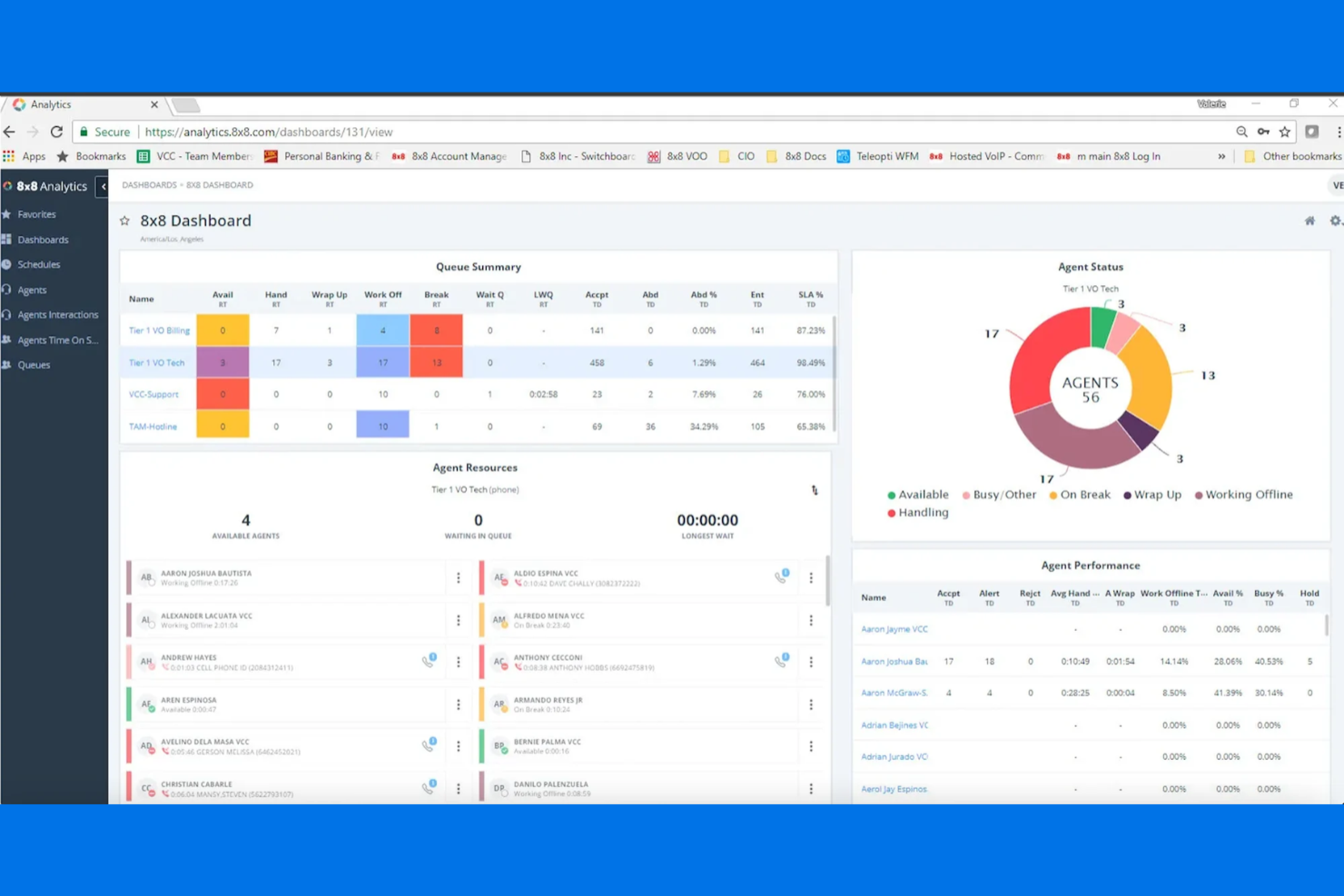
If you’re looking for a communications platform that brings together voice, video, and contact center tools, 8x8 is worth considering. It’s especially appealing to organizations that need global reach and advanced analytics for customer interactions. Teams managing high call volumes or distributed support operations may find 8x8 solves challenges around visibility, compliance, and multi-channel engagement.
Who Is 8x8 Best For?
8x8 is a strong choice for mid-sized to large organizations with distributed teams that need unified communications and contact center capabilities across multiple locations or countries.
Why 8x8 Is a Good Nextiva Alternative
What sets 8x8 apart as a Nextiva alternative is its focus on AI-powered customer experience and communications. I picked 8x8 for teams that want to leverage AI-driven analytics and intelligent call routing to improve customer interactions. The platform’s AI tools help automate routine tasks and surface actionable insights from conversations, which can be especially valuable for contact centers. If you’re looking for a solution that goes beyond basic calling and messaging, 8x8’s advanced AI features make it a compelling option.
8x8 Key Features
Some other features that make 8x8 a versatile communications platform include:
- Global Number Provisioning: Assign and manage local, toll-free, and international numbers for teams in multiple countries.
- Team Messaging: Enable real-time chat, file sharing, and collaboration within the same platform as your calls and meetings.
- HD Video Conferencing: Host secure, high-definition video meetings with screen sharing and recording options.
- Call Recording and Storage: Automatically record calls and store them securely for compliance, training, or quality assurance purposes.
8x8 Integrations
Integrations include Salesforce, Microsoft Teams, Google Workspace, Slack, Zendesk, HubSpot, NetSuite, ServiceNow, Freshdesk, and Microsoft Dynamics 365.
Pros and Cons
Pros:
- Built-in video meetings and team chat
- Global number provisioning for international teams
- AI-driven call analytics and insights available
Cons:
- International calling rates are higher than average
- SMS features are limited compared to competitors
Other Nextiva Alternatives
Here are some additional Nextiva Alternative options that didn’t make it onto my shortlist, but are still worth checking out:
- Ooma
Simple business phone system with plug-and-play setup
- 3CX
Software-based PBX with unified communications
- Talkdesk
Enterprise-grade cloud contact center platform
- Grasshopper
Virtual phone system for entrepreneurs
- Microsoft Teams
Collaboration and communication with integrated calling
- Squaretalk
Flexible cloud communications for global teams
- HubSpot
CRM platform with built-in calling features
- MightyCall
Virtual phone system for small businesses
- Brevo
Business communications with integrated messaging
- Zendesk
Customer service platform with integrated voice support
- OpenPhone
Modern business phone system for startups
- NiCE CXone
Omnichannel customer experience and analytics suite


Nextiva Alternatives Selection Criteria
When selecting the best Nextiva Alternative to include in this list, I considered common buyer needs and pain points related to business phone systems, like advanced call management and integration with CRM tools. I also used the following framework to keep my evaluation structured and fair:
Core Functionality (25% of total score)
To be considered for inclusion in this list, each solution had to fulfill these common use cases:
- Make and receive business calls
- Route calls to the right team or agent
- Record and store call logs
- Send and receive SMS or text messages
- Integrate with CRM or helpdesk software
Additional Standout Features (25% of total score)
To help further narrow down the competition, I also looked for unique features, such as:
- AI-powered call analytics and transcription
- Multi-level IVR and advanced call routing
- Click-to-call browser extensions
- Bulk SMS campaign management
- Real-time call monitoring and coaching tools
Usability (10% of total score)
To get a sense of the usability of each system, I considered the following:
- Simple and intuitive user interface
- Easy access to core features from dashboard
- Minimal steps to complete common tasks
- Clear navigation and labeling throughout the platform
- Responsive design for desktop and mobile use
Onboarding (10% of total score)
To evaluate the onboarding experience for each platform, I considered the following:
- Availability of step-by-step setup guides
- Access to training videos and webinars
- Interactive product tours for new users
- Pre-built templates for common workflows
- In-app chatbots or live onboarding support
Customer Support (10% of total score)
To assess each software provider’s customer support services, I considered the following:
- 24/7 live chat or phone support options
- Fast response times to support requests
- Knowledgeable and helpful support agents
- Comprehensive online help center or documentation
- Availability of community forums or user groups
Value For Money (10% of total score)
To evaluate the value for money of each platform, I considered the following:
- Transparent and flexible pricing plans
- Features included at each pricing tier
- No hidden fees or unexpected charges
- Free trial or demo availability
- Discounts for annual or volume commitments
Customer Reviews (10% of total score)
To get a sense of overall customer satisfaction, I considered the following when reading customer reviews:
- Consistent positive feedback on reliability
- Reports of helpful and responsive support
- User comments on feature usefulness
- Feedback on integration performance
- Trends in reported issues or complaints
Why Look For A Nextiva Alternative?
While Nextiva is a good choice of business phone system, there are a number of reasons why some users seek out alternative solutions. You might be looking for Nextiva Alternative because…
- You need more advanced call analytics and reporting
- Your team relies on SMS or bulk texting features
- You want deeper CRM or helpdesk integrations
- You require more flexible pricing or contract terms
- Your business operates outside Nextiva’s supported regions
- You need AI-powered tools for call quality and coaching
If any of these sound like you, you’ve come to the right place. My list contains several business phone system options that are better suited for teams facing these challenges with Nextiva and looking for alternative solutions.
Nextiva Key Features
Here are some of the key features of Nextiva, to help you contrast and compare what alternative solutions offer:
- Business phone system: Cloud-based VoIP phone service with local and international phone numbers for business communications
- Auto attendant: Intelligent call routing with customizable IVR menus to direct callers to the right team
- Call recording: Automatic and on-demand call recording for call management, training, and compliance
- Voicemail transcription: Converts voicemail messages into text for faster review and response
- Team messaging: Built-in team chat and team collaboration tools for internal communication
- Video meetings: HD video conferencing for remote teams and client communication
- Call analytics: Real-time call analytics and reporting on call volume, call quality, and performance
- Call routing: Advanced call handling with call queues, call forwarding, and smart routing rules
- CRM integrations: Sync customer data, call logs, and interactions across business tools
- Mobile and desktop apps: Access phone service, messaging, and collaboration tools from anywhere
- Contact center solutions: Includes contact center features for call center operations and high call volume teams
- SMS and text messaging: Send and receive business SMS messages for customer communication
- Uptime and reliability: Cloud-based infrastructure designed to support consistent uptime for business continuity