
19 Best monday.com Alternatives Reviewed in 2026

Best monday.com Alternatives Shortlist
Here’s my shortlist of the best monday.com alternatives:


Managing projects can be a headache, especially when the software you rely on doesn't quite fit your needs. Maybe you're finding that monday.com lacks certain features, isn't flexible enough, or isn't the best fit for your team's unique workflow. I've been there, and I get how frustrating it can be.
In my experience testing and reviewing software, I believe there are excellent alternatives out there that can alleviate these issues. You deserve a tool that truly matches your business challenges. In this article, I'll share my picks for the best alternatives to monday.com, giving you insights into their unique benefits. Whether it's better integration, simpler interfaces, or specific features, I'll guide you through options that might just be the best project management software for your team.
What is monday.com?
monday.com is a project management software designed to help teams organize and track their work. It's commonly used by professionals across various industries, including marketing, IT, and project management, providing them with a centralized platform to collaborate and manage tasks efficiently. Features like customizable workflows, time tracking, and collaboration tools support your team's need for organization, clarity, and communication. Overall, monday.com offers a flexible and user-friendly solution for keeping projects on track.
Best monday.com Alternatives Summary
This comparison chart summarizes pricing details for my selections of the top monday.com alternatives to help you find the best one for your budget and business needs.
| Tool | Best For | Trial Info | Price | ||
|---|---|---|---|---|---|
| 1 | Best for no-code custom workflows | Free plan + free demo available | From $20/user/month (billed annually) | Website | |
| 2 | Best for client project management | 30-day free trial + free plan + free demo available | From $10.99/user/month (billed annually) | Website | |
| 3 | Best for real-time project reporting | Free plan + free demo available + 14-day free trial | From $39/user/month (billed annually) | Website | |
| 4 | Best for all-in-one collaboration | 14-day free trial + free demo available | From $45/month (billed annually) | Website | |
| 5 | Best for AI-driven productivity | Free plan available | From $10.99/user/month (billed annually) | Website | |
| 6 | Best for small business simplicity | 30-day free trial + + free plan + free demo available | From $15/user/month | Website | |
| 7 | Best for simple task organization | Free plan available | From $5/user/month (billed annually) | Website | |
| 8 | Best for unified productivity tools | Free plan + free demo available | From $7/user/month (billed annually) | Website | |
| 9 | Best for AI-driven workflows | Free plan + free demo available | From $10/member/month (billed annually) | Website | |
| 10 | Best for agile project management | 14-day free trial + free plan available | From $7.91/user/month | Website |
Why Trust Our Software Reviews
-

Freshservice
Visit WebsiteThis is an aggregated rating for this tool including ratings from Crozdesk users and ratings from other sites.4.6 -
Deel IT
Visit Website -
Rippling IT
Visit WebsiteThis is an aggregated rating for this tool including ratings from Crozdesk users and ratings from other sites.4.8




Best monday.com Alternatives Reviews
Below are my detailed summaries of the best monday.com alternatives that made it onto my shortlist. My reviews offer a detailed look at the key features, pros and cons, integrations, and ideal use cases of each tool to help you find the best one for you.

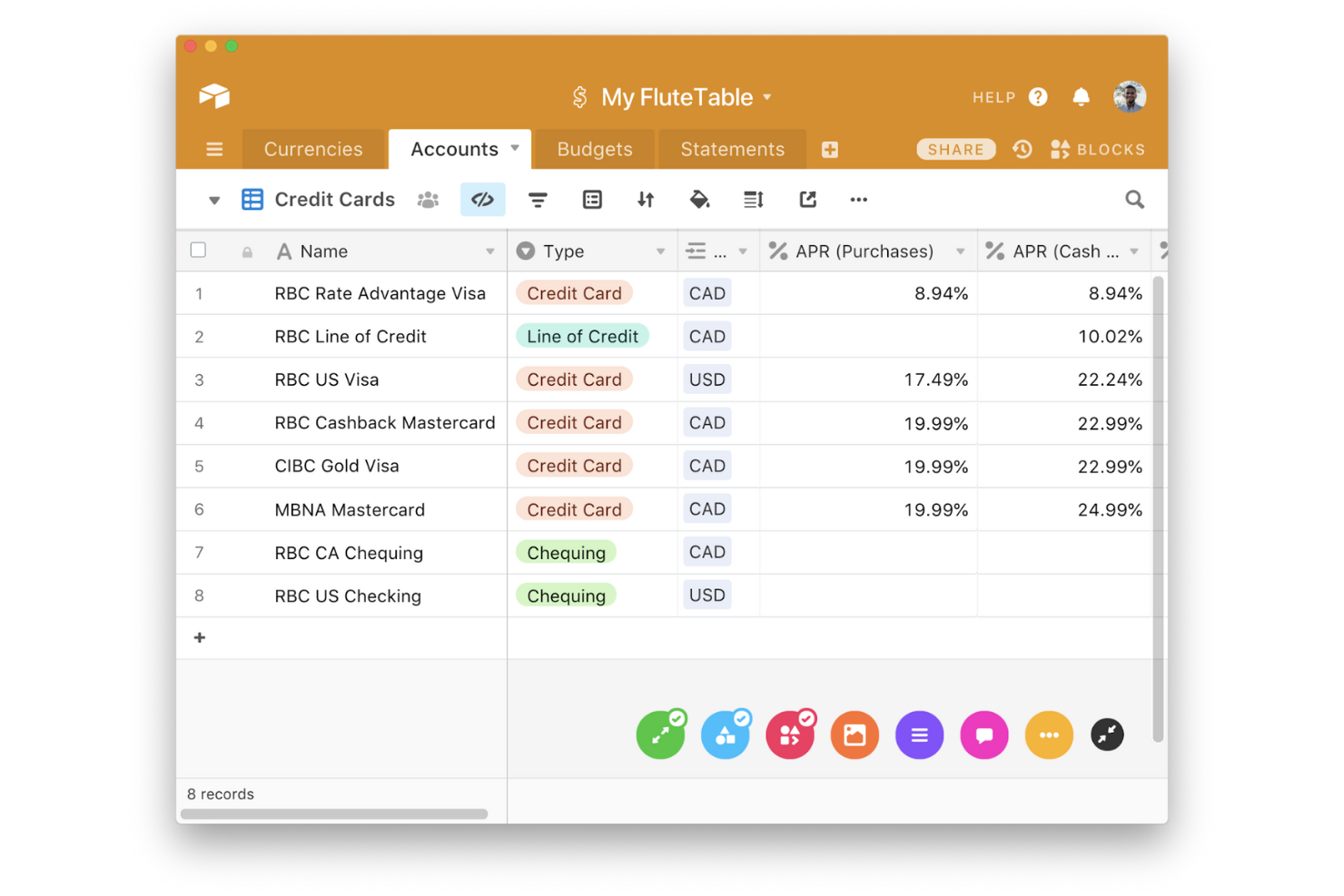
Airtable is a cloud-based collaboration platform that combines the simplicity of a spreadsheet with the functionality of a database. It's popular among teams in creative industries, product development, and project management for organizing and visualizing data.
Why it's a good monday.com alternative: Airtable's no-code app building lets your team create custom applications to fit unique workflows. The platform offers a flexible grid view for organizing data, along with kanban, calendar, and gallery views to visualize projects. Airtable's block feature allows you to add functionalities such as maps or charts to your tables, giving you tools to interact with your data.
Standout Features and Integrations:
Features include rich field types, which let you store attachments, links, and checkboxes within your tables. Airtable's form builder helps you collect information and feed data directly into your base. The platform's revision history keeps track of changes, so you can see who did what and when.
Integrations include Slack, Google Drive, Dropbox, Box, Salesforce, Zendesk, Jira, Miro, Instagram, GitHub, and more.
Pros and Cons
Pros:
- Customizable forms
- Relational database schema flexibility
- No-code app building
Cons:
- Pricing can be high
- Interface Designer visualization constraints

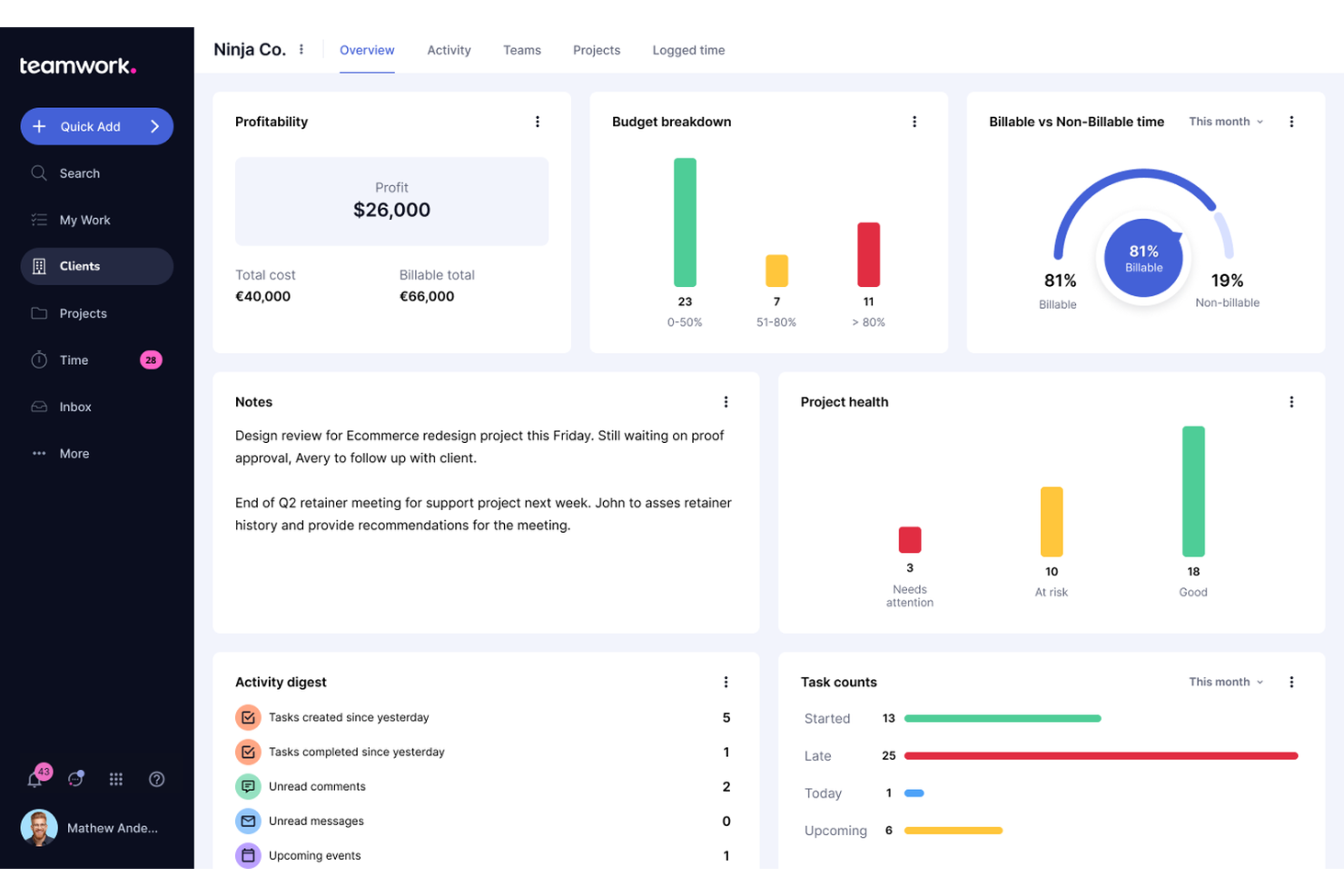
Teamwork.com is a project management software tailored for businesses that need to manage client work and internal projects. Agencies and service-based businesses often use this platform to plan, track, and deliver client projects.
Why it's a good monday.com alternative: Teamwork.com offers features such as time tracking and billing, which are essential for managing client projects. Its portfolio management helps your team oversee multiple projects at once, ensuring nothing falls through the cracks. With advanced task management, your team can prioritize and assign tasks efficiently. Teamwork.com's project templates save time by allowing you to standardize processes across projects.
Standout Features and Integrations:
Features include workload management, which helps you balance your team's tasks and prevent burnout. Teamwork.com's project milestones keep your team focused on key deliverables and deadlines. The software's document editor allows for real-time collaboration on project files.
Integrations include Slack, HubSpot, Xero, Microsoft Office, Harvest, Clok, Whid, BugHerd, and more.
Pros and Cons
Pros:
- Standardized agency onboarding blueprints
- Integrated client invoice generation
- Strong client management features
Cons:
- Occasional browser notification delays
- Performance issues at scale

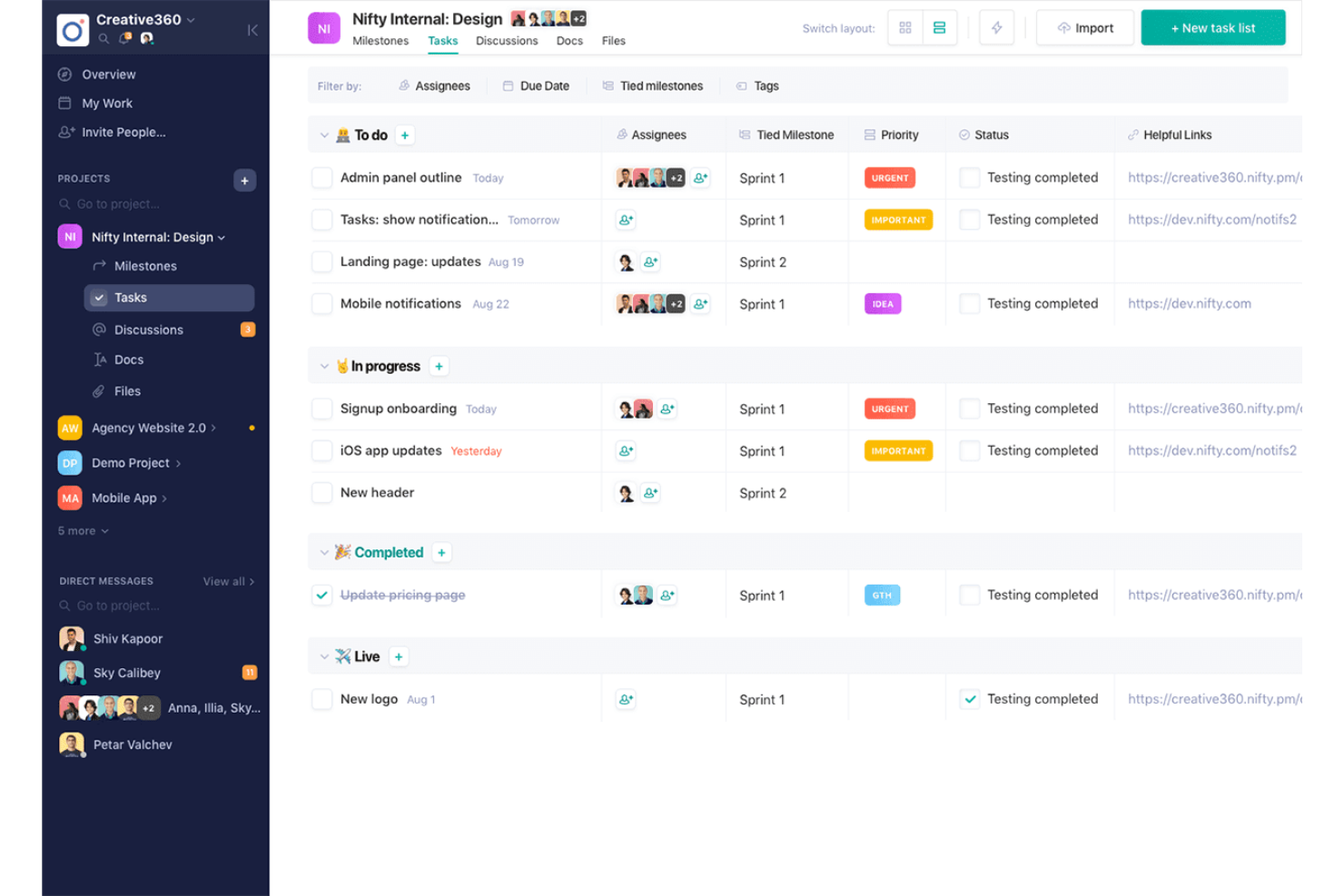
Nifty is a project management tool designed to help teams collaborate and manage their projects. It's aimed at businesses that need to track progress, manage tasks, and communicate within a single platform.
Why it's a good monday.com alternative: Nifty offers real-time project reporting, which keeps your team informed about work status and progress. Its milestone tracking helps you ensure that key objectives are met on time. With task management features, such as subtask tracking, your team can organize and prioritize work effectively. Nifty's collaboration tools allow your team to communicate and share documents within the platform.
Standout Features and Integrations:
Features include time tracking, which helps you monitor team productivity and project timelines. Nifty's kanban boards provide a visual way to track tasks and manage workflows. The tool's document management system keeps all your files organized and accessible.
Integrations include Google Drive, Zoom, Microsoft Suite, Slack, Miro, Harvest, Asana, GitHub, and more.
Pros and Cons
Pros:
- Native collaborative project discussions
- Milestone tracking
- Built-in team direct messaging
Cons:
- Lack of advanced budget-tracking
- Restricted guest role permissions

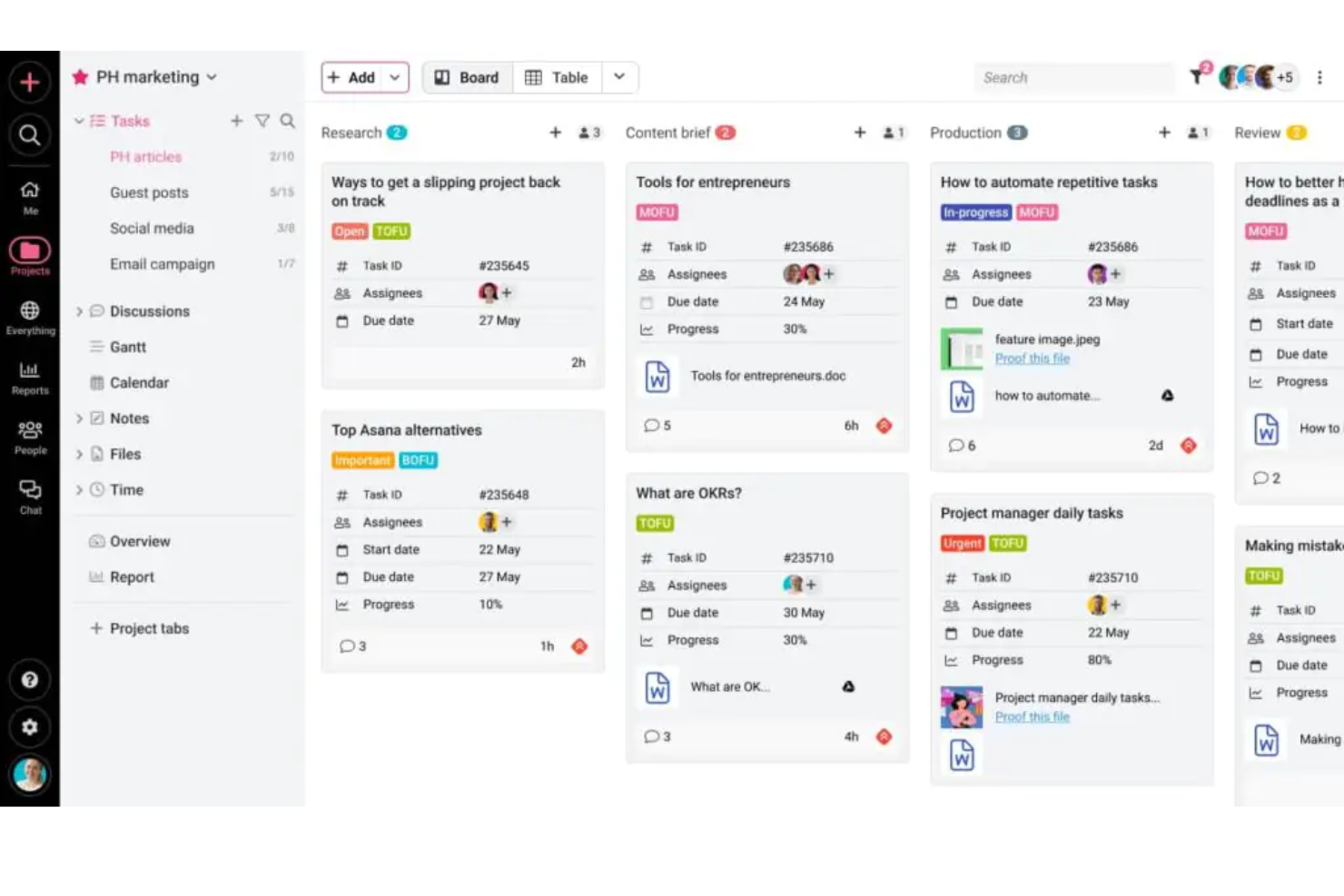
ProofHub is a project management and team collaboration tool designed to centralize all aspects of project work. It's popular among teams looking to manage projects, collaborate, and communicate in one place.
Why it's a good monday.com alternative: ProofHub provides all-in-one collaboration features, allowing your team to handle tasks, discussions, and files through a single application. Its built-in chat and discussion boards facilitate team communication, and the tool's online proofing feature lets your team review and approve designs quickly. You can adapt project processes to fit your team's needs through ProofHub's customizable workflows.
Standout Features and Integrations:
Features include time tracking, which helps you monitor how much time your team spends on tasks. ProofHub's notes feature allows you to jot down ideas and share them with your team instantly. The tool's calendar view keeps everyone on the same page with deadlines and milestones.
Integrations include Google Calendar, Dropbox, Box, OneDrive, iCal, FreshBooks, QuickBooks, Slack, and more.
Pros and Cons
Pros:
- Multi-lingual interface support
- Project-specific custom stage labels
- Integrated internal white-labeling options
Cons:
- Limited third-party app ecosystem
- No cross-project data aggregation

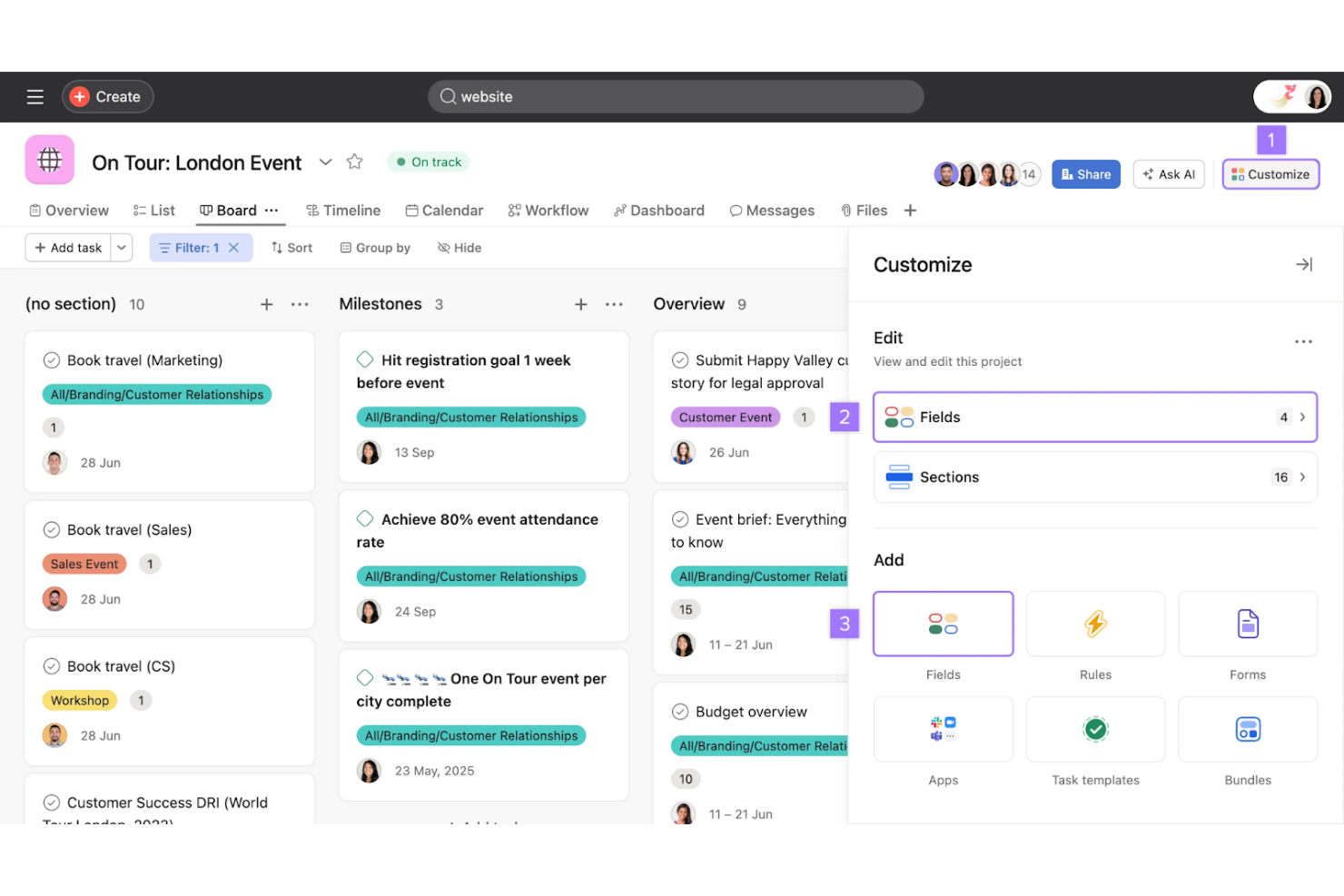
Asana is a project management software designed for teams of all sizes to plan, organize, and track their work. It's widely used by professionals in fields such as marketing, operations, and product management to coordinate tasks and projects efficiently.
Why Asana is a good monday.com alternative: Asana's AI-equipped productivity tools automate routine tasks, which can help make your team's workflow more efficient. Its timeline feature allows you to visualize project plans, while its workload management tool is designed to balance team responsibilities. The intuitive interface supports easy adoption, and its customizable dashboards let you track progress in real time.
Standout Features and Integrations:
Features include task dependencies, custom fields, and goal-setting tools to align your team's objectives. Asana's timeline view lets you map out project plans visually, offering a clear path from start to finish. The workload feature helps you manage team capacity, which helps distribute tasks evenly.
Integrations include Slack, Microsoft Teams, Google Drive, Dropbox, Salesforce, Zoom, Jira Cloud, Outlook, Zendesk, Tableau, Figma, Zapier, and more.
Pros and Cons
Pros:
- Goal-setting capabilities
- Visual project planning
- AI-equipped productivity tools
Cons:
- Limited advanced reporting
- No time tracking in the basic plan

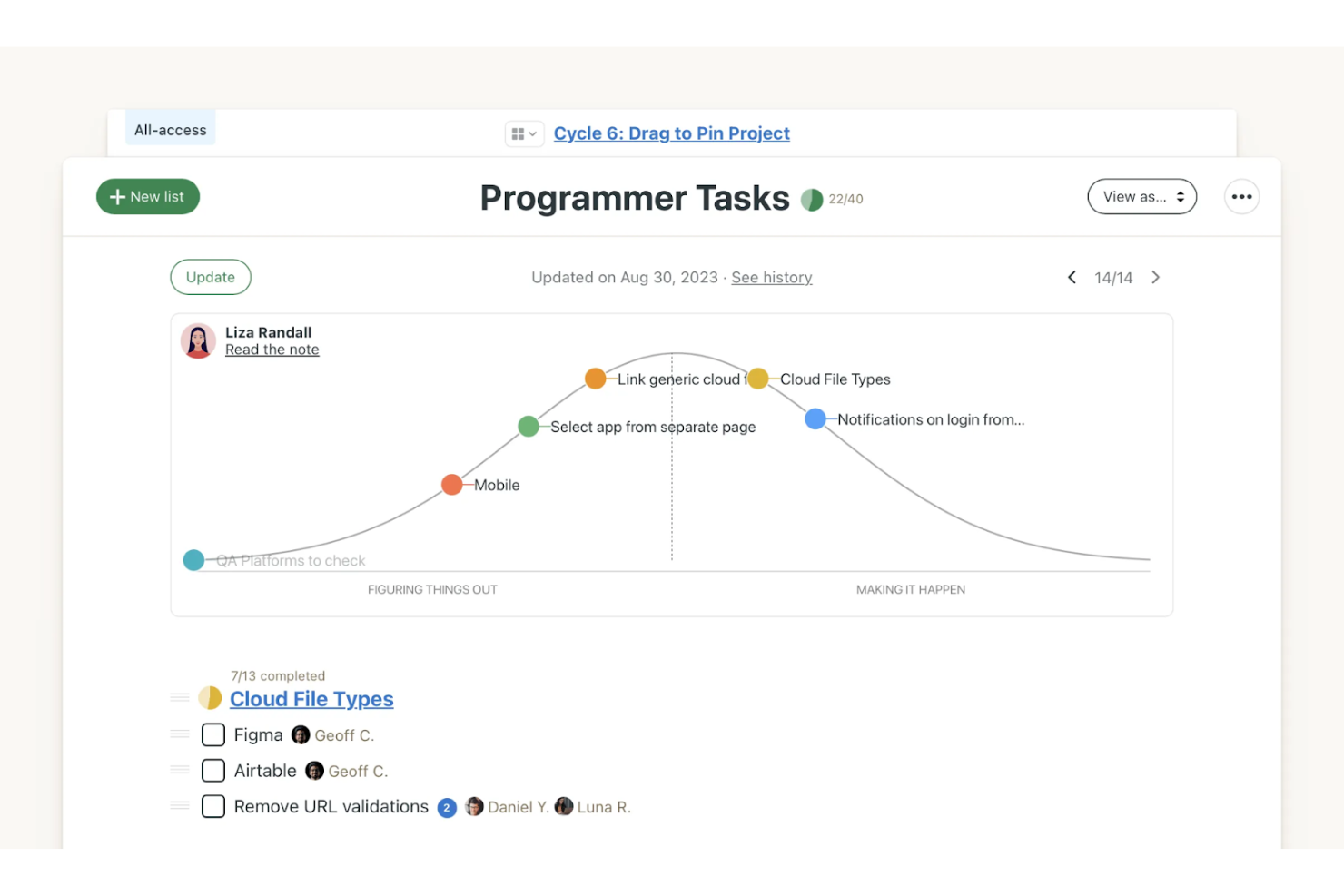
Basecamp is a project management and team collaboration tool designed to help small businesses and teams stay organized. It's used mainly by startups and small companies that need a straightforward way to communicate and manage projects.
Why it's a good monday.com alternative: Basecamp offers simplicity with its all-in-one platform, which keeps documents, communications, and more in one place. The tool's message boards and task lists help your team communicate and track their work effectively. Basecamp's automatic check-ins reduce the need for lengthy meetings, which saves time for your team. This task management tool focuses on simplicity, which helps small teams manage projects without being overwhelmed by features.
Standout Features and Integrations:
Features include hill charts, which provide a unique way to visualize project progress and identify potential roadblocks. Basecamp's Campfire chat feature allows real-time communication within projects. The tool's file storage system keeps all your project documents organized and accessible.
Integrations include Zapier, Harvest, Zoho Flow, Tick, Toggl, Bridge24, Feedbucket, and more.
Pros and Cons
Pros:
- Unique hill charts
- Automatic check-ins
- Single-page project dashboard layout
Cons:
- No native Gantt charting
- Limited customization options

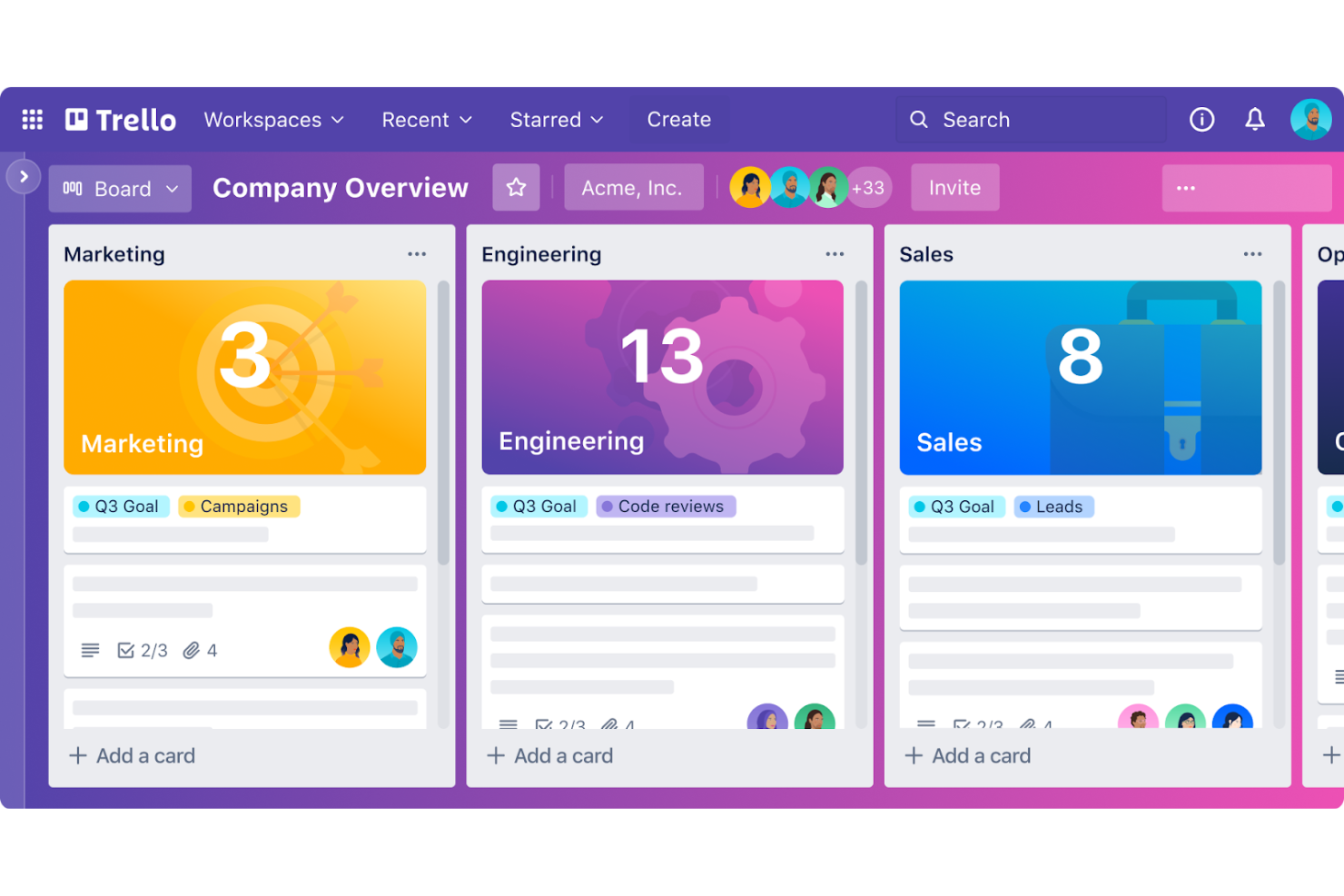
Trello is a project management tool that uses boards, lists, and cards to organize tasks and projects visually. It's popular among small to medium-sized teams that are looking for an intuitive way to collaborate and manage workflows.
Why it's a good monday.com alternative: Trello excels in organizing simple projects with its visual card system. The drag-and-drop interface allows your team to make quick updates to tasks and projects without hassle. Trello's customizable boards let you tailor workflows to fit your team's needs, and its user-friendly setup requires minimal onboarding time.
Standout Features and Integrations:
Features include checklists, due date notifications, and card attachments that help you keep track of task details. Trello's power-ups extend its functionality, allowing you to add calendar views or voting features to your boards. You can also automate repetitive tasks with Butler, Trello's built-in automation tool.
Integrations include Slack, Google Drive, Microsoft Teams, Dropbox, Evernote, Salesforce, GitHub, Confluence, Zapier, and more.
Pros and Cons
Pros:
- Butler-powered custom command triggers
- Unrestricted Power-Up integrations
- Zero-friction Kanban card system
Cons:
- Lacks native subtask nesting
- Limited horizontal board scaling

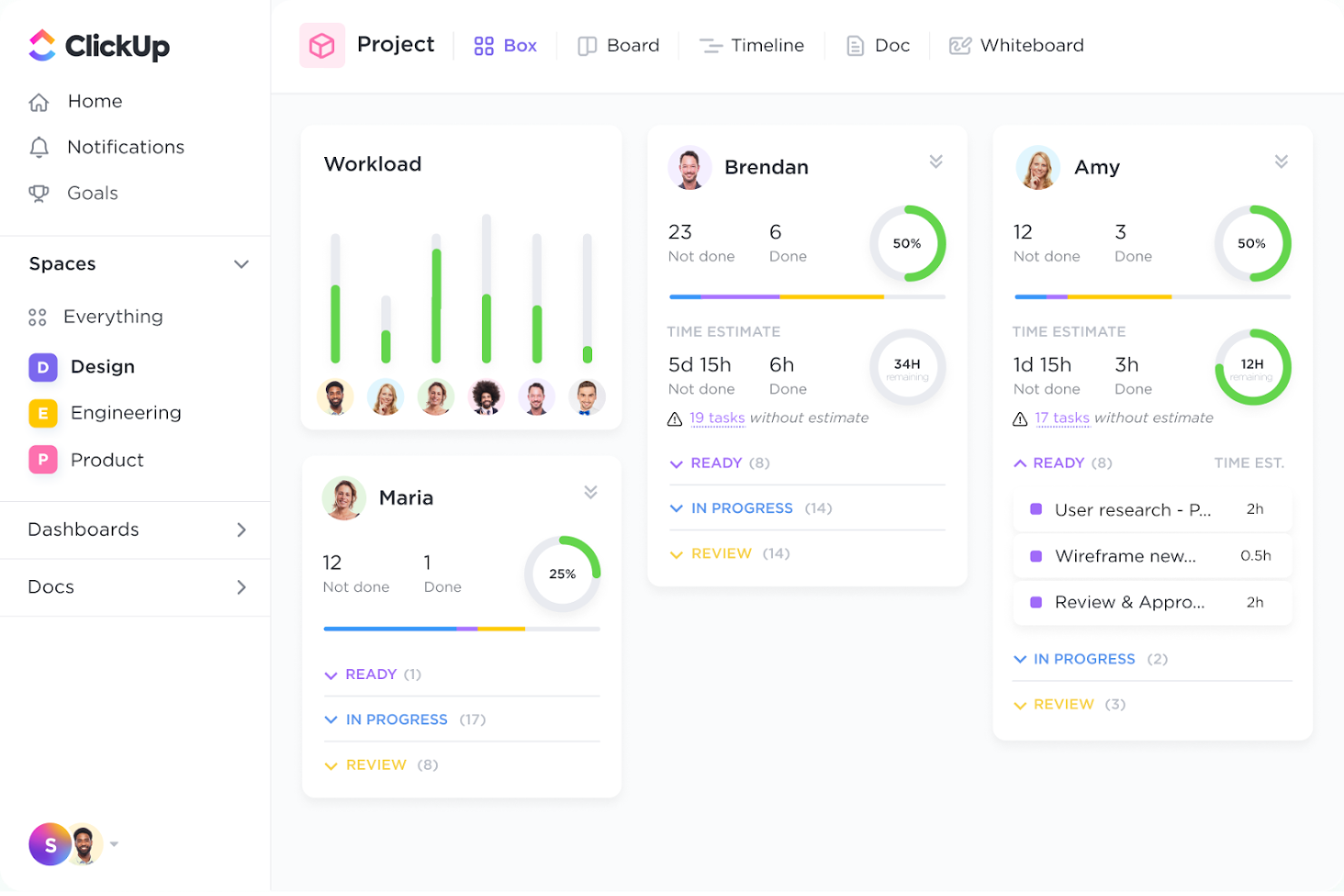
ClickUp is a versatile productivity platform designed to manage tasks, projects, and workflows in one place. It's used by teams of all sizes who need a unified tool to manage their productivity and organization.
Why it's a good monday.com alternative: ClickUp offers a range of productivity tools that combine task management, goal setting, and document collaboration. Its customizable dashboards allow your team to create views that suit their workflow needs. The time tracking feature helps you monitor productivity and manage resources efficiently. ClickUp's flexible task hierarchy enables your team to organize work in a way that aligns with their goals.
Standout Features and Integrations:
Features include mind maps that allow your team to visualize and plan projects creatively. ClickUp's goal tracking keeps everyone aligned with company objectives. The tool's document editor supports real-time collaboration, allowing your team to work together on shared files.
Integrations include Slack, Google Drive, Microsoft Teams, Outlook, GitHub, Zoom, Dropbox, Zapier, Tableau, Figma, and more.
Pros and Cons
Pros:
- Integrated Video Clip recording
- Quantitative objective-key-result linking
- Native Mind Map visualization
Cons:
- Reduced offline mobile functionality
- Resource-heavy interface loading speeds


Notion is a versatile workspace tool that helps teams and individuals organize their tasks, projects, and knowledge. It's used by a wide range of users, from small teams to large organizations, for project management, note-taking, and collaboration.
Why it's a good monday.com alternative: Notion's AI-driven workflows automate routine tasks, which helps increase productivity. The tool's flexible page structure allows your team to create and customize workspaces to fit your specific needs. You can organize and link information through the tool's database features. Notion's collaborative editing tool lets your team work together on documents and projects in real time.
Standout Features and Integrations:
Features include templates that help you quickly set up new projects and workflows. Notion's kanban boards provide a visual way to manage tasks and projects. The tool's calendar view keeps track of deadlines and schedules, assisting your team in staying on top of their work.
Integrations include Slack, Google Drive, Trello, Asana, GitHub, Dropbox, Zapier, Figma, and more.
Pros and Cons
Pros:
- Hierarchical infinite-nesting pages
- Block-based collaborative canvas workspace
- Contextual AI wiki summarization
Cons:
- Manual database relationship setup
- High data-export formatting friction

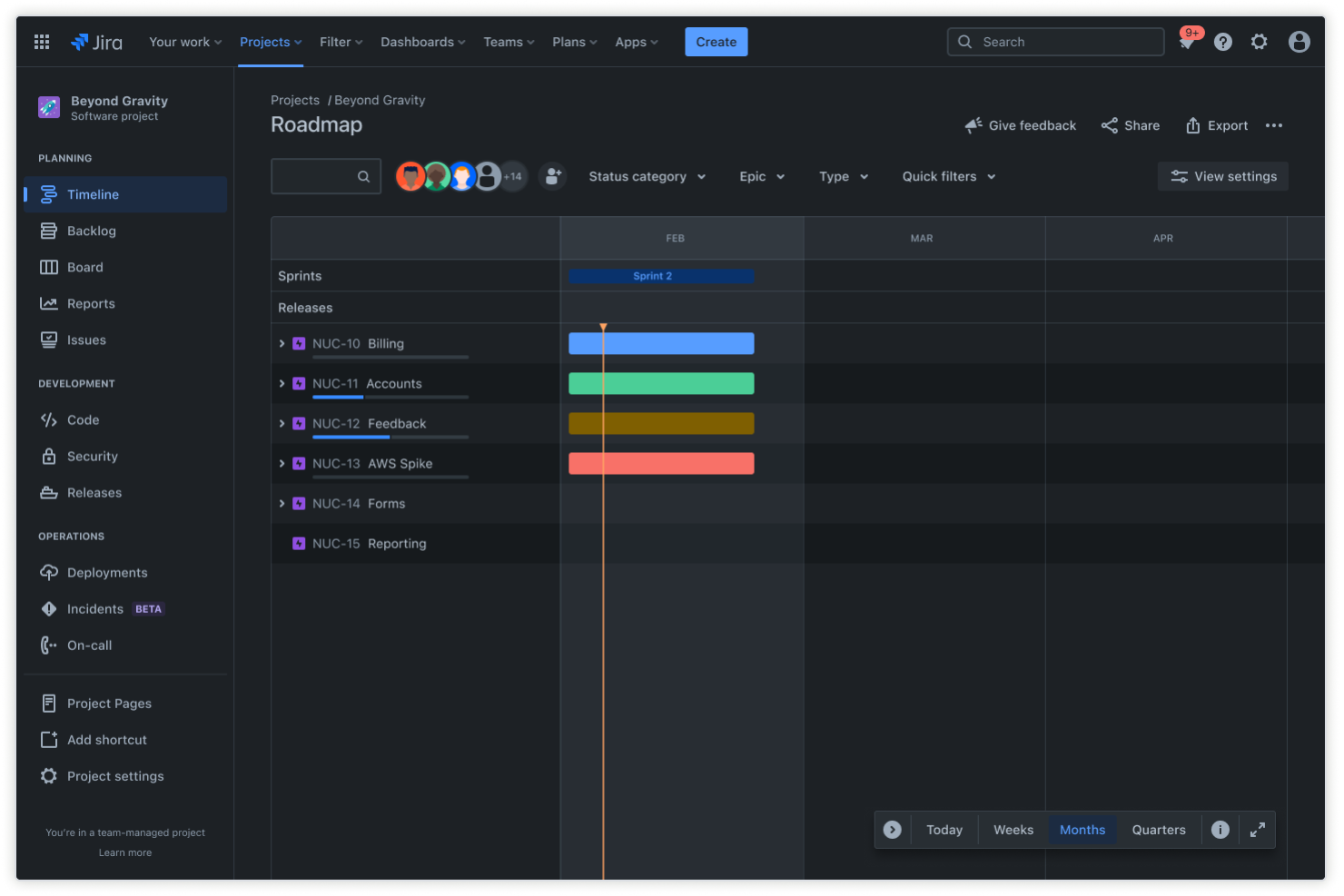
Jira is a project management tool designed to plan, track, and release software. It's widely used by software development teams for managing projects, tracking issues, and improving productivity.
Why it's a good monday.com alternative: Jira offers a range of agile project management features, including scrum and kanban boards, which help your team stay organized. Its advanced reporting provides insights into project progress and team performance. The tool's customizable workflows allow you to tailor processes to fit your team's unique needs. Jira's issue-tracking capabilities are designed for teams to manage tasks and bugs efficiently.
Standout Features and Integrations:
Features include roadmaps that help you visualize and plan long-term projects. Jira's automation rules save time by reducing repetitive tasks across projects. The platform's backlog prioritization feature lets you manage and rank tasks based on their importance.
Integrations include Bitbucket, Slack, Microsoft Teams, GitHub, Google Workspace, Zendesk, Outlook, and more.
Pros and Cons
Pros:
- Scalable DevOps lifecycle triggers
- Strong issue tracking
- Agile velocity and burnout charts
Cons:
- Complex cross-departmental permission settings
- Extensive administrator training required
Other monday.com Alternatives
Here are some additional monday.com alternatives that didn’t make it onto my shortlist, but are still worth checking out:
- Smartsheet
For integration capabilities
- Wrike
For enterprise collaboration
- ProjectManager
For project planning tools
- GanttPRO
For Gantt chart software
- Paymo
For invoicing and billing
- SmartSuite
For business process management
- OpenProject
For open-source project management
- Motion
For automated scheduling
- GoodDay
For task prioritization


monday.com Alternatives Selection Criteria
When selecting the best monday.com alternatives to include in this list, I considered common buyer needs and pain points related to project management software products, such as ease of use and integration capabilities. I also used the following framework to keep my evaluation structured and fair:
Core Functionality (25% of total score)
To be considered for inclusion in this list, each solution had to fulfill these common use cases:
- Task management
- Project tracking
- Collaboration tools
- Time tracking
- Reporting and analytics
Additional Standout Features (25% of total score)
To help further narrow down the competition, I also looked for unique features, such as:
- AI-driven automation
- Customizable dashboards
- Resource management
- Built-in communication tools
- Integration with third-party apps
Usability (10% of total score)
To get a sense of the usability of each system, I considered the following:
- Intuitive interface
- Easy navigation
- Minimal learning curve
- Mobile accessibility
- Customizable settings
Onboarding (10% of total score)
To evaluate the onboarding experience for each platform, I considered the following:
- Availability of training videos
- Interactive product tours
- Templates for quick setup
- Webinars for guidance
- Chatbots for immediate assistance
Customer Support (10% of total score)
To assess each software provider's customer support services, I considered the following:
- Availability of live chat support
- 24/7 customer service
- Extensive help center
- Fast response times
- Access to dedicated account managers
Value for Money (10% of total score)
To evaluate the value for money of each platform, I considered the following:
- Competitive pricing
- Flexible subscription options
- Scalability with business growth
- Features included in the base plan
- Discounts for annual billing
Customer Reviews (10% of total score)
To get a sense of overall customer satisfaction, I considered the following when reading customer reviews:
- Positive feedback on usability
- Overall satisfaction ratings
- Commonly reported issues
- Testimonials on customer support
- Recommendations from industry peers
Why Look For A monday.com Alternative?
While monday.com is a good choice of project management software, there are a number of reasons why some users seek out alternative solutions. You might be looking for a monday.com alternative because:
- You need more advanced reporting features
- Your team requires offline access
- You need better integration with specific tools
- Your budget is tight and needs a cheaper option
- You need a simpler interface for new users
- Your team needs specialized industry features
If any of these sound like you, you've come to the right place. My list contains several project management software options that are better suited for teams facing these challenges with monday.com and looking for alternative solutions.
monday.com Key Features
Here are some of the key features of monday.com, to help you contrast and compare what alternative solutions offer:
- Dashboards: Provide a real-time overview of project progress, helping your team make informed decisions.
- Automations: Allow you to automate repetitive tasks with a no-code builder, saving time and reducing errors.
- Collaborative docs: Enable your team to co-author documents and communicate within the document itself.
- Time tracking: Lets you track time using a timer or manual entry, ensuring accurate billing and project management.
- Resource management: Helps you manage team workloads by monitoring assigned tasks and reallocating as needed.
- Document management: Allows you to attach files to tasks and manage version histories, facilitating the review process.
- Workload view: Offers visibility into team capacity, helping you allocate resources effectively.
- Forms: Enable you to gather feedback from both internal and external sources, automatically populating data tables.
- Custom fields: Allow you to tailor project data to fit your team's needs, enhancing the flexibility of your workflows.
What's Next:
If you're in the process of researching project management software, connect with a SoftwareSelect advisor for free recommendations.
You fill out a form and have a quick chat where they get into the specifics of your needs. Then you'll get a shortlist of software to review. They'll even support you through the entire buying process, including price negotiations.