
21 Best IAM Tools Reviewed in 2026

Best IAM Tools Shortlist
Here’s my shortlist of the best IAM tools:


Managing user identities and access can be a headache for product managers. You’re juggling security, compliance, and user experience, all while trying to keep things running smoothly. That’s where IAM tools come in, offering solutions to these everyday challenges.
In my experience testing software, I’ve seen how the right IAM systems can make a world of difference. They help your team manage access with ease, strengthening data protection and ensuring only the right people have access.
In this article, I’ll share my top picks for IAM tools. I’ve reviewed them independently to provide you with unbiased insights. You’ll get a clear picture of what each tool offers, helping you decide which one best fits your needs.
Why Trust Our Software Reviews
Best IAM Tools Summary
This comparison chart summarizes pricing details for my top IAM tool selections to help you find the best one for your budget and business needs.
| Tool | Best For | Trial Info | Price | ||
|---|---|---|---|---|---|
| 1 | Best for privileged access management | Free trial + free demo available | Pricing upon request | Website | |
| 2 | Best for diverse app integrations | 30-day free trial + free demo available | From $6/user/month (billed annually) | Website | |
| 3 | Best for adaptive authentication | Free demo available | Pricing upon request | Website | |
| 4 | Best for single sign-on solutions | 30-day free trial available | From $3/user/month | Website | |
| 5 | Best for network security setup | Free demo available | Pricing upon request | Website | |
| 6 | Best for business compliance | 30-day free trial available | From $6/user/month (billed annually) | Website | |
| 7 | Best for identity governance | Free demo available | Pricing upon request | Website | |
| 8 | Best for user-friendly dashboards | Free 7-day trial available | Pricing upon request | Website | |
| 9 | Best for automated access reviews | Free demo available | Pricing upon request | Website | |
| 10 | Best for cloud access | Free tier available | Pricing upon request | Website | |
| 11 | Best for enterprise scalability | Free tier available | Pricing upon request | Website | |
| 12 | Best for scoped access control | 91-day free trial + free plan available | Pricing upon request | Website |
-

Freshservice
Visit WebsiteThis is an aggregated rating for this tool including ratings from Crozdesk users and ratings from other sites.4.6 -
Deel IT
Visit Website -
Rippling IT
Visit WebsiteThis is an aggregated rating for this tool including ratings from Crozdesk users and ratings from other sites.4.8




Best IAM Tool Reviews
Below are my detailed summaries of the best IAM tools that made it onto my shortlist. My reviews offer a detailed look at the key features, pros and cons, integrations, and ideal use cases of each tool to help you find the best one for you.

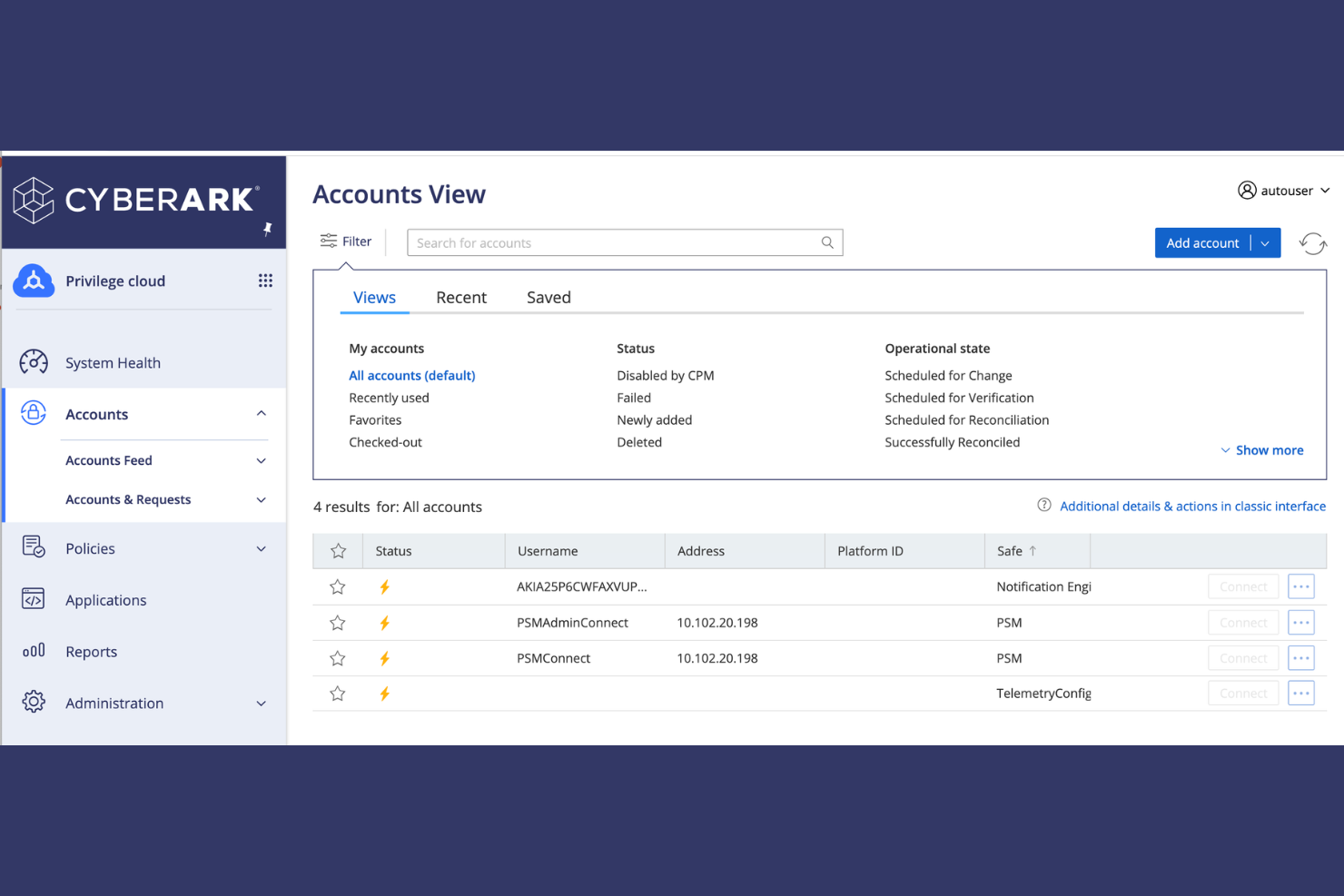
CyberArk is a privileged access management (PAM) tool geared towards enterprises. It specializes in securing privileged accounts, preventing unauthorized access, and protecting sensitive data.
Why I picked CyberArk: CyberArk’s Workforce Identity solutions are tailored for managing and securing privileged accounts, which is critical for enterprises with sensitive information. It offers features such as automatic credential rotation to minimize risks associated with credential theft. Session isolation ensures that privileged sessions are monitored and controlled, reducing the chance of unauthorized access. CyberArk’s threat analytics offer perspectives into potential vulnerabilities, helping your team stay ahead of security threats.
Standout Features and Integrations:
Features include session isolation, which ensures that privileged sessions are monitored and controlled. Threat analytics provide an understanding of potential vulnerabilities, helping your team stay ahead of security threats. Automatic credential rotation minimizes risks associated with credential theft.
Integrations include ServiceNow, SailPoint, AWS, Workday, and more.
Pros and Cons
Pros:
- Automatic credential rotation
- Supports complex environments
- Strong focus on data protection
Cons:
- High resource consumption
- Requires technical expertise for management

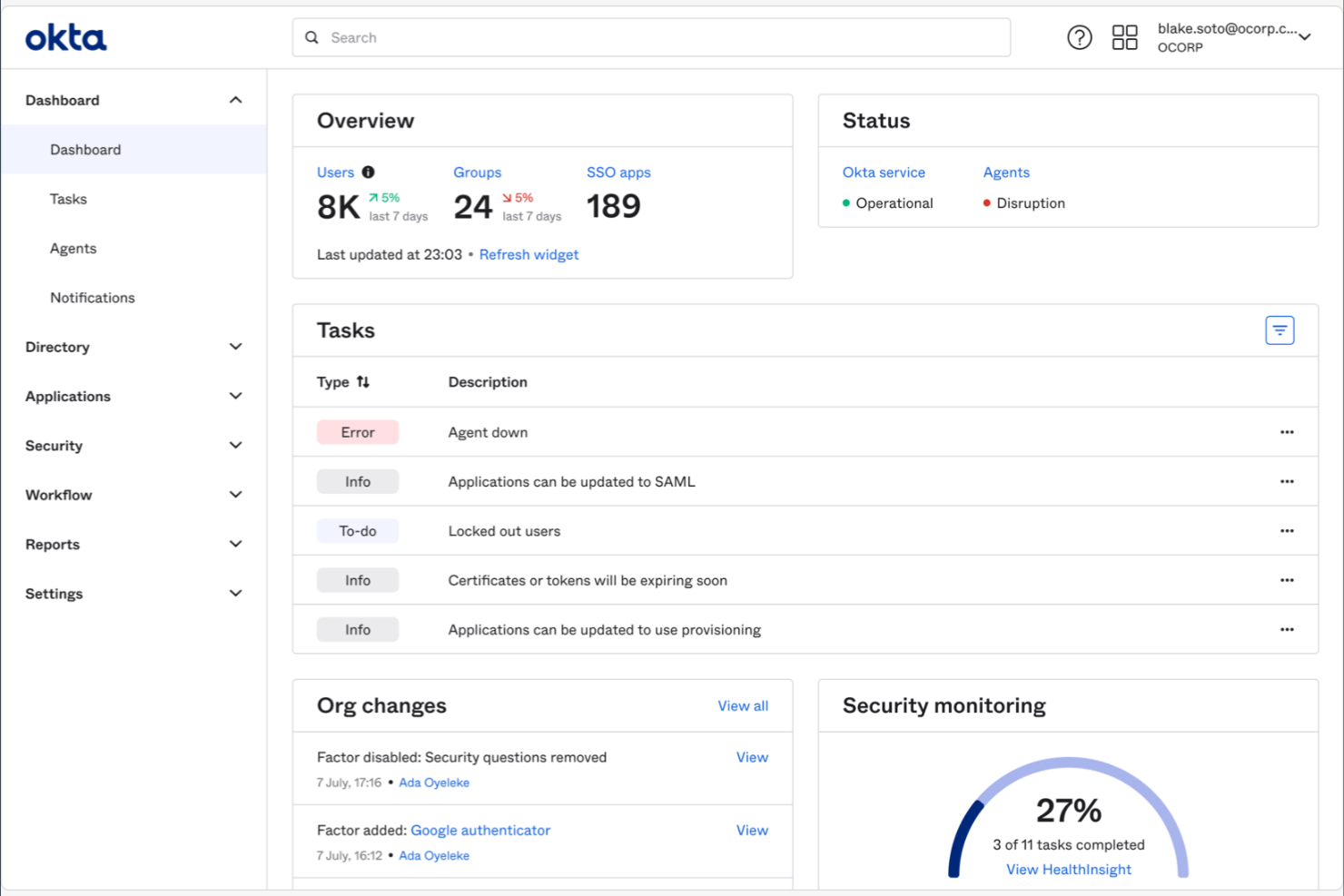
Okta is an identity and access management tool designed for businesses of all sizes. It helps manage user authentication and authorization and provides single sign-on (SSO) capabilities to elevate security and user experience.
Why I picked Okta: Okta offers a wide range of integrations, making it a versatile choice for businesses with diverse application needs. It features a user-friendly interface that simplifies the process of managing user access across multiple platforms. Okta’s adaptive multi-factor authentication (MFA) adds an extra layer of security, ensuring only authorized users gain access at the right time. With its extensive app integration capabilities, you can readily connect Okta to virtually any IT environment to keep your operations running smoothly.
Standout Features and Integrations:
Features include adaptive MFA, which supplements security standards by requiring additional verification. SSO simplifies user access across multiple platforms, reducing the need for multiple passwords. The centralized dashboard provides a clear overview of user activities, helping you monitor and manage access efficiently.
Integrations include Salesforce, Zendesk, Google Workspace, Box, Zoom, HubSpot, Slack, and more.
Pros and Cons
Pros:
- Scalable for growing businesses
- Strong security features protect accounts
- Easy integration with external identity providers
Cons:
- Limited offline access
- Frequent session timeouts

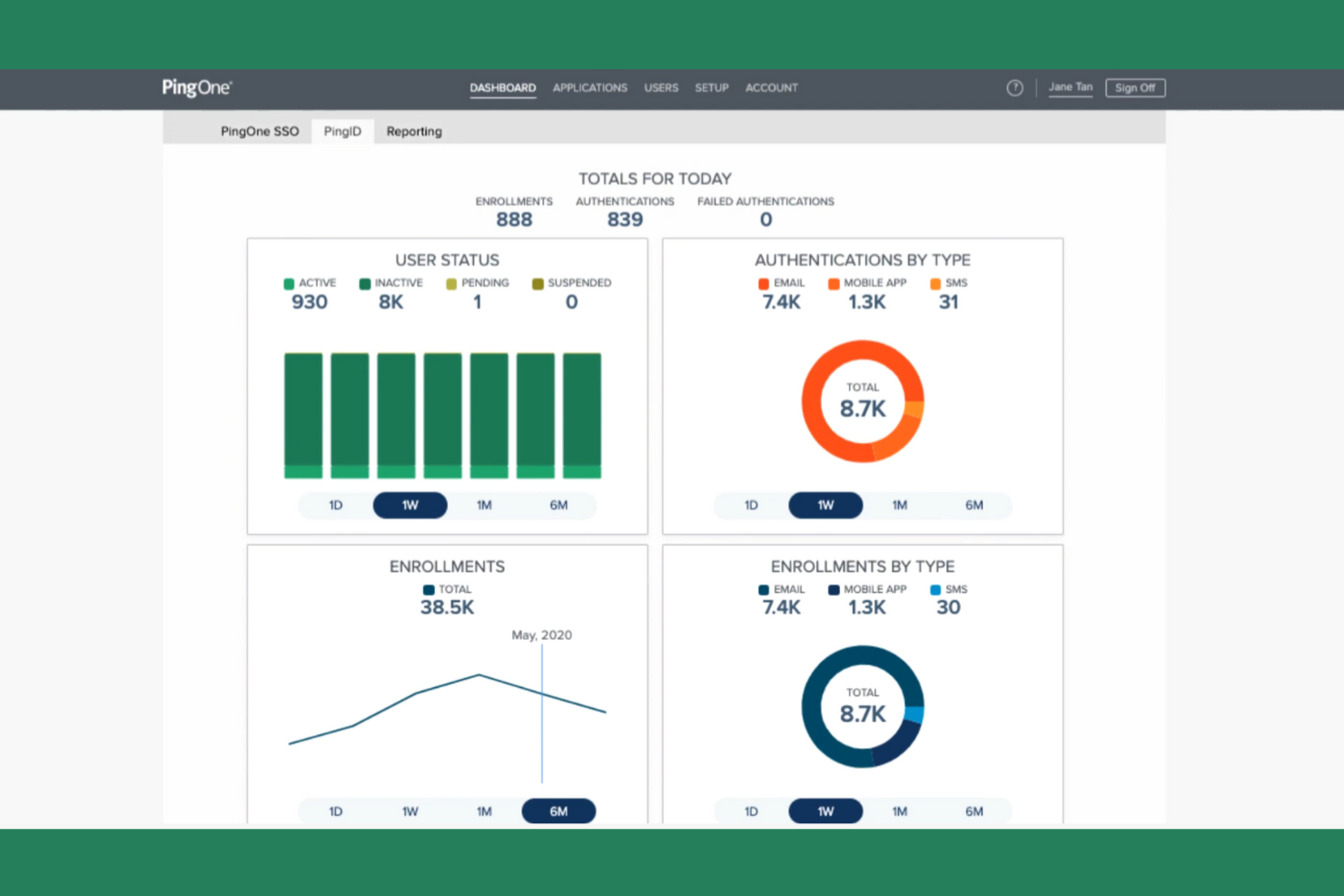
Ping Identity is an identity and access management solution designed for enterprises that need secure and flexible authentication methods. It helps manage user identities and access across applications, ensuring security and user convenience.
Why I picked Ping Identity: Ping Identity focuses on adaptive authentication, providing flexible security measures that adjust based on user behavior. It includes features such as contextual MFA, including biometrics, which strengthens security by considering user context. The tool’s SSO simplifies access to multiple applications, improving the user experience. Ping Identity’s intelligent identity platform helps detect and mitigate threats, ensuring your team’s data remains secure.
Standout Features and Integrations:
Features include risk-based authentication, which adjusts security measures based on user risk levels. The identity intelligence feature provides awareness of user behavior and potential threats. The secure token service helps manage authentication tokens across various applications.
Integrations include Microsoft, Google, AWS, Sift, and more.
Pros and Cons
Pros:
- Ideal scalability for large enterprises
- Excels in SSO, MFA, and API security
- Flexible authentication methods
Cons:
- Complex policy setup
- Fragmented UI across modules

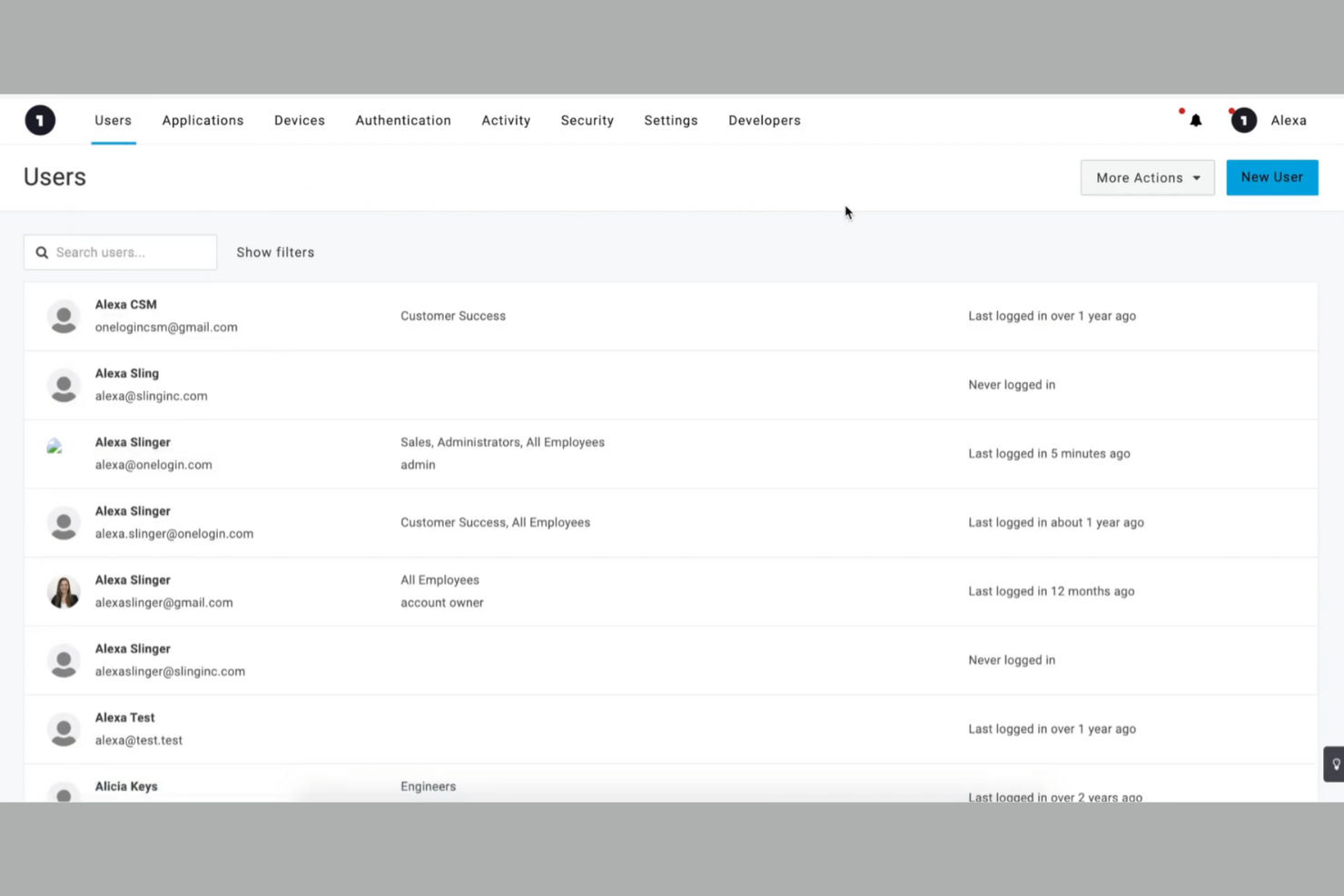
OneLogin is an identity and access management tool designed for businesses seeking simplified user access. It’s popular among companies that want to manage user authentication and provide SSO capabilities efficiently.
Why I picked OneLogin: OneLogin excels in providing SSO solutions, making it easier for your team to access multiple applications with one set of credentials. It includes MFA, boosting security by requiring additional verification. OneLogin’s user provisioning automates adding and removing users, while its self-service portal enables users to manage their password resets, profiles, and identity recovery, saving time for IT teams. Its cloud-based directory service offers a centralized place for managing user information, ensuring consistency across the board.
Standout Features and Integrations:
Features include adaptive authentication, which adjusts security measures based on user behavior. Smart factor authentication adds an extra layer of security, adapting to each situation. The audit trail feature allows you to track user activity and analyze access patterns.
Integrations include Salesforce, Slack, AWS, Box, Dropbox, ServiceNow, GitHub, and more.
Pros and Cons
Pros:
- Easy SSO setup
- Centralized cloud-based directory
- Strong MFA
Cons:
- System outages require backup access plans
- Limited advanced governance features

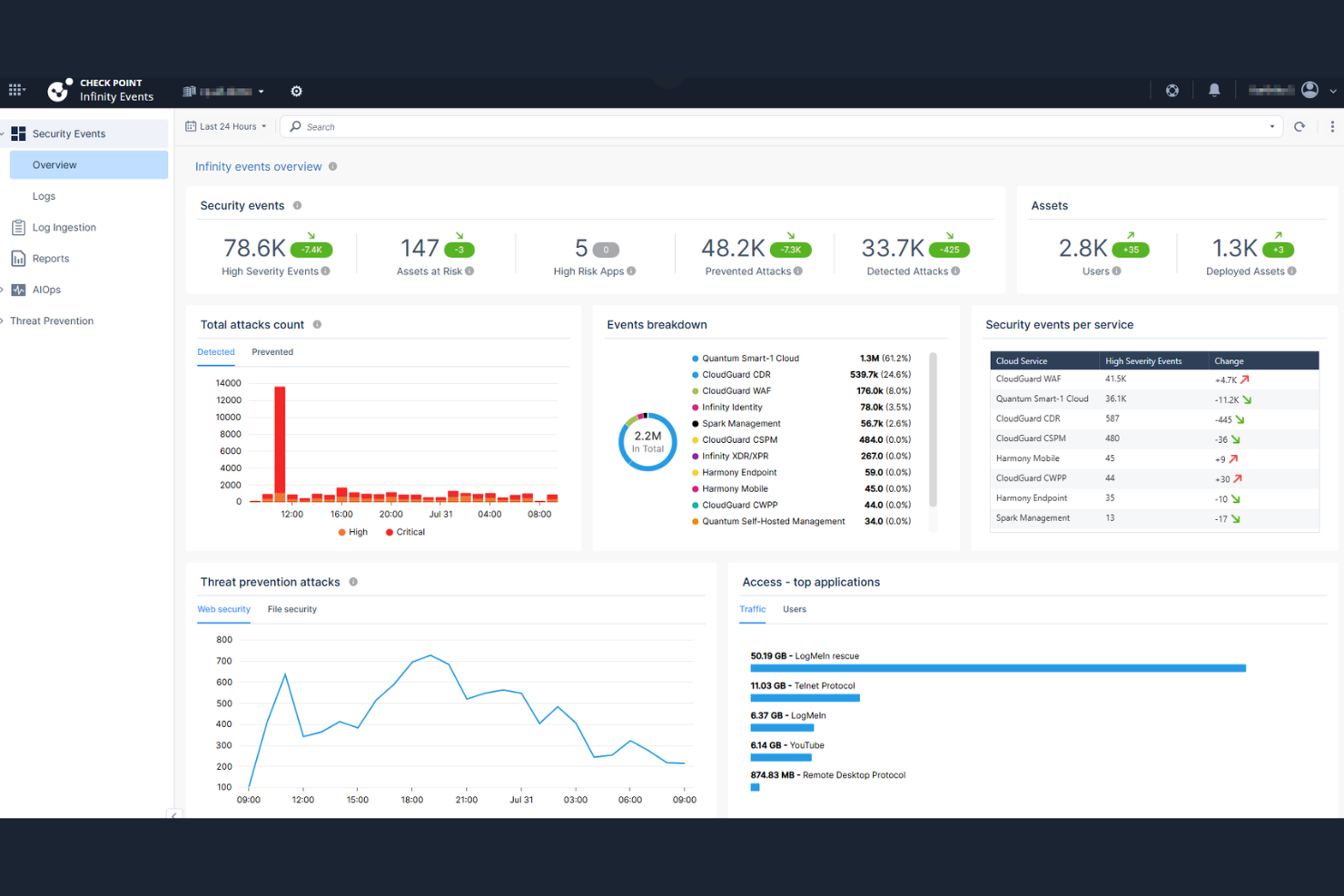
Check Point is a cybersecurity solution aimed at enterprises looking to secure their networks and data. It provides complete threat prevention and access control, ensuring that your organization’s resources are protected from unauthorized access.
Why I picked Check Point: Check Point excels in network security integration, making it a go-to choice for businesses that prioritize protecting their network. Its threat prevention features offer powerful security measures against cyber threats. The tool’s access control capabilities ensure that only authorized users can access critical resources. With real-time threat intelligence, you can keep your team informed about potential risks and take immediate action.
Standout Features and Integrations:
Features include real-time threat intelligence, which keeps your team informed about emerging cyber threats. The access control feature allows you to set permissions and restrict access to sensitive resources. The threat prevention capabilities offer multiple layers of security to protect your network from attacks.
Integrations include Okta, Cisco, Palo Alto Networks, Microsoft Dynamics 365, and more.
Pros and Cons
Pros:
- Scalable for large enterprises
- Real-time threat intelligence
- Strong network security features
Cons:
- Complex policy configuration for smaller IT teams
- Scaling costs can be high

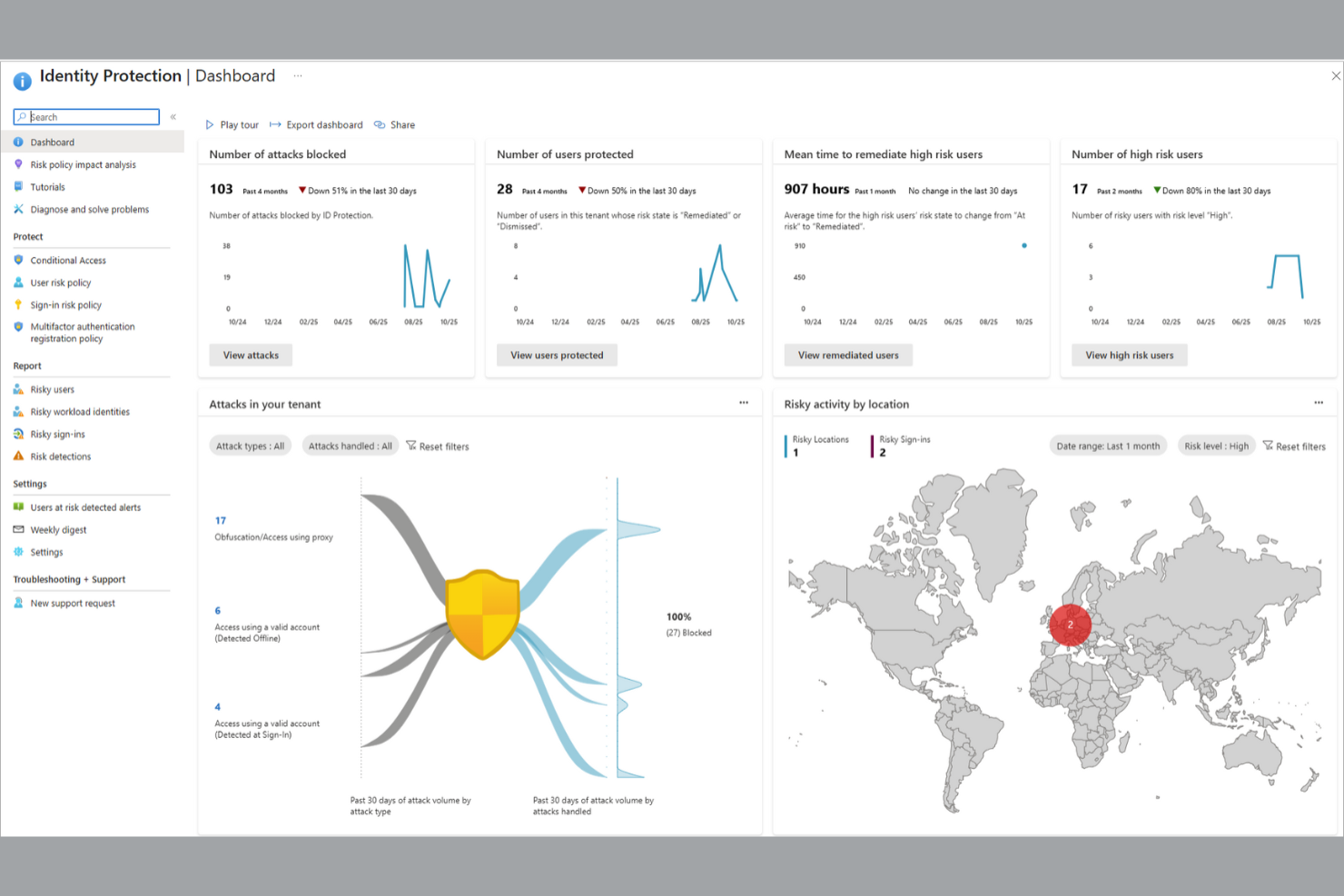
Microsoft Entra ID (formerly Azure Active Directory) is an identity and access management solution aimed at enterprises using the Microsoft ecosystem that need secure, compliant access control. It helps manage user identities, ensuring secure access to applications and resources across the organization.
Why I picked Microsoft Entra ID: This tool is tailored for enterprise compliance, offering features that help your organization meet regulatory requirements. Conditional access policies through PAM allow you to set rules for user access, strengthening security. Identity protection features help detect and respond to identity-related threats. Microsoft Entra ID provides detailed compliance reports, aiding in audits and ensuring your organization remains compliant with industry standards.
Standout Features and Integrations:
Features include conditional access policies that enable you to enforce security measures based on user conditions. Identity protection offers risk-based conditional access, detecting and responding to identity threats. Compliance reports define user activities to help meet regulatory requirements.
Integrations include Microsoft 365, Salesforce, ServiceNow, ADP, and more.
Pros and Cons
Pros:
- Scalable for large enterprises
- Effective identity access management
- Detailed security policies
Cons:
- Legacy Azure AD migrations are complex
- Challenging integration with non-Microsoft apps

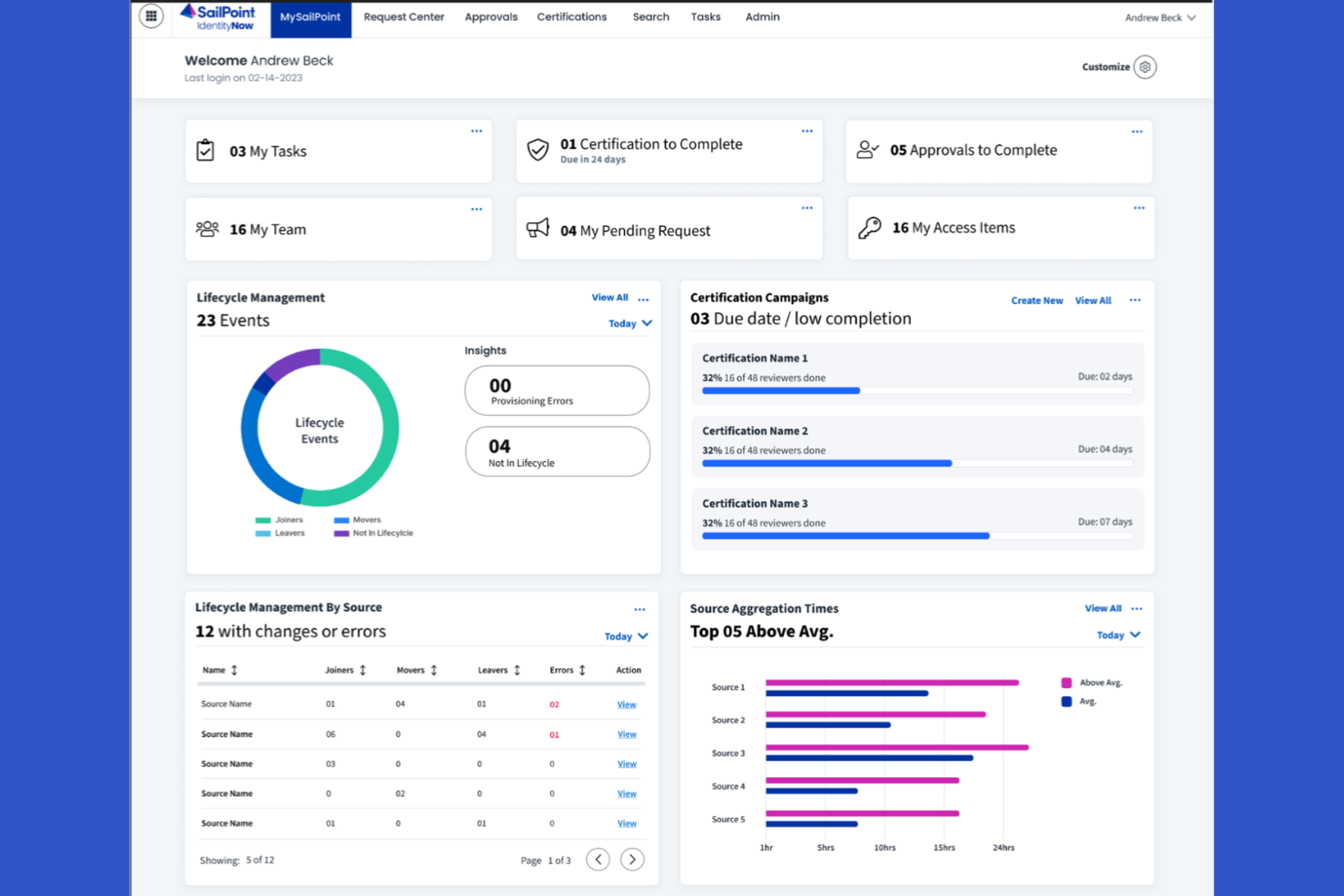
SailPoint is an identity governance tool designed for organizations that need to manage user identities and access efficiently. It helps automate identity management processes, ensuring compliance and security across the enterprise.
Why I picked SailPoint: SailPoint focuses on identity governance, offering features that help your organization maintain control over user access. Its access certification and the principle of least privilege ensure that the right people have access to the resources necessary for their roles. Automated provisioning reduces manual work, making it easier for your team to manage user accounts. SailPoint’s risk management features help identify and mitigate access risks, strengthening your organization’s security posture.
Standout Features and Integrations:
Features include role management, which allows you to define and manage user roles effectively. The audit trail feature provides detailed logs of user activities, helping you monitor access and maintain compliance. Policy enforcement ensures that access policies are consistently applied across the organization.
Integrations include ServiceNow, Salesforce, AWS, Oracle, Snowflake, and more.
Pros and Cons
Pros:
- Detailed audit logs
- Strong automated user provisioning
- Strong identity governance and compliance features
Cons:
- Resource-intensive implementation
- Lengthy identity data mapping during setup

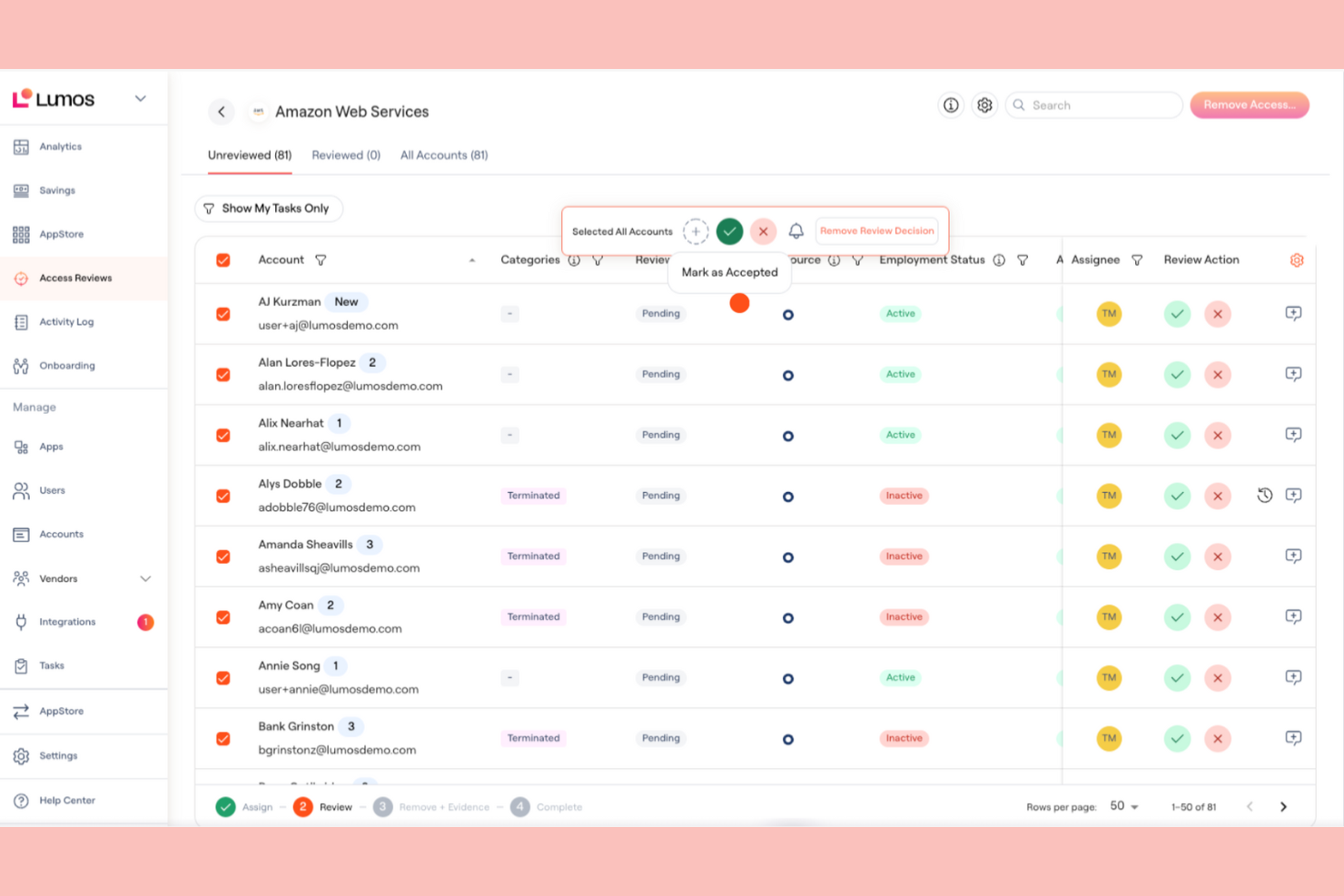
Lumos is an identity and access management tool designed for businesses seeking to augment security and simplify user access. It’s tailored for organizations that need efficient identity lifecycle management and strong authentication methods.
Why I picked Lumos: Lumos is known for its user-friendly dashboards, which make managing identities straightforward for your team. It offers centralized access visibility, providing a clear overview of user permissions. Automated access reviews help maintain compliance without manual effort. With its intuitive design, Lumos ensures that managing digital identities is both easy and effective.
Standout Features and Integrations:
Features include lifecycle management, which automates the onboarding and offboarding of users. SSO simplifies access to multiple applications with one set of credentials. MFA adds an extra layer of security to user logins.
Integrations include Box, 1Password, 7shifts, Airtable, Amplitude, and more.
Pros and Cons
Pros:
- Automated lifecycle management
- Strong identity security methods
- User-friendly interface
Cons:
- Struggles with complex access logic
- Limited customization options

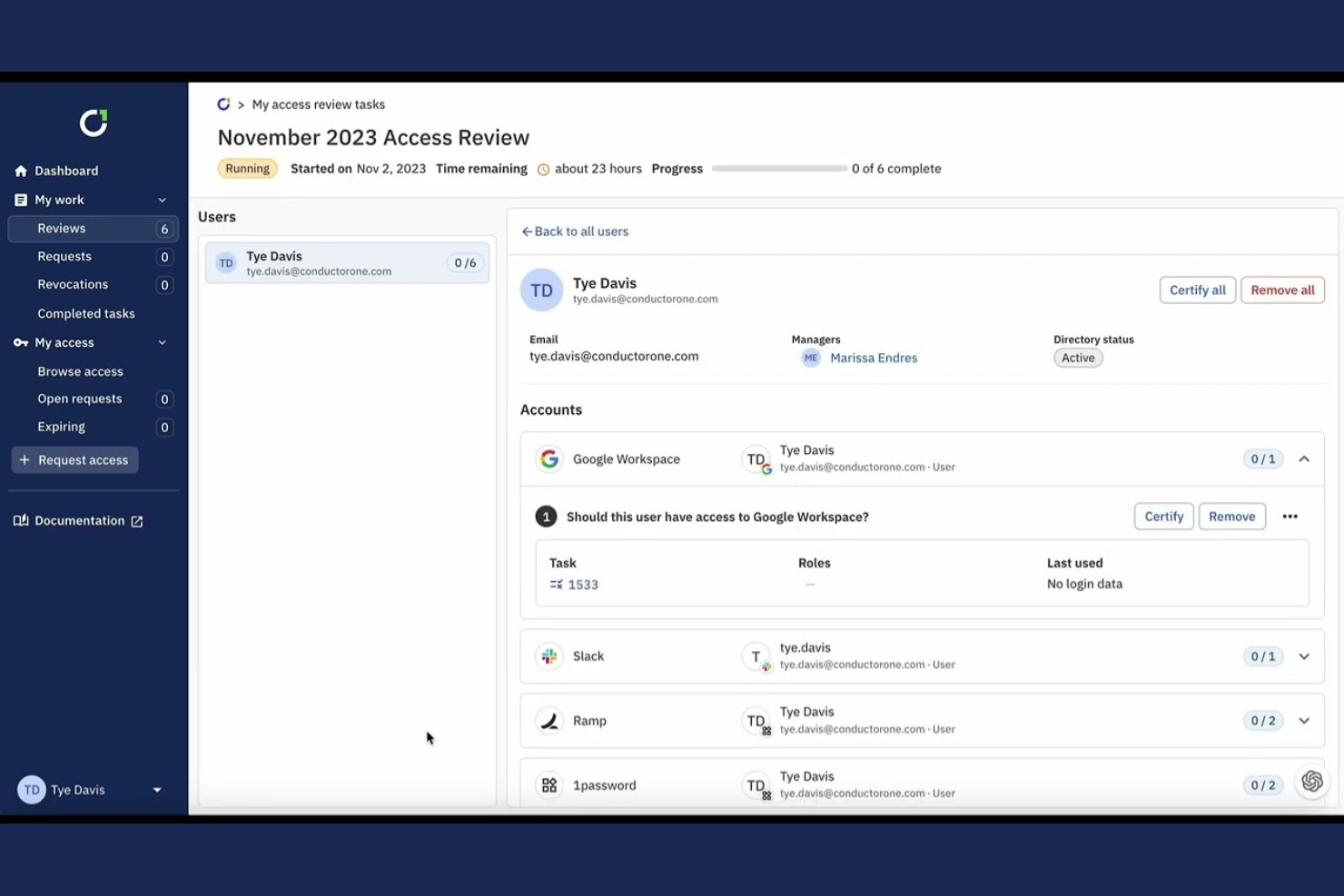
ConductorOne is an identity and access management tool focused on automating access reviews and compliance. It’s designed for businesses that need to manage user permissions efficiently and ensure regulatory compliance.
Why I picked ConductorOne: ConductorOne specializes in automated access reviews, helping your team simplify compliance processes. It features automated workflows that reduce manual intervention in access management. The tool’s audit trails provide a clear record of access changes and reviews, supporting compliance audits. With its intuitive interface, you can smoothly manage permissions and ensure that access aligns with your organization’s policies.
Standout Features and Integrations:
Features include automated workflows that simplify managing user access. The audit trail feature provides detailed records of access changes, which are key for compliance audits. Customizable reports allow you to generate insights tailored to your organization’s needs.
Integrations include Oracle, AWS, ServiceNow, Salesforce, GitHub, and more.
Pros and Cons
Pros:
- Intuitive, user-friendly interface
- Detailed audit trails
- Efficient automated workflows save time
Cons:
- Relatively new platform
- Limited advanced features

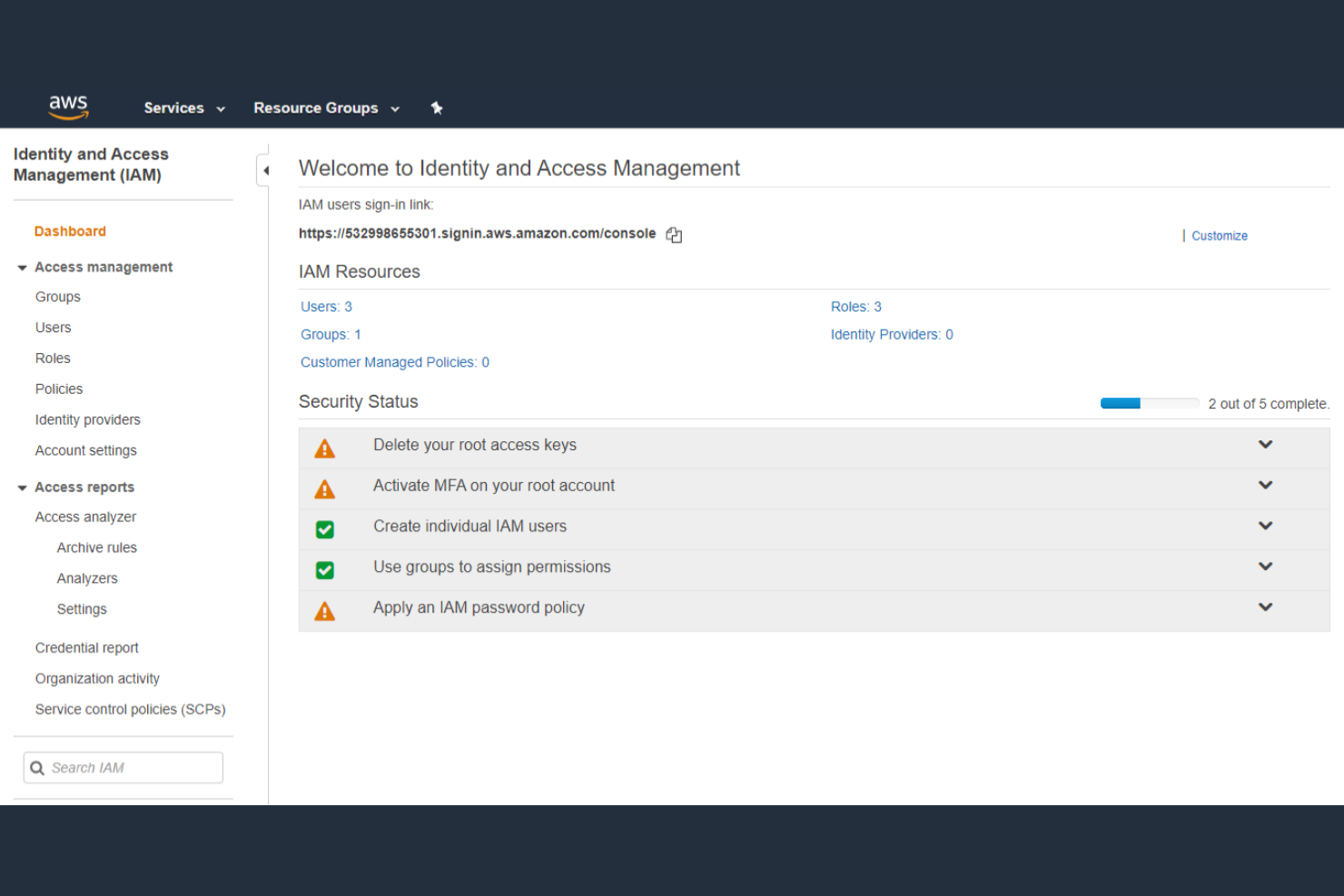
AWS IAM is an identity and access management solution primarily for businesses using Amazon Web Services. It’s designed to help control access to AWS resources, ensuring security and compliance across cloud-based environments.
Why I picked AWS IAM: AWS IAM is essential for managing access to cloud infrastructure, offering fine-grained permissions to control who can access what. It provides MFA to strengthen security for your team. The role-based access control (RBAC) allows you to assign permissions based on job roles, keeping access organized and efficient. AWS IAM’s policy simulator lets you test permissions before applying them, reducing the risk of misconfigured access.
Standout Features and Integrations:
Features include fine-grained permissions, which allow you to specify detailed access controls for users. The policy simulator lets you test permissions, so you can ensure they work as intended before implementation. MFA adds an extra layer of security, helping protect sensitive cloud resources.
Integrations include Amazon EC2, Amazon S3, Amazon Lambda, and more.
Pros and Cons
Pros:
- Supports complex cloud setups
- Flexible pay-as-you-go pricing
- Strong identity and security controls
Cons:
- Limited to the AWS ecosystem
- Service costs vary widely by region

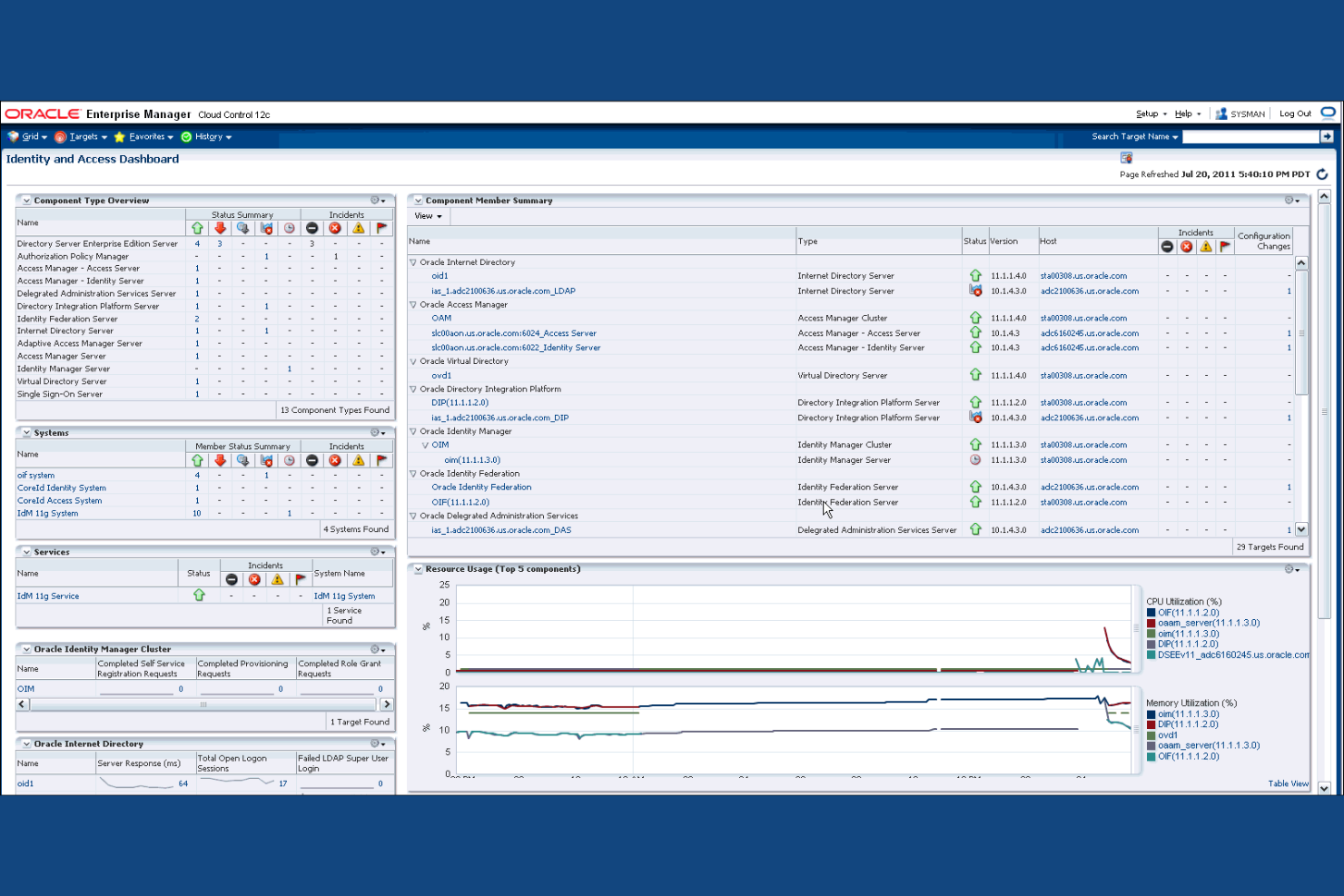
Oracle IAM is an identity and access management system designed for large enterprises seeking scalable solutions. It helps organizations manage user identities and secure access to applications and data efficiently.
Why I picked Oracle IAM: Oracle IAM excels in enterprise scalability, catering to large organizations with complex needs. It offers centralized user management, allowing you to control access across numerous applications. This IAM platform’s identity federation capabilities enable secure collaboration between different systems. With its advanced analytics, you can gain insights into access patterns and potential security risks.
Standout Features and Integrations:
Features include policy-driven identity security, which helps enforce access rules throughout your organization. The identity analytics feature accesses user behavior, improving awareness of potential threats. Role lifecycle management simplifies the process of creating, managing, and retiring user roles.
Integrations include Oracle Cloud Infrastructure, Oracle Database, Oracle E-Business Suite, and more.
Pros and Cons
Pros:
- Ideal for complex environments
- Effective policy management
- Supports large-scale deployments
Cons:
- Deployment timelines can be lengthy
- UI feels dated in some modules
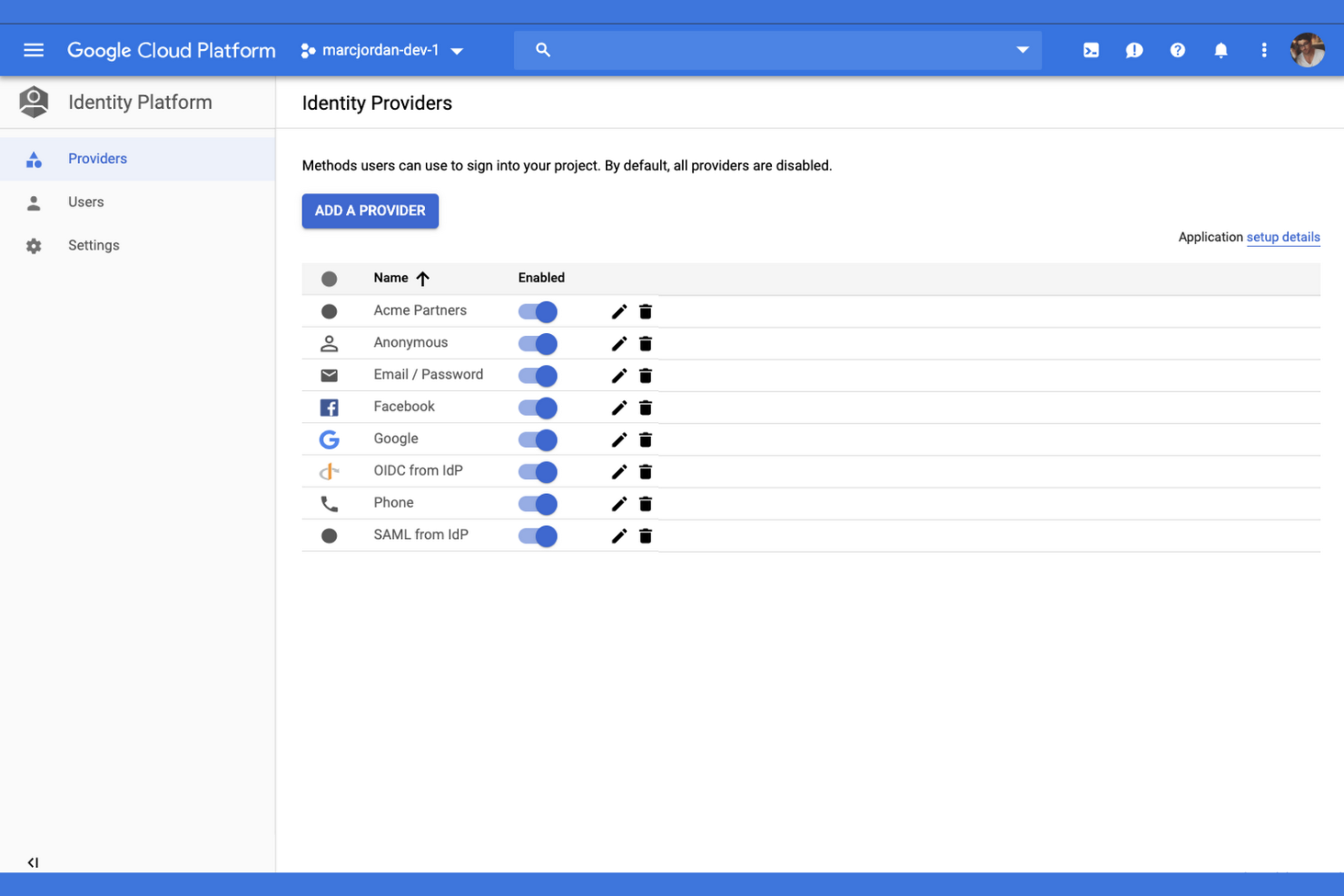
Google Cloud IAM is an identity and access management solution tailored for organizations using the Google Cloud Platform. It provides detailed access controls, enabling businesses to manage permissions and secure their cloud resources effectively.
Why I picked Google Cloud IAM: Google Cloud IAM offers granular access control, allowing you to define precise permissions for each user. Its policy management feature helps you create and enforce security policies across your cloud environment. The tool’s audit logging provides detailed records of access activities, supporting compliance and security audits. This IAM platform integrates with other Google Cloud applications and on-premises infrastructure, ensuring a cohesive experience for your team.
Standout Features and Integrations:
Features include RBAC and least privilege enforcement, which help you assign permissions based on user roles. The custom roles feature allows you to define duties that suit your organization’s specific needs. Audit logging provides a broad view of user activities, aiding in compliance and security monitoring.
Integrations include Google Compute Engine, Google Kubernetes Engine, Google Cloud Storage, Google BigQuery, and more.
Pros and Cons
Pros:
- Integrates well with Google’s ecosystem
- Good for cloud environments
- Excellent global reach
Cons:
- Granular policy setup can be time-intensive
- Requires Google Cloud knowledge
Other IAM Tools
Here are some additional IAM tool options that didn’t make it onto my shortlist but are still worth checking out:
- JumpCloud
For directory-as-a-service
- Broadcom
For enterprise identity solutions
- miniOrange
For SSO options
- ManageEngine
For directory management
- Auth0
For developer-friendly customization
- RSA
For MFA
- Apono
For automated privilege management
- IBM Verify
For adaptive access control
- Duo
For zero-trust security


IAM Tool Selection Criteria
When selecting the best IAM tools to include in this list, I considered common buyer needs and pain points such as ensuring data security and managing user access efficiently. I also used the following framework to keep my evaluation structured and fair:
Core Functionality (25% of total score)
To be considered for inclusion in this list, each solution had to fulfill these common use cases:
- Manage user identities
- Provide access control
- Enable single sign-on
- Support multi-factor authentication
- Offer audit trails
Additional Standout Features (25% of total score)
To help further narrow down the competition, I also looked for unique features, such as:
- Adaptive authentication methods
- Automated compliance reporting
- Integration with cloud platforms
- Role-based access controls
- Customizable user dashboards
Usability (10% of total score)
To get a sense of the usability of each system, I considered the following:
- Intuitive interface design
- Ease of navigation
- Minimal learning curve
- Customization options
- Responsiveness of the system
Onboarding (10% of total score)
To evaluate the onboarding experience for each platform, I considered the following:
- Availability of training videos
- Interactive product tours
- Access to templates and guides
- Webinars and live demos
- Support from chatbots
Customer Support (10% of total score)
To assess each software provider’s customer support services, I considered the following:
- 24/7 availability
- Multiple support channels
- Response time to inquiries
- Availability of a knowledge base
- Personalized support services
Value for Money (10% of total score)
To evaluate the value for money of each platform, I considered the following:
- Competitive pricing
- Features included in base plans
- Scalability of pricing plans
- Flexibility in payment options
- Discounts for long-term contracts
Customer Reviews (10% of total score)
To get a sense of overall customer satisfaction, I considered the following when reading customer reviews:
- Overall satisfaction ratings
- Commonly mentioned pros and cons
- Feedback on customer service
- Reports on system reliability
- User recommendations and endorsements
How To Choose IAM Tools
It’s easy to get bogged down in long feature lists and complex pricing structures. To help you stay focused as you work through your unique software selection process, here’s a checklist of factors to keep in mind:
| Factor | What To Consider |
|---|---|
| Scalability | Will the tool grow with your business? Consider user limits and how the system handles increased data. Look for solutions that won’t need frequent replacement as your organization expands. |
| Integrations | Does the tool work with your existing software? Check if it supports key systems such as HR, CRM, and cloud services. Verify the ease of connecting these integrations. |
| Customizability | Can you tailor the tool to fit your workflows? Look for flexibility in user roles, dashboards, and reporting. Avoid tools with rigid structures that can’t adapt to your processes. |
| Ease of Use | Is the tool intuitive for your team? Test the interface and navigation. A complex initial setup can lead to low adoption rates and frustration |
| Implementation and Onboarding | How long will the setup take? Assess the resources needed for deployment and training. Look for vendors offering thorough onboarding support to minimize disruptions to your operations. |
| Cost | What’s the total cost of ownership? Consider not just the price but also potential hidden fees. Compare pricing models such as per-user or tiered plans to find the best fit for your budget. |
| Security Safeguards | Does the tool offer substantial security measures? Check for features such as encryption, multi-factor authentication, and regular security updates. Ensure it aligns with your organization’s security policies. |
| Compliance Requirements | Does the tool meet industry regulations? Confirm compatibility with standards such as GDPR, HIPAA, or others relevant to your sector. Non-compliance can result in legal issues or fines. |
What Are IAM Tools?
IAM tools are enterprise-grade software solutions designed to manage user identities and access rights to resources within an organization. IT professionals, security teams, and compliance officers typically use these tools to ensure secure access and protect sensitive data. Features such as user authentication, access control, and audit logging help with managing identities and maintaining security. Overall, these tools provide a secure and efficient way to manage who has access rights to what within a business.
Features
When selecting IAM tools, keep an eye out for the following key features:
- User authentication: Verifies user identities to ensure only authorized individuals can access the system, strengthening identity security.
- Access control: Manages permissions for users, determining who has access rights to specific resources or can perform certain actions within the system.
- Audit logging: Tracks and records user activities, providing a trail for compliance audits and security reviews.
- Multi-factor authentication: Adds an extra layer of security by requiring additional verification methods beyond just a password.
- Single sign-on: Allows users to access multiple applications with one set of credentials, simplifying the login process and reducing password fatigue.
- Role-based access: Assigns permissions based on user roles, ensuring users have access to only the resources necessary for their job functions.
- Identity federation: Enables secure sharing of user identities across different systems or organizations, facilitating collaboration.
- Compliance reporting: Generates reports to demonstrate adherence to industry regulations, helping organizations meet legal requirements.
- Automated provisioning: Simplifies the process of adding or removing user accounts, reducing manual workload for IT teams.
- Risk-based authentication: Adjusts security measures based on the assessed risk of a user’s login attempt, providing adaptive protection.
Benefits
Implementing IAM tools provides several benefits for your team and your business. Here are a few you can look forward to:
- Heightened security: By managing user access and employing MFA, IAM tools help protect sensitive data from unauthorized users.
- Improved compliance: With audit logging and compliance reporting, IAM tools assist in meeting industry regulations and preparing for audits.
- Increased efficiency: Automated provisioning and SSO reduce the manual workload on IT teams and simplify access rights for users.
- User convenience: SSO allows users to access multiple applications with one login, reducing the hassle of remembering multiple passwords.
- Better access management: RBAC ensures users have the appropriate permissions, minimizing the risk of data breaches.
- Risk mitigation: Risk-based authentication adapts security measures according to user behavior, offering tailored protection against potential threats.
- Collaboration support: Identity federation allows secure sharing of user identities across systems, facilitating collaboration between teams and organizations.
Costs and Pricing
Selecting IAM tools requires an understanding of the various pricing models and plans available. Costs vary based on features, team size, add-ons, and more. The table below summarizes common plans, their average prices, and typical features included in IAM tool solutions:
Plan Comparison Table for IAM Tools
| Plan Type | Average Price | Common Features |
|---|---|---|
| Free Plan | $0 | Basic access control, single sign-on, and limited user management. |
| Personal Plan | $5-$10/user/month | User authentication, multi-factor authentication, and basic reporting. |
| Business Plan | $20-$50/user/month | Advanced access control, role-based access, and audit logging. |
| Enterprise Plan | $50-$100/user/month | Customizable workflows, compliance reporting, and risk-based authentication. |
IAM Tools FAQs
Here are some answers to common questions about IAM tools:
What is the difference between IAM tools and password managers?
IAM tools manage user identities and control access to resources, while password managers store and autofill passwords for users. IAM systems help your team manage permissions and ensure security across applications, whereas password managers focus on simplifying password management for individuals. If your organization needs to control access rights and maintain security standards at a broader level, IAM tools are the way to go. Password managers are more suited for personal use or small teams looking to manage passwords efficiently.
How do IAM tools improve user management for my product team?
IAM tools let you automate user provisioning and deprovisioning. Instead of handling requests manually, you can set up role-based access, reducing admin time and errors. This helps your team onboard new users, manage permissions, and keep endpoints secure.
Can IAM tools integrate with existing software?
Yes, IAM tools can integrate with various existing software systems, including HR, CRM, on-premises systems, and cloud services. You’ll need to check the specific connectors supported by each IAM tool to ensure compatibility with your current systems. Integration helps smooth processes and maintain a unified user management system. Many IAM solutions offer APIs, SAML, SCIM, and others to facilitate these connections, making it easier for your team to implement and manage integrations without extensive technical knowledge.
What’s the best way to set up role-based access controls using an IAM tool?
Start by mapping out user roles and the minimum permissions each one needs. Use the IAM tool to assign these roles, ensuring users only get access to their particular job. Regularly review and update roles as responsibilities change.
How do IAM tools support compliance?
IAM tools support compliance by providing audit logging, reporting, and access controls that align with industry regulations. They help your organization track user activities, generate compliance reports, and enforce security policies. If you’re in a regulated industry, these features are key for meeting standards such as GDPR or HIPAA. Implementing IAM tools can simplify the compliance process, reduce the risk of violations, and provide peace of mind when facing audits.
Are IAM tools suitable for small businesses?
Yes, IAM tools can be suitable for small businesses, but it depends on your specific needs and budget. Many IAM providers offer scaled-down plans or flexible pricing that accommodates smaller teams. These tools help small businesses manage user access and protect sensitive data, which is essential even at a smaller scale. If you’re considering an IAM solution, look for plans that offer essential features without unnecessary complexity or cost, ensuring you get the best fit for your business.
What’s Next:
If you’re in the process of researching IAM tools, connect with a SoftwareSelect advisor for free recommendations.
You fill out a form and have a quick chat where they get into the specifics of your needs. Then you’ll get a shortlist of software to review. They’ll even support you through the entire buying process, including price negotiations.