
12 Best Free Game Development Software Reviewed in 2026

Best Free Game Development Software Shortlist
Here’s my shortlist of the best free game development software:


Creating games can be a daunting task, especially when you're on a budget. You need tools that are effective yet affordable. Free game development software can be a lifesaver, offering essential features without the hefty price tag.
In my experience, finding the right free tool can significantly ease your workload and help you focus on creativity. You might be looking for intuitive interfaces or cross-platform capabilities. Whatever your needs, I've got you covered.
In this listicle, I'll share my top picks for free game development software. I'll dive into each tool's strengths, helping you find the perfect match for your team.
Why Trust Our Software Reviews
Best Free Game Development Software Summary
While all of the game development software in my list has free offerings, they also have paid plans should you wish to upgrade. Here are the base costs for each of the tools that made it onto my shortlist:
| Tool | Best For | Trial Info | Price | ||
|---|---|---|---|---|---|
| 1 | Best for 2D and 3D game support | Free browser-based editor available | Free plan available | Website | |
| 2 | Best for cross-platform capabilities | 30-day free trial + Free plan available (for students and personal users) | From $185/month (billed annually) | Website | |
| 3 | Best for high-quality graphics | Free plan available | Free forever plan | Website | |
| 4 | Best intuitive drag-and-drop interface | Free plan available | From $79.99/month | Website | |
| 5 | Best for beginners with no coding skills | Free plan available | From $54.99/year | Website | |
| 6 | Best for adventure game creation | Free plan available | Free forever plan | Website | |
| 7 | Best for collaborative online development | Free plan available | Free forever plan | Website | |
| 8 | Best for browser-based game creation | Free plan available | From $59/year | Website | |
| 9 | Best for complete C# scripting | Free plan available | Free forever plan | Website | |
| 10 | Best for lightweight 2D games | Free plan available | Free forever plan | Website |
-

Site24x7
Visit WebsiteThis is an aggregated rating for this tool including ratings from Crozdesk users and ratings from other sites.4.6 -
Docker
Visit WebsiteThis is an aggregated rating for this tool including ratings from Crozdesk users and ratings from other sites.4.6 -
Pulumi
Visit WebsiteThis is an aggregated rating for this tool including ratings from Crozdesk users and ratings from other sites.4.8





Best Free Game Development Software Reviews
Below are my detailed summaries of the best free game development software that made it onto my shortlist. My reviews offer a detailed look at the key features, pros and cons, integrations, and ideal use cases of each tool to help you find the best one for you. While some of these tools offer a completely free version, others offer a free trial period. I’ve added a note about what’s free in each of my reviews.

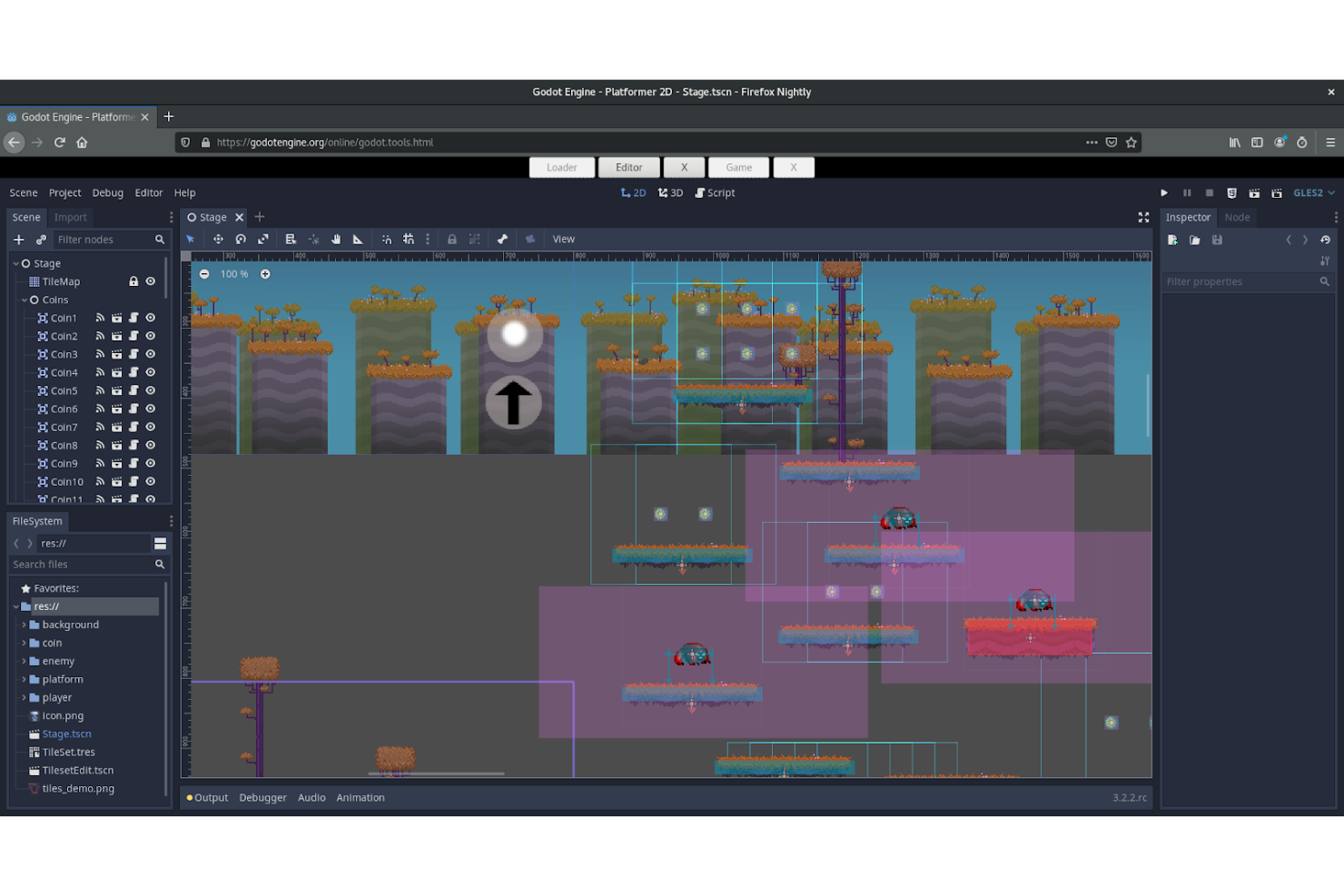
Godot Engine is an open-source game development platform catering to indie developers and small studios. It supports both 2D and 3D game creation, allowing for versatile game design and development.
Why I picked Godot Engine: Godot Engine is a free, open-source platform with no hidden costs, making it accessible to hobbyists and professional game devs alike. It provides a unified interface for both 2D and 3D game development. The engine supports a wide range of platforms, including desktop and mobile games. It also offers a visual editor and a built-in scripting language, GDScript, to facilitate game development without complicated setups.
Standout Features and Integrations:
Features include a scene system that allows you to create complex games with ease. The engine's animation tools help you bring characters and environments to life. Godot Engine also provides a large asset library to improve your games.
Integrations include iOS, Android, HTML5, Windows, macOS, Linux, and more.
What's free? Godot Engine is an open-source tool that is free forever, with no limitations on the number of users or features.
Pros and Cons
Pros:
- Built-in scripting language
- Active community support
- Supports both 2D and 3D
Cons:
- Limited built-in assets
- Limited official enterprise support

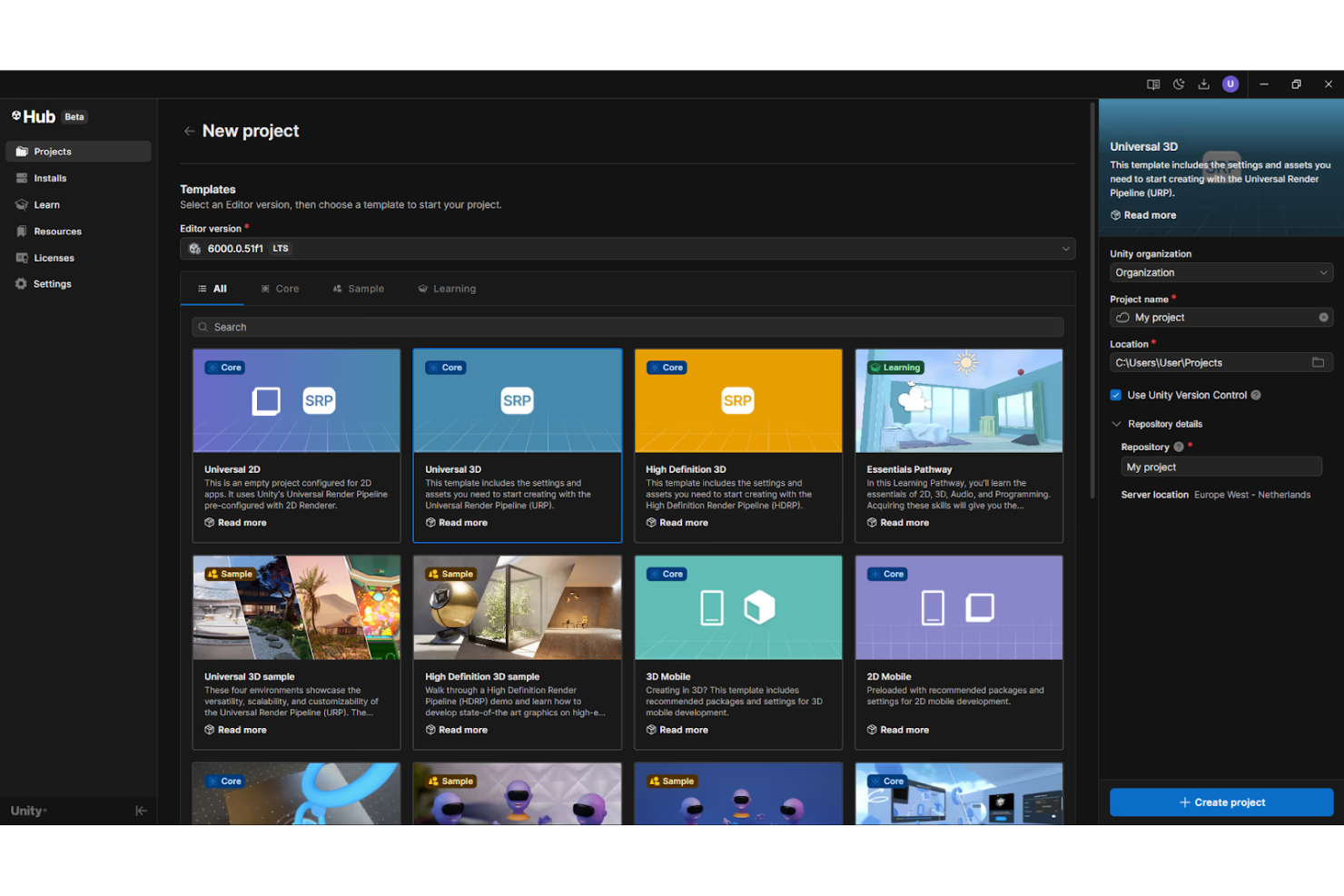
Unity is a versatile game development engine widely used by both indie developers and large studios to create 2D, 3D, and virtual reality games. It excels in cross-platform compatibility, allowing developers to publish their own games across multiple platforms with minimal effort.
Why I picked Unity: Unity offers a free plan with essential game development features, making it accessible to small developers and hobbyists. Its cross-platform capabilities allow you to export games to various devices. The engine provides a rich asset store and a strong community for support and collaboration. Unity's scripting language, C#, is powerful yet approachable for those looking to dive deeper into game programming.
Standout Features and Integrations:
Features include a real-time rendering engine that boosts the visual quality of your games. The platform's animation system lets you create complex character animations with ease. Unity also provides a physics engine that helps simulate realistic movements and interactions in your games.
Integrations include Xbox, PlayStation, Nintendo Switch, Windows, macOS, Linux, and more.
What's free? Unity offers a free forever plan with essential development tools, but it is limited to users or companies with less than $100,000 in annual revenue.
Pros and Cons
Pros:
- Real-time rendering engine
- Huge asset store
- Industry-standard VR/AR capabilities
Cons:
- Performance issues on large projects
- Free plan limited by revenue caps
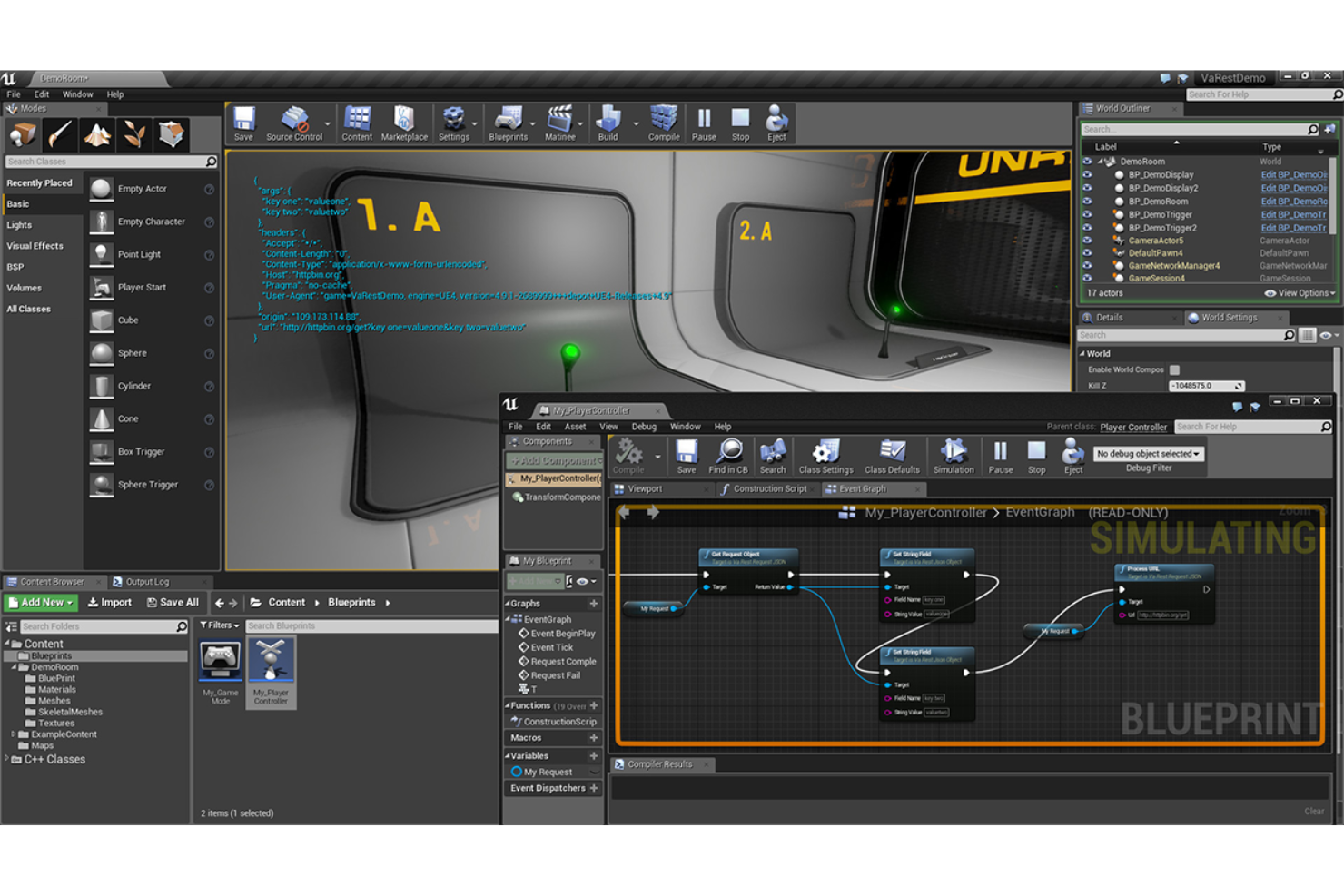
Unreal Engine is a leading game development platform used by professional developers and studios to create high-quality 3D games. Its advanced graphics capabilities are essential for producing visually stunning and immersive gaming experiences.
Why I picked Unreal Engine: Unreal Engine's free offering includes access to its powerful graphics rendering tools, which are perfect for creating high-quality visuals. The engine supports a wide range of platforms, allowing you to develop games for multiple devices. You can take advantage of its blueprint visual scripting system, which simplifies game development for those lacking coding expertise. The engine's extensive asset library provides a wealth of resources for your projects.
Standout Features and Integrations:
Features include real-time ray tracing that boosts your game's graphical realism. The platform's animation tools enable detailed character movements and interactions. Unreal Engine's physics engine helps simulate lifelike environments and actions.
Integrations include Visual Studio, GitHub, Blender, 3ds Max, and more.
What's free? Unreal Engine offers a free forever plan, with royalties applied only after your game reaches a certain revenue threshold.
Pros and Cons
Pros:
- Blueprint visual scripting
- Extensive asset library
- High-quality graphics rendering
Cons:
- High system requirements
- Large amount of storage space needed

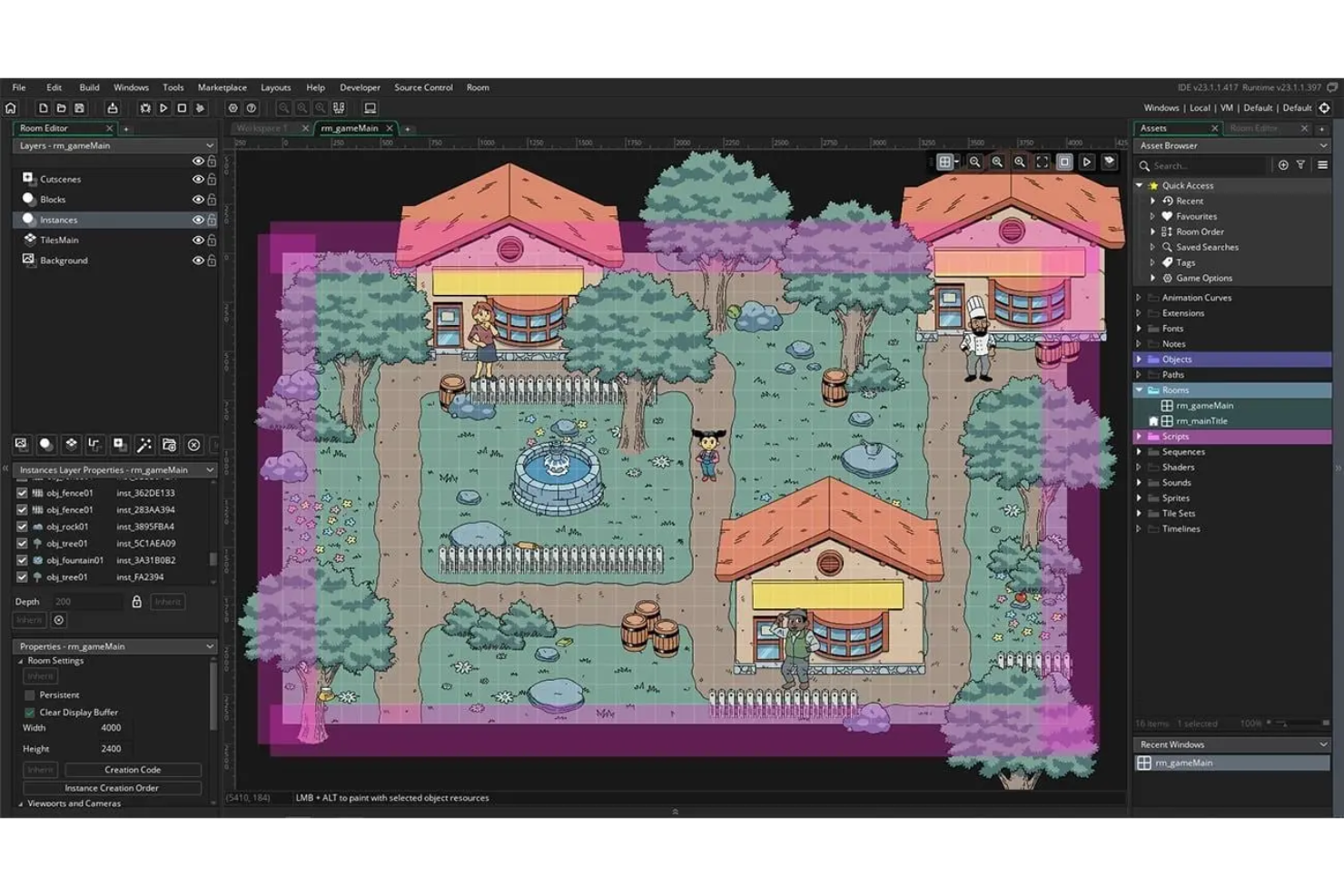
GameMaker is a game development platform tailored to indie developers and small teams looking to create 2D games. It offers an intuitive drag-and-drop interface, simplifying game creation for users without programming skills.
Why I picked GameMaker: GameMaker's free version includes a drag-and-drop interface that makes game development accessible for beginners. While you can create complex games without advanced coding knowledge, GameMaker provides a scripting language for those who want more control. The platform also supports exporting games to multiple platforms, including Windows and Mac.
Standout Features and Integrations:
Features include a built-in image editor for creating and editing game graphics directly within the platform. GameMaker also offers a physics engine to simulate realistic movements and interactions in your games. Additionally, it provides a debugging tool to help you identify and fix issues promptly.
Integrations include Apple Game Center, Firebase, Steamworks, and more.
What's free? GameMaker offers a limited free version with essential features, allowing you to create and publish games with certain restrictions.
Pros and Cons
Pros:
- Physics engine included
- Built-in image editor
- Drag-and-drop simplicity
Cons:
- Watermark on free exports
- Limited free export options

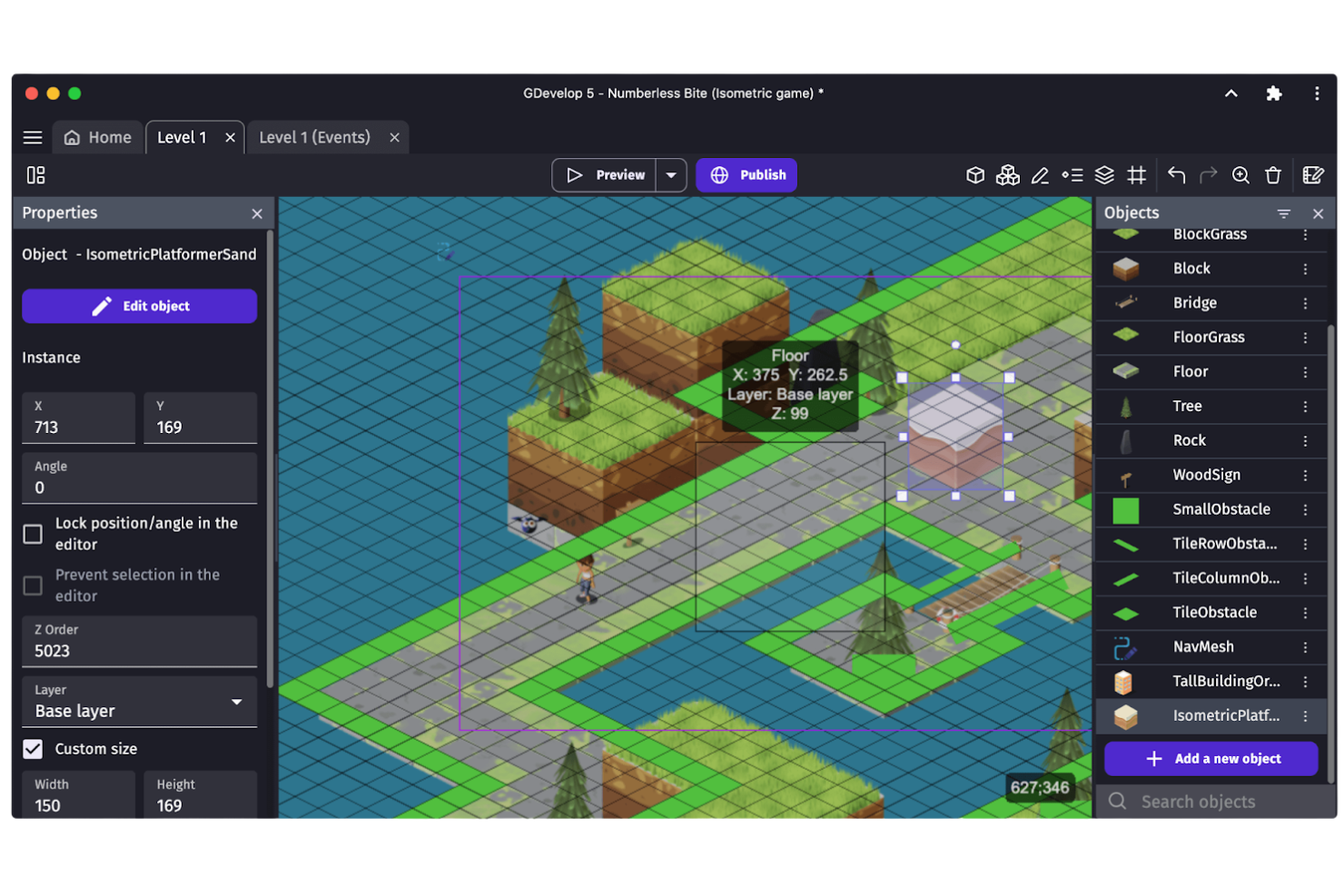
GDevelop is an open-source game engine designed for creating 2D, 3D, and multiplayer games without the need for coding. It's ideal for beginners, educators, and small teams looking to explore game development, especially if you're building your first game.
Why I picked GDevelop: GDevelop's free plan offers essential features, including a drag-and-drop interface and ready-made behaviors, making it accessible for those new to game development. Its intuitive event system helps you build games without any coding experience. The platform also includes AI assistance to simplify game creation. You can publish your games on multiple platforms, including iOS and Android, at no extra cost.
Standout Features and Integrations:
Features include a user-friendly interface that enables easy game development without coding. The platform offers a variety of asset packs, including cyberpunk and fantasy themes, to widen your creative options. GDevelop also provides tutorials and a complete course for beginners to help you start building games right away.
Integrations include Google AdMob, Facebook Instant Games, Firebase, and more.
What's free? GDevelop offers a free forever plan with essential game development features and no coding requirements, though some advanced features are available only in paid plans.
Pros and Cons
Pros:
- One-click mobile/web publishing
- Educational resources included
- No coding required
Cons:
- Limited cloud storage in the free plan
- Advanced features require payment

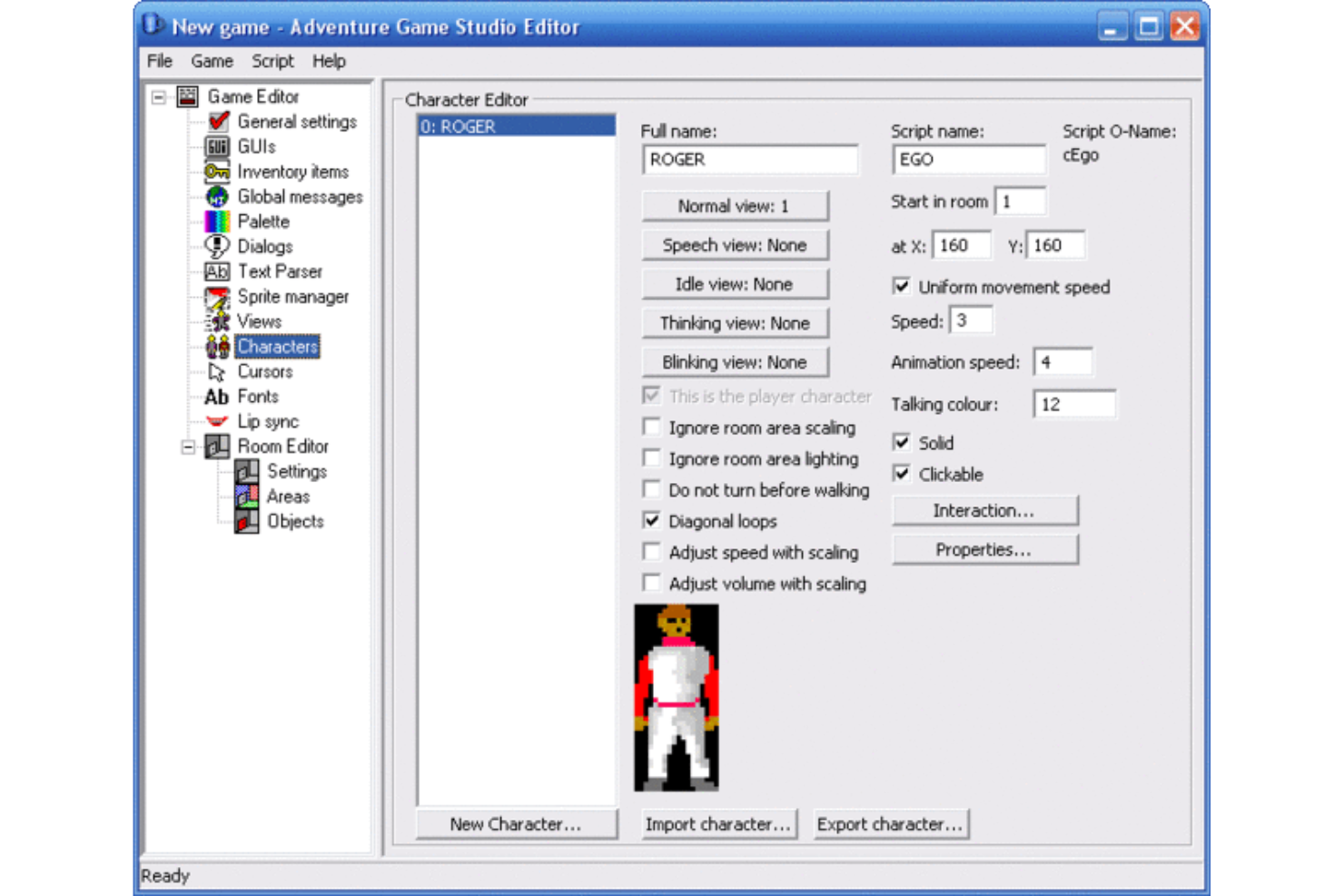
Adventure Game Studio is a platform tailored to point-and-click adventure games, catering primarily to indie developers and hobbyists. Its tools enable users to design, script, and animate their own interactive stories without extensive programming knowledge.
Why I picked Adventure Game Studio: Adventure Game Studio's free offering provides an accessible suite of tools for storytellers and game designers to create adventure games. You can use its built-in scripting language to add depth to your games. The platform enables custom graphics and sound integrations, giving your projects a personalized touch. Its user-friendly interface simplifies the game development process, allowing you to focus on creativity.
Standout Features and Integrations:
Features include a room editor that lets you design game environments. The platform offers a character editor to create and animate unique characters. Adventure Game Studio also provides a dialogue system, enabling you to script complex interactions and narratives within your games.
Integrations are not publicly listed.
What's free? Adventure Game Studio offers a free forever plan with all its core features available, allowing unlimited use for game development.
Pros and Cons
Pros:
- User-friendly interface
- Strong room and character editors
- Great tools for adventure games
Cons:
- Basic graphics capabilities
- Specialized narrative scripting tools
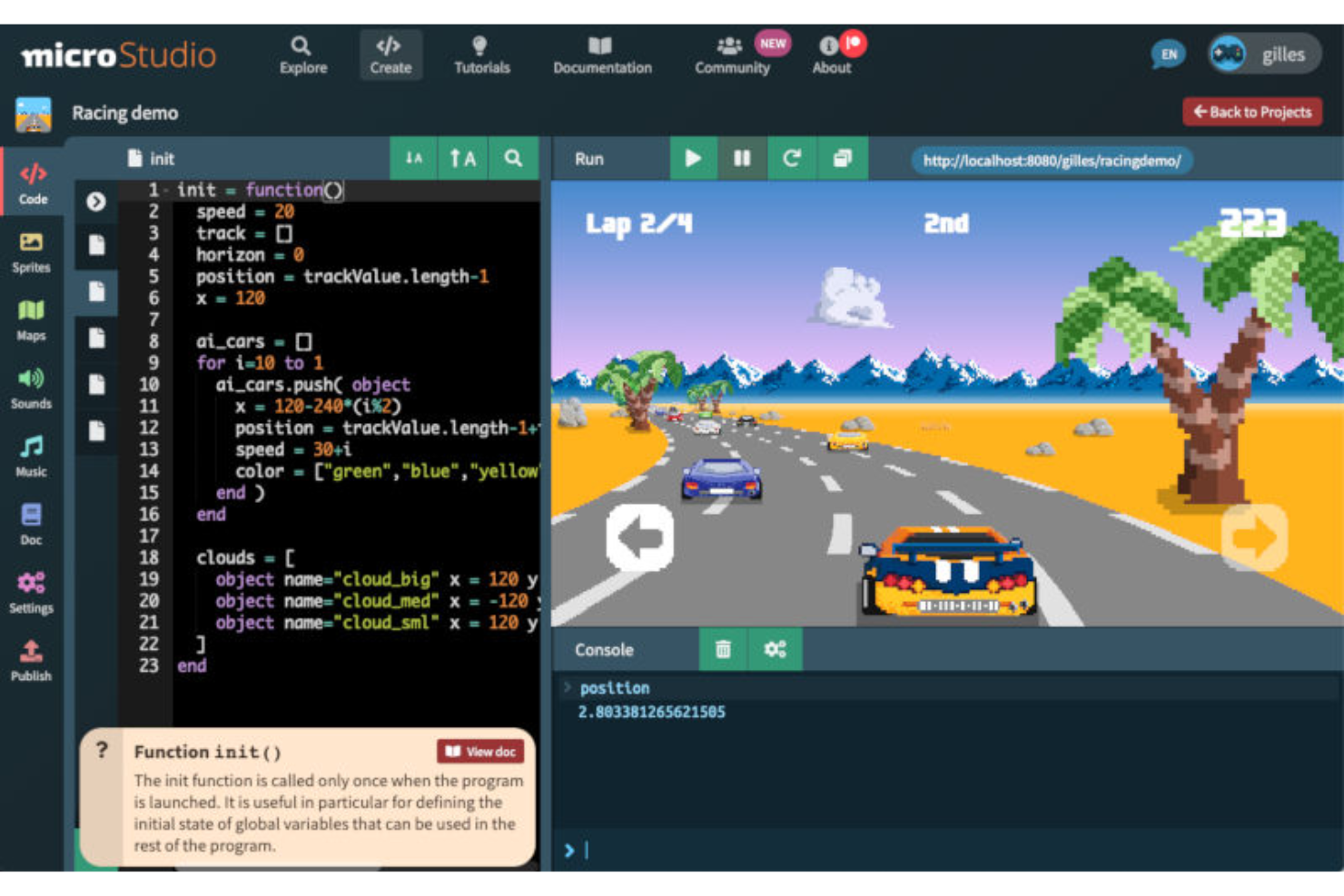
microStudio is an online game development platform designed for small teams and individual developers. It provides a web-based environment where users can collaborate in real-time to create 2D games.
Why I picked microStudio: microStudio's free version offers real-time collaboration features, which are ideal for team projects. You can code, design, and test games directly in your browser, eliminating the need for downloads or installations. The platform supports multiple programming languages, catering to both beginners and experienced developers. Its integrated graphics editor and sound management tools make it a great choice for 2D game development.
Standout Features and Integrations:
Features include a built-in code editor for writing and debugging your scripts. The platform offers a sprite editor that allows you to create and animate game graphics. microStudio also provides a sound editor to manage your game's audio effects and background music.
Integrations are not publicly listed.
What's free? microStudio offers a free forever plan with essential game development features, though some advanced features may require a subscription.
Pros and Cons
Pros:
- Supports multiple scripting languages
- Built-in graphics editor
- Great real-time collaboration
Cons:
- Browser-based limitations
- Best for quick game jam prototyping

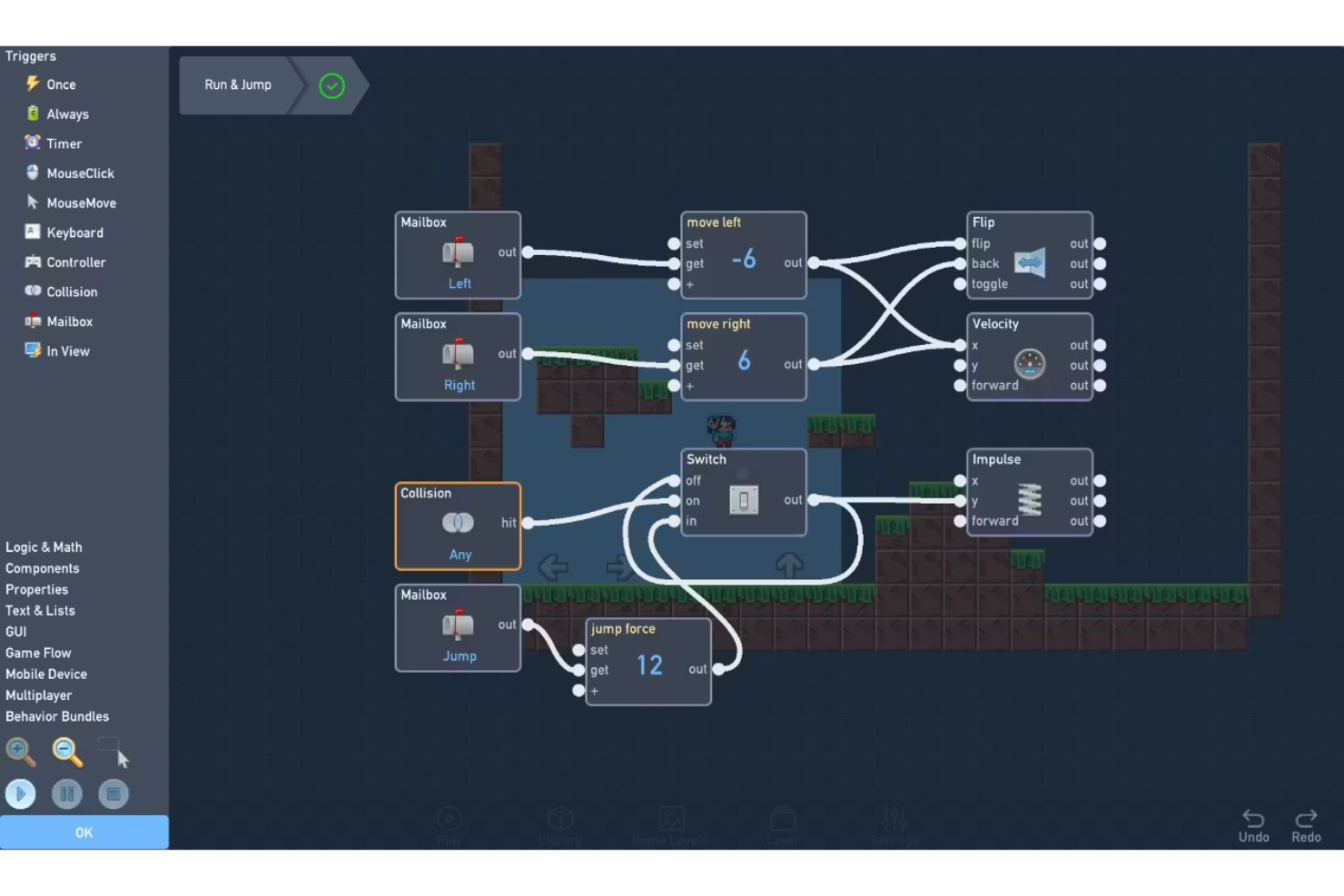
Flowlab is an online game development platform designed for educators, students, and indie developers. It enables users to create games directly in their web browsers, offering a straightforward approach to game design without the need for downloads.
Why I picked Flowlab: Flowlab's free plan provides an easy-to-use interface that simplifies game creation right in your browser. You can start building games without installing any software, which is perfect for quick prototyping. The free version allows you to create and publish games with basic features. It includes a library of pre-made assets to help you get started quickly.
Standout Features and Integrations:
Features include a visual drag-and-drop interface that simplifies game design. The platform offers built-in physics to create realistic game mechanics without complex coding. Flowlab also provides a community forum where you can share ideas and receive feedback on your projects.
Integrations are not publicly listed.
What's free? Flowlab offers a free forever plan with basic game creation features, but it limits the number of games and levels you can publish.
Pros and Cons
Pros:
- Great behavior-based game logic system
- Quick game prototyping
- No downloads needed
Cons:
- Performance may vary by browser
- Limited game and level publishing
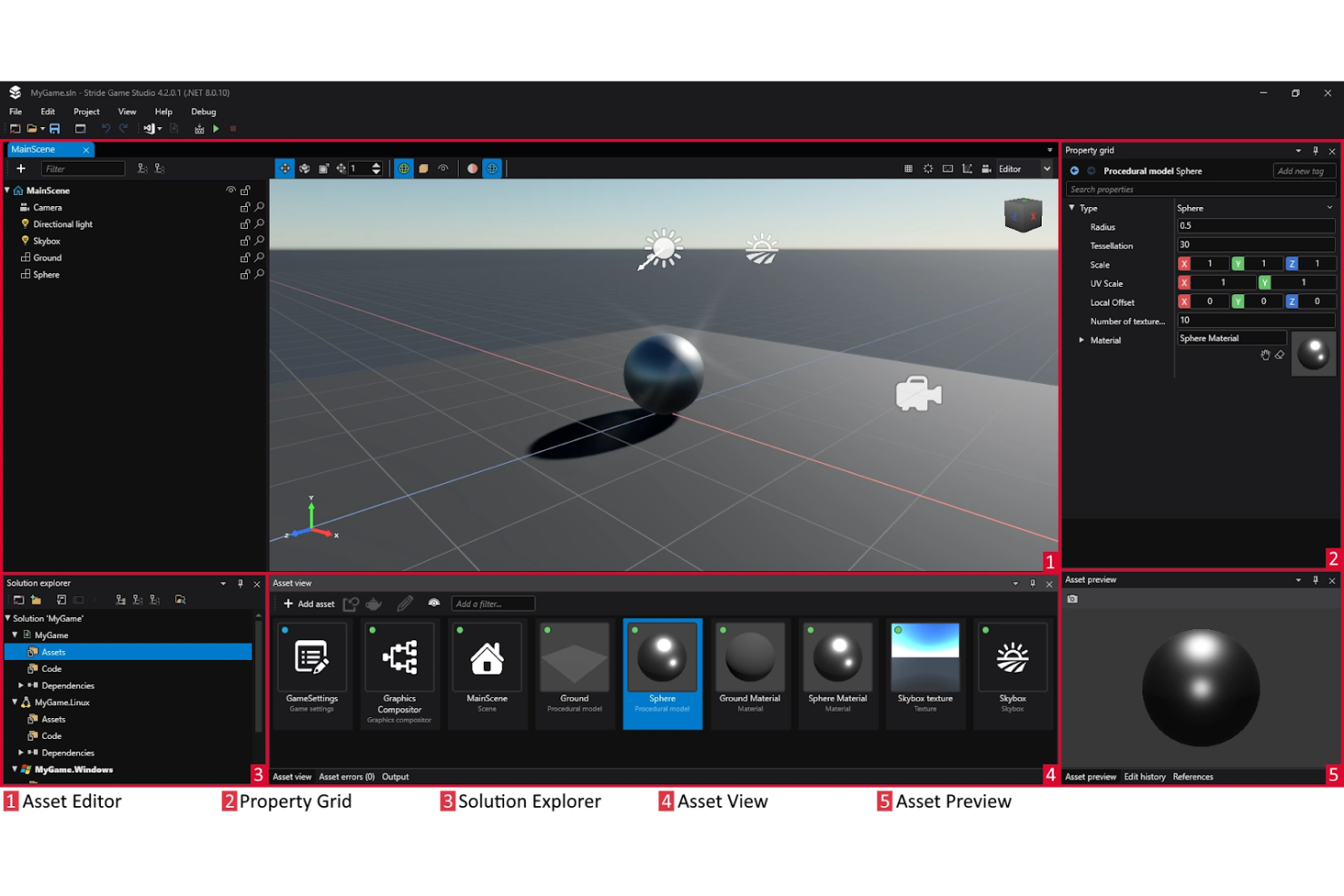
Stride is an open-source game engine that helps developers create high-quality 3D games. It is particularly suitable for those who want full control over their game development process using C# scripting.
Why I picked Stride: Stride offers a free forever plan that provides complete access to its C# scripting capabilities, making it ideal for developers who prefer coding. The engine supports both 2D and 3D game development, ensuring versatility. You can utilize its advanced graphics rendering features to create visually appealing games. The platform's modular design allows you to customize your development environment to fit your project's needs.
Standout Features and Integrations:
Features include a built-in physics engine that helps simulate realistic interactions in your games. Stride also offers a strong graphics pipeline, enabling high-quality visual effects. Its asset management system simplifies handling and organizing game assets.
Integrations are not publicly listed.
What's free? Stride offers a free forever plan with full access to its features, with no restrictions on the number of users or projects.
Pros and Cons
Pros:
- Customizable graphics pipeline
- Modular design for customization
- Full C# scripting access
Cons:
- Limited community support
- Fewer learning resources
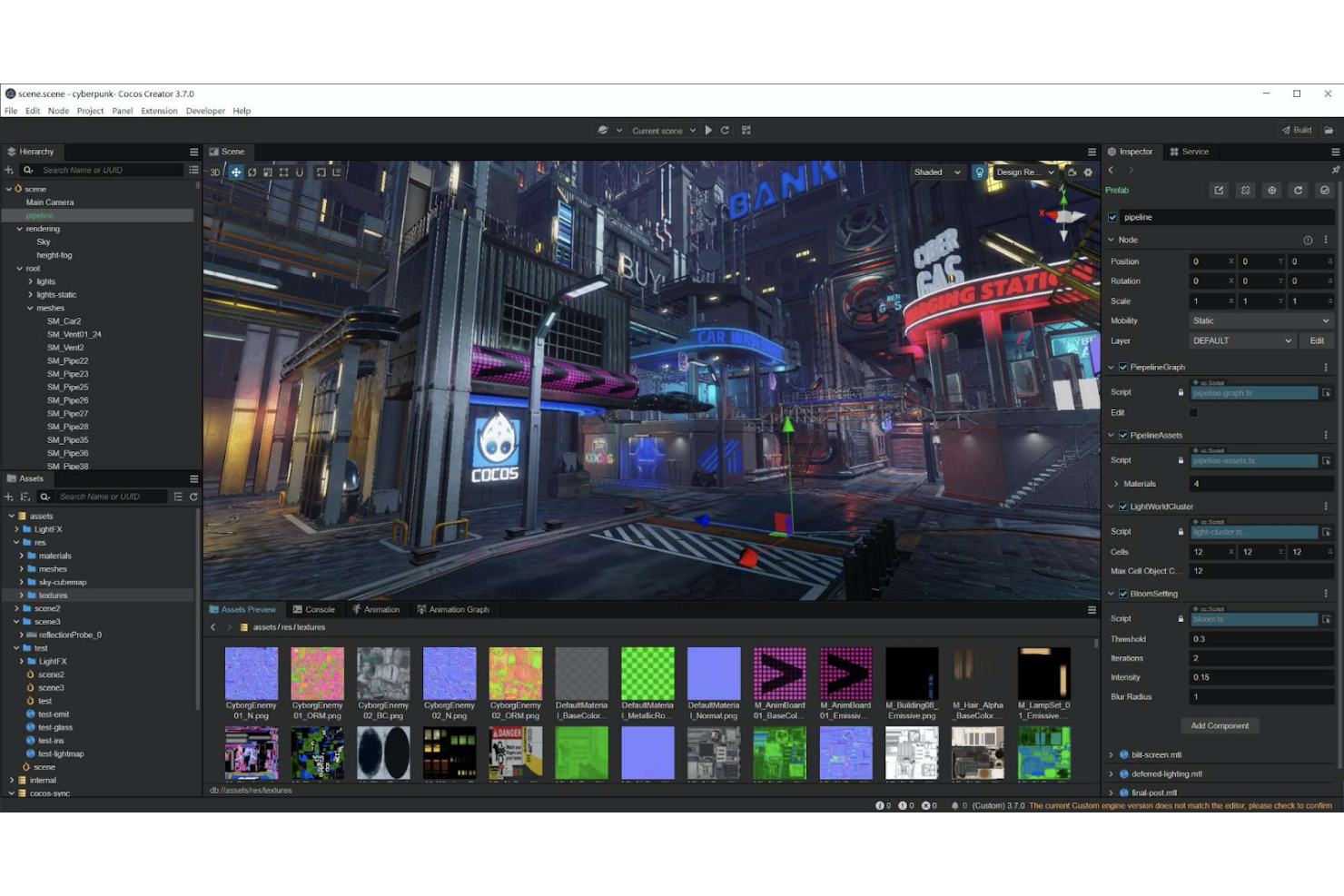
Cocos Creator is an open-source game development framework primarily used by indie developers and small studios to create 2D games. It provides a lightweight and efficient platform for building high-performance games across multiple platforms.
Why I picked Cocos Creator: Cocos Creator offers a free forever plan with a large suite of 2D game development tools. You can access its powerful rendering engine, which ensures smooth performance even on low-end devices. The platform supports cross-platform deployment, allowing you to reach a wide audience. Its modular architecture lets you customize your game engine to suit specific project needs.
Standout Features and Integrations:
Features include a scene graph that helps you manage game objects efficiently. The platform offers a particle system to add dynamic effects to your games. Cocos Creator also provides a skeletal animation system, which is essential for creating fluid character movements.
Integrations include Visual Studio, Android Studio, Xcode, and more.
What's free? Cocos Creator’s free forever plan includes full access to its core features, with no usage or project restrictions.
Pros and Cons
Pros:
- Particle system for dynamic effects
- Great scene graph management
- High performance on low-end devices
Cons:
- Requires knowledge of C++
- Limited built-in monetization tools


Free Game Development Software Selection Criteria
When selecting the best free game development software to include in this list, I considered common buyer needs and pain points like ease of use and platform compatibility. I also used the following framework to keep my evaluation structured and fair:
Core Functionality (25% of total score)
To be considered for inclusion in this list, each solution had to fulfill these common use cases:
- Create 2D and 3D games
- Support multiple platforms
- Provide a scripting language
- Include an asset library
- Offer a visual editor
Additional Standout Features (25% of total score)
To help further narrow down the competition, I also looked for unique features, such as:
- Real-time collaboration tools
- Advanced physics engine
- Customizable templates
- Integrated analytics
- Cloud-based development environment
Usability (10% of total score)
To get a sense of the usability of each system, I considered the following:
- Intuitive interface design
- Simple navigation
- Clear documentation
- Minimal learning curve
- Responsive design
Onboarding (10% of total score)
To evaluate the onboarding experience for each platform, I considered the following:
- Availability of training videos
- Step-by-step tutorials
- Interactive product tours
- Access to templates
- Supportive community forums
Customer Support (10% of total score)
To assess each software provider’s customer support services, I considered the following:
- Availability of live chat support
- Strong knowledge base
- Email support responsiveness
- Access to community forums
- Quality of chatbot assistance
Value for Money (10% of total score)
To evaluate the value for money of each platform, I considered the following:
- Features offered in the free plan
- Cost of upgrading to paid plans
- Comparison with similar tools
- Long-term cost efficiency
- Transparency in pricing
Customer Reviews (10% of total score)
To get a sense of overall customer satisfaction, I considered the following when reading customer reviews:
- User feedback on ease of use
- Comments on software reliability
- Satisfaction with customer support
- Opinions on feature set
- Recommendations from industry peers
How To Choose Free Game Development Software
Complex feature lists and pricing structures can make it hard to figure out what you’re really getting from free game development software. To help you stay focused as you work through your software selection process, here are some factors to keep in mind:
| Factor | What to Consider |
|---|---|
| Free Offer Scope | Check what's included in the free plan. Ensure it meets your basic needs without hidden costs or limitations on essential features. |
| Scalability | Consider whether the software can grow with your needs. Look for options that support more complex projects as your team expands. |
| Integrations | Ensure the software integrates with tools you already use. Compatibility with platforms like GitHub or Visual Studio can improve your workflow. |
| Ease of Use | Evaluate the interface and user experience. A simple, intuitive design will reduce the learning curve and speed up your development process. |
| Community Support | A strong community can be invaluable. Look for active forums and resources where you can find solutions and share experiences with other users. |
| Customization | Check if you can tailor the software to your specific needs. Customizable options can boost your development process and final product. |
| Performance | Assess how well the software performs on your devices. Ensure it runs smoothly without consuming excessive system resources. |
| Security | Verify the security measures in place. Protecting your game assets and intellectual property should be a priority. |
What Is Free Game Development Software?
Game development software is designed to help developers create video games, often offering free trials or limited-feature versions to get started. These tools are used by indie developers, small studios, and hobbyists to build games without a large budget. They provide value by enabling creative expression and technical execution without extensive resources. Features like ease of use, scalability, and integration capabilities help simplify the development process, allowing users to focus on bringing their ideas to life.
Features
Let’s go over the features commonly found in game development software, and which ones are usually included in free vs. paid plans.
Typically Free Game Development Software Features
- Visual editor: Allows you to design game elements without coding, making it accessible for beginners.
- Asset library: Provides pre-made graphics and sounds to help you quickly build your game.
- Cross-platform support: Lets you create games that run on multiple devices, broadening your audience.
- Basic scripting language: Offers simple coding capabilities to customize your game's behavior.
- Community forums: Provide a platform for users to share tips and solve problems collaboratively.
- Scene management: Helps organize game elements to simplify the development process.
- Export options: Allow you to publish your game in multiple formats for different platforms.
Typically Paid Game Development Software Features
- Advanced physics engine: Simulates realistic movements and interactions, increasing realism.
- Real-time collaboration tools: Enable team members to work together simultaneously, improving efficiency.
- High-quality rendering: Offers superior graphics capabilities for more visually stunning games.
- Custom templates: Provide pre-built frameworks to speed up development.
- Integrated analytics: Track user interactions and performance to refine your game.
- Professional support: Gives access to expert help and troubleshooting, ensuring smooth development.
- Cloud-based storage: Safeguards your projects and facilitates easy access from any location.
Benefits
Implementing free game development software provides several benefits for your team and business. Here are a few you can look forward to:
- Cost-effective development: Free plans allow you to start building games without financial investment, which is ideal for indie developers and small teams.
- Access to community support: Many free tools come with active community forums where you can get help and share ideas, boosting collaboration and learning.
- Quick prototyping: With visual editor and asset library features, you can rapidly create prototypes to test concepts and ideas.
- Cross-platform capabilities: Free tools often support multiple platforms, helping you reach a broader audience at no additional cost.
- Ease of use: Intuitive interfaces and basic scripting languages make it easier for beginners to start creating games without extensive training.
- Flexibility and experimentation: Free versions provide the opportunity to experiment with different features and styles without commitment, fostering creativity.
- Educational resources: Many free tools offer tutorials and guides, allowing you to learn and improve your skills at no cost.
Costs and Pricing
I realize you came to this article looking for the best free game development software options. However, since free plans only offer limited features, there's a good chance you'll need to scale your plan up in the future.
The table below summarizes common plans, their average prices, and typical features included in game development software solutions:
Plan Comparison Table for Game Development Software
| Plan Type | Average Price | Common Features |
|---|---|---|
| Free Plan | $0 | Basic asset library, visual editor, limited export options, community support, and basic scripting. |
| Personal Plan | $5-$25/user/month | Advanced asset library, several export options, additional scripting capabilities, and priority support. |
| Business Plan | $25-$50/user/month | Customizable templates, real-time collaboration tools, advanced analytics, and premium support. |
| Enterprise Plan | $50-$100/user/month | Full feature access, dedicated account manager, custom integrations, and enterprise-level security. |
Free Game Development Software FAQs
Here are some answers to common questions about free game development software:
Can I monetize games made with free game development software?
Yes, many free game development software tools allow you to monetize your games. However, be sure to check the licensing terms of each tool, as some may have restrictions or require revenue sharing once you surpass a certain threshold.
What limitations should I expect with free versions?
Free version limitations may include restricted access to advanced features, limited export options, or watermarks on your games. You might also face project or storage space constraints.
How do I choose the best free game development software for my needs?
Consider factors like ease of use, available features, and community support. Evaluate whether the free version meets your current needs and whether there’s potential to upgrade as your requirements grow.
Are there any hidden costs in free game development software?
While the software itself might be free, you may incur costs for additional assets, plugins, or third-party services. Always review the terms of use to understand any potential charges or fees associated with using the tool.
Can I collaborate with my team using free game development software?
Yes, many free tools offer collaboration features, though they might be limited compared to paid versions. Look for software that supports real-time collaboration or integrates with version control systems to facilitate teamwork.
Is technical support available for free game development software?
Technical support in free versions is often limited to community forums or online documentation. Paid plans usually offer more direct support options, such as live chat or dedicated customer service.
What’s Next:
If you're researching free game development software, connect with a SoftwareSelect advisor for free recommendations.
You fill out a form and have a quick chat where they get into the specifics of your needs. Then you'll get a shortlist of software to review. They'll even support you through the entire buying process, including price negotiations.