
20 Best Enterprise Helpdesk Software Reviewed in 2026

Best Enterprise Helpdesk Software Shortlist
Here’s my shortlist of the best enterprise helpdesk software:


Running an enterprise comes with its fair share of challenges, especially when it comes to managing customer support. You need a solution that helps your team handle inquiries without adding to the chaos. That's where enterprise helpdesk software comes in.
In my experience, the right software can make all the difference in improving response times and keeping your customers satisfied. I've tested and reviewed numerous options to help you find the best fit for your needs.
In this article, I'll share my top picks for enterprise helpdesk software. You'll get an unbiased, well-researched review of each option, focusing on how they can address your team's unique challenges. Let's dive in and find the perfect tool for your business.
Why Trust Our Software Reviews
Best Enterprise Helpdesk Software Summary
This comparison chart summarizes pricing details for my top enterprise helpdesk software selections to help you find the best one for your budget and business needs.
| Tool | Best For | Trial Info | Price | ||
|---|---|---|---|---|---|
| 1 | Best for omnichannel support | Free demo + 14-day free trial available | From $19/user/month (billed annually) | Website | |
| 2 | Best for smart ticket prioritization | 14-day free trial | From $89/user/month (billed annually) | Website | |
| 3 | Best intuitive help desk for non-technical teams | 15-day free trial + free plan + free demo available | From $39.99/user/month (billed annually) | Website | |
| 4 | Best for community feedback to product roadmaps | 14-day free trial + free demo available | From $49/agent/month (billed annually) | Website | |
| 5 | Best fast setup help desk for small teams | Free plan + free demo available | From $29/user/month | Website | |
| 6 | Best for native CRM-based customer support | Free plan + free demo available | From $9/user/month (billed annually) | Website | |
| 7 | Best for automated IT service management | 14-day free trial + free demo available | Pricing upon request | Website | |
| 8 | Best for globally compliant enterprise service | 30-day free trial + free demo available | Pricing upon request | Website | |
| 9 | Best for enterprise support with AI automation | 14-day free trial + free demo available | From $19/user/month (billed annually) | Website | |
| 10 | Best for tickets linked to IT asset management | 14-day free trial + free demo available | From $320/license/year (unlimited end users) | Website | |
| 11 | Best for unlimited agents and scalable support | Free 14-day trial + free demo available | From $21/agent/month (2-Year Savings Plan) | Website | |
| 12 | Best for custom platforms for complex needs | Free consultation available | Pricing upon request | Website |

-

Freshservice
Visit WebsiteThis is an aggregated rating for this tool including ratings from Crozdesk users and ratings from other sites.4.6 -
Deel IT
Visit Website -
Rippling IT
Visit WebsiteThis is an aggregated rating for this tool including ratings from Crozdesk users and ratings from other sites.4.8




Best Enterprise Helpdesk Software Reviews
Below are my detailed summaries of the best enterprise helpdesk software that made it onto my shortlist. My reviews offer a detailed look at the key features, pros and cons, integrations, and ideal use cases of each tool to help you find the best one for you.

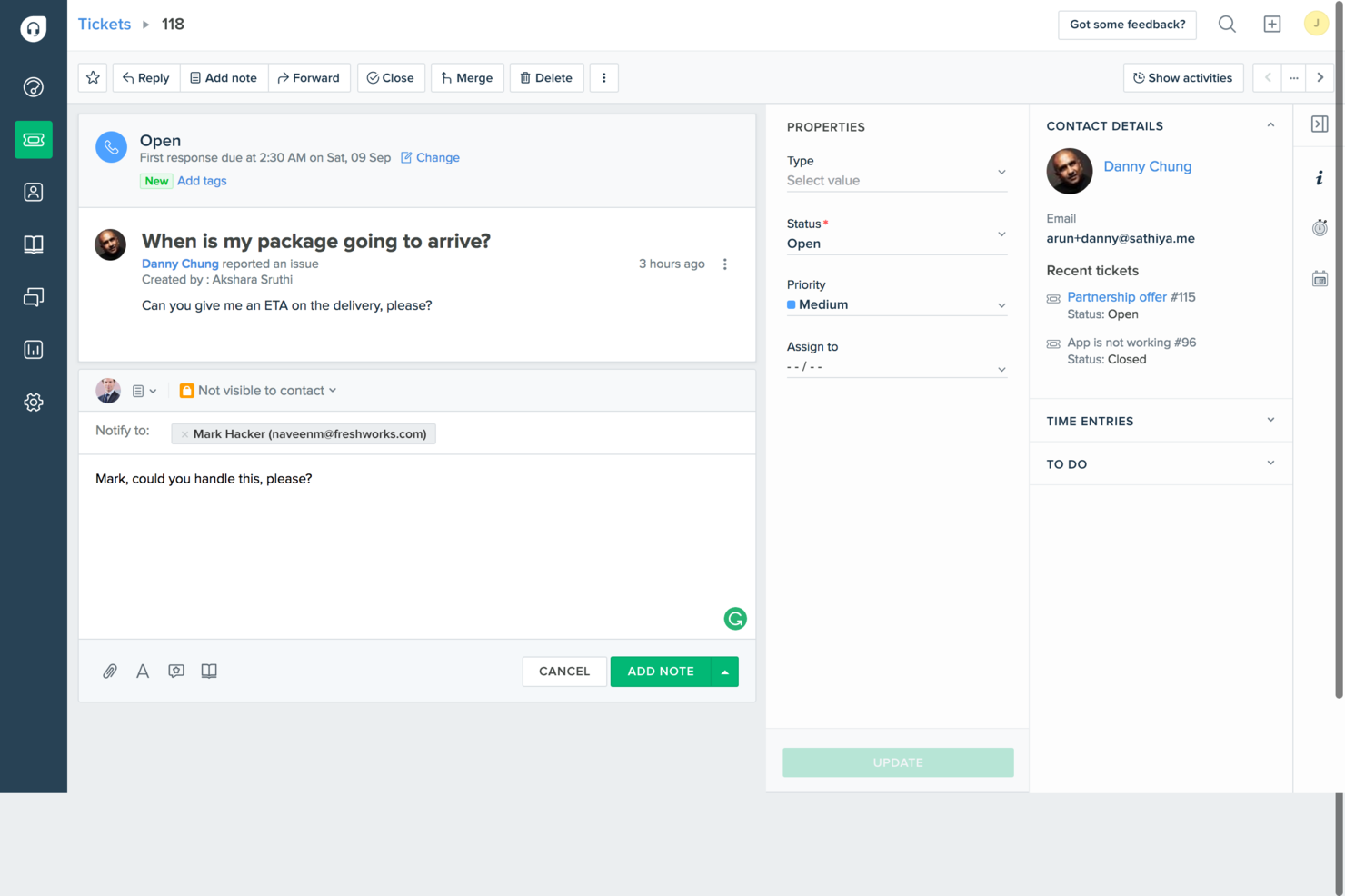
Freshdesk is an AI-powered customer service software built for enterprise teams that need to manage high-volume, multi-channel support operations efficiently. It provides a centralized help desk workspace for handling tickets across email, chat, phone, and social media, while using AI to automate routing, suggest responses, and prioritize urgent issues. With features like workflow automation, SLA tracking, analytics, and a self-service knowledge base, Freshdesk helps large organizations improve response times, maintain service consistency, and scale customer support without increasing operational complexity.
Why I Picked Freshdesk
I picked Freshdesk for its AI-driven capabilities that significantly enhance enterprise helpdesk operations. The platform's Freddy AI Copilot automates routine tasks, allowing your team to focus on more complex issues, thus improving productivity. Additionally, Freshdesk's advanced ticketing system, featuring skill-based assignment and multi-brand support, ensures that queries are efficiently managed and resolved. These features align with the needs of enterprises looking for scalable and intelligent support solutions.
Freshdesk Key Features
In addition to its AI-driven capabilities, Freshdesk offers several features that cater to enterprise needs:
- Omnichannel Support: This feature centralizes customer interactions across various channels like email, chat, and social media, ensuring seamless communication.
- Customizable Dashboards: You can tailor dashboards to monitor key metrics and gain insights into team performance and customer satisfaction.
- Collaboration Tools: Internal notes and team huddles facilitate effective collaboration among support agents, leading to faster issue resolution.
- Security Features: Freshdesk provides audit logs and IP whitelisting to enhance data security and compliance for enterprise clients.
Freshdesk Integrations
Integrations include Slack, MS Teams, Shopify, Confluence, Google Docs, Playvox, and more, with an API available for custom integrations.
Pros and Cons
Pros:
- Strong security and compliance controls
- Skill-based ticket assignment workflows
- AI-powered ticket automation tools
Cons:
- Reporting customization can be limited
- Advanced features require higher tiers
New Product Updates from Freshdesk

Freshdesk Enhances Contact Data Management and Social Identity Fields
Freshdesk now lets you manage social handles and handle large contact lists with ease, streamlining customer profiles and data tasks. For more information, visit Freshdesk’s official site.

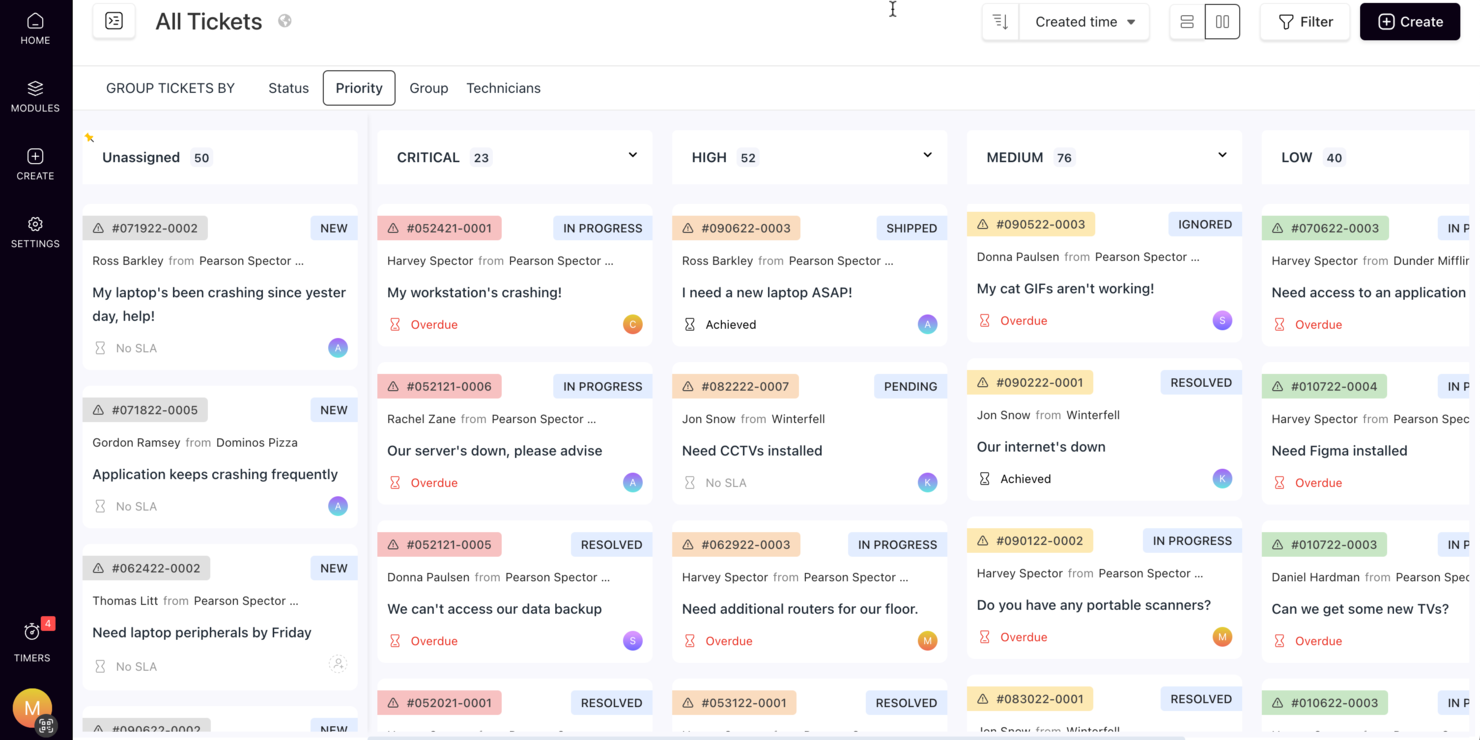
SuperOps caters to Managed Service Providers (MSPs) and IT teams in need of a reliable enterprise helpdesk software solution. It simplifies IT operations with integrated service desk management, automation, and AI-powered functionalities. Organizations can enhance efficiency and service delivery, easily managing tickets, automating workflows, and maintaining effective communication.
Why I Picked SuperOps
I picked SuperOps for its smart ticket prioritization and automated ticketing system, leveraging AI to streamline the helpdesk process. The Monica AI chatbot handles routine tasks swiftly, freeing your team to focus on complex issues. Additionally, its time tracking feature offers precise insights into resource allocation, making it valuable for enterprise-level support operations.
SuperOps Key Features
In addition to its standout ticketing system, I also found several other features that enhance its value:
- Unified Runbooks: These allow you to standardize and automate repetitive processes, reducing the time your team spends on routine tasks.
- Centralized Communication: This feature ensures that all team members have access to the same information, facilitating better collaboration and decision-making.
- SLA Management: SuperOps helps you track and manage service level agreements, ensuring that you meet client expectations and compliance standards.
- Mobile Timers: This tool allows technicians to accurately track their work time on the go, improving billing accuracy and resource management.
SuperOps Integrations
Integrations include BambooHR, Google Sheets, Microsoft Office 365, Slack, PandaDoc, Dialpad, Google Workspace Admin, Microsoft Outlook, and Airtable.
Pros and Cons
Pros:
- Patch and endpoint management included
- Strong automation and AI tools
- Built-in mobile device management
Cons:
- Cloud-based, requires internet access
- May require onboarding time
New Product Updates from SuperOps

SuperOps Adds HTML Support for Ticket Closure Emails
SuperOps introduces HTML embedding for ticket closure emails. This update allows teams to include custom content such as CSAT survey links and branded elements in resolution emails. For more information, visit SuperOps’ official site.
 .
.
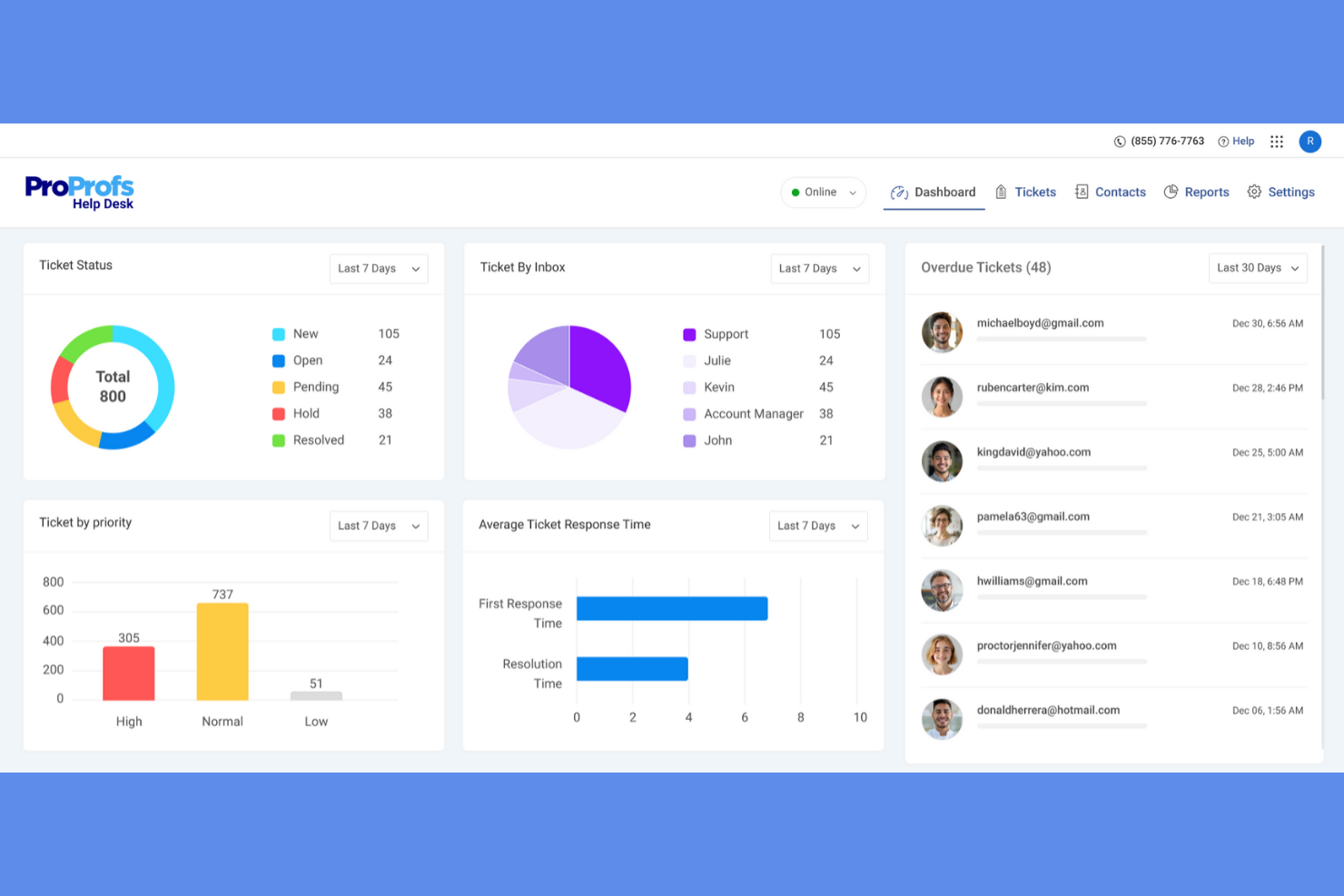
ProProfs Help Desk is a cloud-based customer support solution aimed at small to mid-sized businesses. It helps manage customer inquiries through ticketing, shared inboxes, and collaboration tools.
Why I picked ProProfs Help Desk: It's recognized for its ease of use, making it accessible for teams without extensive technical knowledge. The shared inbox feature allows your team to collaborate effectively on customer inquiries. Automation rules improve ticket management, reducing manual tasks. The reporting tools provide insights into support performance to ensure your team can continually improve service delivery.
Standout Features and Integrations:
Features include a knowledge base that assists users in finding solutions independently, a chat system that facilitates real-time communication, and a mobile app that allows your team to manage tickets on the go.
Integrations include Salesforce, Slack, Shopify, Microsoft Dynamics CRM, and more.
Pros and Cons
Pros:
- Self-service knowledge base
- Shared inbox supports collaboration
- Simple and intuitive setup and dashboard
Cons:
- No skill-based ticket routing
- Lack of advanced reporting tools

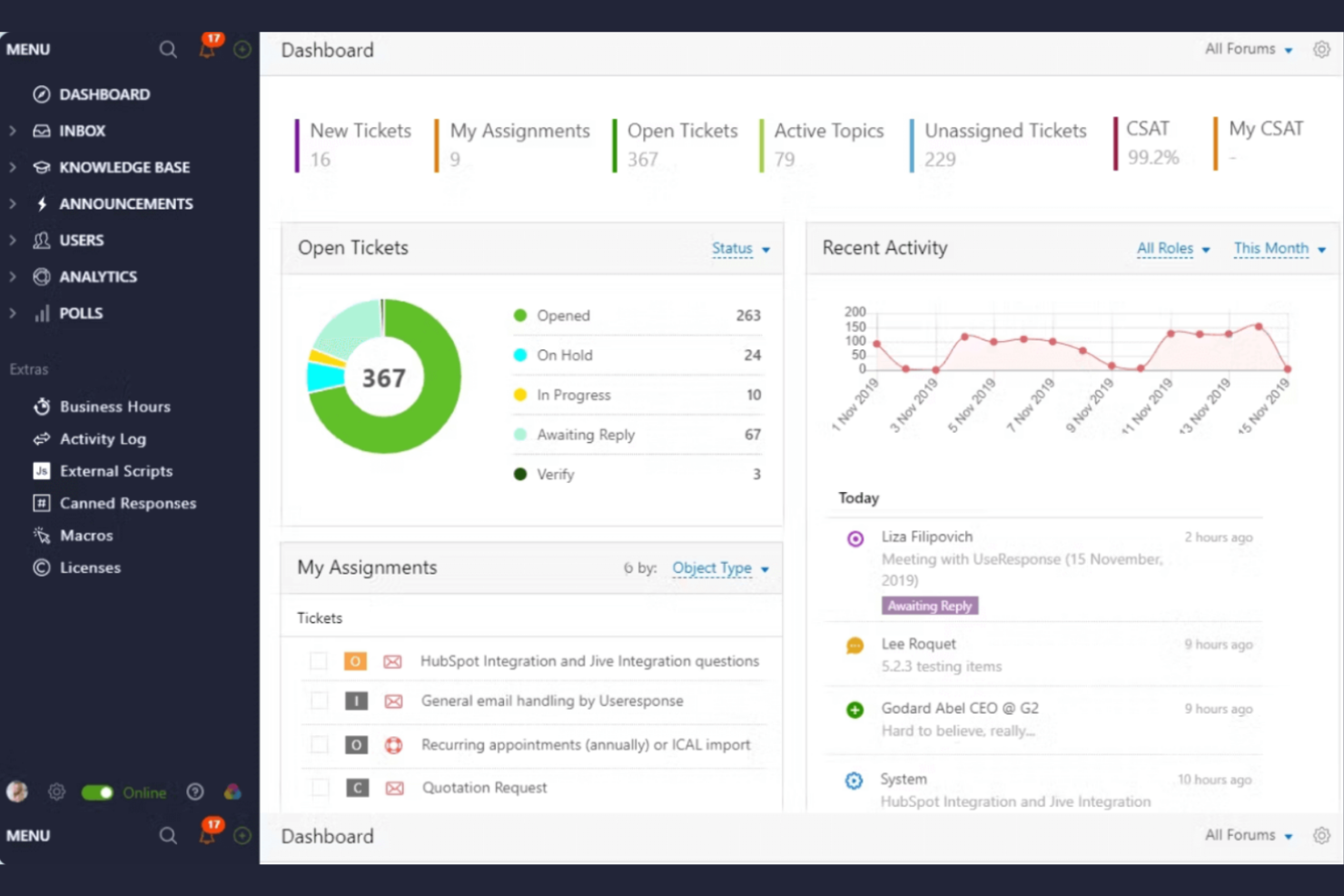
UseResponse is a customer support and feedback management platform designed for businesses looking to engage with their community. It facilitates customer feedback collection, help desk ticketing, and knowledge base management.
Why I picked UseResponse: It excels in gathering community feedback, enabling your team to engage directly with users. The platform offers customizable community forums to capture feedback, ideas, and suggestions. UseResponse's ticketing system integrates with feedback management, ensuring efficient issue resolution. The tool also provides analytics to track community engagement and improve service offerings.
Standout Features and Integrations:
Features include a self-service portal that reduces support requests, a knowledge base that helps users find answers quickly, and customizable workflows that adapt to your team's processes.
Integrations include Slack, Atlassian Jira, Salesforce, and more.
Pros and Cons
Pros:
- Highly adaptable workflows
- Insightful community engagement analytics
- Strong community support features
Cons:
- Dependency on user participation
- Automation not suitable for complex workflows

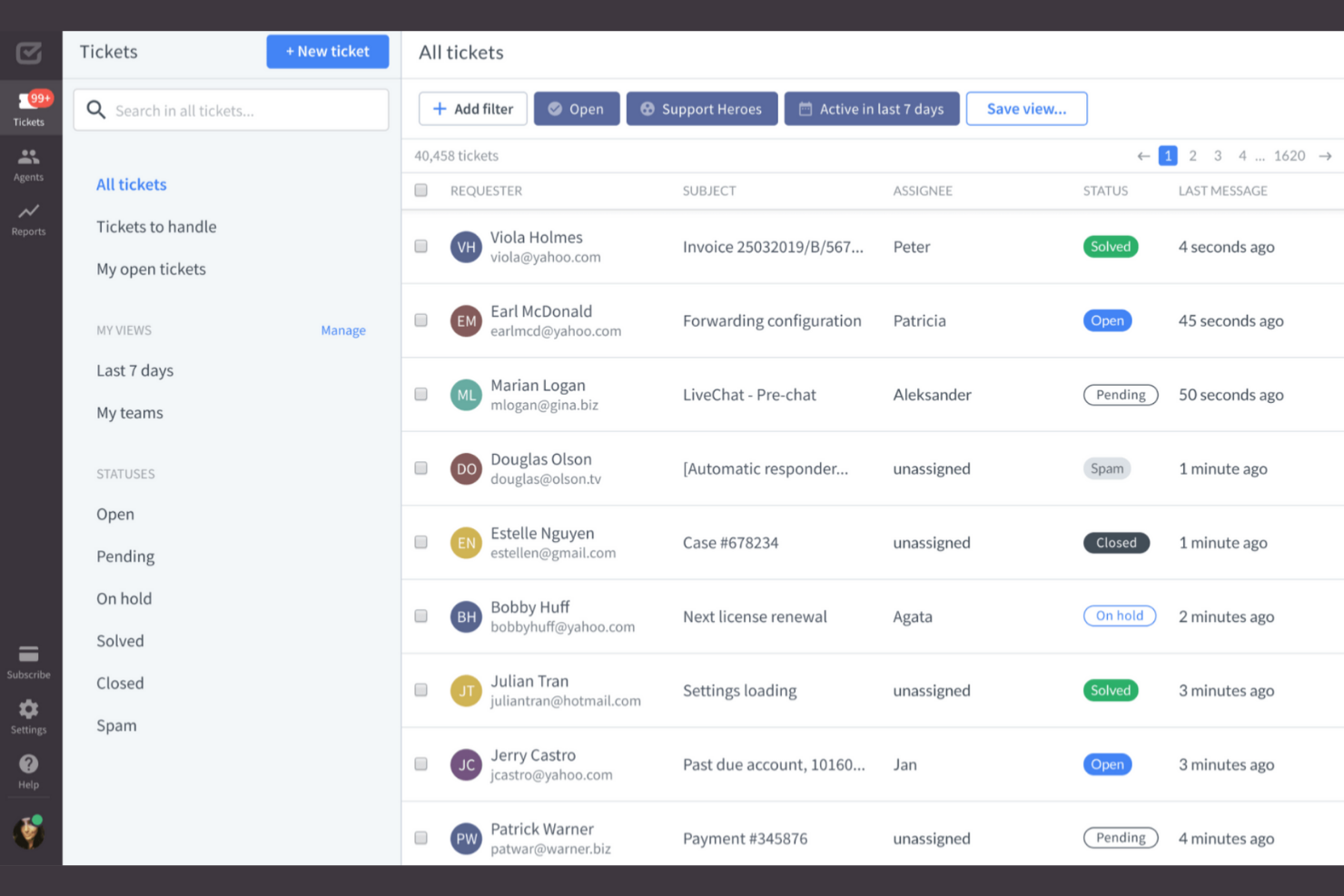
HelpDesk is a ticketing software designed for small businesses and support teams across various sectors, including IT and sales. It facilitates ticket management and team collaboration to strengthen support operations.
Why I picked HelpDesk: It's ideal for small teams, offering simplicity and efficiency in managing customer inquiries. The software provides multichannel support, allowing your team to handle requests via email and web forms. Its automation features reduce manual effort for more efficient ticket assignments. HelpDesk's analytics tools offer insights into team performance and customer satisfaction.
Standout Features and Integrations:
Features include language detection that caters to global users, similar ticket tracking for efficient resolution, and AI-powered tag suggestions that help organize inquiries.
Integrations include LiveChat, HubSpot, Salesforce, Slack, and more.
Pros and Cons
Pros:
- Strong ticket automation and organization
- Centralized multichannel support options
- Easy for small teams to set up and use
Cons:
- No social media ticket creation
- Lacks advanced AI automation

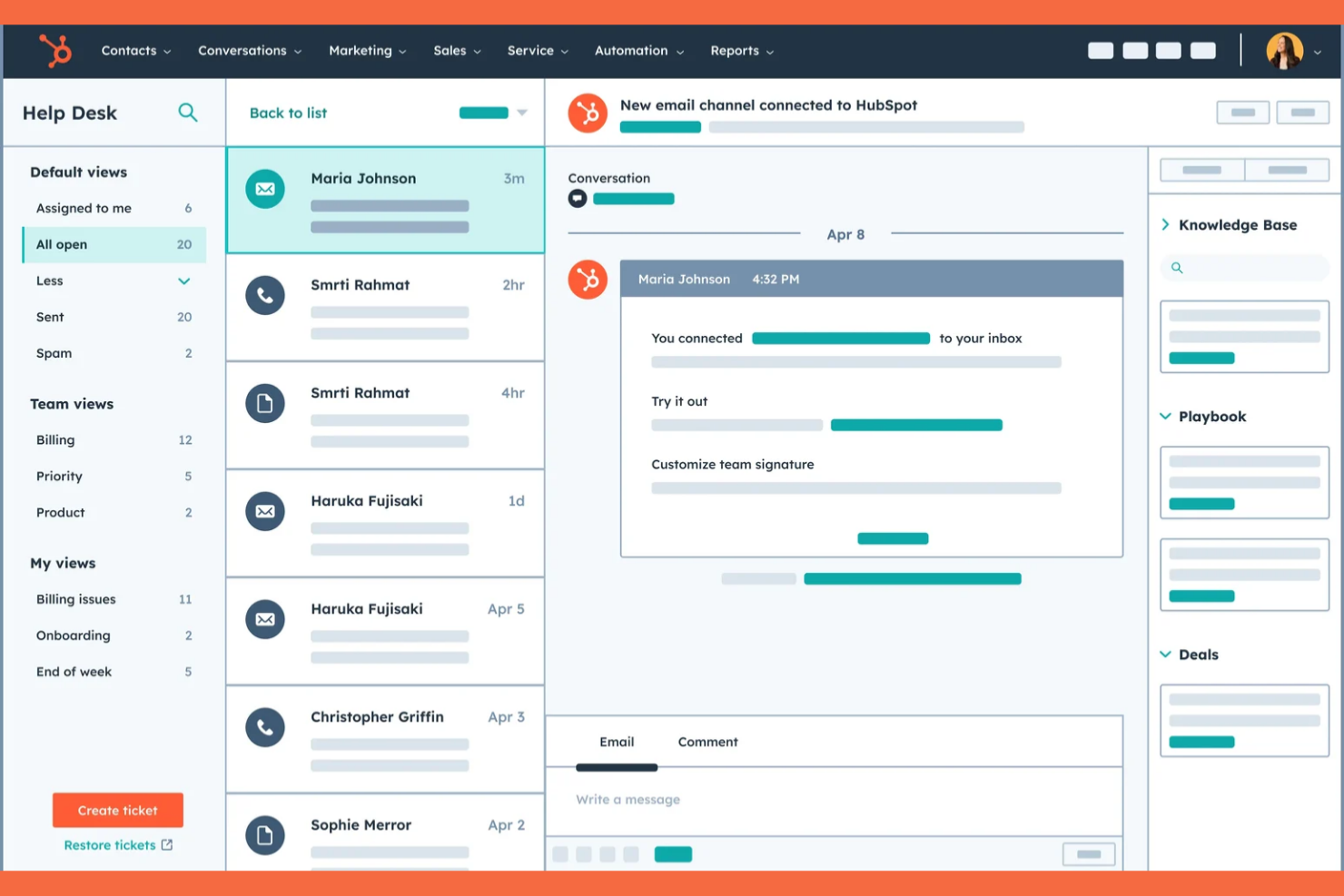
HubSpot Service Hub is a customer service software tailored for businesses looking to strengthen customer relationships and support. It provides tools for ticketing, customer feedback, and knowledge base management.
Why I picked HubSpot Service Hub: It's known for its strong integration with HubSpot CRM, which provides a unified platform for managing customer interactions. The software includes a ticketing system that organizes support requests efficiently. The customer feedback tools help gather insights directly from your clients. HubSpot's knowledge base feature empowers users to find answers independently, reducing the support load on your team.
Standout Features and Integrations:
Features include a customer portal that allows clients to track their tickets, automation tools that help manage repetitive tasks, and reporting dashboards that provide insights into customer support performance.
Integrations include Salesforce, Slack, Zapier, Shopify, Mailchimp, Microsoft Dynamics, and more.
Pros and Cons
Pros:
- Customizable reporting dashboards
- Customer portal and built-in knowledge base
- HubSpot ecosystem integrations
Cons:
- Missing features can limit workflows and integrations
- Pricing scales up rapidly

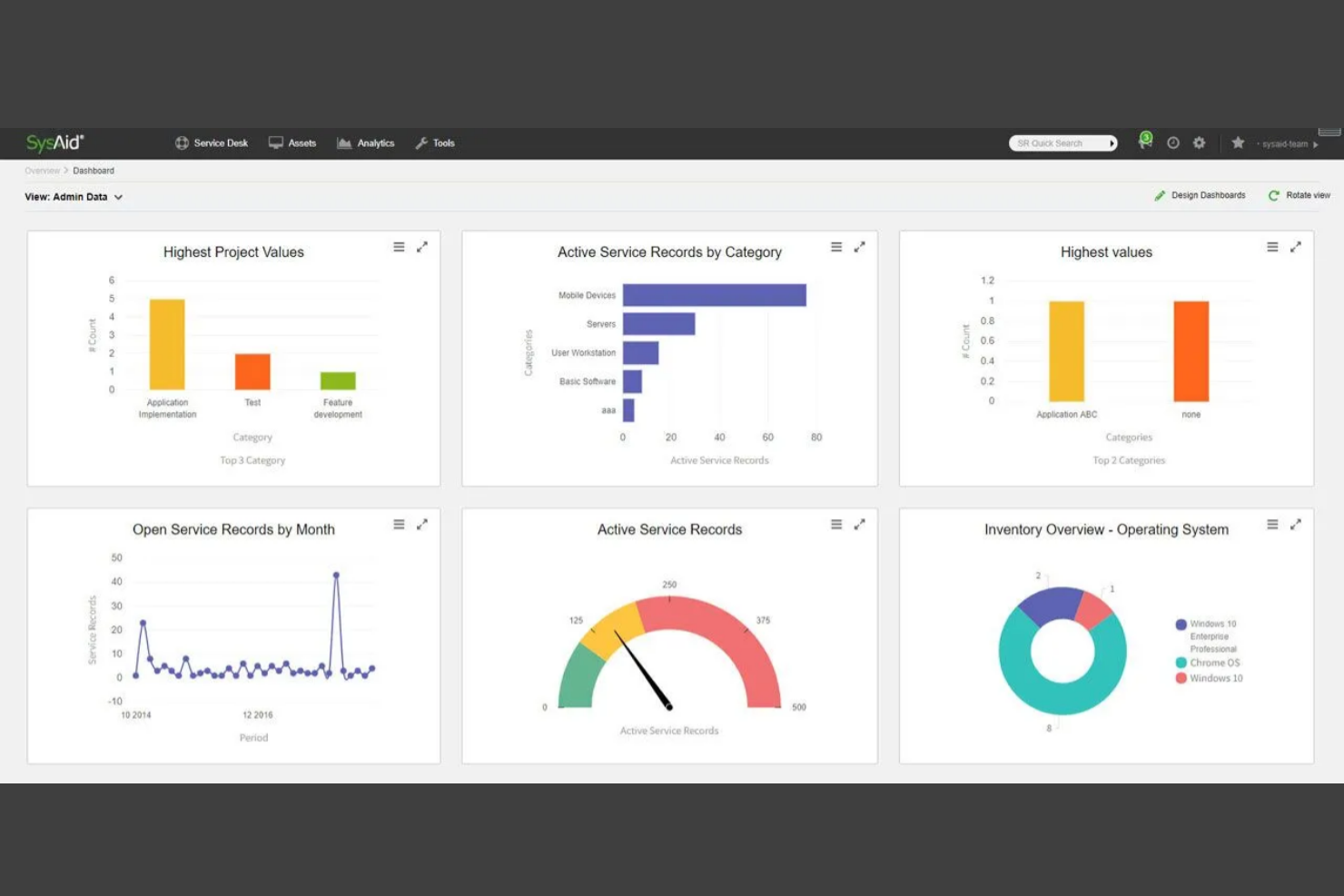
SysAid is an IT service management tool built for IT departments in various industries. It supports IT operations by providing service desk and asset management solutions.
Why I picked SysAid: It excels in ITSM, providing tools to automate and improve IT workflows. The software includes a built-in asset management system that helps track hardware and software assets. SysAid's service desk features automated ticket management, reducing manual tasks for your team. Its reporting capabilities offer insights into IT performance and resource utilization.
Standout Features and Integrations:
Features include a self-service portal that empowers users to solve issues independently, a knowledge base that stores solutions for common problems, and a change management module that tracks IT changes efficiently.
Integrations include Microsoft Active Directory, Microsoft SCCM, Google Workspace, and more.
Pros and Cons
Pros:
- Integrated knowledge base for self-directed troubleshooting
- Strong automation of IT workflows
- Strong ITSM and asset management capabilities
Cons:
- Highly opaque, quote-based pricing
- Complex and outdated user interface

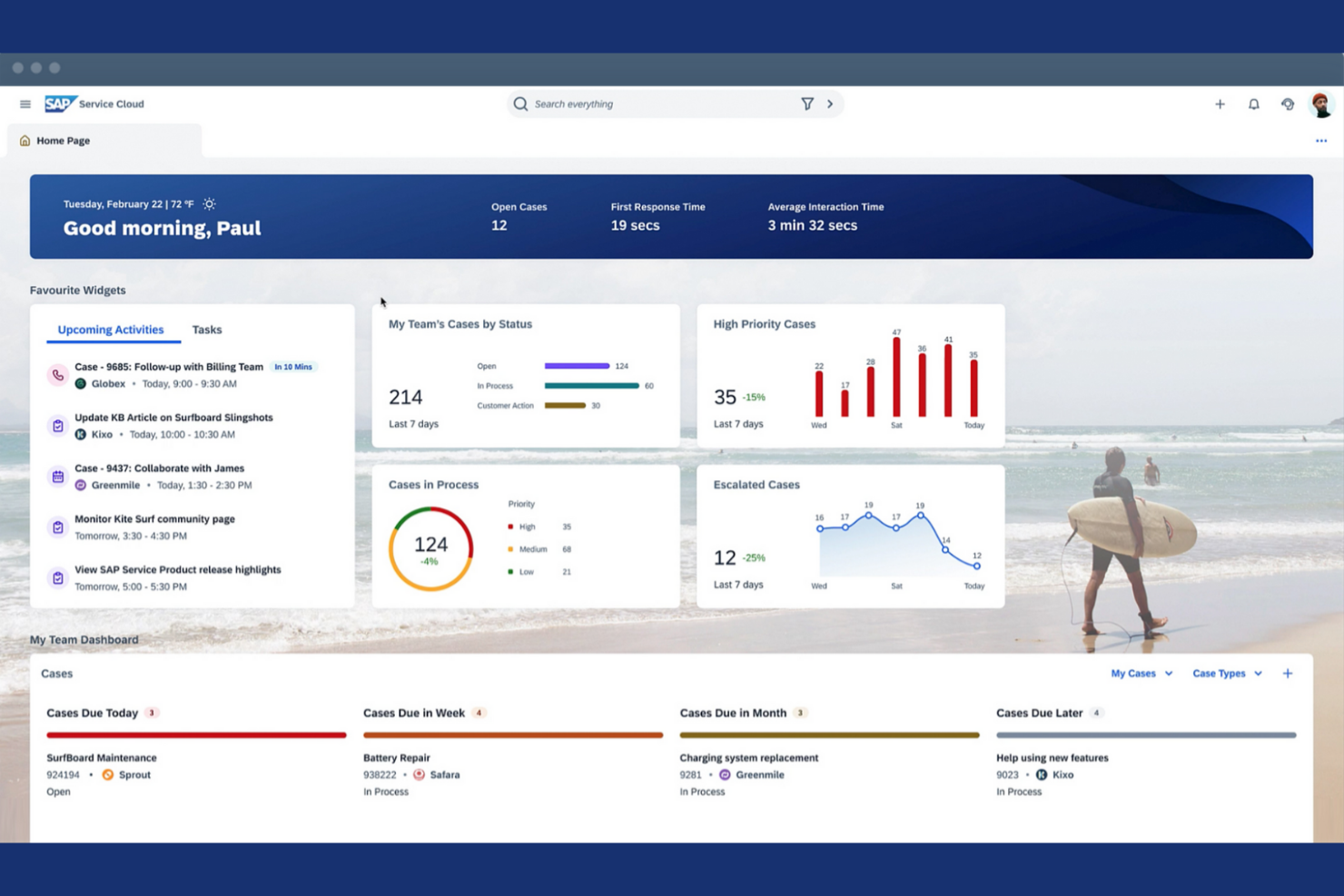
SAP Service Cloud is a customer service solution designed for large enterprises looking to strengthen their support operations. It provides tools for ticket management, customer engagement, and service analytics.
Why I picked SAP Service Cloud: It's known for its global compliance features, making it suitable for international businesses. The platform offers advanced ticketing capabilities that help manage customer inquiries efficiently. Real-time analytics provide insights into service performance and customer satisfaction. SAP Service Cloud also includes customer engagement tools that facilitate personalized interactions with your clients.
Standout Features and Integrations:
Features include a service level agreement (SLA) management tool that ensures your team meets customer expectations, a knowledge management system that stores valuable information, and a mobile-responsive design that allows access on the go.
Integrations include SAP S/4HANA, SAP ERP, SAP CRM, SAP cloud solutions, and more.
Pros and Cons
Pros:
- Personalized customer engagement tools
- AI-driven tools to improve escalation processes
- Extensive global compliance features
Cons:
- Dependency on the broader SAP ecosystem
- Complex and costly implementation

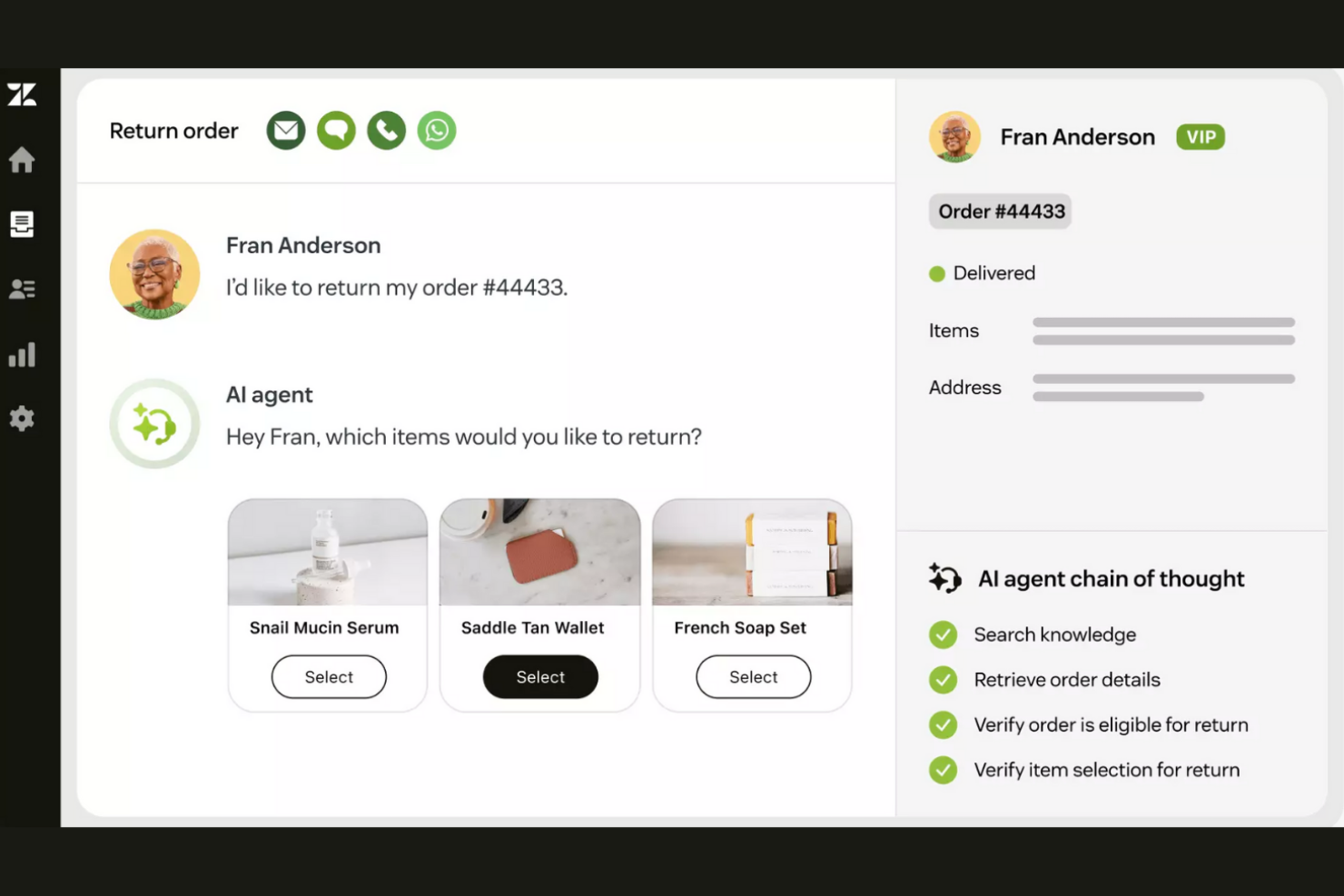
Zendesk is a customer service software platform designed to support large enterprises in managing customer interactions across various channels. It offers all-in-one customer service and help desk solutions for support, sales, and customer engagement.
Why I picked Zendesk: It's tailored for large enterprises, offering scalability that suits growing businesses. The software provides multichannel support, allowing your team to interact with customers through email, chat, and phone. Its analytics tools help track performance to improve service quality and customer experience. The platform also supports custom workflows to match your business needs.
Standout Features and Integrations:
Features include an omnichannel ticketing system for organizing customer inquiries. It supports enterprise-grade SSO for efficient and secure user authentication. Zendesk also offers a knowledge base that empowers customers to find answers themselves, and chatbots that handle routine queries to free up your team's time.
Integrations include Salesforce, Slack, Shopify, HubSpot, Mailchimp, and more.
Pros and Cons
Pros:
- Multichannel support and help desk tools
- Custom tickets and custom reports
- Highly scalable for large teams
Cons:
- Complex setup that requires technical expertise
- Features can be overwhelming for smaller teams

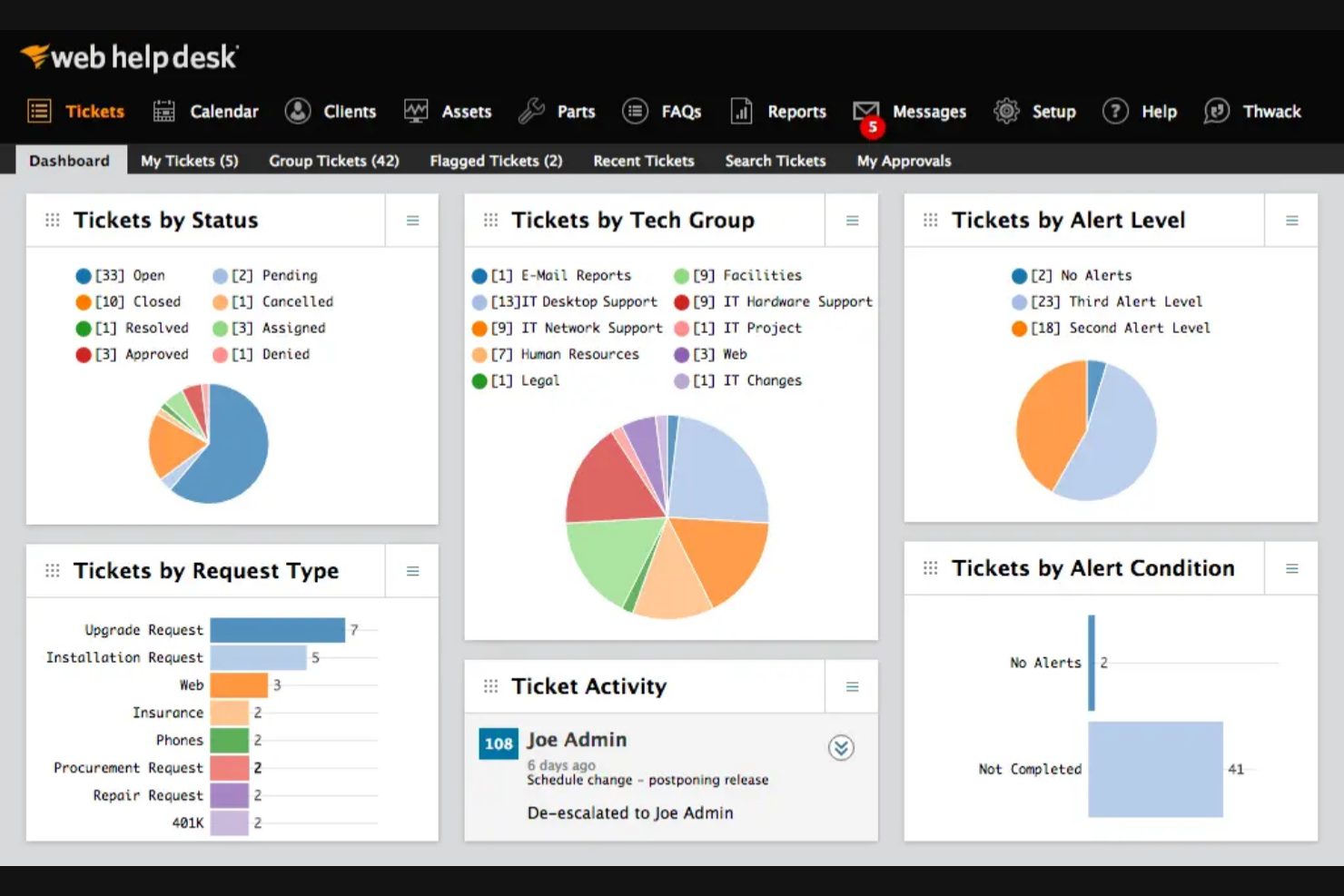
SolarWinds Web Help Desk is an ITSM tool aimed at IT management departments and enterprises. It helps manage IT assets, automate ticketing, and improve support operations.
Why I picked SolarWinds Web Help Desk: It excels in IT asset management, providing a centralized platform to efficiently track and manage assets. The software automates ticketing processes, reducing manual workload for your team. Its reporting tools, including strong audit logs, offer insights into asset lifecycle and performance. The platform's configuration management database supports detailed tracking and management of IT resources.
Standout Features and Integrations:
Features include automated ticket routing that ensures queries reach the right team member, a self-service portal that empowers users to find solutions independently, and a knowledge base that stores valuable information to optimize access.
Integrations include SolarWinds Network Performance Monitor, SolarWinds Server and Application Monitor, and more.
Pros and Cons
Pros:
- Flexible self-service portal
- Affordable pricing for smaller businesses
- Strong asset management capabilities
Cons:
- Frequent critical security flaws
- Stagnant product development

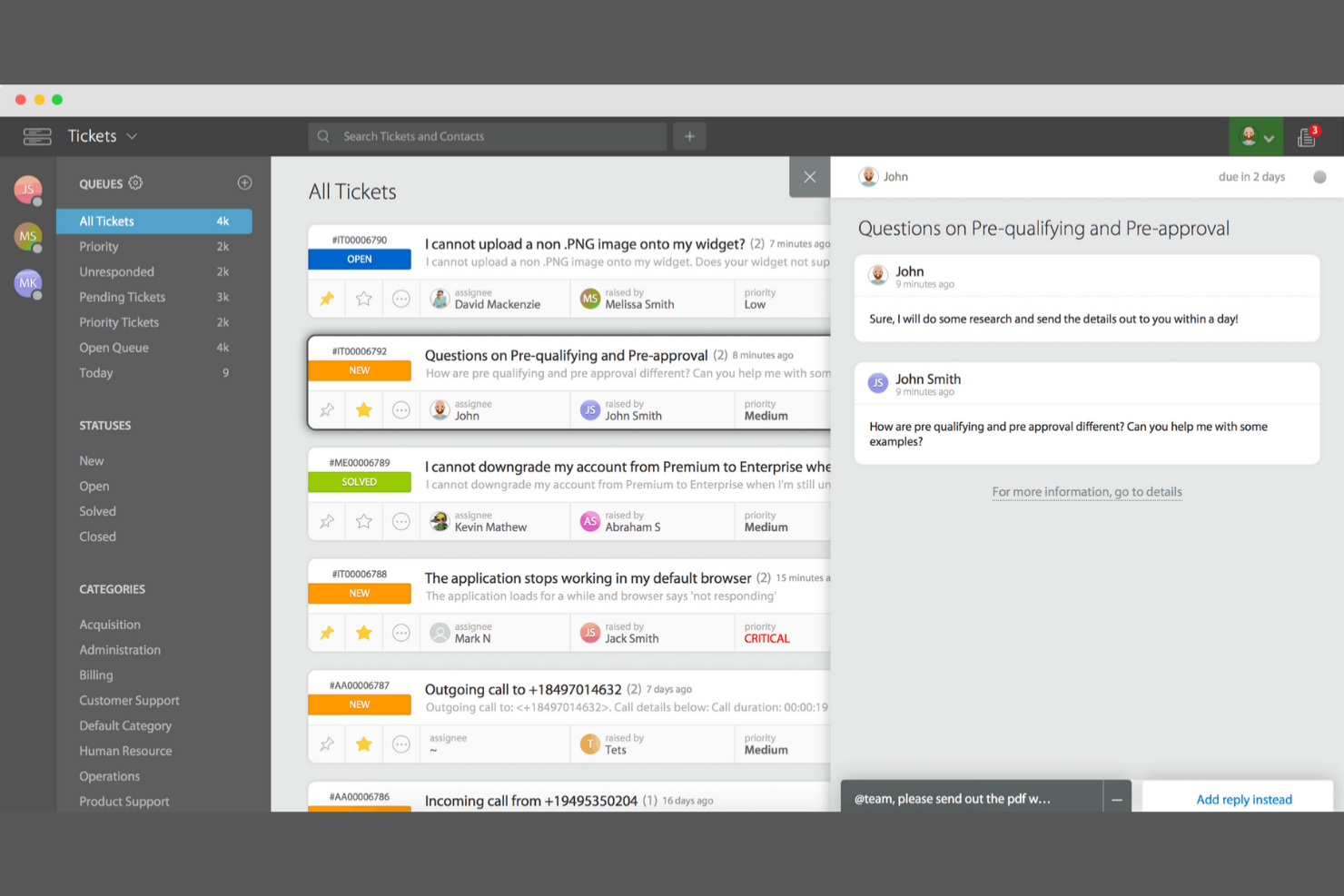
HappyFox offers its Help Desk as a part of its all-in-one customer support platform aimed at IT help desks, customer service, and operations teams. It helps manage inquiries with features such as AI-driven support and real-time chat.
Why I picked HappyFox Help Desk: It offers unlimited agents, making it cost-effective for growing teams. The intuitive ticketing system ensures your team can manage requests efficiently. HappyFox Help Desk's AI capabilities improve support by automating routine tasks. Real-time chat keeps communication swift and effective.
Standout Features and Integrations:
Features include AI features to improve or automate your support team's responses, a real-time chat feature that helps your team communicate quickly, and an intuitive ticketing system that simplifies request management.
Integrations include Microsoft Teams, Slack, Atlassian Jira, Shopify, and more.
Pros and Cons
Pros:
- Customizable and efficient ticket management
- User-friendly and intuitive interface
- Unlimited agents included
Cons:
- Missing some advanced IT service management (ITSM) functions
- Expensive for smaller teams

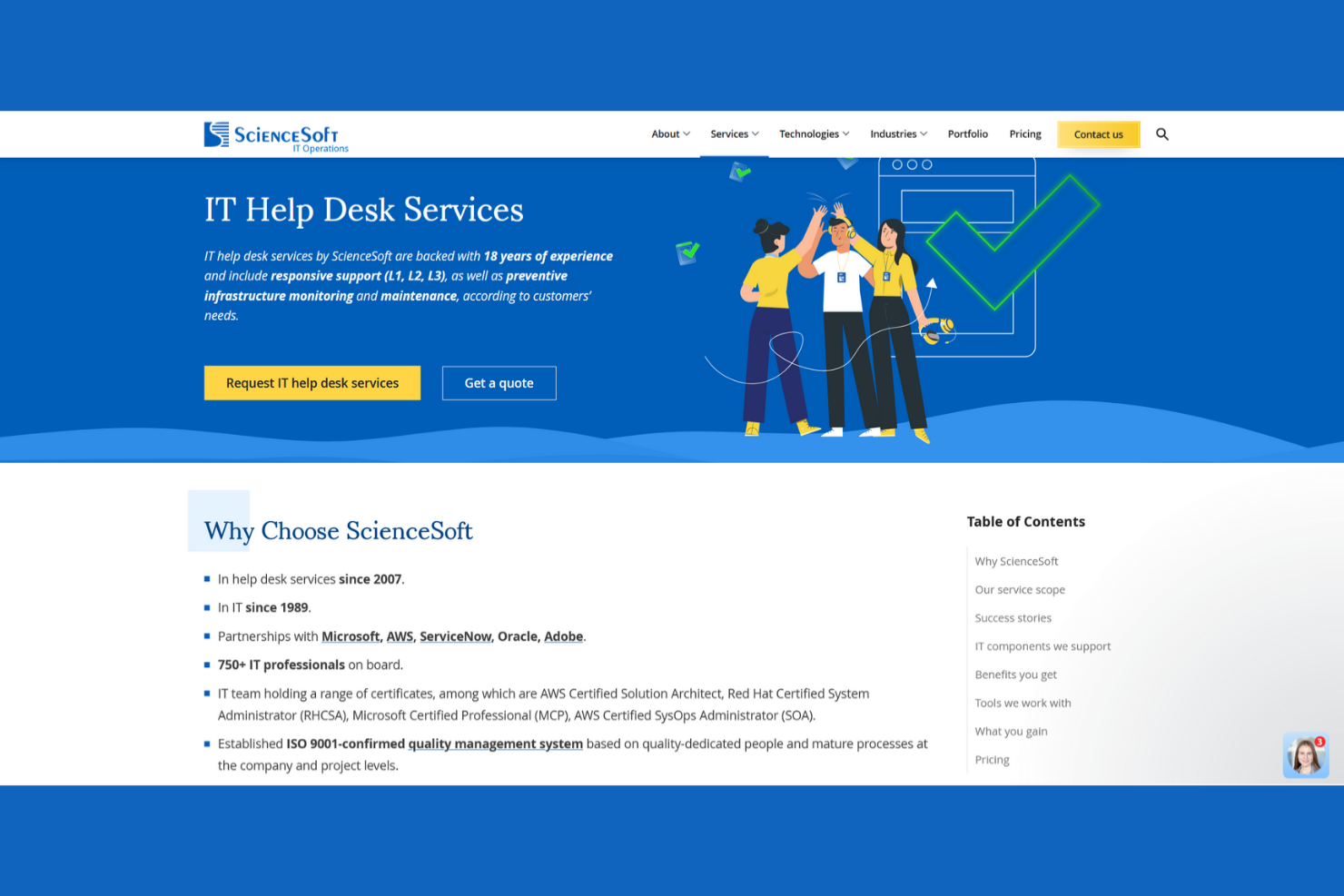
ScienceSoft is an IT service management platform designed for businesses seeking tailored IT solutions. It supports IT operations, asset management, and service desk functions.
Why I picked ScienceSoft: It excels in providing custom solutions, allowing businesses to tailor their ITSM to specific needs. ScienceSoft offers flexible configuration options, enabling your team to adapt processes as required. Its asset management tools help keep track of IT resources efficiently, while its service desk features automate ticketing processes to strengthen your team's productivity.
Standout Features and Integrations:
Features include a self-service portal that empowers users to resolve issues independently, a knowledge base that stores and organizes critical information, and incident management tools for more efficient issue resolution.
Integrations include Microsoft Active Directory, Office 365, Atlassian Jira, Slack, and more.
Pros and Cons
Pros:
- Strong value for money in enterprise projects
- Flexible configuration options
- Highly customizable IT solutions
Cons:
- Dependency on user customization
- Custom integrations can slow the ramp-up time
Other Enterprise Helpdesk Software
Here are some additional enterprise helpdesk software options that didn’t make it onto my shortlist, but are still worth checking out:
- Freshdesk
For omnichannel customer conversations
- InvGate
For no-code customizable workflows
- Kustomer
For unified customer view for support teams
- TOPdesk
For standardized ITSM with fast onboarding
- monday service
For visual service workflow management
- ServiceNow ITSM
For enterprise IT process automation
- Zoho Desk
Support enriched by the Zoho app context
- Salesforce Agentforce Service
For AI-powered support in Salesforce CRM


Enterprise Helpdesk Software Selection Criteria
When selecting the best enterprise helpdesk software to include in this list, I considered common buyer needs and pain points, such as managing high ticket volumes and ensuring data security. I also used the following framework to keep my evaluation structured and fair:
Core Functionality (25% of total score)
To be considered for inclusion in this list, each solution had to fulfill these common use cases:
- Ticket management
- Multichannel support
- Customer self-service options
- Reporting and analytics
- Automation of repetitive tasks
Additional Standout Features (25% of total score)
To help further narrow down the competition, I also looked for unique features, such as:
- AI-driven insights
- Customizable workflows
- Integration with CRM systems
- Mobile accessibility
- Real-time collaboration tools
Usability (10% of total score)
To get a sense of the usability of each system, I considered the following:
- Intuitive user interface
- Minimal learning curve
- Customization options
- Speed and performance
- Accessibility features
Onboarding (10% of total score)
To evaluate the onboarding experience for each platform, I considered the following:
- Availability of training videos
- Interactive product tours
- Pre-built templates
- Access to webinars
- Support from chatbots during setup
Customer Support (10% of total score)
To assess each software provider's customer support services, I considered the following:
- 24/7 support availability
- Multiple support channels
- Responsiveness of the support team
- Availability of a knowledge base
- Quality of customer service
Value for Money (10% of total score)
To evaluate the value for money of each platform, I considered the following:
- Competitive pricing
- Features included in the base plan
- Scalability of pricing plans
- Cost of add-ons or extras
- Return on investment
Customer Reviews (10% of total score)
To get a sense of overall customer satisfaction, I considered the following when reading customer reviews:
- Commonly reported pros and cons
- Overall satisfaction ratings
- Frequency of feature requests
- Feedback on customer service
- User recommendations
How To Choose Enterprise Helpdesk Software
It's easy to get bogged down in long feature lists and complex pricing structures. To help you stay focused as you work through your unique software selection process, here's a checklist of factors to keep in mind:
| Factor | What To Consider |
|---|---|
| Scalability | Can the software grow with your business? Consider if it can handle increased ticket volumes and support additional users without a hitch. |
| Integrations | Does it connect with your existing tools? Check for compatibility with your CRM, communication platforms, and other business-critical software. |
| Customizability | Can you tailor it to fit your processes? Look for options to adjust workflows, dashboards, and user permissions to meet your team's needs. |
| Ease of use | Is it user-friendly for your team? Evaluate the interface and training requirements to ensure quick adoption by all users. |
| Implementation and onboarding | How long will it take to get started? Consider the time and resources needed for setup, including data migration and user training. |
| Cost | Is it within budget? Compare pricing plans, including add-ons and hidden costs, to ensure they align with your financial constraints. |
| Security safeguards | Are your data protection needs met? Verify the software's security features, such as encryption and access controls, to protect sensitive information. |
| Support availability | What support options are offered? Ensure you have access to timely assistance through channels such as chat, phone, or email when issues arise. |
What Is Enterprise Helpdesk Software?
Enterprise helpdesk software is a tool designed to manage customer inquiries and support requests within large organizations. IT professionals, customer support teams, and service managers typically use these tools to increase service efficiency and customer satisfaction. Ticket management, multichannel support, and automation capabilities help with organizing inquiries, improving response times, and reducing manual tasks. Overall, these tools provide a centralized solution for handling customer interactions and maintaining service quality.
Features of Enterprise Helpdesk Software
When selecting enterprise helpdesk software, keep an eye out for the following key features:
- Ticket management: Organizes and tracks customer inquiries to ensure timely responses and resolution.
- Multichannel support: Allows handling of customer interactions across email, chat, phone, and social media for cohesive communication.
- Automation capabilities: Automate repetitive tasks, such as ticket assignment, to improve efficiency and free up team resources.
- Self-service portal: Empowers customers to find answers independently, reducing the volume of support tickets.
- Customizable workflows: Let teams tailor processes to fit specific business needs, improving operational efficiency.
- Integration options: Connect with existing tools, such as CRM and communication platforms, ensuring smooth data flow.
- Analytics and reporting: Provides insights into team performance and customer satisfaction to drive service improvements.
- Security safeguards: Protect sensitive customer data with encryption and access controls, ensuring compliance with data regulations.
- Knowledge base: Stores valuable information and solutions to help customers and support agents find answers quickly.
- Collaboration tools: Facilitate teamwork through shared inboxes and internal notes to improve response quality and speed.
Benefits of Enterprise Helpdesk Software
Implementing enterprise helpdesk software provides several benefits for your team and your business. Here are a few you can look forward to:
- Improved efficiency: Automation capabilities reduce manual tasks, allowing your team to focus on solving customer issues more effectively.
- Increased customer satisfaction: Multichannel support ensures customers can reach you through their preferred method, leading to quicker resolutions.
- Better data management: API integration options ensure all customer data is centralized, making it easier to access and manage.
- Increased self-service: A self-service portal empowers customers to find answers independently, decreasing the number of incoming support requests.
- Informed decision-making: Analytics and reporting provide insights into team performance and customer interactions, helping you make data-driven improvements.
- Stronger security: Security safeguards protect sensitive information, ensuring compliance with data protection regulations.
- Stronger collaboration: Collaboration tools enable your team to work together efficiently, improving the quality and speed of responses.
Costs and Pricing of Enterprise Helpdesk Software
Selecting enterprise helpdesk software requires an understanding of the various pricing models and plans available. Costs vary based on features, team size, add-ons, and more. The table below summarizes common plans, their average prices, and typical features included in enterprise helpdesk software solutions:
Plan Comparison Table for Enterprise Helpdesk Software
| Plan Type | Average Price | Common Features |
|---|---|---|
| Free Plan | $0 | Basic ticketing, email support, and limited integrations. |
| Personal Plan | $9-$21/user/month | Ticket management, multichannel support, and basic reporting. |
| Business Plan | $40-$155/user/month | Advanced automation, customizable workflows, and analytics and reporting. |
| Enterprise Plan | $150+/user/month | Full customization, dedicated support, and advanced security features. |
Enterprise Helpdesk Software FAQs
Here are some answers to common questions about enterprise helpdesk software:
What should I look for in a vendor?
Look for a vendor that offers reliable customer support and a strong reputation. Consider their history of updates and improvements to the software. Check if they provide resources, such as tutorials and webinars, to help you and your team get the most out of the software. It’s also important to evaluate the vendor’s transparency regarding pricing and contract terms. Talk to other users or read reviews to gauge their satisfaction levels and any issues they might have faced.
How do I know if a solution is scalable?
Scalability is important for growing businesses. Verify if the software supports adding more users and handling increased ticket volumes without performance loss. Ask vendors about their largest clients and how they handle scaling. Look for features such as load balancing and flexible user licenses. If possible, test the software’s performance during peak times with a demo or trial version. Assess the vendor’s capacity to support your growth with regular updates and infrastructure improvements.
How do I measure ROI from enterprise helpdesk software?
Track metrics, such as average ticket resolution time, agent productivity, customer satisfaction, and incident response rates before and after implementation. Compare these improvements with your software and operational expenses to assess ROI. Some platforms provide built-in analytics to simplify this process.
Can I migrate my existing data to a new helpdesk system?
Yes, most enterprise helpdesk software solutions offer data migration tools. Check if the vendor provides detailed guides or support for migrating data from your current system. Before starting, back up all your data to prevent loss. Look for software that supports importing data from CSV files or offers integration with your current system. Ask about the time required for migration and any potential downtime. Proper planning and testing during migration can ensure a smooth transition.
What should I consider when migrating from a legacy helpdesk system?
Start by auditing your current data and workflows. Choose a new platform with strong import tools and support for data mapping. Schedule migrations for low-traffic periods, and run parallel systems during transition to avoid downtime. Train your team and document new processes to ensure adoption.
How often should my team update the software?
Regular updates are necessary to keep the software secure and efficient. Most vendors release updates several times a year, addressing bugs and adding new features. Set a schedule for your team to check for updates and install them. Automatic updates can make this process easier, but always review update notes to understand changes. Ensure your team is trained on any new features introduced. Staying updated helps you leverage the latest advancements and maintain security.
What's Next:
If you're in the process of researching enterprise helpdesk software, connect with a SoftwareSelect advisor for free recommendations.
You fill out a form and have a quick chat where they get into the specifics of your needs. Then you'll get a shortlist of software to review. They'll even support you through the entire buying process, including price negotiations.