
21 dbt Alternatives Picked for 2026

10 dbt Alternatives Shortlist
Here's my pick of the 10 best software from the 21 tools reviewed.


A strong dbt alternative gives your team reliable SQL-based data transformation, version control, and workflow automation—without locking you into a single approach or ecosystem. If you’re searching for alternatives to dbt Core or dbt Cloud, you’re likely weighing flexibility, integration options, and whether you prefer a code-first workflow with GitHub-based version control.
With so many platforms evolving, it’s tough to know which solutions can handle your data modeling, testing, orchestration, and collaborative development needs. This list will help you compare the top dbt alternatives for 2026, so you can confidently choose the right tool for your team’s analytics engineering challenges.
What Is dbt?
dbt is an analytics engineering tool that lets teams transform, test, and document data in the warehouse using SQL. It’s commonly used in ELT workflows, where raw data is loaded into the warehouse and transformed afterward. dbt enables version-controlled, code-first workflows with CI/CD integration, modular data modeling, and automated testing, making it easier to manage complex analytics pipelines.
While dbt itself is not a GUI-based ETL tool, it uses YAML for configuration and works alongside ETL tools in modern data stacks. It also integrates with cloud platforms like GCP and other major data warehouses. dbt is widely used by data engineers and analysts who want to build reliable, maintainable data transformations directly in their data warehouse environment.
dbt Alternatives Summary
This comparison chart summarizes pricing details for my top dbt alternative selections to help you find the best one for your budget and business needs.
| Tool | Best For | Trial Info | Price | ||
|---|---|---|---|---|---|
| 1 | Best for code-free advanced analytics | Free trial + free demo available | From $250/user/month (billed annually) | Website | |
| 2 | Best for serverless ETL automation | Free plan available | Pricing upon request | Website | |
| 3 | Best for enterprise-grade workload scalability | Free trial + free demo available | Pricing upon request | Website | |
| 4 | Best for broad connector library support | Free demo available | Pricing upon request | Website | |
| 5 | Best for low-code pipeline building | 14-day free trial + free demo available | From $1,000/month | Website | |
| 6 | Best for collaborative notebook-based analytics | 30-day free trial available | From $0.55 per DBU/hour | Website | |
| 7 | Best for managed development environments | Free demo available | Pricing upon request | Website | |
| 8 | Best for version-controlled SQL workflows | Free demo available | Pricing upon request | Website | |
| 9 | Best for column-level data lineage visualization | Free demo available | Pricing upon request | Website | |
| 10 | Best for multi-cloud data stack orchestration | Free demo available | Pricing upon request | Website |
Why Trust Our Software Reviews
-

Freshservice
Visit WebsiteThis is an aggregated rating for this tool including ratings from Crozdesk users and ratings from other sites.4.6 -
Deel IT
Visit Website -
Rippling IT
Visit WebsiteThis is an aggregated rating for this tool including ratings from Crozdesk users and ratings from other sites.4.8




dbt Alternatives Reviews
Below are my detailed summaries of the dbt alternatives that made it onto my shortlist. My reviews offer a detailed look at the features, best use cases, and integrations of each platform to help you find the best one for your analytics engineering needs.

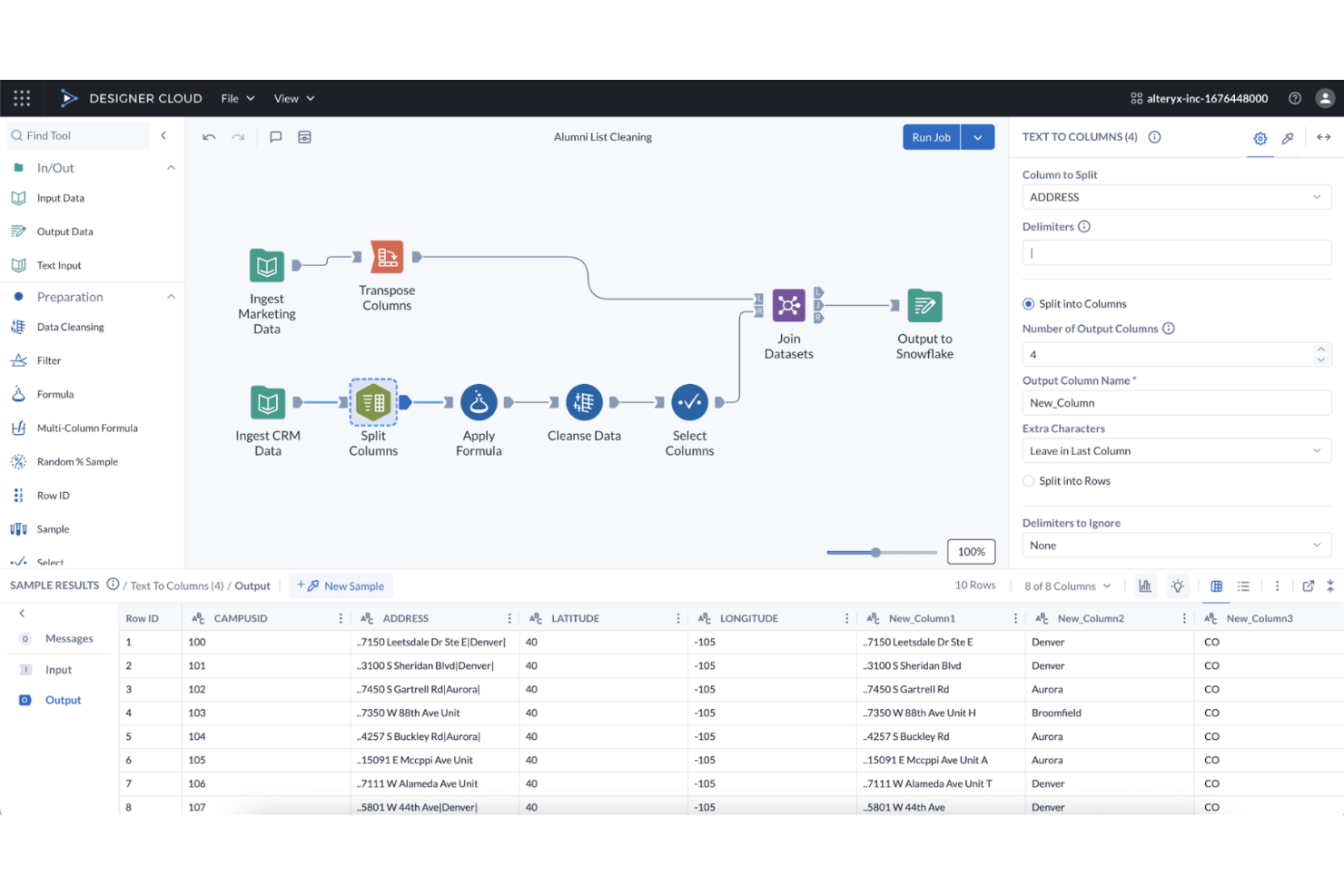
Alteryx stands out for teams that want to build advanced analytics workflows without writing code. It’s especially useful for business analysts and data professionals who need to automate data preparation, blending, and predictive modeling across multiple sources. As a no-code platform with a visual, drag-and-drop interface, it provides a flexible transformation framework for designing complex analytics pipelines without relying on SQL or Python. Unlike SQL-first tools such as dbt or Dataform, Alteryx prioritizes visual workflow design over code-driven data modeling.
Why Alteryx Is a Good dbt Alternative
For teams that want to build advanced analytics workflows without writing code, Alteryx offers a unique approach compared to dbt. I picked Alteryx because its visual workflow designer lets you create, automate, and share complex data transformations and predictive models without needing SQL or Python skills. The platform includes built-in tools for data preparation, blending, and advanced analytics, all accessible through a drag-and-drop interface. This makes Alteryx a strong fit for analytics teams that need to empower non-developers to build and maintain sophisticated analytics pipelines.
Alteryx Key Features
Some other Alteryx features help teams extend and manage their analytics processes:
- Geospatial Analytics Tools: Analyze and visualize spatial data using built-in mapping and location-based functions.
- Data Connectors Library: Access a wide range of data sources, including cloud platforms, databases, and applications.
- Automated Reporting: Generate and schedule reports directly from your analytics workflows.
- Collaboration Workspaces: Share workflows, assets, and results with team members in a centralized environment.
Alteryx Integrations
Integrations include Snowflake, AWS, Databricks, Google Cloud, and more.
Pros and Cons
Pros:
- Workflow sharing enables team collaboration
- Large library supports many connectors
- Built-in tools support advanced analytics
Cons:
- Version control and modularity are limited
- Audit trails and lineage lack granularity

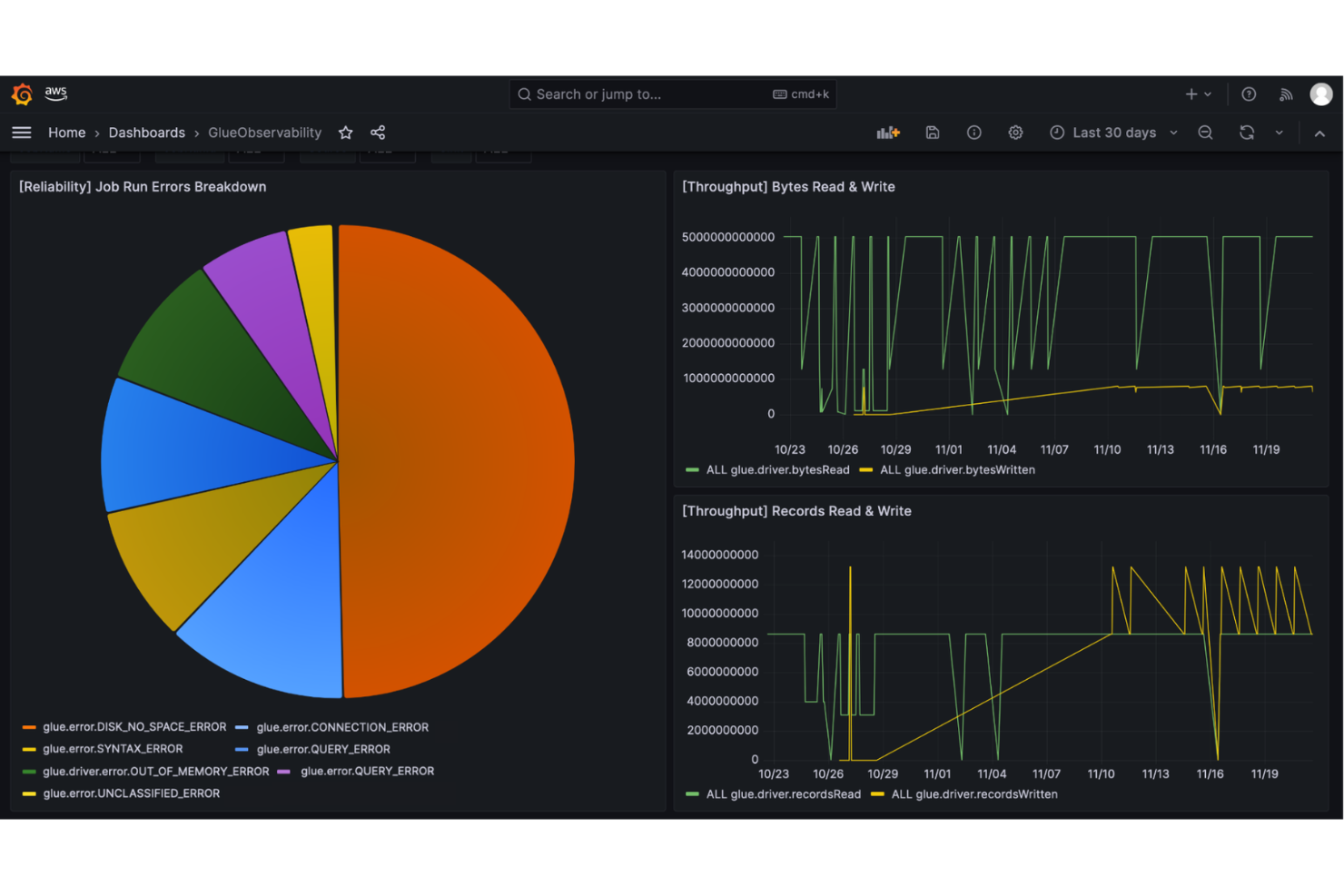
If you’re looking for a fully managed, serverless ETL platform, AWS Glue is designed for automation-focused data teams. It’s a strong fit for organizations already invested in the AWS ecosystem that want to automate data discovery, cataloging, and transformation at scale. Unlike dbt, AWS Glue handles infrastructure management and scaling behind the scenes, letting you focus on building and automating complex ETL workflows.
Why AWS Glue Is a Good dbt Alternative
Unlike dbt, AWS Glue is built for teams that want to automate ETL processes without managing servers or infrastructure. I picked AWS Glue because it automatically provisions resources, scales jobs, and handles job scheduling, which is ideal for high-volume or unpredictable workloads. The tool’s serverless architecture means you can focus on building and orchestrating data pipelines while AWS manages the underlying compute and storage. This makes AWS Glue a strong choice for analytics engineering teams that prioritize automation and scalability in their ETL workflows.
AWS Glue Key Features
Some other AWS Glue features help teams manage and optimize their data engineering workflows:
- Data Catalog: Maintain a central metadata repository for all your data assets.
- Crawlers: Automatically scan and classify data sources to update the data catalog.
- Job Monitoring Dashboard: Track job status, logs, and performance metrics in real time.
- Developer Endpoints: Access interactive development environments for custom ETL script authoring and testing.
AWS Glue Integrations
Integrations include Amazon S3, Amazon Redshift, Amazon RDS, Amazon Aurora, Amazon DynamoDB, Amazon Athena, Amazon EMR, AWS Lambda, Amazon Kinesis, and AWS CloudTrail.
Pros and Cons
Pros:
- Automated cataloging simplifies metadata discovery
- AWS integration simplifies cloud workflows
- Serverless removes infrastructure management
Cons:
- Large workflow troubleshooting is challenging
- Limited non-AWS data source support

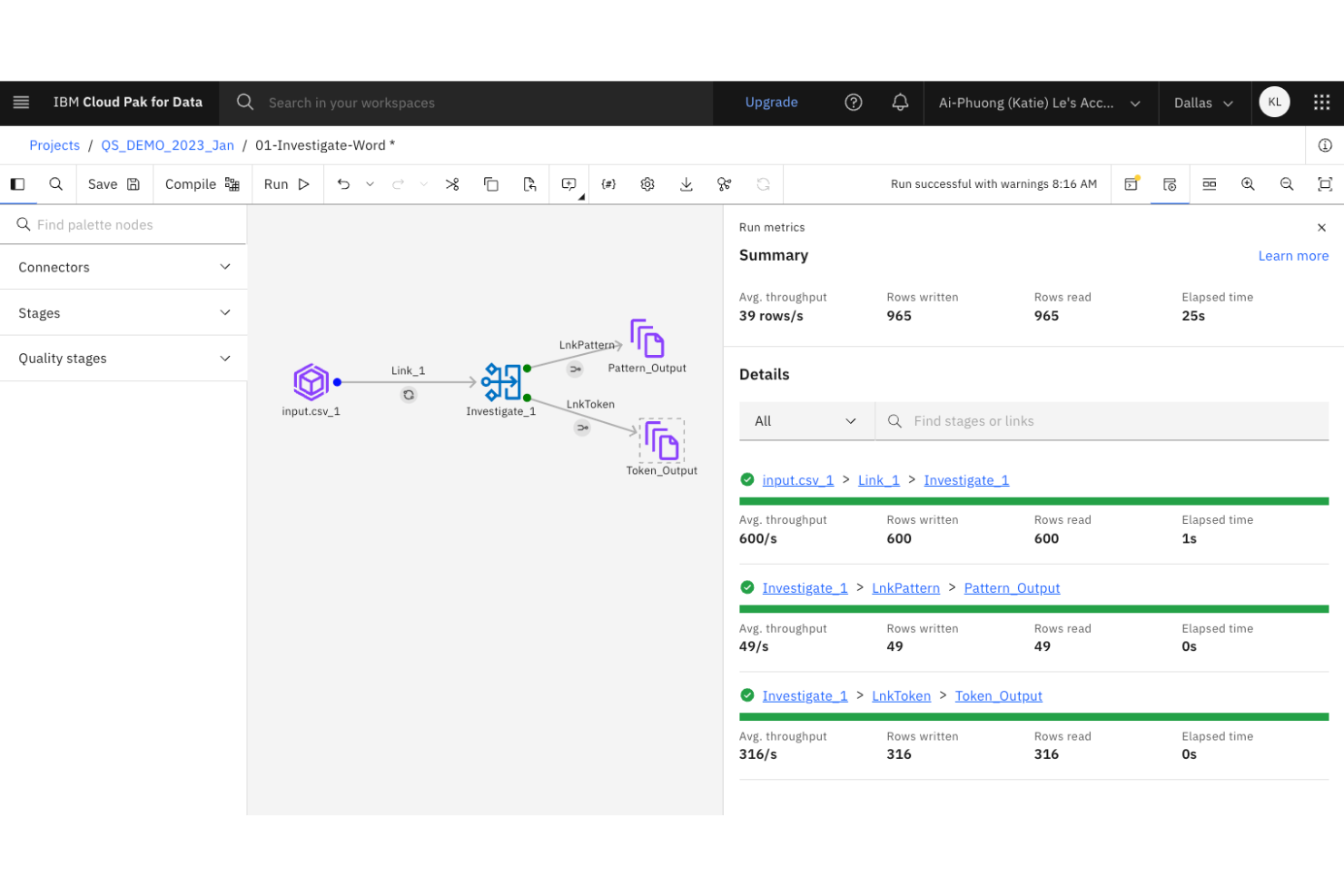
Large organizations with complex data integration needs often turn to IBM DataStage for its enterprise-grade scalability. This platform is designed for IT teams and data engineers who need to orchestrate high-volume, high-complexity data pipelines across hybrid and multi-cloud environments. Unlike dbt, IBM DataStage offers parallel processing and workload balancing features built for demanding enterprise workloads.
Why IBM DataStage Is a Good dbt Alternative
When you need to manage analytics engineering at true enterprise scale, IBM DataStage brings capabilities that go beyond what dbt offers. I picked IBM DataStage because it’s built for orchestrating massive data workloads with parallel processing and workload balancing. The platform also supports hybrid and multi-cloud deployments, which are essential for organizations with distributed data environments. These features make it a strong choice for teams that need to handle high-volume, mission-critical data pipelines.
IBM DataStage Key Features
Some other IBM DataStage features help teams manage complex data engineering projects:
- Graphical Job Design Interface: Build and visualize data pipelines using a drag-and-drop interface.
- Extensive Connectivity: Connect to a wide range of databases, data warehouses, and cloud storage platforms.
- Data Quality Services: Integrate data profiling, cleansing, and validation directly into your workflows.
- Metadata Management: Track, document, and govern data lineage and transformations across your environment.
IBM DataStage Integrations
Integrations are not publicly listed.
Pros and Cons
Pros:
- Built-in tools enable data cleansing
- Hybrid/multi-cloud supports flexible architectures
- Parallel execution handles high-volume data
Cons:
- Modular code-based workflows are limited
- Upgrades require significant downtime

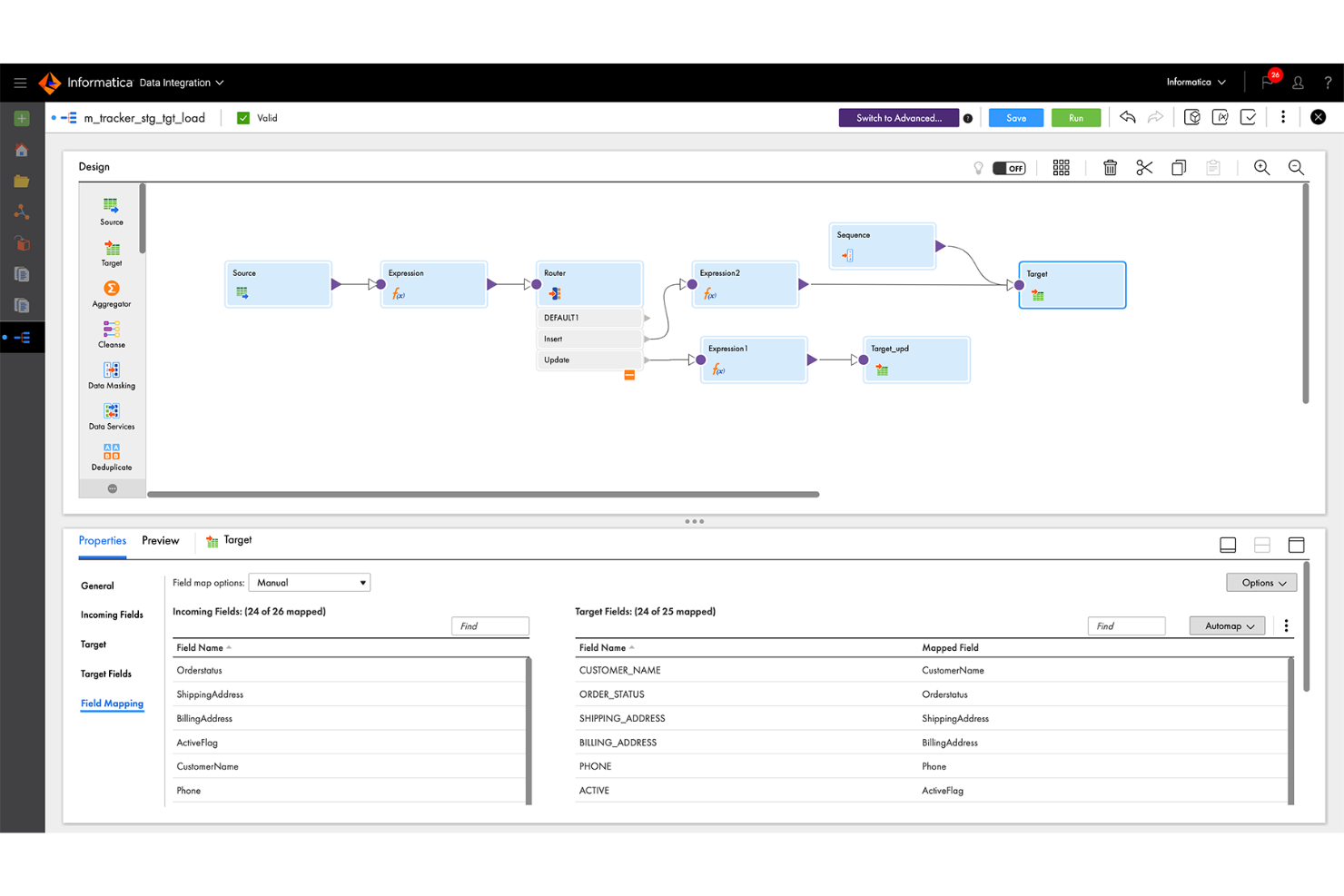
If your team needs to connect to a wide range of data sources, Informatica stands out for its extensive connector library. This platform is a strong fit for enterprises and data engineering teams that manage diverse, distributed data environments. Unlike dbt, Informatica offers native integration with hundreds of databases, applications, and cloud services, making it easier to unify and transform data from almost anywhere.
Why Informatica Is a Good dbt Alternative
For teams that need to connect to a wide variety of data sources, Informatica offers a connector library that’s much broader than what dbt provides. I picked Informatica because it supports native connections to hundreds of databases, SaaS platforms, and on-premises systems. This makes it possible to build analytics pipelines that unify data from legacy, cloud, and hybrid environments without custom development. Informatica’s prebuilt connectors help reduce manual integration work and keep data engineering projects moving forward.
Informatica Key Features
Some other Informatica features help teams manage and optimize their analytics workflows:
- AI-Powered Data Mapping: Automatically map data fields between sources and targets using built-in AI.
- Data Quality Management: Profile, cleanse, and monitor data quality within your pipelines.
- Workflow Orchestration: Design, schedule, and monitor complex data workflows from a central dashboard.
- Role-Based Access Control: Set granular permissions for users and groups to manage data access securely.
Informatica Integrations
Integrations are not publicly listed.
Pros and Cons
Pros:
- Visual design supports complex transformations
- Data quality and profiling included
- Native connectors support diverse sources
Cons:
- Modular code-based workflows are limited
- Large workloads require performance tuning

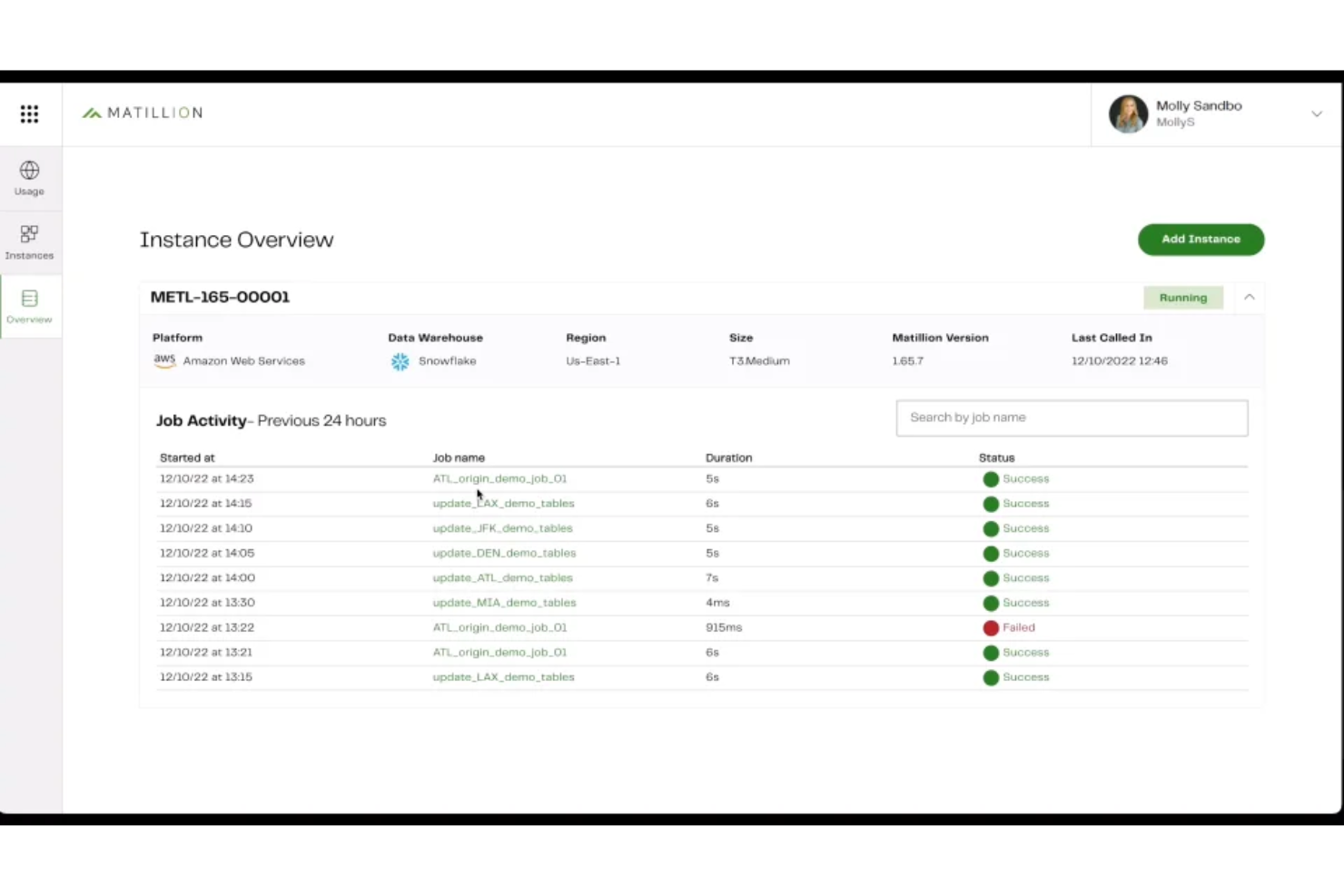
Matillion stands out for teams that want to design and manage data pipelines with minimal coding. Its low-code interface appeals to data engineers and analytics professionals who need to build, orchestrate, and maintain complex workflows without writing extensive SQL or Python. Unlike dbt, Matillion focuses on visual pipeline building and broad connector support, making it easier to integrate and transform data from a wide range of sources.
Why Matillion Is a Good dbt Alternative
For teams that want to build data pipelines without heavy coding, Matillion offers a visual, low-code approach that sets it apart from dbt. I picked Matillion because its drag-and-drop interface lets you design, schedule, and monitor complex workflows without writing extensive SQL or Python. The platform also provides built-in connectors for a wide range of data sources, making it easier to ingest and transform data from cloud and on-premises systems. This makes Matillion a strong choice for analytics engineering teams that prioritize visual workflow design and rapid pipeline development.
Matillion Key Features
Some other features in Matillion help teams manage and optimize their analytics workflows:
- Version Control Integration: Connect your projects to Git repositories for source control and collaboration.
- Job Orchestration: Schedule and automate multi-step data workflows with built-in orchestration tools.
- Environment Management: Create and manage multiple environments for development, testing, and production.
- Data Quality Components: Use built-in components to validate, cleanse, and profile data within your pipelines.
Matillion Integrations
Integrations are not publicly listed.
Pros and Cons
Pros:
- Orchestration tools enable job scheduling
- Built-in connectors support many sources
- Visual builder allows rapid design
Cons:
- Transformation logic lacks transparency
- Advanced version control is limited

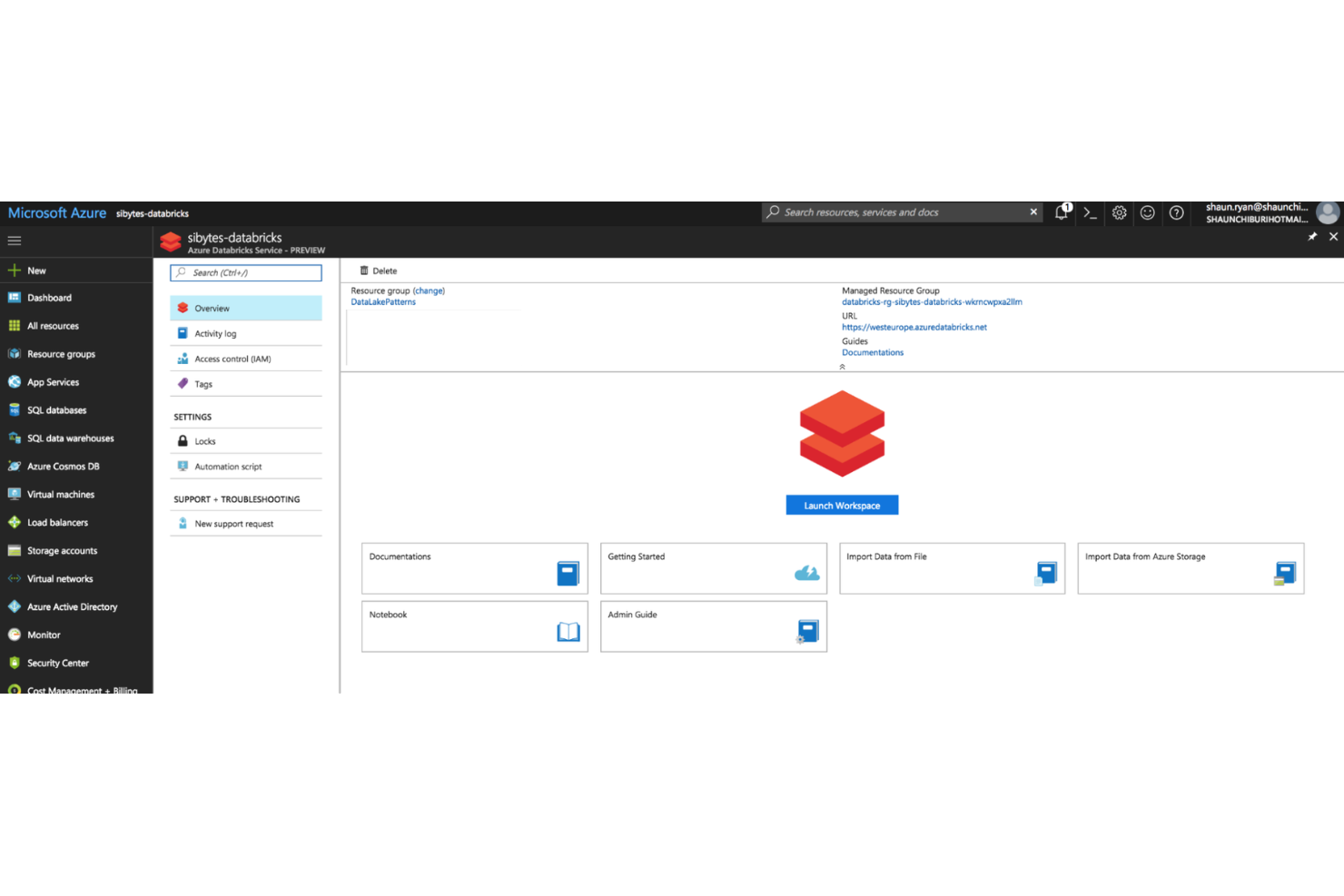
For teams that want to combine analytics engineering with collaborative data science, Azure Databricks offers a unified workspace built around interactive notebooks. It’s especially useful for organizations that need to bring together data engineers, analysts, and data scientists to work on shared projects in real time. Unlike dbt, Azure Databricks supports advanced machine learning workflows and large-scale data processing directly within the same environment, and it integrates smoothly with Azure Data Factory for orchestrating and managing data pipelines across the Azure ecosystem.
Why Azure Databricks Is a Good dbt Alternative
For analytics teams that prioritize real-time collaboration and interactive development, Azure Databricks stands out with its notebook-based approach. I picked Azure Databricks because it lets multiple users work together on shared notebooks, combining SQL, Python, and Scala in a single workflow. The platform also supports version control and inline visualizations, making it easier to iterate on data models and analytics projects. This collaborative environment is especially valuable for organizations that want to bridge the gap between analytics engineering and data science.
Azure Databricks Key Features
Some other Azure Databricks features help teams manage and scale their analytics workflows:
- Delta Lake Integration: Store and manage large-scale data with ACID transaction support.
- Job Scheduling: Automate notebook execution and pipeline orchestration with built-in scheduling tools.
- Cluster Management: Provision, scale, and terminate compute clusters on demand.
- MLflow Integration: Track experiments and manage machine learning models within the same workspace.
Azure Databricks Integrations
Integrations include Amazon S3, Snowflake, Power BI, Tableau, Airflow, and more.
Pros and Cons
Pros:
- MLflow tools simplify experiment tracking
- Supports SQL, Python, and Scala
- Delta Lake enables data versioning
Cons:
- Orchestration features are less mature
- Transformation features are less modular

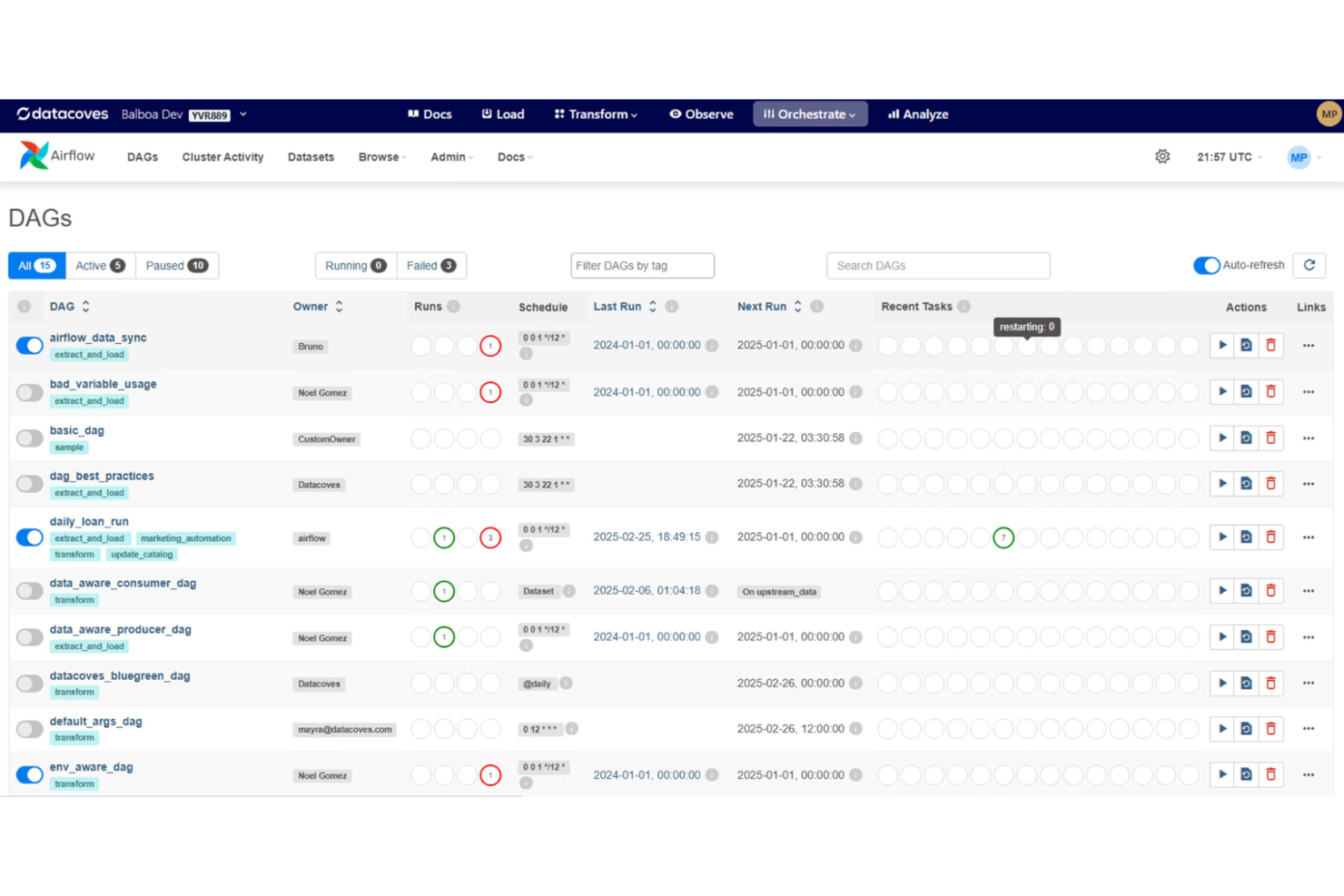
For analytics teams looking to simplify and standardize their development environments, Datacoves offers a managed solution tailored to dbt workflows. It’s especially useful for organizations that want to reduce setup time, enforce best practices, and support collaboration across data projects. Datacoves stands out by providing pre-configured, containerized environments that help teams avoid configuration drift and onboarding delays.
Why Datacoves Is a Good dbt Alternative
Unlike other analytics engineering tools, Datacoves focuses on delivering managed development environments that are purpose-built for dbt workflows. I picked Datacoves because it provides containerized, pre-configured workspaces that eliminate the hassle of manual setup and configuration drift. The platform also supports environment standardization, so every team member works with the same tools, dependencies, and settings. This approach is especially valuable for organizations that need to onboard new users quickly and maintain consistent development practices across projects.
Datacoves Key Features
Some other features in Datacoves help teams manage analytics engineering workflows more efficiently:
- Jupyter Notebook Integration: Launch and use Jupyter notebooks directly within your managed environment for exploratory analysis and documentation.
- Role-Based Access Controls: Assign permissions and manage user roles to control access to projects and resources.
- Automated Environment Provisioning: Spin up new development environments on demand with consistent configurations.
- Built-In Code Quality Checks: Run automated linting and validation on dbt projects to enforce coding standards.
Datacoves Integrations
Integrations are not publilcy listed.
Pros and Cons
Pros:
- Automated checks enforce project standards
- Jupyter support enables interactive exploration
- Pre-configured environments reduce setup time
Cons:
- Environment customization is restricted
- Pricing and trials lack transparency

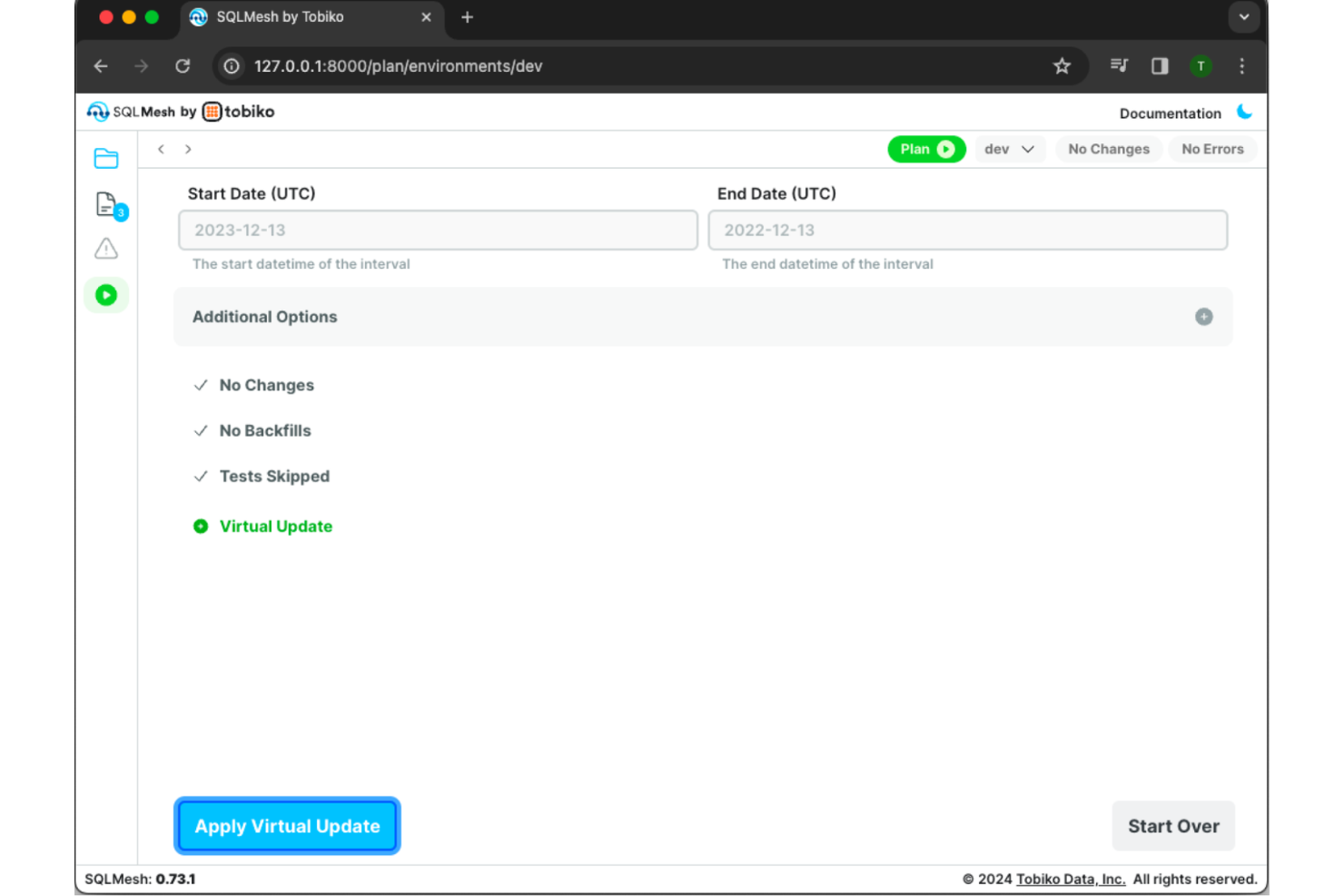
SQLMesh is designed for analytics engineers and data teams who need version control and workflow management for SQL-based data pipelines. Unlike dbt, SQLMesh emphasizes Git-style branching and change management, making it easier to test, review, and deploy SQL changes safely. If your team struggles with tracking changes or collaborating on complex SQL projects, SQLMesh addresses these challenges directly.
Why SQLMesh Is a Good dbt Alternative
For teams that need version-controlled SQL workflows, SQLMesh offers a different approach than dbt. I picked SQLMesh because it brings Git-style branching and staging directly into the analytics engineering process, letting you isolate, test, and review changes before merging them into production. The tool’s built-in environment management supports parallel development and safe experimentation with SQL models. As a cloud-native platform, SQLMesh also adds observability into the transformation layer, along with a built-in scheduler to orchestrate and monitor data workflows. This makes SQLMesh a strong fit for organizations that prioritize collaboration, auditability, and rollback capabilities in their data workflows.
SQLMesh Key Features
Some other features in SQLMesh help analytics engineering teams manage and optimize their workflows:
- Incremental Model Support: Build and update only the data that has changed, reducing processing time and resource usage.
- Automated Data Validation: Run built-in checks to catch data quality issues before changes are deployed.
- Time Travel Queries: Query historical versions of your data models to audit or troubleshoot changes.
- Rich CLI and API Access: Interact with SQLMesh through a command-line interface or integrate it into custom workflows using its API.
SQLMesh Integrations
Integrations are not publicly listed.
Pros and Cons
Pros:
- Automated validation catches errors early
- Incremental models reduce processing workloads
- Git branching enables isolated development
Cons:
- No support for Jinja templating
- Public guides are limited

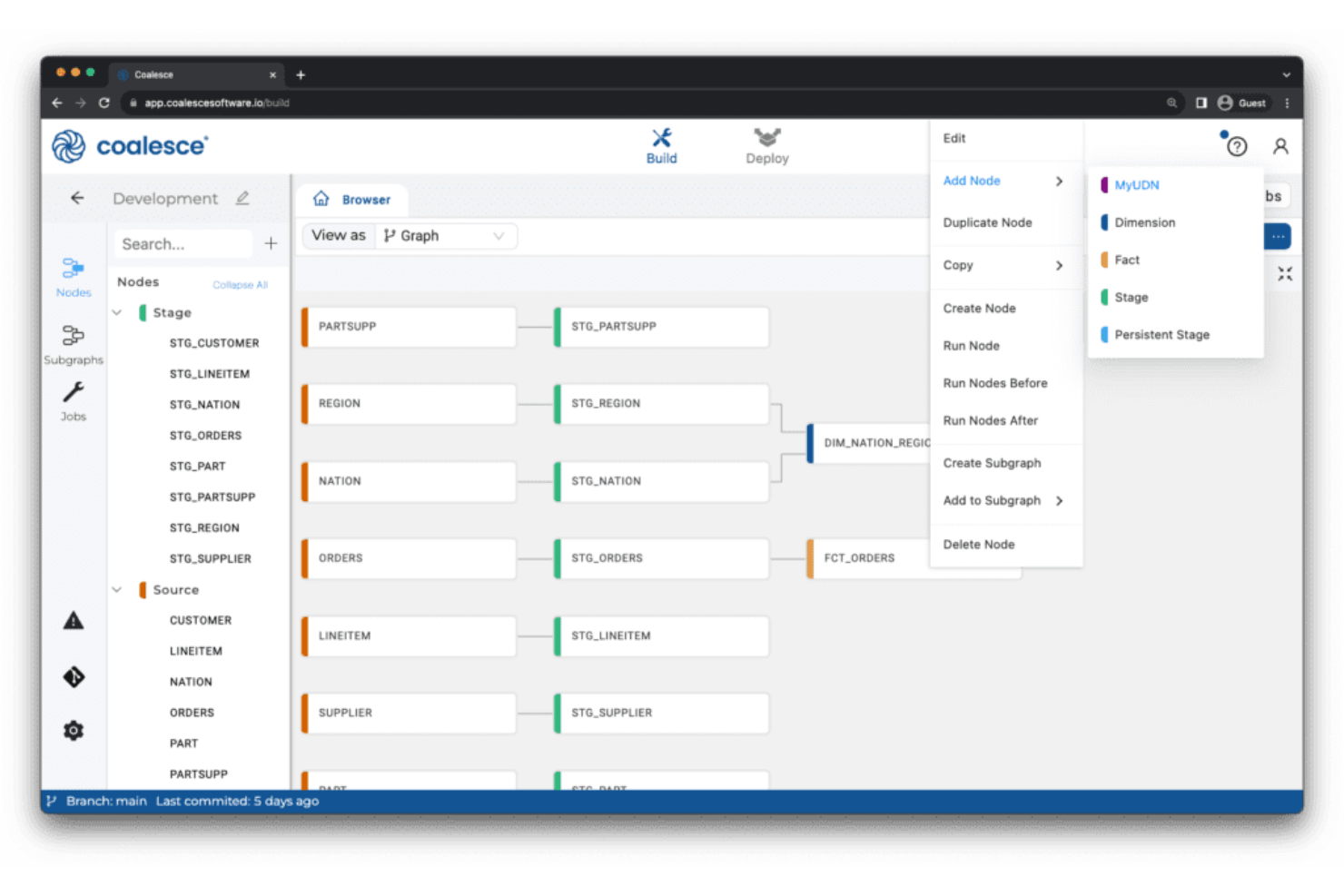
Coalesce offers analytics engineering teams a visual approach to building and managing data transformations. It stands out for its column-level data lineage visualization, making it easier for data engineers and analysts to trace dependencies and understand complex pipelines. If you need granular visibility and control over your data workflows, Coalesce addresses challenges that traditional SQL-based tools like dbt may not.
Why Coalesce Is a Good dbt Alternative
What sets Coalesce apart as a dbt alternative is its focus on column-level data lineage visualization. I picked Coalesce for teams that need to trace data transformations at a granular level, which is often a challenge with dbt’s more code-centric approach. Unlike traditional data build tool (dbt) workflows that can come with a steeper learning curve for non-engineers, Coalesce provides a more visual approach to data orchestration. It offers interactive lineage diagrams and a clear view of your transformation network, letting you see how each column is derived and how changes ripple through your pipeline. This level of transparency helps analytics engineers quickly troubleshoot issues and maintain data quality across complex workflows.
Coalesce Key Features
Some other features in Coalesce support analytics engineering teams looking for more control and flexibility:
- Visual Transformation Builder: Design and edit data transformation workflows using a drag-and-drop interface instead of writing only SQL.
- Automated Documentation: Generate and update technical documentation for your data models as you build and modify them.
- Role-Based Access Controls: Set granular permissions for users and teams to manage who can view or edit specific projects and workflows.
- Template-Driven Development: Use reusable templates to standardize common transformation logic and accelerate project setup.
Coalesce Integrations
Integrations include Snowflake, BigQuery, Databricks, Salesforce, Tableau, and more.
Pros and Cons
Pros:
- Templates ensure project standardization
- RBAC simplifies team permissions
- Column-level lineage diagrams
Cons:
- Limited open-source extensibility
- Fewer community resources than dbt

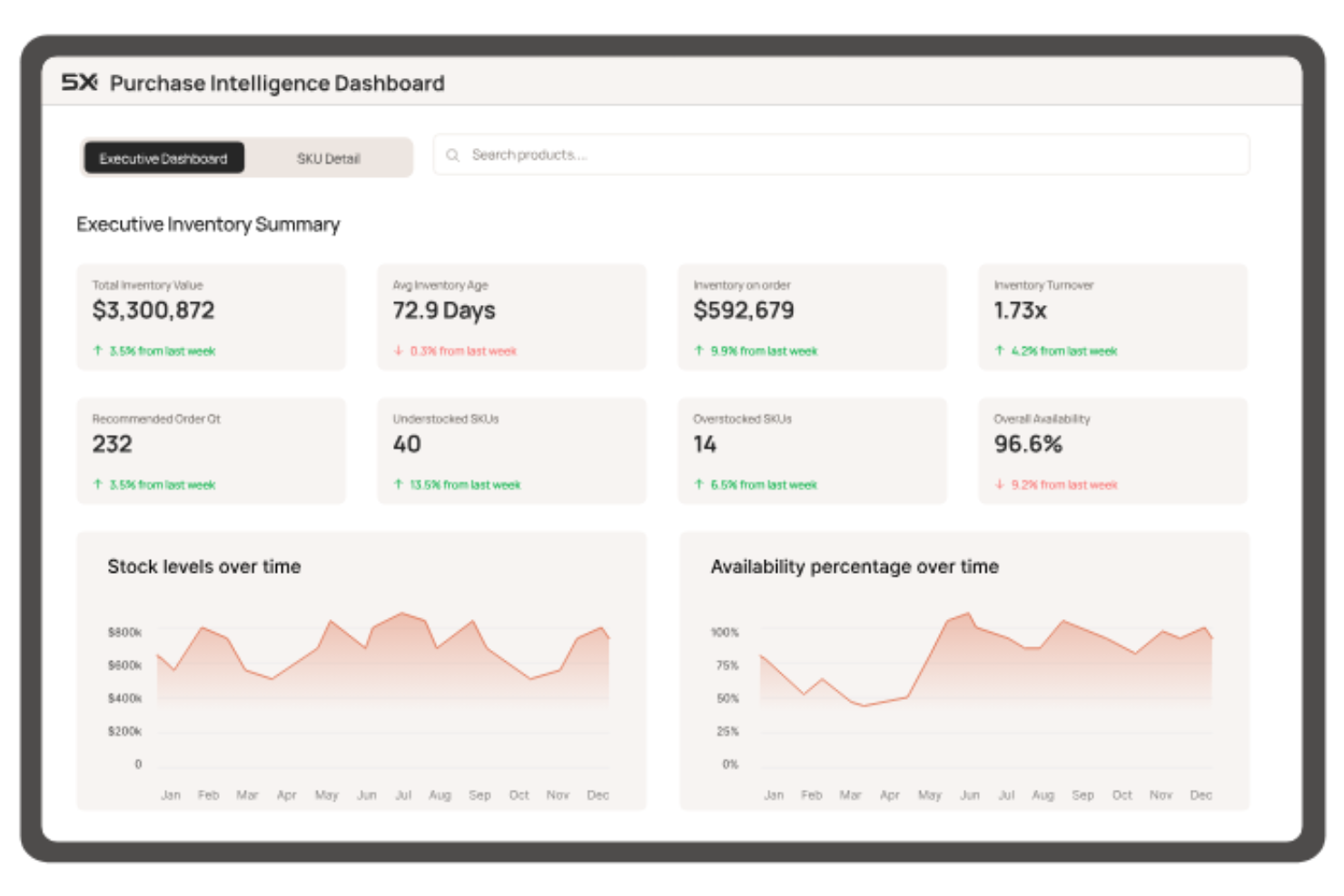
If you’re managing analytics across multiple cloud platforms, 5X offers a unified way to orchestrate your entire data stack. This tool is designed for data teams and businesses that need to coordinate data workflows, governance, and monitoring across different cloud vendors. 5X stands out by letting you centralize control and automate processes in complex, multi-cloud environments—something dbt and other analytics engineering tools don’t natively address.
Why 5X Is a Good dbt Alternative
For teams that need to orchestrate analytics workflows across multiple cloud providers, 5X brings a unique approach that dbt doesn’t cover. I picked 5X because it lets you design, deploy, and monitor your entire data stack from a single platform, regardless of which cloud services you use. The tool offers centralized workflow automation and governance features that help manage data pipelines, security, and compliance across AWS, Google Cloud, Azure, and more. This makes 5X especially valuable for organizations with complex, distributed data environments that need unified control.
5X Key Features
Some other features in 5X help teams manage and optimize their analytics engineering workflows:
- Pre-built Data Stack Templates: Choose from curated templates to quickly deploy common analytics architectures.
- Cost Monitoring Dashboard: Track and visualize cloud spend across all connected data services.
- Data Quality Monitoring: Set up automated checks and alerts for data freshness, completeness, and accuracy.
- User and Role Management: Assign granular permissions and manage access for different team members.
5X Integations
Integrations are not publicly listed.
Pros and Cons
Pros:
- Dashboards track and manage costs
- Templates accelerate new project deployment
- Multi-cloud supports diverse cloud workflows
Cons:
- Platform may be overkill for simple needs
- Fewer open-source components are available
Other dbt Alternatives
Here are some additional dbt alternatives that didn’t make it onto my shortlist, but are still worth checking out:
- Snowflake Native Apps
For in-platform data transformation
- Hevo
For zero-maintenance data pipelines
- Airbyte
For open-source connector extensibility
- Estuary
For real-time data streaming
- Coupler.io
For direct integration with business apps
- Fivetran
For automated schema migration
- Datameer
For spreadsheet-style data modeling
- Nexla
For unified data operations management
- FME
For complex data transformation logic
- Orchestra
For customizable workflow automation


dbt Alternatives Selection Criteria
When selecting the best dbt alternatives to include in this list, I considered common buyer needs and pain points related to analytics engineering tool products, like supporting non-SQL users and automating complex data transformation workflows. I also used the following framework to keep my evaluation structured and fair:
Core Functionality (25% of total score)
To be considered for inclusion in this list, each solution had to fulfill these common use cases:
- Transform raw data into analytics-ready datasets
- Automate data pipeline orchestration
- Support version control for analytics workflows
- Enable data quality checks and validation
- Integrate with major data warehouses
Additional Standout Features (25% of total score)
To help further narrow down the competition, I also looked for unique features, such as:
- Visual workflow design interface
- Built-in machine learning or predictive analytics tools
- Real-time data processing capabilities
- Advanced data lineage and impact analysis
- Native support for geospatial analytics
Usability (10% of total score)
To get a sense of the usability of each system, I considered the following:
- Intuitive navigation and clear workflow organization
- Minimal setup required to start building pipelines
- Customizable dashboards and workspace layouts
- Accessibility of documentation within the platform
- Responsive and visually clear interface design
Onboarding (10% of total score)
To evaluate the onboarding experience for each platform, I considered the following:
- Availability of step-by-step product tours
- Access to training videos and webinars
- Pre-built templates for common analytics tasks
- In-app chatbots or guided help features
- Clear migration tools for importing existing workflows
Customer Support (10% of total score)
To assess each software provider’s customer support services, I considered the following:
- Multiple support channels, including chat, email, and phone
- Availability of a searchable knowledge base
- Responsiveness and expertise of support staff
- Access to user communities or forums
- Availability of dedicated customer success managers
Value For Money (10% of total score)
To evaluate the value for money of each platform, I considered the following:
- Transparent and flexible pricing models
- Features included in base pricing versus add-ons
- Scalability of pricing for growing teams
- Free trial or demo availability
- Alignment of cost with feature depth
Customer Reviews (10% of total score)
To get a sense of overall customer satisfaction, I considered the following when reading customer reviews:
- Consistency of positive feedback across platforms
- Reported reliability and stability of the tool
- User sentiment about support and onboarding
- Frequency of updates and new feature releases
- Real-world examples of business impact
Why Look For a dbt Alternative?
While dbt is a good choice of analytics engineering tool, there are a number of reasons why some users seek out alternative solutions. You might be looking for a dbt alternative because…
- You need a code-free or low-code analytics workflow builder
- Your team lacks advanced SQL or engineering skills
- You want built-in machine learning or predictive analytics tools
- You require real-time or streaming data processing
- You need more granular data lineage and audit trails
- Your organization prefers a visual interface for pipeline design
If any of these sound like you, you’ve come to the right place. My list contains several analytics engineering tool options that are better suited for teams facing these challenges with dbt and looking for alternative solutions.
dbt Key Features
Here are some of the key features of dbt, to help you contrast and compare what alternative solutions offer:
- SQL-based data transformation and modeling
- Version control integration with Git
- Automated testing and data quality checks
- Modular project structure for reusable code
- Documentation generation for models and workflows
- Dependency management and DAG visualization
- Support for major cloud data warehouses
- Incremental model building for efficient processing
- Command-line interface and API access
- Environment management for development and production
What’s Next:
If you're in the process of researching dbt alternatives, connect with a SoftwareSelect advisor for free recommendations.
You fill out a form and have a quick chat where they get into the specifics of your needs. Then you'll get a shortlist of software to review. They'll even support you through the entire buying process, including price negotiations.