
19 DBeaver Alternatives In 2026

DBeaver Alternative Shortlist
Here’s my shortlist of DBeaver alternatives:


A strong DBeaver alternative offers broad database compatibility, flexible query tools, and a user experience that supports both routine management and complex troubleshooting. While DBeaver is a popular open-source database management tool, many teams evaluate both open-source and commercial database tools when looking for alternatives.
Depending on your workflow, you might need stronger support for specific database platforms, more advanced SQL editing features, or a different type of interface for managing multiple databases. Some developers prefer lightweight SQL clients, while others want a full-featured database IDE with advanced automation, schema design, or performance analysis tools.
This list includes a mix of open-source and commercial DBeaver alternatives, helping you compare different database management tools based on compatibility, usability, and feature depth so you can find the best option for your workflow.
What is DBeaver?
DBeaver is an open-source database management tool that supports a wide range of relational and non-relational databases. It provides a unified interface for connecting to, querying, and managing databases such as MySQL, PostgreSQL, Oracle, SQL Server, and more.
DBeaver is popular among database administrators, developers, and analysts for its cross-platform support, visual query builder, and features that simplify routine database tasks.
Best DBeaver Alternatives Summary
This comparison chart summarizes pricing details for my top DBeaver alternatives selections to help you find the best one for your budget and business needs.
| Tool | Best For | Trial Info | Price | ||
|---|---|---|---|---|---|
| 1 | Best for intuitive user interface design | Free trial available | From $79/month | Website | |
| 2 | Best for intelligent code completion | 30-day free trial + free plan available | From $10.90/user/month | Website | |
| 3 | Best with Microsoft SQL Server integration | Free plan available | Free to use | Website | |
| 4 | Best for lightweight MySQL management | Free plan available | Free to use | Website | |
| 5 | Best for visual schema design | Free plan available | From $19.6/user/month | Website | |
| 6 | Best for plugin extensibility | Free plan available | Free | Website | |
| 7 | Best for collaborative SQL editing | Free plan available and 14-day free trial | From $9/user/month (billed annually) | Website | |
| 8 | Best for database automation features | Free trial available | Pricing upon request | Website | |
| 9 | Best for cross-platform database management | 14-day free trial | From $1,599/user (perpetual license) | Website | |
| 10 | Best for scriptable SQL workflows | Free plan available | Free | Website |
Why Trust Our Software Reviews
-

Site24x7
Visit WebsiteThis is an aggregated rating for this tool including ratings from Crozdesk users and ratings from other sites.4.6 -
Docker
Visit WebsiteThis is an aggregated rating for this tool including ratings from Crozdesk users and ratings from other sites.4.6 -
Pulumi
Visit WebsiteThis is an aggregated rating for this tool including ratings from Crozdesk users and ratings from other sites.4.8





Best DBeaver Alternatives Reviewed
Below are my detailed summaries of the best DBeaver alternatives that made it onto my shortlist. My reviews offer a detailed look at the features, capabilities, and best use cases of each tool to help you find the best one for you.

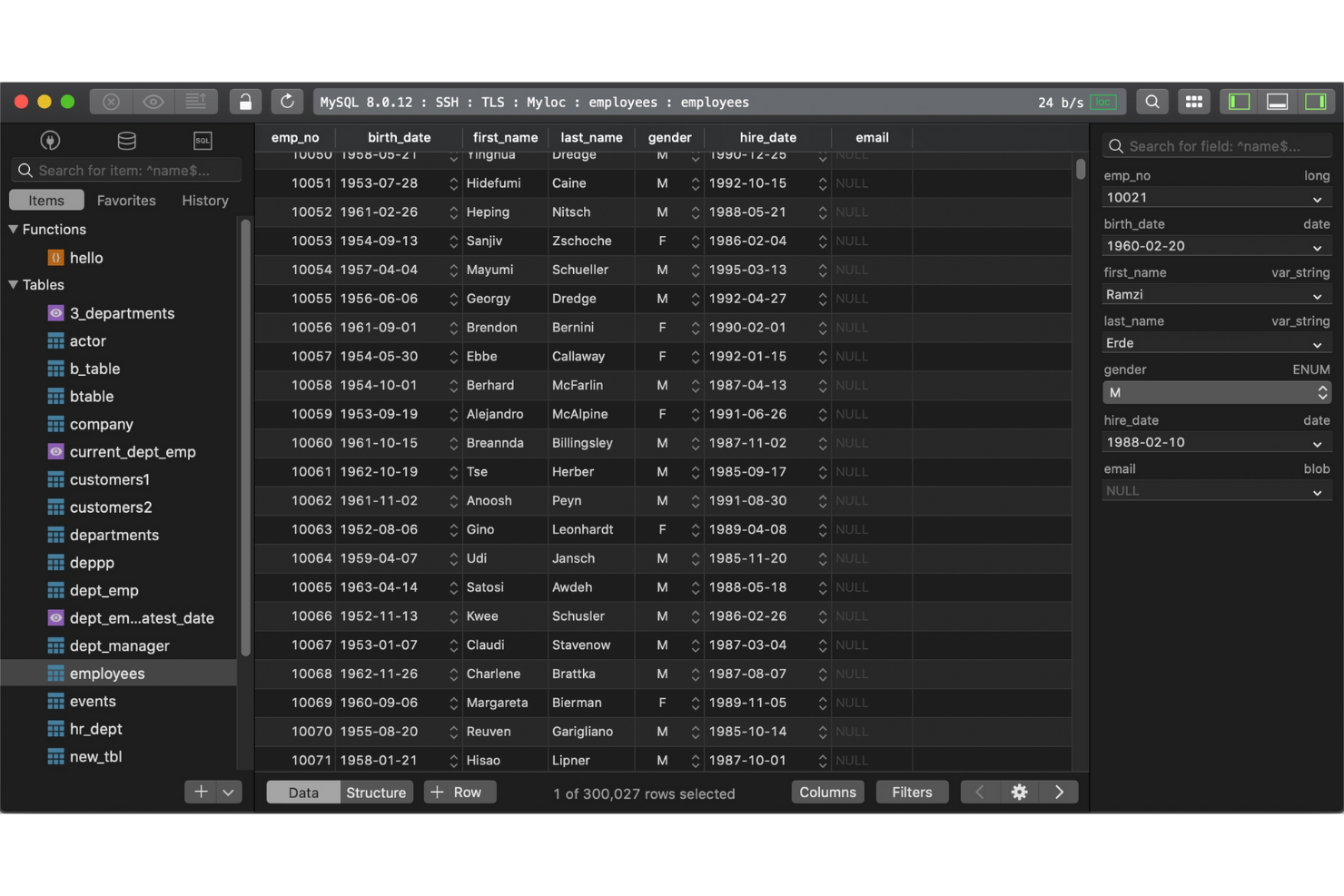
If you’re looking for a database management tool with a focus on speed and simplicity, TablePlus is worth considering. It’s designed for IT specialists and developers who want a clean, modern interface for managing multiple databases without extra clutter. TablePlus stands apart from DBeaver and most open-source options by prioritizing intuitive navigation and quick access to essential features, making it easier to handle routine database tasks.
Why TablePlus Is a Good DBeaver Alternative
For IT teams who want a database management tool that feels fast and visually streamlined, TablePlus is a strong option. I picked it because its interface is designed to minimize distractions, with customizable tabs and a focus mode that helps you zero in on the task at hand. TablePlus also offers inline editing and instant result previews, so you can make changes and see outcomes without extra steps. These features make it appealing for users who value a clean workspace and efficient workflows over the more complex, multi-pane layouts found in DBeaver.
TablePlus Key Features
Some other features that make TablePlus appealing include:
- Multi-Database Support: Connect to and manage MySQL, PostgreSQL, SQLite, SQL Server, and more from a single app.
- Built-In SSH and TLS Encryption: Secure your database connections with integrated SSH and TLS support.
- Advanced Filtering and Search: Quickly locate tables, records, or queries using powerful search and filter tools.
- Plugin System: Extend TablePlus functionality with a growing library of user-contributed plugins.
TablePlus Integrations
Integrations include MySQL, PostgreSQL, Microsoft SQL Server, SQLite, Redis, MariaDB, Amazon Redshift, MongoDB, CockroachDB, and Oracle.
Pros and Cons
Pros:
- Secure connections with built-in SSH and TLS encryption
- Supports multiple relational databases from a single workspace
- User-friendly interface designed for fast database navigation
Cons:
- Plugin ecosystem smaller than many database management tools
- Limited database modeling and ER diagram functionality

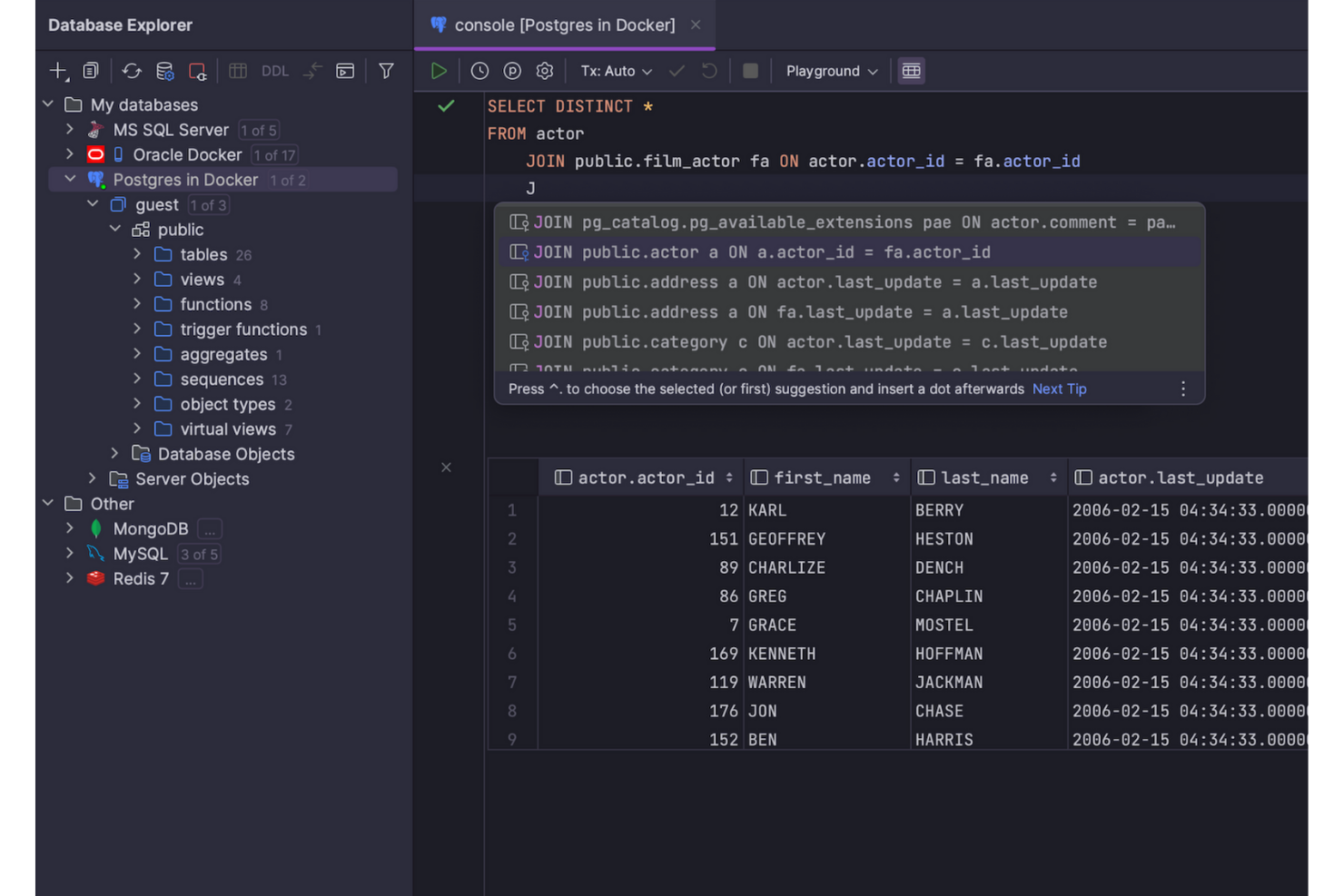
Developed by JetBrains, DataGrip is a database management tool built for IT specialists and developers who want advanced code assistance. It stands out from DBeaver and other open-source options by offering intelligent code completion, context-aware suggestions, and on-the-fly analysis for SQL queries. DataGrip is especially useful for teams that need to write, refactor, and troubleshoot complex database code across multiple platforms.
Why DataGrip Is a Good DBeaver Alternative
If you’re looking for a database management tool that excels at code completion, DataGrip is worth a close look. I picked it because its intelligent code completion engine understands database structure and context, offering precise suggestions as you write SQL. DataGrip also highlights errors in real time and provides quick fixes, which help reduce mistakes and speed up query development. These features make it a strong choice for IT specialists who want to write and maintain complex SQL code with fewer interruptions.
DataGrip Key Features
Some other features that make DataGrip appealing include:
- Version Control Integration: Connect directly with Git, Mercurial, and other version control systems from within the interface.
- Customizable Data Views: Create and save custom table views to organize and analyze data more efficiently.
- Multiple Database Support: Manage MySQL, PostgreSQL, Oracle, SQL Server, and other databases in one workspace.
- Schema Navigation: Quickly jump between tables, views, and procedures using an intuitive navigation panel.
DataGrip Integrations
Integrations include PostgreSQL, MySQL, Oracle, Microsoft SQL Server, MongoDB, Redis, Azure SQL, Amazon Redshift, Amazon DynamoDB, and SQLite.
Pros and Cons
Pros:
- Native integration with version control workflows
- Real-time query error detection and refactoring tools
- Intelligent SQL code completion based on database structure
Cons:
- Requires a paid license with no free tier
- Higher system resource usage than lightweight SQL clients

Best with Microsoft SQL Server integration
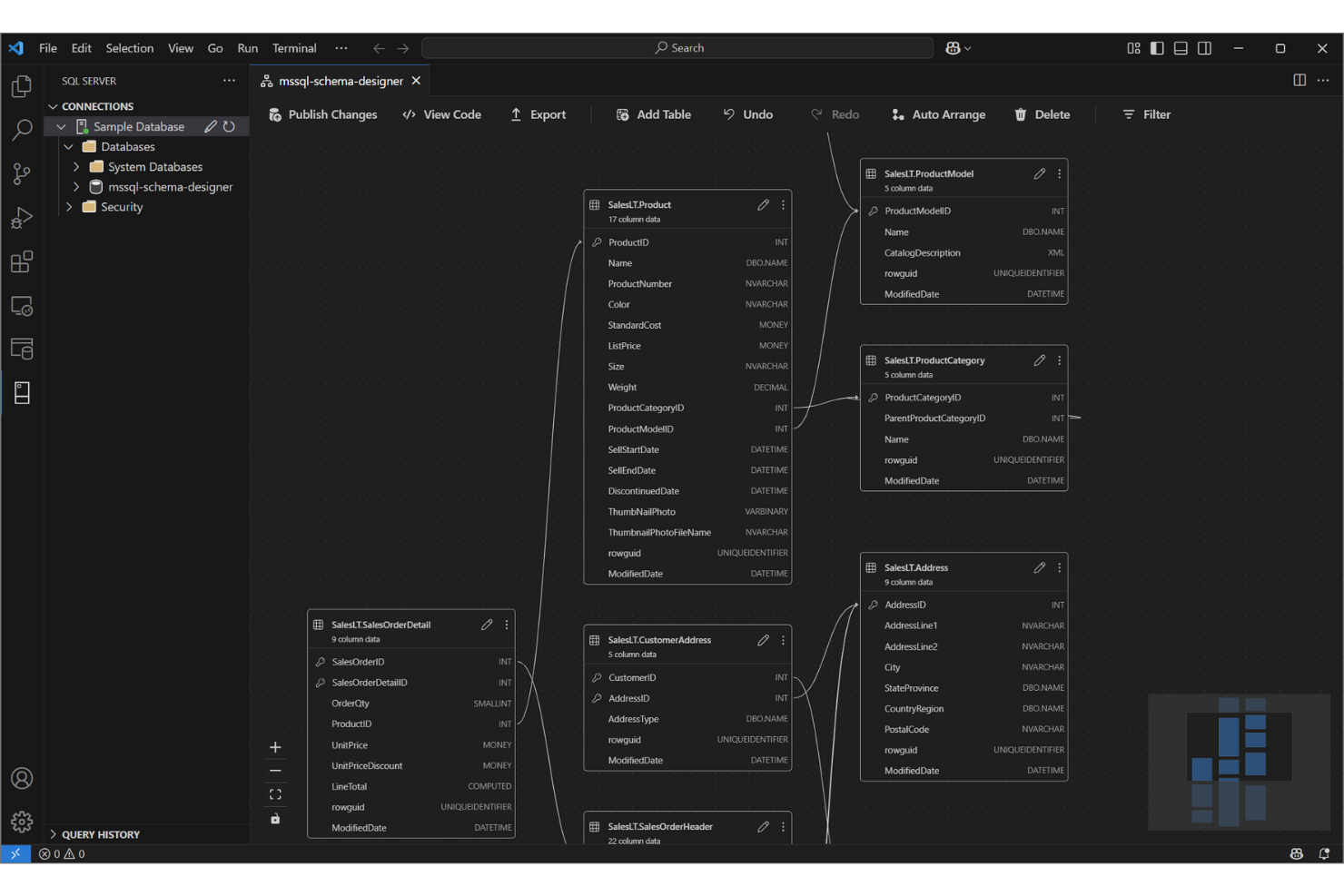
For IT teams working heavily with Microsoft SQL Server, SQL Server Management Studio (SSMS) offers a purpose-built environment for managing, configuring, and developing on SQL Server databases. Unlike DBeaver and other open-source tools, SSMS provides deep integration with Microsoft’s database ecosystem, including features for advanced security, performance tuning, and automation. It’s especially useful for database administrators and developers who need direct access to SQL Server-specific tools and workflows.
Why Microsoft SQL Server Management Studio Is a Good DBeaver Alternative
When you need a tool that’s tightly integrated with Microsoft SQL Server, SQL Server Management Studio stands out. I picked it because it offers direct access to advanced SQL Server features like agent job management, database mirroring, and built-in performance tuning tools.
SSMS also supports scripting and automation through SQL Server Agent and PowerShell, which is valuable for IT specialists managing large or complex SQL Server environments. These capabilities make it a strong choice for teams who want to leverage the full power of Microsoft’s database platform.
Microsoft SQL Server Management Studio Key Features
Some other features that make SSMS valuable for database professionals include:
- Graphical Query Designer: Build and visualize complex queries without writing SQL manually.
- Database Diagramming: Create and edit database diagrams to map out schema relationships.
- Export and Import Wizards: Move data between SQL Server and other sources using step-by-step wizards.
- Integrated Security Management: Configure and manage user roles, permissions, and security policies directly within the tool.
Microsoft SQL Server Management Studio Integrations
Integrations include SQL Server, Azure SQL Database, Azure SQL Managed Instance, SQL database in Microsoft Fabric, Azure Synapse Analytics, Azure Data Studio, PowerShell, Visual Studio, Active Directory, and Microsoft Purview.
Pros and Cons
Pros:
- Free database management tool for SQL Server environments
- Builin query optimization and performance monitoring toolst-
- Deep integration with Microsoft SQL Server management features
Cons:
- Interface feels dated compared with modern database tools
- Limited support for non-Microsoft database systems

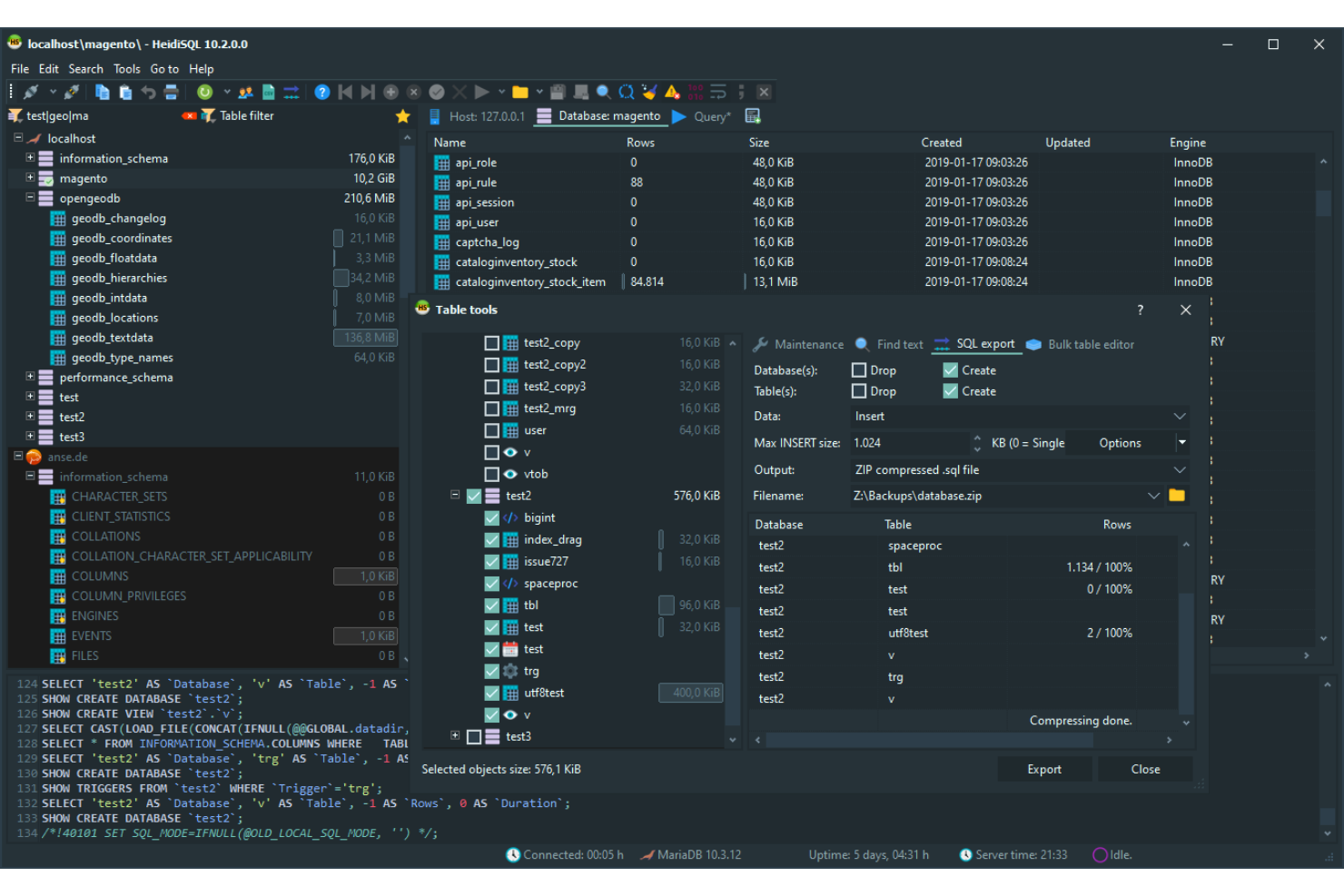
HeidiSQL stands out for IT specialists and database administrators who want a lightweight, no-frills solution for managing MySQL and MariaDB databases. It’s especially useful for teams that need fast connections, simple data exports, and direct query execution without the overhead of larger tools like DBeaver. HeidiSQL’s focus on speed and minimal resource usage makes it a practical choice for those working with smaller databases or on resource-constrained systems.
Why HeidiSQL Is a Good DBeaver Alternative
If you’re looking for a tool that keeps things lightweight and focused, HeidiSQL is a strong choice for MySQL management. I picked it because it launches quickly, uses minimal system resources, and provides direct access to MySQL and MariaDB databases without extra overhead.
Features like batch data export, direct table editing, and fast query execution make it ideal for IT specialists who want to get in and out of their databases efficiently. For teams that don’t need the multi-database support or advanced visualization tools of DBeaver, HeidiSQL’s streamlined approach is a practical fit.
HeidiSQL Key Features
Some other features that make HeidiSQL appealing include:
- Session Manager: Organize and save connection settings for multiple servers in one place.
- User Privilege Editor: Manage database user accounts and permissions through a graphical interface.
- Import and Export Tools: Move data between SQL files, CSV, and other formats with built-in wizards.
- Custom Query Snippets: Save and reuse frequently used SQL code snippets for faster query writing.
HeidiSQL Integrations
Integrations include MySQL, MariaDB, Microsoft SQL Server, PostgreSQL, SQLite, Interbase, and Firebird.
Pros and Cons
Pros:
- Fast data import, export, and table editing for relational databases
- Open-source SQL client for managing MySQL and MariaDB databases
- Lightweight database management tool with minimal system requirements
Cons:
- Limited support for NoSQL database platforms
- Windows-only SQL client with no native macOS or Linux version

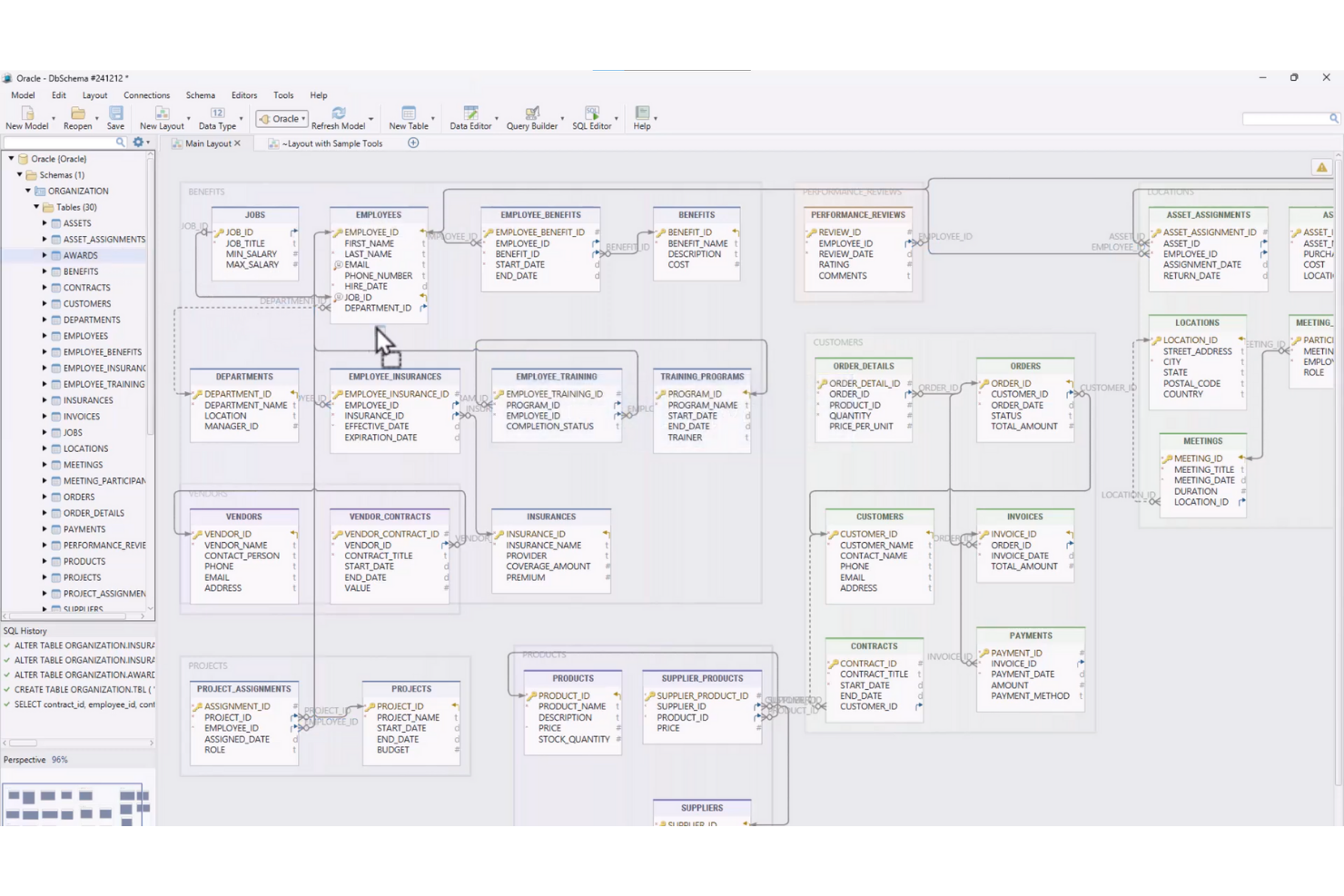
If your team needs advanced visual schema design capabilities, DbSchema offers a unique approach to database modeling and management. It’s especially useful for IT specialists and data architects who want to design, document, and deploy complex database structures visually across multiple platforms. Unlike DBeaver and other open-source tools, DbSchema emphasizes interactive diagrams and collaborative schema management, making it easier to handle large or distributed databases.
Why DbSchema Is a Good DBeaver Alternative
For teams that prioritize visual schema design, DbSchema brings a set of features that go beyond what DBeaver offers. I picked it because its interactive ER diagrams let you design, document, and modify database structures visually, even before connecting to a live database.
DbSchema also supports schema synchronization and versioning, which helps manage changes across distributed environments. These capabilities make it a strong fit for IT specialists who need to collaborate on complex database projects and maintain clear documentation.
DbSchema Key Features
In addition to its visual schema design strengths, I also found these features worth noting:
- Relational Data Explorer: Browse and edit data across related tables using an interactive interface.
- SQL Editor with Autocomplete: Write and execute SQL queries with syntax highlighting and code completion.
- Data Generator: Create sample data sets for testing and development directly within the tool.
- Offline Schema Design: Design and modify database schemas without needing a live database connection.
DbSchema Integrations
Integrations include MySQL, PostgreSQL, MongoDB, SQL Server, Oracle, SQLite, Amazon Redshift, Google BigQuery, Snowflake, and Cassandra.
Pros and Cons
Pros:
- Schema synchronization tools for managing database changes across environments
- Database management tool supporting relational and NoSQL database platforms
- Visual schema design tool for modeling and documenting relational databases
Cons:
- Interface less modern than some database management tools
- Requires paid licensing for full functionality

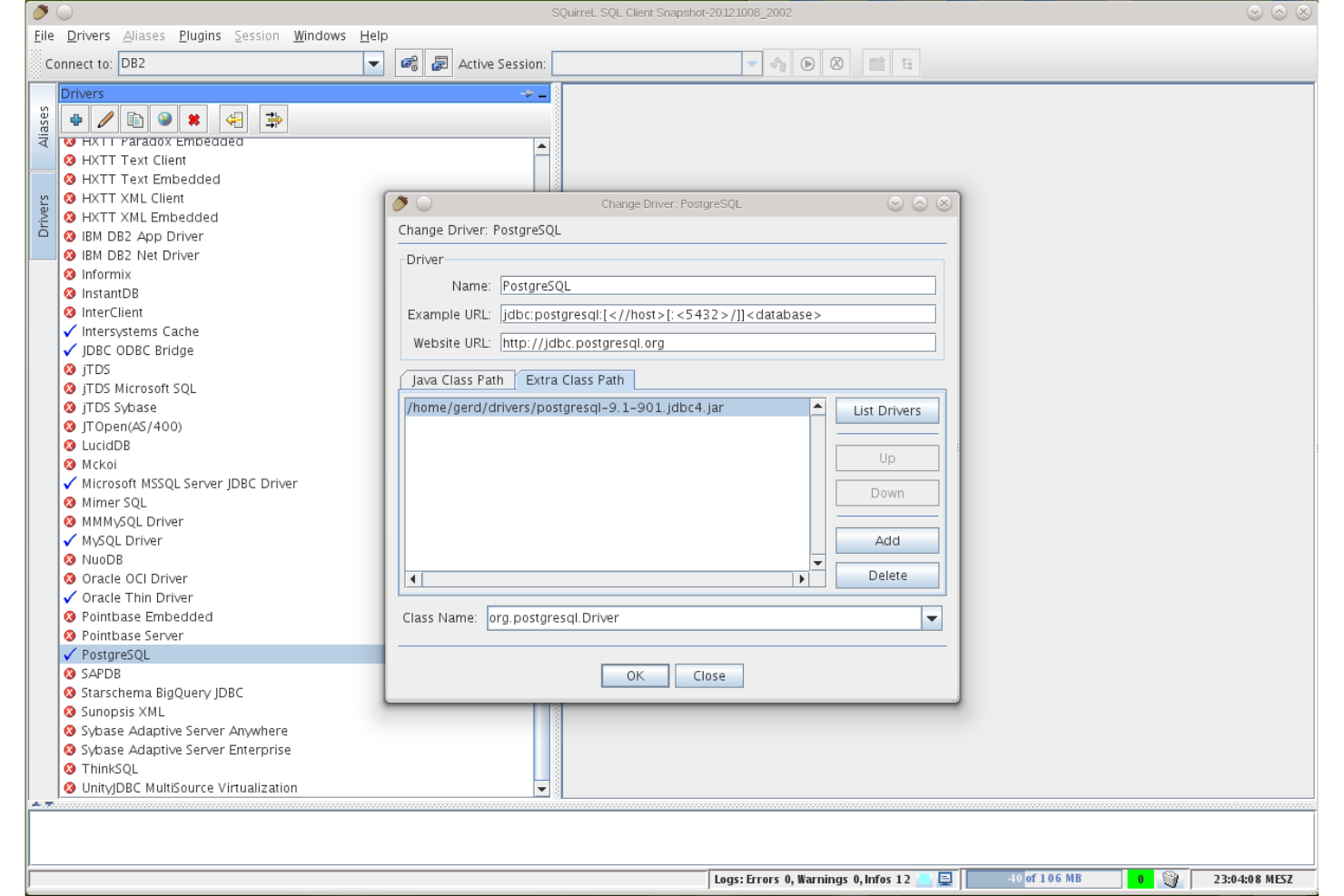
SQuirreL SQL is a strong fit for IT teams and database professionals who want a highly customizable, open-source SQL client. Its plugin-based architecture lets you tailor the tool to specific workflows, database types, or advanced features that aren’t available out of the box in DBeaver. If you need a flexible environment that adapts to unique or evolving database management needs, SQuirreL SQL offers a level of extensibility that stands out.
Why SQuirreL SQL Is a Good DBeaver Alternative
For teams that want to shape their database management tool around specific needs, SQuirreL SQL’s plugin extensibility is a major advantage. I picked it because you can add or remove plugins to support new database types, advanced scripting, or custom workflow enhancements as your environment changes. The built-in plugin manager makes it easy to discover, install, and update extensions without manual configuration. If you’re looking for a tool that grows and adapts with your database landscape, SQuirreL SQL’s modular approach is hard to match.
SQuirreL SQL Key Features
In addition to its extensible plugin system, I also found these features worth noting:
- SQL Editor with Syntax Highlighting: Write and edit SQL queries with color-coded syntax for better readability.
- Session Graphs: Visualize database sessions and their relationships through built-in graphing tools.
- Bookmark Manager: Save and organize frequently used SQL statements for quick access.
- Table Data Editor: Edit table contents directly within the interface without running manual queries.
SQuirreL SQL Integrations
Integrations include MySQL, PostgreSQL, Oracle, Microsoft SQL Server, SQLite, Firebird, Sybase, DB2, HSQLDB, and Apache Derby.
Pros and Cons
Pros:
- Open-source SQL client with an active developer community
- Database management tool supporting multiple relational databases through JDBC
- Customizable SQL client with extensible plugin architecture
Cons:
- Limited built-in schema design and visualization features
- Interface design feels outdated compared with modern database tools

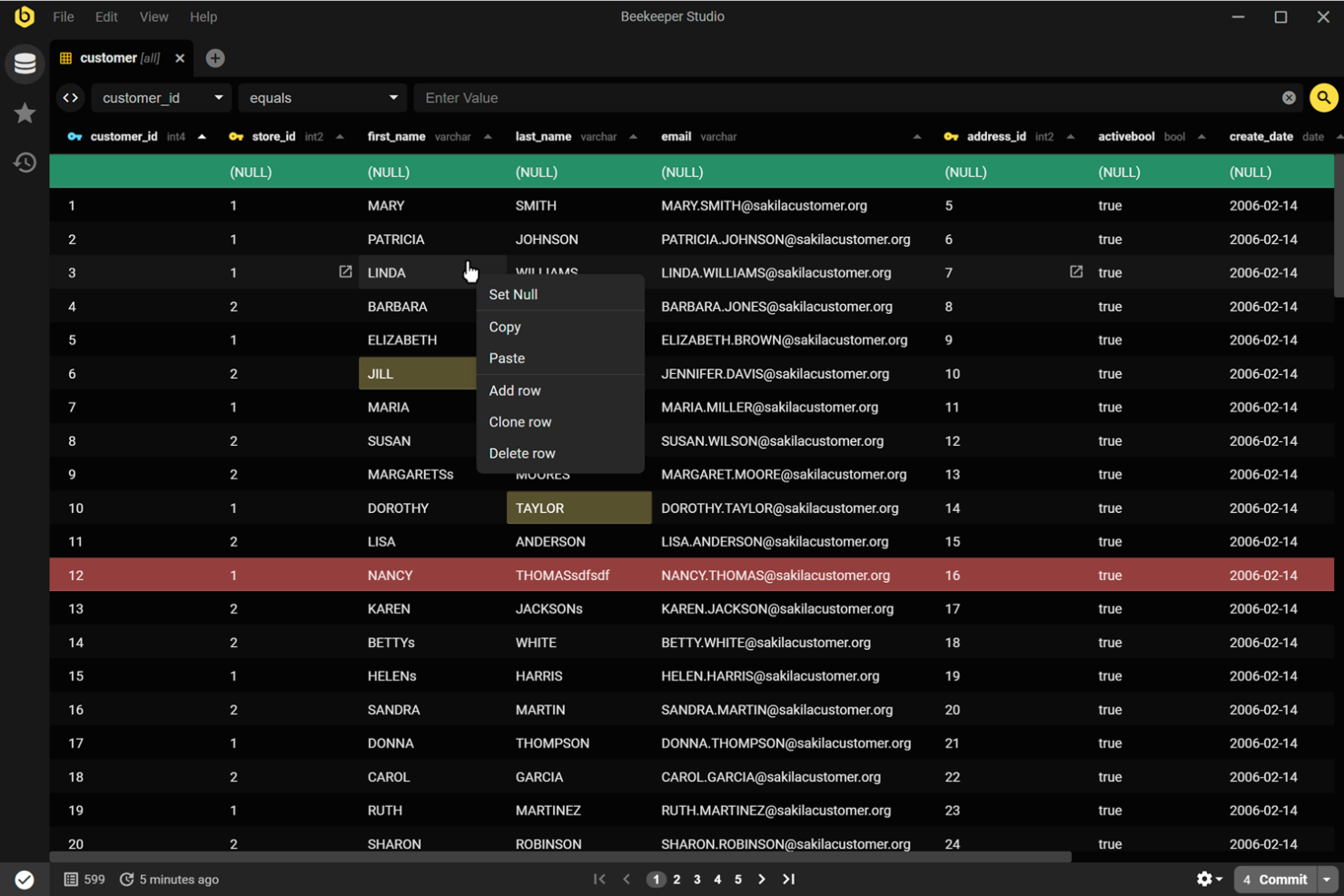
Beekeeper Studio is an open-source database management tool designed for teams that need real-time collaboration on SQL queries. It stands out with built-in features for sharing queries and editing sessions, making it a strong choice for data teams and developers who work together on database projects. If you’re looking for a tool that prioritizes collaborative workflows over solo database management, Beekeeper Studio offers a unique approach compared to DBeaver.
Why Beekeeper Studio Is a Good DBeaver Alternative
What sets Beekeeper Studio apart from DBeaver is its focus on collaborative SQL editing. I picked it for teams that need to share queries and work together in real time, which is something DBeaver doesn’t natively support. Features like live query sharing and session-based editing make it easy for multiple users to contribute to the same database project. This approach helps teams avoid version conflicts and keeps everyone on the same page during database development.
Beekeeper Studio Key Features
Some other features in Beekeeper Studio make it a flexible choice for database professionals:
- Tab-Based Query Editor: Work on multiple queries at once using a tabbed interface that keeps your workspace organized.
- Connection Encryption: Secure your database connections with built-in SSL and SSH tunneling options.
- Cross-Platform Support: Run Beekeeper Studio on Windows, macOS, and Linux without compatibility issues.
- Table Data Editing: Edit table data directly in the interface, with support for inline editing and bulk updates.
Beekeeper Studio Integrations
Integrations include MySQL, PostgreSQL, SQLite, SQL Server, MongoDB, Oracle, MariaDB, Amazon Redshift, Google BigQuery, and Redis.
Pros and Cons
Pros:
- User-friendly interface for managing queries and editing table data
- Open-source database management tool with active GitHub community development
- Query sharing and streamlined team workflows
Cons:
- Limited ER diagram and visual schema design capabilities
- Fewer advanced database administration features than some DBeaver alternatives

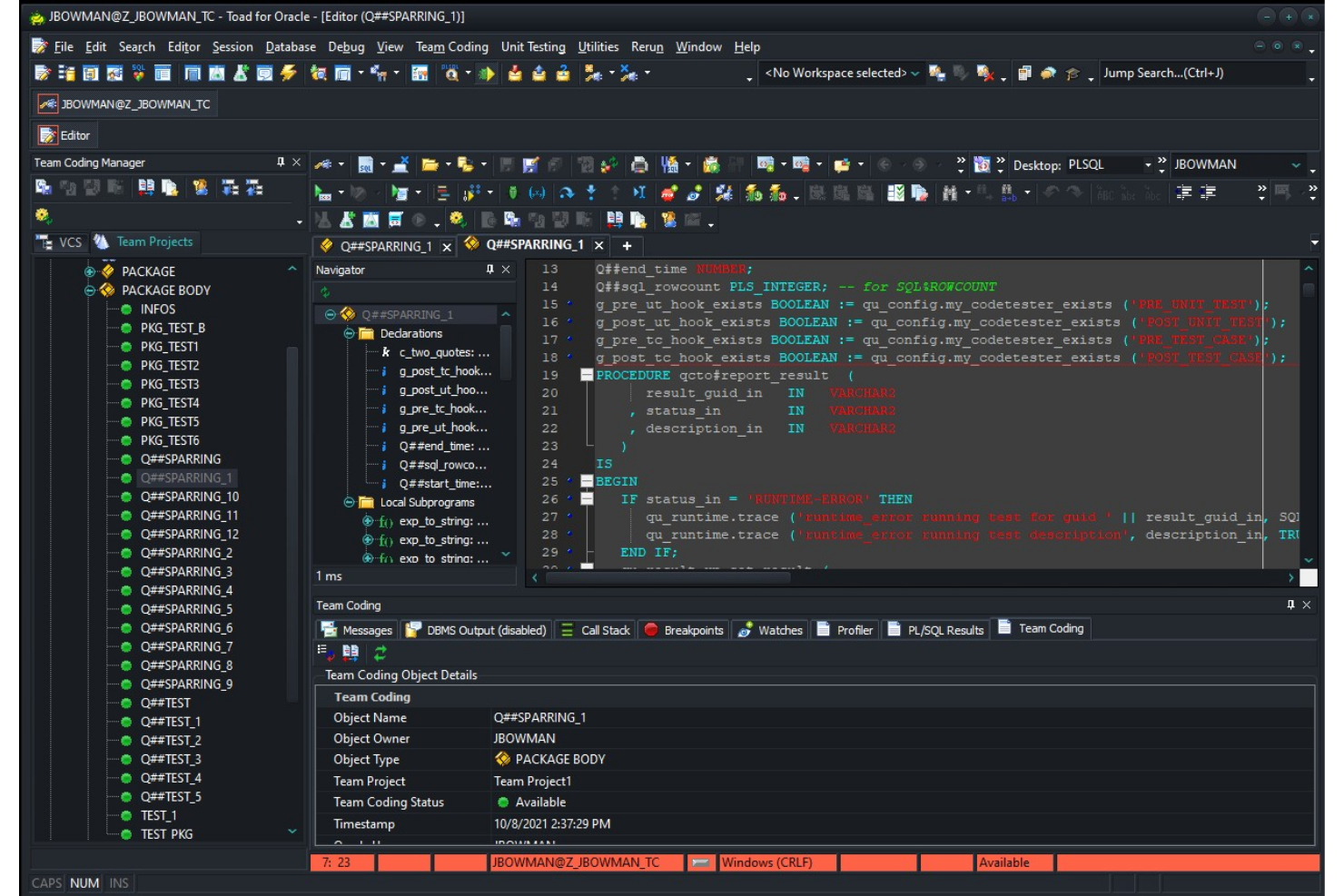
Toad stands out for IT specialists and database administrators who need advanced automation in their database management workflows. Unlike most open-source tools, Toad offers built-in automation for routine tasks, code reviews, and performance optimization. If your team manages complex or high-volume environments, Toad’s automation features can help reduce manual effort and improve consistency.
Why Toad Is a Good DBeaver Alternative
If you’re looking for a database management tool that prioritizes automation, Toad is worth considering. I picked Toad because it lets you schedule and automate repetitive tasks like database backups, code analysis, and data comparisons directly within the platform.
Its automation designer feature allows you to build and manage complex workflows without manual intervention. For teams that want to minimize manual database maintenance and enforce consistent processes, Toad’s automation capabilities set it apart from most open-source options.
Toad Key Features
Some other features that stood out to me include:
- Code Debugger: Step through stored procedures and scripts to identify and resolve errors.
- Schema Compare: Compare and synchronize database schemas across different environments.
- SQL Optimization Tools: Analyze and tune SQL queries for better performance.
- Data Modeling: Design and visualize database structures with built-in modeling tools.
Toad Integrations
Integrations include Oracle, IBM DB2, Microsoft SQL Server, MySQL, PostgreSQL, SAP ASE, Amazon Redshift, Snowflake, MongoDB, and SQLite.
Pros and Cons
Pros:
- Schema comparison features for managing database changes
- Advanced debugging and SQL query performance optimization tools
- Database management tool with automation for repetitive database tasks
Cons:
- Higher system resource usage in large database environments
- Pricing requires a direct vendor inquiry

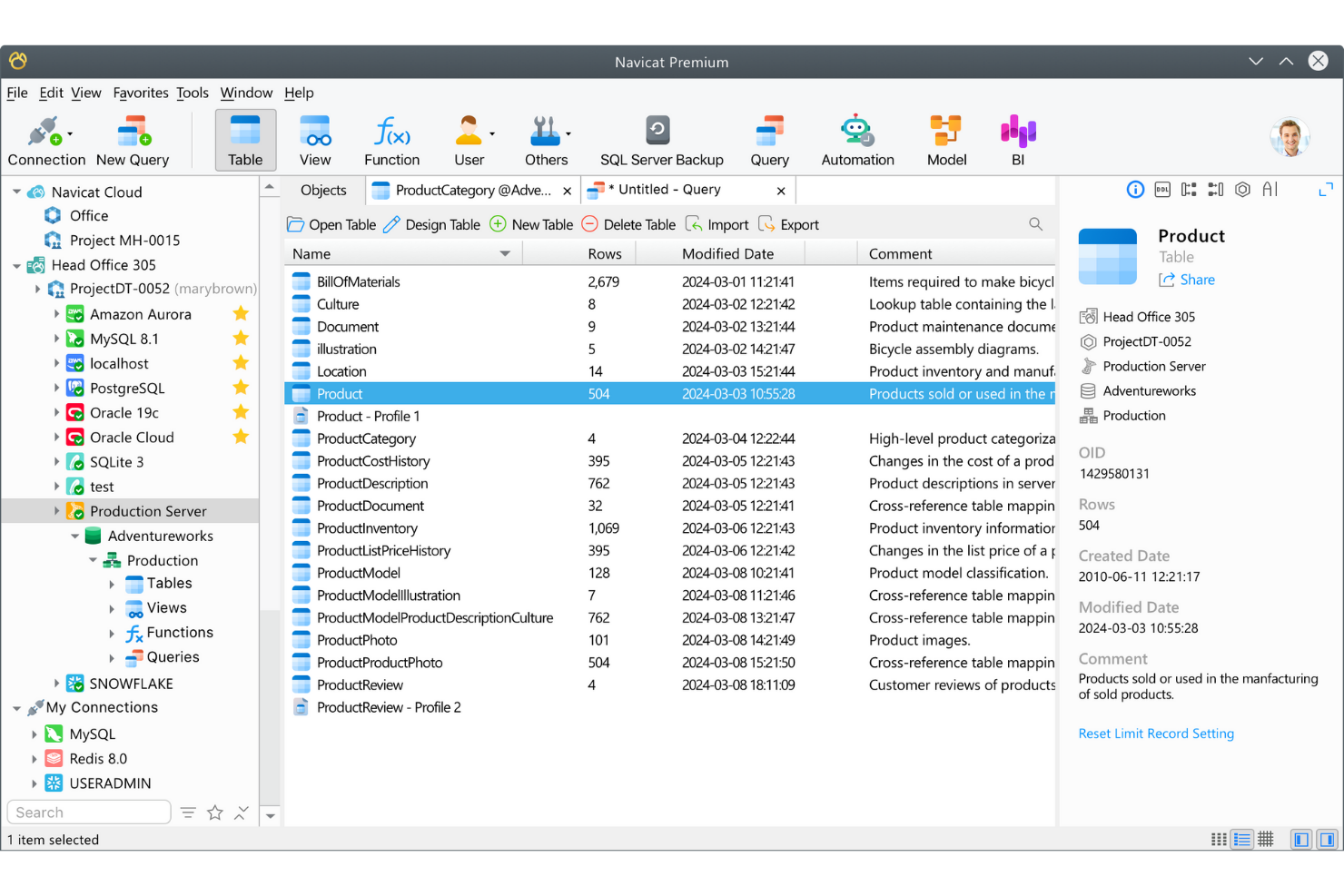
For IT teams managing multiple database types across different platforms, Navicat Premium offers a unified workspace for connecting to and working with diverse databases. Unlike DBeaver and most open-source tools, it supports simultaneous connections to MySQL, PostgreSQL, Oracle, SQL Server, and more within a single interface. This makes it especially useful for organizations juggling hybrid or multi-cloud environments and needing to streamline cross-database operations.
Why Navicat Premium Is a Good DBeaver Alternative
Navicat Premium stands out for teams that need to manage multiple database types from a single application. I picked it because it lets you connect to and work with MySQL, PostgreSQL, Oracle, SQL Server, and more at the same time, all within one interface.
Its cross-platform design means you can run it on Windows, macOS, or Linux without losing functionality. This makes it a strong choice for IT specialists who need to coordinate data and workflows across hybrid or multi-cloud environments.
Navicat Premium Key Features
Some other features that set Navicat Premium apart include:
- Data Modeling Tool: Design and visualize database structures using an integrated ER diagram editor.
- Automated Backup and Scheduling: Set up recurring database backups and automate routine maintenance tasks.
- Data Synchronization: Compare and synchronize data across different databases or servers.
- SQL Code Snippet Library: Store and reuse frequently used SQL code snippets for faster query building.
Navicat Premium Integrations
Integrations include MySQL, PostgreSQL, SQL Server, Oracle, SQLite, MariaDB, MongoDB, Redis, Snowflake, and Amazon RDS.
Pros and Cons
Pros:
- Data synchronization tools for managing multi-database environments
- Built-in ER diagram designer and data modeling features
- Cross-platform database management tool supporting multiple database types
Cons:
- Closed-source platform with limited community customization
- High licensing cost compared with many DBeaver alternatives
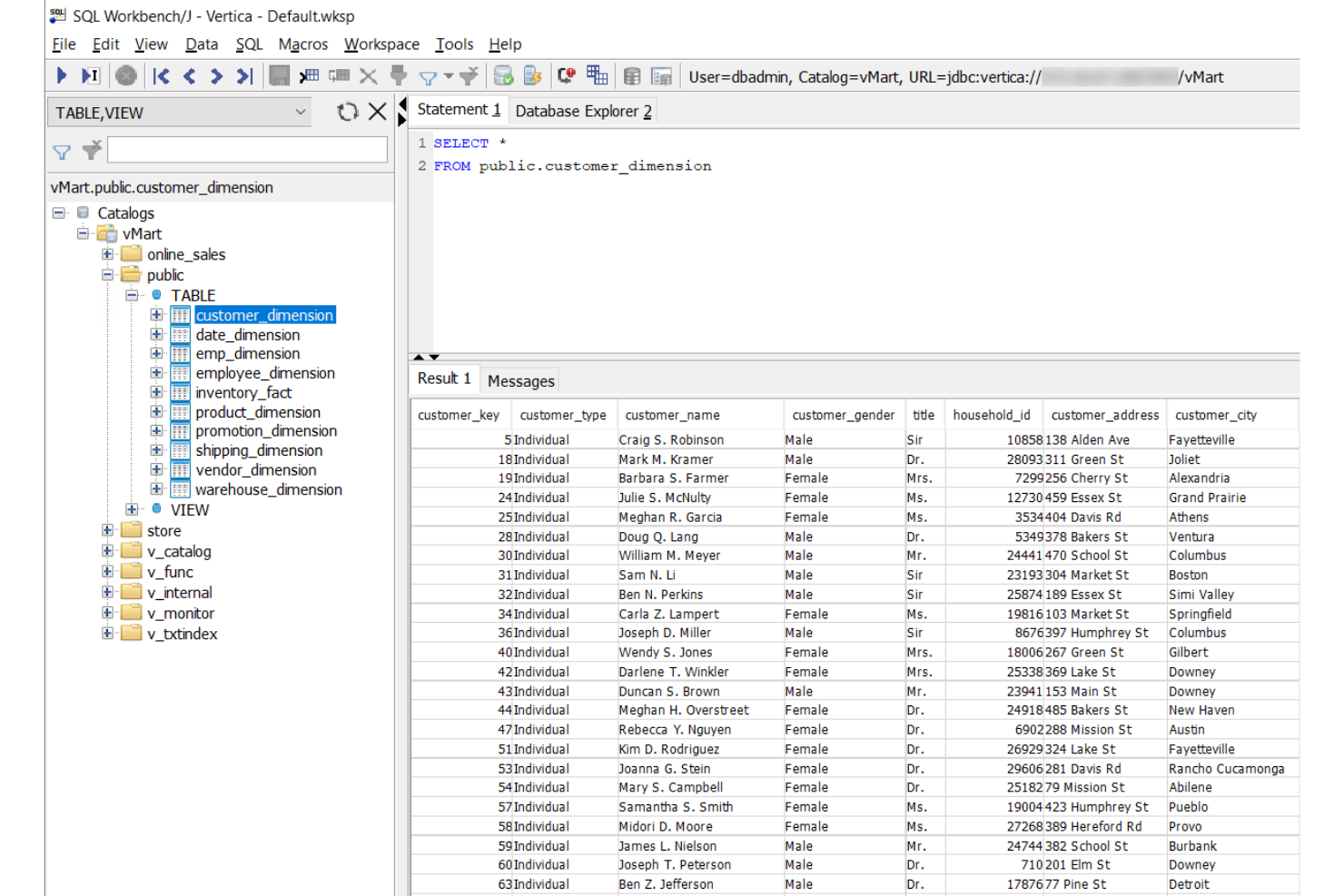
SQL Workbench/J is a strong fit for IT professionals and database engineers who need advanced scripting and automation in their SQL workflows. Unlike DBeaver, it’s designed around scriptable command-line execution and batch processing, making it ideal for repeatable or automated database tasks. If your team relies on scripting for migrations, data imports, or scheduled jobs, SQL Workbench/J offers flexibility that many GUI-focused tools don’t match.
Why SQL Workbench/J Is a Good DBeaver Alternative
For teams that prioritize scriptable workflows, SQL Workbench/J offers a unique approach compared to DBeaver. I picked SQL Workbench/J because it supports fully scriptable command-line execution, letting you automate database tasks without relying on a graphical interface. Its batch processing capabilities allow you to run complex sequences of SQL scripts and commands as part of automated jobs. If you need a tool that fits seamlessly into CI/CD pipelines or scheduled maintenance routines, SQL Workbench/J is built for that level of automation and flexibility.
SQL Workbench/J Key Features
Some other features that make SQL Workbench/J stand out include:
- SQL History Tracking: Automatically records and organizes previously executed SQL statements for easy reference.
- Data Export and Import Tools: Supports exporting and importing data in multiple formats, including CSV and XML.
- Custom Macros: Let you define and use macros to automate repetitive SQL tasks within the editor.
- Multiple Database Support: Connects to a wide range of databases using JDBC drivers.
SQL Workbench/J Integrations
Integrations include PostgreSQL, HyperSQL (HSQLDB), H2 Database Engine, Firebird SQL, Apache Derby, Oracle, Microsoft SQL Server, IBM DB2, MySQL, and MariaDB.
Pros and Cons
Pros:
- Supports many relational databases through JDBC connections
- Lightweight Java-based database management tool
- Scriptable SQL client supporting automated query workflows
Cons:
- Interface is less modern than graphical database management tools
- Limited database administration and schema design features
Other DBeaver Alternatives
Here are some additional DBeaver alternative options that didn’t make it onto my shortlist, but are still worth checking out:
- DbGate
With multi-database connections
- DbVisualizer
For advanced visual query building
- Databricks
For unified analytics on big data
- Oracle SQL Developer
For Oracle database development
- Google Cloud SQL
With managed cloud database hosting
- Bytebase
For integrated database change workflows
- pgAdmin
For extensive PostgreSQL administration
- Sequel Ace
For native macOS MySQL management
- Kyligence
For OLAP acceleration on large datasets


DBeaver Alternatives Selection Criteria
When selecting the best DBeaver alternatives to include in this list, I considered common buyer needs and pain points related to open-source database management tool products, like support for advanced scripting and compatibility with multiple database types. I also used the following framework to keep my evaluation structured and fair:
Core Functionality (25% of total score)
To be considered for inclusion in this list, each solution had to fulfill these common use cases:
- Connect to multiple database types
- Run and edit SQL queries
- View and edit database tables
- Export and import data
- Manage database connections
Additional Standout Features (25% of total score)
To help further narrow down the competition, I also looked for unique features, such as:
- Support for scriptable workflows or automation
- Visual schema or ER diagram tools
- Built-in data modeling capabilities
- Advanced SQL history and macro support
- Integration with CI/CD pipelines
Usability (10% of total score)
To get a sense of the usability of each system, I considered the following:
- Clean and intuitive user interface
- Logical menu structure and navigation
- Customizable layout or themes
- Responsive performance with large datasets
- Accessibility of advanced features
Onboarding (10% of total score)
To evaluate the onboarding experience for each platform, I considered the following:
- Availability of step-by-step setup guides
- Access to training videos or tutorials
- Interactive product tours or walkthroughs
- Pre-built templates or sample projects
- In-app chatbots or onboarding support
Customer Support (10% of total score)
To assess each software provider’s customer support services, I considered the following:
- Availability of live chat or email support
- Access to a searchable knowledge base
- Active user community or forums
- Timeliness of support responses
- Quality of documentation and FAQs
Value For Money (10% of total score)
To evaluate the value for money of each platform, I considered the following:
- Transparent and flexible pricing options
- Free plan or trial availability
- Features included in the free tier
- Cost compared to similar tools
- Licensing terms for commercial use
Customer Reviews (10% of total score) To get a sense of overall customer satisfaction, I considered the following when reading customer reviews:
- Positive feedback on reliability and stability
- Reports of bugs or unresolved issues
- Satisfaction with feature set and updates
- Experiences with customer support
- Willingness to recommend to others
Why Look For a DBeaver Alternative?
While DBeaver is a capable open-source database management tool, it won’t fit every workflow. Some teams prefer a different SQL client or IDE depending on the databases they work with, their infrastructure, or the type of database management tasks they handle.
You might be looking for a DBeaver alternative because:
- You need advanced scripting, automation, or command-line SQL workflows
- You want a lighter SQL IDE with fewer system requirements
- You prefer a native desktop application for macOS or Linux
- You need stronger support for specific databases like MSSQL, Postgres, or Oracle databases
- Your team relies on a web-based database management interface for remote access
- You want a specialized front-end database client designed for developers
- You need tools that integrate with API-driven workflows or DBaaS environments
Some teams also prefer tools with a strong community edition or open-source ecosystem, while others prioritize enterprise-focused SQL development environments.
If any of these scenarios sound familiar, exploring alternatives can help you find a database management tool that better matches your workflow, infrastructure, or preferred development environment.
DBeaver Key Features
Here are some of the key features of DBeaver, to help you contrast and compare what alternative solutions offer:
- Multi-database connection management
- Visual ER diagram and schema designer
- SQL editor with syntax highlighting and auto-completion
- Data import and export in multiple formats
- Table data editing and filtering
- Built-in database administration tools
- Support for JDBC-compatible databases
- Advanced data visualization and charting
- SQL execution history and query bookmarks
- Plugin architecture for extending functionality
What’s Next:
If you're in the process of researching DBeaver alternatives, connect with a SoftwareSelect advisor for free recommendations.
You fill out a form and have a quick chat where they get into the specifics of your needs. Then you'll get a shortlist of software to review. They'll even support you through the entire buying process, including price negotiations.