
12 Best Confluence Alternatives Reviewed in 2026

Confluence Alternative Shortlist
Here's my pick of the 10 best software from the 12 tools reviewed.


A strong Confluence alternative gives your team flexible documentation, easy collaboration, and reliable knowledge management—without the complexity or cost that can come with Atlassian’s platform. If you’re searching for a new solution, you’re likely dealing with growing teams, evolving workflows, or the need for better integration with your existing tools.
The right alternative should fit your documentation style, support secure information sharing, and adapt as your business changes. In this list, you’ll find a range of options that address common Atlassian Confluence pain points, so you can confidently choose a platform that matches your team’s needs and priorities.
What Is Confluence?
Confluence is a team collaboration and knowledge management software developed by Atlassian. It lets teams create, organize, and share documents, meeting notes, and project plans in an all-in-one, centralized workspace. Confluence supports real-time editing, permissions management, and integration with other tools like Jira. Teams use it to document processes, store institutional knowledge, and keep everyone aligned on projects and goals.
Best Confluence Alternatives Summary
This comparison chart summarizes pricing details for my top Confluence alternative selections to help you find the best one for your budget and business needs.
| Tool | Best For | Trial Info | Price | ||
|---|---|---|---|---|---|
| 1 | Best for asynchronous team documentation | Free demo available | From $8/user/month (billed annually) | Website | |
| 2 | Best for Slack-driven knowledge sharing | Free demo available | From $8/user/month | Website | |
| 3 | Best for visual knowledge organization | Free plan + 14-day free trial available | From $6/user/month (billed annually) | Website | |
| 4 | Best for enterprise-grade permissions | Free trial available | From $22/user/month (billed annually) | Website | |
| 5 | Best for flexible workspace customization | Free plan + free demo available | From $10/member/month (billed annually) | Website | |
| 6 | Best for open-source documentation control | Free demo available | Free to use | Website | |
| 7 | Best for collaborative spreadsheets and docs | Free trial available | From $10/user/month (billed annually) | Website | |
| 8 | Best for advanced content versioning | Free demo available | Pricing upon request | Website | |
| 9 | Best for integrated task and doc management | Free plan + free demo available | From $7/user/month (billed annually) | Website | |
| 10 | Best for real-time knowledge verification | Free trial | From $25/user/month (billed annually) | Website |

Why Trust Our Software Reviews
-

Site24x7
Visit WebsiteThis is an aggregated rating for this tool including ratings from Crozdesk users and ratings from other sites.4.6 -
Docker
Visit WebsiteThis is an aggregated rating for this tool including ratings from Crozdesk users and ratings from other sites.4.6 -
Pulumi
Visit WebsiteThis is an aggregated rating for this tool including ratings from Crozdesk users and ratings from other sites.4.8





Confluence Alternatives Reviews
Below are my detailed summaries of the Confluence alternatives that made it onto my shortlist. My reviews offer a detailed look at the features, best use cases, and integrations of each platform to help you find the best one for your team.

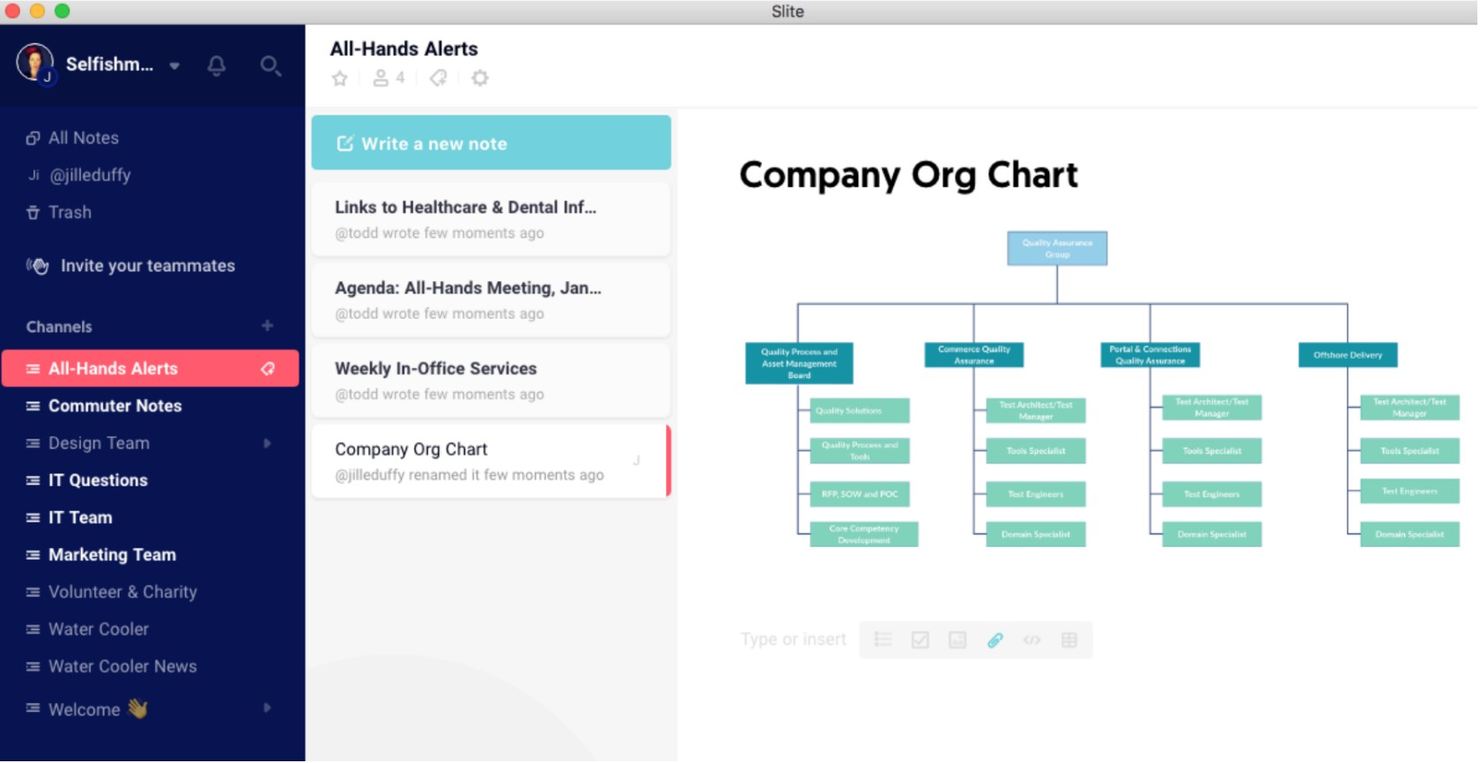
If your team relies on asynchronous communication and collaborative documentation, Slite offers a focused approach to documentation and knowledge sharing. It’s designed for distributed teams, startups, and remote-first companies that need to keep everyone aligned without constant meetings. Slite stands out from Confluence by making it easy to create, organize, and discuss docs in a way that fits flexible, async workflows.
Why Slite Is a Good Confluence Alternative
For teams that need to document and collaborate without being online at the same time, Slite is built around asynchronous workflows. I picked Slite because its discussion threads and decision tracking features let teams ask questions, give feedback, and make decisions directly within docs—no meetings required. The timeline view helps everyone catch up on updates and conversations at their own pace. If you want a knowledge management tool that truly supports async work, Slite offers a structure that’s different from Confluence’s more traditional, meeting-driven approach.
Slite Key Features
Some other features in Slite help teams manage and share knowledge more efficiently:
- Document Templates: Choose from a library of templates to standardize recurring documentation.
- Real-Time Collaborative Editing: Multiple team members can edit the same document at once.
- Advanced Search: Quickly find information across all channels, docs, and discussions.
- Access Permissions: Set granular permissions to control who can view or edit specific docs.
Integrations
Integrations include Slack and Microsoft Teams.
Pros and Cons
Pros:
- User-friendly built-in templates
- Minimalist distraction-free editor
- AI-powered instant search
Cons:
- Restricted offline editing
- Limited formatting and styling

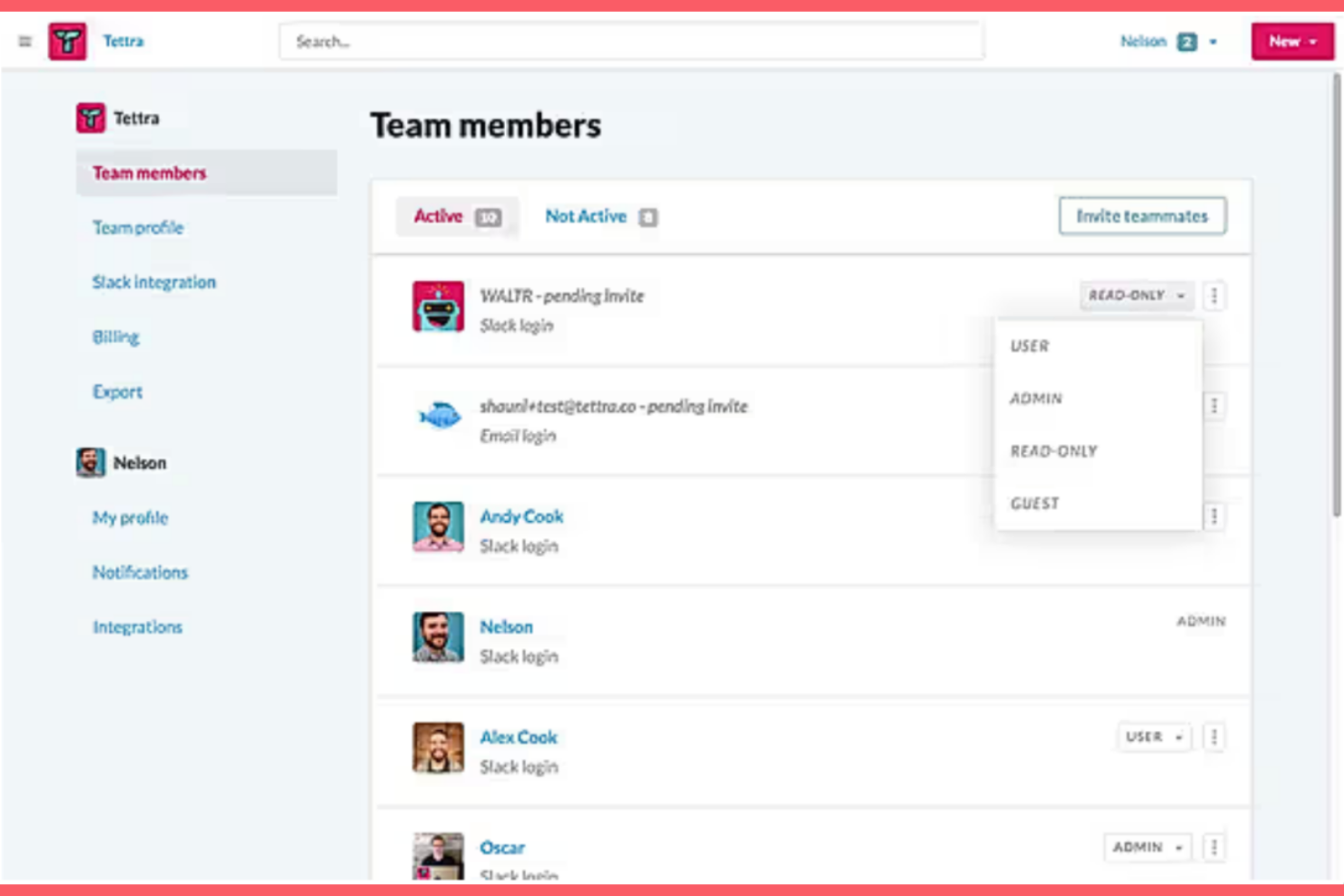
Tettra is designed for teams that rely on Slack as their main communication hub and want to capture knowledge without leaving their chat flow. It’s a strong fit for fast-moving support, operations, and product teams that need quick answers and easy documentation inside Slack. Unlike Confluence, Tettra lets you create, update, and share knowledge directly from Slack, so your team can keep information current without switching tools.
Why Tettra Is a Good Confluence Alternative
For teams that live in Slack, Tettra offers a knowledge management platform experience that feels native to your daily workflow. I picked Tettra because it lets you create, update, and search for documentation directly from Slack, so you never have to leave your chat environment to find answers and share information. The Slack Q&A bot helps capture tribal knowledge by allowing team members to ask questions and get answers that are automatically documented. This tight integration with the Slack ecosystem makes Tettra a strong alternative to Confluence for teams that want knowledge sharing to happen where conversations already take place.
Tettra Key Features
Some other features in Tettra help teams manage and organize knowledge more efficiently:
- Page Suggestions: The system recommends relevant pages to answer common questions.
- Content Verification: Assign experts to review and verify information for accuracy.
- Templates Library: Use pre-built templates to standardize documentation across your team.
- Permissions Management: Control who can view, edit, or manage specific pages and categories.
Integrations
Integrations include Slack, Google Workspace, Dropbox, and Box.
Pros and Cons
Pros:
- Automated content verification
- AI-powered instant Q&A (Kai bot)
- Seamless Slack & Teams integration
Cons:
- Minimal custom branding options
- Basic project management tools

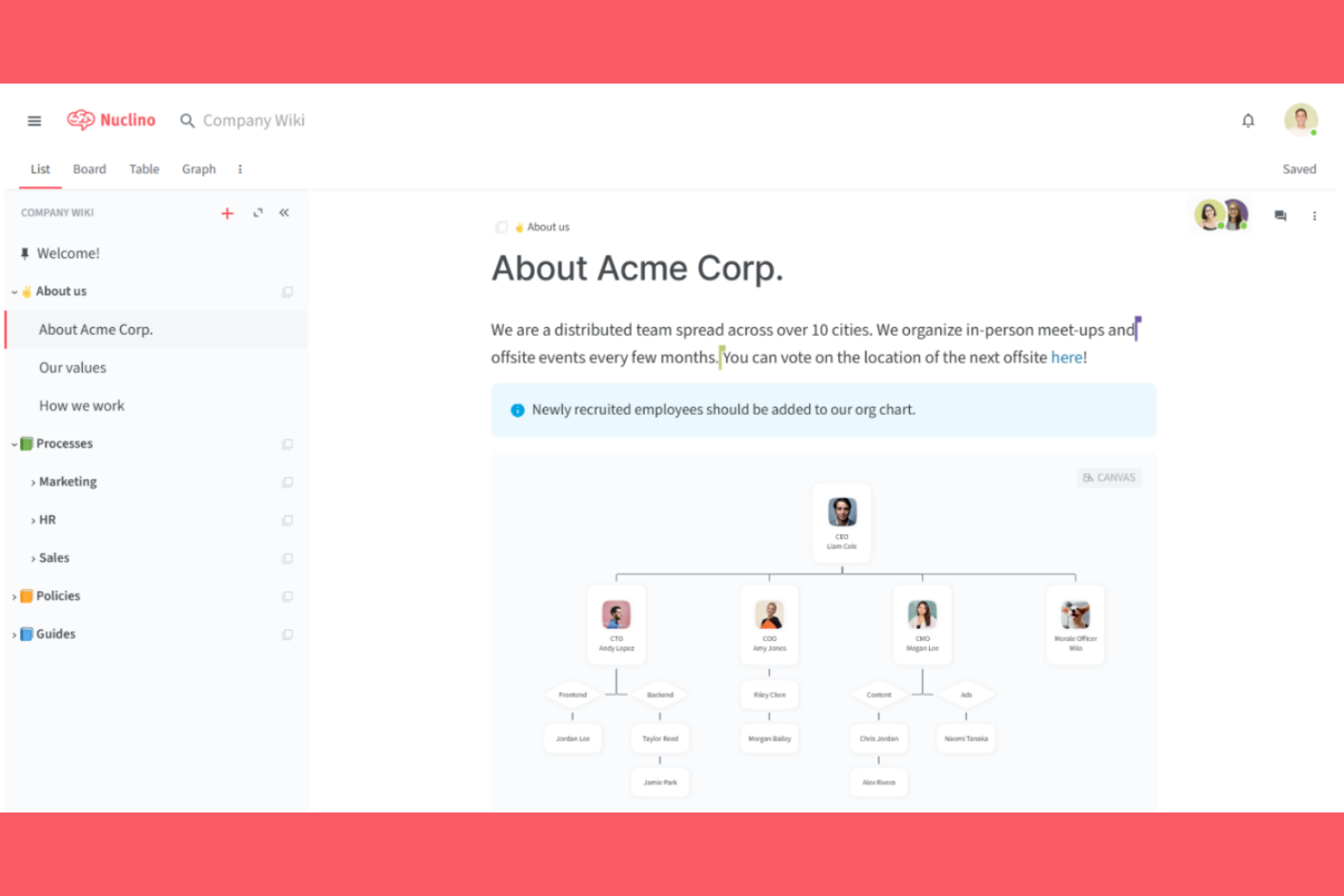
Nuclino takes a visual approach to organizing team knowledge, making it a strong fit for teams that think in maps, lists, and boards. It’s especially useful for product teams, project managers, and creative groups who need to connect ideas and resources in a more interactive way. Unlike Confluence, Nuclino lets you build and navigate your knowledge base visually, so you can see relationships and structure at a glance.
Why Nuclino Is a Good Confluence Alternative
If your team prefers to organize information visually, Nuclino offers a unique approach that sets it apart from Confluence. I picked Nuclino because its graph and board views let you map out relationships between pages, projects, and ideas, making complex knowledge structures easy to navigate. The ability to switch between list, board, and graph layouts helps teams see both the big picture and the details. For anyone who wants to move beyond traditional documentation tool hierarchies, Nuclino’s visual organization tools make it a compelling alternative.
Nuclino Key Features
Some other features in Nuclino help teams manage and collaborate on knowledge more effectively:
- Real-Time Collaborative Editing: Team members can work on the same page simultaneously and see changes instantly.
- Markdown Support: Format content quickly using familiar markdown syntax within any document.
- Version History: Review and restore previous versions of any page to track changes over time.
- Granular Access Controls: Set permissions at the workspace, team, or page level to manage visibility and editing rights.
Integrations
Integrations include Slack, Discord, GitHub, and Microsoft Teams.
Pros and Cons
Pros:
- Seamless real-time editing
- Minimalist and clean UI
- Blazing fast page loading
Cons:
- No built-in diagramming tools
- Few advanced workflow automation features

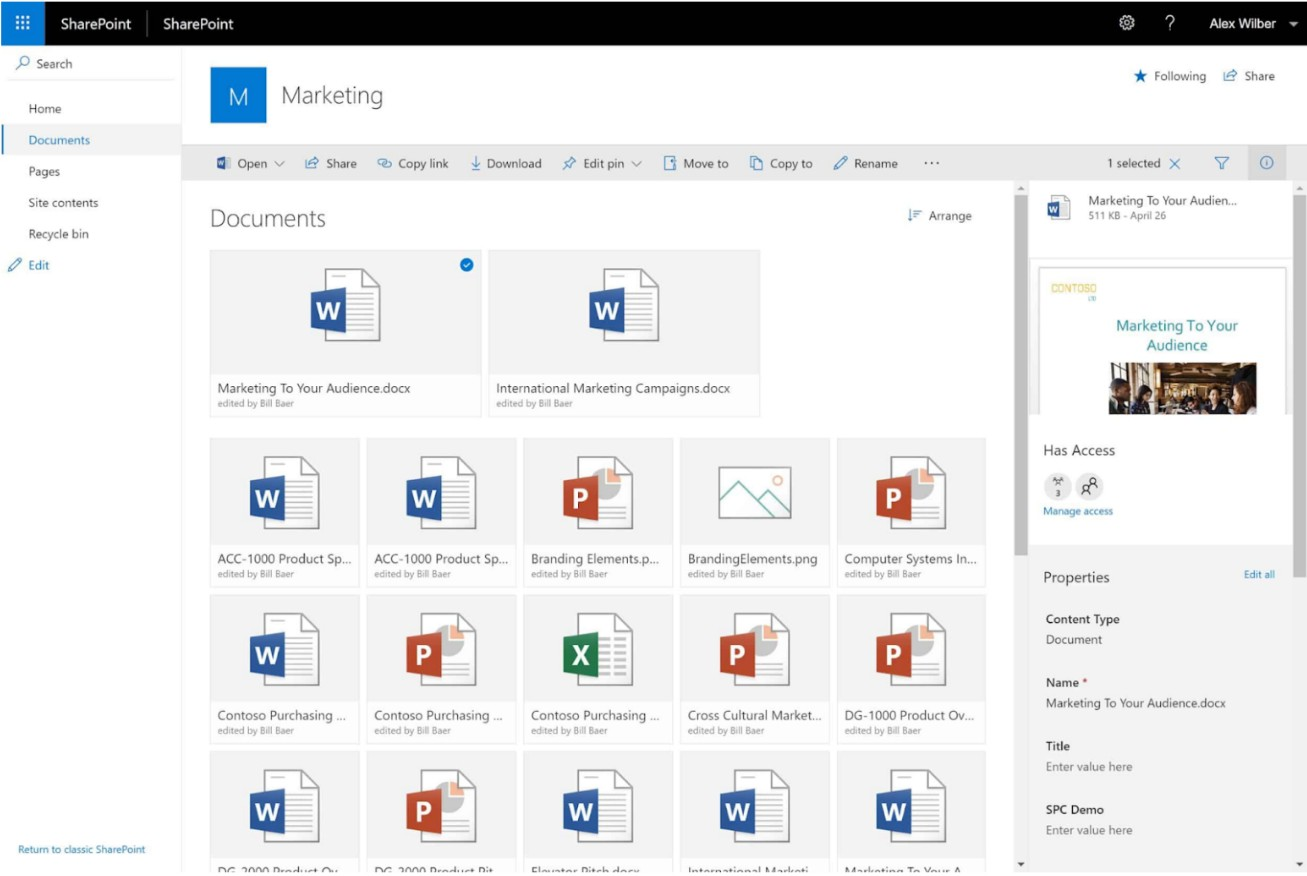
For organizations that need granular control over internal content and permissions, SharePoint offers a flexible platform for managing documents and collaboration at scale. It’s a strong fit for enterprises, regulated industries, and IT teams that require advanced access controls and integration with Microsoft 365. SharePoint stands out for its ability to handle complex permission structures and automate document workflows across large, distributed teams.
Why SharePoint Is a Good Confluence Alternative
When you need enterprise-grade permissions and content governance, SharePoint offers capabilities that go beyond what Confluence provides. I picked SharePoint because it lets you define highly granular access controls, down to the document or folder level, which is essential for organizations with strict compliance or security requirements. Its permission inheritance, auditing, policy management, and collaboration features help IT teams manage sensitive information across large, distributed environments. For businesses that need to enforce complex permission structures and maintain detailed oversight, SharePoint’s approach to access control is a strong differentiator.
SharePoint Key Features
Some other features in SharePoint help teams collaborate and manage knowledge more efficiently:
- Document Versioning: Keep track of changes and access previous versions of files.
- Customizable Sites: Build team or project sites with configurable layouts and web parts.
- Integrated Workflows: Automate document approvals and business processes using built-in workflow tools.
- Co-Authoring: Allow multiple users to edit documents simultaneously in real time.
Integrations
Integrations include Microsoft Teams, OneDrive, Outlook, Word, Excel, and Planner.
Pros and Cons
Pros:
- Highly customizable site structures
- Enterprise-grade security and compliance
- Robust document version control
Cons:
- Lacks an intuitive interface
- Complex setup and maintenance

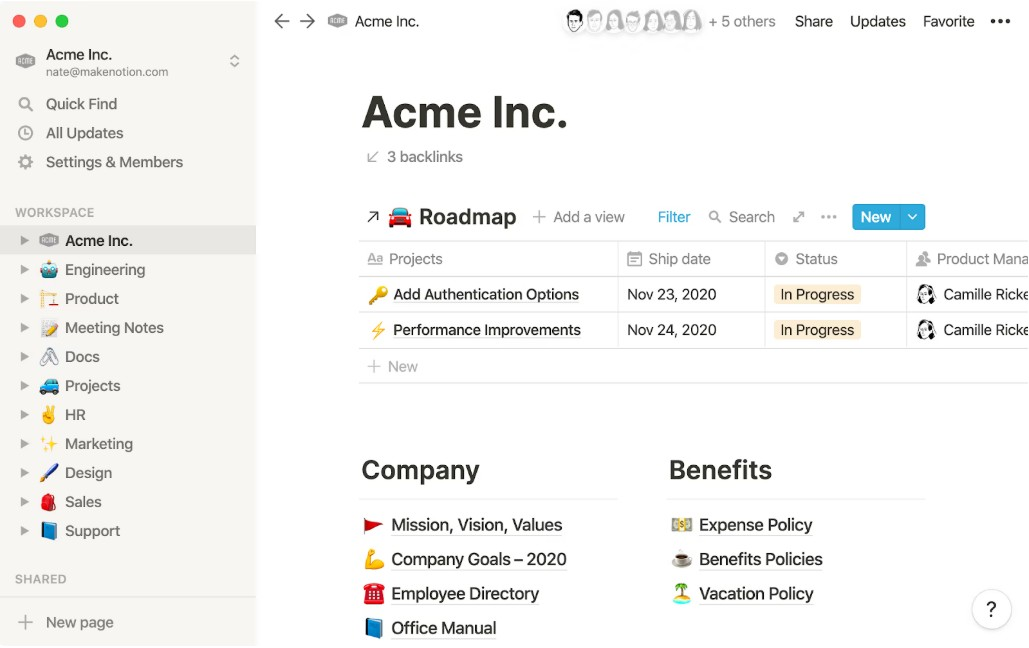
Notion offers a highly customizable workspace that lets teams design their own documentation and collaboration structure. It’s a strong fit for organizations that want to blend wikis, project management, and databases in one place. If your team needs flexible page layouts and granular control over how information is organized, Notion stands out from more rigid platforms like Confluence.
Why Notion Is a Good Confluence Alternative
Notion stands out for teams that want to shape their workspace to fit unique processes and documentation needs. Its drag-and-drop page builder and modular blocks let you create custom layouts, databases, and knowledge bases that go far beyond standard wiki pages. I picked Notion because it gives you the freedom to design everything from project trackers to SOP libraries in a single platform. This level of workspace customization is especially useful for teams with evolving workflows or specialized documentation requirements.
Notion Key Features
Some other features in Notion support team collaboration and knowledge management in practical ways:
- Real-Time Collaborative Editing: Multiple users can edit pages at the same time, making it easy to co-author documents and meeting notes.
- Page Permissions: Set granular access controls for pages and databases to manage who can view or edit sensitive information.
- Template Gallery: Access a library of pre-built templates for wikis, project plans, and knowledge bases to speed up workspace setup.
- Version History: Track changes and restore previous versions of any page, so you never lose important information.
Integrations
Integrations include GitHub, Google Drive and Asana.
Pros and Cons
Pros:
- All-in-one team collaboration
- Powerful relational databases
- Highly customizable workspace
Cons:
- Clunky mobile editing experience
- Limited offline functionality
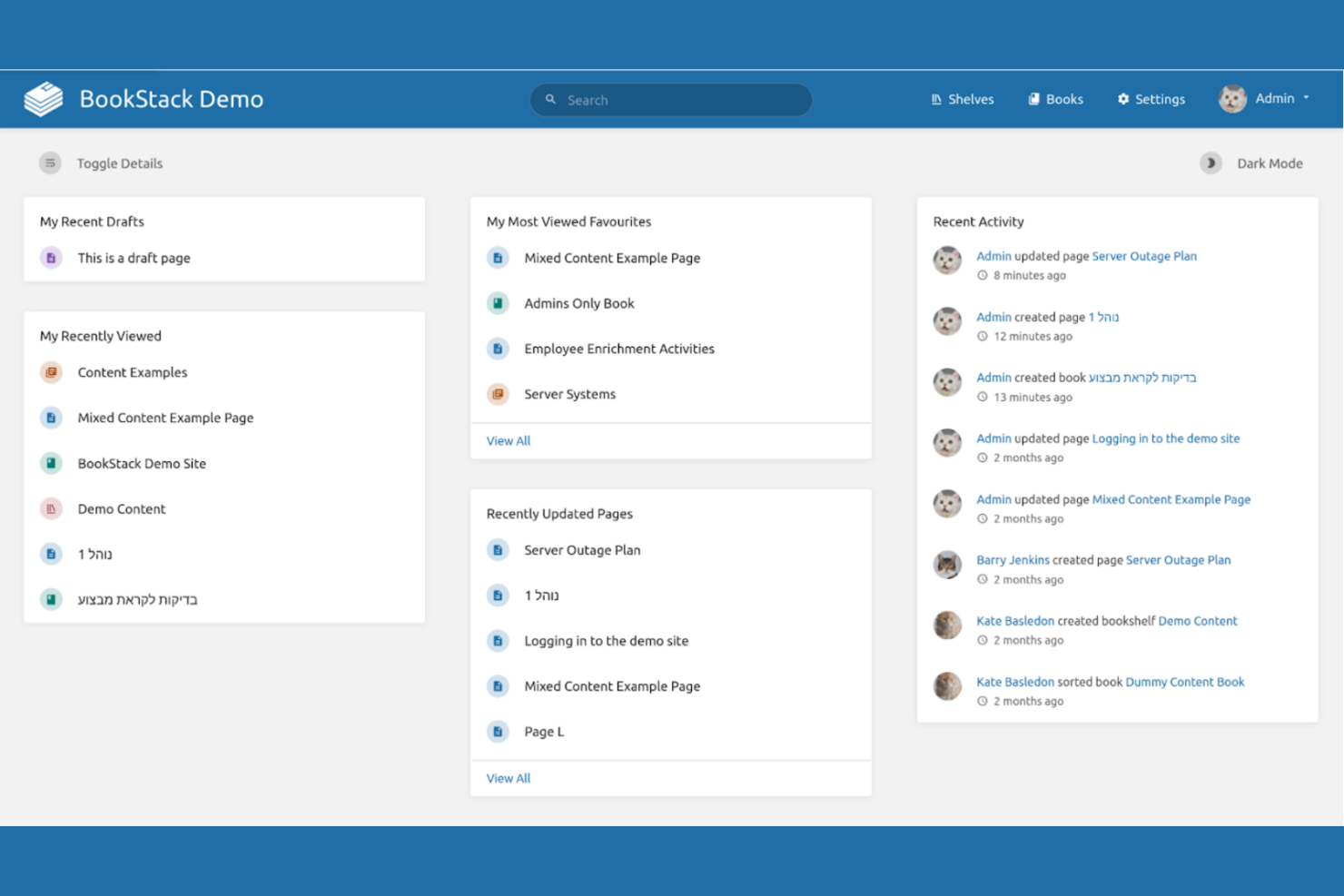
If you’re looking for a self-hosted, open-source alternative to Confluence, BookStack gives you full control over your documentation environment. It’s especially appealing to IT teams, technical writers, and organizations with strict data privacy or customization requirements. BookStack stands out for its book-like structure, which makes organizing complex documentation straightforward and easy to navigate.
Why BookStack Is a Good Confluence Alternative
Unlike most proprietary platforms, BookStack gives you complete control over your documentation by being fully open-source and self-hosted. I picked BookStack because it lets you customize, extend, and secure your knowledge base to fit your organization’s unique requirements. Its book, chapter, and page structure makes it easy to organize large volumes of technical documentation in a way that’s logical and accessible. For large and small teams that need to meet strict compliance or data residency needs, BookStack’s open-source model offers flexibility that Confluence can’t match.
BookStack Key Features
Some other features in BookStack help teams manage and collaborate on documentation more effectively:
- WYSIWYG Editor: Create and edit content using a simple, visual editor.
- Role-Based Permissions: Assign granular access controls to users and groups.
- Revision History: Track and restore previous versions of any page or chapter.
- Multi-Language Support: Offer documentation in multiple languages for global teams.
Integrations
Integrations include Google, Okta, and LDAP.
Pros and Cons
Pros:
- Simple WYSIWYG and Markdown editors
- Self-hosted for full data control
- Intuitive book-like structure
Cons:
- No built-in mobile application
- Strict hierarchy limits flexibility

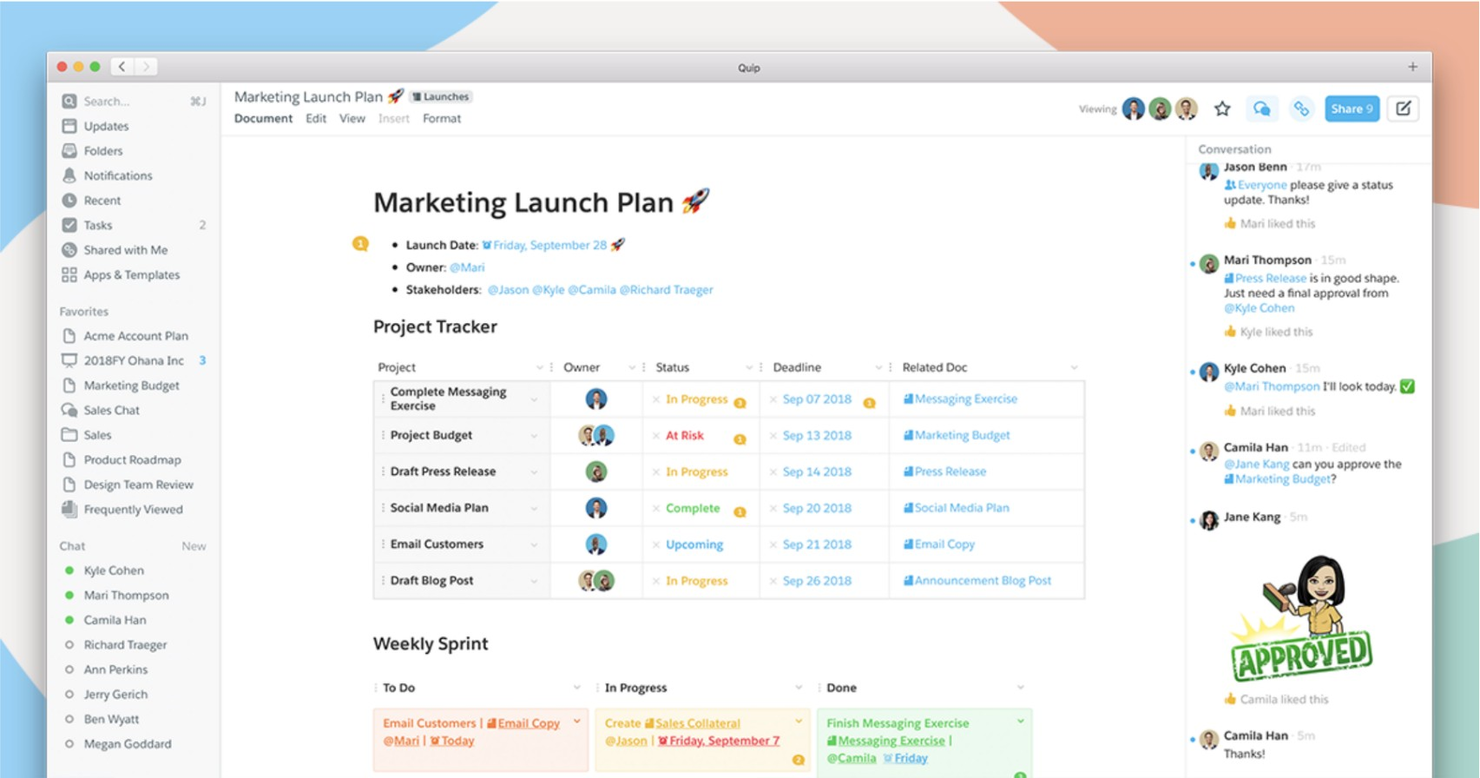
If your team needs real-time collaboration on both documents and spreadsheets, Quip brings these capabilities together in a single workspace. It’s especially useful for sales, operations, and project teams that want to embed spreadsheets directly into their discussions and notes. Quip stands out by letting users edit, comment, and manage structured data alongside meeting notes and project plans without switching between apps.
Why Quip Is a Good Confluence Alternative
Unlike Confluence, Quip puts collaborative spreadsheets and documents at the center of its workspace, making it a strong choice for teams that need to work with structured data and text side by side. I picked Quip because it lets users embed live spreadsheets directly into documents, so teams can update data and context in one place without toggling between tools. Its real-time editing and inline commenting features help teams discuss numbers, plans, and notes in a single thread. For groups that rely on both documentation and spreadsheet-driven workflows, Quip’s unified approach and ease of use offers a clear advantage.
Quip Key Features
Some other features in Quip help teams organize and collaborate on their work:
- Task Lists: Assign, track, and check off tasks directly within documents.
- Document Chat: Chat with collaborators in a sidebar while editing content.
- Mobile Editing: Create and update documents and spreadsheets from mobile devices.
- Folder Organization: Group documents and spreadsheets into shared folders for easy access.
Integrations
Native integrations include Slack, Vidyard, Giphy, and Loom.
Pros and Cons
Pros:
- Excellent mobile app performance
- Integrated chat in documents
- Real-time team collaboration
Cons:
- Inconsistent copy-paste results
- Search is slow with many files
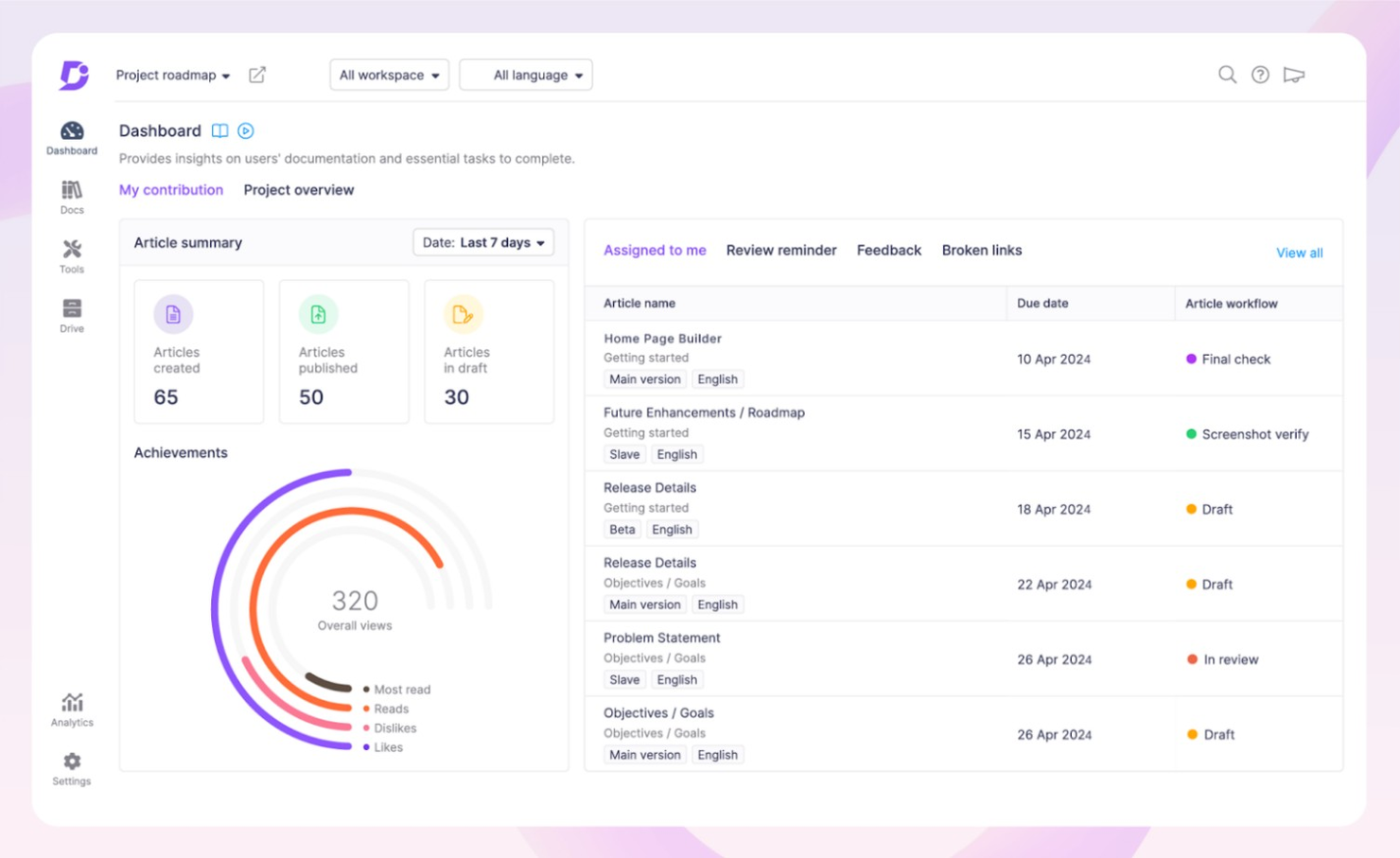
Teams that need precise control over documentation changes often turn to Document360 for its advanced content versioning features. This platform is a strong fit for software companies, technical writers, and support teams managing complex knowledge bases with frequent updates. Document360 stands out by letting users track, compare, and roll back changes at a granular level, which is especially useful for regulated industries or fast-evolving products.
Why Document360 Is a Good Confluence Alternative
For teams that need to manage complex documentation with strict version control, Document360 offers capabilities that go beyond what Confluence provides. I picked Document360 because it lets users create, compare, and restore previous versions of articles with detailed change histories. Its granular versioning tools help teams maintain compliance and accuracy, especially when multiple contributors are involved. If your organization requires audit trails or frequent content updates, Document360’s approach to content versioning is a strong fit.
Document360 Key Features
Some other features in Document360 help teams manage and share knowledge efficiently:
- Category Manager: Organize articles into nested categories for structured navigation.
- Markdown Editor: Write and format content using a built-in markdown editor.
- Private Documentation: Restrict access to certain knowledge base sections for internal use.
- Analytics Dashboard: Track article views, search terms, and user engagement with built-in analytics.
Integrations
Integrations include Zendesk, Slack, and Segment.
Pros and Cons
Pros:
- Highly responsive support
- Versatile editor options
- Robust version control
Cons:
- Occasional slow loading
- No dedicated mobile app
New Product Updates from Document360

Document360 Expands Translation, Portal Visibility, and Analytics Enhancements
Document360 introduces improved category title translation, lifecycle-based account champion visibility in the portal, and clearer analytics labeling. These updates enhance multilingual consistency, improve user guidance, and refine reporting accuracy. For more information, visit Document360's official site.
 .
.
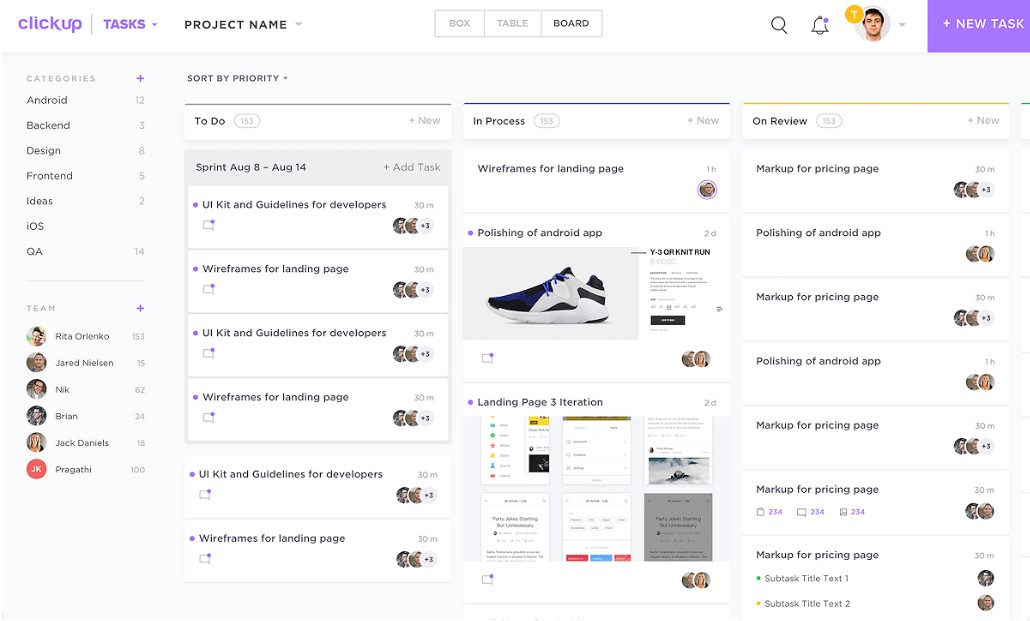
ClickUp brings together task management and documentation in a single, unified workspace. It’s especially useful for teams that want to connect project tracking, knowledge bases, and workflows without switching between multiple tools. If you’re looking for a platform that tightly links tasks, docs, and collaboration, ClickUp offers more integration between these elements than most Confluence alternatives.
Why ClickUp Is a Good Confluence Alternative
For teams that want to manage both tasks and documentation in one place, ClickUp offers a tightly integrated approach that’s hard to match. Its Docs feature lets you create, organize, and link documents directly to tasks, so project information and action items always stay connected. I picked ClickUp because it allows you to embed checklists, assign comments, and track progress right inside your documentation. This level of integration between task management and knowledge sharing is especially valuable for teams that need to keep projects and documentation closely aligned.
ClickUp Key Features
Some other features in ClickUp help teams manage collaboration and information more efficiently:
- Custom Views: Choose from list, board, calendar, and Gantt views to visualize work in the way that fits your team’s process.
- Goal Tracking: Set, track, and update team or project goals directly within the platform.
- Automations: Build custom automations to handle repetitive tasks and notifications without manual effort.
- Time Tracking: Log time spent on tasks using built-in timers and manual entries for better project accountability.
Integrations
Native integrations include Gmail, Google Docs, Outlook, and Calendly.
Pros and Cons
Pros:
- Generous free forever plan
- Replaces multiple software tools
- Highly flexible customization
Cons:
- Occasional performance lag
- Can feel cluttered or complex
New Product Updates from ClickUp

ClickUp Enhances Task Management and Introduces AI Notetaker
ClickUp introduces an AI Notetaker for meetings and improves task type management in views. These updates help teams capture meeting insights automatically and organize work more efficiently. For more information, visit ClickUp’s official site.

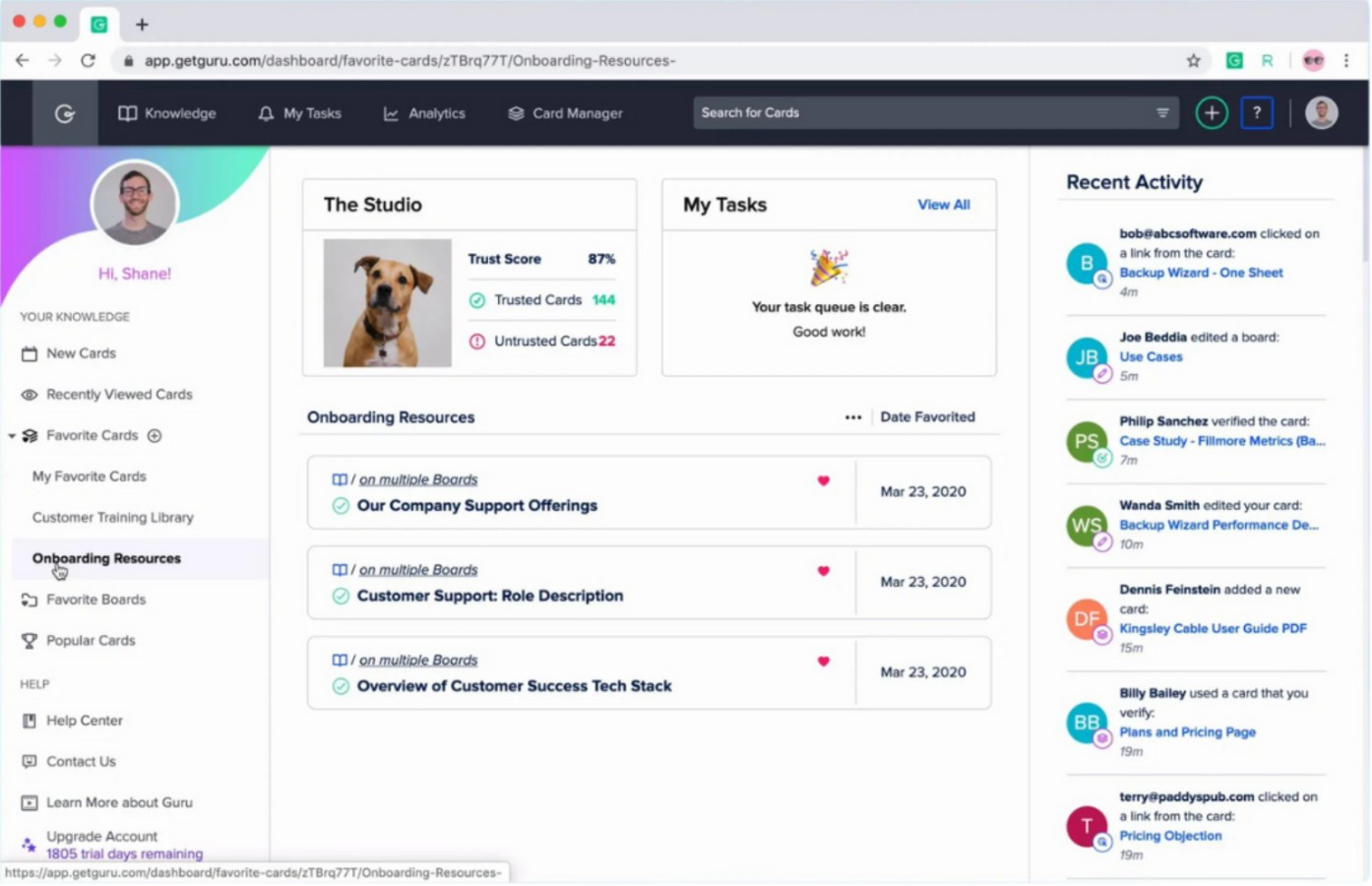
Guru takes a unique approach by focusing on real-time knowledge verification for fast-moving teams. It’s a strong fit for support, sales, and operations groups that need up-to-date, trusted answers embedded in their daily workflows. If you’re looking for a solution that keeps information accurate and easily accessible, Guru’s verification workflows and browser extension set it apart from Confluence and other knowledge management tools.
Why Guru Is a Good Confluence Alternative
Unlike traditional knowledge bases, Guru stands out for its real-time knowledge verification, which helps teams keep information accurate and trustworthy. I picked Guru because its verification workflows let subject matter experts regularly review and confirm content, so your team always has up-to-date answers.
The browser extension makes it easy to access and update knowledge directly within the tools you already use. For teams that need to ensure information is always current and reliable, Guru’s verification and in-context delivery features offer a clear advantage over Confluence.
Guru Key Features
Some other features in Guru help teams organize and share knowledge more effectively:
- AI Suggest: Guru uses AI to suggest relevant knowledge cards as you work in other apps.
- Card Collections: Organize information into collections and boards for easy navigation and access.
- Analytics Dashboard: Track usage, searches, and engagement with built-in analytics tools.
- Slack Integration: Capture, share, and verify knowledge directly within Slack conversations.
Integrations
Integrations include Slack, Trello, and ClickUp.
Pros and Cons
Pros:
- Intuitive "Card" organization
- Seamless browser extension
- Fast, verified knowledge access
Cons:
- Search struggles with large data
- Expensive per-user pricing


Selection Criteria
When selecting the best confluence alternatives to include in this list, I considered common buyer needs and pain points related to team collaboration and knowledge management software products, like managing frequent documentation updates and ensuring secure, organized information sharing. I also used the following framework to keep my evaluation structured and fair:
Core Functionality (25% of total score)
To be considered for inclusion in this list, each solution had to fulfill these common use cases:
- Create and edit shared documents
- Organize content in a searchable structure
- Assign permissions and manage user access
- Collaborate with team members in real time
- Track changes and maintain version history
Additional Standout Features (25% of total score)
To help further narrow down the competition, I also looked for unique features, such as:
- Advanced content versioning and rollback
- AI-powered search and content suggestions
- Built-in analytics and reporting dashboards
- Customizable workflows and approval processes
- Integration with developer tools and ticketing systems
Usability (10% of total score)
To get a sense of the usability of each system, I considered the following:
- Clean and intuitive user interface
- Logical navigation and menu structure
- Minimal clicks to complete common tasks
- Responsive design for different devices
- Clear labeling and helpful tooltips
Onboarding (10% of total score)
To evaluate the onboarding experience for each platform, I considered the following:
- Availability of step-by-step product tours
- Access to training videos and documentation
- Pre-built templates for quick setup
- In-app chatbots or guided help
- Webinars or live onboarding sessions
Customer Support (10% of total score)
To assess each software provider’s customer support services, I considered the following:
- Multiple support channels like chat, email, and phone
- Fast response times to inquiries
- Access to a searchable help center
- Availability of dedicated account managers
- Community forums for peer support
Value For Money (10% of total score)
To evaluate the value for money of each platform, I considered the following:
- Transparent and flexible pricing plans
- Features included at each pricing tier
- Free trial or free plan availability
- Discounts for annual billing or larger teams
- No hidden fees or surprise charges
Customer Reviews (10% of total score)
To get a sense of overall customer satisfaction, I considered the following when reading customer reviews:
Constructive criticism and how vendors respond
Consistent positive feedback on reliability
Reports of responsive customer support
Comments on ease of adoption and training
User satisfaction with integrations and features
Why Look For a Confluence Alternative?
While confluence is a good choice of team collaboration and knowledge management software, there are a number of reasons why some users seek out alternative solutions. You might be looking for a confluence alternative because…
- You need more advanced content versioning and rollback controls
- Your team wants deeper customization of workflows and permissions
- You require better integration with developer or support tools
- You find confluence’s search engine and navigation limiting for large knowledge bases
- You need a solution with more flexible pricing for smaller teams
If any of these sound like you, you’ve come to the right place. My list contains several team collaboration and knowledge management software options that are better suited for teams facing these challenges with confluence and looking for alternative solutions.
Features
Here are some of the key features of Confluence, to help you contrast and compare what alternative solutions offer:
- Collaborative page editing with real-time updates
- Hierarchical page organization and space management
- Built-in templates for meeting notes, project plans, and documentation
- Page version history and change tracking
- Inline comments and threaded discussions
- Advanced search with filters and labels
- Permission controls for spaces, pages, and user groups
- Integration with Jira and other Atlassian products
- Macros for embedding dynamic content and external data
- Export options for PDF and Word formats
What’s Next:
If you're in the process of researching confluence alternatives, connect with a SoftwareSelect advisor for free recommendations.
You fill out a form and have a quick chat where they get into the specifics of your needs. Then you'll get a shortlist of software to review. They'll even support you through the entire buying process, including price negotiations.