
13 Best Cloud IDEs Reviewed in 2026

Best Cloud IDEs Shortlist
Here’s my shortlist of the best cloud IDEs:


In the fast-paced world of software development, you need tools that keep up with your team's demands. Cloud IDEs offer the flexibility and collaboration you require, boosting your team’s development experience while letting them code remotely without setup hassles.
I've spent years testing and reviewing cloud IDEs, so you don't have to. I understand the challenges you face—whether it's managing remote teams, ensuring data security, or just finding a tool that fits your workflow.
In this article, I'll share my top picks for cloud IDEs, focusing on what truly matters to you. Expect unbiased reviews, insights on features, and how each tool can fit your needs. Let's find the cloud IDE that will make your development process smoother and more efficient.
Why Trust Our Software Reviews
Best Cloud IDEs Summary
This comparison chart summarizes pricing details for my top cloud IDE selections to help you find the best one for your budget and business needs.
| Tool | Best For | Trial Info | Price | ||
|---|---|---|---|---|---|
| 1 | Best for front-end design | Free plan + free demo available | From $8/month (billed annually) | Website | |
| 2 | Best for remote collaboration | Free trial available | From $9.60/user/month (billed annually) | Website | |
| 3 | Best for GitHub projects | Free plan available | From $0.18/2 core machine/2 usage multiplier | Website | |
| 4 | Best for Kubernetes support | Not available | Free forever plan | Website | |
| 5 | Best for open-source customization | Not available | Free forever plan | Website | |
| 6 | Best for Drupal developers | Free demo available | Pricing information not available | Website | |
| 7 | Best for quick coding tasks | Free plan available | Pricing information not available | Website | |
| 8 | Best for enterprise solutions | Free plan + 30-day free trial + free demo available | Pricing information not available | Website | |
| 9 | Best for Python learners | Free plan + 7-day free trial available | From $9/month (billed annually) | Website | |
| 10 | Best for Google Cloud users | Free plan available | Free for Google Cloud customers | Website |
-

Site24x7
Visit WebsiteThis is an aggregated rating for this tool including ratings from Crozdesk users and ratings from other sites.4.6 -
Docker
Visit WebsiteThis is an aggregated rating for this tool including ratings from Crozdesk users and ratings from other sites.4.6 -
Pulumi
Visit WebsiteThis is an aggregated rating for this tool including ratings from Crozdesk users and ratings from other sites.4.8





Best Cloud IDEs Reviews
Below are my detailed summaries of the best cloud IDEs that made it onto my shortlist. My reviews offer a detailed look at the key features, pros and cons, integrations, and ideal use cases of each tool to help you find the best one for you.

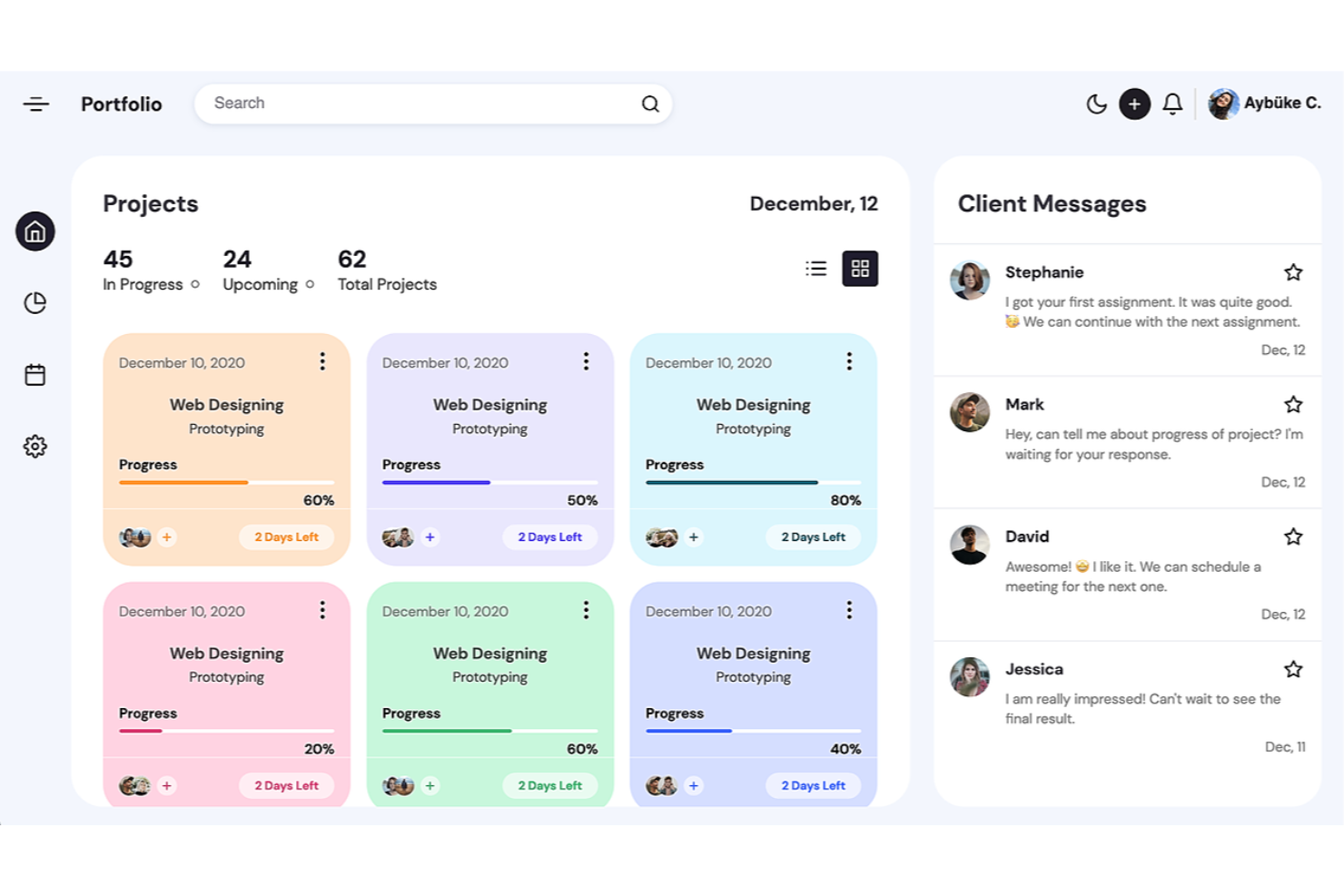
CodePen is an online code editor and open-source learning environment for front-end developers and designers. It allows users to build, test, and showcase HTML, CSS, and JavaScript code snippets.
Why I picked CodePen: It’s perfect for front-end design work, allowing you to prototype ideas and share them with your team. The platform provides a community-driven space where you can learn from others and showcase your work. Its intuitive interface makes it easy for designers to focus on creativity without getting bogged down by complex setups.
Standout Features and Integrations:
Features include a live preview that lets you see changes in real-time as you code, which is great for quick iterations. You can also explore a vast library of user-created content for inspiration. Additionally, CodePen offers a collaborative mode that allows people to work on the same project simultaneously.
Integrations are not publicly listed.
Pros and Cons
Pros:
- Supports collaborative coding sessions
- Community-driven platform encourages learning
- Live preview speeds up iterations
Cons:
- Heavy browser memory consumption
- Lacks advanced backend tools

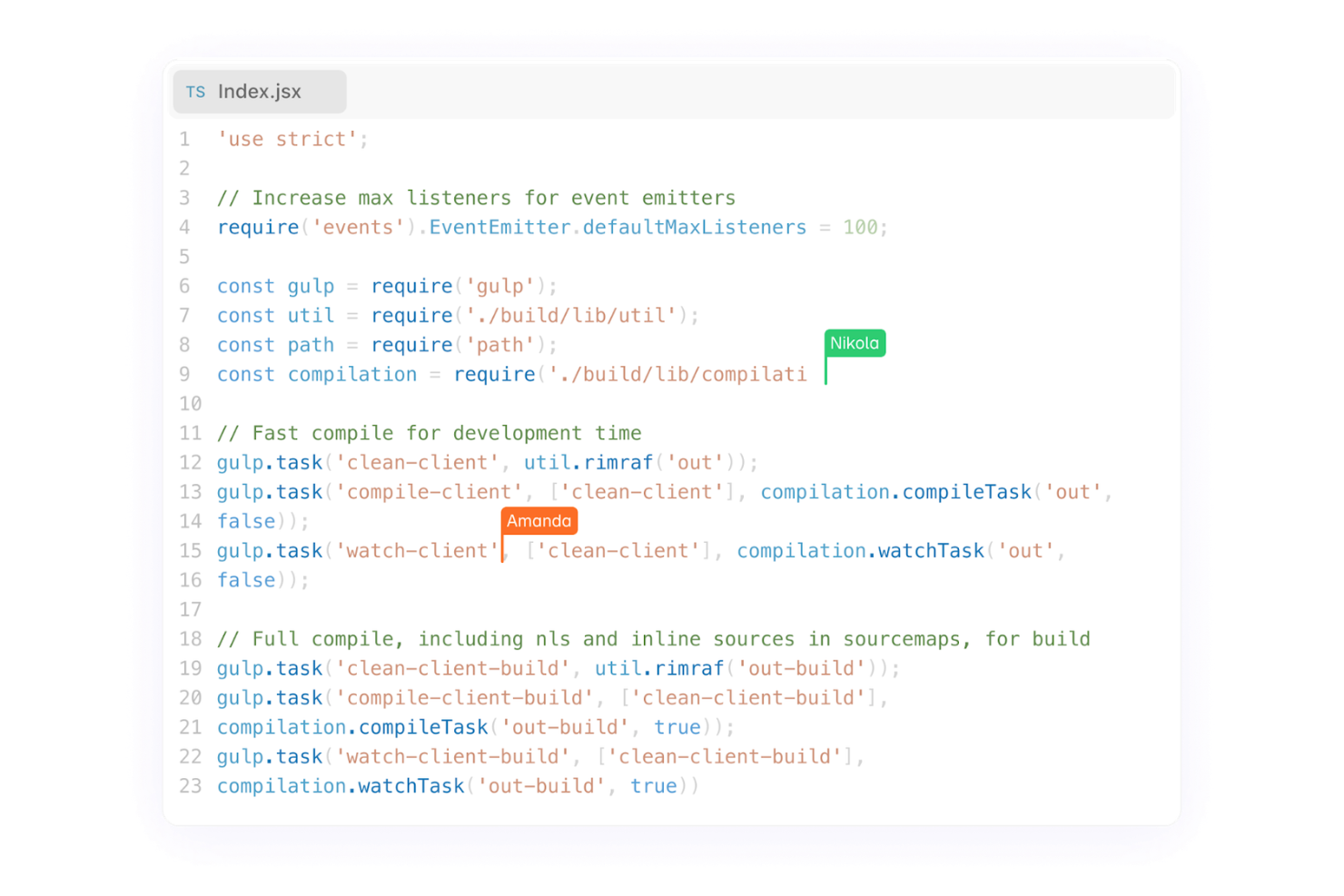
Codeanywhere is a cloud-based IDE designed for developers who need flexibility and collaboration in their coding environment. It supports multiple programming languages, including React, and allows developers to code, run, and debug applications from any location.
Why I picked Codeanywhere: It excels in remote collaboration, making it ideal for distributed teams. Shared workspaces allow you to pair programs and debug with team members in real-time. You can also share your entire workspace for live testing, which is perfect for collaborative projects.
Standout Features and Integrations:
Features include AI-powered code completion, which helps speed up your coding tasks and manage datasets efficiently. The web-based terminal allows you to execute commands directly in the cloud. You can also import extensions and themes to customize your coding environment.
Integrations include GitHub, GitLab, Bitbucket, and more.
Pros and Cons
Pros:
- Customizable with extensions
- Shared workspaces for collaboration
- AI-powered code assistance
Cons:
- Limited free-tier resources
- Requires high-bandwidth connection

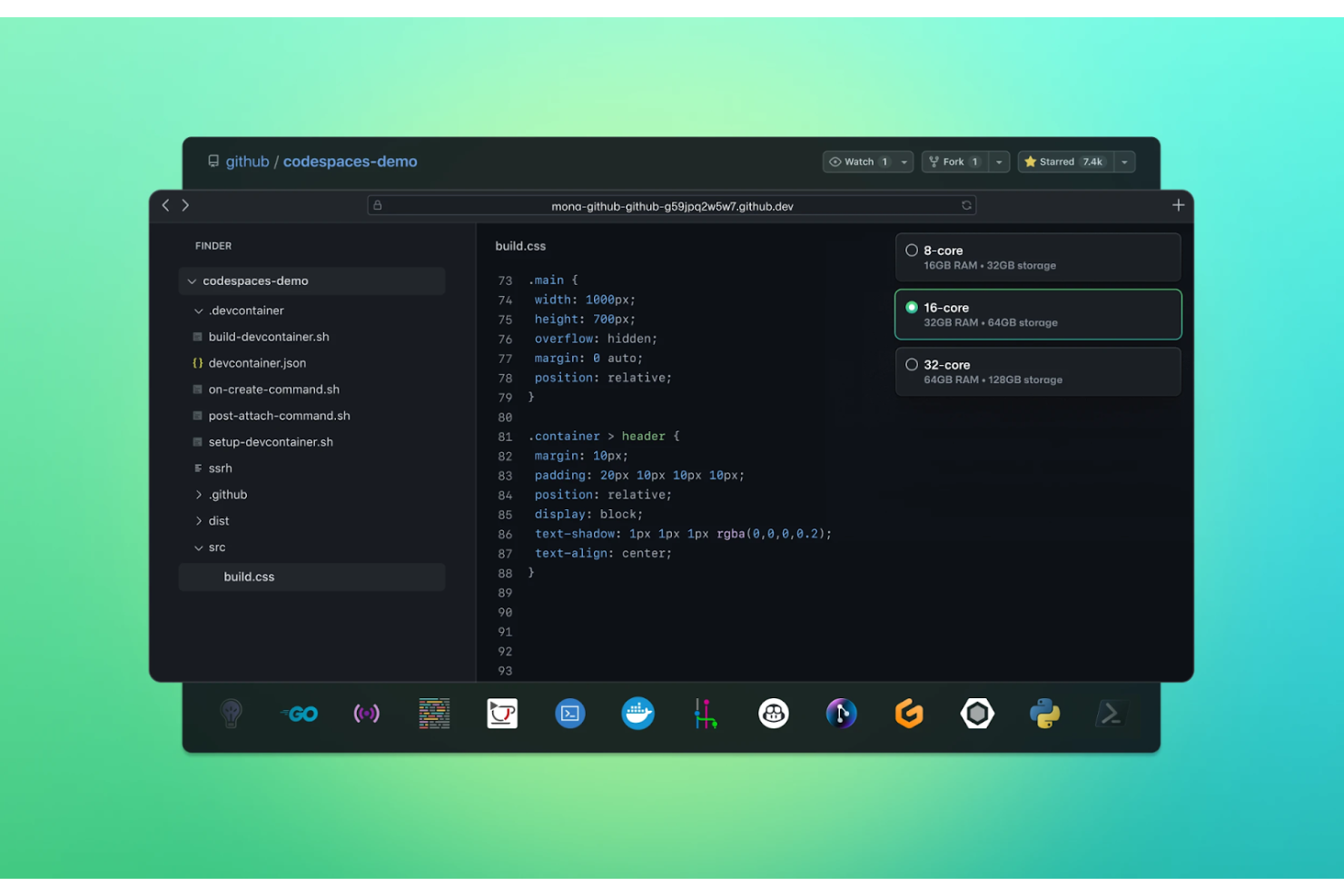
GitHub Codespaces is a cloud-based development environment designed for developers who primarily use GitHub for version control. It enables users to code, build, test, and debug applications directly from their GitHub repositories.
Why I picked GitHub Codespaces: It provides native GitHub integration, making it perfect for developers who work extensively with GitHub projects. Its ability to handle complex projects makes it suitable for teams working on large-scale applications.
Standout Features and Integrations:
Features include the ability to quickly launch development environments from any branch or pull request, strengthening your productivity. You can customize these environments with developer containers, providing consistency across different setups. The platform also offers access to VS Code extensions, adding functionality to your development process.
Integrations include GitHub Actions, Visual Studio Code, and more.
Pros and Cons
Pros:
- Customizable with dev containers
- Quick environment launches
- Native integration with GitHub
Cons:
- Usage-based pricing may increase costs
- Requires GitHub knowledge

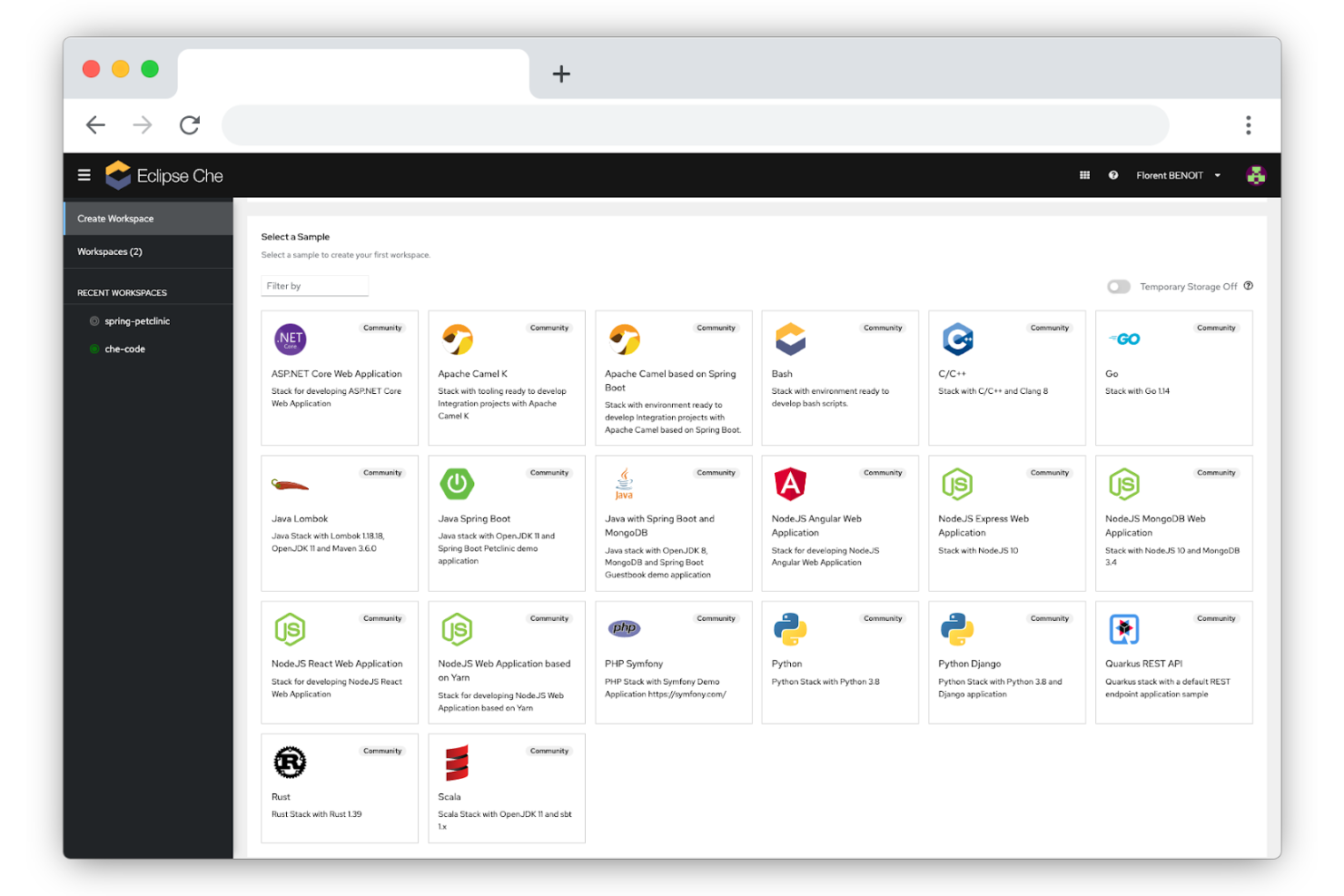
Eclipse Che is a cloud-based integrated development environment designed for developers who need a scalable and containerized workspace. It primarily serves teams looking to manage their development environments using Kubernetes.
Why I picked Eclipse Che: It excels in Kubernetes support, making it ideal for teams leveraging containerized applications. You can create and manage workspaces that run in Kubernetes clusters, providing a consistent development environment. Its ability to integrate with various CI/CD pipelines improves your team's workflow.
Standout Features and Integrations:
Features include a workspace server that centralizes your project management, allowing for better organization. The IDE supports code sharing and collaboration, enabling your team to work together in real-time. Additionally, Eclipse Che provides built-in debugging support, which helps you quickly identify and resolve issues.
Integrations include Kubernetes, OpenShift, GitHub, GitLab, Bitbucket, Microsoft Azure DevOps Services, and more.
Pros and Cons
Pros:
- Supports real-time code collaboration
- Centralized workspace management
- Strong Kubernetes integration
Cons:
- High resource usage on local machines
- Requires Kubernetes knowledge

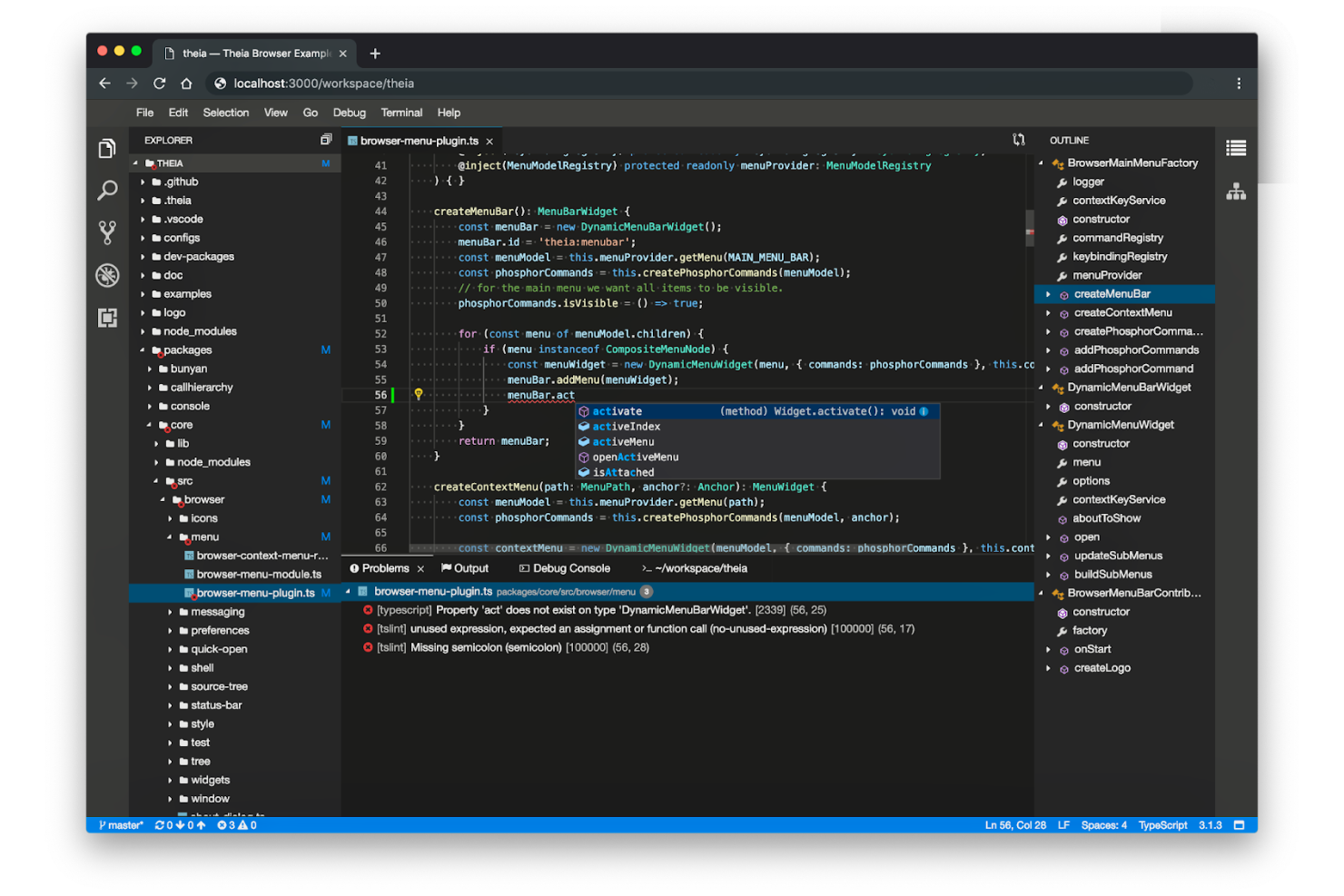
Theia IDE is an open-source cloud-based integrated development environment aimed at developers who need a customizable platform. It supports a wide range of programming languages, including Java, and can be tailored to fit specific development needs.
Why I picked Theia IDE: Its open-source nature allows you to customize and extend the platform, making it ideal for projects with unique requirements. You can create custom extensions to improve its functionality, which is perfect for teams with specific workflows. Its modular architecture makes it easy for you to integrate new features as your projects evolve.
Standout Features and Integrations:
Features include a modular architecture that supports customization and extension. It supports both cloud and desktop environments, providing flexibility for your team. The IDE also offers a rich text editor with syntax highlighting and code refactoring, boosting your coding experience.
Integrations are not publicly listed.
Pros and Cons
Pros:
- Modular architecture for easy updates
- Supports desktop and cloud environments
- Highly customizable and extendable via plugins
Cons:
- Limited out-of-the-box features
- Manual plugin compatibility management

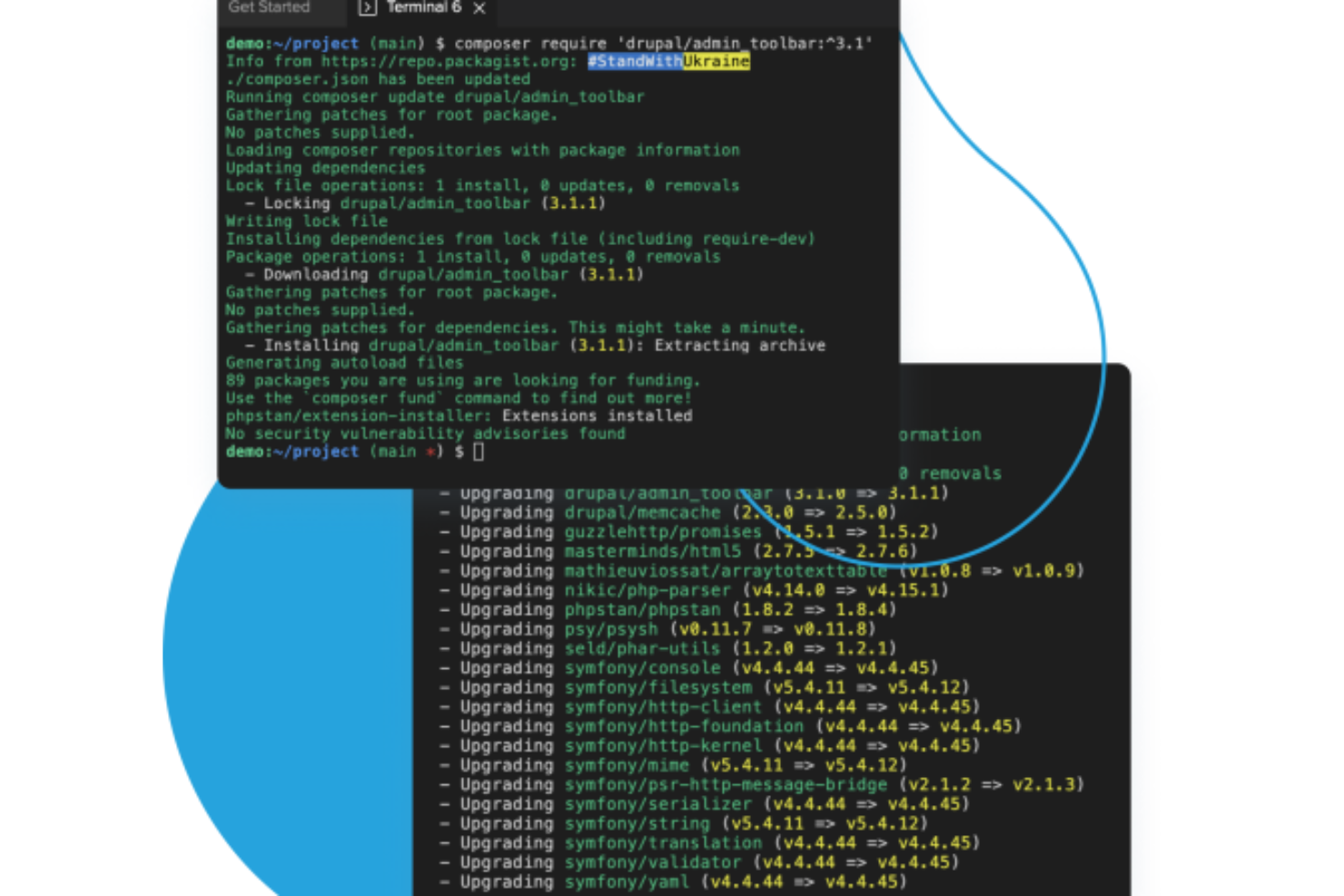
Acquia Cloud IDE is a cloud-based development environment tailored for Drupal developers. It allows teams to build, test, and deploy Drupal applications efficiently in the cloud.
Why I picked Acquia Cloud IDE: Its specialized tools make it an ideal choice for developers working on Drupal projects. You can connect directly to your Acquia Cloud applications, allowing for easy development and deployment. Its real-time collaboration features enable multiple developers to work together efficiently.
Standout Features and Integrations:
Features include pre-configured Drupal environments that let you start coding immediately. The IDE offers a built-in CLI terminal for executing commands directly in the cloud. You can also leverage its debugging tools to identify and fix issues promptly, improving your development workflow.
Integrations include Acquia Cloud, Git, GitHub, GitLab, Bitbucket, and more.
Pros and Cons
Pros:
- Has built-in debugging tools
- Direct connection to Acquia Cloud
- Specialized in Drupal development
Cons:
- Requires an Acquia Cloud subscription
- Limited to Drupal projects

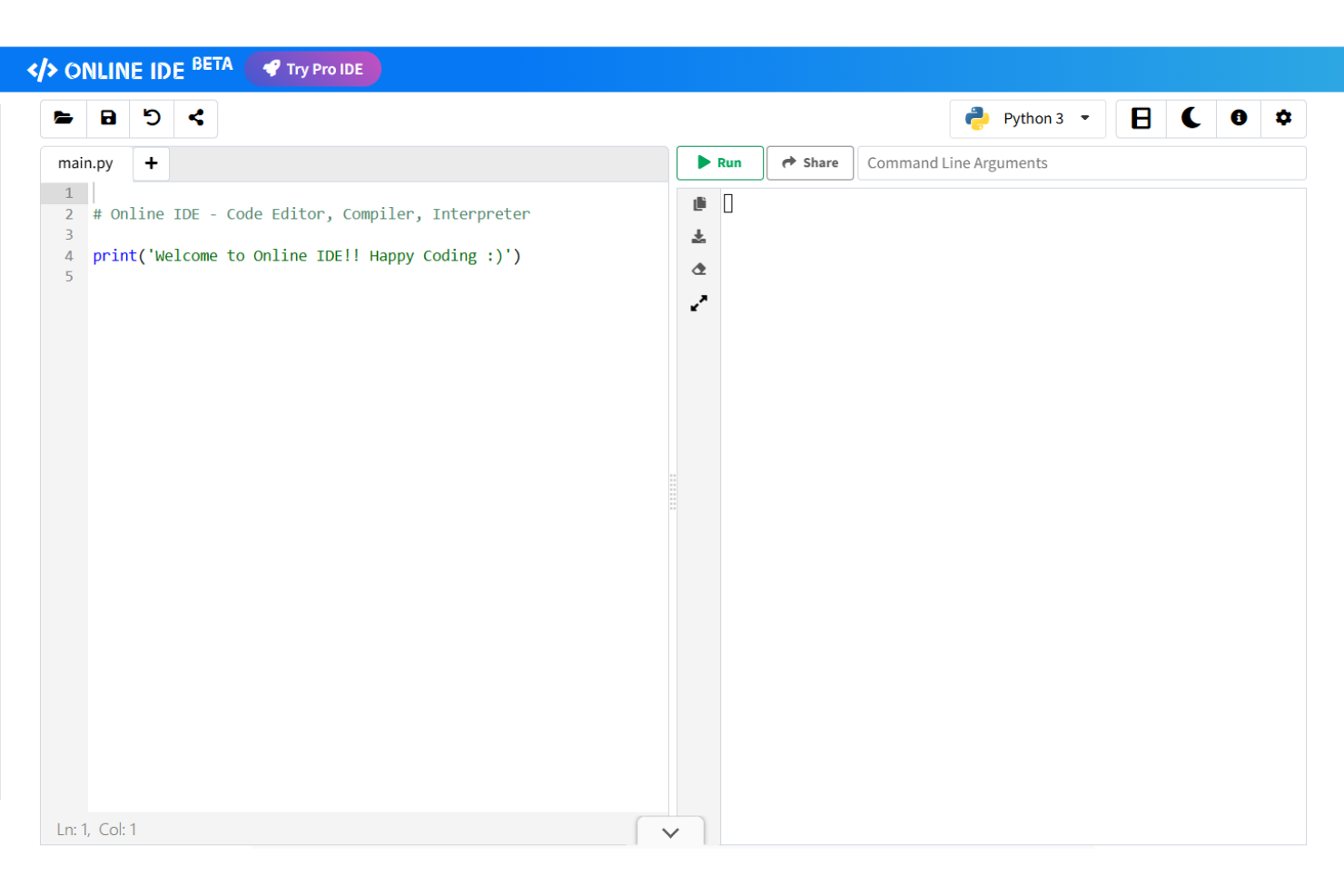
Online IDE is a web-based code editor and compiler designed for developers and learners who need a simple, fast coding platform. It supports multiple programming languages and allows users to write, execute, and test code directly in the browser.
Why I picked Online IDE: It's perfect for quick coding tasks, offering a lightweight environment that doesn't require installation. You can run and test code snippets instantly, which is great for learning and experimentation. Its ability to handle multiple languages makes it versatile for coding projects.
Standout Features and Integrations:
Features include an interactive execution environment that lets you input program data in real-time. The IDE offers options to copy or download your code and results, making it convenient for sharing and saving work. Additionally, you can choose between dark and light themes, customizing the platform’s clean interface to your liking.
Integrations are not publicly listed.
Pros and Cons
Pros:
- Instant execution for code snippets
- Supports multiple programming languages
- Lightweight and fast environment
Cons:
- Temporary browser-based session storage
- Lacks advanced debugging tools
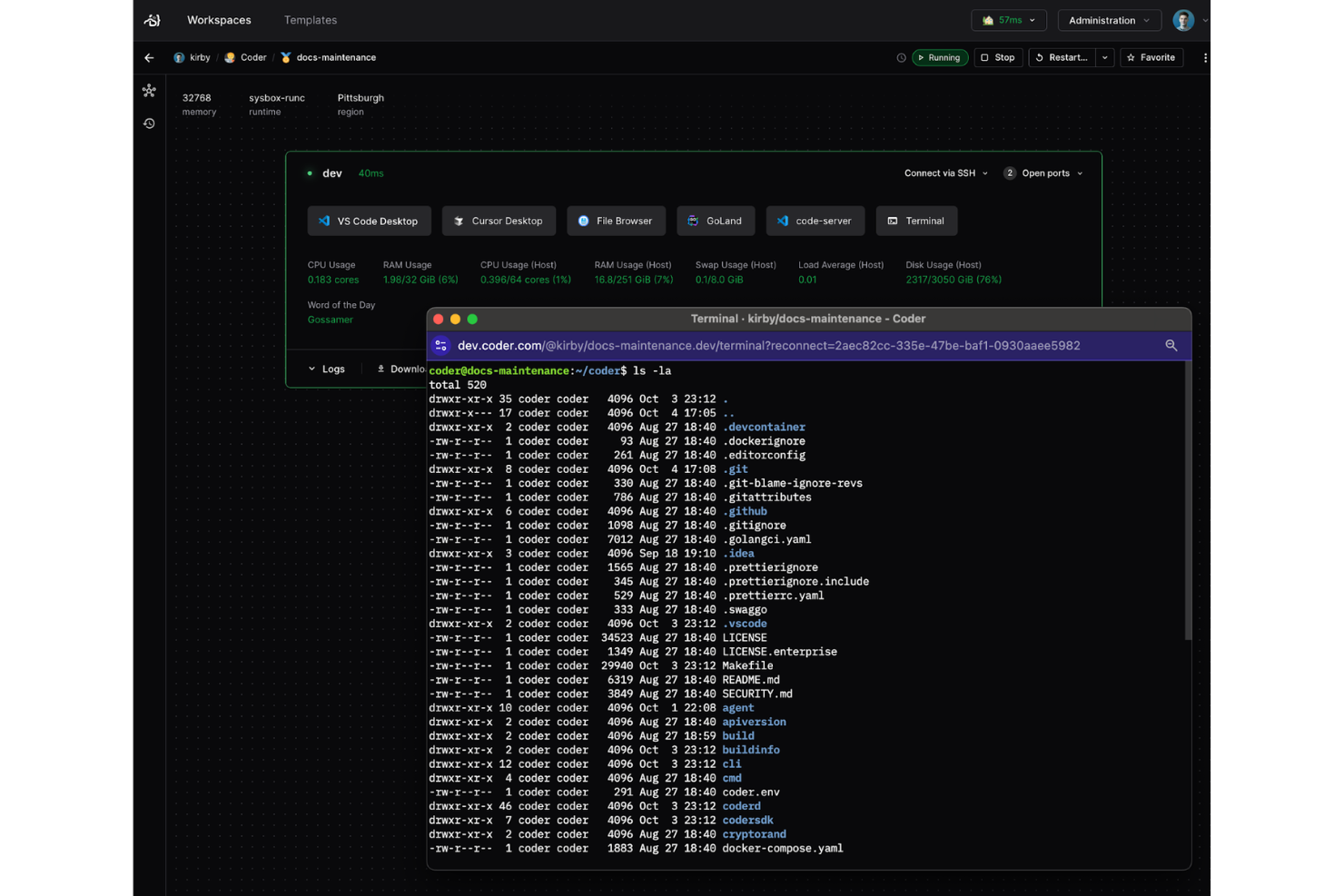
Coder is a cloud-based development platform designed for enterprises that require secure and scalable development environments. It allows businesses to deploy development workspaces on their infrastructure, giving them control over security and compliance.
Why I picked Coder: By allowing you to deploy on your own infrastructure, Coder ensures that sensitive data remains within your control, making it ideal for enterprises. You can customize the environments to meet your specific needs, which is important for large teams with diverse requirements.
Standout Features and Integrations:
Features include a centralized management dashboard, which allows you to oversee multiple development environments from a single interface. The platform also offers customizable environments, enabling you to tailor the workspace to your project needs. Additionally, Coder’s built-in security features help you maintain compliance with industry regulations.
Integrations include Kubernetes, Docker, GitHub, GitLab, Prometheus, JFrog Artifactory, Island Secure Browser, HashiCorp Vault, DX PlatformX, DX Data Cloud, and more.
Pros and Cons
Pros:
- Great built-in security features
- Centralized management for environments
- Deploys on your own infrastructure
Cons:
- Requires technical expertise for customization
- Enterprise setup can be complex

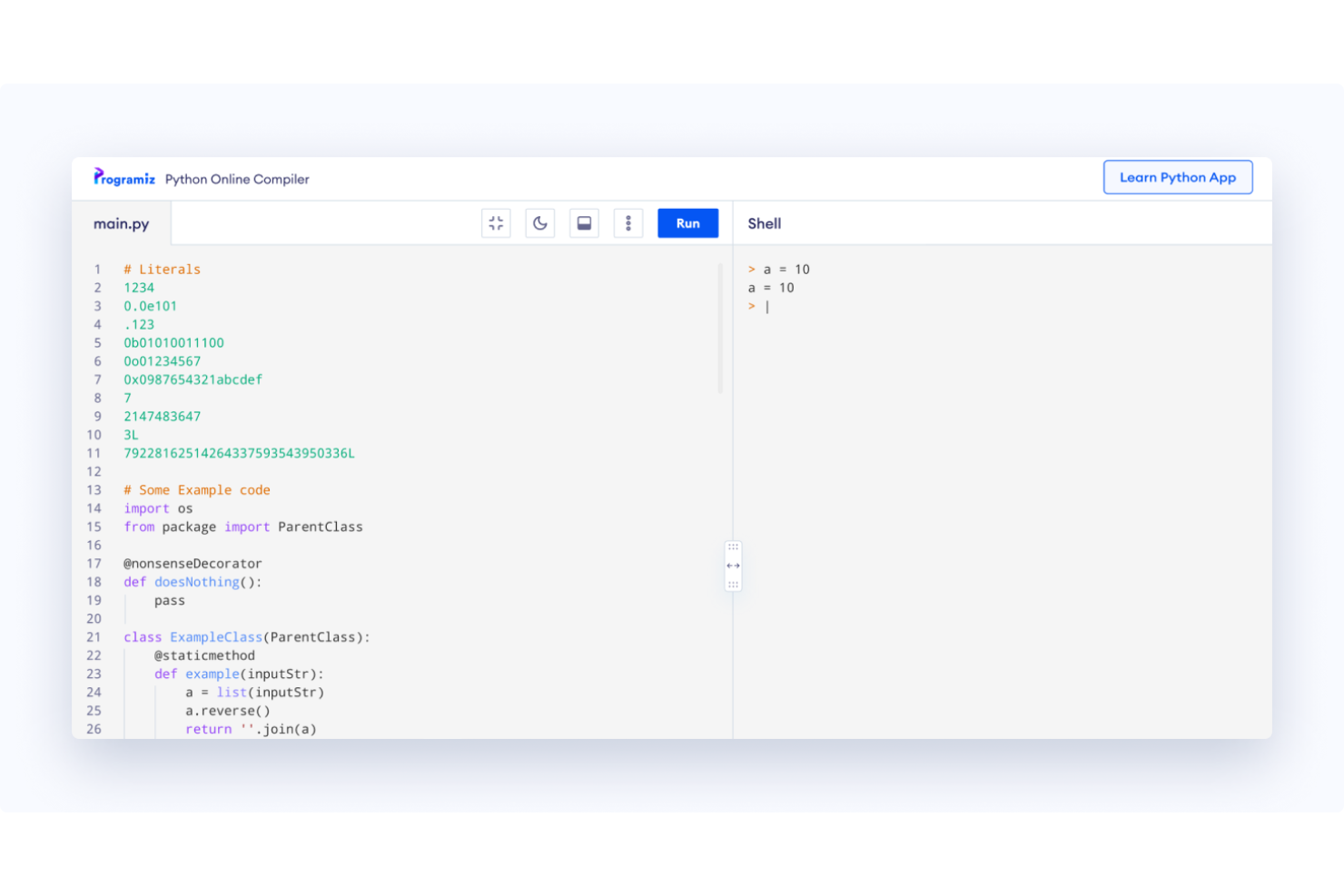
Programiz is an online compiler designed for learners who want to practice Python programming. It provides a simple, accessible platform for writing, running, and testing Python code directly in the browser.
Why I picked Programiz: It's tailored to Python learners, makes coding accessible, and serves as a valuable resource. You can start coding without any setup, which is perfect for beginners.
Standout Features and Integrations:
Features include an easy-to-use interface that simplifies the coding process for beginners. The platform offers interactive tutorials and examples that help you understand Python concepts. Additionally, it provides instant feedback as you code, allowing you to learn from your mistakes in real time.
Integrations are not publicly listed.
Pros and Cons
Pros:
- Simple and intuitive interface
- Includes tutorials and example code
- Provides instant coding feedback
Cons:
- Optimized for isolated syntax practice
- Limited to Python programming

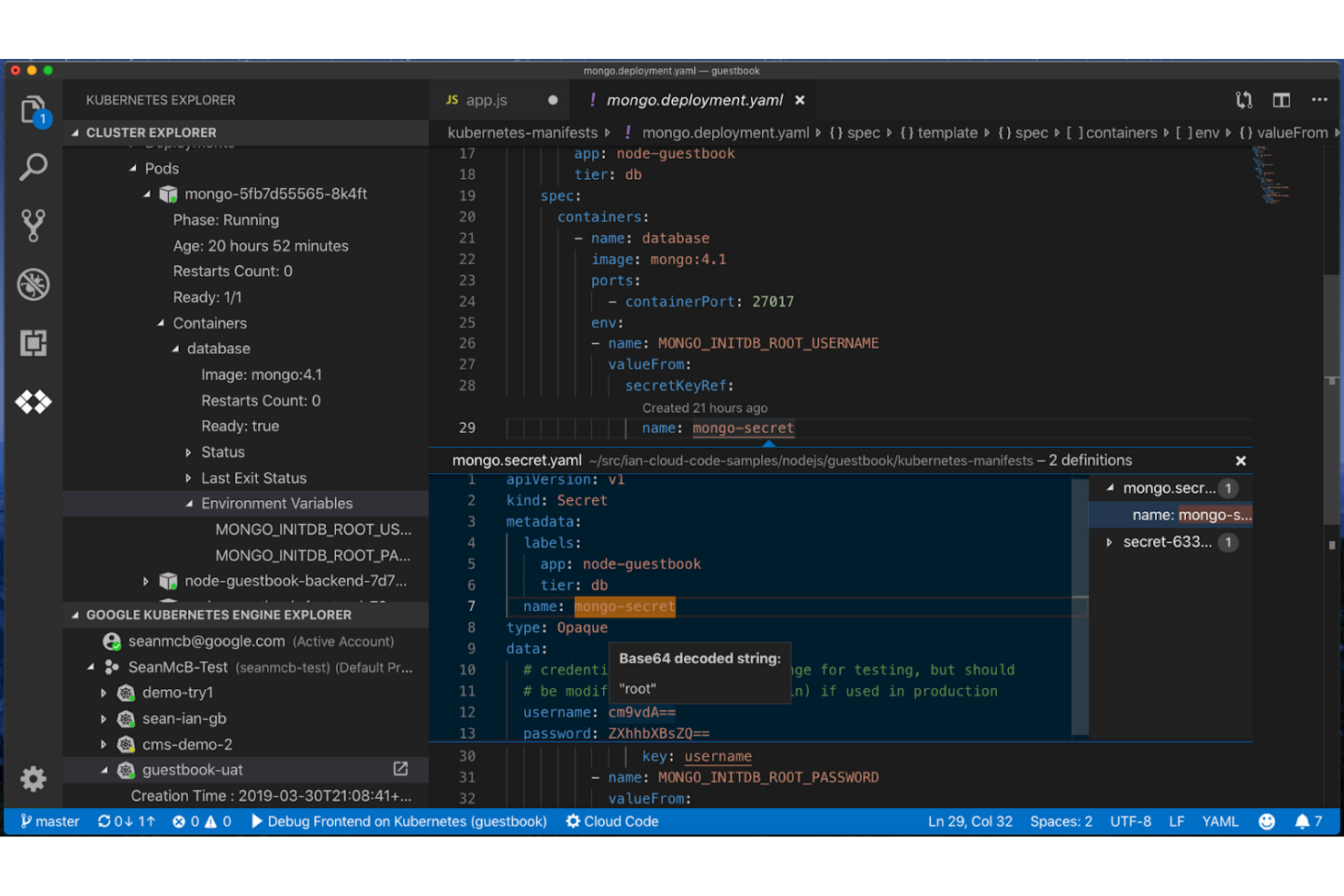
Google Cloud Code is a cloud-based IDE tailored to developers working within the Google Cloud ecosystem. It facilitates the development, deployment, and debugging of applications directly on Google Cloud.
Why I picked Google Cloud Code: It is designed specifically for Google Cloud users, providing tight integration with these services. The IDE offers templates and easy deployment options, helping automate your workflow. With its simple integration, you can deploy applications without leaving the development environment.
Standout Features and Integrations:
Features include smart code completion, which helps you write code faster and with fewer errors. The built-in support for Kubernetes makes managing containerized applications straightforward. Additionally, you get access to pre-configured templates that help kickstart your projects.
Integrations include Google Kubernetes Engine, Google Cloud Build, Google Cloud Run, Google Cloud Storage, Google Cloud Functions, Google App Engine, Cloud Source Repositories, Secret Manager, and more.
Pros and Cons
Pros:
- Templates for quick project setups
- Built-in Kubernetes support
- Tight Google Cloud integration
Cons:
- Requires Google Cloud knowledge
- Limited multi-cloud support
Other Cloud IDEs
Here are some additional cloud IDE options that didn’t make it onto my shortlist, but are still worth checking out:
- Skills Network Cloud IDE
For educational use
- CodeChef IDE
For competitive coding practice
- W3Schools Tryit Editor
For HTML and CSS demos


Cloud IDE Selection Criteria
When selecting the best cloud IDEs to include in this list, I considered common buyer needs and pain points, such as collaboration capabilities and ease of setup. I also used the following framework to keep my evaluation structured and fair:
Core Functionality (25% of total score)
To be considered for inclusion in this list, each solution had to fulfill these common use cases:
- Code editing
- Syntax highlighting
- Debugging tools
- Version control integration
- Collaboration features
Additional Standout Features (25% of total score)
To help further narrow down the competition, I also looked for unique features, such as:
- AI-assisted code completion
- Real-time collaboration
- Built-in terminal
- Customizable environments
- Integration with CI/CD pipelines
Usability (10% of total score)
To get a sense of the usability of each system, I considered the following:
- Intuitive interface design
- Easy navigation
- Minimal setup requirements
- Responsive design
- Accessibility features
Onboarding (10% of total score)
To evaluate the onboarding experience for each platform, I considered the following:
- Availability of training videos
- Interactive product tours
- Access to templates
- Supportive chatbots
- Live webinars and workshops
Customer Support (10% of total score)
To assess each software provider’s customer support services, I considered the following:
- 24/7 availability
- Multiple contact channels
- Response time
- Quality of help documentation
- Community forums
Value for Money (10% of total score)
To evaluate the value for money of each platform, I considered the following:
- Competitive pricing
- Features included in basic plans
- Scalability of pricing
- Availability of free trials
- Discounts for annual billing
Customer Reviews (10% of total score)
To get a sense of overall customer satisfaction, I considered the following when reading customer reviews:
- Overall satisfaction ratings
- Feedback on customer service
- Reports on reliability
- Ease of use comments
- Feature effectiveness feedback
How To Choose a Cloud IDE
It’s easy to get bogged down in long feature lists and complex pricing structures. To help you stay focused as you work through your unique software selection process, here’s a checklist of factors to keep in mind:
| Factor | What To Consider |
|---|---|
| Scalability | How well does the IDE scale with your team’s growth? Check whether it supports an increasing number of users and projects without performance loss. Consider whether it can grow with your organization’s needs. |
| Integrations | Does the IDE integrate with your existing tools and workflows? Verify compatibility with version control systems and CI/CD pipelines you already use. Lack of integrations could lead to workflow disruptions. |
| Customizability | Can you tailor the IDE to fit your specific requirements? Look for options to add plugins or extensions and modify the interface to match your team’s workflow. Limited customization may hinder productivity. |
| Ease of use | Is the IDE intuitive for your team to use? Evaluate the learning curve and whether your team can adapt quickly. A complicated interface could slow down adoption and efficiency. |
| Implementation and onboarding | How long will it take to implement and onboard the IDE? Consider the availability of training docs, such as tutorials and setup support. A smooth onboarding process can reduce downtime and speed up productivity. |
| Cost | Does the cost fit within your budget? Compare pricing plans and assess whether the features provided justify the expense. Be wary of hidden costs or additional fees that can inflate the total cost of ownership. |
| Security safeguards | Are adequate security measures in place to protect your data? Check for encryption, access controls, and compliance with industry standards. Inadequate security can expose your team to potential data breaches. |
| Support availability | Is support readily available when you need it? Consider the availability of customer service channels and response times. A lack of timely support can lead to prolonged issues and frustration. |
What Are Cloud IDEs?
Cloud IDEs are web-based integrated development environments that allow developers to write, edit, and debug code online. These tools are commonly used by software developers, web designers, and IT professionals who value the flexibility of remote coding. Code editing, syntax highlighting, and real-time collaboration features support efficient development processes and team productivity. Overall, these tools offer the convenience of coding without requiring complex local setups.
Features
When selecting a cloud IDE, keep an eye out for the following key features:
- Code editing: Allows you to write and modify code efficiently with an intuitive editor.
- Syntax highlighting: Boosts readability by color-coding different elements of the code.
- Real-time collaboration: Enables multiple developers to work on the same project simultaneously from different locations.
- Version control integration: Connects with systems like Git to track changes and manage code revisions.
- Built-in terminal: Provides command-line access within the IDE for executing commands directly.
- Customizable environments: Let you tailor the coding environment to fit specific project needs.
- Debugging tools: Help identify and fix code errors to ensure smooth functionality.
- Interactive tutorials: Offer guidance and learning resources to help users understand and utilize the IDE effectively.
- Security safeguards: Protect your data with encryption and access controls to prevent unauthorized access.
- Scalability: Supports growing teams and projects without compromising performance or speed.
Benefits
Implementing a cloud IDE provides several benefits for your team and business. Here are a few you can look forward to:
- Flexibility: Access your development environment from anywhere, allowing your team to work remotely without geographical constraints.
- Collaboration: Real-time collaboration features enable team members to work together effectively, improving productivity and project coordination.
- Cost savings: Reduce hardware and infrastructure costs by utilizing cloud-based resources instead of maintaining local setups.
- Scalability: Accommodate growing teams and projects with scalable resources that adjust to your needs.
- Security: Benefit from built-in security measures, such as encryption and access controls, to protect your code and data.
- Learning support: Interactive tutorials and resources help your team quickly adapt to new tools and improve their skills.
- Efficiency: Built-in tools, such as code editors and debugging features, simplify the development process and reduce troubleshooting time.
Costs and Pricing
Selecting a cloud IDE requires understanding the pricing models and plans available. Costs vary based on features, team sizes, add-ons, and more. The table below summarizes common plans, their average prices, and typical features included in cloud IDE solutions:
Plan Comparison Table for Cloud IDE
| Plan Type | Average Price | Common Features |
|---|---|---|
| Free Plan | $0 | Basic code editing, syntax highlighting, and limited storage. |
| Premium Plan | $12-$26/month | Advanced code editing, syntax highlighting, version control integration, and collaboration. |
Cloud IDE FAQs
Here are some answers to common questions about cloud IDE:
Can cloud IDEs handle large projects?
Yes, many cloud IDEs can handle large projects, especially those designed for enterprise use. They often provide scalability features that allow you to manage multiple projects and large codebases. When choosing a cloud IDE, look for options that offer strong performance, storage capacity, and integration with version control systems. This ensures your team can work on complex projects without performance issues.
Do cloud IDEs require an internet connection?
Yes, cloud IDEs require an internet connection to access the development environment and save changes. Since IDEs run on remote servers, a stable connection is necessary for smooth operation. If your internet connection is unreliable, you might experience lag or disruptions. For offline work, consider hybrid solutions that offer local development options alongside cloud capabilities.
Are cloud IDEs secure?
Yes, most cloud IDEs implement security measures to protect your data. They often include encryption, access controls, and compliance with industry standards. When evaluating a cloud IDE, consider the security features offered and check for third-party security certifications. It’s also wise to use strong passwords and enable two-factor authentication to strengthen security. Always review the provider’s privacy policy to understand data handling practices.
What’s Next:
If you're in the process of researching cloud IDEs, connect with a SoftwareSelect advisor for free recommendations.
You fill out a form and have a quick chat where they get into the specifics of your needs. Then you'll get a shortlist of software to review. They'll even support you through the entire buying process, including price negotiations.