
18 Cloud Compliance Tools for 2026

Cloud Compliance Tools Shortlist


Cloud compliance tools are specialized software that help your team monitor, enforce, and document regulatory and security requirements across cloud environments. If you’re searching for the best cloud compliance tools, you’re likely facing growing pressure to keep up with evolving standards, pass audits, and protect sensitive data—often across multiple platforms.
The right tool can make the difference between reactive firefighting and proactive control, but the options can be overwhelming. In this guide, you’ll find a clear, up-to-date comparison of leading solutions, so you can confidently choose the best fit for your organization’s compliance needs in 2026.
Why Trust Our Software Reviews
Best Cloud Compliance Tools Summary
This comparison chart summarizes pricing details for my top cloud compliance tools selections to help you find the best one for your budget and business needs.
| Tool | Best For | Trial Info | Price | ||
|---|---|---|---|---|---|
| 1 | Best for continuous security and monitoring | 30-day free trial + free demo available | Pricing upon request | Website | |
| 2 | Best for real-time audit reporting | Free plan + free demo available | Pricing upon request | Website | |
| 3 | Best for compliance posture remediation | Free trial + free demo available | Pricing upon request | Website | |
| 4 | Best for agentless risk visibility | Free demo available | Pricing upon request | Website | |
| 5 | Best for unified policy management | Free demo available | Pricing upon request | Website | |
| 6 | Best for side-scanning cloud asset discovery | Free demo available | Pricing upon request | Website | |
| 7 | Best for integrated network protection | Free demo available | Pricing upon request | Website | |
| 8 | Best for built-in regulatory compliance templates | Free trial available | Pricing upon request | Website | |
| 9 | Best for threat detection in multi-cloud workloads | 15-day free trial + free demo available | Pricing upon request | Website | |
| 10 | Best for hybrid infrastructures | 30-day free trial + free demo available | Pricing upon request | Website |
-

Freshservice
Visit WebsiteThis is an aggregated rating for this tool including ratings from Crozdesk users and ratings from other sites.4.6 -
Deel IT
Visit Website -
Rippling IT
Visit WebsiteThis is an aggregated rating for this tool including ratings from Crozdesk users and ratings from other sites.4.8




Cloud Compliance Tools Reviews
Below are my detailed summaries of the cloud compliance tools that made it onto my shortlist. My reviews offer a detailed look at the features, capabilities, and integrations of each platform to help you find the best one for your needs.

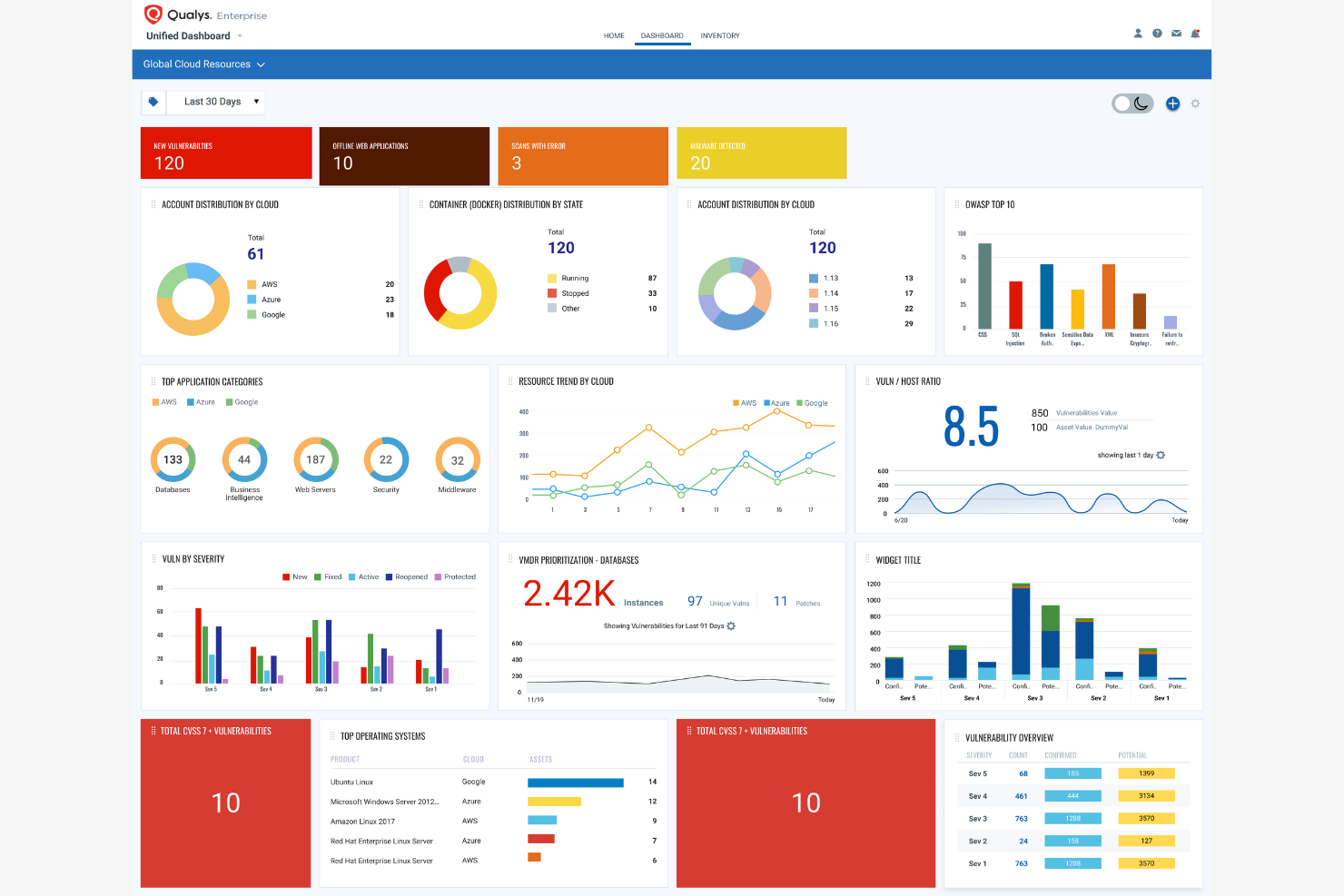
With Qualys, you get a platform designed for continuous security and compliance monitoring across hybrid and cloud environments. This tool is a strong fit for IT, security, and compliance teams that need real-time visibility into vulnerabilities and misconfigurations. Qualys helps you automate compliance checks and quickly identify risks before they impact your business.
Why I Picked Qualys
What stands out about Qualys is its focus on continuous security and compliance monitoring, which is essential for organizations managing dynamic cloud environments. The platform automatically scans for vulnerabilities and misconfigurations, giving you up-to-date insights into your compliance posture at all times. I picked Qualys because its policy compliance module lets you map assets against regulatory frameworks and generate audit-ready reports on demand. This approach helps you catch issues early and maintain compliance as your cloud infrastructure evolves.
Qualys Key Features
Some other features that make Qualys useful for compliance teams include:
- Cloud Inventory Management: Track and categorize all cloud assets across multiple environments.
- File Integrity Monitoring: Monitor changes to critical files and system configurations in real time.
- Web Application Scanning: Identify vulnerabilities and misconfigurations in public-facing web applications.
- Remediation Ticketing Integration: Connect vulnerability findings directly to ITSM tools for streamlined remediation workflows.
Qualys Integrations
Integrations include Microsoft Sentinel, Amazon Web Services, ServiceNow, Splunk, BeyondTrust, Apiiro, ArmorCode, and more.
Pros and Cons
Pros:
- Offers automated vulnerability scanning
- Covers hybrid, cloud, and on-premises environments
- Detects compliance drift in real time
Cons:
- Challenge cloud agent deployment
- Slow and resource-intensive scans

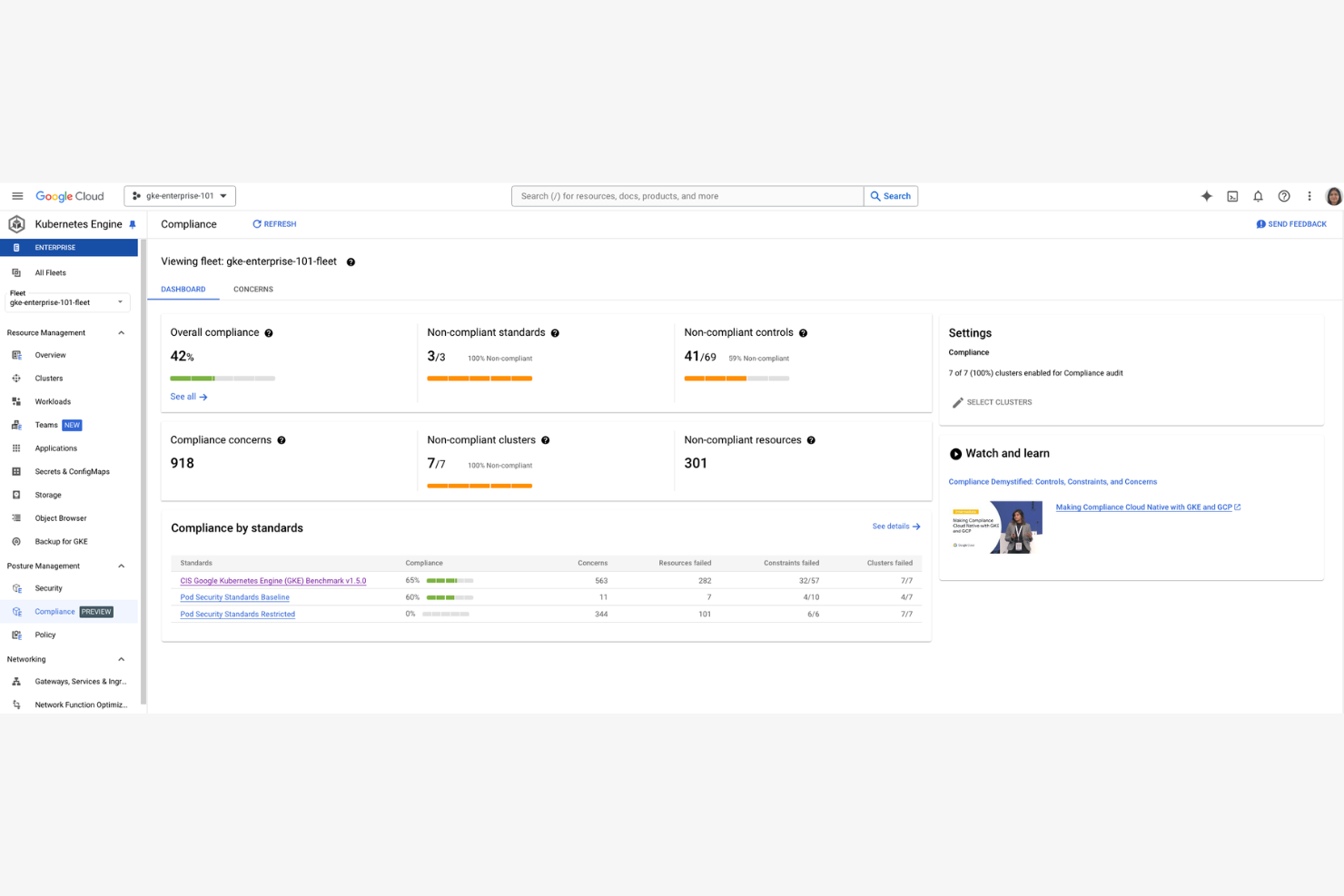
Google Cloud offers real-time audit reporting and automated evidence collection tailored to regulated industries. This platform is built for IT, security, and compliance professionals who need to demonstrate ongoing compliance with frameworks like PCI DSS, HIPAA, and ISO 27001. It helps you monitor, document, and respond to compliance requirements directly within your Google Cloud environment.
Why I Picked Google Cloud
For teams that need immediate visibility into their compliance posture, Google Cloud stands out with its real-time audit reporting capabilities. I picked this tool because it lets you generate audit logs and compliance evidence on demand, which is essential for organizations facing frequent regulatory reviews or internal audits. The platform’s integration with Google Cloud’s security and monitoring services means you can track compliance events as they happen and respond quickly to any issues. This real-time approach helps reduce the lag between incident detection and documentation, which is a key requirement for many regulated industries.
Google Cloud Key Features
Some other features that make Google Cloud useful for compliance teams include:
- Compliance Resource Center: Access a centralized library of compliance documentation, certifications, and whitepapers.
- Assured Workloads: Configure and enforce compliance controls for specific regulatory frameworks within your cloud projects.
- Data Loss Prevention (DLP) API: Scan and classify sensitive data across your Google Cloud environment.
- Access Transparency: Review detailed logs of Google support and engineering access to your cloud resources.
Google Cloud Integrations
Integrations include Cloud Logging, Cloud Monitoring, Google Workspace, Cloud Key Management Service, and more.
Pros and Cons
Pros:
- Native integration with Google Cloud security tools
- Extensive compliance documentation available
- Real-time audit logs for investigations
Cons:
- Limited non-U.S. regulatory frameworks templates
- Restricted support for exporting evidence

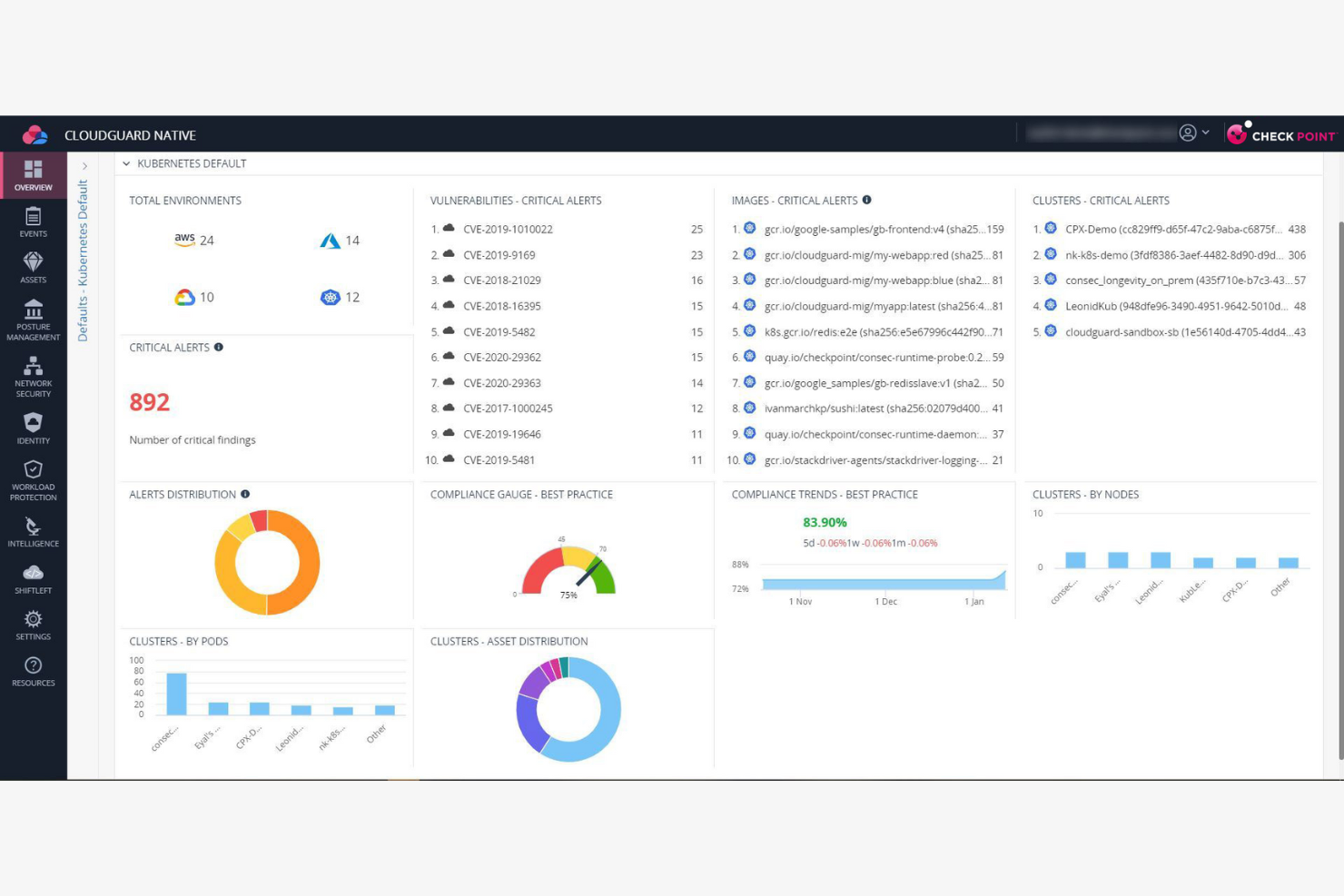
Check Point CloudGuard is designed for IT and security teams that need to automate compliance posture remediation across public cloud environments. It’s especially useful for organizations managing dynamic, large-scale cloud deployments where manual compliance fixes aren’t practical. If you’re looking to reduce risk by automatically detecting and correcting policy violations, CloudGuard offers targeted automation for that challenge.
Why I Picked Check Point CloudGuard
What drew me to Check Point CloudGuard is its focus on automated compliance posture remediation, which is a key need for teams managing fast-changing cloud environments. The tool automatically detects compliance violations and can trigger remediation workflows to correct issues without manual intervention. I like that it supports customizable policies, so you can tailor remediation actions to your organization’s specific standards. This automation helps reduce the time and risk associated with manual compliance management, making it a strong fit for organizations with complex or large-scale cloud operations.
Check Point CloudGuard Key Features
In addition to its automated remediation capabilities, I also found these features valuable:
- Cloud Security Posture Management (CSPM): Continuously monitors cloud resources for misconfigurations and compliance gaps.
- Threat Intelligence Integration: Leverages real-time threat data to enhance detection and response.
- Network Security Visualization: Provides graphical mapping of cloud network traffic and security groups.
- Multi-Cloud Support: Manages security compliance across AWS, Azure, Google Cloud, and other providers.
Check Point CloudGuard Integrations
Integrations include AWS, Azure, Google Cloud Platform, Alibaba Cloud, Oracle Cloud Infrastructure, Kubernetes, ServiceNow, Splunk, IBM QRadar, and more.
Pros and Cons
Pros:
- Extends on-premise policies to cloud
- AI-powered automated incident remediation bots
- Blocks threats at the network level
Cons:
- Outdated UI lags with large data
- Packet inspection adds network latency

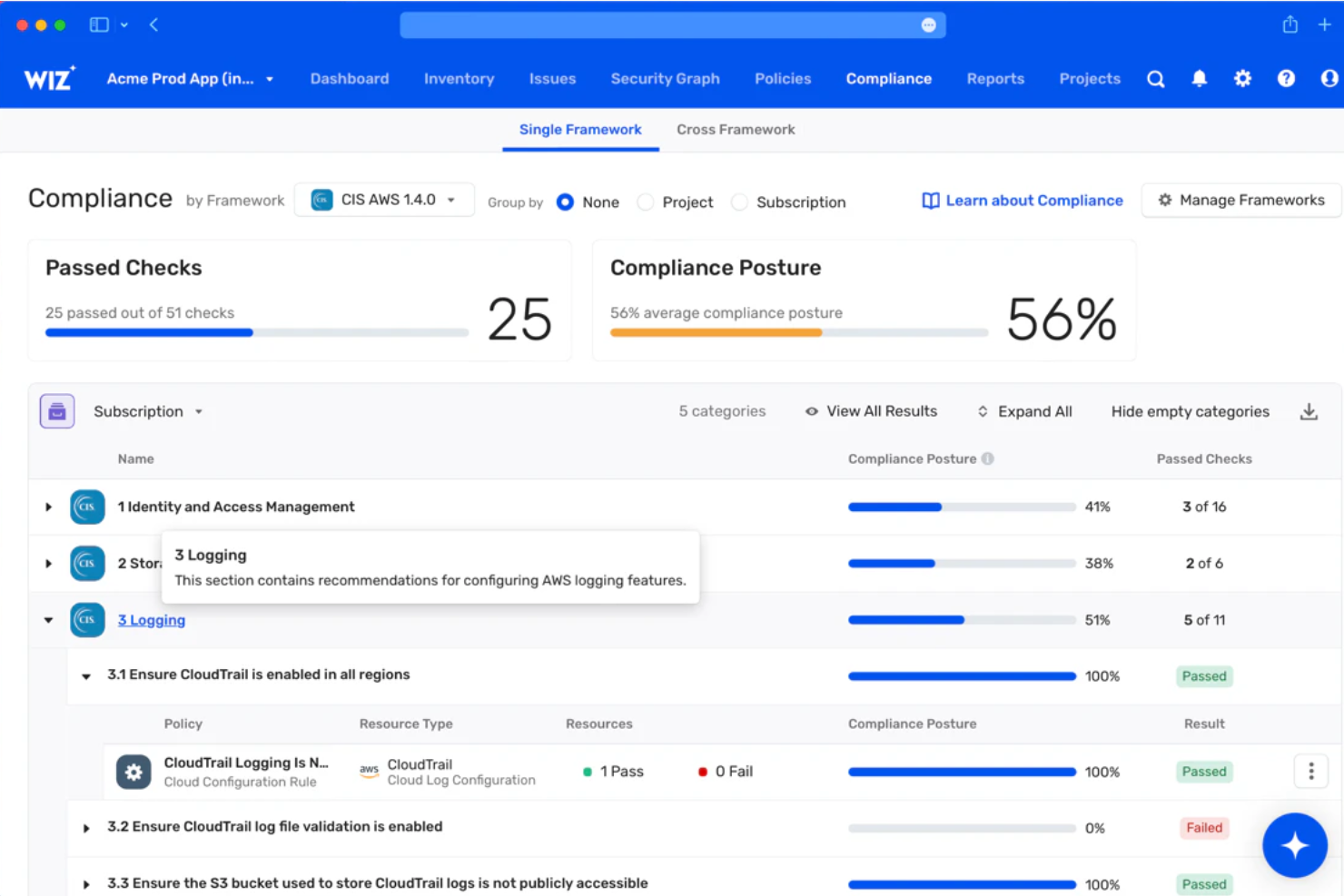
Security teams looking for agentless, real-time risk visibility across cloud environments often turn to Wiz. The platform is built for organizations that need to identify vulnerabilities, misconfigurations, and compliance gaps without deploying agents or disrupting workloads. Wiz helps you surface and prioritize risks across AWS, Azure, Google Cloud, and Kubernetes, making it especially useful for businesses managing complex, multi-cloud infrastructures.
Why I Picked Wiz
What sets Wiz apart for cloud compliance is its agentless approach to risk visibility, which means you can scan your entire cloud environment without installing software on each asset. I picked Wiz because it automatically discovers resources and surfaces vulnerabilities, misconfigurations, and compliance issues across AWS, Azure, Google Cloud, and Kubernetes. The platform’s unified risk dashboard helps you prioritize remediation by showing which risks are most likely to impact compliance. For teams that want broad, continuous coverage without the operational overhead of agents, Wiz offers a direct and scalable solution.
Wiz Key Features
Some other features that make Wiz useful for compliance and security teams include:
- Policy-as-Code Engine: Define and enforce custom compliance policies using code-based rules.
- Cloud Security Posture Management (CSPM): Continuously assess your cloud environment against industry benchmarks and standards.
- Sensitive Data Discovery: Automatically detect and classify sensitive data stored across your cloud resources.
- Attack Path Analysis: Visualize potential attack paths that could lead to critical asset exposure.
Wiz Integrations
Integrations include Jira, ServiceNow, Slack, Azure DevOps, Sumo Logic, AWS Security Hub, PagerDuty, and more.
Pros and Cons
Pros:
- Identifies regulated information in cloud assets
- Allows custom compliance requirements
- Real-time risk detection
Cons:
- Limited integrations with legacy on-premises tools
- Limited reporting customization options

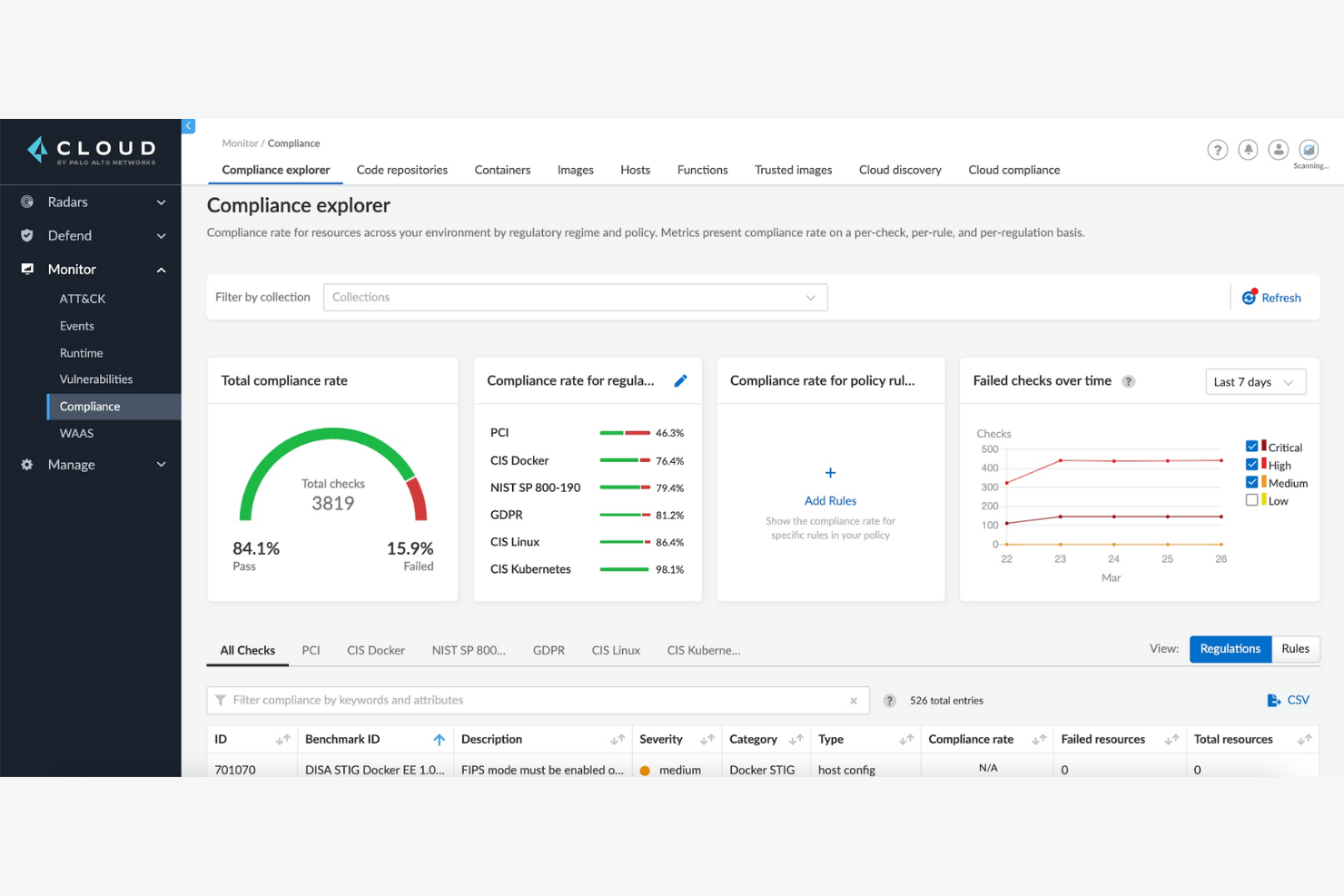
Prisma Cloud offers unified policy management for organizations running workloads across multiple cloud providers. It’s a strong fit for IT teams that need to enforce consistent compliance and cybersecurity standards in complex, hybrid, or multi-cloud environments. If you’re struggling to keep policies aligned and auditable across AWS, Azure, and Google Cloud, Prisma Cloud addresses that challenge with a single control plane.
Why I Picked Prisma Cloud
I chose Prisma Cloud because it stands out for unified policy management across multiple cloud platforms, which is a common challenge for IT teams handling hybrid or multi-cloud environments. The platform lets you define, enforce, and monitor compliance policies from a single dashboard, reducing the risk of configuration drift between providers. I appreciate how it automates policy checks and provides real-time alerts when compliance issues arise. Its ability to centralize policy management helps ensure that your organization’s standards are consistently applied, no matter where your workloads run.
Prisma Cloud Key Features
Some other features in Prisma Cloud that are useful for cloud compliance include:
- Cloud Security Posture Management (CSPM): Continuously scans cloud resources for misconfigurations and compliance violations.
- Vulnerability Management: Identifies and prioritizes vulnerabilities across hosts, containers, and serverless functions.
- Identity and Access Monitoring: Tracks user activity and permissions to detect risky or non-compliant access patterns.
- Compliance Reporting: Generates detailed, exportable reports mapped to common regulatory frameworks like PCI DSS, HIPAA, and GDPR.
Prisma Cloud Integrations
Integrations include Amazon Web Services (AWS), Microsoft Azure, Google Cloud, Oracle Cloud Infrastructure, Alibaba Cloud, Docker, Kubernetes, ServiceNow, and more.
Pros and Cons
Pros:
- Strongest security for Kubernetes containers
- Provides real-time alerts for policy violations
- Offers automated compliance checks
Cons:
- Frequent false positives in asset inventory
- Disjointed UI from many acquisitions

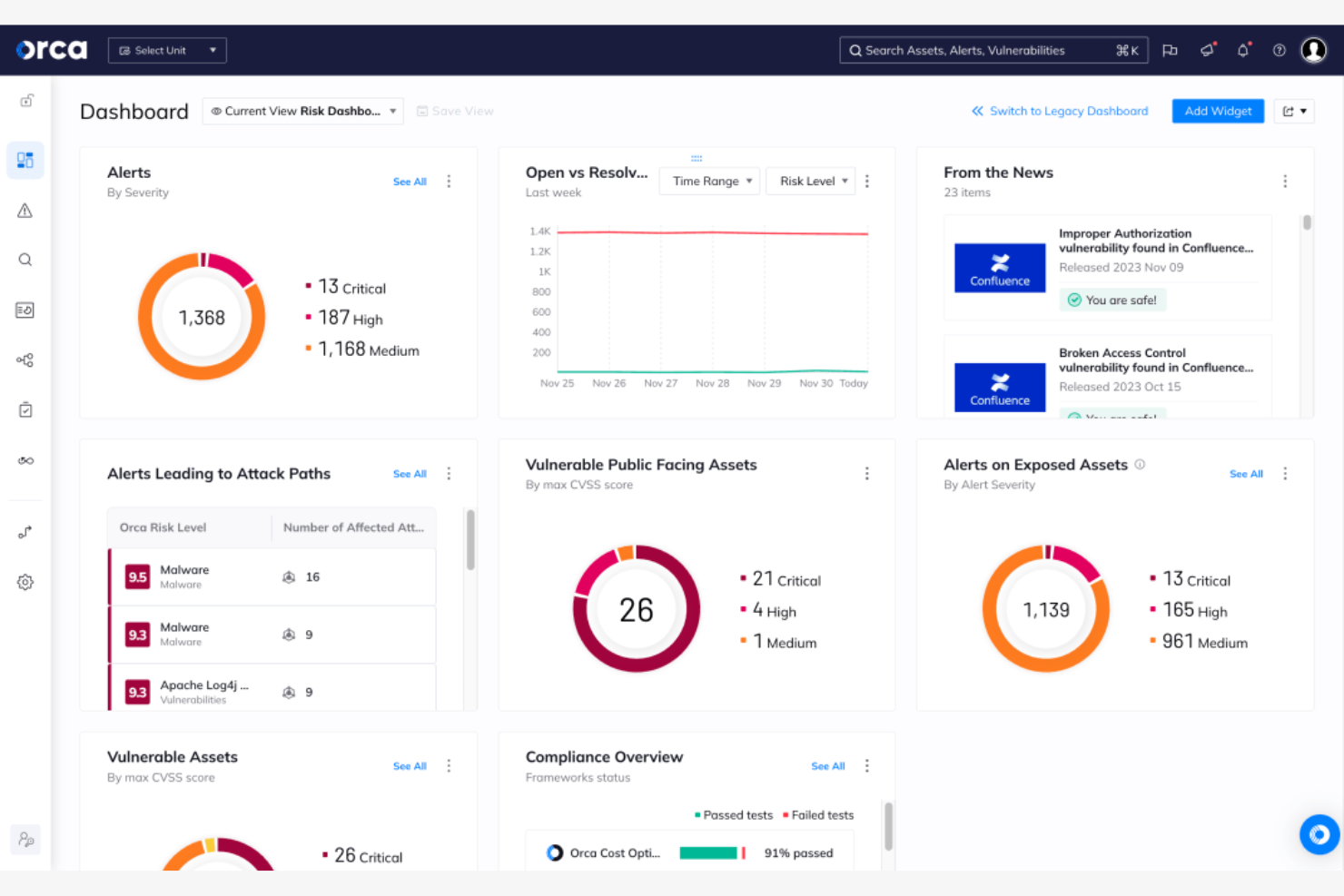
Orca Security uses a unique side-scanning approach to discover cloud assets and risks without deploying agents. This platform is a strong fit for IT and security teams managing large, dynamic cloud environments who need deep visibility into workloads, configurations, and compliance status. Orca Security helps you uncover vulnerabilities, misconfigurations, and compliance issues across AWS, Azure, and Google Cloud, even in assets that are often missed by traditional tools.
Why I Picked Orca Security
Orca Security stands out for its side-scanning technology, which gives you full visibility into cloud assets without the need for agents. I picked Orca Security because it scans both workloads and configurations directly from the cloud infrastructure layer, helping you identify vulnerabilities and compliance gaps that agent-based tools might miss. The platform also maps asset relationships and risk context, making it easier to prioritize remediation efforts. For teams focused on comprehensive asset discovery and compliance monitoring across AWS, Azure, and Google Cloud, Orca Security offers a distinct approach that addresses blind spots in traditional scanning methods.
Orca Security Key Features
In addition to its asset discovery capabilities, I also found these features valuable for compliance teams:
- Compliance Reporting: Generate reports mapped to standards like PCI DSS, HIPAA, and SOC 2.
- Malware Detection: Scan cloud workloads for known and emerging malware threats.
- Data-at-Rest Scanning: Identify sensitive data stored in cloud environments, including PII and secrets.
- Alert Prioritization: Automatically rank alerts based on risk context and potential impact.
Orca Security Integrations
Integrations include AWS Security Hub, Azure DevOps, Jira, ServiceNow, Slack, Splunk, PagerDuty, and Sumo Logic.
Pros and Cons
Pros:
- Continuous monitoring detects new risks
- Risk scoring helps with prioritization
- Maps findings to major regulatory frameworks
Cons:
- Limited support for hybrid infrastructure
- Some users report scanning delays
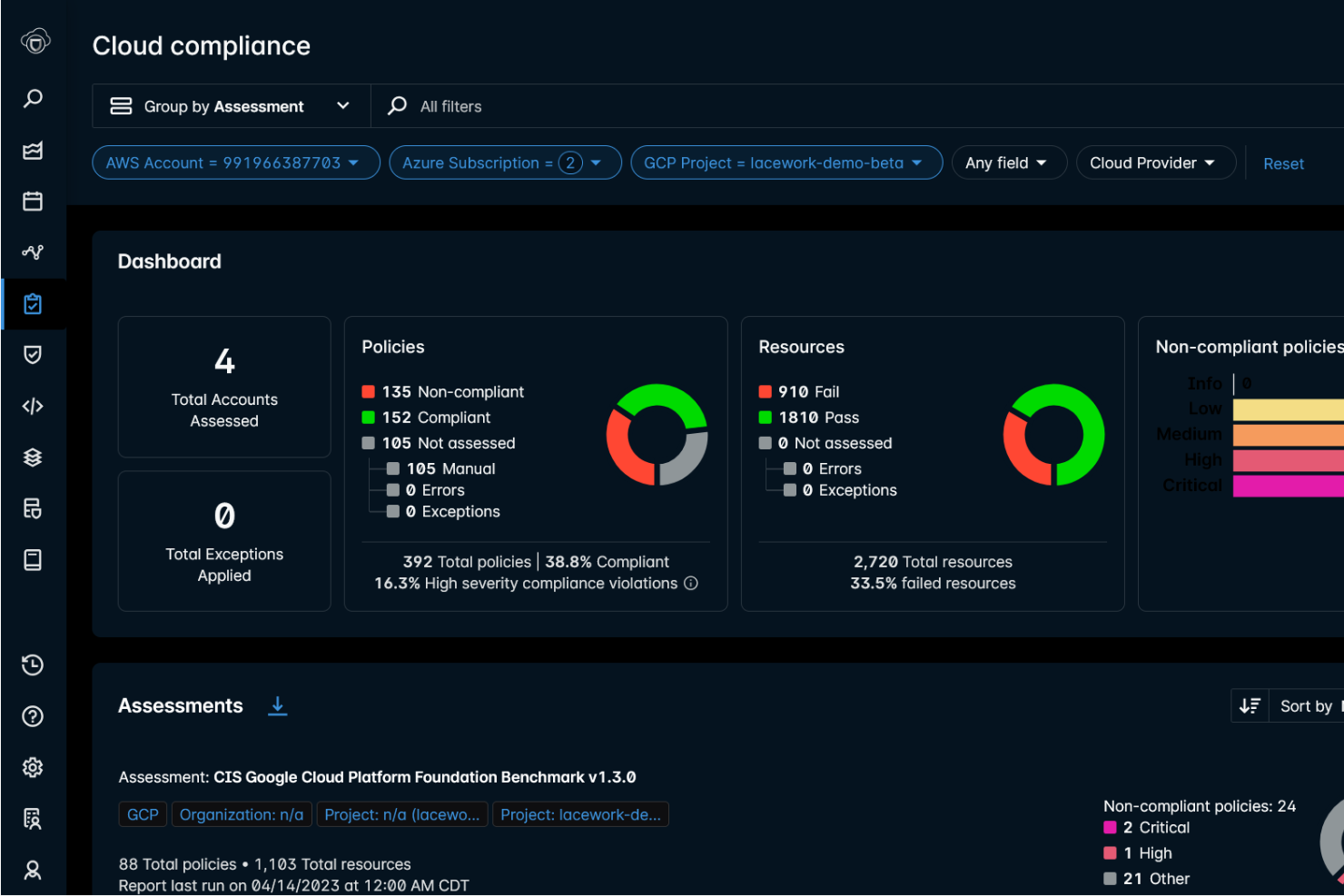
FortiCNAPP brings together application and network security controls in a single cloud-native platform. This solution is well-suited for IT and security teams in regulated industries who need unified visibility and protection across both workloads and network layers. FortiCNAPP helps you address compliance requirements by combining vulnerability management, threat detection, and policy enforcement in one place.
Why I Picked FortiCNAPP
What drew me to FortiCNAPP is its integrated approach to both application and network protection within cloud environments. For compliance-focused teams, this means you can monitor vulnerabilities and enforce security policies across workloads and network traffic from a single platform. FortiCNAPP’s unified dashboard lets you correlate threats and compliance risks in real time, which is especially useful for organizations with strict regulatory requirements. I picked this tool because it helps you address compliance gaps that can arise when application and network security are managed separately.
FortiCNAPP Key Features
Some other features that make FortiCNAPP appealing for compliance teams include:
- Automated Compliance Assessments: Run scheduled scans to check cloud resources against regulatory standards.
- API Security Monitoring: Detect and analyze API traffic for suspicious or non-compliant activity.
- Role-Based Access Controls: Assign granular permissions to users based on job function or compliance needs.
- Integrated Threat Intelligence: Leverage real-time threat feeds to enhance detection and response capabilities.
FortiCNAPP Integrations
Integrations include Amazon Web Services, Microsoft Azure, Google Cloud, Fortinet Security Fabric, Kubernetes, ServiceNow, Jira, Splunk, Slack, and more.
Pros and Cons
Pros:
- Suitable for modern cloud-native apps
- Real-time threat intelligence feeds
- Support multiple regulatory frameworks
Cons:
- Limited options for rules customization
- Slow alerting and detection latency
Best for built-in regulatory compliance templates
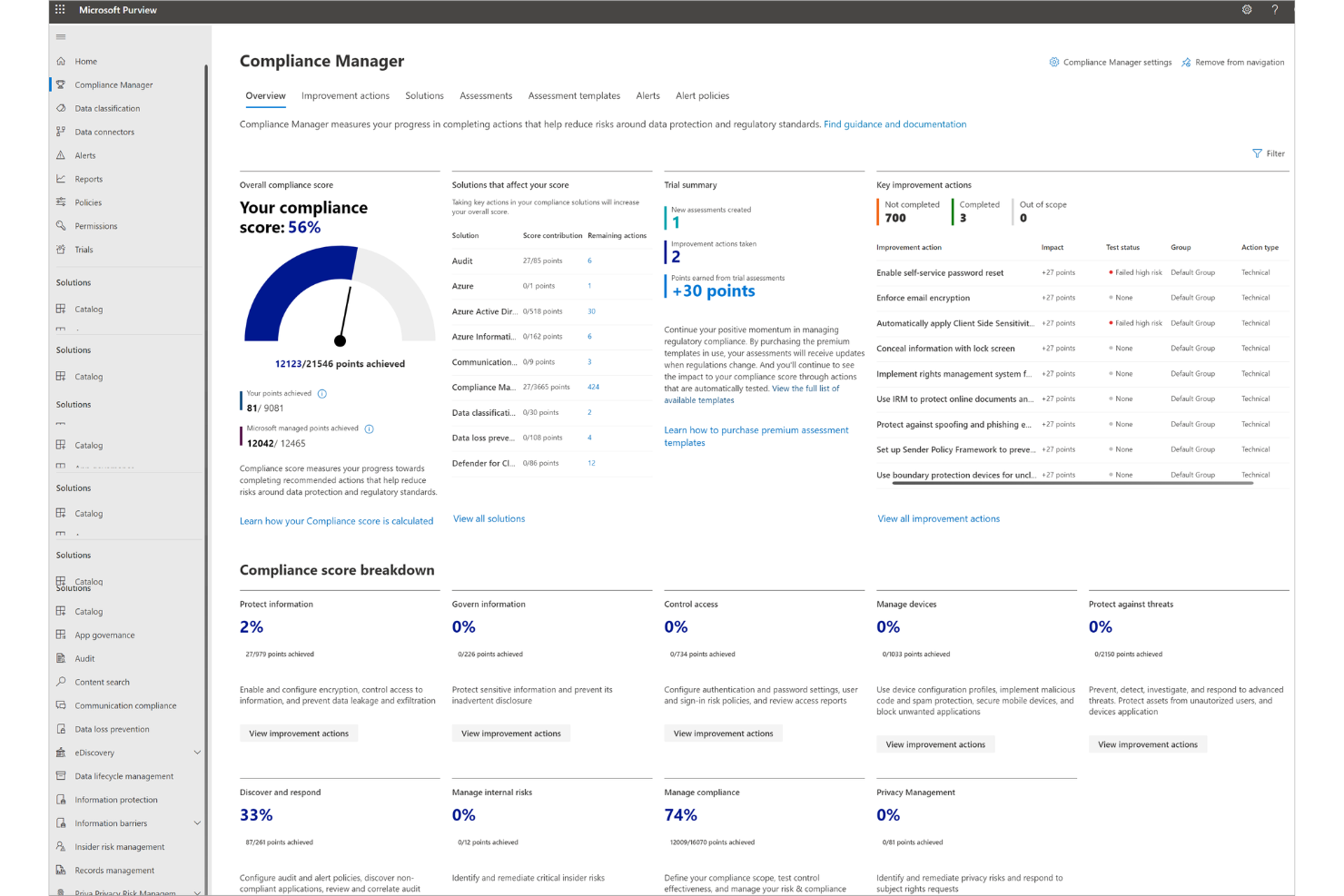
For organizations operating in regulated industries, Microsoft Purview Compliance Manager offers a library of built-in regulatory compliance templates tailored to global standards. This solution is designed for IT, security, and compliance teams managing workloads in Azure who need to map controls and track compliance posture efficiently. It helps you address complex regulatory requirements by providing pre-mapped frameworks and continuous monitoring within the Azure environment.
Why I Picked Microsoft Purview Compliance Manager
What sets Microsoft Purview Compliance Manager apart is its extensive library of built-in regulatory compliance templates, which directly address the needs of teams managing complex compliance requirements. I picked this tool because it lets you quickly align your Azure workloads with frameworks like ISO 27001, HIPAA, and GDPR using pre-configured templates. These templates map Azure services to specific controls, making it easier to track compliance status and generate audit-ready reports. For anyone responsible for cloud compliance, this built-in approach saves time and reduces the risk of missing critical regulatory obligations.
Microsoft Purview Compliance Manager Key Features
Some other features that make Microsoft Purview Compliance Manager valuable for cloud compliance teams include:
- Compliance Manager Dashboard: View real-time compliance scores and actionable recommendations in a centralized dashboard.
- Automated Evidence Collection: Collect and store compliance evidence automatically from Azure resources.
- Role-Based Access Controls (RBAC): Assign granular permissions to users managing compliance data and reports.
- Continuous Control Monitoring: Monitor compliance controls continuously to detect and address gaps as they arise.
Microsoft Purview Compliance Manager Integrations
Integrations include Azure Policy, Microsoft Defender for Cloud, Azure Monitor, Azure Arc, Microsoft Sentinel, Azure DevOps, Microsoft Entra ID, and more.
Pros and Cons
Pros:
- Integrates natively with other Microsoft tools
- Provides real-time compliance scoring
- Built-in templates for a range of global regulations
Cons:
- Advanced features require additional licenses
- Basic support for non-Microsoft cloud
Best for threat detection in multi-cloud workloads

CrowdStrike Falcon Cloud Security brings unified threat detection and response to organizations managing workloads across AWS, Azure, and Google Cloud. Security and compliance teams in highly regulated industries often choose this platform for its real-time visibility into cloud-native threats and misconfigurations. With its focus on multi-cloud environments, CrowdStrike helps you identify and respond to risks before they escalate.
Why I Picked CrowdStrike Falcon Cloud Security
For organizations juggling workloads across multiple cloud providers, CrowdStrike Falcon Cloud Security stands out for its advanced threat detection capabilities. The platform uses real-time analytics and behavioral monitoring to identify suspicious activity across AWS, Azure, and Google Cloud environments. I picked CrowdStrike because it correlates cloud-native events with threat intelligence, helping you spot compliance risks and active attacks quickly. This approach is especially valuable for teams that need to secure complex, multi-cloud infrastructures without missing critical threats.
CrowdStrike Falcon Cloud Security Key Features
Some other features that make CrowdStrike Falcon Cloud Security valuable for compliance teams include:
- Cloud Security Posture Management: Continuously assesses your cloud environments for misconfigurations and policy violations.
- Identity Protection: Monitors cloud user accounts for suspicious privilege escalations and risky behaviors.
- Automated Remediation: Applies pre-configured response actions to address detected threats and compliance issues.
- Asset Discovery: Identifies and inventories cloud resources across all connected environments.
CrowdStrike Falcon Cloud Security Integrations
Integrations include Amazon Web Services, Google Cloud, OCI, ServiceNow, Splunk, Palo Alto Networks, Okta, and more.
Pros and Cons
Pros:
- Provides visibility into unmanaged cloud resources
- Helps enforce compliance policies at scale
- Maps technical gaps to MITRE ATT&CK framework
Cons:
- Lacks audit-ready reporting capabilities
- Limited structure for regulatory clauses
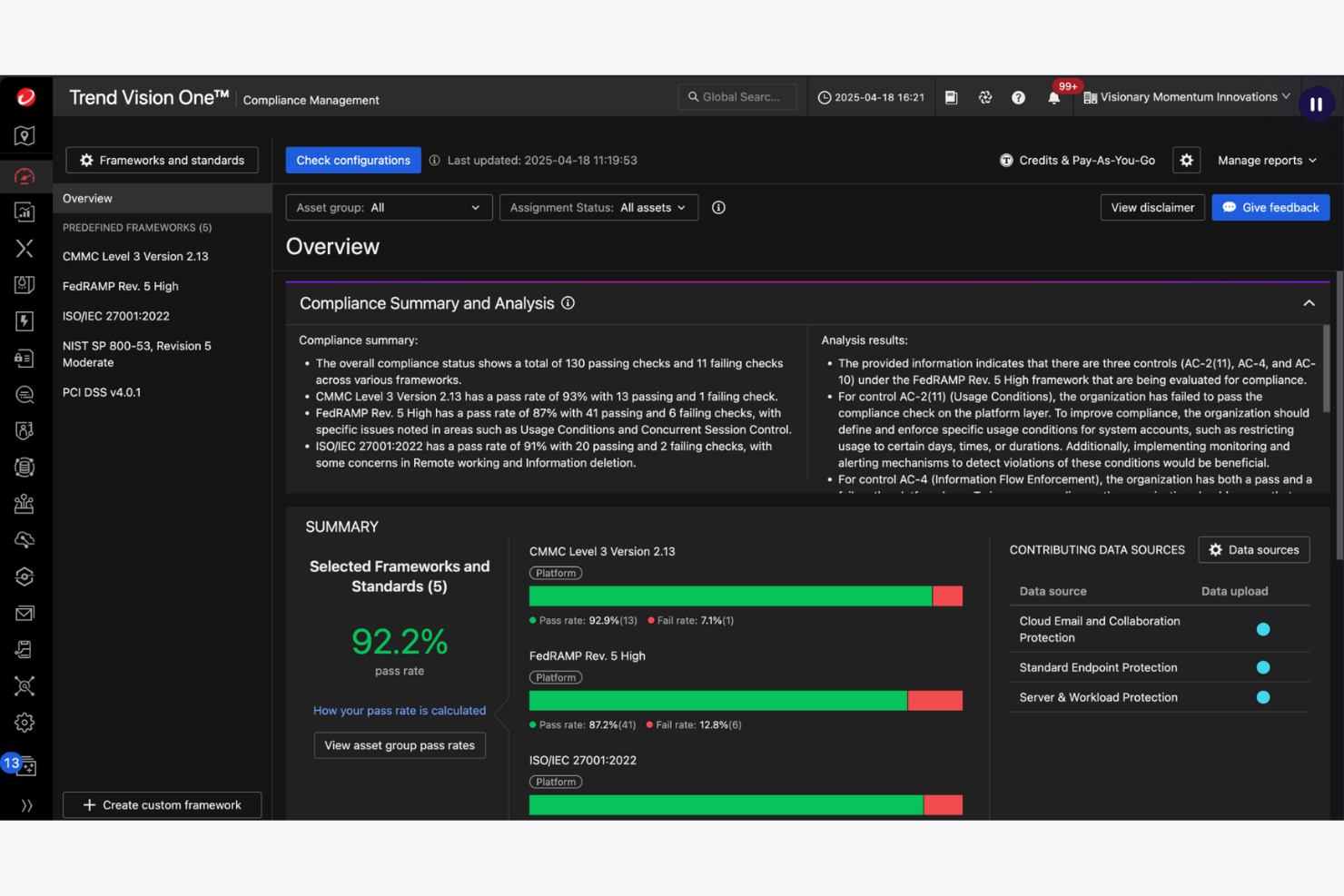
Trend Cloud One is designed for IT and security teams managing compliance across both on-premises and cloud environments. It appeals to organizations with hybrid infrastructures that need to automate policy enforcement and reporting. The platform helps you unify compliance controls and automate audits, reducing manual effort in complex, mixed environments.
Why I Picked Trend Cloud One
When it comes to automating compliance in hybrid infrastructures, Trend Cloud One offers a focused set of tools for organizations managing both cloud and on-premises assets. The platform’s policy automation engine lets you define and enforce compliance rules across diverse environments without manual intervention. I picked Trend Cloud One because it provides continuous compliance monitoring and automated audit reporting, which are essential for teams juggling multiple regulatory frameworks. These features help you maintain a consistent compliance posture, even as your infrastructure evolves.
Trend Cloud One Key Features
Some other features that make Trend Cloud One useful for compliance teams include:
- Vulnerability Scanning: Scans workloads and endpoints for known vulnerabilities across hybrid environments.
- File Integrity Monitoring: Tracks changes to critical files and system configurations for compliance auditing.
- Centralized Dashboard: Consolidates compliance status and alerts from both cloud and on-premises assets.
- Integration with SIEM Tools: Connects with security information and event management platforms for unified incident response.
Trend Cloud One Integrations
Integrations include Amazon Web Services, Microsoft Azure, Google Cloud, ServiceNow, Splunk, IBM QRadar, Okta, and more.
Pros and Cons
Pros:
- Integrates with SIEM tools
- Notifies policy violations immediately
- Cover both cloud and on-premises assets
Cons:
- Occasional false positives in violation alerts
- Limited compliance reporting templates
Other Cloud Compliance Tools
Here are some additional cloud compliance tools options that didn’t make it onto my shortlist, but are still worth checking out:
- Oracle Cloud Guard
For enterprise-grade compliance certifications
- AWS Security Hub
For native integration with AWS services
- SentinelOne
For AI-driven compliance risk detection
- Jatheon
For long-term compliance data archiving
- IBM Cloud Compliance
For industry-specific compliance frameworks
- AccuKnox
For zero trust policy enforcement
- Datadog Cloud Security
For unified security and compliance dashboards
- Scytale
For automated audit evidence collection


Cloud Compliance Tools Selection Criteria
When selecting the best cloud compliance tools to include in this list, I considered common buyer needs and pain points like automating compliance checks across hybrid environments and reducing manual audit workloads. I also used the following framework to keep my evaluation structured and fair:
Core Functionality (25% of total score)
To be considered for inclusion in this list, each solution had to fulfill these common use cases:
- Monitor cloud resources for compliance violations
- Automate compliance reporting and evidence collection
- Map controls to regulatory frameworks and standards
- Alert teams to policy violations in real time
- Provide audit trails for all compliance activities
Additional Standout Features (25% of total score)
To help further narrow down the competition, I also looked for unique features, such as:
- Automated remediation of compliance issues
- Support for hybrid and multi-cloud environments
- Integration with SIEM and SOAR platforms
- Customizable compliance policy templates
- Continuous compliance posture monitoring
Usability (10% of total score)
To get a sense of the usability of each system, I considered the following:
- Simple and intuitive dashboard navigation
- Clear visualization of compliance status
- Minimal steps to configure compliance policies
- Accessible documentation and in-app guidance
- Responsive interface with minimal lag
Onboarding (10% of total score)
To evaluate the onboarding experience for each platform, I considered the following:
- Availability of step-by-step setup wizards
- Access to training videos and product tours
- Pre-built compliance templates for a quick start
- Interactive onboarding checklists or chatbots
- Live or recorded webinars for new users
Customer Support (10% of total score)
To assess each software provider’s customer support services, I considered the following:
- 24/7 support availability via multiple channels
- Access to a searchable knowledge base
- Fast response times for support tickets
- Availability of dedicated account managers
- Community forums for peer-to-peer help
Value For Money (10% of total score)
To evaluate the value for money of each platform, I considered the following:
- Transparent and predictable pricing structure
- Flexible plans for different organization sizes
- No hidden fees or surprise charges
- Free trial or demo options available
- Features included at each pricing tier
Customer Reviews (10% of total score)
To get a sense of overall customer satisfaction, I considered the following when reading customer reviews:
- Positive feedback on compliance automation features
- Reports of reliable and timely alerts
- User satisfaction with integration options
- Comments on support responsiveness and expertise
- Feedback on ease of deployment and onboarding
How to Choose Cloud Compliance Tools
It’s easy to get bogged down in long feature lists and complex pricing structures. To help you stay focused as you work through your unique software selection process, here’s a checklist of factors to keep in mind:
| Factor | What to Consider |
|---|---|
| Scalability | Will the tool support your current and future cloud footprint, including multi-cloud and hybrid setups? |
| Integrations | Does the tool natively connect with your existing cloud providers, SIEM, ticketing, and IAM systems? |
| Customizability | Can you tailor compliance policies, alerts, and reporting to your organization’s unique requirements? |
| Ease of use | How quickly can your team learn and operate the tool without extensive training or outside help? |
| Implementation and onboarding | What resources, time, and expertise are required to deploy and configure the tool in your environment? |
| Cost | Are pricing tiers clear, and do they align with your usage patterns and compliance needs? |
| Security safeguards | Does the tool meet your organization’s security standards for data protection, handling, encryption, and access controls? |
| Compliance requirements | Does the tool support the specific regulatory frameworks and standards your business must adhere to? |
What Are Cloud Compliance Tools?
Cloud compliance tools are software solutions that help organizations monitor, enforce, and document adherence to regulatory standards and internal policies across cloud environments. These tools automate compliance checks, generate audit-ready reports, and alert teams to policy violations. They are essential for businesses that need to manage complex regulatory requirements, reduce manual compliance tasks, and maintain a consistent security posture in dynamic cloud infrastructures.
Features
When selecting cloud compliance tools, keep an eye out for the following key features:
- Automated compliance checks: Continuously scans cloud resources and configurations to identify compliance violations based on predefined policies and regulatory standards.
- Policy management: Lets you create, edit, and enforce custom compliance policies tailored to your organization’s requirements and industry regulations.
- Real-time alerting: Notifies your team immediately when a compliance issue or policy violation is detected, helping you respond quickly to potential risks.
- Audit-ready reporting: Generates detailed, exportable reports that document compliance status, remediation actions, and historical trends for audits and internal reviews.
- Evidence collection: Automatically gathers and stores logs, configuration snapshots, and other documentation needed to prove compliance during audits.
- Role-based access control: Restricts tool functions access based on user roles for data privacy.
- Integration with security platforms: Connects with SIEM, ticketing, and identity management systems to centralize compliance workflows and incident response.
- Framework mapping: Maps your cloud assets and controls to multiple regulatory frameworks, such as GDPR, HIPAA, or PCI DSS, to simplify multi-standard compliance.
- File integrity monitoring: Tracks changes to critical files and system configurations, alerting you to unauthorized or unexpected modifications.
- Centralized dashboard: Provides a unified view of compliance status, alerts, and trends across all cloud-based accounts and environments.
Benefits
Implementing cloud compliance tools provides several benefits for your team and your business. Here are a few you can look forward to:
- Reduced manual workload: Automated compliance checks and evidence collection minimize the need for time-consuming manual audits.
- Faster incident response: Real-time alerts and centralized dashboards help your team quickly identify and address compliance violations.
- Consistent regulatory adherence: Policy management and framework mapping ensure your cloud environments stay aligned with evolving compliance standards.
- Improved audit readiness: Audit-ready reporting and evidence collection make it easier to prepare for and pass external or internal audits.
- Enhanced security posture: Integration with security tools and file integrity monitoring helps you detect and remediate risks before they escalate.
- Greater visibility across environments: Centralized dashboards and reporting provide a unified view of compliance status across all cloud and hybrid assets.
- Stronger access controls: Role-based access control limits exposure of sensitive compliance data and supports internal governance requirements.
Costs and Pricing
Selecting cloud compliance tools requires an understanding of the various pricing models and plans available. Costs vary based on features, team size, add-ons, and more. The table below summarizes common plans, their average prices, and typical features included in cloud compliance tools solutions:
Plan Comparison Table for Cloud Compliance Tools
| Plan Type | Average Price | Common Features |
|---|---|---|
| Free Plan | $0 | Basic compliance checks, limited policy templates, single cloud account support, and community support. |
| Personal Plan | $10-$30/user/month | Automated compliance scans, basic reporting, email alerts, and support for one or two frameworks. |
| Business Plan | $40-$80/user/month | Multi-cloud support, advanced reporting, integration with security tools, role-based access, and audit logs. |
| Enterprise Plan | $100-$200/user/month | Custom policy management, dedicated onboarding, API access, advanced integrations, and 24/7 premium support. |
Cloud Compliance Tools FAQs
Here are some answers to common questions about cloud compliance tools:
How do cloud compliance tools support multi-cloud environments?
Cloud compliance tools support multi-cloud environments by connecting to multiple cloud providers and aggregating compliance data in one dashboard. This lets you monitor, enforce, and report on compliance across AWS, Azure, Google Cloud, and other platforms without switching between separate tools or interfaces.
Can cloud compliance tools help with internal policy enforcement?
Yes, cloud compliance tools can help enforce internal policies by letting you define custom rules and controls. These tools monitor your cloud resources for violations of both regulatory standards and your organization’s unique requirements, alerting you when issues arise and providing documentation for audits.
What types of compliance frameworks do these tools typically support?
Most cloud compliance tools support common frameworks like GDPR, HIPAA, PCI DSS, SOC 2, and ISO 27001. Some also offer support for industry-specific or regional standards. Always check that the tool covers the frameworks relevant to your business before making a selection.
How difficult is it to implement a cloud compliance tool?
Implementation difficulty varies by tool and environment complexity. Many solutions offer onboarding resources like setup wizards, templates, and training videos. For hybrid or large-scale deployments, you may need dedicated IT support or vendor assistance to ensure proper integration and configuration.
What should I look for in compliance reporting features?
Look for tools that provide automated, exportable reports with clear audit trails, evidence collection, and customizable templates. Good reporting features make it easier to demonstrate compliance to auditors, track remediation efforts, and share status updates with stakeholders.
What’s Next:
If you're in the process of researching cloud compliance tools, connect with a SoftwareSelect advisor for free recommendations.
You fill out a form and have a quick chat where they get into the specifics of your needs. Then you'll get a shortlist of software to review. They'll even support you through the entire buying process, including price negotiations.