
26 Best Asana Alternatives Reviewed in 2026

Best Asana Alternatives Shortlist
Here's my pick of the 10 best software from the 26 tools reviewed.


Feeling like Asana isn't quite cutting it for you and your team? You're not alone. Many teams find Asana's project management features either too complex or not tailored enough for their specific needs. That's where exploring alternatives comes in, especially if you're looking for a more complete project management approach or a simpler, more agile way to work.
In my experience, finding the right project management software can make a real difference in tackling those everyday challenges. Whether it's improving collaboration, managing user permissions, or moving away from relying on a spreadsheet to organize work, the right tool is out there.
I’ve reviewed and tested various alternatives to help you discover the best fit for your needs. In this article, I'll guide you through top picks that might just be what you’re looking for. Let's dive into solutions that could make your work life a little easier.
What Is Asana?
Asana is a work management platform designed to help teams organize and track their tasks. It's widely used by project managers, marketers, and other professionals who need to coordinate work efficiently. With features such as task assignments, project timelines, and team collaboration tools, Asana helps manage workloads and improve productivity. Overall, Asana provides a centralized space for your team to stay on top of projects and deadlines.
Best Asana Alternatives Summary
This comparison chart summarizes pricing details for my top Asana alternative selections to help you find the best one for your budget and business needs.
| Tool | Best For | Trial Info | Price | ||
|---|---|---|---|---|---|
| 1 | Best for team collaboration | Free plan available | From $5/month (billed annually) | Website | |
| 2 | Best for unified productivity | Free 14-day trial + free plan available | From $7/user/month (billed annually) | Website | |
| 3 | Best for AI-driven workflow automation | Free plan + free trial available | From $9/seat/month (billed annually) | Website | |
| 4 | Best for Gantt chart focus | 14-day free trial + free demo available | From $7/user/month (billed annually) | Website | |
| 5 | Best for time tracking and invoicing | 15-day free trial + free plan + free demo available | From $5.9/month (billed annually) | Website | |
| 6 | Best for project visibility | Free trial + free demo available | From $9/member/month (billed annually) | Website | |
| 7 | Best AI platform for marketing teams | Free demo available | Pricing upon request | Website | |
| 8 | Best for enterprise management | Free plan + free demo + 14-day free trial available | From $10/user/month (billed annually) | Website | |
| 9 | Best for freelancers and startups | Free plan + free demo available + 15-day free trial | From $4/user/month (billed annually) | Website | |
| 10 | Best for visual project views | Free plan + 14-day free trial + free demo available | From $9.50/license/month (billed annually) | Website |


Why Trust Our Software Reviews
-

Freshservice
Visit WebsiteThis is an aggregated rating for this tool including ratings from Crozdesk users and ratings from other sites.4.6 -
Deel IT
Visit Website -
Rippling IT
Visit WebsiteThis is an aggregated rating for this tool including ratings from Crozdesk users and ratings from other sites.4.8




Best Asana Alternatives Reviews
Below are my detailed summaries of the best Asana alternatives that made it onto my shortlist. My reviews offer a detailed look at the key features, pros and cons, integrations, and ideal use cases of each tool to help you find the best one for you.
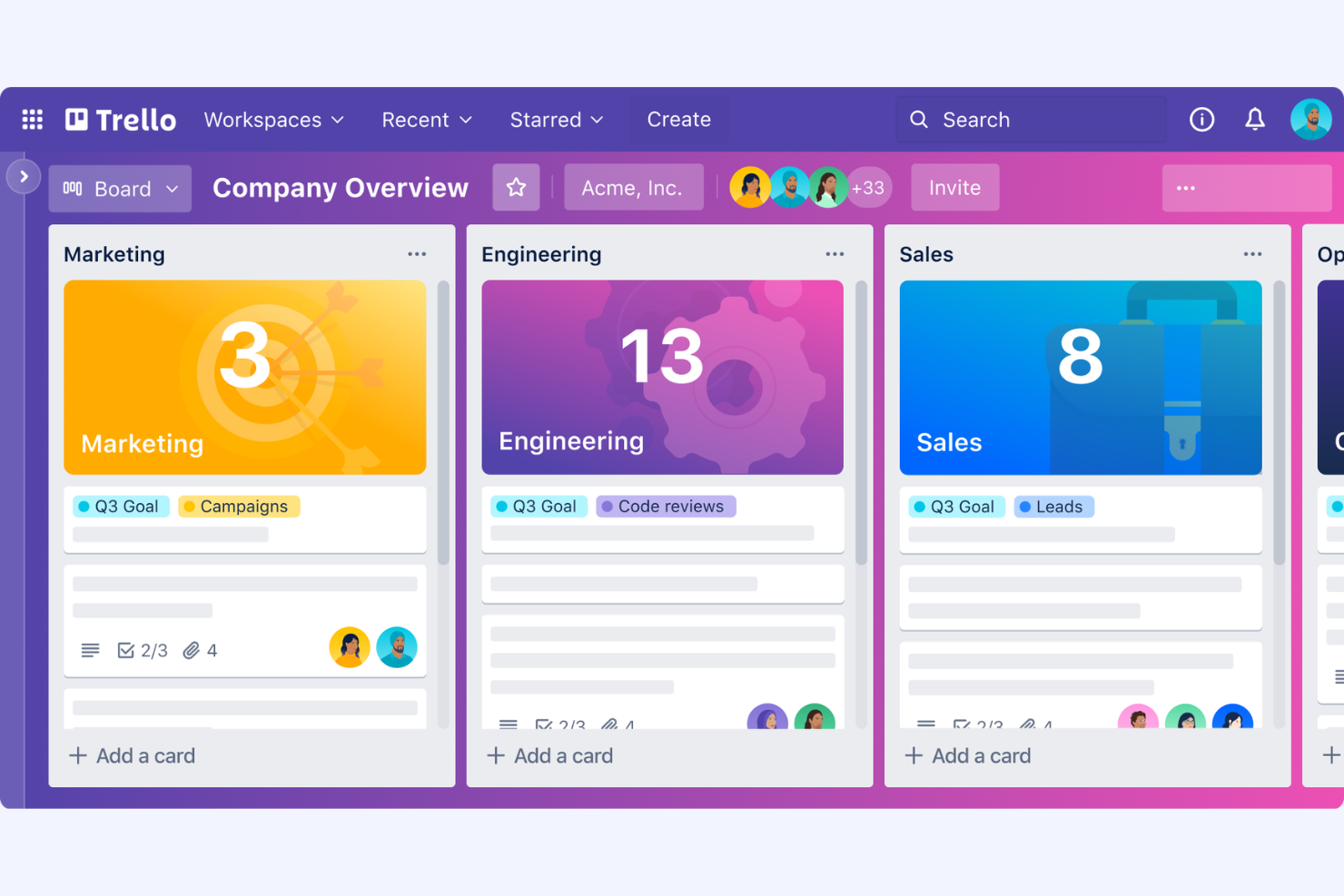
Trello is a visual collaboration tool that uses boards, to-do lists, and cards to organize tasks and projects. It's popular among small teams and individuals who want a straightforward way to manage their workflows.
Why it's a good Asana alternative: Trello's visual approach to task management helps your team see progress milestones at a glance. The drag-and-drop functionality makes it easy to update and rearrange tasks as priorities shift. Trello's checklists and due dates ensure your team stays on track with deadlines. Additionally, its simple interface is easy for anyone to pick up and start using.
Standout Features and Integrations:
Features include customizable labels to categorize tasks. Trello offers card attachments, allowing your team to add necessary files directly to tasks. The platform also supports activity logs to keep track of changes and updates.
Integrations include Slack, Google Drive, Microsoft Teams, Dropbox, Jira, GitHub, Evernote, Salesforce, Zapier, and Confluence.
Pros and Cons
Pros:
- Simple interface
- Instant drag-and-drop updates
- Board-based task organization
Cons:
- Minimal performance analytics
- Limited advanced features

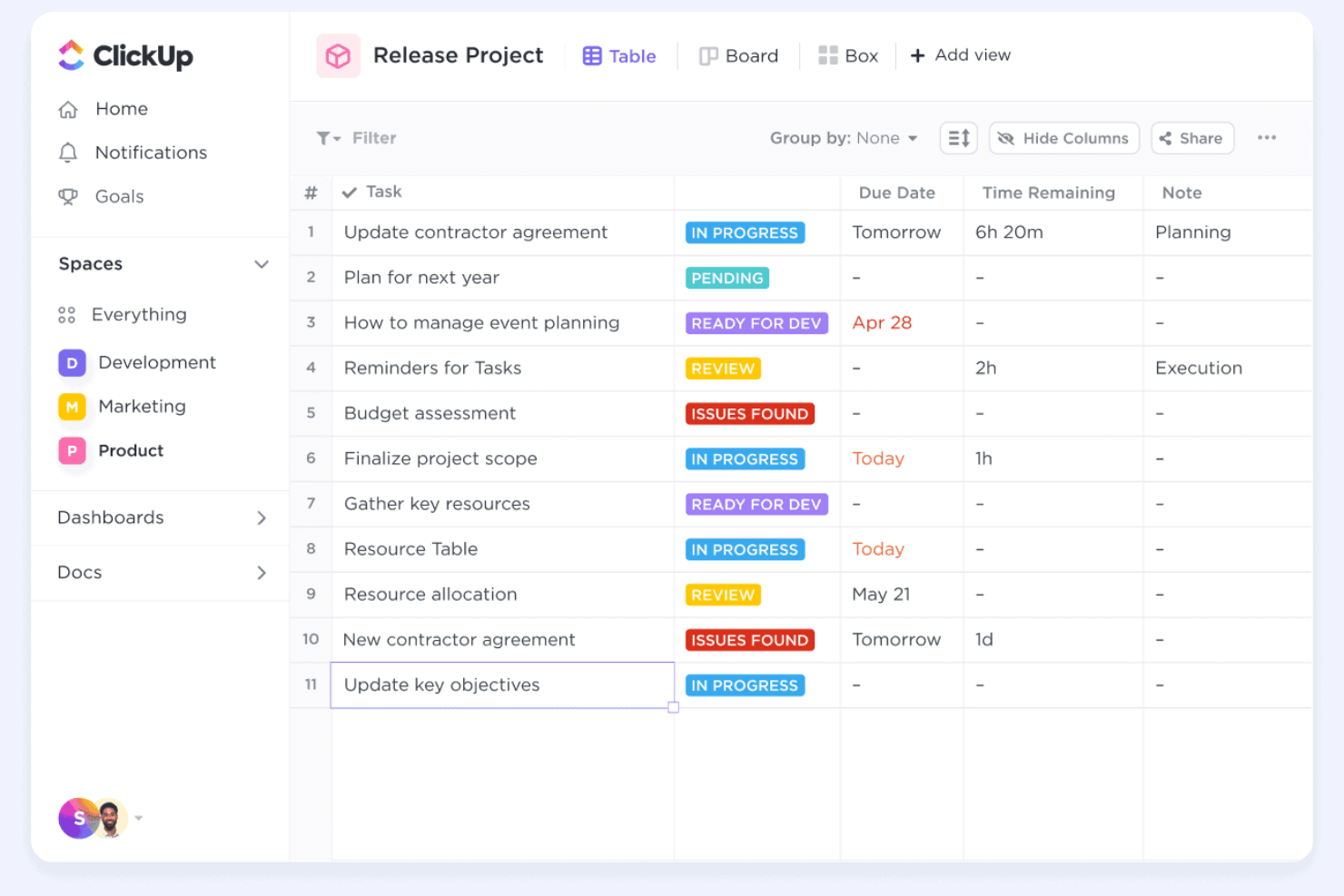
ClickUp is an all-in-one productivity platform designed to help teams manage tasks, docs, goals, and more in one place. It offers a unified workspace with hundreds of features for managing tasks and collaborating with colleagues.
Why it's a good Asana alternative: ClickUp provides a wide range of customizable views and project templates, including lists, boards, and calendars, to cater to different project needs. Its goal-tracking feature helps align your team's efforts with business objectives. The platform's document editor allows for collaborative note-taking and sharing. Additionally, ClickUp's AI capabilities can save time by automating repetitive tasks.
Standout Features and Integrations:
Features include time tracking to monitor how your team spends their hours. ClickUp's task dependencies ensure that your projects flow smoothly, avoiding bottlenecks. The platform also offers mind maps for brainstorming and organizing ideas.
Integrations include Slack, Google Drive, Zoom, Microsoft Teams, Dropbox, GitHub, Outlook, Calendly, OneDrive, and more.
Pros and Cons
Pros:
- Built-in automation workflows
- All-in-one task and document system
- Highly customizable productivity dashboards
Cons:
- Feature overload for simple projects
- Non-standard navigation hierarchy layout
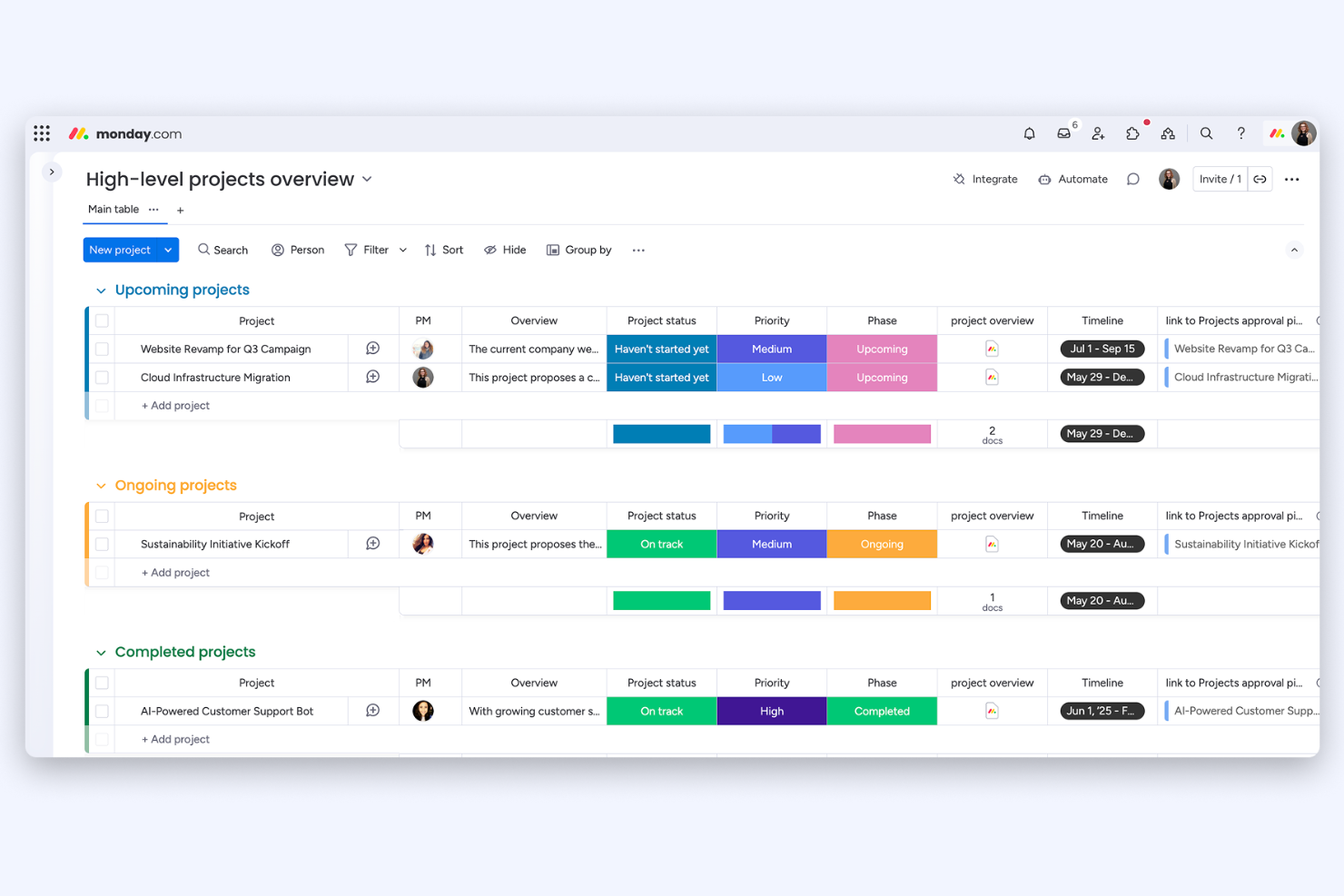
monday work management from monday.com is a work operating system that helps teams achieve cross-functional collaboration within one workspace. It's used by diverse teams across industries to manage tasks, projects, and workflows efficiently.
Why it's a good Asana alternative: monday.com offers AI-driven workflow automation to handle repetitive tasks. Its visual project tracking tools help teams see the progress at a glance and make informed decisions. The platform's customization options allow you to tailor the interface to your specific needs. Additionally, its automation capabilities reduce manual work, boosting productivity.
Standout Features and Integrations:
Features include customizable dashboards that let you visualize your team's work. Monday work management also offers time tracking to help you monitor project timelines. The collaboration tools keep everyone updated and engaged in the project.
Integrations include Slack, Microsoft Teams, Google Drive, Dropbox, Zoom, Shopify, Jira, Trello, Zendesk, and more.
Pros and Cons
Pros:
- Collaborative team boards
- Visual and flexible project tracking
- No-code automation recipe builder
Cons:
- Significant manual board customization
- Extensive feature exploration required

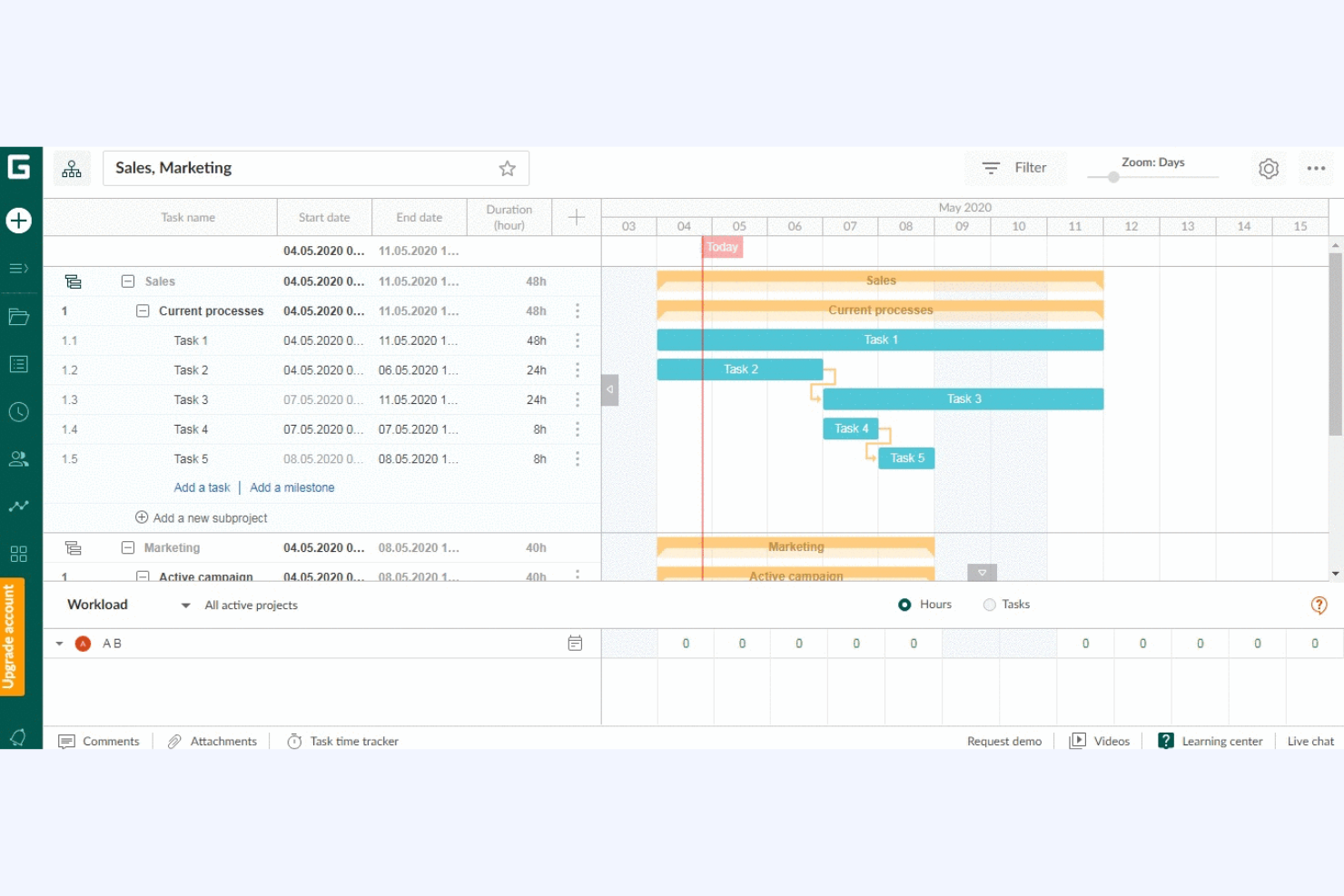
GanttPRO is a project management solution centered around Gantt chart planning, catering to project managers and teams needing detailed timeline control. Its main functions include task scheduling, resource management, and progress tracking.
Why it's a good Asana alternative: GanttPRO provides an intuitive Gantt chart interface that lets you visualize project timelines and dependencies. Its drag-and-drop functionality simplifies task adjustments, making it easy to manage complex projects. The resource management feature helps allocate and optimize team workloads. Additionally, real-time collaboration tools ensure everyone stays aligned and informed.
Standout Features and Integrations:
Features include customizable templates that get you started on projects quickly. GanttPRO offers advanced task management options to prioritize work. The platform also provides detailed reporting tools to analyze project performance.
Integrations include Google Drive, Jira, Google Calendar, Slack, Microsoft Teams, and more.
Pros and Cons
Pros:
- Resource workload visualization
- Easy drag-and-drop scheduling tools
- Intuitive Gantt chart interface
Cons:
- Limited functionality beyond Gantt charts
- Restricted mobile experience

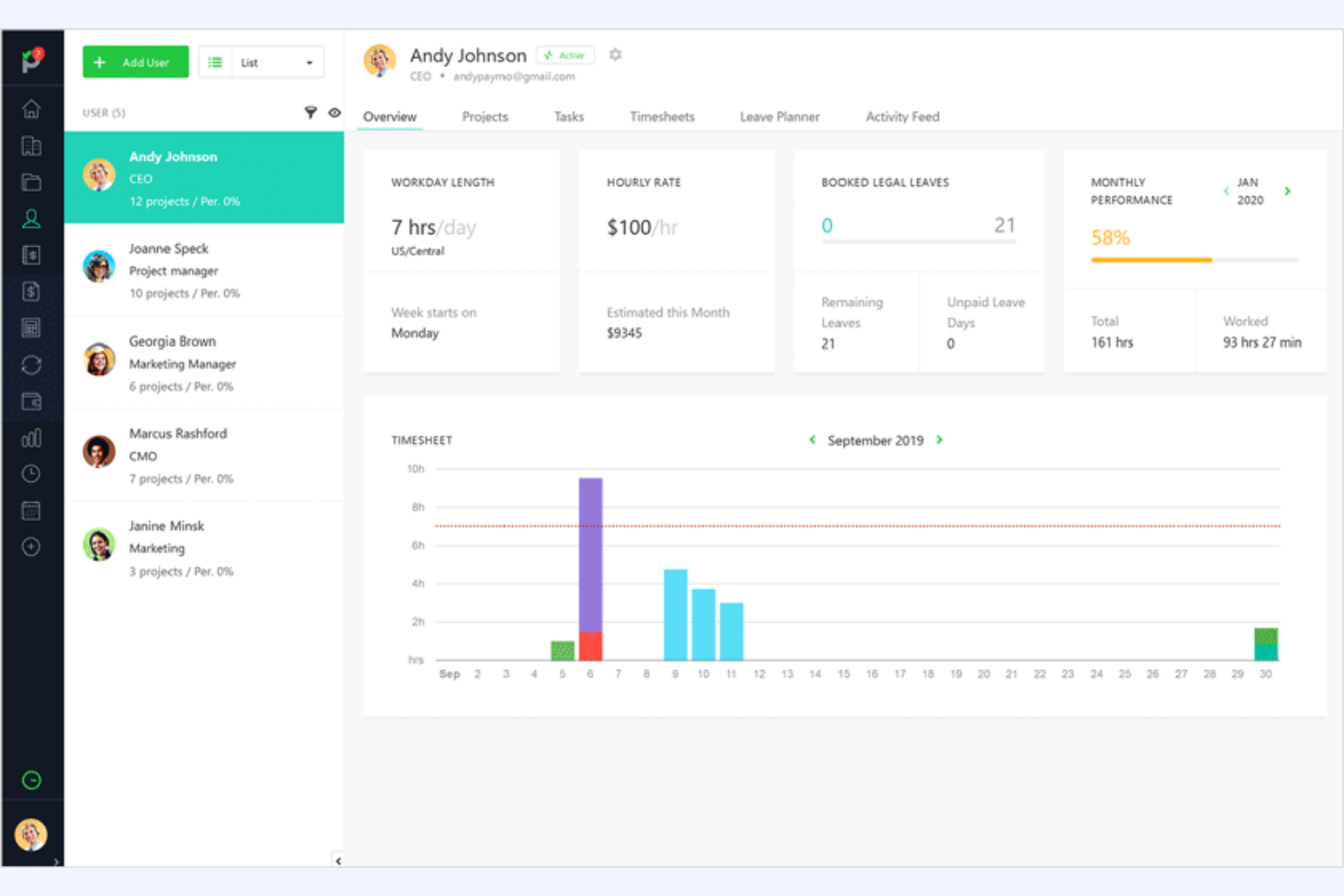
While Paymo is primarily a work management tool designed for time tracking and invoicing, it still has project management features. It's ideal for freelancers and teams that need to manage projects and bill clients within one interface.
Why it's a good Asana alternative: Paymo combines time tracking and invoicing with project management, making it a full solution for businesses that bill by the hour. Its task management features help organize your work into manageable chunks. The platform's invoicing capabilities allow you to generate detailed invoices directly from tracked time. Additionally, Paymo's reporting tools provide insights into project performance and profitability.
Standout Features and Integrations:
Features include Gantt charts for visualizing project timelines. Paymo offers a task list view to help you prioritize work. It also supports file sharing, making it easy to collaborate with your team.
Integrations include Google Calendar, Slack, QuickBooks Online, Zapier, and more.
Pros and Cons
Pros:
- Client-focused project management
- Detailed time-based profitability reports
- Combines time tracking and invoicing
Cons:
- Limited customization flexibility
- Interface complexity for non-agency users

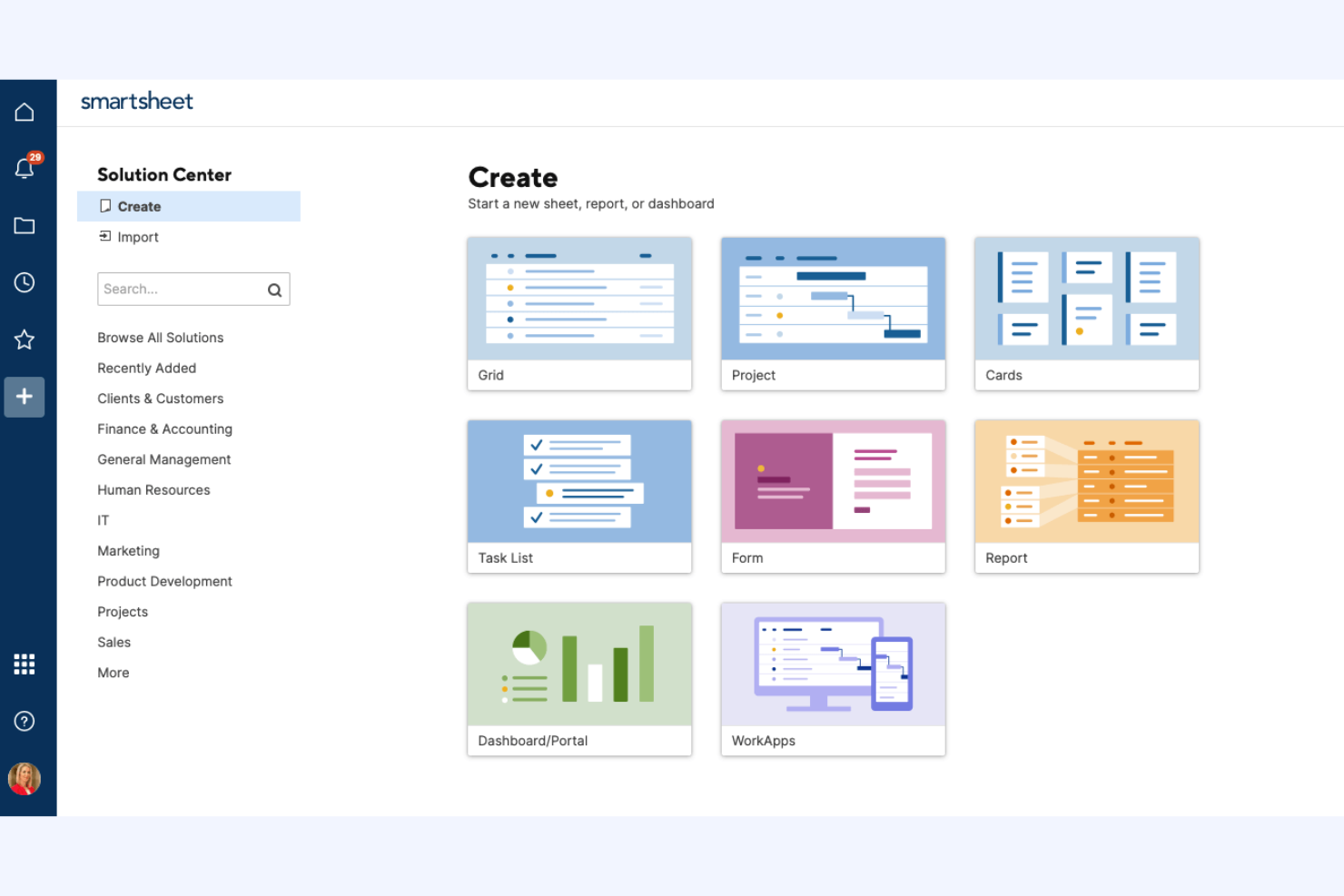
Smartsheet is a dynamic work management platform that helps teams collaborate on projects and automate workflows. It's widely used by project managers and teams needing better visibility into their work.
Why it's a good Asana alternative: Smartsheet offers grid, card, Gantt chart, and calendar views, providing flexibility in how you track projects. Its automation tools help reduce manual tasks and keep projects on schedule. The platform's reporting and dashboard capabilities give you a clear view of project status and performance. Additionally, Smartsheet's collaboration features ensure your team stays aligned and informed.
Standout Features and Integrations:
Features include resource management tools that help you allocate team members. Smartsheet's forms allow for easy data collection and task initiation. The platform also offers conditional formatting to highlight important information at a glance.
Integrations include Microsoft Teams, Slack, Google Workspace, Jira, Salesforce, Box, Dropbox, Docusign, Tableau Online, Zapier, and more.
Pros and Cons
Pros:
- Executive-level reporting
- Strong automation tools
- Flexible view options
Cons:
- Heavy configuration dependency
- Steep onboarding process
New Product Updates from Smartsheet

Smartsheet Adds Direct Data Import to Existing Sheets
Smartsheet introduces direct data import to existing sheets in table view. This update lets you import CSV, XLS, and XLSX files directly into sheets, reducing manual work and speeding up data setup. For more information, visit Smartsheet's official site.
 .
.
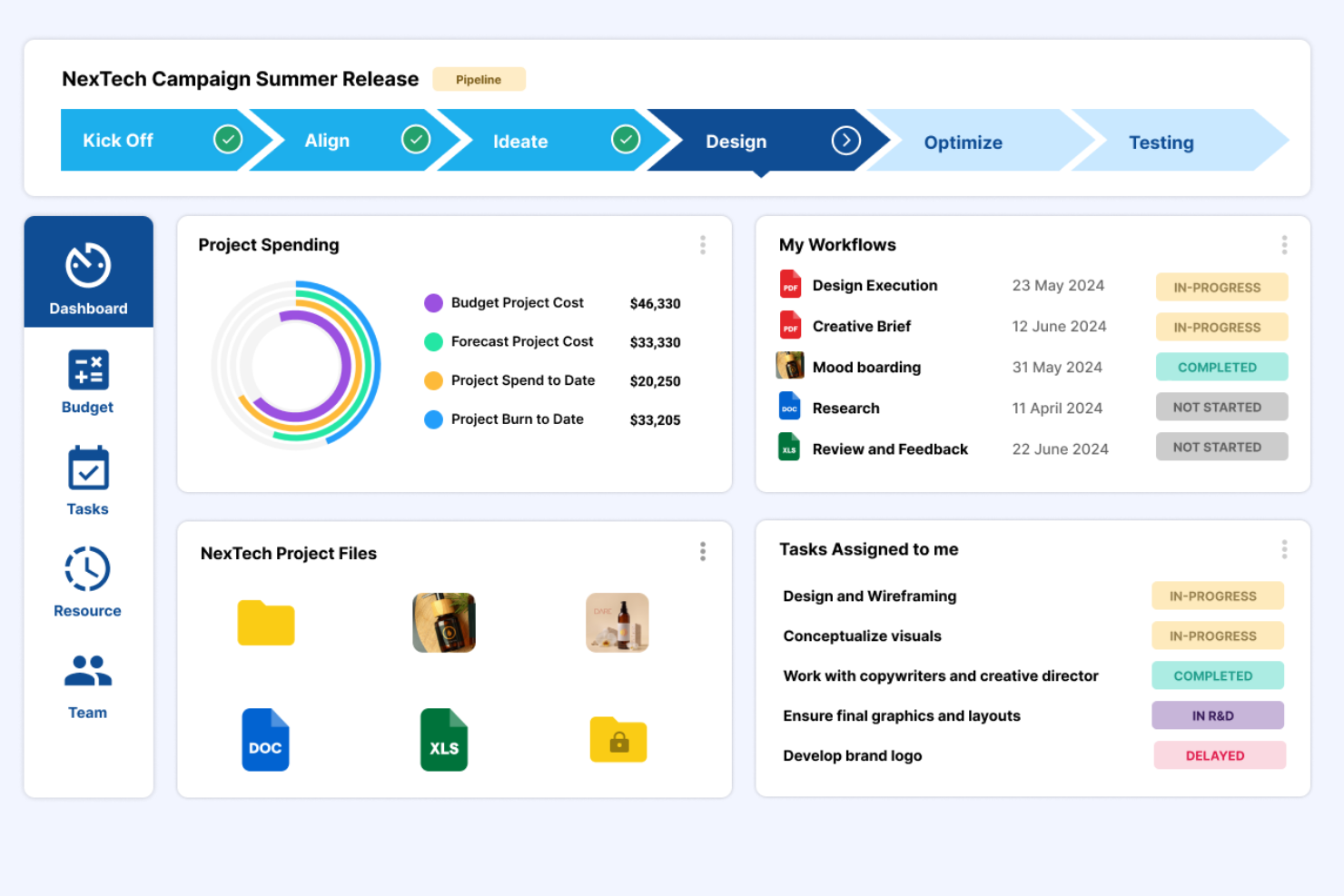
Screendragon is an enterprise-level work management platform designed specifically for marketing teams, agencies, and in-house creative services. It helps teams manage resources, projects, people, and creative operations with AI-powered workflow automation.
Why it's a good Asana alternative: Screendragon excels in resource management, offering instant visibility into resource allocation and project earning capacity. Its AI-driven workflow automation helps eliminate bottlenecks and simplify execution. The platform's focus on in-house and external agency management sets it apart, providing specialized tools that Asana lacks.
Standout Features and Integrations:
Features include AI-powered workflow automation, real-time insights into project profitability, and detailed marketing resource management. Screendragon's ability to manage both in-house and external agencies is particularly valuable for marketing teams. The platform's content operations tools help simplify marketing processes.
Integrations include Microsoft Teams, Slack, Adobe, Google Drive, Jira, Box, SAP, and more.
Pros and Cons
Pros:
- Advanced agency project management
- Automated creative proofing workflows
- Real-time resource insights
Cons:
- No free plan available
- Complex initial configuration

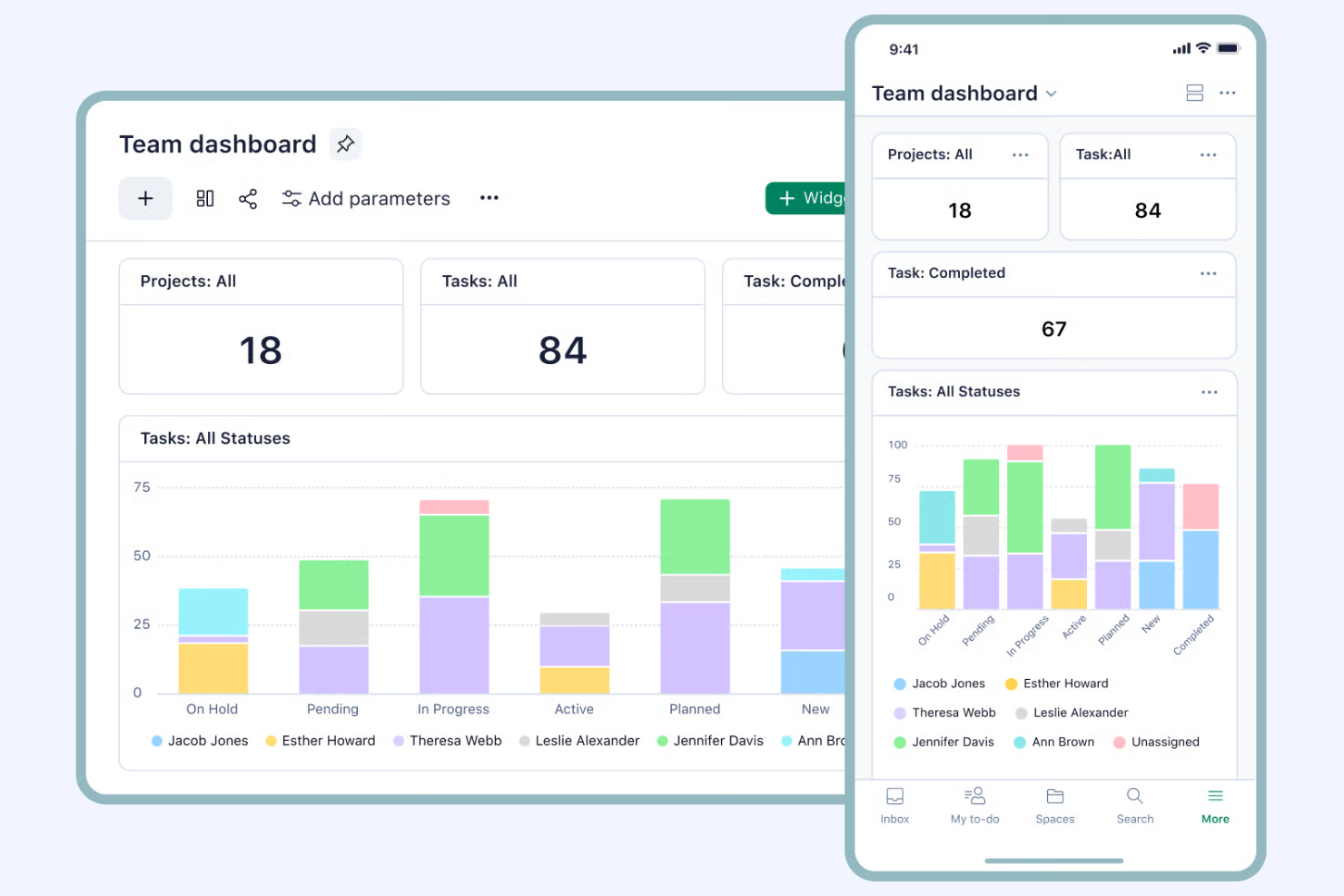
Wrike is a versatile project management and collaboration platform designed for teams seeking to enrich productivity and transparency. It's popular among enterprises and businesses that require extensive project tracking and resource management.
Why it's a good Asana alternative: Wrike offers advanced reporting and analytics tools that track progress, providing insights into project performance. Its customizable dashboards allow you to tailor views according to your team's preferences for better visibility and control. The platform's workload management feature helps balance team capacities. Additionally, Wrike's real-time collaboration capabilities keep everyone aligned and informed.
Standout Features and Integrations:
Features include time-tracking tools that let you accurately monitor project timelines. Wrike's request forms systematize the intake process and organize task management. The platform also offers proofing tools for teams working on creative projects, facilitating feedback and approval processes.
Integrations include Slack, Microsoft Teams, Google, Dropbox, Adobe Creative Cloud, Box, Okta, and more.
Pros and Cons
Pros:
- Cross-team workload balancing
- Enterprise-grade project governance
- Advanced analytics and reporting
Cons:
- Complex folder and space architecture
- Advanced administrative permission layering
New Product Updates from Wrike

Streamlining Workspaces with New Updates
Wrike announces custom space templates, AI Agents in Wrike Labs, and a new Guage widget to improve project management. For more information, visit Wrike's official site.

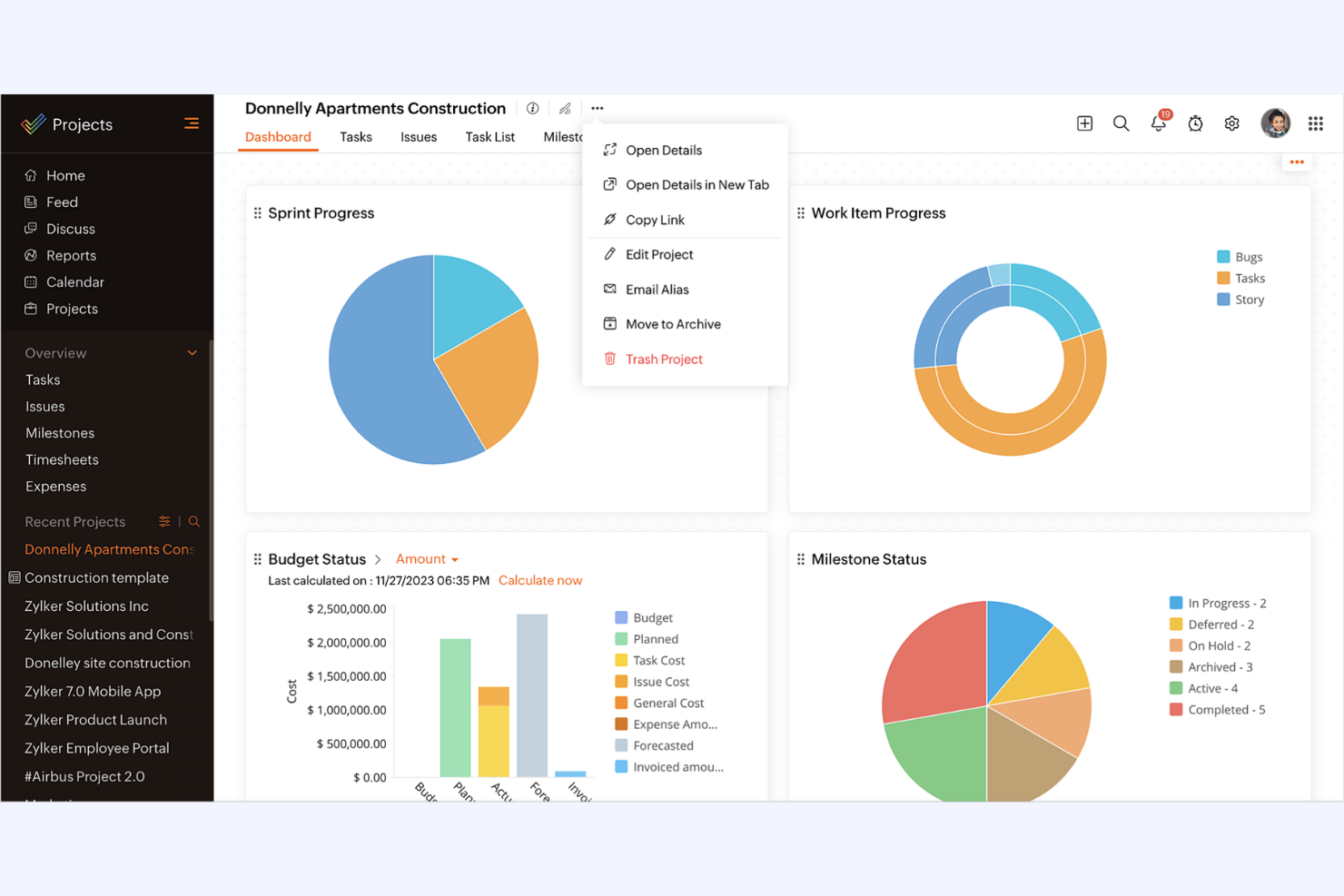
Zoho Projects is a cost-effective cloud-based work management tool designed to help teams plan, track, and collaborate on projects. Its free and budget-friendly plans make it suitable for freelancers and startups, while its integrated features help businesses of all sizes coordinate multiple teams and complex tasks.
Why it's a good Asana alternative: Zoho Projects offers extensive reporting and analytics features that provide deep insights into project progress. Its task automation tools help reduce manual work, improving efficiency. The platform's time-tracking capabilities help ensure accurate billing and resource management. Additionally, Zoho Projects' focus on data security makes it a reliable choice for businesses with sensitive information.
Standout Features and Integrations:
Features include an in-depth document management system to store and share files securely. Zoho Projects offers a built-in chat app for real-time communication among team members. The platform also supports issue tracking, helping your team manage and resolve project-related problems.
Integrations include Google Apps, Slack, Microsoft Teams, Dropbox, Zapier, GitHub, Bitbucket, Zoho CRM, Zoho Desk, Zoho Books, and more.
Pros and Cons
Pros:
- Excellent customer support
- Affordable pricing
- Zoho ecosystem integration
Cons:
- Complex projects may have challenges
- Reliant on Zoho products

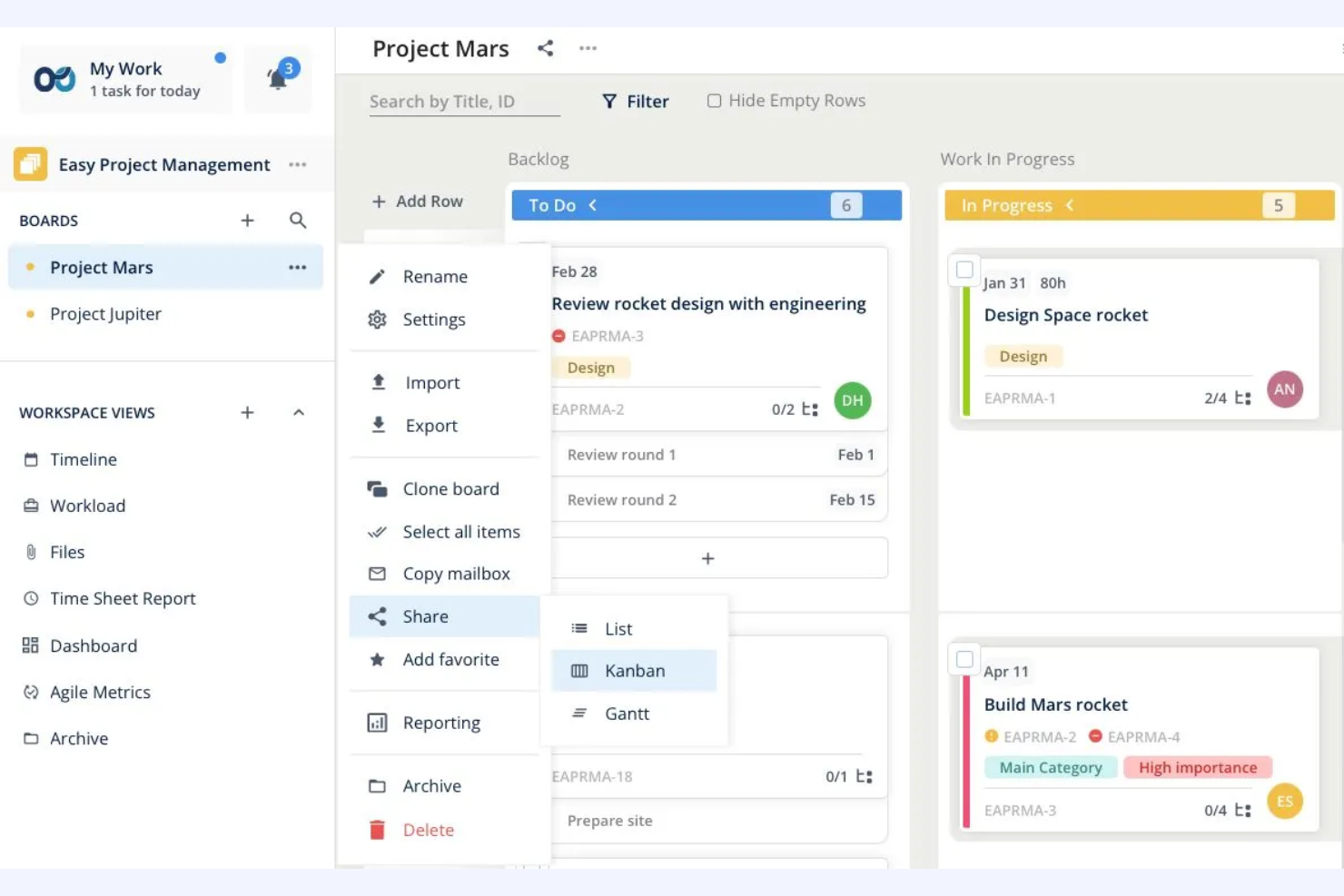
Teamhood is a project management tool focused on providing visual task management solutions for teams. It's designed for those who need to visualize project progress and manage workflows with efficiency.
Why it's a good Asana alternative: Teamhood offers a unique approach to visual project management with its kanban-style boards and timeline views. These features help your team track tasks and deadlines. The tool's custom workflows allow you to tailor processes to fit your team's specific needs. Additionally, Teamhood's real-time collaboration ensures everyone stays updated and aligned.
Standout Features and Integrations:
Features include advanced task management with subtasks and dependencies to organize your projects better. Teamhood offers time tracking to monitor how your team spends their hours. The platform also supports workload management to balance tasks across your team efficiently.
Integrations include Slack, Microsoft Teams, Google Calendar, Zapier, Outlook, and more.
Pros and Cons
Pros:
- Real-time progress visualization
- Built-in dependency mapping
- Kanban and timeline hybrid planning
Cons:
- Limited reporting depth
- Narrow integration ecosystem
Other Asana Alternatives
Here are some additional Asana alternatives that didn’t make it onto my shortlist, but are still worth checking out:
- Airtable
For database management
- Freedcamp
For free unlimited users
- Nifty
For project timelines
- MeisterTask
For intuitive interface
- ProProfs Project
For small businesses
- Basecamp
For remote teams
- ActiveCollab
For time management
- Workzone
Built for high-performing marketing teams
- Quire
For hierarchical task lists
- ProjectManager
For real-time work dashboards
- Taskworld
For task visualization
- ProofHub
For project communication
- Redbooth
For built-in video collaboration
- Plaky
For simple task tracking
- Teamwork
For client collaboration
- Motion
For task scheduling


Asana Alternatives Selection Criteria
When selecting the best Asana alternatives to include in this list, I considered common buyer needs and pain points related to work management products, like flexibility in task management and ease of collaboration. I also used the following framework to keep my evaluation structured and fair:
Core Functionality (25% of total score)
To be considered for inclusion in this list, each solution had to fulfill these common use cases:
- Task management
- Project tracking
- Team collaboration
- Workflow automation
- Reporting and analytics
Additional Standout Features (25% of total score)
To help further narrow down the competition, I also looked for unique features, such as:
- Customizable dashboards
- AI-driven insights
- Visual project timelines
- Advanced automation
- Real-time collaboration tools
Usability (10% of total score)
To get a sense of the usability of each system, I considered the following:
- Intuitive interface
- Easy navigation
- Customizable views
- Mobile accessibility
- Speed and responsiveness
Onboarding (10% of total score)
To evaluate the onboarding experience for each platform, I considered the following:
- Availability of training videos
- Interactive product tours
- Pre-built templates
- Webinars and workshops
- Onboarding support chatbots
Customer Support (10% of total score)
To assess each software provider’s customer support services, I considered the following:
- 24/7 support availability
- Multiple support channels
- Response time
- Knowledge base access
- Personalized support options
Value For Money (10% of total score)
To evaluate the value for money of each platform, I considered the following:
- Competitive pricing
- Features included in base plans
- Scalability of pricing
- Discount options
- Free trial availability
Customer Reviews (10% of total score)
To get a sense of overall customer satisfaction, I considered the following when reading customer reviews:
- Overall satisfaction ratings
- Commonly praised features
- Frequent issues reported
- Comparison to competitors
- Feedback on updates and improvements
Why Look For an Asana Alternative?
While Asana is a good choice of work management, there are a number of reasons why some users seek out alternative solutions. You might be looking for an Asana alternative because…
- You need more advanced reporting features
- You want simpler task management
- Your project involves complex dependencies
- You need better integration with existing tools
- Your budget doesn't match Asana's pricing
If any of these sound like you, you’ve come to the right place. My list contains several work management options that are better suited for teams facing these challenges with Asana and looking for alternative solutions.
Asana Key Features
Here are some of the key features of Asana, to help you contrast and compare what alternative solutions offer:
- Task management: Organize tasks into projects, assign them to team members, and set deadlines to keep everyone on track.
- Project timelines: Use Gantt charts to visualize timelines, set dependencies, and adjust schedules as needed.
- Kanban boards: Manage workflows visually with drag-and-drop boards that let you move tasks through different stages.
- Portfolios: Group projects into portfolios for better organization and categorization, making it easy to manage multiple projects at once.
- Collaboration tools: Share messages, attach files, and @mention team members to strengthen communication and collaboration.
- Asana Intelligence: Use AI features to summarize meeting notes, answer project status questions, and suggest custom fields for better project management.
- Calendar view: Visualizes tasks and deadlines in a calendar format to keep track of important dates and upcoming deadlines.
- Real-time updates: Receive instant notifications and updates about changes to tasks and projects.
- Integration capabilities: Connect with various work tools to organize workflows and improve productivity.
- Reporting and analytics: Generate reports to gain insights into project performance and make data-driven decisions.
What’s Next:
If you're in the process of researching work management software, connect with a SoftwareSelect advisor for free recommendations.
You fill out a form and have a quick chat where they get into the specifics of your needs. Then you'll get a shortlist of software to review. They'll even support you through the entire buying process, including price negotiations.