

Dacă a trebuit vreodată să cauți printr-un wiki dezorganizat, fișiere PDF învechite sau conversații aleatorii din Slack doar pentru a răspunde la o întrebare simplă, știi cât de mult poate încetini o echipă o documentație slabă. Indiferent dacă gestionezi cunoștințe interne, specificații tehnice sau ghiduri de produs, alegerea software-ului potrivit pentru documentație poate determina cât de eficient funcționează echipa ta.
În ultimii ani, am lucrat cu echipe în creștere și organizații de produs dinamice pentru a construi de la zero sisteme de documentație scalabile. Am testat practic zeci de platforme, evaluând modul în care funcționează atunci când colaborarea este pusă la încercare în condiții reale, nu doar într-un mediu demonstrativ.
În acest ghid, voi prezenta instrumentele pentru documentație care s-au remarcat prin claritate, structură, funcții de colaborare și posibilități de căutare, astfel încât să poți alege o soluție care îți ajută echipa să lucreze mai rapid, să documenteze mai eficient și să păstreze informațiile acolo unde le este locul.
Why Trust Our Software Recommendations
6,700+
Reviews
20
Industry experts
16+
Evaluation factors
14
Years
Our team has been testing and reviewing software since 2012. As tech leaders ourselves, we know how difficult—and important—it is to choose the right software.
For this guide, we evaluated tools using hands-on testing and independent research, scoring tools using our selection criteria.
Our reviews reflect our human editorial judgment, not a sales pitch.
Expert reviewers:
- Paulo Gardini MiguelTech Director
 Tim FisherVP of AI
 Gabriel RosasTech Lead & Software Architect
 Christhian GruhnTech Lead & Platform Architect

Tabel comparativ: software pentru documentație destinat partajării cunoștințelor
Acest tabel comparativ sintetizează detaliile privind prețurile pentru selecțiile mele de top de software pentru documentație destinat partajării cunoștințelor.
Sorted by: Default
| Tool | Starting Price | Website | |
|---|---|---|---|
Best for AI-powered features | 4.7 out of 5 | Pricing upon request Free demo available | Website |
Best for AI-generated software documentation | 5.0 out of 5 | $29/creator/month Free plan + free demo available | Website |
Best for branded client portals | 4.5 out of 5 | Pricing upon request Free demo available | Website |
Best for visual process documentation | 4.5 out of 5 | $9/month Free plan + 7-day free trial available | Website |
Best for AI-driven customer support | 4.3 out of 5 | $19/agent/month 14-day free trial + demo available | Book Demo |
Best for coders and developers | 4.8 out of 5 | $4/user/month Free plan available | Website |
Best for teams who want visual content | 4.7 out of 5 | $6/user/month Free plan + 14-day trial available | Website |
Best for AI video documentation | 4.9 out of 5 | $18/creator/month Free 7-day trial + free plan + free demo available | Website |
Best for walkthroughs | 4.6 out of 5 | Pricing upon request Free trial available | Website |
Best for internal teams | 4.5 out of 5 | $9.99/month Free plan available | Website |


Recenzii ale celor mai bune software-uri pentru documentație
Mai jos sunt rezumatele mele detaliate ale celor mai bune software-uri pentru documentație care au ajuns pe lista mea restrânsă. Recenziile mele oferă o privire detaliată asupra funcțiilor principale, avantajelor și dezavantajelor, integrărilor și cazurilor de utilizare ideale ale fiecărui instrument, pentru a te ajuta să îl găsești pe cel mai potrivit pentru tine.
 Best for AI-powered features
- Free demo available
- Pricing upon request
Visit WebsiteCustomer Rating:4.7/5
Document360's dashboard provides access to various modules such as knowledge base, documentation, and analytics. Document360 is an AI-driven knowledge base software tailored for businesses looking to efficiently create, manage, and expand their documentation efforts. It features a comprehensive platform that includes a user-friendly portal for content creators and a customer-facing site.
Why I picked Document360: It supports various user roles with a dedicated portal, promoting effective collaboration among editors, writers, and reviewers. With advanced functionalities like analytics, workflow management, and SEO optimization, users can efficiently manage documents and boost productivity. Document360's AI-powered features, such as interactive search and automated content generation, aid in managing documentation processes more effectively. Furthermore, the platform provides a business glossary, ticket deflector, and health check metrics to support comprehensive knowledge management.
Document360 Standout Features and Integrations
Features include an AI-powered knowledge base, in-line comments, a difference viewer for comparing versions, document lifecycle statuses, a category manager, bulk actions, custom domain mapping, and custom branding.
Integrations include Zendesk, Freshdesk, Intercom, Drift, Slack, GitHub, Make, Salesforce, and Microsoft Teams.
Pros and Cons
Pros:
- Smart file management features
- Offers powerful reporting and analytics
- Provides robust version control with audit trails
Cons:
- Can be pricey for teams on a budget
- Most integrations are only available on higher-tier plans
Learn more about Document360: Best for AI-generated software documentation
- Free plan + free demo available
- From $29/creator/month (billed annually)
Visit WebsiteCustomer Rating:5/5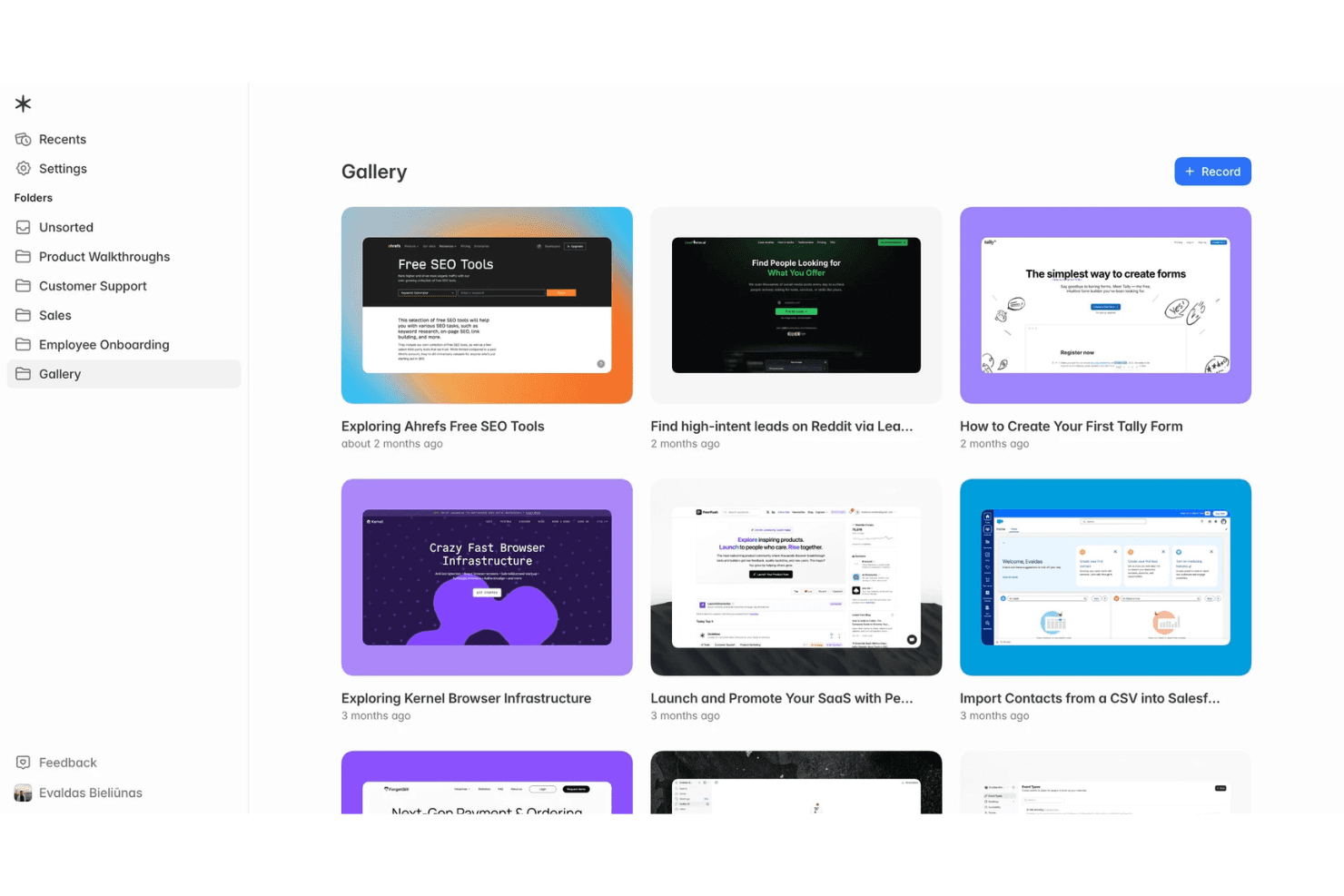
Guideless creates AI-powered step-by-step guides from browser workflows. Guideless is an AI-powered documentation platform that transforms browser-based workflows into narrated, step-by-step guides with automatically generated scripts, captions, and voiceovers. Teams can share guides through links, embed them in knowledge bases, or export them as MP4 videos.
Who Is Guideless Best For?
Guideless is a strong fit for IT, customer support, operations, and enablement teams that need to create software documentation, onboarding materials, and process guides without spending hours recording and editing videos.
Why I Picked Guideless
I picked Guideless because it removes much of the manual work involved in documenting software workflows. Instead of recording, narrating, and editing videos separately, the platform automatically captures browser actions, generates a structured script, adds AI narration, and produces a polished guide that can still be edited after publishing. I also like that teams can update guides without recreating the entire recording, making documentation much easier to maintain as processes change.
Guideless Key Features
- Multi-language AI voices: Generate narrated guides using multiple AI voice options and languages.
- Auto-generated captions: Create synchronized captions automatically for every guide.
- Flexible sharing and export: Share guides by link, embed them in documentation platforms, or export them as MP4 videos.
- Team workspaces: Collaborate on documentation within shared workspaces with role-based access.
Guideless Integrations
Guideless doesn't currently offer documented native integrations with third-party business applications. Guides can be embedded into platforms such as Notion, Confluence, help centers, and internal documentation sites through embed codes or shared links. Public API and Zapier support are not currently documented.
Pros and Cons
Pros:
- Supports multiple AI voices
- Easy to update published guides
- AI creates guides automatically
Cons:
- Limited video editing
- Browser workflows only
Learn more about Guideless: 3Best for branded client portals
Hub
- Free demo available
- Pricing upon request
Visit WebsiteCustomer Rating:4.5/5
Hub’s branded intranet portal makes it easy to share news, events, and documentation in one customizable client-facing hub. Hub is an intranet and documentation platform designed to centralize company knowledge while also improving client engagement. With customizable client portals, it allows teams to create co-branded or personalized spaces where documentation can live alongside collaboration tools, making it a flexible choice for both internal and external use.
Why I picked Hub: I picked Hub because it goes beyond traditional documentation software by letting you build branded client portals. This means you can share guides, manuals, or onboarding documents with customers in a way that reflects your brand. I also like its no-code setup, which makes it accessible for non-technical teams and ensures you can launch your documentation system quickly. If you want documentation that doubles as a client-facing resource, Hub is a strong option.
Hub Standout Features and Integrations
Features include branded client portals, a no-code interface, GDPR compliance, ISO 27001 certification, AI-driven content personalization, and a progressive web app for mobile access. You’ll also get real-time reporting and analytics to track engagement.
Integrations include SharePoint, Slack, Microsoft Teams, Google Drive, OneDrive, BambooHR, YouTube, Duo, Microsoft Entra ID, Office 365, OneLogin, and OKTA.
Pros and Cons
Pros:
- Customizable branded client portals
- Secure with ISO certification
- Easy to set up
Cons:
- Limited design customization
- Pricing not publicly listed
Learn more about Hub: Best for visual process documentation
- Free plan + 7-day free trial available
- From $9/month (billed annually)
Visit WebsiteCustomer Rating:4.5/5
A Lucidchart process documentation diagram illustrating how assumptions and procedural choices impact product quality, with a proposed procedure update shown as the key improvement lever. For those seeking a documentation software solution, Lucidchart presents itself as a versatile diagramming tool that enhances the way your team visualizes processes and collaborates on projects. It caters specifically to professionals in IT, engineering, product management, and operations, providing them with the means to create detailed diagrams that simplify complex workflows. By offering features like AI-generated diagrams and real-time collaboration, Lucidchart addresses the challenge of maintaining clear, accessible documentation across various sectors, from education to healthcare.
Why I Picked Lucidchart
I picked Lucidchart for its unique ability to transform complex data into clear and actionable visuals, a crucial aspect of documentation software. The AI-powered diagramming simplifies the creation of intricate diagrams, allowing you to focus on content rather than design. Additionally, its real-time collaboration feature ensures that your team stays aligned and productive, even when working remotely. These features make Lucidchart a compelling choice for those who need to document processes and ideas clearly and collaboratively.
Lucidchart Key Features
In addition to its standout diagramming capabilities, I also found several features that enhance its utility as documentation software:
- Data Linking: Connect your diagrams to live data sources, ensuring that your documentation remains current and accurate.
- Conditional Formatting: Visualize data trends and patterns through customizable rules that highlight key information within your diagrams.
- UML Markup: Create and manage UML diagrams to document software architecture and design processes effectively.
- Template Library: Access a vast collection of templates to jumpstart your documentation projects and maintain consistency across documents.
Lucidchart Integrations
Integrations include Google Workspace, Microsoft Office, Slack, Jira, Salesforce, Atlassian Confluence, Dropbox, AWS, Zapier, and Microsoft Teams. An API is available for custom integrations.
Pros and Cons
Pros:
- Supports live data linking
- Large template library available
- Strong real-time collaboration tools
Cons:
- Advanced features require upgrades
- Limited offline access options
Learn more about Lucidchart: Best for AI-driven customer support
- 14-day free trial + demo available
- From $19/agent/month (billed annually)
Visit WebsiteCustomer Rating:4.3/5
Zendesk has a ticketing system for managing customer concerns efficiently. Zendesk is a customer service and documentation platform that helps teams manage requests, knowledge bases, and communications across multiple channels. It combines ticketing, messaging, and AI tools to enhance both customer and employee experiences.
Why I picked Zendesk: I chose Zendesk for its AI agents and automation capabilities that help resolve inquiries faster and free up human agents for more complex requests. I also appreciate its omnichannel support, which lets you manage conversations from email, chat, social media, and phone in one place. For documentation needs, Zendesk offers detailed developer resources, including APIs, SDKs, and integration guides, making it a strong fit for technical teams who need to maintain robust, accessible knowledge bases.
Zendesk Standout Features and Integrations
Features include AI agents for automated responses, messaging and live chat for real-time support, workforce management tools for resource allocation, omnichannel resolutions with advanced call routing, employee service solutions for internal requests, and strong data privacy measures for secure operations.
Integrations include Salesforce, HubSpot, Slack, Microsoft Teams, Jira, Google Sheets, Typeform, Cognito Forms, Facebook Lead Ads, Google Forms, Unbounce, and Zendesk Sell. You can also connect additional tools using Zapier, Workato, or the Zendesk Apps Framework.
Pros and Cons
Pros:
- Frequent updates with new features
- Strong integration options with telephony and apps
- Effective ticketing system for managing customer inquiries
Cons:
- Self-service system may not cover all needs
- Configuration can be complex without guidance
 Best for coders and developers
- Free plan available
- From $4/user/month
Visit WebsiteCustomer Rating:4.8/5
Here’s how you can create wikis in GitHub. GitHub is a platform that allows developers to host and share code with other developers. It also has many tools that help you host and share documentation for open-source or private projects.
Why I picked GitHub: I recommend GitHub for coders and developers because of GitHub Wikis, a collaborative documentation platform and part of the GitHub repository. Wikis are particularly useful when you want to save and share information on your project, like how to use it, how the project was designed, and its fundamental principles. You can format wikis by adding images, tables, expandable sections, and quotes.
GitHub Standout Features and Integrations:
Features that I believe developers would like are its offering of GitHub README files that store essential project information like how to get help on a project and who is handling and contributing to the project. Further, they can publish their documentation page as a website with GitHub pages. All tools have powerful text formatting with simple syntax.
Integrations are available as built-in options, including Slack, Microsoft Teams, Terraform, and Jira. Includes a robust API that allows you to integrate with third-party tools.
Pros and Cons
Pros:
- Community-driven, so it’s easy to get feedback and suggestions from other coders
- Built-in code highlighting, which makes it easy to read and understand code snippets
- Markdown support
Cons:
- Pricing gets high for large teams
- Security can be a concern
 Best for teams who want visual content
- Free plan + 14-day trial available
- From $6/user/month (billed annually)
Visit WebsiteCustomer Rating:4.7/5
Technical documentation example in Nuclino. Nuclino is a team’s collective brain and collaborative wiki that allows teams to easily create, share, and collaborate on documents. It offers features like a visual editor, version history, and the ability to link between documents.
Why I picked Nuclino: I selected Nuclino for my list because of its powerful visual editor. You can bring boring technical documents to life by adding images, videos, screenshots, code blocks, embed, file attachments, quotes, markdown commands, and Mermaid diagrams.
Nuclino Standout Features and Integrations:
Features that I think are the most impressive are its ability to adapt knowledge in different views like list, board, graph, and table view so you can manage and search information easily. Nuclino allows teams to customize their workspaces with their logo, color scheme, and appearance, making it easy to create a visually appealing and cohesive documentation hub.
Integrations are native for Slack, Microsoft Teams, YouTube, Google Calendar, Grammarly, Typeform, Figma, Canva, OneLogin, and Miro. APIs are available.
Pros and Cons
Pros:
- Flexible permission options
- Can search and filter information easily
- Real-time collaboration
Cons:
- Mobile version can be glitchy
- May not be able to handle large databases
Learn more about Nuclino: Best for AI video documentation
- Free 7-day trial + free plan + free demo available
- From $18/creator/month (billed annually)
Visit WebsiteCustomer Rating:4.9/5
Guidde provides a simple interface for editing your how-to videos for internal documentation. Guidde is a generative AI platform designed to help your team create video documentation faster. It allows you to produce how-to guides, standard operating procedures (SOPs), training materials, and onboarding documents, all in one place.
Why I picked Guidde: I picked Guidde because of its AI-powered video documentation features that let you record a workflow and instantly generate step-by-step guides. The tool automatically adds visual instructions and lets you choose from over 100 voices and languages for narration, which is great for teams with global users. It also comes with smart editing tools that let you easily add text, annotations, voiceovers, and branding to your videos.
Guidde Standout Features and Integrations
Features include automated voice translations, desktop application compatibility, AI-generated descriptions, one-click capture, customizable branding, step-by-step workflow capture, text and annotation addition, voiceover capabilities, Windows and macOS support, and automated step descriptions.
Integrations include Salesforce, Google Drive, Microsoft OneDrive, Slack, Zoom, Zendesk, ServiceNow, Chrome, Notion, and Confluence.
Pros and Cons
Pros:
- Multilanguage support for video documentation
- Includes interactive elements and professional voiceovers
- Utilizes AI for automatic storyline creation
Cons:
- Not ideal for teams that don't use video documentation
- Could offer more integrations
Learn more about Guidde:

You can create visual product tours with Whatfix. Whatfix is a digital adoption platform that you can use to create technical documentation in an interactive and engaging manner. It helps users adopt your software and its workings quickly, especially if you have robust and comprehensive software that users may need help understanding.
Why I picked Whatfix: If you’re looking for a visual way to guide your users through your app, I would definitely suggest Whatfix. With Whatfix, you can create step-by-step walkthroughs without coding so users can understand how to use your product. You can create your in-app guides in multiple formats, like videos, slideshows, GIFs, and PDFs.
Whatfix Standout Features and Integrations:
Features that I want to highlight here are Whatfix’s ability to create flows in the documentation for contextual guidance and give prompts if you want users to take specific actions. You can highlight, circle, and zoom on particular parts of the screen and alert users with essential notifications about any upgrades, events, or changes. With its analytics, you can also track user behavior and optimize your content.
Integrations are natively available, including Salesforce, SAP, SurveyMonkey, Confluence, Workday, Slack, and PowerBI.
Pros and Cons
Pros:
- Supports multiple languages
- Self-service feature for common tasks
- Supportive account management team
Cons:
- Steep learning curve
- Needs more customization
Learn more about Whatfix: 10Best for internal teams
Dropbox
- Free plan available
- From $9.99/month
Visit WebsiteCustomer Rating:4.5/5
Dropbox lets you manage storage with Smart Sync. Dropbox is a cloud-based service that allows teams to store, share, and collaborate on internal documentation in real time.
Why I picked Dropbox: For me, Dropbox is a great solution for internal teams because it’s easy to use. Team members can simultaneously access and edit documents, add comments and annotations, and share feedback. It also uses advanced security measures to protect documents and files with two-factor authentication, role-based permissions, and remote wipe capabilities.
Dropbox Standout Features and Integrations:
Features that I feel internal teams will love are that it offers a mobile app with the full functionalities of a web or desktop Dropbox app. It has a Smart Sync feature that allows users to see and access all files and folders without occupying their hard drives; this can be helpful for teams who work with large files or have limited storage capacity. Like Google Docs, it has Dropbox Paper for better team collaboration on documents and a file preview feature where users can see the file without downloading it.
Integrations include GSuite, Microsoft Office, Nitro, Adobe Acrobat DC, Canva, IFTTT, Prezi, and monday.com. Zapier is also available.
Pros and Cons
Pros:
- Offline access and version history
- Can create custom folders and sub-folders
- Robust tag-based searching
Cons:
- Limited customization
- Limited storage for free accounts
Learn more about Dropbox:
Alte software-uri pentru documentație
Iată câteva opțiuni suplimentare care nu au ajuns pe lista restrânsă a celor mai bune software-uri pentru documentație, dar care merită totuși menționate:
- 11ClickHelpBest for powerful search capabilities
- 12Adobe AcrobatBest for secure cross-platform sharing
- 13ConfluenceBest for documentation templates
- 14Zoho LearnBest for creating comprehensive knowledge bases
- 15ApiaryBest for API documentation
- 16GuruBest for an integrated knowledge base
- 17GleanBest for unifying knowledge from multiple apps
- 18DoxygenBest for documentation from source code
- 19ArchbeeBest for product and engineering teams
- 20SimpleMDEBest for basic documentation
- 21MarkdownPadBest for customization
- 22SysAidBest for ITSM-integrated documentation workflows
- 23TrupeerBest AI documentation with knowledge base
- 24IT GlueBest for interlinking multiple documents in an organized way
- 25TettraBest for teams that use Slack extensively
Recenzii asociate despre software și instrumente
Dacă încă nu ai găsit aici ceea ce cauți, consultă și aceste alte tipuri de instrumente pe care le-am testat și evaluat.
- Software pentru monitorizarea rețelei
- Software pentru monitorizarea serverelor
- Soluții SD-WAN
- Instrumente pentru monitorizarea infrastructurii
- Analizor de pachete
- Instrumente pentru monitorizarea aplicațiilor
How I Evaluate Documentation Software
I evaluate documentation software in two layers—core must-haves like version control and searchability, and differentiators like Git-based workflows and API reference generation.
Core Functionality (Table Stakes For This List)
When I'm selecting tools for my list, I rank each one on a scale from 0 (does not offer the functionality) to 5 (excels in this area) for each core functionality listed below. Then, I calculate the tool's total score into a percentage. Each tool needs to achieve a minimum total score of 65% to be considered for inclusion.
- Rich Content Authoring: I look for markdown and WYSIWYG editing with syntax-highlighted code blocks, since most IT docs include config samples, CLI commands, or script snippets.
- Version Control & History: Each tool's revision tracking matters—I check for diff views and rollback, especially for runbooks or SOPs that change frequently across releases.
- Search & Navigation: Teams with hundreds of docs need full-text search, tags, and hierarchical structures, so I evaluate how quickly users can surface the right page.
- Collaboration & Permissions: I consider multi-user editing, commenting, and role-based access controls to see how well a tool supports both internal teams and external contributors.
- Publishing & Hosting Options: Whether you need a private knowledge base or a public developer portal, I look at custom domains, branding, and multi-site publishing capabilities.
- Integrations & API Access: Tools like GitBook, Confluence, and Document360 each connect differently with GitHub, Jira, and Slack—I evaluate native integrations and API depth.
Once I have a list of tools that meet this criteria, I consider what sets each platform apart.
Differentiating Factors (What Sets Vendors Apart)
Here's how I compare and contrast different vendors:
Standout Features
Docs-as-code support is a major differentiator—I look for tools that let teams write in markdown, manage docs in Git repos, and publish through CI/CD pipelines. API reference generation matters too, since teams maintaining microservices need auto-generated, interactive docs from OpenAPI specs. I also check whether a platform offers page-level analytics and reader feedback, which help technical writers identify outdated runbooks or gaps in onboarding material.
Beyond Features
Security and compliance weigh heavily in my evaluation—I check for SOC 2 certification, SSO/SAML support, and audit logging, especially for teams managing internal infrastructure docs. Migration support is another key factor, since most teams are switching from an existing wiki like Confluence or SharePoint and need reliable import tools to make the transition smooth. I also evaluate pricing transparency to understand how costs scale as your team and documentation volume grow over time.
Cum să alegi software-ul pentru documentație
Este ușor să te pierzi în liste lungi de funcții și structuri complexe de prețuri. Pentru a te ajuta să rămâi concentrat în timp ce parcurgi procesul de selecție a software-ului, iată o listă de factori de care trebuie să ții cont:
| Factor | Ce trebuie avut în vedere |
|---|---|
| FactorScalabilitate | Ce trebuie avut în vedereVa crește instrumentul împreună cu echipa ta? Caută platforme care acceptă biblioteci de conținut în creștere și mai mulți colaboratori fără a încetini performanța. |
| FactorIntegrări | Ce trebuie avut în vedereSe poate conecta la instrumentele pe care echipa ta le folosește deja, precum Slack, GitHub, Jira sau Google Drive? Integrările simplifică fluxurile de lucru. |
| FactorPosibilități de personalizare | Ce trebuie avut în vederePoți adapta structura, stilul și rolurile utilizatorilor pentru a se potrivi nevoilor tale de documentație? Fluxurile de lucru și permisiunile personalizate sunt importante. |
| FactorUșurință în utilizare | Ce trebuie avut în vedereEste interfața suficient de intuitivă atât pentru utilizatorii tehnici, cât și pentru cei fără cunoștințe tehnice? Adoptarea rapidă depinde de o navigare clară și de un editor simplu. |
| FactorBuget | Ce trebuie avut în vedereSe aliniază prețul la dimensiunea și nivelul de utilizare al echipei tale? Fii atent la costurile per utilizator și la funcțiile blocate în spatele unor plăți suplimentare, care pot limita dezvoltarea. |
| FactorMăsuri de securitate | Ce trebuie avut în vedereAcceptă controlul accesului, SSO, criptarea și standardele de conformitate? Vei avea nevoie de acestea dacă gestionezi conținut sensibil sau intern. |
| FactorFuncționalitatea de căutare | Ce trebuie avut în vederePot utilizatorii să găsească rapid ceea ce au nevoie? Funcțiile solide de căutare, etichetare și filtrare reduc dificultățile și îmbunătățesc accesul autonom la informații. |
| FactorInstrumente de colaborare | Ce trebuie avut în vederePermite editarea în timp real, comentariile sau urmărirea modificărilor? Echipa ta are nevoie de o colaborare fluidă pentru documente actualizate permanent. |
Tendințe în software-ul pentru documentație
În cadrul cercetării mele, am consultat nenumărate actualizări de produse, comunicate de presă și jurnale de lansare de la diferiți furnizori de software pentru documentație. Iată câteva dintre tendințele emergente pe care le urmăresc:
- Instrumente de feedback integrate: Unele instrumente includ acum modalități prin care cititorii pot lăsa comentarii sau evalua direct paginile. GitBook și Archbee le permit utilizatorilor să marcheze documentele ca fiind utile sau neclare. Acest lucru îi ajută pe autori să aducă îmbunătățiri direcționate fără a avea nevoie de instrumente separate pentru sondaje.
- Sugestii de conținut bazate pe inteligență artificială: Tot mai multe instrumente oferă acum funcții de inteligență artificială pentru a-i ajuta pe utilizatori să scrie, să eticheteze sau să organizeze documentația. De exemplu, Notion și Confluence folosesc inteligența artificială pentru a sugera automat rezumate ale conținutului sau pentru a genera de la zero articole noi. Acest lucru ajută echipele să economisească timp și să reducă dificultățile asociate începerii unei pagini goale.
- Analiză integrată: Furnizorii adaugă funcții de urmărire a utilizării pentru a arăta ce pagini citesc, ignoră sau recitesc oamenii. Slab și Helpjuice, de exemplu, oferă informații despre termenii de căutare și tiparele de vizualizare. Acest lucru ajută echipele să identifice rapid lipsurile din conținut sau articolele învechite.
- Controale granulare ale accesului: Echipele doresc un control mai strict asupra persoanelor care pot vizualiza sau edita anumite documente. Instrumente precum Guru și Document360 acceptă acum permisiuni la nivel de secțiune și acces cu expirare. Acest lucru este util pentru gestionarea cunoștințelor interne sensibile.
- Asistență multilingvă: Tot mai multe platforme adaugă funcții native pentru traducerea și gestionarea conținutului în mai multe limbi. ClickHelp și Document360 le permit utilizatorilor să publice documente în mai multe limbi dintr-un singur panou de control. Acest lucru este esențial pentru echipele și bazele de clienți globale.
Ce este software-ul pentru documentație?
Software-ul pentru documentație este o categorie de instrumente concepute pentru a crea, gestiona și stoca documente în format electronic. Aceste instrumente sunt utilizate de o gamă largă de profesioniști, inclusiv redactori tehnici, manageri de proiect și specialiști IT, care au nevoie de modalități eficiente de gestionare a documentației.
Companiile folosesc acest tip de software pentru a eficientiza crearea documentelor, a îmbunătăți colaborarea între membrii echipei, a securiza informațiile sensibile și a asigura accesul facil la documentele esențiale. Valoarea generală a acestor instrumente de creare a documentației de asistență constă în capacitatea lor de a reduce semnificativ timpul și efortul implicate în gestionarea documentelor, permițând organizațiilor să se concentreze asupra activităților de bază și să își îmbunătățească eficiența operațională.
Caracteristicile software-ului pentru documentație
Iată zece caracteristici esențiale de luat în considerare atunci când alegeți un software pentru documentație:
- Interfață ușor de utilizat: O interfață simplă și intuitivă este esențială pentru a le permite utilizatorilor să găsească și să folosească funcțiile fără o instruire extinsă. Această simplitate sprijină adoptarea rapidă și utilizarea eficientă a software-ului la diferite niveluri de competență tehnică.
- Controlul versiunilor: Capacitatea de a urmări și gestiona modificările în timp este esențială. Controlul versiunilor asigură faptul că utilizatorii pot accesa versiunile anterioare ale documentelor, facilitând o gestionare mai bună a documentelor și controlul asupra evoluției acestora.
- Controlul accesului: Definirea persoanelor care pot vizualiza, edita sau gestiona documentația este esențială pentru securitate și guvernanță. Controlul accesului ajută la menținerea confidențialității și integrității documentației, permițând doar persoanelor autorizate să efectueze modificări.
- Instrumente de colaborare: Funcțiile care permit mai multor utilizatori să lucreze simultan la documente promovează munca în echipă și îmbunătățesc productivitatea. Instrumentele de colaborare sunt importante pentru a asigura dezvoltarea, revizuirea și actualizarea coordonată a documentației.
- Funcționalitate de căutare: Instrumentele de căutare robuste le permit utilizatorilor să găsească rapid informațiile de care au nevoie. O funcționalitate eficientă de căutare îmbunătățește experiența utilizatorilor și productivitatea prin reducerea timpului petrecut pentru găsirea unor date sau documente specifice.
- Gestionarea conținutului: Organizarea și clasificarea eficientă a documentației facilitează navigarea și întreținerea acesteia. O bună gestionare a conținutului asigură păstrarea documentelor în ordine și recuperarea lor facilă, ceea ce este esențial atât pentru utilizatorii interni, cât și pentru cei externi.
- Capacități de integrare: Capacitatea de integrare cu alte instrumente și sisteme din ecosistemul companiei asigură fluxuri de lucru fără întreruperi. Capacitățile de integrare sunt esențiale pentru automatizarea proceselor și sporirea utilității software-ului pentru documentație.
- Scalabilitate: Software-ul care se poate dezvolta odată cu compania elimină necesitatea unor migrări viitoare către soluții mai robuste. Scalabilitatea asigură faptul că, pe măsură ce compania și nevoile sale de documentare se extind, software-ul poate susține această creștere fără degradarea performanței.
- Funcții de securitate: Măsurile de securitate avansate protejează informațiile sensibile împotriva accesului neautorizat sau a breșelor de securitate. Funcțiile de securitate sunt esențiale pentru respectarea reglementărilor și protejarea datelor companiei și ale clienților.
- Feedback și analiză: Instrumentele care oferă informații despre modul în care este utilizată documentația și colectează feedback de la utilizatori ajută la îmbunătățirea continuă a acesteia. Feedbackul și analiza sunt esențiale pentru înțelegerea nevoilor utilizatorilor și pentru luarea unor decizii informate privind îmbunătățirea strategiei de documentare.
Beneficiile software-ului pentru documentație
Pentru organizațiile care gestionează complexitatea unor volume vaste de informații, software-ul pentru documentație oferă o soluție simplificată și eficientă. Indiferent dacă sunteți un startup mic sau o companie mare, instrumentul de documentare potrivit poate îmbunătăți semnificativ productivitatea, securitatea și colaborarea. Iată cinci beneficii principale ale utilizării software-ului pentru documentație pentru utilizatori și organizații:
- Colaborare îmbunătățită: Software-ul de documentație le permite membrilor echipei să lucreze împreună la documente în timp real, indiferent de locația lor. Acest lucru facilitează un flux de lucru mai coerent, permițând feedback și contribuții imediate, ceea ce poate accelera termenele proiectelor și îmbunătăți rezultatele.
- Organizarea îmbunătățită a documentelor: Cu funcții precum etichetarea, clasificarea și funcționalitățile avansate de căutare, utilizatorii pot organiza și găsi cu ușurință documentele. Acest lucru reduce timpul petrecut pentru căutarea informațiilor și asigură accesul rapid la documentele esențiale atunci când este nevoie de ele.
- Securitate sporită: Multe instrumente de documentație oferă funcții de securitate solide, precum criptarea, controalele de acces și jurnalele de audit. Acestea protejează informațiile sensibile împotriva accesului neautorizat, ajutând companiile să respecte reglementările privind confidențialitatea și să își protejeze proprietatea intelectuală.
- Scalabilitate: Pe măsură ce organizațiile se dezvoltă, nevoile lor de documentație evoluează. Software-ul de documentație se poate extinde cu ușurință pentru a gestiona cantități tot mai mari de date, utilizatori și complexitate, fără a compromite performanța sau ușurința de utilizare.
- Partajarea și păstrarea mai eficientă a cunoștințelor: Prin centralizarea documentației, aceste instrumente asigură capturarea și stocarea cunoștințelor valoroase într-un format accesibil. Acest lucru promovează schimbul de cunoștințe în cadrul organizației și previne pierderea informațiilor atunci când angajații pleacă sau trec la alte roluri.
Costuri și prețuri pentru software-ul de documentație
Orientarea prin multitudinea de opțiuni de software de documentație poate fi o sarcină dificilă pentru cumpărătorii de software, în special pentru cei cu puțină sau nicio experiență în acest domeniu. Diferiți furnizori de software oferă o gamă de planuri și opțiuni de preț concepute pentru a răspunde nevoilor diverse ale companiilor de toate dimensiunile. Aceste planuri sunt structurate, de obicei, pentru a se adapta diferitelor niveluri de utilizare, cerințe privind funcționalitățile și constrângeri bugetare, asigurând existența unei opțiuni potrivite pentru fiecare organizație.
Tabel comparativ al planurilor pentru software-ul de documentație
Iată o prezentare a opțiunilor obișnuite de planuri și a prețurilor acestora pentru software-ul de documentație:
| Tipul planului | Preț mediu | Funcționalități comune |
|---|---|---|
| Tipul planuluiGratuit | Preț mediu$0 | Funcționalități comuneCrearea și stocarea de bază a documentelor, instrumente de colaborare limitate, securitate standard |
| Tipul planuluiDe bază | Preț mediu$5 - $10/utilizator/lună | Funcționalități comuneCapacitate de stocare extinsă, funcții suplimentare de colaborare, controale de acces, integrare cu alte aplicații |
| Tipul planuluiProfesional | Preț mediu$10 - $30/utilizator/lună | Funcționalități comuneFuncții avansate de securitate, stocare nelimitată, suită completă de colaborare, asistență premium |
| Tipul planuluiÎntreprindere | Preț mediuPreț personalizat | Funcționalități comuneIntegrări personalizate, funcții avansate de conformitate și securitate, asistență dedicată, ajutor pentru inițiere |
Întrebări frecvente despre software-ul de documentație
Încă încercați să înțelegeți cum vă pot ajuta instrumentele software de documentație? Iată câteva întrebări frecvente și răspunsurile lor.