

Som en person som har fordypet meg i verdenen for sikkerhetsinformasjon og hendelseshåndtering (SIEM), forstår jeg behovet for en SIEM-løsning som effektivt kan samle endepunktdata fra ulike kilder, analysere brukeradferd og levere handlingsrettet sikkerhetsanalyse.
Splunk, som er en bransjeleder på dette området, utmerker seg ved å samle inn maskin-genererte data, tilby programtillegg for ulike datakilder og atferdsanalyse, samt levere en omfattende plattform for sikkerhetsoperasjoner eller cybersikkerhet med bemerkelsesverdige funksjoner for trusseldeteksjon og trusselintelligens.
Det er imidlertid ikke sikkert at alle SIEM-plattformer passer perfekt for alle organisasjoner, ettersom faktorer som kostnad, spesifikke bruksområder eller andre behov for datahåndtering kan føre til at du ser etter Splunk-konkurrenter.
Hva er Splunk?
Splunk er en SIEM-plattform som hjelper deg med å søke i, overvåke og analysere maskin-genererte data. Den brukes hovedsakelig av IT-team, sikkerhetsanalytikere og DevOps-fagfolk som trenger å spore systemaktivitet og raskt reagere på trusler eller problemer. Funksjoner for sanntidsovervåking, dataindeksering og varsling hjelper teamet ditt med å ta raske beslutninger, holde oversikt over hendelser og sørge for at systemene fungerer som de skal. Splunk gir teamet ditt en måte å omdanne enorme datamengder til tydelig og nyttig innsikt.
Hvorfor du kan stole på våre programvareanbefalinger
6,700+
Reviews
20
Industry experts
16+
Evaluation factors
14
Years
Teamet vårt har testet og anmeldt programvare siden 2012. Vi er selv teknologiledere, så vi vet hvor vanskelig og hvor viktig det er å velge riktig programvare.
I denne guiden har vi vurdert verktøyene gjennom praktisk testing og uavhengig research og gitt dem poeng ut fra våre utvelgelseskriterier.
Anmeldelsene våre bygger på vår egen redaksjonelle vurdering. De er ikke et salgsargument.
Ekspertanmeldere:
- Paulo Gardini MiguelTech Director
 Tim FisherVP of AI
 Gabriel RosasTech Lead & Software Architect
 Christhian GruhnTech Lead & Platform Architect

Sammenligningstabell: Splunk-konkurrenter
Denne sammenligningstabellen oppsummerer prisdetaljene for mine beste utvalgte Splunk-konkurrenter.
| Tool | Best For | Trial Info | Price | ||
|---|---|---|---|---|---|
| 1 | Best for integrated compliance & security features | 30-day free trial | Pricing upon request | Website | |
| 2 | Best for real-time data insights and anomaly detection | 14-day free trial | From $0.06/GB | Website | |
| 3 | Best for AI-assisted cloud infrastructure monitoring | 15-day free trial | From $7/month | Website | |
| 4 | Best for distributed tracing across dev pipelines | Free plan available | From $15/month (billed annually) | Website | |
| 5 | Best for automated hybrid infrastructure monitoring | 14-day free trial | Pricing upon request | Website | |
| 6 | Best for open-source network monitoring | 5-day free trial | From $50/month | Website | |
| 7 | Best for end-to-end business transaction tracking | 30-day free trial | From $6/vCPU/month (billed annually) | Website | |
| 8 | Best for application performance monitoring | Free plan available | From $10/user/month | Website | |
| 9 | Best for cloud-native machine data analytics | 14-day free trial | Pricing upon request | Website | |
| 10 | Best for comprehensive cloud computing needs | Free plan available | Pricing upon request | Website |


Anmeldelser av de beste Splunk-konkurrentene
Nedenfor finner du mine detaljerte sammendrag av de beste Splunk-konkurrentene som kom med på kortlisten min. Anmeldelsene mine gir en detaljert gjennomgang av de viktigste funksjonene, fordelene & ulempene, integrasjonene og de ideelle bruksområdene for hvert verktøy, slik at du kan finne det beste alternativet for deg.
 Best for integrated compliance & security features
- 30-day free trial
- Pricing upon request
Visit WebsiteCustomer Rating:4.2/5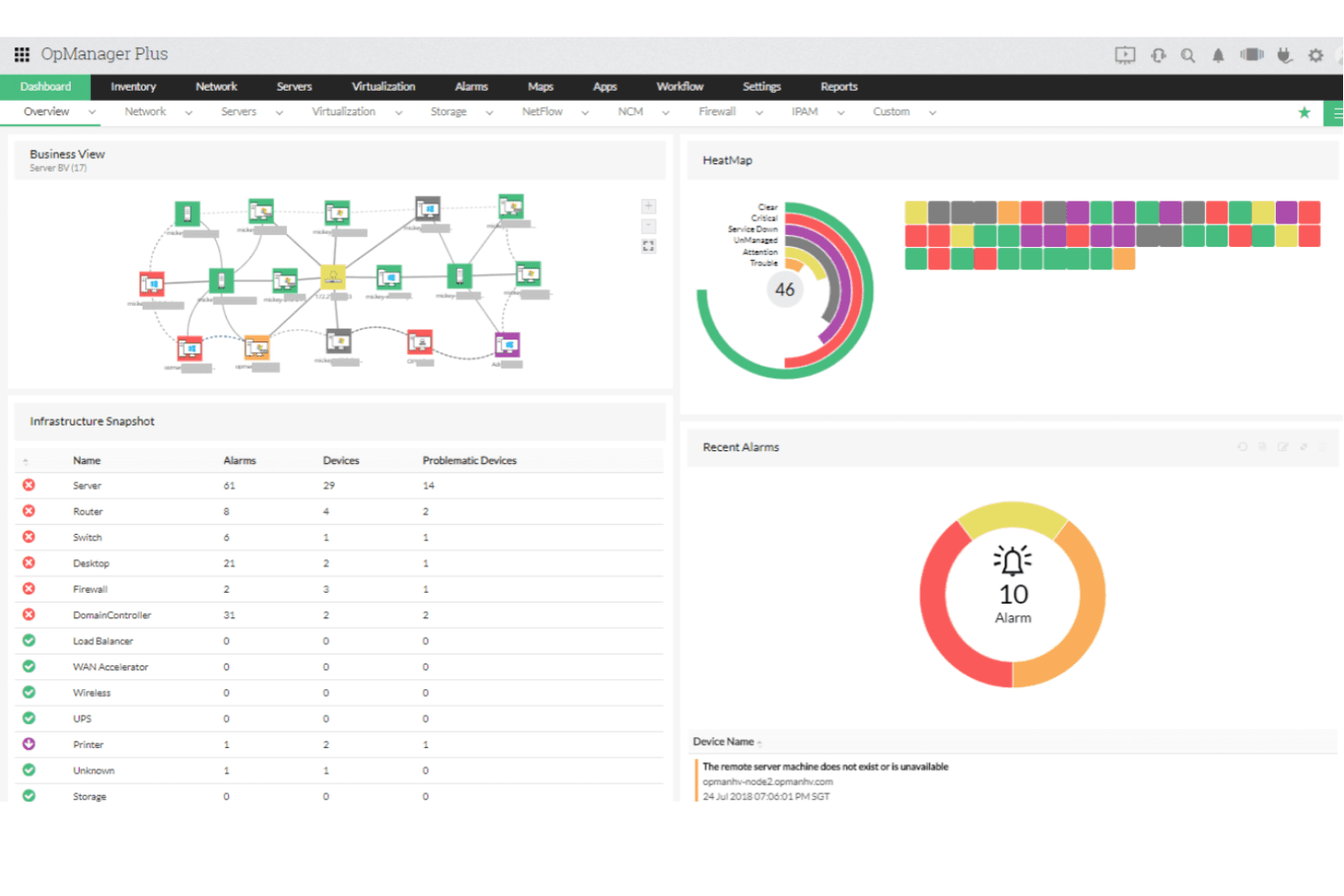
ManageEngine OPManager Plus unifies network monitoring in one dashboard. ManageEngine OPM Plus is an IT operations management platform for infrastructure teams that need to monitor network and server health, investigate service issues, and connect operational visibility with broader IT management workflows.
Who Is ManageEngine OPM Plus Best For?
Infrastructure and security teams that need operational monitoring alongside compliance-focused IT management workflows will find ManageEngine OPM Plus a practical fit.
Why I Picked ManageEngine OPM Plus
I picked ManageEngine OPM Plus as my “Best for integrated compliance & security features” choice among Splunk competitors. Its firewall log analysis correlates events across devices for investigations, and its audits assess configurations against standards such as NIST and ISO. I also value real-time change tracking to trace unexpected firewall rule edits during an incident.
ManageEngine OPM Plus Key Features
- Network performance monitoring: Tracks device availability, latency, packet loss, jitter, and response time.
- Bandwidth analysis: Uses flow protocols to show traffic patterns and top talkers.
- Server monitoring: Tracks CPU, memory, disk space, and temperature.
- Application monitoring: Monitors application response times, transactions, databases, and containers.
ManageEngine OPM Plus Integrations
ManageEngine OPM Plus has documented integrations with ServiceNow, ServiceDesk Plus, Microsoft Teams, and Applications Manager for workflows such as ticket creation, device synchronization, and alert delivery; it also provides a REST API for custom integrations.
Pros and Cons
Pros:
- Tracks firewall rule changes in real time
- Audits configurations against NIST and ISO standards
- Correlates firewall logs across vendors
Cons:
- Detailed reports need substantial setup and tuning
- Large log volumes can slow reporting
Learn more about ManageEngine OPM Plus: Best for real-time data insights and anomaly detection
- 14-day free trial
- From $0.06/GB
Visit WebsiteCustomer Rating:4.8/5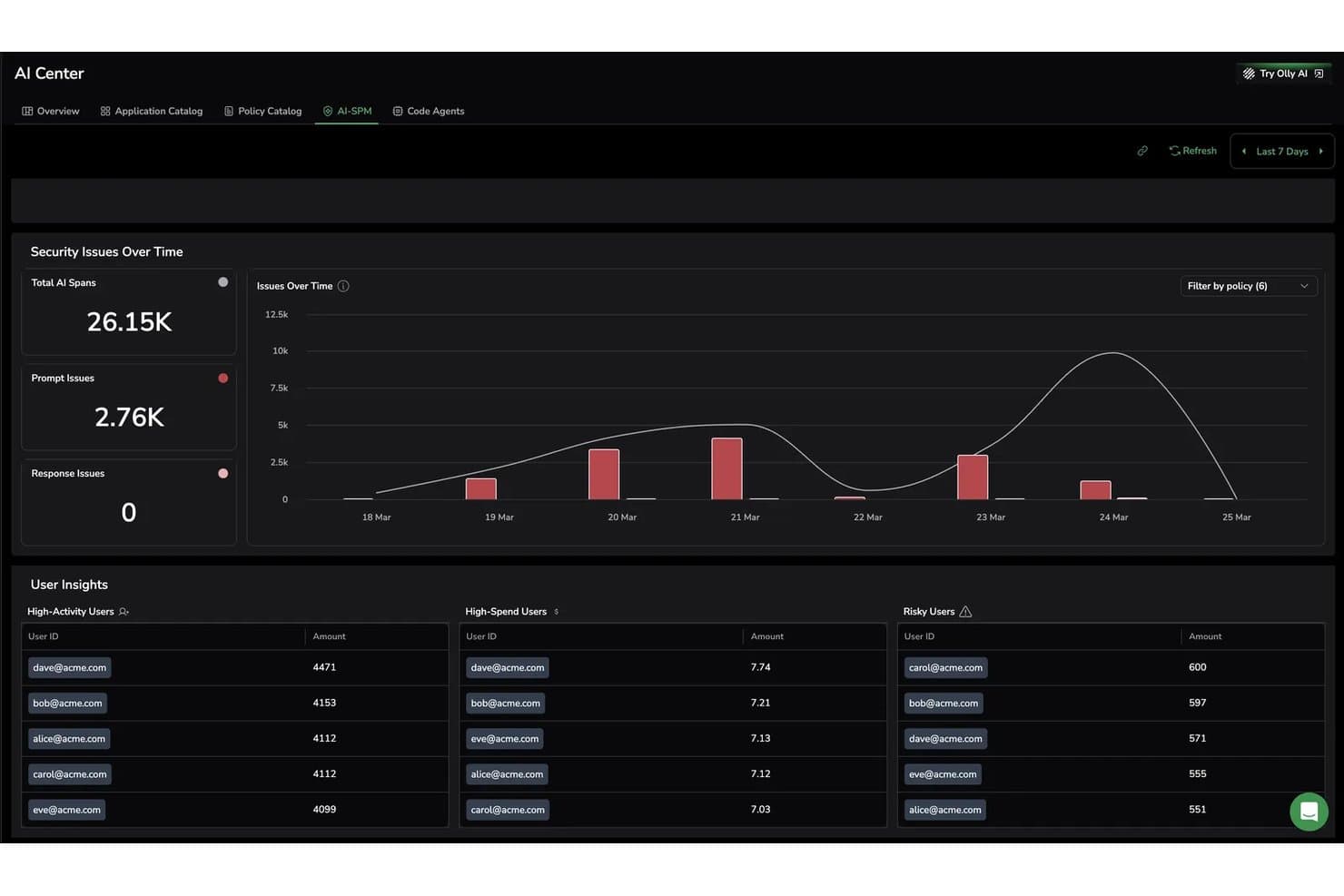
Coralogix tracks AI security issues and risky users in real time. Coralogix gives IT and DevOps teams a log management and observability platform to investigate issues across complex systems and reduce alert noise, with a focus described as “Best for real-time data insights and anomaly detection.”
Who Is Coralogix Best For?
Coralogix is a good fit for SRE and platform engineering teams that need to monitor distributed systems and investigate production issues.
Why I Picked Coralogix
I picked Coralogix as a Splunk alternative because it’s Best for real-time data insights and anomaly detection. Its log anomaly alerts learn a seven-day baseline and flag unusual count changes without relying on fixed thresholds. I like that in-stream processing evaluates telemetry before indexing, helping surface an error surge or unusual outbound traffic as it happens.
Coralogix Key Features
- Log parsing: Convert unstructured log data into structured fields with custom parsing rules.
- Log exploration: Search and filter log records in Explore.
- Log-trace correlation: Link logs to related spans using configured or automatically detected field mappings.
- Custom dashboards: Visualize logs, metrics, and traces together in dashboard widgets.
Coralogix Integrations
Coralogix’s official integration catalog documents connections for AWS CloudWatch, Amazon S3, Microsoft Azure, Google Cloud, Kubernetes, OpenTelemetry, Fluent Bit, Fluentd, Logstash, and Elasticsearch. Coralogix also provides APIs for custom integrations.
Pros and Cons
Pros:
- Responsive support helps teams during incidents
- Baseline-based anomaly alerts flag unusual log volumes
- Real-time insights help speed incident investigations
Cons:
- Large searches can delay log retrieval
- Advanced DataPrime queries take practice
Learn more about Coralogix: Best for AI-assisted cloud infrastructure monitoring
- 15-day free trial
- From $7/month
Visit WebsiteCustomer Rating:4.5/5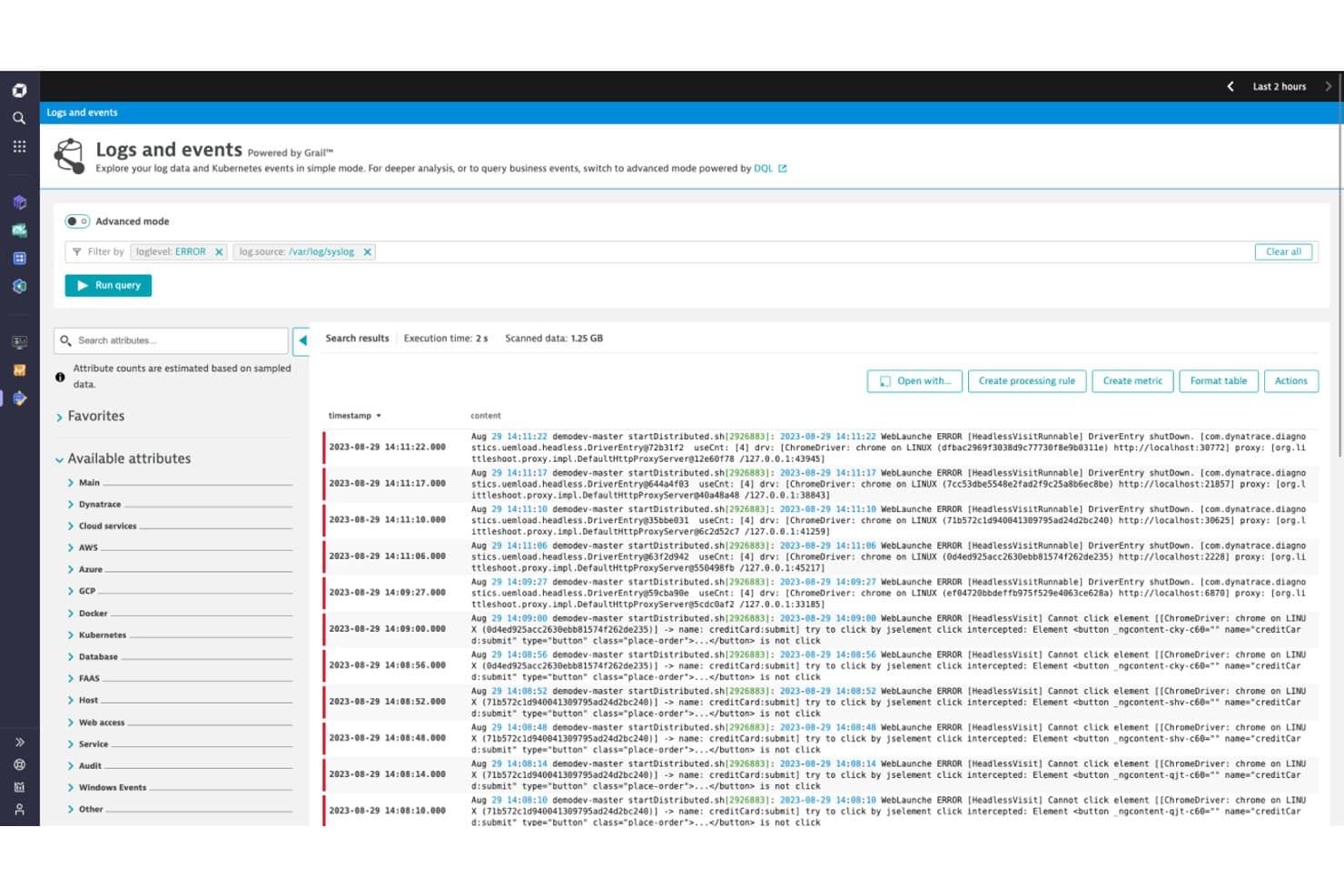
Dynatrace lets users filter and analyze error logs with advanced query mode. For IT teams managing complex cloud environments, Dynatrace provides infrastructure monitoring and observability to help pinpoint performance issues and troubleshoot across interconnected systems.
Who Is Dynatrace Best For?
Dynatrace suits platform engineering and SRE teams that need AI-assisted visibility across distributed cloud services and infrastructure.
Why I Picked Dynatrace
I picked Dynatrace as a Splunk competitor because it’s Best for AI-assisted cloud infrastructure monitoring. Dynatrace Intelligence uses topology and transaction data to pinpoint root causes, while Smartscape continuously maps dependencies across cloud services and infrastructure. When a Kubernetes workload slows after a deployment, I can trace its impact across connected services.
Dynatrace Key Features
- Host monitoring: OneAgent collects CPU, memory, disk, and network metrics from hosts.
- Kubernetes monitoring: View cluster, node, namespace, and pod metrics.
- Log monitoring: Collect, search, and analyze logs alongside monitored infrastructure data.
- Alerting profiles: Configure alerting rules and notification settings for detected problems.
Dynatrace Integrations
Dynatrace Workflows offers connectors through Dynatrace Hub for AWS, Kubernetes, Microsoft Azure, Jira, Slack, GitHub, ServiceNow, PagerDuty, GitLab, and Jenkins. Its APIs support custom integrations.
Pros and Cons
Pros:
- OneAgent discovers and monitors hosts and workloads
- Smartscape maps dependencies across hybrid infrastructure
- Davis AI correlates telemetry for faster root-cause analysis
Cons:
- Custom dashboards require significant manual effort
- Navigation across screens can feel cluttered
- DQL syntax takes time to master
 Best for distributed tracing across dev pipelines
- Free plan available
- From $15/month (billed annually)
Visit WebsiteCustomer Rating:4.5/5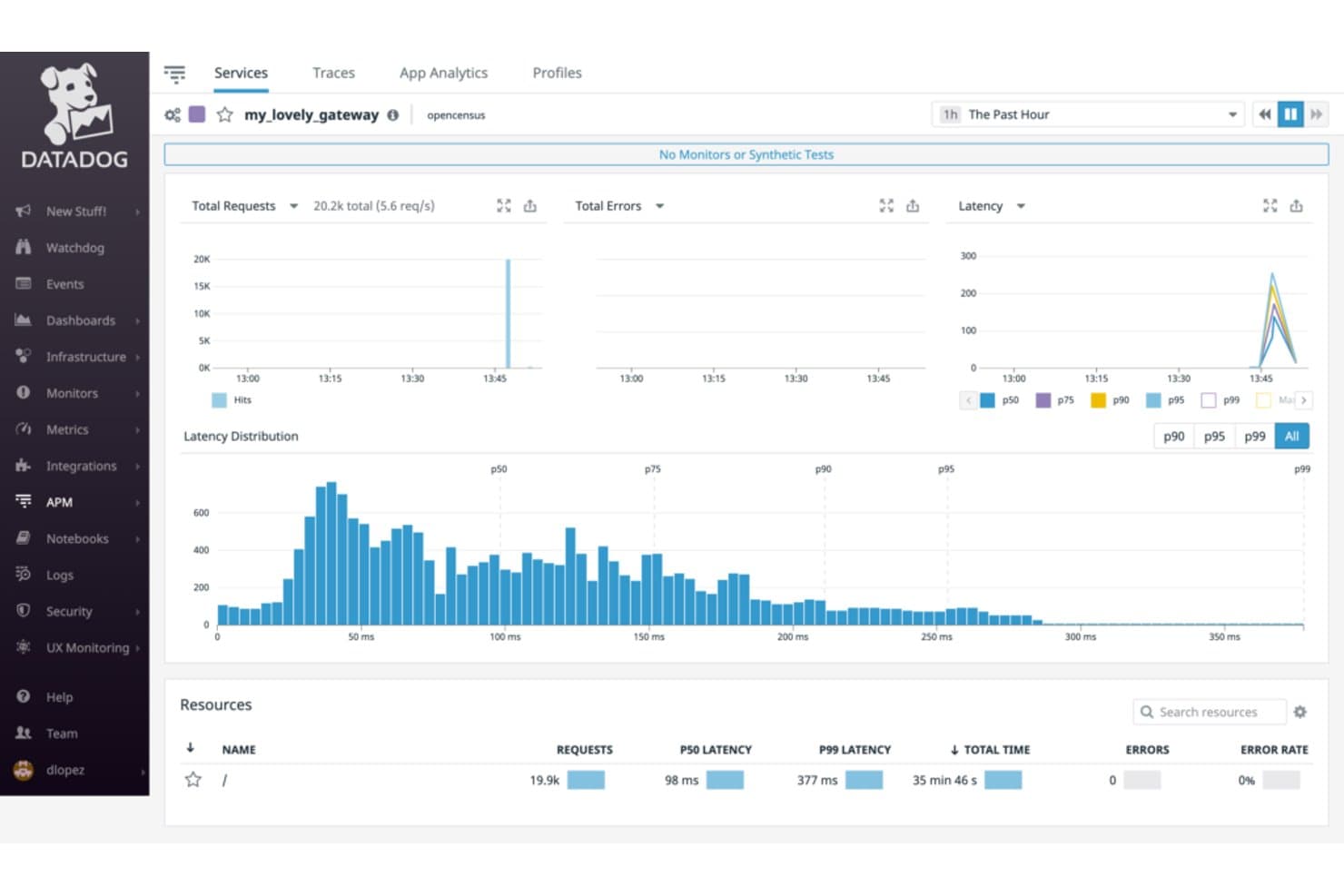
Datadog visualizes service latency, requests, and errors in APM. For infrastructure and DevOps teams evaluating Splunk alternatives, Datadog is an observability platform that brings metrics, logs, and traces together to help pinpoint service failures and performance bottlenecks.
Who Is Datadog Best For?
Datadog suits infrastructure and platform engineering teams that need to monitor cloud and hybrid environments across a wide range of services.
Why I Picked Datadog
I picked Datadog as my “Best for full-stack observability and integration capabilities” option because it brings metrics, logs, and traces together across cloud and hybrid environments. When an API slows after a database change, I can correlate service telemetry and trace requests across dependencies to locate the bottleneck.
Datadog Key Features
- Monitors: Set thresholds and alert conditions for monitored resources.
- Dashboards: Build customizable views with graphs, tables, and status widgets.
- Synthetic monitoring: Schedule API and browser tests to check endpoints and user journeys.
- Network performance monitoring: Inspect network traffic, connections, and latency across hosts and containers.
Datadog Integrations
Datadog offers 1,000+ built-in integrations, including AWS, Azure, Google Cloud, Kubernetes, Docker, PostgreSQL, Kafka, Slack, PagerDuty, and ServiceNow. It also supports custom integrations through the Datadog API.
Pros and Cons
Pros:
- Synthetic tests catch API and journey failures
- Distributed traces help pinpoint cross-service bottlenecks
- Correlates logs, metrics, and traces for incident triage
Cons:
- Alert fatigue can follow overly broad thresholds
- Advanced dashboards and queries take time to configure
 Best for automated hybrid infrastructure monitoring
- 14-day free trial
- Pricing upon request
Visit WebsiteCustomer Rating:4.5/5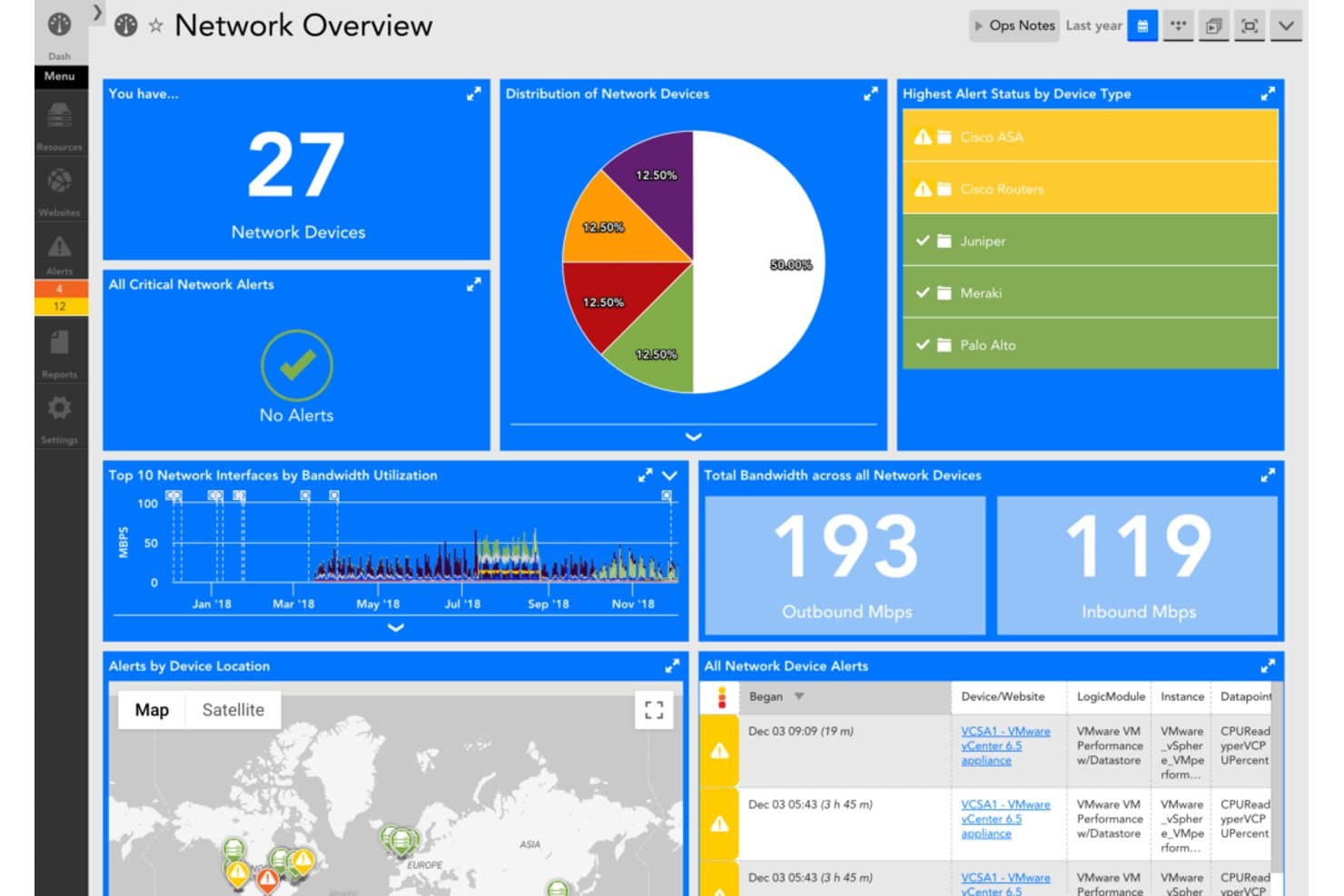
LogicMonitor centralizes network monitoring with alerts, bandwidth, and device insights. LogicMonitor is an infrastructure monitoring platform for IT teams managing hybrid estates, helping identify performance issues across cloud, on-premises, and network environments as an alternative to Splunk.
Who Is LogicMonitor Best For?
IT operations teams that need automated visibility into performance and availability across distributed servers, networks, and cloud services are a good fit for LogicMonitor.
Why I Picked LogicMonitor
I picked LogicMonitor for automated hybrid infrastructure monitoring across on-premises, cloud, and network environments. Its Collectors gather resource data, while Active Discovery identifies component instances for monitoring. When a network device gains interfaces, discovery can surface them for monitoring without adding each instance manually.
LogicMonitor Key Features
- Anomaly detection: Flags unusual performance patterns across monitored resources.
- Dynamic thresholds: Adjusts alert thresholds to reflect changing performance baselines.
- Configuration history: Tracks device configuration changes and alerts on drift.
- Log analytics: Correlates log data with metrics for incident investigation.
LogicMonitor Integrations
LogicMonitor lists 3,000+ out-of-the-box integrations, including AWS, Azure, Google Cloud, Cisco, Ansible, ServiceNow, and Slack. It also supports API connections for tools without a preconfigured integration.
Pros and Cons
Pros:
- Unified dashboards span hybrid infrastructure
- Dynamic thresholds reduce alert noise
- Active discovery surfaces new device components
Cons:
- Network topology can misrepresent device links
- Alert setup and filtering need refinement
Learn more about LogicMonitor: Best for open-source network monitoring
- 5-day free trial
- From $50/month
Visit WebsiteCustomer Rating:4.4/5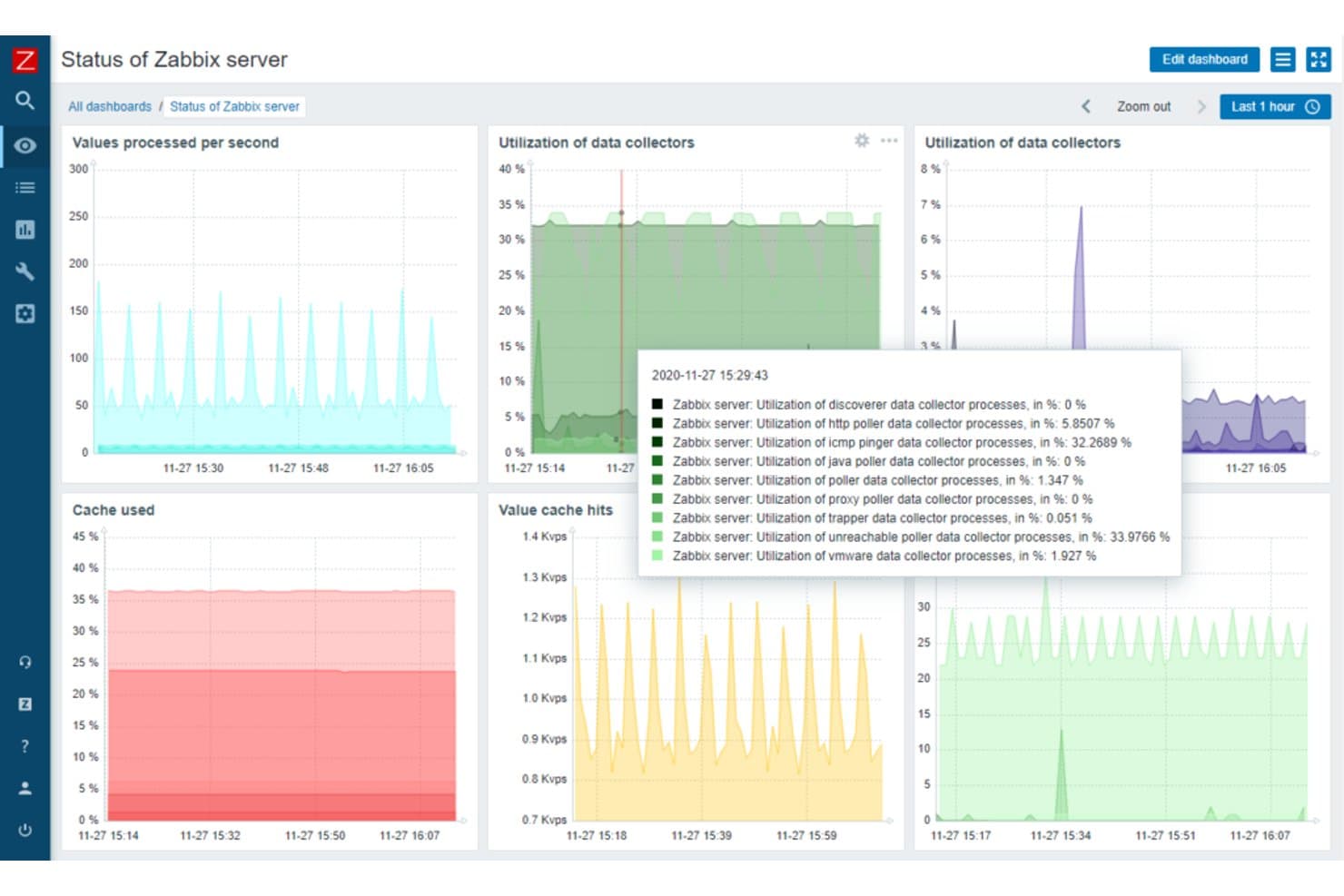
Zabbix displays real-time server performance metrics on a unified dashboard. Zabbix helps IT and infrastructure teams monitor servers, networks, and applications while tracking log events to investigate faults and performance issues.
Who Is Zabbix Best For?
Infrastructure and network administrators who want open-source tools to monitor network devices, servers, and services.
Why I Picked Zabbix
I picked Zabbix because its “Best for open-source network monitoring” focus pairs well with log-event tracking. Its agents can watch log files for matching patterns, while SNMP checks track network device health. I use those signals to connect a service error with a failing switch or server.
Zabbix Key Features
- Event correlation: Link related events using tags and correlation rules.
- Alert actions: Send notifications or run remote commands when conditions match.
- Network discovery: Scan IP ranges to find hosts and monitored services.
- Dashboards: Build views with widgets for problems, metrics, and event data.
Zabbix Integrations
Zabbix’s official integration catalog lists 1,986 solutions across 559 brands, including Slack, Jira, ServiceNow, PagerDuty, AWS, Microsoft Azure, and Google Cloud. Zabbix also provides an HTTP-based JSON-RPC API for custom integrations.
Pros and Cons
Pros:
- Flexible alerts and discovery reduce manual checks
- SNMP checks cover switches and network devices
- Correlates log events with network health
Cons:
- Trigger and regex configuration takes hands-on effort
- Log analysis is narrower than Splunk’s
 Best for end-to-end business transaction tracking
- 30-day free trial
- From $6/vCPU/month (billed annually)
Visit WebsiteCustomer Rating:4.3/5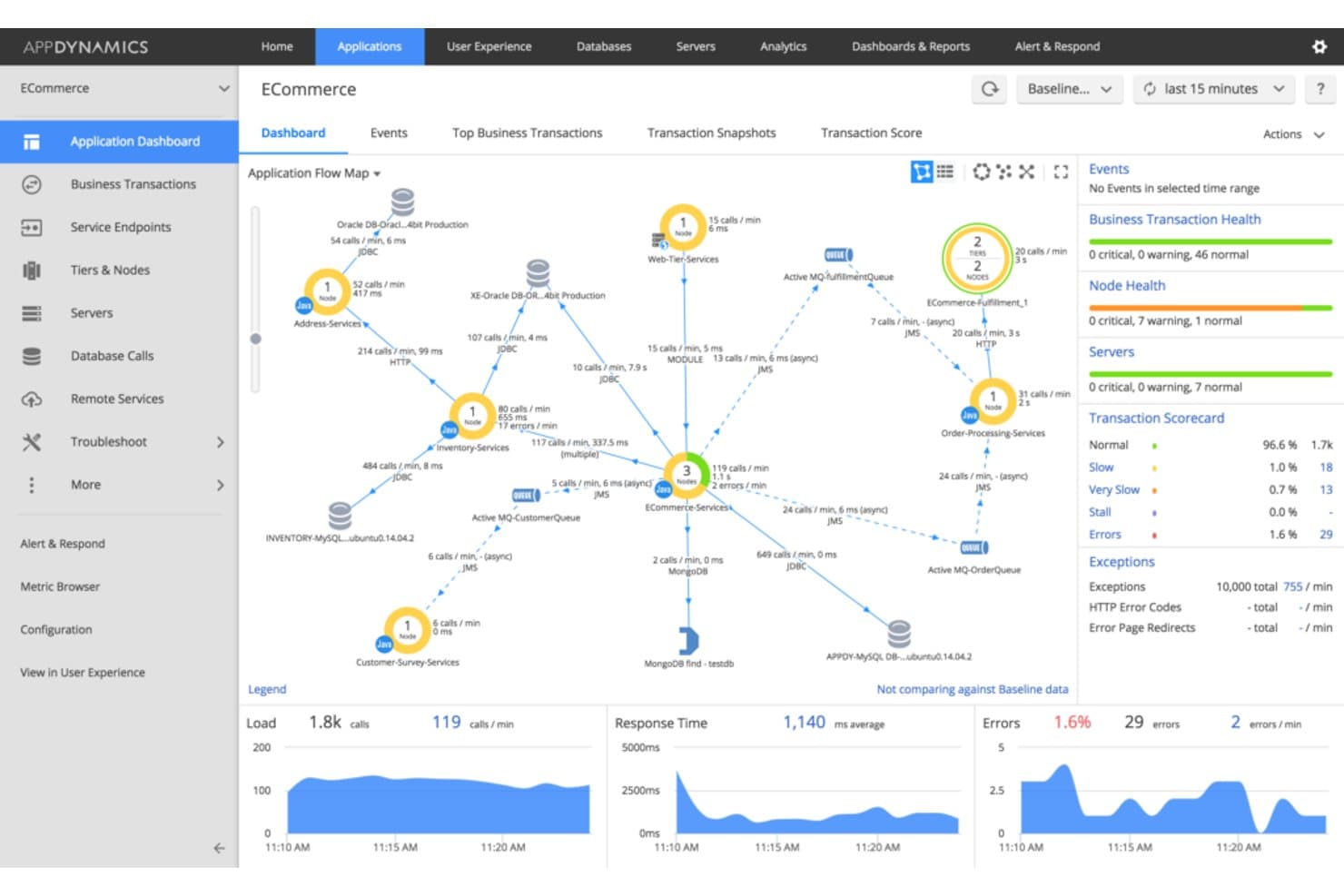
AppDynamics visualizes app flow and performance metrics in real time. AppDynamics is an application performance monitoring platform for enterprise IT teams, helping them connect application and infrastructure health to business impact and diagnose issues across complex environments.
Who Is AppDynamics Best For?
AppDynamics suits enterprise application and operations teams that need to trace business transactions across distributed services and pinpoint where requests slow down or fail.
Why I Picked AppDynamics
I picked AppDynamics, best for end-to-end business transaction tracking, as a Splunk competitor because it follows requests across distributed services. Transaction flow maps show where checkout requests travel, while snapshots expose code-level call details when latency spikes. I use that view to trace slowdowns to an application tier, database, or downstream service.
AppDynamics Key Features
- Infrastructure monitoring: View server metrics, processes, and resource usage alongside application performance.
- Database monitoring: Inspect database health, query performance, and wait times.
- Browser real user monitoring: Track page-load times and user interactions in web applications.
- Mobile real user monitoring: Monitor mobile app crashes, network requests, and performance metrics.
AppDynamics Integrations
AppDynamics documents nine built-in integration modules, including Atlassian Jira, ServiceNow, Splunk, Scalyr, and Rookout. It also provides REST APIs for custom integrations and automation.
Pros and Cons
Pros:
- Business context connects application health to outcomes
- Baseline alerts help pinpoint performance changes
- Transaction snapshots expose full call graphs
Cons:
- JavaScript monitoring requires manual code injection
- Dashboards can load slowly
Learn more about AppDynamics: Best for application performance monitoring
- Free plan available
- From $10/user/month
Visit WebsiteCustomer Rating:4.3/5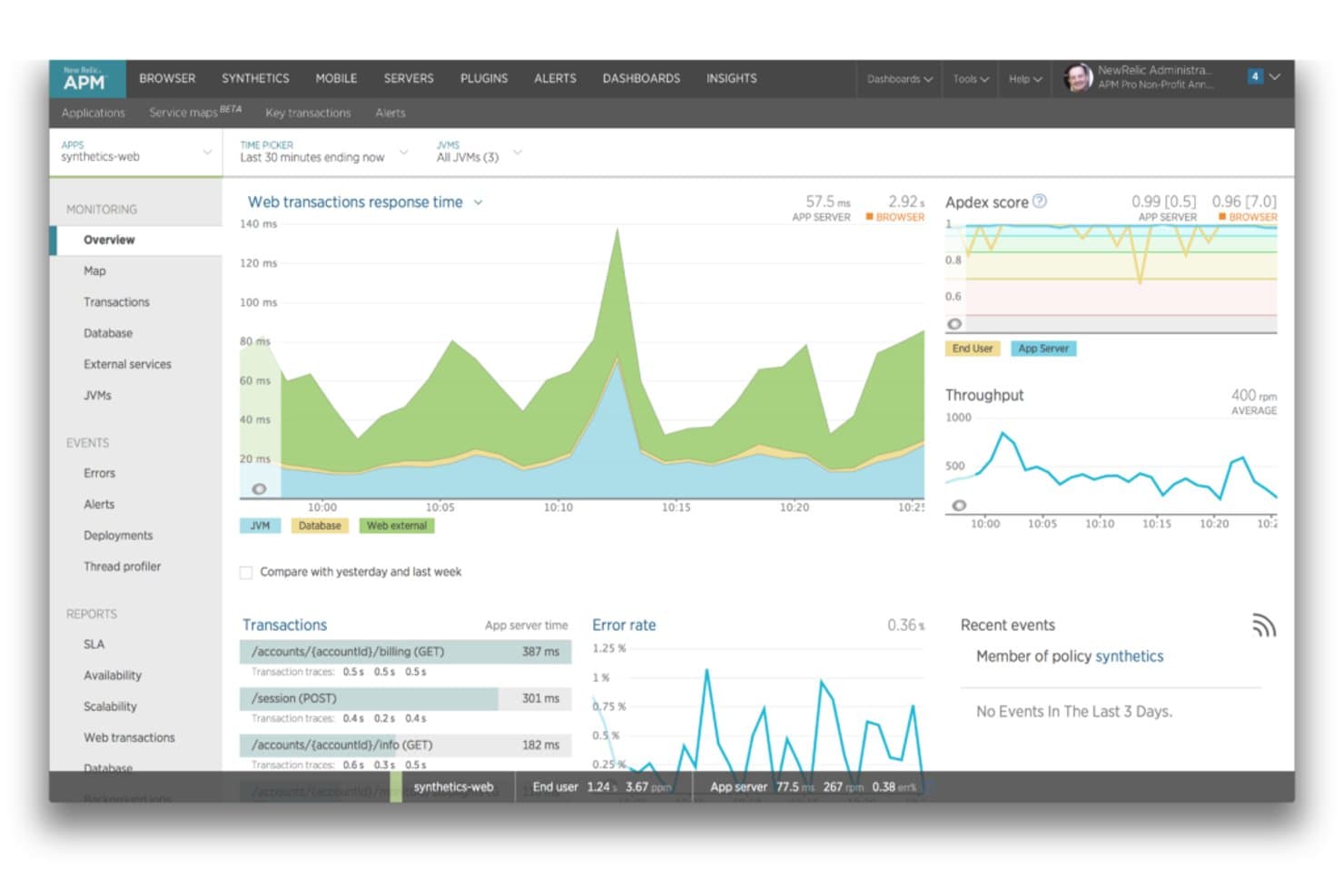
New Relic displays real-time app performance, transactions, and error rates. New Relic is an observability platform for IT and operations teams that brings log data together with application telemetry to investigate incidents and diagnose performance problems.
Who Is New Relic Best For?
New Relic suits engineering and operations teams that need to monitor application performance, trace issues across services, and diagnose production incidents.
Why I Picked New Relic
I picked New Relic, Best for application performance monitoring, as a Splunk competitor to keep on your tech radar. It brings logs together with application telemetry, so I can investigate a slow request by tracing its path across services and checking related log data.
New Relic Key Features
- Log patterns: Group similar messages to spot recurring events and changes in log volume.
- Live tail: View incoming log messages in real time, with an option to focus on a query.
- Query-time parsing: Extract temporary attributes from log messages in the Logs UI without writing regex or Grok patterns.
- Log alerts: Create alert conditions from log searches using NRQL.
New Relic Integrations
New Relic supports integrations with AWS, Microsoft Azure, Google Cloud, Kubernetes, Jira Cloud, Slack, Microsoft Teams, PagerDuty, and ServiceNow. It also offers APIs and the Flex integration tool for sending custom data to the platform.
Pros and Cons
Pros:
- Query-time parsing extracts attributes without regex
- Distributed traces pinpoint slow service endpoints
- Correlates logs with traces and errors
Cons:
- Dashboard navigation can feel cluttered
- NRQL queries can load slowly
Learn more about New Relic: Best for cloud-native machine data analytics
- 14-day free trial
- Pricing upon request
Visit WebsiteCustomer Rating:4.3/5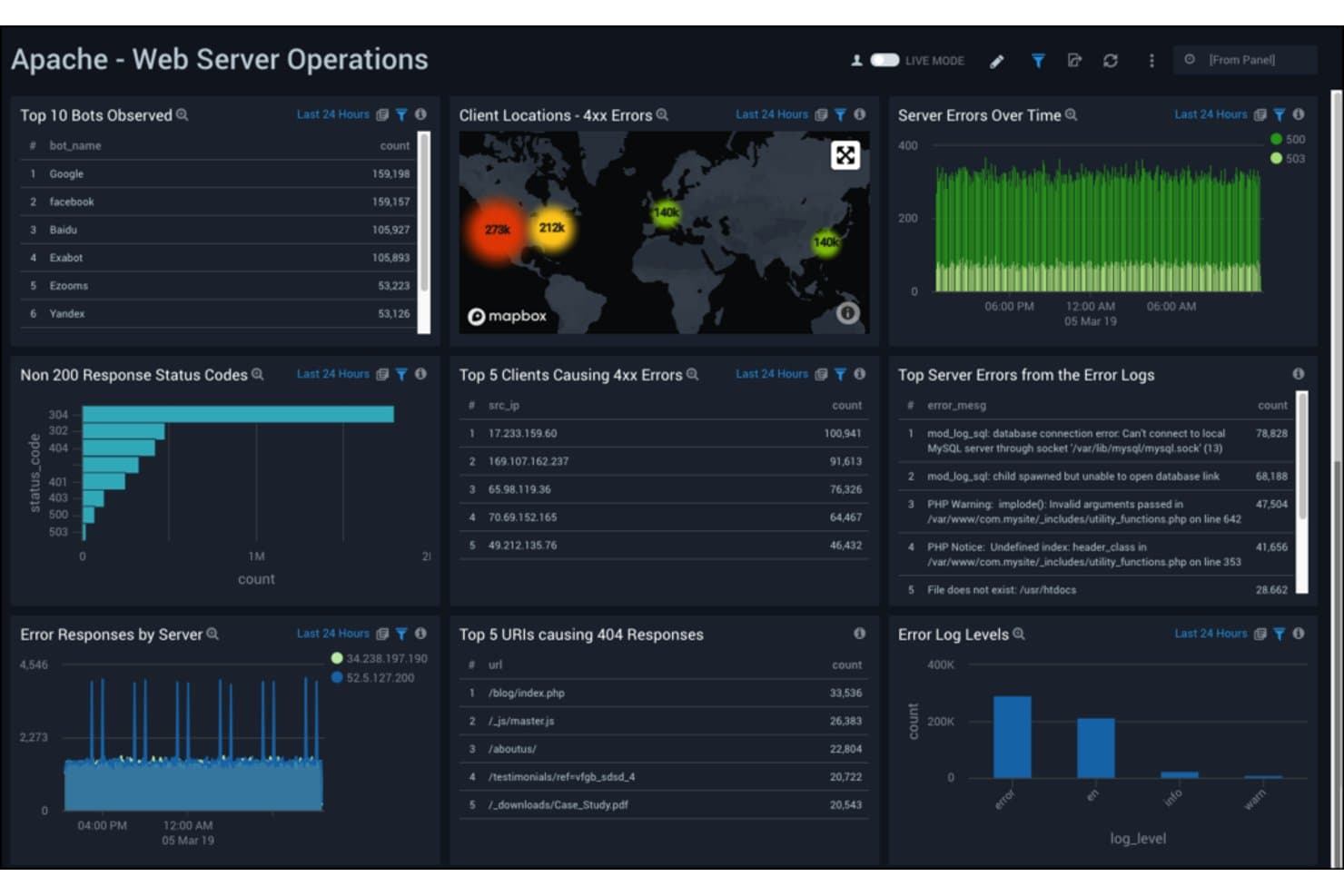
Sumo Logic monitors Apache web server errors and bot activity in real time. Sumo Logic is a cloud-based log management platform for IT and security teams that need to investigate machine data, troubleshoot distributed services, and monitor infrastructure as an alternative to Splunk.
Who Is Sumo Logic Best For?
Sumo Logic suits DevOps and security operations teams that analyze telemetry across cloud-native applications and infrastructure.
Why I Picked Sumo Logic
I picked Sumo Logic because its cloud-native machine data analytics help me investigate issues across distributed services. LogReduce groups similar log messages to surface patterns, while queries across cloud telemetry help trace an incident from application errors to infrastructure signals.
Sumo Logic Key Features
- Field extraction: Create rules to parse fields from incoming log messages.
- Dashboards: Build panels that visualize log data and metrics.
- Monitors and alerts: Set conditions that trigger notifications when log data matches defined thresholds.
- Scheduled views: Run saved queries on a schedule and store their results for later use.
Sumo Logic Integrations
Sumo Logic’s App Catalog lists integrations for hundreds of vendors and products, including AWS, Azure, Google Cloud, Kubernetes, Datadog, and GitHub. Integration types vary and include apps, data collectors and sources, Cloud SIEM integrations, automation connectors, and webhooks; an API is available for custom integrations.
Pros and Cons
Pros:
- Unified logs, metrics, and traces aid triage
- LogReduce groups similar messages into patterns
- Cloud-native analytics needs no logging infrastructure
Cons:
- Long-range searches can delay alerts
- Advanced query syntax slows onboarding
 Best for comprehensive cloud computing needs
- Free plan available
- Pricing upon request
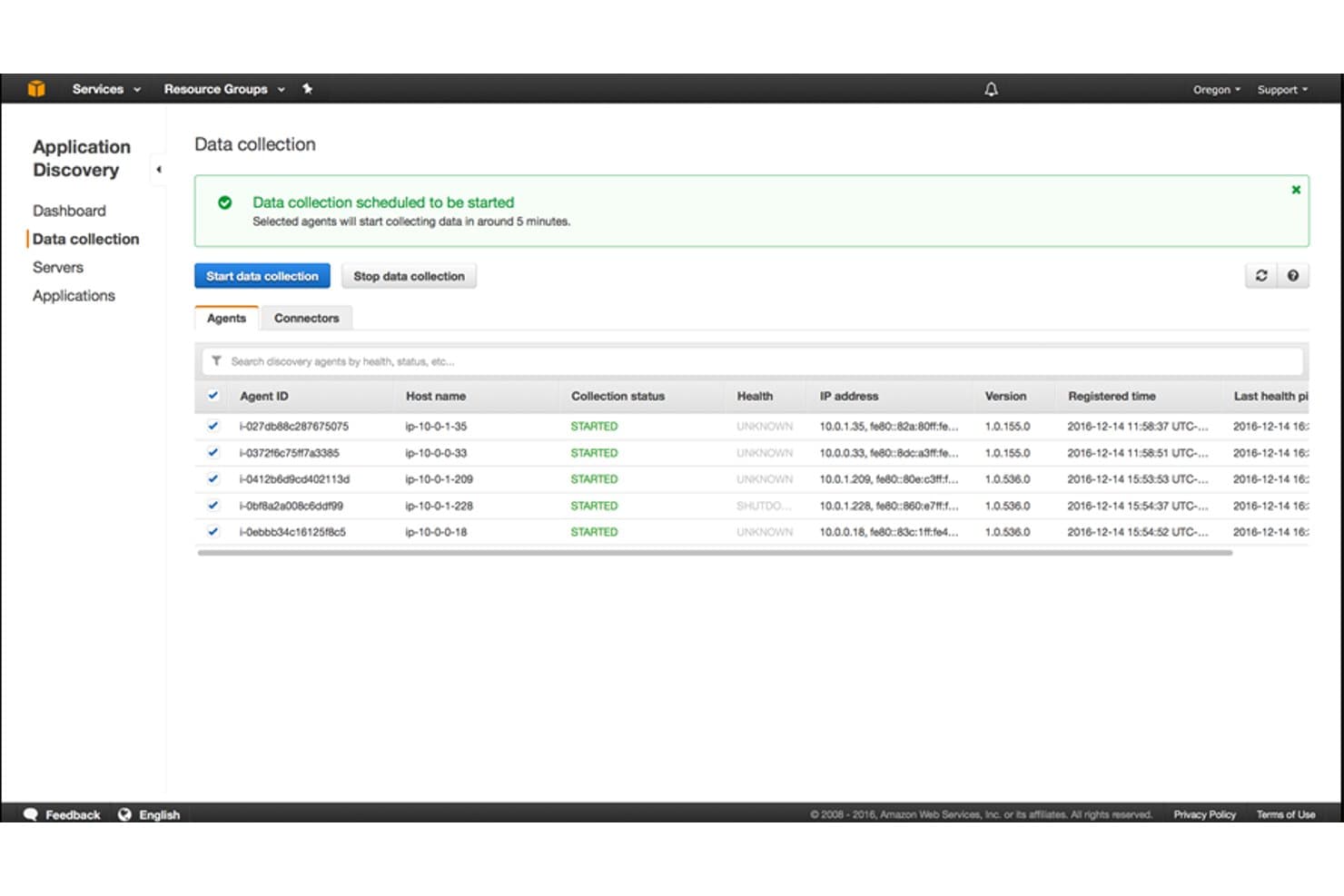
AWS Application Discovery Service tracks agent-based data collection across servers. Amazon Web Services (AWS) gives infrastructure teams cloud services and native monitoring tools such as Amazon CloudWatch to collect metrics, logs, and traces across workloads, helping them investigate incidents and track distributed systems.
Who Is Amazon Web Services (AWS) Best For?
AWS suits IT teams at growing organizations that need cloud infrastructure for varied workloads, from application hosting to data storage.
Why I Picked Amazon Web Services (AWS)
I picked Amazon Web Services (AWS) because it fits “Best for comprehensive cloud computing needs” and keeps observability close to your cloud workloads. Amazon CloudWatch collects metrics, logs, and traces, while alarms help flag service degradation across distributed applications. I value having those signals available for incident investigation alongside AWS infrastructure.
Amazon Web Services (AWS) Key Features
- Configuration history: AWS Config records resource changes and lets you review configuration timelines.
- Compliance rules: AWS Config evaluates resources against rules and flags noncompliant configurations.
- API activity history: AWS CloudTrail records account activity, including management events, for audit and investigation.
- Service health events: AWS Health Dashboard shows service issues and planned changes relevant to your account.
Amazon Web Services (AWS) Integrations
Amazon CloudWatch supports native integrations with 90+ AWS services, including Amazon EC2, Amazon EKS, AWS CloudTrail, and Amazon VPC Flow Logs. CloudWatch pipelines also offer direct integrations with GitHub, GitLab, Microsoft Entra ID, Okta, ServiceNow CMDB, and Slack audit logs, with APIs for custom integrations.
Pros and Cons
Pros:
- Reliable monitoring across AWS workloads
- Alarms flag service degradation quickly
- Metrics, logs, and traces in one service
Cons:
- High-volume log ingestion can raise costs
- Log searches can feel cumbersome
Learn more about Amazon Web Services (AWS):
Andre Splunk-konkurrenter
Her er noen flere Splunk-konkurrenter som ikke kom med på kortlisten min, men som likevel er verdt å undersøke:
- 11ElasticBest for scalable search and data visualization
- 12Logz.ioBest for AI-powered log analysis
- 13Mezmo Log AnalysisBest for streamlined log management
- 14SentryGood for real-time error tracking and crash reporting
- 15OracleGood for large-scale database management
- 16ManageEngineGood for integrated desktop and mobile device management
- 17ServiceNow Customer Service ManagementGood for comprehensive IT service management
- 18BroadcomGood for end-to-end software and hardware solutions
- 19eG InnovationsGood for application performance monitoring and diagnostics
- 20Grafana LabsGood for flexible and interactive data visualization
- 21VMwareGood for multi-cloud management and operations
- 22Alibaba CloudGood for scalable cloud services and solutions
- 23LakesideGood for digital experience monitoring
- 24BMCGood for IT service management and operations automation
- 25NexthinkGood for digital employee experience management
- 26EpsagonGood for distributed tracing for microservices
Relaterte anmeldelser
How I Evaluate Splunk Competitors
I split my evaluation into baseline must-haves—real-time log ingestion, queryable search, and alerting—then dig into differentiators like cost-per-GB pricing, SIEM depth, and deployment flexibility.
Core Functionality (Table Stakes For This List)
When I'm selecting tools for my list, I rank each one on a scale from 0 (does not offer the functionality) to 5 (excels in this area) for each core functionality listed below. Then, I calculate the tool's total score into a percentage. Each tool needs to achieve a minimum total score of 75% to be considered for inclusion.
- Log Ingestion & Indexing: I evaluate how well a tool handles high-volume, multi-source ingestion—think syslog from network gear, container logs from Kubernetes, and cloud trail events all landing in near real time.
- Search & Query Language: Whether it's a pipeline syntax like Datadog's or a SQL-based approach like CrowdStrike's, I look for a query language expressive enough to correlate events across hosts and services.
- Dashboards & Visualization: Each tool should let you build custom dashboards with drill-down capability, so your NOC team can go from a high-level service health view to individual log lines in a few clicks.
- Alerting & Anomaly Detection: I check for configurable, multi-channel alerting—rule-based thresholds at minimum, with ML-based anomaly detection as a strong differentiator for catching issues like unusual login spikes.
- Security & Compliance Monitoring: Tools should support SIEM-style event correlation and ship with compliance reporting templates for frameworks like PCI-DSS and SOC 2, not just raw log search.
- Scalability & Integrations: I look at how well the platform scales with data growth and whether it integrates with the tools teams already rely on, from AWS and Azure to ServiceNow and PagerDuty.
Once I have a list of tools that meet this criteria, I consider what sets each platform apart.
Differentiating Factors (What Sets Vendors Apart)
Here's how I compare and contrast different vendors:
Standout Features
OpenTelemetry support matters because it lets your team swap vendors or add new data sources without rewriting instrumentation. I also evaluate whether a platform offers ML-driven root cause analysis—during a cascading outage, tools like Elastic and Datadog can surface correlated anomalies faster than manual query hunts. Usage-based pricing is another key differentiator, since many teams migrate from Splunk specifically to get more predictable costs as data volumes grow.
Beyond Features
Deployment flexibility is a big deal—I check whether a platform supports SaaS, self-hosted, and hybrid models, since teams in regulated industries often need on-premise or air-gapped options. Migration support also matters. Tools like Cribl and Elastic offer SPL translation utilities that ease the shift from Splunk, while others provide dedicated migration services. I also evaluate compliance certifications like SOC 2, HIPAA, and FedRAMP, especially for teams handling sensitive workloads where a missing certification can be a dealbreaker.
Hvorfor se etter en Splunk-konkurrent?
Splunk er en kraftig plattform som samler inn, indekserer og analyserer maskindata. Denne programvaren er uvurderlig for virksomheter i alle størrelser, særlig for dem som ønsker å omdanne rå maskindata til handlingsrettet innsikt for bedre operasjonell forståelse.
Selv om Splunk utmerker seg på sitt område, kan enkelte brukere se etter alternativer av ulike årsaker – kanskje ønsker de et mer nisjepreget fokus, trenger andre prismodeller eller foretrekker et grensesnitt som passer bedre til arbeidsflyten i teamet. Derfor handler det å finne en konkurrent til Splunk om å finne en løsning som i større grad dekker deres unike behov og omstendigheter.
Viktige funksjoner i Splunk
Her er noen av de viktigste funksjonene i Splunk, slik at du kan sammenligne hva alternative løsninger tilbyr:
- Appintegrasjoner: Du kan utvide bruken av Splunk ved å legge til forhåndsbygde apper for ting som AWS, Microsoft eller Kubernetes.
- Sanntidssøk og -analyse: Du kan søke i og analysere logger etter hvert som dataene kommer inn, slik at teamet ditt raskt kan oppdage problemer.
- Egendefinerte varsler: Du kan angi varsler som utløses når bestemte mønstre dukker opp, slik at du slipper å overvåke ting manuelt.
- Verktøy for datavisualisering: Du kan gjøre rådata om til grafer og dashbord, slik at det blir enklere for teamet ditt å forstå trender.
- Verktøysett for maskinlæring: Du kan bygge modeller som oppdager mønstre og uvanlig aktivitet uten å måtte kode alt fra bunnen av.
- Loggaggregering: Teamet ditt kan hente logger fra mange kilder til ett sted, noe som sparer tid når dere prøver å løse problemer.
- Avviksdeteksjon: Du kan automatisk oppdage data som ser unormale ut, noe som bidrar til å avdekke sikkerhetsrisikoer tidlig.
- Fleksible datainndata: Du kan hente inn data fra filer, API-er eller skytjenester – det som fungerer best for oppsettet ditt.
- Rollebasert tilgangskontroll: Du kan styre hvem som ser hva, slik at teamet ditt holder sensitive data sikre.
Sammendrag
Avslutningsvis krever valget av det beste Splunk-alternativet en grundig forståelse av organisasjonens spesifikke behov. Det ideelle verktøyet bør tilby omfattende programvare for loggbehandling, sanntidsovervåking, robust datainnhenting og en rekke integrasjoner. I tillegg bør brukervennlighet og god kundestøtte ivaretas.
Viktige punkter:
- Forstå behovene dine: Alle organisasjoner har unike krav. Jeg vil at du skal vite at det å forstå hva du trenger fra et verktøy for loggbehandling og overvåking, er det første steget mot å ta en informert beslutning. Dette kan variere fra avanserte analysefunksjoner til behovet for spesifikke integrasjoner.
- Fokuser på brukervennlighet: Et effektivt verktøy bør være enkelt å bruke. Se etter et intuitivt dashbord, effektive ressurser for oppstart og pålitelig kundestøtte for å sikre innføring og bruk i organisasjonen.
- Vurder skalerbarhet: Databehovene dine vil vokse over tid. Derfor bør verktøyet du velger, kunne skalere med deg og uanstrengt håndtere større datamengder samtidig som det opprettholder samme ytelsesnivå.