

I 10 migliori sistemi di rilevamento delle intrusioni di rete del 2026

10 Elenco dei migliori sistemi di rilevamento delle intrusioni di rete


Un sistema di rilevamento delle intrusioni di rete (NIDS) aiuta le squadre di sicurezza a individuare attività di rete sospette e a reagire rapidamente prima che un attacco possa diffondersi.
Molte squadre cercano un NIDS quando devono affrontare problemi come un numero eccessivo di falsi positivi, una visibilità limitata sul traffico est-ovest o il rilevamento lento delle minacce avanzate. Senza avvisi chiari e tempestivi, è facile non notare attacchi reali o perdere tempo inseguendo eventi innocui.
Ho lavorato con squadre di sicurezza per implementare e ottimizzare soluzioni NIDS che bilanciano realmente il rilevamento con la praticità, assicurandomi che si integrino nei flussi di lavoro reali senza aggiungere rumore. Questa guida si basa su queste esperienze per aiutarti a scegliere un sistema che rafforzi le tue difese e supporti il modo in cui lavora la tua squadra.
Perché fidarsi dei nostri consigli sui software
Il nostro team testa e recensisce software dal 2012. In quanto leader tecnologici noi stessi, sappiamo quanto sia difficile — e importante — scegliere il software giusto.
Per questa guida, abbiamo valutato gli strumenti attraverso test praticie ricerche indipendenti, assegnando un punteggio agli strumenti in base ai nostri criteri di selezione.
Le nostre recensioni riflettono il nostro giudizio editoriale umano, non un discorso di vendita.
Riepilogo dei migliori sistemi di rilevamento delle intrusioni di rete
Questa tabella comparativa riassume i dettagli sui prezzi delle mie migliori selezioni di sistemi di rilevamento delle intrusioni di rete, per aiutarti a trovare quello più adatto al tuo budget e alle esigenze della tua azienda.
| Tool | Best For | Trial Info | Price | ||
|---|---|---|---|---|---|
| 1 | Ideale per la protezione cloud-native nella cybersicurezza | No | $8.99/utente/mese | Website | |
| 2 | Ideale per una protezione informatica ad ampio spettro | Not available | Non disponibile pubblicamente | Website | |
| 3 | Il migliore per intelligence sulle minacce e risposta | Not available | Non disponibile pubblicamente | Website | |
| 4 | Ideale per la gestione delle policy firewall | Demo gratuita disponibile | Da $33/utente/mese | Website | |
| 5 | Ideale per la mitigazione degli attacchi DDoS | Not available | Non pubblicamente disponibile | Website | |
| 6 | Ideale per la rilevazione delle minacce guidata dall'IA | No | Non disponibile pubblicamente | Website | |
| 7 | Ideale per appassionati di open-source | No | $29.99/anno | Website | |
| 8 | Ideale per la gestione unificata della sicurezza | Not available | Gratuito | Website | |
| 9 | Ideale per il rilevamento automatizzato e in tempo reale degli attacchi | No | Non disponibile pubblicamente | Website | |
| 10 | Ideale per un'analisi di rete completa | No | Gratis | Website |
Recensioni dei migliori sistemi di rilevamento delle intrusioni di rete
Di seguito sono riportati i miei riepiloghi dettagliati dei migliori sistemi di rilevamento delle intrusioni di rete inclusi nel mio elenco. Le mie recensioni offrono un’analisi dettagliata delle caratteristiche principali, dei pro e dei contro, delle integrazioni e dei casi d’uso ideali di ogni strumento, per aiutarti a trovare quello più adatto a te.

Ideale per la protezione cloud-native nella cybersicurezza
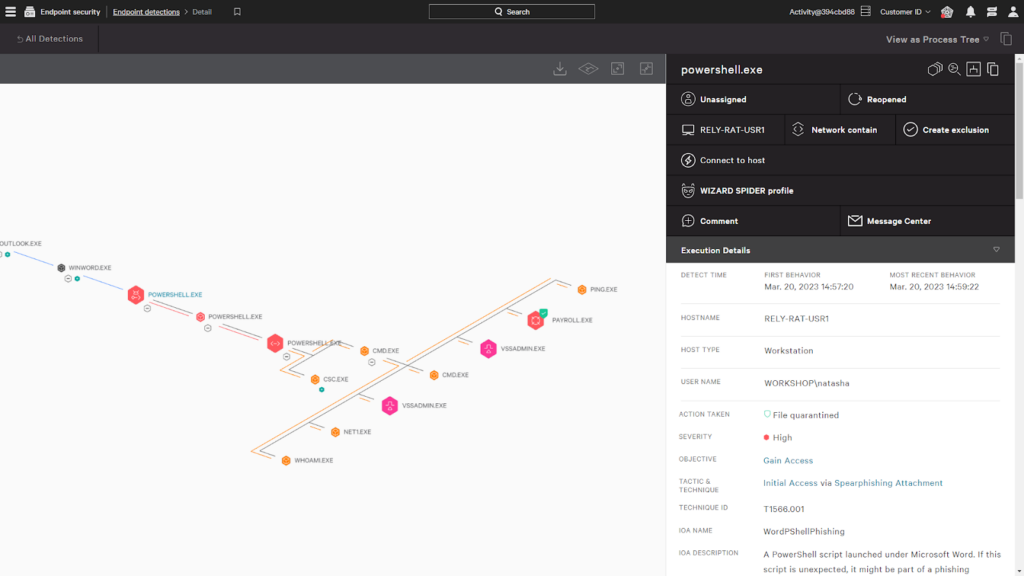
CrowdStrike Falcon è una piattaforma di cybersicurezza progettata per offrire una protezione cloud-native completa. Con la capacità di salvaguardare le infrastrutture basate sul cloud da diverse minacce informatiche, CrowdStrike Falcon è la scelta ideale per le organizzazioni che danno priorità a difese robuste e cloud-native per la sicurezza informatica.
Perché ho scelto CrowdStrike Falcon:
Ho scelto CrowdStrike Falcon perché dimostra una forte attenzione alla protezione cloud-native. La capacità dello strumento di sfruttare il potere dell'intelligenza artificiale per rilevare e rispondere alle minacce in tempo reale lo pone in una posizione unica rispetto ad altre soluzioni di sicurezza informatica. Per questo motivo, è mia ferma opinione che CrowdStrike Falcon sia il 'Migliore per...' la protezione cloud-native nella cybersicurezza.
Caratteristiche principali e integrazioni:
Tra le caratteristiche più importanti di CrowdStrike Falcon ci sono il rilevamento delle minacce basato sull'intelligenza artificiale, la risposta alle minacce in tempo reale e la visibilità completa sulle reti cloud. Vanta inoltre un'architettura basata sul cloud, che lo rende scalabile e semplice da implementare. In termini di integrazioni, CrowdStrike Falcon può connettersi con una varietà di piattaforme e strumenti, inclusi i principali provider di cloud come AWS, GCP e Azure, oltre a soluzioni SIEM e strumenti per le operazioni IT.
Pros and Cons
Pros:
- Protezione cloud-native completa
- Rilevamento e risposta alle minacce in tempo reale basati sull'AI
- Si integra con una vasta gamma di piattaforme e strumenti
Cons:
- Il costo può essere elevato per organizzazioni piccole e medie
- Richiede un impegno annuale per il prezzo
- Può richiedere conoscenze tecniche avanzate per un uso efficace

Symantec Network Security, un prodotto di Broadcom, offre un set completo di soluzioni di cybersecurity che proteggono l'intera rete di un'azienda. Propone un approccio olistico alla sicurezza di rete, risultando ottimale per le organizzazioni che cercano una protezione informatica ad ampio spettro.
Perché ho scelto Symantec Network Security:
Durante la mia valutazione, Symantec Network Security si è distinto grazie al suo approccio ampio e completo alla cybersecurity. A differenza di altre soluzioni che possono concentrarsi su aspetti specifici della sicurezza, Symantec fornisce una suite di strumenti vasta per una protezione robusta. Con questa prospettiva globale, ho determinato che Symantec Network Security è 'Il migliore per...' la protezione informatica ad ampio spettro.
Funzionalità e integrazioni principali:
Symantec Network Security offre una vasta gamma di funzionalità, tra cui la prevenzione delle intrusioni, il filtraggio web e l'analisi dei malware. È rinomato per le sue capacità di integrazione con una grande varietà di sistemi, permettendo alle aziende di proteggere le infrastrutture esistenti senza grandi cambiamenti.
Pros and Cons
Pros:
- Offre un set completo di soluzioni di cybersecurity
- Integrazione senza soluzione di continuità con una varietà di sistemi
- Forte attenzione sia al rilevamento che alla prevenzione delle minacce
Cons:
- Informazioni sui prezzi non disponibili pubblicamente
- Potrebbe essere troppo complesso per le organizzazioni più piccole
- L'integrazione con prodotti non-Broadcom può richiedere una configurazione aggiuntiva

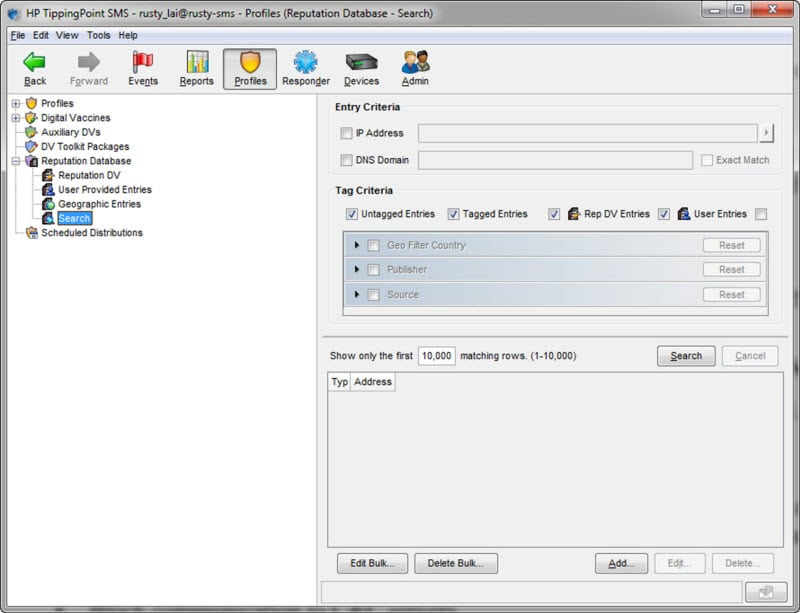
TippingPoint è una soluzione di sicurezza di rete che si concentra sull'offrire un approccio proattivo all'intelligence sulle minacce e alla risposta. Grazie al suo avanzato sistema di protezione dalle minacce, TippingPoint è in grado di identificare, analizzare e reagire alle potenziali minacce in tempo reale, diventando così una scelta eccellente per le organizzazioni che danno priorità all'intelligence e alla risposta alle minacce.
Perché ho scelto TippingPoint:
Nel mio processo di selezione, sono rimasto colpito dalle solide capacità di TippingPoint nell'intelligence e nella risposta alle minacce. Il suo approccio proattivo e l'analisi in tempo reale si distinguono nel campo della sicurezza di rete. Considerando questi aspetti, credo fermamente che TippingPoint sia il “Migliore per...” intelligence sulle minacce e risposta.
Caratteristiche principali e integrazioni:
TippingPoint offre funzionalità robuste come il Threat Protection System e il servizio Digital Vaccine per l'intelligence sulle minacce in tempo reale. Si integra bene con altri prodotti di sicurezza di TrendMicro, offrendo un sistema di difesa interconnesso.
Pros and Cons
Pros:
- Approccio proattivo all'intelligence e risposta alle minacce
- Si integra bene con altri prodotti TrendMicro
- Analisi e protezione dalle minacce in tempo reale
Cons:
- Le informazioni sui prezzi non sono pubblicamente disponibili
- Può avere una curva di apprendimento ripida per i principianti
- Mancanza di integrazioni con prodotti non TrendMicro

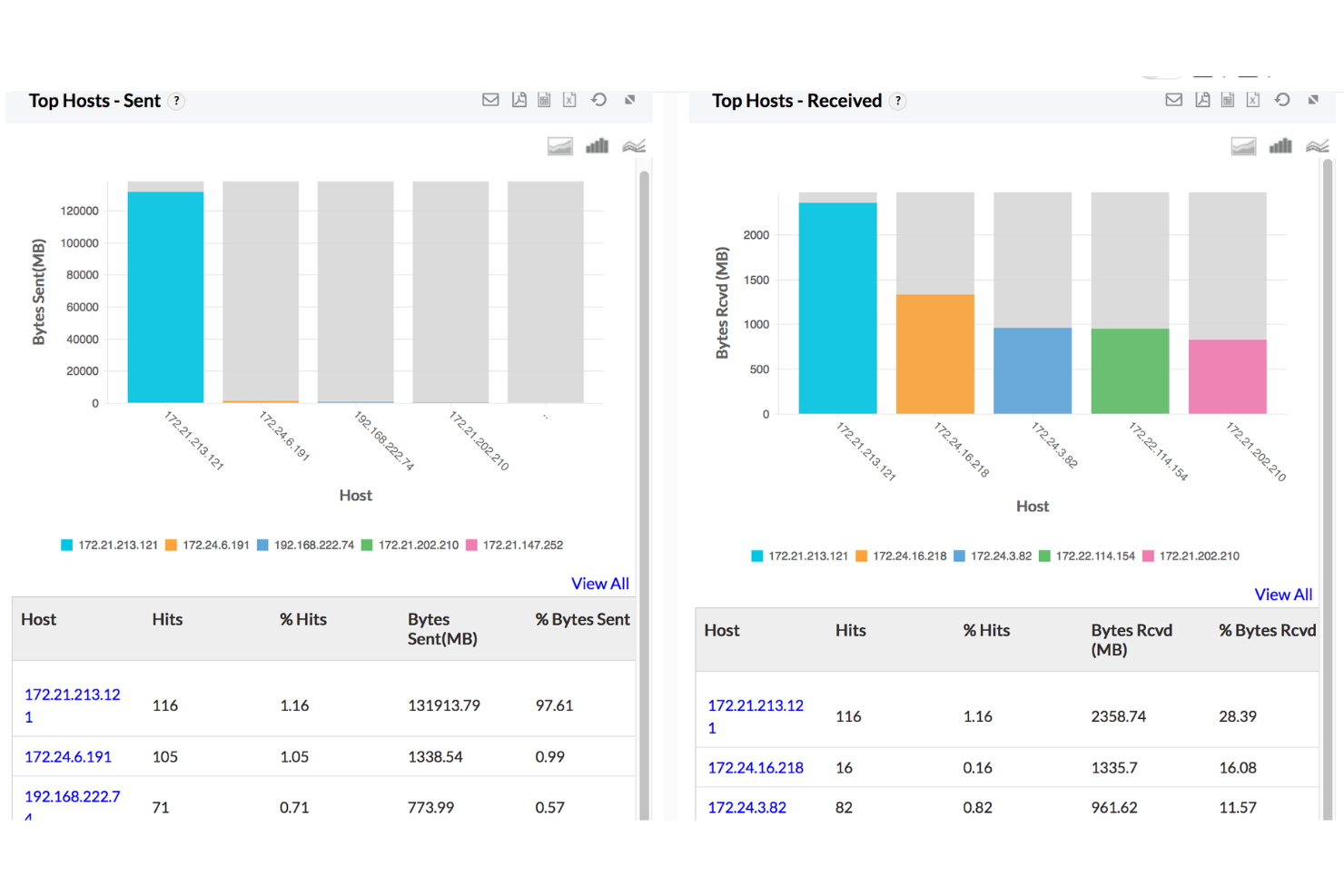
ManageEngine Firewall Analyzer è uno strumento di gestione dei log dei firewall che ti aiuta ad eseguire audit delle regole, monitorare l’attività di VPN e proxy e condurre verifiche di conformità—tutto senza la necessità di hardware aggiuntivo. Pur non essendo un tradizionale sistema di rilevamento delle intrusioni di tipo NIDS, offre visibilità sul comportamento del traffico e sull’utilizzo delle regole che può aiutarti a individuare schemi sospetti e a rafforzare di conseguenza le configurazioni del firewall.
Perché ho scelto ManageEngine Firewall Analyzer:
Ho scelto questo strumento per i team che desiderano comprendere a fondo come funzionano realmente le loro politiche di firewall. Se sei incaricato della gestione di una configurazione firewall multi-vendor e hai bisogno di assicurarti che regole obsolete o troppo permissive non passino inosservate, questo strumento ti offre la visibilità necessaria. È anche utile se sei sotto pressione per produrre report di conformità o tracciare modifiche su più dispositivi. Tieni solo presente: mentre supporta avvisi in tempo reale per modifiche di configurazione e tendenze d’uso, non analizza i pacchetti di rete grezzi come fa un NIDS.
Funzionalità e integrazioni principali:
Firewall Analyzer ti permette di raggruppare l’attività internet per categoria di utente (come streaming o condivisione file), segnalando comportamenti a rischio elevato per la revisione. Puoi approfondire i log delle sessioni VPN per utente o gruppo e ottenere anche dati di banda per i proxy. Per gli audit, genera report basati su standard come PCI-DSS e ISO 27001. Si integra con altri strumenti ManageEngine come Log360, Endpoint Central, Patch Manager Plus e M365 Security Plus, offrendoti un ecosistema di sicurezza più ampio se necessario.
Pros and Cons
Pros:
- Monitoraggio in tempo reale per individuare schemi di traffico insoliti
- Tracciamento VPN e gestione della banda
- Fornisce analisi dettagliate sul traffico firewall e sull’attività degli utenti
Cons:
- Patch più lente per vulnerabilità di software di terze parti
- Richiede aggiornamenti e manutenzioni regolari

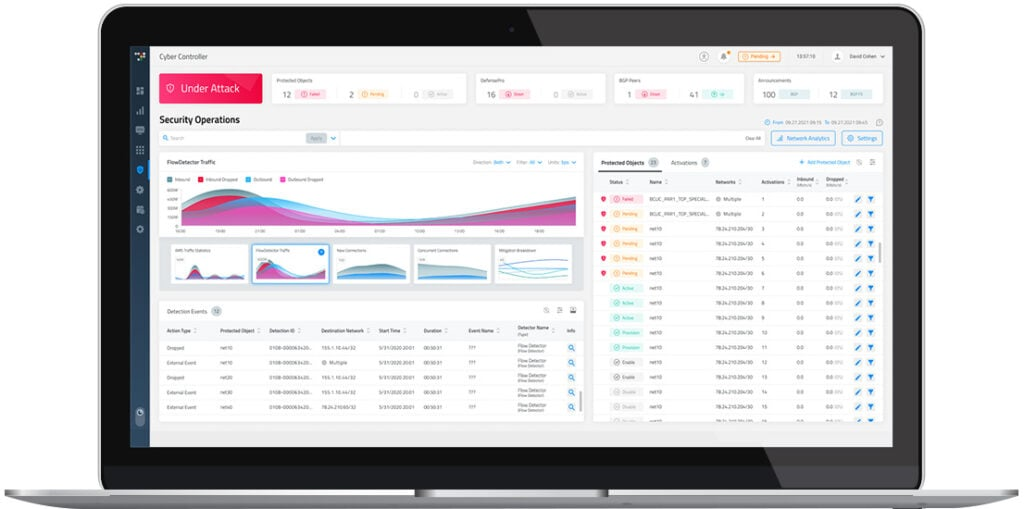
Radware DefensePro è una rinomata soluzione di cybersicurezza specializzata nell'impedire attacchi Distributed Denial of Service (DDoS). Concentrandosi sull'assicurare la disponibilità ininterrotta dei servizi anche sotto gravi attacchi DDoS, si afferma come scelta ottimale per le organizzazioni che cercano una protezione DDoS dedicata.
Perché ho scelto Radware DefensePro:
Ho selezionato Radware DefensePro per il suo approccio dedicato e robusto nel contrastare gli attacchi DDoS. Possiede la capacità di rilevare e mitigare attacchi DDoS multi‑vettore in tempo reale, caratteristica che lo rende distintivo nel panorama della cybersicurezza. Pertanto, sulla base del mio giudizio, Radware DefensePro è il 'Migliore per...' le organizzazioni che desiderano garantire la disponibilità dei servizi durante gli attacchi DDoS.
Caratteristiche distintive e integrazioni:
Fra le principali funzionalità di Radware DefensePro troviamo il rilevamento degli attacchi DDoS in tempo reale, la protezione multilivello e l’analisi delle minacce alimentata da machine learning. È impressionante la capacità del sistema di proteggere da una vasta gamma di attacchi, dagli attacchi volumetrici a quelli cifrati. Per quanto riguarda le integrazioni, Radware DefensePro può essere inserito in un ecosistema di sicurezza Radware più ampio, interfacciandosi con strumenti come Radware Alteon e AppWall per una configurazione di sicurezza completa.
Pros and Cons
Pros:
- Protezione dedicata contro attacchi DDoS multi‑vettore
- Rilevamento e mitigazione degli attacchi in tempo reale
- Si integra con altri strumenti di sicurezza Radware per un approccio olistico alla protezione dei dati
Cons:
- Le informazioni sui prezzi non sono fornite in modo trasparente
- Potrebbe essere troppo specializzato per organizzazioni in cerca di una soluzione di sicurezza più generale
- Le sue funzionalità avanzate possono comportare una curva di apprendimento ripida per gli utenti

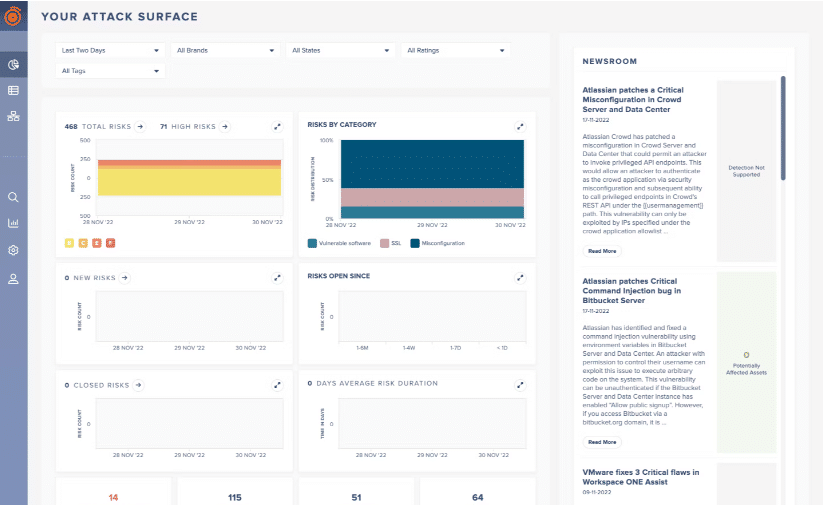
Darktrace offre una difesa informatica aziendale su vasta scala grazie alla tecnologia di intelligenza artificiale e all'apprendimento automatico. Il suo focus sul fornire alle organizzazioni un'IA autoapprendente permette di rilevare comportamenti di rete insoliti e minacce emergenti, rendendolo una scelta ideale per la rilevazione proattiva delle minacce guidata dall'IA.
Perché ho scelto Darktrace:
Nella selezione di Darktrace per questo elenco, ho considerato il suo approccio unico al rilevamento delle minacce, sfruttando un'IA autoapprendente che si adatta e apprende dal comportamento della tua rete. Questa tecnologia di risposta autonoma le consente di reagire alle minacce in pochi secondi, rendendola una scelta eccezionale. A mio parere, Darktrace è 'Ideale per...' la rilevazione delle minacce guidata dall'IA grazie a questo focus sull'apprendimento automatico e alla rapida risposta.
Funzionalità e integrazioni principali:
Le caratteristiche chiave di Darktrace includono il suo Enterprise Immune System, che apprende i normali 'modelli di vita' per rilevare deviazioni indicative di una minaccia, e Darktrace Antigena, una soluzione di risposta AI che reagisce a minacce informatiche in corso. Per quanto riguarda le integrazioni, Darktrace può lavorare insieme agli strumenti di sicurezza già in uso, potenziando le difese integrando la propria visione alimentata dall'IA in altre parti dell'ecosistema di sicurezza.
Pros and Cons
Pros:
- Sfrutta un'IA autoapprendente per un rilevamento adattivo delle minacce
- La tecnologia di risposta autonoma reagisce in tempo reale alle minacce
- Si integra con strumenti di sicurezza esistenti
Cons:
- Il prezzo non è trasparente
- Può avere una curva di apprendimento ripida per utenti non tecnici
- Potrebbe essere eccessivo per organizzazioni di piccole dimensioni

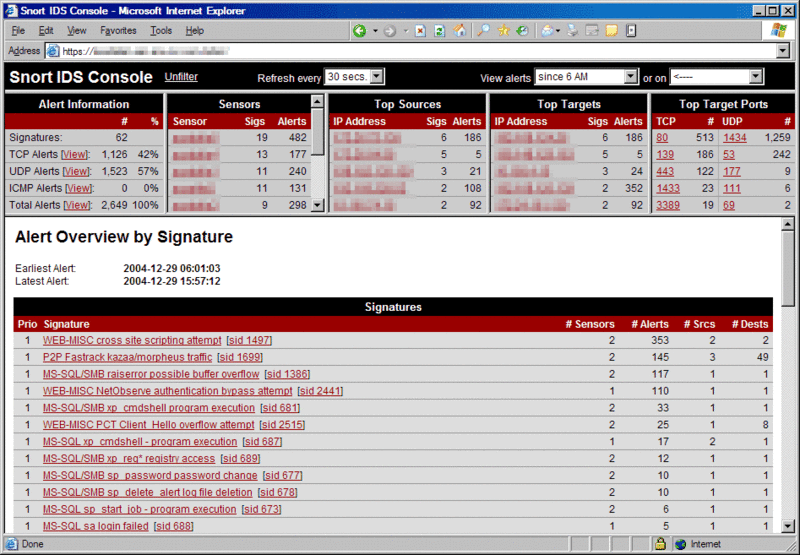
Snort è un robusto sistema open-source per il rilevamento delle intrusioni di rete che esamina il traffico di rete in tempo reale per identificare potenziali minacce. In quanto strumento open-source, Snort offre funzionalità flessibili e personalizzabili che si adattano bene agli utenti esperti che preferiscono avere un controllo diretto sulla sicurezza della propria rete.
Perché ho scelto Snort:
Ho scelto Snort per la sua lunga storia e il forte supporto della comunità, che lo rendono una soluzione consolidata nell'ambito della sicurezza di rete open-source. La sua natura aperta permette agli utenti di modificare il sistema secondo le proprie esigenze, offrendo un livello di personalizzazione difficilmente eguagliabile. Ecco perché credo sia la scelta migliore per gli appassionati di open-source che apprezzano il controllo e la flessibilità.
Caratteristiche distintive e integrazioni:
Snort vanta una ricca gamma di funzionalità, tra cui l'analisi del traffico in tempo reale e la registrazione dei pacchetti. Utilizza diversi metodi di rilevamento, come la ricerca di firme, il rilevamento di anomalie e tecniche basate su policy, per offrire una sicurezza completa. Riguardo alle integrazioni, Snort beneficia della sua natura open-source, garantendo compatibilità con un'ampia gamma di altri strumenti di sicurezza. La sua flessibilità gli consente di lavorare bene con sistemi come Security Onion e vari sistemi SIEM per migliorare il rilevamento e la risposta alle minacce.
Pros and Cons
Pros:
- Forte supporto della comunità
- Alto livello di personalizzazione
- Metodi di rilevamento completi
Cons:
- Curva di apprendimento ripida per i nuovi utenti
- Richiede configurazione e impostazione manuale
- I set di regole aggiornati sono a pagamento

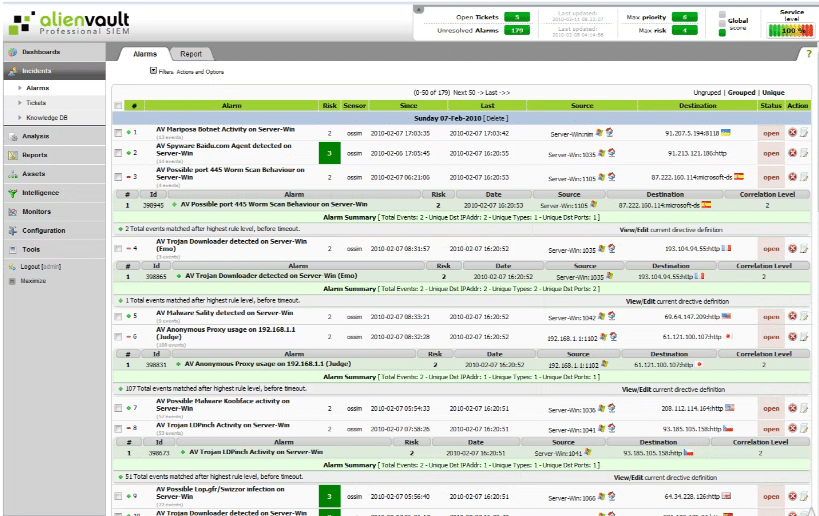
AlienVault OSSIM è un sistema open-source di gestione delle informazioni e degli eventi di sicurezza (SIEM) che combina visibilità di rete, gestione dei log, rilevamento delle intrusioni e conformità in un'unica piattaforma integrata. È perfetto per chi cerca una piattaforma di sicurezza centralizzata per gestire contemporaneamente varie attività di sicurezza.
Perché ho scelto AlienVault OSSIM:
AlienVault OSSIM è entrato nella mia lista grazie alla sua capacità di unire diverse tecnologie di sicurezza in un'unica piattaforma unificata. Si distingue per un'ampia gamma di funzionalità di sicurezza integrate, tra cui scoperta degli asset, valutazione delle vulnerabilità e rilevamento delle intrusioni. Pertanto, è ideale per le organizzazioni che necessitano di una gestione della sicurezza unificata.
Caratteristiche principali e integrazioni:
AlienVault OSSIM si distingue per funzionalità come la scoperta degli asset, la valutazione delle vulnerabilità e il monitoraggio comportamentale. La sua threat intelligence integrata proveniente da AlienVault Labs e dall'AlienVault Open Threat Exchange (OTX) offre informazioni in tempo reale sulle nuove minacce. Quanto alle integrazioni, consente di centralizzare i dati provenienti dagli strumenti di sicurezza esistenti per una migliore visibilità e controllo.
Pros and Cons
Pros:
- Integra molteplici funzionalità di sicurezza in un'unica piattaforma
- Fornisce informazioni sulle minacce in tempo reale
- Centralizza i dati da più fonti per una maggiore visibilità
Cons:
- Può richiedere competenze tecniche per essere sfruttato appieno
- Alcune funzionalità avanzate sono disponibili solo nella versione a pagamento
- Il supporto commerciale ha un costo aggiuntivo

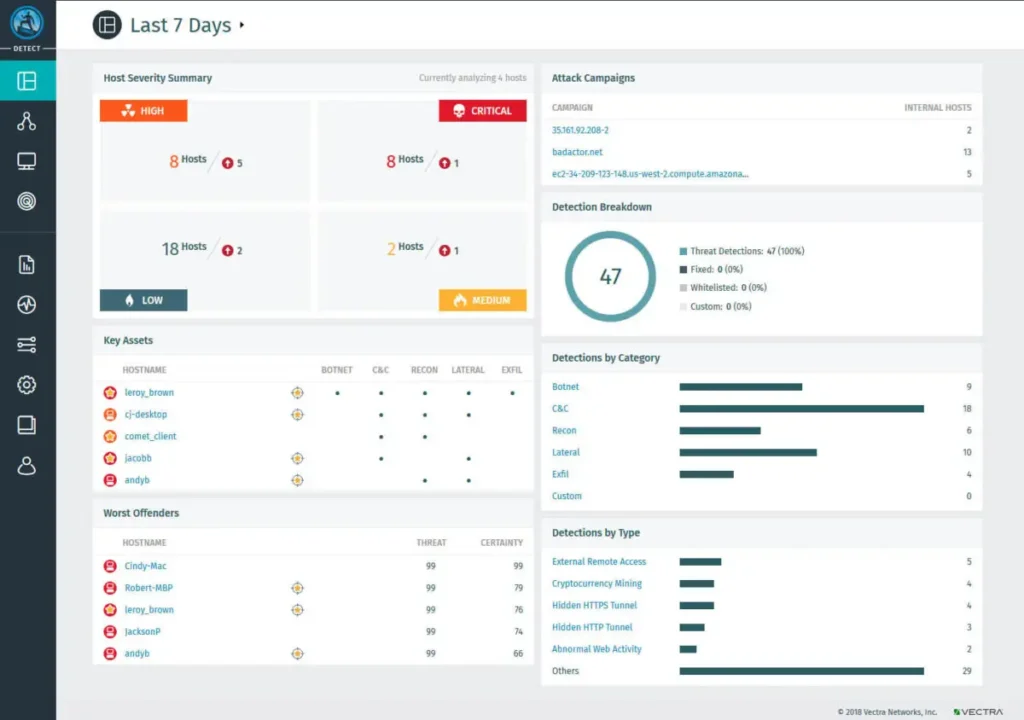
Vectra AI è una soluzione di rilevamento e risposta alle minacce di rete (NDR) che sfrutta l'intelligenza artificiale per identificare e contrastare le minacce in tempo reale. Grazie al suo focus sull'automazione e sull'identificazione immediata delle minacce, rappresenta una scelta ideale per le organizzazioni che cercano un rilevamento efficace degli attacchi in tempo reale.
Perché ho scelto Vectra AI:
Ho scelto Vectra AI per il suo forte orientamento al rilevamento automatizzato e in tempo reale delle minacce. Lo strumento applica l'IA per individuare tempestivamente e automaticamente comportamenti anomali sulla rete, distinguendosi così nel panorama degli strumenti di sicurezza di rete. Pertanto, a mio parere, Vectra AI è la 'Migliore per...' le organizzazioni che danno priorità all'individuazione rapida e automatizzata delle potenziali minacce.
Funzionalità e integrazioni di rilievo:
Le funzionalità distintive di Vectra AI includono il rilevamento delle minacce in tempo reale, il threat hunting guidato dall'IA e la capacità di risposta automatizzata. Fornisce rilevamento basato sulla rete, arricchisce gli incidenti di sicurezza con un contesto unico e offre reportistica avanzata.
È importante sottolineare che Vectra AI si integra bene con soluzioni di gestione delle informazioni e degli eventi di sicurezza (SIEM) come Splunk, QRadar e Chronicle, oltre che con sistemi di rilevamento e risposta degli endpoint (EDR) come Crowdstrike e Carbon Black.
Pros and Cons
Pros:
- Rilevamento robusto delle minacce in tempo reale
- Utilizza l'IA per un threat hunting e una risposta efficienti
- Offre integrazioni preziose con soluzioni SIEM ed EDR
Cons:
- La struttura dei prezzi non è resa pubblica, il che può risultare poco chiaro per i potenziali clienti
- L'elevato livello di automazione dello strumento potrebbe limitare il controllo manuale
- La sua funzionalità completa può risultare complessa per le piccole organizzazioni

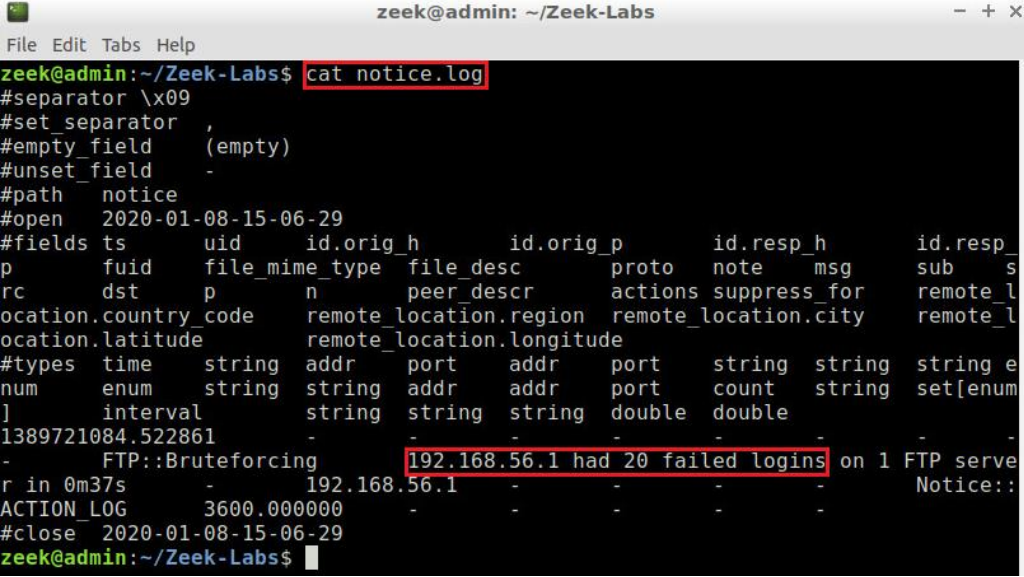
Zeek, precedentemente conosciuto come Bro, è un sistema open-source per il rilevamento delle intrusioni di rete che fornisce una piattaforma potente per l'analisi del traffico di rete. La sua capacità di trasformare il traffico di rete grezzo in log ad alta fedeltà, file e approfondimenti personalizzati lo rende una scelta eccellente per chi desidera una comprensione approfondita della propria rete.
Perché ho scelto Zeek:
Quando ho selezionato gli strumenti, Zeek ha attirato la mia attenzione per il suo focus unico nel trasformare i dati del traffico di rete in informazioni complete e utili. Questa analisi approfondita è il pilastro delle capacità di Zeek, offrendo agli utenti approfondimenti ricchi sulle loro reti che molti altri NIDS non offrono. Pertanto, considero Zeek il migliore per un'analisi di rete completa, grazie alle sue superiori capacità di trasformazione dei dati.
Caratteristiche distintive e integrazioni:
L'interprete di script di Zeek è una delle sue caratteristiche più distintive. Consente agli utenti di scrivere script che guidano l'analisi del traffico di rete, offrendo un controllo impareggiabile sul processo. Inoltre, Zeek offre capacità di estrazione dei file, migliorando ulteriormente la sua analisi. In quanto piattaforma open-source, Zeek può integrarsi con una varietà di altri strumenti. In particolare, spesso viene abbinato a ELK Stack per la gestione dei log, ampliando così le sue capacità per un'analisi di rete approfondita.
Pros and Cons
Pros:
- Analisi ricca e completa del traffico di rete
- Elevata flessibilità grazie al suo linguaggio di scripting
- Estrae file dal traffico di rete per revisioni approfondite
Cons:
- Richiede competenze tecniche per essere utilizzato efficacemente
- Nessuna interfaccia grafica integrata, si affida a strumenti di terze parti
- Il supporto commerciale e la formazione hanno un costo aggiuntivo
Altri strumenti per il rilevamento delle intrusioni di rete
Ecco alcune ulteriori opzioni di sistemi di rilevamento delle intrusioni di rete che non sono entrate nel mio elenco, ma che vale comunque la pena valutare:
- Corelight
Ideale per le aziende che cercano scalabilità
- Security Onion
Ideale per un kit di difesa integrato
- RSA NetWitness
Ideale per capacità di indagine forense


Come Valuto i Sistemi di Rilevamento delle Intrusioni di Rete
Valuto gli strumenti NIDS su due livelli: requisiti fondamentali che un tool deve soddisfare—come il rilevamento in tempo reale e l'integrazione con SIEM—e fattori di differenziazione che contano per gli analisti SOC rispetto ai team dedicati alla conformità.
Funzionalità di Base (Requisiti Indispensabili per Questa Lista)
Quando scelgo gli strumenti per la mia lista, valuto ognuno su una scala da 0 (funzionalità assente) a 5 (eccelle in quest'area) per ciascuna funzionalità di base elencata di seguito. Poi calcolo il punteggio totale dello strumento come percentuale. Ogni strumento deve raggiungere un punteggio totale minimo del 65% per essere considerato idoneo all'inclusione.
- Monitoraggio del Traffico in Tempo Reale: Controllo se uno strumento ispeziona il traffico live su segmenti cablati, virtuali e cloud—coprendo i protocolli realmente utilizzati, come DNS, HTTP e SMB.
- Rilevamento Basato su Firme: Qui contano gli aggiornamenti regolari delle regole, quindi cerco feed automatici di firme e il supporto per la scrittura di regole personalizzate per individuare minacce specifiche del proprio ambiente.
- Rilevamento di Anomalie & Comportamentale: Oltre alle semplici soglie, valuto come lo strumento stabilisce una baseline del traffico normale e segnala deviazioni come movimenti laterali anomali o pattern di esfiltrazione dati.
- Alerting & Prioritizzazione degli Incidenti: Migliaia di alert grezzi sovraccaricano qualunque team SOC, dunque verifico come ogni strumento valuta, deduplica e arricchisce gli alert con contesto utile agli analisti.
- Packet Capture & Logging Forense: Quando si verifica un incidente, servono prove. Valuto se uno strumento fornisce dati PCAP ricercabili e dettagli a livello di sessione per indagini post-breach.
- Integrazione con SIEM & Altri Strumenti di Sicurezza: La maggior parte dei team utilizza uno stack di sicurezza più ampio, quindi verifico la presenza di connettori nativi e formati standard di output come Syslog, CEF o STIX/TAXII per un flusso dati senza problemi.
Una volta ottenuta la lista di strumenti che soddisfano questi criteri, prendo in considerazione ciò che distingue ogni piattaforma.
Fattori Differenzianti (Cosa Distingue i Vendor)
Ecco come confronto i diversi fornitori:
Funzionalità Distintive
L'analisi del traffico criptato è un grande elemento di differenziazione. Ormai la maggior parte del traffico di rete è cifrato tramite TLS, quindi cerco strumenti capaci di rilevare minacce grazie a fingerprinting JA3/JA4 e metadati di flusso senza effettuare la completa decifrazione. Anche la visibilità su cloud e container è rilevante, dato che i carichi di lavoro si spostano verso Kubernetes e VPC cloud pubblici. Valuto se i sensori monitorano il traffico container east-west, non solo i flussi perimetrali north-south. Il mapping con MITRE ATT&CK aiuta gli analisti a individuare dove ricadono le rilevazioni nella kill chain, rendendo più evidenti i gap di copertura durante la fase di tuning.
Oltre le Funzionalità
In questo ambito conta molto il modello di deployment. Valuto se uno strumento supporta appliance fisiche, sensori virtuali e opzioni cloud-native così da adattarsi alla reale architettura in uso—non solo all'ambiente di laboratorio. Il costo totale di proprietà è un ulteriore aspetto che valuto, in particolare se le licenze scalano in base al throughput o al numero di sensori e se gli aggiornamenti delle regole richiedono costi aggiuntivi. Considero anche l'allineamento alla compliance, verificando la presenza di template di reportistica preconfigurati, mappati su framework come PCI-DSS, HIPAA o NIST 800-53, in grado di far risparmiare ore di lavoro agli analisti durante i cicli di audit.
Come scegliere un sistema di rilevamento delle intrusioni di rete
È facile perdersi in lunghi elenchi di funzionalità e strutture tariffarie complesse. Per aiutarti a rimanere concentrato mentre affronti il tuo specifico processo di selezione del software, ecco un elenco dei fattori da tenere a mente:
| Fattore | Cosa considerare |
|---|---|
| Scalabilità | Lo strumento può crescere insieme alla tua azienda? Pensa alle esigenze future e alla capacità del sistema di gestire un aumento del traffico di rete senza rallentamenti. |
| Integrazioni | Verifica se si connette agli strumenti di sicurezza che già utilizzi. Un'integrazione perfetta fa risparmiare tempo e riduce gli errori. |
| Personalizzazione | Puoi adattare il sistema alle tue specifiche politiche di sicurezza e ai tuoi flussi di lavoro? La flessibilità è fondamentale per esigenze aziendali specifiche. |
| Semplicità d'uso | L'interfaccia è intuitiva per la tua squadra? Un sistema complicato può rallentare i tempi di risposta e frustrarne gli utenti. |
| Implementazione e avviamento | Quanto tempo serve per rendere operativo il sistema? Considera la curva di apprendimento e le risorse necessarie per una transizione fluida. |
| Costo | Valuta la struttura dei prezzi. Sono previsti costi o commissioni nascosti per funzionalità aggiuntive? Assicurati che rientri nel tuo budget. |
| Misure di sicurezza | Dispone di una crittografia solida e di aggiornamenti di sicurezza regolari? Assicurati che soddisfi i tuoi standard di sicurezza per proteggere i dati sensibili. |
| Requisiti di conformità | È conforme alle normative di settore come il GDPR o l'HIPAA? La non conformità può comportare multe e problemi legali. |
Cosa sono i sistemi di rilevamento delle intrusioni di rete?
I sistemi di rilevamento delle intrusioni di rete sono strumenti software che monitorano il traffico di rete per individuare e segnalare attività sospette o dannose. Sono utilizzati da analisti della sicurezza, amministratori IT e team di rete che devono rilevare tempestivamente le minacce e proteggere i dati. Funzionalità come l'ispezione dei pacchetti, la corrispondenza delle firme e la registrazione degli avvisi aiutano a individuare comportamenti insoliti, ridurre i falsi allarmi e offrire ai team una visione chiara di ciò che accade nella rete. Questi strumenti aiutano a prevenire gli attacchi senza dover esaminare manualmente un traffico infinito.
Funzionalità
Quando si seleziona un sistema di rilevamento delle intrusioni di rete, è importante prestare attenzione alle seguenti funzionalità chiave:
- Monitoraggio in tempo reale: osserva continuamente il traffico di rete per rilevare e segnalare immediatamente le attività sospette.
- Avvisi personalizzabili: consente di impostare condizioni specifiche per gli avvisi, assicurando di ricevere notifiche sulle minacce più rilevanti.
- Funzionalità di integrazione: si connette senza problemi agli strumenti di sicurezza esistenti per migliorare la protezione complessiva della rete.
- Informazioni sulle minacce: utilizza i dati degli incidenti passati per riconoscere e affrontare più efficacemente le nuove minacce.
- Interfaccia intuitiva: offre un design intuitivo che consente ai team di spostarsi facilmente tra le funzioni e gestire le attività di sicurezza.
- Scalabilità: si adatta alle crescenti esigenze della rete, garantendo prestazioni costanti con l'espansione dell'azienda.
- Generazione di registri e report: fornisce registri dettagliati degli incidenti rilevati, agevolando l'analisi e la conformità.
- Regole di rilevamento personalizzabili: consentono di adattare i protocolli di rilevamento alle specifiche politiche di sicurezza dell'organizzazione.
- Supporto della crittografia: garantisce che i dati vengano trasmessi e archiviati in modo sicuro, proteggendo le informazioni sensibili dagli accessi non autorizzati.
- Supporto alla conformità: aiuta a soddisfare normative di settore come il GDPR o l'HIPAA, riducendo i rischi legali.
Vantaggi
L'implementazione di un sistema di rilevamento delle intrusioni di rete offre diversi vantaggi al team e all'azienda. Eccone alcuni:
- Sicurezza avanzata: il monitoraggio in tempo reale e le informazioni sulle minacce aiutano a proteggere la rete dagli accessi non autorizzati e dalle potenziali violazioni.
- Conformità migliorata: il supporto alla conformità garantisce che l'azienda soddisfi le normative di settore, riducendo il rischio di problemi legali.
- Risparmio sui costi: il rilevamento tempestivo delle minacce previene costose violazioni dei dati, facendo risparmiare denaro all'azienda nel lungo periodo.
- Migliore allocazione delle risorse: gli avvisi personalizzabili consentono al team di concentrarsi sulle minacce reali, ottimizzando l'utilizzo delle risorse.
- Scalabilità: il sistema cresce insieme all'azienda, mantenendo le prestazioni con l'aumento delle esigenze della rete.
- Processo decisionale informato: la generazione dettagliata di registri e report fornisce informazioni utili per le future strategie e i miglioramenti della sicurezza.
- Maggiore efficienza: un'interfaccia intuitiva e le funzionalità di integrazione semplificano le attività di gestione della sicurezza.
Costi e prezzi
La selezione di un sistema di rilevamento delle intrusioni di rete richiede la comprensione dei vari modelli di prezzo e dei piani disponibili. I costi variano in base alle funzionalità, alle dimensioni del team, ai componenti aggiuntivi e ad altri fattori. La tabella seguente riassume i piani comuni, i relativi prezzi medi e le funzionalità generalmente incluse nelle soluzioni di rilevamento delle intrusioni di rete:
Tabella comparativa dei piani per i sistemi di rilevamento delle intrusioni di rete
| Tipo di piano | Prezzo medio | Funzionalità comuni |
|---|---|---|
| Piano gratuito | $0 | Monitoraggio di base, avvisi limitati e supporto della community. |
| Piano personale | $10-$30/utente/mese | Monitoraggio in tempo reale, avvisi personalizzabili e opzioni di integrazione di base. |
| Piano aziendale | $50-$100/utente/mese | Rilevamento avanzato delle minacce, report dettagliati e supporto per più utenti. |
| Piano per grandi aziende | $150-$300/utente/mese | Funzionalità di sicurezza complete, supporto alla conformità e gestione dedicata dell'account. |
Domande frequenti sui sistemi di rilevamento delle intrusioni di rete
Ecco alcune risposte alle domande comuni sui sistemi di rilevamento delle intrusioni di rete:
I sistemi di rilevamento delle intrusioni di rete possono prevenire gli attacchi?
Quali sono i limiti dei sistemi di rilevamento delle intrusioni di rete?
Con quale frequenza è necessario aggiornare il sistema di rilevamento delle intrusioni di rete?
È necessario avere un team dedicato alla gestione dei sistemi di rilevamento delle intrusioni di rete?
Qual è il prossimo passo:
Se stai cercando informazioni sui sistemi di rilevamento delle intrusioni di rete, contatta gratuitamente un consulente di SoftwareSelect per ricevere consigli.
Compili un modulo e fai una breve conversazione durante la quale il consulente approfondirà le tue esigenze specifiche. Poi riceverai una selezione ristretta di software da valutare. Ti assisterà inoltre durante l'intero processo di acquisto, comprese le negoziazioni sul prezzo.