

Al adentrarme en el mundo del software de gestión del código fuente, me he enfrentado a las exigencias tanto de los sistemas Windows como de los Mac. Como persona profundamente involucrada en equipos de desarrollo de software, entiendo la necesidad de contar con herramientas eficientes de seguimiento de errores, control de acceso y colaboración sólida, tanto si prefieres la línea de comandos como una interfaz gráfica de usuario.
Con herramientas como las opciones de software de código abierto y Team Foundation Server, los equipos pueden gestionar meticulosamente los directorios, garantizando que los proyectos de desarrollo avancen sin contratiempos. Y créeme, esa es la diferencia entre apagar incendios constantemente y dirigir con fluidez los proyectos de software hacia el éxito.
Por qué confiar en nuestras recomendaciones de software
6,700+
Reviews
20
Industry experts
16+
Evaluation factors
14
Years
Nuestro equipo lleva probando y evaluando software desde 2012. Como líderes tecnológicos, sabemos lo difícil —y lo importante— que es elegir el software adecuado.
Para esta guía, evaluamos las herramientas mediante pruebas prácticas e investigación independiente, puntuando las herramientas según nuestros criterios de selección.
Nuestras reseñas reflejan nuestro criterio editorial humano, no un discurso de ventas.
Revisores expertos:
- Paulo Gardini MiguelDirector técnico
 Tim FisherVP de IA
 Gabriel RosasTech Lead y arquitecto de software
 Christhian GruhnTech Lead y arquitecto de plataforma

Tabla comparativa: software de gestión del código fuente
Esta tabla comparativa resume los detalles de precios de mis principales selecciones de software de gestión del código fuente.
| Tool | Best For | Trial Info | Price | ||
|---|---|---|---|---|---|
| 1 | Ideal para migrar repositorios SVN heredados a Git | Prueba gratuita de 30 días disponible | Desde $75/usuario/año (facturado anualmente) | Website | |
| 2 | La mejor opción para el control de versiones basado en la nube | No | Precios bajo solicitud | Website | |
| 3 | Ideal para Git autohospedado en una infraestructura mínima | Prueba gratuita de 30 días | Desde $9.50/usuario/mes | Website | |
| 4 | La mejor opción para la escalabilidad en grandes empresas | Plan gratuito disponible | Desde $39/usuario/mes | Website | |
| 5 | Ideal para revisiones de código entre múltiples repositorios y tipos de VCS | No disponible | Precios bajo solicitud | Website | |
| 6 | La mejor opción para la revisión de código con IA nativa a escala | Prueba gratuita de 30 días | Desde $21/usuario/mes | Website | |
| 7 | Ideal para la integración con Jira Software | No | Desde $3/usuario/mes (facturado anualmente) | Website | |
| 8 | Ideal para DevOps de extremo a extremo en la pila de Microsoft | Plan gratuito disponible | Desde $6/usuario/mes | Website | |
| 9 | Ideal para combinar CI/CD y gestión del código | No | Desde $4/usuario/mes (facturado anualmente) | Website | |
| 10 | Ideal para Git y TFVC en un único repositorio alojado | Plan gratuito disponible | Desde $6/usuario/mes | Website |


Reseñas del mejor software de gestión del código fuente
A continuación se muestran mis resúmenes detallados del mejor software de gestión del código fuente que incluí en mi lista de candidatos. Mis reseñas ofrecen un análisis detallado de las características principales, ventajas y desventajas, integraciones y casos de uso ideales de cada herramienta para ayudarte a encontrar la mejor opción para ti.
 Ideal para migrar repositorios SVN heredados a Git
- Prueba gratuita de 30 días disponible
- Desde $75/usuario/año (facturado anualmente)
Visit WebsiteCustomer Rating:4.8/5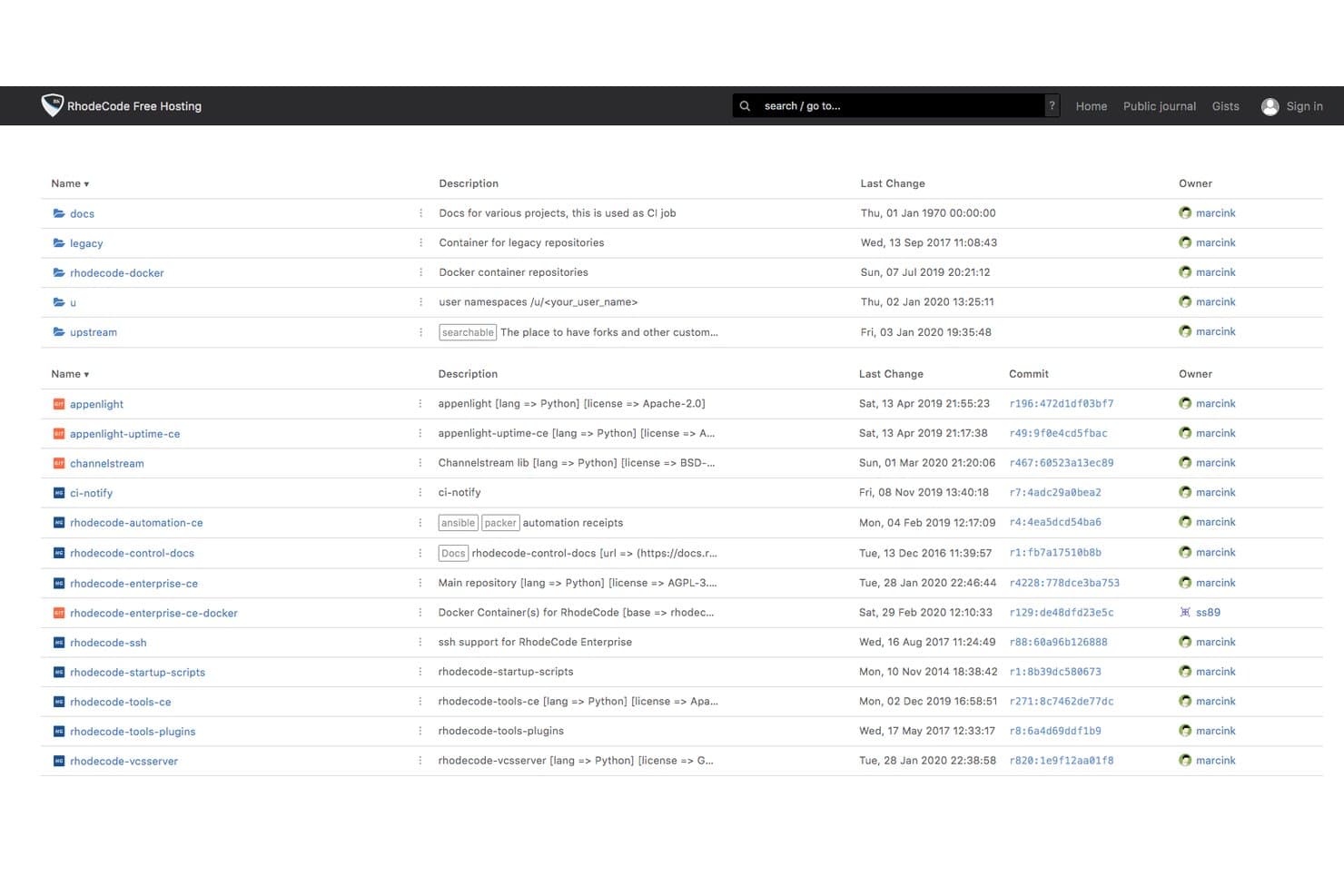
RhodeCode organiza repositorios y grupos con detalles de propiedad y confirmaciones de cambios. RhodeCode es una plataforma de gestión de código fuente autoalojada que admite Git, Mercurial y SVN bajo una única interfaz, con revisión de código, permisos de ramas, control de acceso y revisión asistida por IA integrados.
¿Para quién es más adecuado RhodeCode?
RhodeCode es una opción especialmente adecuada para empresas de sectores regulados—banca, defensa y tecnología financiera—que necesitan un control de versiones autoalojado con estrictos controles de acceso y que deben migrar una infraestructura SVN heredada.
Por qué elegí RhodeCode
RhodeCode ocupa un lugar en mi lista de opciones porque es la única plataforma SCM que he encontrado que permite ejecutar Git, Mercurial y SVN en paralelo bajo una sola interfaz, lo que la hace realmente práctica para equipos que aún dependen de una infraestructura SVN heredada. Me gusta especialmente su función de migración con sincronización dual: el repositorio SVN y un repositorio Git se mantienen sincronizados simultáneamente, por lo que puedes hacer la transición gradualmente sin una migración arriesgada de una sola vez. Los permisos de las ramas y los registros de auditoría se mantienen intactos durante todo el proceso, algo importante cuando trabajas en entornos bancarios o de defensa.
Características principales de RhodeCode
- Revisión de código asistida por IA: Asigna un revisor de IA a las solicitudes de incorporación de cambios; analiza las diferencias y publica comentarios contextuales mediante ChatGPT, Gemini, Claude o tu propio modelo interno.
- Asignación inteligente de revisores: Sugiere automáticamente los revisores adecuados para cada solicitud de incorporación de cambios en función de los archivos y cambios incluidos.
- Búsqueda de código en texto completo: Busca en todos los repositorios, comentarios, fragmentos de código y archivos mediante Elasticsearch en la edición empresarial.
- Registros de auditoría con exportación: Cada acción del usuario se registra junto con la dirección IP y los cambios en los datos, con compatibilidad de exportación para sistemas de cumplimiento de terceros.
Integraciones de RhodeCode
RhodeCode ofrece integraciones documentadas con Jenkins, TeamCity, Travis CI, JIRA, Slack y Confluence. Las API JSON-RPC y REST, los webhooks y las extensiones de RhodeCode permiten establecer conexiones personalizadas con herramientas de CI/CD y de desarrollo.
Pros and Cons
Pros:
- Admite Git, Mercurial y SVN conjuntamente
- Permite flujos de trabajo de migración gradual de SVN a Git
- Controles avanzados de ramas y acceso
Cons:
- No incluye integración continua integrada
- Menos integraciones de mercado de aplicaciones que la competencia
Learn more about RhodeCode: La mejor opción para el control de versiones basado en la nube
- No
- Precios bajo solicitud
Visit WebsiteCustomer Rating:4.2/5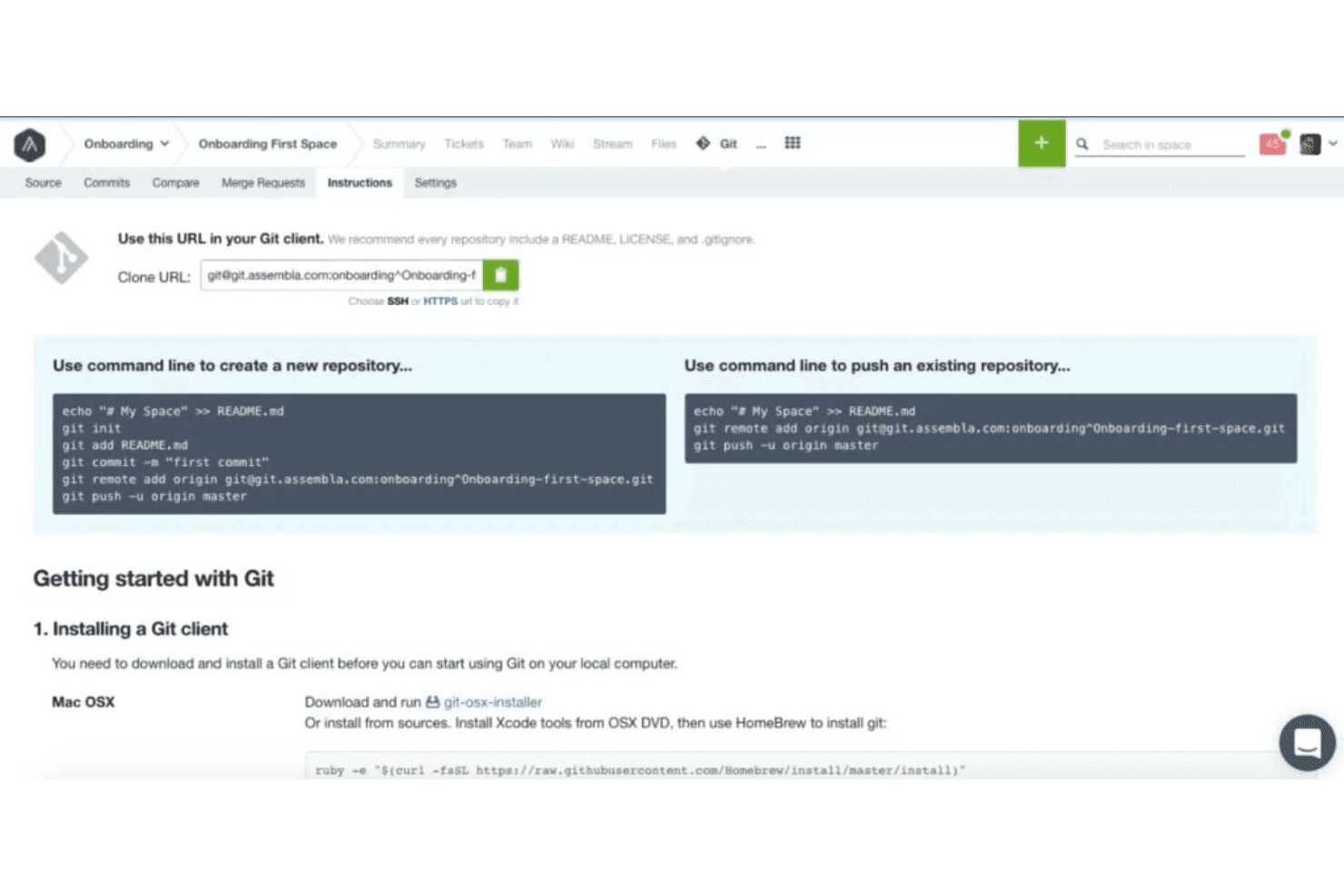
Los repositorios de Git, SVN y Perforce de Assembla ofrecen instrucciones de configuración sencillas, visualización y búsqueda de código en el navegador, historial de confirmaciones y flujos de trabajo de revisión de código mediante solicitudes de fusión. Assembla es una plataforma de gestión de código fuente basada en la nube que aloja de forma nativa repositorios de Git, SVN y Perforce en un único entorno administrado, con revisión de código, ramificación y herramientas integradas de gestión de proyectos.
¿Para quién es mejor Assembla?
Assembla es una opción excelente para equipos de ingeniería que gestionan entornos con distintos sistemas de control de versiones, especialmente aquellos que aún utilizan SVN o Perforce junto con Git, y que desean un alojamiento en la nube completamente administrado sin la carga de mantener su propia infraestructura.
Por qué elegí Assembla
Assembla ocupa un lugar en mi lista de opciones porque es la única plataforma de gestión de código fuente alojada en la nube que conozco que ejecuta de forma nativa Git, SVN y Perforce en paralelo dentro de un único entorno administrado. Considero que esto es especialmente valioso para los equipos que todavía tienen bases de código activas en SVN o Perforce y no pueden permitirse una migración completa. Assembla incluso admite solicitudes de incorporación de cambios para SVN, algo que no se obtiene de forma inmediata en ningún otro sitio.
Características principales de Assembla
- Protección de ramas: Impone revisiones de código obligatorias antes de que se complete cualquier fusión, evitando que el código no revisado llegue a las ramas protegidas.
- Inicio de sesión único SAML 2.0: Incluido en todos los planes, permite a los equipos conectar su proveedor de identidad existente sin tener que actualizarse a un nivel empresarial.
- Registros de auditoría de 60 días: Captura eventos de acceso, cambios de código, fusiones y acciones administrativas con todos los detalles necesarios para el cumplimiento y la gobernanza.
- Gestión ágil de proyectos: Incluye planificación de sprints, tableros Kanban, gráficos de trabajo pendiente y seguimiento del tiempo directamente junto a los repositorios.
Integraciones de Assembla
Assembla se integra con Jenkins, Travis CI, GitHub Actions, Jira, Slack y TestRail. También proporciona acceso a la API REST, webhooks y conectividad con Zapier para flujos de trabajo personalizados.
Pros and Cons
Pros:
- Ejecuta Git, SVN y Perforce conjuntamente
- Protección de ramas y RBAC en todos los planes
- Herramientas integradas de gestión ágil de proyectos
Cons:
- No incluye una canalización de CI/CD integrada
- No hay un plan gratuito permanente disponible
Learn more about Assembla: Ideal para Git autohospedado en una infraestructura mínima
- Prueba gratuita de 30 días
- Desde $9.50/usuario/mes
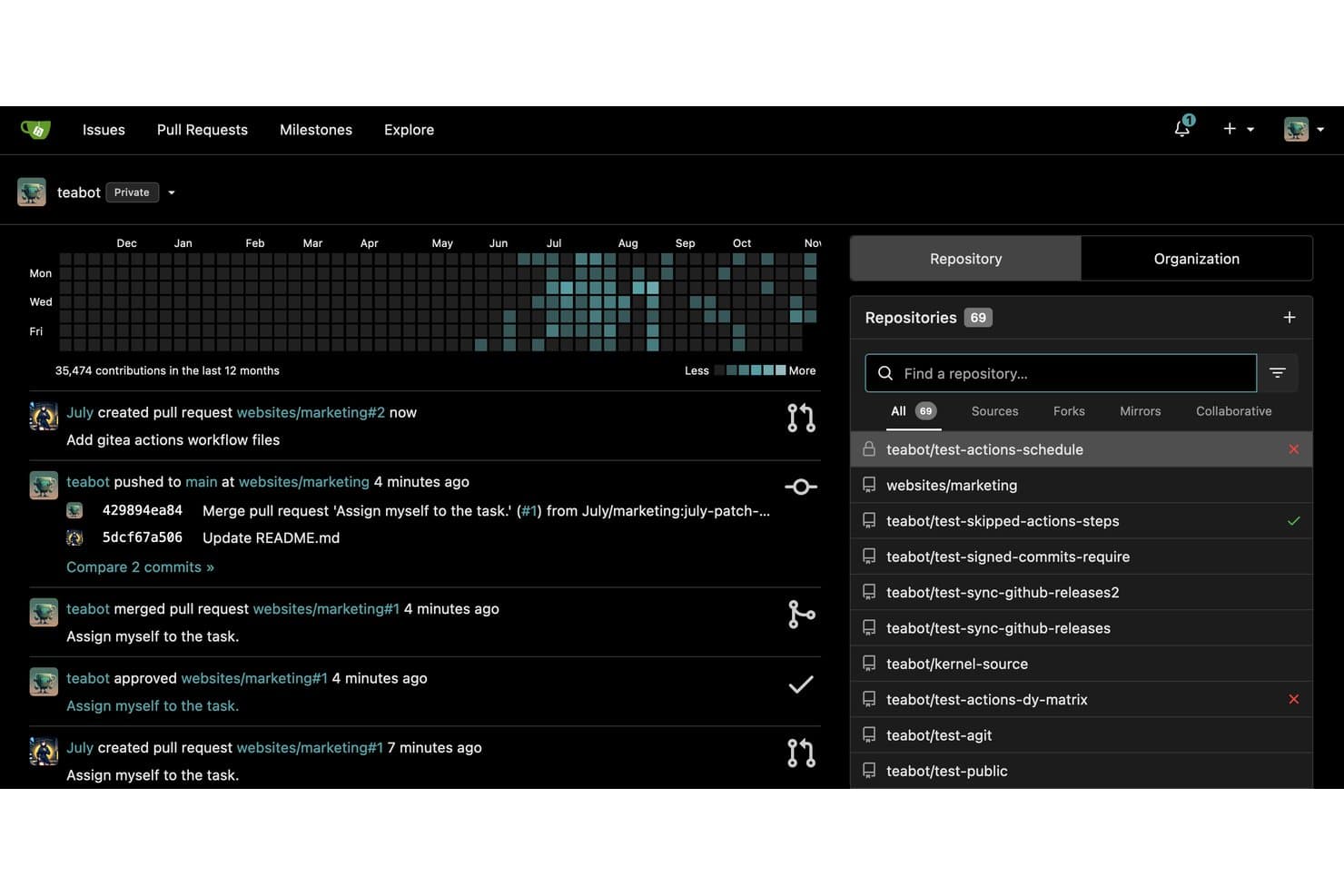
Gitea realiza un seguimiento de las contribuciones y la actividad de las solicitudes de extracción en los repositorios. Gitea es una plataforma de código abierto y autohospedada para la gestión del código fuente que incluye alojamiento de repositorios Git, flujos de trabajo de solicitudes de extracción, revisión de código, gestión de ramas, CI/CD integrado mediante Gitea Actions y un registro de paquetes compatible con más de 20 tipos de artefactos.
¿Para quién es más adecuado Gitea?
Gitea es una excelente opción para equipos de DevOps e ingeniería de plataformas que necesitan una plataforma Git completa, pero quieren mantener al mínimo la sobrecarga de infraestructura.
Por qué elegí Gitea
Gitea ocupa un lugar en mi lista de opciones porque es la única plataforma Git autohospedada que conozco que funciona cómodamente en una Raspberry Pi y, al mismo tiempo, ofrece un conjunto completo de funciones de gestión del código fuente. Me gusta especialmente que Gitea Actions sea directamente compatible con la sintaxis de GitHub Actions, por lo que los flujos de trabajo de CI/CD existentes se pueden migrar sin tener que reescribirlos. La protección de ramas, las colas de combinación y un registro de paquetes integrado compatible con más de 20 tipos de artefactos completan una plataforma que ofrece mucho más de lo que cabría esperar por sus reducidos requisitos de infraestructura.
Características principales de Gitea
- Compatibilidad con solicitudes de extracción y flujos de trabajo AGit: Gitea permite que los revisores dejen comentarios insertados y exijan aprobaciones antes de combinar los cambios, con disponibilidad tanto de flujos de trabajo de solicitudes de extracción estándar como de AGit.
- Registro de paquetes integrado: Gitea aloja más de 20 tipos de artefactos, incluidos Docker, npm, Maven, PyPI y Helm, directamente junto a los repositorios.
- Duplicación de repositorios: La duplicación mediante inserción y extracción mantiene los repositorios sincronizados automáticamente con servicios Git externos.
- Control de acceso basado en roles: Gitea aplica permisos detallados a nivel de repositorio y rama, con integración con AD/LDAP y OAuth 2.0 para la gestión de identidades.
Integraciones de Gitea
Gitea admite integraciones con Jenkins, Drone, Woodpecker, Argo CD, Slack, Discord, Microsoft Teams y Lark. También proporciona Gitea Actions, webhooks, hooks de Git, una API REST y la CLI Tea para establecer conectividad personalizada.
Pros and Cons
Pros:
- Funciona sin problemas en hardware mínimo
- Compatible con flujos de trabajo de GitHub Actions
- Completamente de código abierto con licencia MIT
Cons:
- No ofrece sugerencias de código basadas en IA integradas
- El inicio de sesión único SAML requiere una actualización empresarial
Learn more about Gitea: La mejor opción para la escalabilidad en grandes empresas
- Plan gratuito disponible
- Desde $39/usuario/mes
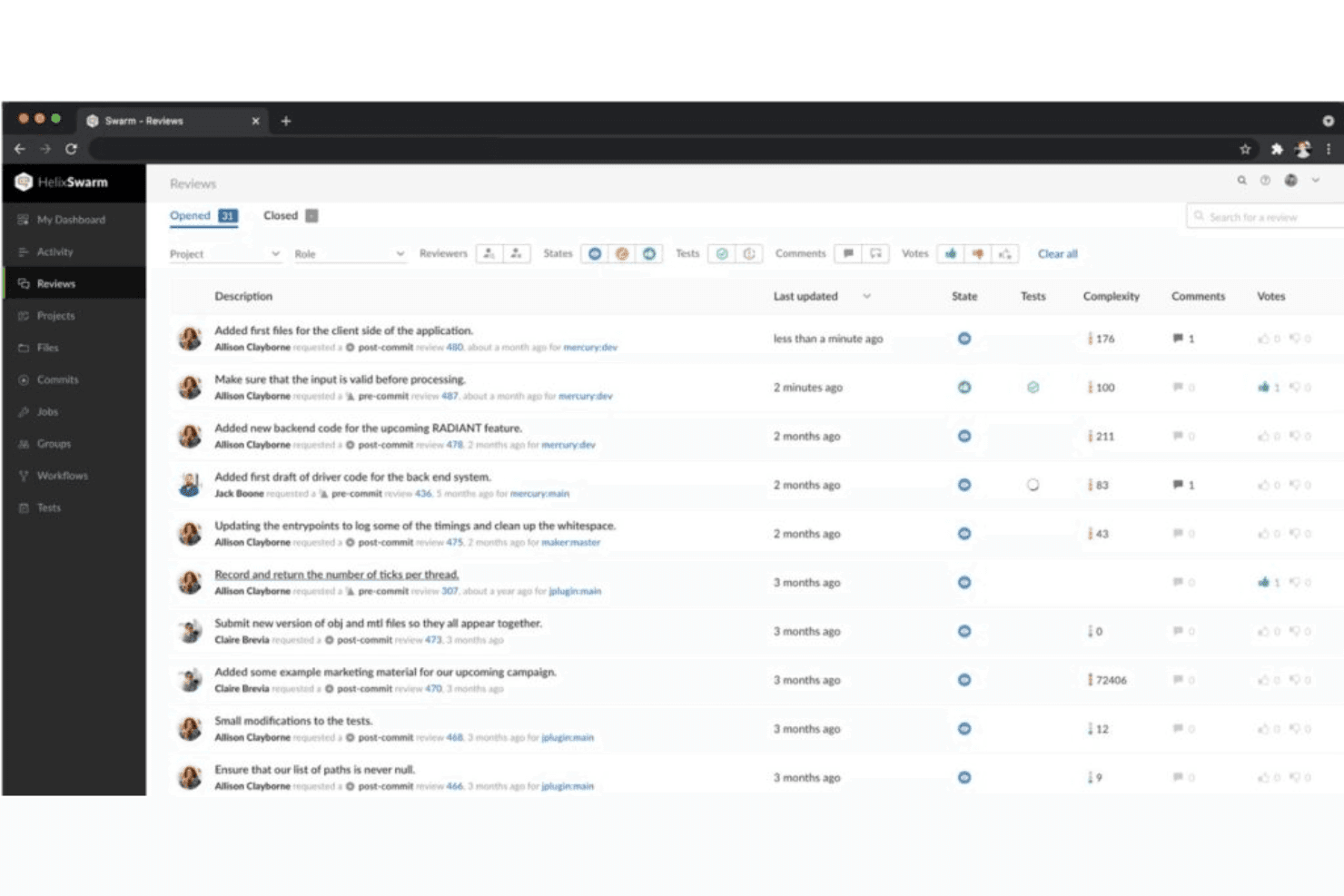
Esta es una vista de la página de revisión de código de Perforce Helix Swarm; permite a los usuarios realizar más revisiones, independientemente del tamaño de su equipo. Perforce Helix Core es un sistema centralizado de gestión del código fuente diseñado para entornos a gran escala, que ofrece control de versiones basado en listas de cambios, ramificación estructurada mediante Perforce Streams, versionado de archivos binarios y revisión de código a través de Helix Swarm.
¿Para quién es más adecuado Perforce Helix Core?
Perforce Helix Core es la opción preferida para grandes empresas que gestionan bases de código masivas, activos binarios o equipos mixtos de desarrolladores y artistas en las industrias de los videojuegos, la automoción y los semiconductores.
Por qué elegí Perforce Helix Core
Perforce Helix Core ocupa un lugar en mi lista de favoritos porque ninguna otra herramienta de gestión del código fuente maneja repositorios a escala de petabytes con la misma fiabilidad. Me impresionan especialmente los Perforce Streams, que aplican políticas de ramificación estructuradas en bases de código masivas para evitar que los equipos caigan en un caos de fusiones a gran escala. Si a esto le añadimos el control de acceso a nivel de archivo y el bloqueo exclusivo de archivos para activos binarios, se obtiene un nivel de precisión que las plataformas nativas de Git simplemente no pueden igualar.
Características principales de Perforce Helix Core
- Confirmaciones atómicas basadas en listas de cambios: Agrupa todos los cambios relacionados en los archivos en una única instantánea numerada que se completa o falla como una unidad.
- Revisión de código con Helix Swarm: Una herramienta de revisión basada en la web que admite comentarios en línea, votaciones, debates en hilos y flujos de trabajo de revisión previos a la confirmación.
- Conector P4 Git: Conecta repositorios basados en Git de GitHub, GitLab y Bitbucket directamente con un servidor centralizado de Helix Core.
- Topología distribuida global: Los servidores proxy, las réplicas de reenvío y los servidores perimetrales permiten que los equipos distribuidos sincronicen y envíen cambios a gran velocidad sin transferir los datos completos del repositorio.
Integraciones de Perforce Helix Core
Perforce Helix Core ofrece integraciones nativas con Jenkins, TeamCity, Unreal Engine, Unity, Visual Studio, IDE de JetBrains, Eclipse, Jira y Slack. Su API REST, CLI y webhooks permiten flujos de trabajo y automatización personalizados de CI/CD.
Pros and Cons
Pros:
- Gestiona código y archivos binarios a escala de petabytes
- Ofrece control de acceso y bloqueo a nivel de archivo
- Proporciona ramificación estructurada con Perforce Streams
Cons:
- Incorporación más compleja para equipos nuevos en P4
- El modelo centralizado limita las opciones de confirmación sin conexión
Learn more about Perforce Helix Core: Ideal para revisiones de código entre múltiples repositorios y tipos de VCS
- No disponible
- Precios bajo solicitud
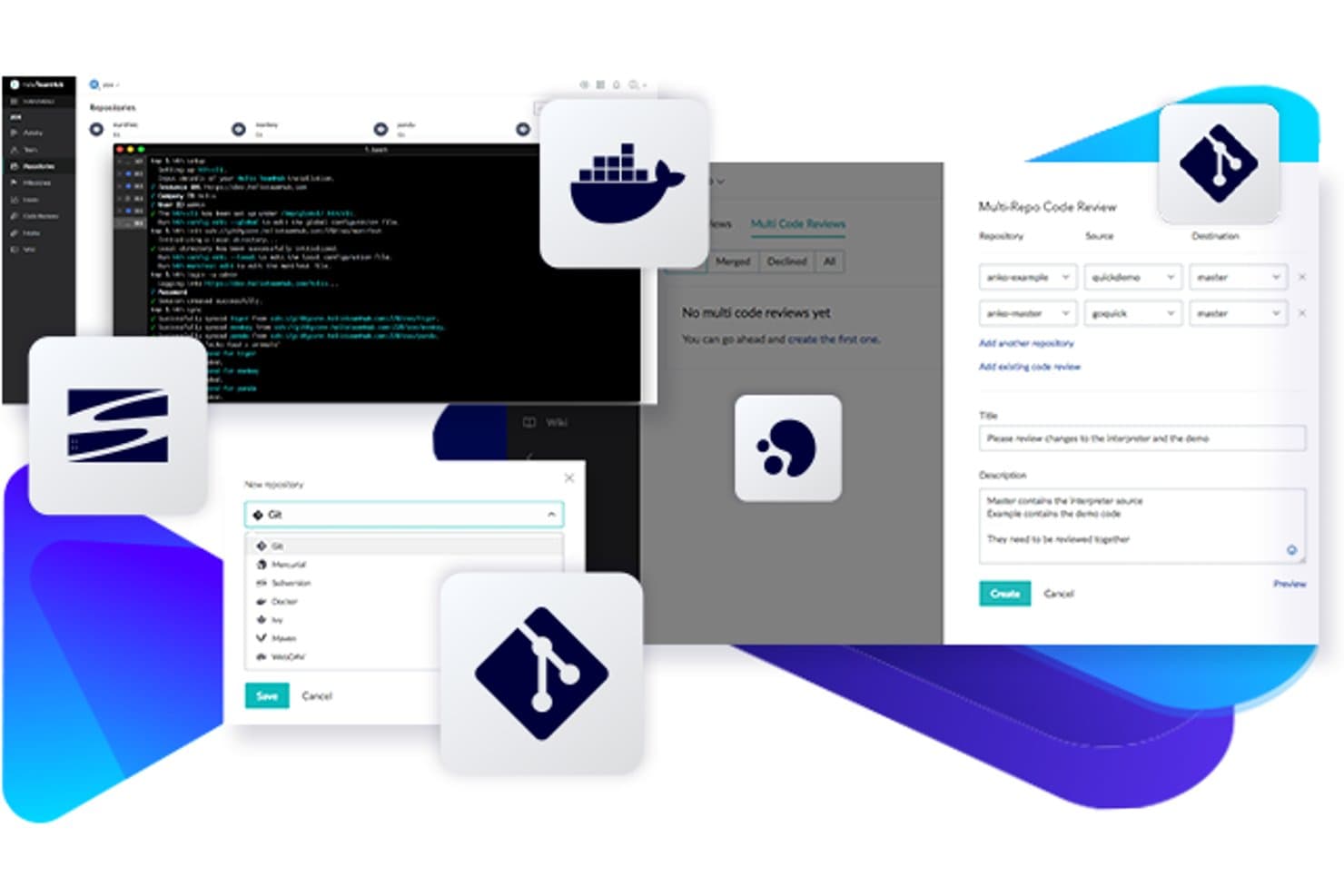
Perforce Helix TeamHub permite gestionar Git, Docker y revisiones de código de varios repositorios en un mismo lugar. Perforce Helix TeamHub es una plataforma de gestión de código fuente que aloja de forma nativa repositorios de Git, Mercurial y SVN junto con repositorios de artefactos, registros de Docker y archivos binarios, todo dentro de una única interfaz.
¿Para quién es más adecuado Perforce Helix TeamHub?
Helix TeamHub es una opción excelente para equipos de ingeniería de los sectores del desarrollo de videojuegos, los medios de comunicación o las industrias reguladas que necesitan gestionar repositorios de Git, Mercurial y SVN en un único entorno.
Por qué elegí Perforce Helix TeamHub
He incluido Helix TeamHub entre mis opciones principales porque es una de las únicas plataformas que permite revisar cambios de código que abarcan varios repositorios en una sola sesión de revisión de código, algo que los equipos que trabajan con una base de código compleja y distribuida en varios repositorios apreciarán de inmediato. Su capacidad de revisión de código multirrepositorio (MRCR), disponible en el plan Empresarial, significa que no es necesario combinar revisiones separadas cuando una funcionalidad afecta a seis repositorios a la vez. También aloja de forma nativa Git, Mercurial y SVN uno junto a otro, lo que resulta realmente útil si tu equipo está en plena migración desde SVN o Mercurial y no puede realizar una transición completa de forma sencilla.
Características principales de Perforce Helix TeamHub
- Alojamiento nativo de SVN, Git y Mercurial: Aloja los tres tipos de VCS dentro del mismo entorno de proyecto, sin necesidad de utilizar plataformas independientes para cada uno.
- Autorización detallada a nivel de repositorio y rama: Asigna el acceso mediante cinco roles distintos y diez niveles de privilegios tanto a nivel de repositorio como de rama.
- Tableros Kanban y seguimiento de incidencias integrados: Gestiona tareas, hitos e incidencias directamente junto a tus repositorios sin añadir una herramienta independiente de gestión de proyectos.
- Búsqueda de código entre repositorios: Busca en repositorios de Git y Mercurial por nombre de archivo, mensaje de confirmación o proyecto en cualquier nivel de plan.
Integraciones de Perforce Helix TeamHub
Perforce Helix TeamHub ofrece integraciones nativas con Jenkins, Jira, Slack y Perforce P4 mediante P4 Git Connector. Los webhooks genéricos, su API REST y la compatibilidad con hth-cli permiten automatizaciones personalizadas de CI/CD y de varios repositorios.
Pros and Cons
Pros:
- Admite Git, Mercurial y SVN uno junto a otro
- Permite realizar revisiones de código de varios repositorios en un único flujo de trabajo
- Ofrece controles detallados de acceso a nivel de rama
Cons:
- No incluye un motor integrado de canalizaciones de CI/CD
- Las revisiones de varios repositorios requieren el nivel de plan más alto
Learn more about Perforce Helix TeamHub: La mejor opción para la revisión de código con IA nativa a escala
- Prueba gratuita de 30 días
- Desde $21/usuario/mes
Visit WebsiteCustomer Rating:4.8/5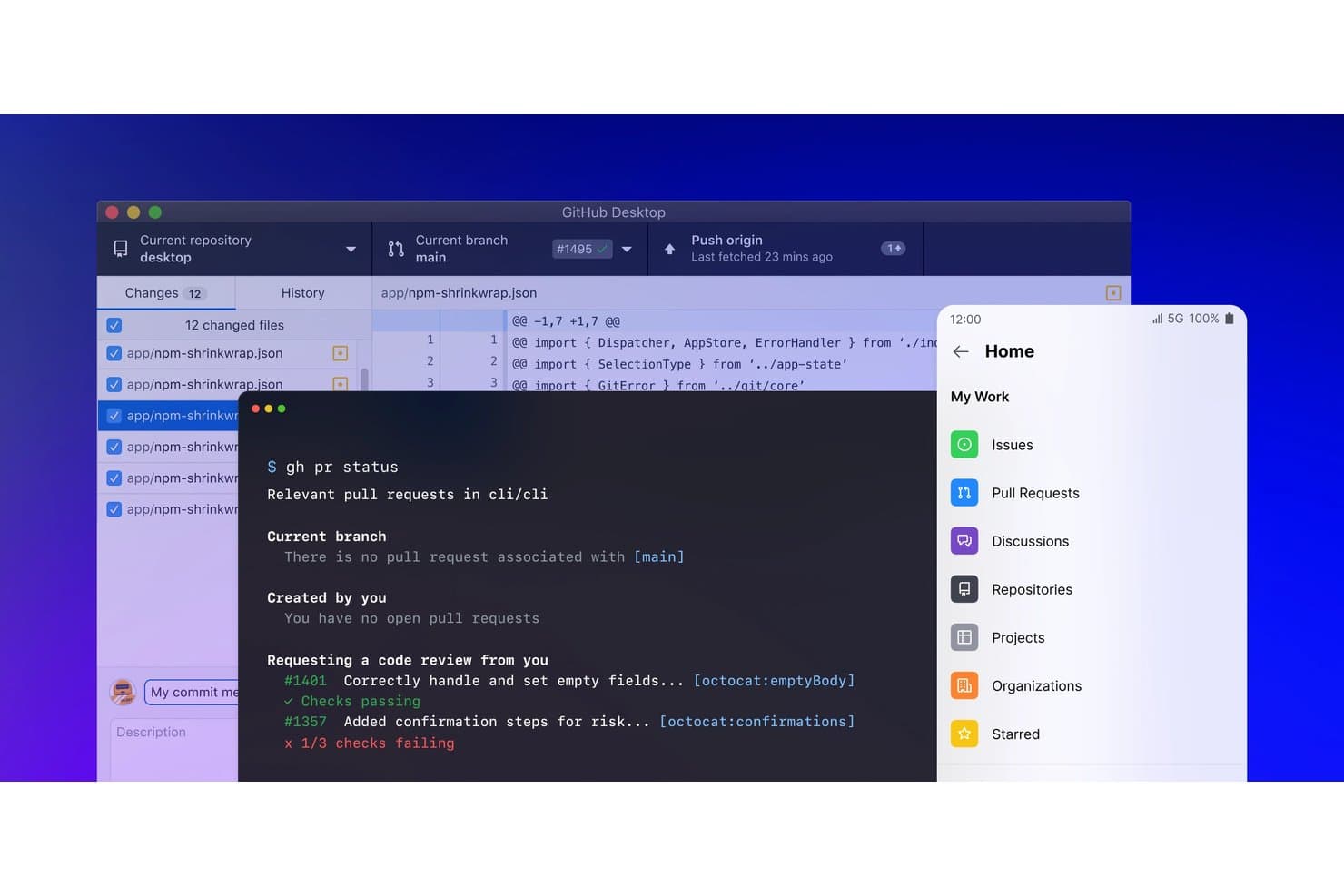
GitHub unifica las herramientas de escritorio, CLI y móviles para una gestión optimizada del código. GitHub es una plataforma de gestión del código fuente basada en Git que combina el alojamiento de repositorios, los flujos de trabajo de ramificaciones y solicitudes de incorporación de cambios, la revisión de código, CI/CD mediante GitHub Actions y el desarrollo asistido por IA a través de GitHub Copilot.
¿Para quién es más adecuado GitHub?
GitHub es una opción excelente para equipos de ingeniería de cualquier tamaño que quieran revisión de código asistida por IA, análisis de seguridad y CI/CD en una plataforma estrechamente integrada.
Por qué elegí GitHub
GitHub ocupa un lugar en mi lista de opciones principales porque ninguna otra plataforma combina la revisión de código con IA nativa con la escala que realmente necesitan los equipos de ingeniería grandes. La revisión de código de Copilot genera automáticamente sugerencias insertadas en cada solicitud de incorporación de cambios, y Copilot Autofix resuelve aproximadamente el 90 % de las alertas de seguridad detectadas por CodeQL antes de que lleguen a un revisor humano. También me gusta cómo las colas de combinación y los conjuntos de reglas de protección de ramas funcionan conjuntamente para evitar que las bases de código de alta velocidad y con varios equipos se conviertan en una pesadilla de combinaciones.
Características principales de GitHub
- Búsqueda de código entre repositorios: Busca simultáneamente en todos tus repositorios mediante expresiones regulares, operadores booleanos e indexación a nivel de símbolos en más de 10 lenguajes de programación.
- Colas de combinación: Agrupa y valida automáticamente las solicitudes de incorporación de cambios antes de combinarlas para mantener estable la rama principal en bases de código de alta velocidad y con varios equipos.
- Usuarios administrados por la empresa (EMU): Aprovisiona y gestiona todo el ciclo de vida de las cuentas de desarrollador directamente a través de tu proveedor de identidad, lo que te proporciona un control estricto sobre quién puede acceder a cada recurso.
- GitHub Codespaces: Inicia en segundos un entorno de desarrollo completamente configurado y alojado en la nube desde cualquier repositorio, sin necesidad de realizar ninguna configuración local.
Integraciones de GitHub
GitHub Actions es nativo, mientras que las integraciones del Marketplace incluyen Jira, Slack, Microsoft Teams, Jenkins, CircleCI, Azure Pipelines, AWS, Azure y Google Cloud. Las API REST y GraphQL, los webhooks y la compatibilidad con GitHub CLI permiten crear integraciones personalizadas.
Pros and Cons
Pros:
- La IA de Copilot sugiere correcciones insertadas en las solicitudes de incorporación de cambios
- Se adapta fácilmente a bases de código de monorrepositorios enormes
- Análisis nativo de seguridad del código con corrección automática
Cons:
- Las funciones de seguridad avanzadas requieren un complemento de pago
- La gestión de la autenticación y de los PAT puede ser compleja
 Ideal para la integración con Jira Software
- No
- Desde $3/usuario/mes (facturado anualmente)
Visit WebsiteCustomer Rating:4.5/5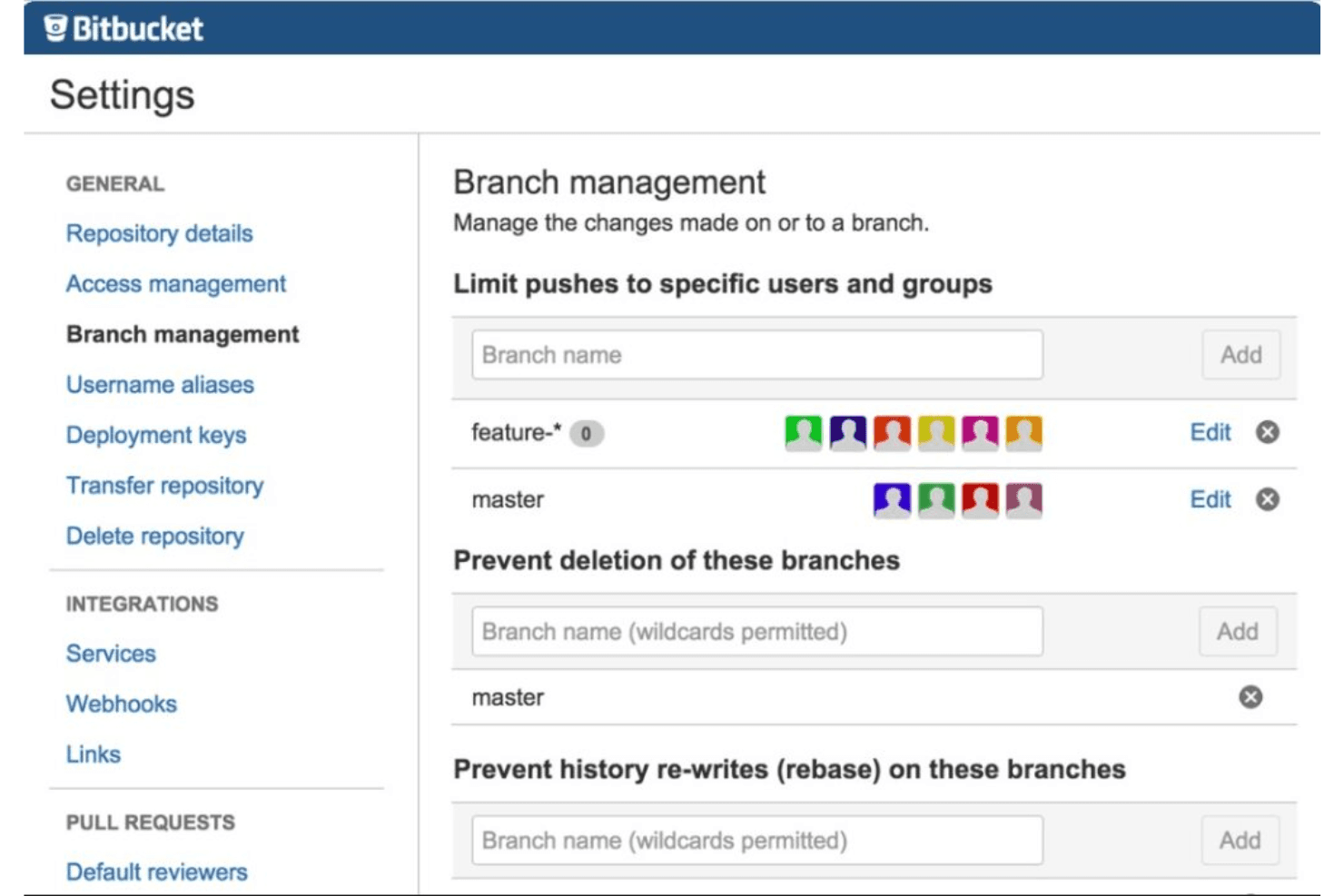
Esta es una captura de pantalla de la pestaña de gestión de ramas de Bitbucket. Bitbucket es una plataforma de gestión de código fuente basada en Git de Atlassian que ofrece a los equipos control de versiones completo, CI/CD integrado mediante Bitbucket Pipelines, flujos de trabajo de solicitudes de incorporación de cambios, herramientas de revisión de código y una integración profunda en todo el ecosistema de Atlassian.
¿Para quién es más adecuado Bitbucket?
Bitbucket es una opción excelente para equipos de ingeniería que ya utilizan Jira y quieren conectar su control de versiones, CI/CD y seguimiento de incidencias dentro de un mismo ecosistema de Atlassian.
Por qué elegí Bitbucket
Bitbucket ocupa un lugar en mi lista porque la integración con Jira va mucho más allá de un simple enlace. Puedo ver los estados de las incidencias de Jira directamente en la vista de una solicitud de incorporación de cambios, y cada línea de código modificada se vincula con su incidencia de origen, lo que proporciona a mi equipo una visibilidad integral real desde la planificación del sprint hasta la implementación. Además, las descripciones de solicitudes de incorporación de cambios generadas por IA y los resúmenes automatizados de implementación (con incidencias de Jira vinculadas) reducen la carga de documentación que antes temía tener que afrontar después de cada lanzamiento.
Funciones principales de Bitbucket
- Permisos de ramas: Controla quién puede enviar cambios, fusionar o eliminar ramas específicas a nivel del repositorio o del patrón de ramas.
- Bitbucket Pipelines: Herramienta nativa de CI/CD configurada mediante YAML, con ejecutores alojados y autoalojados, canalizaciones principales y secundarias, y pasos dinámicos.
- Análisis de seguridad integrado: Detecta secretos expuestos, dependencias vulnerables y configuraciones incorrectas de IaC directamente dentro del plan Premium.
- Solicitudes de incorporación de cambios en borrador: Abre una solicitud de incorporación de cambios en estado de borrador para indicar que el trabajo está en curso antes de solicitar una revisión formal a los compañeros de equipo.
Integraciones de Bitbucket
Bitbucket ofrece integraciones nativas con Jira Software, Jira Service Management, Confluence y Snyk, además de integraciones con Jenkins, Datadog, Slack, AWS, Azure y Google Cloud. Su API REST, los webhooks y la compatibilidad con Marketplace permiten crear conexiones personalizadas.
Pros and Cons
Pros:
- Vinculación profunda de los estados de las incidencias de Jira en las solicitudes de incorporación de cambios
- Revisiones de código y notas de lanzamiento basadas en IA
- Aplicación centralizada de políticas de CI/CD y ramas
Cons:
- El inicio de sesión único SAML requiere una suscripción independiente a Atlassian Guard
- Problemas de rendimiento con repositorios muy grandes
Learn more about Bitbucket: Ideal para DevOps de extremo a extremo en la pila de Microsoft
- Plan gratuito disponible
- Desde $6/usuario/mes
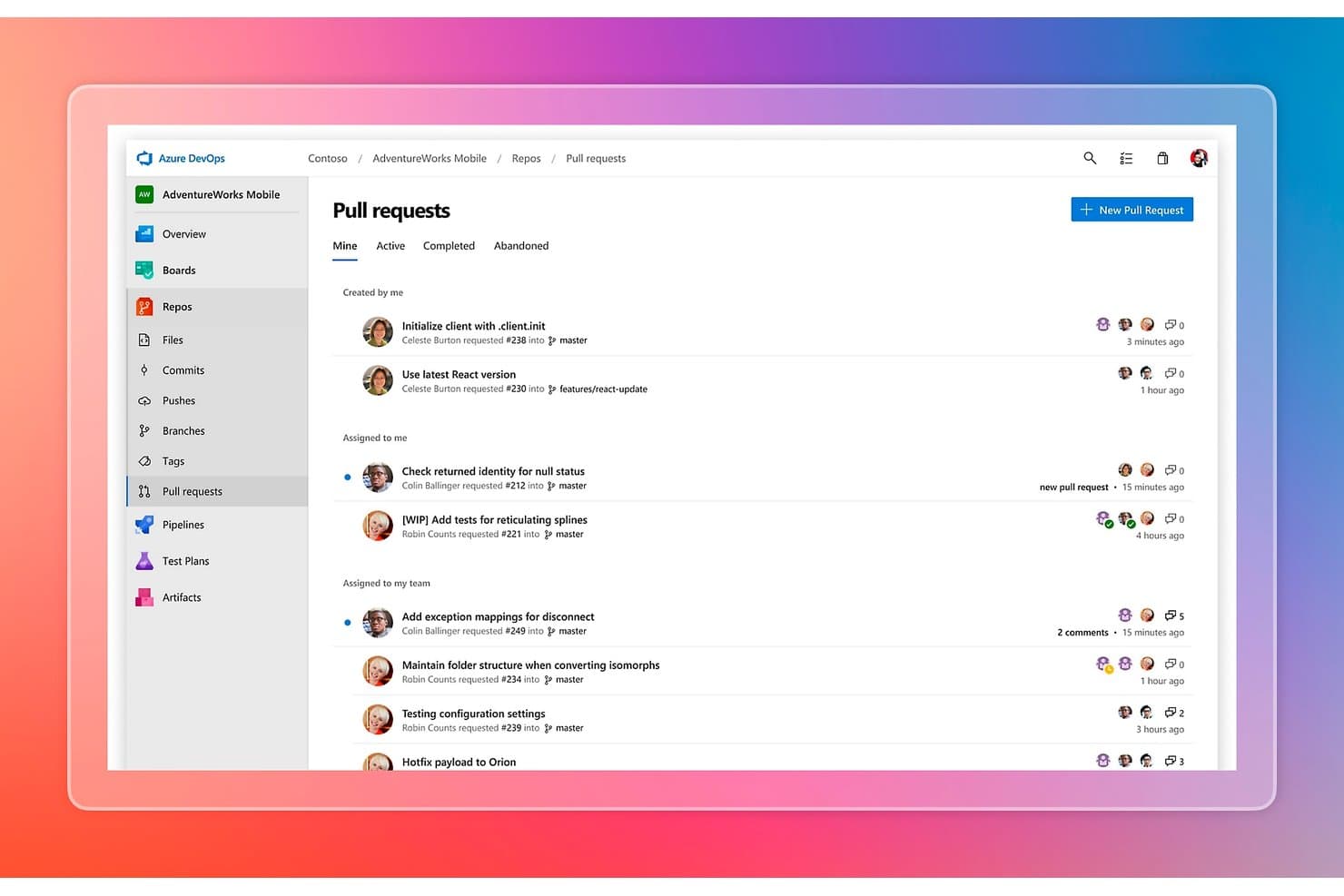
Azure DevOps organiza las solicitudes de incorporación de cambios por estado, persona asignada y equipo. Azure DevOps es una plataforma de gestión del código fuente de Microsoft que combina el alojamiento de repositorios Git y TFVC, las políticas de ramas, los flujos de trabajo de solicitudes de incorporación de cambios, las canalizaciones de CI/CD, la gestión de paquetes y el seguimiento integrado de proyectos en una única suite.
¿Para quién es Azure DevOps más adecuado?
Azure DevOps es la opción adecuada para equipos de ingeniería que ya trabajan en el ecosistema de Microsoft y necesitan una única plataforma que cubra el control de código fuente, CI/CD y el seguimiento de proyectos sin tener que integrar herramientas independientes.
Por qué elegí Azure DevOps
Azure DevOps ocupa un lugar en mi lista de opciones porque cubre todo el ciclo de vida de entrega de software en un solo lugar, algo poco común y realmente útil para los equipos que trabajan con la pila de Microsoft. Me gusta especialmente cómo Azure Repos combina el alojamiento de Git con políticas de ramas que exigen requisitos de revisión, validación de compilaciones y reglas de estrategia de combinación antes de que cualquier código llegue a
main. Además, Azure Pipelines se conecta directamente con esos repositorios mediante CI/CD basado en YAML y de varias etapas, por lo que mi equipo pasa del commit al despliegue sin salir de la plataforma.Funciones clave de Azure DevOps
- Compatibilidad con dos sistemas de control de versiones: Azure Repos aloja repositorios de Git y TFVC, lo que permite a los equipos que utilizan flujos de trabajo centralizados heredados migrar a Git a su propio ritmo.
- Complemento GitHub Advanced Security: Añade análisis estático con CodeQL, análisis de secretos con protección contra inserciones y detección de vulnerabilidades en dependencias directamente en el flujo de trabajo de Azure DevOps.
- Integración con Azure Boards: Los elementos de trabajo, las épicas y los errores se vinculan directamente con los commits y las solicitudes de incorporación de cambios, lo que proporciona a los equipos una trazabilidad completa desde la planificación hasta el despliegue.
- Gestión de paquetes con Azure Artifacts: Aloja paquetes NuGet, npm, Maven, Python y Universal en fuentes que se conectan de forma nativa con las canalizaciones de CI/CD.
Integraciones de Azure DevOps
Azure DevOps ofrece integraciones nativas en todo el ecosistema de Microsoft, incluidos Azure, Visual Studio, VS Code, Microsoft Teams, Microsoft 365, GitHub y Microsoft Entra ID. Las integraciones del Marketplace incluyen Jira, Slack, Jenkins y SonarQube, con API REST, CLI, ganchos de servicio y webhooks para una conectividad CI/CD personalizada.
Pros and Cons
Pros:
- Integración profunda con las herramientas de desarrollo de Microsoft
- Admite repositorios de Git y TFVC
- Funciones de seguridad de nivel empresarial y registro de auditoría
Cons:
- No hay un panel nativo de métricas DORA disponible
- La revisión de código mediante IA todavía se encuentra en vista previa limitada
Learn more about Azure DevOps: Ideal para combinar CI/CD y gestión del código
- No
- Desde $4/usuario/mes (facturado anualmente)
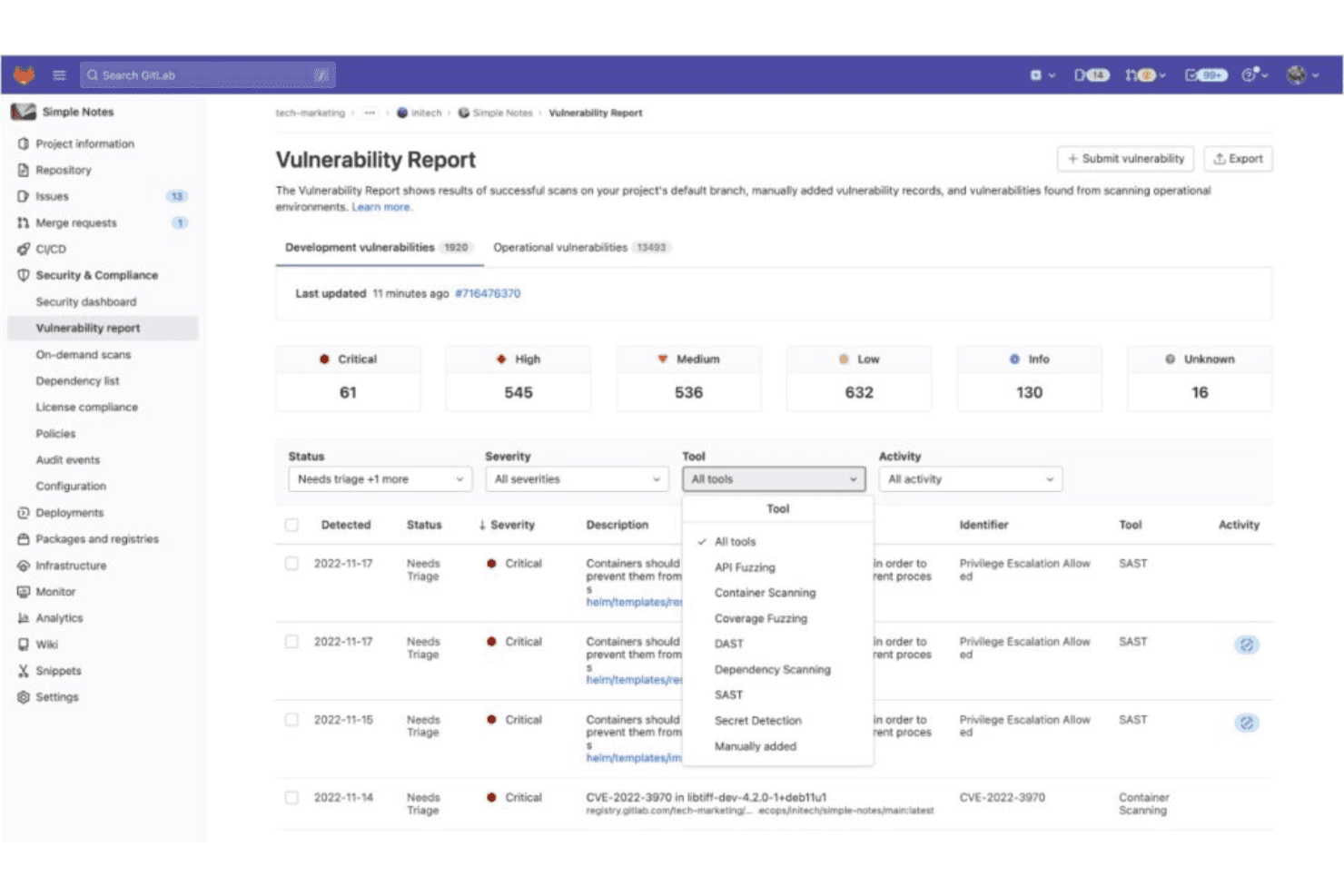
Esta es una vista del panel de informes de vulnerabilidades de GitLab que proporciona a los equipos de seguridad informes de análisis detallados. GitLab es una plataforma DevSecOps que abarca la gestión del código fuente basada en Git, canalizaciones CI/CD nativas, análisis de seguridad y analítica para desarrolladores en una sola aplicación.
¿Para quién es GitLab más adecuado?
GitLab es una opción excelente para los equipos de DevOps e ingeniería de plataformas que quieren tener CI/CD y gestión del código fuente en un solo lugar, sin tener que integrar herramientas independientes.
Por qué elegí GitLab
GitLab está en mi lista de favoritos porque CI/CD no está incorporado como una ocurrencia tardía, sino que es nativo de la plataforma. Me encanta que tu canalización
.gitlab-ci.ymlse ejecute directamente junto a tus solicitudes de fusión, mostrando los hallazgos de SAST y los resultados de calidad del código en línea antes de que se fusione nada. Los trenes de fusiones son especialmente útiles cuando varios equipos realizan cambios rápidamente, ya que mantienen automáticamente la rama principal estable sin coordinación manual.Características principales de GitLab
- Archivo CODEOWNERS: Asigna automáticamente revisores obligatorios a las solicitudes de fusión según las reglas de propiedad de archivos definidas en un único archivo de configuración.
- Análisis del flujo de valor: Registra el tiempo mediano empleado en cada etapa del flujo de trabajo de desarrollo, desde la creación de una incidencia hasta el despliegue en producción.
- Trenes de fusiones: Pone en cola las solicitudes de fusión de forma secuencial para verificar cada una con respecto a una rama principal actualizada antes de incorporarla, manteniendo automáticamente la canalización estable.
- Catálogo de CI/CD: Una biblioteca compartida y versionada de componentes de canalización reutilizables que los equipos pueden adoptar y estandarizar en todos los proyectos sin duplicar la configuración.
Integraciones de GitLab
GitLab se integra con Jira, Slack, Jenkins, VS Code, los IDE de JetBrains, AWS, Google Cloud y Microsoft Azure. Las API REST y GraphQL, los webhooks y la CLI de GitLab permiten crear integraciones personalizadas y flujos de trabajo de CI/CD.
Pros and Cons
Pros:
- El CI/CD nativo se integra directamente con el código
- Los trenes de fusiones mantienen siempre estable la rama principal
- Análisis de seguridad integrado y detallado en las canalizaciones
Cons:
- El plan gratuito limita el tamaño del equipo y las funciones
- La complejidad de la interfaz puede ralentizar la incorporación
Learn more about GitLab: Ideal para Git y TFVC en un único repositorio alojado
- Plan gratuito disponible
- Desde $6/usuario/mes
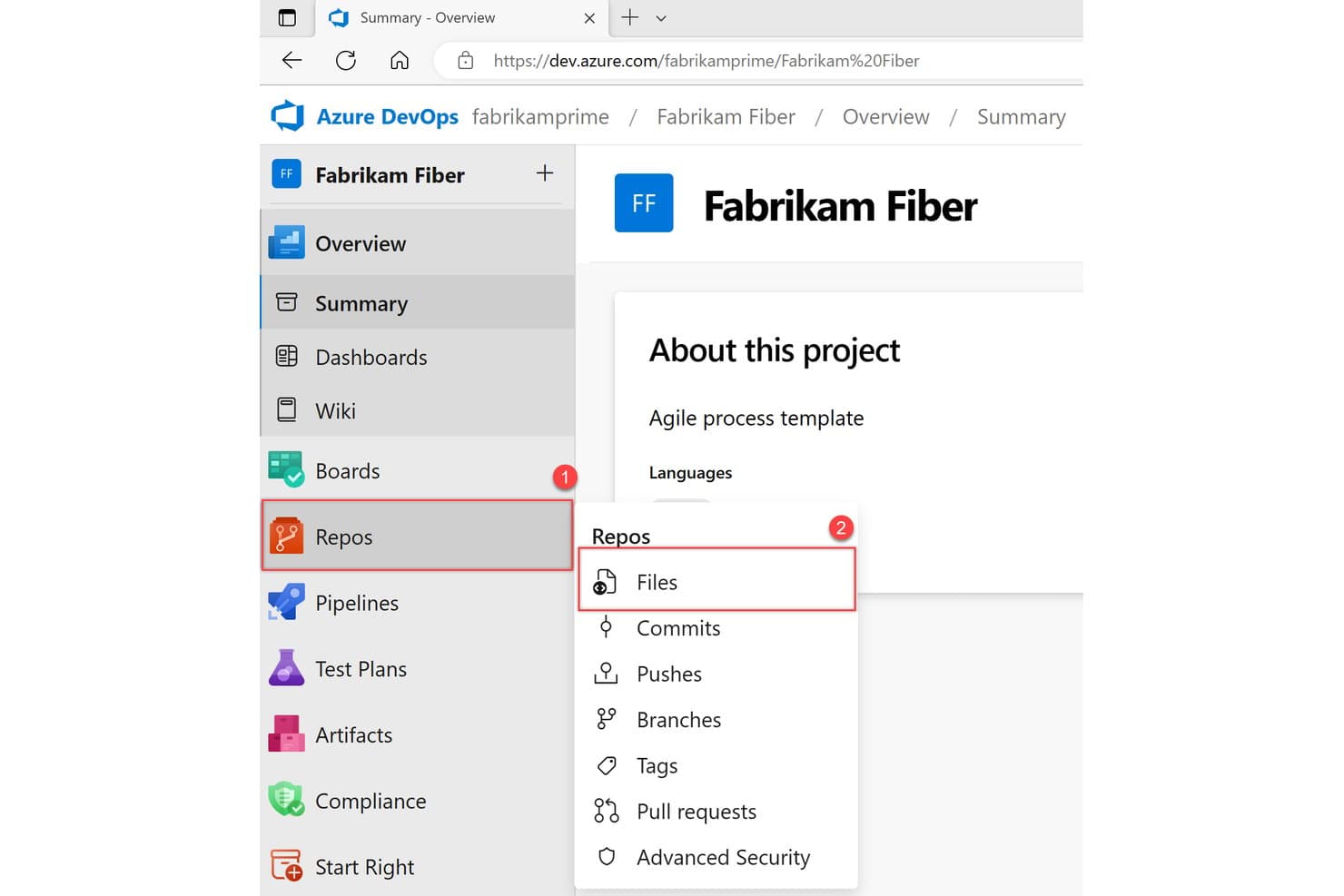
Azure Repos organiza archivos de código, confirmaciones, ramas y solicitudes de extracción en un solo lugar. Azure Repos es la solución de administración de código fuente de Microsoft dentro de Azure DevOps que admite el control de versiones Git y TFVC, el alojamiento de repositorios, las políticas de ramas, los flujos de trabajo de solicitudes de extracción y la integración de CI/CD mediante Azure Pipelines.
¿Para quién es más adecuado Azure Repos?
Azure Repos es una excelente opción para equipos empresariales que ya trabajan con la pila de Microsoft y necesitan una única plataforma para administrar tanto los flujos de trabajo modernos de Git como los repositorios TFVC heredados, sin abandonar el control de versiones centralizado.
Por qué elegí Azure Repos
Azure Repos ocupa un lugar en mi lista porque es la única plataforma alojada importante que admite Git y TFVC en un solo servicio de repositorios, algo relevante cuando tu organización todavía ejecuta flujos de trabajo centralizados heredados junto con otros distribuidos y modernos. Me gusta especialmente cómo las políticas de ramas permiten exigir la validación de compilaciones y un número determinado de revisores en el nivel de rama, de modo que los controles de calidad se integran en el proceso de solicitudes de extracción en lugar de depender de las convenciones. La función de revisión de código de Copilot (ahora en vista previa pública) añade análisis de código automatizado directamente al crear una solicitud de extracción, algo que considero realmente útil para detectar problemas antes incluso de que los revisores humanos abran la diferencia.
Funciones principales de Azure Repos
- Integración con GitHub Advanced Security: Añade el análisis de secretos, el análisis de dependencias y el análisis estático de CodeQL directamente al flujo de trabajo del repositorio, con anotaciones en las solicitudes de extracción y comprobaciones de estado que bloquean la combinación.
- Compatibilidad con Git LFS: Gestiona archivos binarios grandes dentro de los repositorios Git y mantiene intacto el rendimiento del repositorio para los equipos que trabajan con recursos o archivos de datos de gran tamaño.
- Búsqueda de código entre repositorios: Una extensión gratuita del marketplace permite buscar simultáneamente en todos los proyectos y repositorios, con filtros por rama, ruta de archivo y tipo de código.
- Implementación de Azure DevOps Server (local): Permite que tu equipo ejecute toda la experiencia de Azure Repos en su propia infraestructura para cumplir requisitos de soberanía de datos o de entornos aislados.
Integraciones de Azure Repos
Azure Repos ofrece integraciones nativas en todo el ecosistema de Microsoft, como Azure Pipelines, Azure Boards, Azure Artifacts, Visual Studio, Visual Studio Code y Microsoft Entra ID. Las integraciones del marketplace incluyen Jenkins, Terraform, Jira, Slack y Microsoft Teams, además de API REST, CLI y webhooks para establecer conexiones personalizadas.
Pros and Cons
Pros:
- Admite el control de versiones Git y TFVC
- Políticas de ramas altamente configurables para controles de calidad
- Vista previa de revisión de código asistida por IA integrada
Cons:
- El análisis de seguridad no está disponible para instalaciones locales
- Carece de un panel nativo para métricas DORA
Learn more about Azure Repos:
Otro software de gestión del código fuente
A continuación se muestra una lista de software adicional de gestión del código fuente que incluí en mi lista de candidatos, pero que no llegó a estar entre los 10 primeros. Sin duda, merece la pena echarles un vistazo.
- 11PerforceIdeal para el control de versiones de archivos binarios grandes
- 12GerritIdeal para mecanismos de revisión de código impuestos por el servidor
- 13BacklogIdeal para el seguimiento de código y proyectos en una sola herramienta
- 14Unity Version ControlIdeal para equipos de desarrollo de videojuegos que combinan recursos artísticos y de código
- 15Plastic SCMIdeal para versionado visual y equipos distribuidos
- 16ForgejoIdeal para Git autoalojado sin costes de licencia
Cómo evalúo el software de gestión del código fuente
Divido mi evaluación en criterios básicos que toda herramienta de SCM debe cumplir, como el alojamiento de Git y los flujos de trabajo de PR, y elementos diferenciadores como la revisión asistida por IA, el análisis de seguridad y la flexibilidad de implementación.
Funcionalidad principal (requisitos básicos para esta lista)
Al seleccionar herramientas para mi lista, clasifico cada una en una escala de 0 (no ofrece la funcionalidad) a 5 (sobresale en esta área) para cada funcionalidad principal que se indica a continuación. Después, calculo la puntuación total de la herramienta y la convierto en un porcentaje. Cada herramienta debe alcanzar una puntuación total mínima del 75 % para que se considere incluirla.
- Búsqueda y navegación del código: Valoro las plataformas con capacidades avanzadas de búsqueda de código, incluida la indexación a nivel de símbolos y la búsqueda entre repositorios, que permiten a los desarrolladores encontrar y comprender rápidamente el código.
- Desarrollo asistido por IA: Busco funciones de IA integradas, como la finalización de código, los resúmenes de PR y las sugerencias de revisión automatizadas, para mejorar la productividad y acelerar los ciclos de desarrollo.
- Análisis de seguridad: Compruebo la existencia de herramientas de seguridad nativas, como SAST, el análisis de secretos y las alertas de vulnerabilidades de dependencias, integradas directamente en el flujo de trabajo del repositorio.
- Seguimiento de incidencias y proyectos: Prefiero herramientas integradas de seguimiento de incidencias y gestión de proyectos conectadas con las confirmaciones y las solicitudes de incorporación de cambios para garantizar una trazabilidad fluida.
- Información y análisis para desarrolladores: Me baso en plataformas que ofrecen métricas como DORA, la actividad de los colaboradores, el tiempo de ciclo y paneles de calidad del código para supervisar y mejorar el rendimiento del equipo.
Una vez que tengo una lista de herramientas que cumplen los criterios, considero qué distingue a cada plataforma.
Factores diferenciadores (lo que distingue a los proveedores)
Así es como comparo y contrasto los distintos proveedores:
Características destacadas
El análisis de seguridad integrado es un elemento diferenciador importante: busco detección nativa de secretos, alertas de dependencias y SAST que señalen las vulnerabilidades directamente en el flujo de trabajo de PR. También merece la pena evaluar las funciones asistidas por IA, ya que los resúmenes automatizados de PR y las sugerencias de código pueden reducir significativamente los ciclos de revisión de los equipos con mucha carga de trabajo. En el caso de los responsables de ingeniería, compruebo si las plataformas ofrecen información sobre los desarrolladores, como métricas DORA y paneles del tiempo de ciclo, que muestren datos reales sobre el rendimiento del equipo.
Más allá de las características
La flexibilidad de implementación es muy importante: algunos equipos necesitan SaaS alojado en la nube, mientras que otros, pertenecientes a sectores regulados, requieren instalaciones autogestionadas o aisladas de redes externas. También evalúo el nivel de cumplimiento normativo, comprobando las certificaciones SOC 2, ISO 27001 o FedRAMP según los requisitos de la organización. La estructura de precios es otro factor que sopeso cuidadosamente, ya que los costes por usuario, incluidos los minutos de CI/CD y los límites de almacenamiento, pueden hacer que una plataforma sea asequible para 10 usuarios, pero cara para 200.
Cómo elegir un software de gestión del código fuente
Es fácil perderse entre largas listas de funciones y complejas estructuras de precios. Para ayudarte a mantener la concentración mientras avanzas en tu proceso particular de selección de software, aquí tienes una lista de factores que debes tener en cuenta:
| Factor | Qué debes tener en cuenta |
|---|---|
| FactorEscalabilidad | Qué debes tener en cuenta¿Puede el software crecer junto con tu equipo? Busca opciones que admitan un aumento de usuarios y proyectos sin contratiempos. Evita las herramientas que puedan limitar el crecimiento futuro. |
| FactorIntegraciones | Qué debes tener en cuenta¿Funciona bien con tus herramientas actuales? Comprueba si se integra con tu entorno de desarrollo, tus canalizaciones de CI/CD y otras herramientas esenciales. |
| FactorPersonalización | Qué debes tener en cuenta¿Puedes adaptarlo para que encaje con el flujo de trabajo de tu equipo? Asegúrate de que el software permita personalizar los flujos de trabajo, los permisos y las notificaciones. |
| FactorFacilidad de uso | Qué debes tener en cuenta¿Es fácil de usar? Evalúa la interfaz y la navegación. Una herramienta difícil de usar puede ralentizar a tu equipo. |
| FactorImplementación e incorporación | Qué debes tener en cuenta¿Con qué rapidez puedes empezar? Ten en cuenta el tiempo y los recursos necesarios para la configuración y la formación. Busca plataformas con un sólido proceso de incorporación. |
| FactorCoste | Qué debes tener en cuenta¿Se ajusta a tu presupuesto? Compara los modelos de precios y considera el coste total de propiedad, incluidas las tarifas ocultas y los ahorros a largo plazo. |
| FactorMedidas de seguridad | Qué debes tener en cuenta¿Está protegido tu código? Evalúa las medidas de seguridad del software, como el cifrado y los controles de acceso, para proteger tu código fuente. |
| FactorDisponibilidad de asistencia | Qué debes tener en cuenta¿Puedes obtener ayuda cuando la necesitas? Comprueba si el proveedor ofrece asistencia las 24 horas del día, los 7 días de la semana, y varios canales, como chat, correo electrónico o teléfono. |
¿Qué es el software de gestión del código fuente?
El software de gestión del código fuente, denominado a menudo software de control de versiones, organiza y realiza un seguimiento de las modificaciones del código de programación. Los desarrolladores utilizan estas herramientas para colaborar en proyectos, asegurándose de que los cambios de código realizados por los distintos miembros del equipo no entren en conflicto. Además de facilitar la colaboración, estas plataformas también mantienen un historial de las versiones del código, lo que permite a los equipos volver a estados anteriores si es necesario, combinar modificaciones de distintas fuentes y garantizar que la base de código final sea coherente y no contenga errores.
El objetivo principal es aumentar la eficiencia, mitigar el riesgo de sobrescritura y facilitar el trabajo simultáneo en proyectos grandes. Un sistema de control de revisiones no solo permite a los equipos de desarrollo realizar un seguimiento de los cambios y gestionar las dependencias, sino que también protege las versiones anteriores de los proyectos de software. Ya sea para establecer permisos precisos, gestionar dependencias o utilizar funciones avanzadas de software de código abierto, el sistema de gestión del código fuente adecuado convierte las tareas engorrosas en procesos intuitivos.
Funciones
Al seleccionar un software de gestión del código fuente, presta atención a las siguientes funciones clave:
- Control de versiones: Realiza un seguimiento de los cambios en el código a lo largo del tiempo, lo que permite que varios desarrolladores trabajen simultáneamente sin sobrescribir el trabajo de los demás.
- Gestión de ramas: Permite a los desarrolladores crear ramas de código independientes para nuevas funciones o correcciones de errores, facilitando un desarrollo y unas pruebas organizados.
- Combinación de código: Combina los cambios de código de distintas ramas, garantizando un producto final cohesionado y resolviendo los conflictos.
- Control de acceso: Gestiona quién puede ver o modificar el código, manteniendo la seguridad y la integridad dentro del equipo de desarrollo.
- Seguimiento del historial del código: Proporciona un registro detallado de todos los cambios del código y ayuda a los desarrolladores a comprender la evolución de la base de código.
- Compatibilidad con integraciones: Se conecta con otras herramientas de desarrollo, como las canalizaciones de CI/CD, para lograr un flujo de trabajo más fluido.
- Personalización: Permite a los equipos adaptar la herramienta a sus flujos de trabajo específicos, mejorando la productividad y la eficiencia.
- Interfaz fácil de usar: Simplifica la navegación y reduce la curva de aprendizaje, lo que permite una adopción más rápida por parte del equipo.
- Medidas de seguridad: Protege el código mediante funciones como el cifrado y los controles de acceso para evitar accesos no autorizados.
- Recursos de incorporación: Ofrece materiales de formación y asistencia para ayudar a los nuevos usuarios a familiarizarse rápida y eficazmente con la herramienta.
Ventajas
La implementación de un software de gestión del código fuente ofrece varias ventajas para tu equipo y tu empresa. Estas son algunas de las que puedes esperar:
- Colaboración mejorada: Permite que varios desarrolladores trabajen en el mismo proyecto sin conflictos gracias al control de versiones y la gestión de ramas.
- Integridad del código: Mantiene una base de código fiable mediante el seguimiento de los cambios y un historial detallado, garantizando que no se pierda ni se sobrescriba nada.
- Seguridad mejorada: Protege el código mediante controles de acceso y cifrado, reduciendo el riesgo de accesos no autorizados.
- Desarrollo eficiente: Agiliza el proceso de desarrollo al integrarse con otras herramientas y ofrecer funciones como la combinación de código.
- Incorporación más rápida: Ayuda a los nuevos miembros del equipo a familiarizarse rápidamente con la herramienta mediante materiales de formación y una interfaz fácil de usar.
- Adaptación personalizada del flujo de trabajo: Permite personalizar la herramienta para adaptarla a las necesidades específicas del equipo, aumentando la productividad y la eficiencia.
- Información histórica: Ofrece información valiosa sobre la evolución del código, lo que ayuda a comprender las decisiones anteriores y a mejorar el desarrollo futuro.
Costes y precios
La selección de un software de gestión del código fuente requiere comprender los distintos modelos de precios y planes disponibles. Los costes varían en función de las funciones, el tamaño del equipo, los complementos y otros factores. La tabla siguiente resume los planes habituales, sus precios medios y las funciones que suelen incluir las soluciones de software de gestión del código fuente:
Tabla comparativa de planes de software de gestión del código fuente
| Tipo de plan | Precio medio | Funciones habituales |
|---|---|---|
| Tipo de planPlan gratuito | Precio medio$0 | Funciones habitualesControl de versiones básico, almacenamiento limitado y gestión de ramas básica. |
| Tipo de planPlan personal | Precio medio$5-$25/usuario/mes | Funciones habitualesControl de versiones avanzado, más almacenamiento y asistencia básica. |
| Tipo de planPlan empresarial | Precio medio$25-$50/usuario/mes | Funciones habitualesSeguridad mejorada, integraciones, asistencia prioritaria y más almacenamiento. |
| Tipo de planPlan para empresas | Precio medio$50-$100/usuario/mes | Funciones habitualesFunciones personalizables, asistencia especializada, análisis avanzados y almacenamiento ilimitado. |
Preguntas frecuentes sobre el software de gestión del código fuente
Estas son algunas respuestas a preguntas frecuentes sobre el software de gestión del código fuente:
¿Cómo puede la gestión del código fuente mejorar la capacidad de varios programadores para trabajar juntos en un fragmento de código?
SCM permite a los desarrolladores trabajar en el código en paralelo, evitando que se sobrescriban los cambios. Gestiona la combinación del código, realiza un seguimiento de los cambios y facilita las correcciones de errores y las versiones. Esta capacidad garantiza un trabajo en equipo eficiente y mantiene el proceso de desarrollo organizado y sin conflictos.
¿Cuál es el objetivo de la gestión del código fuente en DevOps?
La SCM en DevOps facilita la colaboración rápida dentro de los flujos de trabajo. Permite a los equipos trabajar de forma eficiente, gestionar los cambios del código e integrarse sin problemas con otras herramientas de DevOps. Esta integración ayuda a mantener prácticas de desarrollo coherentes y favorece la entrega continua.
¿Cuáles son las herramientas de SCM más baratas y más caras?
Esto puede variar en función de las \u003ca href=\u0022https://thectoclub.com/tools/best-scm-tools/\u0022\u003enuevas herramientas de SCM\u003c/a\u003e que entren en el mercado y de los cambios de precios de las herramientas existentes. Sin embargo, según mi última actualización, herramientas como Git y Mercurial SCM tienen versiones gratuitas. En el extremo más caro, las soluciones empresariales de proveedores como IBM Rational ClearCase pueden tener un precio elevado y, a menudo, es necesario solicitar un presupuesto para conocer el precio exacto.
¿Hay opciones gratuitas disponibles?
Sí, varias herramientas de SCM ofrecen versiones gratuitas. Git, por ejemplo, es de código abierto y se puede utilizar gratis. Del mismo modo, Mercurial SCM también es gratuito. Sin embargo, cabe señalar que, aunque la funcionalidad principal puede ser gratuita, algunas funciones adicionales o integraciones pueden tener un coste.
¿Cuáles son los desafíos habituales al implementar un software de gestión del código fuente?
Entre los desafíos se pueden incluir la gestión de integraciones complejas, la garantía de la seguridad de los datos y la gestión de la curva de aprendizaje de los nuevos usuarios. Es importante contar con un plan de incorporación claro y recursos de formación para abordar estos problemas y garantizar una transición fluida para el equipo.