Testiny Review 2026: Pros, Cons, Features, and Pricing


Testiny is a test management software for QA teams that need to write, organize, and execute test cases across manual and automated workflows. I'd mainly consider it if you want something more approachable than TestRail, but with enough structure to support serious, at-scale QA processes.
Testiny Evaluation Summary
- From $15.42/user/month (billed annually)
- Free plan available
Why Trust Our Software Recommendations
Our team has been testing and reviewing software since 2012. As tech leaders ourselves, we know how difficult—and important—it is to choose the right software.
For this guide, we evaluated tools using hands-on testing and independent research, scoring tools using our selection criteria.
Our reviews reflect our human editorial judgment, not a sales pitch.
Testiny Overview
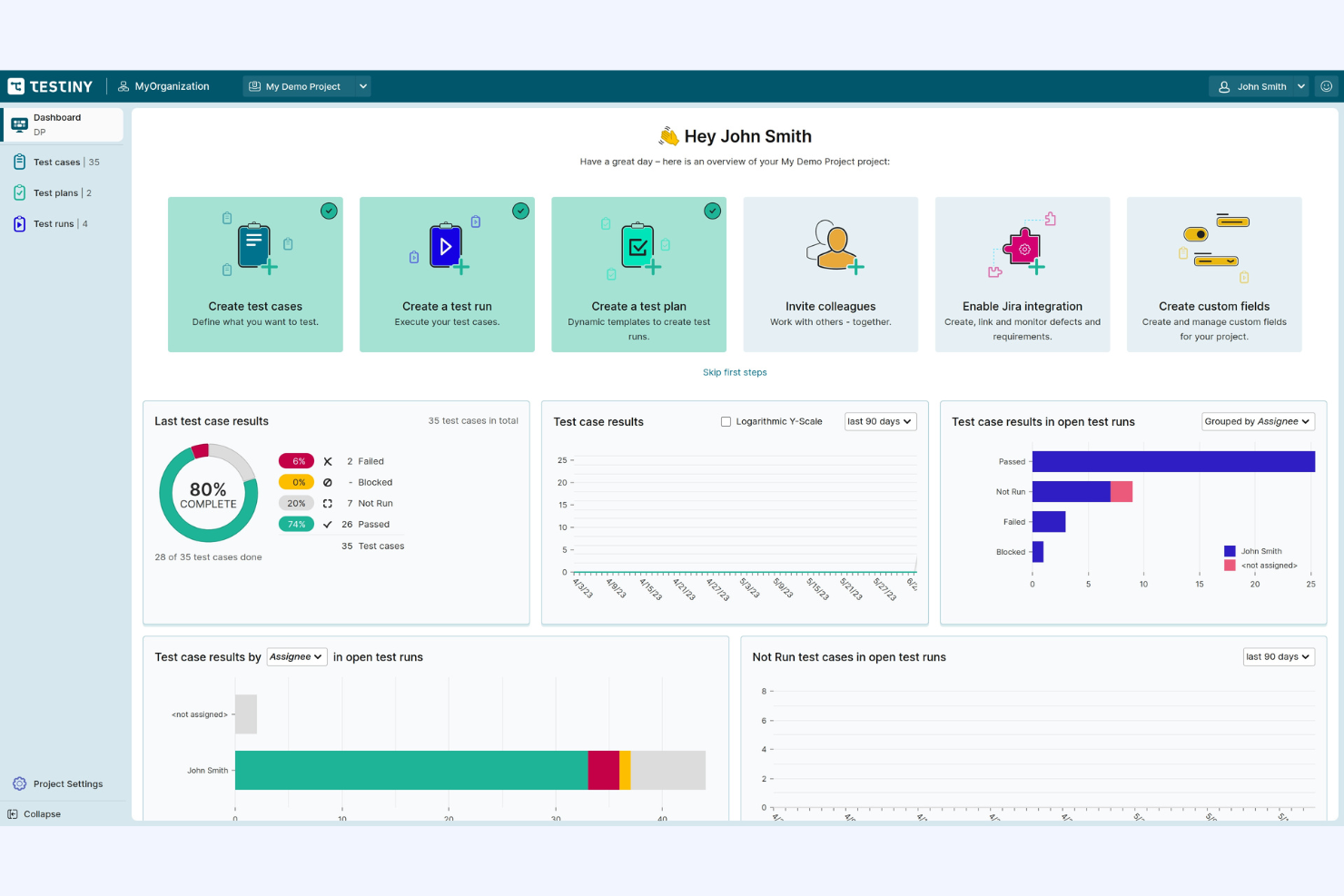
Testiny offers a clean interface, fast onboarding, and affordable pricing, making it a strong choice for teams prioritizing ease of use and quick adoption. Its straightforward test case management and integrations with popular issue trackers set it apart for agile environments. While it lacks some advanced customization and reporting found in more complex tools, Testiny’s responsive support and intuitive workflow make it ideal for small to mid-sized teams judging value by simplicity and speed.
If you’re selecting a tool for rapid setup and minimal training, Testiny deserves serious consideration.
pros
-
You and your team can easily navigate its user-friendly interface.
-
Testiny streamlines your testing process with its efficient core features.
-
It provides strong support for agile methodologies, enhancing your workflow.
cons
-
You might find the onboarding process requires more time than expected.
-
Some users feel customer support response times could be quicker.
-
Testiny's customization options may not meet all your team's needs.




Our Review Methodology
How We Test & Score Tools
We’ve spent years building, refining, and improving our software testing and scoring system. The rubric is designed to capture the nuances of software selection and what makes a tool effective, focusing on critical aspects of the decision-making process.
Below, you can see exactly how our testing and scoring works across seven criteria. It allows us to provide an unbiased evaluation of the software based on core functionality, standout features, ease of use, onboarding, customer support, integrations, customer reviews, and value for money.
Core Functionality (25% of final scoring)
The starting point of our evaluation is always the core functionality of the tool. Does it have the basic features and functions that a user would expect to see? Are any of those core features locked to higher-tiered pricing plans? At its core, we expect a tool to stand up against the baseline capabilities of its competitors.
Standout Features (25% of final scoring)
Next, we evaluate uncommon standout features that go above and beyond the core functionality typically found in tools of its kind. A high score reflects specialized or unique features that make the product faster, more efficient, or offer additional value to the user.
We also evaluate how easy it is to integrate with other tools typically found in the tech stack to expand the functionality and utility of the software. Tools offering plentiful native integrations, 3rd party connections, and API access to build custom integrations score best.
Ease of Use (10% of final scoring)
We consider how quick and easy it is to execute the tasks defined in the core functionality using the tool. High scoring software is well designed, intuitive to use, offers mobile apps, provides templates, and makes relatively complex tasks seem simple.
Onboarding (10% of final scoring)
We know how important rapid team adoption is for a new platform, so we evaluate how easy it is to learn and use a tool with minimal training. We evaluate how quickly a team member can get set up and start using the tool with no experience. High scoring solutions indicate little or no support is required.
Customer Support (10% of final scoring)
We review how quick and easy it is to get unstuck and find help by phone, live chat, or knowledge base. Tools and companies that provide real-time support score best, while chatbots score worst.
Customer Reviews (10% of final scoring)
Beyond our own testing and evaluation, we consider the net promoter score from current and past customers. We review their likelihood, given the option, to choose the tool again for the core functionality. A high scoring software reflects a high net promoter score from current or past customers.
Value for Money (10% of final scoring)
Lastly, in consideration of all the other criteria, we review the average price of entry level plans against the core features and consider the value of the other evaluation criteria. Software that delivers more, for less, will score higher.
Core Features
Test Case Management
You can easily create, organize, and manage test cases to ensure thorough coverage. This feature helps your team maintain consistency and accuracy in testing.
Test Execution
Execute your test cases smoothly and track results in real-time, giving your team immediate feedback. This keeps your testing process efficient and responsive.
Defect Tracking
Log and monitor defects seamlessly, so your team can address issues promptly. It helps improve your software quality by ensuring no bug goes unnoticed.
Reporting and Analytics
Generate detailed reports and gain insights into your testing activities. This aids your team in making informed decisions and optimizing testing strategies.
User Permissions
Control who can access specific features and data within Testiny. This ensures your team maintains security and accountability in testing processes.
Custom Fields and Templates
Create custom fields and select from various templates to match your workflow. This flexibility helps teams adapt Testiny to different testing styles.
Ease of Use
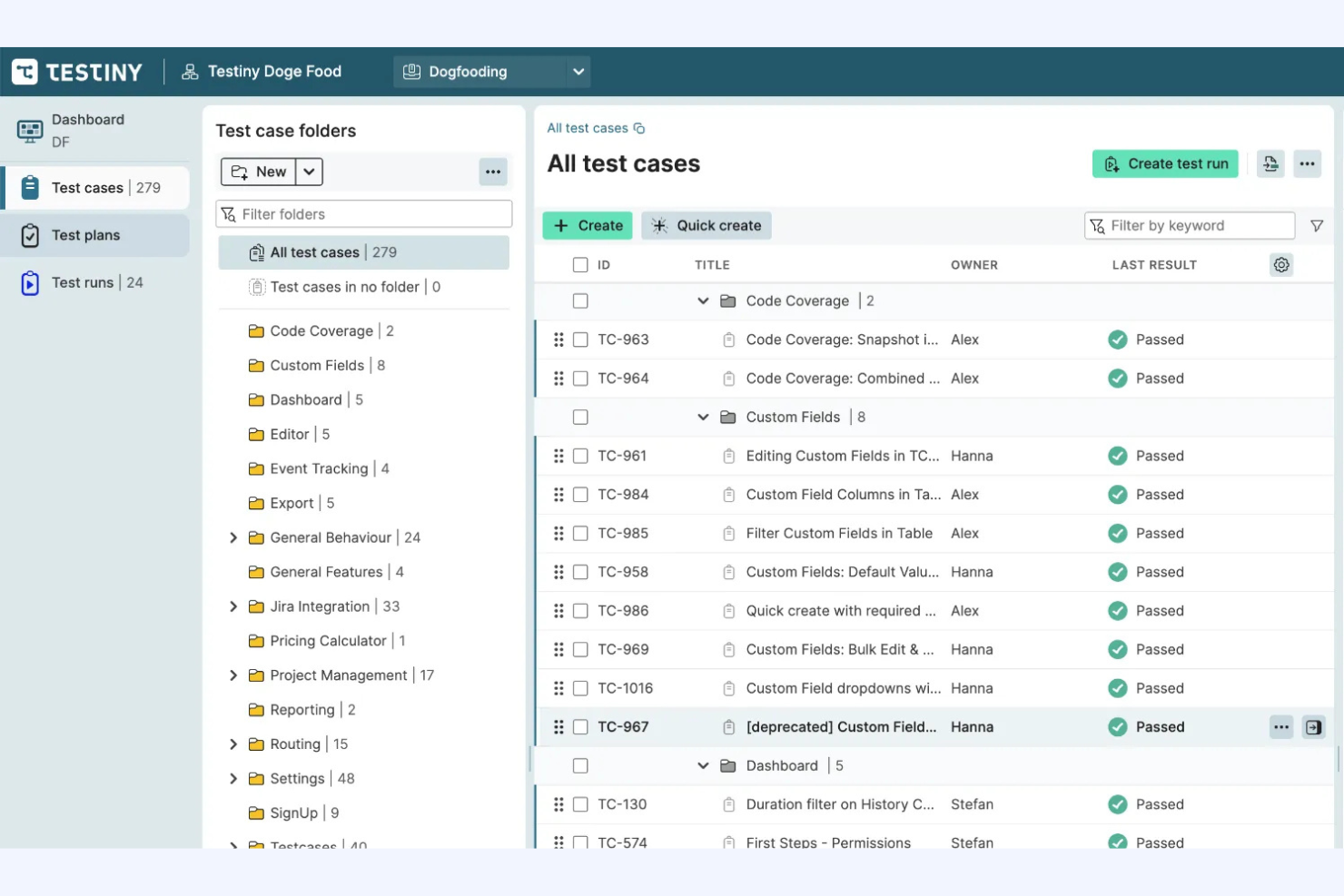
Testiny’s user-friendly interface makes it easy for your team to navigate and manage testing tasks efficiently. The straightforward design reduces the learning curve, letting you get up to speed quickly. User reviews often highlight how intuitive the system feels, allowing you to focus on testing rather than figuring out the software. Its simplicity doesn’t compromise functionality, making it a strong choice for teams that value both ease and effectiveness in their test management process.
Integrations
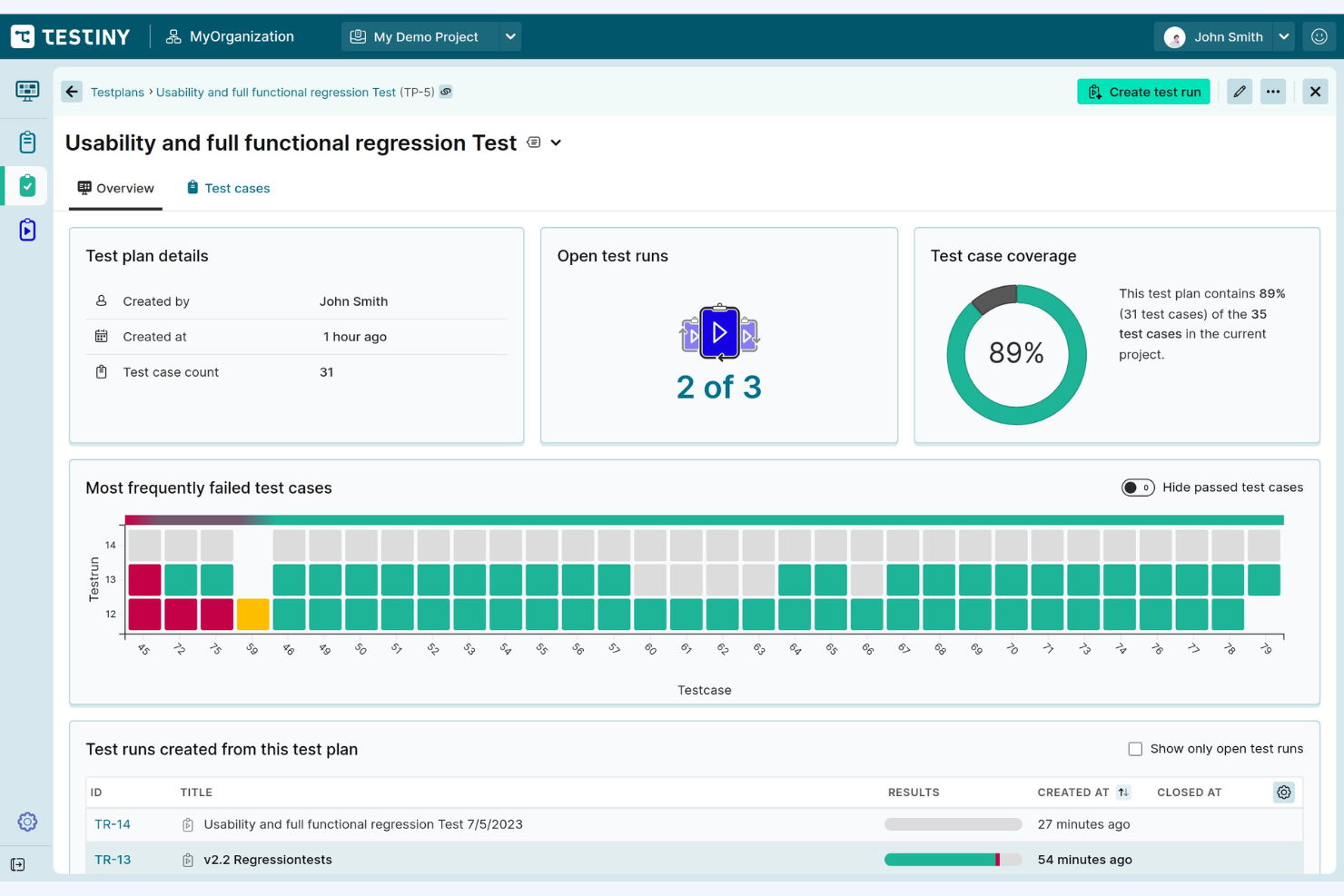
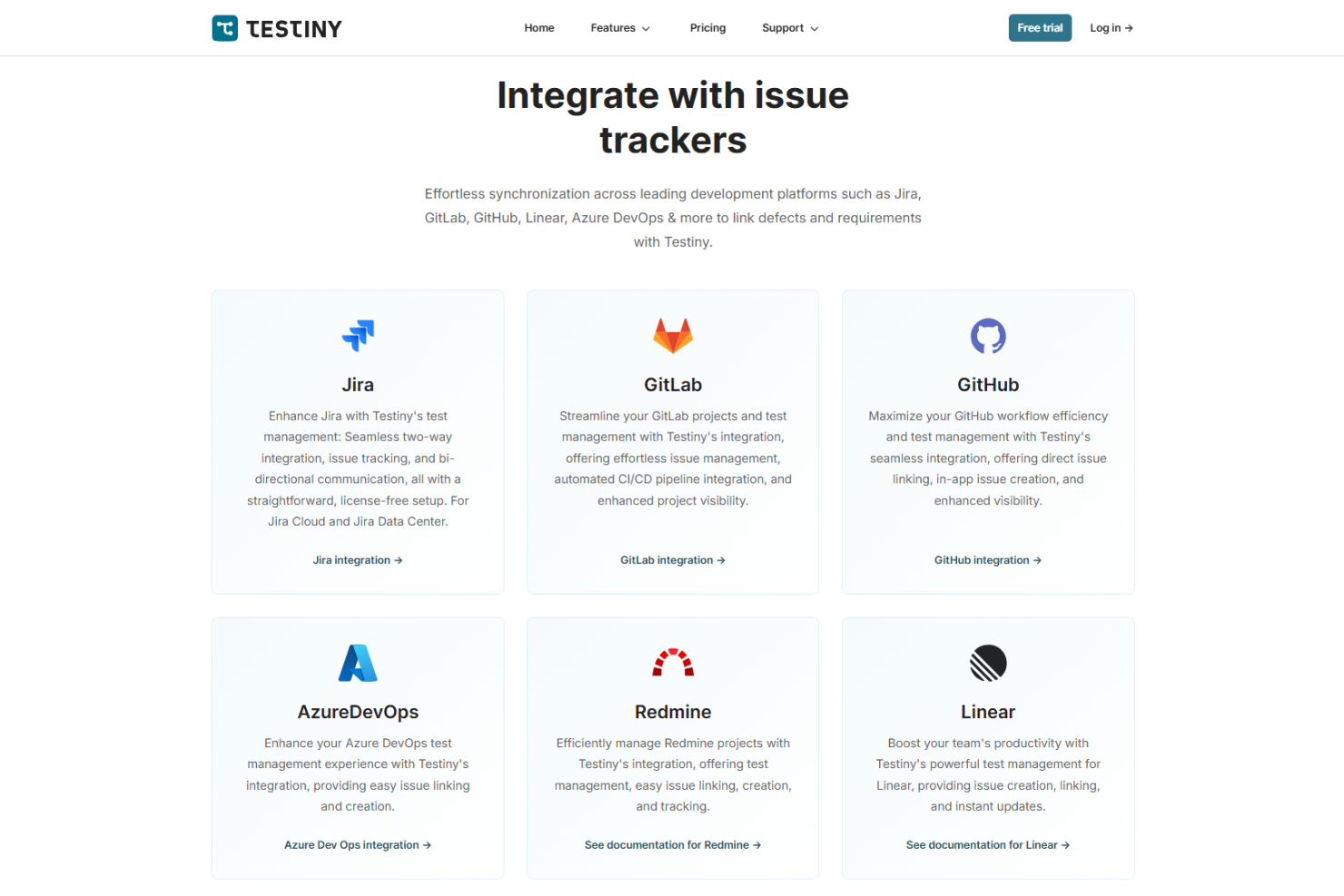
Testiny integrates with Jira, GitLab, GitHub, Azure DevOps, Redmine, Linear, Asana, Confluence, Trello, and monday.com, among others.
Testiny also offers a REST API and supports connections with a wide range of automation frameworks and CI/CD tools through its CLI and API.
New Product Updates from Testiny
Testiny Adds Notifications and Webhooks
Testiny adds notifications for assigned test cases, closed test runs, and new comments, with email, browser, in-app, and digest delivery options. It also supports Slack, Microsoft Teams, Discord, Google Chat, and custom webhooks. Highlights include:
- Test Activity Notifications: Alerts users when test cases are assigned, test runs are closed, or comments are added.
- Multiple Delivery Channels: Sends notifications through email, browser, or in-app alerts.
- Digest Controls: Supports instant, hourly, or daily notification delivery.
- Team Messaging: Sends updates to Slack, Microsoft Teams, Discord, and Google Chat.
- Custom Webhooks: Connects Testiny activity with external tools through configurable webhooks.
- Template Filtering: Adds a Template column to test case lists with show, hide, and filtering options.
Visit Testiny’s official site for more details.
 for more details.
Testiny Adds BDD Test Cases With Gherkin Support
Testiny adds a BDD test case template with Given/When/Then syntax, 20 Gherkin dialects, and export support for
.feature
, CSV, Excel, and REST API workflows. It also supports importing BDD scenarios from CSV and TestRail. Highlights include:
- BDD Test Cases: Lets teams write tests as Gherkin scenarios using Given, When, and Then.
- Live Validation: Checks Gherkin syntax while test cases are being written.
- Gherkin Dialects: Supports 20 languages for BDD scenarios.
- Feature File Export: Exports BDD test cases as
.featurefiles. - BDD Import Support: Creates BDD test cases from CSV and TestRail imports.
Visit Testiny’s official site for more details.
Testiny Adds Xray for Jira Test Case Import
Testiny adds support for importing test cases from Xray for Jira, including Cloud and Data Center/Server deployments. The feature preserves custom fields, formatting, images, attachments, and work-item links to simplify migration and maintain test data integrity. Highlights include:
- Xray for Jira Import: Import test cases from Xray for Jira Cloud and Data Center/Server.
- Preserved Test Data: Retain custom fields, text formatting, images, attachments, and work-item links during import.
Visit Testiny's official site for more details.
Testiny Specs
- A/B Testing
- Access Management
- API
- Automated Testing
- Browser Compatibility Testing
- Bug Tracking
- CI/CD Integration
- Dashboard
- Data Export
- Data Import
- Data Visualization
- Developer Tools
- External Integrations
- History/Version Control
- Manual Testing
- Multi-User
- Notifications
- Performance Testing
- Regression Testing
- Scheduling
- Status Notifications
- Test Case Library
- Test Management
- Third-Party Plugins/Add-Ons