SonarQube Review: Pros, Cons, Features, and Pricing Explained



SonarQube is an automated code review tool that helps you identify bugs, vulnerabilities, and code smells before they reach production. For software engineers and IT specialists who need reliable, actionable feedback on code quality, SonarQube offers detailed static analysis and flexible integration with CI/CD pipelines. Whether you're managing clean code practices, tracking code coverage, or reducing technical debt across thousands of lines of code, SonarQube's feature set and reporting options are worth a close look.
In this review, I'll break down SonarQube's features, best and worst use cases, pros and cons, and pricing so you can decide if it fits your team's workflow.
SonarQube Evaluation Summary
- From $62.50/instance/month (billed annually)
- Free plan available
Why Trust Our Software Reviews
We’ve been testing and reviewing software since 2023. As tech leaders ourselves, we know how critical and difficult it is to make the right decision when selecting software.
We invest in deep research to help our audience make better software purchasing decisions. We’ve tested more than 2,000 tools for different tech use cases and written over 1,000 comprehensive software reviews. Learn how we stay transparent & our software review methodology.
SonarQube Overview
If you're judging automated code review tools by depth of analysis and integration options, SonarQube is a top contender. Its interface is straightforward, and onboarding is smooth for teams familiar with CI/CD. I think SonarQube's pricing is fair for the level of insight you get, especially with its customizable rules and strong language support. While support can feel limited for open-source users, the documentation is thorough. SonarQube outperforms others in maintainability tracking but can underperform for teams needing out-of-the-box cloud hosting. I'd suggest it's best for mid-sized to large teams focused on long-term code health.
pros
-
Detects security vulnerabilities and code smells in real-time
-
Supports over 35 programming languages and IaC tools
-
Offers customizable quality gates and rule profiles
cons
-
Initial setup and configuration can be complex
-
Some false positives in static analysis results
-
Limited support for open-source and free users
-

TestDevLab
Visit Website -
Site24x7
Visit WebsiteThis is an aggregated rating for this tool including ratings from Crozdesk users and ratings from other sites.4.7 -
GitHub Actions
Visit WebsiteThis is an aggregated rating for this tool including ratings from Crozdesk users and ratings from other sites.4.8



Our Review Methodology
How We Test & Score Tools
We’ve spent years building, refining, and improving our software testing and scoring system. The rubric is designed to capture the nuances of software selection and what makes a tool effective, focusing on critical aspects of the decision-making process.
Below, you can see exactly how our testing and scoring works across seven criteria. It allows us to provide an unbiased evaluation of the software based on core functionality, standout features, ease of use, onboarding, customer support, integrations, customer reviews, and value for money.
Core Functionality (25% of final scoring)
The starting point of our evaluation is always the core functionality of the tool. Does it have the basic features and functions that a user would expect to see? Are any of those core features locked to higher-tiered pricing plans? At its core, we expect a tool to stand up against the baseline capabilities of its competitors.
Standout Features (25% of final scoring)
Next, we evaluate uncommon standout features that go above and beyond the core functionality typically found in tools of its kind. A high score reflects specialized or unique features that make the product faster, more efficient, or offer additional value to the user.
We also evaluate how easy it is to integrate with other tools typically found in the tech stack to expand the functionality and utility of the software. Tools offering plentiful native integrations, 3rd party connections, and API access to build custom integrations score best.
Ease of Use (10% of final scoring)
We consider how quick and easy it is to execute the tasks defined in the core functionality using the tool. High scoring software is well designed, intuitive to use, offers mobile apps, provides templates, and makes relatively complex tasks seem simple.
Onboarding (10% of final scoring)
We know how important rapid team adoption is for a new platform, so we evaluate how easy it is to learn and use a tool with minimal training. We evaluate how quickly a team member can get set up and start using the tool with no experience. High scoring solutions indicate little or no support is required.
Customer Support (10% of final scoring)
We review how quick and easy it is to get unstuck and find help by phone, live chat, or knowledge base. Tools and companies that provide real-time support score best, while chatbots score worst.
Customer Reviews (10% of final scoring)
Beyond our own testing and evaluation, we consider the net promoter score from current and past customers. We review their likelihood, given the option, to choose the tool again for the core functionality. A high scoring software reflects a high net promoter score from current or past customers.
Value for Money (10% of final scoring)
Lastly, in consideration of all the other criteria, we review the average price of entry level plans against the core features and consider the value of the other evaluation criteria. Software that delivers more, for less, will score higher.
Core Features
Static Code Analysis
Scans source code for bugs, vulnerabilities, and code smells before deployment. Delivers actionable feedback directly in your workflow.
Quality Gates
Applies customizable pass/fail criteria to code changes. Prevents merging code that doesn't meet your team's standards.
Multi-Language Support
Analyzes code in over 35 programming languages, including Java, C#, Python, and JavaScript. Supports mixed-language repositories in a single project.
Security Vulnerability Detection
Identifies security hotspots and vulnerabilities using industry standards like OWASP Top 10. Flags risky code patterns for remediation.
Custom Rule Configuration
Lets you tailor analysis rules to match your organization's policies. Enables teams to enforce specific coding standards.
Detailed Reporting and Dashboards
Provides visual dashboards with trends, metrics, and historical data. Helps teams track code quality and technical debt over time.
Ease of Use
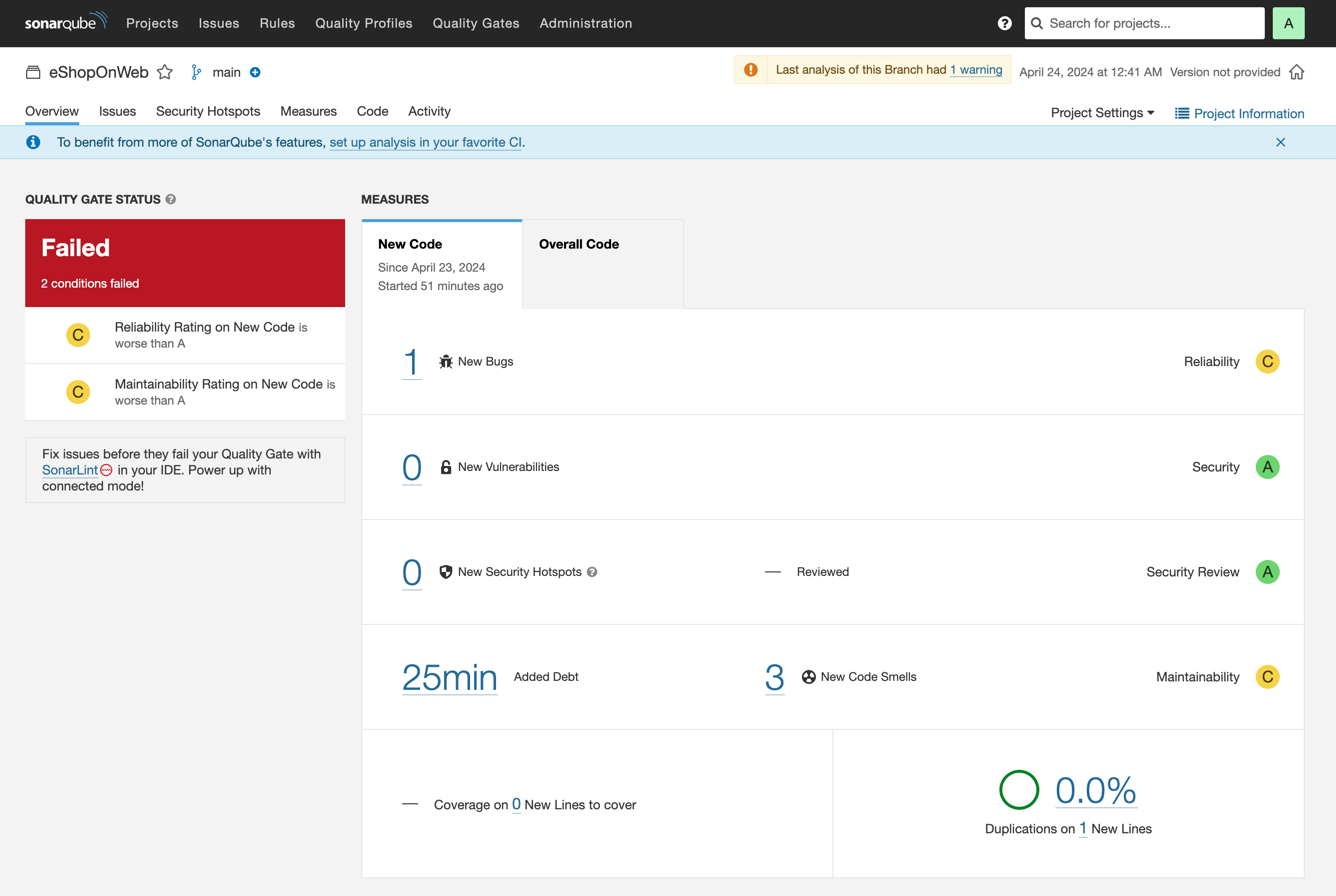
SonarQube's interface is clean and straightforward, making it easy to navigate dashboards and drill into code issues. Most users find onboarding smooth if they're familiar with CI/CD concepts, but initial setup can be technical for smaller teams. The documentation is thorough, and in-app guidance helps with rule configuration and interpreting results. I think teams with some DevOps experience will find SonarQube's usability strong, especially for ongoing code quality monitoring.
Integrations
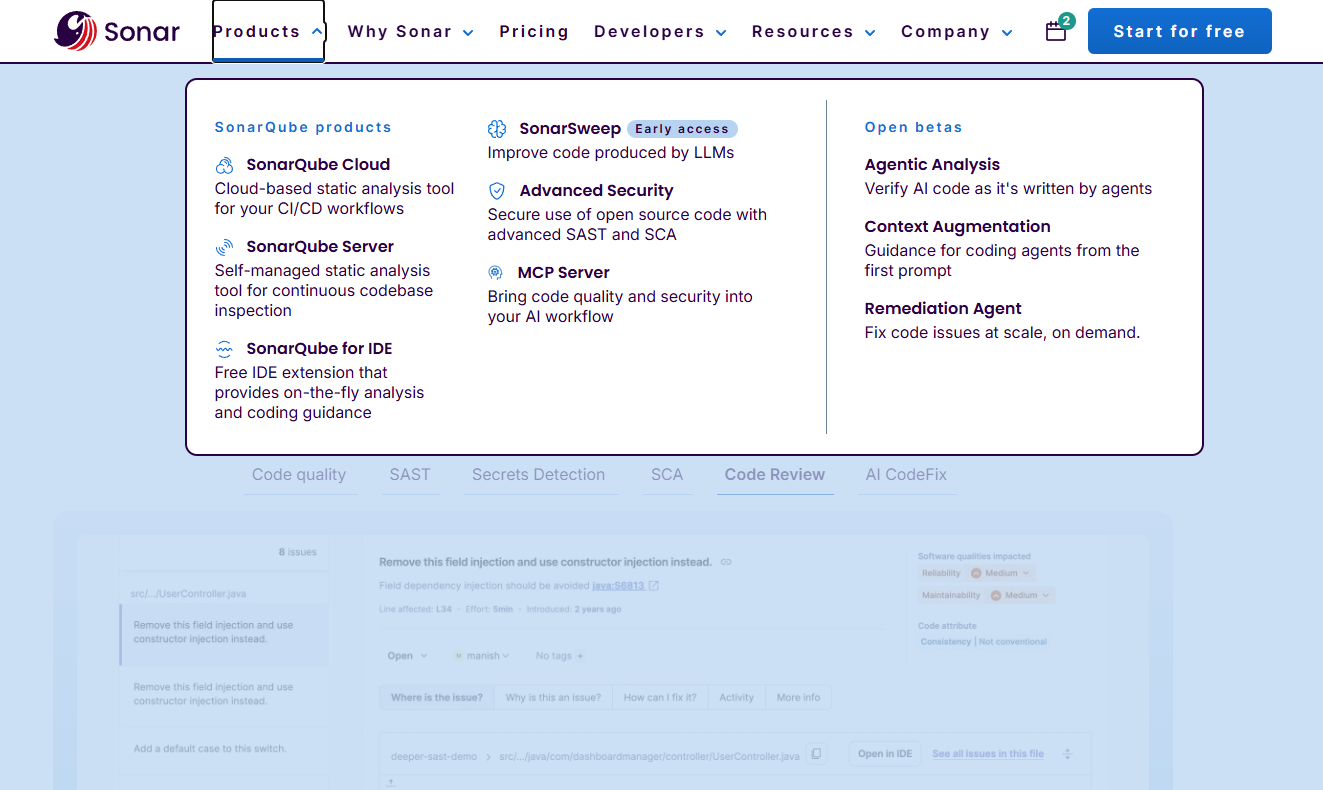
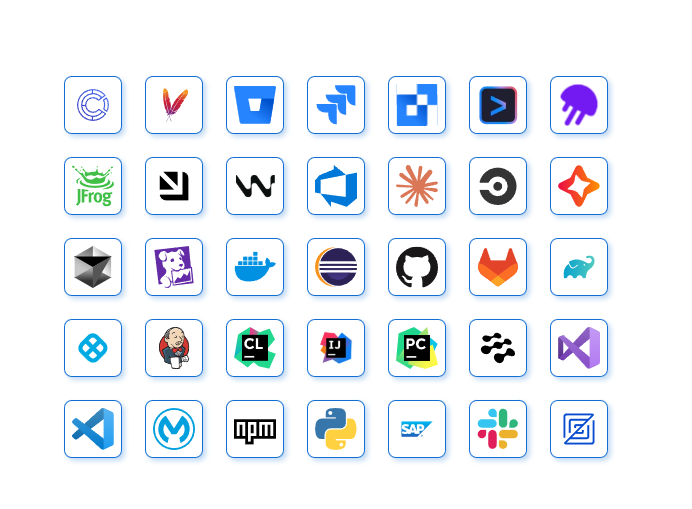
SonarQube integrates with Amazon CodeCatalyst, Android Studio, Apache Maven, Atlassian Bitbucket, Atlassian Jira, Visual Studio, Github, and GitLab, among others.
SonarQube also offers API access and supports connections with third-party integration tools.
New Product Updates from SonarQube

SonarQube Cloud Adds Azure DevOps Analysis and SCIM Automation
SonarQube Cloud introduces Automatic Analysis for Azure DevOps and SCIM User Lifecycle Management (Beta), enabling zero-config code analysis and automated user provisioning. This reduces manual processes and helps teams manage code quality and access control more efficiently. Highlights include:
- Automatic Analysis for Azure DevOps: Automatically analyze code with zero configuration and no need for CI pipelines.
- SCIM User Lifecycle Management (Beta): Automate user onboarding, offboarding, and group synchronization through your identity provider.
Visit SonarQube Cloud’s official site for more details.
 for more details.
SonarQube Cloud Introduces Architecture Management
SonarQube Cloud introduces Architecture Management to automatically map project structures and enforce intended designs during development. These updates improve code quality, prevent architectural drift, and help teams resolve issues directly within their workflow. Highlights include:
- Evergreen Visual Maps: Automatically generates real-time architecture maps that update with every scan.
- Architectural Drift Prevention: Flags violations in Quality Gates when code deviates from intended design.
- Faster Onboarding: Provides new developers with a clear, navigable view of system architecture.
- n-Workflow Resolution: Allows developers to fix structural issues as they code, reducing future rework.
Visit SonarQube’s official site for more details.

SonarQube Cloud Introduces Automatic GitHub Repository Provisioning
SonarQube Cloud introduces automatic provisioning for new GitHub repositories, creating projects and triggering analysis as soon as repositories are created. This reduces manual onboarding and ensures consistent code quality monitoring across development teams. HIghlights include:
- Automatic Provisioning: New GitHub repositories are provisioned automatically, eliminating manual setup and ensuring projects are ready for analysis from the start.
- Immediate Analysis: Upon creation, repositories are immediately analyzed, providing instant feedback and improving code quality from the beginning.
- Enhanced Governance: With automatic provisioning, projects benefit from standardized setup practices and compliance from the onset.
- Zero-Touch Setup: This feature requires no manual intervention, simplifying the process and saving developer time.
Visit SonarQube's official site for more details.

SonarQube Introduces New Project Health Dashboard
SonarQube introduces a Project Health Dashboard that becomes the default landing page when opening a project. This improves visibility by presenting critical metrics and trends immediately, helping teams monitor project health more efficiently. Highlights include:
- Project Health Dashboard: A visual landing page that surfaces key metrics and project trends upon opening a project.
- Immediate Project Insights: Provides instant visibility into code quality indicators and project status.
Visit SonarQube's official site for more details.
SonarQube Introduces Dedicated Security Contact Email Field
SonarQube adds a Security Contact Email Field that allows organizations to designate a dedicated address for urgent security-related notifications. This update ensures alerts reach security teams directly while maintaining audit visibility and access control. Here are the details of the update:
- Security Contact Email Field: Routes critical security alerts to designated teams.
- Audit Visibility: Displays update history and timestamps for transparency.
- Admin-Controlled Access: Restricts management to organization administrators only.
Visit SonarQube’s official site for more details.
SonarQube Renames Free Cloud Plan to SonarQube for OSS
SonarQube has announced a rebranding of its legacy Free cloud plan to SonarQube for OSS, underscoring its ongoing commitment to supporting open source projects. This change improves transparency for open source users while keeping all current functionality unchanged. Here are the details of the update:
- New Plan Name: The Free plan is now called SonarQube for OSS to better align with its mission.
- Immediate Visibility: Users will notice the updated plan name in the 'Billing and upgrade' section of their organization settings, providing clear identification of their plan type.
- Unchanged Features: Despite the renaming, all existing features, project access, and analysis capabilities remain the same, ensuring continuity for current users.
Visit SonarQube's official site for more details.
SonarQube Specs
- API
- Bug Tracking
- CI/CD Integration
- Cloud Deployment
- Code Review
- Code Transformation
- Collaboration Support
- Data Export
- Data Import
- Developer Tools
- External Integrations
- Git Integration
- History/Version Control
- IDE Plugins
- Local Deployment
- Multi-User
- Notifications
- Project Management
- Release Management
- Static Analysis
- Task Scheduling/Tracking
- Testing