
Snyk Review: Pros, Cons, Features and Pricing

We review tools independently, and commissions help fund our testing. See our transparency policy, our methodology, or suggest a tool.
A security review lands on your desk after a new project starts scaling, and suddenly the gaps in your development workflow feel harder to ignore. You start digging into tools that can actually keep up with modern delivery speeds and bring security closer to developers.
That search leads here.
In this review, I’ll walk you through Snyk as an AppSec platform, covering how it works, where it fits best, and what you should know before adding it to your stack.
Snyk Evaluation Summary
4.6/5
- From $25/contributing developer/month
- Free plan + free demo available
Why Trust Our Software Recommendations
6,700+
Reviews
20
Industry experts
16+
Evaluation factors
14
Years
Our team has been testing and reviewing software since 2012. As tech leaders ourselves, we know how difficult—and important—it is to choose the right software.
For this guide, we evaluated tools using hands-on testing and independent research, scoring tools using our selection criteria.
Our reviews reflect our human editorial judgment, not a sales pitch.
Expert reviewers:
- Paulo Gardini MiguelTech Director
 Tim FisherVP of AI
 Gabriel RosasTech Lead & Software Architect
 Christhian GruhnTech Lead & Platform Architect

Snyk Overview
Pros
- Continuous monitoring with actionable remediation guidance
- Strong coverage across the modern application stack
- Developer-first security that fits into existing workflows
Cons
- Users mention slow scans, bugs, and gaps in integrations or support responsiveness.
- Teams often need planning and tuning before the platform runs smoothly.
- Some users report frequent false positives that make vulnerability triage more time-consuming.
Is Snyk Right For Your Needs?
Who Would be a Good Fit for Snyk?
Snyk is best suited for organizations that want to embed security directly into the development lifecycle instead of treating it as a separate step. If your team ships code frequently, relies on open-source dependencies, or runs modern cloud infrastructure, Snyk helps developers find and fix vulnerabilities early without slowing delivery.
- Teams using AI-generated code and modern workflowsSnyk helps secure AI-generated code and modern development practices by scanning code early and continuously.
- Companies managing software supply-chain riskSnyk provides visibility across code, dependencies, containers, and infrastructure with risk-based prioritization.
- Organizations adopting shift-left securitySnyk helps developers fix vulnerabilities early in the SDLC, improving collaboration between security and engineering teams.
- Cloud-native teams using containers and IaCSnyk secures Docker, Kubernetes, and infrastructure-as-code to help teams prevent misconfigurations before deployment.
- Teams heavily using open-source softwareSnyk continuously scans third-party dependencies and alerts teams to newly discovered vulnerabilities with fix suggestions.
- Fast-moving DevOps and platform teamsSnyk integrates with CI/CD pipelines, repositories, and IDEs so teams can catch issues during development instead of after release.
Who Would be a Bad Fit for Snyk?
Snyk is built for modern software development teams. If your organization doesn’t ship software frequently, lacks a development team, or doesn’t rely heavily on cloud and open-source technologies, the platform can feel complex and unnecessarily expensive.
- Companies seeking fully on-premise security toolingSnyk is primarily a cloud-based platform. Organizations with strict on-prem or air-gapped requirements may struggle to adopt it.
- Solo developers or very small engineering teamsSnyk’s strength lies in collaboration, automation, and scaling security across teams. Individual developers or very small teams may find lighter tools more practical.
- Businesses outside tech-driven or software-heavy industriesIndustries with minimal application development typically don’t need full application security tooling, making Snyk more than what’s required.
- Teams managing mostly static or legacy systemsSnyk focuses on continuous scanning for frequently changing code and infrastructure. Environments that rarely update software won’t benefit from real-time scanning or automated fixes.
- Organizations without an in-house development teamSnyk is designed for developers and DevOps workflows. If your company doesn’t actively build and maintain software, most of the platform’s capabilities won’t provide real value.
- Small businesses with very limited security budgetsSnyk is a full DevSecOps platform with multiple products and enterprise pricing tiers. Teams that only need basic vulnerability scanning may find the cost and setup difficult to justify.
Our Review Methodology
How We Test & Score Tools
We’ve spent years building, refining, and improving our software testing and scoring system. The rubric is designed to capture the nuances of software selection and what makes a tool effective, focusing on critical aspects of the decision-making process.
Below, you can see exactly how our testing and scoring works across seven criteria. It allows us to provide an unbiased evaluation of the software based on core functionality, standout features, ease of use, onboarding, customer support, integrations, customer reviews, and value for money.
Core Functionality (25% of final scoring)
The starting point of our evaluation is always the core functionality of the tool. Does it have the basic features and functions that a user would expect to see? Are any of those core features locked to higher-tiered pricing plans? At its core, we expect a tool to stand up against the baseline capabilities of its competitors.
Standout Features (25% of final scoring)
Next, we evaluate uncommon standout features that go above and beyond the core functionality typically found in tools of its kind. A high score reflects specialized or unique features that make the product faster, more efficient, or offer additional value to the user.
We also evaluate how easy it is to integrate with other tools typically found in the tech stack to expand the functionality and utility of the software. Tools offering plentiful native integrations, 3rd party connections, and API access to build custom integrations score best.
Ease of Use (10% of final scoring)
We consider how quick and easy it is to execute the tasks defined in the core functionality using the tool. High scoring software is well designed, intuitive to use, offers mobile apps, provides templates, and makes relatively complex tasks seem simple.
Onboarding (10% of final scoring)
We know how important rapid team adoption is for a new platform, so we evaluate how easy it is to learn and use a tool with minimal training. We evaluate how quickly a team member can get set up and start using the tool with no experience. High scoring solutions indicate little or no support is required.
Customer Support (10% of final scoring)
We review how quick and easy it is to get unstuck and find help by phone, live chat, or knowledge base. Tools and companies that provide real-time support score best, while chatbots score worst.
Customer Reviews (10% of final scoring)
Beyond our own testing and evaluation, we consider the net promoter score from current and past customers. We review their likelihood, given the option, to choose the tool again for the core functionality. A high scoring software reflects a high net promoter score from current or past customers.
Value for Money (10% of final scoring)
Lastly, in consideration of all the other criteria, we review the average price of entry level plans against the core features and consider the value of the other evaluation criteria. Software that delivers more, for less, will score higher.
Core Features
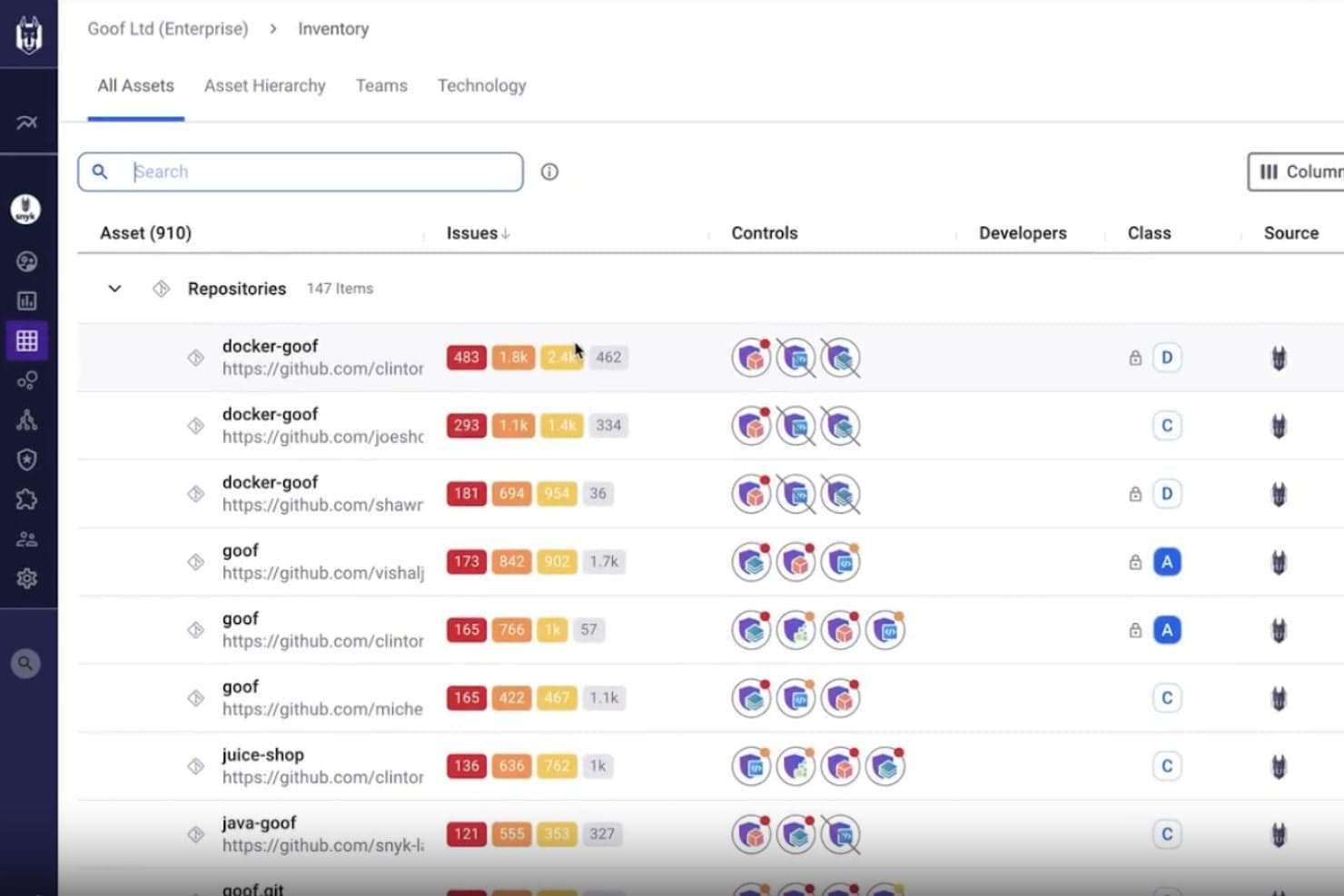
SAST with Snyk Code
Snyk scans your custom code in real time to detect vulnerabilities and provides fix suggestions directly in your IDE and pull requests.
Open-Source Dependency Security (SCA)
Snyk continuously monitors third-party libraries, alerts you to newly discovered vulnerabilities, and recommends upgrades or patches.
Container Image Security
Snyk scans container images and base images to detect vulnerabilities before deployment and suggests more secure alternatives.
Infrastructure-as-Code Security
Snyk detects misconfigurations in Terraform, Kubernetes, and other IaC tools to prevent cloud security issues before deployment.
DAST for APIs and Web Apps
Snyk dynamically tests running applications and APIs to identify runtime vulnerabilities and security weaknesses.
Security Intelligence and Risk Prioritization
Snyk prioritizes vulnerabilities based on exploitability and business risk so teams can focus on the most critical issues first.
Standout Features
Application Security Solution
Snyk embeds security into developer workflows across the SDLC, helping teams find and fix vulnerabilities directly within the tools they already use.
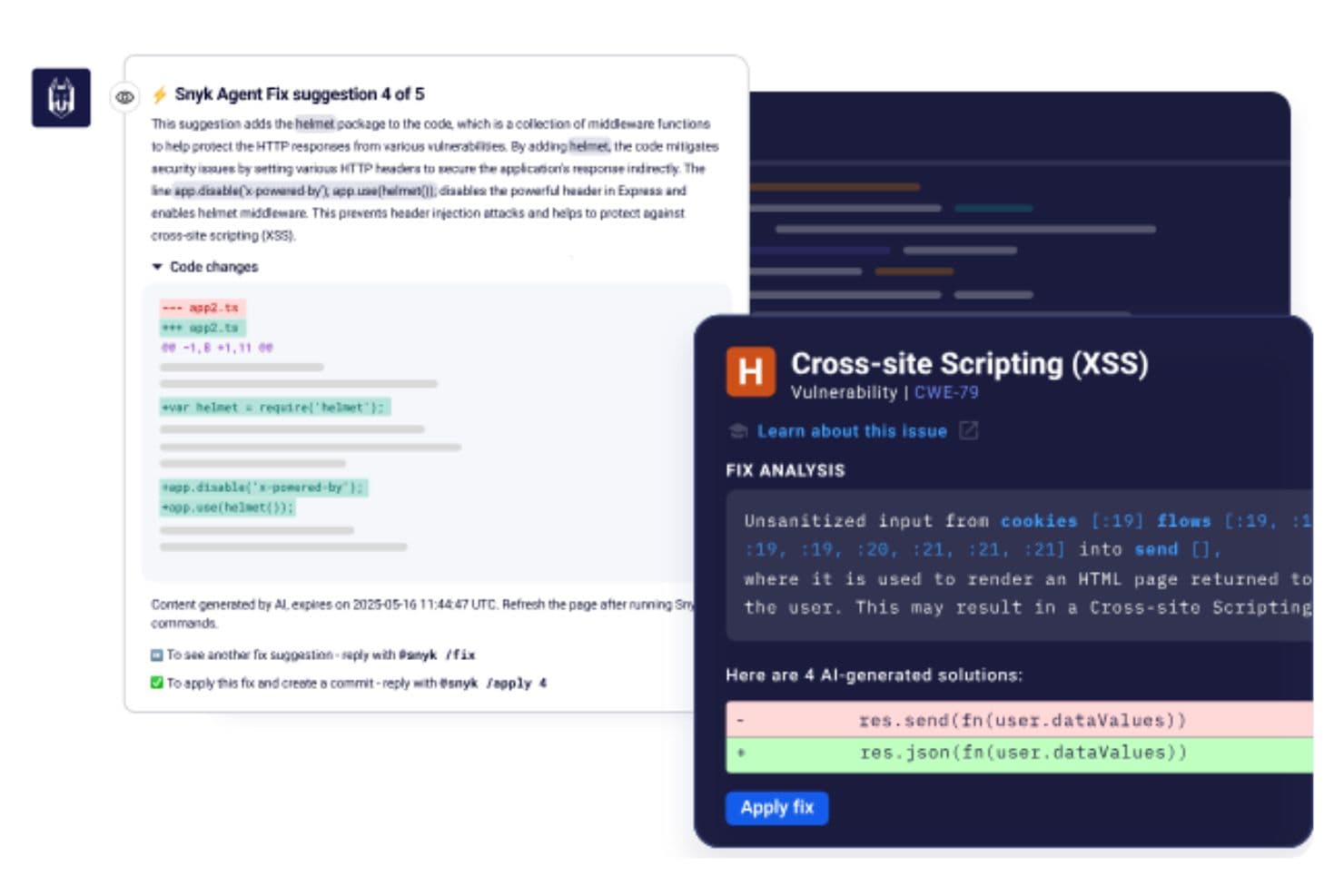
Security for AI-Generated Code
Snyk helps teams identify vulnerabilities in AI-generated code and secure modern development workflows as AI adoption grows.
Ease of Use
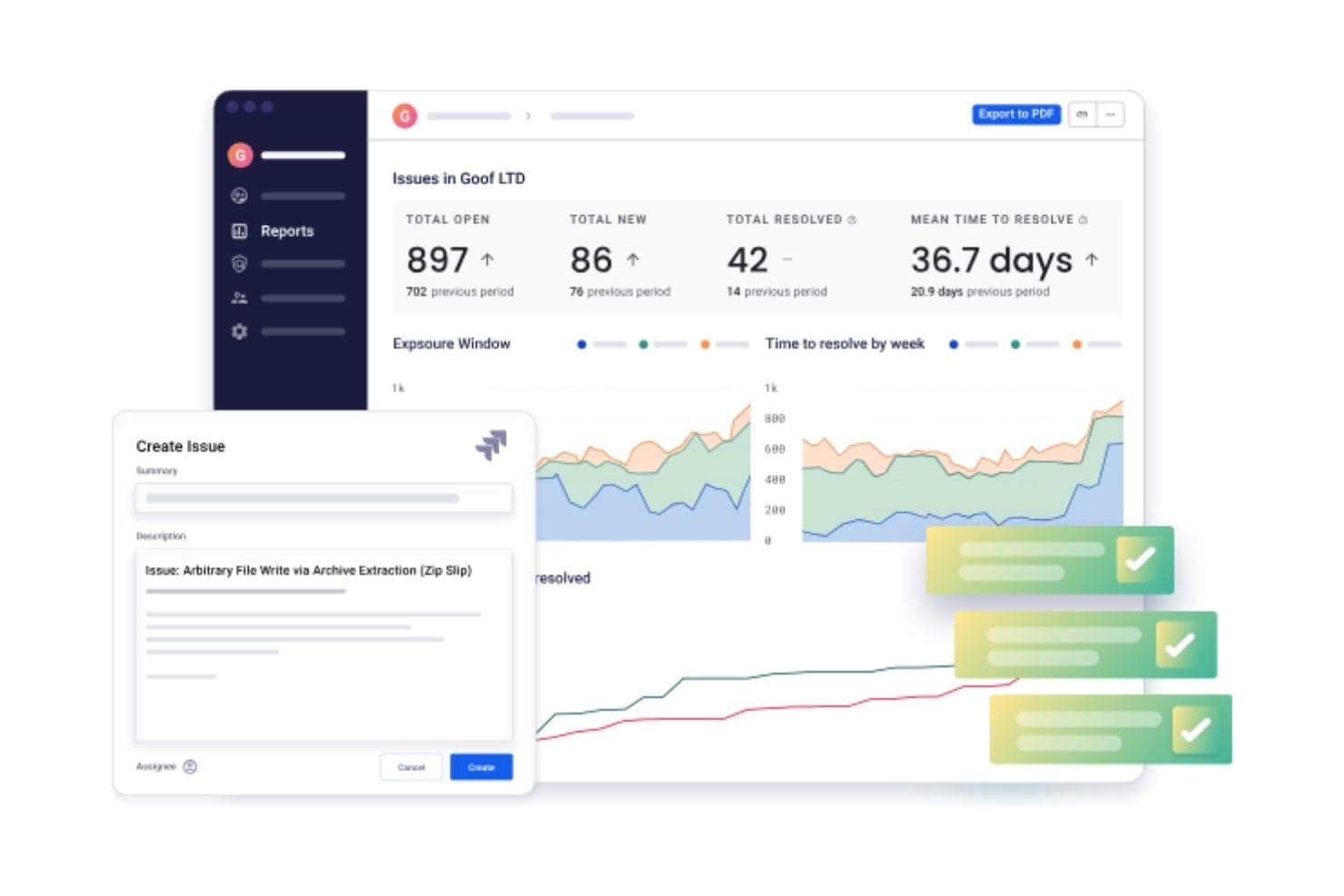
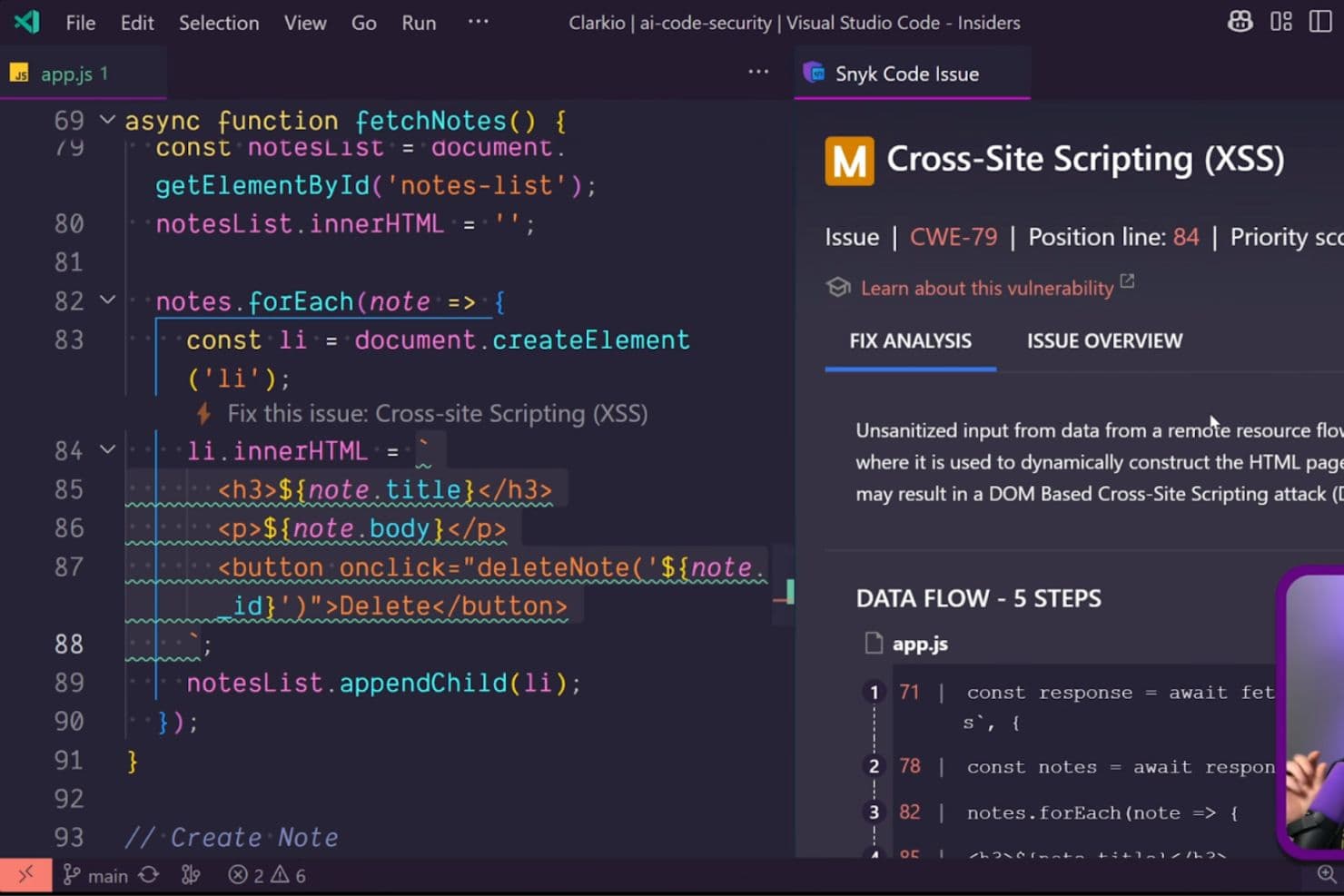
Snyk is generally easy to navigate thanks to its intuitive interface and developer-friendly workflow.
Teams can organize developers into separate orgs, making it simple to control access and keep vulnerability reports relevant to each team’s repositories. Onboarding repositories through the GitHub app is straightforward, and developers can receive security feedback directly inside GitHub pull requests, which helps reduce context switching.
The platform is also customizable per team, allowing you to control settings and automate PR creation based on your workflow.
Onboarding
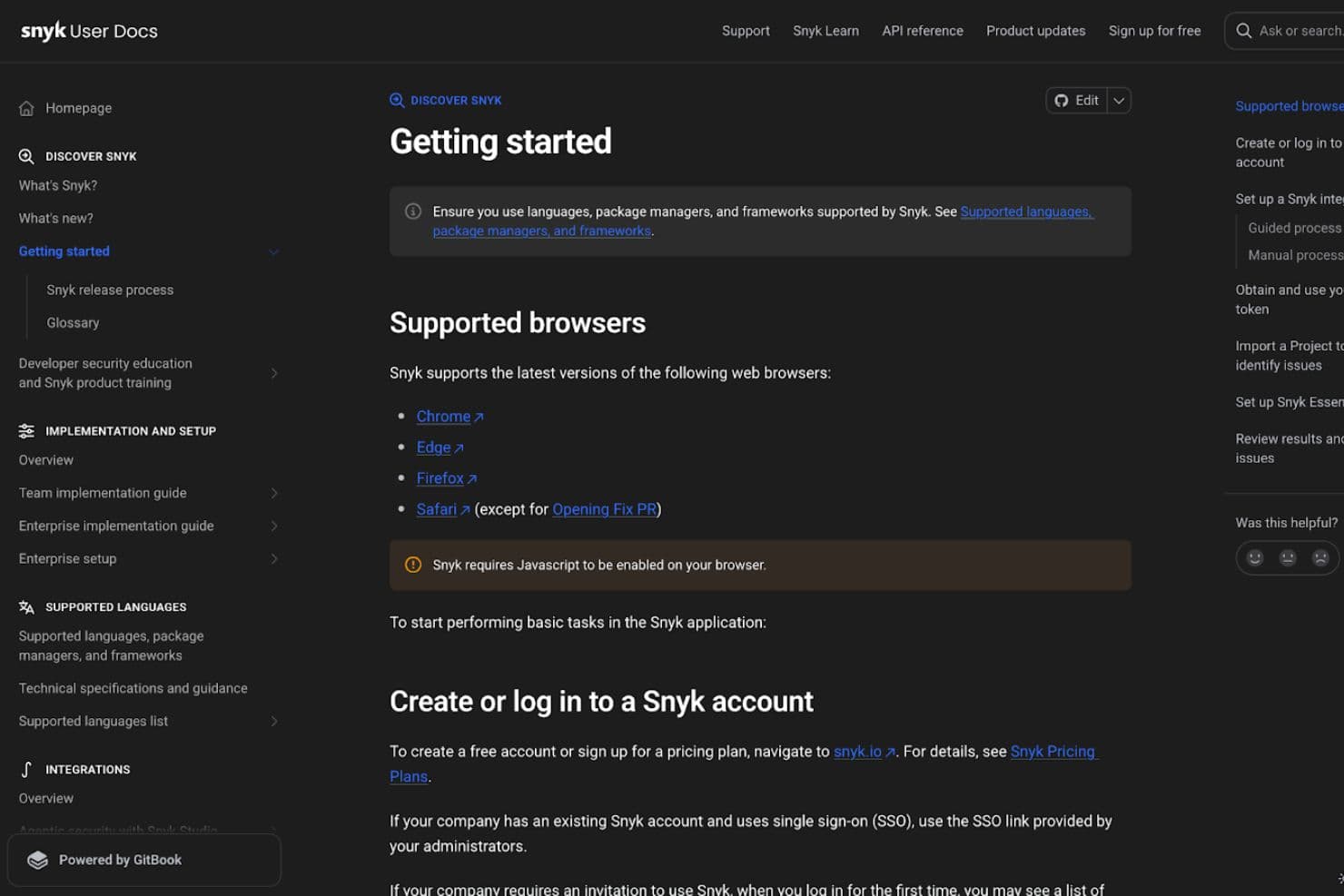
Snyk provides guided onboarding to help teams get up and running quickly. After creating an account, you can follow a built-in walkthrough that helps you connect source control integrations, configure permissions, and set automation settings before starting your first scans.
Teams can onboard by connecting repositories, importing projects, or installing the Snyk CLI to scan locally and in CI/CD pipelines. The setup typically involves authenticating your account, selecting repositories to scan, and enabling continuous monitoring for new vulnerabilities.
Snyk also offers training resources and onboarding assignments through Snyk Learn, which helps teams build secure coding skills and complete security training as part of the rollout.
Customer Support
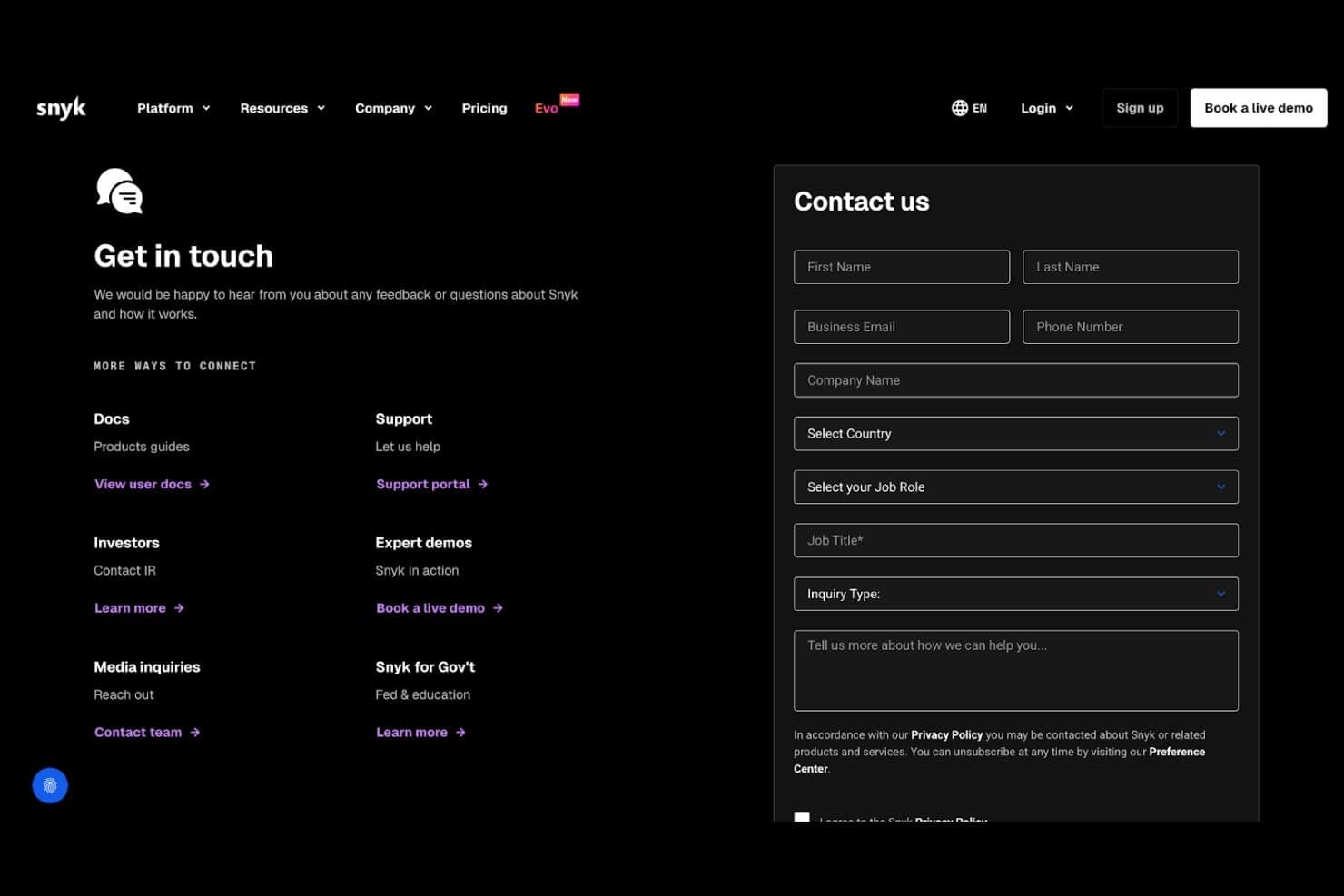
Snyk offers multiple support channels, including a support portal where users can submit tickets, request help, or schedule calls with the team.
In addition to direct support, Snyk provides a large knowledge base, product documentation, and a resource library filled with guides, webinars, and best practices.
Teams can also access customer resources and training materials to help them adopt the platform and improve their security workflows.
Integrations
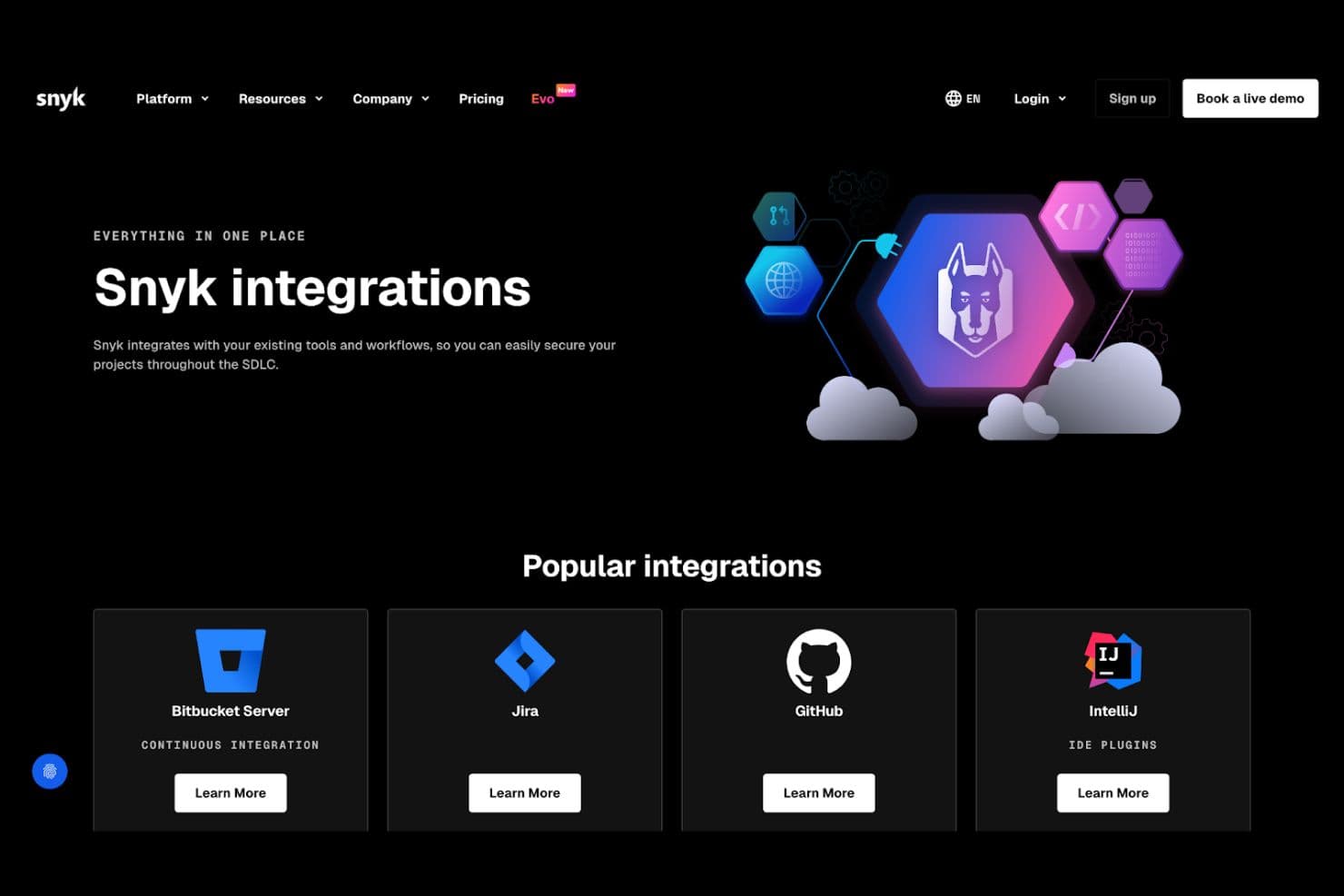
Snyk offers a large ecosystem of native integrations so teams can embed security directly into their existing workflows.
Integrations include version control platforms such as GitHub, GitLab, Bitbucket, and Azure DevOps. CI/CD and automation tools are also supported, helping teams scan projects during builds and deployments.
An API is available for building custom integrations and extending Snyk into additional workflows.
Value for Money
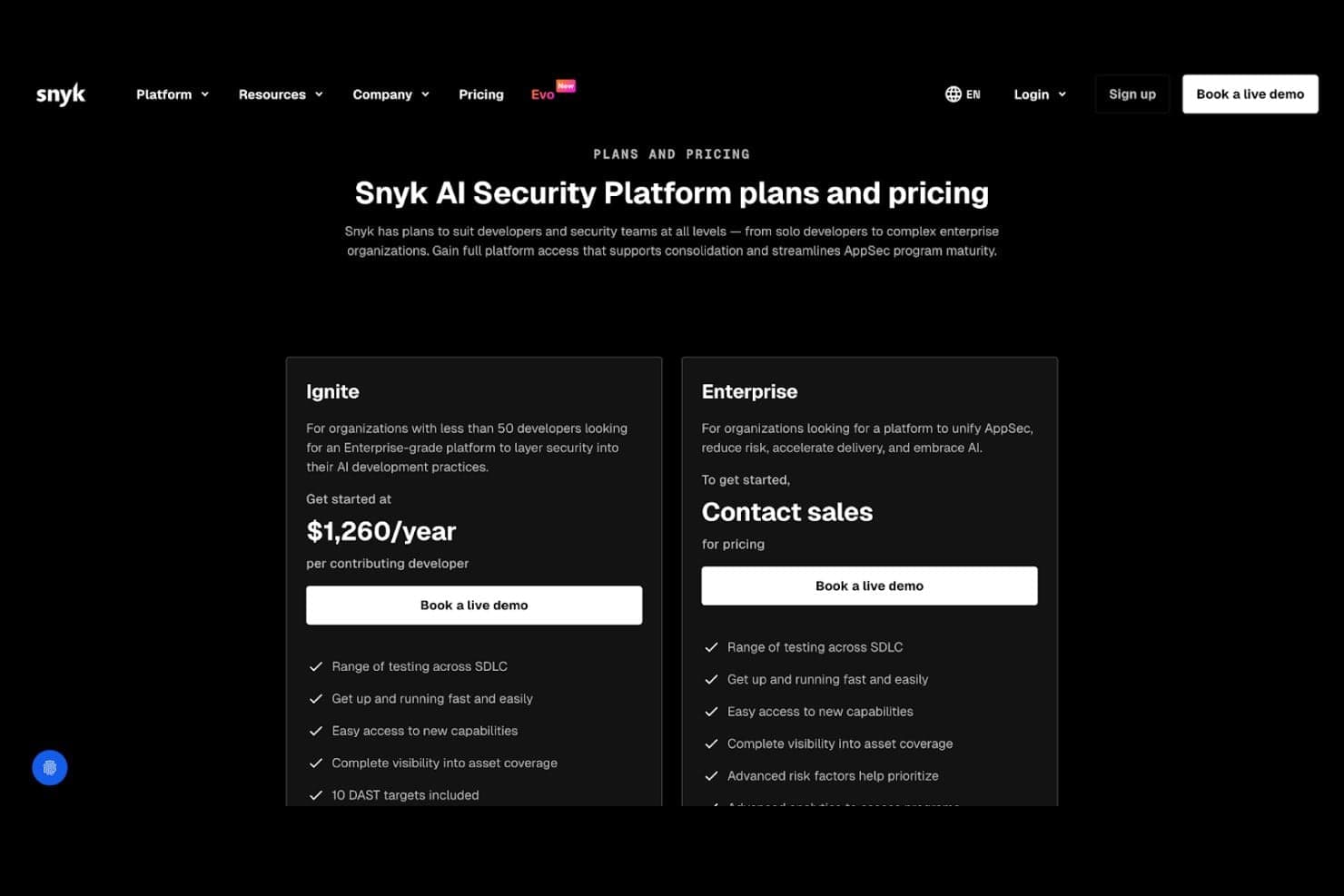
Snyk’s pricing is designed to scale with your team’s security maturity, offering flexible tiers that expand in features, governance, and support as your needs grow.
- Free: Basic security scanning and limited testing for individual developers and small projects.
- Team: Collaboration features, policy management, reporting, and integrations for growing teams.
- Ignite: Expanded testing limits, advanced reporting, governance controls, and broader product coverage.
- Enterprise: Customizable solutions with advanced security, dedicated onboarding, premium support, and enterprise-grade compliance and integrations.
Overall, Snyk’s tiered structure allows organizations to start small and expand as their DevSecOps programs mature.
Snyk Specs
- A/B Testing: No
- API: Yes
- Automated Testing: No
- Browser Compatibility Testing: No
- Bug Tracking: No
- Calendar Management: No
- CI/CD Integration: No
- Dashboard: No
- Data Export: Yes
- Data Import: Yes
- Data Visualization: No
- Developer Tools: No
- External Integrations: Yes
- History/Version Control: No
- Manual Testing: No
- Multi-User: Yes
- Notifications: Yes
- Performance Testing: No
- Regression Testing: No
- Scheduling: No
- Status Notifications: No
- Third-Party Plugins/Add-Ons: No
Snyk FAQs
Snyk Company Overview & History
Snyk was founded in 2015 by Guy Podjarny, Assaf Hefetz, and Danny Grander, with early roots in London and Tel Aviv.
As the company grew, it established its headquarters in Boston, Massachusetts and expanded globally, building a platform focused on securing custom code, open-source dependencies, containers, and cloud infrastructure.
Over time, Snyk strengthened its product offerings through key acquisitions, including DeepCode, which became Snyk Code, and Fugue, which expanded its cloud security capabilities.
Snyk Major Milestones
- 2015: Founded by Guy Podjarny, Assaf Hefetz, and Danny Grander.
- 2019: Peter McKay became the CEO.
- 2020: Acquired DeepCode to add AI-powered static application security testing (SAST) capabilities.
- 2021: Raised $300 million in Series F funding, valuing the company at $8.5 billion.
- 2022: Acquired DeepCode and Fugue to expand security offerings.
- 2023: Reported a revenue of $220 million but faced a net income loss.