

Replit Review 2026: Pros, Cons, Features and Pricing
In this Replit review, I break down how Replit AI turns app ideas into reality—whether you’re a coding pro or just starting out, here’s what delivers, where it stumbles, and if it’s worth your time in 2026.

We review tools independently, and commissions help fund our testing. See our transparency policy, our methodology, or suggest a tool.
Replit is a browser-based AI app builder that lets you write, run, and deploy code from a single environment—no local setup required. It's a good fit if you need to prototype and ship working apps quickly, without managing infrastructure. I'd choose it over Bolt.new if your team wants a developer-native experience with real terminal access, multiplayer collaboration, and persistent deployments.
Replit Evaluation Summary

4.4/5
- From $18/month (billed annually)
- Free plan available
Why Trust Our Software Recommendations
6,700+
Reviews
20
Industry experts
16+
Evaluation factors
14
Years
Our team has been testing and reviewing software since 2012. As tech leaders ourselves, we know how difficult—and important—it is to choose the right software.
For this guide, we evaluated tools using hands-on testing and independent research, scoring tools using our selection criteria.
Our reviews reflect our human editorial judgment, not a sales pitch.
Expert reviewers:
- Paulo Gardini MiguelTech Director
 Tim FisherVP of AI
 Gabriel RosasTech Lead & Software Architect
 Christhian GruhnTech Lead & Platform Architect

Replit Overview
I think Replit is a top choice if you want a no-fuss, browser-based AI app builder that’s easy to onboard and offers instant cloud hosting. The real-time collaboration, beginner-friendly interface, and extensive language support set it apart when judging entry-level accessibility. Compared to others, pricing is straightforward across the Starter and core plan tiers, though resource-heavy projects may require upgrades. If you’re drawn to vibe coding or just want to quickly prototype and iterate on AI apps with minimal setup, Replit is an easy pick—especially for education, hackathons, and teams moving fast on new ideas. Integrations are improving but still lag deeper enterprise platforms built for rapid prototyping at scale.
Pros
- Instant cloud deployment for live AI prototypes.
- Supports real-time team collaboration in shared workspaces.
- Wide language support for experimenting with multiple AI frameworks.
Cons
- High-performance compute requires paid plans for longer use.
- No native GPU access on free or lower tiers.
- Debugging complex AI models can be challenging in-browser.
Is Replit Right For Your Needs?
Who Would be a Good Fit for Replit?
Replit is well suited for smaller teams, educators, startups, and departments that need to quickly create, test, and iterate on AI ideas without heavy infrastructure. Its collaborative editing, live deployments, and friendly interface appeal to innovators building web and mobile apps, non-coders, and anyone who values speed and flexibility. Teams working in prototypes, hackathons, or rapid MVPs will get started fast and reduce operational overhead with Replit.
- Student Coding ClubsReplit’s guided learning tools, templates, and instant deployments help student groups experiment and build AI apps together without setup headaches.
- Startup IncubatorsBecause projects spin up in minutes and collaboration is seamless, startup teams can prototype and demo AI concepts rapidly.
- Digital AgenciesWith multi-language support and cloud hosting, agencies can launch client demos and collaborative builds on demand.
- Hackathon OrganizersReplit lowers the barrier for participants with no installation needed, so teams can focus on their AI projects.
- Computer Science InstructorsReal-time collaboration and version rollback make it easier to teach and review code in classroom environments.
- Internal Innovation LabsDepartments building internal tools or testing new AI ideas benefit from rapid experimentation tools and shared environments.
Who Would be a Bad Fit for Replit?
Replit may not suit heavily regulated industries, large enterprises with strict security needs, performance-heavy production AI tasks, or teams needing deep system customization. It’s best for smaller scale projects or early-stage development, as some advanced security, compliance, or hardware requirements exceed its current capabilities. Large, legacy codebases also challenge its simplicity-first design.
- Banking EnterprisesStrict security compliance and complex data controls make Replit a poor fit for most financial services.
- Healthcare IT TeamsHIPAA-sensitive applications need more granular data isolation and regulatory certifications than Replit currently provides.
- High-Performance ComputingReplit’s compute offerings are not designed for large-scale AI training workloads or custom GPU hardware.
- Legacy System MigrationEnterprises needing deep integrations with old infrastructure will hit limitations with Replit’s cloud model.
- Manufacturing AutomationIndustrial environments often require on-premises execution and hardware-level integrations outside Replit’s scope.
- Corporate Legal DepartmentsSensitive document processing or custom regulatory workflows will be better managed on platforms with stronger compliance options.
Our Review Methodology
How We Test & Score Tools
We’ve spent years building, refining, and improving our software testing and scoring system. The rubric is designed to capture the nuances of software selection and what makes a tool effective, focusing on critical aspects of the decision-making process.
Below, you can see exactly how our testing and scoring works across seven criteria. It allows us to provide an unbiased evaluation of the software based on core functionality, standout features, ease of use, onboarding, customer support, integrations, customer reviews, and value for money.
Core Functionality (25% of final scoring)
The starting point of our evaluation is always the core functionality of the tool. Does it have the basic features and functions that a user would expect to see? Are any of those core features locked to higher-tiered pricing plans? At its core, we expect a tool to stand up against the baseline capabilities of its competitors.
Standout Features (25% of final scoring)
Next, we evaluate uncommon standout features that go above and beyond the core functionality typically found in tools of its kind. A high score reflects specialized or unique features that make the product faster, more efficient, or offer additional value to the user.
We also evaluate how easy it is to integrate with other tools typically found in the tech stack to expand the functionality and utility of the software. Tools offering plentiful native integrations, 3rd party connections, and API access to build custom integrations score best.
Ease of Use (10% of final scoring)
We consider how quick and easy it is to execute the tasks defined in the core functionality using the tool. High scoring software is well designed, intuitive to use, offers mobile apps, provides templates, and makes relatively complex tasks seem simple.
Onboarding (10% of final scoring)
We know how important rapid team adoption is for a new platform, so we evaluate how easy it is to learn and use a tool with minimal training. We evaluate how quickly a team member can get set up and start using the tool with no experience. High scoring solutions indicate little or no support is required.
Customer Support (10% of final scoring)
We review how quick and easy it is to get unstuck and find help by phone, live chat, or knowledge base. Tools and companies that provide real-time support score best, while chatbots score worst.
Customer Reviews (10% of final scoring)
Beyond our own testing and evaluation, we consider the net promoter score from current and past customers. We review their likelihood, given the option, to choose the tool again for the core functionality. A high scoring software reflects a high net promoter score from current or past customers.
Value for Money (10% of final scoring)
Lastly, in consideration of all the other criteria, we review the average price of entry level plans against the core features and consider the value of the other evaluation criteria. Software that delivers more, for less, will score higher.
Core Features
Real-Time Collaborative Editing
Multiplayer coding lets multiple users work together and live in the same project. This helps teams brainstorm and debug AI apps without waiting for code commits.
One-Click Cloud Deployment
Launch and host frontend and full-stack AI apps instantly from your browser without server setup. Projects become live URLs that can be shared and tested right away.
AI-Powered Code Suggestions
Built-in AI assistance tools offer code completions, explanations, and refactoring tips. These suggestions speed up building AI models and help troubleshoot issues.
Multi-Language Support
Replit supports Python, JavaScript, and many other languages. Teams can use the best programming languages for any AI workflow, LLM integration, or prototype.
Built-In Version Control
Track code changes and roll back to earlier versions as needed. This is especially helpful for experimentation or teaching environments.
Integrated Package Manager
Install machine learning and AI libraries with a few clicks or commands. You can quickly add leading machine learning frameworks and AI packages to any project.

Standout Features
Replit Agent (formerly Ghostwriter) AI Assistant
Replit Agent (formerly Ghostwriter) provides an in-editor AI assistant for code generation, debugging, code explanations, and application development. It understands your project's context to deliver more relevant suggestions, automate coding tasks, and help build or improve applications directly within the Replit workspace.
Community-Powered Templates and Bounties
Access and remix thousands of community-built AI templates and participate in coding bounties. This lets users jumpstart projects or earn rewards building real-world AI solutions for others.
Ease of Use
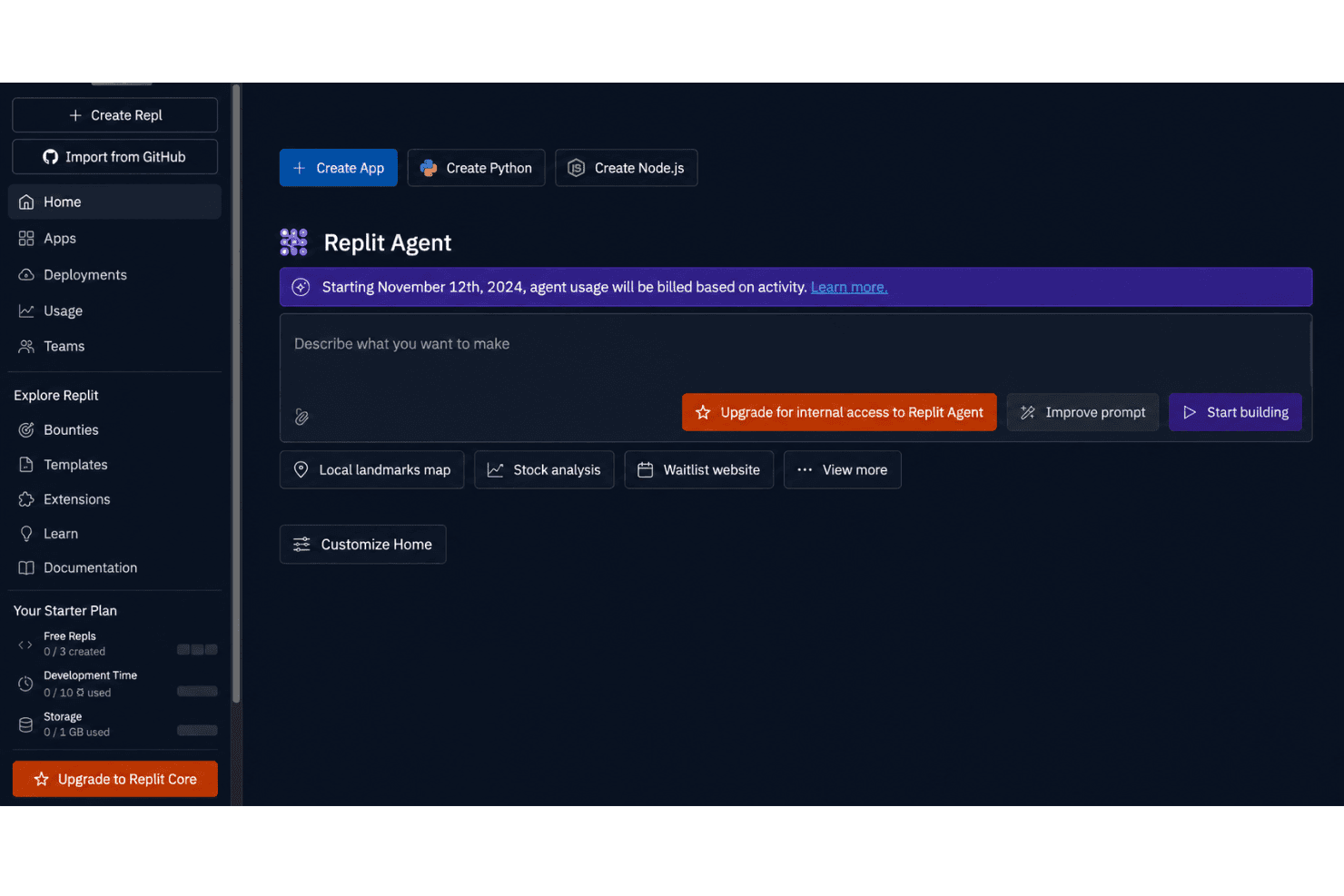
Replit stands out for making AI app building genuinely accessible, even to users without deep DevOps experience. The browser-based IDE, instant project launches, and real-time collaboration make it easy to get started and keep projects moving. Users mention how the built-in package manager and AI-powered code suggestions reduce friction and make onboarding far smoother than traditional setups.

Onboarding
Replit’s onboarding is impressively quick, letting you launch your first AI app in minutes thanks to guided tutorials and starter templates. Users appreciate the supportive documentation, step-by-step wizards, and a large, active community that answers questions fast. I think the blend of in-app tours and active forums helps new users reach value faster than most expect.
Customer Support
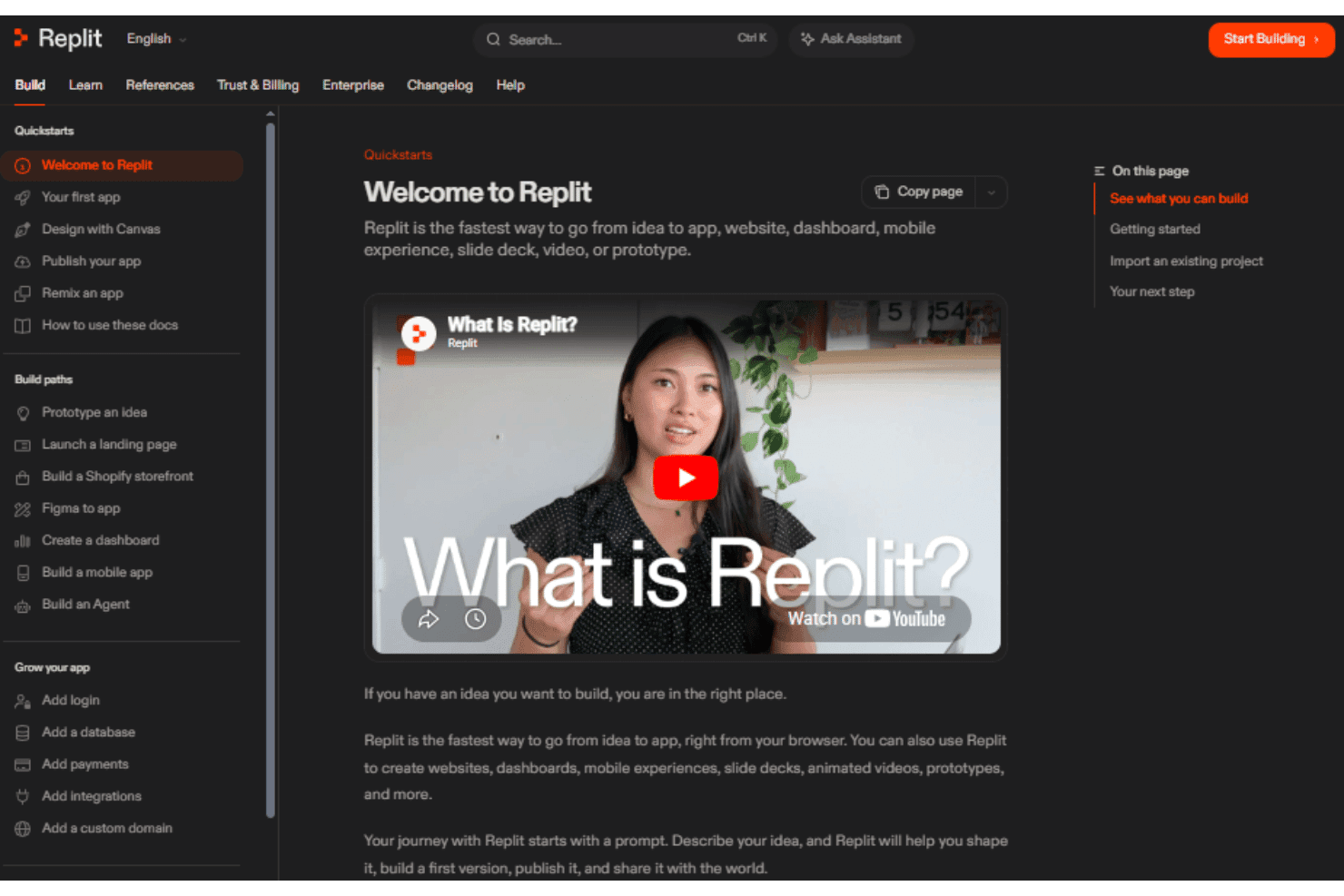
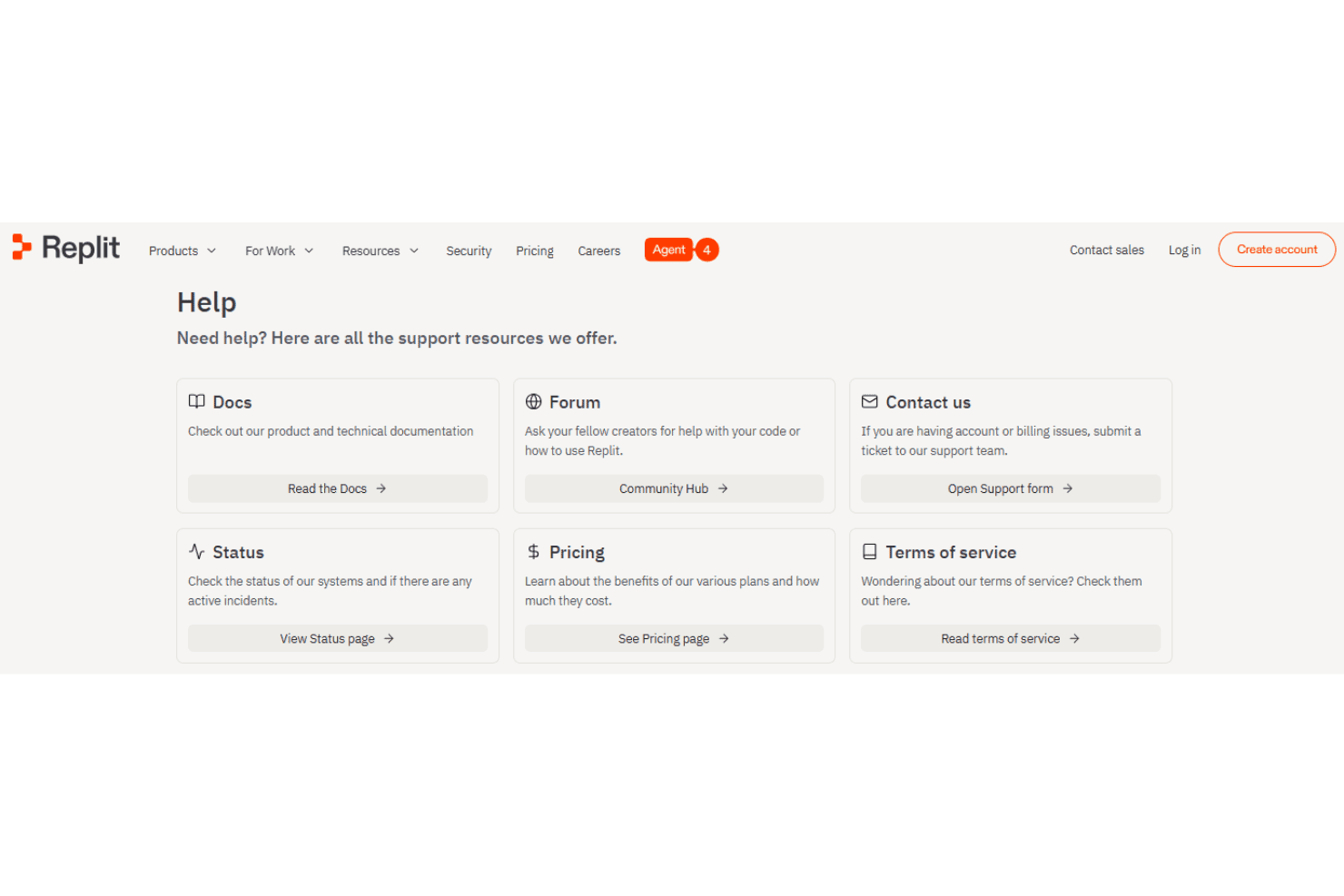
Replit’s customer support covers most user needs with responsive ticketing and a robust help center. Many users mention the strength of the community forums and chat channels, where you often get answers from staff and experienced users within hours. While the official support team is helpful, I think fast community-driven help is what really sets Replit apart for troubleshooting and tips.
Integrations
Replit integrates with GitHub, Google Drive, Vercel, Cursor, Discord, AWS, Accelo, GitLab, Slack, Notion, Twilio, and PostgreSQL, among many others.
Replit also offers an API and supports connections with third-party integration tools.

Value for Money
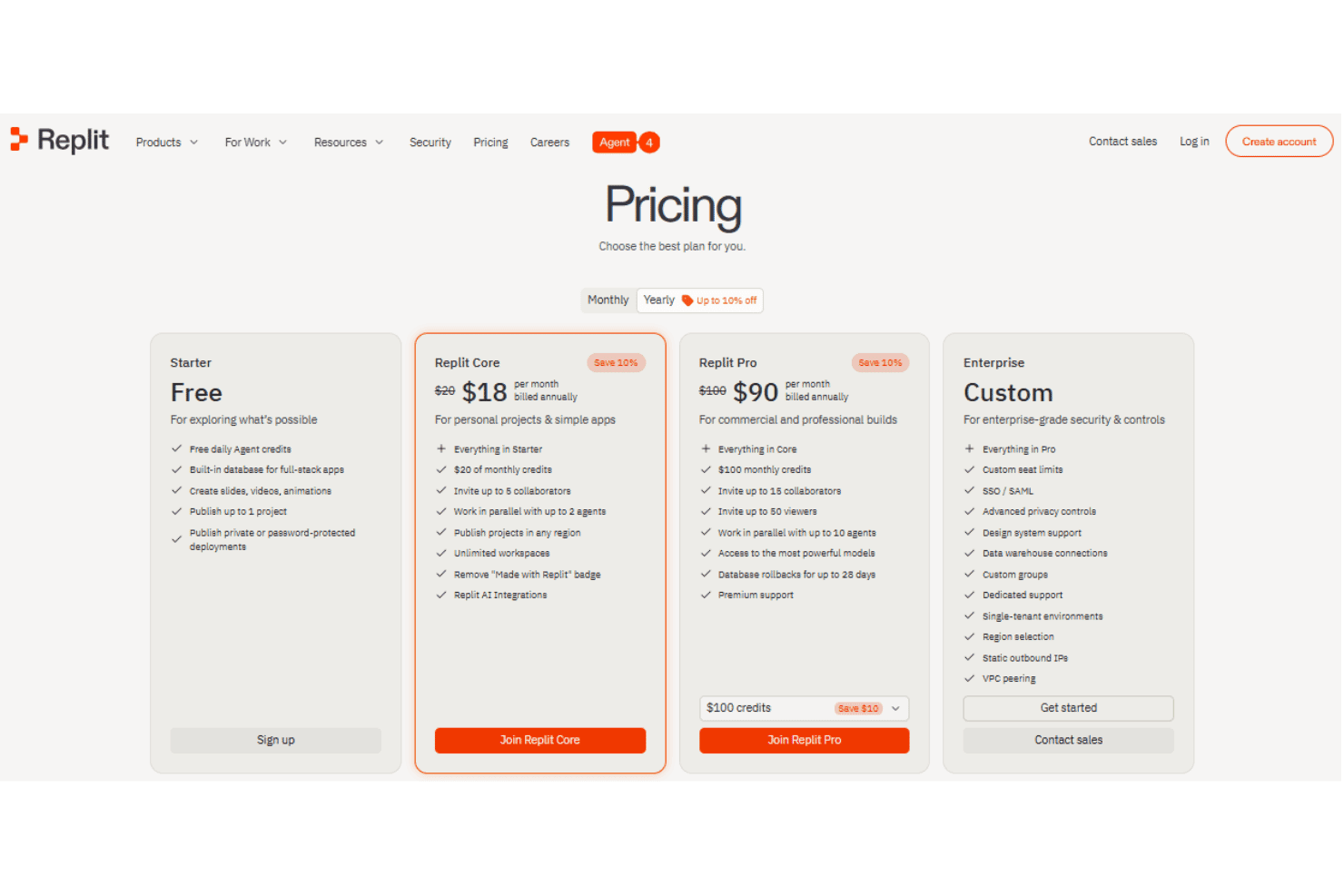
Replit provides strong value with a generous free tier for AI prototyping, and paid plans deliver more compute, storage, and advanced features at competitive prices. Users say the cost feels fair given instant deployments, predictable credit consumption, AI coding tools, and easy collaboration.
- Starter (Free): Includes basic cloud coding, public projects, limited compute and memory.
- Replit Core: Adds private projects, increased compute, higher memory, and priority support.
- Replit Pro: Offers multi-user collaboration, role management, shared resources, and advanced security controls.
- Enterprise: Enterprise plans include custom compute, SSO, advanced security, compliance options, and dedicated support.
Replit Specs
- 2-Factor Authentication: Yes
- Access Management: Yes
- Anti-Virus: Yes
- API: Yes
- Audit Trail: Yes
- Bug Tracking: Yes
- Calendar Management: Yes
- Customer Management: Yes
- Dashboard: Yes
- Data Export: Yes
- Data Import: Yes
- Data Visualization: Yes
- Email Integration: Yes
- External Integrations: Yes
- File Sharing: Yes
- File Transfer: Yes
- Firewall: Yes
- Google Apps Integration: Yes
- Inventory Tracking: Yes
- Malware Protection: Yes
- Multi-User: Yes
- Network Device Performance Monitoring: Yes
- Network Traffic Monitoring: Yes
- Network Visualization: Yes
- Notifications: Yes
- Project Management: Yes
- Remote Access: Yes
- Risk Assessment: Yes
- SAP Integration: Yes
- Scheduling: Yes
- Software Integration: Yes
- Third-Party Plugins/Add-Ons: Yes
- Ticket Management: Yes
Replit FAQs
Replit Company Overview & History
Replit, founded in 2016 by Amjad Masad, is a software company headquartered in San Francisco, California. The company employs more than 200 people and is known for its cloud-based software development platform used by millions worldwide. Replit operates as an independent company and is not affiliated with other owners or conglomerates. It is well-regarded for its inclusive work culture, innovation in education, and a strong focus on collaborative development.
Replit Major Milestones
- 2016: Company founded by Amjad Masad.
- 2018: Official launch of the Replit online IDE.
- 2021: Secured $20 million in Series A funding from leading technology investors.
- 2022: Expanded AI capabilities through a strategic partnership with a leading cloud technology provider.
- 2023: Surpassed 20 million developers using Replit globally.
- 2023: Raised $97.4 million in Series B and C funding rounds led by top-tier venture capital firms.
- 2023: Featured in major tech media for rapid growth and AI initiatives.