

AI app builders are platforms that let you design, build, and deploy apps powered by artificial intelligence without heavy custom coding. If you’re trying to bring AI into your project—whether for workflow automation, interactive tools, or user-facing features—knowing which builder to trust can save you time and headaches. In this guide, I’ll give you a clear comparison of the top AI app builders, explain what makes each platform unique, and help you zero in on the best fit for your team’s skill set and goals.
Why Trust Our Software Recommendations
6,700+
Reviews
20
Industry experts
16+
Evaluation factors
14
Years
Our team has been testing and reviewing software since 2012. As tech leaders ourselves, we know how difficult—and important—it is to choose the right software.
For this guide, we evaluated tools using hands-on testing and independent research, scoring tools using our selection criteria.
Our reviews reflect our human editorial judgment, not a sales pitch.
Expert reviewers:
- Paulo Gardini MiguelTech Director
 Tim FisherVP of AI
 Gabriel RosasTech Lead & Software Architect
 Christhian GruhnTech Lead & Platform Architect

AI App Builders Comparison Table
This comparison table summarizes pricing details for my top AI app builders selections:
| Tool | Best For | Trial Info | Price | ||
|---|---|---|---|---|---|
| 1 | Best for full-stack visual development | Free plan + free trial available | From $29/month (billed annually) | Website | |
| 2 | Best for drag-and-drop enterprise integrations | Free plan available | From $10/builder/month (billed annually) | Website | |
| 3 | Best for collaborative cloud code environments | Free plan available | From $18/month (billed annually) | Website | |
| 4 | Best for automating repetitive business tasks | Free plan available | From $16/month (billed annually) | Website | |
| 5 | Best for creating UIs from text descriptions | Free plan available | From $30/user/month | Website | |
| 6 | Best for integrating with internal data source | 14-day free trial available | From $100/month (billed annually) | Website | |
| 7 | Best for deploying generative workflows at scale | Free plan + free demo | From $21/month (billed annually) | Website | |
| 8 | Best for building apps directly in your IDE | Free plan available | From $20/month | Website | |
| 9 | Best for creating interactive tools | Free plan available | From $18/month (billed annually) | Website | |
| 10 | Best for fast Python-based UI development | Free plan available | From $200/workspace/month | Website |


Best AI App Builders Reviews
Below are my detailed summaries of the best AI app builders that made it onto my shortlist. My reviews offer a detailed look at the features, best use cases, and integrations of each platform to help you find the best one for you.
 Best for full-stack visual development
- Free plan + free trial available
- From $29/month (billed annually)
Visit WebsiteCustomer Rating:4.4/5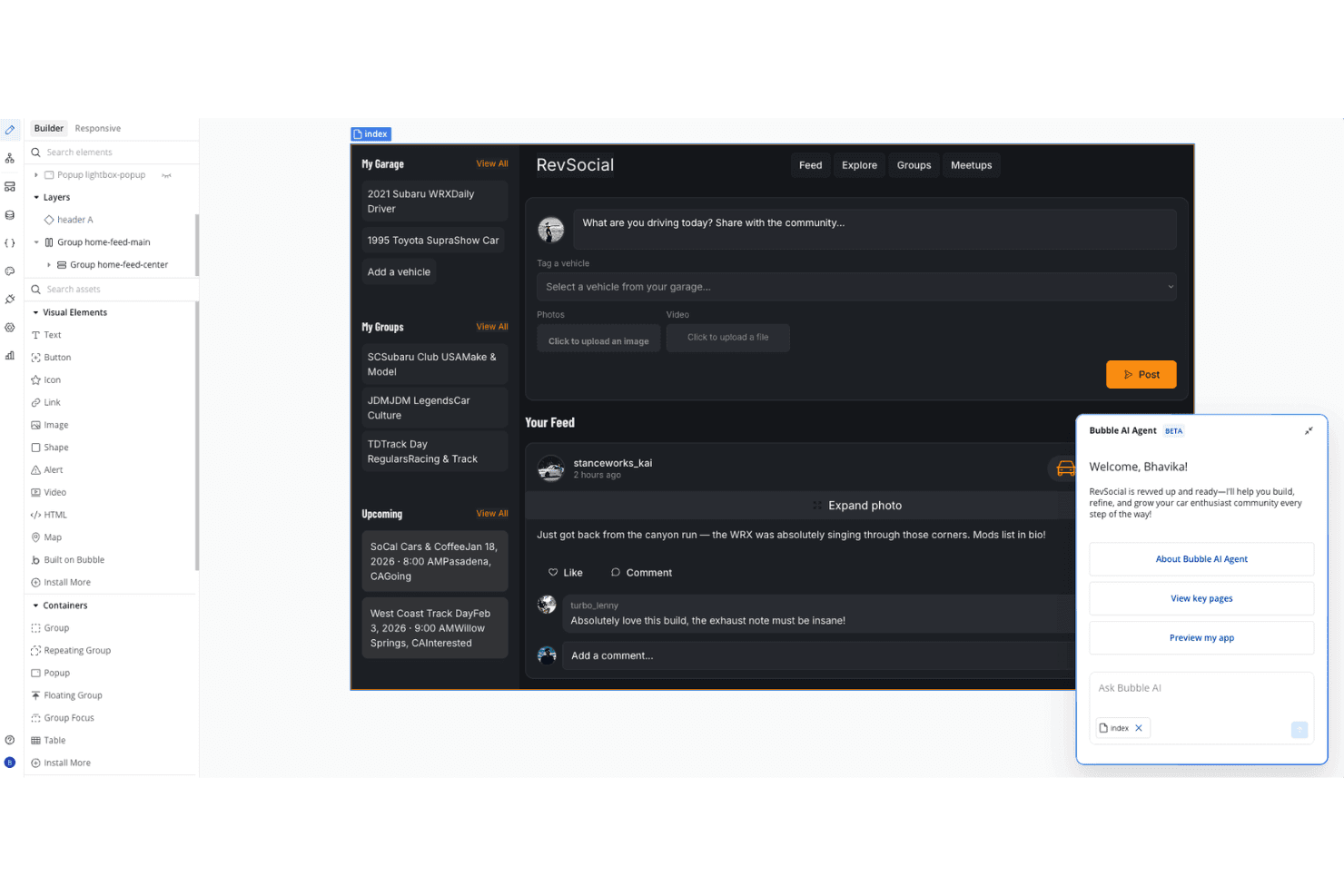
Bubble offers a no-code app builder interface where users can visually design a car enthusiast social platform called RevSocial, complete with a feed, garage, groups, and an AI agent assistant. Bubble is a no-code application development platform designed for building full-stack web apps, offering a drag-and-drop editor, database integration, and workflow automation features for teams exploring AI app builders.
Who Is Bubble Best For?
Bubble suits technical project managers and citizen developers in startups or small businesses building custom web applications without traditional coding.
Why I Picked Bubble
I picked Bubble as one of the best for full-stack visual development because I can use its drag-and-drop editor to assemble both front-end and back-end logic in one workspace. I like being able to quickly model data, create custom workflows, and deploy production-ready apps without writing code.
Bubble Key Features
- Native plugin marketplace: Browse and install plugins to extend app functionality with third-party services and AI tools.
- REST API connector: Set up connections to external APIs or microservices for real-time app data.
- Role-based permissions: Manage and restrict user access by assigning roles within your applications.
- Custom domain support: Launch apps using your own branded domain directly from the Bubble platform.
Bubble Integrations
Bubble offers a plugin marketplace featuring integrations like Twilio, Stripe, and Airtable. An API is available for custom integrations.
Pros and Cons
Pros:
- Strong workflow and automation capabilities
- Extensive plugin marketplace for AI tools
- Handles both front-end and back-end visually
Cons:
- Limited performance with high-traffic AI apps
- No native AI prompt-to-app generation
 Best for drag-and-drop enterprise integrations
- Free plan available
- From $10/builder/month (billed annually)
Visit WebsiteCustomer Rating:4.6/5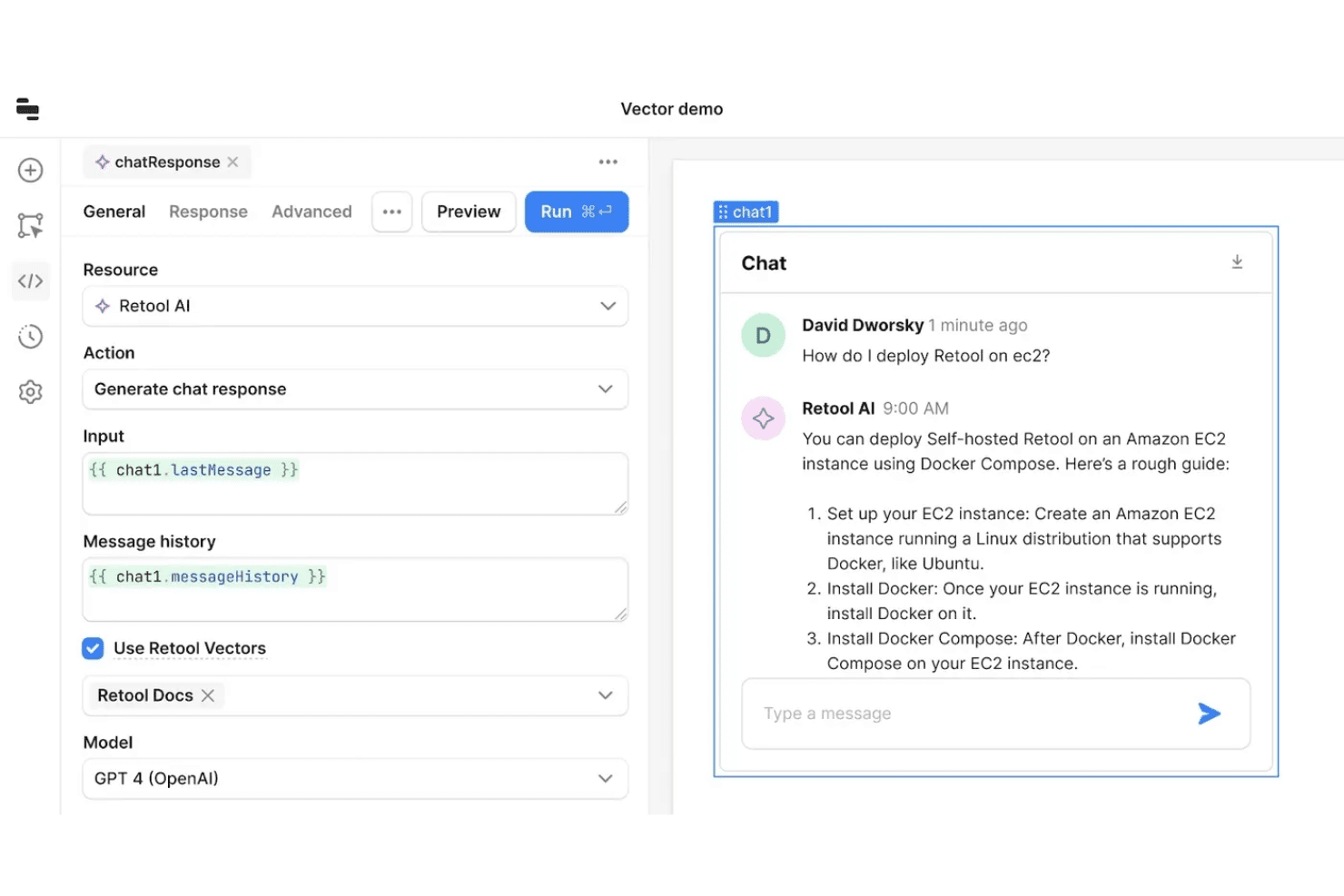
Retool offers a vector-powered AI chat integration that connects GPT-4 to internal docs, enabling users to build deployable chatbots with message history support. Retool is an AI app builder platform that lets you create full-stack apps using natural language prompts, a drag-and-drop visual interface, and deep integrations with databases, APIs, and authentication tools.
Who Is Retool Best For?
Enterprise IT teams, solution architects, and developers who need to connect, build, and manage secure internal tools across large organizations.
Why I Picked Retool
I picked Retool as one of the best because I can connect live data sources and APIs instantly, then assemble front ends and workflows using its AI-assisted drag-and-drop builder. Integrating authentication and role-based access control is straightforward.
Retool Key Features
- AI-powered code suggestions: Generate production-ready code snippets from natural language inputs directly within the builder.
- Custom component creation: Build and import your own React-based components for specialized app needs.
- Version control integration: Connect with Git to manage app versions and collaborate through standard development workflows.
- Granular audit logging: Track user actions and changes across apps for compliance and oversight.
Retool Integrations
Retool offers 40+ native integrations, including PostgreSQL, MySQL, MongoDB, Google Sheets, Snowflake, Salesforce, Stripe, Slack, Firebase, and Amazon S3. An API is available for custom integrations.
Pros and Cons
Pros:
- Flexible deployment for internal tool scenarios
- Enterprise-grade permissions
- AI generates functional full-stack apps
Cons:
- Not designed for public consumer-facing apps
- Advanced features require JavaScript or SQL
Learn more about Retool: Best for collaborative cloud code environments
- Free plan available
- From $18/month (billed annually)
Visit WebsiteCustomer Rating:4.4/5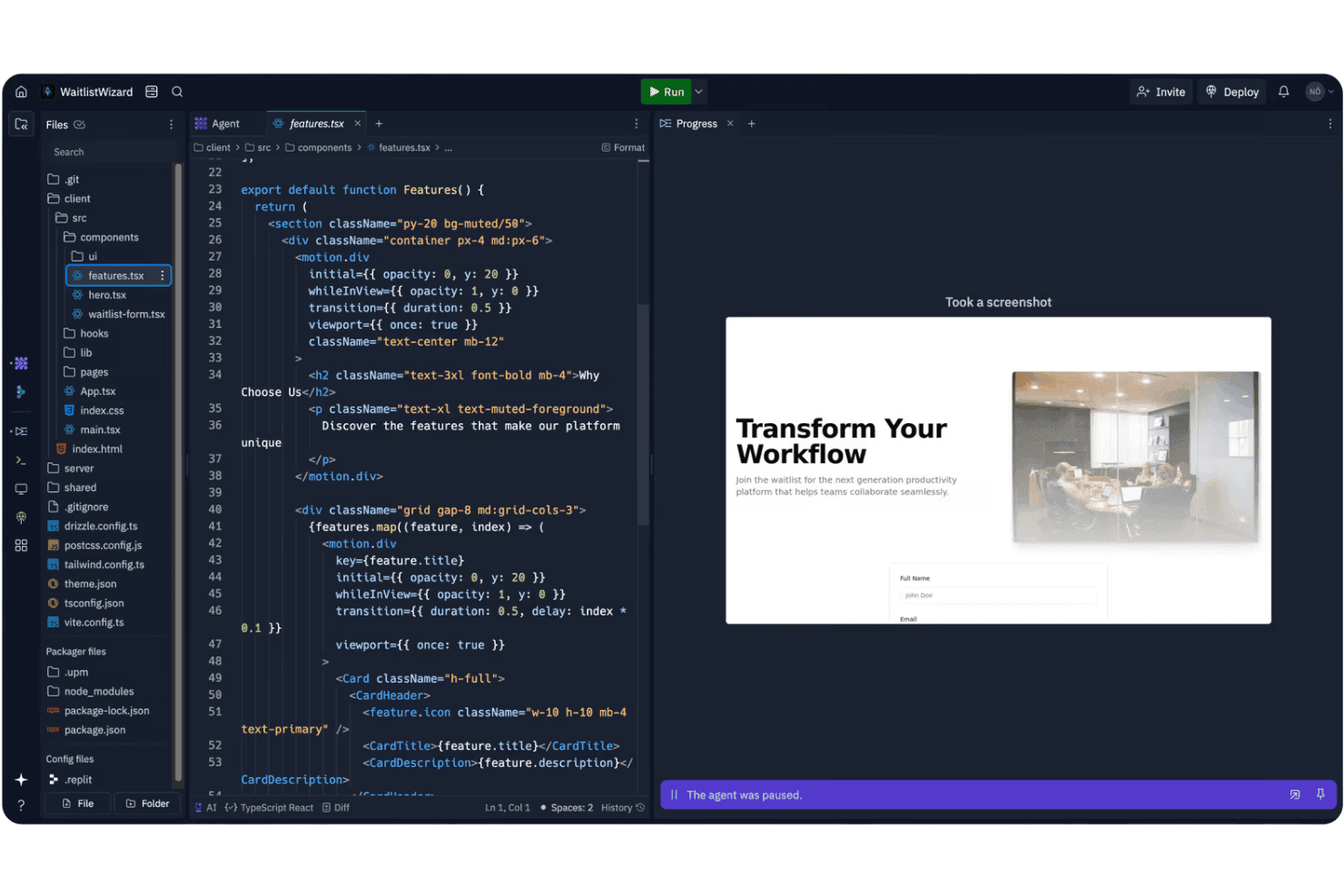
Replit's AI agent environment displays a React component editor alongside a live preview of a waitlist landing page. Replit is a collaborative cloud development environment that supports AI-powered code generation, real-time teamwork, multi-language support, and rapid code deployment for building web and backend applications.
Who Is Replit Best For?
Teams of developers, technical leads, or educators who want a shared browser-based workspace for collaborative coding and rapid prototyping.
Why I Picked Replit
I picked Replit as one of the best because I use its real-time code collaboration and multiplayer editing to quickly build, test, and share AI-powered app projects completely in the browser. The cloud coding environment supports live teamwork and instant deployment.
Replit Key Features
- AI code completion: Ghostwriter assists with code generation and intelligent suggestions directly in the editor.
- Multi-language support: Build and run projects with support for over 50 programming languages.
- Package manager: Install, search, and manage project dependencies through an integrated interface.
- Integrated version control: Create and manage git repositories without leaving the Replit workspace.
Replit Integrations
Replit offers 450+ integrations, including GitHub, Slack, Notion, Airtable, Adobe, Aircall, and more. An API is available for custom integrations.
Pros and Cons
Pros:
- Instant deployment for Python and Node.js apps
- Built-in AI code assistant for fast prototyping
- Multiplayer live coding for remote teams
Cons:
- Limited ready-made AI project templates
- No visual block-based designer available
Learn more about Replit: Best for automating repetitive business tasks
- Free plan available
- From $16/month (billed annually)
Visit WebsiteCustomer Rating:5/5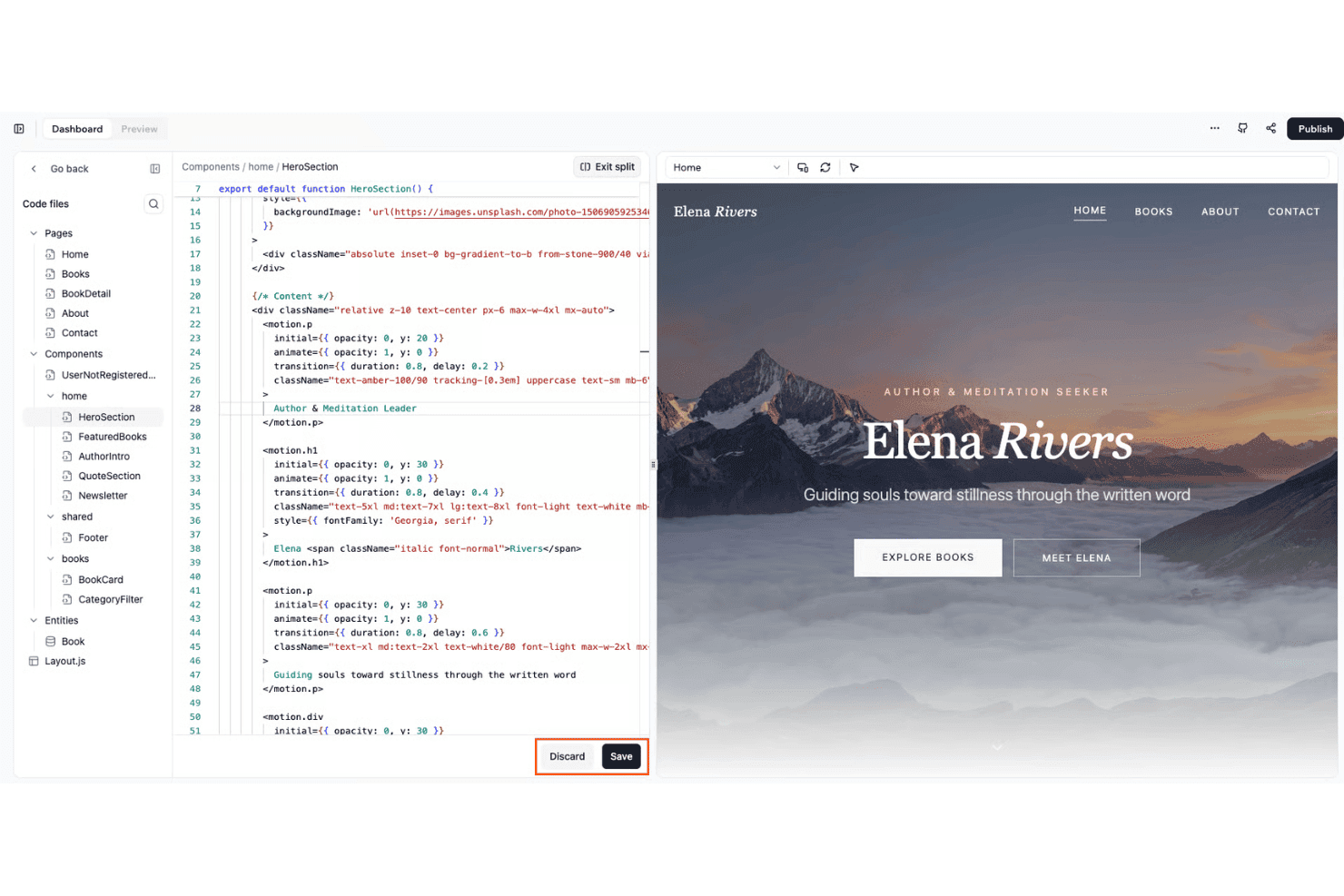
Base44 offers a split-screen code editor with live preview, allowing users to build and visualize web components like a hero section in real time. Base44 is an AI-powered app builder that lets you create web and mobile applications through natural language prompts, drag-and-drop editing, and built-in integrations for databases and third-party services.
Who Is Base44 Best For?
Teams looking to quickly build internal tools or automate operational workflows without heavy coding.
Why I Picked Base44
I picked Base44 as one of the best because it lets me automate repetitive business tasks using AI-driven workflows and “Superagents” that can handle multi-step operations across connected apps. I also appreciate how quickly I can scaffold both back-end and front-end logic from simple prompts.
Base44 Key Features
- Visual app builder: Drag-and-drop interface lets you assemble applications with customizable UI components.
- Conversational AI editing: Modify and refine your app by conversing with the AI to make specific changes on demand.
- Built-in authentication: Configure authentication, user roles, and access control directly within your project settings.
- Native integrations: Connect with third-party tools like Google Calendar, Slack, Notion, and Salesforce for data and workflow automation.
Base44 Integrations
Base44 offers native integrations with Google Calendar, Gmail, Slack, Notion, HubSpot, and Salesforce. An API is available for custom integrations.
Pros and Cons
Pros:
- Scaffolds both frontend and backend components
- Visual builder supports rapid internal tool creation
- Automates workflows from natural language prompts
Cons:
- Limited support for advanced role management
- Occasional downtime impacts production reliability
Learn more about Base44:
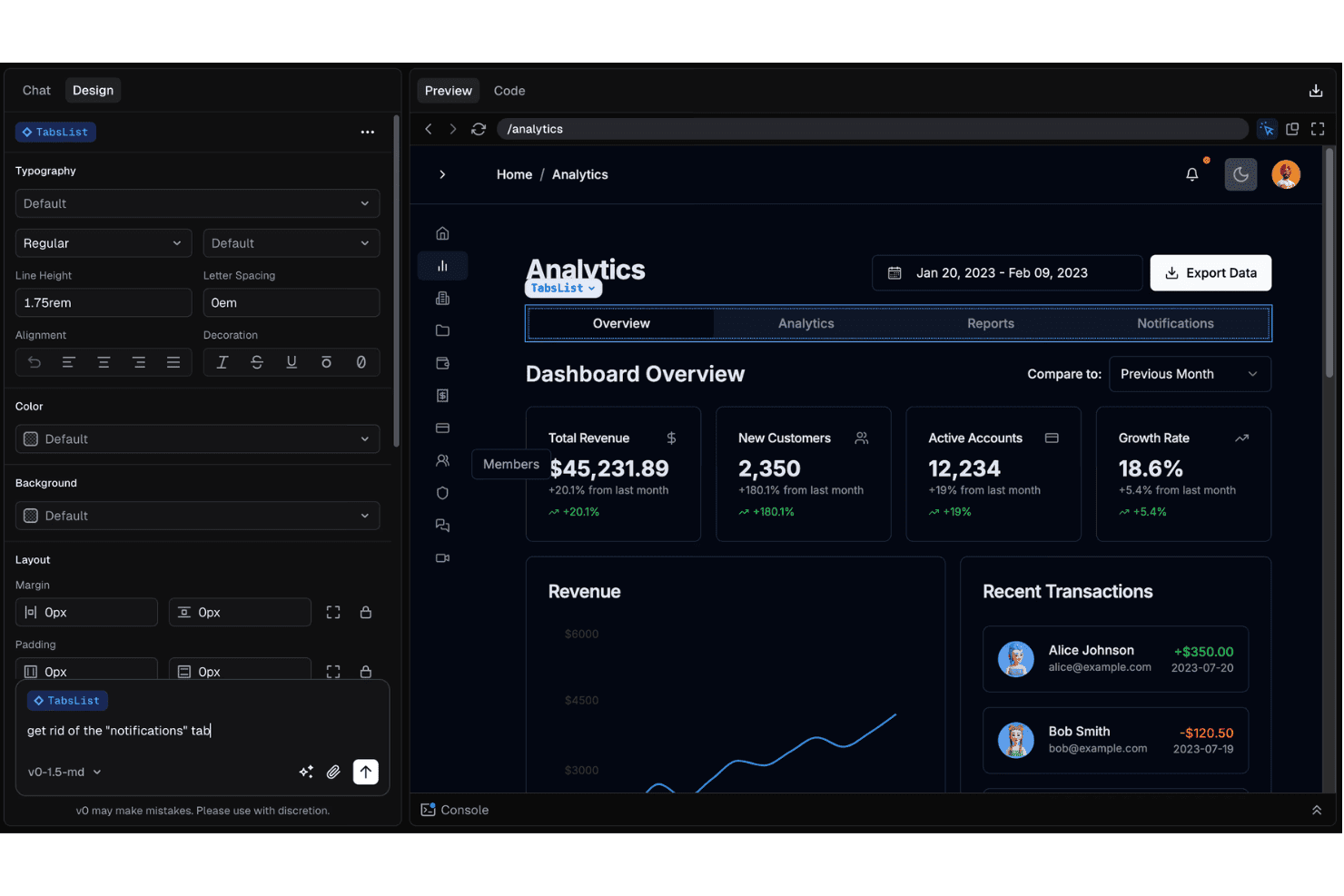
v0 enables users to edit UI components like a TabsList through natural language prompts in a design-and-chat interface. v0 is an AI-powered app builder that turns plain text descriptions into fully functional web application UIs, combining prompt-based code generation, a visual editor, instant code export, and native integrations for data, authentication, and deployment.
Who Is v0 Best For?
Designed for full-stack developers and technical leads who want to rapidly prototype and build web apps using AI and natural language.
Why I Picked v0
I picked v0 as one of the best because I can turn plain text descriptions directly into working UI code, then customize layouts through a visual editor and export production-ready React components without extra boilerplate.
v0 Key Features
- Supabase authentication integration: Connects directly with Supabase to enable user authentication and manage access.
- AI-assisted iterative editing: Lets you refine interface elements and layouts by chatting with the AI for incremental changes.
- One-click deployment to Vercel: Publishes your generated apps instantly using Vercel-managed hosting and domain setup.
- Database schema generation: Creates and maps database tables from prompts for simple data modeling within your project.
v0 Integrations
v0 offers integrations via the Vercel marketplace, including Upstash, Neon, and Supabase. An API is available for custom integrations.
Pros and Cons
Pros:
- Supports advanced custom component editing
- Real-time visual preview for instant feedback
- Fastest text-to-UI generation available
Cons:
- Lacks integrated version control tools
- Complex states can require manual coding
Learn more about v0: Best for integrating with internal data source
- 14-day free trial available
- From $100/month (billed annually)
Visit WebsiteCustomer Rating:4.7/5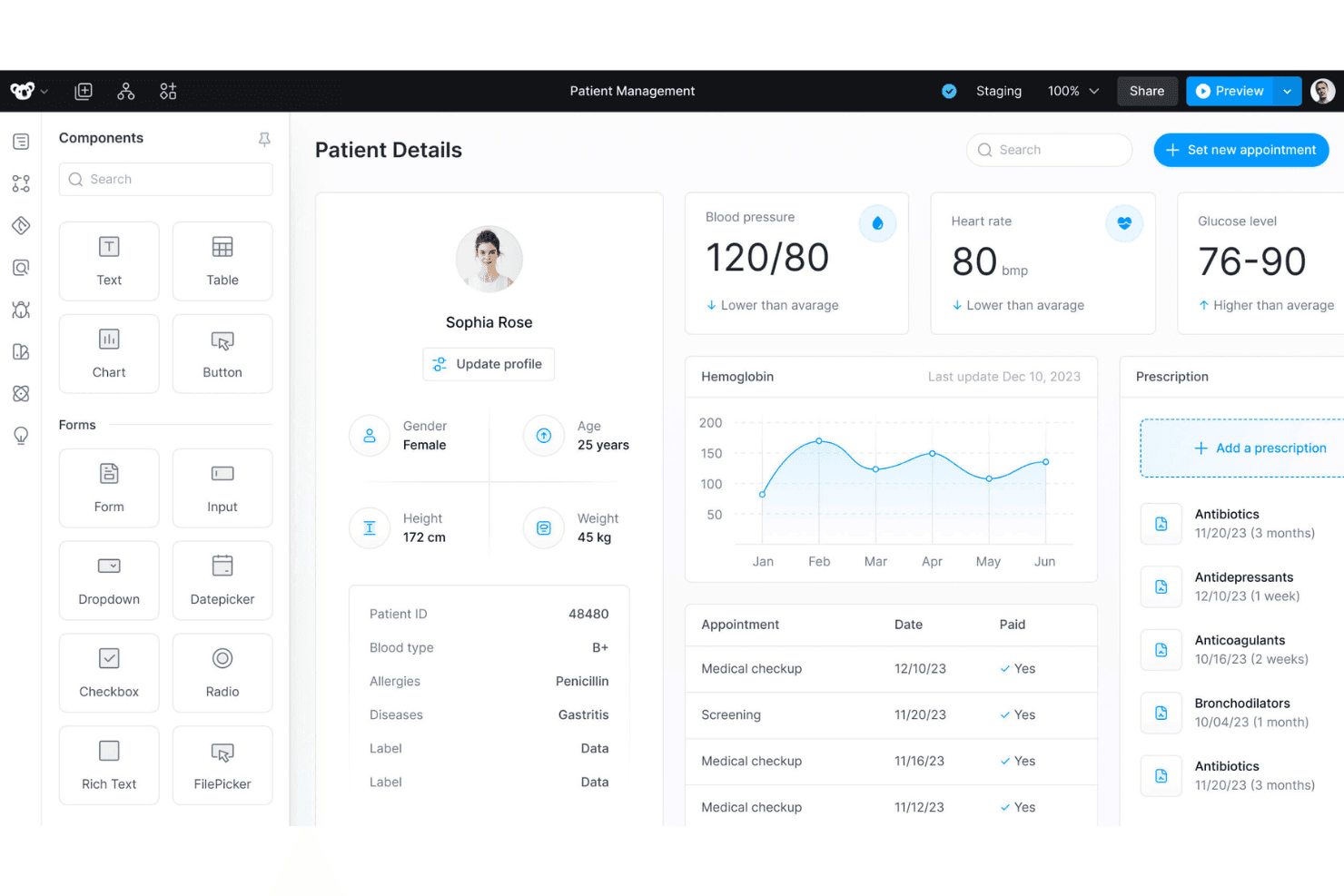
Superblocks offers a patient management dashboard with drag-and-drop UI components, health metrics, appointment history, and prescription tracking. Superblocks is an AI-powered app builder designed for technical teams who want to visually create internal applications, automate workflows, and connect to a wide range of databases and APIs.
Who Is Superblocks Best For?
Superblocks is a strong match for engineering teams at midsize to large organizations that need to build secure, data-driven internal enterprise tools.
Why I Picked Superblocks
I picked Superblocks as one of the best AI app builders because I can connect to internal SQL, NoSQL, and cloud data sources directly, then use AI to generate production-ready UI and workflow logic that leverage live business data.
Superblocks Key Features
- AI-powered app builder: Generate front-end and back-end code from natural language prompts in a visual development environment.
- Drag-and-drop UI editor: Assemble complex interfaces using prebuilt UI components and layout options.
- Workflow automation engine: Orchestrate processes and schedule tasks using visual logic and scripting tools.
- Built-in authentication controls: Manage user access with support for SSO, granular role-based permissions, and audit logs.
Superblocks Integrations
Superblocks offers 50+ integrations, including Airtable, Asana, Box, Cohere, Dropbox, Databricks, and more. It also provides an API for custom integrations.
Pros and Cons
Pros:
- Built-in enterprise audit and compliance tools
- AI can generate production-ready app logic
- Native connectors for multiple databases
Cons:
- Requires technical background for advanced use
- Fewer visual theming options than competitors
Learn more about Superblocks: Best for deploying generative workflows at scale
- Free plan + free demo
- From $21/month (billed annually)
Visit WebsiteCustomer Rating:4.5/5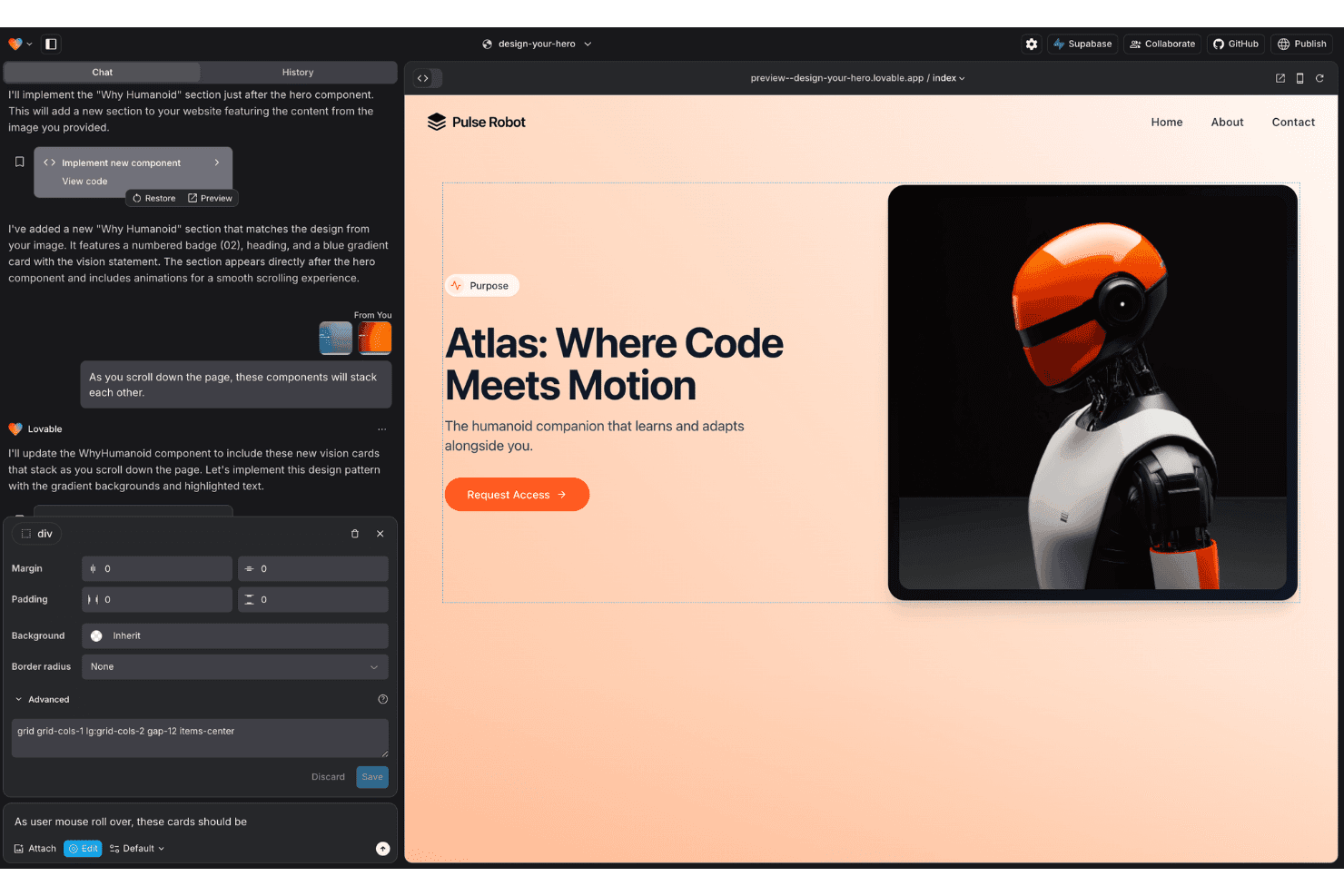
Lovable features an AI chat interface that generates and previews web components in real time, with visual editing tools for layout and styling. Lovable is an AI-powered app builder designed for teams who want to generate, customize, and deploy full-stack workflows and applications using natural language and visual design tools.
Who Is Lovable Best For?
Lovable is a strong option for product teams and technical leads in startups or small companies who need to quickly turn workflow ideas into working apps.
Why I Picked Lovable
I picked Lovable as one of the best because I can build, iterate, and deploy complex workflow-driven apps at scale using natural language, then export clean production-grade code or push it to GitHub for my team's live environment.
Lovable Key Features
- Figma import: Turn Figma designs directly into editable app components.
- Supabase integration: Connects natively to Supabase for backend, database, and authentication management.
- Visual code editor: Edit or debug AI-generated code in the browser without leaving the platform.
- Role-based access controls: Assign user roles and permissions for multi-user app environments.
Lovable Integrations
Lovable offers native integrations with Supabase, Stripe, HubSpot, Linear, and Figma. An API is available for custom integrations.
Pros and Cons
Pros:
- Real-time collaboration for multi-user projects
- Figma designs convert to app components
- Generates production-ready code
Cons:
- Debugging often requires multiple AI prompts
- Credit-based billing can escalate rapidly
Learn more about Lovable: Best for building apps directly in your IDE
- Free plan available
- From $20/month
Visit WebsiteCustomer Rating:5/5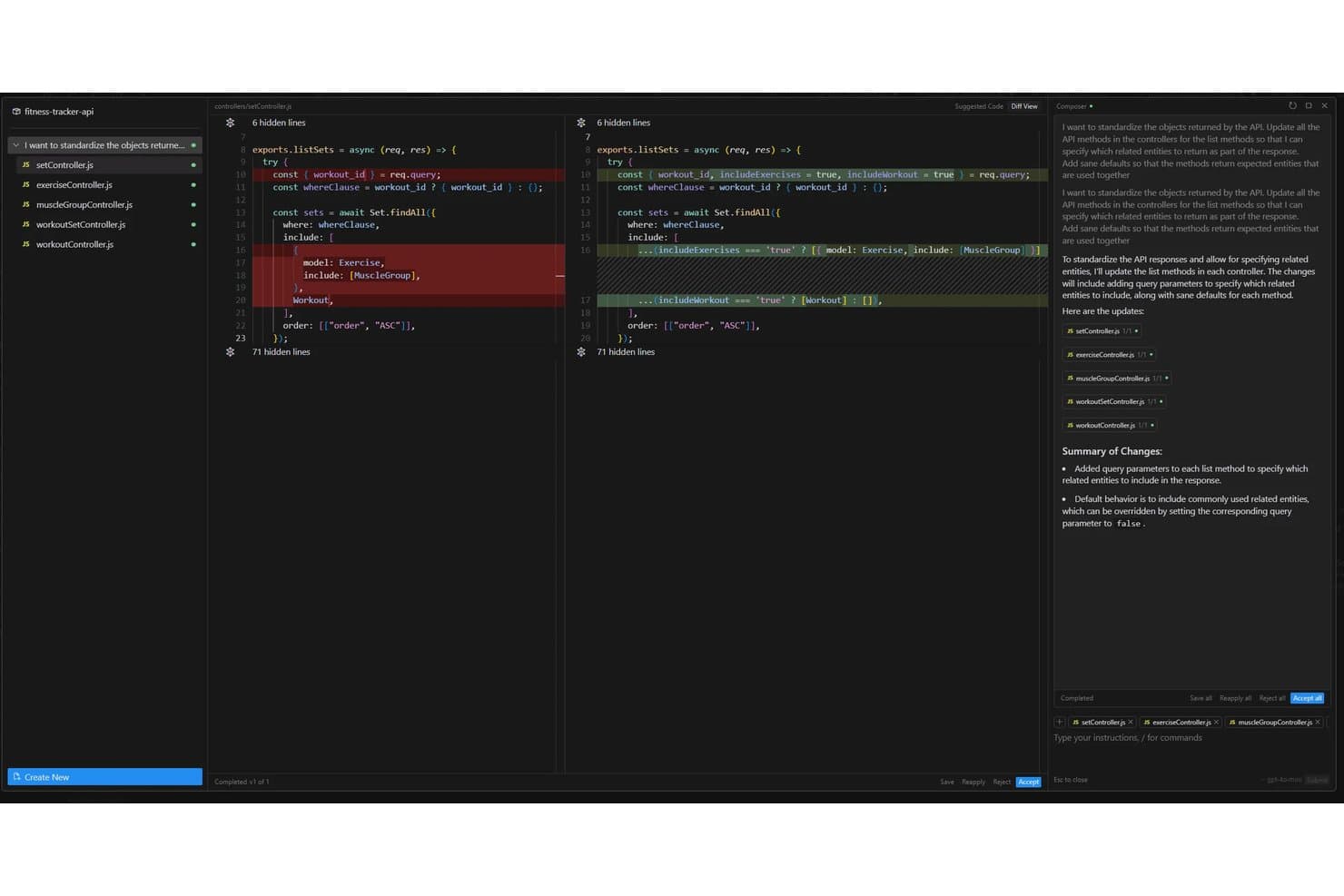
Cursor offers an AI-powered Composer feature that automatically refactors API controller methods across multiple files to standardize response objects with configurable query parameters. Cursor is an AI-powered development environment designed for app builders who want to generate, edit, and assemble production-ready code directly from natural language prompts inside the IDE.
Who Is Cursor Best For?
Professional developers and engineering teams who want to use AI to accelerate code creation and automation inside their existing IDE environments.
Why I Picked Cursor
I picked Cursor as one of the best because I can generate, edit, and deploy production-ready app code right from my IDE. I like how smoothly it lets me use AI prompts with live code and automate coding tasks as part of my workflow. Building apps directly in my IDE feels native.
Cursor Key Features
- Multi-model support: You can switch between OpenAI, Anthropic, Gemini, and custom models as needed.
- Workspace collaboration: Teams work together in shared projects with history and code review tools.
- Automated code refactoring: AI agents update and improve existing codebase files with prompts.
- API and database integration: Connect generated code directly with REST APIs or popular databases within the IDE.
Cursor Integrations
Cursor offers native integrations with DataRobot, Slack, Vercel, and Datadog, and provides an API for custom integrations.
Pros and Cons
Pros:
- Context-aware code refactoring and editing
- Multi-model support for AI customization
- AI agents generate full-stack production code
Cons:
- Limited enterprise authentication features
- Visual app builder capabilities are limited
Learn more about Cursor:
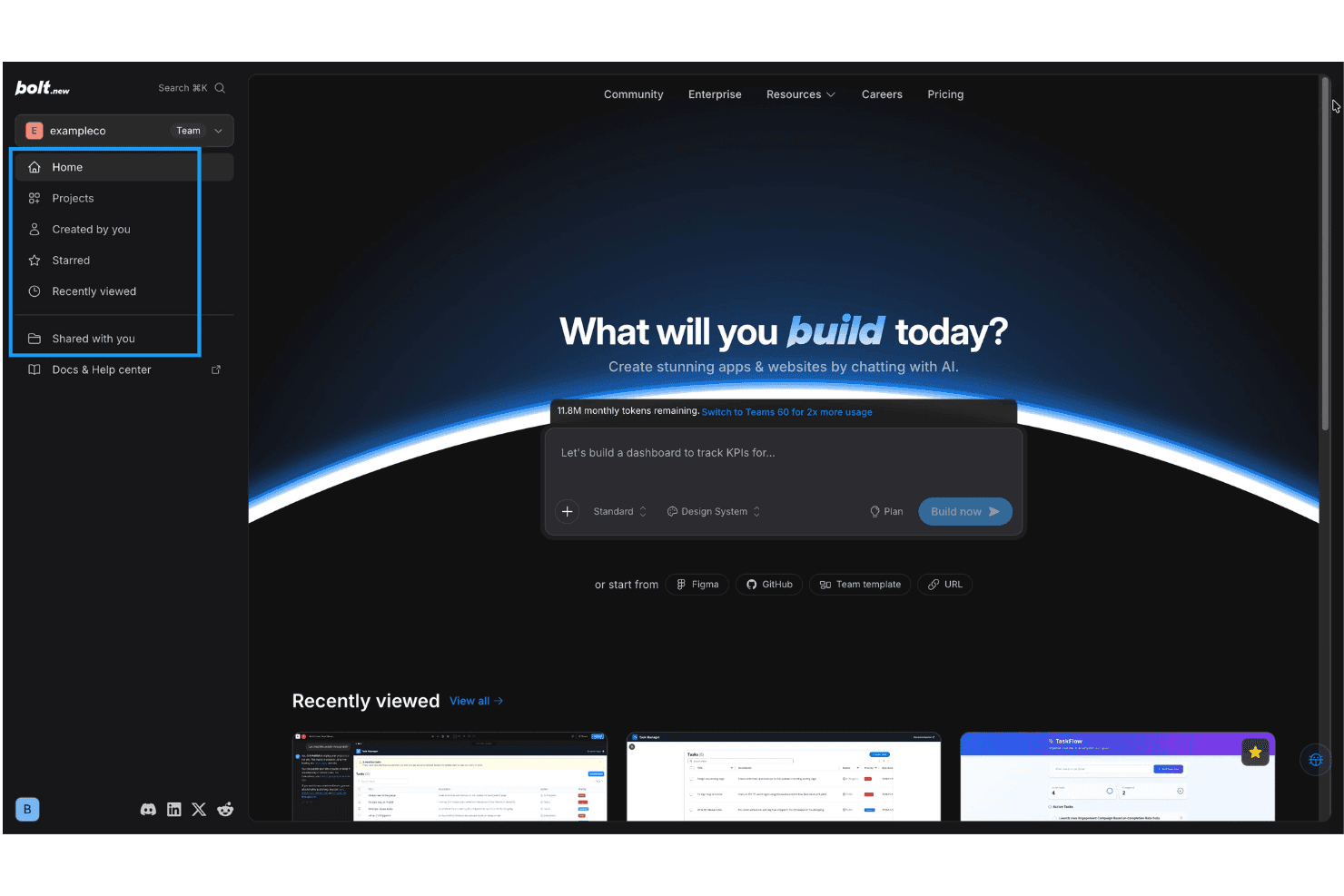
Bolt.new offers an AI-powered app and website builder with a chat-based interface, project navigation, and recently viewed project previews. Bolt is an AI app builder platform that lets you generate, visually assemble, and deploy interactive tools using conversational prompts, drag-and-drop editing, and native integration with databases, APIs, authentication, and hosting.
Who Is Bolt Best For?
Designed for technical teams and product managers who need to quickly prototype, build, and launch interactive apps without extensive manual coding.
Why I Picked Bolt
I picked Bolt as one of the best because I can generate interactive, production-ready tools using AI chat prompts, then customize them with drag-and-drop editing and built-in backend, API, and authentication support.
Bolt Key Features
- Native cloud deployment: Instantly publish your apps to bolt.new's managed infrastructure with custom domain support.
- Third-party database connections: Connect to external databases directly from your project for dynamic, data-driven apps.
- Team collaboration: Invite team members to edit, build, and manage app projects together in real time.
- Integrated analytics: Access built-in traffic and usage analytics from the platform dashboard for all deployed applications.
Bolt Integrations
Bolt offers native integrations with GitHub, Figma, and Supabase, and provides an API for custom integrations.
Pros and Cons
Pros:
- Direct editing of code and UI components
- Built-in support for authentication
- Fast generation of interactive app interfaces
Cons:
- Limited depth for complex business workflows
- Generated logic can break after edits
Learn more about Bolt:
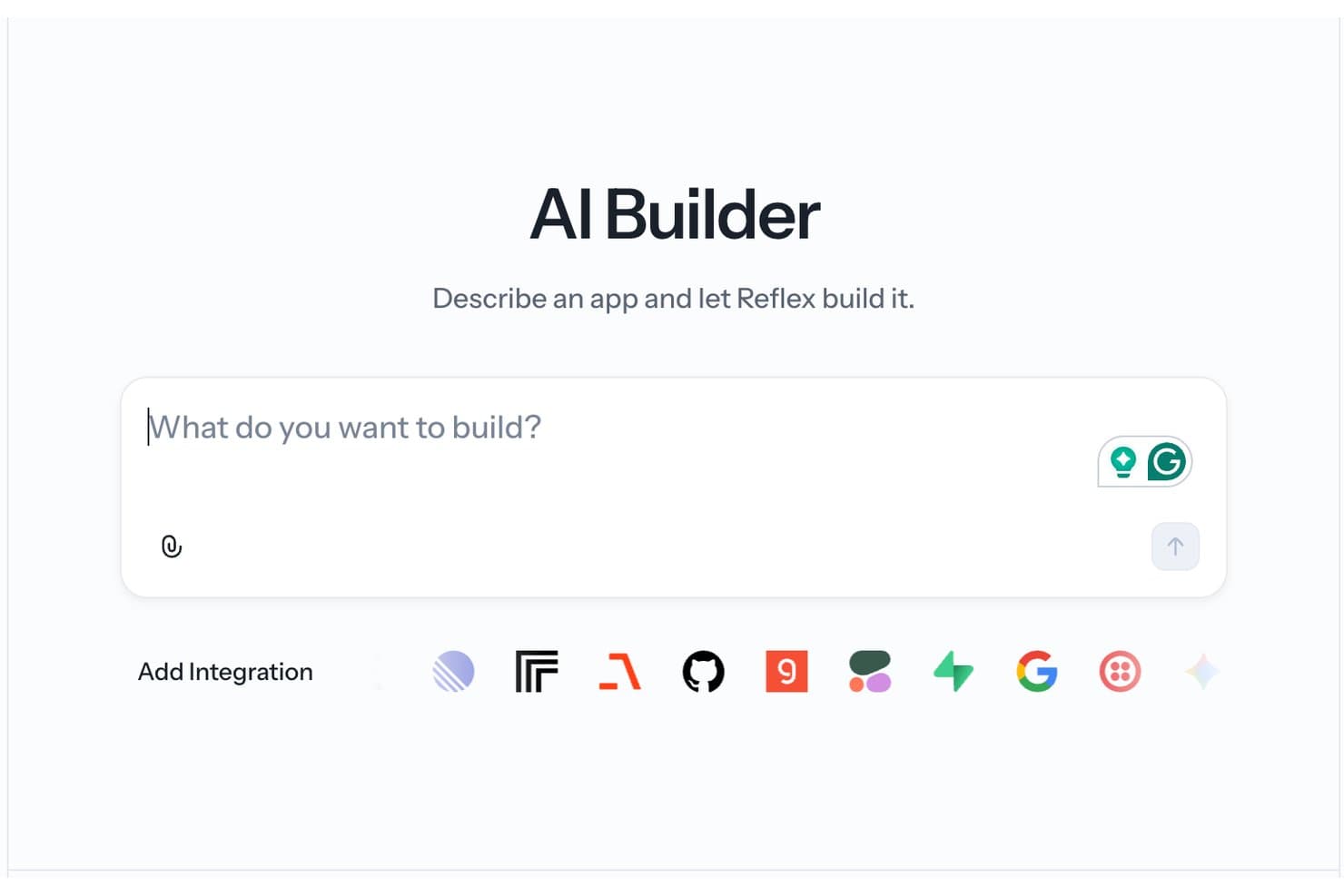
Reflex's AI Builder lets users describe an app in natural language and automatically generates it, with support for multiple third-party integrations. Reflex is an AI-enhanced app builder that lets Python users code, generate, and deploy full-stack web applications using a unified framework and integrated AI code generation features.
Who Is Reflex Best For?
Reflex suits Python developers and engineering teams that want to build and iterate on web applications without switching between frontend and backend frameworks.
Why I Picked Reflex
I picked Reflex as one of the best for AI app builders because I can generate Python-based UIs quickly, use AI-powered code scaffolding, and deploy full-stack web apps without switching between front-end and back-end frameworks.
Reflex Key Features
- Component-based UI library: Access a set of ready-to-use, customizable Python UI components for building web apps.
- Hot reload during development: See live changes instantly as you update your Python code and app logic.
- Database integration: Connect to databases like SQLite and PostgreSQL directly in your Python project.
- Built-in authentication modules: Add user registration, login, and access management using native Reflex components.
Reflex Integrations
Reflex offers native integrations with HubSpot, Notion, Airtable, Stripe, and more, and provides an API for custom integrations with external systems.
Pros and Cons
Pros:
- AI-assisted code generation for interface components
- Hot reload for development feedback cycles
- Python-only full stack web app creation
Cons:
- Limited native integrations for external services
- No drag-and-drop visual editor available
Learn more about Reflex:
Other AI App Builders
Here are some additional AI app builder options that didn’t make it onto my shortlist, but are still worth checking out:
- 11SketchflowBest for turning sketches into working interfaces
- 12DyadBest for open-source development
- 13AppsmithBest for developer-centric internal tools
- 14SoftrBest for portal development
- 15GlideBest for turning spreadsheets into apps
- 16Microsoft Power AppsBest for Microsoft ecosystem integrations
- 17Hostinger HorizonsBest for deploying apps on managed cloud hosting
- 18AdaloBest for publishing native mobile apps
- 19FlutterFlow Best for fast mobile app UI prototyping
- 20Figma MakeBest for generating apps from design files
How I Evaluate AI App Builders
To make this list, a platform's AI has to do real work—getting you from a natural language prompt to a deployed, functional app. I evaluate each tool across two layers: the core functionality required to qualify and the differentiating factors that set the top options apart.
Core Functionality (Table Stakes For This List)
When I'm selecting tools for my list, I rank each one on a scale from 0 (does not offer the functionality) to 5 (excels in this area) for each core functionality listed below. Then, I calculate the tool's total score into a percentage. Each tool needs to achieve a minimum total score of 75% to be considered for inclusion.
- AI Code Generation: I evaluate whether a platform can turn a plain-English prompt into functional front-end and back-end code, not just isolated snippets.
- Visual App Builder: Drag-and-drop editors matter, especially for citizen developers assembling dashboards or internal tools without writing code from scratch.
- Data & API Integration: I check for native connectors to databases like Postgres and SaaS APIs like Slack or HubSpot, plus support for custom REST calls.
- AI Iteration & Editing: I look for conversational refinement—can you tweak a generated form or workflow with a follow-up prompt without rebuilding the whole app?
- Deployment & Hosting: Built-in hosting and one-click publishing to staging or production environments keep your team from juggling separate DevOps tooling.
- Auth & User Management: Support for authentication methods like SSO and role-based access control is key when building apps that serve multiple user groups.
Once I have a list of tools that meet the criteria, I consider what sets each platform apart.
Differentiating Factors (What Sets Vendors Apart)
Here's how I compare and contrast different vendors:
Standout Features
Multi-model AI orchestration is a big differentiator. I look for platforms that let you swap between LLMs like GPT, Claude, or Gemini instead of locking you into a single provider. Visual editing with code sync matters when your team includes both developers and non-technical contributors—both sides should see changes reflected in real time. If you're creating knowledge apps or AI agents, I also check for native vector storage and RAG capabilities like document ingestion and semantic search.
Beyond Features
Vendor lock-in is a major concern. I check whether a platform lets you export generated code and self-host it—if the vendor changes direction, you need an exit path. Security and compliance also weigh heavily; I evaluate SOC 2 status, data residency options, and controls over what data reaches LLM providers. Pricing transparency matters too. I look at how token costs are structured and whether usage-based billing stays predictable as your app's end-user base grows.
How to Choose AI App Builders
It’s easy to get bogged down in long feature lists and complex pricing structures. To help you stay focused as you work through your unique software selection process, here’s a checklist of factors to keep in mind:
| Factor | What to Consider |
|---|---|
| FactorScalability | What to ConsiderWill the platform handle increasing data, user counts, or app complexity as you grow? Consider resource limits, concurrency support, and multi-region deployments. |
| FactorIntegrations | What to ConsiderDoes the builder connect to the systems you rely on, such as databases, SaaS apps, or custom APIs? Assess integration depth, extensibility, and compatibility with your stack. |
| FactorEase of use | What to ConsiderHow intuitive is the interface for both technical and non-technical users? Ensure that your team can quickly learn the tool without extensive upskilling or reliance on IT. |
| FactorImplementation and onboarding | What to ConsiderWhat does it take to get your first real use case live? Check for guided onboarding, available templates, and realistic time-to-value expectations for your team size and skills. |
| FactorCustomizability | What to ConsiderDoes the platform allow custom workflows, branding, or code-level edits to cover unique requirements, not just one-size-fits-all templates? |
| FactorCost | What to ConsiderAre pricing structures clear and predictable? Review details such as usage-based versus seat pricing, AI token costs, and overage handling to avoid budget surprises. |
| FactorSecurity safeguards | What to ConsiderWhat controls are in place for user access, data privacy, and audit trails? Evaluate support for SSO, encryption, access controls, and alignment with your security posture. |
| FactorSupport availability | What to ConsiderHow responsive is the vendor’s support? Look for real-world response times, support channels, self-serve documentation, and escalation processes for critical incidents. |
What Are AI App Builders?
AI app builders are platforms that let you create web or mobile applications using artificial intelligence to generate code, automate design, and connect data sources—all from natural language prompts or visual builders. These platforms aim to speed up app development for both developers and non-technical users by reducing manual coding and simplifying complex workflows.Features
Features of AI App Builders
When selecting AI app builders, keep an eye out for the following key features:
- AI code generation: Generates front-end or back-end application code from plain-English prompts, letting you create functional apps without manual coding.
- Visual app builder: Drag-and-drop interfaces allow you to assemble layouts, workflows, and components visually—no programming experience required.
- Data integration: Connects your app to databases, spreadsheets, or APIs so you can display, update, and manage real-time data from multiple sources.
- AI-powered editing: Lets you refine, extend, or modify generated apps using follow-up prompts or conversational tweaks, so you can iterate quickly.
- User authentication: Provides built-in support for login, user management, and role-based permissions to manage who can access and use your app.
- One-click deployment: Makes it easy to publish or host your app with a single action, eliminating manual server setup or DevOps configuration.
- Template library: Offers ready-made app templates or blueprints so you can jump-start new projects with proven layouts and workflows.
- Custom component support: Enables you to add custom-built elements or logic when you need features beyond the defaults, ensuring your app meets unique requirements.
- Collaboration tools: Allows multiple team members to work together on the same app, track changes, and manage feedback all within the platform.
- Security controls: Helps you set access restrictions, monitor activity, encrypt sensitive data, and comply with privacy requirements as your app grows.
Benefits of AI App Builders
Implementing AI app builders provides several benefits for your team and your business. Here are a few you can look forward to:
- Faster app development: AI code generation and visual builders let you go from idea to working prototype in a fraction of the usual time.
- Lower technical barriers: Natural language prompts and no-code interfaces empower non-developers to create and manage apps without relying entirely on technical teams.
- Easy data connectivity: Native integrations with databases and APIs simplify the process of linking your app to real-time business data or third-party services.
- Cost savings: One-click deployment, automated workflows, and managed hosting reduce infrastructure and DevOps overhead while keeping project costs predictable.
- Flexible collaboration: Built-in collaboration features allow technical and non-technical stakeholders to work together and iterate on applications in real time.
- Greater security and compliance: User authentication, role-based controls, and audit logs help you keep sensitive data safe and meet regulatory requirements.
- Scalable solutions: Support for autoscaling and multi-environment deployments means your apps can grow alongside your business needs.
Costs & Pricing
Selecting AI app builders requires an understanding of the various pricing models and plans available. Costs vary based on features, team size, add-ons, and more. The table below summarizes common plans, their average prices, and typical features included in AI app builder solutions:
Plan Comparison Table for AI App Builders
| Plan Type | Average Price | Common Features |
|---|---|---|
| Plan TypeFree Plan | Average Price$0 | Common FeaturesBasic app generation, limited templates, single user access, limited data integrations, and community support. |
| Plan TypePersonal Plan | Average Price$10-$25/user/month | Common FeaturesMore templates, higher usage limits, access to core AI features, advanced editors, and email-based support. |
| Plan TypeBusiness Plan | Average Price$30-$80/user/month | Common FeaturesTeam collaboration, enhanced integrations, role-based access, production deployment, priority support, and audit logs. |
| Plan TypeEnterprise Plan | Average Price$100+/user/month | Common FeaturesAdvanced security, SSO/SAML, dedicated environments, custom integrations, SLAs, compliance features, and onboarding. |
AI App Builders FAQs
Here are some answers to common questions about AI app builders:
How do AI app builders differ from traditional low-code platforms?
AI app builders automatically generate code, layouts, or workflows from natural language prompts—such as turning a simple app idea into a functional prototype or creating dedicated chatbots. Traditional low-code platforms usually rely on pre-built components and require more manual setup for integrations and complex logic. While traditional platforms might require configuring architecture from scratch, an AI-driven system can instantly scaffold out modern frameworks like Next.js.
Can non-technical users build fully functioning apps with these platforms?
Yes, most AI app builders are designed so beginner users with zero coding experience can create, modify, and publish applications using visual editors and guided workflows. This makes it incredibly easy to launch MVPs (Minimum Viable Products) to test the market, set up a converting landing page, or even deploy mobile apps directly to the Apple App Store or Google Play for Android and iOS devices.
What data sources can typically be connected to AI app builders?
You can usually connect cloud databases, spreadsheets, popular CRMs, SaaS apps, and on-premises systems. Most platforms allow you to easily link these external data sources and custom services by simply pasting in your private API keys during the setup process.
How secure are apps built with AI app builders?
Security depends on the provider’s safeguards. Look for support for user authentication, role-based permissions, encryption, and compliance certifications like SOC 2 when handling sensitive data.
Is it possible to export or self-host apps created with AI app builders?
Some platforms offer code export and self-hosting options, but others keep you tied to their infrastructure. If avoiding vendor lock-in is important, check export policies before committing.