Momentic Review: Pros, Cons, Features, and Pricing Explained



Momentic is an AI-native end-to-end testing tool for teams that need to automate web application testing without writing and maintaining large volumes of test code. I'd consider it if your team is spending too much time keeping tests from breaking after UI changes—something that's a constant drain with code-heavy tools like Cypress. Where Cypress gives you full scripting control, Momentic lets AI generate and self-heal tests, which means less manual upkeep and faster coverage for teams that don't have dedicated QA engineers writing automation full-time.
Momentic Evaluation Summary
- Pricing upon request
- Free demo available
Why Trust Our Software Reviews
We’ve been testing and reviewing software since 2023. As tech leaders ourselves, we know how critical and difficult it is to make the right decision when selecting software.
We invest in deep research to help our audience make better software purchasing decisions. We’ve tested more than 2,000 tools for different tech use cases and written over 1,000 comprehensive software reviews. Learn how we stay transparent & our software review methodology.
Momentic Overview
From my perspective, what really sets Momentic apart is how deeply AI is built into the entire testing experience—not just as a feature, but as the foundation.
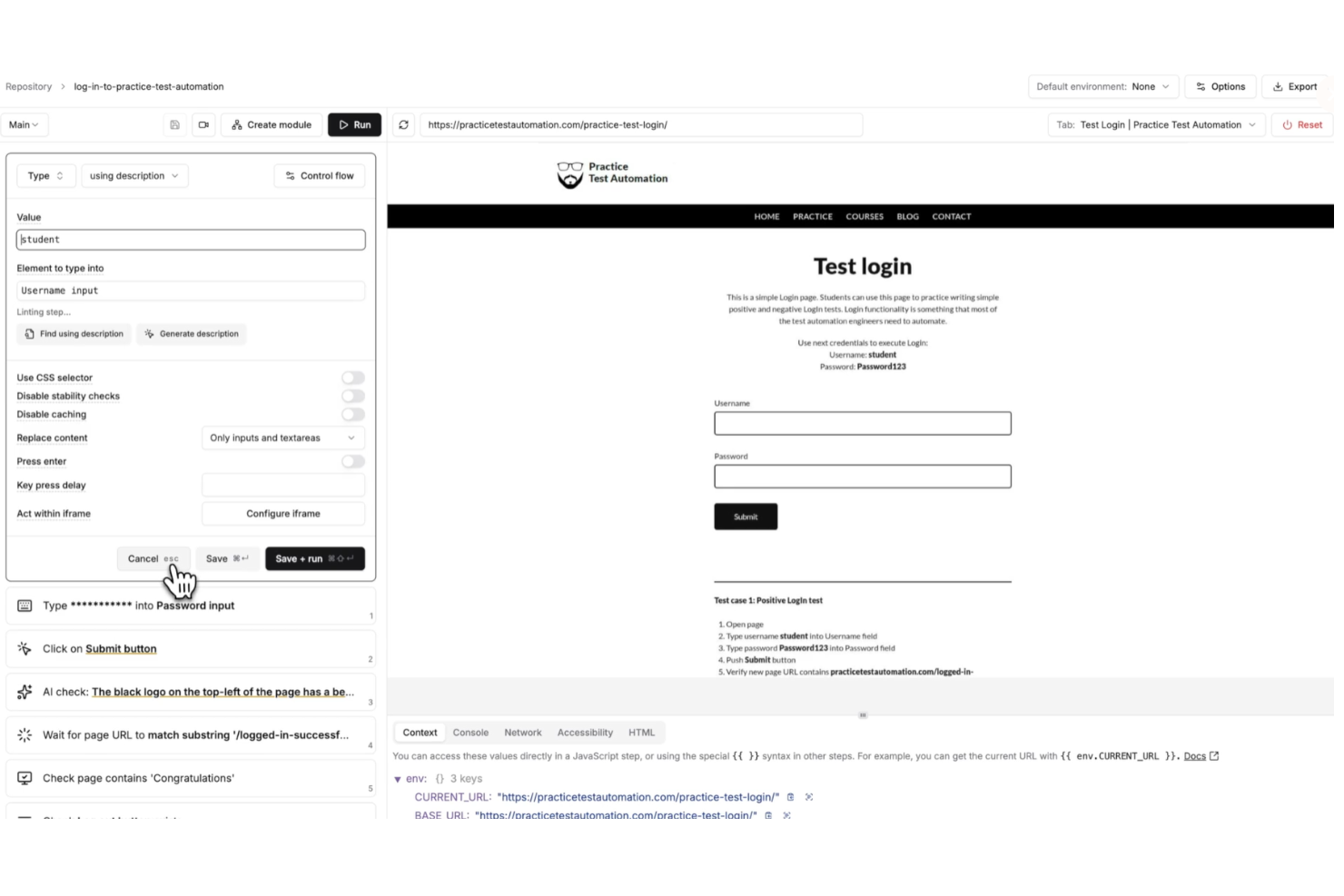
Instead of writing and maintaining brittle scripts, you define tests in plain English and let Momentic interpret your intent at runtime. I’ve found this especially valuable if you’re trying to reduce maintenance, since features like self-healing locators, smart waits, and built-in caching help your tests stay stable even as your UI changes.
You also get more than just test creation. With an autonomous agent that can generate coverage, built-in debugging tools, and flexible cloud or CI-based execution, Momentic gives you a more hands-off way to scale testing without adding complexity.
pros
-
Plain-English test creation lowers barrier for non-technical team members.
-
Self-healing locators reduce maintenance when UI elements frequently change.
-
Smart waiting minimizes flaky tests caused by timing and asynchronous loading issues.
cons
-
Limited browser support currently restricted to Chrome and Chromium environments.
-
No code export limits flexibility for teams wanting full script ownership.
-
Mobile testing setup is complex and requires significant environment configuration.
-

TestDevLab
Visit Website -
Site24x7
Visit WebsiteThis rating combines scores from multiple user review sites to reflect overall customer sentiment about the product.4.7 -
GitHub Actions
Visit WebsiteThis rating combines scores from multiple user review sites to reflect overall customer sentiment about the product.4.8



Our Review Methodology
How We Test & Score Tools
We’ve spent years building, refining, and improving our software testing and scoring system. The rubric is designed to capture the nuances of software selection and what makes a tool effective, focusing on critical aspects of the decision-making process.
Below, you can see exactly how our testing and scoring works across seven criteria. It allows us to provide an unbiased evaluation of the software based on core functionality, standout features, ease of use, onboarding, customer support, integrations, customer reviews, and value for money.
Core Functionality (25% of final scoring)
The starting point of our evaluation is always the core functionality of the tool. Does it have the basic features and functions that a user would expect to see? Are any of those core features locked to higher-tiered pricing plans? At its core, we expect a tool to stand up against the baseline capabilities of its competitors.
Standout Features (25% of final scoring)
Next, we evaluate uncommon standout features that go above and beyond the core functionality typically found in tools of its kind. A high score reflects specialized or unique features that make the product faster, more efficient, or offer additional value to the user.
We also evaluate how easy it is to integrate with other tools typically found in the tech stack to expand the functionality and utility of the software. Tools offering plentiful native integrations, 3rd party connections, and API access to build custom integrations score best.
Ease of Use (10% of final scoring)
We consider how quick and easy it is to execute the tasks defined in the core functionality using the tool. High scoring software is well designed, intuitive to use, offers mobile apps, provides templates, and makes relatively complex tasks seem simple.
Onboarding (10% of final scoring)
We know how important rapid team adoption is for a new platform, so we evaluate how easy it is to learn and use a tool with minimal training. We evaluate how quickly a team member can get set up and start using the tool with no experience. High scoring solutions indicate little or no support is required.
Customer Support (10% of final scoring)
We review how quick and easy it is to get unstuck and find help by phone, live chat, or knowledge base. Tools and companies that provide real-time support score best, while chatbots score worst.
Customer Reviews (10% of final scoring)
Beyond our own testing and evaluation, we consider the net promoter score from current and past customers. We review their likelihood, given the option, to choose the tool again for the core functionality. A high scoring software reflects a high net promoter score from current or past customers.
Value for Money (10% of final scoring)
Lastly, in consideration of all the other criteria, we review the average price of entry level plans against the core features and consider the value of the other evaluation criteria. Software that delivers more, for less, will score higher.
Core Features
AI-Powered Test Creation
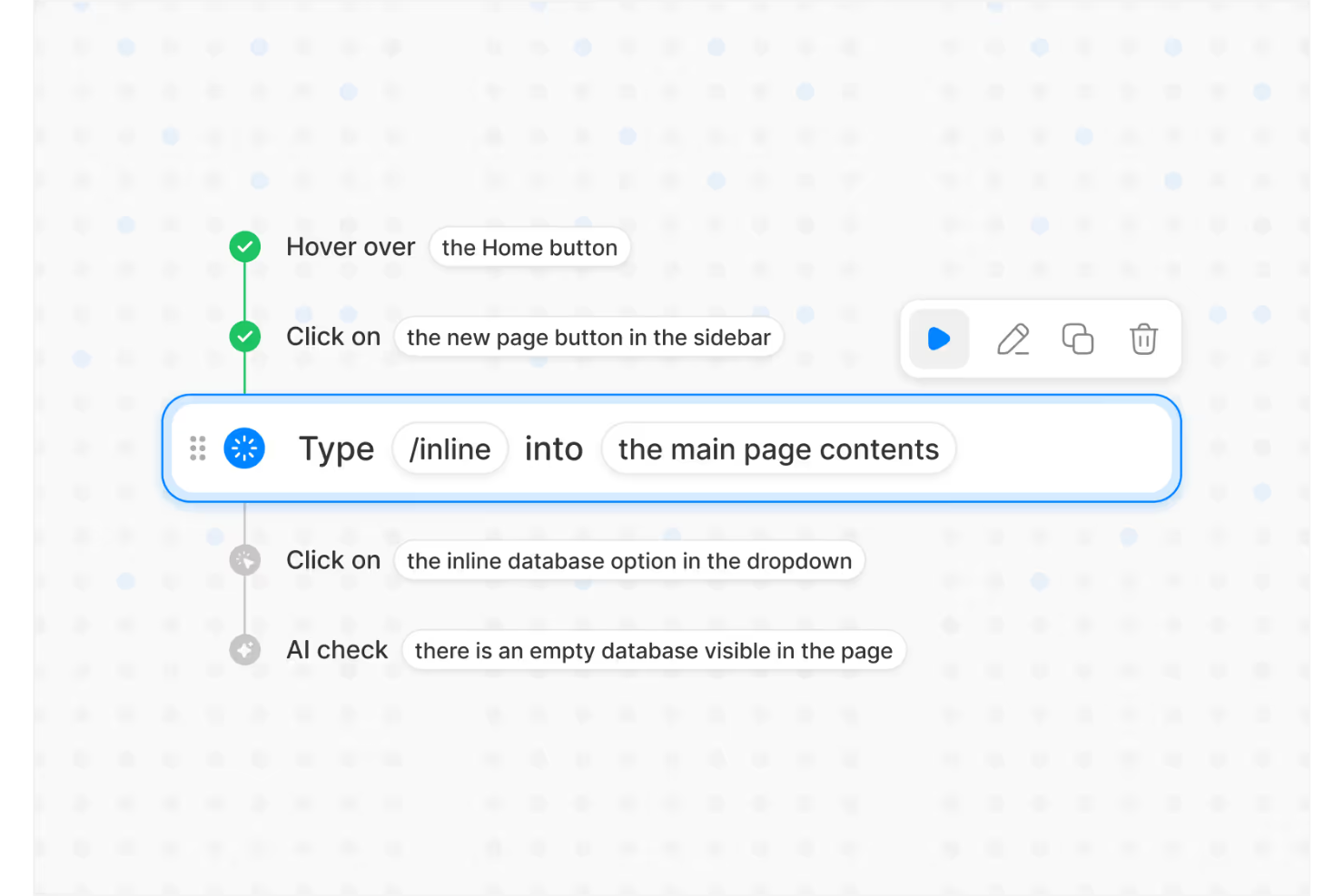
Describe test flows in plain English and Momentic’s AI builds the automation for you, making test authoring accessible to any engineer.
Self-Healing Locators
Selectors automatically adapt as your UI changes, reducing maintenance by tracking user intent instead of exact DOM structure.
Autonomous Testing Agent
Momentic’s AI explores your app, finds critical user flows, and generates or updates tests as your product evolves.
AI-Powered Assertions
Validate UI state, content, and behavior using flexible, intent-based checks that reduce false positives and handle dynamic outputs more effectively..
Regression Testing Automation
Run high-signal test suites on every commit and pull request to catch critical bugs before code merges or deploys.
Flexible Execution (Cloud + CLI)
Run tests in the cloud for quick setup or locally via CLI for CI/CD integration, version control, and developer-centric workflows.
Ease of Use
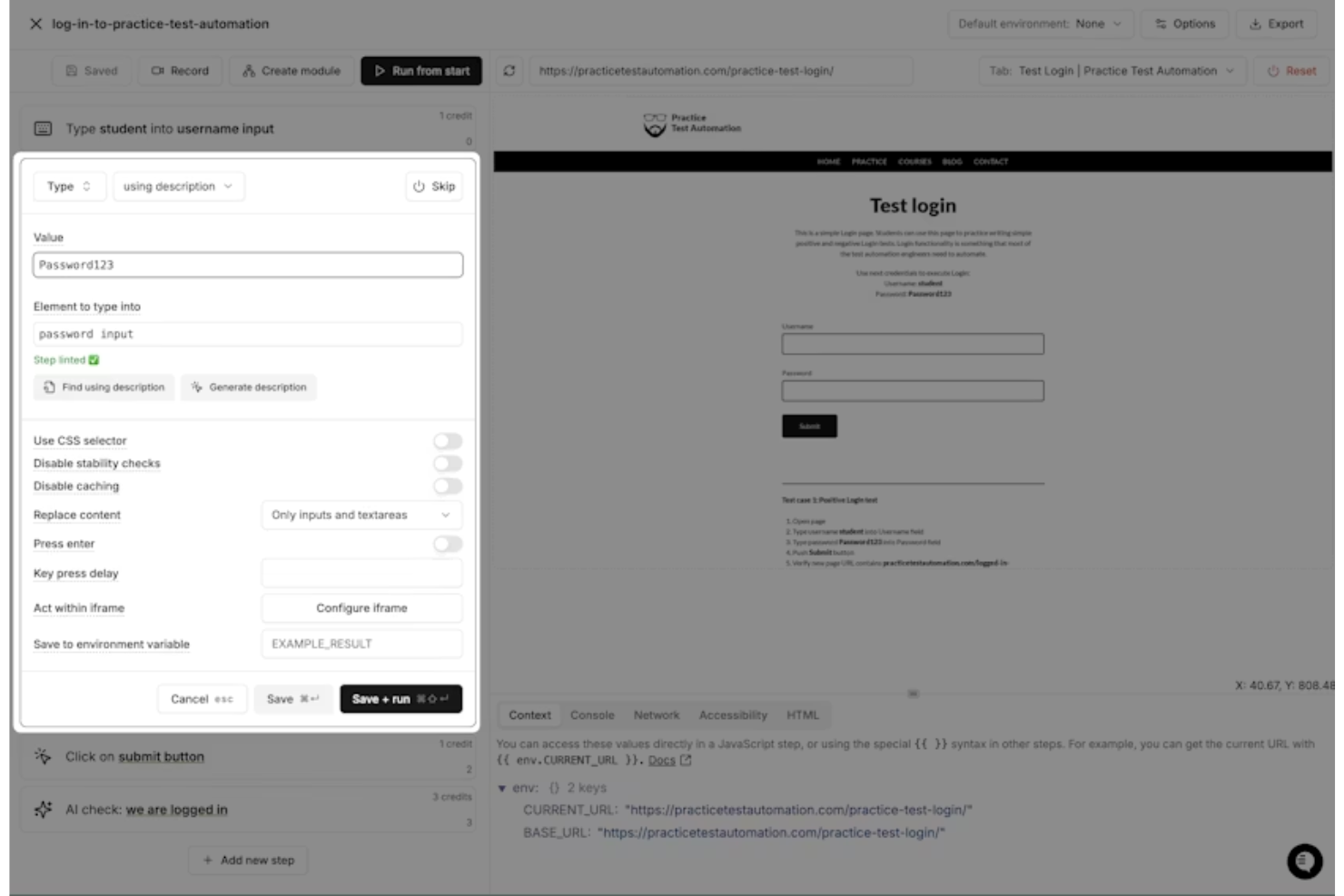
Overall, I think Momentic is one of the more approachable end-to-end testing tools available, largely because of its plain-English test creation and interactive editor. Instead of writing and maintaining code, you define test steps in natural language and get immediate feedback through a built-in browser preview and debugging tools. Features like self-healing locators and smart waiting also reduce the need for constant maintenance. That said, it’s not completely “no-skill”—you still need to learn how to write clear, unambiguous prompts and structure tests effectively to get reliable results.
Integrations
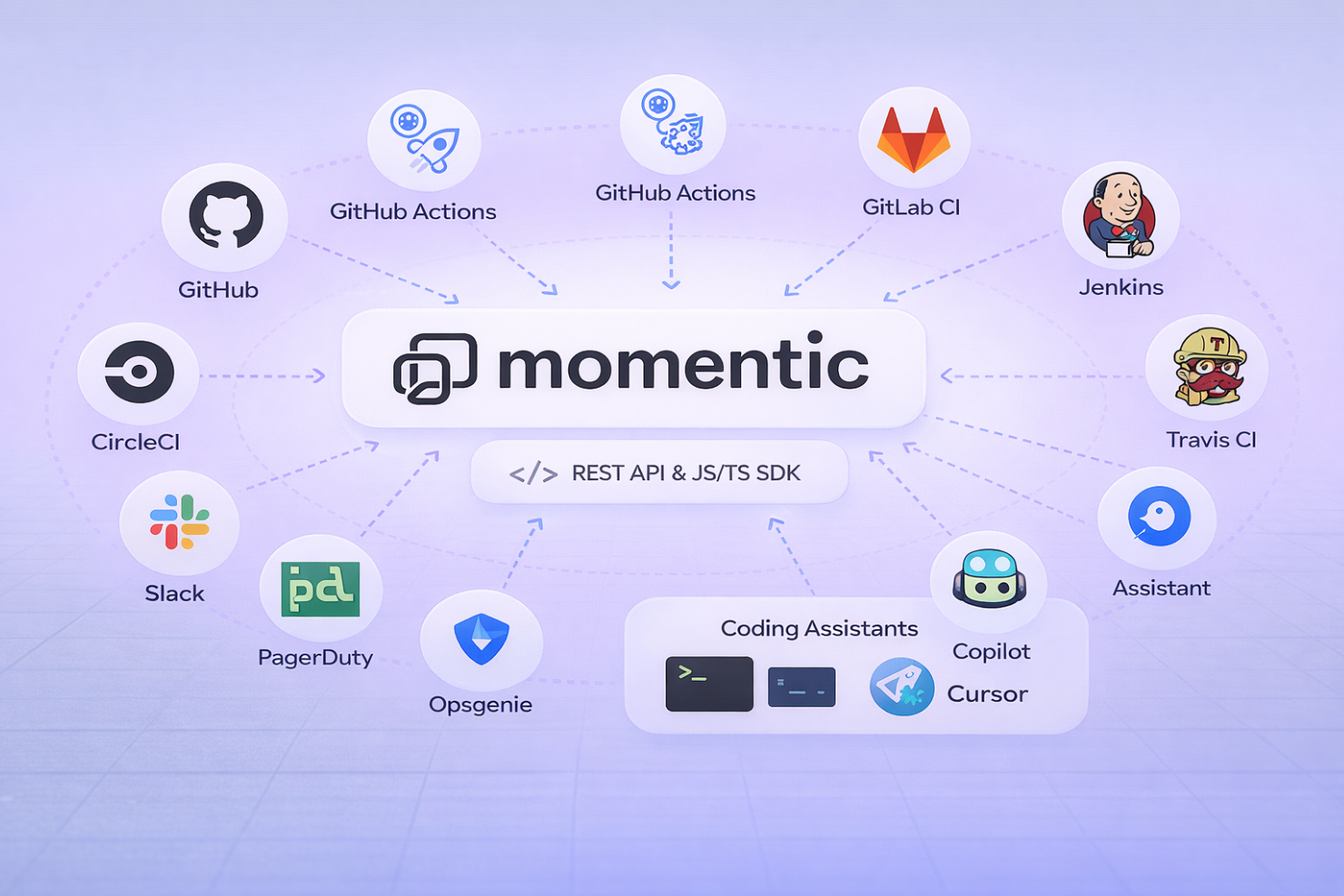
Momentic integrates with major CI/CD platforms, including GitHub Actions, CircleCI, GitLab CI, Jenkins, and Travis CI, making it easy to run automated tests as part of your development pipeline. It also supports notifications via Slack, PagerDuty, Opsgenie, and webhook-based systems for alerting and incident workflows.
Beyond that, Momentic offers a REST API and JavaScript/TypeScript SDK for building custom workflows, along with a CLI for deeper integration into local development and CI environments. It also supports integrations with coding assistants (like Copilot and Cursor) through its MCP framework, enabling AI-driven test creation and maintenance directly from developer tools.
Momentic Specs
- API
- Bug Tracking
- CI/CD Integration
- Cloud Deployment
- Code Review
- Code Transformation
- Collaboration Support
- Data Export
- Data Import
- Developer Tools
- External Integrations
- Git Integration
- History/Version Control
- IDE Plugins
- Local Deployment
- Multi-User
- Notifications
- Project Management
- Release Management
- Static Analysis
- Task Scheduling/Tracking
- Testing