

IBM QRadar Review 2026: Key Features, Pros, Cons, and Pricing
IBM QRadar stands out for its robust threat detection and scalability, but may be best suited for larger organizations seeking deep analytics over ease of use or rapid deployment.

We review tools independently, and commissions help fund our testing. See our transparency policy, our methodology, or suggest a tool.
IBM Security QRadar SIEM is a SIEM tool built for security operations teams managing threat detection, log correlation, and incident investigation across large, distributed environments. It's worth considering if your team handles high volumes of network flow and event data and needs built-in correlation rules, threat intelligence, and behavioral analytics without building that capability from scratch. I'd choose it over Splunk when your primary focus is security operations specifically—QRadar is purpose-built for that use case, while Splunk demands significantly more customization to deliver the same depth of security-focused detection out of the box.
IBM Security QRadar SIEM Evaluation Summary

4.5/5
- Pricing upon request
- Free demo available
Why Trust Our Software Recommendations
6,700+
Reviews
20
Industry experts
16+
Evaluation factors
14
Years
Our team has been testing and reviewing software since 2012. As tech leaders ourselves, we know how difficult—and important—it is to choose the right software.
For this guide, we evaluated tools using hands-on testing and independent research, scoring tools using our selection criteria.
Our reviews reflect our human editorial judgment, not a sales pitch.
Expert reviewers:
- Paulo Gardini MiguelTech Director
 Tim FisherVP of AI
 Gabriel RosasTech Lead & Software Architect
 Christhian GruhnTech Lead & Platform Architect

IBM Security QRadar SIEM Overview
When judging IBM QRadar as a SIEM Tool, its advanced analytics, broad integration options, and strong threat detection set it apart for organizations with complex security needs. The interface can feel dated, and onboarding may require more time than some competitors, but its depth of functionality and responsive support make it a top choice for enterprises prioritizing thorough investigation and compliance.
Pricing is on the higher end, yet justified for those needing scalable, customizable deployments. If you’re selecting a SIEM for a large, regulated environment, QRadar’s capabilities often outweigh its steeper learning curve.
Pros
- Streamlines compliance reporting for regulated industries
- Strong user and network behavior analytics capabilities
- Advanced threat detection with real-time analytics
Cons
- Pricing is higher than many mid-market SIEM solutions
- Initial setup and tuning require significant time investment
- Interface can feel outdated compared to newer tools
Is IBM Security QRadar SIEM Right For Your Needs?
Who Would be a Good Fit for IBM Security QRadar SIEM?
IBM QRadar is best suited for organizations with complex security requirements, high compliance demands, and large-scale environments. Its advanced analytics, automated threat detection, and strong compliance reporting make it a strong choice for industries where security and regulatory oversight are top priorities.
Teams with dedicated security staff and the resources to manage a sophisticated SIEM will benefit most from QRadar’s depth and scalability.
- Managed Security ProvidersMulti-tenant capabilities allow service providers to monitor multiple clients.
- Government AgenciesSupports FISMA and other government compliance requirements.
- Security Operations CentersCentralized threat detection and investigation tools fit SOC workflows.
- Healthcare OrganizationsQRadar’s HIPAA-ready tools help protect sensitive patient data.
- Financial ServicesIts compliance reporting and fraud detection features support strict regulatory needs.
- Large EnterprisesQRadar handles high event volumes and complex infrastructure with ease.
Who Would be a Bad Fit for IBM Security QRadar SIEM?
IBM QRadar is less suitable for smaller businesses, teams with limited IT resources, or organizations seeking a lightweight, low-maintenance SIEM. Its higher cost, complex setup, and resource requirements can outweigh the benefits for those with simpler security needs or limited budgets. Companies prioritizing rapid deployment or minimal ongoing management may find QRadar unnecessarily complex.
- Temporary ProjectTeams Long setup and tuning times don’t fit short-term projects.
- Remote-Only TeamsOn-premises or hybrid deployments may not suit fully remote operations.
- Retail ChainsMay be overkill for environments with basic compliance needs.
- Non-Technical DepartmentsRequires security expertise for configuration and ongoing management.
- StartupsResource requirements and setup time are not startup-friendly.
- Small BusinessesThe cost and complexity exceed what most small teams need.
Our Review Methodology
How We Test & Score Tools
We’ve spent years building, refining, and improving our software testing and scoring system. The rubric is designed to capture the nuances of software selection and what makes a tool effective, focusing on critical aspects of the decision-making process.
Below, you can see exactly how our testing and scoring works across seven criteria. It allows us to provide an unbiased evaluation of the software based on core functionality, standout features, ease of use, onboarding, customer support, integrations, customer reviews, and value for money.
Core Functionality (25% of final scoring)
The starting point of our evaluation is always the core functionality of the tool. Does it have the basic features and functions that a user would expect to see? Are any of those core features locked to higher-tiered pricing plans? At its core, we expect a tool to stand up against the baseline capabilities of its competitors.
Standout Features (25% of final scoring)
Next, we evaluate uncommon standout features that go above and beyond the core functionality typically found in tools of its kind. A high score reflects specialized or unique features that make the product faster, more efficient, or offer additional value to the user.
We also evaluate how easy it is to integrate with other tools typically found in the tech stack to expand the functionality and utility of the software. Tools offering plentiful native integrations, 3rd party connections, and API access to build custom integrations score best.
Ease of Use (10% of final scoring)
We consider how quick and easy it is to execute the tasks defined in the core functionality using the tool. High scoring software is well designed, intuitive to use, offers mobile apps, provides templates, and makes relatively complex tasks seem simple.
Onboarding (10% of final scoring)
We know how important rapid team adoption is for a new platform, so we evaluate how easy it is to learn and use a tool with minimal training. We evaluate how quickly a team member can get set up and start using the tool with no experience. High scoring solutions indicate little or no support is required.
Customer Support (10% of final scoring)
We review how quick and easy it is to get unstuck and find help by phone, live chat, or knowledge base. Tools and companies that provide real-time support score best, while chatbots score worst.
Customer Reviews (10% of final scoring)
Beyond our own testing and evaluation, we consider the net promoter score from current and past customers. We review their likelihood, given the option, to choose the tool again for the core functionality. A high scoring software reflects a high net promoter score from current or past customers.
Value for Money (10% of final scoring)
Lastly, in consideration of all the other criteria, we review the average price of entry level plans against the core features and consider the value of the other evaluation criteria. Software that delivers more, for less, will score higher.
Core Features
User Behavior Analytics
Detects insider threats by analyzing user actions and highlighting risky behavior. Helps uncover anomalous activity with clear, actionable insights.
Network Threat Analytics
Monitors network traffic in real time to identify suspicious patterns. Provides deep visibility into lateral movement and advanced attacks.
Sigma Community Rules
Supports thousands of open source Sigma rules for flexible, up-to-date threat detection. Lets analysts quickly import new detection logic as threats evolve.
Advanced Threat Detection
Correlates data from multiple sources to spot sophisticated attacks. Automates alerting and prioritization to reduce manual investigation time.
Threat Hunting
Enables analysts to search across datasets for hidden threats. Turns disparate security data into actionable intelligence for proactive defense.
Compliance Reporting
Generates audit-ready reports for regulations like HIPAA and FISMA. Streamlines evidence collection and documentation for internal and external audits.

Standout Features
AI-Powered Offense Prioritization
IBM QRadar uses machine learning to automatically rank and group security offenses by risk level. This helps security teams focus on the most urgent threats and reduces alert fatigue.
Automated Investigation Workflows
QRadar automates investigation steps, gathers evidence, and suggests next actions for analysts. This speeds up incident response and ensures consistent, repeatable processes across teams.
Ease of Use
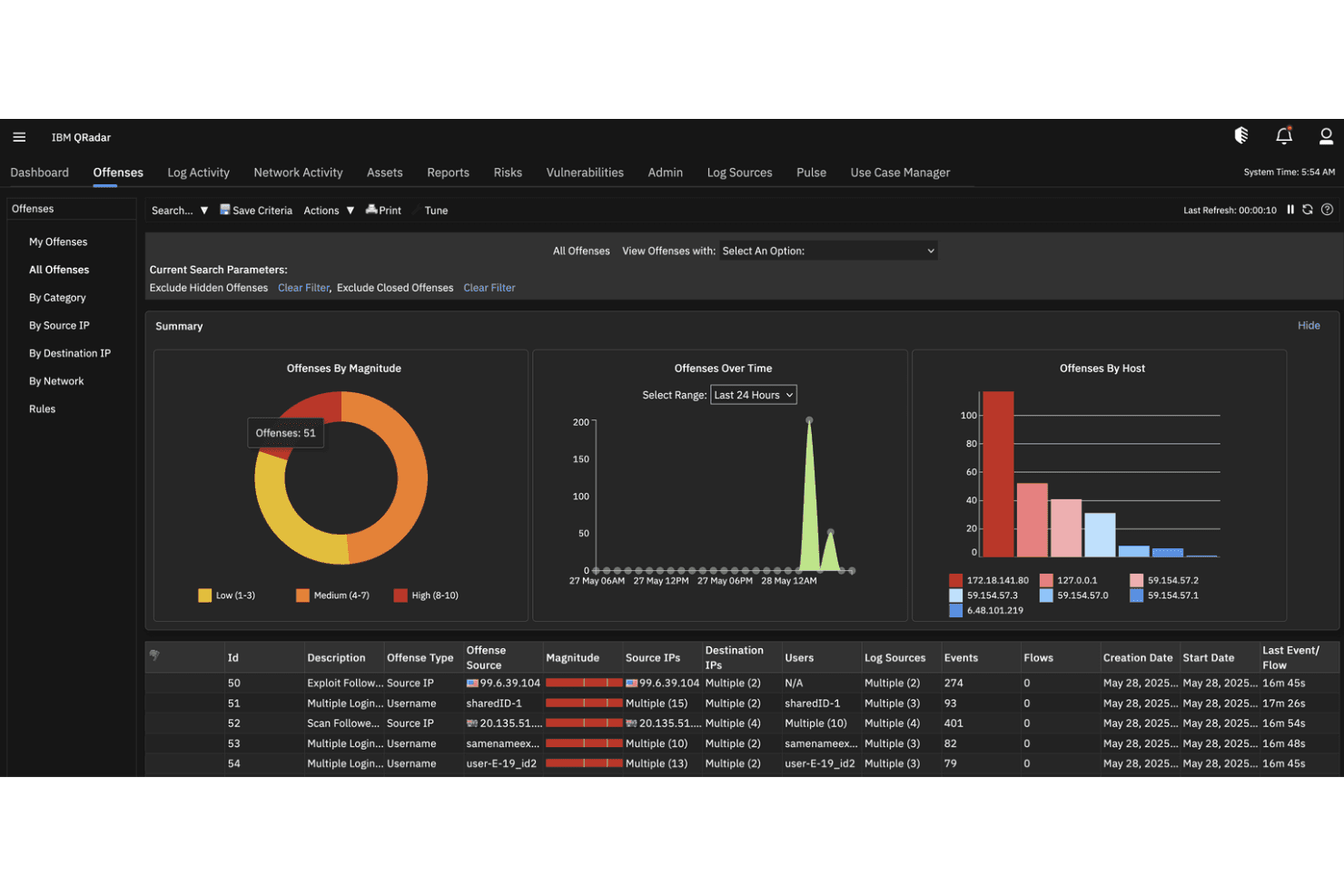
IBM QRadar offers deep functionality but can feel complex and overwhelming, especially during initial setup and tuning. Many users report that the interface is less intuitive than newer SIEM tools, requiring more training and expertise to navigate.
However, once configured, its dashboards and automated workflows provide clear visibility and efficient investigation paths for experienced security teams. The learning curve is offset by the platform’s powerful analytics and customization options.
Onboarding
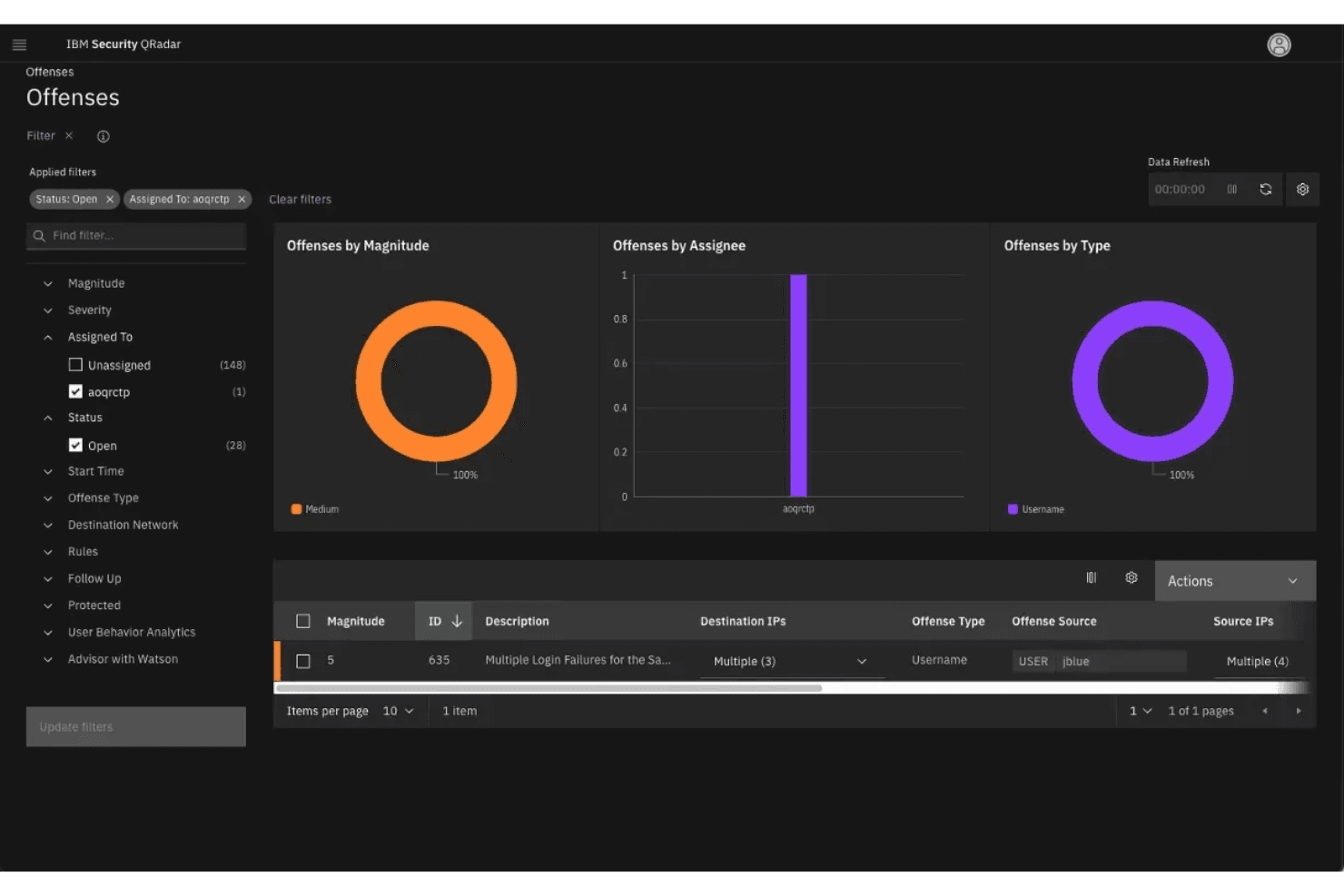
Onboarding with IBM QRadar is often described as resource-intensive and time-consuming, especially for teams without prior SIEM experience. Users note that setup, tuning, and initial data integration require significant planning and expertise.
However, IBM provides extensive documentation, training modules, and responsive support channels to guide new users. While the time to value is longer than some expect, the thorough onboarding process helps ensure a well-configured, effective deployment for complex environments.
Customer Support
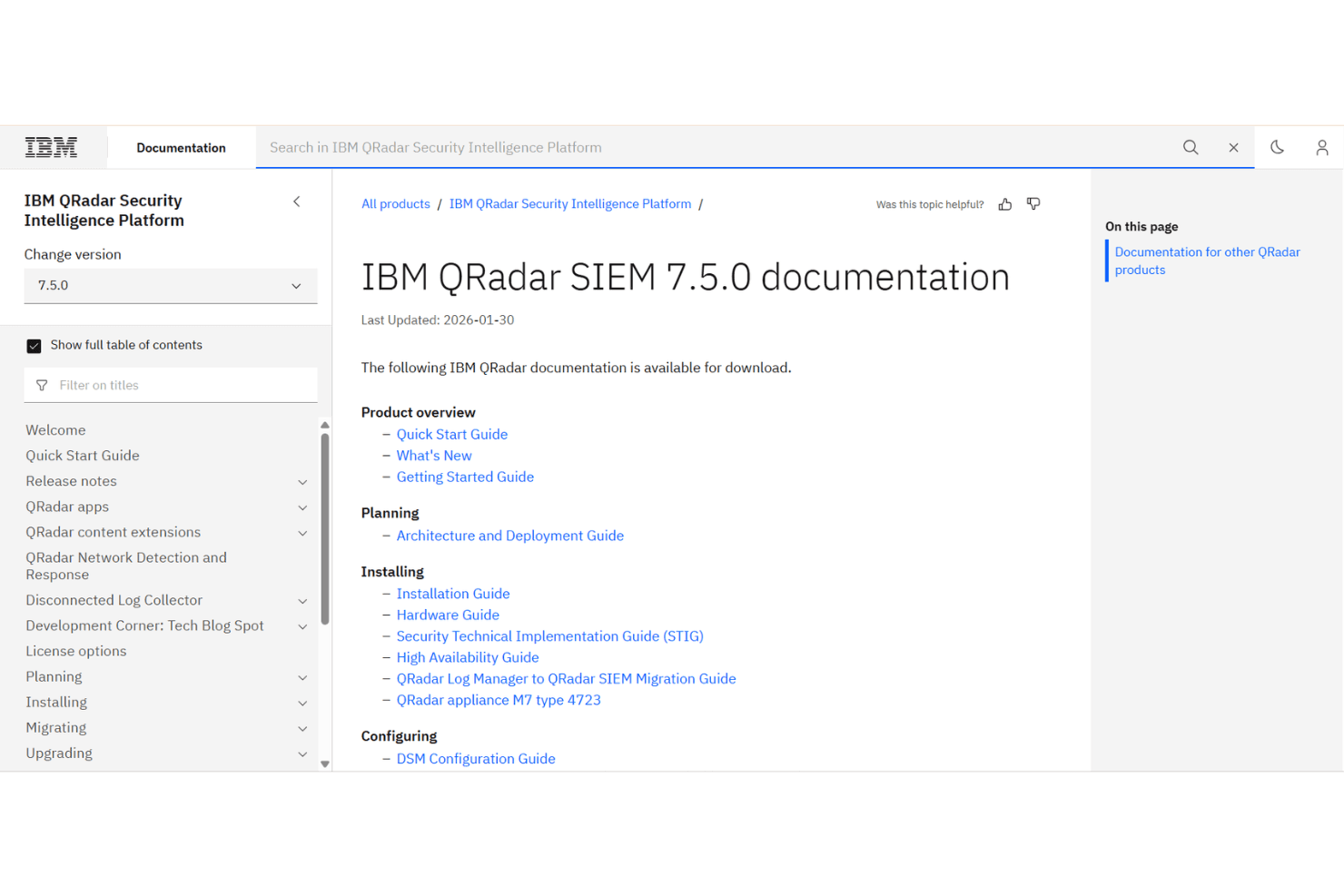
IBM QRadar’s customer support is widely regarded as responsive and knowledgeable, especially for enterprise clients with complex needs. Users appreciate the availability of 24/7 assistance, detailed documentation, and access to a global support network. Many report that technical issues and configuration questions are addressed quickly, though some note that resolution times can vary depending on ticket priority.
The combination of live support, community forums, and training resources helps users resolve challenges efficiently.
Integrations
IBM QRadar integrates with AWS, Microsoft, Google Cloud, Palo Alto Networks, CrowdStrike, Trend Micro, Cisco, Splunk, Tenable, and Mimecast, among others.
IBM QRadar also offers a robust API and supports custom integrations, allowing connections with a wide range of third-party tools and platforms.

Value for Money
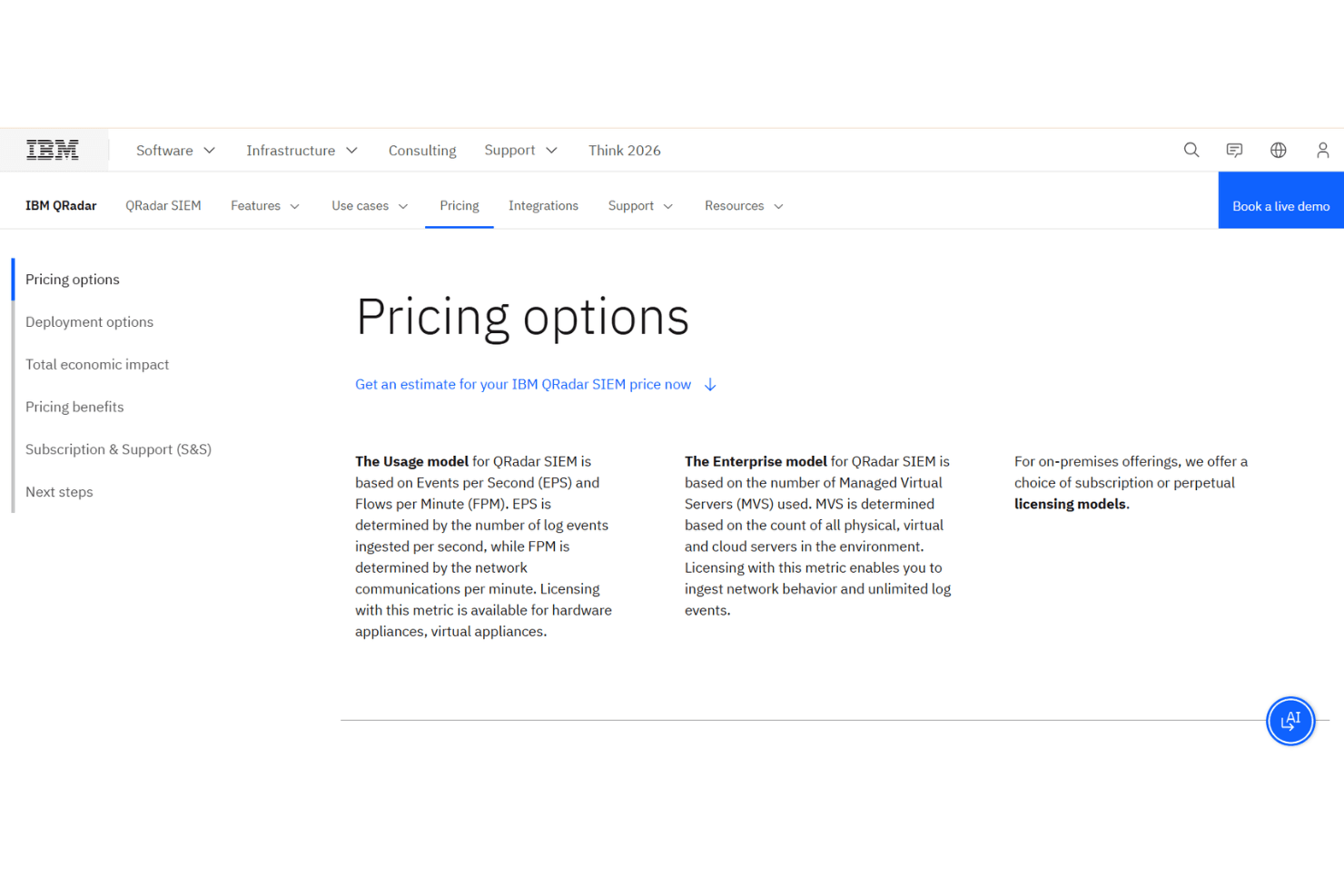
IBM QRadar offers two primary licensing plans based on how the system is deployed and measured. Pricing is provided through a custom quote, depending on the environment size and usage. Although not separate plans, the platform also supports different licensing and deployment approaches. Pricing options include:
- Usage Model: Charges based on Events per Second (EPS) and Flows per Minute (FPM), tying pricing to monitored security data and network traffic.
- Enterprise Model: Priced based on the number of Managed Virtual Servers (MVS), allowing unlimited log ingestion across monitored servers.
IBM Security QRadar SIEM Specs
- 2-Factor Authentication: Yes
- Anti-Virus: No
- API: Yes
- Bug Tracking: No
- Dashboard: Yes
- Data Export: Yes
- Data Import: Yes
- Data Visualization: Yes
- Email Integration: No
- External Integrations: Yes
- Firewall: No
- Google Apps Integration: No
- Malware Protection: No
- Multi-User: Yes
- Network Traffic Monitoring: Yes
- Network Visualization: Yes
- Notifications: Yes
- Third-Party Plugins/Add-Ons: Yes
IBM Security QRadar SIEM FAQs
IBM Security QRadar SIEM Company Overview & History
IBM QRadar is a security information and event management (SIEM) platform developed by IBM, a global technology company headquartered in Armonk, New York. IBM employs over 300,000 people worldwide and is known for its broad portfolio of enterprise software, hardware, and cloud solutions. QRadar is part of IBM’s Security division, which also includes products like QRadar SOAR and QRadar EDR.
Notable clients include Sutherland, which used QRadar to unify its security ecosystem and accelerate threat detection. In 2024, IBM sold its QRadar SaaS assets to Palo Alto Networks.
IBM QRadar Major Milestones
- 2011: IBM acquires Q1 Labs, the original developer of QRadar, and integrates it into its security portfolio.
- 2012: QRadar becomes a core offering in IBM’s Security division.
- 2023: QRadar SaaS business generates approximately $100 million in revenue.
- 2024: IBM sells QRadar SaaS assets to Palo Alto Networks, marking a significant shift in the product’s ownership and future direction.