


Hiver vs. Freshdesk: Comparison & Expert Reviews For 2026

We review tools independently, and commissions help fund our testing. See our transparency policy, our methodology, or suggest a tool.
If you’re a service desk leader, you may be pushed to deliver faster responses, more personalized experiences, and smoother operations—all while juggling rising ticket volumes and tightening budgets. You’re expected to keep your team aligned, cut down on busywork, and give customers quick, human service across every channel without letting quality slip. Choosing the right customer service desk software plays a huge role in whether your team can meet those expectations or constantly feel behind.
In this article, I’ll compare Hiver and Freshdesk, two leading tools in this space. I’ll cover their features, pros and cons, pricing, and more to help you in your search for the right service desk software for your team.
Hiver
4.7/5
- Free plan available
- From $35/user/month
Freshdesk


4.4/5
- 14-day free trial
- From $19/user/month (billed annually)
Why Trust Our Software Recommendations
6,700+
Reviews
20
Industry experts
16+
Evaluation factors
14
Years
Our team has been testing and reviewing software since 2012. As tech leaders ourselves, we know how difficult—and important—it is to choose the right software.
For this guide, we evaluated tools using hands-on testing and independent research, scoring tools using our selection criteria.
Our reviews reflect our human editorial judgment, not a sales pitch.
Expert reviewers:
- Paulo Gardini MiguelTech Director
 Tim FisherVP of AI
 Gabriel RosasTech Lead & Software Architect
 Christhian GruhnTech Lead & Platform Architect

| Hiver | Freshdesk | |
|---|---|---|
| Free Trial | Free plan available | 14-day free trial |
| Pricing | From $35/user/month | From $19/user/month (billed annually) |
Hiver vs. Freshdesk Pricing & Hidden Costs
Hiver’s pricing structure offers tiered plans that scale with features. Hidden costs may come from purchasing AI automations or upgrading seats mid-cycle. One benefit of Hiver is that it has a free forever plan, perfect for teams just starting out. Freshdesk’s pricing model also follows a tiered structure with additional costs tied to AI sessions, advanced automation, and paid add-ons like Freddy AI Agent. They offer a free 6-month plan.
Choosing the right tool as a customer service leader means comparing how each vendor structures usage-based add-ons, estimating how often your team will rely on AI tools, and checking how each platform charges for collaboration, automation volume, and support seats.
Hiver’s AI Copilot and intuitive ticketing help you manage high email volumes smoothly when you’re dealing with customer escalations or urgent operational issues, while Freshdesk’s Command Center and advanced workflows are great for leaders handling complex queues and multichannel demand. Compared to each other, Hiver’s simplicity keeps your team moving fast, and Freshdesk’s enterprise-grade features help you coordinate heavier workloads with more routing logic.
| Hiver | Freshdesk | |
|---|---|---|
| Analytics | Yes | Yes |
| API | Yes | Yes |
| Batch Permissions & Access | Yes | No |
| Call Integration | Yes | Yes |
| Chat | Yes | Yes |
| Contact Management | Yes | Yes |
| Contact Sharing | Yes | Yes |
| CRM Integration | Yes | Yes |
| Customer Management | Yes | Yes |
| Customer Service | Yes | Yes |
| Dashboard | Yes | Yes |
| Data Export | Yes | Yes |
| Data Import | Yes | Yes |
| Data Visualization | Yes | Yes |
| Email Integration | Yes | Yes |
| Escalation Management | Yes | No |
| External Integrations | Yes | Yes |
| Instant Chat Integration | Yes | Yes |
| Knowledge Base | Yes | Yes |
| Lead Management | No | No |
| Lead Scoring | No | No |
| Multi-User | Yes | Yes |
| Notifications | Yes | Yes |
| Real-time Alerts | Yes | Yes |
| Scheduling | Yes | Yes |
| Self-service Portal | Yes | Yes |
| Social Media Integration | Yes | Yes |
| Support Forum | No | Yes |
| Third-Party Plugins/Add-Ons | Yes | Yes |
| Ticket Management | Yes | Yes |
| Workflow Management | Yes | Yes |
| Integration | Hiver | Freshdesk |
| Salesforce | ✅ | ✅ |
| HubSpot | ✅ | ✅ |
| Shopify | ✅ | ✅ |
| Netsuite | ✅ | ✅ |
| Asana | ✅ | ✅ |
| Jira | ✅ | ✅ |
| Pipedrive | ✅ | ✅ |
| Microsoft Teams | ❌ | ✅ |
| MailChimp | ❌ | ✅ |
| Google Analytics | ❌ | ✅ |
| API | ✅ | ✅ |
| Zapier | ✅ | ❌ |
Hiver’s integrations focus on bringing customer context directly into the inbox, making it easy for your team to work with data from the tools they rely on without switching screens, while Freshdesk’s broader marketplace gives you more options for extending workflows across different departments and business systems. For service leaders, the real difference comes down to whether you prefer a focused, and intuitive integration model or a larger ecosystem designed for multi-team operations.
| Factor | Hiver | Freshdesk |
| Data Privacy | Stores data securely on AWS with strict access controls, transparent retention policies, and optional HIPAA compliance. | Uses a multi-tier data security model with IAM controls, VPC isolation, and strong internal audit practices. |
| Encryption | Encrypts data in transit with TLS and keeps synced email data encrypted temporarily before deletion. | Uses AES-256 for data at rest and TLS 1.2+ for data in transit across its platform. |
| Compliance | Complies with ISO 27001, SOC 2 Type II, GDPR, and CCPA. | Also meets major standards including SOC 2, ISO 27001, GDPR, and more with extensive audit processes. |
| Infrastructure | Hosted on AWS with redundancy, backups, and strict firewall controls. | Includes redundancy across multiple availability zones with load balancing, DNS routing, and failover mechanisms. |
| Authentication | SSO support for Google and Outlook with OAuth permissions and encrypted tokens. | Offers fine-grained access control with role-based permissions, IAM, 2FA, and secure management tunnels. |
Hiver and Freshdesk both deliver strong security, but Freshdesk also offers deeper architectural resilience that supports enterprise-scale needs. When evaluating this category, try to compare the specific compliance frameworks your business relies on and evaluate each tool’s audit logs, SSO options, and data retention policies to find the right match.
| Factor | Hiver | Freshdesk |
| Interface | Modern and intuitive UI that lets teams move quickly with minimal clutter. | More complex dashboard designed to support high-volume, multi-team workflows. |
| Setup | Quick setup that gets teams live within hours. | Setup requires more configuration as features and automations expand. |
| Learning Curve | Easy for new agents to learn with minimal training. | Steeper learning curve due to broader functionality and more controls. |
| Collaboration | Seamless with notes, drafts, @mentions, and collision alerts. | Strong but more structured, using threads, linked tickets, and collaborator roles. |
| AI Experience | AI Copilot guides teams naturally without overwhelming them. | Freddy AI includes multiple capabilities but may require training and setup. |
From my perspective, Hiver is easier for daily work because it keeps everything simple and fast, while Freshdesk’s deeper controls make it more demanding to learn but more scalable for large, multi-team operations. Each tool excels in different ways depending on how your team prefers to work.
Hiver
- Hiver AI reduces manual effort by drafting responses, auto-tagging conversations, and summarizing threads in seconds
- You deliver human-like, personalized responses without switching tabs or sounding robotic.
- Your team stays aligned with shared drafts, notes, collision alerts, and clear ownership.
- No advanced help desk forecasting, capacity planning, or predictive SLA breach modeling.
- Complex enterprise workflows may require more customization than Hiver currently offers.
- Teams with support channels outside of chat, email, and call (like social channels), may find the platform lacks features.
Freshdesk
- The robust ticketing system ensures your team can manage inquiries effectively, keeping customer satisfaction high.
- Freshdesk's automation tools help streamline repetitive tasks, boosting your team's efficiency.
- Your team will find its intuitive interface easy to navigate, even for those new to customer support software.
- You might find the reporting features a bit limited for in-depth analytics.
- Some users report that advanced customization options can be challenging to implement.
- Your team may experience occasional delays with customer support response times.
Hiver
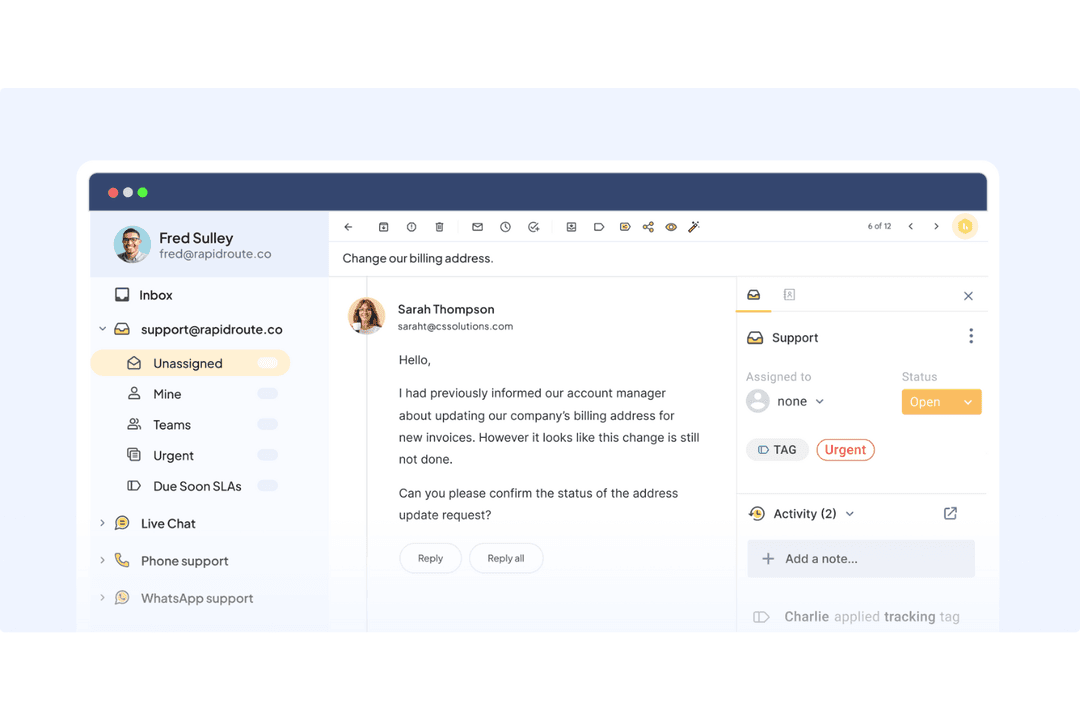
- Small Support TeamsThe interface is simple enough that your team can start resolving issues within hours.
- E-Commerce BusinessesYou can access customer and order context quickly, making it easier to handle common inquiries.
- IT Help DesksSLA tracking, automations, and routing help you manage internal requests smoothly.
- Logistics & OperationsShared inboxes and clear workloads help you stay organized across high message volumes.
- Travel & HospitalityNatural, friendly replies help maintain strong relationships with customers and travelers.
- AI-Driven TeamsAI Copilot removes manual effort so your team can focus on higher-value tasks.
Freshdesk
- Non-ProfitsFreshdesk provides essential features to manage donor and supporter inquiries effectively.
- Remote Support TeamsThe cloud-based platform allows your team to access support tools from anywhere, ensuring continuity.
- Small BusinessesFreshdesk offers a cost-effective solution for managing customer support without complex setup.
- Customer Service DepartmentsThe intuitive interface ensures your team can adopt Freshdesk quickly, enhancing service delivery.
- Tech StartupsYour team can benefit from Freshdesk’s automation tools to handle repetitive tasks and improve productivity.
- Ecommerce TeamsFreshdesk helps you manage customer inquiries efficiently with its robust ticketing system.
Who Should Use Hiver, and Who Should Use Freshdesk?
Hiver is a great choice if your team wants an easy-to-use, modern interface with strong AI support that helps you personalize responses without slowing your team down. Freshdesk is better suited for service desk leaders who need advanced workflows, complex routing, and a platform that supports large teams managing multiple high-volume queues. Hiver fits teams looking for speed and simplicity, and Freshdesk fits teams that need structure and automation depth. At the end of the day, the right choice comes down to how much control you need over workflows and how quickly you want your team to get productive.
If neither quite matches your requirements, comparing Freshdesk with other help desk options can help you find a closer fit.
| Hiver | Freshdesk | |
|---|---|---|
| Artificial Intelligence | Hiver Hiver AI for drafting, tagging, summarizing, and sentiment. | Freshdesk Freddy AI with agents, insights, translations, and automated resolutions. |
| Automation | Hiver Rule-based routing and tagging with a simple setup. | Freshdesk Advanced automations based on skills, sentiment, load, and workflows. |
| Customization | Hiver Some customization options for workflows and automations. | Freshdesk Much more granular customization options with advanced workflows. |
| Pricing | Hiver Tiered plans with unlimited users on the Free forever plan. | Freshdesk Tiered plans with AI session-based pricing and more paid capabilities. No true free forever plan; only a six-month trial. |
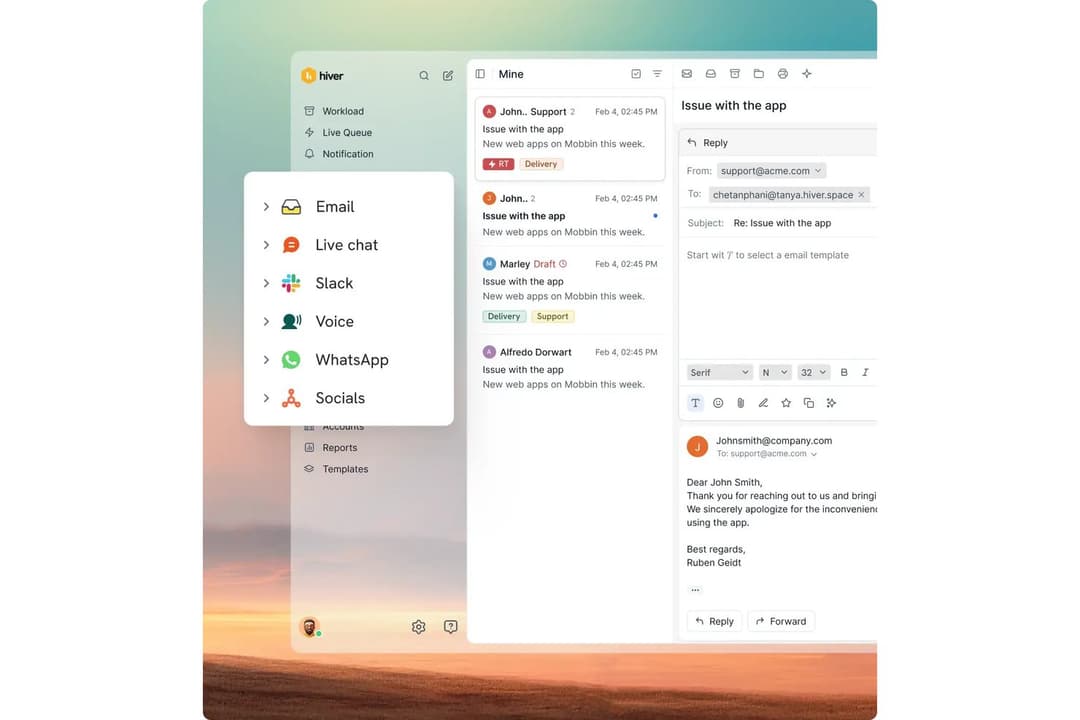
| User Interface | Hiver Modern, intuitive UI that helps teams move quickly with little clutter. | Freshdesk Centralized dashboard with many controls for complex work. |
| Analytics Tools | Both tools offer reporting dashboards that track KPIs like response time, resolution time, and customer satisfaction. |
|---|---|
| Collaboration | Each platform includes ways for your team to collaborate on complex issues without losing context. |
| Core Focus | Both tools center their platforms around helping teams manage customer conversations efficiently, offering structured ticketing, collaboration tools, and consistent customer-facing communication. |
| Omnichannel Support | Both tools let your team support customers across email, chat, and other channels, with each platform offering its own centralized workspace for handling conversations. |
| Self-Service | Both offer ways to help customers help themselves, providing portals or knowledge base tools that reduce manual ticket load and allow agents to focus on more complex inquiries. |