

Help Scout Review: Pros, Cons, Features, and Pricing
Help Scout stands out for its user-friendly email-first support, making it ideal for small to mid-sized teams that prioritize simplicity, effective communication, and long-term customer success.

We review tools independently, and commissions help fund our testing. See our transparency policy, our methodology, or suggest a tool.
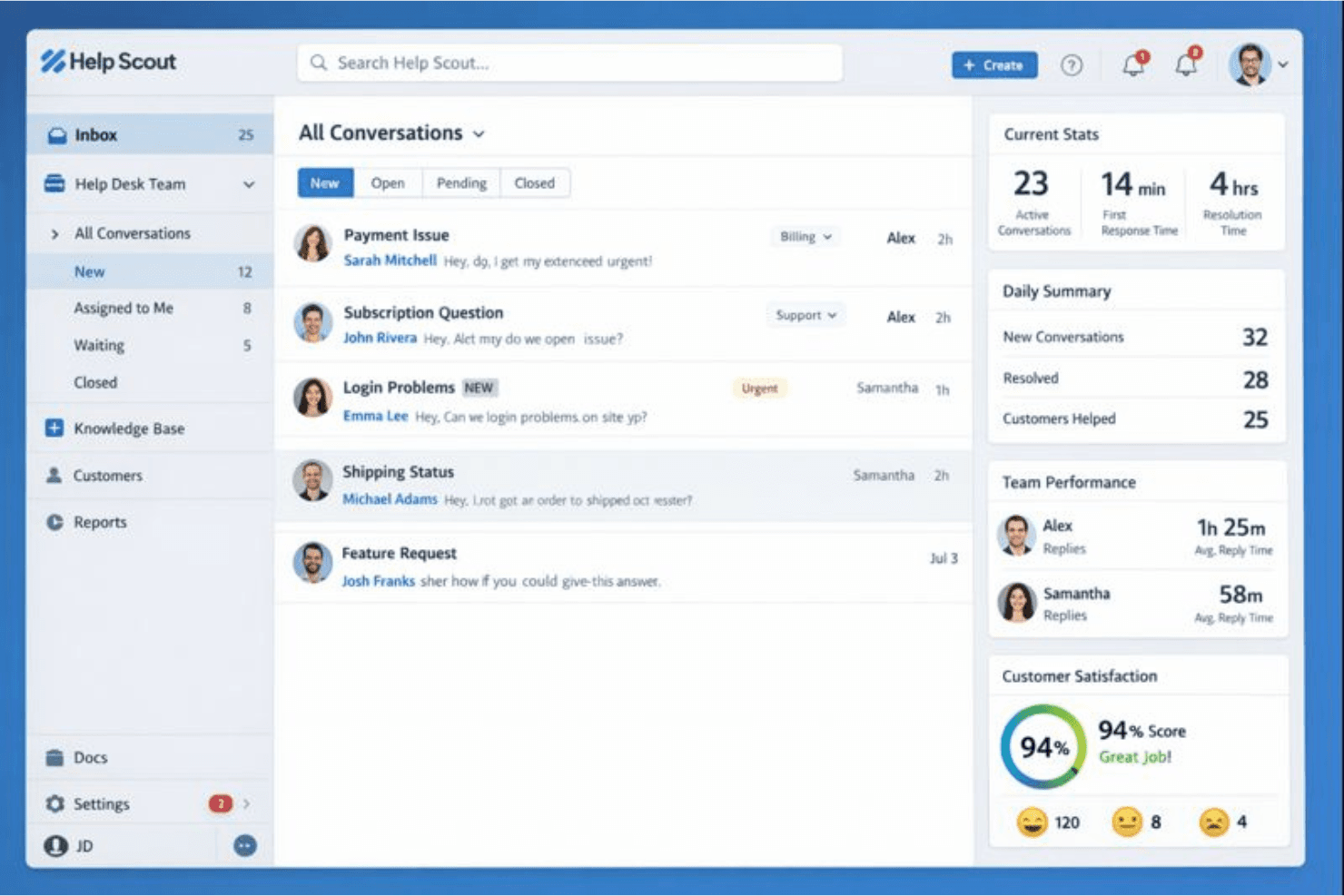
Help Scout is an IT helpdesk software built around shared inbox and email-based support for teams that need a clean, collaborative way to manage customer conversations without a heavy ticketing system. I'd consider it if you want something lighter and faster to set up than Zendesk, but still structured enough to give your team visibility into who owns what and where every conversation stands.
Help Scout Evaluation Summary
4.5/5
- From $25/user/month
- Free plan available
Why Trust Our Software Recommendations
6,700+
Reviews
20
Industry experts
16+
Evaluation factors
14
Years
Our team has been testing and reviewing software since 2012. As tech leaders ourselves, we know how difficult—and important—it is to choose the right software.
For this guide, we evaluated tools using hands-on testing and independent research, scoring tools using our selection criteria.
Our reviews reflect our human editorial judgment, not a sales pitch.
Expert reviewers:
- Paulo Gardini MiguelTech Director
 Tim FisherVP of AI
 Gabriel RosasTech Lead & Software Architect
 Christhian GruhnTech Lead & Platform Architect

Help Scout Overview
In my opinion, Help Scout is a solid choice for small to mid-sized teams that need a user-friendly IT help desk tool. Its email-first approach and strong customer support set it apart from competitors. The onboarding process is straightforward, making it easy for your team to get started. However, Help Scout's pricing may be steep, especially considering the limited integrations. If your team values effective communication, timely notifications, and a simple interface, Help Scout could be the right fit. It's especially beneficial in industries such as e-commerce and SaaS, where successful customer interactions are key.
Pros
- Your team will appreciate the intuitive and clean interface.
- Email-based support is efficient and effective for managing customer queries, including those from social media.
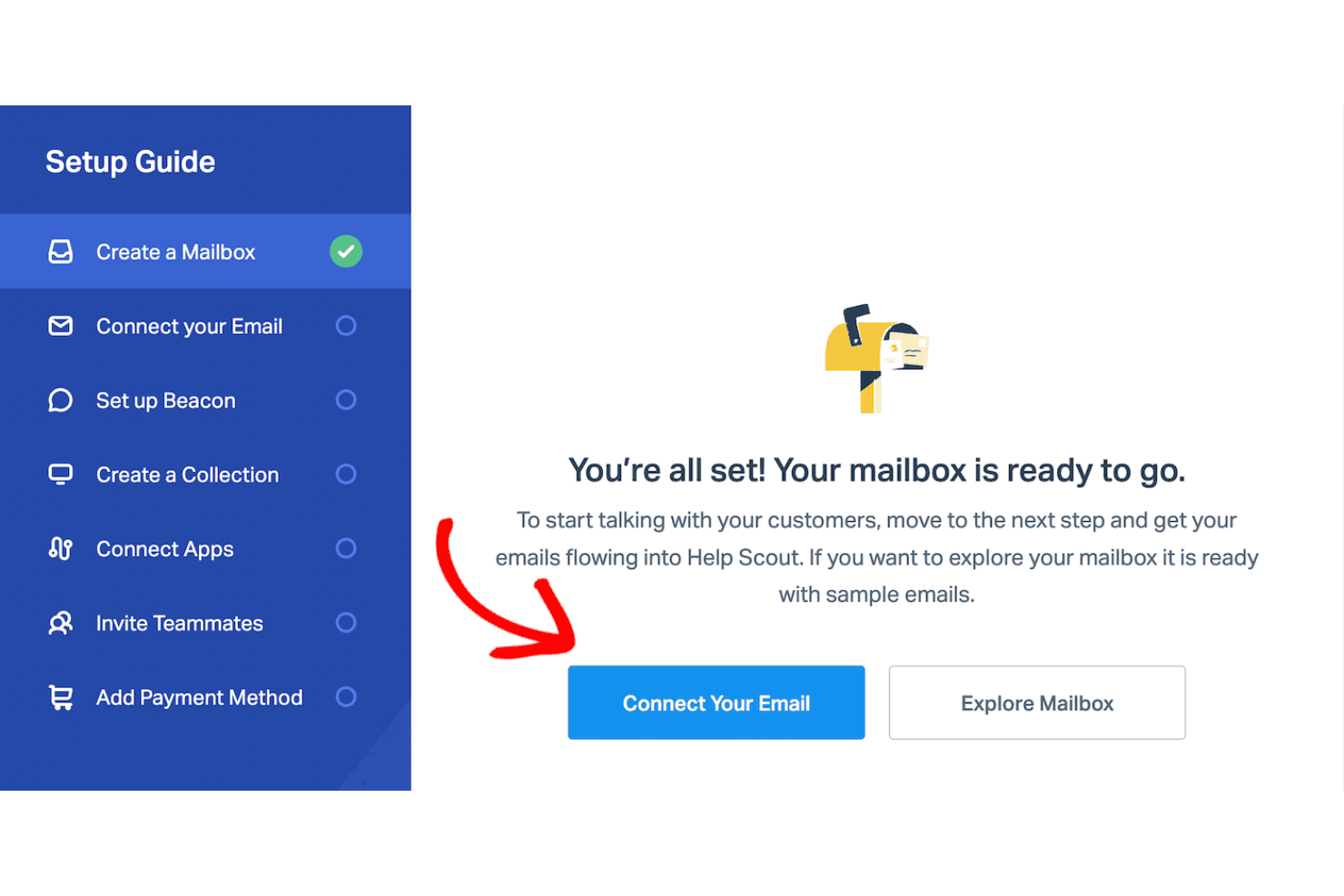
- Onboarding is quick and easy, so you can start working right away.
Cons
- You might find the reporting features a bit limited.
- The customization options for your workflows could be expanded.
- Some users feel the mobile app lacks certain functionalities compared to other support tools.
Is Help Scout Right For Your Needs?
Who Would be a Good Fit for Help Scout?
Help Scout is great for small to mid-sized businesses that prioritize customer communication. If your team is in e-commerce or SaaS, you'll find its email-based support, shared inbox, and simple user interface valuable for efficiently handling customer support inquiries. Your customer service or support departments can benefit from Help Scout's quick onboarding and ease of use. Its focus on effective communication makes it ideal for teams that need to manage customer interactions without getting bogged down by complex systems and a rigid ticketing system.
- E-commerce TeamsHelp Scout's email support aids your team in managing customer questions quickly with streamlined workflows.
- SaaS CompaniesYour support team will find Help Scout's interface easy to use, improving response times and enhancing customer success.
- Small BusinessesThe quick onboarding process means your team members can start using the platform without extensive training or complex customer service software setups.
- Customer Service DepartmentsThe email-first customer support platform lets your team handle customer queries effectively.
- StartupsWith its straightforward setup, your growing team can focus on customer interactions without technical hurdles.
- Nonprofit OrganizationsHelp Scout's simplicity and functionality ensure your team can manage communications without specialized IT knowledge.
Who Would be a Bad Fit for Help Scout?
Help Scout might not meet the business needs of large enterprises or tech-heavy industries that need extensive customization and advanced reporting. If your team relies on intricate workflows, automation, and detailed analytics, you might find Help Scout's capabilities limited. Departments such as IT operations or data analysis, which require robust reporting and integrations, could struggle with its simpler feature set. The lack of complex functionalities may not meet the needs of teams handling high volumes of technical support requests.
- Large EnterprisesYour team may find Help Scout's reporting and customization options too basic for large-scale operations.
- IT DepartmentsIf you require advanced technical support features, Help Scout might not provide the depth required.
- Data-Driven TeamsHelp Scout's limited analytics may not satisfy your need for in-depth data insights.
- Tech-Heavy IndustriesYour industry might demand more customization than Help Scout's straightforward setup offers.
- Financial ServicesComplex regulatory and support needs might exceed Help Scout's simpler capabilities.
- Healthcare ProvidersThe need for detailed, compliant communications could make Help Scout's features feel insufficient for your team.
Our Review Methodology
How We Test & Score Tools
We’ve spent years building, refining, and improving our software testing and scoring system. The rubric is designed to capture the nuances of software selection and what makes a tool effective, focusing on critical aspects of the decision-making process.
Below, you can see exactly how our testing and scoring works across seven criteria. It allows us to provide an unbiased evaluation of the software based on core functionality, standout features, ease of use, onboarding, customer support, integrations, customer reviews, and value for money.
Core Functionality (25% of final scoring)
The starting point of our evaluation is always the core functionality of the tool. Does it have the basic features and functions that a user would expect to see? Are any of those core features locked to higher-tiered pricing plans? At its core, we expect a tool to stand up against the baseline capabilities of its competitors.
Standout Features (25% of final scoring)
Next, we evaluate uncommon standout features that go above and beyond the core functionality typically found in tools of its kind. A high score reflects specialized or unique features that make the product faster, more efficient, or offer additional value to the user.
We also evaluate how easy it is to integrate with other tools typically found in the tech stack to expand the functionality and utility of the software. Tools offering plentiful native integrations, 3rd party connections, and API access to build custom integrations score best.
Ease of Use (10% of final scoring)
We consider how quick and easy it is to execute the tasks defined in the core functionality using the tool. High scoring software is well designed, intuitive to use, offers mobile apps, provides templates, and makes relatively complex tasks seem simple.
Onboarding (10% of final scoring)
We know how important rapid team adoption is for a new platform, so we evaluate how easy it is to learn and use a tool with minimal training. We evaluate how quickly a team member can get set up and start using the tool with no experience. High scoring solutions indicate little or no support is required.
Customer Support (10% of final scoring)
We review how quick and easy it is to get unstuck and find help by phone, live chat, or knowledge base. Tools and companies that provide real-time support score best, while chatbots score worst.
Customer Reviews (10% of final scoring)
Beyond our own testing and evaluation, we consider the net promoter score from current and past customers. We review their likelihood, given the option, to choose the tool again for the core functionality. A high scoring software reflects a high net promoter score from current or past customers.
Value for Money (10% of final scoring)
Lastly, in consideration of all the other criteria, we review the average price of entry level plans against the core features and consider the value of the other evaluation criteria. Software that delivers more, for less, will score higher.
Core Features
Email Support
Help Scout makes handling customer inquiries easy with its email-based support system. Your team can manage conversations in a familiar email format, keeping communication simple and effective.
Shared Inbox
You can use the shared inbox to see all customer interactions in one place. This helps your team members collaborate efficiently and ensures no messages get missed.
Knowledge Base
Help Scout's Docs feature lets you create a self-service knowledge base for your customers. This reduces the number of support tickets and improves overall functionality.
Customer Management
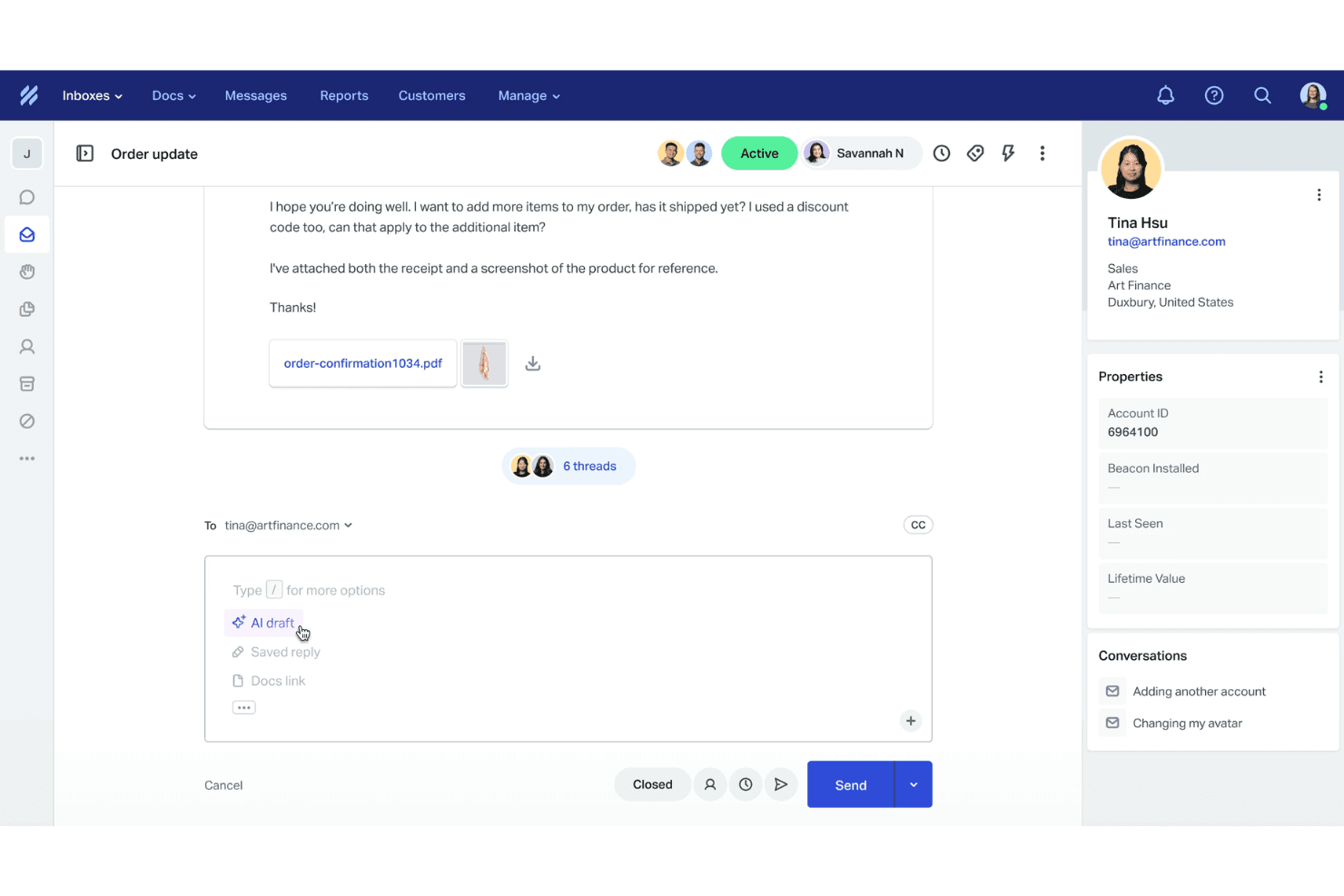
Your team can use Help Scout to access detailed customer profiles. This feature helps provide personalized support by keeping track of past customer interactions and details.
Reporting
Help Scout offers basic reporting tools that give you insight into your team's performance. You can track metrics such as response times and conversation volume to improve your support.
Collision Detection
This feature alerts your team when multiple agents are viewing the same conversation. It prevents duplicate responses and ensures smooth customer support.
Ease of Use
Help Scout is a user-friendly help desk tool that makes it easy for your team to get started quickly. Its clean interface and intuitive design simplify navigation and reduce the learning curve. Users appreciate the familiar email-style layout, which helps manage customer interactions. The onboarding process is smooth, so your team can focus on providing support. Overall, it stands out for its simplicity and efficiency compared to other IT help desk solutions.
Integrations
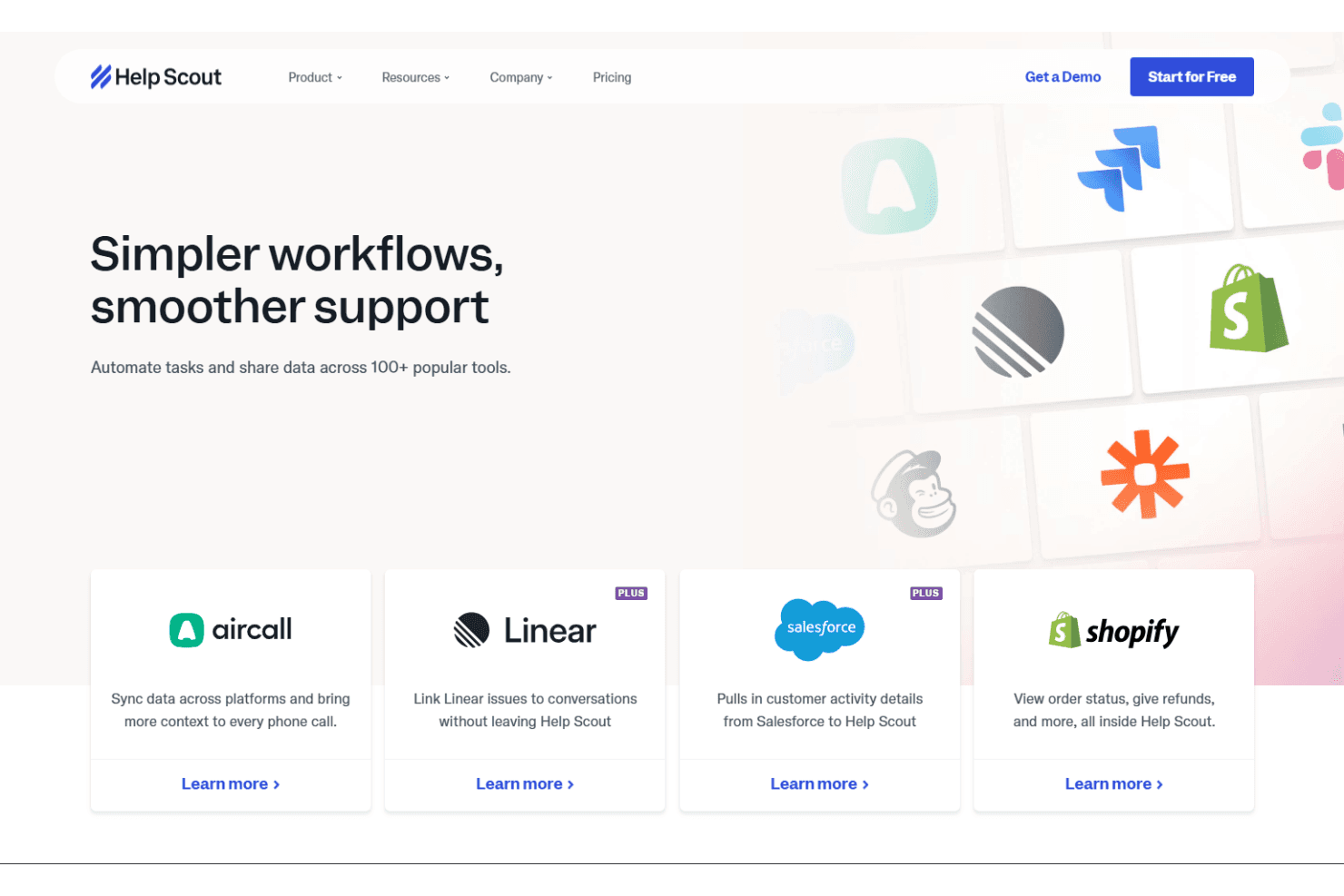
Help Scout integrates with Shopify, Slack, Salesforce, Mailchimp, HubSpot, Zapier, Jira, Asana, Pipedrive, and Trello. Help Scout also offers an API and connects with third-party integration tools, such as Zapier, for expanded capabilities.
New Product Updates from Help Scout
 Opens new window
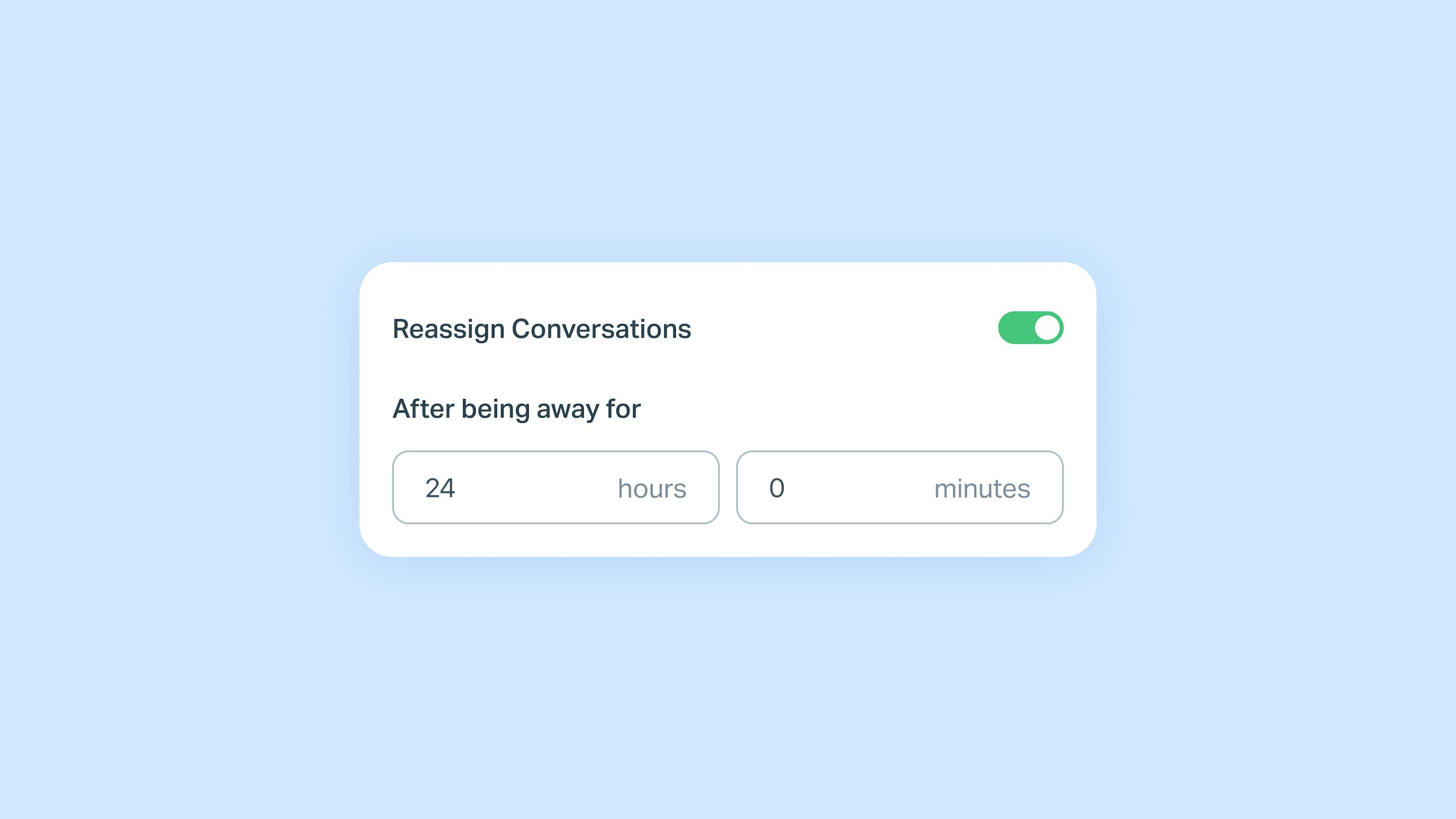
Help Scout Adds Automatic Conversation Reassignment
Help Scout introduces auto-reassign conversations to keep customer messages moving when assigned teammates are away. Teams can choose how long a teammate must be unavailable before conversations are automatically unassigned for someone else to respond. Highlights include:
- Auto-Unassign for Away Teammates: Automatically unassigns conversations after a teammate has been away for a set time.
- Customer Reply Support: Makes conversations available for reassignment when customers reply while the assigned teammate is away.
- Conversation Reopen and Workflow Support: Applies to reopened conversations and new workflow messages to keep conversations moving.
Visit Help Scout's official site for more details.
 Opens new window
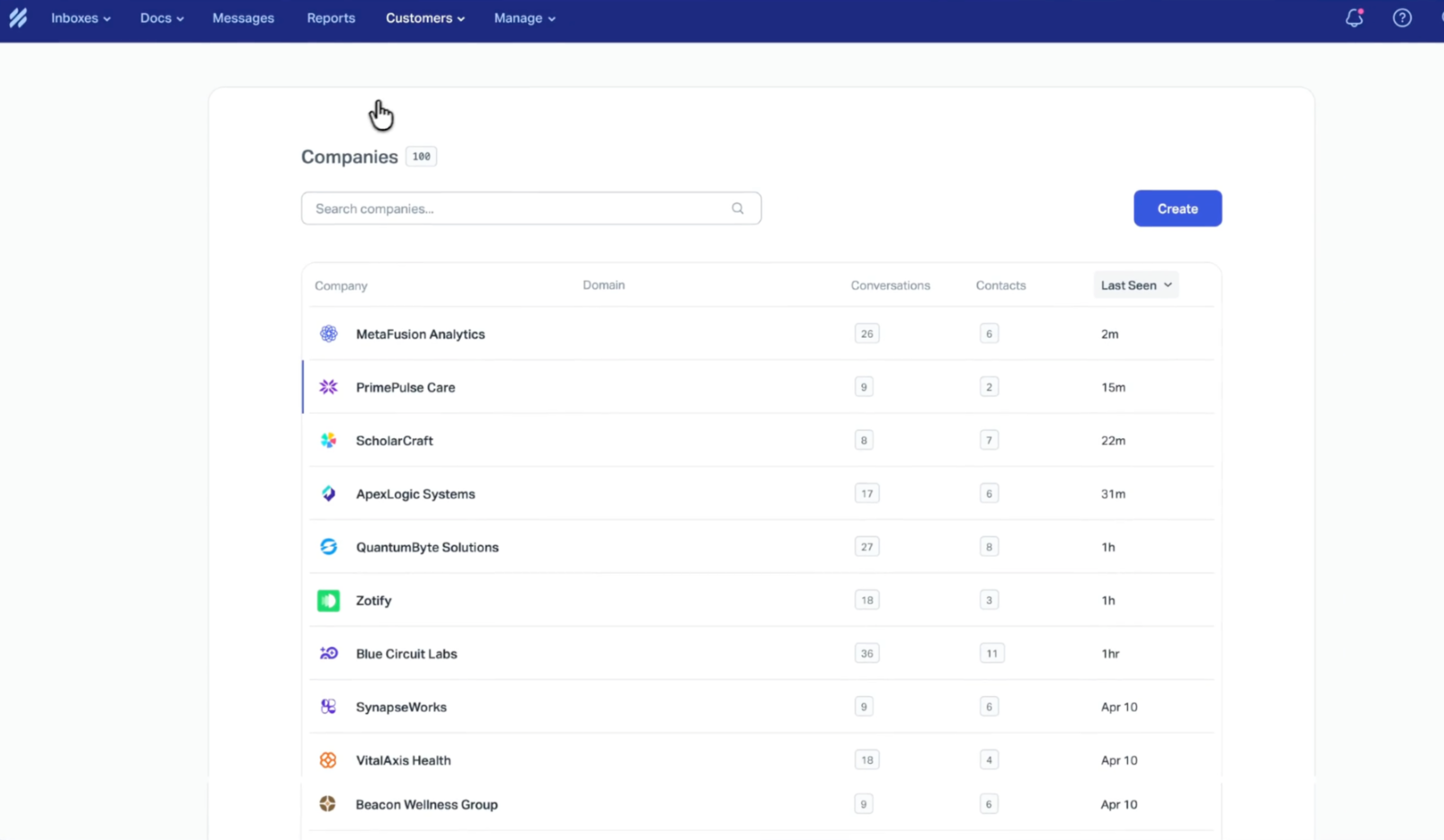
Help Scout Adds Company Profile for Account Health Insights
Help Scout’s Company Profile now makes it easier to understand account health at a glance by consolidating essential customer support signals in one view. This helps teams quickly spot trends and take action to improve customer experience. Highlights include:
- Centralized Metrics and Trends View: See customer support performance indicators in one place to evaluate account health faster.
- Response Time Visibility: Monitor how quickly your team replies so you can identify delays and improve responsiveness.
- Customer Satisfaction (CSAT) Tracking: Keep a clear pulse on customer sentiment to prioritize experience improvements.
- Conversation Volume Insights: Understand support demand levels to better plan staffing and workflows.
- Topics Overview: Surface what customers are contacting you about to spot recurring issues and guide proactive fixes.
Visit Help Scout's official site for more details
 Opens new window
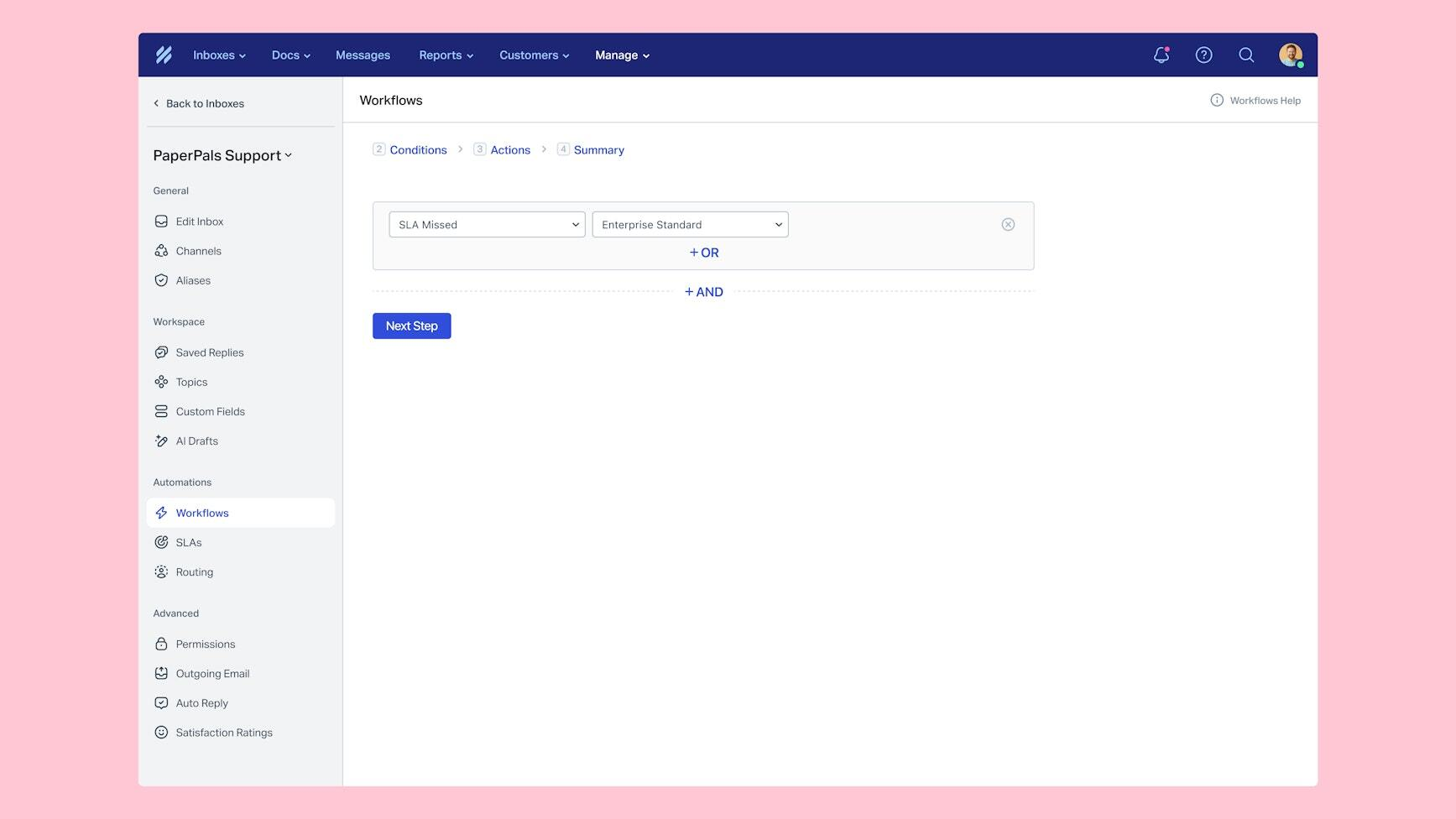
Help Scout Adds SLA Workflows and Availability Status Controls
Help Scout adds SLA workflow automation and synced availability statuses to help teams manage conversations more efficiently. These updates improve response tracking, task routing, and team visibility across the inbox. Highlights include:
- SLA Workflows: Trigger automatic actions when conversations approach or miss SLA deadlines to help teams respond faster.
- Availability Status Controls: Set Active, Away, or custom statuses across web and mobile to show teammate availability.
Visit Help Scout’s official site for more details.
 Opens new window
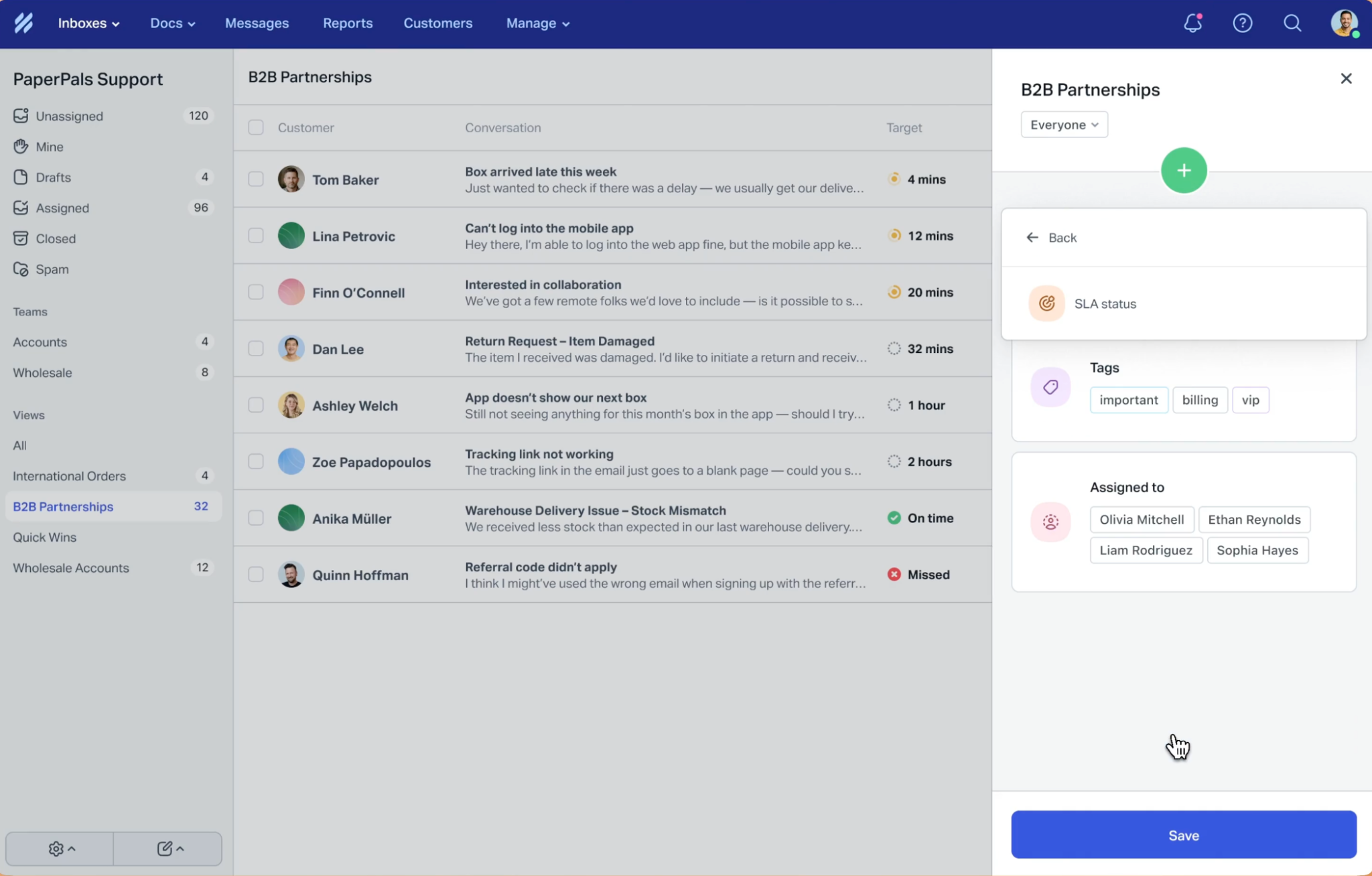
Help Scout Adds Next Response Time Goals and SLA View Filters
Help Scout adds Next Response Time goals and SLA-focused view filters to help teams manage customer response commitments more effectively. These updates improve conversation prioritization and help support teams stay on top of follow-ups and breached SLAs. Highlights include:
- Next Response Time Goals: Teams can track follow-up response times throughout customer conversations, not just first replies and final resolutions.
- SLA View Filters: Users can create focused views for upcoming reply deadlines, resolution deadlines, and breached conversations.
Visit Help Scout’s official site for more details.
 Opens new window
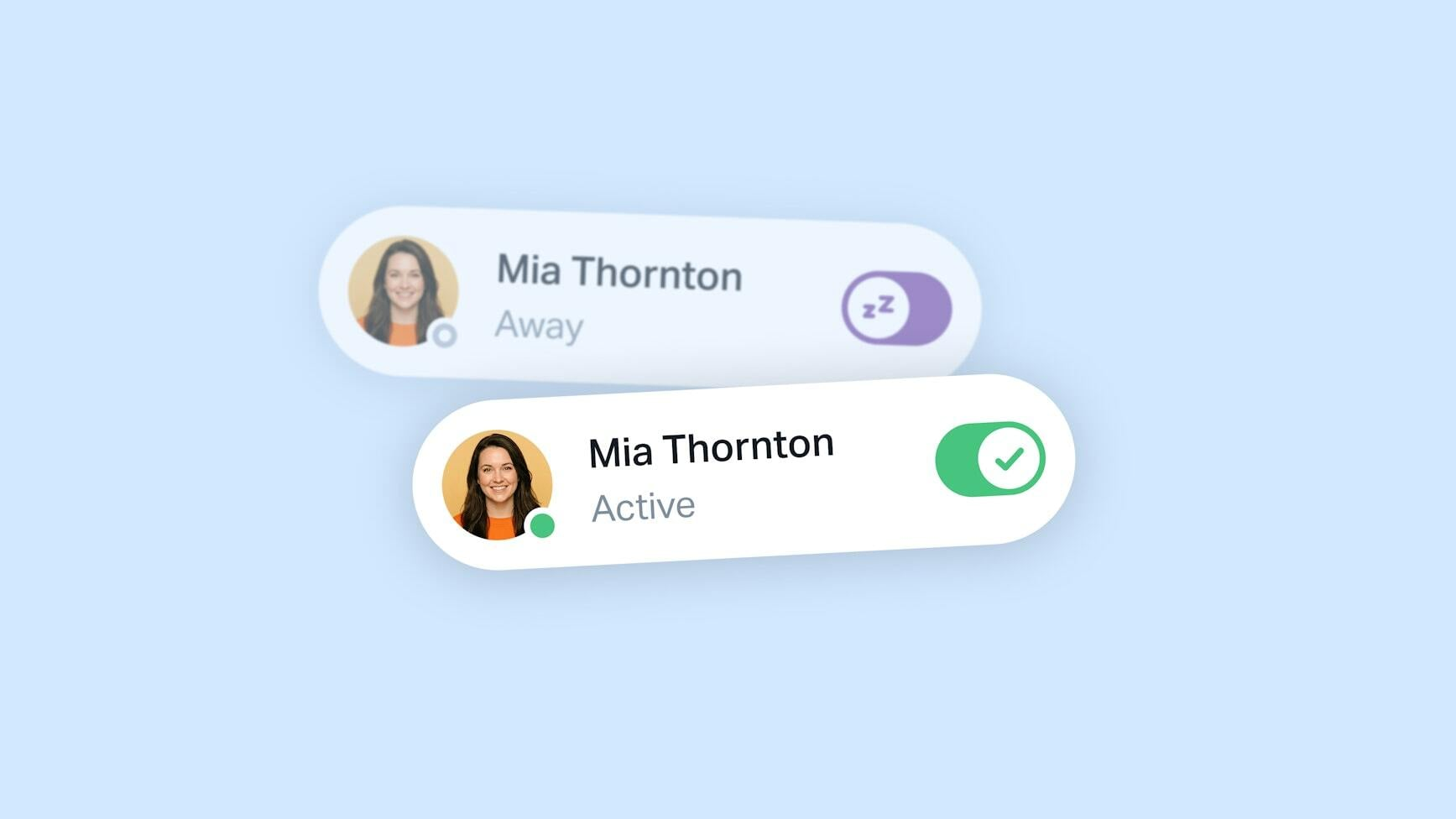
Help Scout Adds Automatic Availability Updates
Help Scout introduces presence detection to automatically update teammate availability based on app activity across web and mobile platforms. This update helps support teams route conversations more accurately, reduce missed assignments, and improve overall inbox coordination. Highlights include:
- Automatic Presence Detection: Update teammate availability automatically based on whether users are actively using the app.
- Improved Conversation Routing: Assign conversations only to available teammates for better workload distribution and response handling.
- Manual Away Status Support: Allow teammates to remain marked as Away for PTO or other situations without automatic overrides.
Visit Help Scout's official site for more details.
 Opens new window
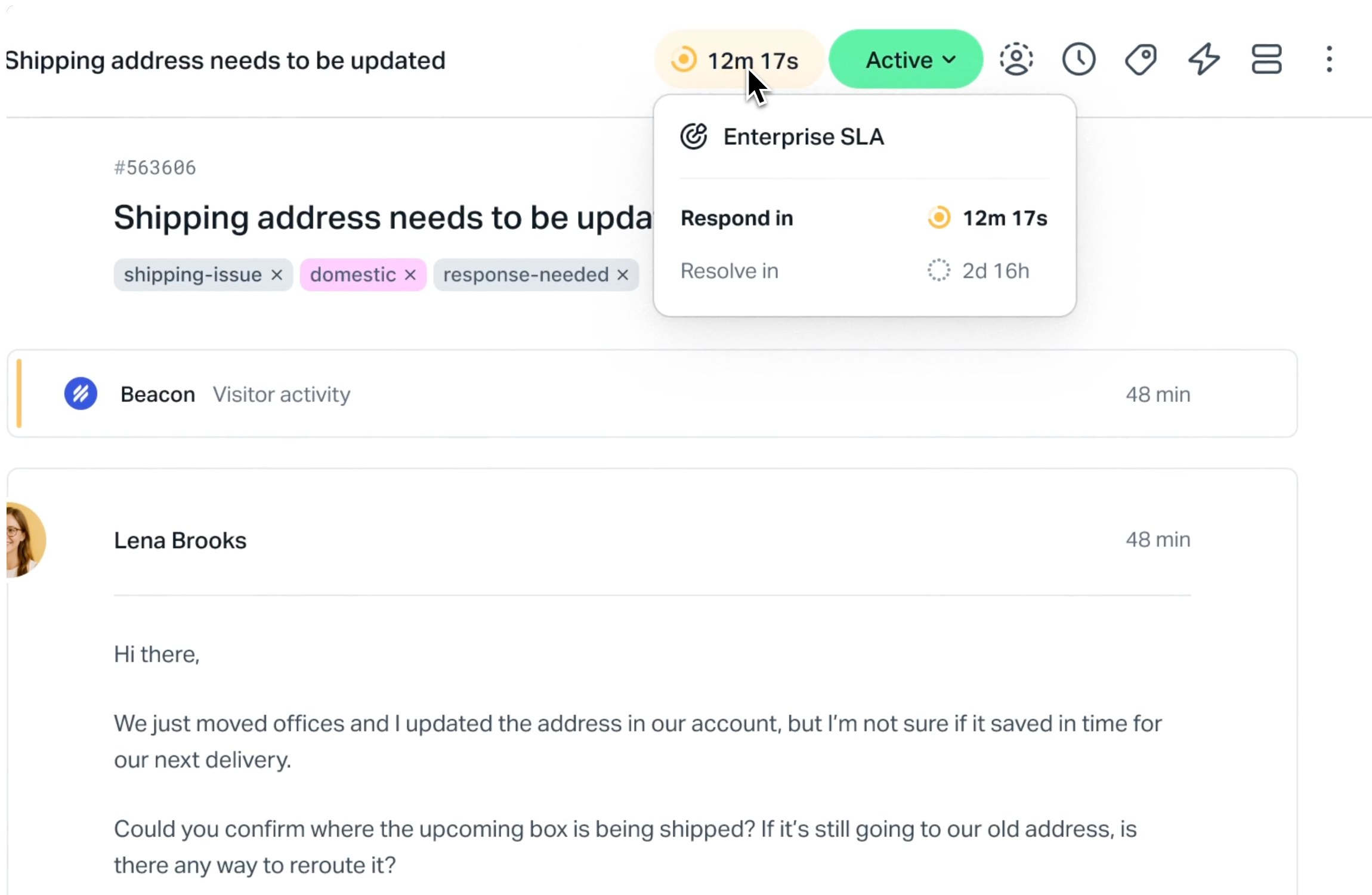
Help Scout Adds SLAs for Response and Resolution Times
Help Scout introduces SLAs to track response and resolution times directly within the inbox. This update improves support efficiency by giving teams clear visibility into deadlines and helping them focus on conversations that need attention. Highlights include:
- Response and Resolution SLAs: Set targets to track reply and resolution timelines for better performance monitoring.
- Real-Time SLA Tracking: Keep timelines updated as conversations progress to maintain accurate visibility.
- Inbox Prioritization: Identify overdue and at-risk conversations to focus on what matters most.
Visit Help Scout’s official site for more details.
Help Scout Specs
- Analytics: Yes
- API: Yes
- Batch Permissions & Access: Yes
- Call Integration: Yes
- Chat: Yes
- Contact Management: Yes
- Contact Sharing: No
- CRM Integration: Yes
- Customer Management: Yes
- Customer Service: Yes
- Dashboard: Yes
- Data Export: Yes
- Data Import: Yes
- Data Visualization: Yes
- Email Integration: Yes
- Escalation Management: No
- External Integrations: Yes
- Instant Chat Integration: Yes
- Knowledge Base: Yes
- Lead Management: No
- Lead Scoring: No
- Multi-User: Yes
- Notifications: Yes
- Real-time Alerts: Yes
- Scheduling: Yes
- Self-service Portal: Yes
- Social Media Integration: Yes
- Support Forum: No
- Third-Party Plugins/Add-Ons: Yes
- Ticket Management: Yes
- Workflow Management: Yes


