
Groove Review 2026: Pros, Cons, Features, and Pricing
Groove stands out for its simplicity and user-friendly design, making it ideal for small teams seeking efficient help desk software without overwhelming features or high costs.

We review tools independently, and commissions help fund our testing. See our transparency policy, our methodology, or suggest a tool.
Groove HQ is a help desk software built for small and mid-sized support teams that need shared inbox management, a knowledge base, and live chat without a complex setup. I'd consider it a strong alternative to Zendesk if your team doesn't need enterprise-level customization but still wants more structure than a basic email inbox. It keeps things focused without stripping out the features a growing support operation actually needs.
Groove HQ Evaluation Summary
4.6/5
- From $24/user/month (billed annually)
- 30-day free trial
Why Trust Our Software Recommendations
6,700+
Reviews
20
Industry experts
16+
Evaluation factors
14
Years
Our team has been testing and reviewing software since 2012. As tech leaders ourselves, we know how difficult—and important—it is to choose the right software.
For this guide, we evaluated tools using hands-on testing and independent research, scoring tools using our selection criteria.
Our reviews reflect our human editorial judgment, not a sales pitch.
Expert reviewers:
- Paulo Gardini MiguelTech Director
 Tim FisherVP of AI
 Gabriel RosasTech Lead & Software Architect
 Christhian GruhnTech Lead & Platform Architect

Groove HQ Overview
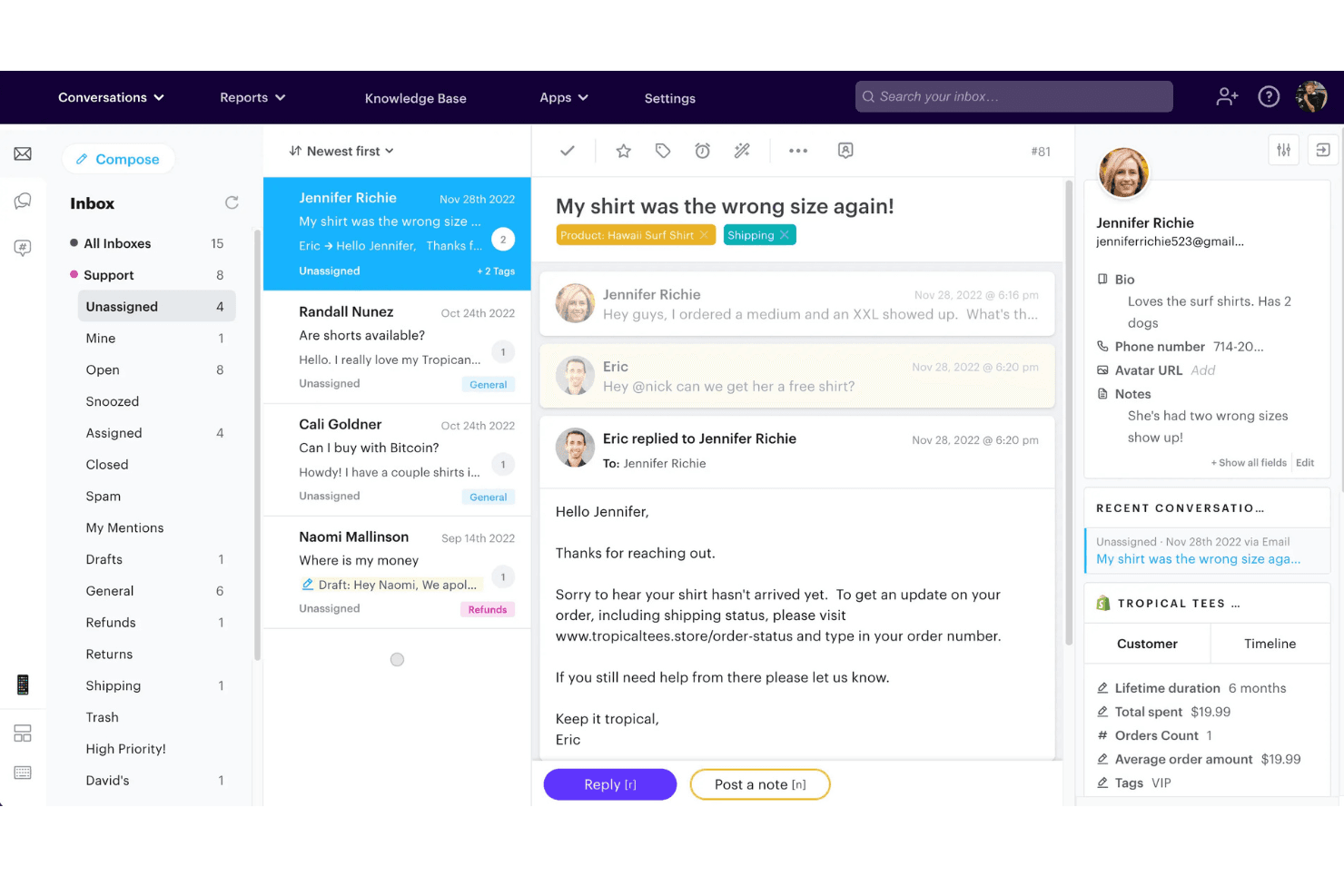
In my experience, Groove is a top pick if you want help desk software that’s easy to set up, affordable, and doesn’t overwhelm with features you’ll never use. Its clean interface, straightforward ticketing, and solid integrations make onboarding quick for small teams. While it lacks advanced automation and reporting found in pricier tools, Groove’s responsive support and simple pricing are hard to beat.
It is best for startups or SMBs who want to move fast and keep support processes lean, rather than large enterprises with complex, multi-channel needs.
Pros
- Shared inbox keeps all customer conversations organized.
- AI-powered ticketing speeds up response and triage.
- Pricing is transparent and affordable for small teams.
Cons
- Reporting features are limited compared to advanced tools.
- Live chat functionality can be unreliable or basic.
- Lacks granular automation for complex workflows.
Is Groove HQ Right For Your Needs?
Who Would be a Good Fit for Groove HQ?
Groove is a strong choice for small to midsize businesses, startups, and teams that want a straightforward help desk solution without the overhead of complex features. Its shared inbox, AI ticketing, and simple pricing make it especially appealing for organizations with lean support teams or those new to formal ticketing systems.
Groove’s focus on clarity and ease of use means it works best for environments where fast onboarding and day-to-day efficiency matter more than deep customization or advanced automation.
- SaaS StartupsGroove’s quick setup and affordable plans suit fast-moving SaaS teams.
- Ecommerce StoresCentralized inbox and canned replies help manage high-volume customer queries.
- Managed IT ProvidersSimple ticketing and status tracking fit small IT support teams.
- Nonprofit OrganizationsTransparent pricing and easy onboarding work for budget-conscious nonprofits.
- Marketing AgenciesShared inbox and collaboration tools help agencies manage client requests.
- Remote-First TeamsCloud-based access and simple workflows support distributed support teams.
Who Would be a Bad Fit for Groove HQ?
Groove isn’t ideal for large enterprises, highly regulated industries, or teams that need advanced automation, deep analytics, or multi-channel support. If your organization relies on granular workflow controls, custom reporting, or complex integrations, Groove’s streamlined approach may feel limiting.
Teams with heavy compliance needs or those supporting multiple brands from a single platform will likely find Groove’s feature set too basic for their requirements.
- Large EnterprisesGroove lacks advanced automation and reporting for enterprise-scale needs.
- Healthcare ProvidersNo built-in HIPAA compliance or specialized healthcare integrations.
- Financial ServicesLimited audit trails and compliance features for regulated industries.
- Multi-Brand SupportNo robust tools for managing multiple brands in one account.
- Call Center OperationsNo advanced call routing or telephony integrations for call centers.
- Government AgenciesInsufficient security certifications and compliance options for public sector.
Our Review Methodology
How We Test & Score Tools
We’ve spent years building, refining, and improving our software testing and scoring system. The rubric is designed to capture the nuances of software selection and what makes a tool effective, focusing on critical aspects of the decision-making process.
Below, you can see exactly how our testing and scoring works across seven criteria. It allows us to provide an unbiased evaluation of the software based on core functionality, standout features, ease of use, onboarding, customer support, integrations, customer reviews, and value for money.
Core Functionality (25% of final scoring)
The starting point of our evaluation is always the core functionality of the tool. Does it have the basic features and functions that a user would expect to see? Are any of those core features locked to higher-tiered pricing plans? At its core, we expect a tool to stand up against the baseline capabilities of its competitors.
Standout Features (25% of final scoring)
Next, we evaluate uncommon standout features that go above and beyond the core functionality typically found in tools of its kind. A high score reflects specialized or unique features that make the product faster, more efficient, or offer additional value to the user.
We also evaluate how easy it is to integrate with other tools typically found in the tech stack to expand the functionality and utility of the software. Tools offering plentiful native integrations, 3rd party connections, and API access to build custom integrations score best.
Ease of Use (10% of final scoring)
We consider how quick and easy it is to execute the tasks defined in the core functionality using the tool. High scoring software is well designed, intuitive to use, offers mobile apps, provides templates, and makes relatively complex tasks seem simple.
Onboarding (10% of final scoring)
We know how important rapid team adoption is for a new platform, so we evaluate how easy it is to learn and use a tool with minimal training. We evaluate how quickly a team member can get set up and start using the tool with no experience. High scoring solutions indicate little or no support is required.
Customer Support (10% of final scoring)
We review how quick and easy it is to get unstuck and find help by phone, live chat, or knowledge base. Tools and companies that provide real-time support score best, while chatbots score worst.
Customer Reviews (10% of final scoring)
Beyond our own testing and evaluation, we consider the net promoter score from current and past customers. We review their likelihood, given the option, to choose the tool again for the core functionality. A high scoring software reflects a high net promoter score from current or past customers.
Value for Money (10% of final scoring)
Lastly, in consideration of all the other criteria, we review the average price of entry level plans against the core features and consider the value of the other evaluation criteria. Software that delivers more, for less, will score higher.
Core Features
Shared Inbox
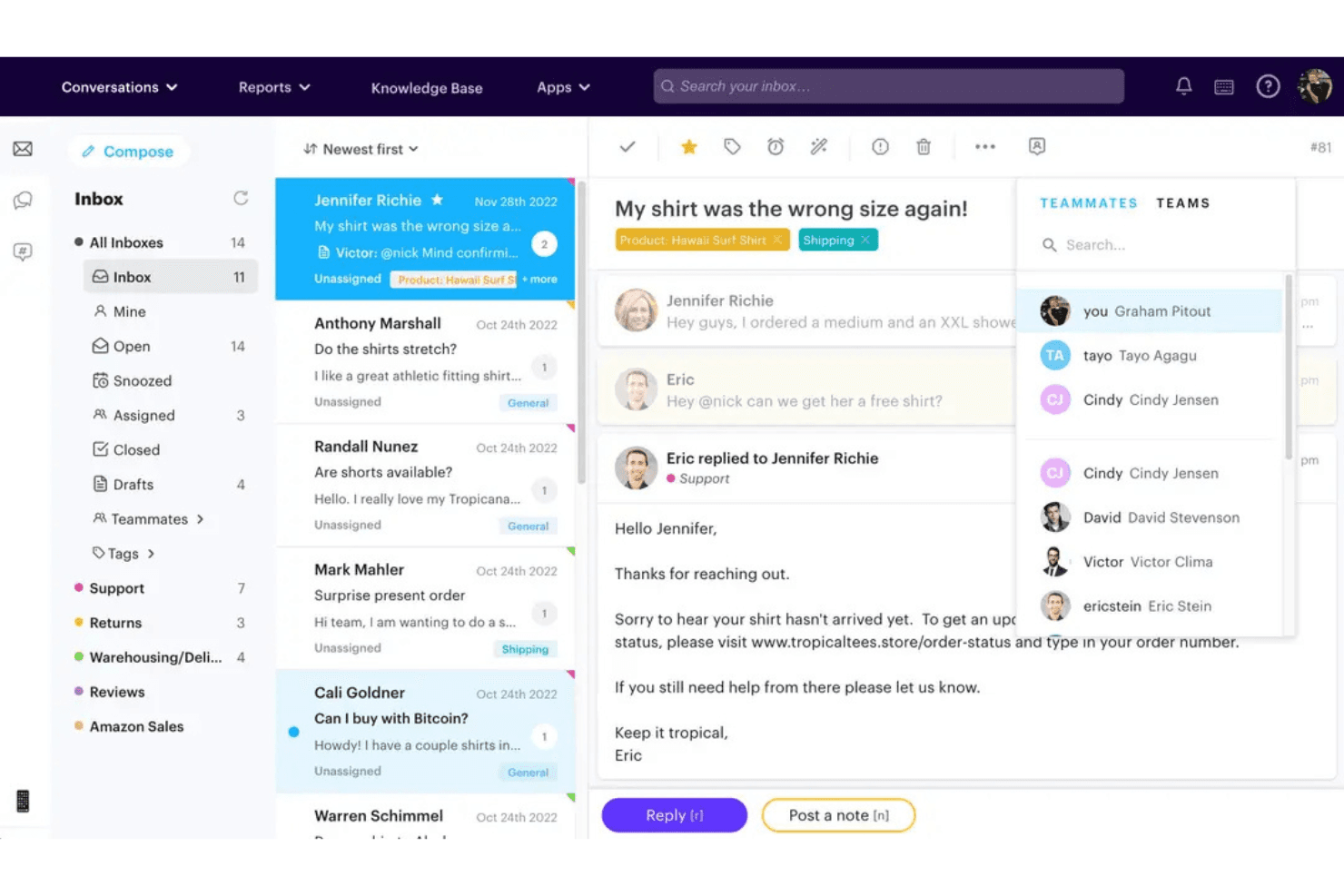
Centralizes all customer emails and messages for easy team collaboration and assignment. Keeps every conversation organized in one place.
AI-Powered Ticketing
Uses AI to summarize conversations, detect sentiment, and suggest replies. Helps agents respond faster and prioritize urgent tickets.
Ticket Management
Offers smart folders, tags, and custom fields to track and prioritize tickets. Lets teams stay organized as support volume grows.
Automations
Automates ticket assignments, tagging, and workflow steps with a simple rules engine. Reduces repetitive tasks so agents can focus on customers.
Saved Replies
Allows agents to use pre-written, reusable answers for common questions. Speeds up response times and ensures consistency.
SLA Management
Lets you set response time goals and monitor team performance. Helps maintain high service standards and accountability.
Standout Features
Reporting and Analytics
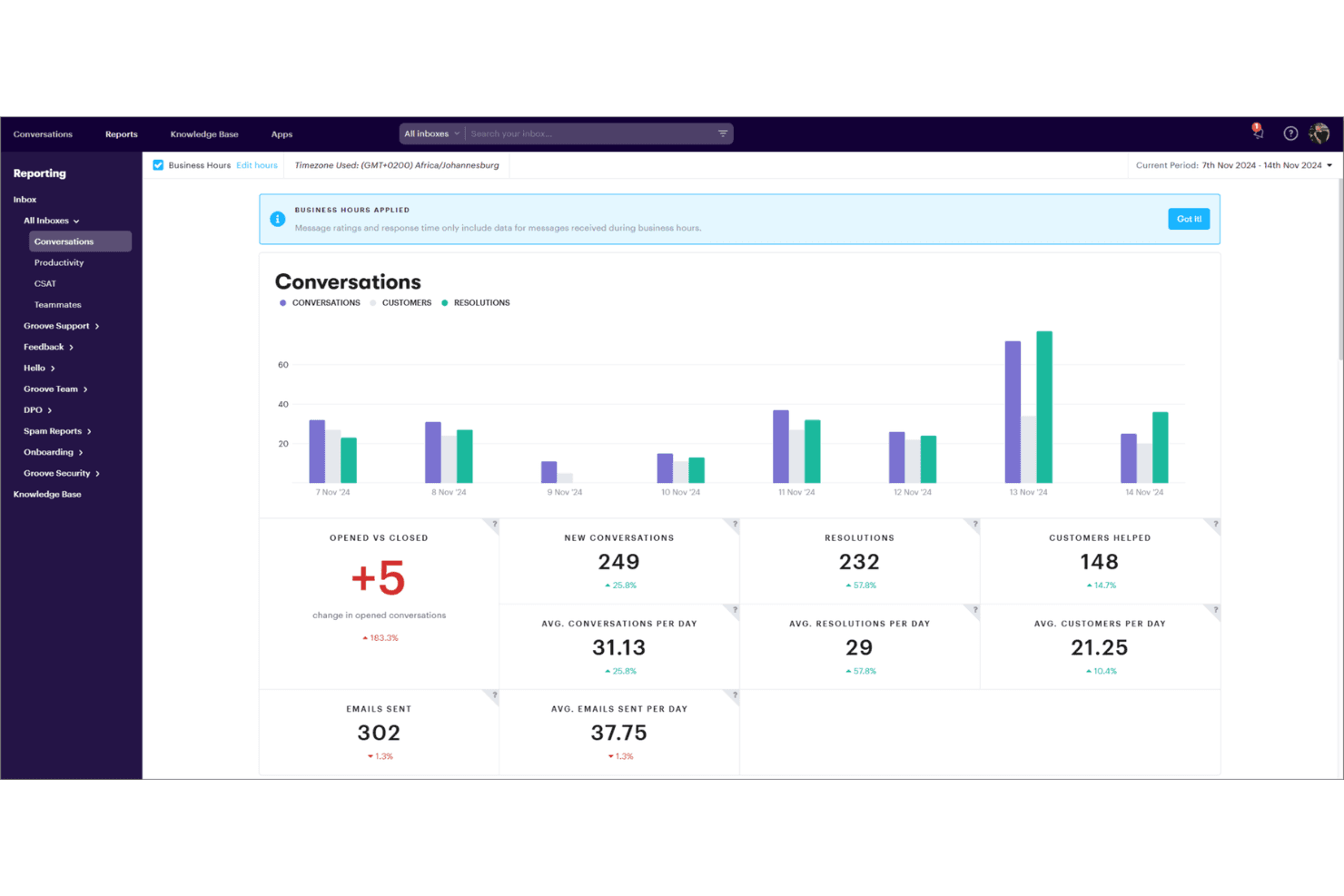
Groove offers robust reporting and analytics tools that provide insights into team performance, ticket trends, and customer satisfaction. These data-driven features help businesses make informed decisions and continuously improve their support operations.
Knowledge Base
Groove includes a built-in knowledge base that lets teams publish articles and FAQs for customers. This empowers users to find answers on their own and cuts down on incoming support tickets.
Ease of Use
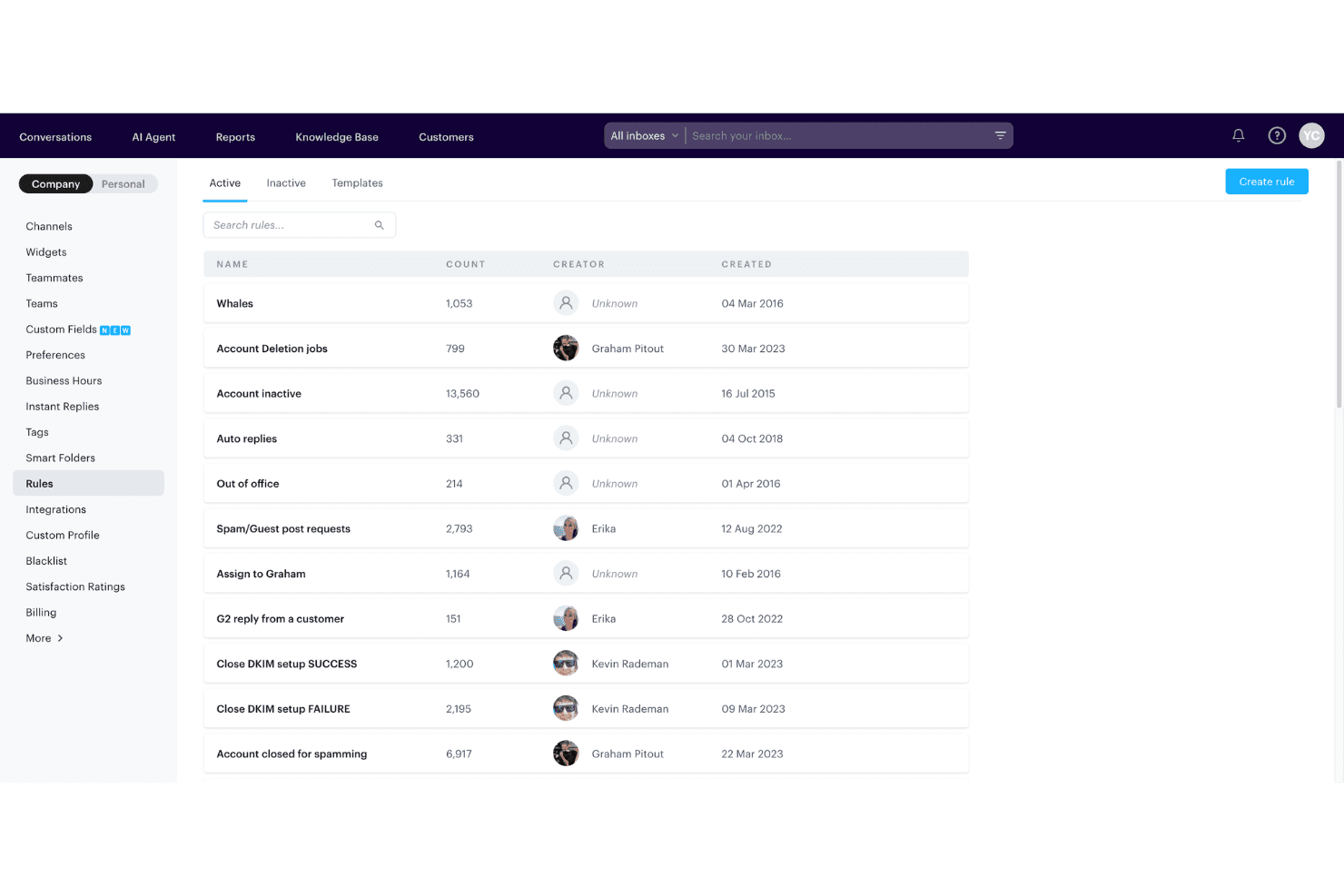
Groove is one of the most user-friendly help desk platforms I’ve tried, with a clean interface and intuitive navigation that lets new agents get up to speed quickly. Users consistently mention how easy it is to manage tickets, set up automations, and access key features without digging through menus.
The onboarding process is straightforward, and the lack of clutter means teams can focus on customer conversations instead of wrestling with the software.
Onboarding
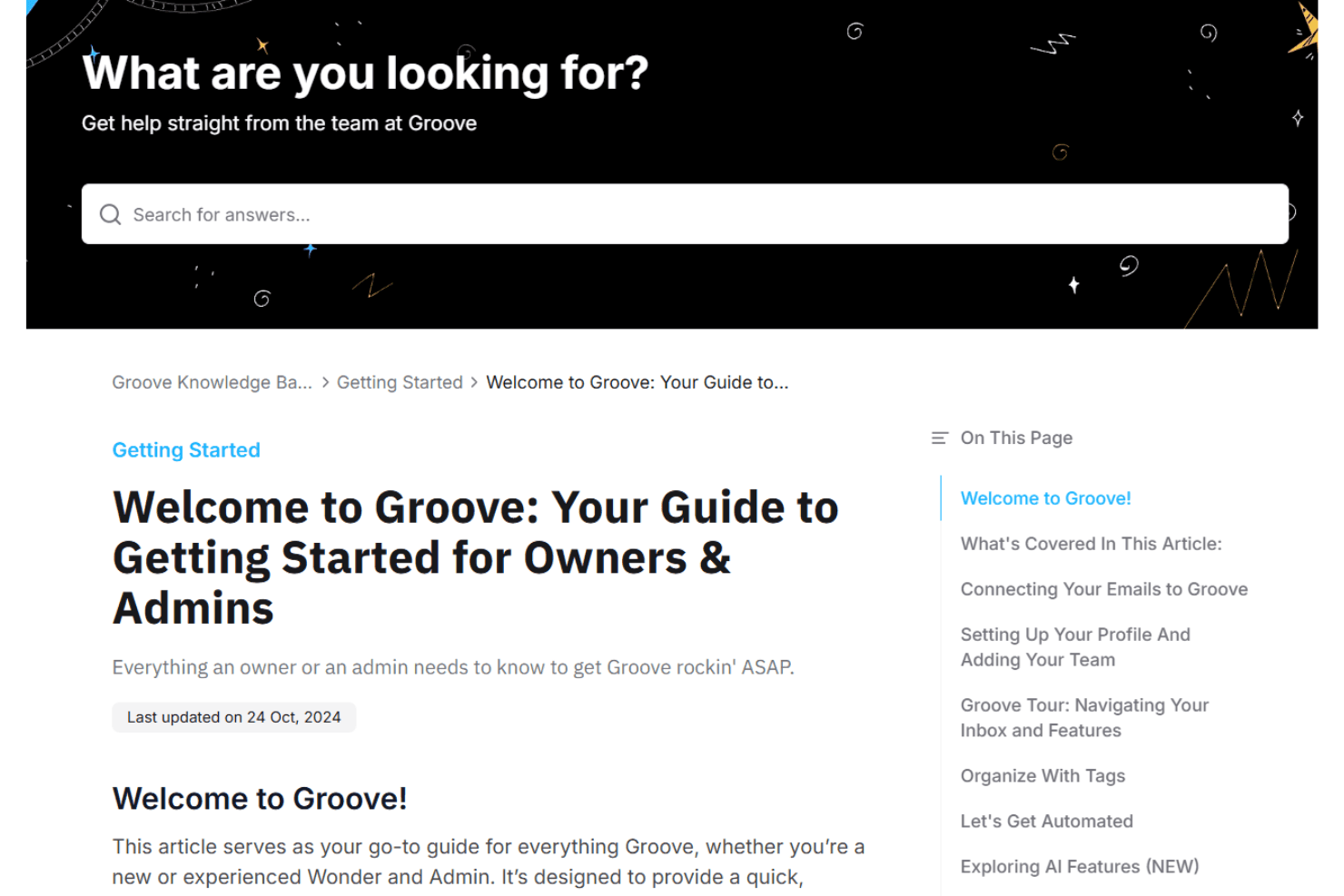
Groove’s onboarding is fast and approachable, with most teams able to get started in under an hour. Users highlight the clear setup guides, in-app walkthroughs, and responsive customer support as major strengths. The platform offers a helpful knowledge base and live chat for quick answers, making it easy for new users to configure workflows and invite teammates.
Groove’s onboarding stands out for minimizing friction and helping teams see value right away.
Customer Support
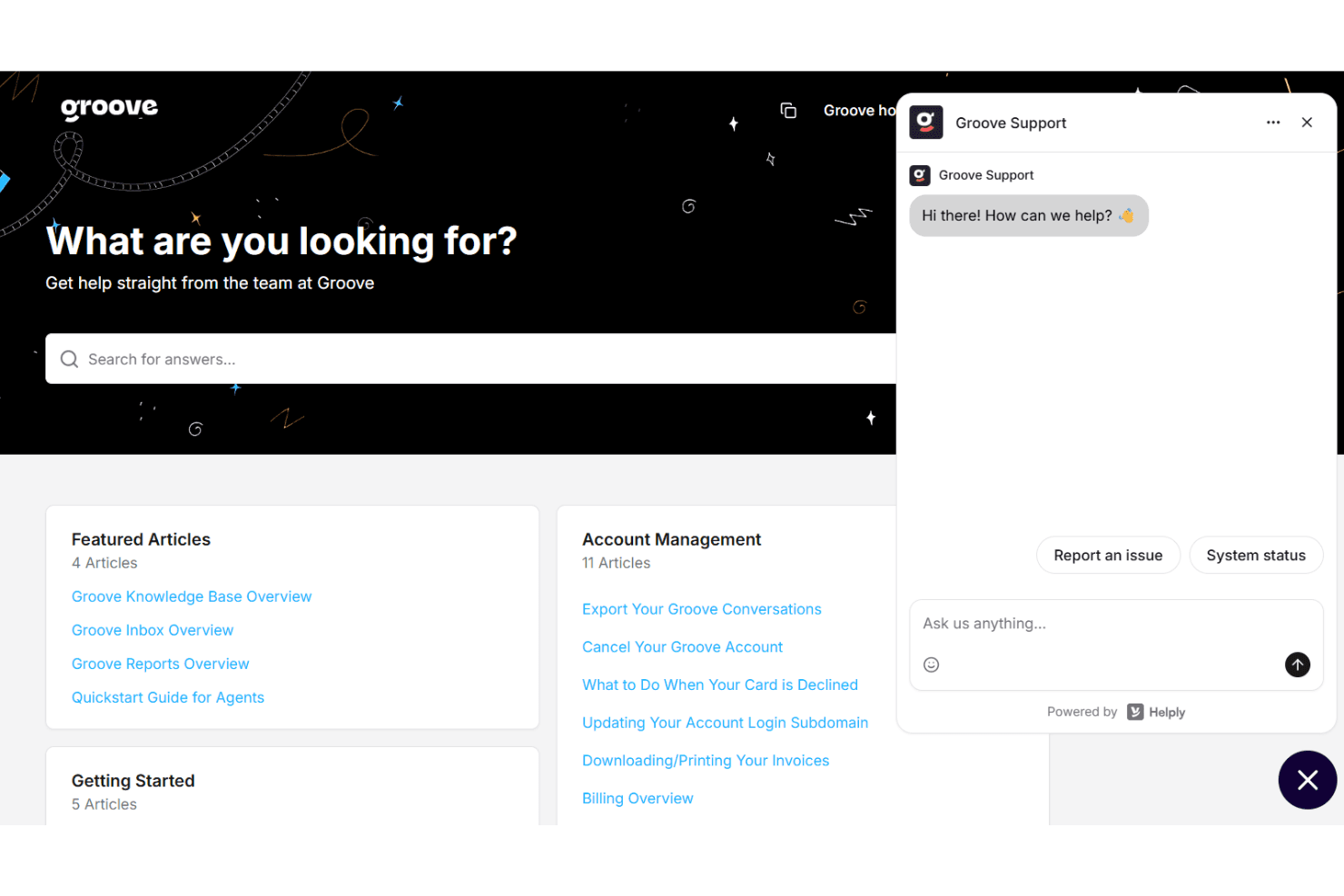
Groove’s customer support is responsive and knowledgeable, with users often praising the quick turnaround on questions and issues. Live chat and email support are both available, and agents are proactive about following up until problems are resolved.
The support team is known for being friendly and helpful, which makes a difference for smaller teams that need guidance. Groove’s support stands out for its personal touch and commitment to customer success.
Integrations
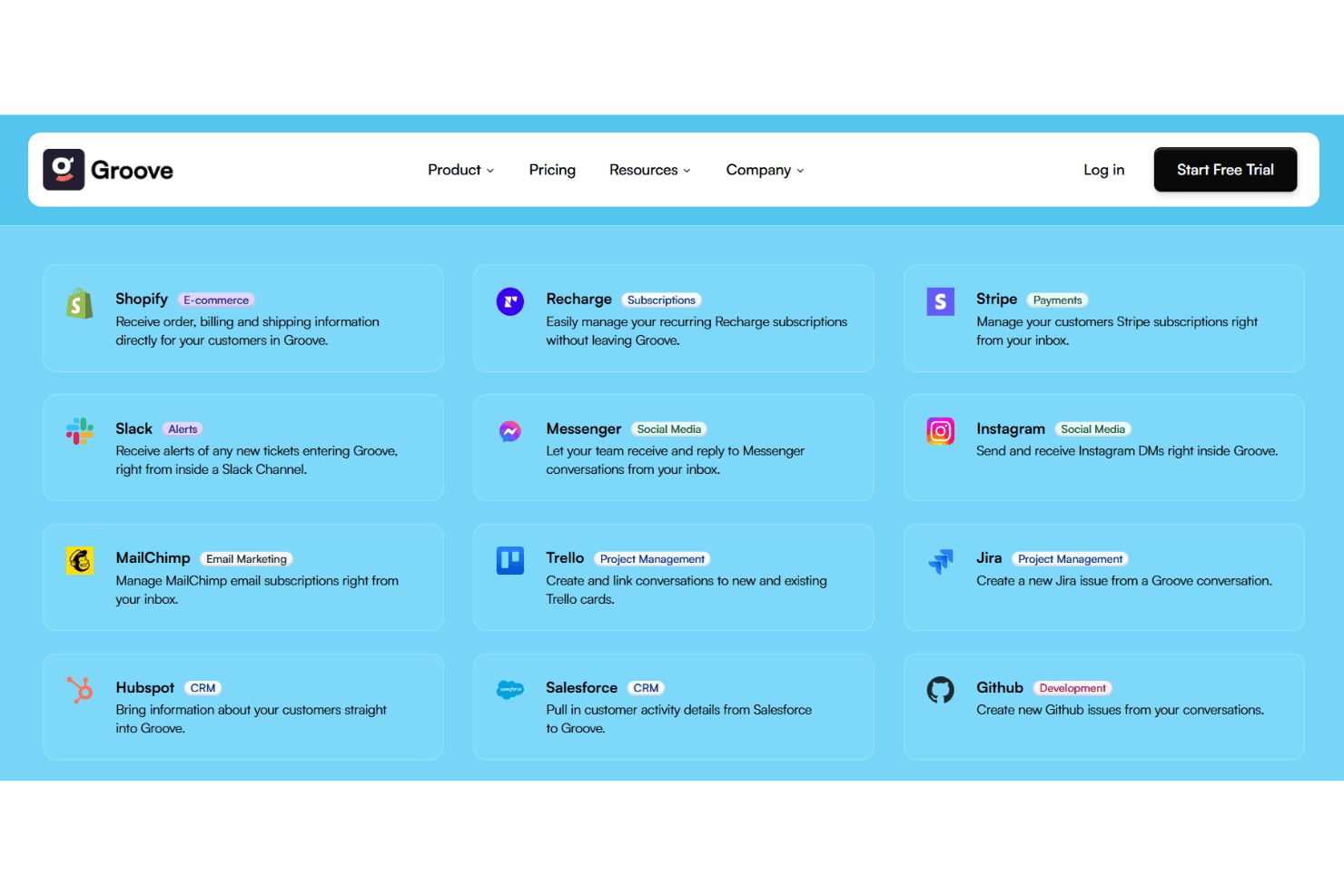
Groove integrates with Slack, Shopify, Gmail, Zapier, Mailchimp, Facebook, Twitter, Jira, HubSpot, and Stripe, among others.
Groove also offers an API and connects with third-party integration tools for expanded functionality.
Value for Money
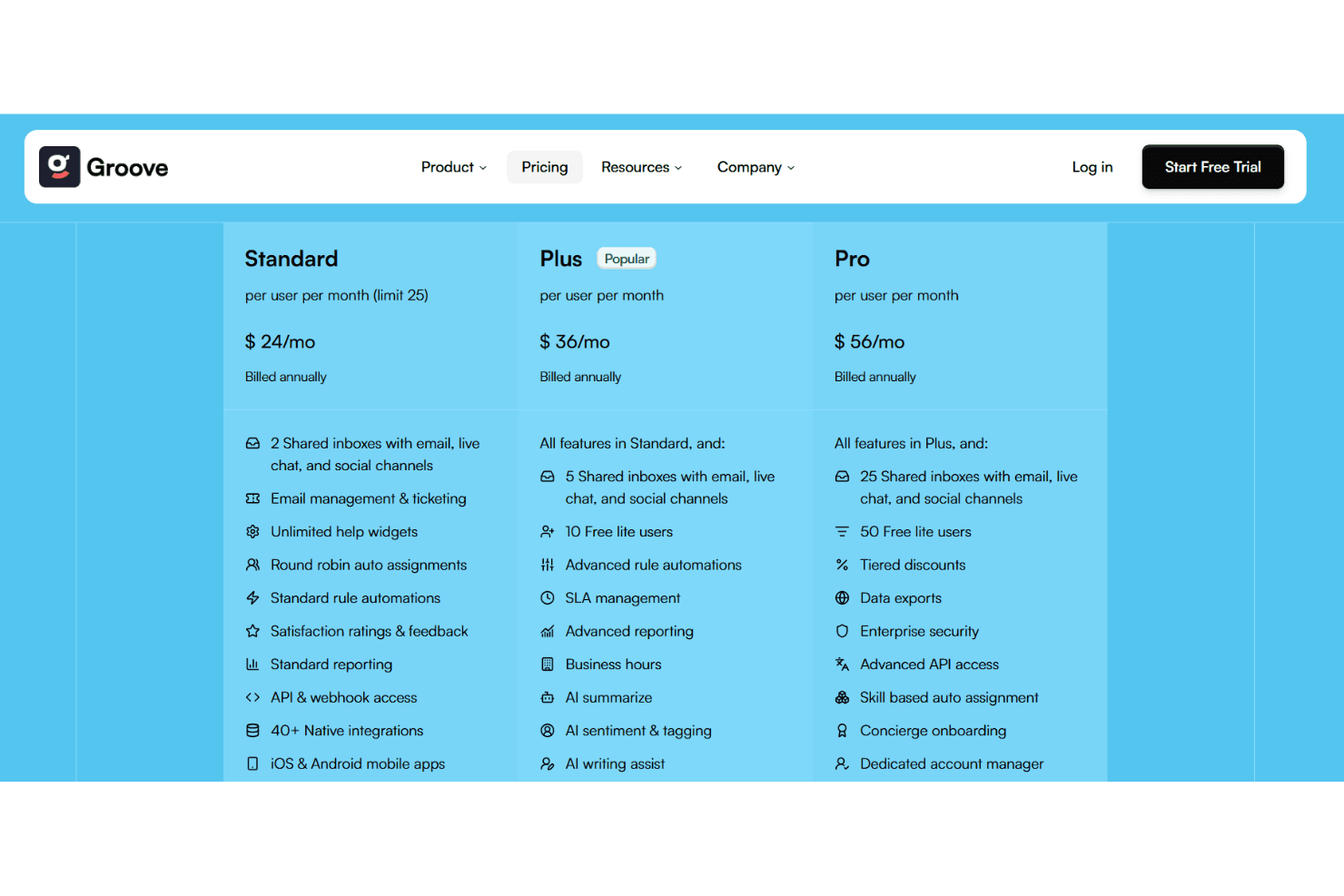
Groove is affordable, especially for small teams and growing businesses that want core help desk features without extra costs. Users appreciate the transparent, per-user pricing and the fact that even lower tiers include essentials like automations and reporting. The plans scale well as your team grows, making Groove a budget-friendly choice.
- Standard: Essential help desk tools for small teams, including shared inboxes, ticketing, automation, reporting, and integrations.
- Plus: Adds advanced reporting, stronger automation, more inbox capacity, and AI features for growing teams.
- Pro: Expands limits with enhanced security, data exports, integrations, and support for high-volume teams.
Groove HQ Specs
- API: Yes
- Calendar Management: No
- Chat: Yes
- Contact Management: Yes
- Contact Sharing: No
- Customer Management: Yes
- Data Export: Yes
- Data Import: No
- Email Integration: Yes
- External Integrations: Yes
- Google Apps Integration: No
- History/Version Control: Yes
- Marketing Automation: Yes
- Multi-User: Yes
- Notifications: Yes
- Scheduling: No
- Supplier Management: No
Groove HQ FAQs
Groove HQ Company Overview & History
Groove is a customer support software company headquartered in the United States, serving over 130,000 customer support experts worldwide. The company is known for its focus on simplicity and usability, targeting growing teams that want a streamlined help desk solution.
Groove is affiliated with sister companies Helply, Instant Docs, and Zero to $10M, but does not appear to own other major products. Notable clients include fast-growing startups and global industry leaders, though specific names are not listed publicly.
Groove Major Milestones
- 2011: Groove founded and begins development of its help desk platform.
- 2012: Groove launches its ticketing and shared inbox product to the public.
- 2023: Groove surpasses 130,000 users and expands its AI-powered ticketing features.
- 2024: Groove introduces new integrations and workflow automation capabilities.
- 2025: Groove releases its “State of Modern Support Teams” report, highlighting industry trends and customer success metrics.