

Google Authenticator Review: Pros, Cons, Features, and Pricing
Google Authenticator offers a straightforward yet effective solution for securing your accounts, making it a top pick among IAM tools.

We review tools independently, and commissions help fund our testing. See our transparency policy, our methodology, or suggest a tool.
Google Authenticator is a free identity and access management solution built around time-based one-time password (TOTP) MFA. It's worth considering if you need a straightforward way to add a second authentication factor to account logins without deploying complex infrastructure. Compared to Duo Security, Google Authenticator has a much lower barrier to entry—no licensing fees, no admin console to configure—making it a practical choice if you don't need Duo's enterprise-level device trust policies or detailed access reporting.
Google Authenticator Evaluation Summary
0/5
- Free for users
Why Trust Our Software Recommendations
6,700+
Reviews
20
Industry experts
16+
Evaluation factors
14
Years
Our team has been testing and reviewing software since 2012. As tech leaders ourselves, we know how difficult—and important—it is to choose the right software.
For this guide, we evaluated tools using hands-on testing and independent research, scoring tools using our selection criteria.
Our reviews reflect our human editorial judgment, not a sales pitch.
Expert reviewers:
- Paulo Gardini MiguelTech Director
 Tim FisherVP of AI
 Gabriel RosasTech Lead & Software Architect
 Christhian GruhnTech Lead & Platform Architect

Google Authenticator Overview
In my opinion, Google Authenticator is a solid choice for those needing basic two-factor authentication without the bells and whistles of enterprise software or physical security keys. It's affordable and easy to use, making it suitable for small teams or individual users who prioritize cost and simplicity over a full-featured password manager with integrated TOTP functionality. However, it lacks advanced features and customer support options found in other IAM software, which might not suit larger enterprises needing comprehensive integration and support. If your team values straightforward security and doesn't require extensive onboarding or customer service, Google Authenticator could be a good fit.
Pros
- Easy set up and onboarding.
- Reliable two-factor authentication for added security.
Cons
- There's minimal customer support available for your team.
- It doesn't offer advanced features like user management.
Is Google Authenticator Right For Your Needs?
Who Would be a Good Fit for Google Authenticator?
Google Authenticator suits small businesses, freelancers, and startups that need basic security without complex IT resources. Your team can easily set it up, and it doesn't require an account, making it ideal for departments like marketing or finance that need straightforward two-factor authentication. If you value simplicity and cost-effectiveness, this tool is a practical choice for enhancing your security needs.
- Small BusinessesIt's perfect for small businesses that need easy and reliable security without investing in extensive IT infrastructure.
- FreelancersFreelancers benefit from its simple setup and use, providing essential security without complicating their work processes.
- StartupsStartups can use it for quick, cost-effective security solutions, allowing them to focus on growth and innovation.
- Marketing TeamsMarketing teams can secure their tools and data with simple two-factor authentication, enhancing security without needing technical support.
- Finance DepartmentsFinance departments find it useful for protecting sensitive data with minimal setup and no need for complex systems.
- Remote WorkersRemote workers can easily secure their accounts on personal devices, ensuring data protection wherever they work, whether they are using an Android device or an iPhone. The codes generated work seamlessly when logging into services via any modern browser, like Chrome.
Who Would be a Bad Fit for Google Authenticator?
Google Authenticator isn't ideal for large enterprises or IT departments needing advanced security features. If your team requires user management, extensive customer support, or complex integration with other systems, this tool might fall short. Enterprises needing advanced backup options or detailed reporting may find it lacking, as it doesn’t offer robust options beyond standard TOTP (time-based one-time password) codes.
- Large EnterprisesLarge enterprises need more advanced features and integration capabilities that Google Authenticator lacks.
- IT DepartmentsIT departments requiring detailed user management and reporting won't find the necessary tools in Google Authenticator.
- Security FirmsSecurity firms need extensive backup and recovery options, which Google Authenticator doesn’t provide.
- Healthcare IndustriesHealthcare industries often need compliance and audit trails that Google Authenticator can't offer.
- Retail ChainsRetail chains with multiple locations need centralized management, which isn’t available with Google Authenticator.
- Government AgenciesGovernment agencies require advanced security and support features that exceed what Google Authenticator offers.
Our Review Methodology
How We Test & Score Tools
We’ve spent years building, refining, and improving our software testing and scoring system. The rubric is designed to capture the nuances of software selection and what makes a tool effective, focusing on critical aspects of the decision-making process.
Below, you can see exactly how our testing and scoring works across seven criteria. It allows us to provide an unbiased evaluation of the software based on core functionality, standout features, ease of use, onboarding, customer support, integrations, customer reviews, and value for money.
Core Functionality (25% of final scoring)
The starting point of our evaluation is always the core functionality of the tool. Does it have the basic features and functions that a user would expect to see? Are any of those core features locked to higher-tiered pricing plans? At its core, we expect a tool to stand up against the baseline capabilities of its competitors.
Standout Features (25% of final scoring)
Next, we evaluate uncommon standout features that go above and beyond the core functionality typically found in tools of its kind. A high score reflects specialized or unique features that make the product faster, more efficient, or offer additional value to the user.
We also evaluate how easy it is to integrate with other tools typically found in the tech stack to expand the functionality and utility of the software. Tools offering plentiful native integrations, 3rd party connections, and API access to build custom integrations score best.
Ease of Use (10% of final scoring)
We consider how quick and easy it is to execute the tasks defined in the core functionality using the tool. High scoring software is well designed, intuitive to use, offers mobile apps, provides templates, and makes relatively complex tasks seem simple.
Onboarding (10% of final scoring)
We know how important rapid team adoption is for a new platform, so we evaluate how easy it is to learn and use a tool with minimal training. We evaluate how quickly a team member can get set up and start using the tool with no experience. High scoring solutions indicate little or no support is required.
Customer Support (10% of final scoring)
We review how quick and easy it is to get unstuck and find help by phone, live chat, or knowledge base. Tools and companies that provide real-time support score best, while chatbots score worst.
Customer Reviews (10% of final scoring)
Beyond our own testing and evaluation, we consider the net promoter score from current and past customers. We review their likelihood, given the option, to choose the tool again for the core functionality. A high scoring software reflects a high net promoter score from current or past customers.
Value for Money (10% of final scoring)
Lastly, in consideration of all the other criteria, we review the average price of entry level plans against the core features and consider the value of the other evaluation criteria. Software that delivers more, for less, will score higher.
Core Features
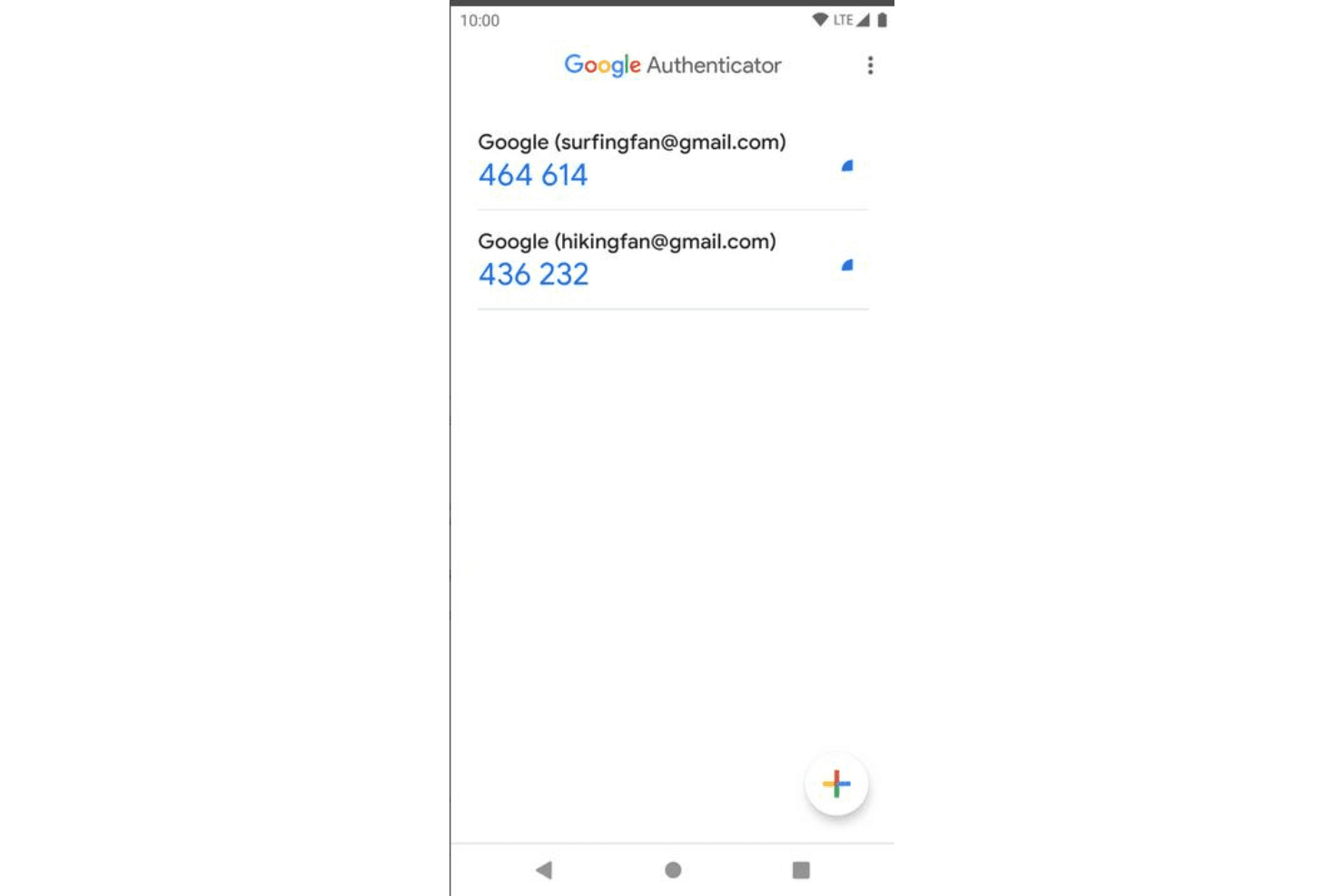
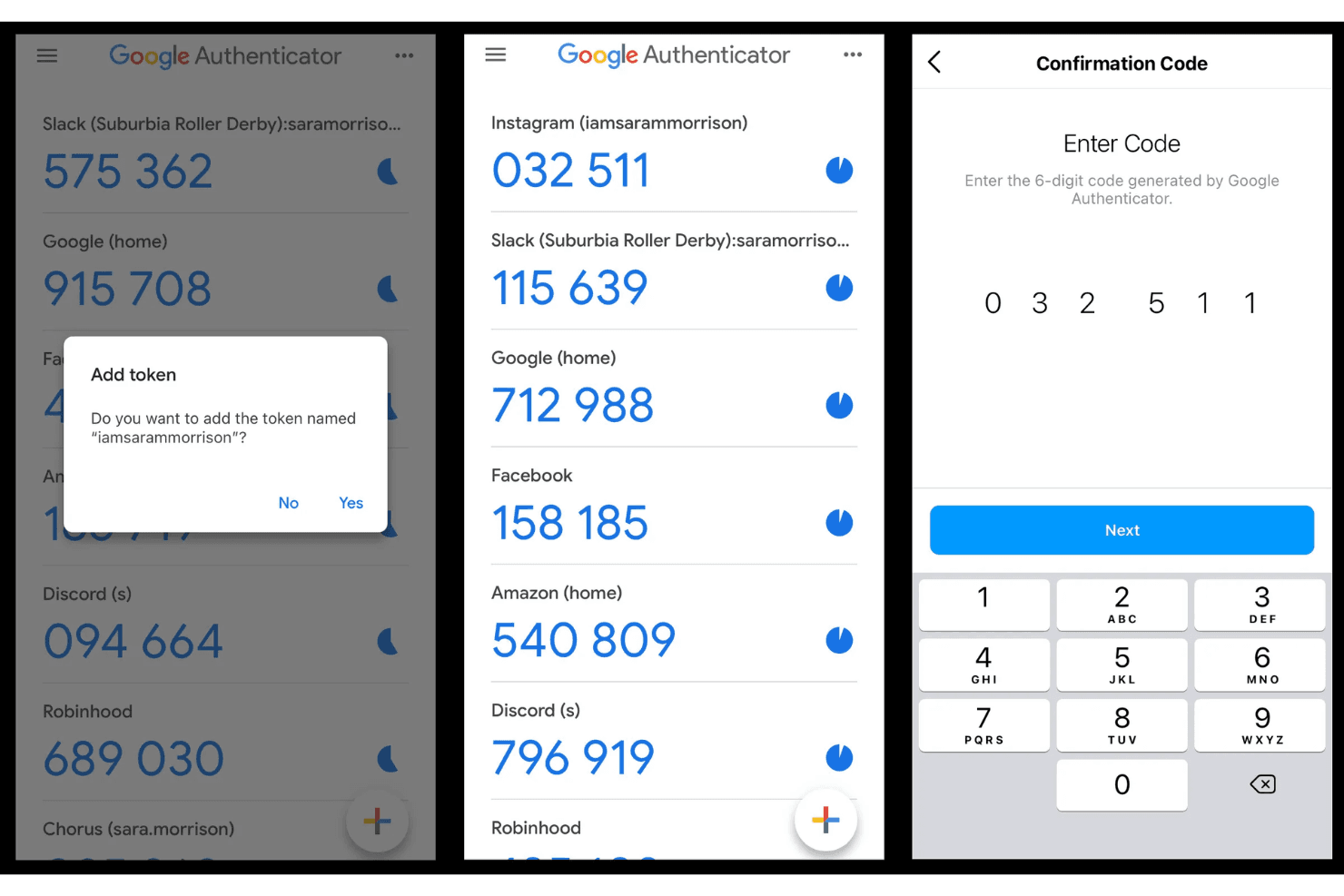
Two-Factor Authentication: Google Authenticator provides an extra layer of security by requiring a code along with your password. This simple process helps protect your accounts from unauthorized access.
Time-Based One-Time Passwords: It generates a new code every 30 seconds, ensuring that your authentication codes stay current. This feature adds a dynamic element to your security.
Offline Functionality: The app works without an internet connection, so you can access your codes anytime, anywhere. This ensures your security isn't compromised by connectivity issues.
Multiple Account Support: You can manage codes for multiple accounts in one place, making it convenient for those with various logins. This feature helps streamline your security management.
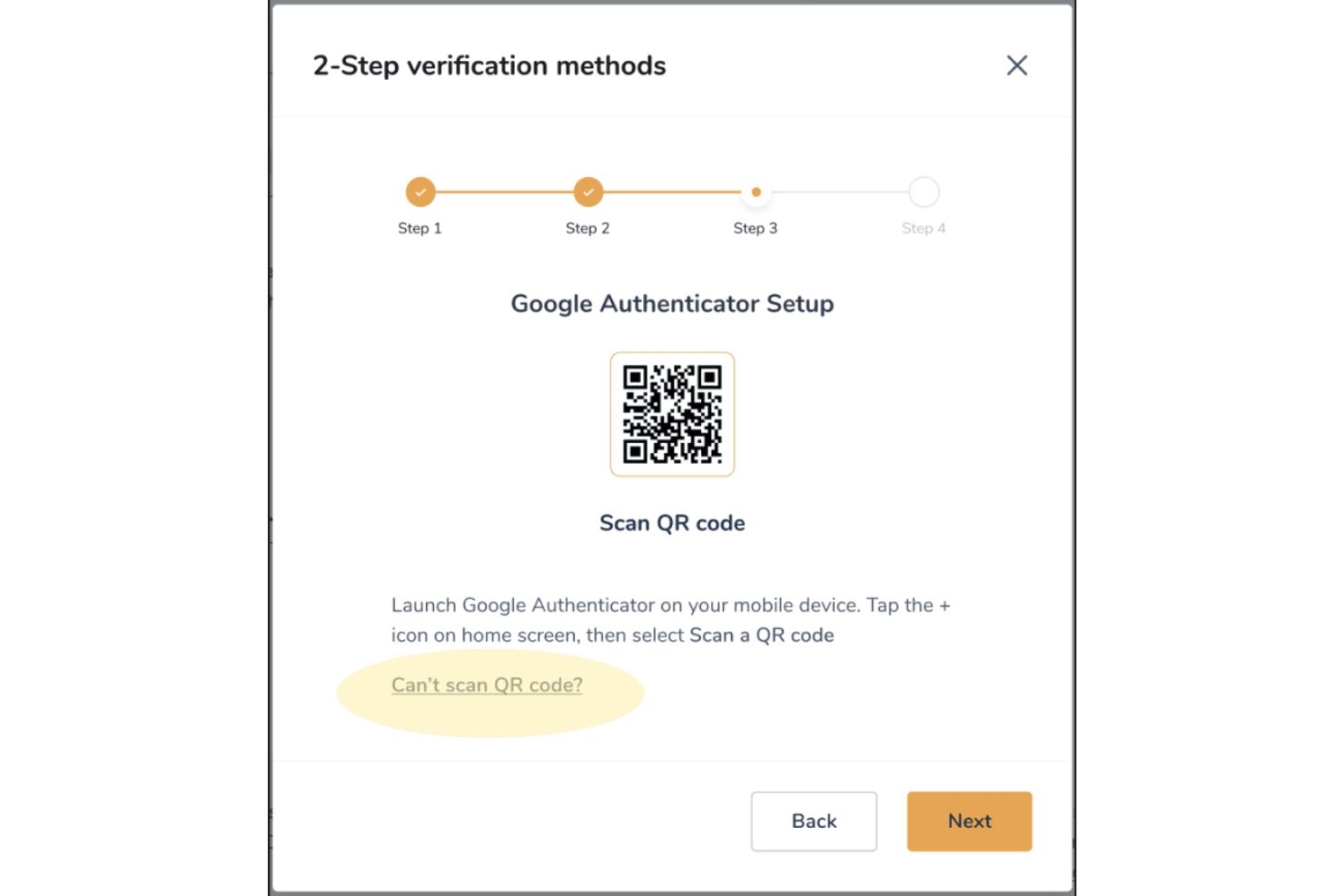
QR Code Scanning: Easily set up new accounts by scanning a QR code, simplifying the process. This makes onboarding new accounts quick and hassle-free.

Standout Features
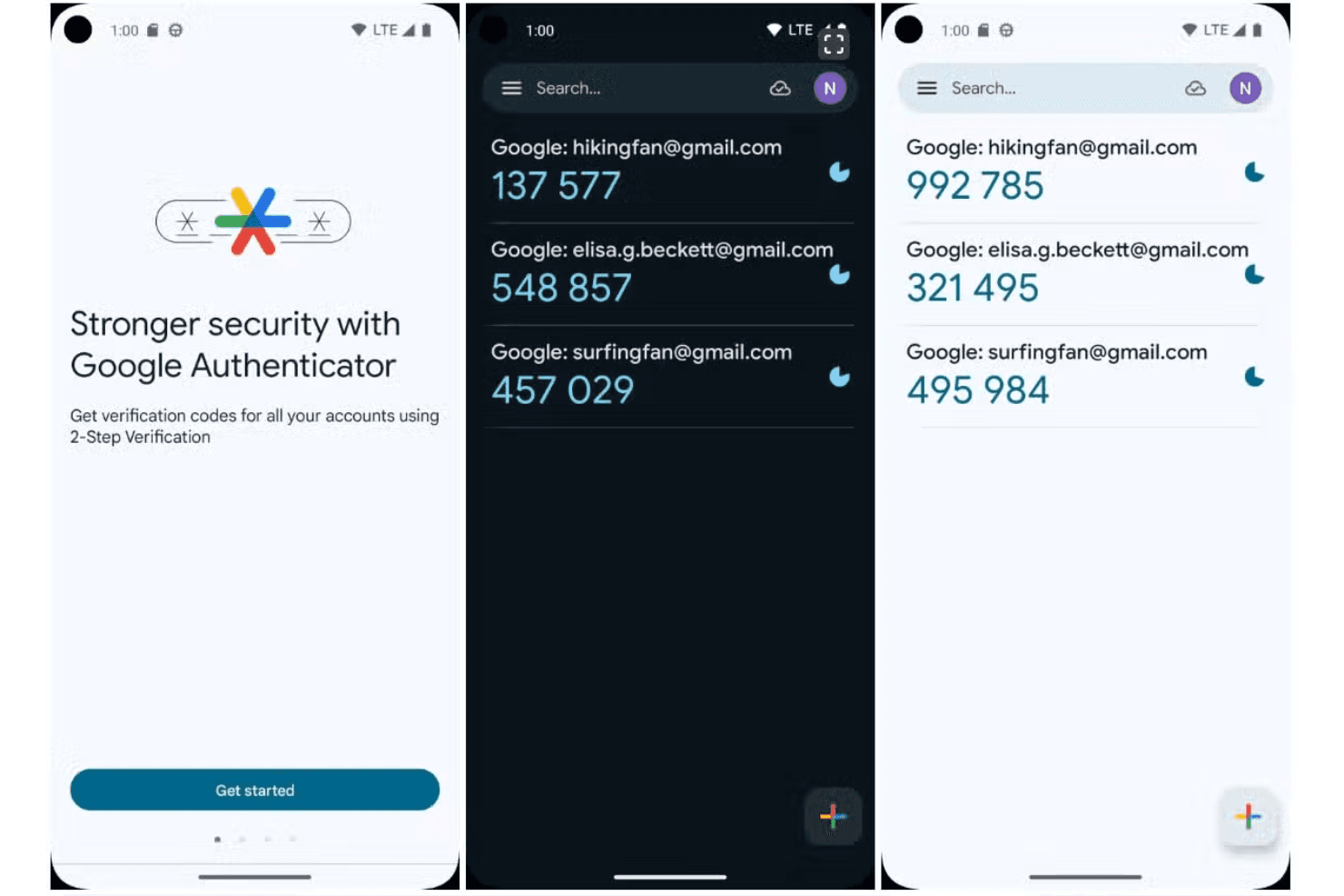
Simple Interface: Google Authenticator offers a clean, straightforward interface that makes it easy to navigate. You can secure the app interface itself with a biometric lock (biometric fingerprint or face scan), providing an additional layer of local device security on both Android and iPhone devices.
No Cost: It's free to use, providing essential security features without any financial commitment. This makes it an attractive option for small teams or freelancers.
Ease of Use
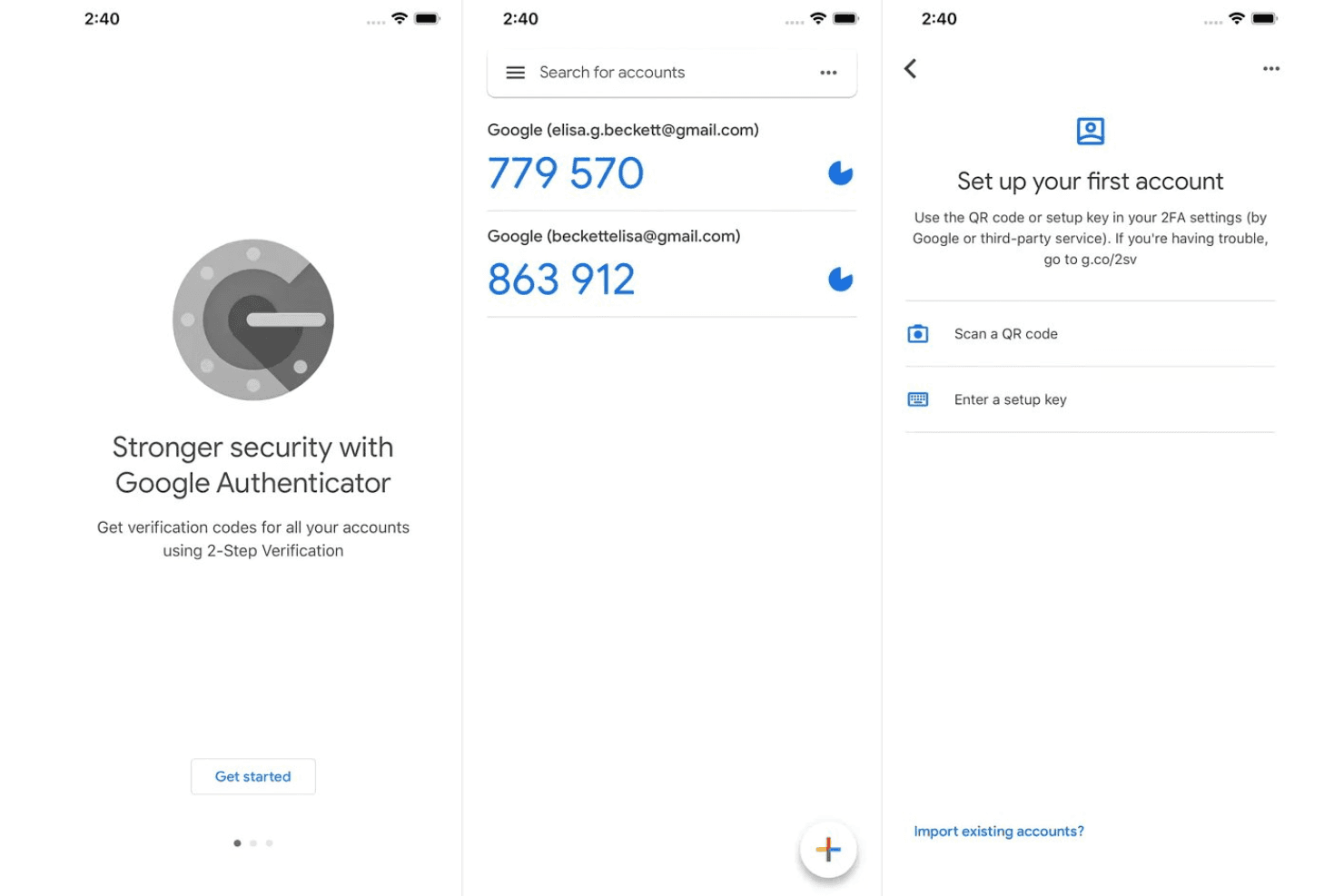
Google Authenticator shines in user-friendliness, making it easy for you and your team to adopt without a learning curve. Its straightforward setup and clean interface mean you can start using it immediately, without technical headaches. Features like QR code scanning simplify managing multiple online accounts, while reliable cloud backup ensures your passcodes are safe. Compared to other identity and access management tools, its simplicity and no-cost approach make it an attractive option for those seeking hassle-free security, even when compared to managing solutions from Yubico or alternatives like Aegis.
Onboarding
Google Authenticator's onboarding is straightforward but lacks comprehensive support for new users. You can get started quickly with its simple setup and QR code scanning, but if you need detailed guidance, resources are limited. There's no dedicated customer support, which might leave your team figuring things out on their own. Teams unfamiliar with the 2FA method may need to rely on basic online guides or figure things out independently.
Customer Support
Google Authenticator offers minimal customer support, which can be a drawback if your team needs assistance. Unlike other software, it doesn't provide dedicated support channels or personalized help. You're mostly on your own, relying on online forums and limited documentation for answers. This lack of direct support means that if you encounter issues, resolving them might take more time and effort. If your team values immediate and comprehensive support, this could be a significant limitation.
Integrations
Google Authenticator does not provide native API-level integrations with other applications. Instead, it is compatible with many services and applications, including Okta, LastPass, 1Password, Dashlane, Authy, Microsoft Authenticator, Zoho Vault, Keeper, and Bitwarden, because they all use the same open industry standards (TOTP/HOTP).
Google Authenticator does not provide a public API, and it doesn't natively connect with third-party integration tools.
Value for Money
Google Authenticator offers a strong value proposition for its users, primarily because it is free. The Google Authenticator app provides essential two-factor authentication at no additional cost, making it accessible to individuals and teams looking to secure their accounts without budget constraints. This pricing model stands out compared to other identity management tools that often have multiple pricing tiers. The app is available for free download on both the Google Play Store and the Apple App Store.
Google Authenticator Specs
- 2-Factor Authentication: Yes
- Access Management: Yes
- Anti-Virus: Yes
- API: Yes
- Audit Trail: Yes
- Bug Tracking: Yes
- Calendar Management: Yes
- Customer Management: Yes
- Dashboard: Yes
- Data Export: Yes
- Data Import: Yes
- Data Visualization: Yes
- Email Integration: Yes
- External Integrations: Yes
- File Sharing: Yes
- File Transfer: Yes
- Firewall: Yes
- Google Apps Integration: Yes
- Inventory Tracking: Yes
- Malware Protection: Yes
- Multi-User: Yes
- Network Device Performance Monitoring: Yes
- Network Traffic Monitoring: Yes
- Network Visualization: Yes
- Notifications: Yes
- Project Management: Yes
- Remote Access: Yes
- Risk Assessment: Yes
- SAP Integration: Yes
- Scheduling: Yes
- Software Integration: Yes
- Third-Party Plugins/Add-Ons: Yes
- Ticket Management: Yes
Google Authenticator FAQs
Google Authenticator Company Overview & History
Google Authenticator is a multi-factor authentication app developed by Google, launched on September 20, 2010. It enhances account security by generating time-based and HMAC-based one-time passwords. Available on platforms like Android and iOS, it started as an open-source project but is now proprietary freeware. Google, a subsidiary of Alphabet Inc., continues to maintain it as a popular tool for securing user accounts.
Google Authenticator Major Milestones
- 2010: Google Authenticator was launched on September 20.
- 2011: Multi-factor authentication (MFA) was made available as an optional feature for all Google accounts.
- 2020: The app for Android transitioned from open-source to proprietary freeware.