

GitGuardian Review: Pros, Cons, Features and Pricing
GitGuardian excels in real-time secret detection, setting it apart as a top choice for maintaining security in DevOps environments.

We review tools independently, and commissions help fund our testing. See our transparency policy, our methodology, or suggest a tool.
GitGuardian is a DevOps security tool built for secrets detection—scanning Git repositories, CI/CD pipelines, and developer environments for exposed API keys, credentials, and sensitive configuration data. It's worth a close look if your team needs real-time monitoring of secrets sprawl across a mixed-platform codebase. GitHub Advanced Security includes secret scanning too, but it's tied to the GitHub ecosystem. GitGuardian covers GitLab, Bitbucket, Azure DevOps, and more, making it the better fit for teams that work across multiple source code platforms.
GitGuardian Evaluation Summary

0/5
- Pricing upon request.
Why Trust Our Software Recommendations
6,700+
Reviews
20
Industry experts
16+
Evaluation factors
14
Years
Our team has been testing and reviewing software since 2012. As tech leaders ourselves, we know how difficult—and important—it is to choose the right software.
For this guide, we evaluated tools using hands-on testing and independent research, scoring tools using our selection criteria.
Our reviews reflect our human editorial judgment, not a sales pitch.
Expert reviewers:
- Paulo Gardini MiguelTech Director
 Tim FisherVP of AI
 Gabriel RosasTech Lead & Software Architect
 Christhian GruhnTech Lead & Platform Architect

GitGuardian Overview
In my opinion, GitGuardian is a solid choice for teams prioritizing security in their DevOps processes. Its standout secret detection feature is unmatched, making it ideal for tech companies and financial institutions. While the onboarding process could be smoother, its integration capabilities and user-friendly interface offer great value. GitGuardian’s other strength is closing the gap between accidental secret exposure and detection with automated remediation steps and strong accuracy. While highly effective, teams should expect some false positives, and the alert dashboard can feel dense during large-scale investigations.
Pros
- Provides historical secret detection across Git repos and CI/CD pipelines.
- Offers remediation workflow with developer attribution and context.
- Intuitive interface that’s easy to navigate.
- Reliable monitoring that helps prevent data leaks.
Cons
- You might find the onboarding process a bit cumbersome.
- Requires extensive exclusion-policy tuning for Git/CI integrations.
- Limited customization options compared to other tools.
Is GitGuardian Right For Your Needs?
Who Would be a Good Fit for GitGuardian?
GitGuardian is great for tech companies and financial institutions where security is a priority. If your team handles sensitive data, GitGuardian’s real-time secret detection and monitoring can help prevent data leaks. It’s especially useful for IT teams that need a straightforward tool to safeguard codebases. The intuitive interface makes it easy for your team to navigate, while the reliable monitoring ensures your data stays secure. If these needs resonate with your work, GitGuardian is worth considering.
- Tech StartupsGitGuardian helps your small team quickly detect and manage exposed secrets without extensive resources.
- Financial InstitutionsGitGuardian’s real-time monitoring is perfect for keeping your sensitive financial data secure and compliant.
- Healthcare ProvidersEssential for compliance (SOC 2, GDPR) by ensuring auditability. Provides the granular evidence needed to prove that security policies are automatically enforced on every commit.
- Large EnterprisesEnables security to scale protection across thousands of developers and repositories. The automated remediation saves thousands of FTE hours that would otherwise be spent manually reviewing logs and creating tickets.
- DevOps TeamsFor those integrating security into DevOps, GitGuardian provides essential tools for continuous monitoring.
- Software DevelopersGitGuardian’s secret detection helps developers maintain secure coding practices throughout the software lifecycle. It also provides a dedicated public monitoring service that scans developer-owned public repositories, where nearly 80% of corporate secret leaks occur, proactively closing a major external attack vector.
Who Would be a Bad Fit for GitGuardian?
GitGuardian might not suit small businesses or startups on a tight budget that don’t need extensive security features. Teams requiring heavy customization or operating in environments where code security is not mission-critical may find its feature set excessive. The platform’s limited customization options and relatively lean documentation can also slow onboarding for organizations that depend on highly guided workflows.
- Small RetailersThe platform's cost and complexity are unnecessary overkill for organizations with minimal software development or where the only sensitive data exists in a standard SaaS tool, not internal code.
- Non-Tech IndustriesIf the organization does not have internal code repositories (Git/VCS), the core functionality of GitGuardian is completely irrelevant and adds no value.
- FreelancersIf you work alone and don’t manage sensitive code, GitGuardian’s capabilities could be unnecessary.
- Basic IT DepartmentsThe tool requires a dedicated security engineer to triage and manage the resulting volume of alerts (even high true positives). It's overwhelming and ineffective if security isn't the top priority of a specialized team.
- Educational InstitutionsIf your focus is on teaching rather than securing code, GitGuardian might not align with your needs.
- Nonprofit OrganizationsIf budget constraints are paramount, GitGuardian’s costs may outweigh its benefits for your team.
Our Review Methodology
How We Test & Score Tools
We’ve spent years building, refining, and improving our software testing and scoring system. The rubric is designed to capture the nuances of software selection and what makes a tool effective, focusing on critical aspects of the decision-making process.
Below, you can see exactly how our testing and scoring works across seven criteria. It allows us to provide an unbiased evaluation of the software based on core functionality, standout features, ease of use, onboarding, customer support, integrations, customer reviews, and value for money.
Core Functionality (25% of final scoring)
The starting point of our evaluation is always the core functionality of the tool. Does it have the basic features and functions that a user would expect to see? Are any of those core features locked to higher-tiered pricing plans? At its core, we expect a tool to stand up against the baseline capabilities of its competitors.
Standout Features (25% of final scoring)
Next, we evaluate uncommon standout features that go above and beyond the core functionality typically found in tools of its kind. A high score reflects specialized or unique features that make the product faster, more efficient, or offer additional value to the user.
We also evaluate how easy it is to integrate with other tools typically found in the tech stack to expand the functionality and utility of the software. Tools offering plentiful native integrations, 3rd party connections, and API access to build custom integrations score best.
Ease of Use (10% of final scoring)
We consider how quick and easy it is to execute the tasks defined in the core functionality using the tool. High scoring software is well designed, intuitive to use, offers mobile apps, provides templates, and makes relatively complex tasks seem simple.
Onboarding (10% of final scoring)
We know how important rapid team adoption is for a new platform, so we evaluate how easy it is to learn and use a tool with minimal training. We evaluate how quickly a team member can get set up and start using the tool with no experience. High scoring solutions indicate little or no support is required.
Customer Support (10% of final scoring)
We review how quick and easy it is to get unstuck and find help by phone, live chat, or knowledge base. Tools and companies that provide real-time support score best, while chatbots score worst.
Customer Reviews (10% of final scoring)
Beyond our own testing and evaluation, we consider the net promoter score from current and past customers. We review their likelihood, given the option, to choose the tool again for the core functionality. A high scoring software reflects a high net promoter score from current or past customers.
Value for Money (10% of final scoring)
Lastly, in consideration of all the other criteria, we review the average price of entry level plans against the core features and consider the value of the other evaluation criteria. Software that delivers more, for less, will score higher.
Core Features
Real-Time Secret Detection: Utilizes over 482 specific detectors and high entropy checks to scan code for specific credentials (AWS, Slack, etc.) and generic credentials. This feature helps your team maintain security without interrupting workflow.
Monitoring and Alerts: Delivers alerts in real-time and assigns a severity score (Critical, High, Medium) based on custom rules. This proactive approach minimizes damage from security breaches.
Codebase Protection: GitGuardian continuously watches your repositories to ensure sensitive information doesn’t slip through the cracks. It’s like having a security guard for your code.
Compliance Support: Provides a complete audit trail (who, what, where) for every leaked secret, critical for demonstrating compliance with security frameworks like SOC 2 and NIST.
User-Friendly Interface: Your team will find navigating GitGuardian a breeze, thanks to its intuitive design. This ease of use reduces the learning curve and speeds up adoption.
Automated Scanning: GitGuardian automatically scans your repositories, saving you time and effort. This automation lets your team focus on development instead of manual checks.

Standout Features
Advanced Analytics: GitGuardian provides in-depth analytics to track the secretion exposure rate over time and measure the mean time to remediation (MTTR) by different teams.This feature helps your team make informed decisions based on data.
Collaboration Tools: Automates the security process by providing revocation links and clear instructions directly to the responsible developer. This feature fosters teamwork and ensures everyone is on the same page.
Validity Checks and Scope Analysis: Checks the validity of 317+ exposed secret types (e.g., via non-intrusive API calls) and determines the secret's scope so DevSecOps teams can focus on credentials that are still active and exploitable.
Ease of Use
GitGuardian is simple to onboard and integrate with Git repositories. The dashboard provides an intuitive overview for basic use. However, the interface for managing high volumes of incidents is often described in reviews as cluttered and complex, requiring security engineers to constantly filter and fine-tune alerts. The simplicity is high for initial setup, but the daily UX for incident triage demands focus and effort.

Onboarding
The real onboarding challenge is not installation (which is simple) but policy configuration, where teams must fine-tune exclusion rules and whitelist safe paths to control false positives. Significant time is required to define custom secrets and calibrate detectors, making this tuning phase essential for stable operation.
Customer Support
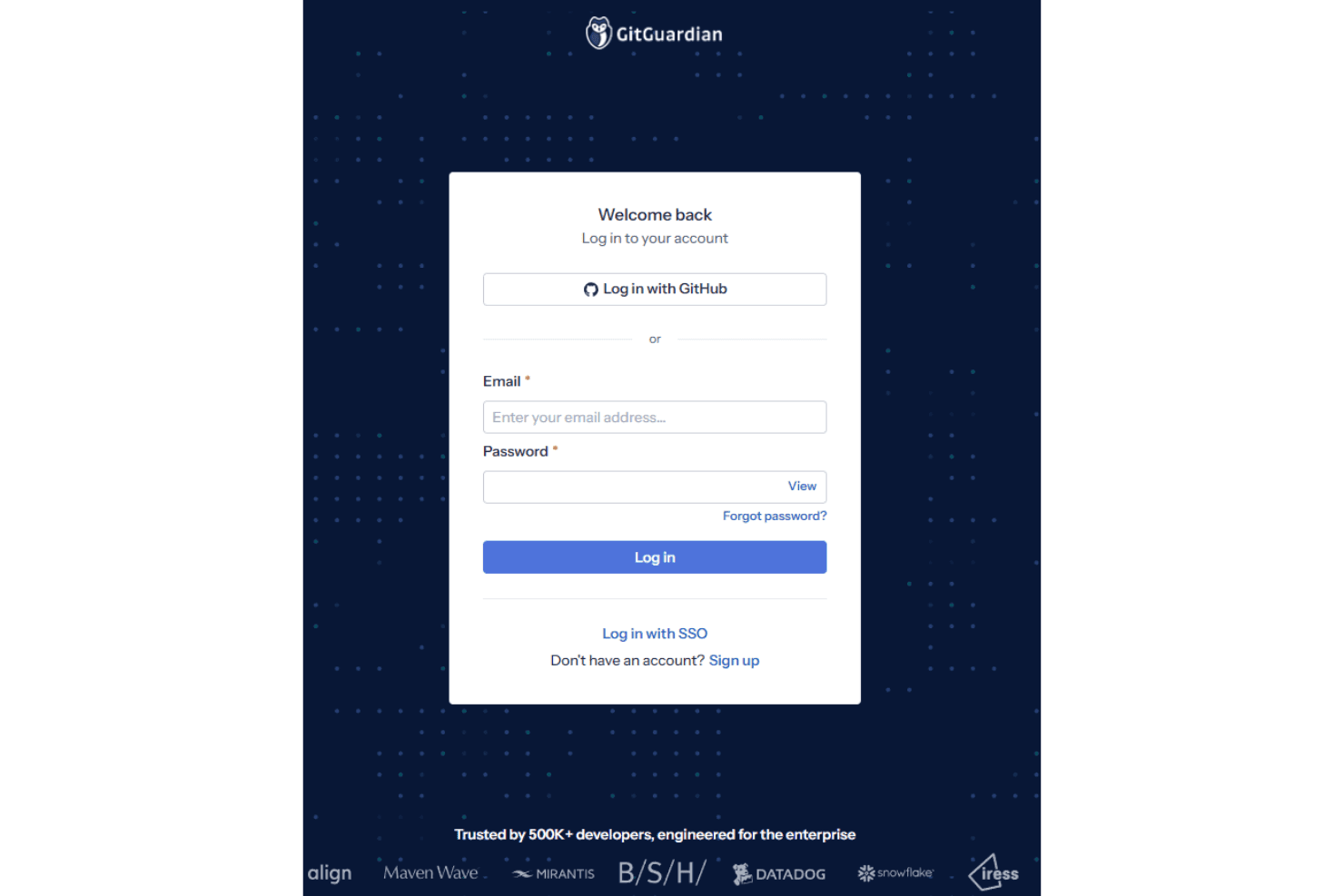
GitGuardian offers solid customer support that users generally appreciate. Your team can access assistance through multiple channels, ensuring that help is available when needed. While some users feel response times could improve, the support team is knowledgeable and resolves issues effectively. The documentation and resources provided also aid in troubleshooting, contributing to a positive support experience overall.

Integrations
GitGuardian integrates with GitHub, GitLab, Azure DevOps, BitBucket, Jenkins, Circle CI, Slack, Microsoft Teams, Confluence, and ServiceNow. GitGuardian also provides an API for custom integrations and connects with third-party integration tools for extended functionality.

Value for Money
GitGuardian delivers strong ROI because its value is tied directly to preventing high-impact security breaches that can cost millions. Its automated detection and remediation workflows save thousands of developer and security-engineer hours that would otherwise be spent on manual log reviews, incident triage, and leak cleanup. Teams can run an immediate historical scan during the free trial to quantify existing secret exposure and give a data-backed assessment of risk before moving to a paid plan.
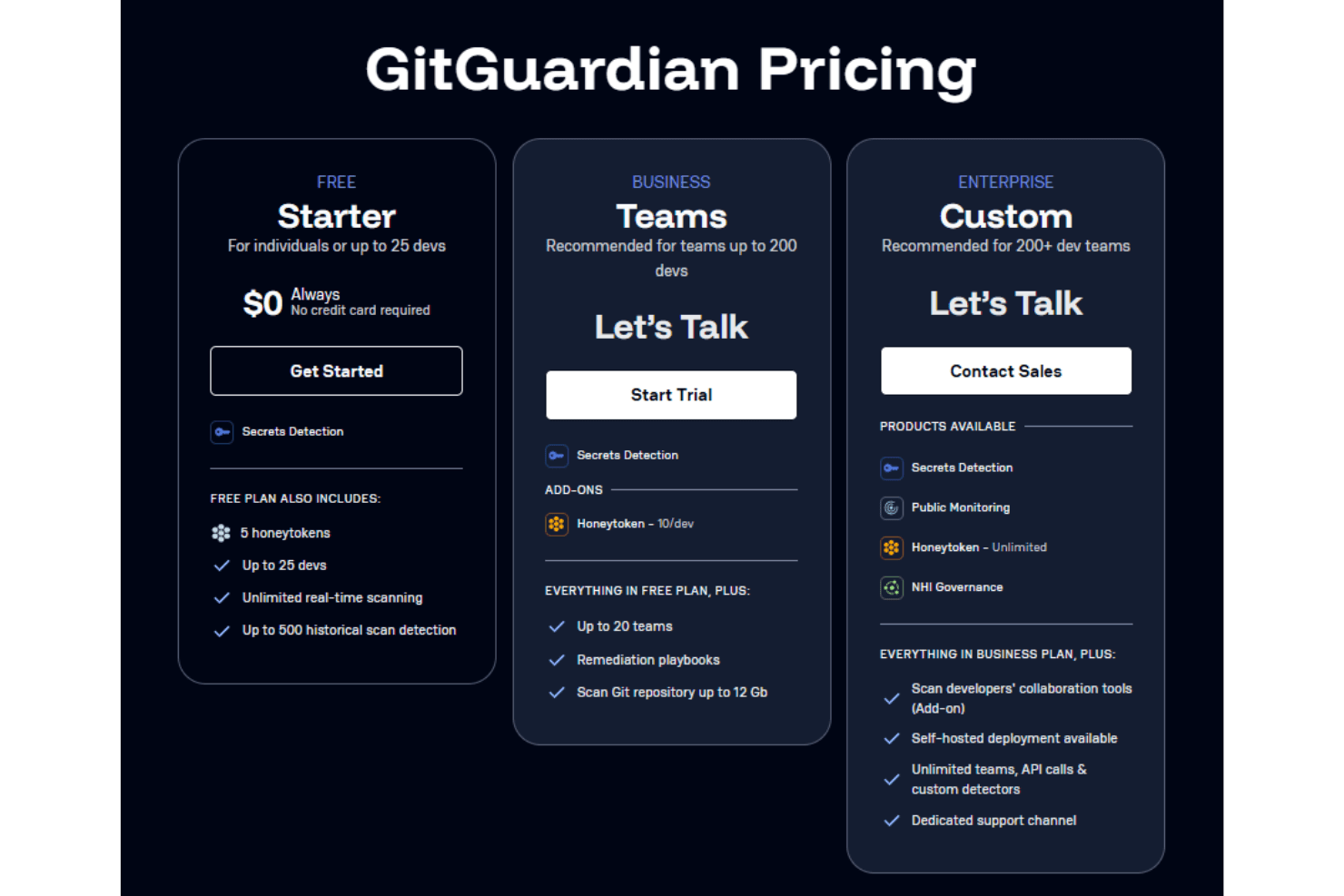
The pricing plans scale based on number of devs and quality support available:
- Starter: Free plan with basic security features for small teams with no more than 25 devs.
- Teams: Advanced monitoring and alerts for growing teams with up to 200 devs.
- Custom: Custom solutions with premium support for large organizations (for 200+ devs).
GitGuardian Specs
- 2-Factor Authentication: Yes
- Access Management: Yes
- Anti-Virus: No
- API: Yes
- Audit Trail: Yes
- Bug Tracking: No
- Calendar Management: No
- Customer Management: No
- Dashboard: Yes
- Data Export: Yes
- Data Import: No
- Data Visualization: Yes
- Email Integration: No
- External Integrations: Yes
- File Sharing: No
- File Transfer: No
- Firewall: No
- Google Apps Integration: No
- Inventory Tracking: No
- Malware Protection: No
- Multi-User: Yes
- Network Device Performance Monitoring: No
- Network Traffic Monitoring: No
- Network Visualization: No
- Notifications: Yes
- Project Management: No
- Remote Access: No
- Risk Assessment: Yes
- SAP Integration: No
- Scheduling: No
- Software Integration: No
- Third-Party Plugins/Add-Ons: No
- Ticket Management: No
GitGuardian FAQs
GitGuardian Company Overview & History
GitGuardian, founded in 2017 by Eric Fourrier and Jérémy Thomas, is headquartered in Paris, France. The company focuses on code security for the DevOps landscape and has grown to employ a substantial workforce. Known for its strong work culture, GitGuardian has made a name for itself in cybersecurity, serving notable clients and continuously expanding its influence in the industry.
GitGuardian Major Milestones
- 2017: GitGuardian was founded in Paris, France.
- 2021: $44 million Series-B funding for expansion
- 2023: Achieved $10M in revenue, showcasing significant growth.
- 2023: Launched advanced workflows like validity checking for exposed credentials
- 2024: Revenue reached $13.2M with a team of 165 members.