

FortiDDoS Review: Pros, Cons, Features and Pricing
FortiDDoS excels in providing robust protection against DDoS attacks, making it a valuable choice for businesses needing reliable security.

We review tools independently, and commissions help fund our testing. See our transparency policy, our methodology, or suggest a tool.
FortiDDoS is an internet security software built for on-premises DDoS mitigation, designed for network teams that need to detect and block volumetric, protocol, and application-layer attacks without routing traffic through a third-party cloud. I'd consider it over Cloudflare if your team needs appliance-based protection with sub-second detection that doesn't rely on external infrastructure—especially in environments where data sovereignty requirements or latency constraints make cloud-based scrubbing a poor fit.
FortiDDoS Evaluation Summary
4.5/5
- Pricing upon request
- Free demo available
Why Trust Our Software Recommendations
6,700+
Reviews
20
Industry experts
16+
Evaluation factors
14
Years
Our team has been testing and reviewing software since 2012. As tech leaders ourselves, we know how difficult—and important—it is to choose the right software.
For this guide, we evaluated tools using hands-on testing and independent research, scoring tools using our selection criteria.
Our reviews reflect our human editorial judgment, not a sales pitch.
Expert reviewers:
- Paulo Gardini MiguelTech Director
 Tim FisherVP of AI
 Gabriel RosasTech Lead & Software Architect
 Christhian GruhnTech Lead & Platform Architect

FortiDDoS Overview
In my opinion, FortiDDoS is a solid choice for enterprises needing strong protection against DDoS attacks. It is a high-performance DDoS mitigation appliance built on custom FortiASIC processors and designed for Tier-1 networks, large data centers, and internet-facing infrastructure.
FortiDDoS relies entirely on heuristic and behavior-based analysis rather than signatures, which allows it to stop zero-day attacks, low-volume Layer 7 anomalies, and volumetric floods with precise accuracy. Although the upfront cost and tuning complexity make it impractical for small businesses, it delivers industry-leading speed and highly reliable protection for environments facing continuous, sophisticated DDoS threats.
Pros
- It offers reliable protection against DDoS attacks.
- Full packet inspection and sub-50-microsecond attack response.
- Behavioral zero-day defense detects unknown and low-and-slow.
- Layer 7 attacks Surgical IP scoring blocks malicious IPs while minimizing false positives.
- Your team can benefit from its customizable security settings.
- It provides detailed traffic analysis for better threat management.
- Supports hybrid cloud mitigation with an open API.
Cons
- Some users find the interface less intuitive than competitors.
- Your team might experience a steep learning curve during onboarding.
- It lacks certain advanced reporting features found in other tools.
- High capital cost for advanced models and required FortiCare contracts.
- High overall TCO as it requires complementary security tools and firewalls.
Is FortiDDoS Right For Your Needs?
Who Would be a Good Fit for FortiDDoS?
FortiDDoS is well-suited for large enterprises and IT departments that need to manage complex network security. If your team deals with high-volume traffic and requires robust DDoS protection, FortiDDoS's customizable security settings and detailed traffic analysis make it a strong choice. It provides the necessary tools to effectively handle threats and maintain network integrity.
- Large EnterprisesFortiDDoS handles high traffic volumes and offers strong protection against DDoS attacks, making it ideal for large enterprises.
- IT DepartmentsYour team will benefit from its customizable security settings to manage complex network security.
- Financial ServicesFortiDDoS provides detailed traffic analysis, crucial for financial services needing to protect sensitive transactions. The 100% behavioral analysis is essential for protecting sensitive, high-value web and API services from complex, stealthy Layer 7 SSL-based attacks that bypass cloud provider filters.
- TelecommunicationsIdeal for telco organizations with high-throughput pipes (10G/40G+) that require continuous, sub-50 microsecond latency mitigation and the ability to provision multi-tenant DDoS protection policies.
- Healthcare ProvidersFortiDDoS ensures the protection of sensitive patient data with its strong security features.
- E-commerce PlatformsYour e-commerce business can maintain uptime and security with FortiDDoS's reliable DDoS protection.
- Cloud Data CentersIts ability to monitor more than 230,000 traffic parameters at once enables effective DNS DDoS mitigation and supports multi-vector attacks across multiple protected tenants.
Who Would be a Bad Fit for FortiDDoS?
FortiDDoS isn't a great fit for small businesses or startups with limited budgets. Its complex onboarding and less intuitive interface can be challenging for teams without dedicated IT staff. If your team doesn't handle high traffic volumes or requires advanced reporting features, you might find other solutions more aligned with your needs.
- Small BusinessesThe complexity and cost of FortiDDoS may not suit small businesses with limited resources.
- StartupsThe high capital cost and complex configuration are unnecessary for most users, who are better served by simpler, subscription-based cloud scrubbing services like Cloudflare or Akamai.
- FreelancersFreelancers typically don't need the extensive DDoS protection FortiDDoS offers.
- Non-IT TeamsTeams without IT expertise may find the interface and setup challenging.
- Educational InstitutionsSchools and universities gain little from FortiDDoS unless they face major traffic-based threats. If their main risk is Layer 7 attacks on a website, a Cloud WAF or FortiWeb typically offers better protection and simpler deployment than a full network appliance.
- Local RetailersLocal retailers usually don't require the level of DDoS protection that FortiDDoS provides.
Our Review Methodology
How We Test & Score Tools
We’ve spent years building, refining, and improving our software testing and scoring system. The rubric is designed to capture the nuances of software selection and what makes a tool effective, focusing on critical aspects of the decision-making process.
Below, you can see exactly how our testing and scoring works across seven criteria. It allows us to provide an unbiased evaluation of the software based on core functionality, standout features, ease of use, onboarding, customer support, integrations, customer reviews, and value for money.
Core Functionality (25% of final scoring)
The starting point of our evaluation is always the core functionality of the tool. Does it have the basic features and functions that a user would expect to see? Are any of those core features locked to higher-tiered pricing plans? At its core, we expect a tool to stand up against the baseline capabilities of its competitors.
Standout Features (25% of final scoring)
Next, we evaluate uncommon standout features that go above and beyond the core functionality typically found in tools of its kind. A high score reflects specialized or unique features that make the product faster, more efficient, or offer additional value to the user.
We also evaluate how easy it is to integrate with other tools typically found in the tech stack to expand the functionality and utility of the software. Tools offering plentiful native integrations, 3rd party connections, and API access to build custom integrations score best.
Ease of Use (10% of final scoring)
We consider how quick and easy it is to execute the tasks defined in the core functionality using the tool. High scoring software is well designed, intuitive to use, offers mobile apps, provides templates, and makes relatively complex tasks seem simple.
Onboarding (10% of final scoring)
We know how important rapid team adoption is for a new platform, so we evaluate how easy it is to learn and use a tool with minimal training. We evaluate how quickly a team member can get set up and start using the tool with no experience. High scoring solutions indicate little or no support is required.
Customer Support (10% of final scoring)
We review how quick and easy it is to get unstuck and find help by phone, live chat, or knowledge base. Tools and companies that provide real-time support score best, while chatbots score worst.
Customer Reviews (10% of final scoring)
Beyond our own testing and evaluation, we consider the net promoter score from current and past customers. We review their likelihood, given the option, to choose the tool again for the core functionality. A high scoring software reflects a high net promoter score from current or past customers.
Value for Money (10% of final scoring)
Lastly, in consideration of all the other criteria, we review the average price of entry level plans against the core features and consider the value of the other evaluation criteria. Software that delivers more, for less, will score higher.
Core Features
DDoS Protection
FortiDDoS uses FortiASIC-TP2/TP3 processors to inspect all inbound and outbound traffic at line rate. This enables instant attack detection and mitigation without impacting CPU performance.
Traffic Analysis
The system analyzes hundreds of thousands of Layer 3, 4, and 7 parameters in parallel against a continuously learned traffic baseline to identify anomalies and stop threats in under two seconds.
Customizable Security Settings
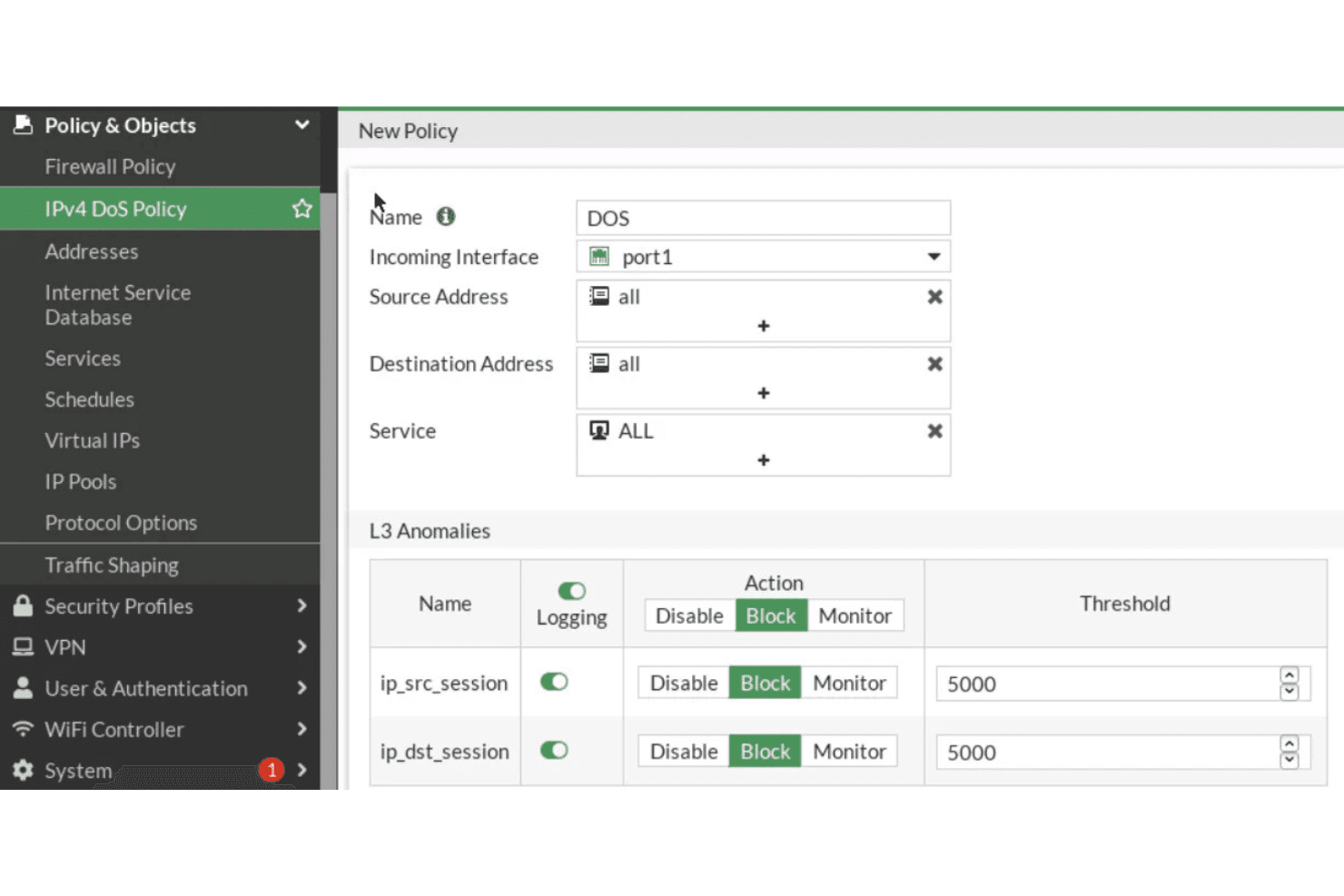
FortiDDoS allows you to tailor its security settings to fit your specific needs. IT teams can create granular SPPs for each network segment or tenant, set resource limits and control whitelisting and blacklisting down to the port level.
Real-Time Monitoring
Stay informed with real-time alerts and monitoring, ensuring your team can respond quickly to any issues. This feature helps maintain the integrity of your network.
Scalability
FortiDDoS scales with your business, making it suitable for growing enterprises. Appliances support full-duplex throughput up to 36+ Gbps and are engineered to prevent link saturation during high-volume flood attacks.
User-Friendly Dashboard
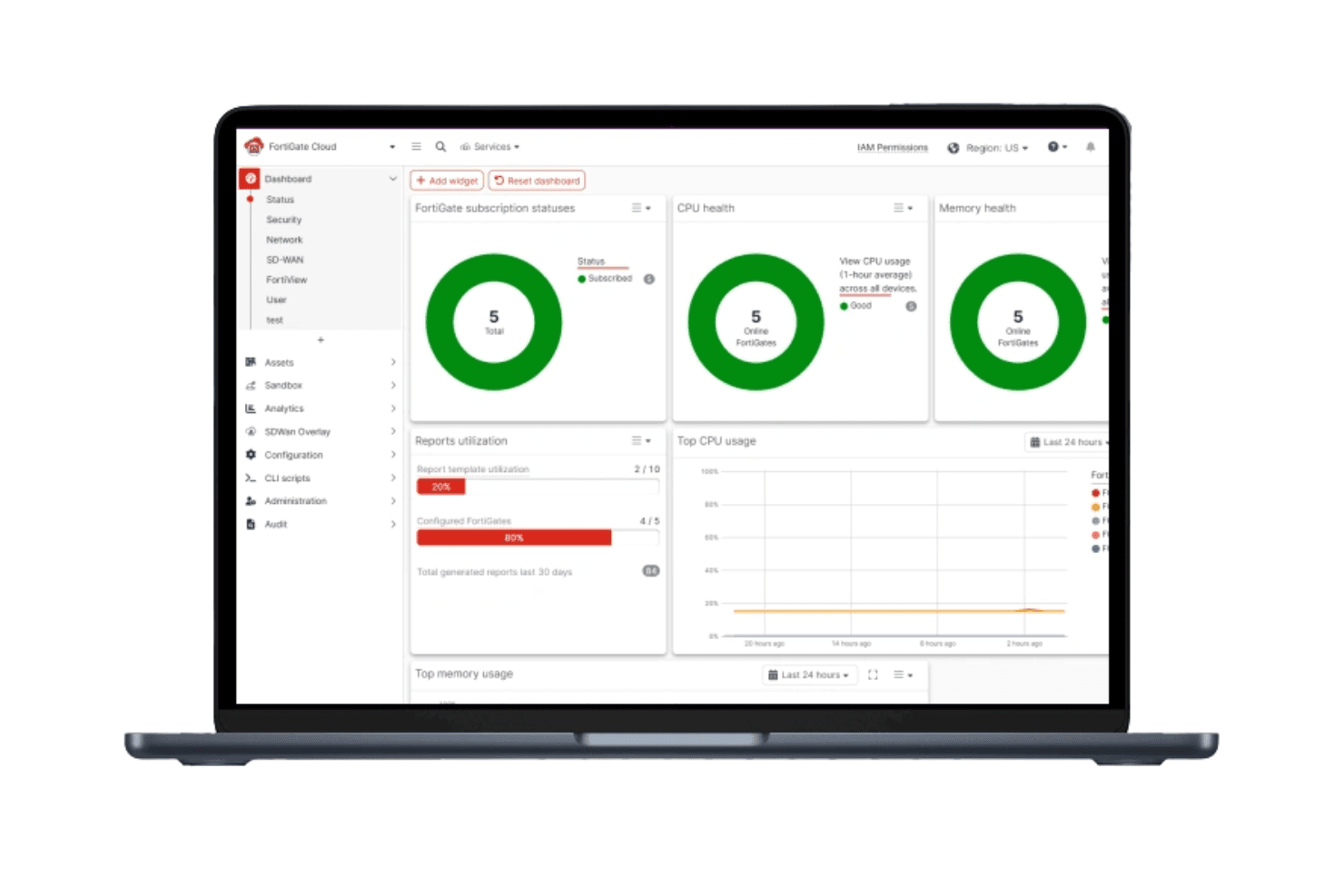
The dashboard provides a clear overview of your network's security status. Your team can easily navigate and manage security settings.
Standout Features
Advanced Threat Detection
FortiDDoS performs full inspection of DNS traffic and validates query-response coherence to stop reflective DNS attacks from the first packet.
Behavioral Analysis
This feature studies network behavior to predict and prevent potential attacks. Your team benefits from proactive threat management that adapts to changing patterns.
Hybrid Cloud Signaling
An open Attack Signaling API automatically alerts and diverts traffic via BGP to third-party cloud scrubbing centers when attack volume exceeds local data center capacity.

Ease of Use
FortiDDoS has a learning curve that might challenge teams without dedicated IT staff. While its user-friendly dashboard provides a clear overview, some users find the interface less intuitive compared to other solutions. Managing the many customizable settings requires strong knowledge of traffic baselines and security policy tuning, which can be difficult for teams without dedicated security analysts. However, once familiar, it offers powerful tools for managing your network's security effectively.
Onboarding
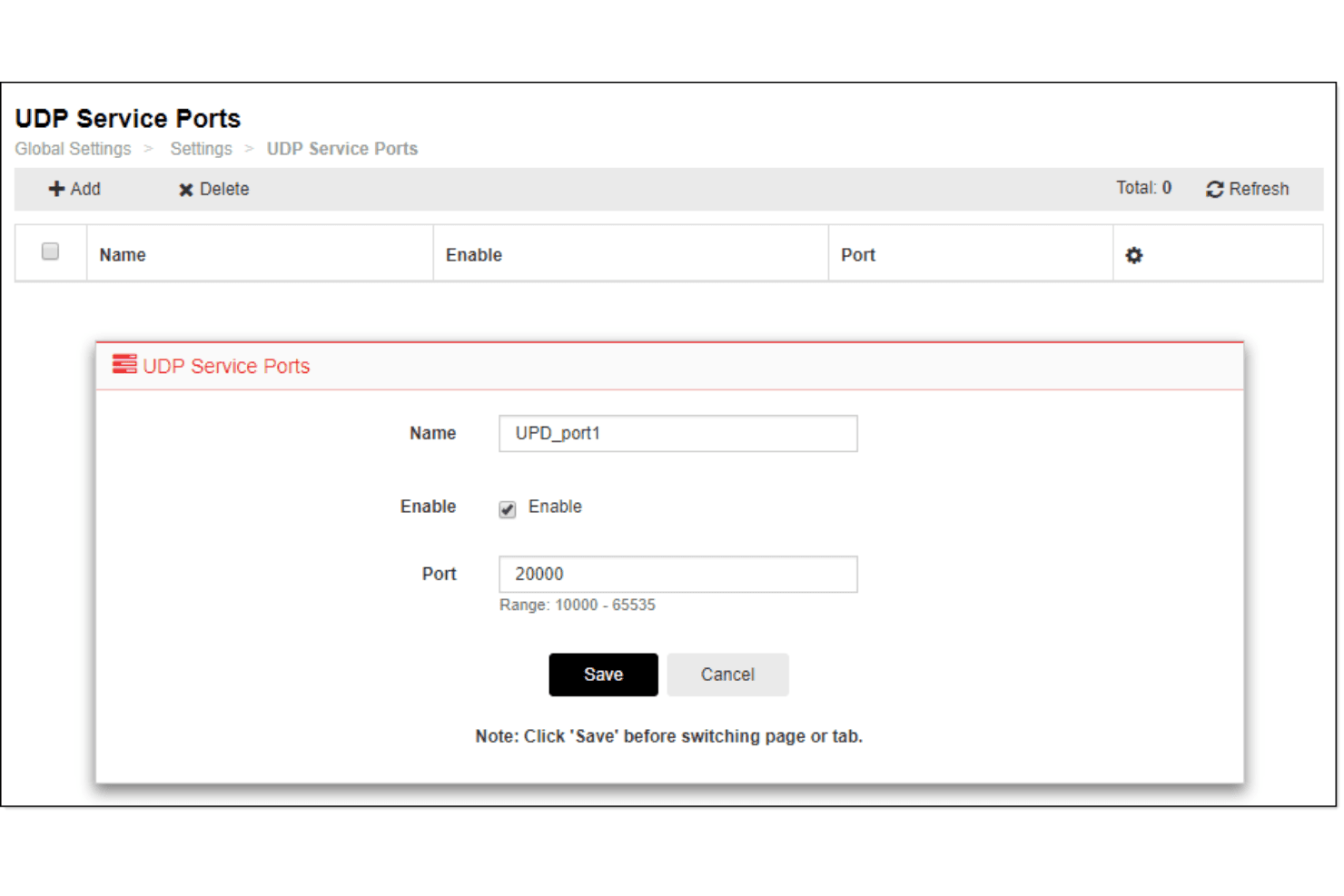
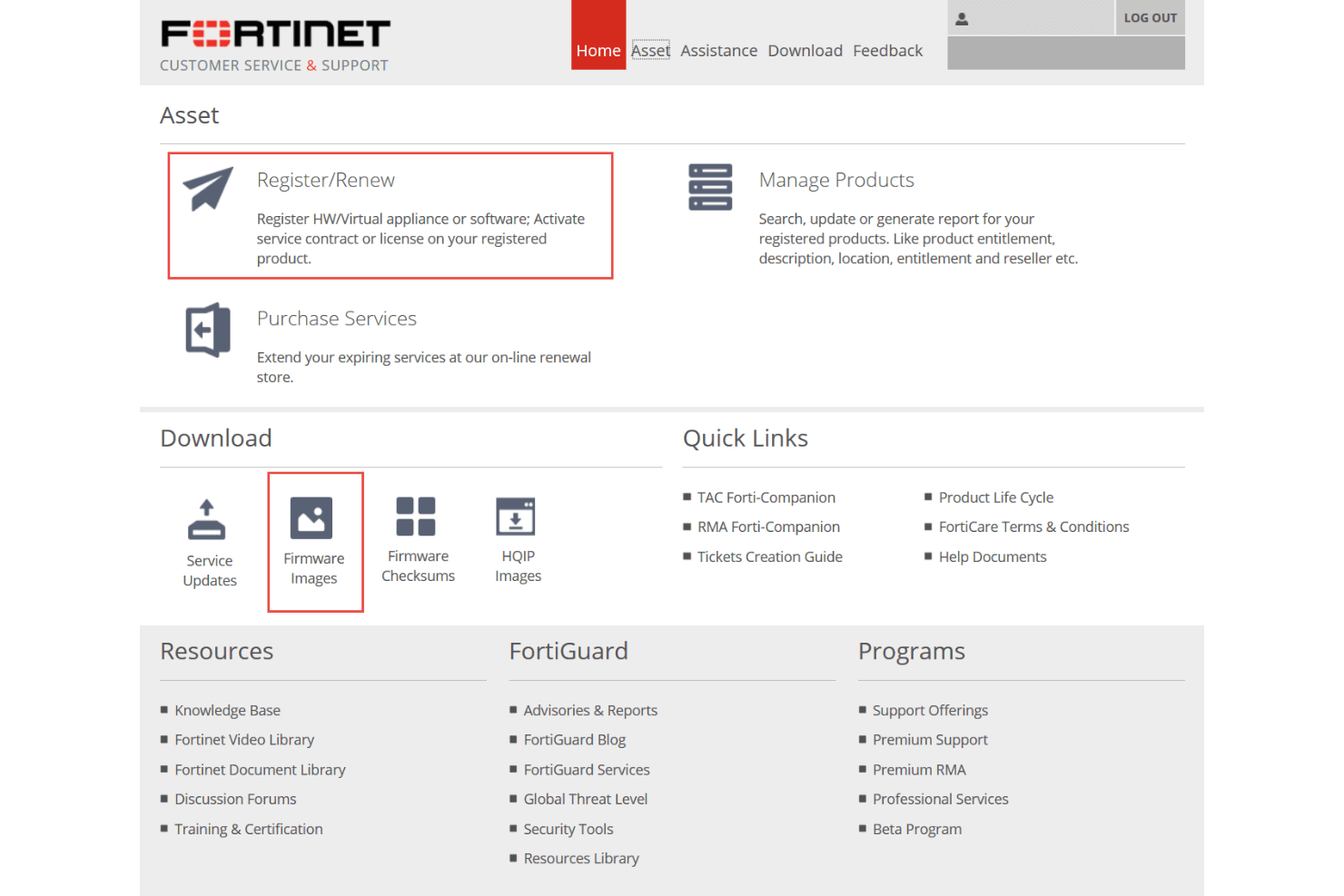
FortiDDoS's onboarding process can feel complex, especially for teams lacking technical expertise. The setup requires careful attention to detail, but the available documentation and support resources help guide you through the process. Your team might take longer to reach full functionality compared to other tools, but once configured, FortiDDoS offers strong protection. The support team is responsive, aiding in overcoming initial hurdles.
Customer Support
Customer support is delivered through FortiCare, which is typically purchased at the Premium level for this mission-critical appliance due to its high-priority SLA. The support staff is knowledgeable, providing solutions that address complex issues effectively. While some users mention occasional delays, the overall experience is positive, making it easier for your team to manage any challenges.

Integrations
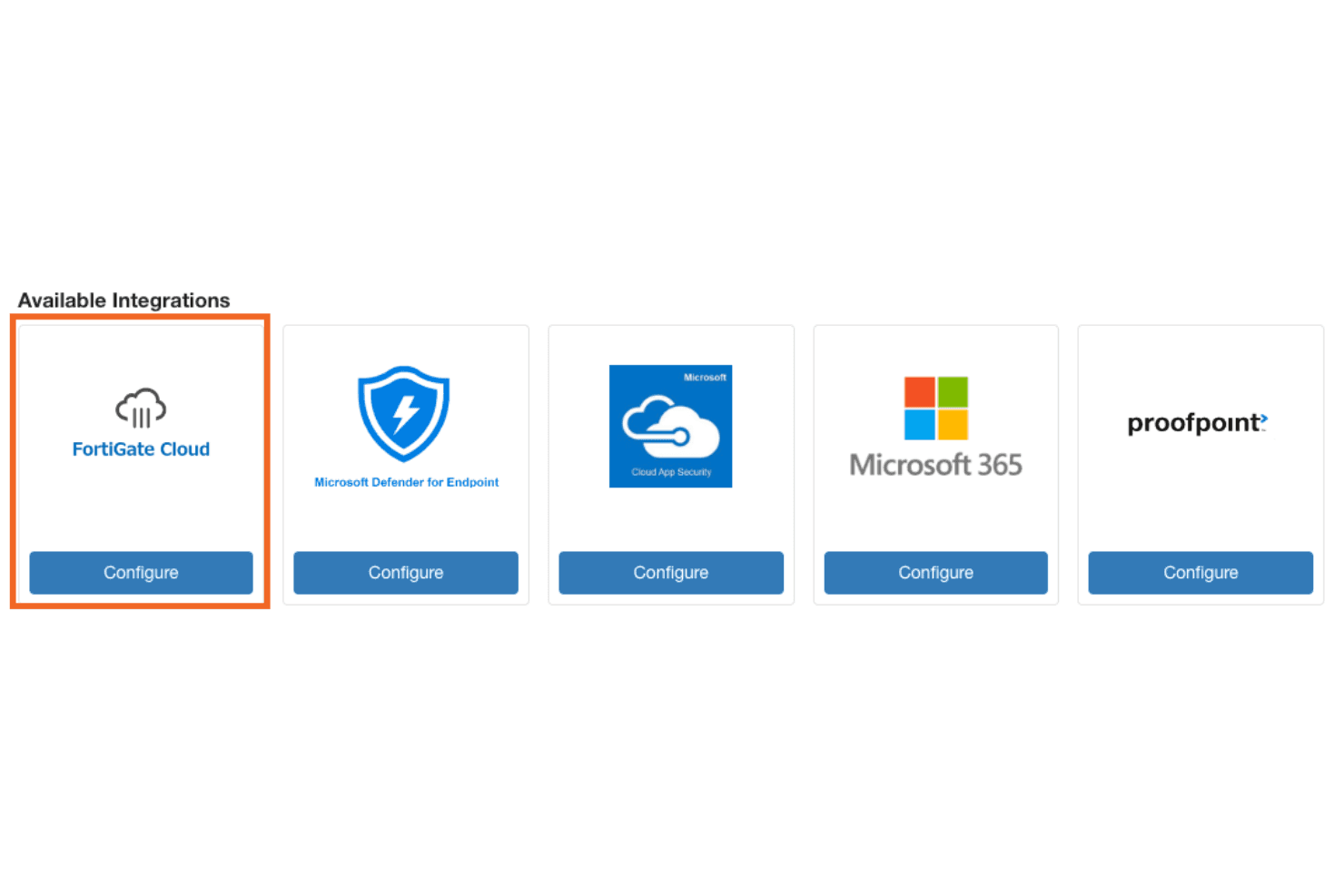
FortiDDoS integrates with FortiGate, FortiAnalyzer, FortiManager, FortiWeb, FortiADC, FortiSIEM, FortiMail, FortiSandbox, FortiToken, and FortiAuthenticator. FortiDDoS also provides a REST API for integration and connects with third-party integration tools.
Value for Money
FortiDDoS is a high-CapEx platform, and its value is justified only in environments that require guaranteed sub-50-microsecond mitigation latency and continuous autonomous uptime, such as carriers and financial exchanges. The true TCO includes the expensive hardware, the mandatory FortiCare Premium support contract, and a pricing model that varies widely based on throughput capacity, number of ports or links, on-premises versus virtual deployment, and required maintenance levels.
Most vendors quote FortiDDoS on a per-deployment basis, meaning there is no fixed price. The final cost depends heavily on your traffic profile, redundancy architecture, and failover requirements. For high-risk industries, this investment is often justified only when compared against the massive financial losses that even one hour of downtime can create.

FortiDDoS Specs
- 2-Factor Authentication: Yes
- Access Management: No
- Anti-Virus: Yes
- API: Yes
- Audit Trail: Yes
- Bug Tracking: Yes
- Calendar Management: No
- Customer Management: No
- Dashboard: Yes
- Data Export: Yes
- Data Import: Yes
- Data Visualization: No
- Email Integration: No
- External Integrations: Yes
- File Sharing: Yes
- File Transfer: Yes
- Firewall: Yes
- Google Apps Integration: No
- Inventory Tracking: No
- Malware Protection: Yes
- Multi-User: Yes
- Network Device Performance Monitoring: Yes
- Network Traffic Monitoring: Yes
- Network Visualization: Yes
- Notifications: No
- Project Management: No
- Remote Access: Yes
- Risk Assessment: Yes
- SAP Integration: Yes
- Scheduling: No
- Software Integration: Yes
- Third-Party Plugins/Add-Ons: Yes
- Ticket Management: No
FortiDDoS FAQs
FortiDDoS Company Overview & History
FortiDDoS is a cybersecurity product offered by Fortinet, a leading American cybersecurity company headquartered in Sunnyvale, California. Founded in 2000 by Ken and Michael Xie, Fortinet specializes in network and cloud security. As of 2024, Fortinet reported revenues of $5.96 billion and employs over 14,000 people. The company is known for its robust security solutions, including the FortiDDoS product, which protects against Distributed Denial of Service (DDoS) attacks. Fortinet's commitment to innovation and cybersecurity education has solidified its position in the industry.
FortiDDoS Major Milestones
- 2000: Fortinet was founded by Ken and Michael Xie.
- 2009: Fortinet went public, significantly expanding its market presence.
- 2012: Fortinet acquired the core FortiDDoS technology through an asset purchase from IntruGuard Devices, Inc.
- 2014: Fortinet introduced the FortiDDoS-A product family for DDoS mitigation
- 2014: Fortinet founded the Cyber Threat Alliance with Palo Alto Network to provide threat intelligence.
- 2020: Launched FortiAI for AI-driven threat detection.
- 2024: Reported revenues of $5.96 billion with a workforce of over 14,000.