


Encord Review 2026: Pros, Cons, Features, and Pricing



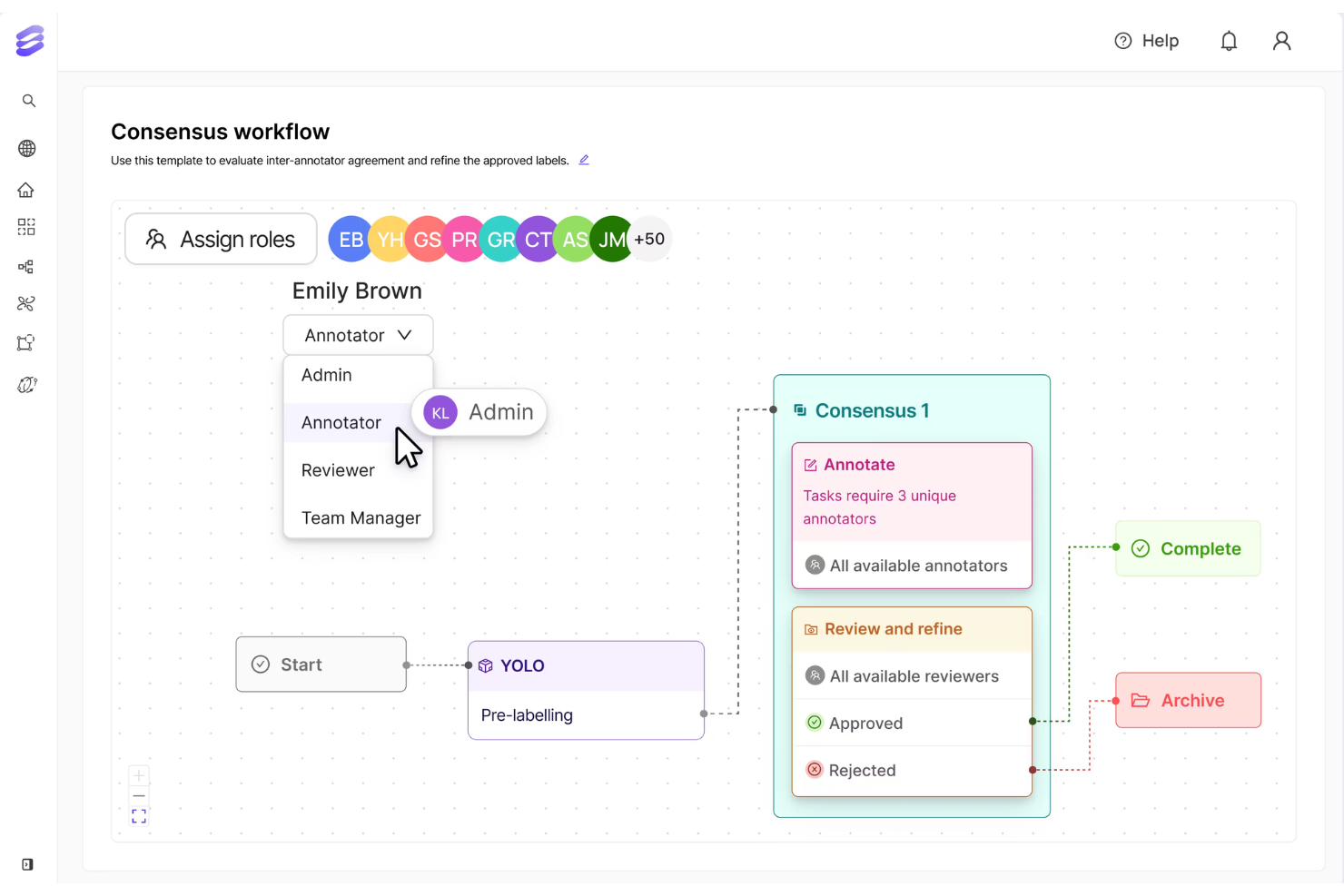
Encord is a machine learning software built for teams that need to annotate, curate, and version training data for computer vision and multimodal AI models. If you're scaling an ML pipeline and finding that tools like Scale AI lean too heavily on outsourced labeling workflows, Encord gives your in-house team direct control over annotation quality and dataset management. I'd consider it a strong fit for ML engineers who want to own the full data preparation process without depending on external labor pipelines.
Encord Evaluation Summary
- Pricing upon request
- Free demo available
Why Trust Our Software Recommendations
Our team has been testing and reviewing software since 2012. As tech leaders ourselves, we know how difficult—and important—it is to choose the right software.
For this guide, we evaluated tools using hands-on testing and independent research, scoring tools using our selection criteria.
Our reviews reflect our human editorial judgment, not a sales pitch.
Encord Overview
Encord provides a modern platform built for structured annotation, evaluation, and scalable data workflows. It’s well suited for organizations that prioritize collaboration, governance, and data quality across complex AI programs. While smaller teams may face a learning curve, Encord stands out in environments that require advanced review cycles and customizable data operations.
pros
-
Advanced video and multimodal annotation tools.
-
Strong workflow automation for large-scale projects.
-
Detailed ontology and taxonomy management features.
cons
-
Limited model training capabilities compared to some platforms.
-
Occasional performance lags with very large datasets.
-
Pricing may be high for small teams or startups.
Is Encord Right For Your Needs?
Who Would be a Good Fit for Encord?
Encord is best suited for organizations running structured AI programs that require high-quality data, evaluation workflows, and governance across multiple stakeholders. It works well when AI development involves coordination between technical teams, compliance functions, and operational leadership.
-
AI Research & Model Development Departments
Groups building generative or frontier models benefit from structured evaluation and post-training alignment workflows.
-
Computer Vision & Data Engineering Teams
Departments managing large-scale image and video datasets can leverage collaborative annotation and version control.
-
Healthcare AI & Clinical Data Divisions
Regulated environments benefit from audit trails, governance controls, and traceable annotation pipelines.
-
Robotics & Physical AI Programs
Engineering units working with multimodal or sequential sensor data can manage complex real-world datasets.
-
Data Operations & MLOps Functions
Teams responsible for dataset orchestration, versioning, and workflow automation gain better coordination and oversight.
-
Enterprise AI Strategy & Innovation Offices
Organizations scaling AI across business units benefit from centralized governance and collaboration infrastructure.
Who Would be a Bad Fit for Encord?
Encord may not be ideal for lightweight or highly experimental use cases where advanced governance and structured workflows are unnecessary.
-
Early-Stage Startups with Limited AI Scope
Smaller organizations may not need enterprise-grade data infrastructure.
-
Independent Developers or Small Project Groups
Solo or small-scale efforts may not require structured review cycles and governance tools.
-
Organizations Seeking Built-In Model Hosting
Teams wanting an all-in-one platform with native model deployment may need additional tooling.
-
Low-Complexity Annotation Projects
Basic labeling tasks with small datasets may not justify the platform’s overhead.
-
Short-Term Academic or Classroom Projects
Educational use cases may not require enterprise-level workflow management.
-
Rapid Prototyping Initiatives
Projects focused solely on speed over governance may find the structured setup heavier than needed.
Our Review Methodology
How We Test & Score Tools
We’ve spent years building, refining, and improving our software testing and scoring system. The rubric is designed to capture the nuances of software selection and what makes a tool effective, focusing on critical aspects of the decision-making process.
Below, you can see exactly how our testing and scoring works across seven criteria. It allows us to provide an unbiased evaluation of the software based on core functionality, standout features, ease of use, onboarding, customer support, integrations, customer reviews, and value for money.
Core Functionality (25% of final scoring)
The starting point of our evaluation is always the core functionality of the tool. Does it have the basic features and functions that a user would expect to see? Are any of those core features locked to higher-tiered pricing plans? At its core, we expect a tool to stand up against the baseline capabilities of its competitors.
Standout Features (25% of final scoring)
Next, we evaluate uncommon standout features that go above and beyond the core functionality typically found in tools of its kind. A high score reflects specialized or unique features that make the product faster, more efficient, or offer additional value to the user.
We also evaluate how easy it is to integrate with other tools typically found in the tech stack to expand the functionality and utility of the software. Tools offering plentiful native integrations, 3rd party connections, and API access to build custom integrations score best.
Ease of Use (10% of final scoring)
We consider how quick and easy it is to execute the tasks defined in the core functionality using the tool. High scoring software is well designed, intuitive to use, offers mobile apps, provides templates, and makes relatively complex tasks seem simple.
Onboarding (10% of final scoring)
We know how important rapid team adoption is for a new platform, so we evaluate how easy it is to learn and use a tool with minimal training. We evaluate how quickly a team member can get set up and start using the tool with no experience. High scoring solutions indicate little or no support is required.
Customer Support (10% of final scoring)
We review how quick and easy it is to get unstuck and find help by phone, live chat, or knowledge base. Tools and companies that provide real-time support score best, while chatbots score worst.
Customer Reviews (10% of final scoring)
Beyond our own testing and evaluation, we consider the net promoter score from current and past customers. We review their likelihood, given the option, to choose the tool again for the core functionality. A high scoring software reflects a high net promoter score from current or past customers.
Value for Money (10% of final scoring)
Lastly, in consideration of all the other criteria, we review the average price of entry level plans against the core features and consider the value of the other evaluation criteria. Software that delivers more, for less, will score higher.
Core Features
Annotation and Labeling
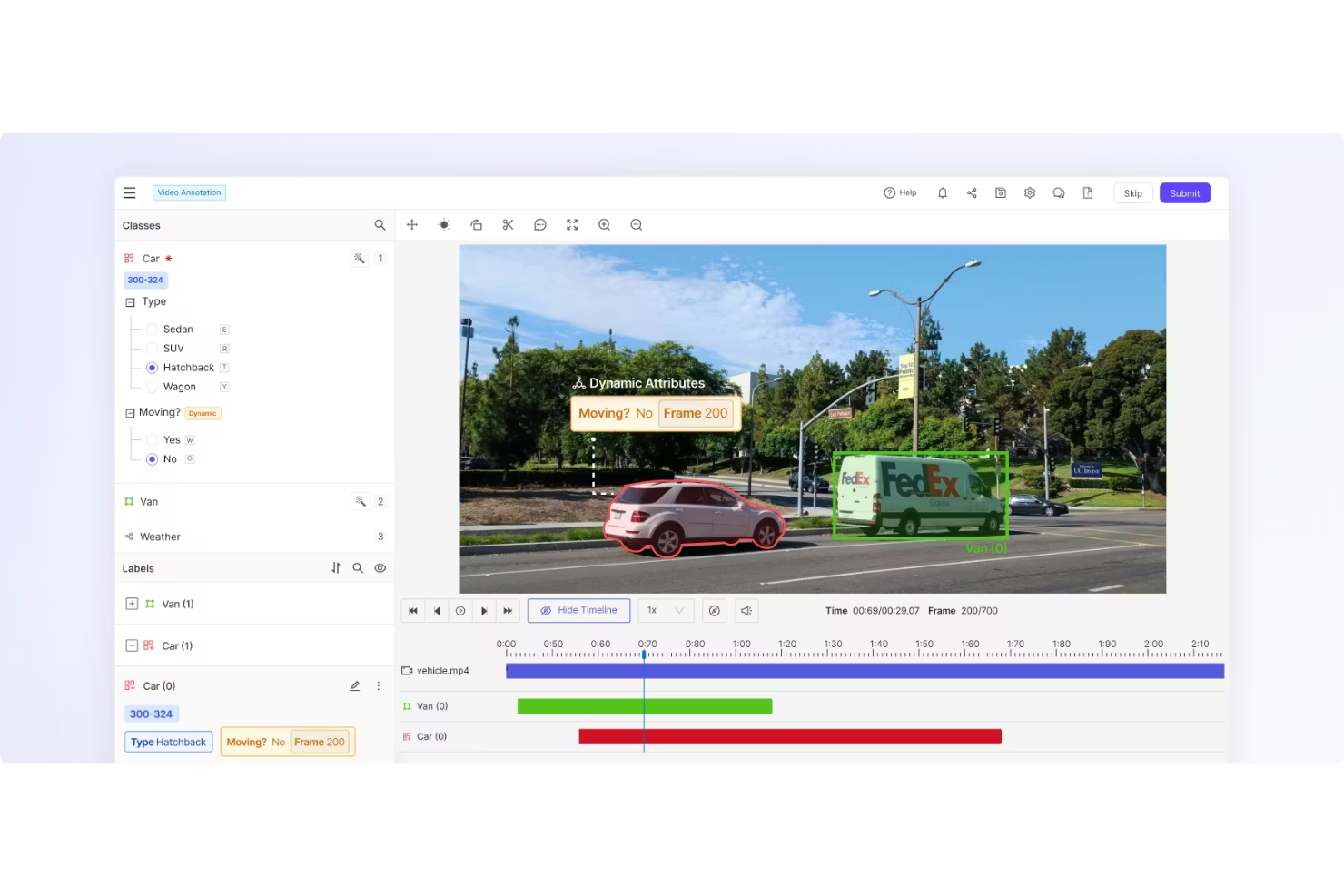
Encord provides multimodal annotation tools for image, video, medical imaging, and complex datasets, with collaborative workflows and structured review pipelines to maintain labeling quality at scale.
Post-Training Alignment
Supports human feedback workflows and evaluation processes to refine and align models after training, helping improve performance and reliability in production systems.
Data Curation
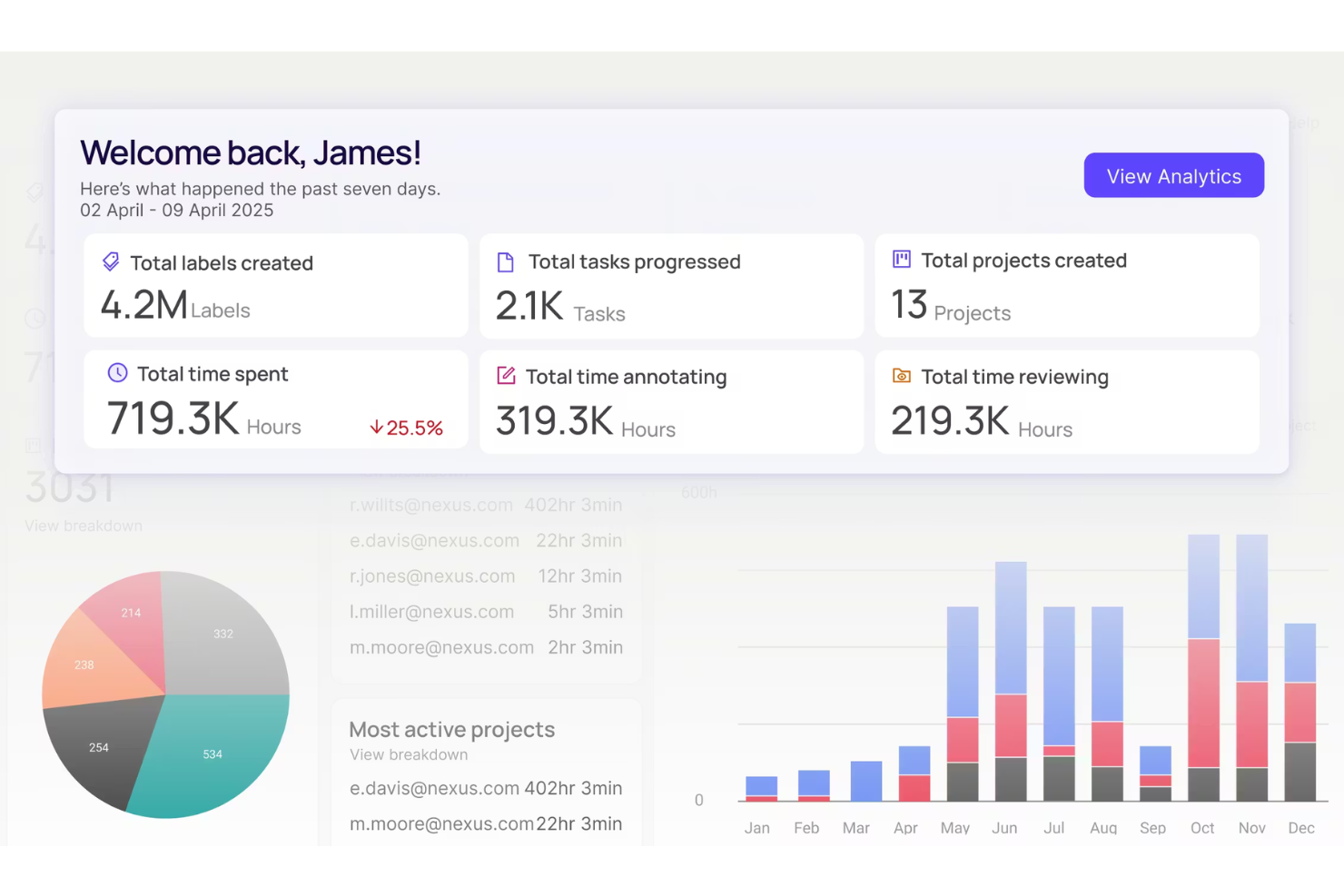
Advanced filtering, sampling, and dataset analysis tools help teams prioritize high-impact data and continuously improve training sets.
Data Management and Orchestration
Encord enables dataset versioning, audit trails, and structured pipeline management to coordinate large-scale annotation and ML workflows.
Physical AI & Robotics Data
Supports robotics and embodied AI use cases through video, sensor, and sequential data handling designed for real-world environments.
Applied AI Workflows
Supports real-world AI deployment through structured data pipelines, evaluation tools, and cross-team collaboration for production-ready systems.
Standout Features
Frontier & Generative AI
Encord supports frontier and generative AI systems with structured evaluation workflows, multimodal data handling, and reinforcement learning data pipelines designed for advanced model development.
Enterprise-Grade AI Infrastructure
Built for large organizations, Encord offers governance controls, audit trails, role-based permissions, and scalable collaboration to support firmwide AI initiatives.
Ease of Use
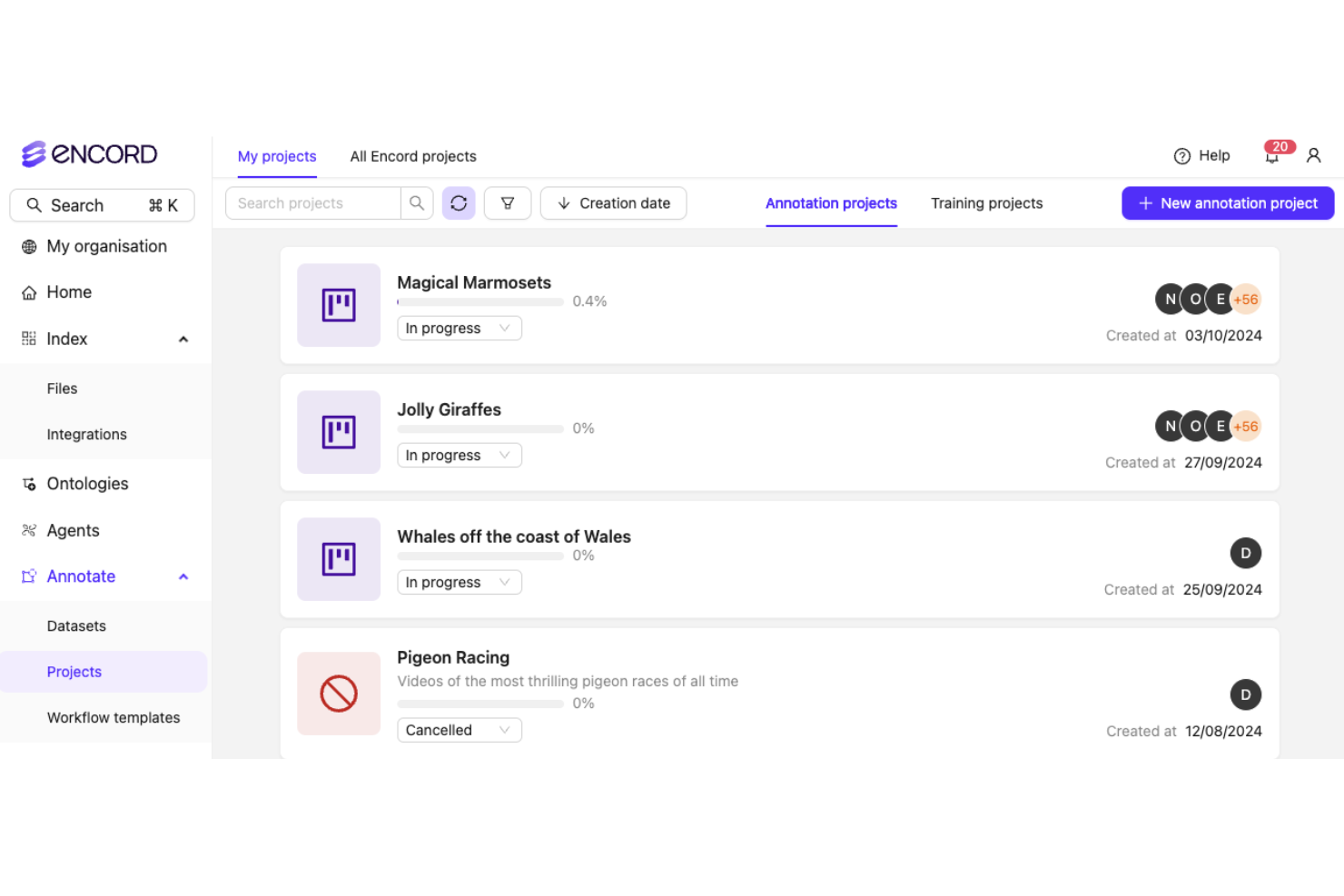
Encord offers a clean, modern interface that makes complex annotation workflows accessible, even for large teams. Users report that onboarding is straightforward, with guided project setup and clear documentation. The platform’s drag-and-drop workflow builder and visual ontology editor simplify project management, though some advanced features may require initial exploration. Overall, Encord balances powerful capabilities with intuitive design, making it approachable for both technical and non-technical users.
Onboarding
Encord’s onboarding process is well-structured, with interactive tutorials, detailed documentation, and responsive customer support. New users highlight the value of guided walkthroughs and live chat assistance, which help teams get projects running quickly. The platform provides sample datasets and pre-built workflow templates, reducing setup time and confusion. Overall, Encord’s onboarding resources enable users to reach productivity faster than many expect from enterprise-grade computer vision tools.
Customer Support
Encord’s customer support receives positive feedback for its responsiveness and technical expertise. Users appreciate the availability of live chat, email support, and dedicated onboarding specialists who address issues quickly. The support team is known for providing clear, actionable guidance on both technical and workflow questions. Comprehensive help resources and a growing knowledge base further empower users to resolve challenges independently, making support a strong aspect of the Encord experience.
Integrations
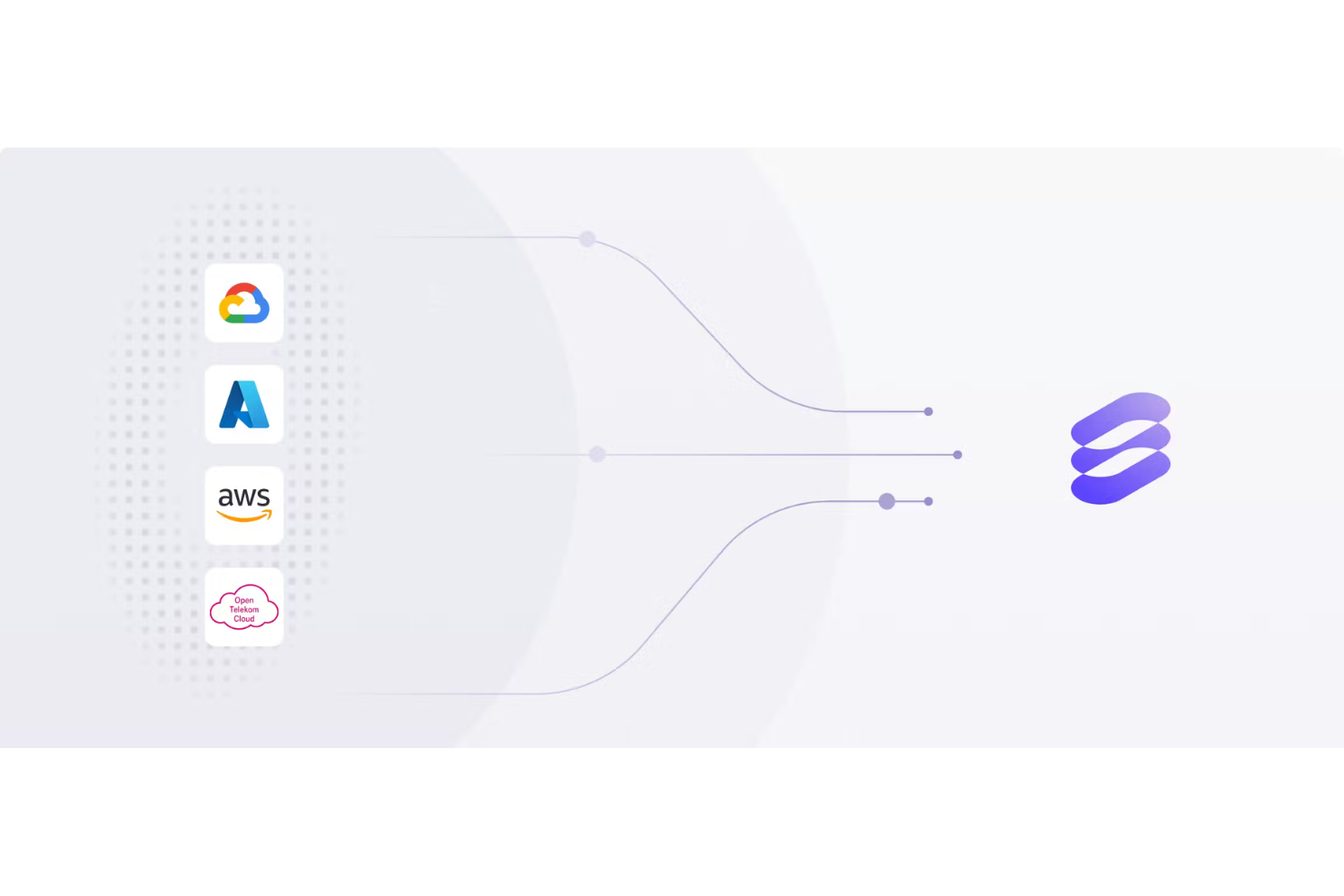
Encord integrates with AWS S3, Google Cloud Storage, Azure Blob Storage, Databricks, Snowflake, Hugging Face, Slack, Active Directory, Okta, and SAML, among others.
Encord also offers a robust API and supports connections with third-party integration tools for custom workflows.
Value for Money
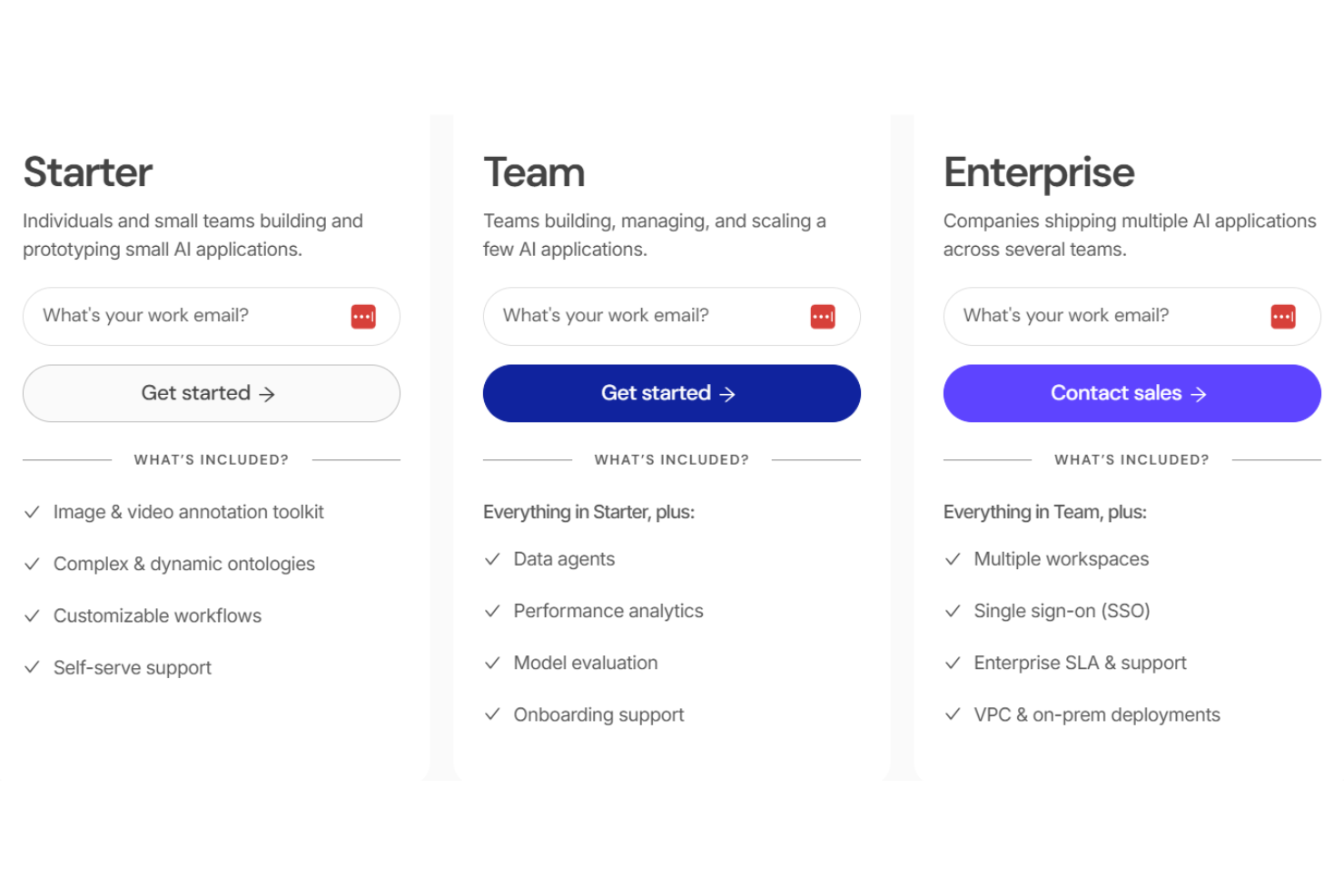
Encord is priced at a premium, but users find the advanced annotation tools, workflow automation, and compliance features justify the investment for complex or regulated projects. Reviewers note that the platform’s scalability and support resources add value, though smaller teams may find the cost high for basic needs.
- Starter: Core annotation tools and basic workflow management.
- Team: Adds collaboration features, advanced QA, and ontology management.
- Enterprise: Includes dedicated support, compliance tools, and custom workflow automation.
Encord Specs
- A/B Testing
- AI Integration
- Analytics
- API
- Calendar Management
- Comparative Reporting
- Custom Reports
- Dashboard
- Data Export
- Data Import
- Data Mining
- Data Visualization
- External Integrations
- Forecasting
- Historical Data Analysis
- Multi-User
- Notifications
- Process Reporting
- Real-time Alerts
- Scenario Planning
- Scheduling
- Sentiment Analysis
- SEO
- Time Series Modeling
- Workflow Management
Encord FAQs
How does Encord handle large-scale video annotation projects?
Can I customize annotation workflows to fit my team’s process?
Does Encord support medical imaging formats like DICOM?
How does Encord support active learning and model-assisted labeling?
What collaboration features are available for distributed teams?
Can I track changes and revert to previous annotation versions?
What support resources are available if I run into issues?
Encord Company Overview & History
Encord, headquartered in London, UK, is a leading provider of data infrastructure and annotation software for AI and machine learning teams. The company powers over 300 AI teams worldwide, including notable clients like Mayo Clinic, AXA, UiPath, Synthesia, and Woven by Toyota. Encord has raised $110 million in total funding, backed by investors such as Wellington Management, Y Combinator, CRV, Crane, and WndrCo. The company is known for its focus on multimodal AI, compliance, and a collaborative, growth-oriented work culture.
Encord Major Milestones
- 2019: Company founded in London, UK.
- 2020: Product launched for multimodal data annotation and management.
- 2023: Secured Series C funding, bringing total funding to $110 million.
- 2024: Expanded client base to over 300 AI teams, including major enterprises and research institutions.
- 2025: Recognized for leadership in data labeling and MLOps platforms by industry analysts.
What's Next?
Boost your SaaS growth and leadership skills. Subscribe to our newsletter for the latest insights from CTOs and aspiring tech leaders. We'll help you scale smarter and lead stronger with guides, resources, and strategies from top experts!