

eGain Review: Pros, Cons, Features, and Pricing
eGain uses AI-powered automation to offer intuitive features that enhance your team's customer engagement without breaking the bank.

We review tools independently, and commissions help fund our testing. See our transparency policy, our methodology, or suggest a tool.
eGain is an artificial intelligence (AI)-powered knowledge management platform that enhances customer service by delivering personalized, compliant answers across multiple channels. It's particularly beneficial for businesses in the telecommunications and finance sectors, enabling their customer service teams to provide efficient support. eGain positions itself as a cost-effective solution to improve customer satisfaction and accelerate digital adoption.
eGain addresses common pain points like high customer service costs and slow response times for customer service teams. It’s a great product that helps improve interaction in customer relationship management (CRM) solutions by providing agents with contextual insights. In this article, I'll cover eGain's features, pros and cons, use cases, pricing, and more, so you can decide if this software aligns with your customer service needs and goals.
eGain Evaluation Summary
3.9/5
- Pricing upon request
Why Trust Our Software Recommendations
6,700+
Reviews
20
Industry experts
16+
Evaluation factors
14
Years
Our team has been testing and reviewing software since 2012. As tech leaders ourselves, we know how difficult—and important—it is to choose the right software.
For this guide, we evaluated tools using hands-on testing and independent research, scoring tools using our selection criteria.
Our reviews reflect our human editorial judgment, not a sales pitch.
Expert reviewers:
- Paulo Gardini MiguelTech Director
 Tim FisherVP of AI
 Gabriel RosasTech Lead & Software Architect
 Christhian GruhnTech Lead & Platform Architect

eGain Overview
In my opinion, eGain stands out as a solid AI-powered knowledgebase platform for customer service teams, especially in telecom and finance sectors. It offers a compelling mix of features like personalized multi-channel support and robust customer support. However, its interface can be complex, which might pose a challenge during initial use. Compared to similar tools, eGain's pricing is competitive, offering good value, especially for large teams. It's best suited for organizations aiming to enhance customer engagement with competitive costs. If you're deciding between eGain and other options, consider its strong support and feature set as significant advantages.
Pros
- eGain offers personalized multi-channel support, boosting your team's customer engagement.
- Its customer support is highly rated, ensuring your team gets help when needed.
- The onboarding process is generally smooth, helping your team get started with key features.
Cons
- Your team might find the interface complex at first.
- The initial setup can be time-consuming for your IT department.
- Some users report occasional delays in feature updates.
Is eGain Right For Your Needs?
Who Would be a Good Fit for eGain?
eGain is a good fit for businesses in the telecom and finance sectors where customer service is key. If your team needs to manage multiple customer touchpoints efficiently, eGain's multi-channel support can help. Customer service departments that rely on quick, accurate responses will find their personalized AI assistance invaluable. The software's strong customer support ensures your team confidently overcomes helpdesk management challenges. If you're in an industry where customer satisfaction is a priority, eGain's feature set can boost your team's performance.
- TelecommunicationseGain excels in managing high volumes of customer interactions, making it ideal for telecom customer service teams.
- Financial ServicesIts compliance features ensure your team handles sensitive information securely, a must in finance.
- Large EnterprisesThe software's scalability suits large organizations needing to handle numerous customer queries efficiently.
- Customer Support TeamseGain's personalized AI workflow helps customer success managers and their team deliver fast, accurate responses to customer inquiries.
- E-commerceFor businesses focusing on customer satisfaction, eGain's multi-channel support allow them to be responsive even after working hours.
- Healthcare ProvidersIts secure communication features make it a reliable choice for managing patient interactions in the healthcare sector.
Who Would be a Bad Fit for eGain?
eGain may not suit small businesses or startups with limited customer interactions, as its feature-rich platform could be more than they need. If your team has a simple customer service setup, the complexity of eGain's interface might be overwhelming. Industries that don't prioritize customer service or have minimal customer contact may find eGain's capabilities excessive. If your team lacks the resources for a potentially time-consuming setup, eGain might not be the best choice.
- Small StartupsIf your startup's customer service needs are minimal, eGain's extensive features could be unnecessary.
- FreelancersAs a freelancer, you likely won't need the multi-channel support eGain offers.
- Non-Customer-Facing RolesTeams without direct customer interaction won't benefit much from eGain's capabilities.
- Basic Support TeamsIf your team handles only simple queries, eGain's advanced features might exceed their needs.
- Industries with Low Customer InteractionBusinesses with minimal customer engagement won't find eGain's features useful.
- Budget-Conscious Small BusinessesIf your budget is tight, eGain's comprehensive features might be more than your team needs.
Our Review Methodology
How We Test & Score Tools
We’ve spent years building, refining, and improving our software testing and scoring system. The rubric is designed to capture the nuances of software selection and what makes a tool effective, focusing on critical aspects of the decision-making process.
Below, you can see exactly how our testing and scoring works across seven criteria. It allows us to provide an unbiased evaluation of the software based on core functionality, standout features, ease of use, onboarding, customer support, integrations, customer reviews, and value for money.
Core Functionality (25% of final scoring)
The starting point of our evaluation is always the core functionality of the tool. Does it have the basic features and functions that a user would expect to see? Are any of those core features locked to higher-tiered pricing plans? At its core, we expect a tool to stand up against the baseline capabilities of its competitors.
Standout Features (25% of final scoring)
Next, we evaluate uncommon standout features that go above and beyond the core functionality typically found in tools of its kind. A high score reflects specialized or unique features that make the product faster, more efficient, or offer additional value to the user.
We also evaluate how easy it is to integrate with other tools typically found in the tech stack to expand the functionality and utility of the software. Tools offering plentiful native integrations, 3rd party connections, and API access to build custom integrations score best.
Ease of Use (10% of final scoring)
We consider how quick and easy it is to execute the tasks defined in the core functionality using the tool. High scoring software is well designed, intuitive to use, offers mobile apps, provides templates, and makes relatively complex tasks seem simple.
Onboarding (10% of final scoring)
We know how important rapid team adoption is for a new platform, so we evaluate how easy it is to learn and use a tool with minimal training. We evaluate how quickly a team member can get set up and start using the tool with no experience. High scoring solutions indicate little or no support is required.
Customer Support (10% of final scoring)
We review how quick and easy it is to get unstuck and find help by phone, live chat, or knowledge base. Tools and companies that provide real-time support score best, while chatbots score worst.
Customer Reviews (10% of final scoring)
Beyond our own testing and evaluation, we consider the net promoter score from current and past customers. We review their likelihood, given the option, to choose the tool again for the core functionality. A high scoring software reflects a high net promoter score from current or past customers.
Value for Money (10% of final scoring)
Lastly, in consideration of all the other criteria, we review the average price of entry level plans against the core features and consider the value of the other evaluation criteria. Software that delivers more, for less, will score higher.
Core Features
Multi-Channel Support: eGain lets your team manage customer interactions across various channels, ensuring a consistent experience. This feature is vital for maintaining engagement, whether your customers contact you via email, chat, or phone.
Knowledge Management: Your team can access a centralized knowledge base, helping them provide accurate answers quickly. With quicker resolution, you can improve customer satisfaction.
AI-Powered Guidance: eGain uses AI to suggest the best responses to your team's queries, enhancing decision-making. Your support personnel can respond more accurately and in compliance with the organization’s policy.
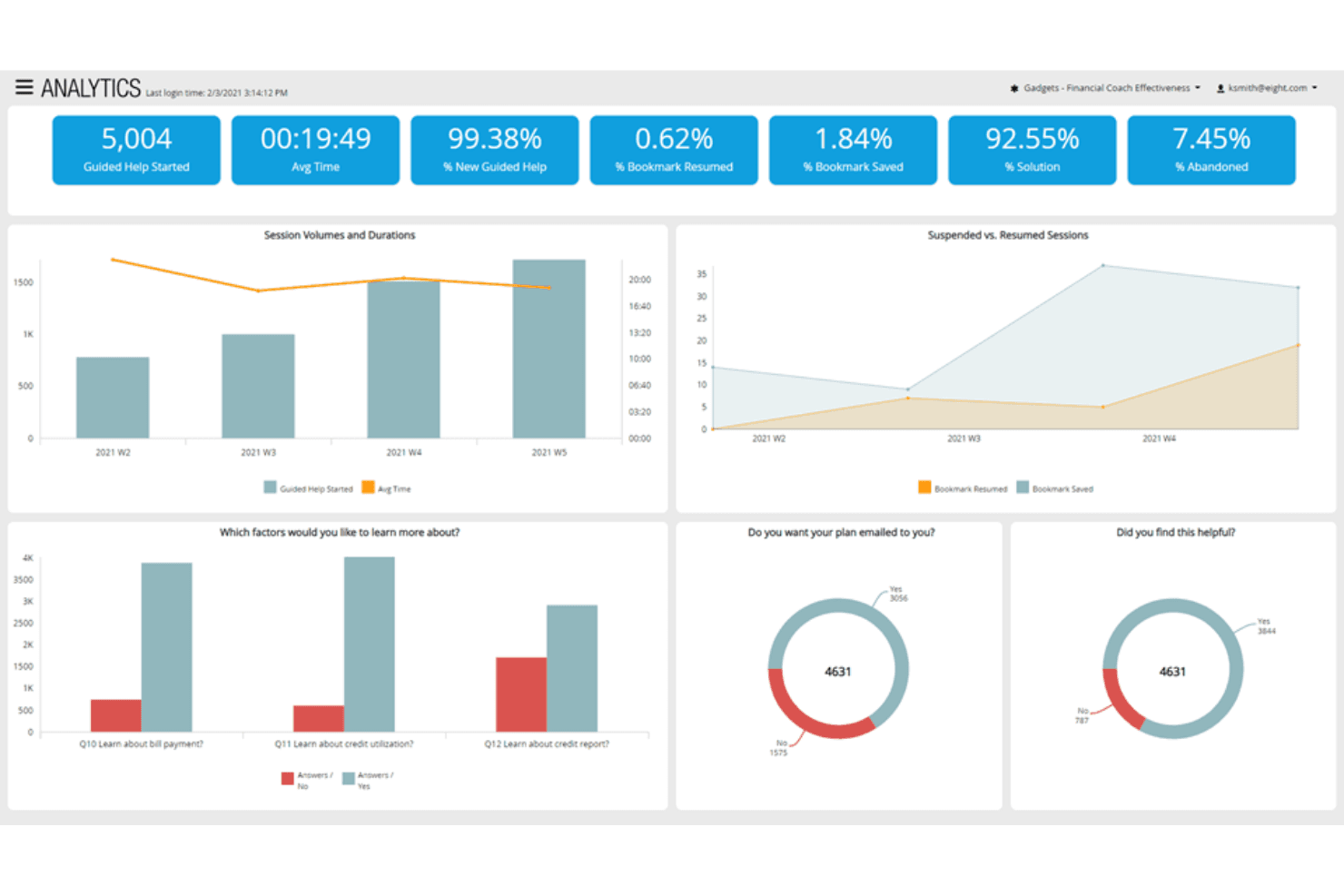
Analytics and Reporting: With eGain, you can track performance metrics and gain insights into customer interactions. This helps your team identify trends and areas for improvement.
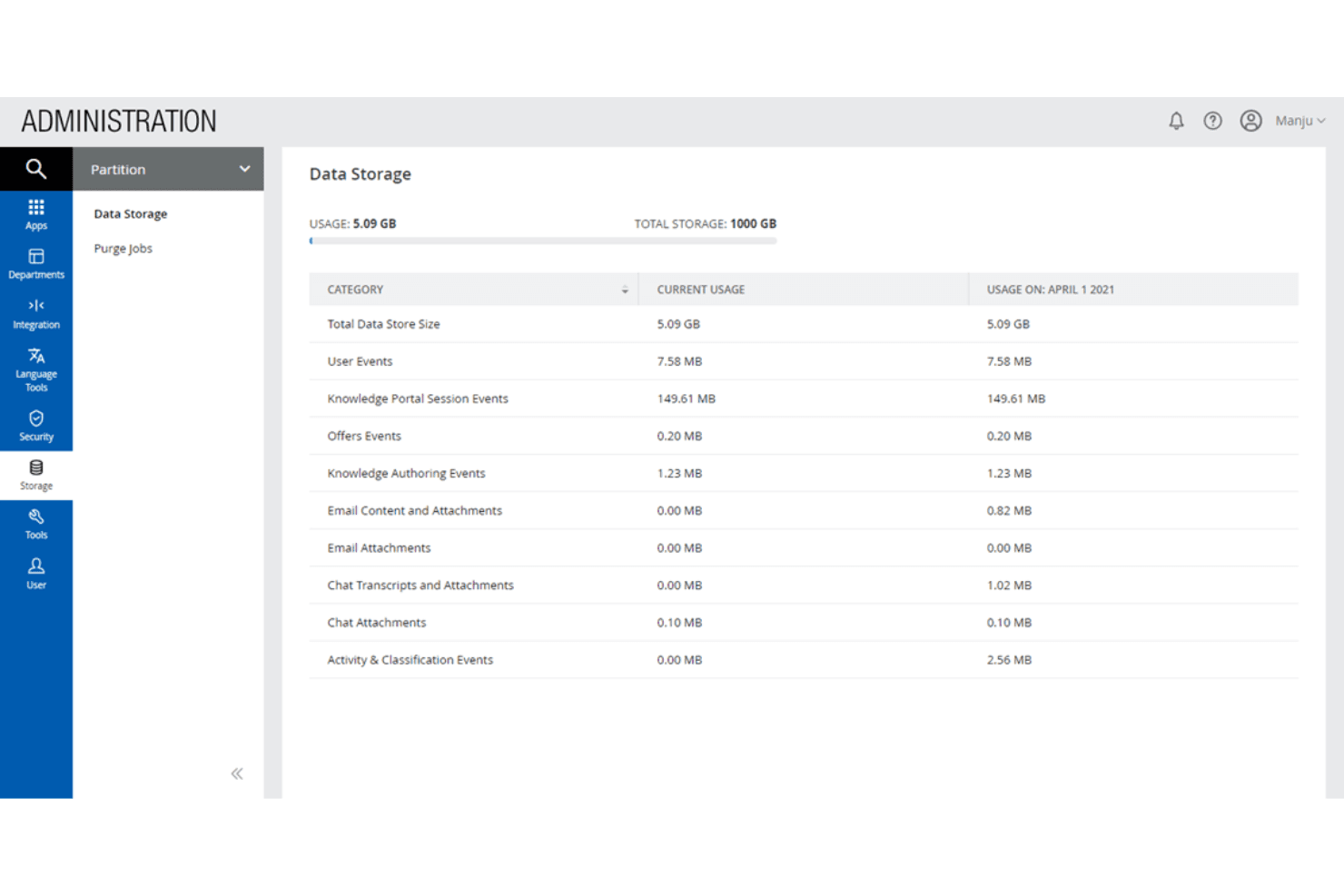
Compliance and Security: eGain ensures your team adheres to industry regulations, protecting sensitive customer information. It's essential for industries like finance and healthcare.
Workflow Automation: Automate repetitive tasks to free up your team's time for more critical work. You can reduce manual interventions that are prone to errors.
Ease of Use
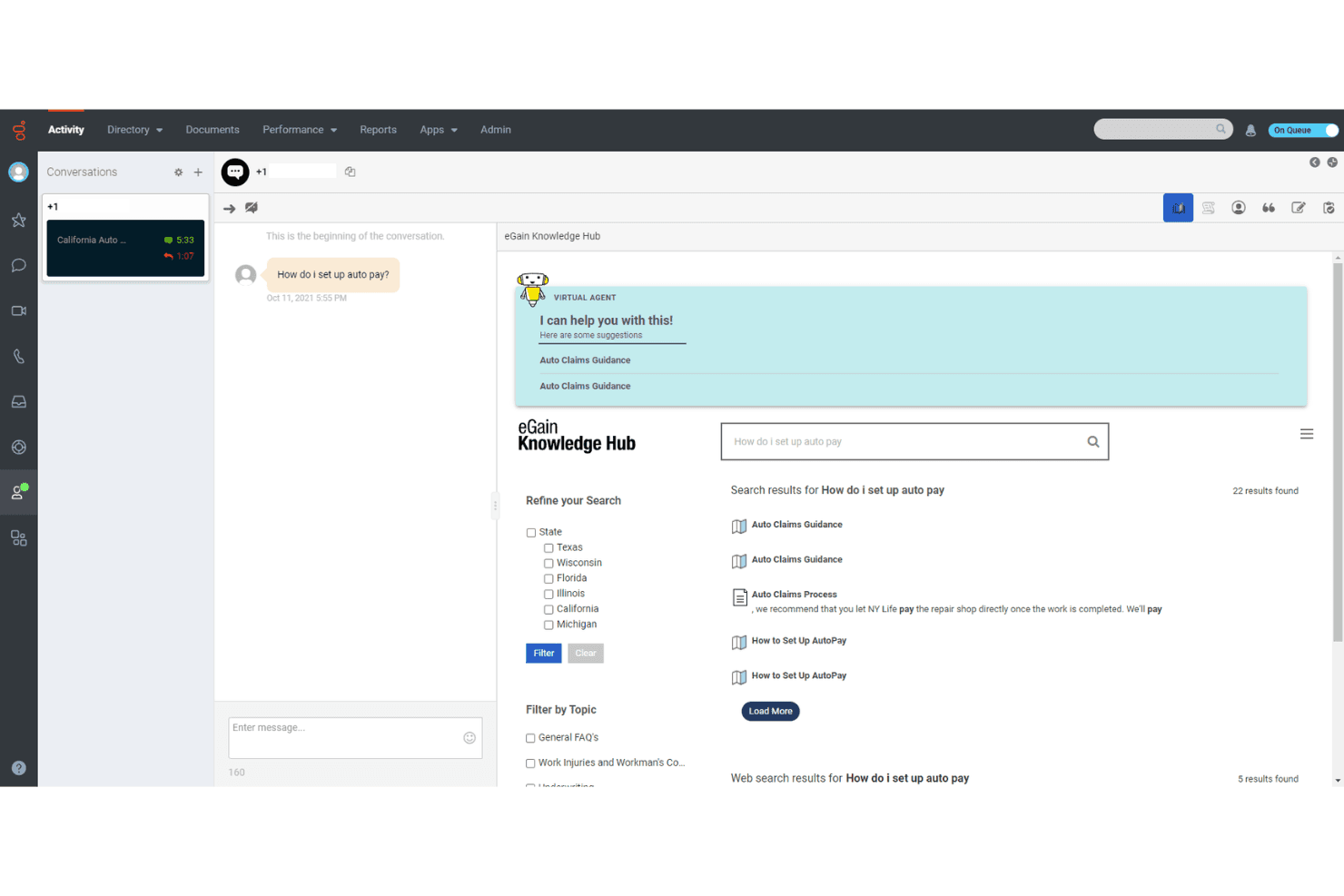
eGain offers a feature-rich interface, though it might feel complex initially for your team. Its intuitive design helps your team manage multiple channels effectively, which is a big plus. The AI-driven guidance simplifies decision-making, making it easier for your team to provide quick responses. While the setup can be time-consuming, the smooth onboarding process and strong technical support quickly get your team up and running. Overall, eGain strikes a good balance between functionality and usability..
Integrations
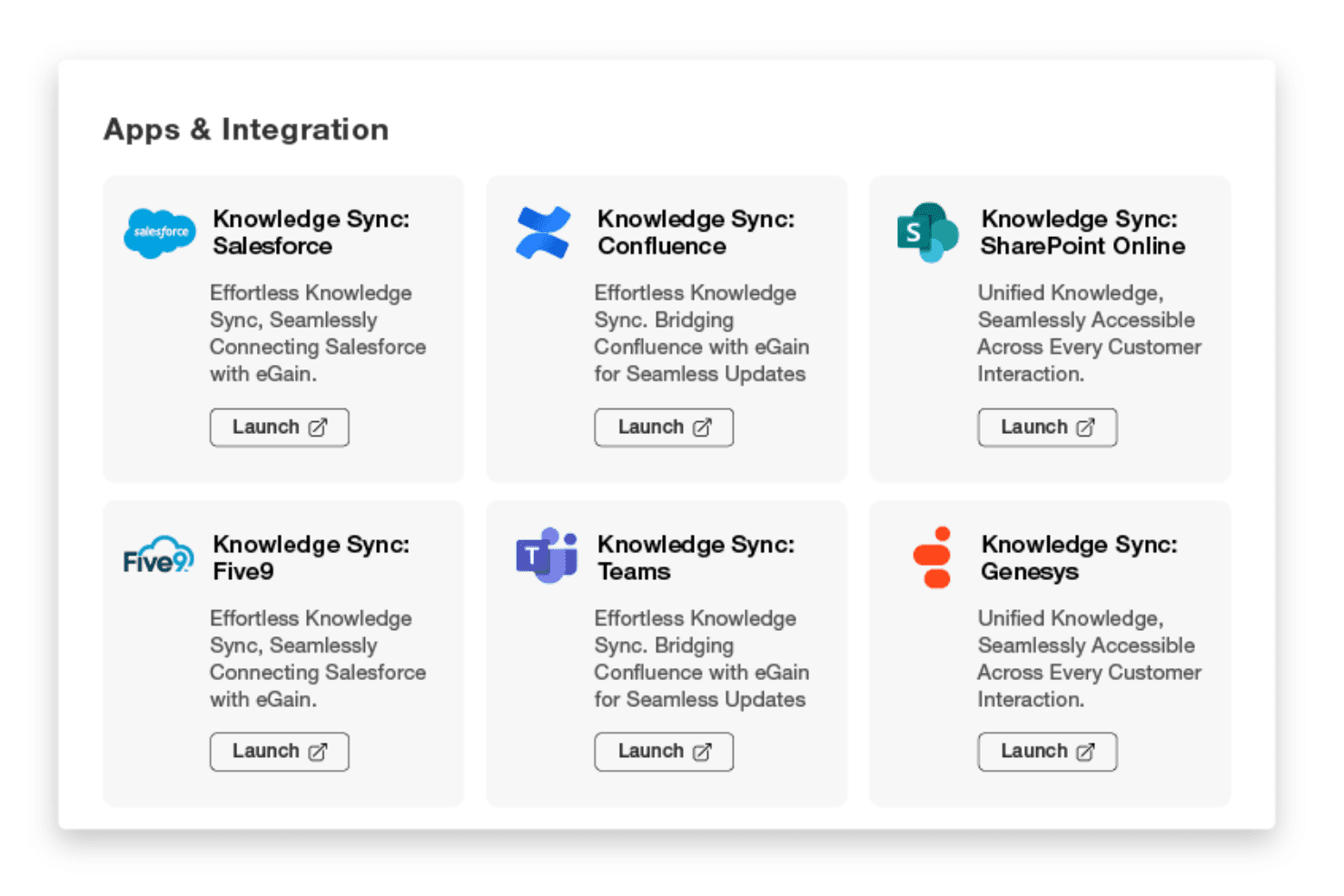
eGain integrates with Salesforce, Cisco, Amazon Connect, Microsoft Dynamics 365, ServiceNow, SAP, Oracle, Genesys, Avaya, Five9, and more..eGain also provides an application programming interface (API) and connects with third-party integration tools such as Zapier.
eGain Specs
- Analytics: No
- API: Yes
- Calendar Management: No
- Call Tracking: Yes
- Campaign Management: No
- Chat: Yes
- Click-to-Dial: Yes
- CRM Integration: No
- Customer Advocacy: No
- Customer Management: Yes
- Customer Rewards: No
- Dashboard: No
- Data Export: No
- Data Import: No
- Data Visualization: No
- Email Integration: Yes
- External Integrations: Yes
- Feedback Management: No
- Forecasting: No
- Landing Pages: No
- Lead Management: No
- Lead Scoring: No
- Mobile App: No
- Multi-User: Yes
- Net Promoter Score: Yes
- Notifications: Yes
- Omnichannel Referrals: No
- Scheduling: No
- Social Media Integration: No


