
Credo AI Review: Pros, Cons, Features and Pricing Explained



Credo AI is an AI governance tool designed to help IT leaders and executives manage risk, ensure compliance, and align AI projects with business and ethical standards. With the fast adoption of machine learning and increased pressure around regulation, you need more than basic documentation or checklists—you need oversight that fits how your teams actually deploy AI. Credo AI aims to bridge policy and technical operations, so you get customizable governance, transparency into models, and automated reporting without blocking innovation.
In this review, I’ll walk through Credo AI’s core features, the use cases where it shines (and where it won’t), how it measures up against other tools, and what you can expect on pricing.
Credo AI Evaluation Summary
- Pricing upon request
- Free demo available
Why Trust Our Software Recommendations
Our team has been testing and reviewing software since 2012. As tech leaders ourselves, we know how difficult—and important—it is to choose the right software.
For this guide, we evaluated tools using hands-on testing and independent research, scoring tools using our selection criteria.
Our reviews reflect our human editorial judgment, not a sales pitch.
Credo AI Overview
When judging AI governance tools, I think Credo AI is a top choice for teams who want flexible policy management, strong model transparency, and clear automated workflows. Its onboarding feels faster and less overwhelming than most, and I find the interface logical for cross-team adoption. Support is responsive, though pricing may be high for smaller shops. If you’re selecting a tool to help bridge legal, risk, and tech, especially in regulated sectors or fast-moving companies, Credo AI stands out for its customizable controls and policy mapping—even if its integration list isn’t the broadest yet.
pros
-
Policy management workflows adapt to different risk levels.
-
Automated reports simplify regulatory and executive reviews.
-
Model card framework supports detailed AI model documentation.
cons
-
Pricing may be too high for some mid-sized teams.
-
Limited pre-built templates for specialized industry compliance.
-
No mobile interface for on-the-go policy oversight.
Is Credo AI Right For Your Needs?
Who Would be a Good Fit for Credo AI?
Credo AI is best suited for highly regulated industries, large enterprises, and organizations that treat AI risk and compliance as central business concerns. I think teams with complex governance requirements, cross-departmental workflows, or a strong focus on audit-ready documentation will get the most from its feature set. Its strengths in policy management, regulation mapping, and multi-stakeholder approvals make it attractive for those who need rigorous, traceable oversight across the AI lifecycle.
-
Financial Services
Strict regulatory reporting and risk controls are built into workflows, making compliance manageable at scale.
-
Healthcare Organizations
Credo AI’s evidence collection and fairness assessments support compliance with patient safety and privacy rules.
-
Public Sector Teams
The platform maps decisions to transparency standards, which is crucial for public trust and regulatory mandates.
-
Global Enterprises
Multi-jurisdictional compliance mapping and custom workflows make cross-country governance straightforward.
-
Responsible AI Committees
Detailed model documentation and workflow routing help track decision logic and accountability across teams.
-
Data Science Departments
Automated risk scoring and model monitoring enable teams to focus on development without sacrificing compliance.
Who Would be a Bad Fit for Credo AI?
Credo AI is less suited for small teams, startups, or companies with simple or minimal regulatory oversight. Its pricing and advanced features can be overkill if you don’t need detailed policy enforcement, automated audits, or multi-role approvals. Organizations with narrow, static models, or those just experimenting with basic analytics, may not find enough day-to-day value to justify the cost or learning curve.
-
Early-Stage Startups
The complexity and pricing exceed what most small, fast-moving teams actually need.
-
Non-Regulated Businesses
If you’re not subject to strict rules, the feature set may far outstrip your actual governance requirements.
-
Solo Data Scientists
The approvals, dashboards, and reporting tools are built for collaboration and may add overhead for an individual.
-
Marketing Analytics Teams
Standard dashboard tools likely cover your needs better if you’re not deploying high-risk AI or ML models.
-
Small Nonprofits
Limited budgets and simpler project scopes make other solutions more practical.
-
Legacy IT Departments
If your organization isn’t developing or deploying custom AI, most platform features will go unused.
Our Review Methodology
How We Test & Score Tools
We’ve spent years building, refining, and improving our software testing and scoring system. The rubric is designed to capture the nuances of software selection and what makes a tool effective, focusing on critical aspects of the decision-making process.
Below, you can see exactly how our testing and scoring works across seven criteria. It allows us to provide an unbiased evaluation of the software based on core functionality, standout features, ease of use, onboarding, customer support, integrations, customer reviews, and value for money.
Core Functionality (25% of final scoring)
The starting point of our evaluation is always the core functionality of the tool. Does it have the basic features and functions that a user would expect to see? Are any of those core features locked to higher-tiered pricing plans? At its core, we expect a tool to stand up against the baseline capabilities of its competitors.
Standout Features (25% of final scoring)
Next, we evaluate uncommon standout features that go above and beyond the core functionality typically found in tools of its kind. A high score reflects specialized or unique features that make the product faster, more efficient, or offer additional value to the user.
We also evaluate how easy it is to integrate with other tools typically found in the tech stack to expand the functionality and utility of the software. Tools offering plentiful native integrations, 3rd party connections, and API access to build custom integrations score best.
Ease of Use (10% of final scoring)
We consider how quick and easy it is to execute the tasks defined in the core functionality using the tool. High scoring software is well designed, intuitive to use, offers mobile apps, provides templates, and makes relatively complex tasks seem simple.
Onboarding (10% of final scoring)
We know how important rapid team adoption is for a new platform, so we evaluate how easy it is to learn and use a tool with minimal training. We evaluate how quickly a team member can get set up and start using the tool with no experience. High scoring solutions indicate little or no support is required.
Customer Support (10% of final scoring)
We review how quick and easy it is to get unstuck and find help by phone, live chat, or knowledge base. Tools and companies that provide real-time support score best, while chatbots score worst.
Customer Reviews (10% of final scoring)
Beyond our own testing and evaluation, we consider the net promoter score from current and past customers. We review their likelihood, given the option, to choose the tool again for the core functionality. A high scoring software reflects a high net promoter score from current or past customers.
Value for Money (10% of final scoring)
Lastly, in consideration of all the other criteria, we review the average price of entry level plans against the core features and consider the value of the other evaluation criteria. Software that delivers more, for less, will score higher.
Core Features
Policy Management Dashboard
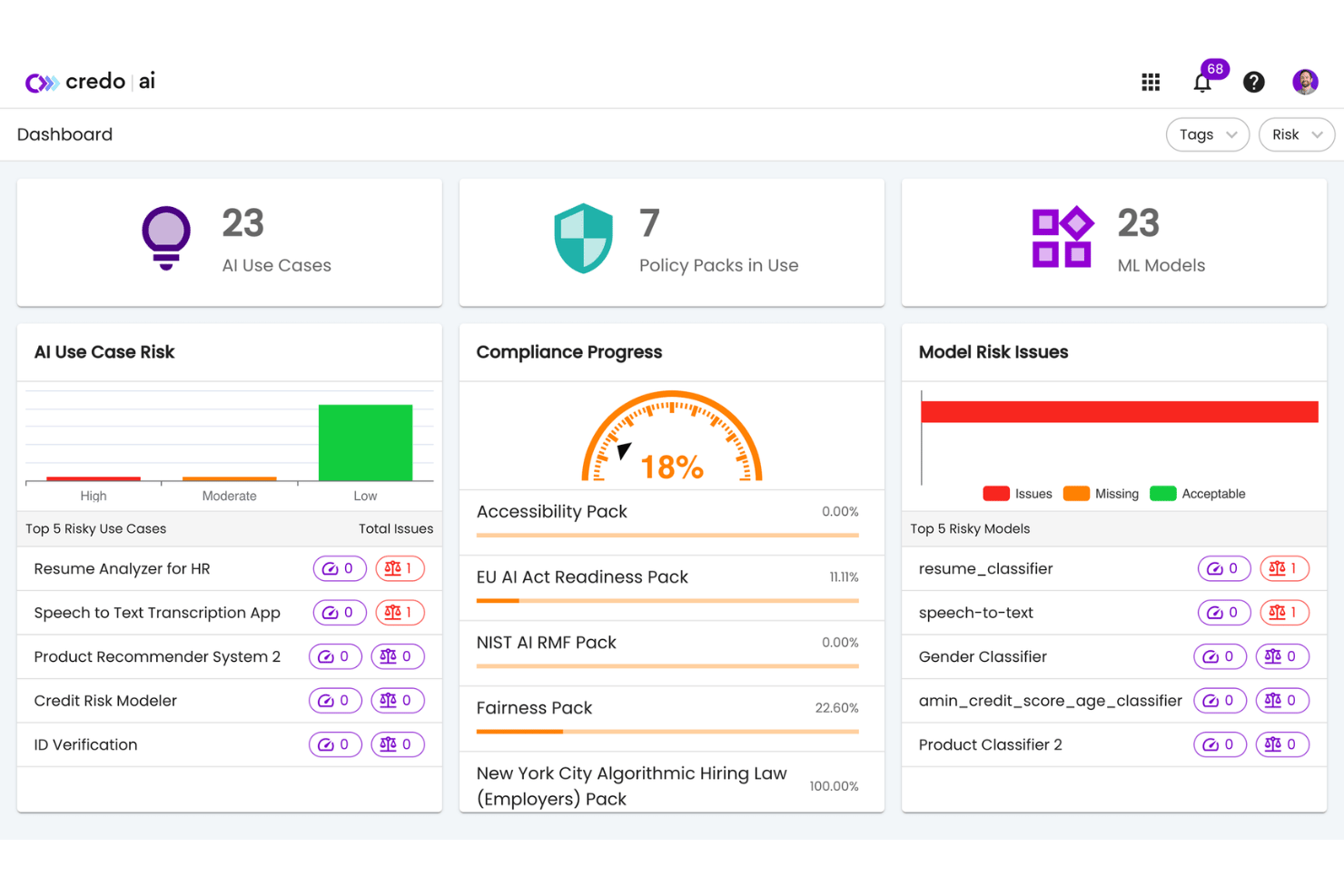
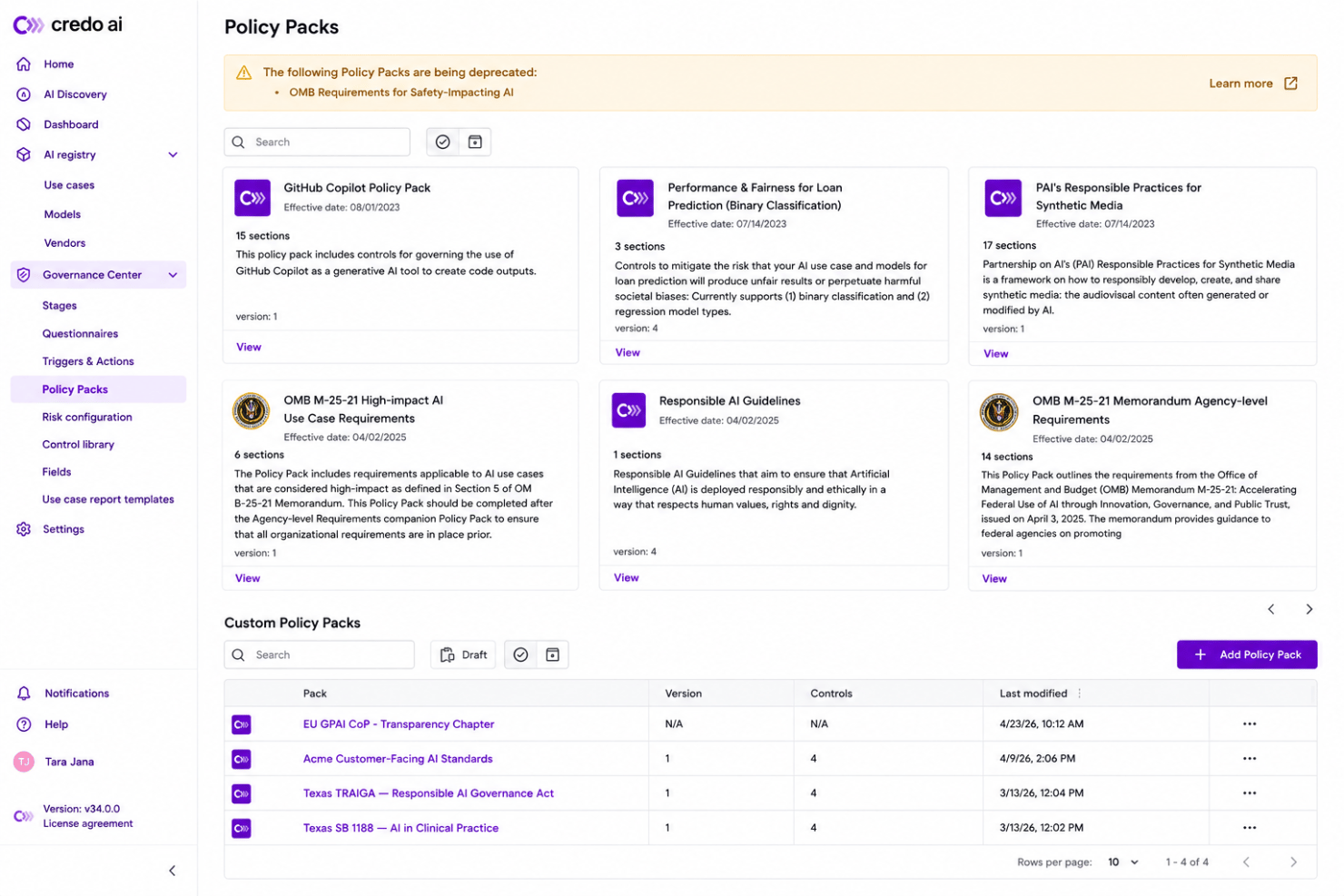
Centralize and customize your governance policies for each AI project. Track compliance by risk levels and business objectives in real time.
Automated Model Risk Assessments
Automatically evaluate AI models for fairness, bias, and compliance benchmarks. Get dashboards that flag gaps and generate recommendations.
Model Card Documentation
Create, update, and share standardized model cards for every AI solution. Capture details and audit info to support transparency and traceability.
Audit-Ready Reporting
Export detailed governance reports for regulators, executives, and stakeholders in one click. Reports include evidence, decisions, and policy links.
Cross-Functional Approval Workflows
Route AI model decisions through legal, IT, risk, and business teams. Assign roles and permissions for efficient sign-offs and feedback cycles.
Compliance Mapping
Map every AI project against global regulations and frameworks. Visualize coverage gaps and track remediation progress across your portfolio.
Standout Features
Credo AI Lens Framework
Translate organizational policies and ethical guidelines into executable technical checks. This lets teams operationalize fairness, explainability, and accountability requirements within their model lifecycle.
Custom Evidence Collection
Configure and automate the collection of structured evidence for regulatory, legal, or client audits. You can tailor evidence requests to different AI projects, making your audit process more efficient and reliable.
Ease of Use
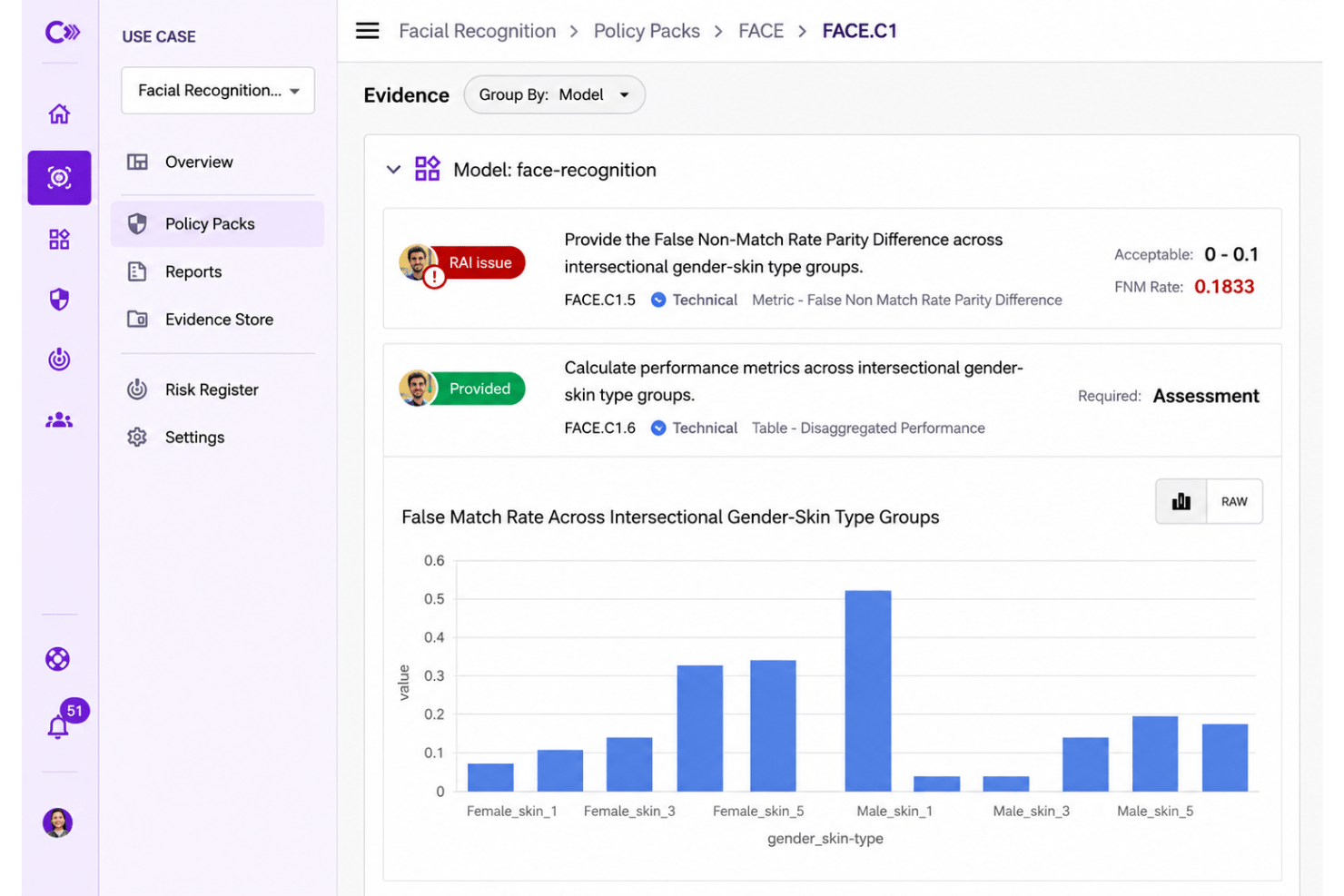
Credo AI is refreshingly user-friendly for complex AI governance needs. Its dashboard feels intuitive, and users say the guided workflows help clarify next steps around compliance. The visual mapping of risk and policy coverage stands out, making even detailed audits less daunting. Fast onboarding and clear role assignment make it easy for non-technical and technical teams to collaborate without confusion.
Onboarding
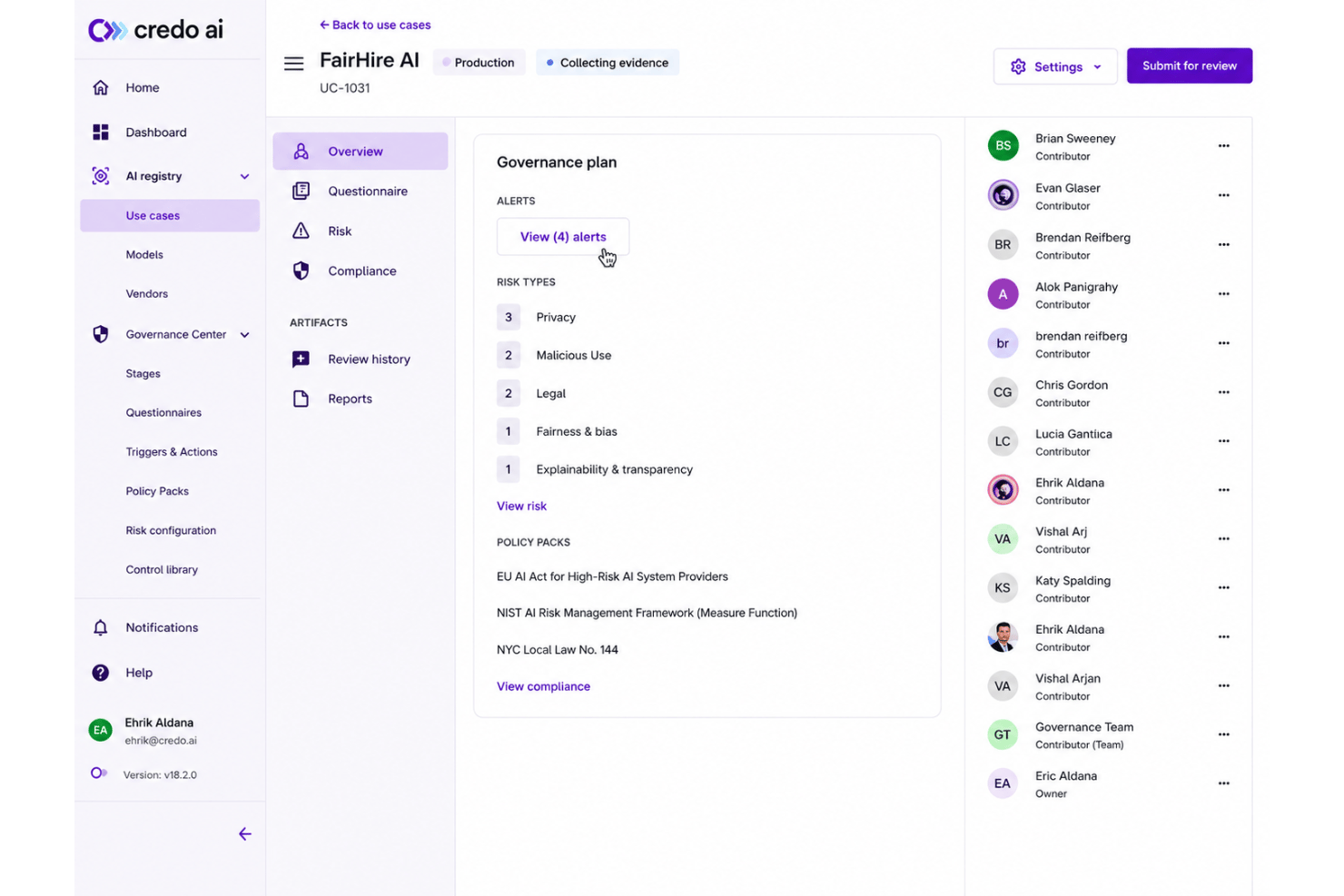
Credo AI’s onboarding stands out for its in-app walkthroughs and scenario-based training, which users say shorten the learning curve. Resources like detailed documentation, live chat, and dedicated onboarding support make getting started less stressful. I think you’ll notice faster setup and practical time to value compared to most governance solutions.
Customer Support
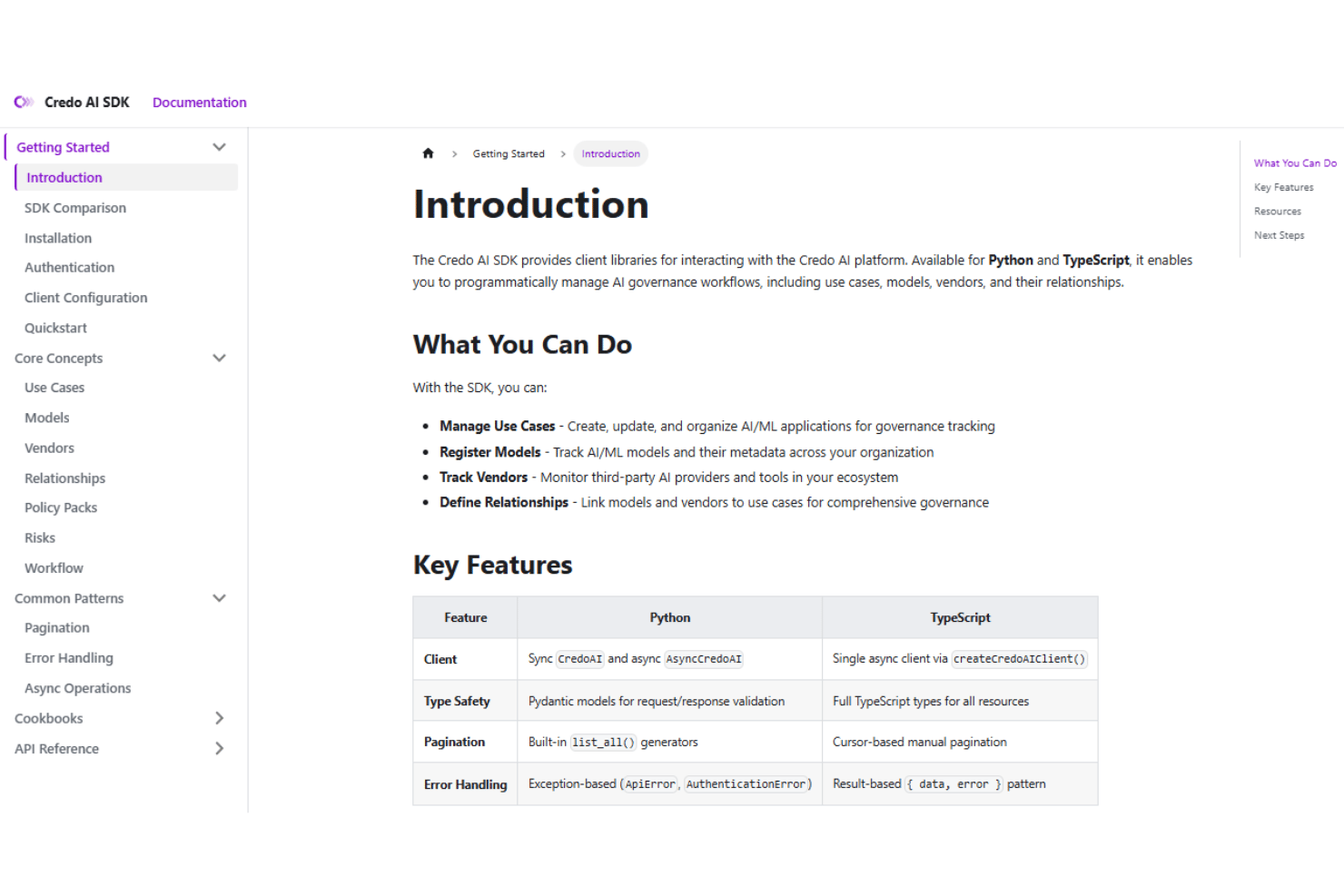
Credo AI shines for its responsive customer support, according to user feedback. Live chat, email assistance, and proactive help during onboarding make it easier to resolve issues quickly. The team is praised for knowledgeable guidance, especially on regulatory and technical questions that come up during deployments.
Integrations
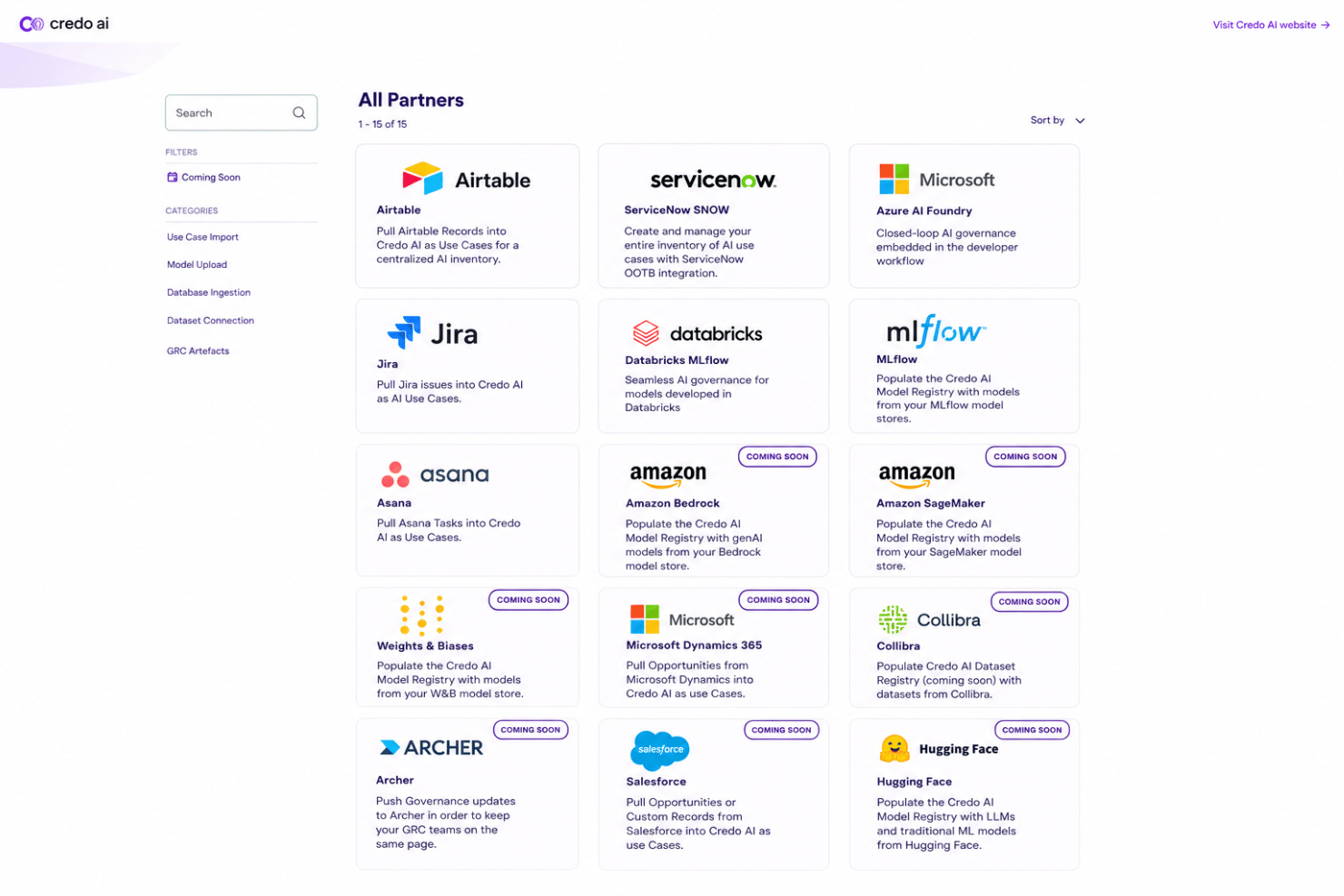
Credo AI integrates with AWS SageMaker, MLflow, Visual Studio Code, JupyterLab, Google Cloud, and Azure, among others.
Credo AI also offers an API for custom integrations and connects with third-party integration tools.
Value for Money
Credo AI does not publish its pricing and instead uses custom, subscription-based plans tailored to each organization’s needs. While costs can run higher than expected, users often feel the policy automation, audit tools, and compliance insights justify the investment for regulated businesses.
Credo AI Specs
- A/B Testing
- AI Integration
- Analytics
- API
- Calendar Management
- Comparative Reporting
- Custom Reports
- Dashboard
- Data Export
- Data Import
- Data Mining
- Data Visualization
- External Integrations
- Forecasting
- Historical Data Analysis
- Multi-User
- Notifications
- Process Reporting
- Real-time Alerts
- Scenario Planning
- Scheduling
- Sentiment Analysis
- SEO
- Time Series Modeling
- Workflow Management
Credo AI FAQs
How does Credo AI help teams meet evolving AI regulations?
Can I customize governance policies to match our internal standards?
What kind of AI models can Credo AI govern?
How does Credo AI support audit readiness?
What support channels are available for enterprise clients?
Does Credo AI protect sensitive data and comply with data security standards?
Can Credo AI integrate with our existing MLOps and data stack?
What’s the typical implementation timeline for Credo AI?
Credo AI Company Overview & History
Credo AI is a private company headquartered in Palo Alto, California, specializing in AI governance solutions. Founded by Navrina Singh, the company has become well known for helping organizations operationalize responsible AI practices through policy automation and compliance workflows. Credo AI focuses exclusively on its core governance platform and does not own other products or operate as part of a larger group. The team has remained mid-sized, and the platform is used by enterprises across regulated industries including finance, healthcare, and government.
Credo AI Major Milestones
- 2020: Company founded by Navrina Singh.
- 2021: Launch of the Credo AI product.
- 2022: Secured Series A funding led by Sands Capital.
- 2023: Named in major publications and recognized for its impact on AI governance.