

10 Best Pingdom Alternatives for 2026

Pingdom Alternative Shortlist
Here's my pick of the 10 best software from the 25 tools reviewed.


A strong Pingdom alternative offers reliable uptime monitoring, flexible alerting, and actionable performance insights for your websites and services. If you’re searching for a replacement, you’re likely weighing cost, feature gaps, or the need for more control over your monitoring stack.
With so many options available, it’s tough to know which tools deliver the visibility, integrations, and reporting your team needs to keep systems running smoothly. This list will help you quickly compare the top Pingdom alternatives for 2026, so you can choose the right fit for your infrastructure and business requirements.
What Is Pingdom?
Pingdom is a website monitoring software that tracks uptime, performance, and user experience for web services. It alerts IT teams when sites or applications go down or experience slow response times. Pingdom provides real-time monitoring, detailed reports, and customizable notifications, helping businesses identify issues before they impact users. IT specialists use Pingdom to maintain service reliability and meet uptime expectations across digital infrastructure.
Best Pingdom Alternatives Summary
This comparison chart summarizes pricing details for my top Pingdom alternative selections to help you find the best one for your budget and business needs.
| Tool | Best For | Trial Info | Price | ||
|---|---|---|---|---|---|
| 1 | Best for incident management integration | Free plan + free demo available | From $29/license/month | Website | |
| 2 | Best for real browser monitoring | 30-day free trial + free plan + free demo available | From $19.99/month | Website | |
| 3 | Best for advanced dashboard customization | 30-day free trial + free demo available | From $5.10/credit/month (billed annually) | Website | |
| 4 | Best for API and browser check automation | 14-day free trial + free plan + free demo available | From $24/month (billed annually) | Website | |
| 5 | Best for unlimited testing locations | 7-day free trial + free plan available | From $20.41/month (billed annually) | Website | |
| 6 | Best for pay-as-you-go monitoring | Free demo available | Pay-as-you-go model | Website | |
| 7 | Best for SLA reporting features | 14-day free trial + free demo available | From $7/month (billed annually) | Website | |
| 8 | Best for multilingual status pages | Free plan available | From $9/month | Website | |
| 9 | Best for blacklist monitoring | Free plan available | From $9.95/month | Website | |
| 10 | Best for team status page management | 14-day free trial + free plan + free demo available | From $24/month (billed annually) | Website |
Why Trust Our Software Reviews
We’ve been testing and reviewing software since 2023. As tech leaders ourselves, we know how critical and difficult it is to make the right decision when selecting software.
We invest in deep research to help our audience make better software purchasing decisions. We’ve tested more than 2,000 tools for different tech use cases and written over 1,000 comprehensive software reviews. Learn how we stay transparent & our software review methodology.
-

Site24x7
Visit WebsiteThis is an aggregated rating for this tool including ratings from Crozdesk users and ratings from other sites.4.7 -
GitHub Actions
Visit WebsiteThis is an aggregated rating for this tool including ratings from Crozdesk users and ratings from other sites.4.8 -
Docker
Visit WebsiteThis is an aggregated rating for this tool including ratings from Crozdesk users and ratings from other sites.4.6





Pingdom Alternatives Reviews
Below are my detailed summaries of the Pingdom alternatives that made it onto my shortlist. My reviews offer a detailed look at the features, best use cases, and integrations of each platform to help you find the best one for your needs.

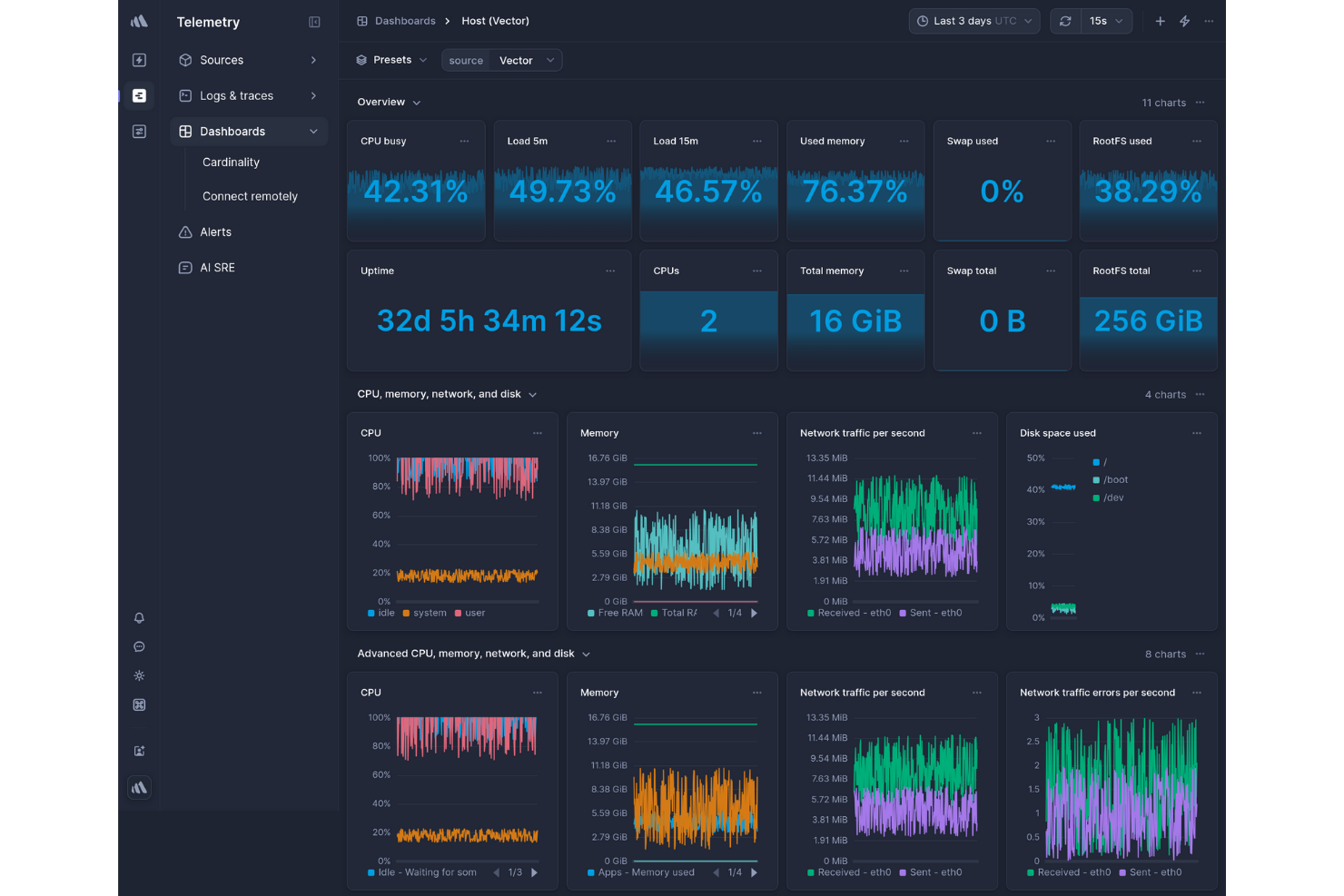
Better Stack combines website monitoring with incident management, making it a strong choice for IT teams that need integrated alerting and response workflows. If you’re looking for a tool that connects uptime checks directly to on-call schedules and incident tracking, this platform stands out. It’s especially useful for organizations that want to reduce response times and keep all monitoring and incident data in one place.
Why Better Stack Is a Good Pingdom Alternative
What sets Better Stack apart from Pingdom is its deep integration between website monitoring and incident management. I picked it for teams that want to connect uptime alerts directly to on-call schedules and incident response workflows. Better Stack lets you automatically escalate incidents, notify the right people, and track resolution progress all within the same platform. This approach helps IT specialists reduce response times and keep incident data tightly linked to monitoring events.
Better Stack Key Features
Some other features that make Better Stack a strong option for website monitoring include:
- Multi-location checks: Run uptime and performance tests from multiple global locations to identify regional issues.
- Status pages: Create public or private status pages to communicate outages and maintenance updates to stakeholders.
- Log monitoring: Aggregate and search logs in real time to correlate incidents with log events.
- Custom alert rules: Set up detailed alert conditions based on response time, status codes, or custom metrics.
Better Stack Integrations
Integrations include Slack, Microsoft Teams, Jira, Sentry SDKs, Datadog, PagerDuty, Prometheus, Grafana, AWS, and more.
Pros and Cons
Pros:
- Built-in incident management and on-call
- Actionable screenshots for every incident
- Intuitive and user-friendly interface
Cons:
- Limited historical data retention
- No native synthetic transaction monitoring

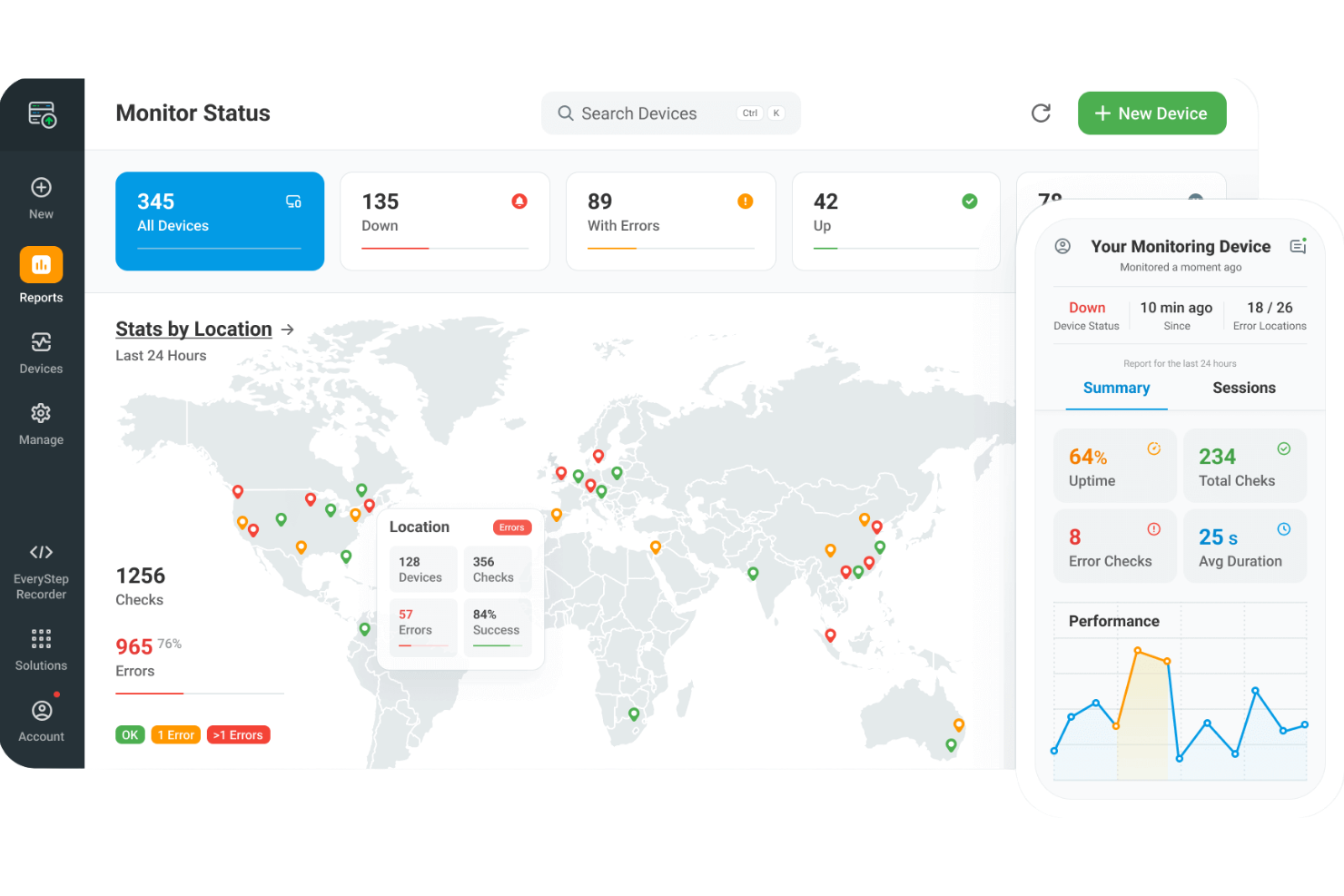
Dotcom-Monitor is built for IT teams and web professionals who need to see exactly how their sites perform in real browsers. Unlike many monitoring tools that rely on simple HTTP checks, it uses real browser sessions to capture the full user experience and catch issues that synthetic checks can miss. This approach is especially useful for businesses with dynamic, interactive sites where traditional uptime monitoring falls short.
Why Dotcom-Monitor Is a Good Pingdom Alternative
If you need to monitor how your website actually performs for users, Dotcom-Monitor’s real browser monitoring sets it apart from Pingdom’s more basic checks. I picked it because it runs tests in real browsers like Chrome, Firefox, and Internet Explorer, capturing every element of the user journey, including JavaScript execution and dynamic content. You can also set up multi-step scripts to simulate complex workflows, such as logins or shopping cart checkouts. This level of detail helps you catch issues that traditional uptime monitoring tools often miss.
Dotcom-Monitor Key Features
Some other features that make Dotcom-Monitor useful for website monitoring include:
- Global monitoring network: Run checks from dozens of locations worldwide to spot regional issues.
- Waterfall performance reports: Visualize resource load times and pinpoint slow elements on your site.
- Real-time alerts: Get notified instantly via SMS, email, phone, or integrations when issues are detected.
- Public and private dashboards: Share monitoring data with stakeholders or keep it internal for your team.
Dotcom-Monitor Integrations
Integrations include Slack, PagerDuty, ServiceNow, Splunk, Microsoft Teams, Webhooks, and Discord.
Pros and Cons
Pros:
- Multi-protocol network monitoring
- Point-and-click transaction scripting engine
- Real browser-based performance testing
Cons:
- No internal server monitoring
- Complex tiered per-task paid plans

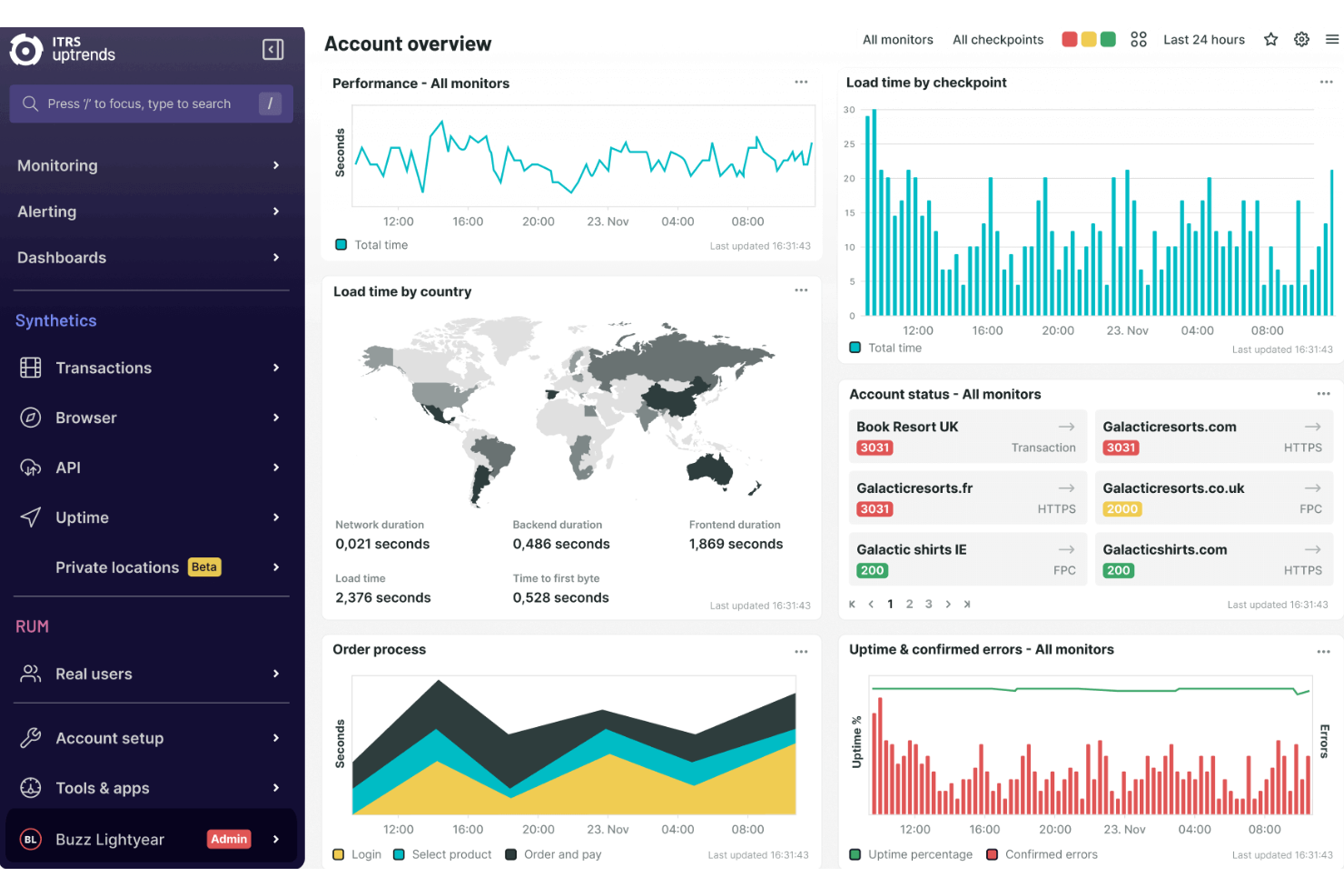
For IT teams and digital operations managers who want deep control over how they visualize monitoring data, Uptrends offers advanced dashboard customization that goes beyond standard website monitoring tools. You can build dashboards tailored to your team’s workflows, tracking exactly the metrics and alerts that matter most. This flexibility is especially useful for organizations with complex infrastructure or strict reporting requirements.
Why Uptrends Is a Good Pingdom Alternative
Unlike many website monitoring tools, Uptrends gives you granular control over how you view and organize your monitoring data. I picked it because you can create fully customized dashboards, choosing from a wide range of widgets and data visualizations to match your team’s needs. You can also set up multiple dashboards for different teams or projects, each with its own layout and focus. This level of customization helps you surface the most relevant insights and keep your monitoring workflow aligned with your business priorities.
Uptrends Key Features
Some other features that make Uptrends valuable for website monitoring include:
- Multi-browser monitoring: Test website performance using Chrome, Firefox, and Internet Explorer.
- API monitoring: Track the uptime and response of REST and SOAP APIs.
- Transaction monitoring: Simulate user journeys like logins or checkouts to catch workflow issues.
- Detailed alerting options: Configure alerts for specific teams, channels, or escalation paths.
Uptrends Integrations
Integrations include Slack, Microsoft Teams, PagerDuty, ServiceNow, Opsgenie, Splunk, Webhooks, and Discord.
Pros and Cons
Pros:
- Flexible drag-and-drop custom dashboards
- High-definition snapshots for every error
- Massive network of global checkpoints
Cons:
- Only available as cloud-based deployment
- Potential upcharges for extra locations

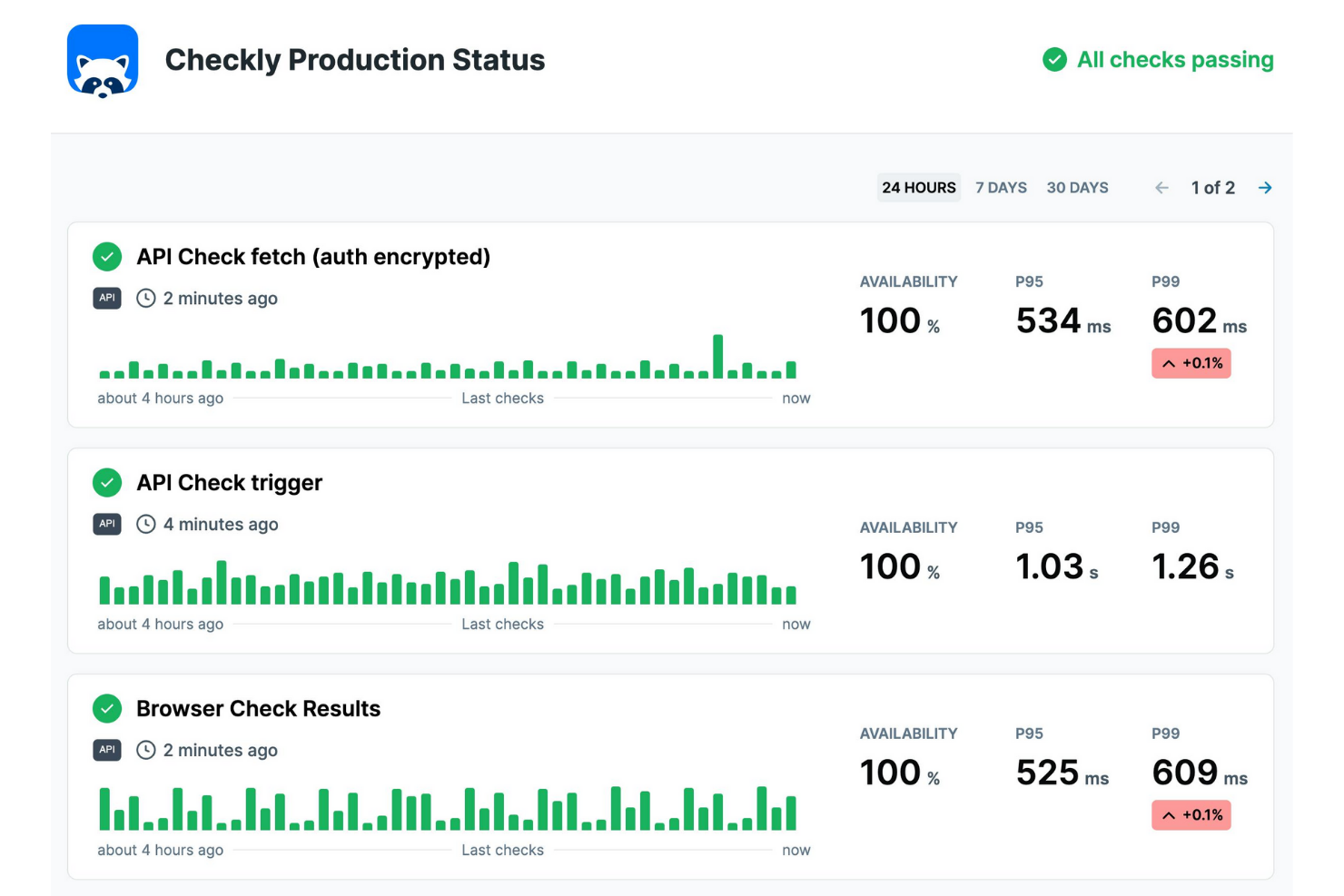
If your team needs to automate both API and browser checks in one platform, Checkly is built for you. It’s especially useful for developers and QA teams who want to monitor complex user flows and API endpoints together. With scriptable checks and flexible scheduling, Checkly helps you catch issues that other website monitoring tools might miss.
Why Checkly Is a Good Pingdom Alternative
For teams that need more than basic uptime checks, Checkly stands out with its focus on API and browser check automation. I picked it because you can write and schedule custom scripts to test both API endpoints and real browser interactions, all in one place. The platform supports headless browser checks using Playwright, so you can simulate real user journeys and catch issues that simple HTTP checks might miss. This approach gives you deeper visibility into both backend and frontend performance, making it a strong alternative to Pingdom for modern web applications.
Checkly Key Features
Some other features that make Checkly useful for website monitoring include:
- Public dashboards: Share real-time monitoring results with stakeholders through customizable public dashboards.
- Flexible alerting integrations: Connect alerts to Slack, Microsoft Teams, PagerDuty, and other channels.
- Environment variables: Manage secrets and configuration for checks without hardcoding sensitive data.
- Rich reporting and analytics: Access detailed reports and historical analytics for all checks.
Checkly Integrations
Integrations include Slack, Microsoft Teams, PagerDuty, Opsgenie, Prometheus, Grafana, Splunk, and Webhooks.
Pros and Cons
Pros:
- Easily integrates into CI/CD pipelines
- Unified Playwright and TypeScript support
- Code-based monitoring for developers
Cons:
- Usage costs scale with check frequency
- No native incident management features

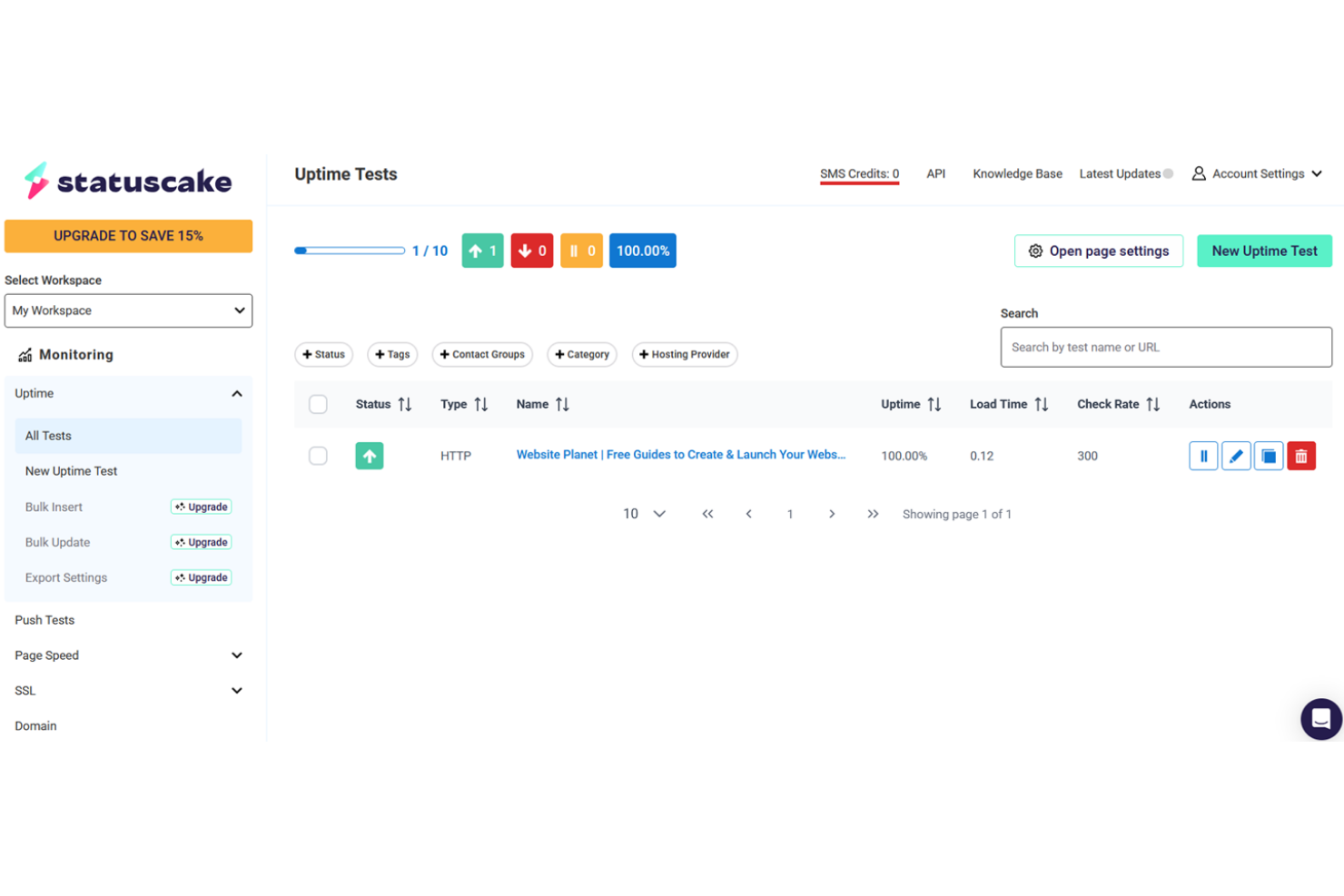
For teams that need to monitor uptime from a wide range of locations, StatusCake offers a unique advantage. It’s especially useful for IT specialists and global businesses that want to test website performance from unlimited geographic points. StatusCake helps you spot regional outages and latency issues that other tools with limited testing locations might miss.
Why StatusCake Is a Good Pingdom Alternative
If you need to monitor your website from as many locations as possible, StatusCake is a strong choice. I picked it because it doesn’t cap the number of testing locations, letting you check uptime and performance from anywhere your users might be. You can set up tests from dozens of global nodes, which helps you catch regional issues that other tools might miss. For IT teams supporting international audiences, this level of geographic coverage is a clear advantage over Pingdom.
StatusCake Key Features
Some other features that make StatusCake useful for website monitoring teams include:
- SSL monitoring: Track SSL certificate status and receive alerts before certificates expire.
- Page speed testing: Measure and report on website load times from multiple locations.
- Domain monitoring: Get notified about domain expiry dates and DNS changes.
- Custom alerting integrations: Connect alerts to Slack, PagerDuty, and other notification platforms.
StatusCake Integrations
Integrations include Slack, PagerDuty, Opsgenie, Webhooks, Discord, Microsoft Teams, Pushover, VictorOps, and Pushbullet.
Pros and Cons
Pros:
- Wide selection of test protocols
- Advanced domain and SSL monitoring
- Unlimited testing locations
Cons:
- Steep learning curve for advanced tests
- Status pages need a paid add-on

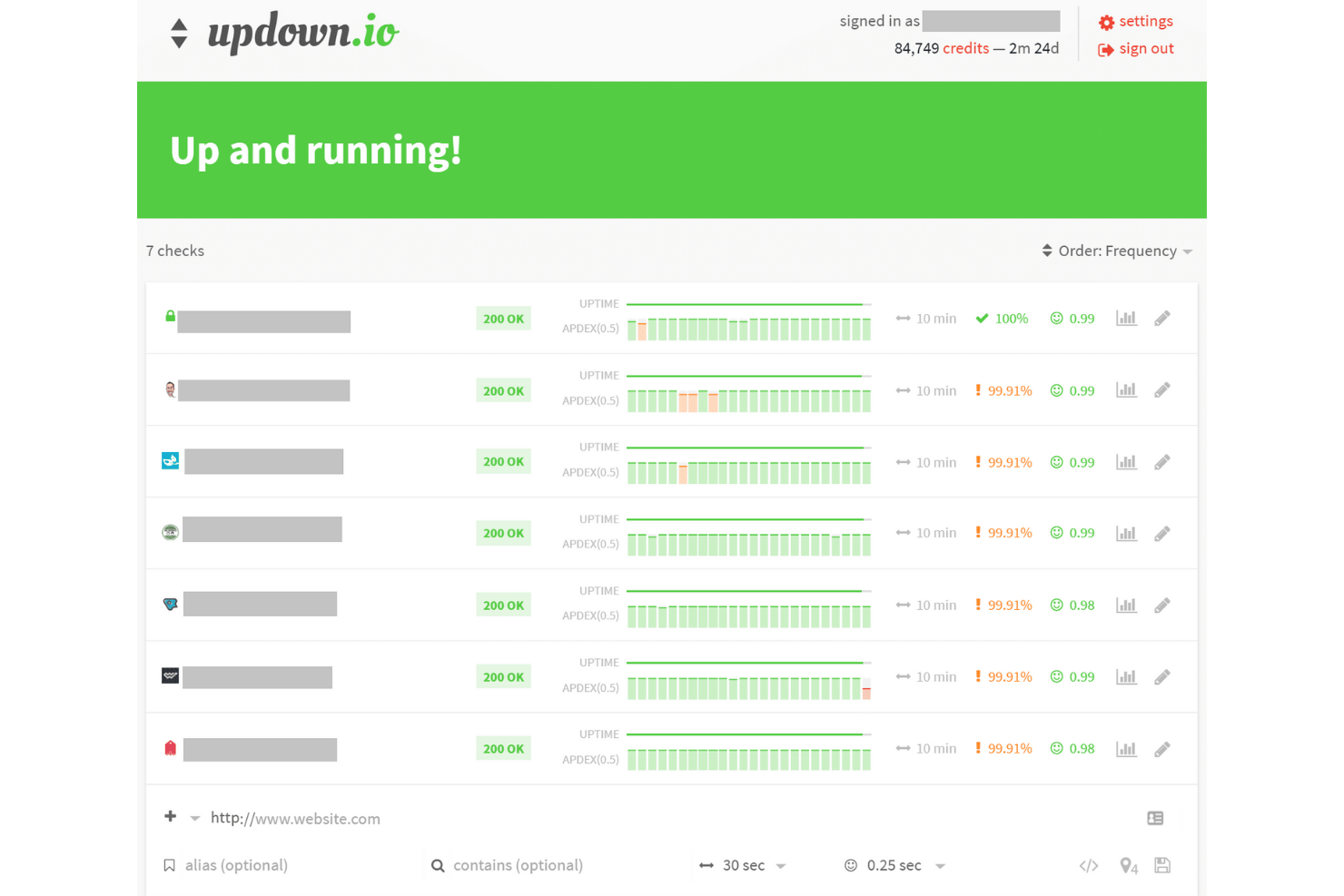
For teams that want simple, cost-effective uptime monitoring, updown.io offers a flexible pay-as-you-go model. It’s a strong fit for startups, small businesses, or anyone who needs reliable website checks without committing to a monthly subscription. With usage-based pricing and straightforward status notifications, updown.io stands out from Pingdom by letting you scale monitoring to your actual needs.
Why updown.io Is a Good Pingdom Alternative
Unlike most subscription-based monitoring tools, updown.io uses a pay-as-you-go model that’s ideal for teams with fluctuating or unpredictable monitoring needs. I picked it because you only pay for the actual number of checks you run, which can be a big advantage for smaller sites or projects with variable traffic. The platform lets you set custom check intervals and receive instant alerts via email, SMS, or webhooks. This approach gives you more control over your monitoring costs while still covering the essentials for website uptime and performance.
updown.io Key Features
Some other features that make updown.io appealing for website monitoring include:
- SSL certificate monitoring: Tracks certificate expiration dates and sends alerts before they expire.
- Customizable status pages: Lets you create public or private status pages for sharing uptime information.
- Multi-location checks: Runs uptime checks from several global locations to verify worldwide availability.
- API access: Provides a REST API for automating checks and integrating with other tools.
updown.io Integrations
Integrations include Slack, Telegram, Webhooks, Zapier, Discord, Microsoft Teams, and more.
Pros and Cons
Pros:
- Full read/write REST API access
- Dual-stack IPv4 and IPv6 monitoring
- Pay-as-you-go pricing model
Cons:
- No built-in on-call rotation scheduling
- Limited to 8 global check locations

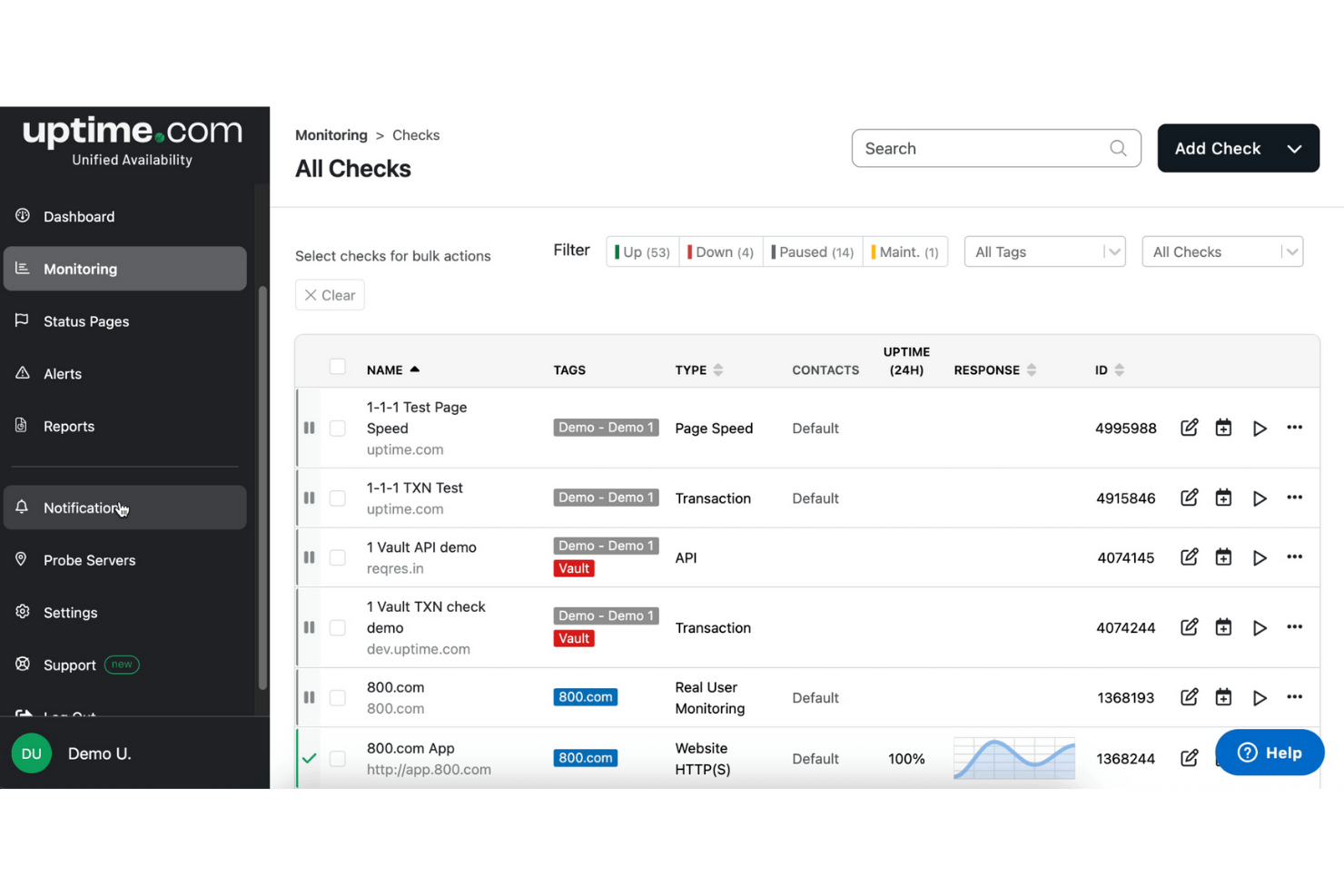
When meeting strict uptime commitments is a top priority, Uptime.com gives IT teams the tools to track and report on SLAs with precision. It’s designed for organizations that need detailed, automated SLA reporting to prove compliance and maintain trust with clients or stakeholders. Uptime.com helps you document uptime performance and response times in ways that go beyond what most website monitoring tools offer.
Why Uptime.com Is a Good Pingdom Alternative
For teams that need to prove uptime and response time commitments, Uptime.com stands out with its advanced SLA reporting features. I picked it because you can automatically generate detailed SLA reports that track uptime, downtime, and incident response metrics over custom timeframes. The platform also lets you set specific SLA targets and receive alerts when you’re at risk of breaching them. This level of reporting and accountability is especially valuable for IT specialists who need to demonstrate compliance to clients or internal stakeholders.
Uptime.com Key Features
Some other features that make Uptime.com a strong choice for website monitoring include:
- Multi-step transaction monitoring: Simulate user journeys to test login, checkout, and other workflows.
- Global monitoring locations: Run checks from multiple regions to catch localized outages.
- Public status pages: Share real-time uptime and incident information with users or stakeholders.
- Customizable alerting: Set up notifications via SMS, email, Slack, and other channels.
Uptime.com Integrations
Integrations include Slack, PagerDuty, Microsoft Teams, ServiceNow, Opsgenie, Webhooks, Discord, Datadog, and Splunk.
Pros and Cons
Pros:
- Detailed enterprise SLA compliance reporting
- High-frequency one-minute global checks
- Visual editor for multi-step transactions
Cons:
- Mobile app lacks full management features
- No permanent free subscription tier

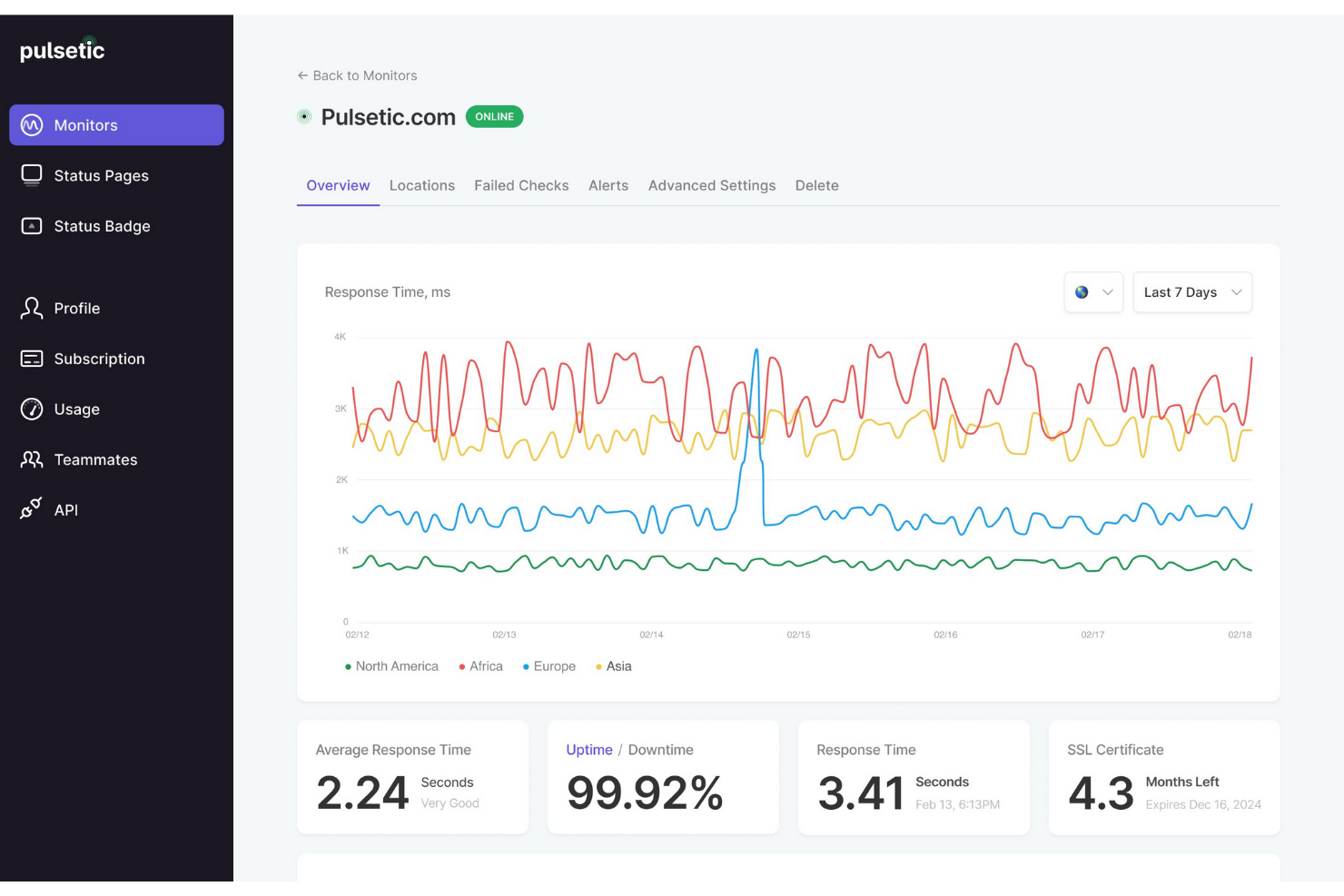
For teams serving a global audience, Pulsetic offers website monitoring with multilingual status pages. This tool is a strong fit for SaaS providers, ecommerce businesses, and IT teams that need to communicate uptime and incidents in multiple languages. Pulsetic stands out from Pingdom by making it easy to keep users informed in their preferred language, reducing confusion during outages or maintenance.
Why Pulsetic Is a Good Pingdom Alternative
Unlike most website monitoring tools, Pulsetic lets you create status pages in multiple languages, making it a strong choice for organizations with international users. I picked Pulsetic because it supports automatic language detection and allows you to customize incident messages for each supported language. This means your users always see updates in their preferred language, which helps reduce confusion during downtime. For teams that need to communicate clearly across regions, Pulsetic offers a multilingual approach that Pingdom doesn’t match.
Pulsetic Key Features
Some other features that make Pulsetic useful for website monitoring include:
- Global uptime monitoring: Checks website availability from multiple worldwide locations to catch regional issues.
- Custom incident notifications: Sends alerts via email, SMS, and popular chat platforms.
- SSL certificate checks: Monitors certificate validity and expiration dates automatically.
- Public and private status pages: Lets you create both internal and external status pages for different audiences.
Pulsetic Integrations
Integrations include Slack, Discord, Microsoft Teams, Zapier, Webhooks, Telegram, and more.
Pros and Cons
Pros:
- Built-in password protection for status pages
- Point-and-click status badge customizer
- Status pages localized in 30 languages
Cons:
- Lacks advanced server resource monitoring
- Limited to 15 global monitoring locations

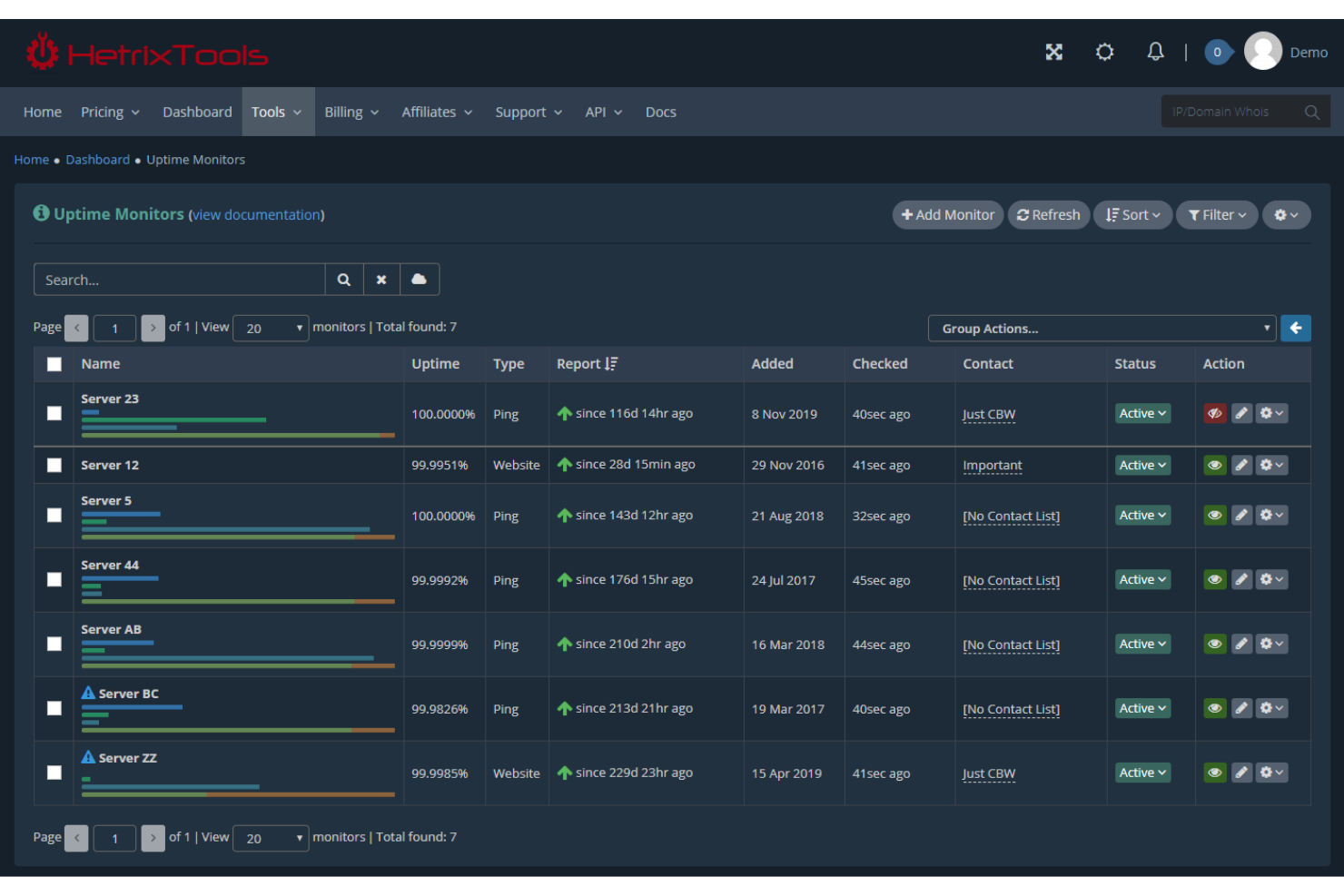
If you need to keep your domains and IP addresses off email and search blacklists, HetrixTools is built for you. This tool is especially useful for IT teams, MSPs, and businesses that rely on email deliverability and online reputation. Unlike Pingdom, HetrixTools specializes in automated blacklist monitoring and alerting, helping you catch and resolve reputation issues before they impact your services.
Why HetrixTools Is a Good Pingdom Alternative
For teams that need to protect their online reputation, HetrixTools offers specialized blacklist monitoring that Pingdom doesn’t provide. I picked it because it automatically checks your domains and IP addresses against dozens of major blacklists, alerting you right away if you’re listed. The platform also tracks blacklist delisting progress and provides detailed reports to help you resolve issues quickly. This focus on reputation monitoring makes HetrixTools a strong choice for anyone who relies on email deliverability or uninterrupted web presence.
HetrixTools Key Features
Some other features that make HetrixTools useful for website monitoring include:
- Uptime monitoring: Tracks website and server availability with customizable check intervals.
- Performance monitoring: Measures response times and provides historical performance data.
- White-label reports: Lets you generate branded reports for clients or stakeholders.
- Incident notifications: Sends alerts via email, SMS, push notifications, or webhooks when issues are detected.
HetrixTools Integrations
Integrations include Slack, PagerDuty, Opsgenie, Pushover, Discord, Microsoft Teams, Telegram, Mattermost, and more.
Pros and Cons
Pros:
- In-depth server resource usage tracking
- Simultaneous multi-location outage verification
- Integrated IP and domain blacklist monitoring
Cons:
- Limited advanced synthetic transaction scripting
- Blacklist monitoring may generate false positives

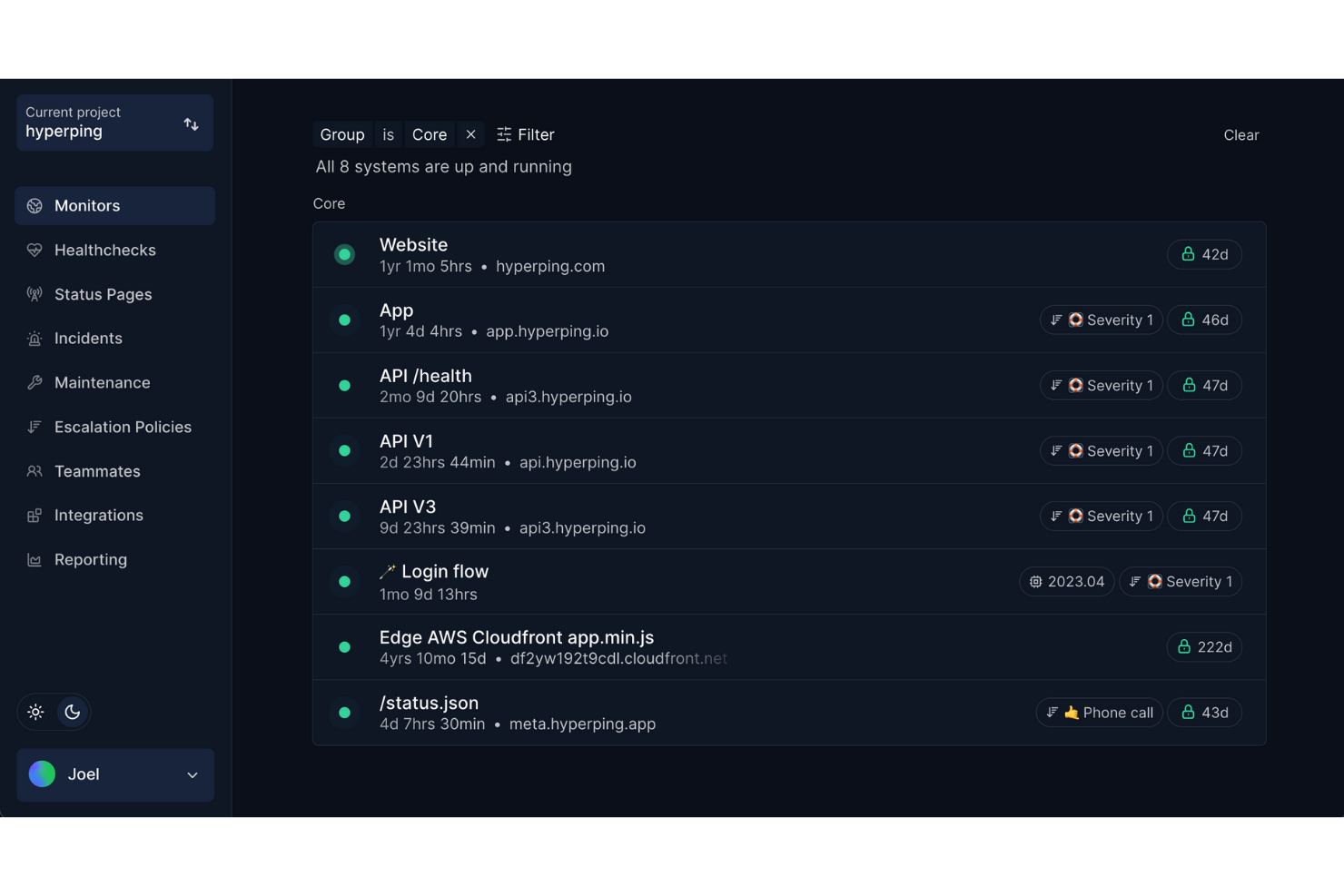
If your team needs to keep everyone informed about system status and incidents, Hyperping is designed for you. This tool is especially useful for IT teams, SaaS providers, and digital businesses that want to manage public or private status pages with real-time updates. Unlike Pingdom, Hyperping puts a strong emphasis on collaborative incident communication and customizable status pages, helping you keep both your team and users in the loop during outages or maintenance.
Why Hyperping Is a Good Pingdom Alternative
When you need to keep both your team and users updated during incidents, Hyperping stands out for its status page management features. I picked it because it lets you create customizable public or private status pages that display real-time uptime, incident history, and scheduled maintenance. Hyperping also supports team collaboration on incident updates, so multiple stakeholders can contribute to clear, timely communication. This focus on transparent, team-driven status management makes it a strong alternative to Pingdom for organizations that prioritize communication during outages.
Hyperping Key Features
Some other features that make Hyperping valuable for website monitoring include:
- Multi-location checks: Monitors your website from multiple global locations to detect regional outages.
- Custom alerting channels: Supports notifications via Slack, Microsoft Teams, email, and SMS.
- SSL certificate monitoring: Tracks certificate expiration dates and sends proactive alerts.
- Incident analytics: Provides detailed incident logs and analytics for post-mortem reviews.
Hyperping Integrations
Integrations include Slack, Discord, Microsoft Teams, PagerDuty, Opsgenie, Webhooks, Pushover, Telegram, and Zapier.
Pros and Cons
Pros:
- Unlimited status pages on higher tiers
- Integrated smart incident escalation policies
- Native support for EU data residency
Cons:
- Higher entry price than budget competitors
- No native log management features
Other Pingdom Alternatives
Here are some additional Pingdom alternative options that didn’t make it onto my shortlist, but are still worth checking out:
- GTmetrix
For page speed performance analysis
- Site24x7
For infrastructure health monitoring
- New Relic
For full-stack observability
- WebGazer
For customizable downtime notifications
- DebugBear
For Core Web Vitals tracking
- Monitive
For simple uptime reporting
- RapidSpike
For phishing and malware detection
- Upmon
For instant incident SMS alerts
- Monitoro
For monitoring data changes in APIs
- Montastic
For basic free uptime checks
- ManageWP
For WordPress site management
- Cronitor
For cron job failure detection
- HostTracker
For global check frequency options


Pingdom Alternatives Selection Criteria
When selecting the best Pingdom alternatives to include in this list, I considered common buyer needs and pain points related to website monitoring software products, like minimizing downtime and ensuring fast incident response. I also used the following framework to keep my evaluation structured and fair:
Core Functionality (25% of total score)
To be considered for inclusion in this list, each solution had to fulfill these common use cases:
- Monitor website uptime and availability
- Track response times for web services
- Send real-time alerts for outages
- Provide historical uptime reports
- Support multiple monitoring locations
Additional Standout Features (25% of total score) To help further narrow down the competition, I also looked for unique features, such as:
- Customizable public status pages
- Multi-protocol monitoring beyond HTTP
- Integration with incident management tools
- Advanced alert routing and escalation
- Self-hosted deployment options
Usability (10% of total score)
To get a sense of the usability of each system, I considered the following:
- Simple and intuitive dashboard layout
- Clear navigation between monitoring views
- Easy setup of new monitors
- Customizable alert settings
- Responsive design for mobile access
Onboarding (10% of total score)
To evaluate the onboarding experience for each platform, I considered the following:
- Step-by-step setup guides or wizards
- Availability of training videos or tutorials
- Pre-built templates for common monitoring scenarios
- Interactive product tours or walkthroughs
- Access to onboarding webinars or live chat support
Customer Support (10% of total score)
To assess each software provider’s customer support services, I considered the following:
- Availability of 24/7 support channels
- Access to a searchable knowledge base
- Fast response times to support tickets
- Community forums or user groups
- Dedicated account management for larger customers
Value For Money (10% of total score)
To evaluate the value for money of each platform, I considered the following:
- Transparent and predictable pricing structure
- Flexible plans for different business sizes
- No hidden fees for core monitoring features
- Discounts for annual or multi-year commitments
- Free plan or trial availability
Customer Reviews (10% of total score)
To get a sense of overall customer satisfaction, I considered the following when reading customer reviews:
- Consistent reliability and uptime performance
- Quality of alerting and notification features
- Responsiveness of customer support
- Ease of initial setup and ongoing use
- Overall satisfaction with the feature set and value
Why Look For a Pingdom Alternative?
While Pingdom is a good choice of website monitoring software, there are a number of reasons why some users seek out alternative solutions. You might be looking for a Pingdom alternative because…
- You need a self-hosted monitoring solution for data privacy
- You want more flexible or advanced alerting options
- You require support for protocols beyond HTTP and HTTPS
- You need more granular control over monitoring frequency and locations
- You want a more cost-effective solution for large-scale monitoring
- You need customizable public status pages for stakeholders
If any of these sound like you, you’ve come to the right place. My list contains several website monitoring software options that are better suited for teams facing these challenges with Pingdom and looking for alternative solutions.
Pingdom Key Features
Here are some of the key features of Pingdom, to help you contrast and compare what alternative solutions offer:
- Uptime monitoring from multiple global locations
- Real-time alerting via email, SMS, and push notifications
- Detailed response time and performance reporting
- Public status pages for incident communication
- Transaction monitoring for multi-step user flows
- Root cause analysis for downtime incidents
- Page speed analysis and performance insights
- Integration with incident management and collaboration tools
- Customizable alert policies and escalation rules
- API access for custom integrations and automation
What’s Next:
If you're in the process of researching a Pingdom alternative, connect with a SoftwareSelect advisor for free recommendations.
You fill out a form and have a quick chat where they get into the specifics of your needs. Then you'll get a shortlist of software to review. They'll even support you through the entire buying process, including price negotiations.