

10 Best MySQL Workbench Alternatives for 2026

Best MySQL Workbench Alternative Shortlist
Here's my pick of the 10 best software from the 19 tools reviewed.


A strong MySQL Workbench alternative offers reliable MySQL database management, intuitive query editing, and flexible support for different workflows or platforms. If you’re searching for a MySQL Workbench alternative, you’re likely looking for tools that address gaps in usability, compatibility, or advanced features that MySQL Workbench may not cover. Many teams evaluate options with a graphical GUI interface, command line support, and active development communities on platforms like GitHub, while others prefer tools similar to the MySQL Workbench Community Edition but with a more user-friendly experience.
This guide compares leading options, so you can quickly identify which database management tool best fits your team’s technical requirements, operating systems, and day-to-day tasks.
What is MySQL Workbench?
MySQL Workbench is a GUI tool for managing MySQL databases, offering features for database design, SQL development, and server administration. It provides a visual interface for creating and editing schemas, running queries, and managing users or permissions. MySQL Workbench is widely used by database administrators and developers who need to design, maintain, and troubleshoot MySQL databases from a single application.
Best MySQL Workbench Alternative Summary
This comparison chart summarizes pricing details for my top MySQL Workbench alternative selections to help you find the best remote access software for your budget and business needs.
| Tool | Best For | Trial Info | Price | ||
|---|---|---|---|---|---|
| 1 | Best for advanced MySQL development tools | 30-day free trial + free demo available | Pricing upon request | Website | |
| 2 | Best for fast, intuitive database editing | Free trial available | From $79/month | Website | |
| 3 | Best for cross-database management in one interface | 14-day free trial available | From $25/month | Website | |
| 4 | Best for intelligent code completion and analysis | 30-day free trial + free plan + free demo available | From $10.90/month (billed annually) | Website | |
| 5 | Best for DevOps-focused database workflows | Free trial available | From $265/user (billed annually) | Website | |
| 6 | Best for lightweight Windows-based SQL editing | Free plan available | Free to use | Website | |
| 7 | Best for multi-platform database connectivity | 14-day free trial + free demo available | Pricing upon request | Website | |
| 8 | Best for visual query building and migration | 15-day free trial + free demo available | Pricing upon request | Website | |
| 9 | Best for native macOS database administration | Free-forever plan available | Free to use | Website | |
| 10 | Best for browser-based MySQL administration | Free-forever plan + free demo available | Free to use | Website |
Why Trust Our Software Reviews
We’ve been testing and reviewing software since 2023. As tech leaders ourselves, we know how critical and difficult it is to make the right decision when selecting software.
We invest in deep research to help our audience make better software purchasing decisions. We’ve tested more than 2,000 tools for different tech use cases and written over 1,000 comprehensive software reviews. Learn how we stay transparent & our software review methodology.
-

Site24x7
Visit WebsiteThis is an aggregated rating for this tool including ratings from Crozdesk users and ratings from other sites.4.7 -
GitHub Actions
Visit WebsiteThis is an aggregated rating for this tool including ratings from Crozdesk users and ratings from other sites.4.8 -
Docker
Visit WebsiteThis is an aggregated rating for this tool including ratings from Crozdesk users and ratings from other sites.4.6





Best MySQL Workbench Alternative Reviews
Below are my detailed summaries of the MySQL Workbench alternatives that made it onto my shortlist. My reviews offer a detailed look at the features, best use cases, and integrations of each tool to help you find the best one for you.

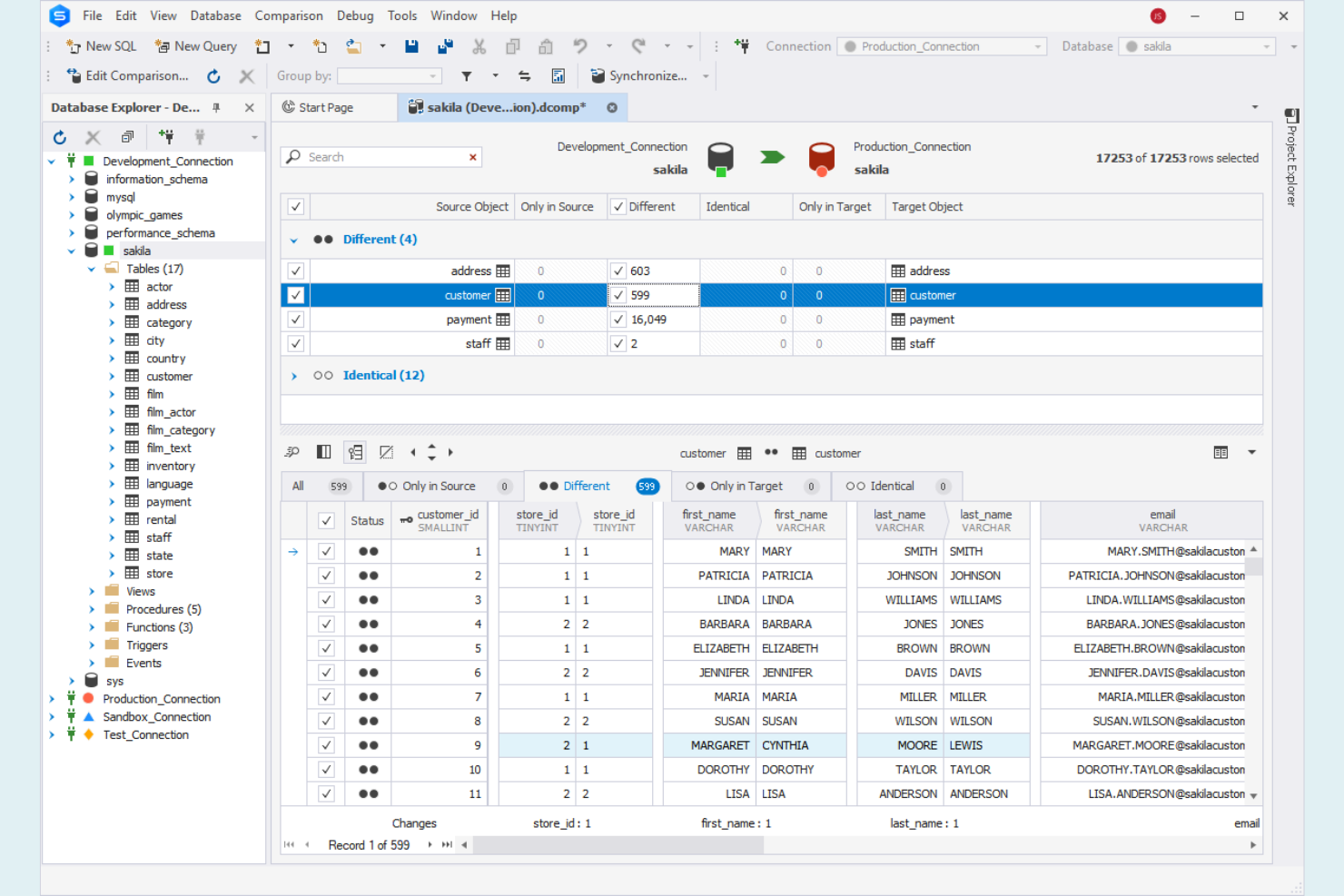
If you need a MySQL Workbench alternative with advanced development features, dbForge Studio for MySQL is worth a close look. This tool is designed for database developers, administrators, and analysts who want deep control over MySQL and MariaDB environments. It stands out for its integrated debugging, schema comparison, and code completion tools that go beyond what most browser-based or basic desktop solutions provide.
Why dbForge Studio for MySQL Is a Good MySQL Workbench Alternative
For teams that need more than basic database management, dbForge Studio for MySQL offers a suite of advanced development tools that set it apart from MySQL Workbench. I picked it as an alternative because it includes features like a built-in SQL debugger and a visual query builder, which help simplify complex development tasks. The schema and data comparison tools make it easier to track changes and synchronize databases across environments. These capabilities are especially valuable for database professionals who need to manage, optimize, and troubleshoot MySQL or MariaDB at a deeper level.
dbForge Studio for MySQL Key Features
Some other features in dbForge Studio for MySQL make it a strong choice for advanced users:
- Database Diagram Designer: Visually design and edit database structures using drag-and-drop tools.
- Data Generator: Create large volumes of realistic test data for development and QA.
- Report and Chart Designer: Build custom reports and data visualizations directly within the platform.
- Code Formatter: Automatically format SQL code to meet team or industry standards.
dbForge Studio for MySQL Integrations
Native integrations are not currently listed.
Pros and Cons
Pros:
- Data generator creates test datasets
- Visual builder creates complex queries
- Schema comparison across databases
Cons:
- High system resource usage
- No built-in collaboration tools

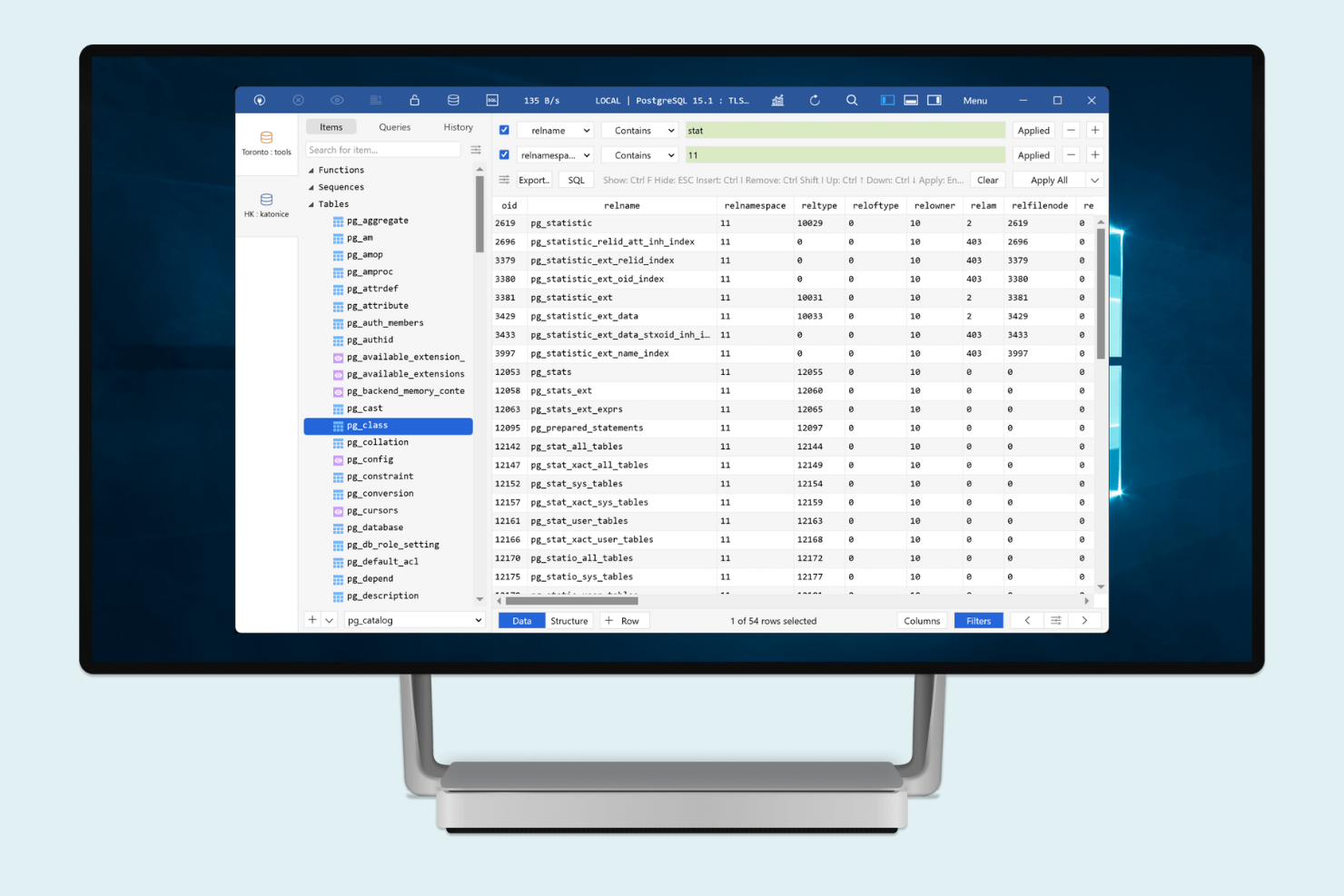
For database professionals who want a fast and modern alternative to MySQL Workbench, TablePlus offers a simplified editing experience. It’s built for developers, IT teams, and analysts who need to quickly view, edit, and manage data across multiple databases. TablePlus stands out with its minimalist interface and rapid query editing, making it easy to jump between tasks without the clutter of traditional database tools.
Why TablePlus Is a Good MySQL Workbench Alternative
TablePlus is a strong choice if you want a tool focused on fast, intuitive database editing. I picked it because its inline editing lets you update data directly in table views without extra dialogues or steps. The multi-tab and multi-window support means you can work on several databases or queries at once, which is helpful for anyone juggling multiple projects. These features make TablePlus especially appealing for developers and IT specialists who need to move quickly between tasks.
TablePlus Key Features
Some other features in TablePlus make it a flexible option for database management:
- Native support for multiple databases: Connect to MySQL, PostgreSQL, SQLite, SQL Server, and more from a single app.
- Built-in SQL editor with syntax highlighting: Write and review queries with color-coded syntax and error detection.
- Safe mode and code review: Enable extra safeguards to prevent accidental data changes or destructive queries.
- Customizable appearance and shortcuts: Adjust themes and keyboard shortcuts to match your workflow preferences.
TablePlus Integrations
Native integrations are not currently listed.
Pros and Cons
Pros:
- Multiple tabs manage several databases
- SQL editor includes syntax highlighting
- Inline table editing updates data quickly
Cons:
- No team collaboration features
- No built-in ER diagram tools

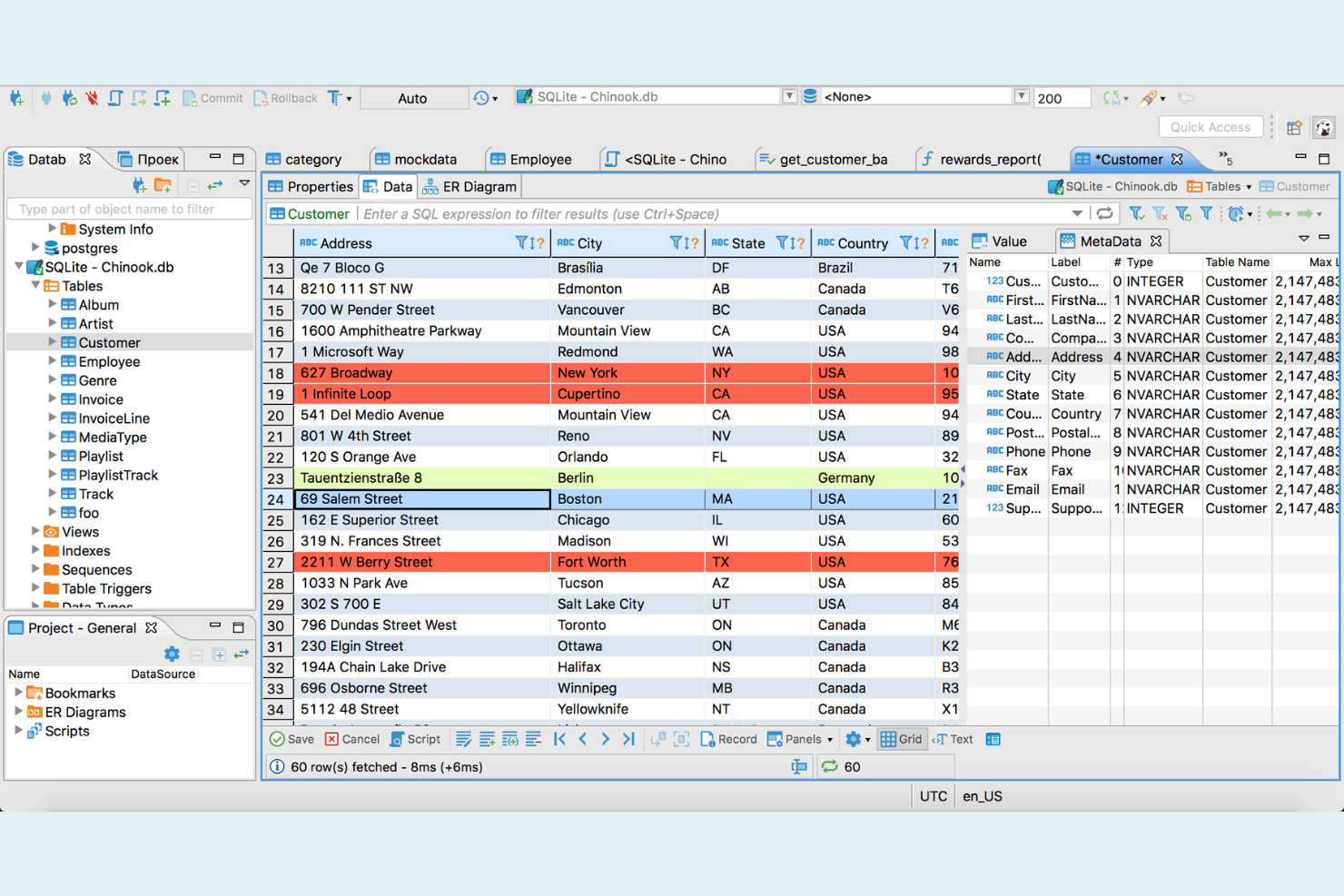
DBeaver is a database management tool designed for IT specialists who need to work across multiple database systems, not just MySQL. It stands out for its unified interface that supports a wide range of databases, making it ideal for teams managing complex, mixed environments. If you’re looking for a MySQL Workbench alternative that simplifies cross-database workflows and centralizes your SQL tasks, DBeaver is worth considering. It also functions as a lightweight database IDE and supports integrations commonly used in development environments, including those working with PHP applications.
Why DBeaver Is a Good MySQL Workbench Alternative
DBeaver stands out as a MySQL Workbench alternative because it lets you manage multiple database types from a single interface. I picked it for teams that need to switch between MySQL, PostgreSQL, Oracle, and other systems without juggling separate tools. DBeaver’s unified SQL editor and visual ER diagram tools work across all supported databases, so you can standardize your workflow. This cross-database flexibility is especially useful if your environment includes more than just MySQL.
DBeaver Key Features
Some other features in DBeaver make it a versatile choice for database professionals:
- Data Migration Wizard: Move data between different database systems using a guided, step-by-step process.
- SQL Execution Plan Viewer: Analyze and optimize query performance with visual execution plans.
- Customizable Data Grid: Edit, filter, and sort table data directly within a flexible grid interface.
- Database Connection Management: Organize and manage multiple database connections with folders, tags, and connection templates.
DBeaver Integrations
Integrations include Microsoft Entra ID, AWS, Azure, Okta, Oracle Cloud, MongoDB, PostgreSQL, MariaDB, Docker, Kubernetes, and more.
Pros and Cons
Pros:
- Connects to multiple databases simultaneously
- ER diagrams visualize database structures
- Supports multiple database systems
Cons:
- Some database driver compatibility issues
- Advanced features require paid version

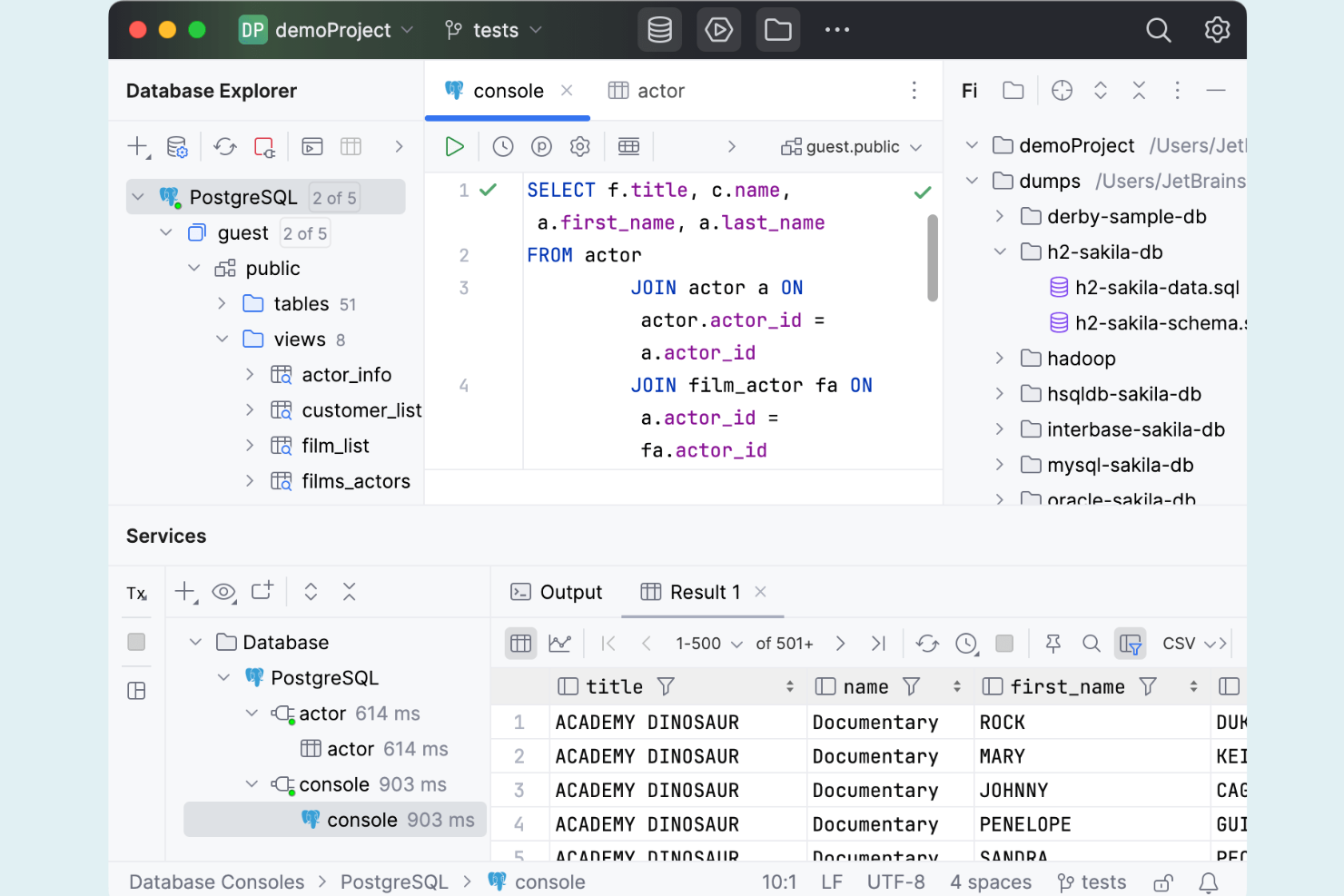
Developers and database administrators looking for advanced code assistance often turn to DataGrip as a MySQL Workbench alternative. This tool is designed for those who want intelligent code completion, on-the-fly analysis, and refactoring support across multiple database systems. DataGrip stands out by helping users catch errors early and write more accurate SQL, making it especially useful for teams managing complex or mission-critical databases.
Why DataGrip Is a Good MySQL Workbench Alternative
If you need a tool that goes beyond basic query editing, DataGrip’s intelligent code completion and analysis set it apart from MySQL Workbench. I picked DataGrip because its context-aware code completion helps you write accurate SQL faster, even across multiple database types. The real-time error detection and quick-fix suggestions catch mistakes before you run queries, which is especially valuable for complex or production environments. These features make DataGrip a strong fit for IT specialists and developers who want to reduce errors and improve code quality in their database work.
DataGrip Key Features
Some other features in DataGrip make it a versatile choice for database professionals:
- Support for multiple database systems: Connect to MySQL, PostgreSQL, Oracle, SQL Server, and more from one interface.
- Version control integration: Work with Git, Mercurial, and other VCS tools directly within the platform.
- Customizable data visualization: Generate and adjust table and result set views to fit your workflow.
- Schema navigation and search: Quickly locate tables, columns, and procedures using advanced search and navigation tools.
DataGrip Integrations
Native integrations are not currently listed.
Pros and Cons
Pros:
- Advanced search for large schemas
- Context-aware SQL code completion
- Supports multiple database systems
Cons:
- Setup is time-consuming for new users
- Uses more resources than lighter clients

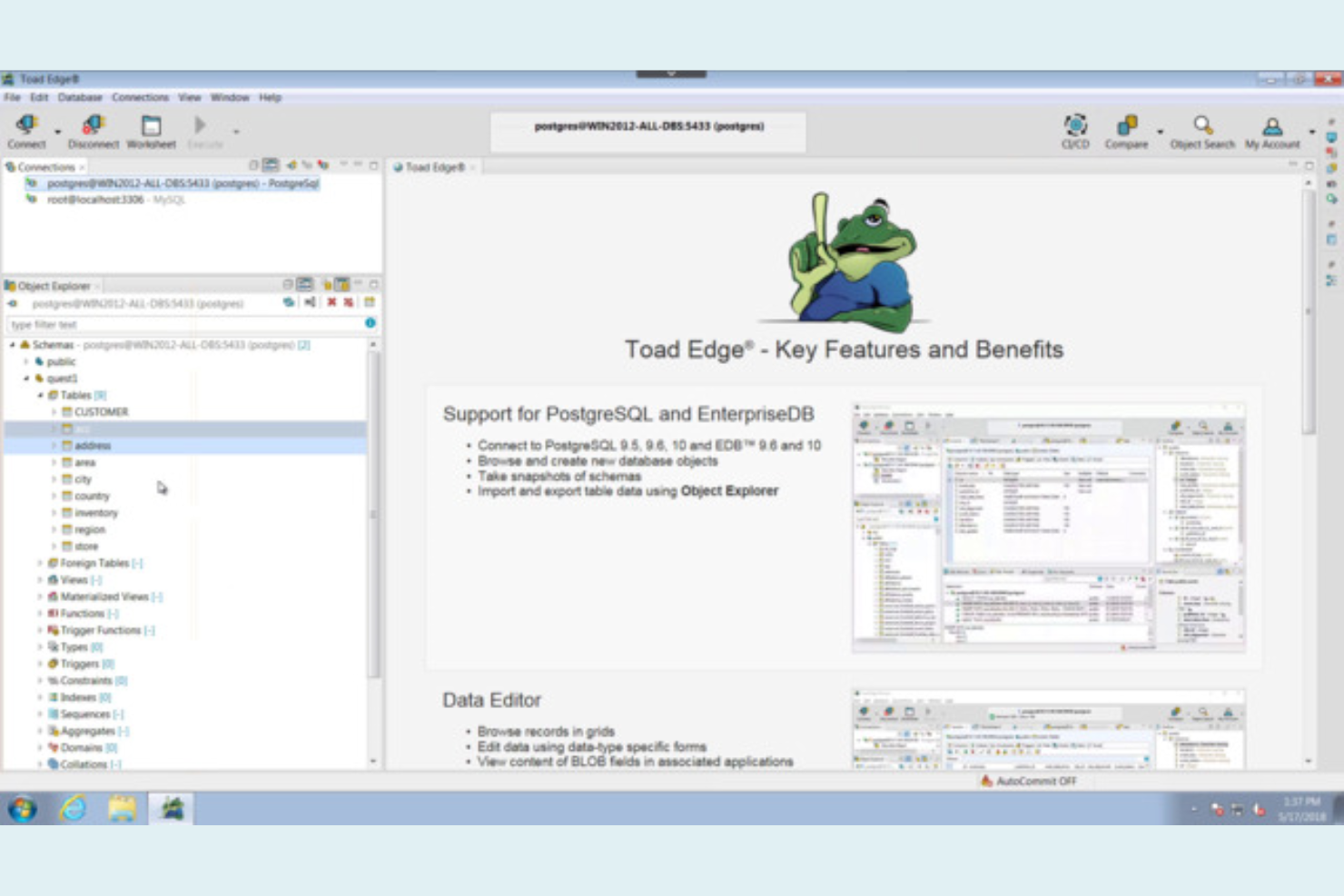
For database professionals who need DevOps-ready workflows, Toad Edge offers a focused alternative to MySQL Workbench. This tool is built for IT teams, DevOps engineers, and database administrators who want to integrate database development and deployment into their CI/CD pipelines. Toad Edge stands out with features for version control, automation, and collaboration that support modern DevOps practices.
Why Toad Edge Is a Good MySQL Workbench Alternative
Unlike MySQL Workbench, Toad Edge is designed with DevOps-focused workflows in mind, making it a strong fit for teams that need to integrate database management into their CI/CD processes. I picked Toad Edge because it supports version control integration, so you can track and manage schema changes alongside your application code. The tool also offers automation features for database deployment and rollback, which help reduce manual errors during releases. For IT specialists and DevOps engineers, these capabilities make Toad Edge a practical choice for modern, collaborative database development.
Toad Edge Key Features
Some other features in Toad Edge make it a versatile option for database teams:
- Schema compare and sync: Identify and synchronize differences between database schemas across environments.
- Data compare and sync: Compare and update data between databases to ensure consistency.
- SQL worksheet with code completion: Write and execute SQL queries with syntax highlighting and auto-complete.
- Container-based database support: Spin up and manage containerized database instances for development and testing.
Toad Edge Integrations.
Native integrations are not currently listed.
Pros and Cons
Pros:
- SQL editor includes code completion
- ER diagrams design database schemas
- Container instances support testing environments
Cons:
- Stability issues with large databases
- No query performance analysis tools

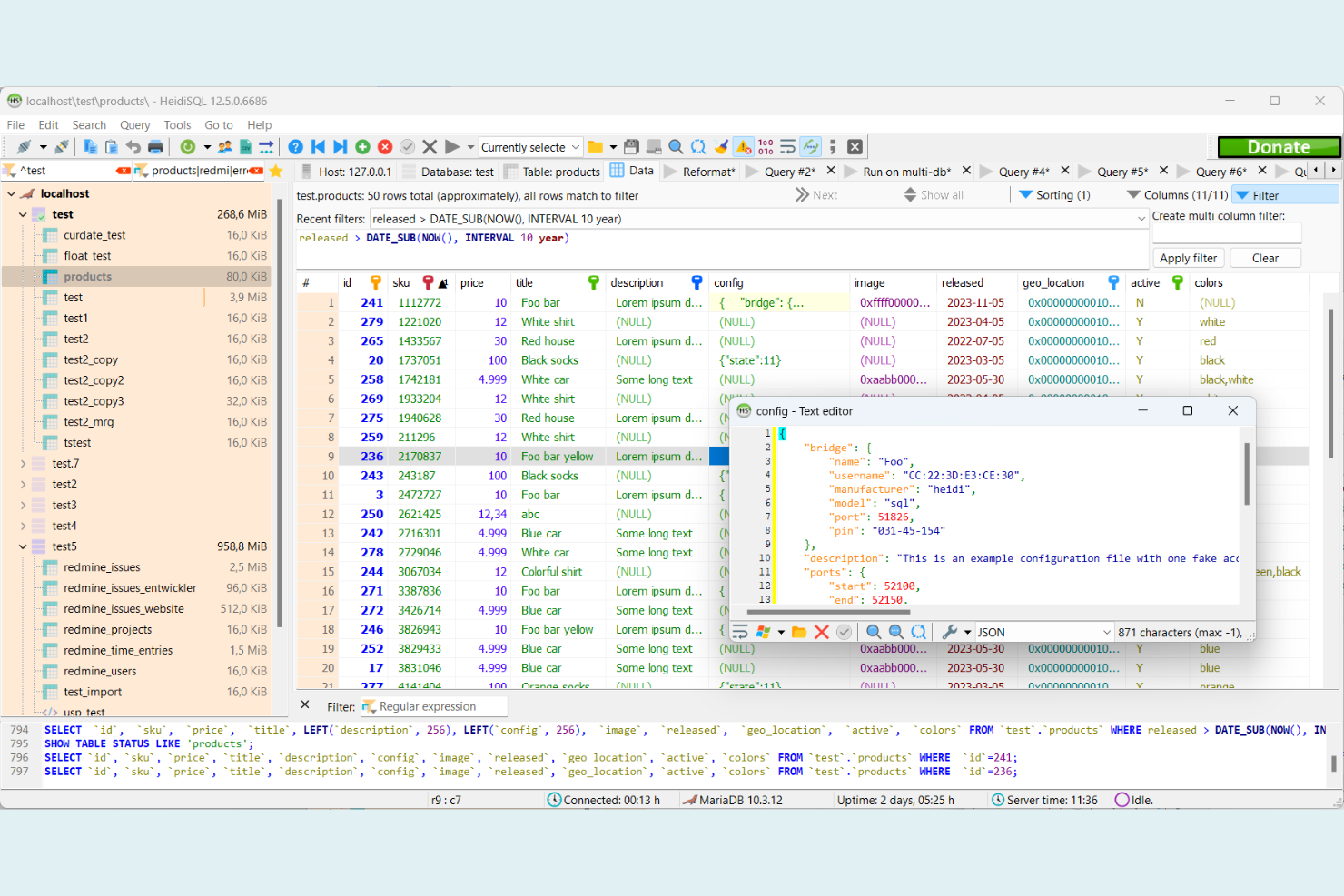
HeidiSQL is a Windows-based SQL editor built for database administrators and developers who want a fast, lightweight alternative to MySQL Workbench. It’s especially useful for those who need to manage MySQL, MariaDB, or PostgreSQL databases without the overhead of a larger tool. If you’re looking for a simple way to handle SQL tasks on Windows, HeidiSQL keeps things efficient and focused.
Why HeidiSQL Is a Good MySQL Workbench Alternative
For anyone who needs a lightweight SQL editor on Windows, HeidiSQL offers a focused alternative to MySQL Workbench. I picked it because it installs quickly, runs with minimal system resources, and doesn’t require extra dependencies. HeidiSQL supports direct connections to MySQL, MariaDB, and PostgreSQL, letting you manage multiple databases from a single window. Its portable version is especially handy if you want to work on different machines without a full installation.
HeidiSQL Key Features
Some other features in HeidiSQL make it a practical choice for database work:
- Batch Insert and Export Tools: Import and export data in various formats, including CSV, SQL, and XML.
- Session Management: Save and organize connection settings for quick access to multiple servers.
- Visual Table Designer: Create and modify table structures using a graphical interface.
- Query History Panel: Review and reuse previous SQL queries from a searchable history list.
HeidiSQL Integrations
Native integrations are not currently listed.
Pros and Cons
Pros:
- Batch export and import tools included
- Connects to multiple database systems
- Runs smoothly on low-resource machines
Cons:
- No scheduler for automated backups
- No advanced database modeling tools

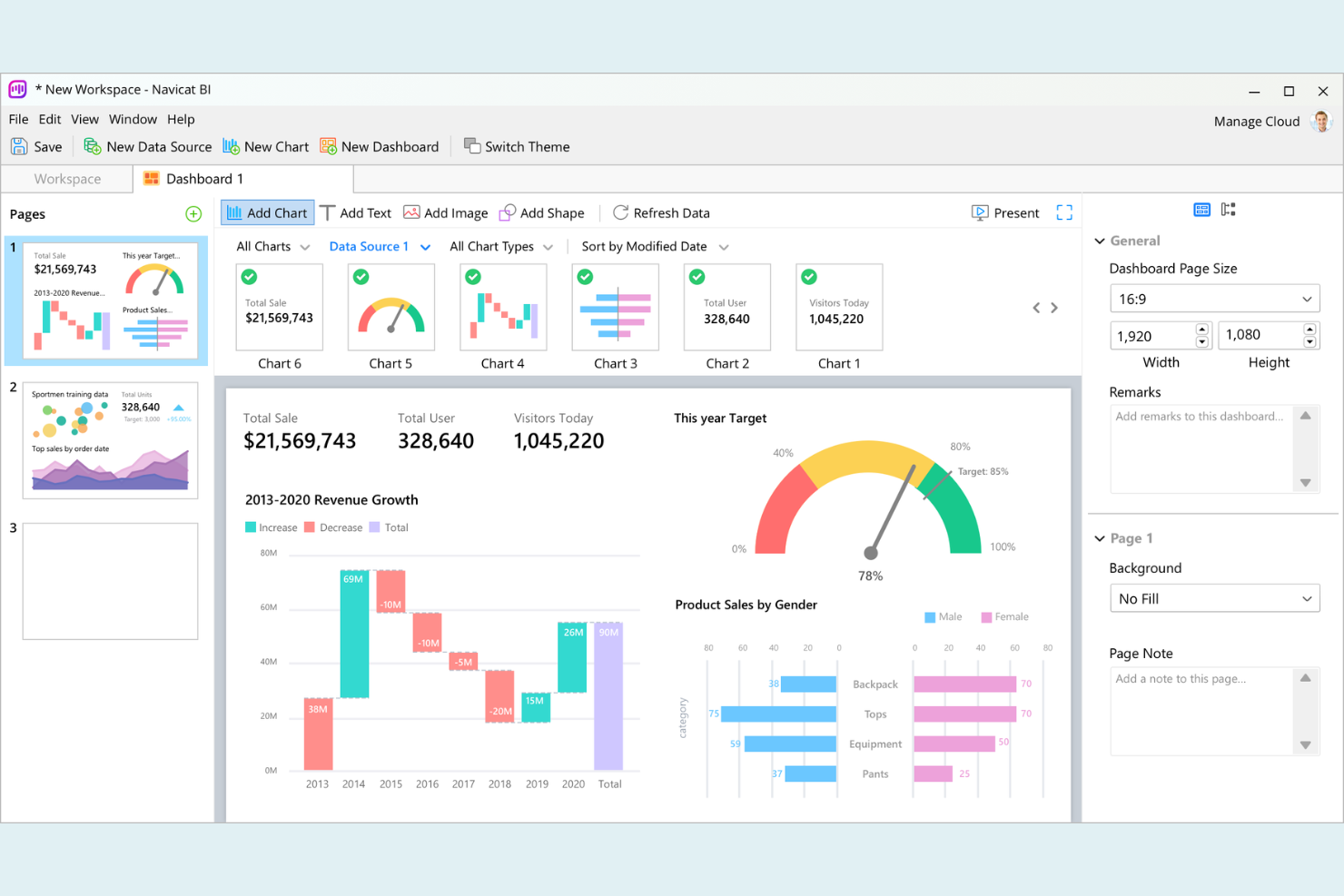
Navicat stands out for database professionals who need to manage multiple database types across different operating systems. It’s designed for IT teams, developers, and analysts who work with MySQL alongside other databases like PostgreSQL, Oracle, and SQL Server. Unlike MySQL Workbench, Navicat lets you connect, manage, and migrate data between several platforms from a single interface.
Why Navicat Is a Good MySQL Workbench Alternative
If you need to manage databases across different platforms and operating systems, Navicat is a strong alternative to MySQL Workbench. I picked it because it supports direct connections to MySQL, MariaDB, PostgreSQL, Oracle, SQL Server, and more, all from one application. Navicat also lets you migrate data and synchronize schemas between different database types, which is something MySQL Workbench doesn’t offer. This cross-platform flexibility is especially useful for IT teams and developers working in mixed-database environments.
Navicat Key Features
Some other features in Navicat make it a versatile choice for database management:
- Visual SQL Builder: Build and edit SQL queries using a drag-and-drop interface.
- Data Modeling Tool: Design and modify database structures visually with ER diagrams.
- Automated Backup and Scheduling: Set up scheduled backups and automate routine database tasks.
- Data Import and Export Wizard: Move data between databases and file formats with step-by-step guidance.
Navicat Integrations
Native integrations are not currently listed.
Pros and Cons
Pros:
- Automated backups schedule database tasks
- Visual SQL builder creates queries
- Cross-platform on Windows, macOS, Linux
Cons:
- Requires paid license without free tier
- High resource usage on large operations

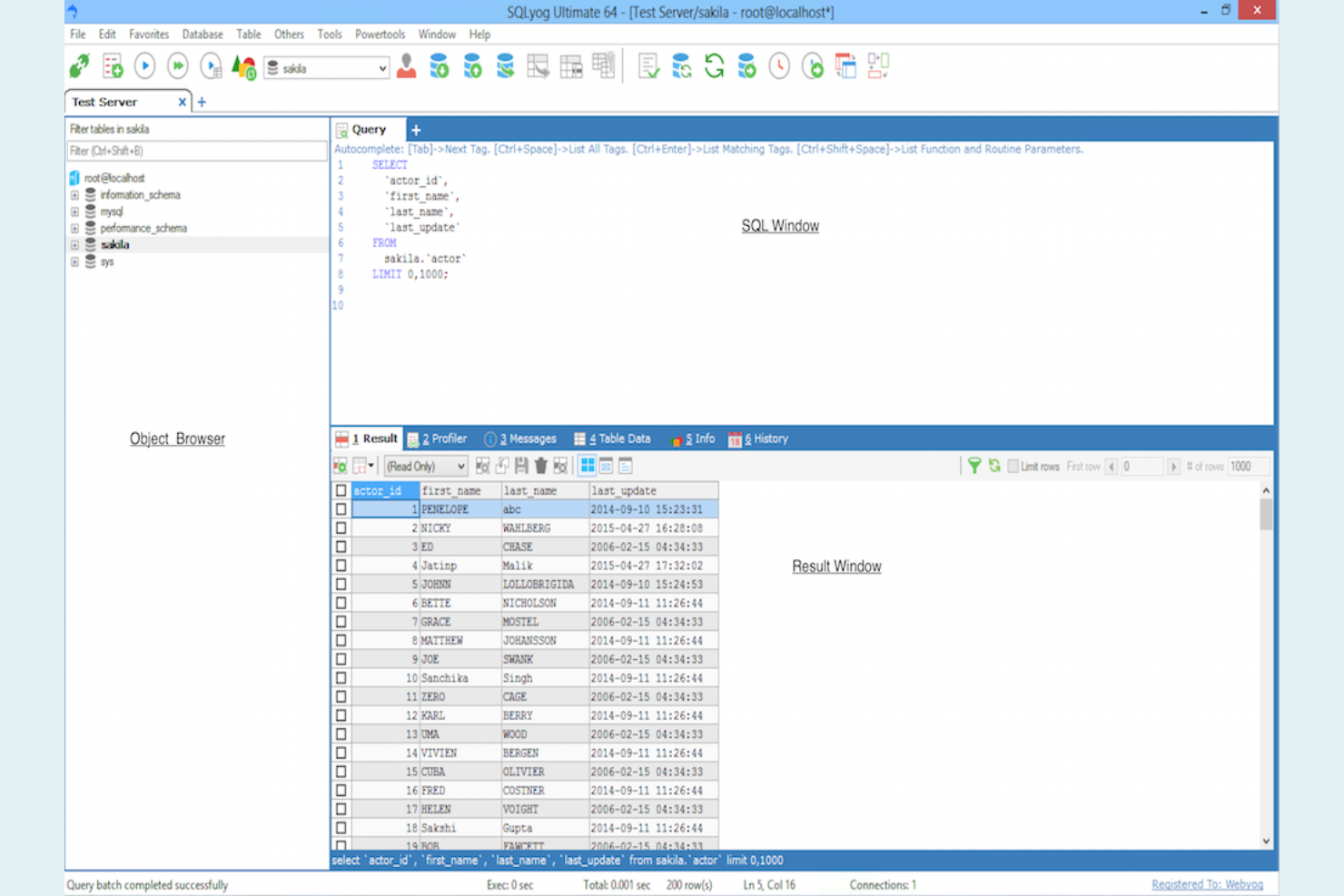
For database professionals who want a more visual approach to query building and migration, SQLyog offers a distinct alternative to MySQL Workbench. Its drag-and-drop query builder and migration tools are designed for users who need to manage and move data without writing complex SQL by hand. SQLyog is especially useful for IT teams and DBAs handling frequent migrations or working with large, complex MySQL environments.
Why SQLyog Is a Good MySQL Workbench Alternative
Unlike many other MySQL management tools, SQLyog stands out for its visual query building and migration capabilities. I picked SQLyog because its drag-and-drop query builder lets you design complex queries without writing raw SQL, which is especially helpful for teams that want to reduce manual coding errors. The migration wizard supports direct data transfers between servers, making it easier to move databases or sync environments. These features make SQLyog a strong choice for IT specialists and DBAs who need to simplify query creation and database migration tasks.
SQLyog Key Features
Some other features in SQLyog make it a practical option for database management tasks:
- Scheduled backups: Automate regular database backups with built-in scheduling tools.
- Data synchronization: Compare and sync data between different MySQL servers or databases.
- Query profiling: Analyze and optimize query performance with built-in profiling tools.
- SSH and HTTP tunnelling: Securely connect to remote MySQL servers using SSH or HTTP tunnels.
SQLyog Integrations
Native integrations are not currently listed.
Pros and Cons
Pros:
- Sync tool compares server data
- Scheduled backups automate database protection
- Migration wizard moves databases easily
Cons:
- Interface feels dated compared to alternatives
- Windows only, no macOS support
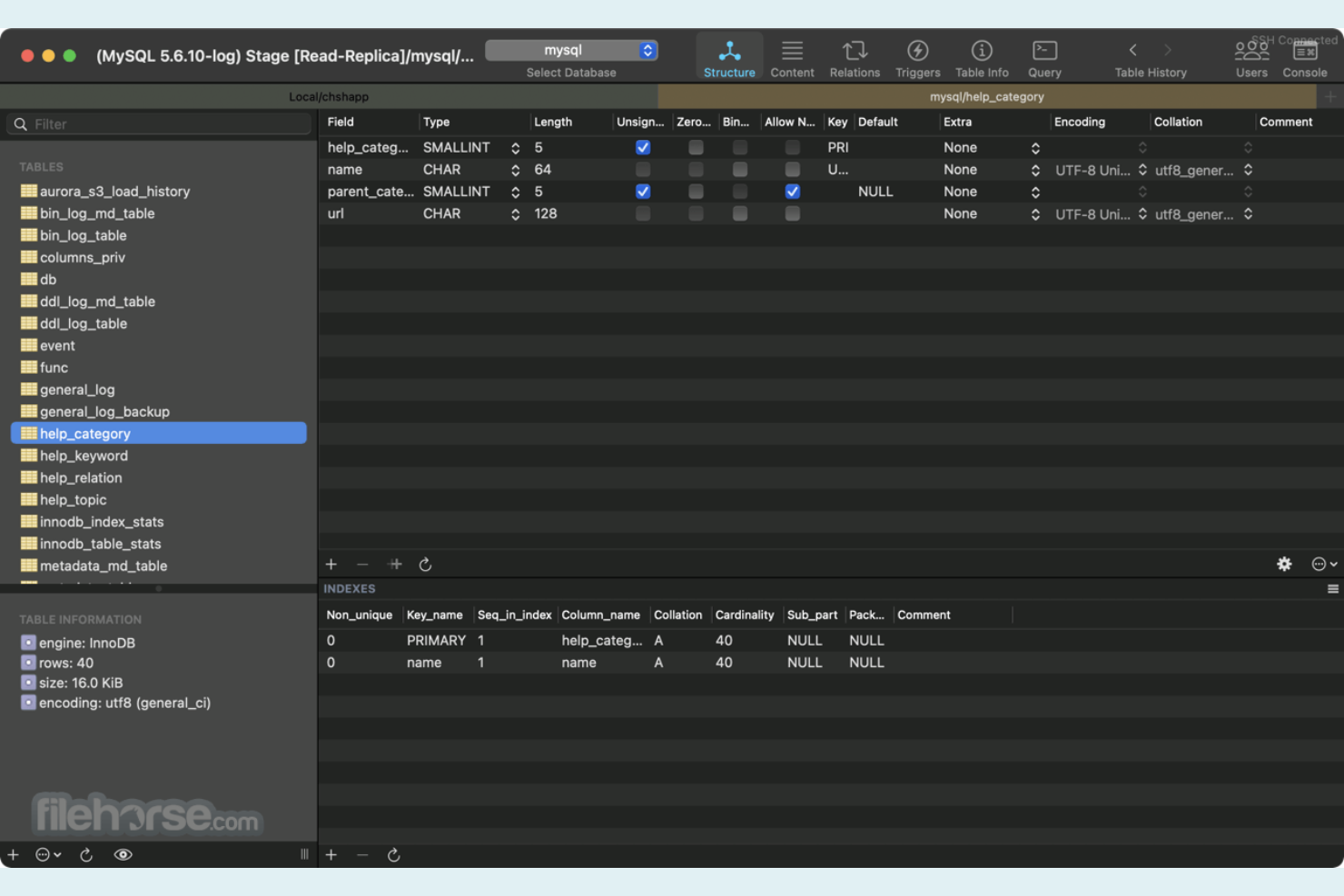
For database administrators and developers working exclusively on macOS, Sequel Ace offers a native experience that MySQL Workbench doesn’t match. It’s built specifically for Apple environments, making it a strong fit for teams committed to the macOS ecosystem. Sequel Ace is especially useful if you want fast, reliable MySQL and MariaDB management with a user interface that feels at home on your Mac.
Why Sequel Ace Is a Good MySQL Workbench Alternative
If you’re looking for a MySQL Workbench alternative that’s built specifically for macOS, Sequel Ace is a top choice. I picked it because it takes full advantage of native macOS features, including Touch Bar support and system notifications, which you won’t find in cross-platform tools. Sequel Ace also offers fast connection management and direct access to MySQL and MariaDB databases, making it ideal for Mac users who want a responsive, Apple-centric experience. Its interface feels like a natural extension of the macOS environment, which can make daily database tasks more efficient for Mac-focused teams.
Sequel Ace Key Features
Some other features in Sequel Ace make it a strong option for database professionals:
- Query History: Review and reuse previous SQL queries from an organized history panel.
- Table Structure Editor: Modify table columns, indexes, and relationships directly within the app.
- Import and Export Tools: Move data in and out of databases using CSV and SQL file support.
- SSH Tunnel Support: Connect securely to remote databases through built-in SSH tunnelling.
Sequel Ace Integrations
Native integrations are not currently listed.
Pros and Cons
Pros:
- Table editor modifies schemas in-app
- Query history accesses previous statements
- Direct and SSH database connections
Cons:
- Import and export options are limited
- Limited database user management

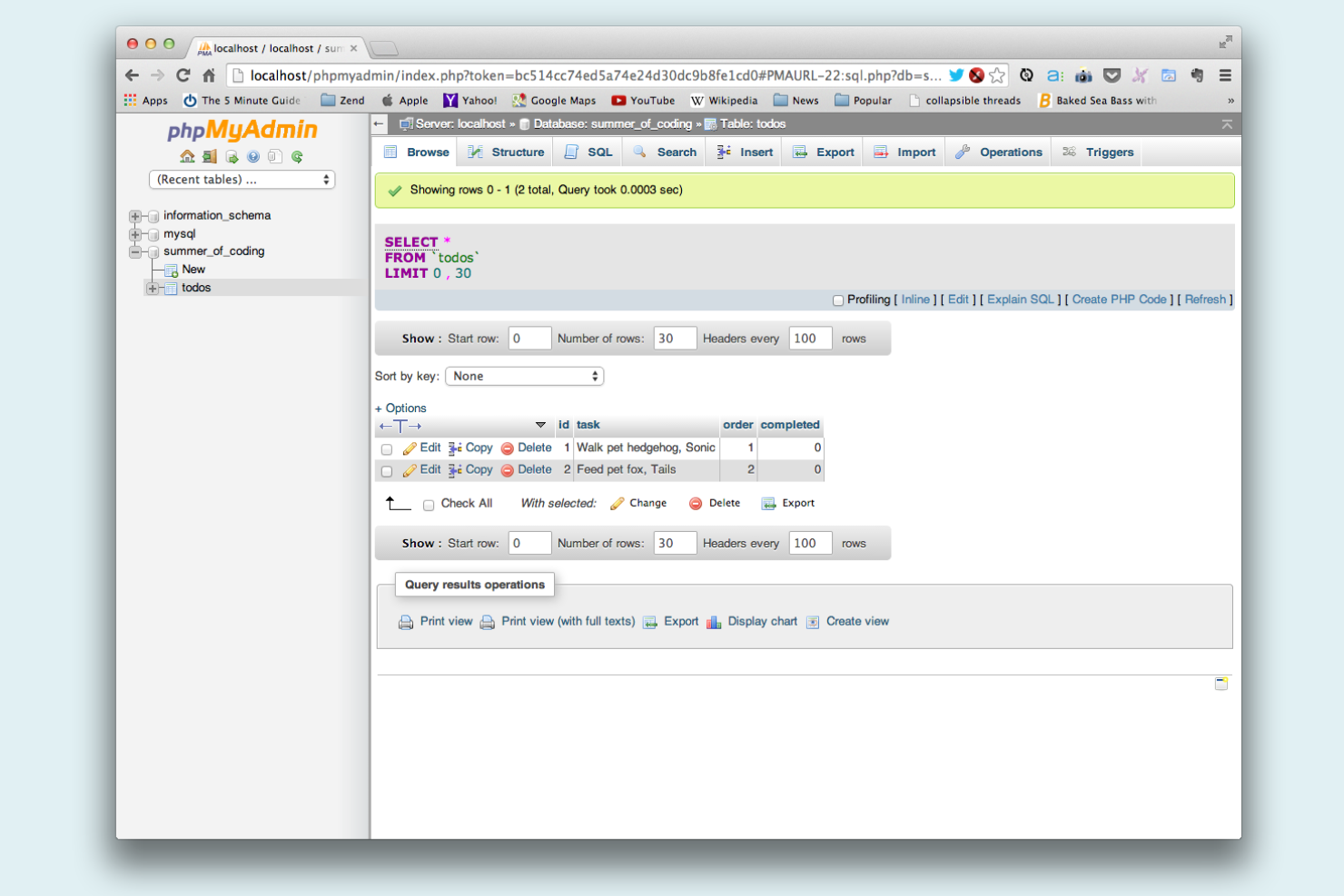
For teams that want to manage MySQL databases from any browser, phpMyAdmin offers a flexible, web-based alternative to desktop tools like MySQL Workbench. It’s especially useful for IT specialists, web developers, and hosting providers who need remote access and multi-user support without installing local software. phpMyAdmin stands out for its portability and ability to run on almost any server environment, making it a practical choice for distributed teams and shared hosting scenarios.
Why phpMyAdmin Is a Good MySQL Workbench Alternative
Unlike desktop-based tools, phpMyAdmin runs entirely in your web browser, making it accessible from any device with internet access. I picked it as a MySQL Workbench alternative because it’s ideal for teams that need to manage databases remotely or across multiple operating systems. phpMyAdmin lets you perform SQL queries, manage users, and edit database structures without installing any local software. Its browser-based approach is especially useful for distributed teams or anyone working in shared hosting environments.
phpMyAdmin Key Features
Some other features in phpMyAdmin make it a versatile choice for database administration:
- Visual Table Designer: Create and modify tables using a graphical interface instead of writing SQL.
- Multi-language Support: Switch the interface to dozens of supported languages for global teams.
- Export and Import Wizards: Move data between databases using step-by-step import and export tools.
- Bookmark Queries: Save frequently used SQL queries for quick access and reuse.
phpMyAdmin Integrations
Native integrations are not currently listed.
Pros and Cons
Pros:
- Multi-language interface for global teams
- Supports MySQL and MariaDB versions
- Runs entirely in web browser
Cons:
- No native SSH secure connections
- Requires manual web server setup
Other MySQL Workbench Alternatives
Here are some additional MySQL Workbench alternatives that didn’t make it onto my shortlist, but are still worth checking out:
- Beekeeper Studio
For open-source SQL client with modern UI
- DbVisualizer
For universal database compatibility
- SqlDBM
For cloud-native database design workflows
- Aqua Data Studio
For integrated data visualization tools
- DbSchema
For collaborative visual schema design
- DB Designer
For browser-based database modeling
- DrawSQL
For team-based ER diagram sharing
- Chat2DB
For AI-powered SQL query generation
- fabForce.net DBDesigner
For offline ER diagram creation


MySQL Workbench Alternatives Selection Criteria
When selecting the best MySQL Workbench alternatives to include in this list, I considered common buyer needs and pain points related to MySQL Workbench alternative products, like support for DevOps workflows and advanced schema comparison. I also used the following framework to keep my evaluation structured and fair:
Core Functionality (25% of total score)
To be considered for inclusion in this list, each solution had to fulfill these common use cases:
- Design and edit database schemas visually
- Run and manage SQL queries
- Compare and synchronize database schemas
- Export and import data between databases
- Generate ER diagrams and documentation
Additional Standout Features (25% of total score)
To help further narrow down the competition, I also looked for unique features, such as:
- Built-in version control integration
- Support for containerized database environments
- Automated database deployment tools
- Real-time team collaboration features
- AI-powered SQL query generation
Usability (10% of total score)
To get a sense of the usability of each system, I considered the following:
- Intuitive navigation and menu structure
- Clean and modern interface design
- Customizable workspace layouts
- Responsive performance with large databases
- Accessibility of advanced features
Onboarding (10% of total score)
To evaluate the onboarding experience for each platform, I considered the following:
- Availability of step-by-step setup guides
- Access to training videos and tutorials
- Interactive product tours or walkthroughs
- Pre-built templates for common use cases
- In-app chatbots or onboarding support
Customer Support (10% of total score)
To assess each software provider’s customer support services, I considered the following:
- Availability of live chat or phone support
- Responsiveness to technical issues
- Quality of online documentation and knowledge base
- Access to user communities or forums
- Availability of onboarding or implementation assistance
Value For Money (10% of total score)
To evaluate the value for money of each platform, I considered the following:
- Transparent and flexible pricing plans
- Free trial or demo availability
- Features included in entry-level plans
- Cost compared to similar tools
- Discounts for annual or multi-user subscriptions
Customer Reviews (10% of total score)
To get a sense of overall customer satisfaction, I considered the following when reading customer reviews:
- Reported reliability and stability of the tool
- Feedback on feature completeness
- User satisfaction with support and onboarding
- Comments on performance with large databases
- Overall value and return on investment
Why Look For a MySQL Workbench Alternative?
While MySQL Workbench is a good choice of MySQL Workbench alternative, there are a number of reasons why some users seek out alternative solutions. You might be looking for a MySQL Workbench alternative because…
- You need built-in DevOps or CI/CD workflow support
- You want more advanced schema or data comparison tools
- You require real-time team collaboration features
- You work with containerized or cloud-native database environments
- You need support for additional database types beyond MySQL and MariaDB
- You want a more modern or customizable user interface
If any of these sound like you, you’ve come to the right place. My list contains several MySQL Workbench alternative options that are better suited for teams facing these challenges with MySQL Workbench and looking for alternative solutions.
Features
Here are some of the key features of MySQL Workbench, to help you contrast and compare what alternative solutions offer:
- Visual database schema design and modeling
- SQL query editor with syntax highlighting
- Forward and reverse engineering of databases
- Schema and data synchronization tools
- ER diagram generation and editing
- User and privilege management interface
- Performance dashboard and query statistics
- Data migration wizard for importing from other databases
- Visual tools for database backup and restore
- Plugin and extension support for added functionality