

10 Migliori Strumenti di Gestione della Configurazione in DevOps Recensiti nel 2026

Strumenti di Configuration Management in DevOps: La Shortlist


Gli strumenti di configuration management in DevOps aiutano il tuo team ad automatizzare, tracciare e controllare i cambiamenti su tutta l'infrastruttura IT, garantendo che i sistemi rimangano coerenti e sicuri mentre gli ambienti crescono. Se stai cercando lo strumento giusto, probabilmente stai bilanciando l'esigenza di affidabilità, conformità e rapidità—gestendo al contempo sistemi complessi e interconnessi. Questo elenco ti offre un confronto chiaro e aggiornato dei migliori strumenti di configuration management per il 2026, così puoi scegliere con sicurezza le soluzioni adatte alle tue esigenze di automazione, policy e infrastruttura.
Perché fidarsi dei nostri consigli sui software
Il nostro team testa e recensisce software dal 2012. In quanto leader tecnologici noi stessi, sappiamo quanto sia difficile — e importante — scegliere il software giusto.
Per questa guida, abbiamo valutato gli strumenti attraverso test praticie ricerche indipendenti, assegnando un punteggio agli strumenti in base ai nostri criteri di selezione.
Le nostre recensioni riflettono il nostro giudizio editoriale umano, non un discorso di vendita.
Revisori esperti:
Sintesi dei Migliori Strumenti di Configuration Management in DevOps
Questa tabella comparativa riassume i dettagli sui prezzi dei migliori strumenti di configuration management in devops che ho selezionato, per aiutarti a trovare quello più adatto al tuo budget e alle esigenze aziendali.rn
| Tool | Best For | Trial Info | Price | ||
|---|---|---|---|---|---|
| 1 | Il migliore per la gestione dell'infrastruttura incentrata su Git | Prova gratuita di 14 giorni | A partire da $399/mese (fatturazione annuale) | Website | |
| 2 | Ideale per la scoperta e la mappatura degli asset IT | Demo gratuita disponibile | Prezzo su richiesta | Website | |
| 3 | Ideale per automazione senza agenti su larga scala | Prova gratuita disponibile | Prezzo su richiesta | Website | |
| 4 | Ideale per scripting di infrastruttura multi-linguaggio | Prova gratuita di 14 giorni | A partire da $40/mese | Website | |
| 5 | Ideale per l'automazione di workflow guidata da policy | Prova gratuita + demo gratuita disponibili | Da $59/node/mese (fatturazione annuale) | Website | |
| 6 | Ideale per la gestione di infrastrutture ibride | Demo gratuita disponibile | Prezzo su richiesta | Website | |
| 7 | Ideale per il monitoraggio nativo delle risorse AWS | Demo gratuita disponibile | Prezzo su richiesta | Website | |
| 8 | Ideale per i backup della configurazione dei dispositivi di rete | Demo gratuita disponibile | Da $7/nodo/mese | Website | |
| 9 | Ideale per service discovery e storage chiave-valore | Demo gratuita disponibile | Da $3.40/utente/mese | Website | |
| 10 | Ideale per l'infrastructure as code open-source | Piano gratuito disponibile | Piano gratuito disponibile | Website |
Recensioni degli Strumenti di Configuration Management in DevOps
Qui di seguito trovi le mie sintesi dettagliate degli strumenti di configuration management in DevOps che sono entrati nella mia shortlist. Le mie recensioni offrono uno sguardo approfondito alle funzionalità, i migliori casi d’uso e le integrazioni di ciascun strumento, per aiutarti a trovare quello migliore per il tuo team.rn


Spacelift è una piattaforma di orchestrazione dell'infrastruttura che gestisce pipeline IaC su Terraform, OpenTofu, Pulumi, Ansible, Kubernetes e altri strumenti, con workflow guidati da Git, controlli policy-as-code e rilevamento delle deviazioni integrato.
Per chi è pensato Spacelift?
Spacelift è adatto a team di platform engineering e DevOps in organizzazioni di medie e grandi dimensioni che gestiscono infrastrutture complesse e multi-tool su larga scala.
Perché ho scelto Spacelift
Spacelift merita il suo posto nella mia shortlist per il modo in cui collega strettamente la gestione dell'infrastruttura a Git. Ogni stack è collegato a un ramo specifico del repository e i commit al ramo monitorato attivano automaticamente le esecuzioni di deployment, mentre le push sugli altri rami attivano esecuzioni proposte per l'anteprima. Mi piace particolarmente il livello delle push policy, che consente di scrivere regole basate su OPA per controllare con precisione quali modifiche ai file in un repository attivano effettivamente l'esecuzione di uno stack. Per i team che lavorano con monorepo, le impostazioni project root e project globs offrono un controllo chirurgico su quali percorsi corrispondono a quali stack, tutto senza uscire dal workflow Git.
Funzionalità principali di Spacelift
- Rilevamento delle deviazioni: Spacelift esegue controlli programmati per identificare quando l'infrastruttura reale non corrisponde più allo stato definito nei tuoi file di configurazione e può correggere automaticamente le deviazioni rilevate.
- Contesti: Crea blocchi di configurazioni riutilizzabili di variabili d'ambiente, file montati e hook che puoi collegare contemporaneamente a più stack.
- Dipendenze tra stack: Definisci relazioni di dipendenza esplicite tra gli stack, così che una modifica in uno strato d'infrastruttura attivi i relativi stack dipendenti nell'ordine corretto.
- Supporto stack Ansible: Esegui playbook Ansible insieme ad altri strumenti IaC nella stessa pipeline, con una vista di Configuration Management dedicata per monitorare l'esecuzione dei task sui vari stack.
Integrazioni di Spacelift
Spacelift offre integrazioni native con strumenti IaC come Terraform, OpenTofu, Pulumi, CloudFormation, Ansible e Kubernetes, oltre a integrazioni native con i cloud provider AWS, Azure e GCP. Si integra inoltre con GitHub, GitLab, Bitbucket, Azure DevOps, Slack, Microsoft Teams, Datadog, ServiceNow e Infracost. È disponibile un'API GraphQL per integrazioni personalizzate, ma il supporto per Zapier non è ancora chiaro.
Pros and Cons
Pros:
- Il motore di policy basato su OPA controlla le modifiche infrastrutturali
- Il rilevamento delle deviazioni intercetta precocemente le discrepanze
- Le anteprime delle pull request mostrano i piani prima dell'unione
Cons:
- Aggiungere nuovi elementi di configurazione può essere difficile
- I messaggi di errore delle policy OPA non sono chiari
Device42
Ideale per la scoperta e la mappatura degli asset IT
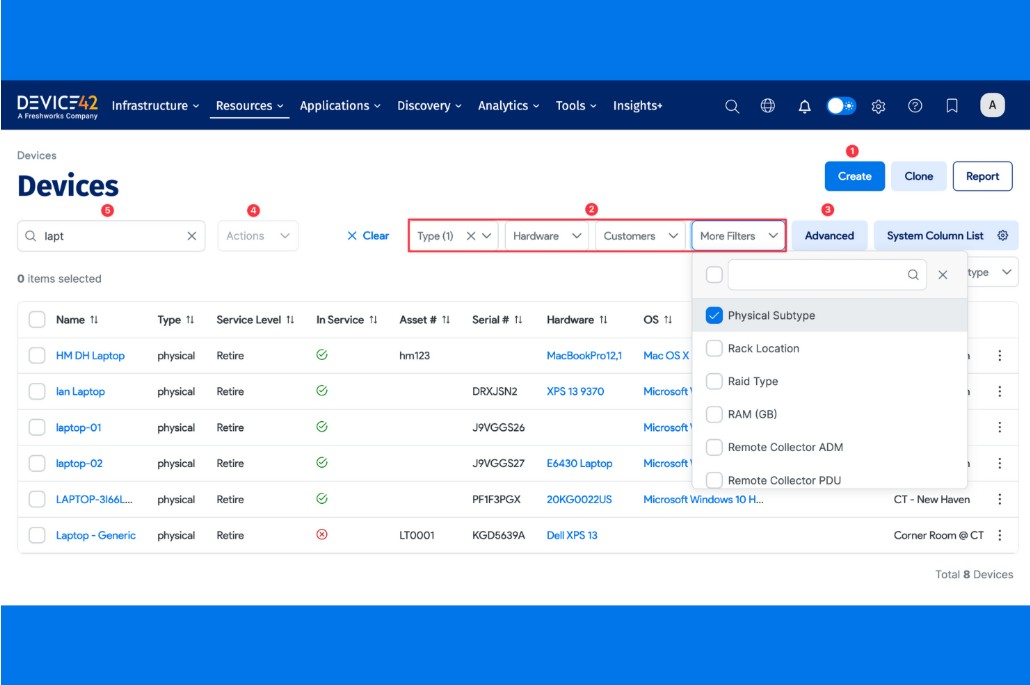
Device42 si distingue per i team che necessitano di una visibilità profonda nei loro asset e infrastrutture IT. È progettato per le operazioni IT, i responsabili dell'infrastruttura e i professionisti devops che desiderano una scoperta automatizzata e una mappatura dettagliata di hardware, software e dipendenze di rete. Con Device42, puoi affrontare le sfide legate alla proliferazione degli asset, cambiamenti non documentati e al tracciamento di dipendenze complesse in ambienti ibridi.
Perché ho scelto Device42
Quando si tratta di scoperta e mappatura degli asset IT, Device42 offre un livello di automazione e dettaglio difficile da eguagliare. Ho scelto Device42 perché esegue una scansione automatica del tuo ambiente per identificare componenti hardware, software e di rete, mappando poi le loro relazioni in tempo reale. La sua mappatura delle dipendenze aiuta i team devops a visualizzare come gli asset interagiscono, aspetto essenziale per l'analisi dell'impatto e la gestione dei cambiamenti. La capacità della piattaforma di tracciare gli asset attraverso ambienti ibridi e multi-cloud la rende particolarmente preziosa per le organizzazioni con infrastrutture complesse e distribuite.
Funzionalità chiave di Device42
Altre funzionalità che rendono Device42 preziosa per i team devops includono:
- Gestione degli indirizzi IP: Gestisci e traccia indirizzi IP, subnet e allocazioni in tutta la tua rete.
- Gestione delle licenze software: Monitora l'utilizzo del software e la conformità delle licenze su tutti gli asset rilevati.
- Archiviazione di password e segreti: Conserva e gestisci in modo sicuro le credenziali all'interno della piattaforma.
- Audit trail e tracciamento dei cambiamenti: Mantieni un registro dettagliato delle modifiche e delle azioni degli utenti per la conformità e la risoluzione dei problemi.
Integrazioni
Le integrazioni includono SaltStack, Chef, Cherwell, Confluence e CyberArk.
Pros and Cons
Pros:
- Scoperta agentless su tutto lo stack
- Mappatura automatica delle dipendenze applicative
- Vista unificata di asset cloud e on-premise
Cons:
- Costo elevato per team piccoli e medi
- Configurazione iniziale ad elevato consumo di risorse

Ansible
Ideale per automazione senza agenti su larga scala
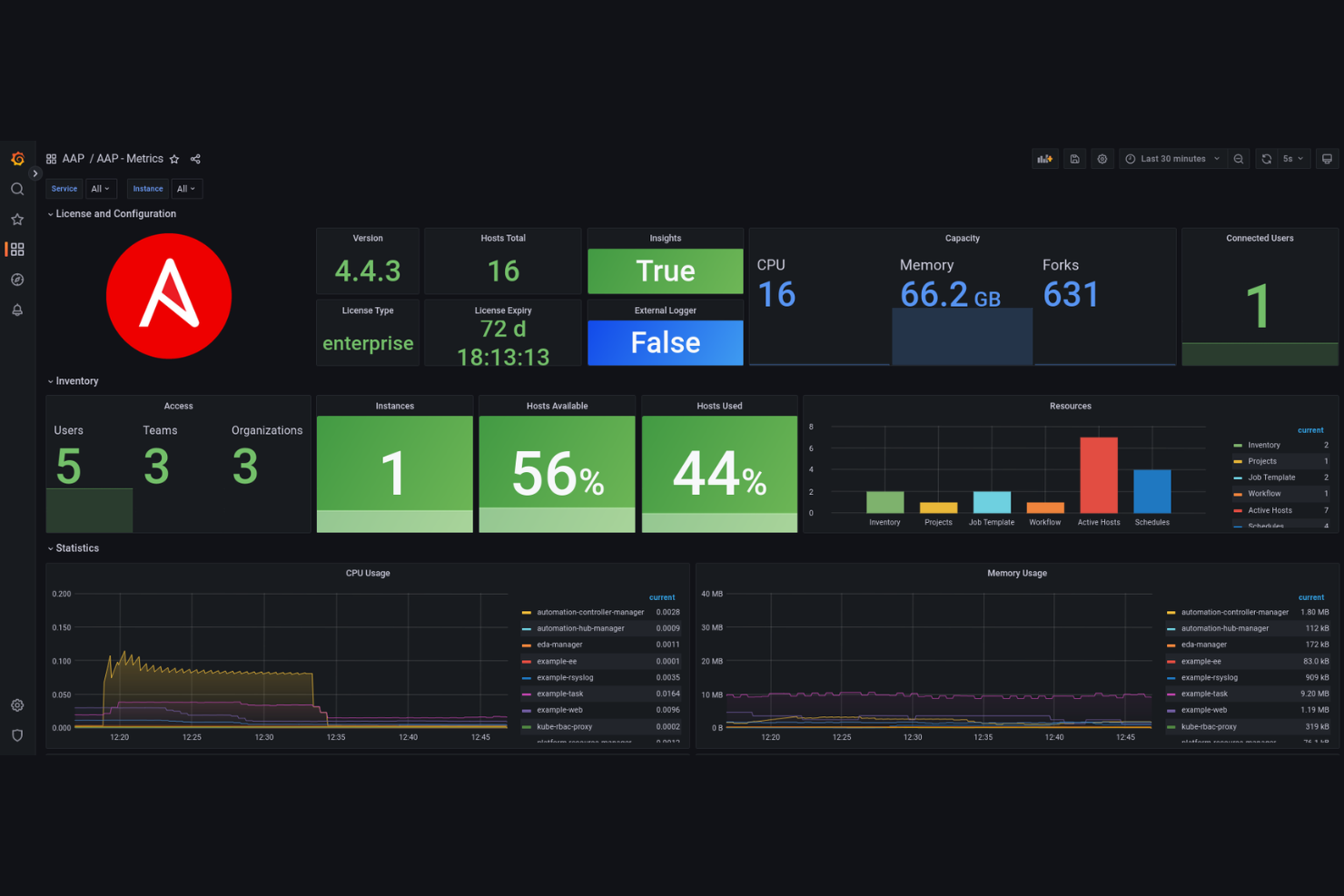
Ansible offre automazione senza agenti per i team che gestiscono infrastrutture su larga scala e complesse. È una soluzione perfetta per gli specialisti IT che desiderano automatizzare configurazione, distribuzione e orchestrazione senza installare agenti su ogni nodo. Se ti serve uno strumento che semplifica la gestione di ambienti multipli e riduce l'intervento manuale e gli errori umani, Ansible si distingue per il suo approccio semplice basato su YAML.
Perché ho scelto Ansible
Ho scelto Ansible perché la sua architettura senza agenti è particolarmente preziosa per i team che gestiscono ambienti diversificati e distribuiti. Con Ansible, è possibile automatizzare compiti di configurazione e distribuzione tramite SSH o WinRM, senza bisogno di installare o mantenere agenti su ogni sistema. Apprezzo il fatto che il modello dei playbook utilizzi semplici file YAML, rendendo facile definire e versionare l'infrastruttura come codice. Questo approccio aiuta i team IT a scalare rapidamente l'automazione, riducendo il carico operativo e i rischi per la sicurezza legati alla gestione degli agenti.
Caratteristiche principali di Ansible
Altre funzionalità di Ansible particolarmente utili per la gestione delle configurazioni in ambito DevOps includono:
- Controllo degli accessi basato sui ruoli: Gestisci permessi e accessi a playbook, inventari e credenziali per diversi utenti e team.
- Supporto all'inventario dinamico: Recupera automaticamente i dati dell'inventario da provider cloud e fonti esterne per mantenere le liste degli ambienti sempre aggiornate.
- Integrazione con Ansible Galaxy: Accedi e condividi ruoli e collezioni predefiniti dal repository della community di Ansible Galaxy.
- Rimedi automatizzati: Rileva la deriva della configurazione e attiva azioni correttive automatiche per mantenere la coerenza del sistema.
Integrazioni
Le integrazioni includono VMware, Cisco e Juniper Networks.
Pros and Cons
Pros:
- Idempotente: garantisce uno stato coerente
- Vasta libreria di moduli creati dalla community
- Facile da imparare per gli sviluppatori Python
Cons:
- Supporto nativo limitato per Microsoft Windows
- Il sovraccarico di SSH può causare ritardi nell'esecuzione

Pulumi
Ideale per scripting di infrastruttura multi-linguaggio

Pulumi offre ai team DevOps la flessibilità di definire l'infrastruttura utilizzando linguaggi di programmazione familiari come Python, TypeScript, Go e C#. Questo approccio è particolarmente utile per le organizzazioni con una solida pratica di ingegneria del software che desiderano unificare il codice delle applicazioni e dell'infrastruttura. Pulumi aiuta i team a gestire risorse cloud complesse sfruttando strumenti linguistici esistenti, framework di test e modelli di riutilizzo del codice.
Perché ho scelto Pulumi
Ciò che distingue Pulumi è il supporto per più linguaggi di programmazione nella definizione dell'infrastruttura. Questa capacità multi-linguaggio significa che puoi utilizzare Python, TypeScript, Go o C# per scrivere il codice infrastrutturale, il che è particolarmente prezioso per i team che vogliono allineare la gestione dell'infrastruttura ai flussi di lavoro di sviluppo esistenti. Apprezzo il fatto che Pulumi permetta di sfruttare funzionalità familiari dei linguaggi, come cicli, condizioni e la gestione dei pacchetti, rendendo più gestibile la logica infrastrutturale complessa. Questo approccio aiuta i team DevOps a colmare il divario tra codice applicativo e infrastrutturale, favorendo automazione avanzata e collaborazione.
Caratteristiche principali di Pulumi
Altre funzionalità che rendono Pulumi una scelta valida per i team DevOps includono:
- State Backend: Archivia e gestisci lo stato dell'infrastruttura su Pulumi Cloud, AWS S3, Azure Blob Storage o altri backend supportati.
- Policy as Code: Definisci e applica politiche di conformità utilizzando il codice per governare il deployment dell'infrastruttura.
- Gestione dei segreti: Gestisci in modo sicuro dati sensibili come le API key e le password all'interno del tuo codice infrastrutturale.
- Grafo delle dipendenze delle risorse: Tieni traccia e visualizza automaticamente le dipendenze delle risorse per garantire il corretto ordine di provisioning.
Pros and Cons
Pros:
- Riutilizzo di codice e librerie già esistenti
- Test nativi unitari e integrazione continua
- Crittografia dei segreti integrata di default
Cons:
- La gestione dello stato richiede solitamente SaaS
- Il codice imperativo può diventare troppo complesso

Chef
Ideale per l'automazione di workflow guidata da policy
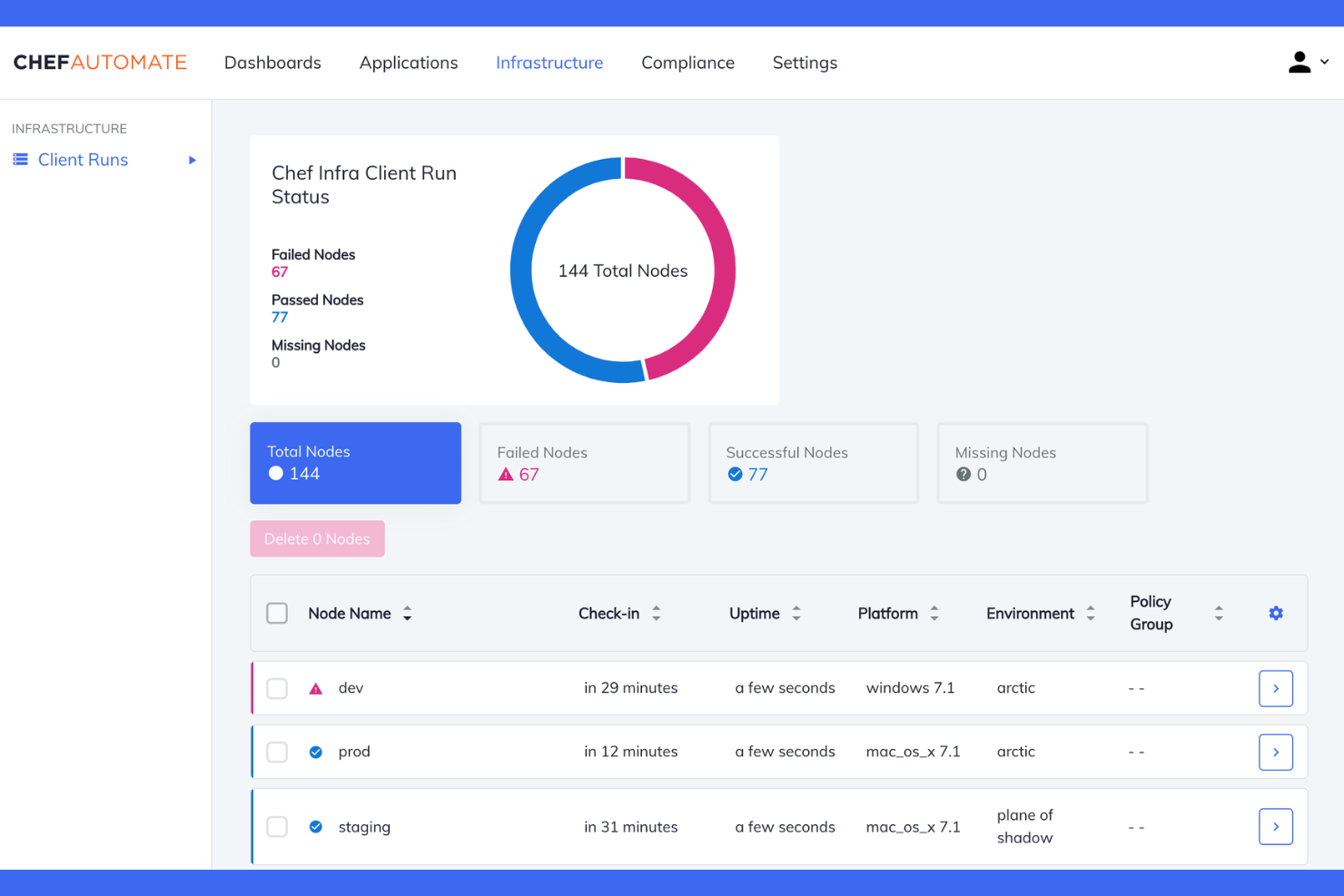
Chef si distingue per i team che desiderano automatizzare i flussi di lavoro relativi a infrastruttura e distribuzione delle applicazioni utilizzando codice basato su policy. È particolarmente indicato per le organizzazioni con esigenze di conformità rigorose o per chi gestisce ambienti complessi multi-cloud con carichi di lavoro elevati. Se hai la necessità di definire, testare e applicare policy infrastrutturali come codice, Chef offre un framework flessibile che ti aiuta a mantenere tutto coerente e verificabile.
Perché ho scelto Chef
Per i team che devono automatizzare i flussi di lavoro con l'applicazione rigorosa delle policy, Chef propone un approccio guidato da policy che si distingue nel panorama della gestione delle configurazioni. Chef consente di definire infrastruttura, sicurezza e regole di conformità come codice, così puoi versionare, testare e controllare le modifiche proprio come fai per il codice applicativo. Apprezzo il fatto che il framework InSpec di Chef permetta di validare continuamente la conformità in tutti gli ambienti. Inoltre, la capacità di Chef di automatizzare le azioni correttive in base alle violazioni delle policy riduce l'intervento manuale e mantiene i sistemi allineati agli standard aziendali.
Caratteristiche principali di Chef
Altre caratteristiche che rendono Chef una scelta valida per la gestione della configurazione in DevOps includono:
- Chef Supermarket: Accedi a un repository gestito dalla community di cookbook riutilizzabili per attività di automazione comuni.
- Test Kitchen: Esegui test automatici del codice infrastrutturale in ambienti isolati prima della distribuzione.
- Controllo degli accessi basato sui ruoli (RBAC): Gestisci le autorizzazioni utente e l'accesso alle risorse all'interno di Chef.
- Gestione automatica delle dipendenze: Gestisci le dipendenze dei cookbook e la versionatura per garantire distribuzioni affidabili.
Integrazioni
Le integrazioni includono Splunk, Terraform, Jenkins e Docker.
Pros and Cons
Pros:
- Robusto 'Test Kitchen' per test pre-distribuzione
- Solido 'Policyfile' per configurazioni immutabili
- Gestisce infrastrutture su vasta scala
Cons:
- Esecuzione più lenta rispetto agli strumenti agentless
- La configurazione client-server richiede molte risorse
Puppet
Ideale per la gestione di infrastrutture ibride
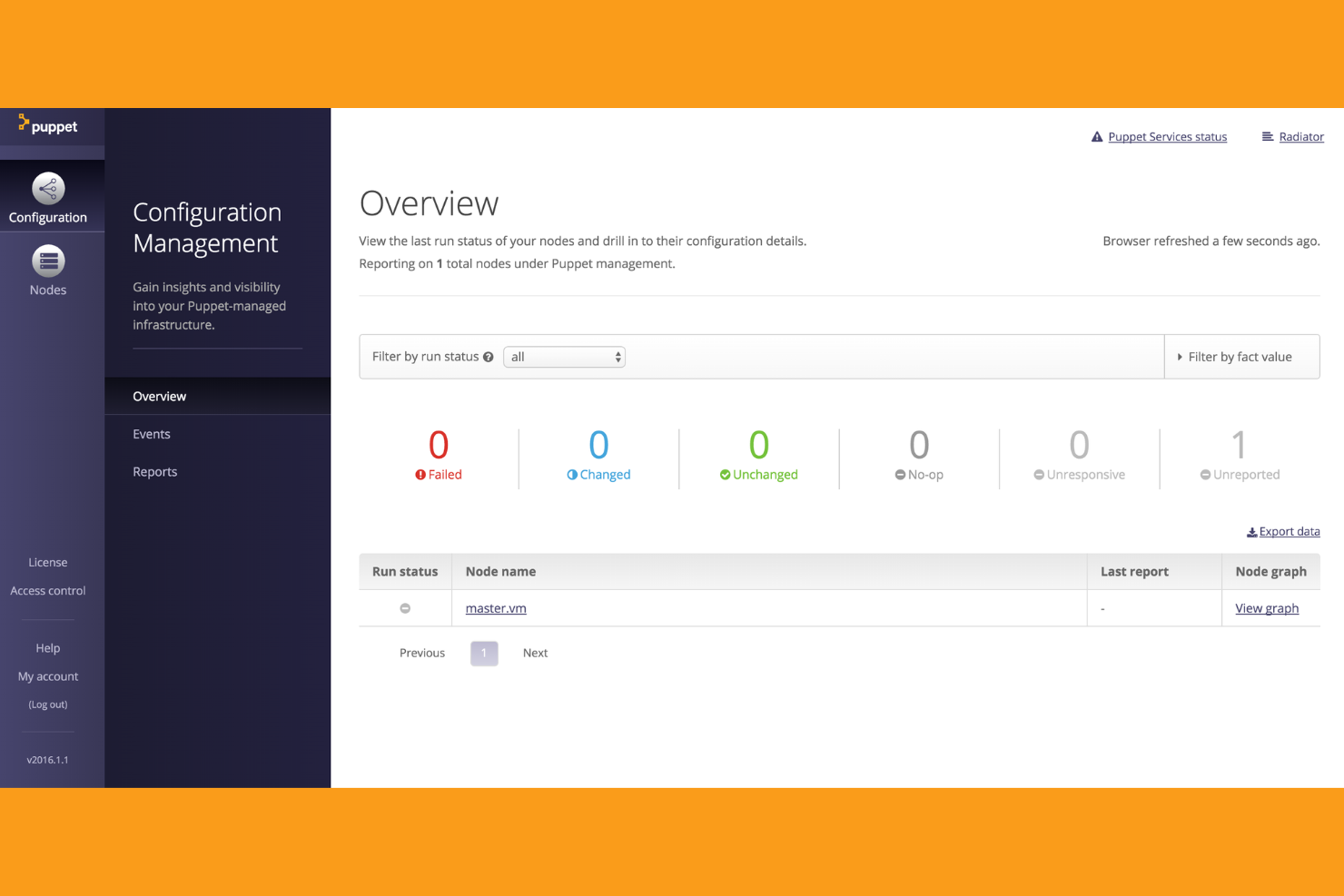
Puppet è progettato per le organizzazioni che devono gestire infrastrutture sia on-premise che cloud da un'unica piattaforma. Si rivolge ai team IT che gestiscono ambienti ibridi complessi e che desiderano applicare configurazioni coerenti e automatizzare la conformità. Se cerchi uno strumento che supporti il modello policy-as-code e report dettagliati in ambienti misti, Puppet offre potenti funzionalità.
Perché ho scelto Puppet
Gestire infrastrutture ibride è una sfida per molti team IT e Puppet affronta questo problema con un approccio unificato alla gestione della configurazione di sistema. L'automazione modellata di Puppet ti consente di definire gli stati desiderati sia per le risorse cloud che on-premise, così puoi garantire coerenza in tutto l'ambiente. Apprezzo come il framework policy-as-code di Puppet ottimizzi i requisiti di conformità e audit, particolarmente importante nei settori regolamentati. I suoi strumenti di reportistica e visualizzazione aiutano anche i team a monitorare le modifiche e a individuare le divergenze di configurazione in tempo reale.
Caratteristiche principali di Puppet
Oltre ai suoi punti di forza nella gestione delle infrastrutture ibride, Puppet offre anche altre funzionalità a supporto della gestione delle configurazioni in ambito DevOps:
- Puppet Forge: Accesso a un ampio repository di moduli predefiniti per attività e integrazioni comuni dell'infrastruttura.
- Classificazione dei nodi: Raggruppa e gestisci i nodi in base all'ambiente, alla funzione o a criteri personalizzati per una configurazione mirata.
- Event Inspector: Visualizza e analizza eventi e cambiamenti di configurazione in tutta l'infrastruttura.
- Automazione delle attività: Esegui attività e script ad hoc su richiesta senza scrivere manifest completi.
Integrazioni
Le integrazioni native includono New Relic, Kubernetes, VMware, HashiCorp, CyberArk e Ansible.
Pros and Cons
Pros:
- Basato su modelli per uno stato desiderato chiaro
- Ottimo nella gestione su larga scala aziendale
- Rilevamento e correzione delle divergenze integrati
Cons:
- Richiede l'installazione dell'agente su ogni nodo
- La gestione dei certificati può risultare laboriosa

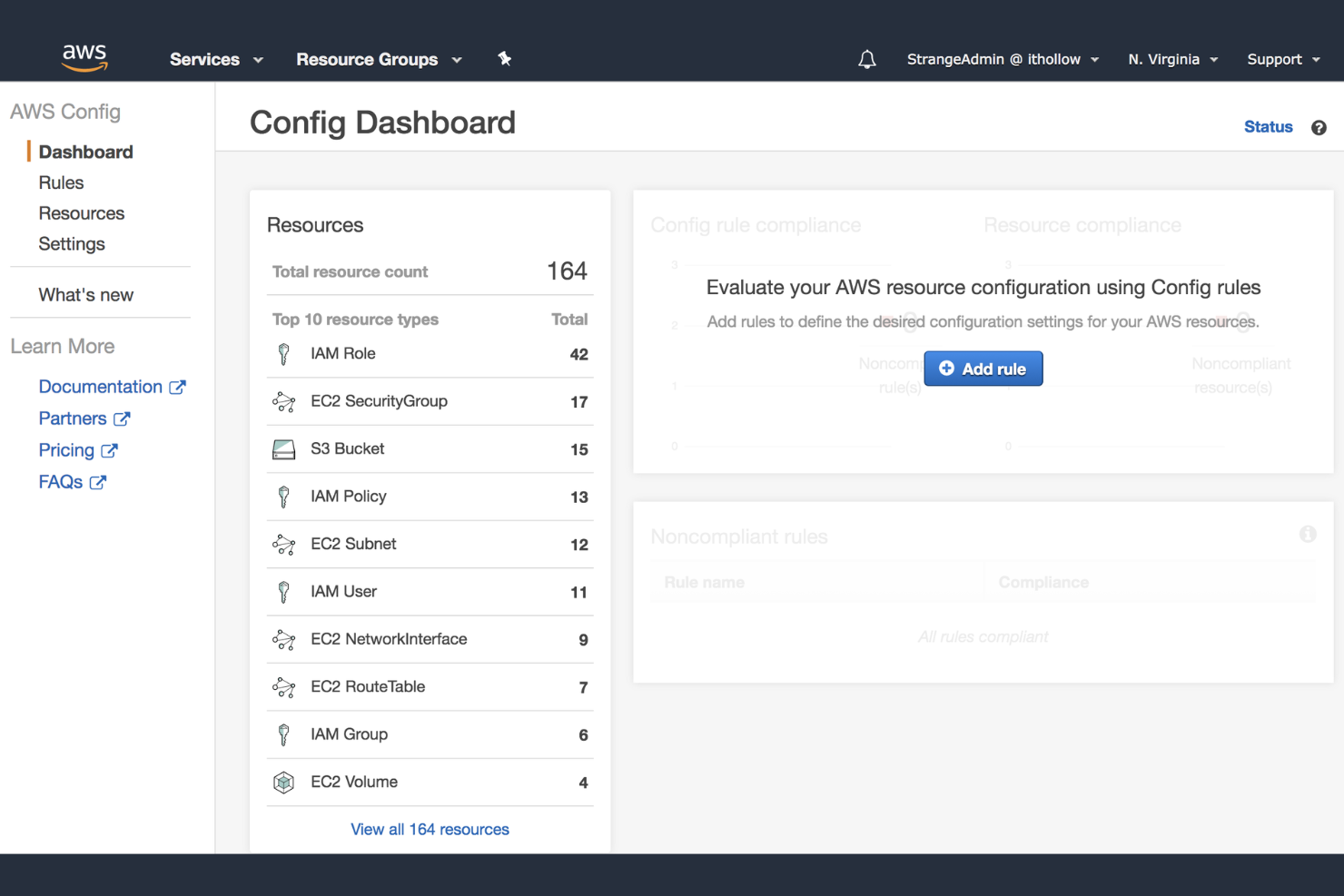
Se il tuo team gestisce l'infrastruttura su AWS, AWS Config offre un modo nativo per tracciare e verificare le configurazioni delle risorse in tutto il tuo ambiente cloud. Questo strumento è particolarmente utile per le organizzazioni che devono mantenere la conformità, monitorare le modifiche e risolvere i problemi di configurazione all'interno di AWS. AWS Config è ideale per i professionisti devops che desiderano una visibilità approfondita e una governance automatizzata delle risorse AWS.
Perché ho scelto AWS Config
Per i team che fanno affidamento sull'infrastruttura AWS, disporre di uno strumento nativo per il monitoraggio delle risorse è un grande vantaggio. AWS Config registra e valuta continuamente la configurazione delle risorse AWS, semplificando il rilevamento delle modifiche e il mantenimento della conformità. Ho scelto AWS Config perché offre una cronologia dettagliata delle configurazioni e la possibilità di creare snapshot, elementi essenziali per troubleshooting e auditing negli ambienti devops. La sua capacità di valutare automaticamente le configurazioni delle risorse rispetto a regole personalizzate aiuta le organizzazioni a garantire la governance senza ulteriore sovraccarico.
Funzionalità principali di AWS Config
Altre funzionalità che rendono AWS Config utile per i team devops includono:
- Tracciamento delle relazioni tra le risorse: Visualizza e analizza le relazioni tra le risorse AWS nel tuo ambiente.
- Aggregazione multi-account e multi-regione: Aggrega i dati di configurazione e di conformità tra più account e regioni AWS.
- Integrazione con AWS CloudTrail: Correla le modifiche di configurazione con l'attività delle API per un auditing più approfondito.
- Correzione automatizzata con AWS Systems Manager: Attiva azioni di correzione automatica quando vengono rilevate risorse non conformi.
Integrazioni
Le integrazioni includono AWS CloudTrail, AWS Systems Manager, AWS Lambda, AWS Security Hub, AWS Organizations e AWS Service Catalog.
Pros and Cons
Pros:
- Registra la cronologia delle modifiche alle risorse per gli audit
- Regole gestite per best practice di sicurezza
- Corregge automaticamente le deviazioni con trigger Lambda
Cons:
- L'interfaccia può risultare confusa per i nuovi sviluppatori
- Il monitoraggio in tempo reale può avere qualche ritardo

Ideale per i backup della configurazione dei dispositivi di rete
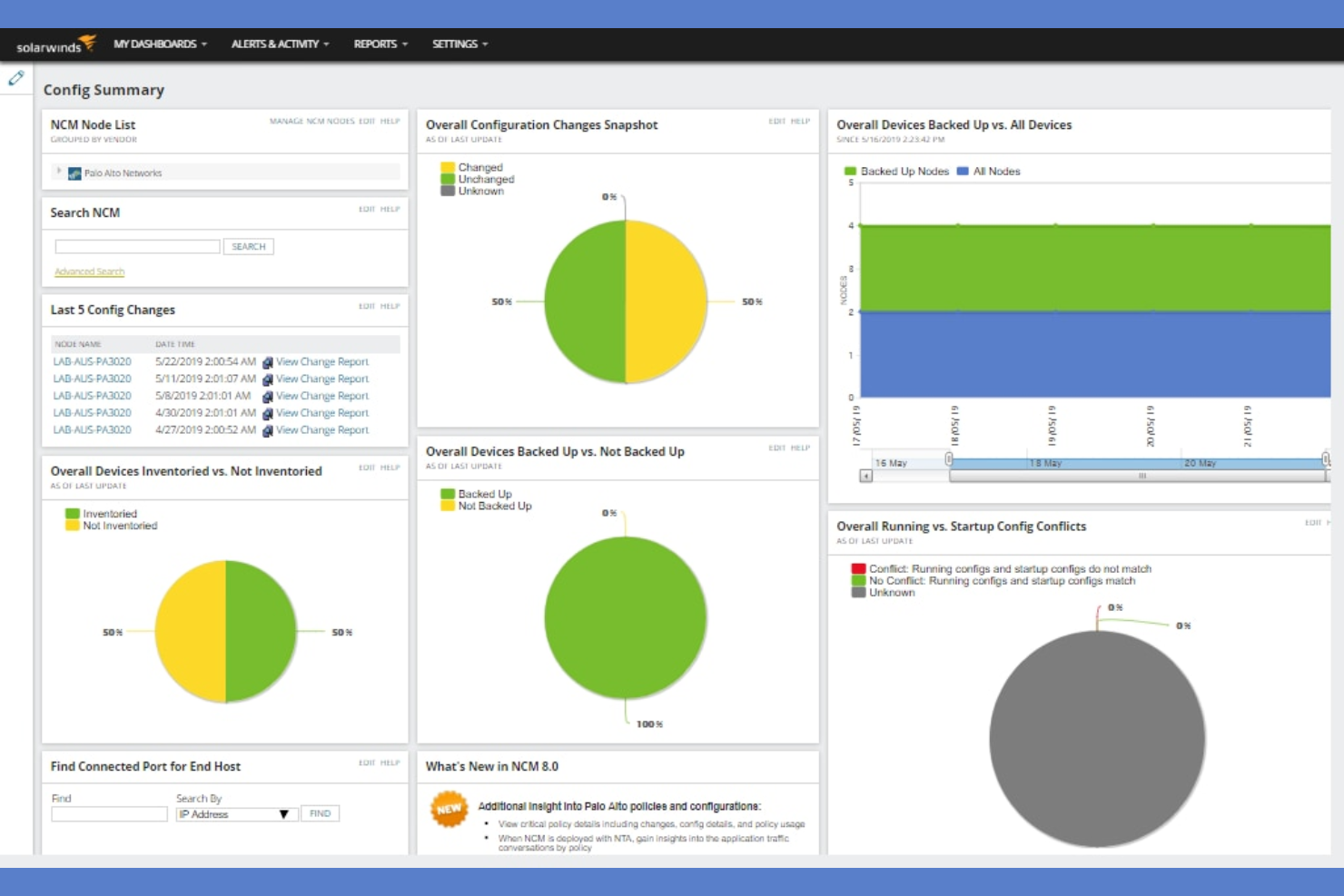
SolarWinds Network Configuration Manager è progettato appositamente per i team IT che gestiscono grandi flotte di dispositivi di rete. È particolarmente utile per ingegneri di rete e professionisti devops che necessitano di backup automatici e affidabili e di controllo delle versioni per le configurazioni dei dispositivi. Lo strumento affronta i rischi legati a configurazioni errate, mancanze di conformità e processi di backup manuali in ambienti di rete complessi.
Perché ho scelto SolarWinds Network Configuration Manager
Per i team che necessitano di backup affidabili delle configurazioni dei dispositivi di rete, SolarWinds Network Configuration Manager offre automazione e controllo specializzati. Ho scelto questo strumento perché pianifica ed esegue backup regolari su router, switch e firewall, riducendo il rischio di perdita di dati dovuta a configurazioni errate o guasti dei dispositivi. Il controllo delle versioni delle configurazioni consente di tracciare le modifiche e di ripristinare rapidamente stati precedenti quando necessario. La piattaforma include anche la verifica della conformità, che aiuta i team devops a mantenere gli standard e a individuare in tempo reale modifiche non autorizzate.
Caratteristiche principali di SolarWinds Network Configuration Manager
Altre funzionalità che rendono SolarWinds Network Configuration Manager utile per i team devops includono:
- Inventario dei dispositivi di rete: Scopre e cataloga automaticamente tutti i dispositivi di rete presenti nell’ambiente.
- Controllo degli accessi basato sui ruoli: Assegna permessi granulari agli utenti in base alle loro responsabilità.
- Rilevamento delle vulnerabilità del firmware: Identifica firmware obsoleti e vulnerabilità note sui dispositivi di rete.
- Avvisi e notifiche personalizzabili: Invia notifiche in tempo reale per modifiche alle configurazioni, violazioni delle policy o problemi dei dispositivi.
Integrazioni
Le integrazioni includono SolarWinds Engineer's Toolset, SolarWinds Log Analyzer e Cisco Smart Net Total Care.
Pros and Cons
Pros:
- Mappatura automatica delle dipendenze delle applicazioni
- Vista unificata di asset cloud e on-premise
- Potenti funzionalità principali di IPAM e DCIM
Cons:
- Costo elevato per team di piccole e medie dimensioni
- Configurazione iniziale ad alta richiesta di risorse


Consul si distingue per i team che necessitano di una service discovery dinamica e di uno storage chiave-valore distribuito nelle infrastrutture moderne. È particolarmente adatto per ingegneri DevOps e team di piattaforma che gestiscono microservizi, ambienti multi-cloud o ibridi. Lo strumento affronta le sfide relative alla registrazione dei servizi, al controllo dello stato di salute e alla comunicazione sicura tra servizi su larga scala.
Perché ho scelto Consul
Ciò che mi ha colpito di Consul è il suo forte focus sulla service discovery e sullo storage distribuito chiave-valore, elementi essenziali per infrastrutture dinamiche. Consul registra automaticamente i servizi e ne monitora lo stato di salute, semplificando così la gestione dei microservizi e la scalabilità degli ambienti da parte dei team DevOps senza interventi manuali. Il suo archivio chiave-valore integrato consente di gestire centralmente dati di configurazione e feature flag attraverso sistemi distribuiti. Apprezzo come le funzionalità di service mesh di Consul consentano anche una comunicazione sicura e criptata tra i servizi, una necessità in crescita nelle architetture moderne.
Funzionalità principali di Consul
Altre funzioni che rendono Consul prezioso per i team DevOps includono:
- Supporto Multi-Datacenter: Consente la service discovery e la gestione della configurazione tra ambienti geograficamente distribuiti.
- Liste di controllo accessi (ACLs): Fornisce policy di sicurezza dettagliate per controllare l’accesso a servizi e dati.
- API DNS e HTTP: Permette l’integrazione con infrastrutture e strumenti di automazione esistenti tramite interfacce standard.
- Failover automatico dei servizi: Rileva i malfunzionamenti dei servizi e reindirizza il traffico verso istanze attive senza intervento manuale.
Integrazioni
Le integrazioni includono Kubernetes, Nomad, Terraform e Vault.
Pros and Cons
Pros:
- Aggiornamenti dinamici di configurazione in tempo reale
- Service discovery e health check integrati
- Supporto nativo multi-datacenter
Cons:
- Elevati costi operativi per i cluster
- Rallentamenti delle prestazioni su larga scala

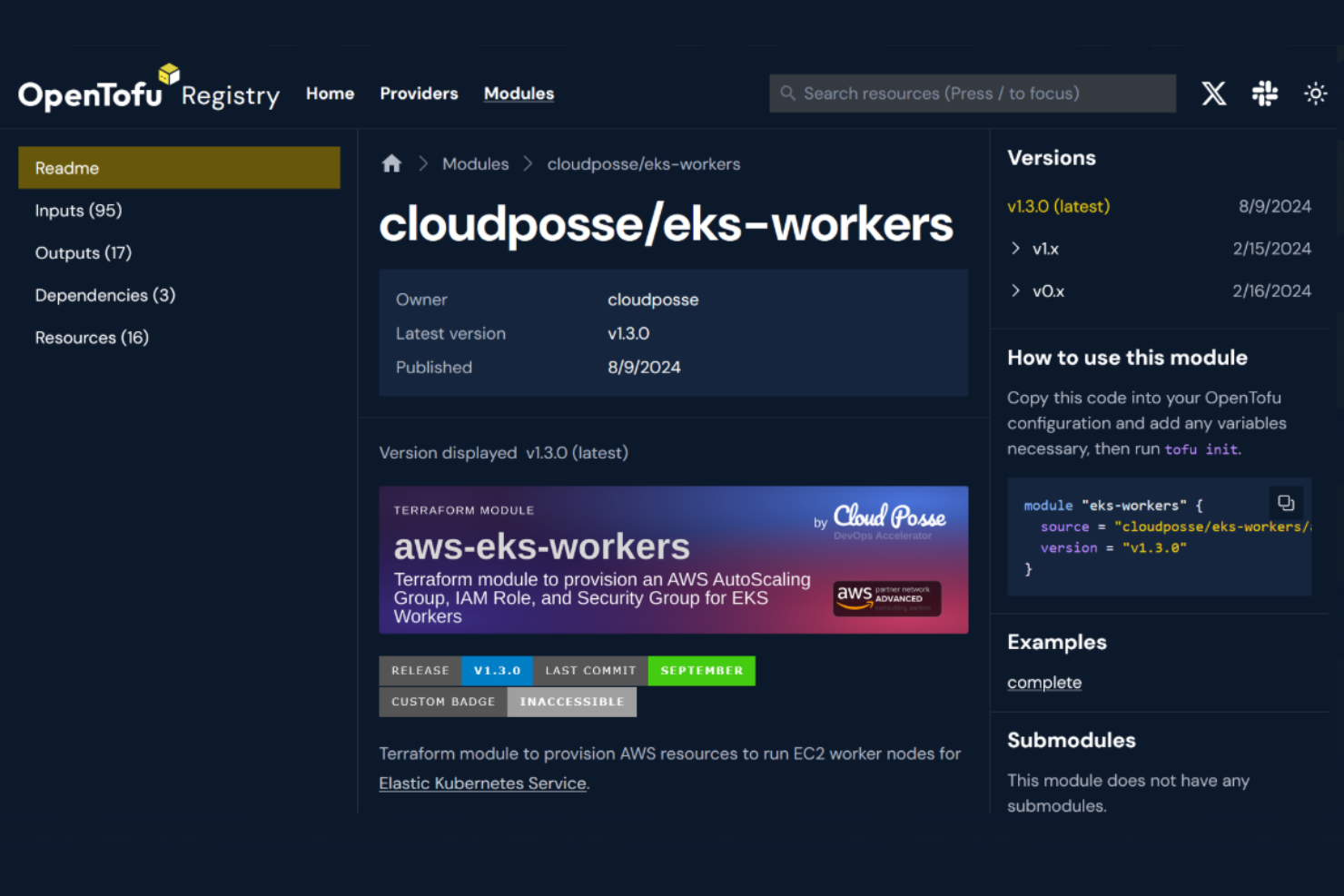
OpenTofu offre un approccio completamente open-source all'infrastructure as code, risultando particolarmente adatto ai team che desiderano trasparenza e uno sviluppo guidato dalla community. È particolarmente utile per specialisti IT e ingegneri DevOps che necessitano di automatizzare il provisioning dell'infrastruttura senza vincoli di fornitore. OpenTofu aiuta le organizzazioni a mantenere il controllo sul proprio codice e sui flussi di lavoro, supportando ambienti complessi e multi-cloud.
Perché ho scelto OpenTofu
OpenTofu si distingue per i team DevOps che cercano una soluzione infrastructure as code veramente open-source. Il suo codice è gestito dalla community: puoi esaminare, modificare e contribuire allo strumento senza restrizioni. Apprezzo il fatto che OpenTofu supporti file di configurazione dichiarativi e moduli, che aiutano a standardizzare l'infrastruttura in diversi ambienti. L'impegno del progetto verso standard aperti lo rende anche una scelta affidabile per le organizzazioni che desiderano evitare il vendor lock-in e mantenere flessibilità a lungo termine.
Funzionalità principali di OpenTofu
Alcune altre funzionalità che rendono OpenTofu interessante per l'infrastructure as code includono:
- Gestione dello stato: Monitora e gestisci i file di stato dell'infrastruttura per garantire coerenza tra i deployment.
- Ecosistema di provider: Accedi a una vasta gamma di provider per diverse piattaforme cloud e servizi.
- Workflow di pianificazione e applicazione: Visualizza in anteprima i cambiamenti infrastrutturali prima dell'applicazione per ridurre il rischio.
- Supporto al registro dei moduli: Riutilizza e condividi moduli di configurazione tramite un registro pubblico o privato.
Integrazioni
Le integrazioni includono PagerDuty, GitHub, ServiceNow, Slack, HashiCorp Vault e HashiCorp Consul.
Pros and Cons
Pros:
- Completamente open source sotto licenza MPL 2.0
- Sostituzione immediata di Terraform 1.5
- Crittografia nativa dei file di stato a riposo
Cons:
- Assenza di supporto enterprise ufficiale
- Divergenza da Terraform nel tempo
Altri Strumenti di Configuration Management in DevOps
Ecco alcune ulteriori opzioni di strumenti di configuration management in devops che non sono entrate nella mia shortlist, ma che vale comunque la pena considerare:rn
- CFengine
Ideale per deployment leggeri e ad alta velocità
- Rudder
Ideale per il reporting della conformità in tempo reale
- SaltProject
Ideale per orchestrazione guidata dagli eventi


Come Valuto Gli Strumenti di Gestione della Configurazione in DevOps
Divido la mia valutazione in due livelli: i requisiti di base che ogni strumento deve soddisfare per gestire il drift e garantire lo stato su larga scala, e i fattori che distinguono gli strumenti buoni da quelli eccellenti.
Funzionalità di Base (Requisiti Fondamentali per Questa Lista)
Quando seleziono gli strumenti per la mia lista, valuto ognuno su una scala da 0 (non offre la funzionalità) a 5 (eccelle in quest'area) per ogni funzionalità di base elencata di seguito. Poi, calcolo il punteggio totale dello strumento in percentuale. Ogni strumento deve raggiungere un punteggio totale minimo del 65% per essere preso in considerazione.
- Infrastructure as Code: Controllo come ogni strumento gestisce le definizioni dichiarative—se si possono scrivere moduli riutilizzabili, creare configurazioni tramite template e versionarle su Git come il codice applicativo.
- Applicazione Automatica della Configurazione: Ogni strumento dovrebbe applicare e mantenere lo stato desiderato in autonomia, non solo inviare le configurazioni una volta. Verifico se può correggere automaticamente la versione di un pacchetto o lo stato di un servizio variato.
- Orchestrazione Multi-Nodo: Gestire cinque server è facile. Valuto come uno strumento gestisce esecuzioni parallele su centinaia o migliaia di nodi senza rallentare i tempi di convergenza.
- Rilevamento e Correzione delle Divergenze: Quando qualcuno modifica manualmente una regola del firewall in produzione, lo strumento dovrebbe rilevarlo. Cerco rilevamento continuo, avvisi e tracce di audit chiare su ciò che è cambiato e quando.
- Supporto Multi-Piattaforma e Cloud: Gli ambienti reali combinano Linux, Windows e più fornitori di cloud. Controllo la presenza di moduli nativi per AWS, Azure e GCP insieme a un'ampia copertura di sistemi operativi.
- Integrazione con CI/CD e Toolchain DevOps: La gestione della configurazione vive all'interno di una pipeline più ampia. Valuto l'integrazione nativa con strumenti come Jenkins, GitLab CI, GitHub Actions e piattaforme di osservabilità.
Una volta ottenuta la lista degli strumenti che soddisfano questi criteri, considero cosa distingue ciascuna piattaforma.
Fattori di Differenziazione (Cosa Distingue i Fornitori)
Ecco come confronto i diversi fornitori:
Caratteristiche Distintive
Il supporto per policy-as-code è fondamentale per me—gli strumenti che consentono di integrare controlli di conformità (come benchmark CIS, policy di sicurezza interne) direttamente nell'esecuzione delle configurazioni evitano ai team di trattare gli audit come un processo separato. Valuto anche il supporto ai workflow GitOps, dove Git funge da unica fonte della verità e le modifiche vengono riconciliate automaticamente. Anche l’integrazione con sistemi di gestione dei segreti è importante. Iniettare credenziali da un vault in fase di esecuzione è molto meglio che inserirle nei playbook.
Oltre le Caratteristiche
L’ecosistema e la forza della community contano molto—uno strumento con un registro di moduli attivo (come Ansible Galaxy o Puppet Forge) consente al team di risparmiare tempo sulla scrittura delle configurazioni. Esamino anche da vicino il modello di distribuzione: se uno strumento opera senza agenti tramite SSH o richiede agenti su ogni nodo può cambiare significativamente la postura di sicurezza e la manutenzione. L’apprendimento e la disponibilità di personale completano la mia valutazione. Uno strumento per cui non si trovano professionisti o difficile da apprendere comporta un rischio operativo nel lungo periodo, a prescindere dalle capacità tecniche.
Come Scegliere gli Strumenti di Configuration Management in DevOps
È facile perdersi in lunghe liste di funzionalità e strutture di prezzo complesse. Per aiutarti a rimanere focalizzato mentre affronti il tuo percorso di selezione del software, ecco una checklist di fattori da considerare:
| Fattore | Cosa Considerare |
|---|---|
| Scalabilità | Lo strumento sarà in grado di gestire le dimensioni attuali e future della tua infrastruttura? Valuta i limiti sui nodi, il carico degli agenti e il supporto multi-regione. |
| Integrazioni | Si connette nativamente con i tuoi sistemi CI/CD, fornitori cloud e strumenti di monitoraggio? Controlla se ci sono mancanze che potrebbero richiedere lavorazioni personalizzate. |
| Personalizzazione | Puoi adattare workflow, template e policy agli standard della tua organizzazione? Attenzione agli strumenti rigidi che limitano l’allineamento ai processi interni. |
| Facilità d’uso | Quanto è impegnativa la curva di apprendimento per il tuo team? Valuta l’interfaccia, la documentazione e se anche i non esperti possono gestire le attività quotidiane. |
| Implementazione e onboarding | Quali risorse e tempi sono necessari per installare e migrare? Cerca strumenti di migrazione, formazione e supporto per rollout graduali. |
| Costo | I piani tariffari sono trasparenti e prevedibili man mano che cresci? Attenzione a costi nascosti in componenti aggiuntivi, supporto o tariffe in base all’uso. |
| Sicurezza | Lo strumento supporta accessi basati sui ruoli, audit log e crittografia? Verifica che rispetti le policy di sicurezza della tua organizzazione. |
| Disponibilità del supporto | Quali canali di supporto e SLA sono disponibili? Considera se ti serve assistenza 24/7, referenti dedicati o forum comunitari per il troubleshooting. |
Cosa Sono gli Strumenti di Configuration Management in DevOps?
Gli strumenti di configuration management in devops sono soluzioni software che automatizzano la distribuzione, la manutenzione e il monitoraggio delle impostazioni di infrastruttura e applicazioni su diversi ambienti. Questi strumenti aiutano i team a gestire i cambiamenti, garantire coerenza e ridurre gli errori manuali trattando la configurazione come codice. Svolgono un ruolo chiave per garantire operazioni di infrastruttura scalabili, ripetibili e verificabili negli ambienti IT moderni.
Caratteristiche
Quando selezioni strumenti di gestione della configurazione in DevOps, presta attenzione alle seguenti caratteristiche chiave:
- Infrastruttura come codice: Ti permette di definire e gestire le configurazioni dell'infrastruttura utilizzando file versionati e leggibili dall'uomo, rendendo le modifiche verificabili e ripetibili.
- Distribuzione automatizzata: Consente la distribuzione automatica delle modifiche di configurazione su server e ambienti, riducendo l'intervento manuale e il rischio di errori.
- Tracciamento delle modifiche e audit: Registra ogni modifica di configurazione, fornendo una chiara cronologia per la risoluzione dei problemi, la conformità e il ripristino.
- Integrazione con il controllo di versione: Si collega ai sistemi di controllo delle sorgenti per gestire i file di configurazione, tracciare le revisioni e supportare i flussi di lavoro collaborativi.
- Controllo accessi basato sui ruoli: Limita chi può visualizzare, modificare o distribuire le configurazioni, aiutando a far rispettare le politiche di sicurezza e conformità.
- Rilevamento delle deviazioni di configurazione: Monitora i sistemi per individuare deviazioni dallo stato desiderato e avvisa o corregge automaticamente in caso di modifiche non autorizzate.
- Templating e parametrizzazione: Permette di creare modelli di configurazione riutilizzabili con variabili, supportando distribuzioni coerenti su diversi ambienti.
- Gestione dei segreti: Conserva e inietta in modo sicuro dati sensibili come password o chiavi API nelle configurazioni senza esporli in chiaro.
- Supporto multi-ambiente: Gestisce le configurazioni per ambienti di sviluppo, test, staging e produzione da un'unica piattaforma.
- Integrazione con strumenti di monitoraggio: Si collega con sistemi di monitoraggio e allerta per attivare azioni o rollback in base alla salute o alle prestazioni del sistema.
Vantaggi
L’implementazione di strumenti di gestione della configurazione in DevOps offre numerosi vantaggi per il tuo team e per la tua azienda. Eccone alcuni a cui puoi guardare con fiducia:
- Ambienti coerenti: Distribuzione automatizzata e rilevamento delle deviazioni garantiscono che tutti i sistemi rimangano allineati alle configurazioni definite in ogni ambiente.
- Consegna più rapida delle modifiche: Infrastruttura come codice e flussi di lavoro automatici riducono i passaggi manuali, accelerando la distribuzione di aggiornamenti e nuove funzionalità.
- Sicurezza migliorata: Controllo accessi basato sui ruoli e gestione dei segreti aiutano a proteggere i dati sensibili e a limitare modifiche non autorizzate.
- Risoluzione semplificata dei problemi: Il tracciamento delle modifiche e gli audit forniscono una cronologia chiara dei cambiamenti di configurazione, facilitando l’identificazione e la risoluzione delle problematiche.
- Compliance facilitata: Audit, controllo di versione e controlli di accesso sostengono i requisiti normativi documentando le modifiche e facendo rispettare le politiche.
- Rischio operativo ridotto: Rollback automatici e rilevamento delle deviazioni minimizzano i tempi di inattività e prevengono errori di configurazione in produzione.
- Scalabilità: Funzionalità multi-ambiente e di templating rendono pratico gestire infrastrutture grandi e complesse man mano che la tua organizzazione cresce.
Costi e prezzi
La scelta degli strumenti di gestione della configurazione in DevOps richiede la comprensione dei vari modelli e piani di prezzo disponibili. I costi variano a seconda delle funzionalità, della dimensione del team, degli add-on e altro ancora. La tabella seguente riassume i piani più comuni, i loro prezzi medi e le funzionalità tipiche incluse nelle soluzioni di strumenti di gestione della configurazione in DevOps:
Tabella di confronto dei piani per strumenti di gestione della configurazione in DevOps
| Tipo di piano | Prezzo medio | Funzionalità comuni |
|---|---|---|
| Piano gratuito | $0 | Gestione di base della configurazione, nodi limitati, supporto tramite community e integrazioni open-source. |
| Piano personale | $5-$25/user/month | Accesso singolo utente, integrazione con il controllo di versione, automazione di base e supporto limitato. |
| Piano business | $20-$60/user/month | Collaborazione multi-utente, controllo accessi basato sui ruoli, log di audit e supporto standard. |
| Piano enterprise | $60-$150/user/month | Sicurezza avanzata, funzionalità di conformità, supporto premium, integrazioni personalizzate e opzioni di scalabilità. |
Domande frequenti sugli strumenti di gestione della configurazione in Devops
Ecco alcune risposte alle domande comuni sugli strumenti di gestione della configurazione in Devops:
In che modo gli strumenti di gestione della configurazione in Devops aiutano a prevenire il configuration drift?
Gli strumenti di gestione della configurazione in Devops aiutano a prevenire il configuration drift monitorando continuamente i sistemi per identificare modifiche non autorizzate e applicando automaticamente lo stato desiderato. Questo garantisce che tutti gli ambienti rimangano coerenti con le configurazioni definite, riducendo il rischio di errori e comportamenti imprevisti.
Gli strumenti di gestione della configurazione in Devops possono integrarsi con pipeline CI/CD esistenti?
Sì, la maggior parte degli strumenti di gestione della configurazione in Devops si integra con le principali piattaforme CI/CD. Questo consente di automatizzare l’aggiornamento delle configurazioni come parte dei flussi di distribuzione, assicurando che le impostazioni di infrastruttura e applicazioni siano sempre aggiornate.
Quali funzionalità di sicurezza dovrei cercare negli strumenti di gestione della configurazione in Devops?
Cerca funzionalità come il controllo degli accessi basato sui ruoli, la registrazione degli audit, la gestione cifrata dei segreti e il supporto per standard di conformità. Queste capacità aiutano a proteggere i dati sensibili, limitare le modifiche non autorizzate e fornire tracciabilità di ogni attività di configurazione.
In che modo gli strumenti di gestione della configurazione in Devops supportano ambienti multi-cloud o ibridi?
Molti strumenti di gestione della configurazione in Devops offrono supporto per la gestione delle risorse su più fornitori cloud e sistemi on-premise. Forniscono flussi di lavoro unificati, modelli e integrazioni che permettono di applicare configurazioni coerenti indipendentemente da dove risiede l’infrastruttura.
Quali sono le sfide tipiche nell’implementazione degli strumenti di gestione della configurazione in Devops?
Le sfide più comuni includono la migrazione delle configurazioni esistenti, la formazione dei team sui nuovi processi eliminando le attività ripetitive, l’integrazione con i sistemi legacy e la gestione della complessità di distribuzioni su larga scala. Pianificare rollout graduali e investire nelle risorse di onboarding può aiutare a superare queste problematiche.
Cosa succede ora:
Se stai valutando strumenti di gestione della configurazione in Devops, collegati gratuitamente con un consulente SoftwareSelect per ricevere consigli su misura.
Compila un modulo e fai una breve chiacchierata, durante la quale approfondiranno le tue esigenze. Poi riceverai una lista ristretta di software da valutare. Ti supporteranno anche in tutto il processo d’acquisto, incluse le negoziazioni sul prezzo.