

I 10 migliori strumenti di virtualizzazione dei servizi nel 2026

10 Elenco dei migliori strumenti di virtualizzazione dei servizi


Poiché la complessità dello sviluppo software continua ad aumentare, le organizzazioni hanno bisogno di più team di ingegneri del software per portare a termine le attività. Di conseguenza, i team software devono gestire troppe dipendenze che rallentano la velocità di sviluppo. Per ridurre i colli di bottiglia e diminuire significativamente i costi e i tempi necessari per creare e testare il software, le aziende ricorrono agli strumenti di virtualizzazione dei servizi.
Gli strumenti di virtualizzazione dei servizi aiutano le organizzazioni ad accelerare il lavoro e aumentare la produttività sincronizzando le attività tra più team e superando i limiti delle dipendenze tra attività. Continua a leggere per saperne di più sulla virtualizzazione dei servizi e consulta la mia recensione dei 10 migliori strumenti di virtualizzazione dei servizi.
Perché fidarsi dei nostri consigli sui software
Il nostro team testa e recensisce software dal 2012. In quanto leader tecnologici noi stessi, sappiamo quanto sia difficile — e importante — scegliere il software giusto.
Per questa guida, abbiamo valutato gli strumenti attraverso test praticie ricerche indipendenti, assegnando un punteggio agli strumenti in base ai nostri criteri di selezione.
Le nostre recensioni riflettono il nostro giudizio editoriale umano, non un discorso di vendita.
Revisori esperti:
Riepilogo dei migliori strumenti di virtualizzazione dei servizi
Questa tabella di confronto riassume i dettagli sui prezzi delle mie migliori selezioni di strumenti di virtualizzazione dei servizi, per aiutarti a trovare quello più adatto al tuo budget e alle esigenze della tua azienda.
| Tool | Best For | Trial Info | Price | ||
|---|---|---|---|---|---|
| 1 | Ideale per la virtualizzazione di API guidata da specifiche | Piano gratuito disponibile | Da $8/mese (fatturato annualmente) | Website | |
| 2 | Ideale per il chaos testing con iniezione di errori | Piano gratuito disponibile | Prezzo su richiesta | Website | |
| 3 | Ideale per eliminare dipendenze e colli di bottiglia | Demo gratuita disponibile | Prezzo su richiesta | Website | |
| 4 | Ideale per simulare il comportamento di sistemi non disponibili per uno sviluppo e testing paralleli più veloci | Not available | Prezzi su richiesta | Website | |
| 5 | Miglior strumento per creare e utilizzare API | Piano gratuito disponibile | Da $9/mese (fatturato annualmente) | Website | |
| 6 | Ideale per creare e gestire servizi virtuali | Prova gratuita di 14 giorni | Da $107,92//licenza/mese (fatturato annualmente) | Website | |
| 7 | Ideale per la simulazione di API e il testing API senza script | Prova gratuita disponibile | Prezzo su richiesta | Website | |
| 8 | Ideale per creare e ospitare ambienti di test e scenari | Not available | Prezzo su richiesta | Website | |
| 9 | Ideale per la gestione dell'ambiente di test | Piano gratuito disponibile | Prezzo su richiesta | Website | |
| 10 | Il miglior software di simulazione di servizi per la creazione di API mock | Piano gratuito disponibile | Prezzo su richiesta | Website |
Recensioni dei migliori strumenti di virtualizzazione dei servizi
Di seguito trovi i miei riepiloghi dettagliati dei migliori strumenti di virtualizzazione dei servizi inclusi nel mio elenco ristretto. Le mie recensioni offrono uno sguardo approfondito alle funzionalità principali, ai vantaggi & svantaggi, alle integrazioni e ai casi d’uso ideali di ciascuno strumento, per aiutarti a trovare quello più adatto alle tue esigenze.


Beeceptor ti aiuta a creare API mock e servizi virtuali da specifiche OpenAPI, GraphQL, gRPC, WSDL, REST e SOAP. Puoi generare payload di risposta realistici e dati di test per supportare lo sviluppo e il QA senza dover dipendere da sistemi backend reali.
Per Chi è Beeceptor?
Beeceptor è particolarmente adatto a ingegneri QA, sviluppatori backend e team di test che hanno bisogno di simulare dipendenze API, convalidare integrazioni e testare il comportamento delle applicazioni prima che i servizi esterni siano disponibili.
Perché Ho Scelto Beeceptor
Ho scelto Beeceptor perché rende la virtualizzazione dei servizi accessibile senza sacrificare la flessibilità. I team possono generare servizi mock direttamente dalle specifiche delle API, riducendo il tempo dedicato alla configurazione manuale di endpoint e risposte. Mi piace anche il fatto che supporta l'iniezione di latenza, la simulazione dei fault e le risposte stateful, permettendo ai team di testare come si comportano le applicazioni in condizioni reali senza affidarsi a sistemi di produzione o servizi di terze parti.
Caratteristiche Principali
- Generazione di mock guidata dalle specifiche: Crea automaticamente endpoint virtuali da specifiche OpenAPI, GraphQL, gRPC e WSDL.
- Iniezione di latenza e fault: Simula risposte lente, interruzioni e condizioni di errore per testare la resilienza dell'applicazione.
- Simulazione di risposte stateful: Supporta workflow multi-step restituendo risposte diverse in base alle richieste precedenti.
- API di gestione: Permette ai team di creare, aggiornare e gestire servizi mock in modo programmatico per flussi di lavoro CI/CD.
Integrazioni
Beeceptor si integra con Selenium, Playwright, workflow basati su Git, pipeline CI/CD e OpenTelemetry.
Pros and Cons
Pros:
- Genera servizi mock direttamente dalle specifiche delle API
- Endpoint gratuiti disponibili senza registrazione
- Supporta REST, SOAP, GraphQL e gRPC
Cons:
- Il piano gratuito ha limiti di richieste
- Gli endpoint pubblici richiedono ulteriori considerazioni sulla sicurezza


WireMock Cloud è una piattaforma di virtualizzazione dei servizi progettata per i team di sviluppo software che devono simulare API, accelerare i test e ridurre le dipendenze durante lo sviluppo e l'integrazione.
Per chi è ideale WireMock Cloud?
WireMock Cloud è adatto a ingegneri QA e sviluppatori presso aziende software che necessitano di simulare API complesse e dipendenze durante il testing.
Perché ho scelto WireMock Cloud
Ho incluso WireMock Cloud tra le mie scelte principali perché consente al mio team di iniettare errori come timeout, connessioni interrotte e risposte malformate direttamente nelle nostre simulazioni API. Utilizziamo le sue funzionalità di chaos testing per individuare debolezze nella gestione degli errori e nelle strategie di resilienza. Mi piace poter configurare questi errori su richiesta per endpoint e scenari specifici.
Funzionalità principali di WireMock Cloud
- Simulazione basata su scenari: Configura diversi comportamenti delle API in base a scenari di test o fasi di workflow.
- Registrazione del traffico API: Registra le interazioni API dal vivo per generare mock accurati per test futuri.
- Stubbing guidato dai dati: Utilizza set di dati esterni per generare risposte dinamiche in simulazioni più realistiche.
- Strumenti di collaborazione per il team: Condividi, revisiona e gestisci mock e simulazioni con il tuo team in uno spazio di lavoro condiviso.
Integrazioni di WireMock Cloud
Le integrazioni includono GitHub, GitLab, Bitbucket, OpenAPI, SwaggerHub, Postman, Slack, REST API per l'automazione, gRPC e GraphQL.
Pros and Cons
Pros:
- Offre opzioni di deployment cloud privato dedicato
- Consente stubbing basato su scenari e guidato dai dati
- Si integra con GitHub, Postman e SwaggerHub
Cons:
- Nessun supporto nativo alla virtualizzazione dei protocolli mainframe
- Manca di strumenti di monitoraggio delle prestazioni integrati

OpenText
Ideale per eliminare dipendenze e colli di bottiglia

OpenText, di Micro Focus, ti consente di creare simulazioni realistiche di API e servizi virtuali. Il software accelera lo sviluppo e i test, elimina le dipendenze e rimuove i colli di bottiglia.
Perché ho scelto OpenText: Consiglio OpenText perché è intuitivo e consente di aumentare l'efficienza testando fin dalle fasi iniziali. Permette di progettare e pubblicare servizi virtuali con flessibilità e scalabilità. Lo strumento offre una copertura ampia di protocolli e simulazioni. OpenText aiuta a portare rapidamente sul mercato grazie a funzionalità pronte per DevOps e integrazione continua.
Caratteristiche principali e integrazioni di OpenText
Caratteristiche principali: Permette di effettuare test su dispositivi mobili tramite simulazione. Il software dispone di una libreria di asset di simulazione riutilizzabili e strumenti basati sulle competenze. L'accesso a questa libreria semplifica la progettazione e la manutenzione delle simulazioni. L'infrastruttura di simulazione è sicura, scalabile ed estensibile, con un'innovazione focalizzata sul cliente.
Integrazioni includono Microsoft Teams, Google Cloud Platform, AWS, Microsoft Azure, Jile, Adlib, SAP Cloud Platform, ActiveControl, Cognizant e Veritone Discovery.
Pros and Cons
Pros:
- Facile da usare
- Flessibile e scalabile
- Comunità di utenti
Cons:
- Il servizio clienti deve essere più rapido
- Le funzionalità di gestione della virtualizzazione dei servizi dovrebbero essere migliorate

Broadcom
Ideale per simulare il comportamento di sistemi non disponibili per uno sviluppo e testing paralleli più veloci
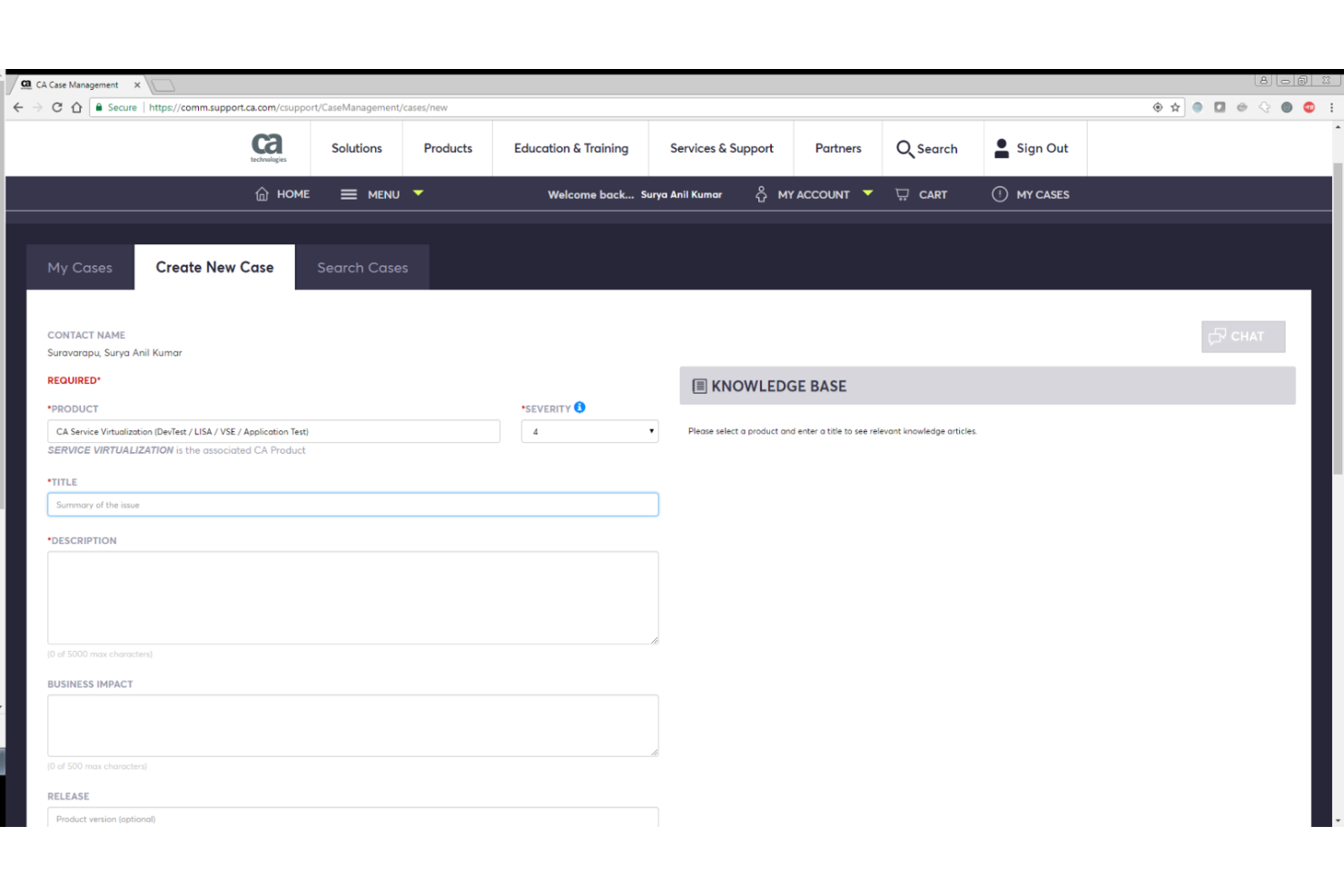
Dispone di funzionalità di virtualizzazione dei servizi che ti consentono di implementare lo sviluppo e il testing paralleli creando ambienti virtualizzati per simulare la funzionalità di sistemi o componenti non disponibili.
Perché ho scelto Broadcom: Broadcom ti aiuta a condurre test delle prestazioni a livello di componente. Ti permette di creare ambienti virtualizzati per emulare i componenti dipendenti. Di conseguenza, puoi isolare il sistema sotto test ed eseguire test delle prestazioni in qualsiasi fase del ciclo di vita dello sviluppo software (SDLC). Permette un'integrazione software senza interruzioni, il che ti aiuta a estendere le sue capacità per rendere la creazione di servizi simulati più rapida e semplice.
Funzionalità principali e integrazioni di Broadcom
Funzionalità principali includono test API full-stack, supporto multi-protocollo e virtualizzazione mainframe. Broadcom consente la virtualizzazione del mainframe. Il software ti permette di virtualizzare molte dipendenze del mainframe, inclusi diversi protocolli di accesso mainframe e all'interno di CICS stesso.
Supporta diversi protocolli, tra cui REST, SOAP, XML e JSON. Con i test API full-stack, puoi eseguire test su tutta la tua infrastruttura per assicurarti che le tue API funzionino correttamente a tutti i livelli delle applicazioni multi-livello.
Integrazioni: Broadcom permette l'integrazione con strumenti di sviluppo software, inclusi Jenkins, Docker ed Eclipse IDE.
Pros and Cons
Pros:
- Supporto per molteplici protocolli
- Integrazioni senza interruzioni
- Convalida facilmente le API in app multi-livello
Cons:
- Curva di apprendimento ripida
- Necessaria una documentazione più completa

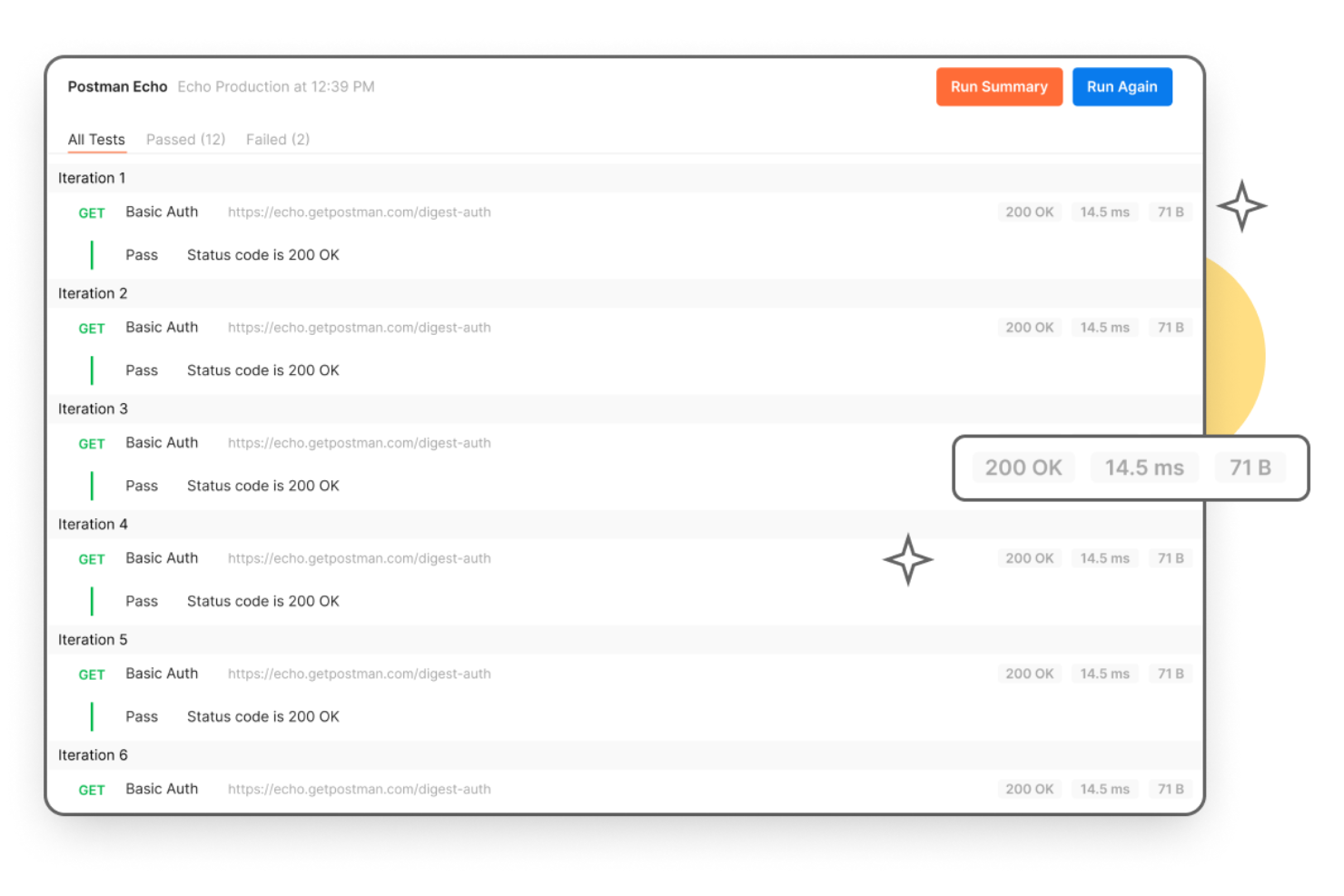
Con oltre 25 milioni di utenti, Postman ti aiuta a creare, testare, eseguire il debug, documentare e monitorare le API. Offre gli strumenti che ti permettono di semplificare la creazione delle API e migliorare la collaborazione tra i team di QA e sviluppo.
Perché ho scelto Postman: Postman è progettato per aiutarti a ottimizzare e accelerare ogni fase del ciclo di vita di creazione delle API. Dal design, testing, documentazione e mocking fino alla scoperta, offre tutto ciò di cui hai bisogno per portare a termine le attività in modo rapido e collaborativo. Offre una piattaforma centralizzata utilizzata da diversi team, consentendo ai vari reparti di lavorare insieme e restare sincronizzati con l’accesso alle risorse per l’esecuzione delle attività.
Caratteristiche e integrazioni distintive di Postman
Le funzionalità distintive includono repository API, workspace e governance. Il repository delle API di Postman ti aiuta a memorizzare e monitorare le specifiche API, la documentazione, i casi di test e altre risorse correlate alle API. Offre un approccio alla governance che copre l’intero ciclo di vita, permettendo di adottare le migliori pratiche standard del settore e favorendo la collaborazione tra i team.
Con i workspace puoi organizzare il lavoro sulle API e tenere traccia delle attività dei tuoi team. Postman offre diverse tipologie di workspace, tra cui personali, di team, partner e pubblici. Questo ti consente di assegnare workspace in base al ruolo o alla posizione di ciascuno e mantenere tutti aggiornati con strumenti collaborativi.
Integrazioni includono Azure API Management, Apigee, APIMatic, AWS API Gateway, Azure DevOps, BigPanda, Bitbucket, CircleCI e Coralogix.
Pros and Cons
Pros:
- È estendibile
- Prezzo vantaggioso
- Migliora la collaborazione
Cons:
- Sono necessarie più funzionalità di automazione
- Può risultare difficile da navigare a volte

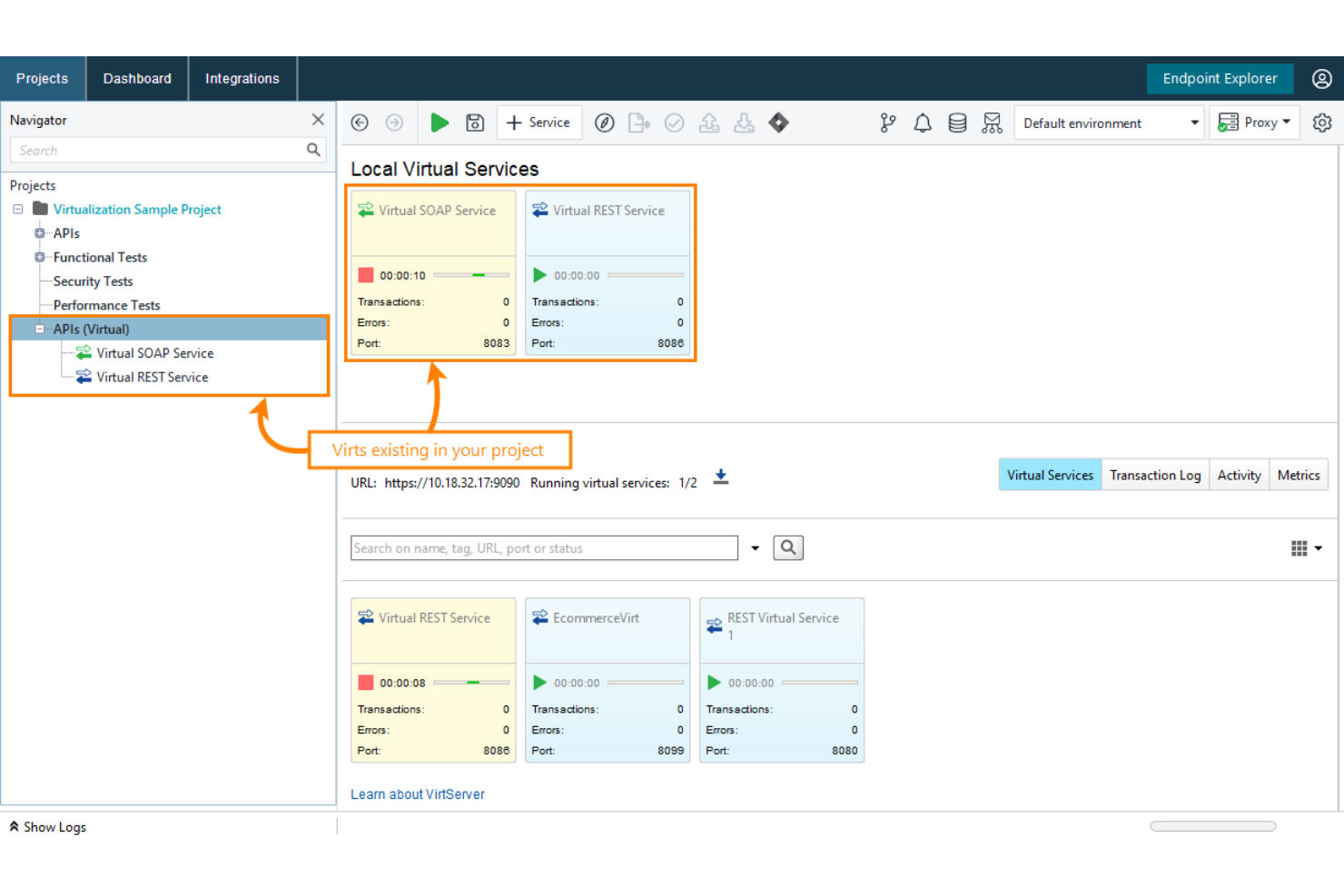
Smartbear ReadyAPI Virtualization offre una funzionalità di virtualizzazione dei servizi che consente di creare, eseguire e gestire servizi virtuali.
Perché ho scelto ReadyAPI Virtualization: Permette di creare ambienti virtualizzati di servizi web in modo semplice e rapido. Lo strumento agevola questo processo ottimizzando la creazione di mock funzionanti di un sistema o microservizio con tecnologie di virtualizzazione all’avanguardia. Con ReadyAPI, puoi accelerare lo sviluppo del codice client e la creazione dei test anche quando alcuni componenti dell’API reale non sono ancora disponibili. Consente agli sviluppatori e agli ingegneri QA di lavorare in parallelo.
Caratteristiche e integrazioni distintive di ReadyAPI Virtualization
Caratteristiche distintive: ReadyAPI Virtualization supporta una vasta gamma di servizi virtuali, tra cui servizi SOAP, servizi REST, servizi JMS, database JDBC e servizi TCP. Offre la flessibilità di creare servizi mock per emulare il comportamento di qualsiasi dei più diffusi servizi virtuali. Altre funzioni di rilievo includono il supporto per origini dati, la scoperta delle API e l’instradamento delle richieste.
Integrazioni includono Docker, Slack, Jira Software, Git, Jenkins, Selenium, Azure DevOps Server, TestComplete e TeamCity.
Pros and Cons
Pros:
- Facile da usare
- Ampia gamma di integrazioni con software
- Flessibile e scalabile
Cons:
- Il prezzo è un po' elevato
- Necessario un servizio clienti più rapido

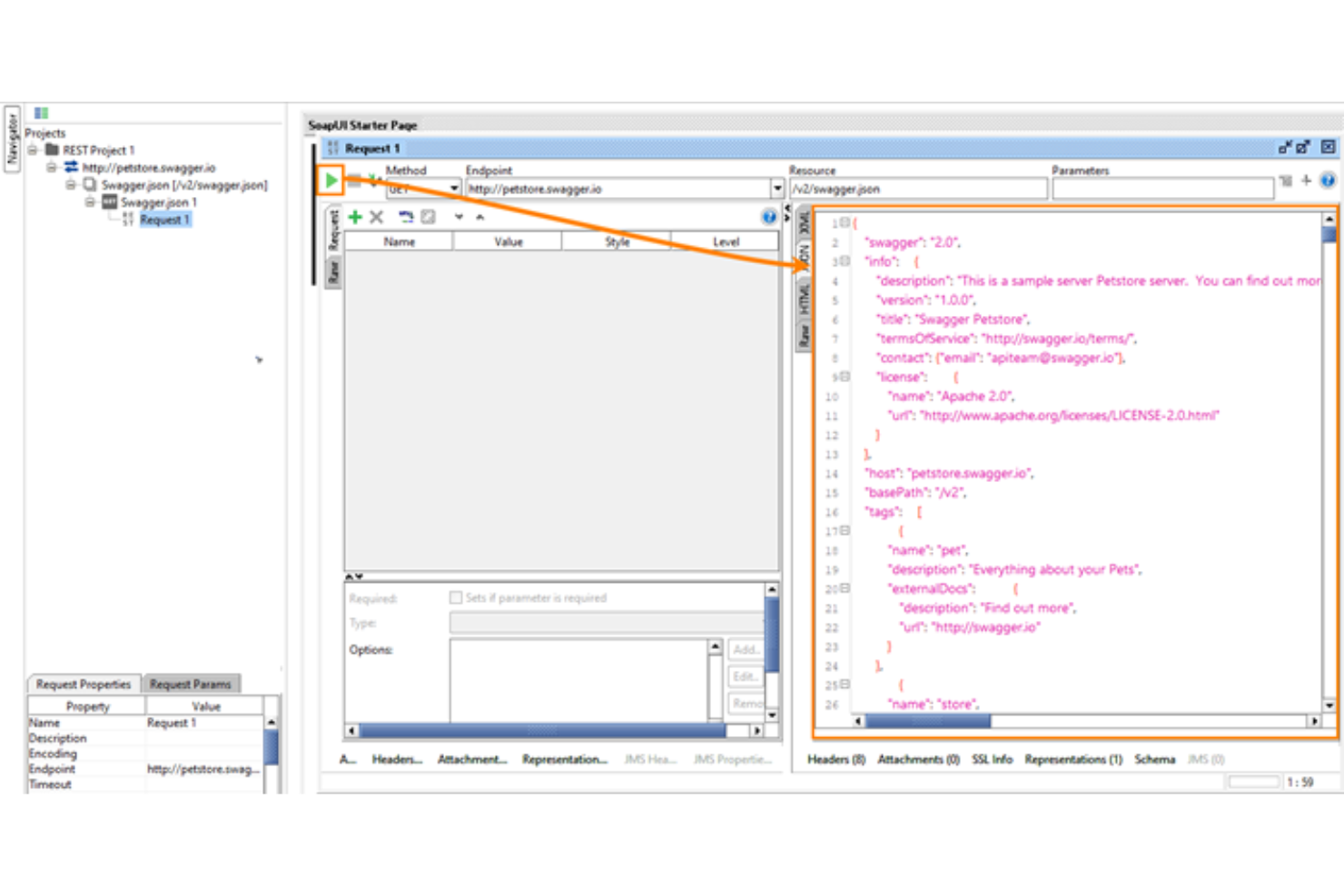
SoapUI, progettato per sviluppatori e tester, è un software open source per il testing delle API. Ti aiuta a simulare i tuoi servizi web reali, permettendoti di lavorare senza dover attendere che siano pronti o accessibili.
Perché ho scelto SoapUI: Dispone di un'interfaccia grafica facile da usare, che consente di sfruttare al meglio le funzionalità di virtualizzazione dei servizi. SoapUI è facile da apprendere grazie alla sua vivace community. La comunità open source e i partner che gravitano intorno al software migliorano l’esperienza degli utenti. Un altro aspetto interessante di SoapUI è che supporta i principali protocolli, tra cui SOAP/WSDL, REST, GraphQL e JMS.
Funzionalità e integrazioni principali di SoapUI
Funzionalità principali: Oltre alla simulazione delle API (API mocking), lo strumento offre eccezionali capacità di test delle API. Dispone di test funzionali senza bisogno di scripting, test di sicurezza e test di carico. Il software offre funzioni di creazione dei test tramite drag-and-drop, che consentono di creare ed eseguire facilmente scenari di test complessi.
Integrazioni includono FlexDeploy, Zephyr Squad, Zephyr Scale, eMOBIQ, Linx, aqua ed EcholoN.
Pros and Cons
Pros:
- È facile da usare
- Sono disponibili tutorial per gli utenti
- Supporto ai principali protocolli
Cons:
- Talvolta va in crash
- Impiegano tempo a caricare file di dati pesanti

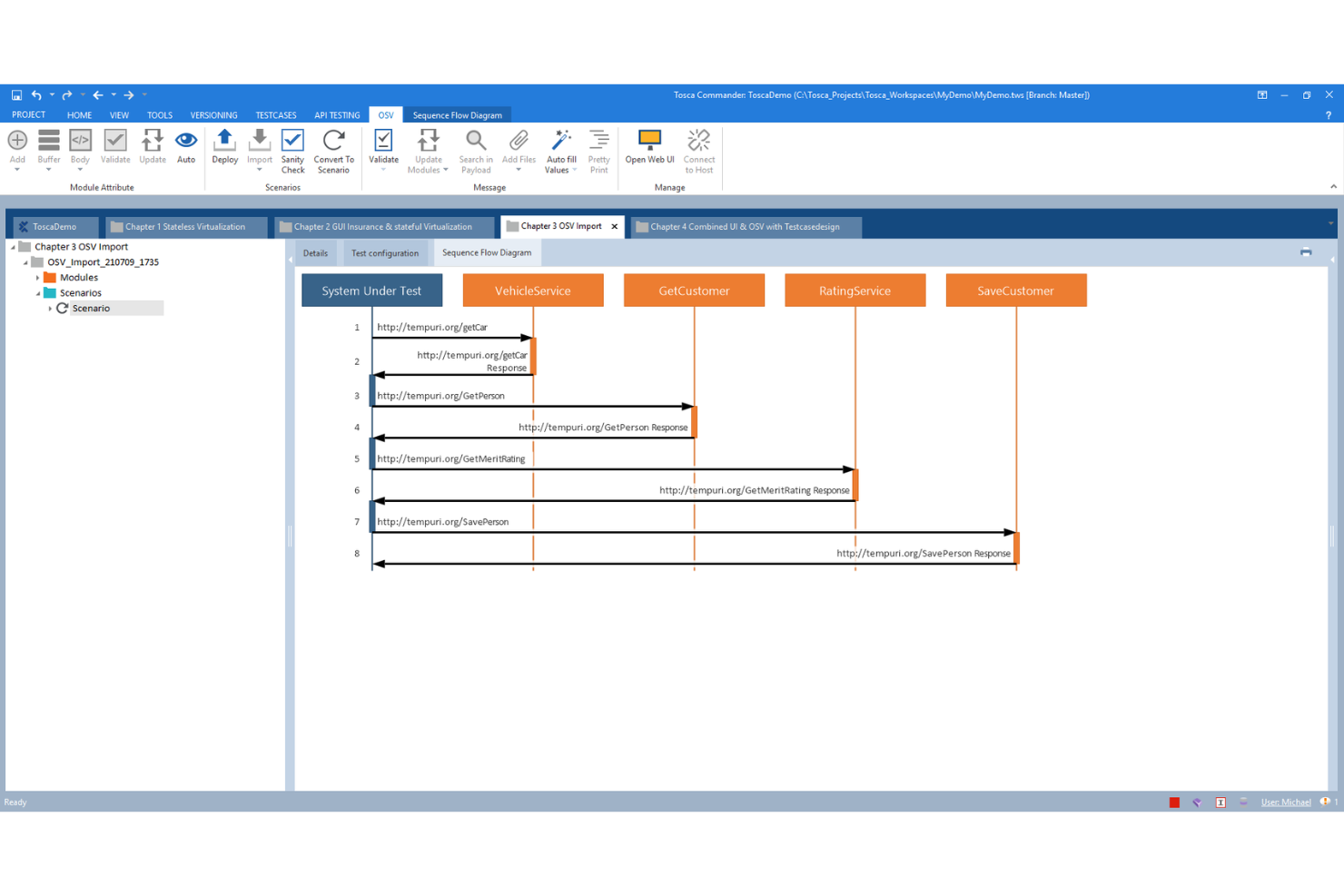
Tricentis Orchestrated Service Virtualization (OSV) ti aiuta a registrare e simulare i servizi da cui il tuo sistema dipende.
Perché ho scelto Tricentis OSV: Lo strumento ti consente di evitare potenziali problemi derivanti dai servizi da cui il tuo sistema dipende. Ti aiuta a sbloccare i tuoi test quando un servizio non è pronto, non è disponibile o è costoso da accedere. Tosca OSV fornisce componenti che ti permettono di creare, archiviare, ospitare e modificare i tuoi ambienti di test e scenari.
Attraverso integrazioni software, le funzionalità di questo strumento possono essere espanse o migliorate. Ad esempio, puoi integrare OSV con Tosca Commander tramite un AddIn e includere Tosca API Scan nelle tue attività di test OSV.
Funzionalità e integrazioni distintive di Tricentis OSV
Funzionalità distintive: Tricentis OSV dispone di un monitor che ti consente di gestire la virtualizzazione dei servizi da un punto centrale. Con OSV Monitor, puoi tenere d'occhio i tuoi ambienti OSV, gli scenari OSV e registrare la comunicazione tra il sistema sotto test e il servizio reale. Lo strumento include un host e un database: OSV Host ospita gli ambienti OSV che crei per scopi di test, mentre il database OSV archivia tutte le virtualizzazioni di servizio utilizzate per le simulazioni.
Integrazioni includono Jenkins, Selenium, Cucumber, VersionOne, Jira, Azure DevOps, Zendesk Suite, ServiceNow, SpiraTeam e Test Modeller.
Pros and Cons
Pros:
- Facile da usare
- Gestione centralizzata della virtualizzazione dei servizi
- Integrazioni senza soluzione di continuità
Cons:
- Necessari più tutorial
- Tempi di risposta dell'assistenza clienti lunghi


Parasoft Virtualize ti aiuta a creare equivalenti virtuali dei tuoi servizi web che si comportano proprio come quelli reali. Ti permette di creare simulazioni realistiche e verificare i servizi con i dati corretti.
Perché ho scelto Parasoft Virtualize: Con Parasoft Virtualize puoi creare ambienti virtuali affidabili e prevedibili grazie ad un ampio supporto per oltre 120 formati di messaggi e protocolli di settore. La cosa migliore è che non è richiesto scripting. Permette di andare oltre il semplice mocking e stubbing, consentendo di costruire simulazioni avanzate di API e servizi.
Lo strumento offre un'interfaccia intuitiva senza codice che favorisce la collaborazione tra i team. Le squadre possono visualizzare i risultati, rendendo possibile un rapido rilevamento degli errori e il debug. I report vanno oltre i risultati dei test e forniscono metriche utili per comprendere la salute degli ambienti e il ROI della virtualizzazione dei servizi.
Caratteristiche principali e integrazioni di Parasoft Virtualize
Caratteristiche principali includono la gestione degli ambienti di test, che aiuta a gestire le risorse virtuali create attraverso un'interfaccia web intuitiva. Dalla configurazione al monitoraggio delle prestazioni, offre gli strumenti necessari per controllare ogni aspetto dell'ambiente di test. Parasoft Virtualize è anche dotato di funzionalità di gestione dei dati di test che permettono di evitare conflitti nei test e l'inquinamento dei dati.
Altre funzionalità eccezionali di questo software sono i report avanzati e l'analisi dei dati, oltre al testing integrato delle API.
Integrazioni includono AWS, Jira Software, Docker, Dynatrace, GitLab, Jenkins, Kubernetes, Kafta, Apache Tomcat e AppDynamics.
Pros and Cons
Pros:
- Supporto per molti formati di messaggi e protocolli
- Interfaccia semplice e intuitiva
- Funzionalità di report avanzate
Cons:
- Alcune impostazioni complicate
- Sono necessari più tutorial per i principianti

WireMock
Il miglior software di simulazione di servizi per la creazione di API mock

WireMock è uno strumento open-source per il mocking delle API e la virtualizzazione dei servizi. Consente agli sviluppatori di creare API HTTP simulate, permettendo ai team di testare e sviluppare applicazioni senza doversi affidare a servizi esterni attivi.
Perché ho scelto WireMock: WireMock ti aiuta ad accelerare lo sviluppo impedendo che i flussi di lavoro vengano bloccati da API esterne inaffidabili o non disponibili. Invece di aspettare che i sistemi di terze parti si stabilizzino o diventino accessibili, i team possono simularne il comportamento localmente. Questo ti permette di sviluppare o implementare il processo di test con sicurezza, riducendo significativamente i costi.
WireMock si distingue anche per la sua flessibilità. Gli sviluppatori possono definire rapidamente servizi mock personalizzati tramite mapping di stub in JSON o codice, rendendo possibile replicare il comportamento reale delle API e creare ambienti virtuali su misura in pochi minuti.
Caratteristiche e integrazioni distintive di WireMock
Le caratteristiche distintive includono il matching avanzato delle richieste, la creazione dinamica di risposte tramite template e la possibilità di registrare/riprodurre le chiamate. WireMock offre inoltre diversi punti di estensione, permettendo di personalizzare e ampliare lo strumento in base ai flussi di lavoro di test.
Integrazioni includono Java e Spring Boot, oltre a implementazioni client e plugin per Python, Node.js, Golang, Rust e IntelliJ, con supporto per deployment su Kubernetes.
Pros and Cons
Pros:
- Personalizzabile tramite estensioni basate su Java
- Offre guide dettagliate e numerose risorse della community
- Può essere eseguito come processo standalone
Cons:
- Richiede tempo per imparare
- Richiede la definizione manuale di stub e mapping
Altri strumenti di virtualizzazione dei servizi
Ecco alcune ulteriori opzioni di strumenti di virtualizzazione dei servizi che non sono state incluse nel mio elenco ristretto, ma che vale comunque la pena prendere in considerazione:
- CloudShare
Ideale per creare formazione e demo virtuali
- AutoStub 2.0
Ideale per simulare servizi REST e SOAP
- Mountebank
Miglior strumento open-source multipiattaforma per la virtualizzazione dei servizi
- Traffic Parrot
Ideale sia per sviluppatori che per tester


Come valuto gli strumenti di virtualizzazione dei servizi
Valuto gli strumenti su due livelli: capacità di base come il supporto multi-protocollo e l’integrazione CI/CD, e fattori differenzianti come la profondità della simulazione stateful e la flessibilità di deployment.
Funzionalità di base (Requisiti fondamentali per questa lista)
Quando seleziono gli strumenti per la mia lista, attribuisco a ciascuno un punteggio da 0 (non offre la funzionalità) a 5 (eccelle in quest’area) per ciascuna funzionalità di base elencata sotto. Poi calcolo il punteggio totale dello strumento in percentuale. Ogni strumento deve raggiungere un punteggio totale minimo del 65% per essere considerato per l’inclusione.
- Virtualizzazione di servizi e API: Valuto se uno strumento può creare e gestire asset virtuali riutilizzabili che sostituiscono API reali, database e backend di messaggistica durante i cicli di test.
- Supporto multi-protocollo: Il range dei protocolli supportati è importante—controllo la presenza di REST, SOAP, JMS, MQ, JDBC, gRPC e formati legacy tipici degli ambienti aziendali reali.
- Registrazione richiesta/risposta: Cerco la capacità di catturare traffico reale e generare automaticamente servizi virtuali da esso, invece di richiedere ai team di creare ogni stub manualmente.
- Comportamento stateful e dinamico: Uno strumento dovrebbe supportare logica condizionale, risposte guidate dai dati e conversazioni stateful—come la simulazione di un gateway di pagamento che tiene traccia dello stato delle transazioni tra le chiamate.
- Simulazione di performance e latenza: La possibilità di configurare ritardi di risposta, limiti di throughput e iniezione di errori consente ai team di riprodurre condizioni simili alla produzione; valuto quindi la profondità di questi controlli.
- Integrazione con CI/CD e strumenti di test: Controllo la presenza di plugin nativi o API che si integrano con pipeline e framework di test come Jenkins, GitLab CI, Selenium o JMeter per il provisioning automatico dei servizi virtuali.
Una volta creata una lista di strumenti che soddisfano questi criteri, considero ciò che distingue ogni piattaforma.
Fattori differenzianti (Cosa distingue i fornitori)
Ecco come confronto e metto a confronto i diversi fornitori:
Funzionalità distintive
Il deployment containerizzato è un elemento rilevante: cerco il supporto nativo a Docker e Kubernetes che consenta ai team di avviare servizi virtuali effimeri per ogni pipeline, eliminandoli automaticamente al termine. Anche la generazione di asset assistita dall’IA distingue i leader, soprattutto quando uno strumento può costruire servizi virtuali da uno specifico OpenAPI o dal traffico registrato con pochissima regolazione manuale. Valuto inoltre librerie dedicate a test di caos e negativi, per simulare guasti, timeout e payload malformati fondamentali per validare la resilienza applicativa prima del rilascio.
Oltre le funzionalità
La struttura di licensing è molto importante: alcuni fornitori fanno pagare per ogni servizio virtuale, altri per utente o posto, e il modello sbagliato può far lievitare i costi se l’adozione cresce nei team. Valuto anche la flessibilità di deployment, dato che i settori regolamentati richiedono spesso opzioni on-premise o ibride, mentre i team cloud-native prediligono SaaS. Vale la pena verificare controlli di sicurezza aziendale come RBAC, audit logging e mascheramento dati per il traffico registrato, specialmente quando i servizi virtuali catturano payload simili a quelli di produzione che possono contenere dati sensibili.
Come scegliere uno strumento di virtualizzazione dei servizi
È facile perdersi tra lunghi elenchi di funzionalità e strutture di prezzo complesse. Per aiutarti a rimanere concentrato mentre affronti il tuo specifico processo di selezione del software, ecco una lista di controllo dei fattori da tenere a mente:
| Fattore | Cosa considerare |
|---|---|
| Scalabilità | Lo strumento è in grado di gestire il carico di lavoro attuale e futuro? Valuta se supporta la crescita senza perdite di prestazioni. |
| Integrazioni | Si integra con i sistemi esistenti? Verifica la compatibilità con gli strumenti principali del tuo flusso di lavoro. |
| Personalizzazione | Puoi adattare lo strumento a esigenze specifiche? Cerca opzioni per modificare impostazioni e configurazioni. |
| Semplicità d’uso | L’interfaccia è intuitiva per il tuo team? Considera strumenti con navigazione semplice e requisiti minimi di formazione. |
| Implementazione e onboarding | Quanto rapidamente puoi iniziare? Valuta la disponibilità di risorse come tutorial e assistenza durante la configurazione. |
| Costo | Il prezzo è in linea con il tuo budget? Confronta i modelli di prezzo e considera il costo totale di proprietà. |
| Misure di sicurezza | Sono presenti misure per la protezione dei dati? Verifica la conformità agli standard del settore e le pratiche di crittografia dei dati. |
| Disponibilità dell’assistenza | È disponibile un aiuto quando ne hai bisogno? Cerca assistenza 24 ore su 24, 7 giorni su 7 e opzioni di comunicazione multicanale. |
Cosa sono gli strumenti di virtualizzazione dei servizi?
Gli strumenti di virtualizzazione dei servizi sono soluzioni software che imitano il comportamento di vari componenti di un'applicazione software. Sono comunemente utilizzati da sviluppatori e tester per facilitare il collaudo e lo sviluppo senza avere accesso all'intero sistema. La simulazione del comportamento dei servizi, il supporto per più protocolli e la possibilità di sviluppare in parallelo aiutano i team a eseguire i test in modo efficiente e a ridurre le dipendenze. Nel complesso, questi strumenti offrono un modo conveniente per migliorare la qualità del software e accelerare il processo di sviluppo.
Funzionalità
Quando selezioni gli strumenti di virtualizzazione dei servizi, presta attenzione alle seguenti funzionalità chiave:
- Comportamento simulato dei servizi: imita i servizi reali per consentire i test senza avere accesso all'intero sistema, riducendo i ritardi.
- Supporto per più protocolli: offre flessibilità supportando vari protocolli di comunicazione utilizzati nel tuo ambiente.
- Sviluppo parallelo: consente ai team di lavorare contemporaneamente su componenti diversi, accelerando il processo di sviluppo.
- Ambienti personalizzabili: permette agli utenti di adattare i servizi virtuali a scenari e requisiti di test specifici.
- Monitoraggio in tempo reale: fornisce informazioni sulle prestazioni dei servizi virtuali, aiutando a identificare rapidamente i problemi.
- Modellazione avanzata dei dati: semplifica le configurazioni di dati complesse e migliora l'accuratezza dei test con scenari di dati realistici.
- Funzionalità di integrazione: garantisce una connettività fluida con gli strumenti e i flussi di lavoro esistenti per operazioni efficienti.
- Interfaccia intuitiva: semplifica l'interazione con lo strumento, riducendo la curva di apprendimento per i nuovi utenti.
- Misure di sicurezza: protegge i dati sensibili tramite la crittografia e la conformità agli standard del settore.
- Supporto completo: offre risorse come tutorial e un servizio clienti reattivo per assistere gli utenti in modo efficace.
Vantaggi
L'implementazione degli strumenti di virtualizzazione dei servizi offre diversi vantaggi al tuo team e alla tua azienda. Ecco alcuni dei vantaggi che puoi aspettarti:
- Maggiore efficienza: lo sviluppo parallelo consente ai team di lavorare contemporaneamente su più componenti, accelerando il ciclo di sviluppo.
- Risparmio sui costi: i servizi simulati riducono la necessità di costosi ambienti di test, abbassando i costi complessivi.
- Maggiore accuratezza dei test: la modellazione avanzata dei dati offre scenari realistici, migliorando l'affidabilità dei risultati dei test.
- Flessibilità: il supporto per più protocolli garantisce che lo strumento possa adattarsi a diversi ambienti e tecnologie.
- Riduzione delle dipendenze: imitando il comportamento dei servizi, i team possono eseguire i test senza attendere altri componenti, riducendo al minimo i ritardi.
- Collaborazione migliorata: gli ambienti personalizzabili consentono ai diversi team di adattare le configurazioni alle proprie esigenze specifiche, favorendo il lavoro di squadra.
- Rilevamento più efficace dei problemi: il monitoraggio in tempo reale aiuta a identificare e risolvere rapidamente i problemi di prestazioni, mantenendo la qualità del software.
Costi e prezzi
La selezione degli strumenti di virtualizzazione dei servizi richiede una conoscenza dei vari modelli e piani tariffari disponibili. I costi variano in base alle funzionalità, alle dimensioni del team, agli elementi aggiuntivi e ad altri fattori. La tabella seguente riassume i piani più comuni, i relativi prezzi medi e le funzionalità tipicamente incluse nelle soluzioni di strumenti di virtualizzazione dei servizi:
Tabella comparativa dei piani per gli strumenti di virtualizzazione dei servizi
| Tipo di piano | Prezzo medio | Funzionalità comuni |
|---|---|---|
| Piano gratuito | $0 | Funzionalità di simulazione di base, supporto per un numero limitato di protocolli e supporto della community. |
| Piano personale | $10-$30/utente/mese | Accesso a un numero maggiore di protocolli, ambienti personalizzabili e supporto via e-mail. |
| Piano aziendale | $50-$100/utente/mese | Modellazione avanzata dei dati, integrazione con strumenti CI/CD e supporto prioritario. |
| Piano aziendale avanzato | $150+/utente/mese | Monitoraggio in tempo reale, misure di sicurezza avanzate, account manager dedicato e supporto completo. |
Domande frequenti sugli strumenti di virtualizzazione dei servizi
Ecco alcune risposte alle domande comuni sugli strumenti di virtualizzazione dei servizi:
Chi utilizza gli strumenti di virtualizzazione dei servizi?
I sistemi di virtualizzazione dei servizi vengono utilizzati da sviluppatori, professionisti del controllo qualità e altri ingegneri del software. Li usano per simulare i componenti di sistema mancanti, consentendo uno sviluppo e un collaudo più rapidi.
Come possono le organizzazioni garantire che i loro servizi virtuali rimangano allineati ai sistemi di produzione?
Stabilisci un processo di controllo delle versioni che rispecchi le modifiche apportate in produzione nell’ambiente virtuale. Pianifica aggiornamenti periodici per rinnovare i modelli di dati e le configurazioni. L’automazione della sincronizzazione tra gli ambienti aiuta a mantenere affidabilità e accuratezza.
Qual è un esempio di virtualizzazione dei servizi?
La virtualizzazione dei servizi viene utilizzata nei test delle prestazioni delle API. Se vuoi comprendere tutte le capacità dell’API in una serie di condizioni e il componente reale necessario per eseguire i test non è disponibile, la virtualizzazione dei servizi ti consente di modellare l’API ed eseguire i test in qualsiasi fase del ciclo di vita dello sviluppo del software.
Il prossimo passo:
Se stai cercando strumenti di virtualizzazione dei servizi, contatta gratuitamente un consulente SoftwareSelect per ricevere consigli.
Compili un modulo e fai una breve conversazione durante la quale vengono analizzati nel dettaglio i tuoi requisiti. Poi riceverai una selezione ristretta di software da valutare. Ti offriranno inoltre supporto durante l'intero processo di acquisto, comprese le negoziazioni sul prezzo.