

Cyber Savvy: Guida Ai 10 Migliori Software PKI Del 2026

10 Migliori software PKI - Shortlist


Il software PKI gestito ti aiuta a emettere, monitorare e rinnovare certificati digitali, così il tuo team può mettere in sicurezza i sistemi senza doversi continuamente preoccupare delle scadenze, delle lacune di conformità o della gestione manuale delle chiavi.
Molti team ricorrono a questi strumenti dopo aver perso troppo tempo inseguendo certificati in scadenza, complicando i processi interni o temendo che qualcosa passi inosservato durante gli audit. Non è che l'infrastruttura a chiave pubblica sia una novità, è che gestirla su larga scala senza strumenti dedicati può rapidamente diventare ingestibile.
Ho collaborato con diverse organizzazioni per selezionare e implementare strumenti PKI in grado di ridurre il rischio, soddisfare i requisiti normativi e rendere la gestione dei certificati meno gravosa per team già sovraccarichi. Questa guida si basa su quell'esperienza e ti aiuterà a scegliere una soluzione adatta al tuo ambiente, restituendoti tempo da dedicare ad altre priorità.
Perché fidarsi dei nostri consigli sui software
Il nostro team testa e recensisce software dal 2012. In quanto leader tecnologici noi stessi, sappiamo quanto sia difficile — e importante — scegliere il software giusto.
Per questa guida, abbiamo valutato gli strumenti attraverso test praticie ricerche indipendenti, assegnando un punteggio agli strumenti in base ai nostri criteri di selezione.
Le nostre recensioni riflettono il nostro giudizio editoriale umano, non un discorso di vendita.
Revisori esperti:
Sintesi dei migliori software PKI
Questa tabella comparativa riassume i dettagli dei prezzi delle mie principali selezioni di software PKI per aiutarti a trovare la soluzione migliore per il tuo budget e le esigenze aziendali.
| Tool | Best For | Trial Info | Price | ||
|---|---|---|---|---|---|
| 1 | Ideale per la gestione automatizzata della sicurezza | Not available | Prezzo su richiesta | Website | |
| 2 | Ideale per le attività di gestione del ciclo di vita dei certificati | Not available | Il prezzo della piattaforma DigiCert PKI è basato su diversi fattori e quindi è disponibile solo su richiesta. | Website | |
| 3 | Ideale per configurazioni PKI basate su Windows | Not available | Microsoft Active Directory Certificate Services è incluso nella licenza di Windows Server. Il prezzo di partenza per Windows Server è di $972 (fatturati annualmente). | Website | |
| 4 | Ideale per l’emissione di certificati a livello aziendale | Not available | Il prezzo di GlobalSign PKI non è divulgato pubblicamente, pertanto è disponibile su richiesta. | Website | |
| 5 | Ideale per il rinnovo automatico dei certificati senza intervento manuale | Not available | Venafi adotta un modello di “Prezzo su richiesta”, che richiede agli utenti di contattarli per ricevere un preventivo. | Website | |
| 6 | Ideale per il supporto di protocolli e hardware | Not available | EJBCA offre una versione Community gratuita, ma il prezzo della versione Enterprise è disponibile su richiesta. | Website | |
| 7 | Ideale per un deployment PKI flessibile | Not available | Prezzo su richiesta | Website | |
| 8 | Migliore soluzione PKI open-source | Not available | Gratuito da usare | Website | |
| 9 | Ideale per la copertura di crittografia su larga scala | Not available | A partire da $12/utente/mese (fatturato annualmente) | Website | |
| 10 | Ideale per la gestione complessa dei certificati | Prova gratuita di 30 giorni | Prezzi su richiesta | Website |
Recensioni dei migliori software PKI
Qui sotto trovi le mie sintesi dettagliate dei migliori software PKI che ho incluso nella mia shortlist. Le mie recensioni offrono uno sguardo approfondito su funzionalità principali, pro e contro, integrazioni e casi d’uso ideali di ciascuno strumento, per aiutarti a trovare quello più adatto a te.

Ideale per la gestione automatizzata della sicurezza
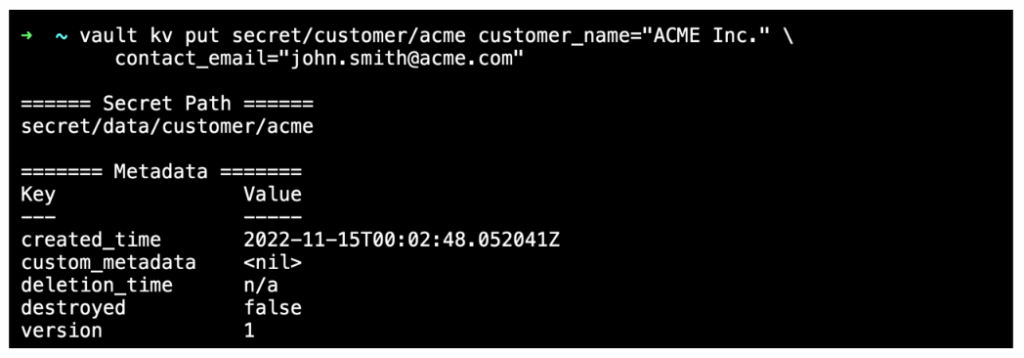
HashiCorp Vault si occupa della tua sicurezza digitale, offrendo una suite completa per l'accesso basato sull'identità e la protezione dei dati sensibili su diversi sistemi. Lo strumento gestisce in modo automatizzato la gestione di segreti, chiavi di crittografia e certificati.
Perché ho scelto HashiCorp Vault:
Ho scelto HashiCorp Vault per il suo impegno nell'automazione della sicurezza. Nel panorama dinamico della sicurezza digitale, Vault eccelle nello snellire i processi e ridurre la supervisione manuale. Il notevole focus sull'automazione offre una solida barriera per i dati riservati.
Pertanto, credo che HashiCorp Vault si distingua davvero come la scelta migliore per le aziende che devono gestire la sicurezza in modo automatizzato.
Caratteristiche principali e integrazioni:
La funzione dei segreti dinamici di Vault riduce il rischio di esposizione indesiderata dei dati creando segreti su richiesta che vengono revocati dopo l'uso. Il suo modulo di crittografia come servizio consente agli utenti di cifrare i dati senza occuparsi delle complessità della gestione delle chiavi.
Per quanto riguarda le integrazioni, Vault si integra perfettamente con la tua infrastruttura esistente. Funziona bene con piattaforme popolari come AWS, Google Cloud e Azure, offrendo un'ampia copertura.
Pros and Cons
Pros:
- Gestione robusta e flessibile di chiavi e segreti
- Ampia gamma di integrazioni per una distribuzione versatile
- I segreti dinamici garantiscono la massima sicurezza dei dati
Cons:
- Curva di apprendimento ripida per i nuovi utenti
- La documentazione dettagliata può risultare impegnativa
- La struttura dei prezzi non è riportata in modo trasparente

Ideale per le attività di gestione del ciclo di vita dei certificati
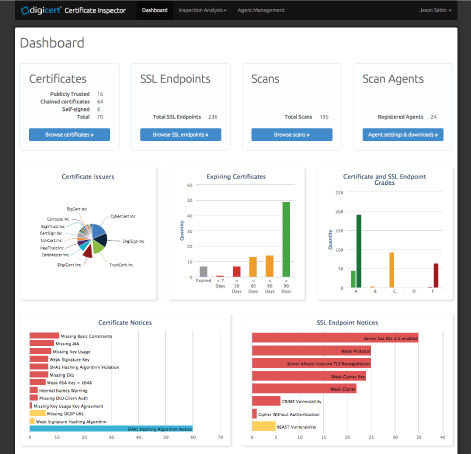
La piattaforma DigiCert PKI offre soluzioni di certificati ad alta affidabilità, scalabili e robuste. Si distingue nella gestione del ciclo di vita semplificando e automatizzando i processi di emissione, rinnovo e gestione dei certificati digitali, rendendola la scelta migliore per questi compiti.
Perché ho scelto DigiCert PKI Platform:
Ho scelto DigiCert PKI Platform per il suo approccio completo alla gestione del ciclo di vita dei certificati, che la fa emergere rispetto agli altri strumenti. L'automazione dei processi complessi legati ai certificati supporta il motivo per cui è la migliore in questo ambito, garantendo operazioni certificate efficienti e lineari.
Caratteristiche principali e integrazioni:
Le caratteristiche degne di nota della piattaforma includono l'emissione e il rinnovo automatico dei certificati, un'interfaccia utente intuitiva per una gestione semplice e API robuste per l'integrazione. DigiCert PKI Platform offre anche integrazioni chiave con sistemi ampiamente utilizzati come Microsoft Active Directory, Microsoft Autoenrollment e altri componenti dell'infrastruttura IT, estendendo le sue capacità di gestione del ciclo di vita dei certificati in questi ambienti.
Pros and Cons
Pros:
- Semplifica i processi di emissione e rinnovo dei certificati
- API robuste consentono l'integrazione con vari sistemi
- Offre un'interfaccia di gestione intuitiva
Cons:
- La struttura dei prezzi può risultare complessa e non è disponibile direttamente
- Alcuni utenti potrebbero trovare le numerose funzionalità della piattaforma troppo complesse
- Configurazione e impostazione possono richiedere tempo

Ideale per configurazioni PKI basate su Windows
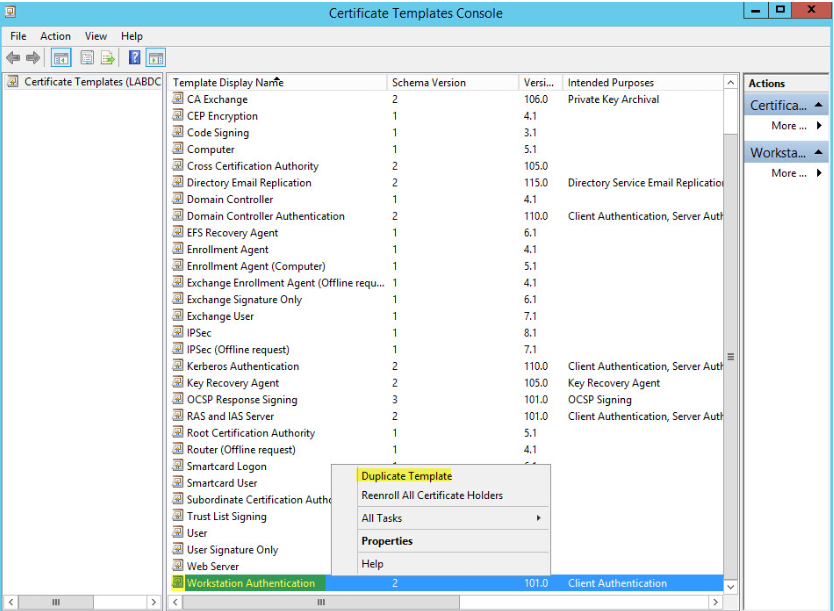
Microsoft Active Directory Certificate Services (AD CS) è un ruolo in Windows Server che consente la creazione di un'infrastruttura a chiave pubblica (PKI) completamente funzionale. Essendo strettamente integrato nell'ecosistema Microsoft, diventa la soluzione PKI di riferimento per ambienti focalizzati su Windows.
Perché ho scelto Microsoft Active Directory Certificate Services (AD CS):
Nella selezione degli strumenti PKI, AD CS ha attirato la mia attenzione per la sua integrazione perfetta nell'ecosistema Microsoft. Credo che questa integrazione lo renda la migliore scelta per ambienti focalizzati su Windows, dove può offrire una soluzione PKI nativa ed efficiente.
Caratteristiche principali e integrazioni:
Le funzionalità di AD CS includono la possibilità di personalizzare i contenuti e le estensioni dei certificati, e supporta il rilascio automatico dei certificati tramite modelli. Il suo punto di forza principale è l'integrazione con Microsoft Active Directory, che consente una distribuzione e una gestione semplice dei certificati all'interno di un ambiente Windows.
Pros and Cons
Pros:
- Integrazione perfetta nell'ecosistema Microsoft
- Contenuti ed estensioni dei certificati personalizzabili
- Rilascio automatico dei certificati tramite modelli
Cons:
- Limitato agli ambienti Windows
- Può essere complesso da configurare senza una buona comprensione dei principi PKI
- Richiede una licenza Windows Server, che può essere costosa per le organizzazioni più piccole

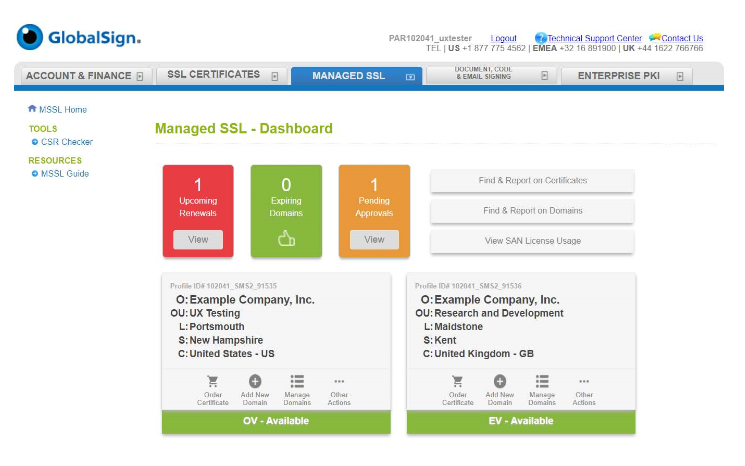
GlobalSign PKI è una piattaforma progettata per proteggere le identità digitali delle organizzazioni su larga scala. Si distingue per la capacità di emettere alti volumi di certificati e per l’iscrizione automatizzata, diventando una scelta privilegiata per le aziende che cercano una protezione robusta a livello enterprise.
Perché ho scelto GlobalSign PKI:
Durante la selezione degli strumenti per questa lista, ho valutato ciascuno in base alle proprie qualità distintive. GlobalSign PKI si è distinto per la sua capacità di gestire l’emissione di certificati in grandi volumi e l’iscrizione automatizzata, elementi fondamentali per la protezione a livello aziendale. Questa solida caratteristica motiva la mia convinzione che sia la migliore opzione per le aziende che necessitano di una protezione estesa.
Funzionalità e integrazioni principali:
GlobalSign PKI offre un set di funzionalità robuste, tra cui la gestione del ciclo di vita dei certificati, l’iscrizione automatizzata e il supporto per molteplici tipologie di certificati. Propone integrazioni con Microsoft Active Directory e altri sistemi dell’infrastruttura IT, garantendo una copertura di protezione ampia tra le diverse applicazioni aziendali.
Pros and Cons
Pros:
- Garantisce un’ampia protezione a livello aziendale
- Gestisce efficientemente l’emissione di certificati ad alto volume
- Offre iscrizione automatizzata per facilità d’uso
Cons:
- La mancanza di prezzi trasparenti può essere problematica per i potenziali utenti
- Alcuni clienti hanno segnalato tempi di risposta lenti dal servizio clienti
- La piattaforma potrebbe avere una curva di apprendimento ripida per chi è nuovo alle soluzioni PKI

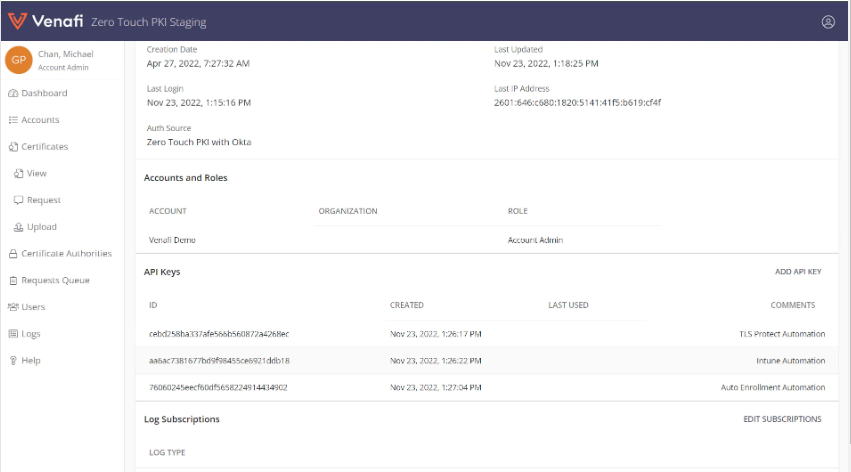
Venafi è una piattaforma PKI di rilievo che centralizza e automatizza il ciclo di vita dei certificati digitali. Grazie alle sue funzionalità di automazione, in particolare il rilascio e il rinnovo dei certificati senza intervento manuale, Venafi è particolarmente indicata per chi cerca una gestione semplificata dei certificati.
Perché ho scelto Venafi:
Quando stavo decidendo quale piattaforma PKI includere in questa lista, Venafi si è distinta per le sue avanzate capacità di automazione. La funzione di rilascio e rinnovo dei certificati senza intervento manuale la differenzia davvero dalle altre, portandomi a ritenerla la migliore per l'automazione.
Caratteristiche distintive e integrazioni:
Venafi si distingue per l'automazione avanzata del ciclo di vita dei certificati, inclusi rilascio, rinnovo e revoca. Inoltre, si integra con i principali sistemi IT come fornitori cloud, strumenti DevOps e altro ancora, rendendola una piattaforma altamente adattabile.
Pros and Cons
Pros:
- Automazione avanzata del ciclo di vita dei certificati
- Si integra con i principali sistemi IT
- Fornisce visibilità su tutte le identità macchina e i rischi associati
Cons:
- La politica dei prezzi non è trasparente e richiede un preventivo personalizzato
- Può essere complesso da configurare e gestire senza una formazione adeguata
- L'assistenza clienti può essere lenta durante le ore non di punta

Ideale per il supporto di protocolli e hardware
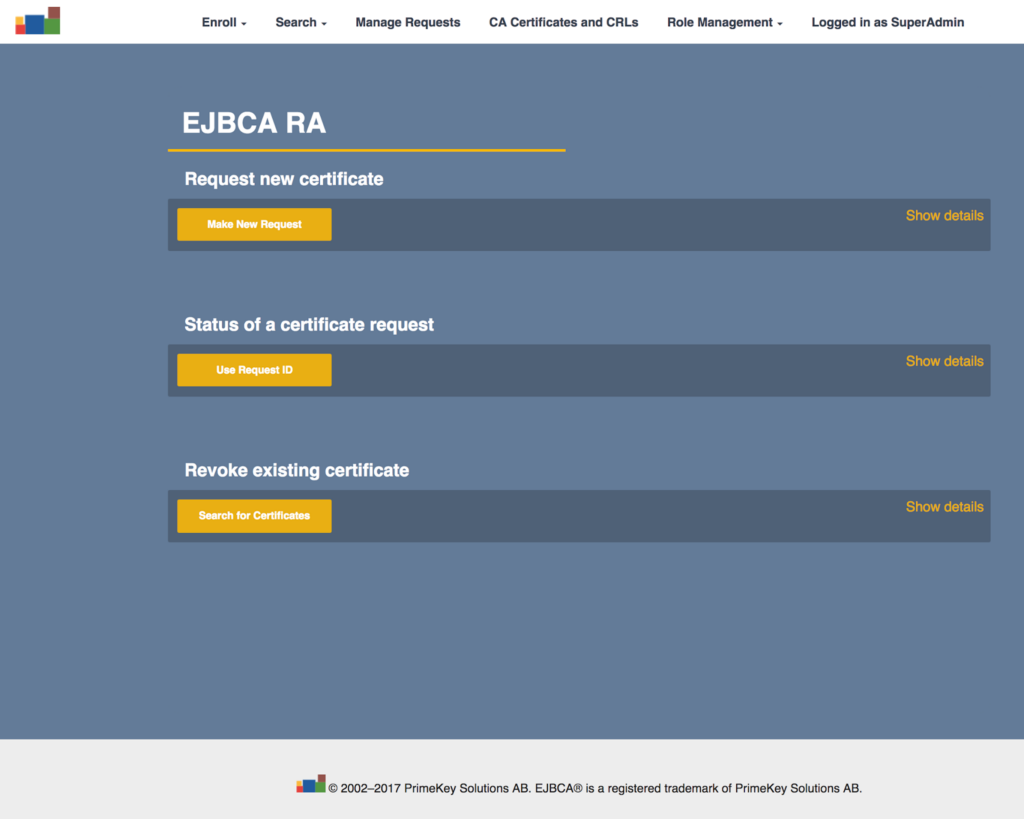
EJBCA è una soluzione PKI robusta e indipendente dalla piattaforma, progettata per consentire l'emissione e la gestione senza interruzioni dei certificati digitali. Grazie alla sua capacità di supportare tutti i principali protocolli e hardware, EJBCA è la scelta migliore per l'interoperabilità in ambienti IT eterogenei.
Perché ho scelto EJBCA:
Ho selezionato EJBCA per questa lista perché si distingue per la sua ampia interoperabilità. La compatibilità con i principali protocolli e hardware lo rende una scelta ideale per ecosistemi IT diversificati. Pertanto, l'ho valutato come il migliore per l'interoperabilità.
Caratteristiche principali e integrazioni:
EJBCA vanta un ricco set di funzionalità, tra cui una gestione avanzata del ciclo di vita dei certificati, integrazioni flessibili e il supporto per moduli di sicurezza hardware. Si integra con una varietà di piattaforme e dispositivi, rafforzando la sua posizione come soluzione PKI versatile e interoperabile.
Pros and Cons
Pros:
- Elevata interoperabilità con i principali protocolli e hardware
- Gestione robusta del ciclo di vita dei certificati
- Ampie integrazioni con piattaforme e dispositivi
Cons:
- Il prezzo della versione Enterprise non è reso pubblico
- Può risultare complesso da configurare per chi non ha familiarità con le applicazioni basate su Java
- Il supporto della Community potrebbe non essere reattivo o completo quanto quello Enterprise

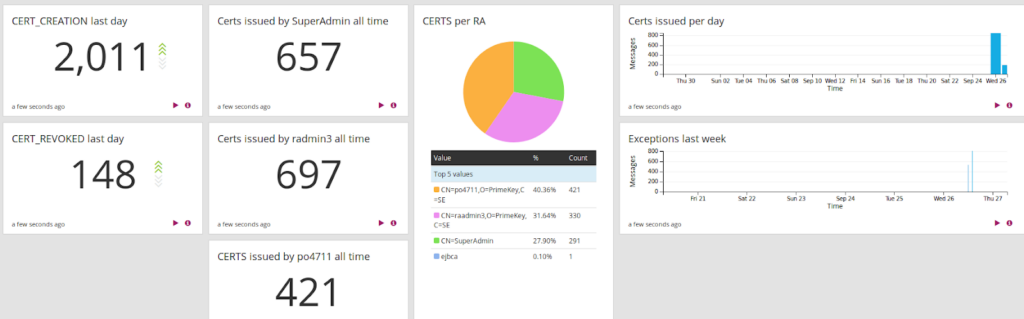
PrimeKey EJBCA® Enterprise funge da Autorità di Certificazione robusta, garantendo una gestione sicura e flessibile delle identità digitali. Il software è progettato per soddisfare le esigenze di organizzazioni di tutte le dimensioni, offrendo una gamma di opzioni personalizzabili per adattarsi alla complessità dei diversi ambienti IT.
Perché ho scelto PrimeKey EJBCA® Enterprise:
Ho selezionato PrimeKey EJBCA® Enterprise per la sua adattabilità. In un panorama tecnologico ricco di esigenze e casi d'uso diversi, la natura personalizzabile di questa soluzione PKI offre un vantaggio netto. La sua capacità di modellarsi sui requisiti unici di un’organizzazione la rende la scelta migliore per chi cerca un’opzione di implementazione flessibile.
Caratteristiche distintive e integrazioni:
PrimeKey EJBCA® Enterprise si distingue per il suo potente sistema di gestione dei certificati e per i workflow adattabili. Supporta gerarchie multiple di Autorità di Certificazione (CA) e una vasta gamma di profili certificato. Dal punto di vista delle integrazioni, si integra efficacemente con HSM di fornitori come Thales e Utimaco, e offre una REST API per un’integrazione fluida con l’infrastruttura IT esistente.
Pros and Cons
Pros:
- Versatile e personalizzabile per adattarsi a requisiti specifici
- Gestione completa di certificati e flussi di lavoro
- Opzioni di integrazione avanzate, inclusa REST API
Cons:
- Può risultare complesso per utenti alle prime armi
- Potrebbe essere necessario supporto per l'installazione iniziale
- Informazioni sui prezzi non trasparenti


OpenXPKI è una potente soluzione PKI open-source progettata per flessibilità e sicurezza. Questo strumento offre un'architettura scalabile, pronta per le aziende, che permette di modellare una soluzione di sicurezza in base alle proprie esigenze specifiche.
Perché ho scelto OpenXPKI:
OpenXPKI ha attirato la mia attenzione per la sua natura open-source. Questo fattore non solo lo rende un'opzione economica, ma consente anche ampie possibilità di personalizzazione e scalabilità. È la diversità nella progettazione e la sua adattabilità a distinguere OpenXPKI, che si guadagna così il titolo di migliore soluzione open-source per personalizzare l'architettura di sicurezza.
Caratteristiche distintive e integrazioni:
OpenXPKI offre un ambiente ricco di funzionalità con flussi di lavoro personalizzabili, supporto per molteplici gerarchie CA e una gestione avanzata dei token. Lo strumento offre inoltre un'API estesa per integrazione e automazione, ed è compatibile con diversi database tra cui MySQL, Oracle e PostgreSQL.
Pros and Cons
Pros:
- Open-source e gratuito
- Opzioni di personalizzazione e scalabilità estese
- API solida per integrazioni e automazione
Cons:
- La curva di apprendimento può essere ripida per i principianti
- Richiede più configurazione rispetto alle soluzioni PKI commerciali
- Assenza di supporto clienti dedicato

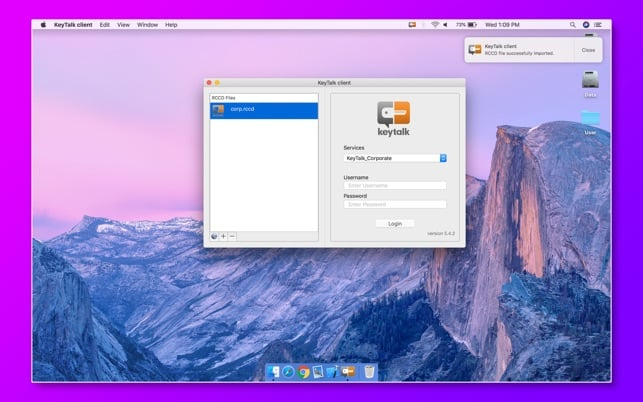
KeyTalk è una soluzione PKI efficace progettata per proteggere e automatizzare la gestione dei certificati digitali su più dispositivi. Il punto di forza di KeyTalk risiede nella sua scalabilità, rendendolo ideale per le organizzazioni che gestiscono un gran numero di dispositivi, quindi il migliore per la sicurezza su larga scala.
Perché ho scelto KeyTalk:
Ho scelto KeyTalk per la sua impressionante capacità di scalare e gestire il ciclo di vita dei certificati su innumerevoli dispositivi, distinguendosi così dalle altre soluzioni PKI presenti nell'elenco. Quando si tratta di proteggere numerosi dispositivi, credo che KeyTalk sia superiore, pertanto lo considero il migliore per la sicurezza su scala.
Caratteristiche principali e integrazioni:
Le principali funzionalità di KeyTalk includono il rinnovo, la revoca e l'installazione automatica dei certificati su diversi dispositivi. Inoltre, si distingue per il supporto a vari tipi di certificati come SSL/TLS, firma del codice e certificati utente. Da notare anche l'integrazione di KeyTalk con una vasta gamma di sistemi server, applicazioni software e componenti di rete, aumentando così la sua utilità all'interno di diverse infrastrutture IT.
Pros and Cons
Pros:
- Scalabilità eccezionale nella gestione dei dispositivi
- Ampio supporto ai tipi di certificati
- Numerose integrazioni con sistemi e applicazioni
Cons:
- Potrebbe essere eccessivo per aziende di piccole dimensioni
- L'interfaccia può risultare complessa per utenti alle prime armi
- Il prezzo premium potrebbe non essere adatto a tutti i budget

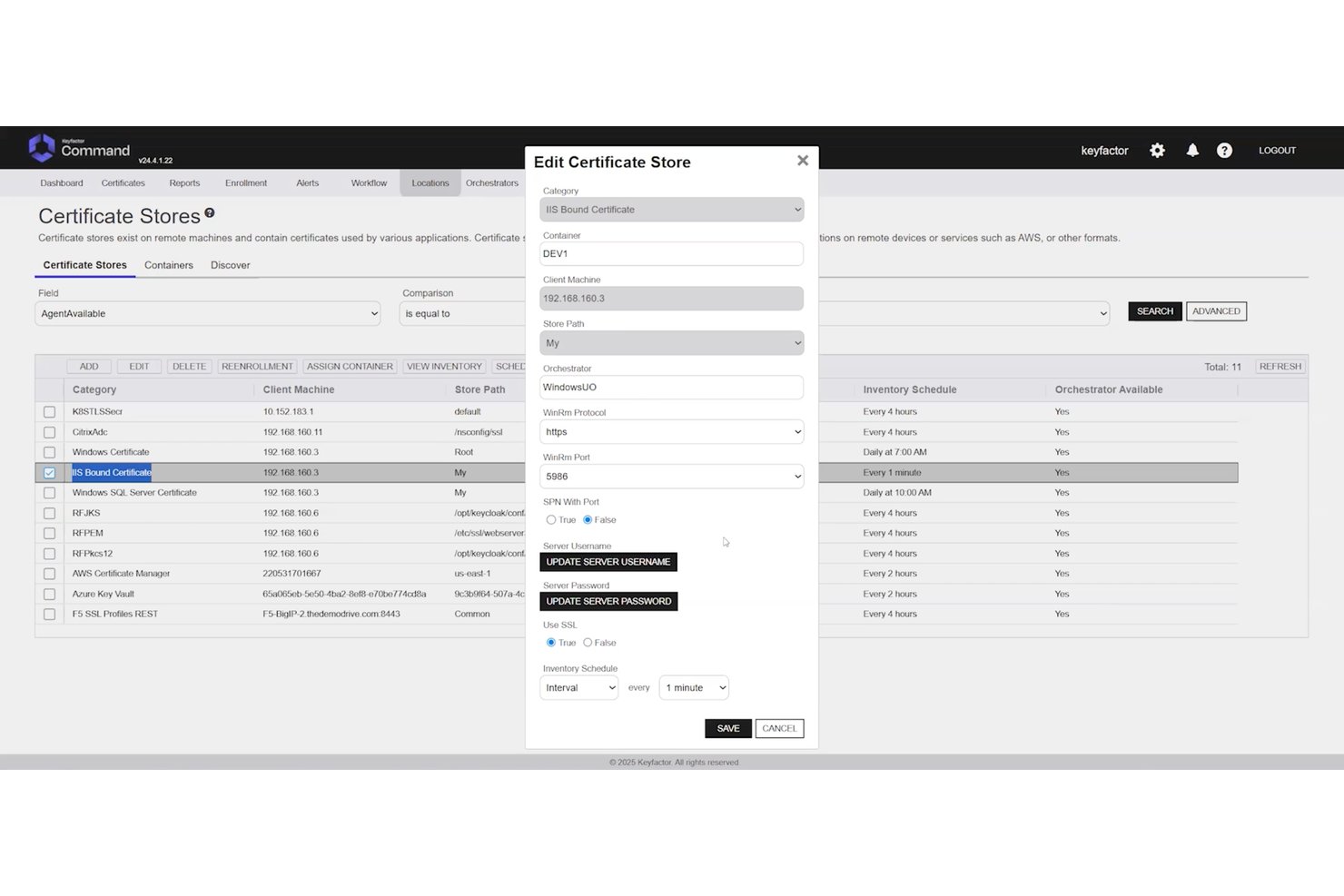
Keyfactor Command è una piattaforma PKI indipendente dalla CA che centralizza la gestione del ciclo di vita dei certificati, la gestione delle chiavi crittografiche e l'individuazione automatizzata negli ambienti multi-cloud, on-premise e ibridi.
Per chi è più adatto Keyfactor Command?
Keyfactor Command è una soluzione ideale per i team aziendali responsabili della PKI e della sicurezza che gestiscono ambienti multi-CA di grandi dimensioni, con requisiti complessi di conformità e automazione.
Perché ho scelto Keyfactor Command
Keyfactor Command è entrato nella mia lista ristretta perché nessun'altra piattaforma gestisce la complessità multi-CA su questa scala. Sono particolarmente colpito dalla sua architettura indipendente dalla CA, che consente di gestire i certificati attraverso qualsiasi combinazione di CA pubbliche e private senza vincolarsi a un singolo emittente. Quando si verifica una compromissione di una CA, la riemissione in massa nell'intero inventario è una risposta davvero rapida, non una corsa frenetica che dura giorni. La sua predisposizione al post-quantum, inclusi l'inventario dei certificati PQC e il supporto per OID personalizzati, la rende la scelta giusta a lungo termine per le aziende che gestiscono centinaia di milioni di certificati.
Caratteristiche principali di Keyfactor Command
- Individuazione dei certificati a livello di rete: Scansione senza agenti su intervalli IP, subnet, archivi di chiavi, ambienti cloud e repository di codice per individuare certificati non gestiti e non autorizzati.
- RBAC con integrazione del provider di identità: I controlli di accesso basati sui ruoli si collegano direttamente ad Active Directory e ai provider di identità esterni, con registrazione guidata dai flussi di lavoro e fasi di approvazione.
- Integrazione HSM: Supporto nativo per Thales Luna, AWS CloudHSM e Azure Key Vault, con supporto per moduli convalidati FIPS 140-2 per l'archiviazione sicura delle chiavi.
- Interfaccia utente per l'automazione DevOps in autonomia: Un'interfaccia dedicata consente ai team DevOps di richiedere e gestire i certificati autonomamente, con supporto nativo per cert-manager e le pipeline CI/CD.
Integrazioni di Keyfactor Command
Keyfactor Command offre oltre 100 integrazioni predefinite, tra cui Thales Luna HSM, AWS CloudHSM, Azure Key Vault, Active Directory e cert-manager. Fornisce inoltre API REST e SDK per integrazioni personalizzate e supporta i flussi di lavoro CI/CD.
Pros and Cons
Pros:
- Gestisce insiemi di certificati multi-CA
- Automatizza il rinnovo e la riemissione in massa
- Supporta controlli granulari delle policy e degli audit
Cons:
- La configurazione può confondere i nuovi amministratori
- L'interfaccia sembra datata ad alcuni recensori
Altri software PKI
Ecco alcune altre opzioni di software PKI che non sono entrate nella mia shortlist, ma che vale comunque la pena considerare: non sono riuscito a trovare informazioni specifiche sui fornitori di software PKI.
- GoDaddy PKI Platform
Ideale per affidabilità garantita dal marchio
- Keycloak
Ideale per l'integrazione multiprotocollo
- Ubisecure Certificate Authority
Ideale per il controllo dell'identità digitale
- SafeNet Trusted Access
Ideale per l'accesso intelligente e l'autenticazione


Come valuto il software PKI
Divido la mia valutazione in due livelli: requisiti di base come il supporto alla gerarchia CA e l'automazione CLM, seguiti da elementi differenzianti che determinano la migliore aderenza al tuo ambiente specifico.
Funzionalità di base (Requisiti fondamentali per questa lista)
Quando seleziono gli strumenti per la mia lista, li valuto su una scala da 0 (non offre la funzionalità) a 5 (eccelle in quest'area) per ciascuna delle funzionalità di base elencate di seguito. Poi calcolo il punteggio totale dello strumento come percentuale. Ogni strumento deve raggiungere un punteggio minimo totale del 65% per essere preso in considerazione.
- Gestione del ciclo di vita dei certificati: Valuto come ogni piattaforma gestisce emissione, rinnovo, scoperta e revoca—in particolare i flussi di lavoro automatici di rinnovo che prevengono i disservizi causati da certificati scaduti.
- Gestione dell'Autorità di Certificazione: Cerco la possibilità di implementare gerarchie CA private e di integrare CA pubbliche, poiché la maggior parte degli ambienti aziendali ha bisogno sia di certificati interni che pubblicamente affidabili.
- Gestione delle chiavi crittografiche: Qui conta la generazione sicura delle chiavi, la loro conservazione e l'integrazione con HSM. Verifico se la piattaforma supporta appliance HSM dedicate o servizi HSM cloud per la protezione delle chiavi.
- Supporto di standard e protocolli: Ogni strumento dovrebbe supportare gli standard PKI fondamentali come x.509, SCEP, ACME e OCSP/CRL. Una copertura più ampia dei protocolli significa meno soluzioni alternative durante la registrazione di diversi tipi di endpoint.
- Automazione e accesso API: Cerco REST API e integrazioni preconfigurate con strumenti DevOps come Kubernetes e Terraform, dato che il provisioning manuale non è scalabile in ambienti CI/CD.
- Applicazione delle policy e conformità: Valuto la granularità di RBAC, la profondità dei log di audit e i modelli di policy integrati che aiutano i team a far rispettare minimi di lunghezza delle chiavi, restrizioni sugli algoritmi e periodi di validità.
Una volta che ho una lista di strumenti che risponde a questi criteri, considero cosa distingue ciascuna piattaforma.
Fattori differenzianti (Cosa distingue i fornitori)
Ecco come confronto e metto in risalto i diversi fornitori:
Caratteristiche di spicco
La prontezza post-quantistica è la mia priorità. Le piattaforme che già supportano algoritmi crypto-agili permettono al tuo team di anticipare le scadenze di migrazione. Valuto anche l'orchestrazione CA multi-cloud—i team che lavorano tra AWS, Azure e ambienti on-premises non dovrebbero dover usare console separate per ogni CA. I flussi di lavoro DevOps-native completano il quadro. Integrazioni native con cert-manager e Terraform consentono agli ingegneri di richiedere certificati nei loro pipeline esistenti invece di aprire ticket.
Oltre le caratteristiche
La flessibilità di deployment è molto importante qui. Alcuni team hanno bisogno di SaaS per la velocità, mentre altri richiedono installazioni air-gapped o on-premises per rispettare le normative sulla sovranità dei dati. Guardo con attenzione anche alle certificazioni di conformità possedute dai fornitori come WebTrust, Common Criteria e SOC 2 Type II—queste ti fanno risparmiare mesi di preparazione agli audit. L'integrazione nell'ecosistema è un altro fattore chiave. Connettori verso provider di identità come Entra ID, fornitori HSM come Thales e piattaforme SIEM determinano quanto bene il PKI si integra con il tuo stack esistente.
Come scegliere un software PKI
È facile perdersi tra elenchi di funzionalità lunghi e strutture di prezzi complesse. Per aiutarti a restare focalizzato durante il tuo processo di selezione, ecco una checklist di fattori da tenere presenti:
| Fattore | Cosa Considerare |
|---|---|
| Scalabilità | Il software può crescere insieme alla tua organizzazione? Considera i bisogni futuri e se lo strumento può gestire un aumento del volume dei certificati senza problemi di prestazioni. |
| Integrazioni | Funziona con i tuoi sistemi attuali? Verifica la compatibilità con la tua infrastruttura IT corrente e con eventuali applicazioni di terze parti di cui fai uso. |
| Personalizzazione | Puo essere adattato ai tuoi processi? Cerca opzioni per personalizzare i flussi di lavoro, le policy e i permessi utente secondo le esigenze del tuo team. |
| Facilità d'uso | L'interfaccia è intuitiva? Uno strumento difficile da usare può ridurre la produttività. Scegli una soluzione con navigazione intuitiva e istruzioni chiare. |
| Implementazione e onboarding | Quanto tempo serve per essere operativi? Valuta il tempo e le risorse necessari per la configurazione, e se il fornitore offre un supporto adeguato per l’onboarding. |
| Costo | Il prezzo rientra nel tuo budget? Valuta non solo i costi iniziali ma anche eventuali costi nascosti o spese a lungo termine che potrebbero emergere. |
| Tutele di sicurezza | Sono presenti solide misure di sicurezza? Assicurati che il software sia conforme agli standard di settore e offra opzioni come la crittografia e i controlli di accesso. |
| Requisiti normativi | Soddisfa le esigenze regolatorie? Verifica che il software supporti la conformità con le normative sulla protezione dei dati rilevanti per il tuo settore. |
Che cos'è un software PKI?
Il software PKI è uno strumento che aiuta a gestire certificati digitali e chiavi di crittografia per mantenere sicuri dati e sistemi. È principalmente utilizzato da team IT, professionisti della sicurezza e amministratori di sistema che devono proteggere sistemi interni, identità degli utenti e comunicazioni online.
Funzionalità come l’emissione di certificati, il monitoraggio delle scadenze e l’archiviazione delle chiavi aiutano a mantenere l’organizzazione, riducono il lavoro manuale e prevengono scadenze o errori nella gestione dei certificati. Questi strumenti rendono più semplice gestire la crittografia senza aggiungere stress al flusso di lavoro.
Funzionalità
Quando scegli un software PKI, presta attenzione alle seguenti caratteristiche chiave:
- Gestione dei certificati: Automatizza emissione, rinnovo e revoca dei certificati digitali, risparmiando tempo e riducendo gli errori.
- Crittografia: Protegge i dati sensibili convertendoli in un formato sicuro accessibile solo agli utenti autorizzati.
- Autenticazione utenti: Garantisce che solo persone autorizzate possano accedere a sistemi e dati, verificando le identità degli utenti.
- Supporto alla conformità: Aiuta le organizzazioni a rispettare normative e standard di settore, riducendo il rischio di sanzioni per non conformità.
- Capacità di integrazione: Si integra senza problemi con l’infrastruttura IT esistente e applicazioni di terze parti, mantenendo la continuità del flusso di lavoro.
- Policy personalizzabili: Consentono la creazione di politiche di sicurezza su misura per esigenze e requisiti specifici dell’organizzazione.
- Scalabilità: Gestisce volumi crescenti di certificati e cambiamenti organizzativi senza compromettere le prestazioni.
- Controlli di accesso: Forniscono un controllo granulare su chi può accedere a determinati dati o sistemi, aumentando la sicurezza complessiva.
- Registri di audit: Registrano le attività di sistema per monitorare e analizzare gli incidenti di sicurezza, facilitando le indagini forensi.
- Interfaccia intuitiva: Offre una navigazione semplice e istruzioni chiare, facilitando la gestione e l'utilizzo del software da parte degli utenti.
Vantaggi
L’implementazione di un software PKI offre numerosi vantaggi al tuo team e alla tua azienda. Ecco alcuni benefici a cui puoi andare incontro:
- Sicurezza avanzata: Cifra i dati e garantisce l’accesso solo agli utenti autorizzati, proteggendo le tue informazioni sensibili.
- Conformità normativa: Favorisce il rispetto di standard e regolamenti di settore, riducendo il rischio di sanzioni per mancata conformità.
- Efficienza operativa: Automatizza le attività di gestione dei certificati, risparmiando tempo e riducendo il rischio di errori manuali.
- Scalabilità: Cresce insieme alla tua organizzazione, permettendo la gestione di più utenti e certificati senza dover stravolgere il sistema.
- Maggiore fiducia: Verifica le identità degli utenti e cripta le comunicazioni, costruendo fiducia tra clienti e partner.
- Risparmio sui costi: Riduce la necessità di operazioni manuali e il rischio di violazioni, consentendo risparmi nel lungo termine.
- Prontezza agli audit: Fornisce registri dettagliati e report per le verifiche di sicurezza, facilitando l’identificazione e la gestione delle vulnerabilità.
Costi e Prezzi
La scelta di un software PKI richiede la comprensione dei vari modelli di prezzo e piani disponibili. I costi variano in base alle funzionalità, alla dimensione del team, agli add‑on e altro ancora. La tabella sottostante riassume i piani più comuni, i loro prezzi medi e le funzionalità tipiche incluse nelle soluzioni software PKI:
Tabella di Confronto dei Piani per Software PKI
| Tipo di Piano | Prezzo Medio | Funzionalità Comuni |
|---|---|---|
| Piano Gratuito | $0 | Gestione base dei certificati, supporto limitato e opzioni di crittografia minime. |
| Piano Personale | $10-$30/user/month | Crittografia avanzata, autenticazione utente e supporto per la conformità. |
| Piano Business | $40-$80/user/month | Gestione avanzata del ciclo di vita dei certificati, capacità di integrazione e scalabilità. |
| Piano Enterprise | $100-$200/user/month | Policy personalizzabili, supporto completo e registrazione estensiva degli audit. |
Domande Frequenti sul Software PKI
Ecco alcune risposte alle domande più comuni sul software PKI:
Come si gestiscono i certificati digitali?
La gestione dei certificati digitali include l’emissione, il rinnovo e la revoca dei certificati quando necessario. È consigliabile disporre di un sistema che automatizzi queste attività per ridurre errori e risparmiare tempo. Il software PKI spesso offre strumenti per monitorare lo stato dei certificati e avvisare delle scadenze imminenti.
Qual è il ruolo di un'autorità di certificazione?
Un’autorità di certificazione (CA) è un’entità affidabile che rilascia certificati digitali. Questi certificati verificano l’identità del titolare. Quando scegli un software PKI, assicurati che supporti l’integrazione con CA già consolidate o che consenta la creazione di una CA proprietaria.
Come aumenta la sicurezza il software PKI?
Il software PKI aumenta la sicurezza crittografando i dati e verificando le identità. Utilizza chiavi pubbliche e private per proteggere le comunicazioni. Valuta attentamente come il software gestisce le chiavi e se prevede il supporto all’autenticazione a più fattori.
Gli strumenti software PKI sono difficili da usare?
Il livello di difficoltà può variare a seconda dello strumento. Alcuni software PKI presentano una curva di apprendimento impegnativa per via delle numerose funzionalità avanzate. Tuttavia, la maggior parte delle soluzioni moderne punta sull’esperienza utente, offrendo interfacce intuitive e supporto completo per facilitare la formazione e l’utilizzo continuo.
Il software PKI può integrarsi con i sistemi esistenti?
L’integrazione è fondamentale per un flusso di lavoro fluido. La maggior parte dei software PKI si connette con l’infrastruttura IT e applicazioni di terze parti. Verifica la compatibilità con i tuoi sistemi attuali per evitare disservizi e garantire operazioni senza interruzioni.
Come il software PKI gestisce la scalabilità?
La scalabilità consente al software di crescere insieme alle tue esigenze. Che tu stia ampliando il team oppure aumentando l’uso dei certificati, il software deve poter gestire più utenti e più dati senza problemi di prestazioni. Considera i tuoi piani futuri quando valuti le opzioni di scalabilità.
Cosa Fare Ora:
Se sei nella fase di ricerca di un software PKI, contatta un consulente SoftwareSelect per ricevere raccomandazioni gratuite.
Compila un modulo e avrai una breve conversazione in cui verranno analizzate le tue esigenze specifiche. Riceverai così una lista ristretta di software da valutare. Riceverai supporto anche durante tutto il processo di acquisto, incluse le trattative sul prezzo.