

Le 10 migliori soluzioni software per la gestione dei servizi del 2026

La mia selezione dei migliori software per la gestione dei servizi


Gestire i servizi in modo efficiente nel settore tecnologico è una sfida costante. Ti capita spesso di dover gestire più attività contemporaneamente e fai fatica a tenere tutto organizzato. È proprio qui che un software di gestione dei servizi può aiutarti a portare ordine e chiarezza nei tuoi processi.
Ho dedicato tempo ad approfondire i migliori strumenti disponibili, concentrandomi su ciò che conta davvero per il tuo team. Il mio obiettivo è offrirti una panoramica imparziale, evidenziando punti di forza e possibili criticità di ciascuna opzione.
Continuando a leggere, scoprirai come questi strumenti possono migliorare le tue attività, farti risparmiare tempo e ridurre lo stress. Esploriamo insieme le opzioni che possono davvero fare la differenza per te e il tuo team.
Perché fidarsi dei nostri consigli sui software
Il nostro team testa e recensisce software dal 2012. In quanto leader tecnologici noi stessi, sappiamo quanto sia difficile — e importante — scegliere il software giusto.
Per questa guida, abbiamo valutato gli strumenti attraverso test praticie ricerche indipendenti, assegnando un punteggio agli strumenti in base ai nostri criteri di selezione.
Le nostre recensioni riflettono il nostro giudizio editoriale umano, non un discorso di vendita.
Revisori esperti:
Riepilogo dei migliori software per la gestione dei servizi
Questa tabella comparativa riassume i dettagli sui prezzi delle mie principali scelte di software per la gestione dei servizi per aiutarti a trovare quello più adatto alle esigenze del tuo budget e della tua azienda.
| Tool | Best For | Trial Info | Price | ||
|---|---|---|---|---|---|
| 1 | Ideale per un setup rapido | Prova gratuita di 14 giorni + demo gratuita disponibile | A partire da $19/agente/mese (fatturazione annuale) | Website | |
| 2 | Ideale per il controllo dettagliato degli asset IT | Prova gratuita di 21 giorni + demo gratuita disponibile | Da $149/tecnico/mese (fatturato annualmente) | Website | |
| 3 | Ideale con flussi di lavoro IT predefiniti basati sull'IA | Dimostrazione gratuita disponibile | Prezzi su richiesta | Website | |
| 4 | Ideale per la gestione degli asset IT | Prova gratuita di 30 giorni + demo gratuita disponibile | Da $39/mese | Website | |
| 5 | Ideale per le istituzioni educative | Prova gratuita di 30 giorni + demo gratuita disponibile | Da $76/agente/mese | Website | |
| 6 | Ideale per le capacità di intelligenza artificiale | Prova gratuita + demo gratuita disponibili | Prezzo su richiesta | Website | |
| 7 | Ideale per le PMI | Prova gratuita di 14 giorni + demo gratuita disponibile | Prezzo su richiesta | Website | |
| 8 | Ideale per l’assistenza clienti | Prova gratuita di 14 giorni + demo gratuita disponibile | Da $19/utente/mese (fatturazione annuale) | Website | |
| 9 | Ideale per la scalabilità aziendale | Demo gratuita disponibile | Prezzi su richiesta | Website | |
| 10 | Ideale per l'automazione | Demo gratuita disponibile | Prezzo su richiesta | Website |

Recensione dei migliori software per la gestione dei servizi
Di seguito trovi le mie sintesi dettagliate sui migliori software per la gestione dei servizi che hanno superato la mia selezione. Nelle recensioni troverai un’analisi approfondita delle funzionalità principali, dei pro e contro, delle integrazioni e dei casi d’uso ideali di ciascun strumento per aiutarti a trovare quello più adatto alle tue esigenze.

Ideale per un setup rapido

Freshservice è uno strumento di gestione dei servizi IT basato su cloud, progettato per i team IT che necessitano di una rapida implementazione e di una gestione efficace dei servizi. Offre funzioni di gestione degli incidenti, gestione delle risorse e gestione dei cambiamenti per aiutare a semplificare le operazioni IT.
Perché ho scelto Freshservice: È noto per il suo setup veloce, che consente al tuo team di iniziare senza lunghe installazioni. Lo strumento fornisce processi ITIL predefiniti che riducono la necessità di configurazioni complesse. Grazie alla sua interfaccia intuitiva, il tuo team può navigare facilmente nel sistema, riducendo al minimo la curva di apprendimento. Le sue funzionalità di automazione aiutano a gestire le attività ripetitive, liberando il team per concentrarsi su questioni più urgenti.
Caratteristiche principali & integrazioni:
Le funzionalità includono un portale self-service, che consente agli utenti di risolvere autonomamente problemi comuni. Il sistema di gestione degli incidenti garantisce una rapida risoluzione dei ticket, migliorando i tempi di risposta. Il modulo di gestione dei cambiamenti aiuta il tuo team a implementare modifiche con il minimo impatto sui servizi.
Le integrazioni includono Microsoft Teams, Slack, Google Workspace, Jira, Azure AD, Okta, Zapier, Dropbox, Trello e Salesforce.
Pros and Cons
Pros:
- Processo di implementazione veloce
- Interfaccia utente intuitiva
- Processi ITIL predefiniti
Cons:
- Personalizzazione avanzata limitata
- Alcune funzionalità richiedono piani premium
New Product Updates from Freshservice
 Experience)
Freshservice Introduces a Reimagined IT Asset Management (ITAM) Experience
Freshservice introduces a reimagined IT Asset Management (ITAM) experience with continuous infrastructure discovery, dependency mapping, IPAM, and Software License Management. This update helps teams improve asset visibility and manage connected IT environments more effectively. For more information, visit Freshservice’s official site.

SuperOps
Ideale per il controllo dettagliato degli asset IT

SuperOps.ai offre una piattaforma unificata di gestione IT pensata per i fornitori di servizi gestiti (MSP) e i team IT. Sfruttando la tecnologia Agentic AI, la piattaforma migliora l’erogazione dei servizi e l’efficienza operativa, risultando così una scelta interessante per MSP e professionisti IT moderni. Con funzionalità come service desk, gestione delle risorse e flussi di lavoro automatizzati, SuperOps affronta le sfide incontrate dai team IT, fornendo soluzioni complete per una gestione efficace dei servizi.
Perché ho scelto SuperOps
Ho scelto SuperOps per la sua integrazione unica tra automazione basata su AI e capacità complete di gestione dei servizi. Le funzioni di service desk e gestione degli asset della piattaforma spiccano, offrendo sistemi di ticketing senza soluzione di continuità e un controllo dettagliato delle risorse IT. Inoltre, i flussi di lavoro automatizzati aumentano l’efficienza operativa, permettendo al vostro team di concentrarsi su iniziative strategiche invece di compiti ripetitivi. Queste capacità rendono SuperOps una scelta solida per chi desidera ottimizzare i processi di gestione dei servizi.
Funzionalità principali di SuperOps
Oltre alle sue eccezionali capacità di automazione e alle funzioni di service desk, SuperOps offre diverse altre caratteristiche chiave:
- Gestione delle patch: Mantieni i tuoi sistemi aggiornati con patching automatizzato su diversi dispositivi e piattaforme.
- Monitoraggio della rete: Ottieni informazioni in tempo reale sulle prestazioni della rete per identificare e risolvere rapidamente i problemi.
- Gestione dei dispositivi mobili: Gestisci e proteggi i dispositivi mobili su diversi sistemi operativi da un'unica interfaccia.
- Gestione dei progetti: Organizza e monitora i progetti del tuo team con strumenti integrati per garantire la consegna puntuale e l’allocazione delle risorse.
Integrazioni di SuperOps
Le integrazioni includono Microsoft 365, Google Workspace, Slack, QuickBooks, Xero, Stripe, AWS, Azure, IT Glue e Datto.
Pros and Cons
Pros:
- Piattaforma PSA e RMM integrata
- Automazione dei flussi di lavoro basata su AI
- Gestione delle patch integrata
Cons:
- Modello di prezzo per tecnico
- Opzioni di integrazione nativa limitate
New Product Updates from SuperOps

SuperOps Improves Ticket Visibility, Dynamic Forms, and Dashboard Views
SuperOps introduces improvements to ticket visibility, dynamic forms, and dashboard visualizations. These updates help technicians manage customer conversations, simplify ticket creation, and keep dashboard views consistent across teams. For more information, visit SuperOps' official site.
 .
.
Serval
Ideale con flussi di lavoro IT predefiniti basati sull'IA
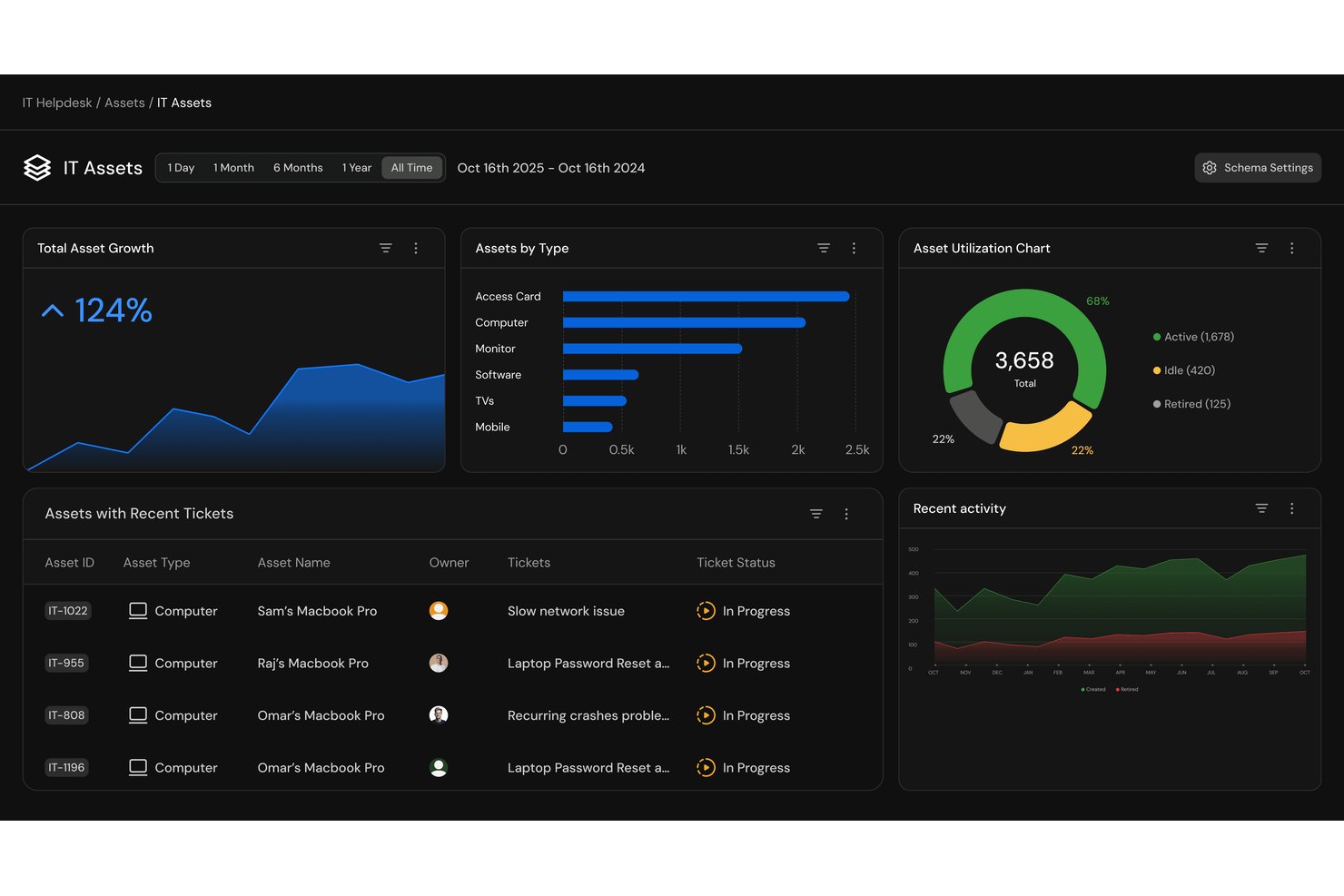
Serval è una piattaforma di gestione dei servizi IT nativa per l'IA che combina l'automazione delle richieste dell'assistenza, la gestione degli accessi al momento necessario e la creazione di flussi di lavoro in linguaggio naturale in un unico sistema.
Per chi è più adatto Serval?
Serval è particolarmente adatto ai team IT di aziende medio-grandi che gestiscono elevati volumi di richieste di assistenza interna ripetitive e desiderano automatizzare i flussi di lavoro senza richiedere competenze di programmazione.
Perché ho scelto Serval
Serval si è guadagnato un posto nella mia lista ristretta grazie alla sua libreria di flussi di lavoro predefiniti basati sull'IA per operazioni IT comuni, come l'inserimento e la dismissione dei dipendenti e l'assegnazione degli accessi al momento necessario. Mi piace anche il fatto che il generatore di automazioni consenta di descrivere un processo in inglese semplice, per poi convertirlo in flussi di lavoro deterministici TypeScript. I team possono recuperare localmente questi flussi di lavoro tramite la CLI di Serval per il controllo delle versioni Git e la revisione prima della distribuzione. In questo modo, il mio team può verificare esattamente cosa fa ogni automazione prima che interagisca con un sistema di produzione.
Funzionalità principali di Serval
- Supporto omnicanale: Utenti e agenti possono interagire tramite Slack, Microsoft Teams, e-mail e un portale web.
- Suggerimenti dell'IA: Individua le opportunità di automazione dai modelli delle richieste e consiglia nuove funzionalità, flussi di lavoro, connessioni alle app e aggiornamenti della base di conoscenza.
- Sistema nativo di gestione delle richieste: L'area di lavoro integrata per la gestione delle richieste consente di gestirle direttamente senza dipendenze da terze parti.
- Generatore di criteri per la gestione degli accessi: Consente ai team di automatizzare i controlli degli accessi al momento necessario in base ai requisiti di privilegio minimo e conformità.
Integrazioni di Serval
Serval offre integrazioni native con Okta, Google Workspace, Microsoft Teams, Slack, Notion, Confluence, Jira, GitHub, ServiceNow e Salesforce. È disponibile un'API per le integrazioni personalizzate.
Pros and Cons
Pros:
- I flussi di lavoro predefiniti basati sull'IA accelerano i tempi di distribuzione
- Il generatore di automazioni in linguaggio naturale non richiede programmazione
- L'assegnazione degli accessi al momento necessario è supportata nativamente
Cons:
- Potrebbe essere più complesso del necessario per l'assistenza IT di base
- Comunità di utenti più piccola rispetto alle piattaforme ITSM consolidate

Ideale per la gestione degli asset IT

SolarWinds Service Desk è una soluzione di gestione dei servizi IT basata su cloud progettata per i dipartimenti IT di diversi settori. Fornisce gestione degli incidenti, evasione delle richieste di servizio e gestione degli asset IT per aiutare a semplificare le operazioni IT.
Perché ho scelto SolarWinds Service Desk: È particolarmente efficace nella gestione degli asset IT, offrendo funzionalità che aiutano la tua azienda di assistenza sul campo a monitorare e mantenere risorse hardware e software in modo efficiente. La piattaforma supporta la fatturazione e il monitoraggio delle garanzie, garantendo che gli asset siano adeguatamente registrati e protetti. Con il suo database di gestione delle configurazioni (CMDB), i team possono monitorare le relazioni e le dipendenze tra gli asset, mentre gli strumenti di reportistica forniscono informazioni che migliorano la redditività e supportano decisioni più intelligenti sulle risorse.
Caratteristiche e integrazioni principali:
Le caratteristiche includono gestione degli incidenti, che aiuta il tuo team a rispondere e risolvere rapidamente i problemi. Il catalogo dei servizi consente agli utenti di inviare e monitorare le richieste di servizio con facilità. Le funzionalità di gestione delle modifiche offrono un approccio strutturato alla gestione delle modifiche IT, riducendo rischi e tempi di inattività.
Le integrazioni includono strumenti popolari come Microsoft Active Directory, Azure AD, Okta, Google Workspace, Slack, Jira, Microsoft Teams, Zendesk e TeamViewer.
Pros and Cons
Pros:
- Include la gestione degli asset con ticketing
- Interfaccia semplice e intuitiva per i nuovi utenti
- Automatizza l'instradamento dei ticket e i flussi di lavoro
Cons:
- La reportistica può essere lenta con un alto numero di ticket
- Opzioni avanzate di personalizzazione limitate

TOPdesk
Ideale per le istituzioni educative
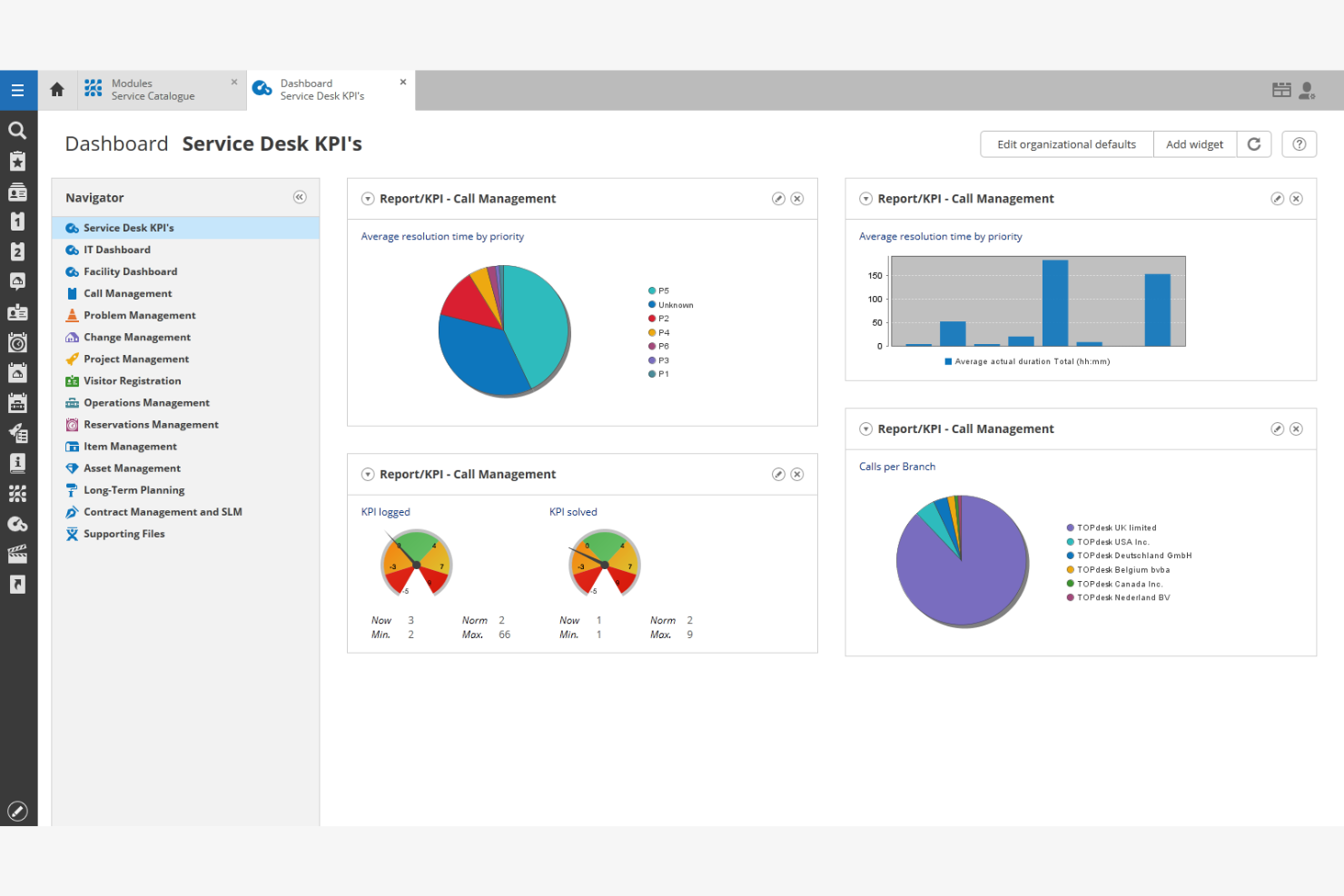
TOPdesk è una soluzione di gestione dei servizi pensata per le istituzioni educative, che offre gestione dei servizi IT, gestione delle strutture e funzionalità di supporto desk. È progettata per aiutare scuole e università a gestire i propri servizi in modo efficiente e a migliorare la comunicazione tra i dipartimenti.
Perché ho scelto TOPdesk: È progettata tenendo conto delle istituzioni educative, offrendo un portale self-service e strumenti di gestione degli incidenti adattati agli ambienti scolastici. La piattaforma supporta la gestione delle strutture per aiutarti a organizzare e mantenere le risorse del campus.
Workflow personalizzabili, incluse opzioni di configurazione drag-and-drop, permettono al tuo team di adattare i processi alle esigenze della tua istituzione. Il suo forte focus sulla comunicazione — supportato da opzioni come le notifiche sms — migliora la coordinazione tra i dipartimenti e tiene tutti informati.
Funzionalità e integrazioni principali:
Le funzionalità includono la gestione degli incidenti, che ti aiuta a tracciare e risolvere rapidamente i problemi. Il portale self-service permette a studenti e personale di inviare richieste e trovare soluzioni in modo autonomo. Le funzionalità di gestione delle strutture aiutano a gestire e allocare le risorse in modo efficiente.
Le integrazioni includono Azure DevOps, Zapier, TeamViewer, Okta e TicketBuddy.
Pros and Cons
Pros:
- Gestione semplice dei ticket per i team di assistenza
- Supporta diversi canali di servizio
- Facile monitoraggio dei parametri di performance
Cons:
- Personalizzazione avanzata limitata
- Opzioni di integrazione limitate
Ideale per le capacità di intelligenza artificiale
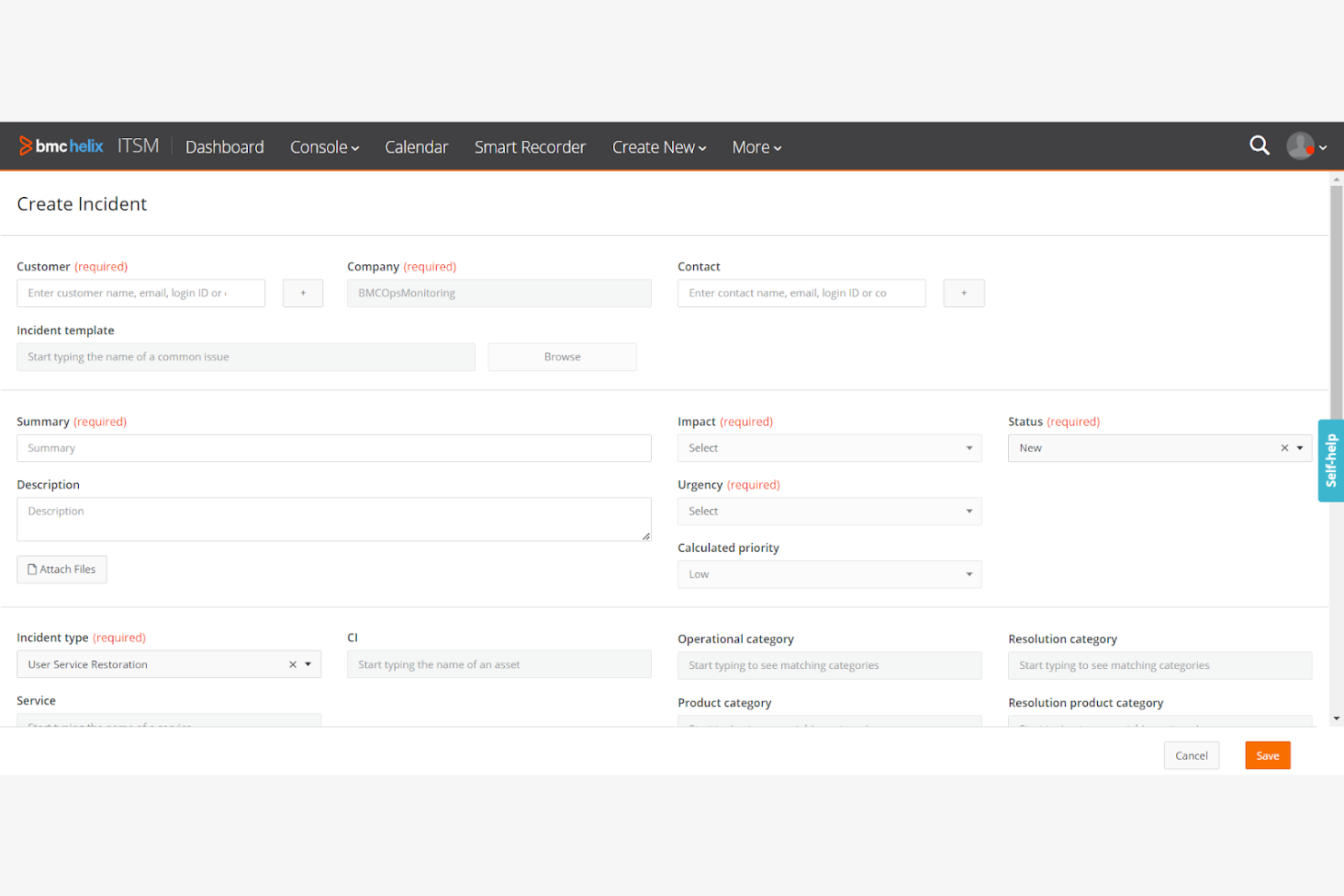
BMC Helix ITSM è una soluzione di gestione dei servizi IT progettata per le grandi imprese, che offre funzionalità per migliorare l'erogazione dei servizi e la gestione delle operazioni. Si rivolge ai team IT che desiderano automatizzare e ottimizzare i propri processi di servizio.
Perché ho scelto BMC Helix ITSM: Eccelle nelle capacità di intelligenza artificiale, offrendo automazione intelligente che riduce l'intervento manuale nelle attività di routine. Le analisi predittive aiutano il tuo team ad anticipare e risolvere i problemi prima che si aggravino. Grazie all'elaborazione del linguaggio naturale, gli utenti possono interagire con il sistema utilizzando un linguaggio conversazionale. L'automazione cognitiva gestisce i flussi di lavoro, migliorando l'efficienza e i tempi di risposta.
Funzionalità principali e integrazioni:
Funzionalità includono la gestione avanzata degli incidenti che prioritizza e risolve i problemi in base all'impatto. Il modulo di gestione delle modifiche consente di implementare cambiamenti IT con minime interruzioni. La gestione delle risorse aiuta a tenere traccia dell'inventario IT, garantendo un'allocazione efficiente delle risorse.
Le integrazioni possono essere effettuate tramite API.
Pros and Cons
Pros:
- Automazione avanzata guidata dall'intelligenza artificiale
- Funzionalità di analisi predittiva
- Elaborazione del linguaggio naturale
Cons:
- Installazione, configurazione e aggiornamenti complessi
- Richiede competenze tecniche

SysAid
Ideale per le PMI
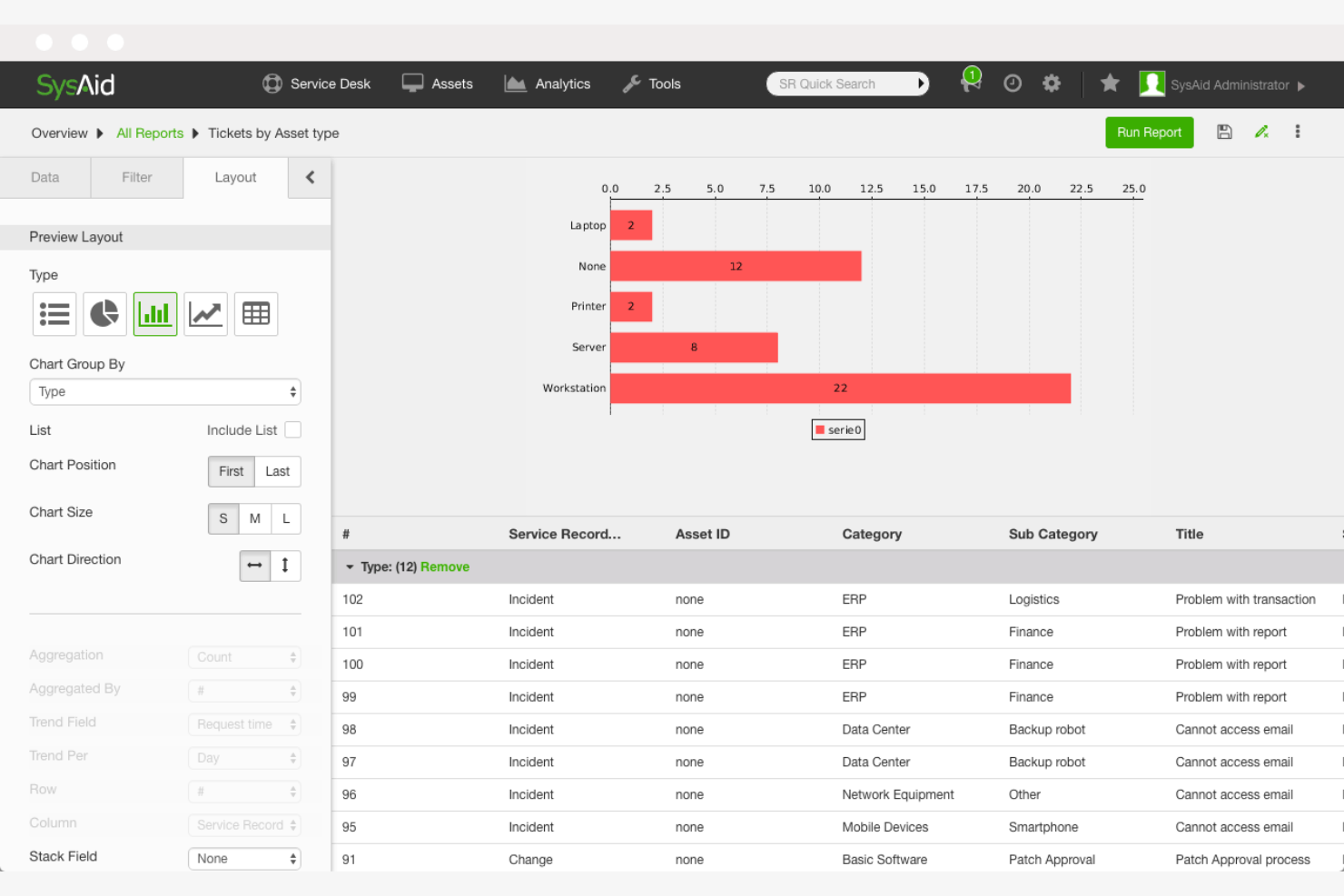
SysAid è una soluzione di gestione dei servizi IT progettata per piccole e medie imprese, che offre funzionalità come la gestione dell'help desk, la gestione delle risorse IT e l'automazione dei processi IT. Aiuta a gestire le operazioni IT e a migliorare l'erogazione dei servizi per team di dimensioni ridotte.
Perché ho scelto SysAid: È particolarmente adatto alle PMI, offrendo un'interfaccia intuitiva che semplifica la gestione IT. Lo strumento offre flussi di lavoro personalizzabili che consentono al tuo team di adattare il sistema alle esigenze specifiche. Grazie alla gestione integrata delle risorse IT puoi tenere traccia in modo efficace di hardware e software. Le capacità di automazione aiutano a ridurre le attività ripetitive, liberando tempo al tuo team per affrontare questioni più critiche.
Funzionalità e integrazioni principali:
Le funzionalità includono un portale self-service che permette agli utenti di risolvere autonomamente le problematiche più comuni. Il sistema di gestione degli incidenti aiuta il tuo team a trattare e risolvere i ticket in modo efficiente. Gli strumenti di reportistica e analisi forniscono informazioni sulle prestazioni IT, aiutandoti a prendere decisioni consapevoli.
Le integrazioni includono Microsoft Active Directory, Azure AD, Google Workspace, Slack, Zoom, Jira, Salesforce, Zendesk, Okta e TeamViewer.
Pros and Cons
Pros:
- Flussi di lavoro personalizzabili
- Automazione per l'instradamento dei ticket e dei flussi di lavoro
- Portale self‑service
Cons:
- Interfaccia datata
- Non ideale per grandi aziende

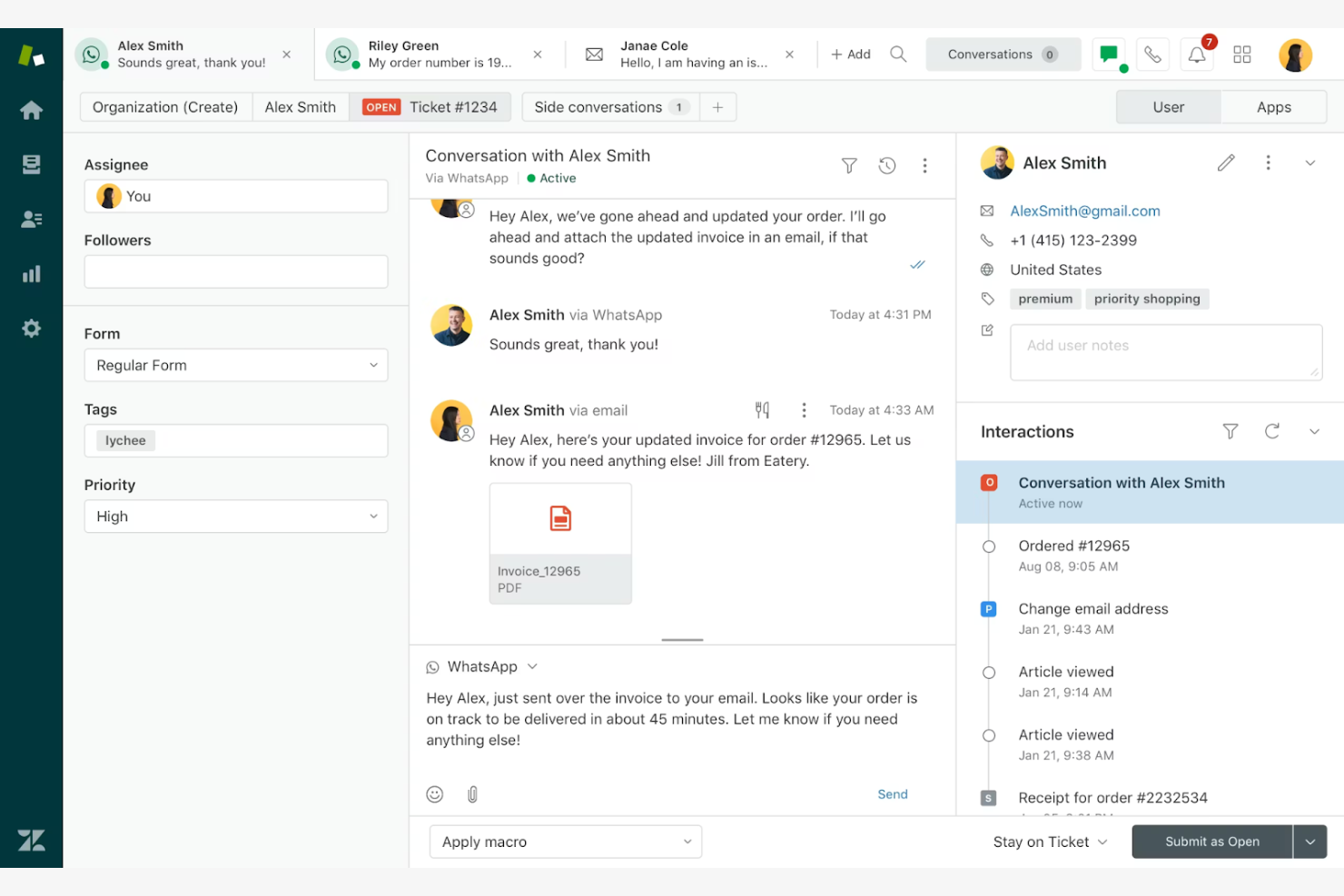
Zendesk Suite è una piattaforma di assistenza clienti pensata per le aziende che desiderano migliorare le proprie operazioni di customer service. Offre strumenti per la gestione dei ticket, chat dal vivo e supporto omnicanale, risultando adatta ai team che vogliono migliorare le interazioni con i clienti.
Perché ho scelto Zendesk Suite: È ideale per l’assistenza clienti grazie a funzionalità come la gestione dei ticket e la chat dal vivo, che tengono il team in contatto con i clienti. Le capacità omnicanale della suite consentono di interagire con i clienti su diverse piattaforme. Grazie alle sue schede ticket personalizzabili, puoi adattare il processo di supporto alle esigenze della tua azienda. I report e le analisi forniscono informazioni sulle prestazioni dell’assistenza, aiutandoti a prendere decisioni basate sui dati.
Funzionalità e integrazioni di spicco:
Le funzionalità includono una knowledge base, che aiuta gli utenti a trovare risposte in autonomia. Gli strumenti di automazione consentono al tuo team di ridurre le attività manuali e aumentare l'efficienza. Con i forum della community, puoi stimolare il coinvolgimento dei clienti e costruire una base di utenti fedeli.
Le integrazioni comprendono Salesforce, Slack, Microsoft Teams, Shopify, Mailchimp, JIRA, HubSpot, Trello, QuickBooks e Zapier.
Pros and Cons
Pros:
- Solido supporto omnicanale
- Moduli ticket personalizzabili
- Forum della community per il coinvolgimento
Cons:
- Le funzionalità avanzate richiedono piani di livello superiore
- Può essere lento o confuso con un alto volume di ticket

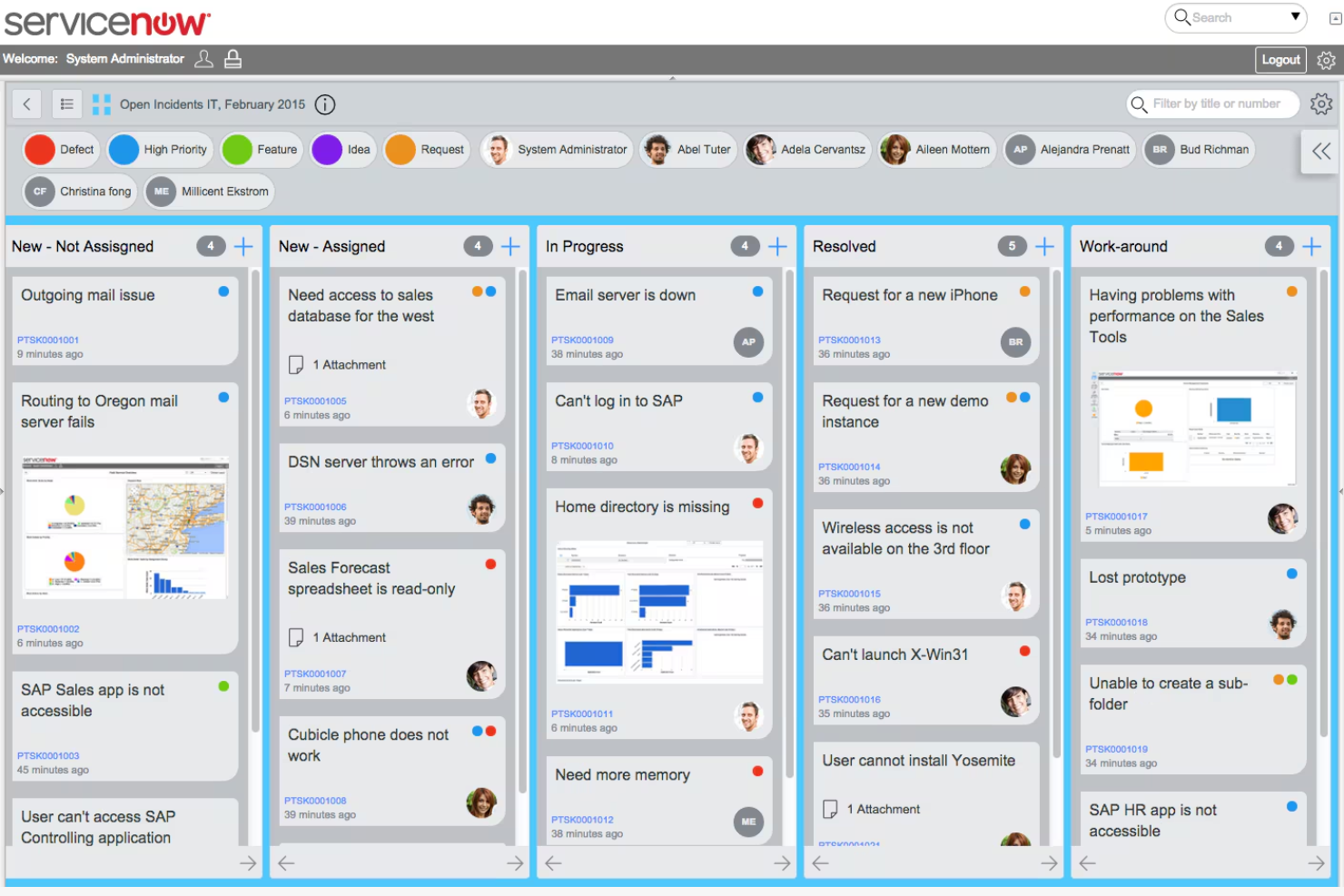
ServiceNow è una piattaforma di gestione dei servizi rivolta alle grandi imprese, che offre funzionalità di gestione dei servizi IT, gestione delle operazioni e gestione aziendale. È progettata per aiutare le organizzazioni ad automatizzare i flussi di lavoro e migliorare l'erogazione dei servizi in diversi dipartimenti.
Perché ho scelto ServiceNow: Come piattaforma tutto-in-uno, supporta operazioni complesse di assistenza sul campo con automazione e personalizzazione adatte a grandi organizzazioni. Le sue funzionalità di software per la gestione dei servizi sul campo—come la gestione degli ordini di lavoro, strumenti per l'assegnazione dei tecnici e controllo dei loro calendari—aiutano i team a rimanere coordinati. Un cruscotto unificato offre chiara visibilità sui servizi, e la sua flessibilità permette al sistema di adattarsi alle esigenze specifiche della tua azienda come potente soluzione FSM.
Funzionalità di spicco e integrazioni:
Le funzionalità includono la gestione degli incidenti, che aiuta il tuo team a risolvere rapidamente i problemi. La gestione degli asset consente di tracciare e amministrare in maniera efficiente i beni IT. La funzione di knowledge base fornisce un archivio centralizzato per la condivisione delle informazioni all'interno dell'organizzazione.
Le integrazioni includono strumenti popolari come Microsoft Teams, Slack, Azure DevOps, AWS, Google Cloud Platform e VMware.
Pros and Cons
Pros:
- Ampie opzioni di personalizzazione
- Cruscotto centralizzato
- Scalabile per grandi imprese
Cons:
- Elevato costo iniziale di implementazione
- Costoso per team piccoli o organizzazioni in crescita
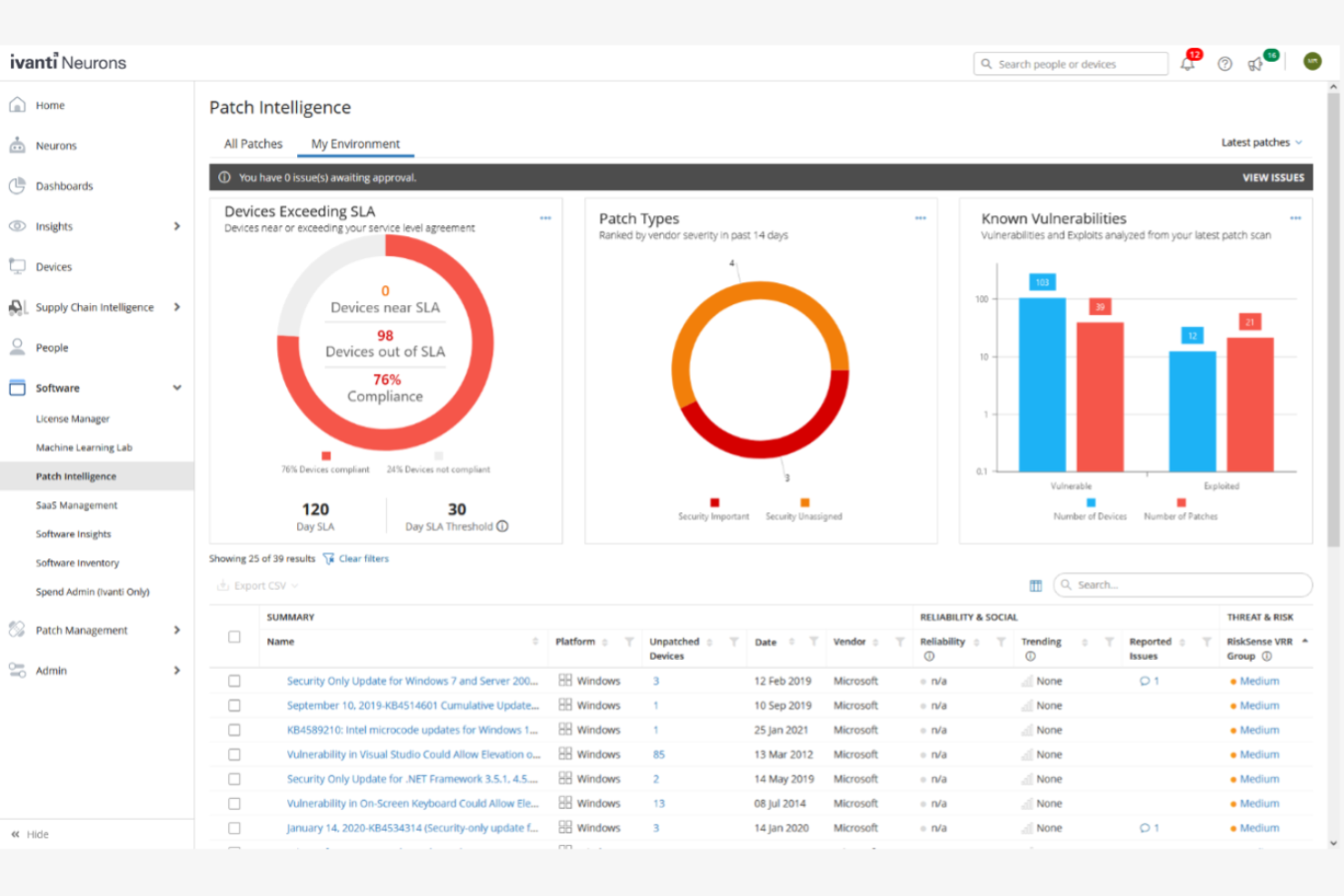
Ivanti Neurons for ITSM è una piattaforma di gestione dei servizi IT progettata per le aziende che desiderano automatizzare e ottimizzare le proprie operazioni IT. Supporta i team IT fornendo strumenti per la gestione degli incidenti, la gestione dei cambiamenti e l'evasione delle richieste di servizio.
Perché ho scelto Ivanti Neurons for ITSM: Offre automazione, permettendo al tuo team di automatizzare compiti ripetitivi e flussi di lavoro. Le funzionalità di auto-riparazione della piattaforma aiutano a ridurre i tempi di inattività risolvendo automaticamente i problemi IT più comuni. L'automazione flessibile dei workflow garantisce che i tuoi processi siano allineati con le esigenze aziendali. Le ampie funzionalità di reportistica dello strumento offrono approfondimenti sulle prestazioni e promuovono il miglioramento continuo.
Caratteristiche principali e integrazioni:
Caratteristiche comprendono un portale self-service che consente agli utenti di risolvere autonomamente i problemi. Il sistema di gestione degli incidenti dà priorità e risolve i ticket in modo efficiente. Grazie alle sue capacità di gestione dei cambiamenti, il tuo team può implementare modifiche con un impatto minimo sui servizi.
Integrazioni includono Citrix, Microsoft e VMWare.
Pros and Cons
Pros:
- Forti capacità di automazione
- Funzionalità di auto-riparazione
- Personalizzazione flessibile dei workflow
Cons:
- La configurazione può essere complessa e richiedere molto tempo
- L'interfaccia può sembrare lenta o datata
Altri software per la gestione dei servizi
Ecco alcune altre soluzioni per la gestione dei servizi che non sono rientrate nella mia lista principale, ma che meritano comunque di essere prese in considerazione:
- Jira Service Management
Ideale per team Agile
- Salesforce Field Service
Ideale per le operazioni sul campo
- SymphonyAI IT Service Management
Ideale per approfondimenti supportati dall'AI
- ServiceMax
Ideale per la gestione dei servizi sul campo


Come Valuto i Software di Service Management
Divido la mia valutazione in requisiti di base—come la gestione del ciclo di vita degli incidenti e la profondità della CMDB—e fattori di differenziazione che separano uno strumento valido da quello giusto per il tuo ambiente.
Funzionalità di Base (Requisiti Fondamentali per Questa Lista)
Quando seleziono gli strumenti per la mia lista, valuto ciascuno su una scala da 0 (non offre la funzionalità) a 5 (eccelle in quest'area) per ogni funzionalità di base elencata di seguito. Poi calcolo il punteggio totale dello strumento in percentuale. Ogni strumento deve raggiungere un punteggio totale minimo del 65% per essere considerato per l'inclusione.
- Gestione di Incidenti e Richieste: Valuto come ogni strumento gestisce l'intero ciclo di vita del ticket—dall'acquisizione multicanale (email, portale, chat) alla categorizzazione, instradamento e monitoraggio della risoluzione.
- Gestione dei Cambiamenti e dei Problemi: Ogni fornitore dovrebbe supportare flussi di lavoro strutturati per l'approvazione dei cambiamenti e per l'analisi della causa principale, similmente a come ServiceNow e Freshservice gestiscono le revisioni CAB.
- Catalogo dei Servizi e Portale Self-Service: Cerco un portale in cui gli utenti finali possano consultare i servizi disponibili, inviare richieste tramite moduli condizionali e monitorare lo stato senza contattare il desk.
- Gestione delle Risorse e della Configurazione (CMDB): Lo strumento dovrebbe mappare le relazioni e le dipendenze tra gli oggetti di configurazione, permettendo al tuo team di tracciare come un interruttore guasto o un certificato scaduto influiscano sui servizi.
- Gestione SLA e Reportistica: Controllo se è possibile definire SLA a livelli, impostare avvisi di violazione e visualizzare dashboard sulle prestazioni che mostrino metriche come tempi di prima risposta e tassi di risoluzione.
- Automazione dei Workflow e Integrazioni: Una forte automazione significa instradamento basato su regole, catene di approvazione e trigger di escalation, oltre a connettori nativi per strumenti come Slack, Teams, Okta e Jira.
Una volta che dispongo di una lista di strumenti che soddisfano questi criteri, considero ciò che distingue ciascuna piattaforma.
Fattori di Differenziazione (Cosa Distingue i Fornitori)
Ecco come confronto e metto a confronto i diversi fornitori:
Funzionalità Distintive
Le capacità di IA sono un fattore di differenziazione importante—valuto se uno strumento offre agenti virtuali o triage assistito dall'IA in grado di categorizzare automaticamente i ticket e suggerire soluzioni prima che intervenga un operatore. L'enterprise service management è un altro aspetto che considero, poiché i team hanno sempre più necessità di estendere i workflow ITSM a HR e facility management. Valuto anche la gestione della conoscenza, specialmente se gli articoli vengono suggeriti contestualmente durante la gestione dei ticket per aiutare gli operatori a risolvere più rapidamente i problemi.
Oltre le Funzionalità
L'allineamento agli standard ITIL è importante—verifico se una piattaforma possiede la certificazione PinkVERIFY e include template di processo predefiniti, poiché questo riduce notevolmente i tempi di configurazione. La profondità delle integrazioni è altrettanto importante; uno strumento deve offrire sincronizzazione bidirezionale con toolchain DevOps come Jira o GitHub, così che incidenti e cambiamenti possano fluire tra operations e sviluppo senza passaggi manuali. Valuto inoltre il livello di sicurezza, cercando la certificazione SOC 2 Type II, controlli di accesso basati sui ruoli e opzioni di residenza dei dati adatte ad ambienti regolamentati.
Come scegliere un software per la gestione dei servizi
È facile perdersi tra lunghi elenchi di funzionalità e strutture di prezzo complicate. Per aiutarti a restare concentrato durante il tuo processo di scelta del software, ecco un elenco di fattori da tenere presenti:
| Fattore | Cosa Considerare |
|---|---|
| Scalabilità | Il software crescerà insieme alla tua azienda? Assicurati che possa gestire l'aumento di utenti e dati senza necessità di grandi aggiornamenti. Cerca esempi di aziende di dimensioni simili che lo utilizzano con successo. |
| Integrazioni | Si integra con gli strumenti che già utilizzi? Verifica la compatibilità con il tuo CRM, strumenti di comunicazione e altri software utilizzati quotidianamente. Evita strumenti che richiedano soluzioni complesse. |
| Personalizzazione | Puoi adattare il software ai tuoi processi? Cerca opzioni per modificare flussi di lavoro, moduli e report senza richiedere competenze approfondite di programmazione. |
| Facilità d'uso | Il software è intuitivo per il tuo team? Una curva di apprendimento ripida può rallentare l'adozione. Valuta una demo del prodotto con utenti dotati di diversi livelli di competenza tecnica per verificarne l'usabilità. |
| Implementazione e onboarding | Con quale rapidità puoi essere operativo? Valuta la disponibilità di risorse formative, l'assistenza durante la configurazione e il tempo stimato per l'implementazione completa del software. |
| Costo | Come si allinea il prezzo al tuo budget? Considera il costo totale di proprietà, inclusi eventuali costi nascosti, e confrontalo con i vincoli di bilancio. Cerca modelli di prezzo flessibili. |
| Misure di sicurezza | Soddisfa i tuoi requisiti di sicurezza? Assicurati che il software sia conforme agli standard di settore e offra funzionalità come crittografia e controlli di accesso per proteggere i tuoi dati. |
| Disponibilità del supporto | Quale livello di supporto offre il fornitore? Verifica la presenza di opzioni di supporto 24/7 e i tempi di risposta. Assicurati di poter ricevere assistenza quando necessario, specialmente durante attività critiche. |
Cos'è un software di Service Management?
Il software di gestione dei servizi è uno strumento che aiuta le aziende a gestire e ottimizzare le proprie operazioni di servizio, come i servizi IT e l'assistenza clienti. Questi strumenti sono generalmente utilizzati da professionisti IT, team di customer service e responsabili operativi per migliorare l'efficienza e la qualità nell'erogazione dei servizi. Funzionalità come la gestione degli incidenti, la gestione delle risorse e l'evasione delle richieste di servizio supportano l'organizzazione e l'automatizzazione dei processi di servizio. Nel complesso, questi strumenti offrono valore migliorando la qualità del servizio e l'efficienza operativa.
Funzionalità
Nella scelta di un software di gestione dei servizi, tieni d'occhio le seguenti funzionalità chiave:
- Gestione degli incidenti: Aiuta a monitorare e risolvere rapidamente i problemi, garantendo tempi di inattività minimi e continuità del servizio.
- Gestione degli asset: Tiene traccia dell'inventario hardware e software, facilitando l'allocazione efficiente delle risorse e la manutenzione.
- Evasione delle richieste di servizio: Gestisce efficacemente le richieste degli utenti, supportando il processo dalla presentazione alla risoluzione.
- Gestione dei cambiamenti: Fornisce un approccio strutturato all'implementazione delle modifiche IT, riducendo i rischi e minimizzando le interruzioni del servizio.
- Portale self-service: Permette agli utenti di risolvere autonomamente i problemi più comuni, riducendo il carico di lavoro sui team di supporto.
- Workflow personalizzabili: Consentono di adattare i processi alle specifiche esigenze aziendali senza vaste competenze di programmazione.
- Reporting e analytics: Offrono informazioni sulle prestazioni e sulla qualità del servizio, supportando decisioni più informate.
- Analisi guidate dall'IA: Utilizza l'intelligenza artificiale per fornire analisi predittive, migliorando il processo decisionale e l'efficienza operativa.
- Capacità di integrazione: Garantisce compatibilità con gli strumenti già in uso, migliorando la funzionalità e il flusso di dati tra i sistemi.
- Misure di sicurezza: Protegge i dati tramite crittografia e controlli di accesso, rispettando gli standard del settore per la sicurezza.
Vantaggi
L'implementazione di un software di gestione dei servizi offre numerosi vantaggi per il tuo team e la tua azienda. Ecco alcuni benefici a cui puoi puntare:
- Efficienza migliorata: L'automatizzazione delle attività di routine e i workflow semplificati riducono il lavoro manuale e fanno risparmiare tempo.
- Migliore qualità del servizio: Gli strumenti di gestione degli incidenti e dei cambiamenti aiutano a mantenere la continuità del servizio e a minimizzare i disservizi.
- Gestione ottimizzata delle risorse: Le funzionalità di gestione degli asset assicurano un tracciamento efficace e un'allocazione efficiente delle risorse hardware e software.
- Aumento della soddisfazione degli utenti: I portali self-service consentono agli utenti di risolvere in autonomia le problematiche, migliorando la loro esperienza.
- Decisioni basate sui dati: I report e le analisi offrono visibilità sulle operazioni, permettendo decisioni informate.
- Scalabilità: La capacità di crescere insieme all'azienda garantisce che il software resti efficace con l'evolversi delle esigenze.
Costi e prezzi
La selezione di un software per la gestione dei servizi richiede la comprensione dei vari modelli di prezzo e dei piani disponibili. I costi variano in base alle funzionalità, alla dimensione del team, agli add-on e altro ancora. La tabella seguente riassume i piani più comuni, i prezzi medi e le caratteristiche tipiche incluse nelle soluzioni software di service management:
Tabella di Confronto dei Piani per Software di Service Management
| Tipo di Piano | Prezzo Medio | Caratteristiche Comuni |
|---|---|---|
| Piano Gratuito | $0 | Gestione base degli incidenti, utenti limitati e supporto minimo. |
| Piano Personale | $5-$25/utente/mese | Gestione degli incidenti, portale self-service e reportistica base. |
| Piano Business | $30-$60/utente/mese | Reportistica avanzata, gestione delle risorse e flussi di lavoro personalizzabili. |
| Piano Enterprise | $70-$150/utente/mese | Personalizzazione completa, integrazioni, approfondimenti basati su AI e supporto premium. |
Domande Frequenti sul Software di Service Management
Ecco alcune risposte alle domande più comuni sul software per la gestione dei servizi:
Qual è la differenza tra software di service management cloud-based e on-premise?
Il software cloud-based è ospitato sui server del fornitore ed è accessibile tramite internet, mentre il software on-premise viene installato sui server interni alla propria azienda. Le soluzioni cloud offrono maggiore flessibilità e riducono la necessità di manutenzione IT interna. Le soluzioni on-premise possono offrire un controllo maggiore ma richiedono investimenti hardware e risorse IT.
Il software di service management può integrarsi con i sistemi esistenti?
Sì, la maggior parte dei software di service management può integrarsi con strumenti già in uso come CRM, piattaforme di comunicazione e sistemi di project management. Valuta la compatibilità delle integrazioni durante il processo di acquisto per garantire un flusso di dati fluido e una funzionalità potenziata tra i tuoi strumenti.
Come posso valutare la sicurezza di un software di service management?
Verifica che il software sia conforme agli standard di sicurezza del settore come ISO 27001 e che offra funzionalità come la crittografia e controlli di accesso. Chiedi ai fornitori quali sono le loro pratiche di sicurezza e le misure adottate per la protezione dei dati, per assicurarti che le tue informazioni sensibili rimangano al sicuro.
È necessario un training per utilizzare il software di service management?
Sì, solitamente è richiesto un minimo di formazione, soprattutto per i sistemi più complessi. Molti fornitori offrono risorse formative come video tutorial, webinar e documentazione per aiutare il tuo team a iniziare velocemente. Considera la disponibilità e la qualità di queste risorse quando scegli la soluzione più adatta.
Cosa fare dopo:
Se sei nella fase di ricerca di un software di service management, contatta un consulente SoftwareSelect per ricevere gratuitamente consigli personalizzati.
Compila un modulo e fai una breve chiamata in cui vengono approfondite le tue esigenze specifiche. Riceverai poi una shortlist di software da valutare. Ti supporteranno anche durante l’intero processo di acquisto, incluse le negoziazioni sui prezzi.