

20 meilleurs outils de gestion des tests pour Jira en 2026

Meilleurs outils de gestion des tests pour Jira : sélection
Voici une liste des meilleurs outils de gestion des tests pour Jira :


Si vous gérez des workflows de tests dans Jira, vous avez probablement déjà ressenti les limites de l’outil en matière de gestion des tests. Jira est excellent pour le suivi des problèmes et la collaboration en équipe, mais lorsqu’il s’agit d’organiser des cas de test, de suivre l’avancement ou de générer des rapports détaillés, ses faiblesses apparaissent rapidement. C’est là qu’interviennent les outils de gestion des tests conçus pour Jira : ils comblent les lacunes, transformant Jira en un véritable centre de pilotage pour le test et l’assurance qualité.
Selon mon expérience, ces outils vous aident à organiser et suivre efficacement vos efforts de tests. Ils s’adaptent aux besoins spécifiques de votre équipe, que vous évoluiez dans des environnements complexes ou que vous recherchiez des solutions personnalisables. Je vais vous présenter mes solutions préférées pour la gestion des tests dans Jira, en partageant des informations sur ce qui distingue chaque outil afin de vous aider à trouver celui qui conviendra le mieux aux besoins de votre équipe.
Table of Contents
Why Trust Our Software Reviews
We’ve been testing and reviewing software since 2023. As tech leaders ourselves, we know how critical and difficult it is to make the right decision when selecting software.
We invest in deep research to help our audience make better software purchasing decisions. We’ve tested more than 2,000 tools for different tech use cases and written over 1,000 comprehensive software reviews. Learn how we stay transparent & our software review methodology.
Résumé des meilleurs outils de gestion des tests pour Jira
Ce tableau comparatif résume les détails tarifaires de mes principales sélections d’outils de gestion des tests pour Jira afin de vous aider à trouver le plus adapté à votre budget et à vos besoins professionnels.
| Tool | Best For | Trial Info | Price | ||
|---|---|---|---|---|---|
| 1 | Idéal pour un tableau de bord facile à utiliser | Essai gratuit de 14 jours | Tarification sur demande | Website | |
| 2 | Idéal grâce à une offre gratuite jusqu’à 3 utilisateurs | Offre gratuite disponible | À partir de 15,42 $/utilisateur/mois (facturé annuellement) | Website | |
| 3 | Idéal pour synchroniser les problèmes et exigences dans Jira | Essai gratuit de 14 jours | À partir de $36/utilisateur/mois | Website | |
| 4 | Idéal pour gérer les cas de test et les exigences en tant que tickets Jira | Essai gratuit de 30 jours | À partir de 1,38 $/utilisateur/mois (pour les 100 premiers utilisateurs) | Website | |
| 5 | Meilleur agrégateur d'incidents pour alimenter les incidents Jira | Essai gratuit + démo gratuite disponible | Tarification sur demande | Website | |
| 6 | Idéal pour une gestion agentique des tests | Un plan gratuit est disponible | À partir de 8 $/utilisateur/mois (facturé annuellement) | Website | |
| 7 | Idéal pour la gestion BDD et des tests dans Jira avec le support Cucumber | Essai gratuit de 30 jours | Prix sur demande | Website | |
| 8 | Meilleure convivialité pour les petites équipes | Gratuit jusqu'à 10 utilisateurs | 1,50 $ par utilisateur/mois | Website | |
| 9 | Idéal pour utiliser les types de demandes natifs de Jira pour gérer les artefacts de test | Essai gratuit de 30 jours | À partir de 8,33$/utilisateur/mois (facturé annuellement) | Website | |
| 10 | Idéal pour les petites équipes de tests Agile | Essai gratuit de 30 jours | 10 $/mois pour jusqu'à 10 utilisateurs et 4,55 $/utilisateur/mois au-delà, tarif dégressif avec l'augmentation du nombre d'utilisateurs. | Website | |
| 11 | Idéal pour la gestion des exigences, des cas de test et des défauts | Essai gratuit de 30 jours | À partir de 38 $/mois | Website | |
| 12 | Idéal pour la gestion intégrée des exigences | Not available | Website | ||
| 13 | Idéal pour les équipes de gestion des tests de différents niveaux d'expérience | Essai gratuit de 30 jours | $3590/an | Website | |
| 14 | Idéal pour la personnalisation et la flexibilité | Not available | $18 par mois | Website | |
| 15 | Idéal pour gérer les détails des environnements de test | Not available | Apwide Golive est proposé à partir de 7,70 $/mois (pour 11 utilisateurs sur Jira Cloud) et/ou 750 $/an (50 utilisateurs sur Jira Data Center) et/ou 10 $ licence perpétuelle unique + 10 $/an de frais de maintenance (10 utilisateurs sur Jira Server). | Website | |
| 16 | Meilleur service de gestion des tests pour les équipes qui utilisent Jira | Démo gratuite disponible | Tarification sur demande | Website | |
| 17 | Idéal pour la synchronisation en temps réel des cas de test | Not available | À partir de $29/utilisateur/mois (minimum 3 utilisateurs) | Website | |
| 18 | Idéal pour connecter les exigences et les user stories aux tests | Essai gratuit de 14 jours | À partir de $49/utilisateur/an (minimum 5 utilisateurs) | Website | |
| 19 | Idéal pour suivre à la fois les tests manuels et automatisés | Essai gratuit de 30 jours | À partir de 38 $/utilisateur/mois (facturé annuellement) | Website | |
| 20 | Idéal pour l'automatisation continue des tests | Essai gratuit de 14 jours + démo gratuite | Tarifs sur demande | Website |
-

Site24x7
Visit WebsiteThis is an aggregated rating for this tool including ratings from Crozdesk users and ratings from other sites.4.7 -
GitHub Actions
Visit WebsiteThis is an aggregated rating for this tool including ratings from Crozdesk users and ratings from other sites.4.8 -
Docker
Visit WebsiteThis is an aggregated rating for this tool including ratings from Crozdesk users and ratings from other sites.4.6





Avis sur les meilleurs outils de gestion des tests pour Jira
Vous trouverez ci-dessous mes résumés détaillés des meilleurs outils de gestion des tests pour Jira qui figurent dans ma sélection. Mes avis offrent un aperçu approfondi des fonctionnalités principales, des avantages et inconvénients, des intégrations et des cas d’usage idéaux pour chaque outil, afin de vous aider à choisir celui qui vous convient.

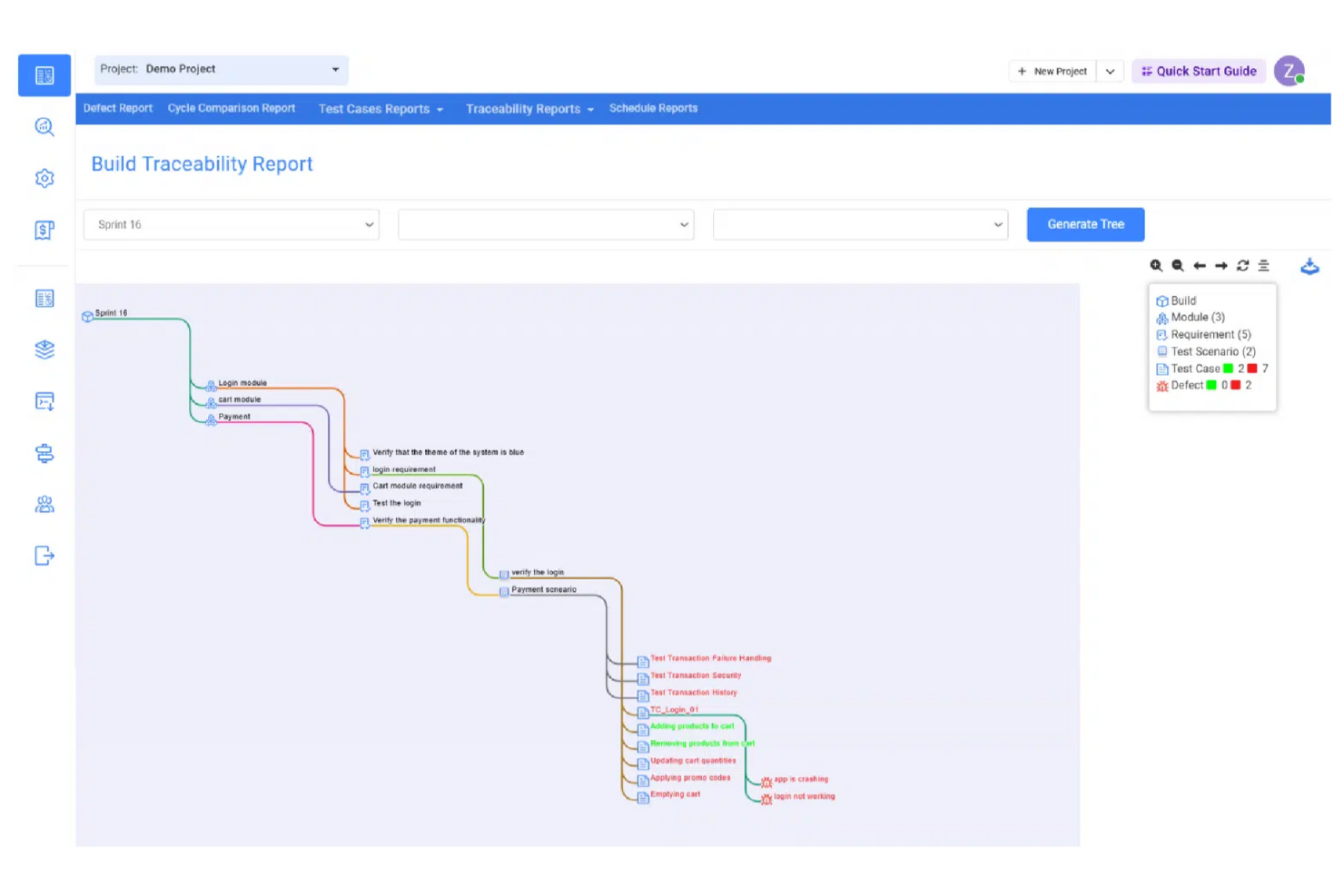
Kualitee est un outil de gestion de tests qui facilite votre processus de test, y compris la gestion de vos données, ensembles et scripts (à la fois automatisés et manuels). Kualitee s’intègre avec des outils de premier plan comme Jira, pour offrir une intégration bidirectionnelle exclusive et vous permettre de synchroniser tous les problèmes dans les deux outils grâce à la fonction de synchronisation automatique.
Kualitee s’intègre avec Asana, GitLab, JIRA, Redmine, Selenium, GitHub et Jenkins.
Kualitee est proposé à partir de 15 $/utilisateur/mois et offre un essai gratuit de 7 jours.

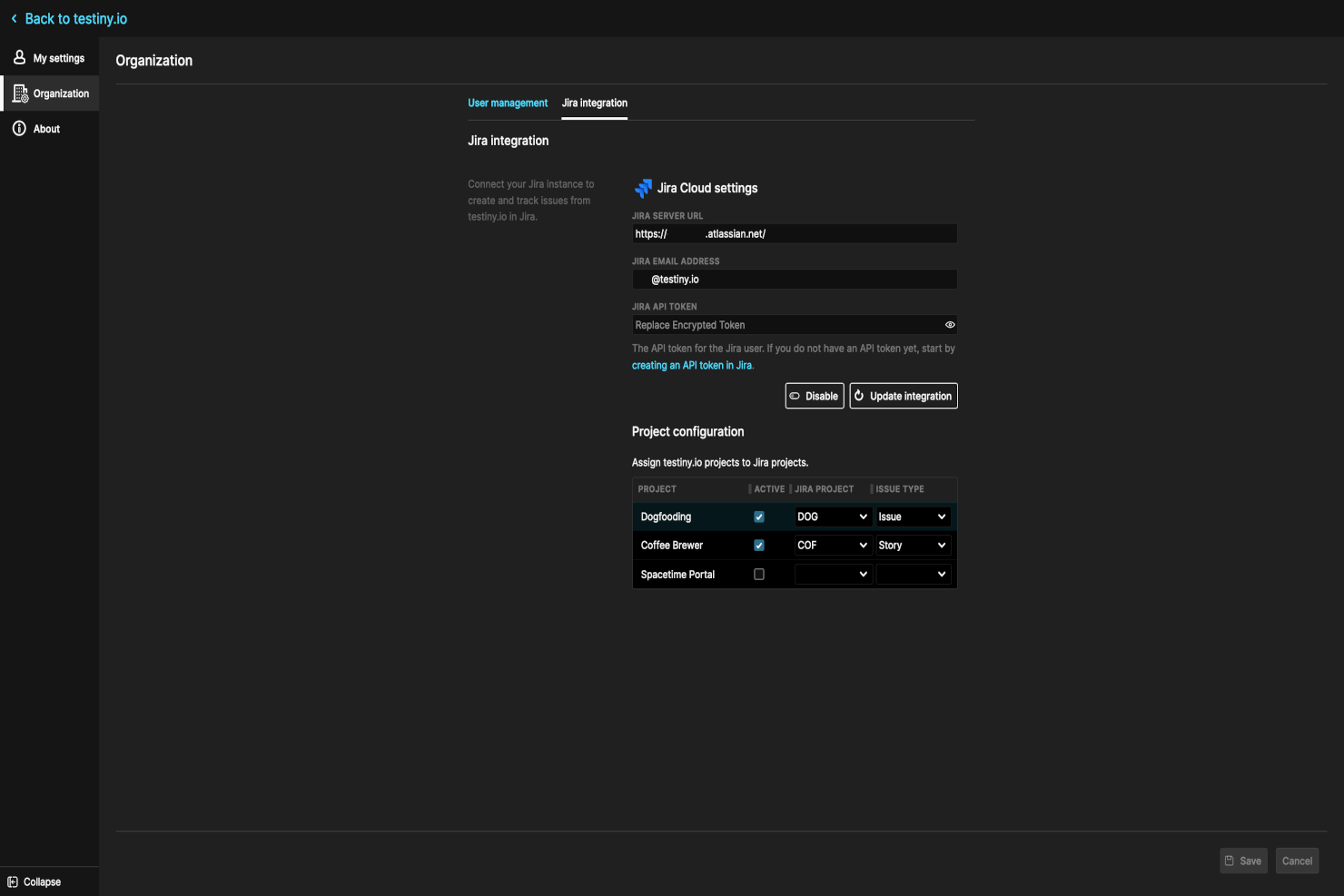
Testiny est un outil de test logiciel automatisé qui peut exécuter des tests pour les applications web, mobiles et les API. Il fournit aux utilisateurs un cadre pour rédiger et exécuter des scripts de test automatisés nécessitant une intervention humaine minimale. Les utilisateurs peuvent également importer des scripts de test existants et les exécuter parallèlement aux tests manuels.
Le logiciel propose une intégration bidirectionnelle avec Jira, permettant aux utilisateurs d’ajouter des exigences de cas de test et de soumettre des problèmes après l'exécution d’un test. Les utilisateurs peuvent créer, gérer et exécuter des cas et des plans de test avec Jira, notamment créer des étapes de test et des exécutions de test. Les équipes peuvent aussi utiliser les fonctions d’automatisation de Jira pour déclencher automatiquement les tests en fonction d’événements spécifiques ou de modifications de tickets.
Un tableau de bord fournit une vue d’ensemble de toutes les activités de test, y compris les cas de test, les exécutions de tests et les rapports de test. Les utilisateurs peuvent suivre la progression de leurs efforts de test et obtenir une vision globale de l’état qualité du projet. Diverses options de rapports prêtes à l’emploi sont disponibles et peuvent être personnalisées selon les besoins de l’équipe. Les rapports peuvent être exportés dans différents formats, notamment PDF, Excel ou CSV.
Le logiciel propose un forfait gratuit jusqu’à 3 utilisateurs et les offres payantes commencent à partir de 17 $ par utilisateur et par mois. Un essai gratuit de 14 jours est également disponible pour les forfaits payants.
New Product Updates from Testiny
Testiny Improves Test Case Filtering and CSV Import With Jira Links
Testiny introduces Enhanced Test Case Filtering and CSV Import with Jira Requirement Links. These updates improve how you select test cases and strengthen integration with Jira-based workflows, improving test management. For more information, visit Testiny’s official site.
 .
.
Idéal pour synchroniser les problèmes et exigences dans Jira
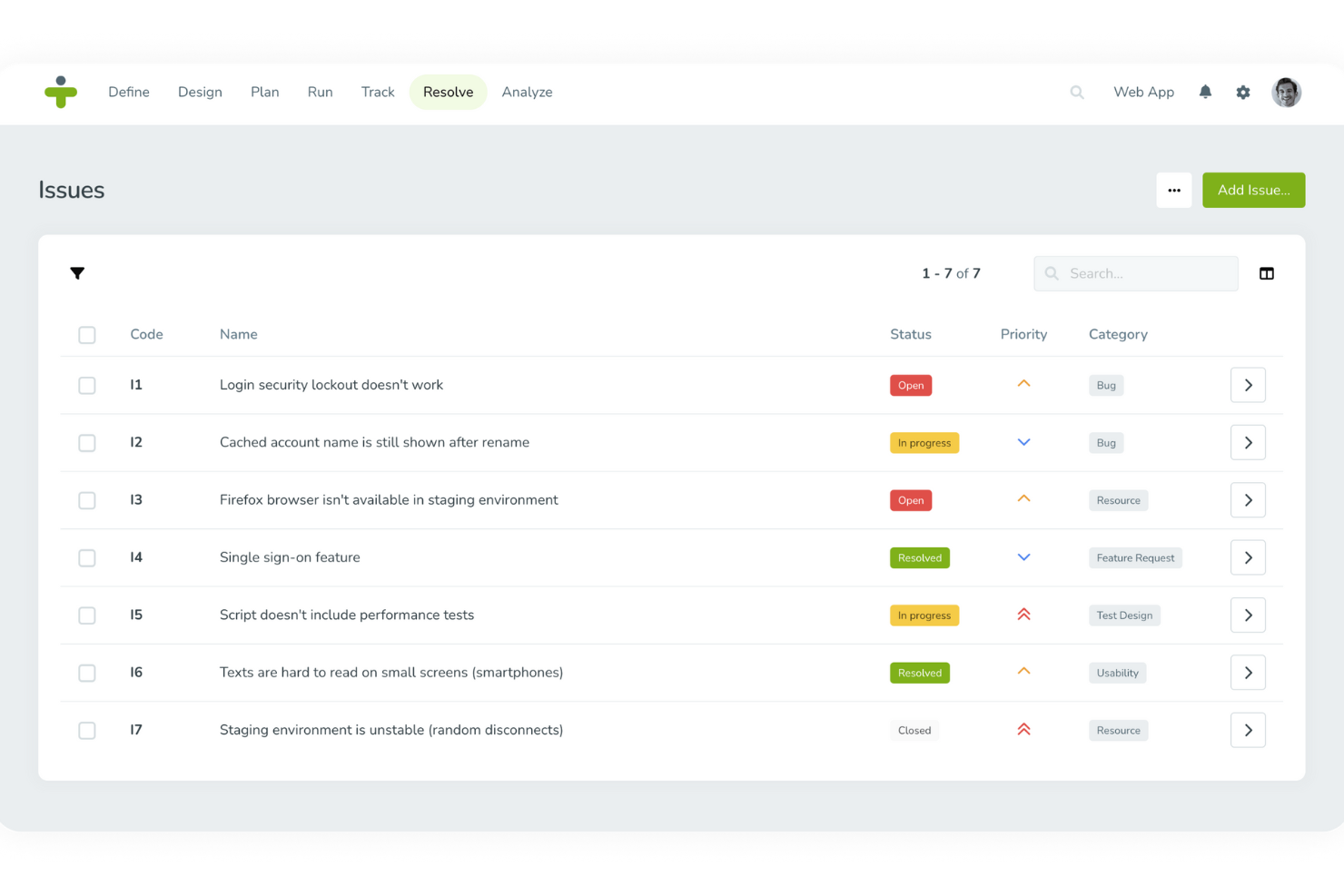
TestMonitor est un logiciel complet de gestion des tests conçu pour améliorer l'assurance qualité logicielle dans divers secteurs, notamment la santé, la finance, l'éducation et le gouvernement. Il propose une gamme de fonctionnalités telles que la gestion des exigences et des risques, la gestion des cas de test, la planification des jalons, le suivi des campagnes de tests, le suivi des problèmes et la génération de rapports et de métriques.
TestMonitor permet aux utilisateurs d'envoyer des problèmes directement vers Jira, de lier les problèmes Jira à des incidents ou des exigences dans TestMonitor, et même d'importer des problèmes Jira en tant que problèmes ou exigences dans TestMonitor. Cela permet de rationaliser le processus de gestion de projet en s'assurant que toutes les informations pertinentes sont synchronisées entre les deux plateformes, réduisant ainsi le besoin de mises à jour manuelles et minimisant le risque d'écarts de données.
De plus, la synchronisation de l'état des problèmes depuis Jira vers TestMonitor garantit que l'équipe a toujours connaissance de la situation actuelle de chaque problème, favorisant ainsi une meilleure collaboration et une efficacité accrue. Un autre avantage important de l'utilisation de TestMonitor réside dans la gestion complète des cas de test qu'il offre. TestMonitor simplifie la création, l'agencement et la gestion des cas de test, facilitant pour les équipes le maintien de la qualité tout au long du cycle de vie du développement logiciel. La plateforme prend en charge les tests manuels et automatisés, permettant aux équipes de choisir l'approche la plus adaptée à leurs besoins spécifiques.
Outre Jira, TestMonitor s'intègre avec Azure DevOps, Slack, Asana, ClickUp, DoneDone, Mantis, Microsoft Teams, TOPdesk et Zapier.

Idéal pour gérer les cas de test et les exigences en tant que tickets Jira
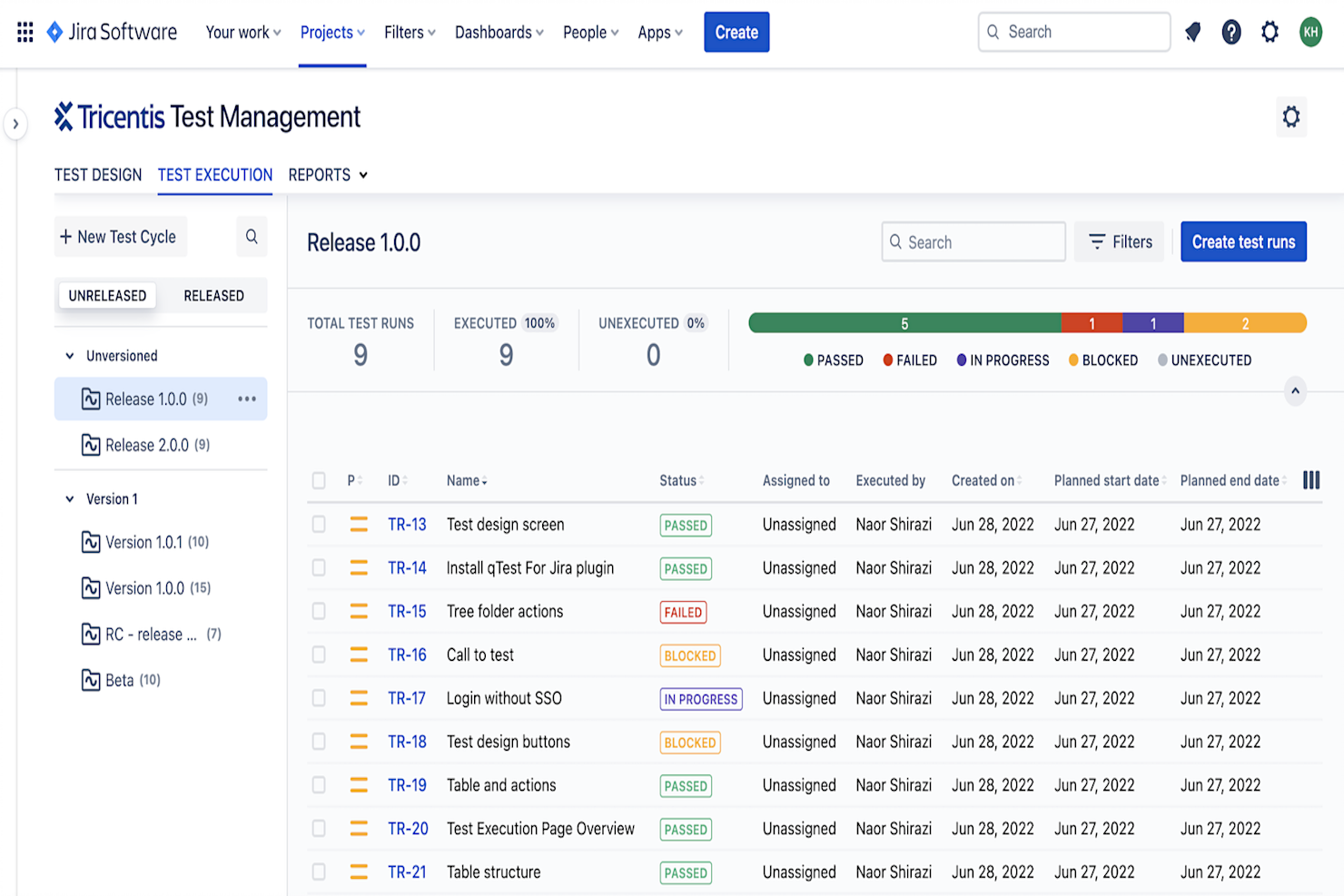
Tricentis Test Management est une solution de gestion des tests de bout en bout qui s'intègre aux outils DevOps comme Jira afin d'offrir aux équipes une vue complète et unifiée de la phase de test lors du cycle de développement logiciel. Elle conserve les plans de test et les rapports dans Jira pour que les équipes QA, développement et autres équipes concernées restent synchronisées sur l'état du logiciel, surtout lorsque les équipes utilisent déjà Jira comme outil DevOps.
Tricentis propose une interface utilisateur intuitive qui s'intègre parfaitement à Jira et aide les équipes à se concentrer rapidement sur la qualité du travail à chaque étape du cycle de test et de développement d'un produit. Cela permet aux équipes de rester coordonnées et de prendre des décisions concernant les tests grâce aux données en temps réel recueillies via les rapports sur la création, l'exécution et le statut des tests.
Tricentis permet aux utilisateurs habitués à Jira d'intégrer les deux solutions pour extraire efficacement des informations de Jira et continuer à accéder aux tests même si le serveur Jira tombe en panne. Cette intégration offre une grande flexibilité en permettant d'utiliser une solution pour certaines tâches, comme l'utilisation de Jira pour le signalement des bugs, tandis que Tricentis propose des solutions pour l'attribution des cas de test aux testeurs et la création de plans de tests pour différentes versions.
Disposer d'un logiciel de gestion des tests pour une solution de suivi des problèmes comme Jira facilite la coordination des équipes, la structuration d'un test, l'importation des exigences vers Tricentis qTest, le maintien de l'alignement QA et développement sur une seule plateforme, et le développement de logiciels de qualité plus rapidement.
Tricentis Test Management est gratuit jusqu'à 10 utilisateurs.

Meilleur agrégateur d'incidents pour alimenter les incidents Jira
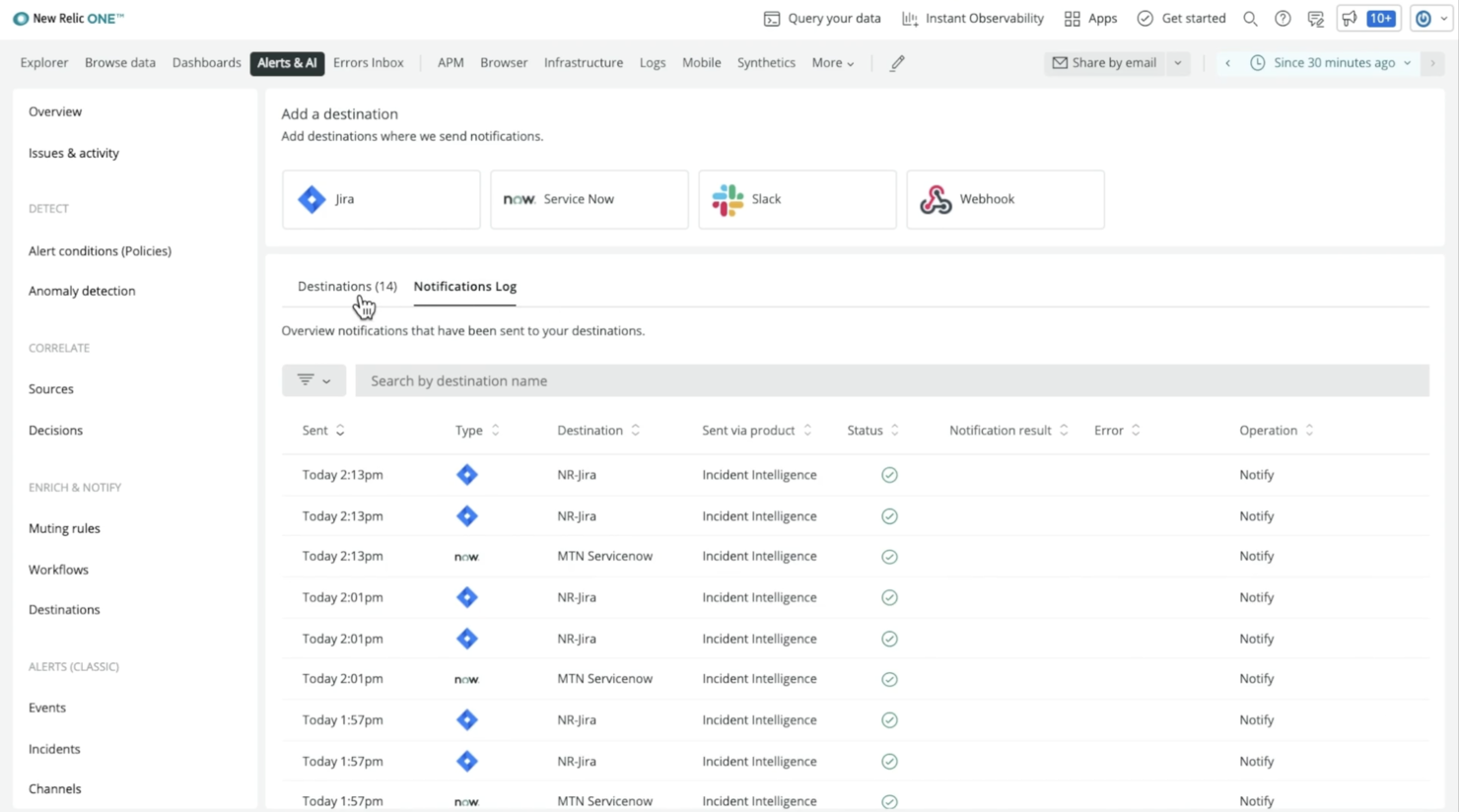
New Relic est un produit SaaS qui propose des outils de surveillance des performances applicatives (APM) et de surveillance de l'infrastructure. Il fournit des informations sur les performances de vos applications, vous aidant à identifier les goulets d'étranglement, à résoudre les problèmes et à améliorer l'expérience utilisateur globale.
Il convient parfaitement aux entreprises de toutes tailles, des startups aux grandes entreprises, et il est particulièrement utile pour les équipes utilisant Jira pour la gestion de projet et le suivi des tickets. L'intégration de New Relic avec Jira facilite le suivi et la gestion des performances de vos applications parallèlement à vos processus de développement et de test.
La fonctionnalité à retenir est Destinations. Les Destinations au sein de New Relic sont utilisées pour envoyer des données pertinentes à une équipe ou une personne dans un logiciel externe. Vous devrez donc connecter votre instance Jira actuelle à New Relic et activer la synchronisation bidirectionnelle pour tirer le meilleur parti du produit.
Une fois configuré, vous pouvez ajouter des workflows pour définir des comportements spécifiques à suivre par New Relic lors de la notification des individus ou des équipes. Il ne reste plus qu'à activer votre Destination. New Relic surveillera la télémétrie, identifiera les problèmes et générera automatiquement des alertes afin que vous puissiez garder le contrôle de vos tests.
Les fonctionnalités remarquables de ce logiciel incluent la surveillance en temps réel, des tableaux de bord personnalisables, des alertes et notifications, des analyses avancées, ainsi qu'une prise en charge de plusieurs langues et plateformes.
New Relic s'intègre à d'autres outils et services populaires tels que Slack, PagerDuty et AWS, ce qui en fait une solution flexible et puissante pour les équipes cherchant à améliorer la surveillance des performances de leurs applications et de leur infrastructure.

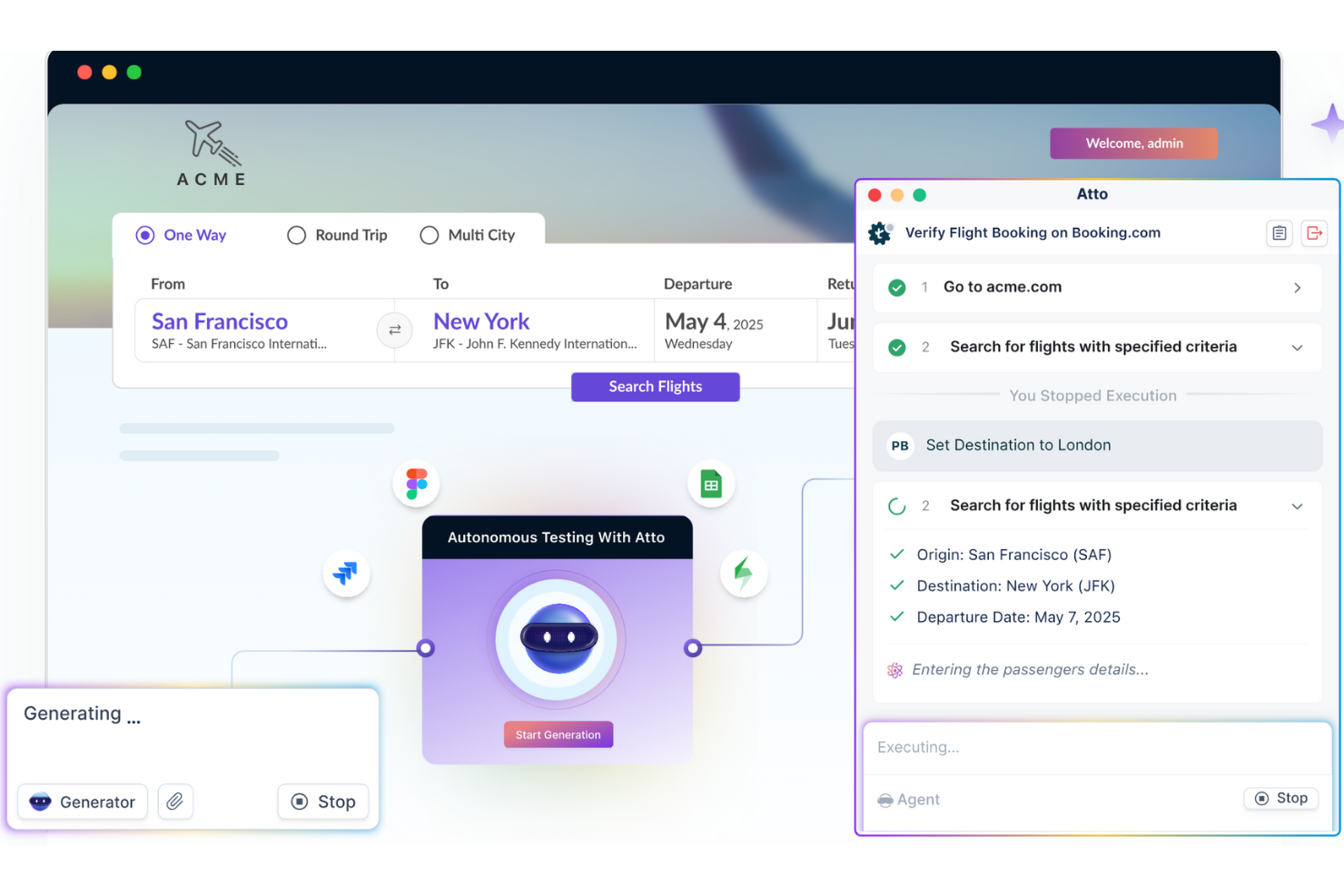
Testsigma est un outil de gestion des tests qui fonctionne avec Jira et intègre des agents IA dans vos flux de travail de test. Il gère les tests manuels, automatisés et exploratoires — de la planification à l'exécution, en passant par le signalement des bugs — tout en restant connecté à vos projets Jira.
J'apprécie Testsigma pour sa gestion agentique des tests : son collègue IA, Atto, travaille activement avec votre équipe pour alléger votre charge de travail. Son agent générateur lit les stories Jira, les maquettes, et même les vidéos, puis les transforme automatiquement en cas de test, aidant ainsi votre équipe à obtenir une meilleure couverture sans écrire de code.
Il dispose également d'agents exécuteur et rapporteur de bugs qui font avancer les choses sans que vous ayez à surveiller les tests en continu. Les tests s'exécutent dans le navigateur ou sur des appareils, et les échecs sont automatiquement enregistrés dans Jira avec tous les détails de reproduction. Cela signifie moins de maintenance manuelle, moins de tests cassés et des boucles de retour plus rapides.
Parmi les intégrations de Testsigma, on retrouve Jira, Jenkins, CircleCI, Azure DevOps, Bamboo, AWS, Travis CI, Codeship, FreshRelease, YouTrack, Mantis Bug Tracker et Backlog.

Idéal pour la gestion BDD et des tests dans Jira avec le support Cucumber
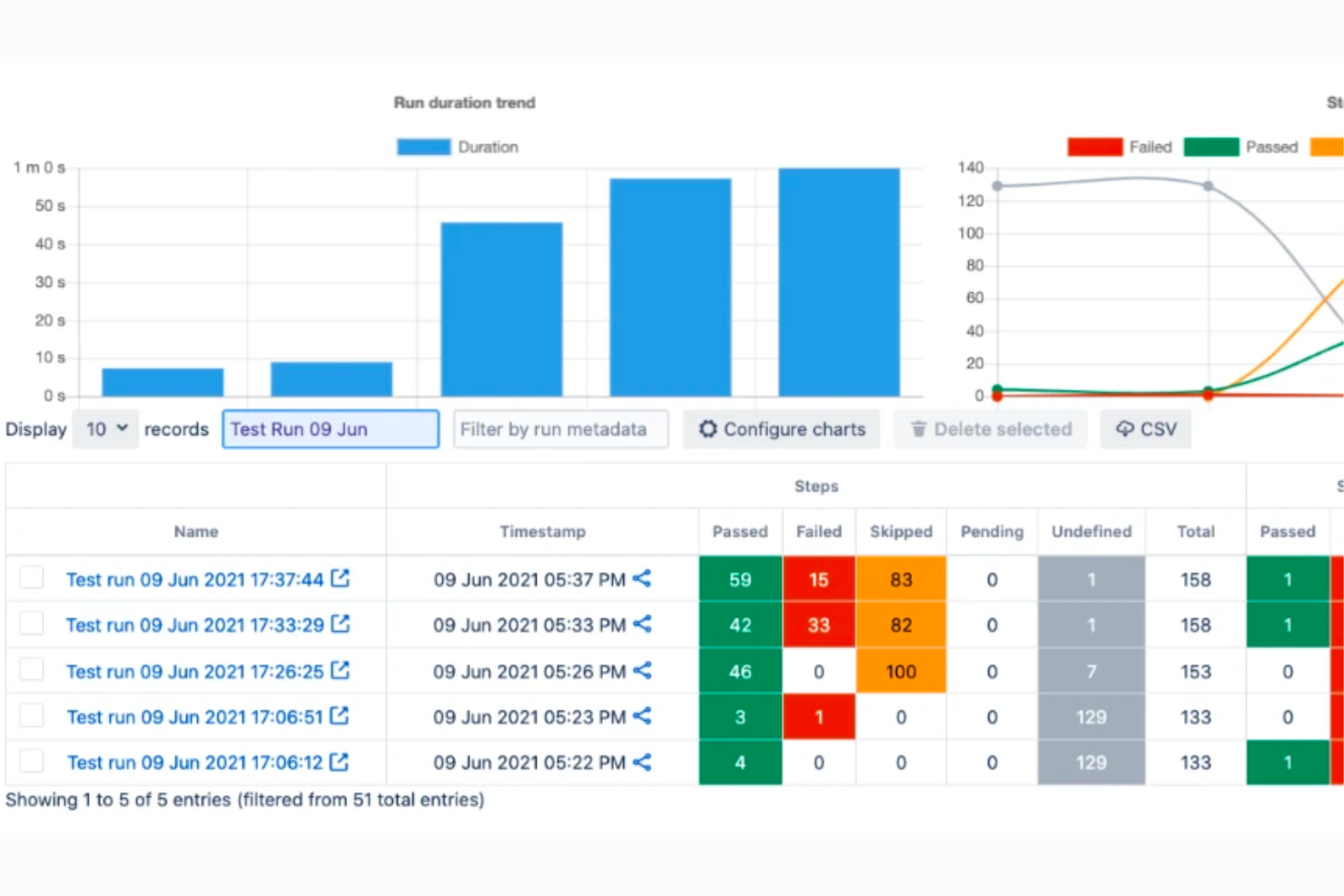
AssertThat est un outil de collaboration BDD qui s'intègre à Jira, permettant aux équipes de gérer les exigences BDD directement dans l'environnement Jira. Il offre des fonctionnalités pour créer des scénarios Gherkin, s'intégrer aux pipelines d'intégration et de livraison continues, et générer des rapports détaillés de traçabilité BDD, ce qui en fait une excellente solution pour la gestion BDD et des tests sur Jira.
AssertThat permet de définir des exigences BDD directement dans l'environnement Jira. Les utilisateurs peuvent définir des exigences BDD directement sur la plateforme, puis les lier, avec les fonctionnalités et scénarios, à des tickets Jira spécifiques. La plateforme propose un éditeur Gherkin avec la fonctionnalité de saisie semi-automatique pour faciliter la rédaction des scénarios BDD et prend en charge l'intégration avec les pipelines CI/CD et Cucumber afin d'automatiser ces scénarios. Elle est également compatible avec Cucumber, permettant l'exécution de tests automatisés écrits en Gherkin. Les utilisateurs peuvent aussi faire des intégrations avec GitHub et via des interfaces en ligne de commande, permettant d'intégrer AssertThat dans des flux de travail existants.
AssertThat offre des intégrations avec divers outils et plateformes essentiels pour la gestion BDD et des tests. Il propose une intégration native avec Jira, permettant une traçabilité et une gestion efficaces des scénarios BDD dans l'écosystème Jira. L'outil prend aussi en charge l'intégration avec les pipelines CI/CD et est compatible avec Cucumber, permettant l'exécution des scénarios et la collaboration via le plugin Cucumber BDD. De plus, AssertThat peut être utilisé avec des outils d'entreprise pour la mise à jour des scénarios BDD et s'intègre à différents frameworks d'automatisation des tests.
AssertThat est gratuit via l'Atlassian Marketplace jusqu'à 10 utilisateurs. Le tarif débute à partir de 2,50 $ pour les 100 premiers utilisateurs.

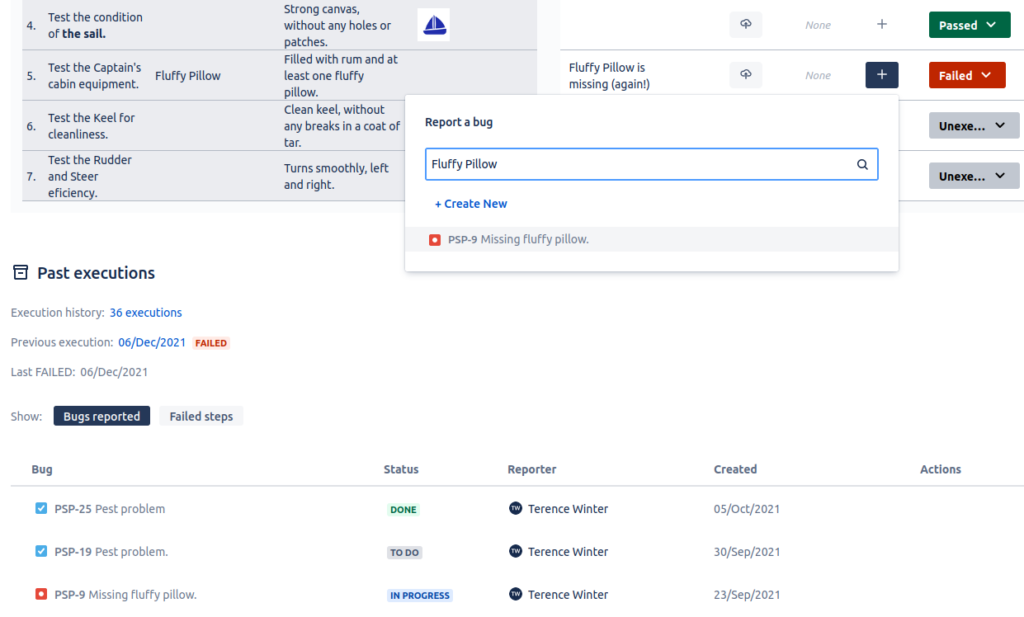
QAlity Plus est un outil de gestion des tests intégré à Jira. Il aide les testeurs en fournissant des informations sur la performance des tests et les exécutions précédentes. De plus, il offre un moyen simple de signaler, de lier et de parcourir les bugs existants afin de maximiser l'efficacité des tests. QAlity Plus favorise également la transparence entre les testeurs et l'équipe en intégrant les définitions de test dans les tâches, ce qui permet à chacun de mieux travailler et coopérer.
QAlity Plus est gratuit jusqu'à 10 utilisateurs, puis 1,50 $ par utilisateur/mois. Le tarif diminue à partir de 100 utilisateurs.

Xray
Idéal pour utiliser les types de demandes natifs de Jira pour gérer les artefacts de test
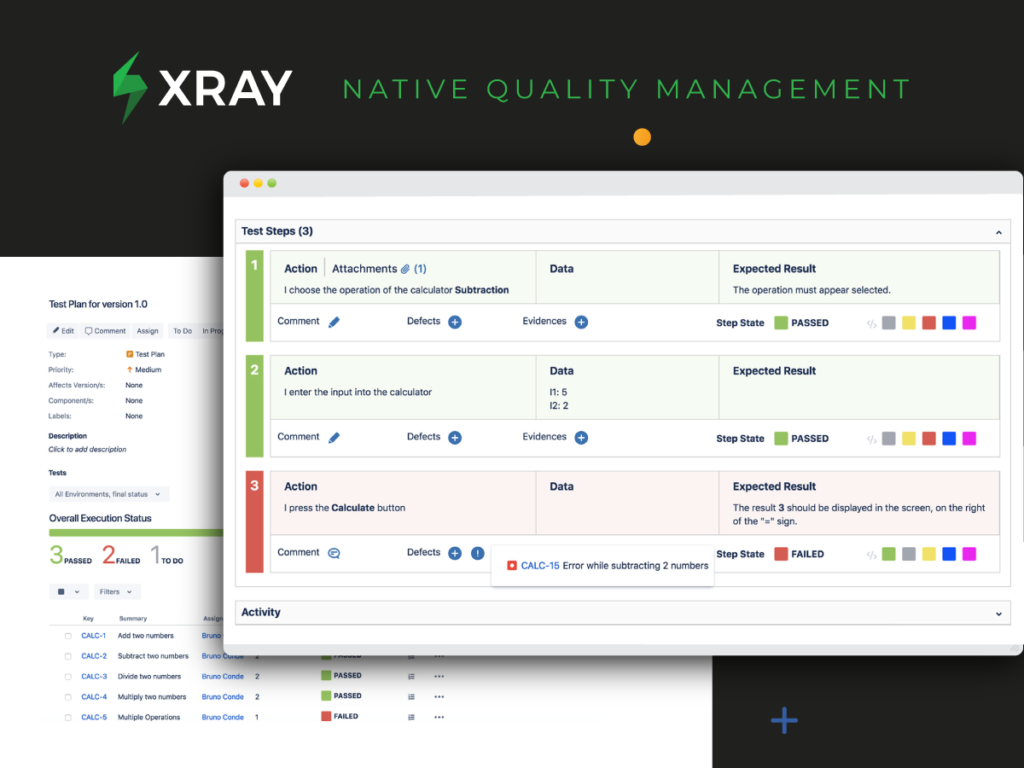
Xray for Jira est un outil complet de gestion des tests qui vous aide à organiser, planifier, exécuter et rendre compte de l'avancement des tests et de l'état de préparation au déploiement.
Xray utilise les types de demandes natifs de Jira et tous les besoins sont liés aux cas de test afin que vous ne manquiez jamais un test. Grâce à l'intégration native de Xray dans Jira, les développeurs et les testeurs travaillent dans le même écosystème unifié, ce qui permet une transparence sur le travail, une visibilité sur l'avancée des tests et une collaboration entre développeurs et testeurs. Ainsi, chaque test est pris en compte, chaque tâche vit dans le même flux de travail et tout le monde parle le même langage.
Avec Xray, les responsables peuvent utiliser des tableaux agiles pour suivre le statut des exigences et l'avancement de l'exécution des tests en temps réel. Vous disposez également de puissantes capacités de reporting avec des rapports intégrés pour la traçabilité et l’analyse de couverture, ainsi qu'un tableau de bord avec des gadgets pour évaluer facilement l’état des tests. Xray prend également en charge les tests pilotés par les données avec des tests paramétrés, ce qui vous permet de tester rapidement et facilement de grands ensembles d’itérations.
L'intégration avec vos outils d'intégration continue préférés, dont Cucumber et Jenkins, est simple via notre API REST intégrée. Xray s’intègre également avec les principaux frameworks d’automatisation des tests, notamment Cucumber, JUnit, NUnit, Robot Framework, et prend aussi en charge les tests en BDD avec des frameworks basés sur Gherkin.
Xray propose un essai gratuit de 30 jours.

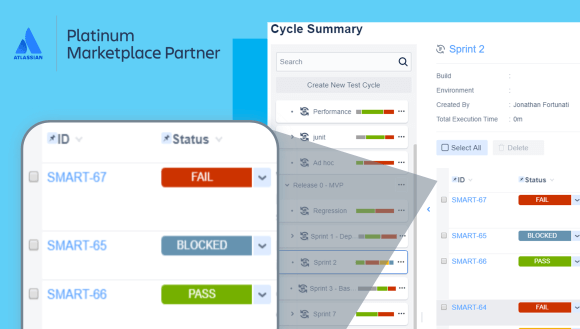
Zephyr Squad est la solution de gestion des tests la plus populaire directement intégrée à Jira pour les petites équipes Agile qui souhaitent concevoir, exécuter et rapporter des cas de test, le tout au sein de Jira, là où l'équipe coordonne son travail. Il comprend également une puissante intégration pour l'automatisation des tests et le BDD, regroupant toutes les informations.
Zephyr Squad coûte à partir de 10 $/mois pour jusqu'à 10 utilisateurs et 4,55 $/utilisateur/mois au-delà, avec un tarif dégressif à mesure que vous augmentez le nombre d'utilisateurs. Zephyr Squad offre un essai gratuit de 30 jours.

aqua ALM
Idéal pour la gestion des exigences, des cas de test et des défauts
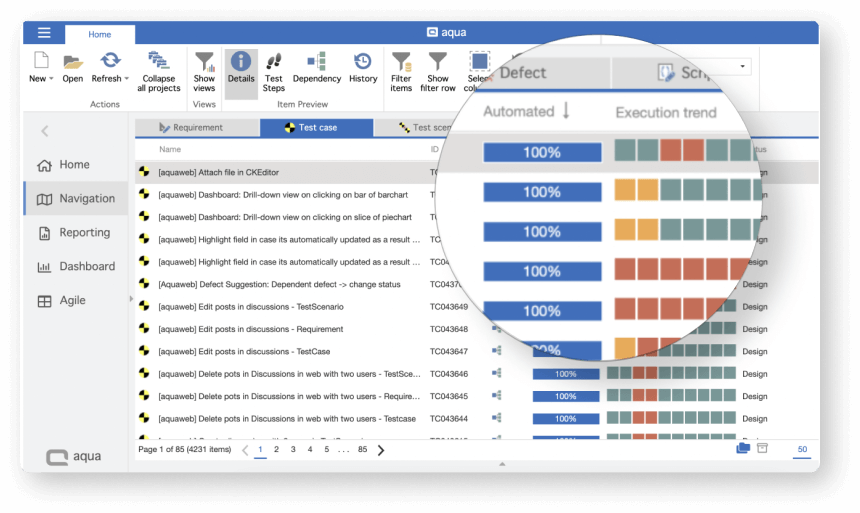
aqua est un système de gestion de tests allemand facile à utiliser, réputé pour offrir un service de niveau entreprise à tous les clients, quel que soit le forfait, à un prix abordable (les forfaits commencent à 39 euros/mois). Avec aqua, vous pouvez organiser les tests et les équipes, exécuter des scénarios de test de toute complexité et à toute échelle, et passer en douceur des tests manuels aux tests automatisés. Les analyses en temps réel et les rapports de niveau entreprise d'aqua offrent une visibilité sur les flux de travail QA et développement : vous voyez ce qui peut être amélioré et automatisé.
Depuis 2008, aqua sert de solution de gestion de tests et d'ALM pour les plus grandes entreprises en Allemagne. Depuis 2022, ils ont également lancé une offre cloud pour PME qui inclut un support de niveau entreprise ainsi qu'une grande flexibilité à un prix abordable (à partir de 39 euros/utilisateur/mois).
Chaque forfait permet d'ajouter un nombre illimité d'utilisateurs « Basic » gratuits, qui peuvent consulter les rapports, créer et exécuter des cas de test (idéal pour les testeurs manuels). Cela vous permet d'économiser en réservant la version payante d'aqua uniquement aux chefs de test et testeurs en automatisation.

Idéal pour la gestion intégrée des exigences
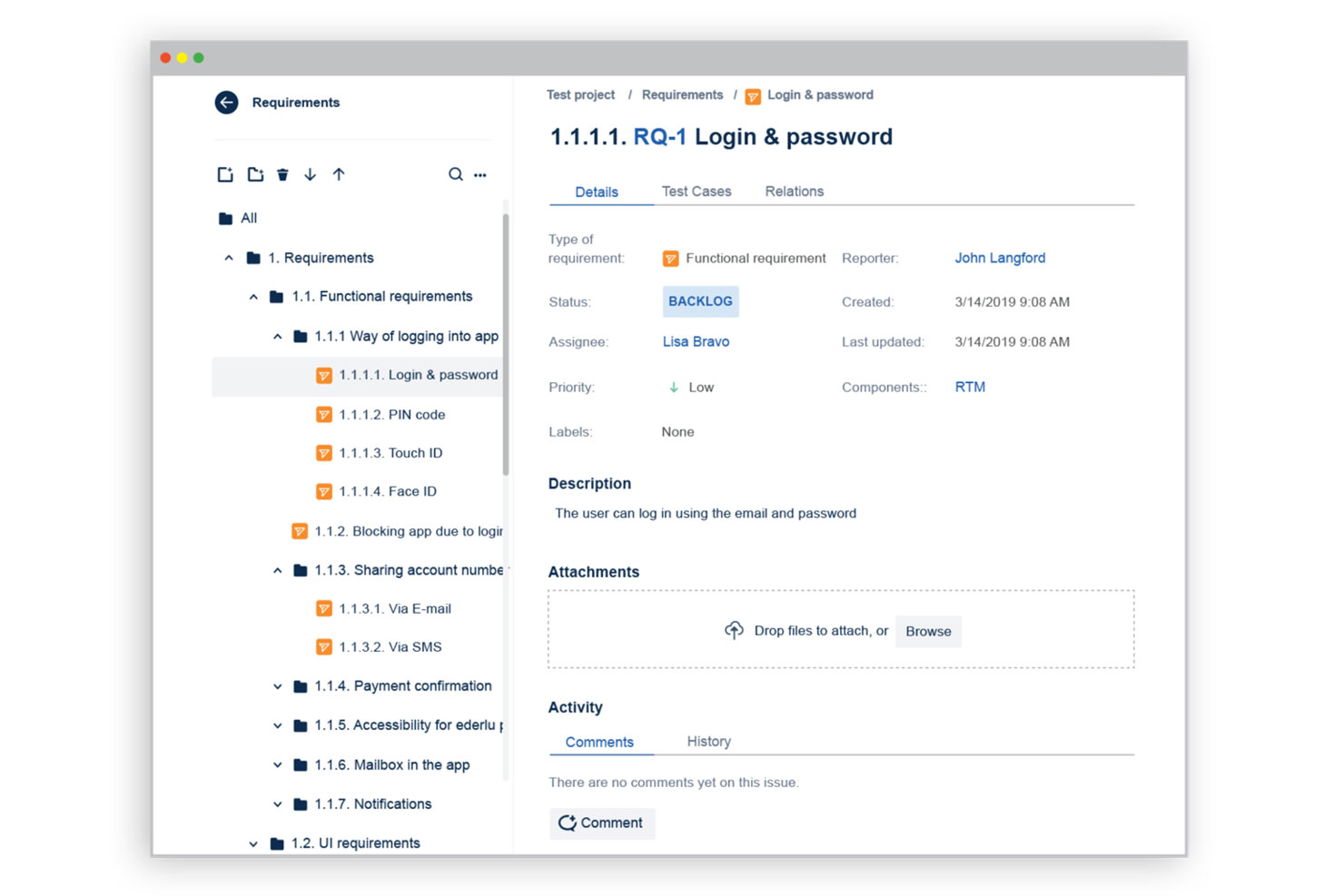
Requirements and Test Management (RTM) est une application web qui permet aux équipes QA d’organiser et de suivre les projets de tests logiciels dans Jira. Les testeurs ont accès à toutes les fonctionnalités natives de Jira au sein de RTM, permettant ainsi l’intégration des tests avec les exigences, le développement et le reporting. Une fonctionnalité populaire est l’automatisation des règles Jira, qui réduit le temps consacré aux tâches répétitives comme la mise à jour des statuts des tickets ou la notification des utilisateurs concernant les modifications apportées aux exigences. Les tarifs pour RTM sont disponibles sur demande.

Ranorex
Idéal pour les équipes de gestion des tests de différents niveaux d'expérience
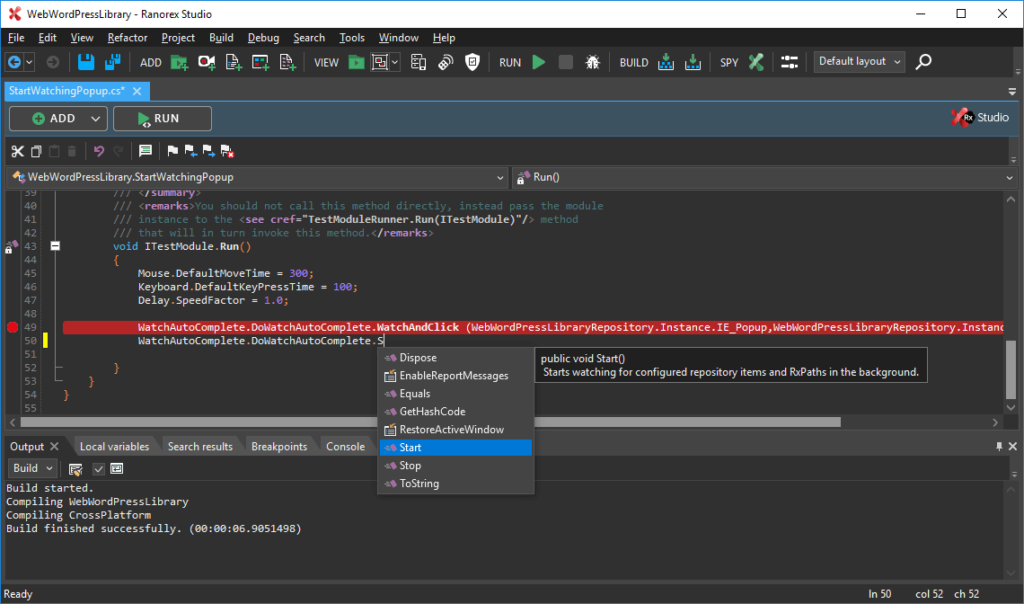
Ranorex sera votre choix si vous recherchez une solution pour effectuer divers types de tests : tests de régression, tests pilotés par les données, tests par mots-clés ou tests multi-navigateurs. Cet outil de gestion des tests pour Jira est disponible sur le cloud pour divers appareils, y compris les ordinateurs de bureau et les appareils mobiles.
Ranorex propose trois catégories de tarification, à partir de 3 450 $ pour une licence à vie. Il est livré avec un essai gratuit de 30 jours qui ne nécessite pas de saisir vos informations de carte bancaire.

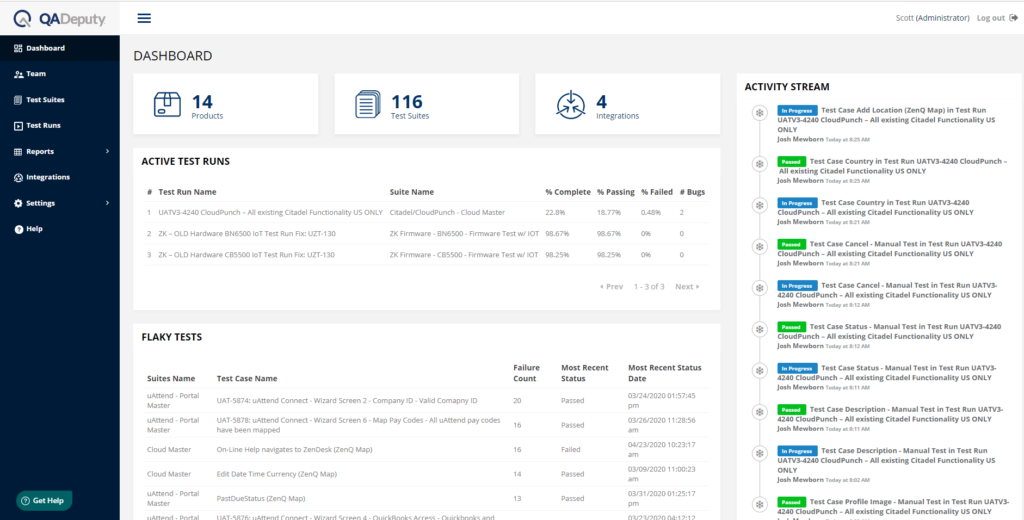
QADeputy est un outil de gestion des tests qui peut s'intégrer à vos outils d'automatisation et de gestion de bugs existants. De plus, vous pouvez automatiser l'outil et envoyer des notifications automatisées à différents intervenants travaillant avec vous.
QADeputy propose une offre gratuite qui permet d'avoir un seul utilisateur, une suite de tests et 100 cas de test. L'outil offre une formule payante à $18 par mois, qui permet d'avoir un nombre illimité d'utilisateurs payants, de suites de tests et de cas de test.

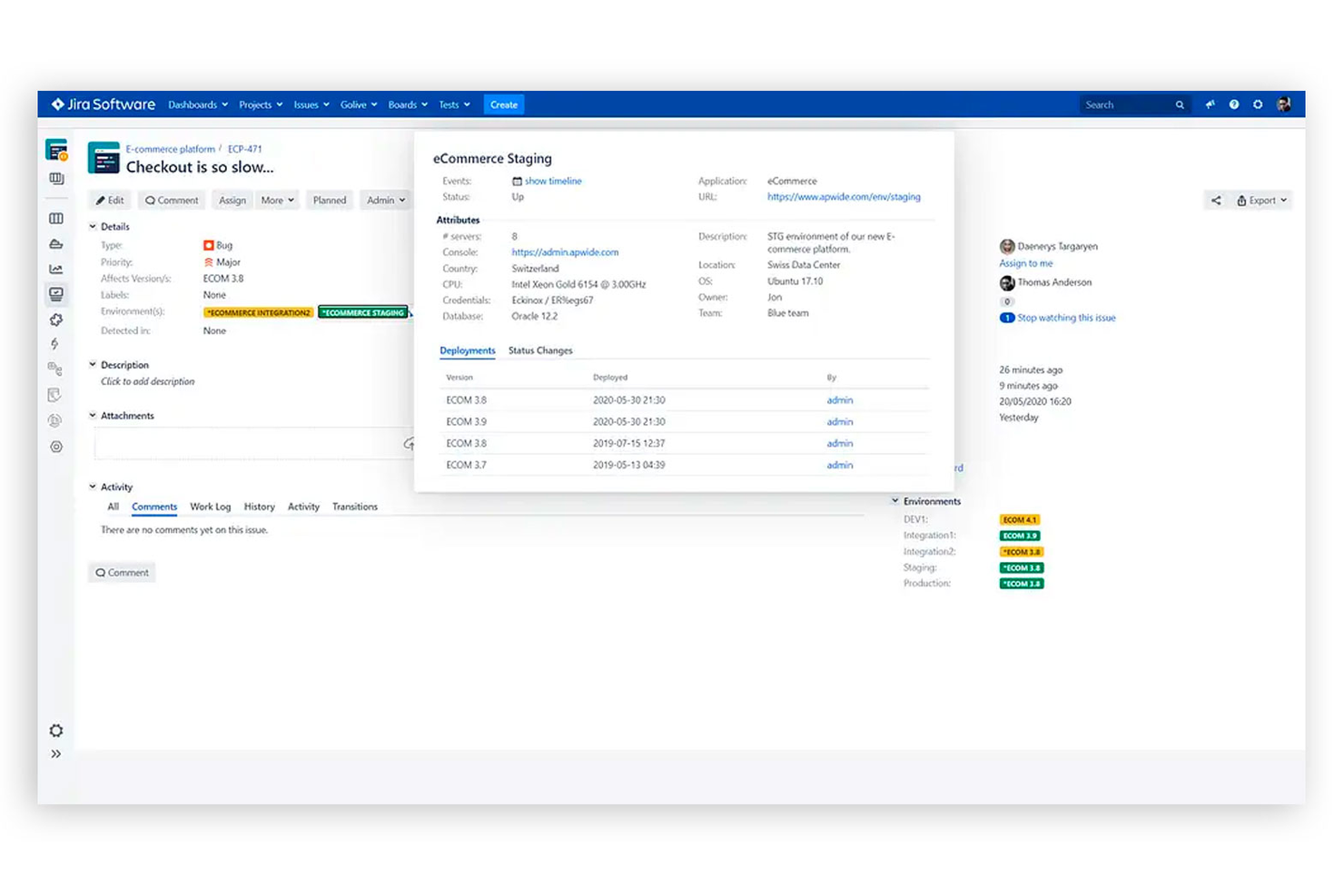
Apwide Golive est une solution d'entreprise pour la gestion des environnements de test logiciel dans Jira. Avec Apwide, votre équipe peut gérer les déploiements logiciels, les modifications de configuration et l'automatisation des livraisons en un seul endroit. Les équipes peuvent lier les tickets Jira à des environnements de test individuels afin de suivre les bogues. Apwide permet également aux utilisateurs de publier des tableaux Agile directement dans Jira pour chaque environnement de test, afin d'aider les équipes à rester alignées sur les informations les plus récentes. Apwide Golive est proposé à partir de 7,70 $/mois (pour 11 utilisateurs sur Jira Cloud) et/ou 750 $/an (50 utilisateurs sur Jira Data Center) et/ou 10 $ licence perpétuelle unique + 10 $/an de frais de maintenance (10 utilisateurs sur Jira Server).

QA Wolf
Meilleur service de gestion des tests pour les équipes qui utilisent Jira
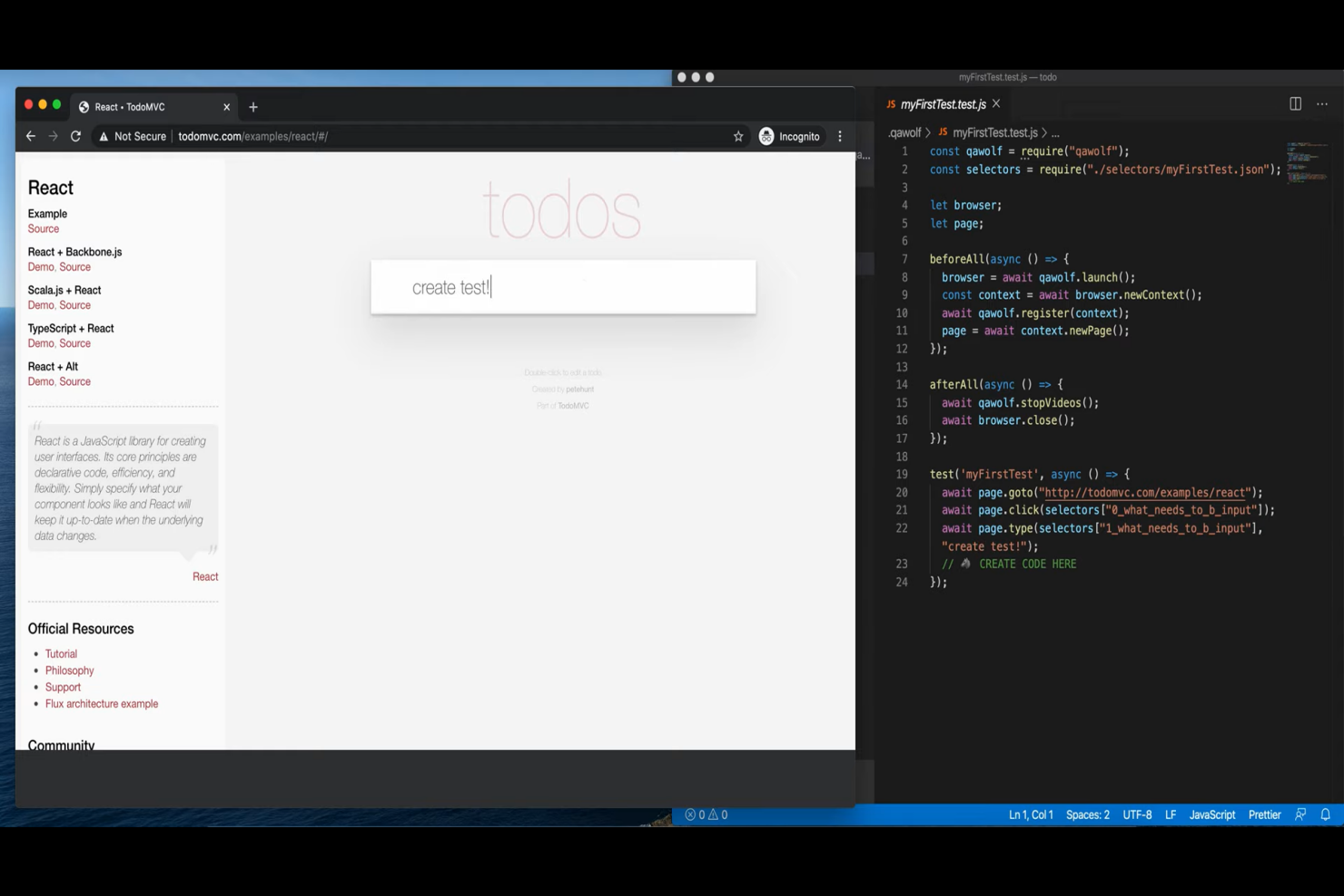
QA Wolf est un fournisseur de services de gestion et d'automatisation des tests de bout en bout, soutenant les organisations avec une équipe d'ingénieurs QA experts chargés de rédiger, d'exécuter et de répéter les tests critiques. Leur service décharge les équipes internes du travail de QA en interne et fournit des ressources précieuses pour répondre à tous les besoins en matière de tests de bout en bout.
Un aspect que j'apprécie dans leur service, c'est que leur équipe va configurer une intégration avec votre instance Jira afin que les rapports de test soient automatiquement ajoutés à votre outil de suivi des tickets. L'équipe commence ensuite à effectuer les tests, à enquêter sur les échecs, puis à rédiger un rapport d'anomalie/problème avec les étapes de reproduction, un enregistrement vidéo, des journaux et toutes les autres données dont vous avez besoin.
Et leur équipe s'intègre à bien plus que Jira : ils se connectent à votre pile technologique existante pour vous donner une vue en temps réel sur la performance de votre logiciel. QA Wolf utilise un démon de votre logiciel pour élaborer un plan de test et commencer à coder des suites de tests automatisés, ce qui leur permet de comprendre pleinement et de couvrir tous vos besoins en test.

testomat.io
Idéal pour la synchronisation en temps réel des cas de test
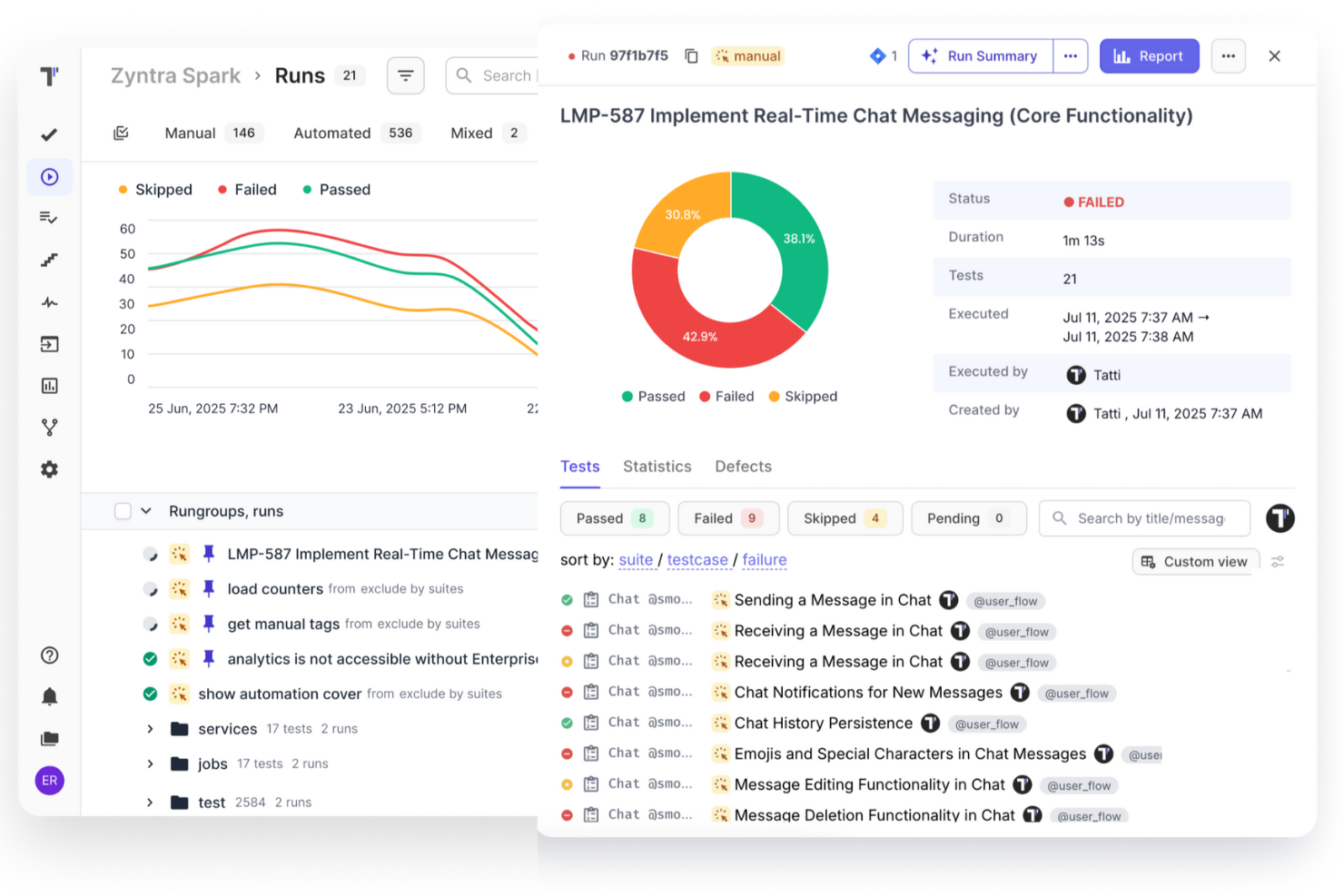
Testomat.io propose une gestion des tests assistée par l'IA pour les tests manuels et automatisés, permettant aux équipes QA d'organiser, d'exécuter et de suivre tout au même endroit. Il s'intègre parfaitement avec Jira Cloud, Data Center et Server, permettant la synchronisation en temps réel des cas de test, des tickets et des résultats. Vous pouvez gérer les cycles de test, automatiser la création de tickets pour les tests échoués et générer une documentation vivante qui se met à jour au fur et à mesure de la progression des tests.
Testomat.io offre également des outils d'IA pour générer des tests, suggérer des améliorations et mettre en avant rapidement les problèmes potentiels. Il prend en charge des paramètres d'exécution flexibles, des exécutions illimitées (jusqu'à 100K par exécution) et fournit des analyses en temps réel, des cartes thermiques et des informations sur la couverture des tests. L'intégration avec des outils comme Cypress, Playwright et les plateformes CI/CD assure des workflows fluides. Un forfait gratuit est disponible pour les petites équipes, avec des options payantes pour des fonctionnalités avancées. L'assistance est réactive par e-mail et chat en direct.

PractiTest
Idéal pour connecter les exigences et les user stories aux tests
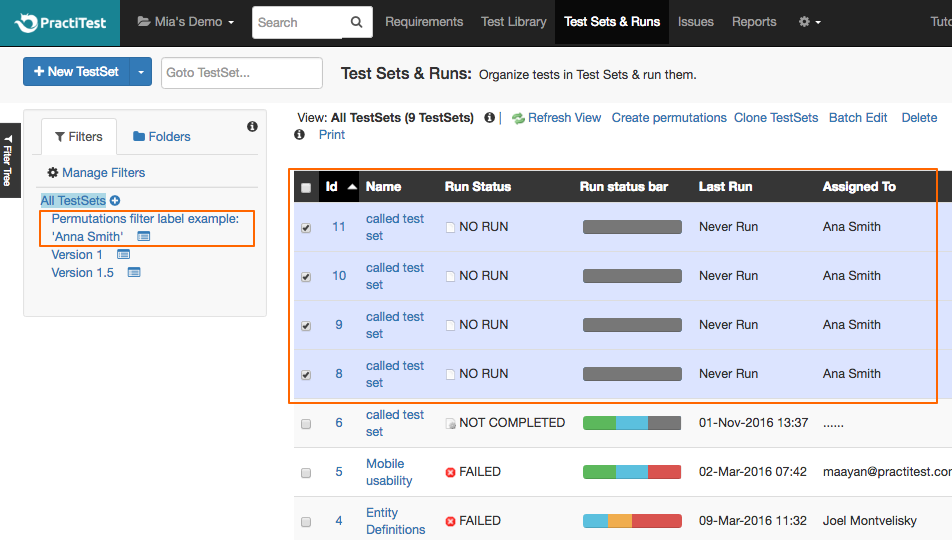
PractiTest propose une gestion centralisée des tests pour les processus de test automatisés et manuels.
C’est un excellent outil à utiliser avec Jira — il est réputé facile à configurer et à intégrer, et une fois installé, il est entièrement synchronisé avec Jira, ce qui signifie que chaque modification effectuée dans PractiTest sera reportée dans Jira et chaque mise à jour de projet Jira sera reflétée dans PractiTest. L’intégration permet des mises à jour en temps réel entre les deux systèmes, que vous utilisiez Jira Cloud, Jira Data Center ou Jira Server.
Grâce à l’intégration avec Jira, vous pouvez importer des exigences et des user stories depuis Jira et les relier à des cas de test dans PractiTest. Vous pouvez également importer des filtres Jira dans PractiTest, et il est possible de faire correspondre des champs Jira à des champs PractiTest, ce qui vous aide à personnaliser quelles informations de Jira sont affichées dans PractiTest. Vous pouvez aussi signaler des problèmes découverts lors de vos tests effectués dans PractiTest directement dans votre projet Jira, et l’outil ajoutera automatiquement dans Jira les étapes que vous avez suivies.
Les forfaits commencent à $498/utilisateur/an. Un essai gratuit de 14 jours est proposé.

TestRail
Idéal pour suivre à la fois les tests manuels et automatisés
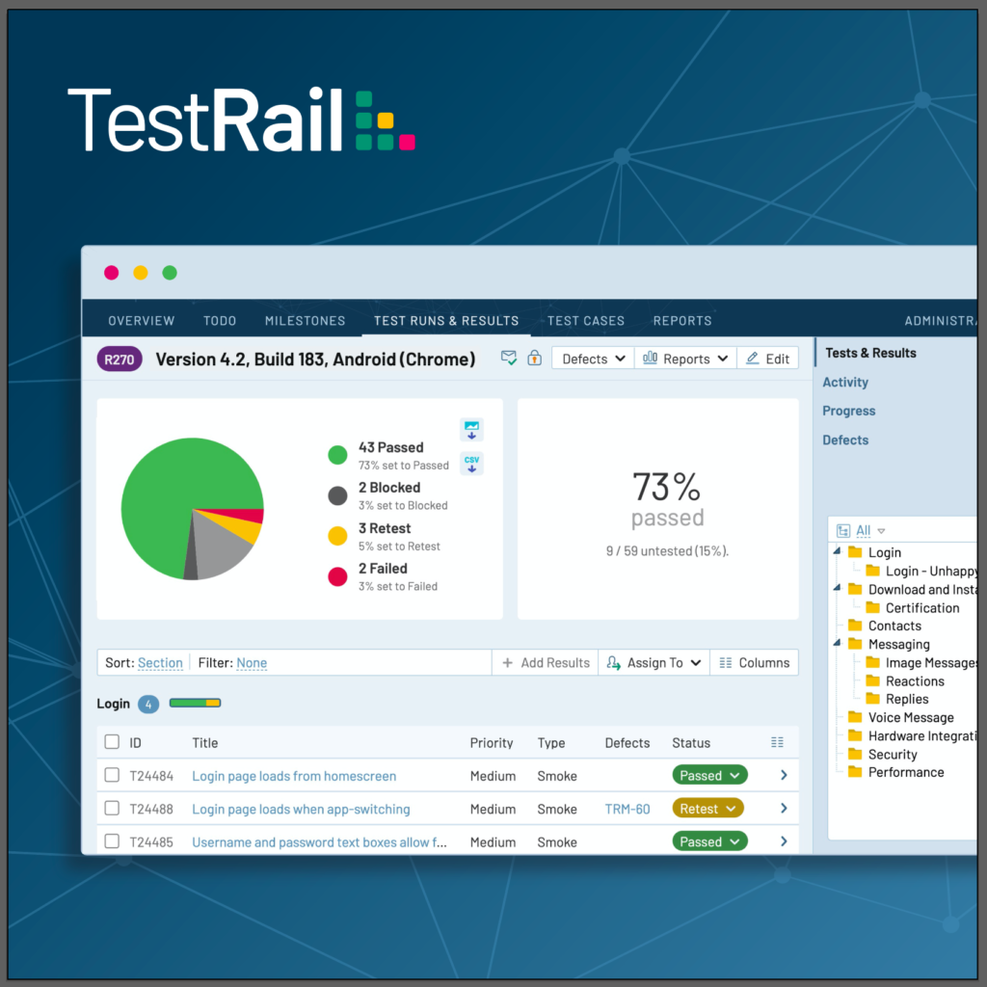
TestRail est une plateforme de gestion des tests destinée aux équipes d'assurance qualité et de développement, permettant de gérer les cas de test, de planifier et d'exécuter les tests, ainsi que de suivre les résultats des tests manuels et automatisés. Il peut être utilisé dans des projets en cascade ou agiles. Vous pouvez organiser les cas de test dans des dossiers et des sections, et personnaliser les cas de test avec des modèles, des statuts et des champs.
TestRail permet l'intégration avec Jira afin que vous puissiez gérer les tests et les résultats au même endroit. Vous pouvez consulter directement sur TestRail les tickets Jira liés et envoyer des rapports de défauts de TestRail vers Jira.
TestRail s'intègre également à GitHub, GitLab, Asana, et plus de 20 autres outils de suivi des tickets ou de gestion des défauts. Il prend en charge le reporting des tests exécutés via Selenium, Cypress, Appium, Cucumber, Junit, TestNG, Pytest, ou tout autre outil ou framework d'automatisation des tests grâce à l'API TestRail. Vous pouvez aussi intégrer TestRail avec des pipelines CI/CD comme Jenkins, GitHub Actions, GitLab CI, Azure DevOps, et bien d'autres.
TestRail coûte à partir de 38 $/utilisateur/mois (facturé annuellement) et propose un essai gratuit de 30 jours.

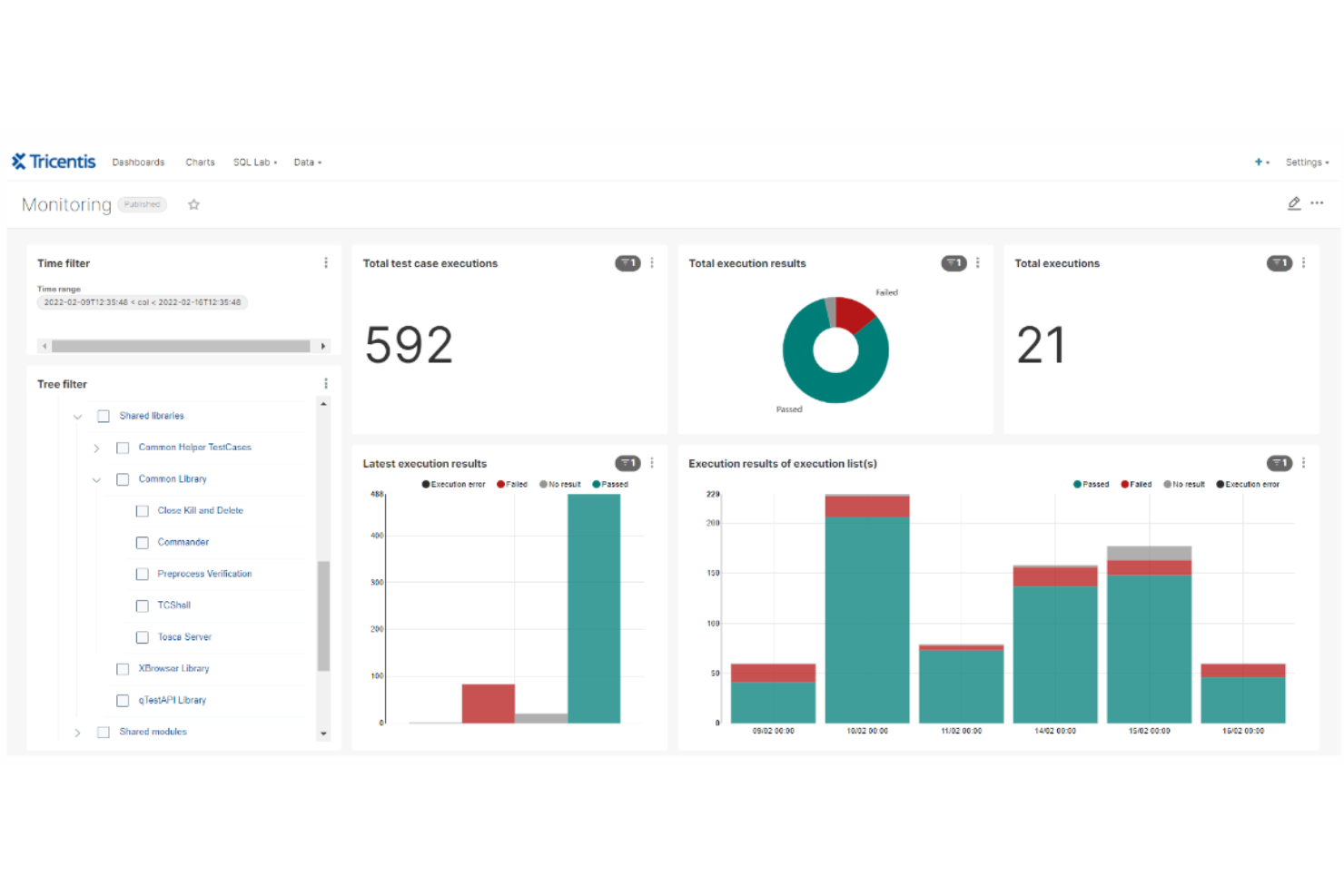
Tricentis Tosca est une plateforme de test logiciel continu qui se spécialise dans l'automatisation des tests de bout en bout pour les applications logicielles. Elle utilise une approche basée sur un modèle pour l'automatisation des tests, ce qui permet de créer des cas de test réutilisables, indépendants de la technologie sous-jacente. Elle est conçue pour aider les organisations à maintenir la qualité logicielle tout au long du cycle de développement, en particulier dans les environnements agiles et DevOps.
Tricentis Tosca prend en charge un large éventail de technologies et de plateformes, notamment les applications web, API, mobiles et d'entreprise. Elle offre également des fonctionnalités pour les tests basés sur les risques, la gestion des données de test et la virtualisation de services, afin d'aider à l'identification des défauts et de s'assurer que les tests les plus critiques sont correctement exécutés.
Tricentis Tosca améliore aussi la gestion des tests au sein de Jira grâce à une intégration permettant la synchronisation entre les deux plateformes. Lorsque l'équipe de test identifie des problèmes, tous les détails et mises à jour associés à l'exigence sont synchronisés dans Jira. Cela facilite la collaboration entre les équipes, car les cas de test et les anomalies peuvent être gérés directement dans Jira, offrant visibilité et traçabilité tout au long du cycle de vie des tests.
D’autres intégrations incluent Selenium, Cucumber, VersionONe, Vera, Testim, Jenkins, Neoload et qTest.
Le coût de Tricentis Tosca débute à partir de 29 $/mois. Un essai gratuit est également disponible.
Autres outils de gestion des tests pour Jira
Selon mon expérience, ces outils vous aident à organiser et suivre efficacement vos efforts de tests. Ils s’adaptent aux besoins spécifiques de votre équipe, que vous évoluiez dans des environnements complexes ou que vous recherchiez des solutions personnalisables.rnrnDans cet article, je vous présente mes outils favoris pour la gestion des tests sur Jira et partage des informations sur ce qui rend chaque solution unique afin de vous aider à trouver celle qui répond le mieux à vos besoins.rnrnVoici d’autres options d’outils de gestion des tests pour Jira qui ne figurent pas dans ma liste principale, mais qui méritent tout de même votre attention :
- Tricentis qTest
Idéal pour les tests de logiciels d’entreprise
- Zephyr Scale
Idéal pour les grandes équipes et le passage à l'échelle dans Jira
- Jama Software
Idéal pour la traçabilité des exigences de bout en bout
- Owlity
Idéal pour la génération autonome de scripts de test


Critères de sélection des outils de gestion des tests pour Jira
Pour sélectionner les meilleurs outils de gestion des tests pour Jira à inclure dans cette liste, j’ai pris en compte les besoins et difficultés courants des acheteurs, comme les capacités d'intégration et la facilité d’utilisation. J’ai également utilisé le cadre suivant pour garantir une évaluation structurée et équitable :
Fonctionnalités clés (25 % du score total)
Pour figurer dans cette liste, chaque solution devait répondre à ces cas d’usage courants :
- Gestion des cas de test
- Exécution et suivi des tests
- Intégration avec Jira
- Rapports et analyses
- Traçabilité des exigences
Fonctionnalités supplémentaires remarquables (25 % du score total)
Pour différencier davantage les solutions, j’ai recherché des fonctionnalités uniques comme :
- Capacités d’automatisation
- Options de personnalisation avancées
- Outils de collaboration en temps réel
- Support multi-projets
- Analyses intelligentes grâce à l’IA
Ergonomie (10 % du score total)
Pour évaluer l’ergonomie de chaque système, voici les critères que j’ai pris en considération :
- Interface intuitive
- Navigation facile
- Étiquetage clair
- Courbe d'apprentissage minimale
- Conception réactive
Onboarding (10 % du score total)
Pour évaluer l'expérience d'intégration à chaque plateforme, j'ai considéré les éléments suivants :
- Disponibilité de vidéos de formation
- Tours de produit interactifs
- Accès à des modèles
- Assistance par chatbot
- Webinaires et ateliers
Service client (10 % du score total)
Pour évaluer les services d'assistance client de chaque fournisseur de logiciel, j'ai pris en compte :
- Disponibilité 24/7
- Multiples canaux de contact
- Temps de réponse
- Qualité des ressources de support
- Gestionnaires de compte dédiés
Rapport qualité/prix (10 % du score total)
Pour déterminer la valeur des plateformes, j'ai pris en compte :
- Tarifs compétitifs
- Structure tarifaire claire
- Fonctionnalités incluses dans les formules
- Rapport coût-bénéfice
- Disponibilité d'une version d'essai gratuite
Avis clients (10 % du score total)
Pour avoir une idée de la satisfaction générale, j'ai étudié les points suivants dans les avis clients :
- Notes de satisfaction des utilisateurs
- Retours sur la facilité d'utilisation
- Commentaires sur l'utilité des fonctionnalités
- Retours d'expérience sur le service client
- Témoignages sur la fiabilité et la performance
Comment choisir un outil de gestion des tests pour Jira
Il est facile de se perdre dans des listes de fonctionnalités interminables et des structures tarifaires complexes. Pour vous aider à rester concentré lors de votre processus de sélection logiciel, voici une liste de critères à garder à l'esprit :
| Facteur | À prendre en compte |
|---|---|
| Scalabilité | L'outil peut-il évoluer avec votre équipe ? Tenez compte des limites d'utilisateurs et de capacité de données. Privilégiez les outils capables de supporter une augmentation du volume de tests et de la taille de l'équipe sans problème. |
| Intégrations | Fonctionne-t-il avec vos outils existants ? Vérifiez s'il s'intègre parfaitement à Jira et aux autres logiciels indispensables à votre équipe. |
| Personnalisation | Pouvez-vous l'adapter à vos besoins ? Recherchez des options permettant de personnaliser les flux de travail, les champs et les rapports en fonction des processus de votre équipe. |
| Simplicité d'utilisation | Est-il intuitif pour votre équipe ? Assurez-vous que l'interface est conviviale et nécessite peu de formation, ce qui réduit la courbe d'apprentissage des membres de l'équipe. |
| Mise en œuvre et intégration | Combien de temps faut-il pour démarrer ? Évaluez le temps de configuration et les ressources nécessaires pour l'onboarding. Un onboarding rapide permet de gagner du temps et d'éviter des frustrations. |
| Coût | S'adapte-t-il à votre budget ? Comparez les plans tarifaires, étudiez le coût total de possession et méfiez-vous des frais cachés. |
| Sécurité | Protège-t-il vos données ? Vérifiez qu'il est conforme aux normes de sécurité et offre des fonctionnalités comme le chiffrement et le contrôle des accès. |
| Disponibilité du support | Pouvez-vous obtenir de l'aide en cas de besoin ? Vérifiez si le fournisseur offre du support dans votre fuseau horaire et via vos canaux préférés comme le chat ou le téléphone. |
Qu'est-ce qu'un outil de gestion des tests pour Jira ?
Les outils de gestion des tests pour Jira sont des modules additionnels ou plugins qui étendent les capacités de Jira afin d'y inclure la gestion des cas de test. Ces outils s'intègrent directement à Jira, une plateforme populaire de gestion de projet et de suivi des problèmes, pour permettre de gérer et suivre les activités de tests logiciels.
Ils offrent des fonctionnalités permettant de créer, organiser, exécuter et suivre les cas de test, le tout au sein de l'environnement Jira.
Fonctionnalités
Lors du choix de vos outils de gestion des tests pour Jira, veillez à rechercher les fonctionnalités clés suivantes :
- Gestion des cas de test : Permet de créer, modifier et organiser les cas de test, ce qui facilite la gestion des efforts de test.
- Suivi de l’exécution : Offre la possibilité de suivre le statut et les résultats de l'exécution des tests, aidant les équipes à surveiller l'avancement et les résultats.
- Intégration avec Jira : Garantit une connexion fluide avec Jira, permettant la synchronisation des données et l'amélioration de l'efficacité des flux de travail.
- Rapports et analyses : Propose des rapports détaillés et des analyses, facilitant la prise de décision et l’identification des axes d’amélioration.
- Options de personnalisation : Permet d’adapter les flux de travail, les champs et les rapports aux processus et besoins spécifiques de l’équipe.
- Capacités d’automatisation : Prend en charge les processus de test automatisés, réduisant l’effort manuel et augmentant l'efficacité des tests.
- Outils de collaboration : Facilite la communication et la coordination au sein de l’équipe, améliorant la collaboration entre les membres.
- Fonctionnalités de sécurité : Assure la protection des données grâce au chiffrement et au contrôle d'accès, garantissant la conformité aux normes de sécurité.
- Interface conviviale : Garantit une conception intuitive et facile à prendre en main, minimisant la courbe d’apprentissage pour les nouveaux utilisateurs.
- Évolutivité : Prend en charge la croissance des équipes et des besoins en tests, permettant à l’outil de grandir avec votre organisation.
Avantages
La mise en place d’outils de gestion de tests pour Jira offre plusieurs avantages pour votre équipe et votre entreprise. Voici quelques bénéfices auxquels vous pouvez vous attendre :
- Meilleure organisation : En gérant les cas de test et leurs exécutions en un seul endroit, les équipes maintiennent une meilleure organisation et un meilleur contrôle.
- Collaboration renforcée : Les fonctionnalités facilitant la communication soutiennent la collaboration entre les développeurs, l'assurance qualité et les chefs de projet.
- Efficacité accrue : L’automatisation réduit les efforts manuels, accélérant le processus de test et libérant des ressources.
- Meilleures analyses : Les rapports et analyses offrent des informations précieuses sur l’avancement des tests et leurs résultats, facilitant une prise de décision éclairée.
- Évolutivité : La capacité à suivre la croissance de votre équipe garantit que l’outil reste efficace à mesure que vos besoins en matière de tests augmentent.
- Sécurité des données : Les fonctionnalités de sécurité intégrées protègent les données sensibles, garantissant la conformité aux standards du secteur.
- Personnalisation : Les options de personnalisation permettent d’adapter l’outil aux flux de travail et exigences spécifiques de l’équipe.
Coûts & tarification
La sélection d’outils de gestion de tests pour Jira nécessite de comprendre les différents modèles de tarification et forfaits disponibles. Les coûts varient en fonction des fonctionnalités, de la taille de l'équipe, des modules additionnels, et plus encore. Le tableau ci-dessous résume les offres courantes, leurs prix moyens, ainsi que les fonctionnalités typiques incluses dans les solutions d’outils de gestion de tests pour Jira :
Tableau comparatif des forfaits pour les outils de gestion de tests pour Jira
| Type de forfait | Prix moyen | Fonctionnalités courantes |
|---|---|---|
| Forfait gratuit | $0 | Gestion basique des cas de test, suivi d’exécution limité, et intégration avec Jira. |
| Forfait personnel | $5-$25/utilisateur/mois | Gestion des cas de test, suivi d’exécution, rapports basiques, et intégration avec Jira. |
| Forfait business | $25-$50/utilisateur/mois | Rapports avancés, options de personnalisation, capacités d’automatisation, et fonctionnalités de sécurité renforcées. |
| Forfait entreprise | $50+/utilisateur/mois | Personnalisation complète, analyses approfondies, support dédié, et sécurité de niveau entreprise. |
FAQ sur les outils de gestion des tests pour Jira
Voici quelques réponses aux questions courantes concernant les outils de gestion des tests pour Jira :
Quel est le retour sur investissement (ROI) de l'utilisation des outils de gestion des tests pour Jira ?
Le retour sur investissement (ROI) est une mesure de performance utilisée pour évaluer l’efficacité d’un investissement. Dans le contexte des u003cspan style=u0022background-color: #fff2ccu0022 data-action=u0022click-u0026gt;dropdown#toggleu0022 data-dropdown-placement-param=u0022topu0022 data-term-id=u0022197859987u0022u003eoutils de gestion des testsu003c/spanu003e pour u003cspan style=u0022background-color: #fff2ccu0022 data-action=u0022click-u0026gt;dropdown#toggleu0022 data-dropdown-placement-param=u0022topu0022 data-term-id=u0022197859986u0022u003eJirau003c/spanu003e, le ROI peut être calculé en évaluant la valeur générée grâce à une meilleure qualité, rapidité et efficacité dans le u003cspan style=u0022background-color: #fff2ccu0022 data-action=u0022click-u0026gt;dropdown#toggleu0022 data-dropdown-placement-param=u0022topu0022 data-term-id=u0022197860012u0022u003eprocessus de testu003c/spanu003e, par rapport au coût de l’outil lui-même.rnu003ch4u003eCalcul du ROIu003c/h4u003ernLa formule de base pour calculer le ROI est :rnrnROI = ((Gain de l’investissement − Coût de l’investissement)/(Coût de l’investissement)) × 100rnrnVoici comment appliquer cette formule aux u003cspan style=u0022background-color: #fff2ccu0022 data-action=u0022click-u0026gt;dropdown#toggleu0022 data-dropdown-placement-param=u0022topu0022 data-term-id=u0022197859986u0022u003eoutils de gestion des testsu003c/spanu003e u003cspan style=u0022background-color: #fff2ccu0022 data-action=u0022click-u0026gt;dropdown#toggleu0022 data-dropdown-placement-param=u0022topu0022 data-term-id=u0022197859987u0022u003epour Jirau003c/spanu003e :rnu003colu003ern tu003cliu003eu003cstrongu003eGain de l’investissementu003c/strongu003e : Cela peut inclure le temps économisé grâce à l’automatisation des tests, la réduction du nombre de bugs, l’augmentation de la productivité de l’équipe et d’autres avantages quantifiables.u003c/liu003ern tu003cliu003eu003cstrongu003eCoût de l’investissementu003c/strongu003e : Ceci comprend le coût des licences de l’outil, les frais de formation et tout autre coût associé.u003c/liu003ernu003c/olu003ernu003ch4u003eFacteurs impactant le ROIu003c/h4u003ernu003colu003ern tu003cliu003eu003cstrongu003eEfficacité de l’outilu003c/strongu003e : Dans quelle mesure l’outil s’intègre-t-il à vos systèmes existants ? Plus l’intégration est fluide, plus le ROI est élevé.u003c/liu003ern tu003cliu003eu003cstrongu003eAdoption par l’équipeu003c/strongu003e : Le ROI dépend également de la rapidité avec laquelle votre équipe adopte le nouvel outil. Une adoption rapide signifie généralement un ROI plus rapide.u003c/liu003ern tu003cliu003eu003cstrongu003eScalabilitéu003c/strongu003e : À mesure que votre projet grandit, l’outil doit être capable de s’adapter. Un outil capable d’évoluer efficacement offre un meilleur ROI à long terme.u003c/liu003ernu003c/olu003ernu003ch4u003eExemple concretu003c/h4u003ernSi un u003cspan style=u0022background-color: #fff2ccu0022 data-action=u0022click-u0026gt;dropdown#toggleu0022 data-dropdown-placement-param=u0022topu0022 data-term-id=u0022197859987u0022u003eoutil de gestion des testsu003c/spanu003e coûte 1 000 $ par mois et fait gagner à votre équipe 50 heures par mois, valorisées à 50 $ de l’heure, cela signifie que pour chaque dollar investi dans l’outil, vous en retirez 1,50 $.rnrnEn comprenant et en calculant le ROI, vous pouvez prendre une décision mieux informée au moment de choisir un u003cspan style=u0022background-color: #fff2ccu0022 data-action=u0022click-u0026gt;dropdown#toggleu0022 data-dropdown-placement-param=u0022topu0022 data-term-id=u0022197859987u0022u003eoutil de gestion des testsu003c/spanu003e pour u003cspan style=u0022background-color: #fff2ccu0022 data-action=u0022click-u0026gt;dropdown#toggleu0022 data-dropdown-placement-param=u0022topu0022 data-term-id=u0022197859986u0022u003eJirau003c/spanu003e, en vous assurant qu’il correspond aux besoins de votre équipe et à vos contraintes budgétaires.
Comment les outils de gestion des tests pour Jira facilitent-ils les tests parallèles ?
Les outils de gestion des tests pour Jira prennent souvent en charge les tests parallèles en permettant l’exécution simultanée de plusieurs cas de test. Cela se fait généralement via l’intégration avec des pipelines CI/CD et des fonctionnalités d’exécution distribuée des tests.
Puis-je intégrer des outils de test de sécurité tiers avec ces solutions de gestion des tests basées sur Jira ?
Oui, de nombreux outils de gestion des tests pour Jira offrent des API et des plugins permettant l’intégration avec des outils de test de sécurité tiers. Cela vous permet d’inclure des tests de sécurité dans votre flux de gestion des tests existant.rnrnu0026nbsp;
Puis-je personnaliser les outils de gestion des tests pour Jira afin de les adapter à mes besoins ?
Oui, de nombreux outils de gestion des tests pour Jira proposent des options de personnalisation. Vous pouvez adapter les workflows, les champs et les rapports pour correspondre aux processus spécifiques de votre équipe. Cette flexibilité vous permet de créer un environnement de test aligné sur les exigences uniques de votre organisation, améliorant ainsi l’efficacité globale.
Puis-je migrer des cas de test existants depuis une autre plateforme vers un outil de gestion des tests intégré à Jira ? Quelle est la procédure ?
La plupart des outils de gestion des tests intégrés à Jira offrent des fonctionnalités d’importation permettant de migrer les cas de test existants. Le processus consiste généralement à exporter vos cas de test actuels dans un format compatible (par exemple, CSV, XML) puis à les importer dans l’outil basé sur Jira.
Ces outils proposent-ils des fonctionnalités d'IA ou d'apprentissage automatique pour l'analytique prédictive en testing ?
Certains outils de gestion des tests pour Jira les plus avancés commencent à intégrer des fonctionnalités d’IA et d’apprentissage automatique pour l’analytique prédictive. Ces fonctions peuvent aider à identifier des tendances, prédire les résultats des tests, et même suggérer des scénarios de test sur la base des données historiques.
Et maintenant :
Si vous êtes en train de rechercher des outils de gestion des tests pour Jira, contactez un conseiller SoftwareSelect pour obtenir gratuitement des recommandations.
Vous remplissez un formulaire puis échangez brièvement avec eux afin qu'ils comprennent précisément vos besoins. Ensuite, vous recevrez une liste restreinte de logiciels à examiner. Ils vous accompagneront même tout au long du processus d'achat, y compris pour la négociation des prix.