
PractiTest Review 2026: Pros, Cons, Features, and Pricing
In my career, I have used many test management tools, including PractiTest. Let me take you through this tool’s features, alternatives, and more.

We review tools independently, and commissions help fund our testing. See our transparency policy, our methodology, or suggest a tool.
PractiTest is a test management tool built for QA teams that need end-to-end visibility across test cases, requirements, and defect tracking in one place. I'd look at it closely if your team runs structured testing cycles and needs traceability from requirements through to results. It's worth considering over TestRail if deeper built-in reporting and more flexible filtering across test data matter to your team—PractiTest gives you more control there without needing external dashboards.
PractiTest Evaluation Summary
4.4/5
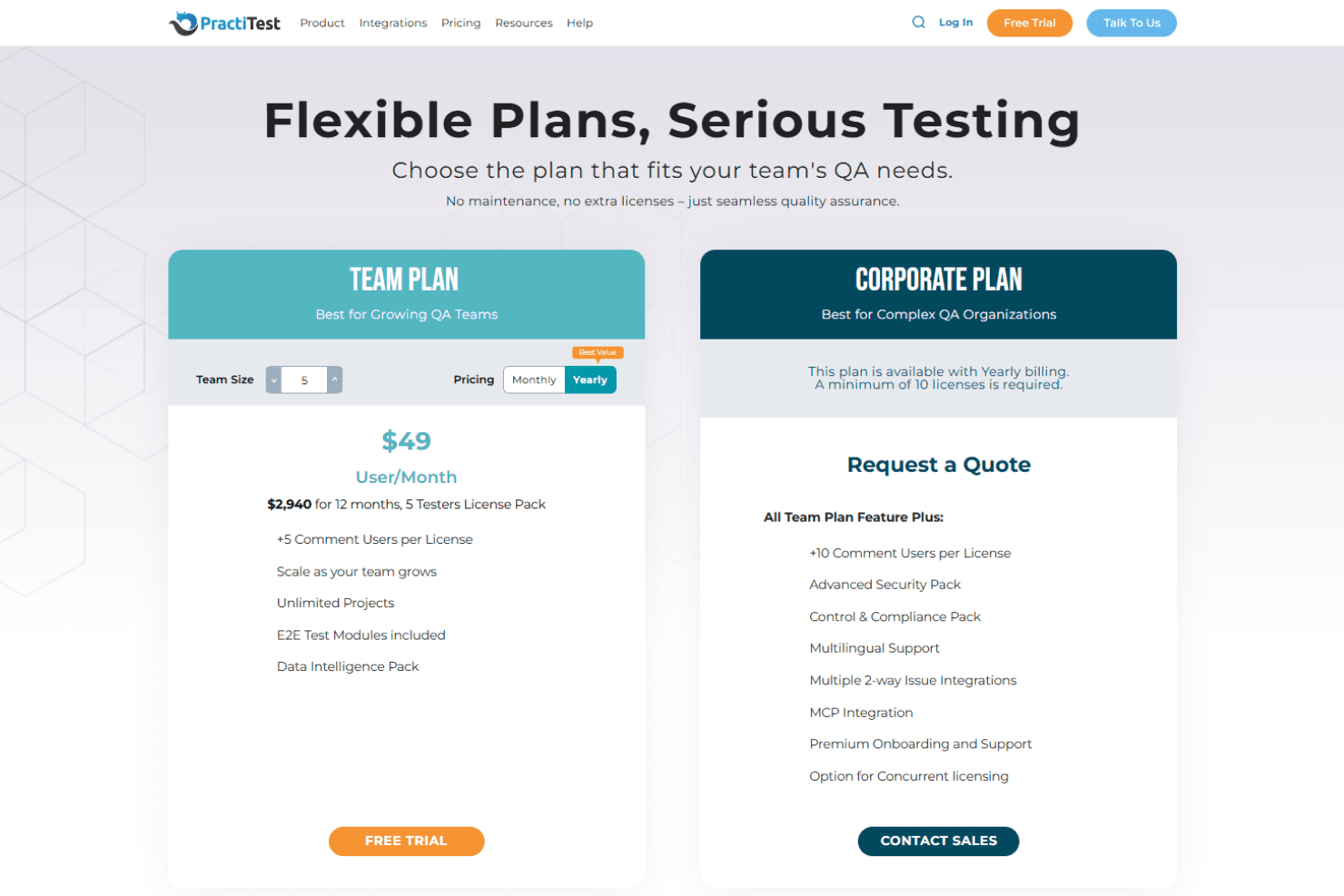
- From $49/user/year (5 seat minumum)
- 14-day free trial
Why Trust Our Software Recommendations
6,700+
Reviews
20
Industry experts
16+
Evaluation factors
14
Years
Our team has been testing and reviewing software since 2012. As tech leaders ourselves, we know how difficult—and important—it is to choose the right software.
For this guide, we evaluated tools using hands-on testing and independent research, scoring tools using our selection criteria.
Our reviews reflect our human editorial judgment, not a sales pitch.
Expert reviewers:
- Paulo Gardini MiguelTech Director
 Tim FisherVP of AI
 Gabriel RosasTech Lead & Software Architect
 Christhian GruhnTech Lead & Platform Architect

PractiTest Overview
When judging test management software, PractiTest impresses with its granular customization, real-time dashboards, and broad integration options, making it a strong choice for teams needing tailored workflows and visibility. Its pricing is mid-to-high, but the responsive support and detailed documentation help offset onboarding challenges.
The interface is modern, though some advanced features require more setup than simpler tools. It is best for QA teams in regulated or fast-paced environments who value traceability and integration with CI/CD pipelines. If you’re selecting a platform for complex, multi-project testing, PractiTest deserves serious consideration.
Pros
- You can easily customize test cases and workflows to fit your team's needs.
- PractiTest offers excellent customer support that's quick to respond.
- The intuitive interface simplifies the testing process for your team.
Cons
- Some users find the initial setup to be time-consuming.
- The reporting features might not meet all your team's analytical needs.
- New users may face a learning curve without prior testing tool experience.
Is PractiTest Right For Your Needs?
Who Would be a Good Fit for PractiTest?
PractiTest is a great fit for tech startups, software development companies, and large enterprises with dedicated QA teams. Its customizable test cases and workflows help your team align testing processes with company goals. QA managers and software testers benefit from PractiTest’s intuitive interface, which simplifies complex testing tasks. If your team values strong customer support and needs a tool that adapts to your unique testing requirements, PractiTest offers the flexibility and support you need.
- Tech StartupsPractiTest scales well with your growing team, offering customizable workflows that align with your agile development process.
- Software DevelopmentThe tool’s intuitive interface and robust test case management streamline your testing efforts, ensuring efficient bug tracking.
- QA TeamsPractiTest’s strong customer support and easy customization options make it ideal for teams needing reliable testing solutions.
- Large EnterprisesThe platform offers comprehensive test management capabilities suited for complex organizational needs and extensive testing requirements.
- Project ManagersPractiTest helps you track testing progress and ensures alignment with project goals through its detailed reporting features.
- Product ManagersWith PractiTest, you can oversee test case execution and maintain product quality by leveraging its robust test management capabilities.
Who Would be a Bad Fit for PractiTest?
Small businesses or teams with limited testing needs might find PractiTest overwhelming due to its extensive features. If you’re a freelancer or part of a startup with minimal testing requirements, the platform’s comprehensive capabilities could be more than you need. Teams that lack dedicated QA professionals may struggle with the learning curve and initial setup time, making PractiTest less suitable for your needs.
- FreelancersThe extensive features may be too complex for your simple testing needs.
- Small BusinessesYou might find the platform overwhelming if you don’t have dedicated QA staff.
- Non-Tech IndustriesIf your industry doesn’t focus heavily on software testing, PractiTest’s capabilities might be excessive.
- Teams Without QAWithout dedicated QA roles, your team could struggle with the initial setup and learning curve.
- Minimal Testing NeedsFor teams doing basic testing, PractiTest’s robust features might be unnecessary.
- Budget-Conscious TeamsIf your team is looking for a basic, cost-effective solution, PractiTest’s comprehensive features might not justify the cost.
Our Review Methodology
How We Test & Score Tools
We’ve spent years building, refining, and improving our software testing and scoring system. The rubric is designed to capture the nuances of software selection and what makes a tool effective, focusing on critical aspects of the decision-making process.
Below, you can see exactly how our testing and scoring works across seven criteria. It allows us to provide an unbiased evaluation of the software based on core functionality, standout features, ease of use, onboarding, customer support, integrations, customer reviews, and value for money.
Core Functionality (25% of final scoring)
The starting point of our evaluation is always the core functionality of the tool. Does it have the basic features and functions that a user would expect to see? Are any of those core features locked to higher-tiered pricing plans? At its core, we expect a tool to stand up against the baseline capabilities of its competitors.
Standout Features (25% of final scoring)
Next, we evaluate uncommon standout features that go above and beyond the core functionality typically found in tools of its kind. A high score reflects specialized or unique features that make the product faster, more efficient, or offer additional value to the user.
We also evaluate how easy it is to integrate with other tools typically found in the tech stack to expand the functionality and utility of the software. Tools offering plentiful native integrations, 3rd party connections, and API access to build custom integrations score best.
Ease of Use (10% of final scoring)
We consider how quick and easy it is to execute the tasks defined in the core functionality using the tool. High scoring software is well designed, intuitive to use, offers mobile apps, provides templates, and makes relatively complex tasks seem simple.
Onboarding (10% of final scoring)
We know how important rapid team adoption is for a new platform, so we evaluate how easy it is to learn and use a tool with minimal training. We evaluate how quickly a team member can get set up and start using the tool with no experience. High scoring solutions indicate little or no support is required.
Customer Support (10% of final scoring)
We review how quick and easy it is to get unstuck and find help by phone, live chat, or knowledge base. Tools and companies that provide real-time support score best, while chatbots score worst.
Customer Reviews (10% of final scoring)
Beyond our own testing and evaluation, we consider the net promoter score from current and past customers. We review their likelihood, given the option, to choose the tool again for the core functionality. A high scoring software reflects a high net promoter score from current or past customers.
Value for Money (10% of final scoring)
Lastly, in consideration of all the other criteria, we review the average price of entry level plans against the core features and consider the value of the other evaluation criteria. Software that delivers more, for less, will score higher.
Core Features
Test Case Management
PractiTest lets you create, edit, and organize test cases easily, keeping your testing process streamlined. You can track progress and ensure consistency across your test library.
Bug Tracking
The integrated bug tracking feature helps you log, monitor, and resolve issues efficiently. Your team can track defects and collaborate on solutions directly within the platform.
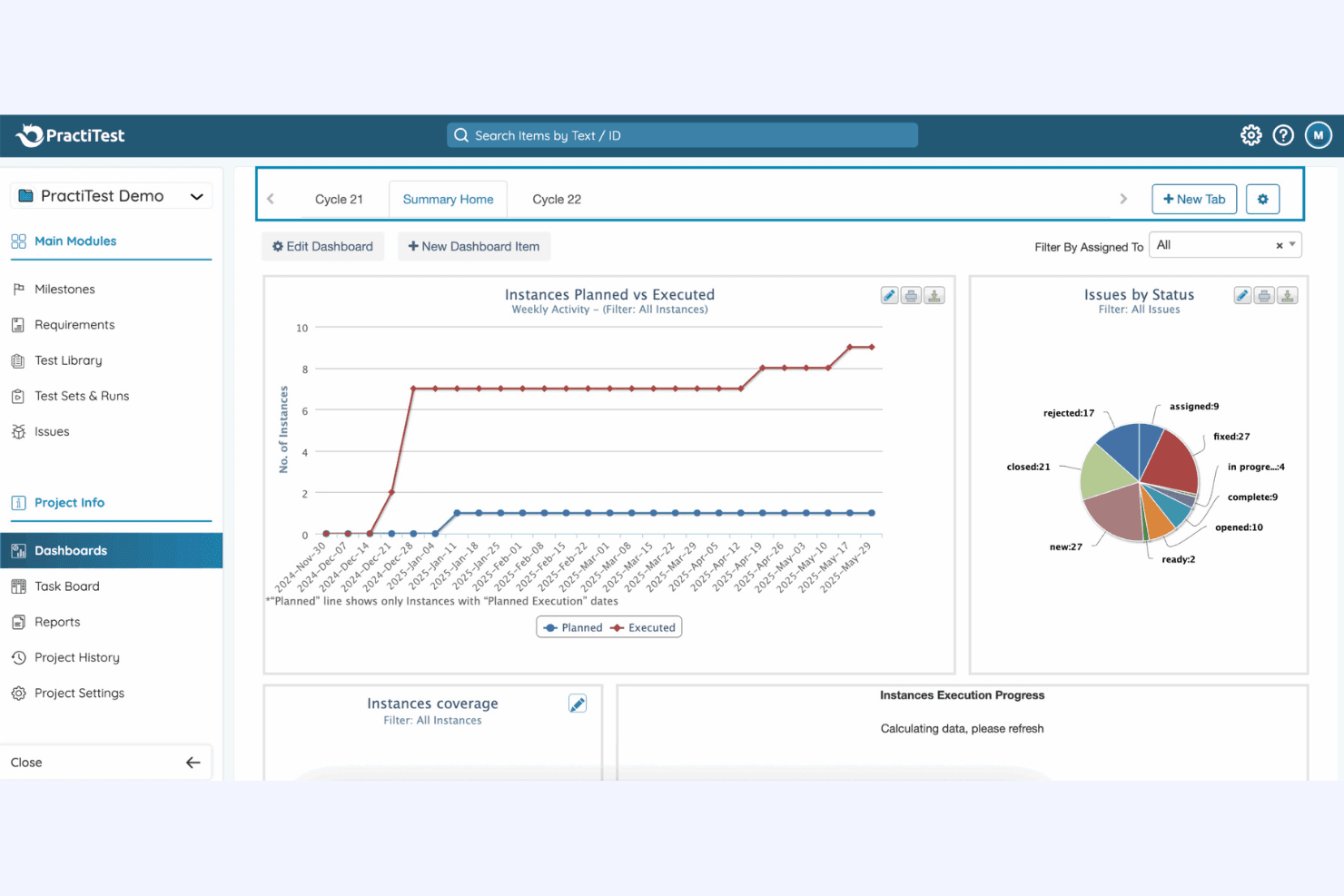
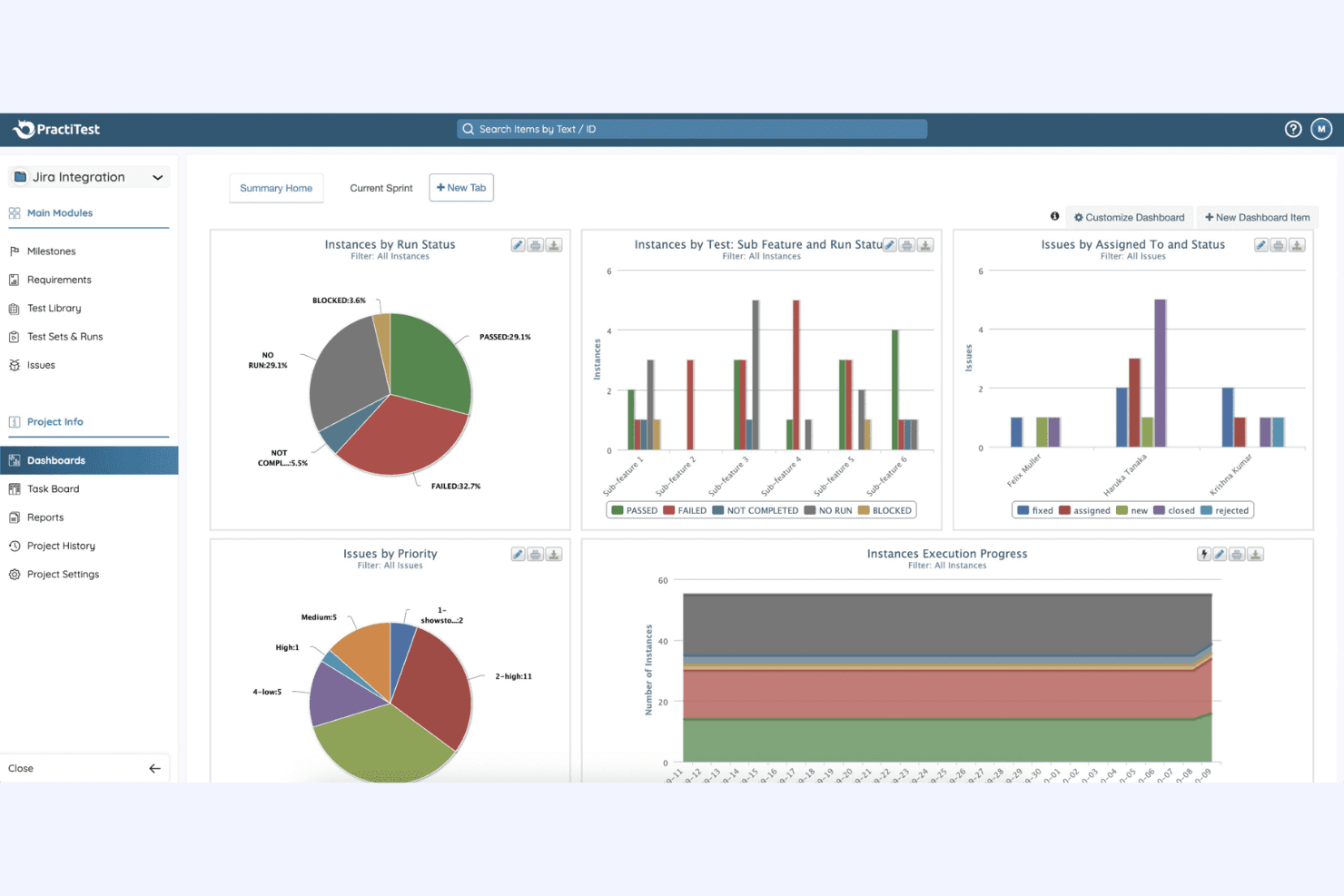
Customizable Dashboards
You can tailor dashboards to display the metrics and data that matter most to your team. This feature helps you make informed decisions quickly.
Requirement Management
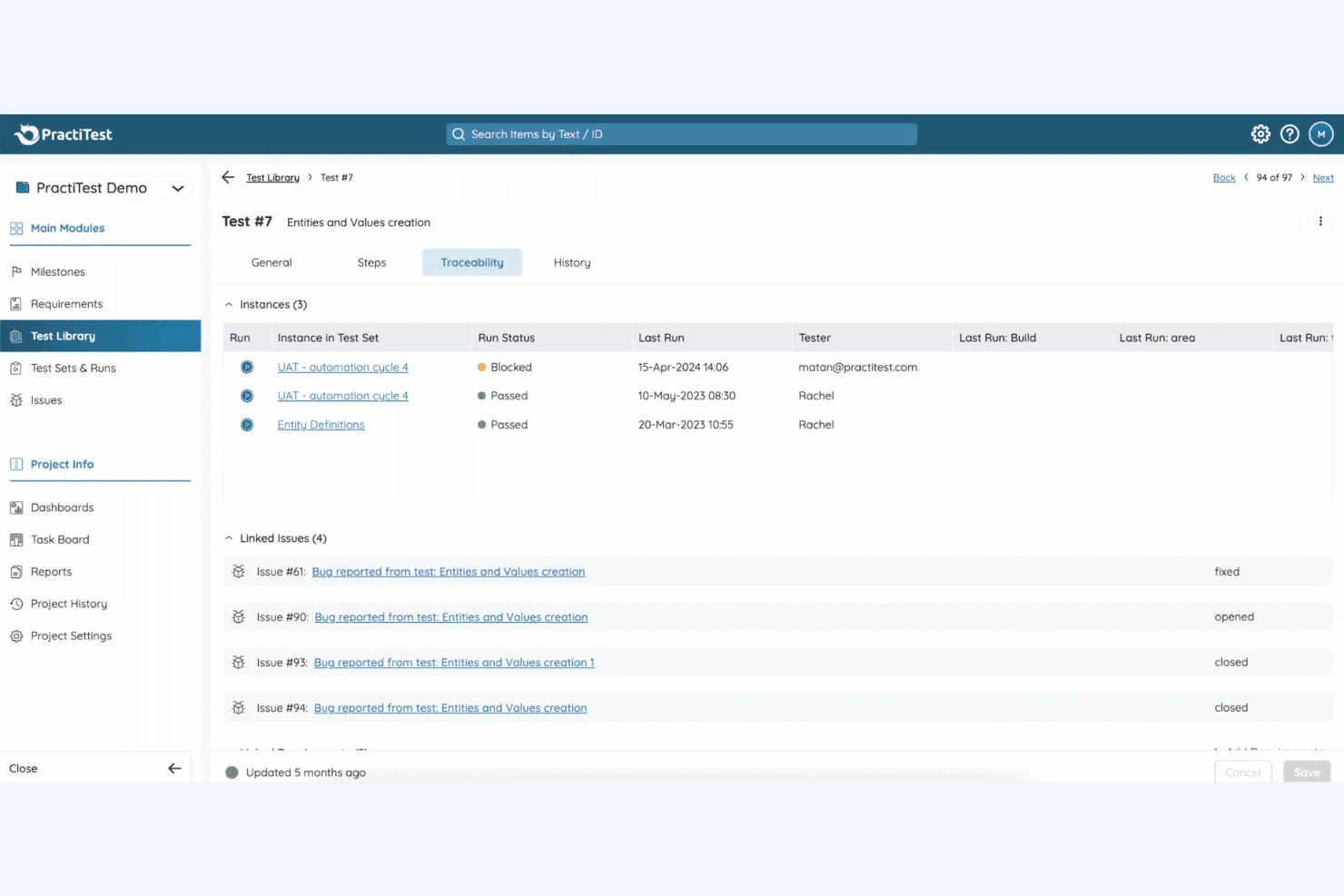
PractiTest allows you to link requirements to test cases, ensuring complete test coverage. You can trace requirements throughout the testing process for better accountability.
Reporting and Analytics
Generate detailed reports and insights to understand your testing outcomes better. This feature provides you with the data you need to optimize your testing strategy.
Test Execution
Schedule and manage test runs to keep your projects on track. Your team can execute tests efficiently and record results in real-time.
Standout Features
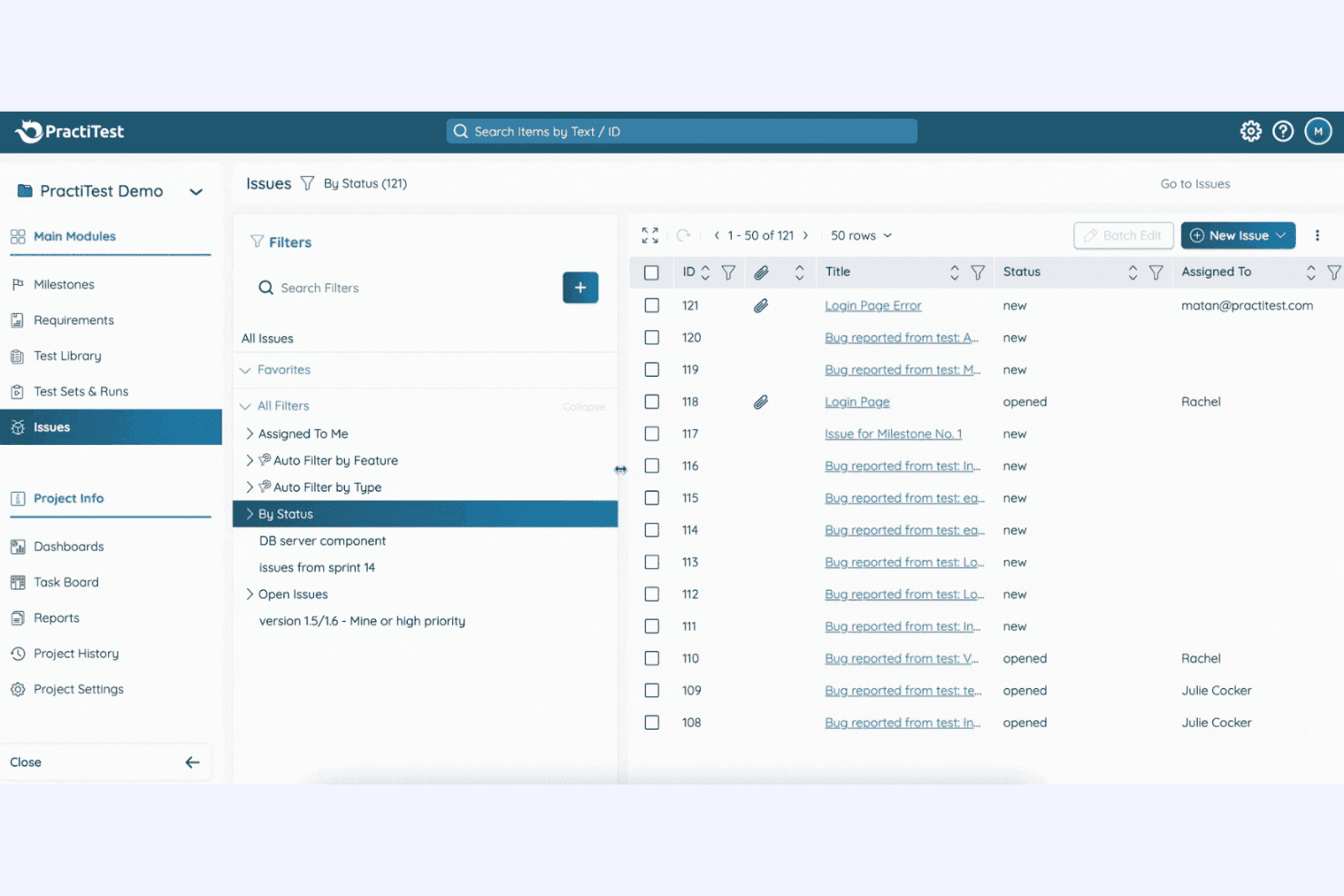
Hierarchical Filters
PractiTest's unique hierarchical filters let you organize and view data in a way that suits your workflow. You can customize views to focus on specific testing aspects.
Reusability
The platform's reusability feature allows you to leverage existing test cases and scripts across multiple projects. This saves time and ensures consistency in your testing efforts.
Ease of Use
PractiTest offers an intuitive interface that simplifies complex testing tasks, making it accessible even for teams new to test management software. With its customizable dashboards and straightforward navigation, you can quickly adapt the platform to fit your workflow. Although the initial setup might take some time, the robust customer support helps ease the transition.
Compared to others, PractiTest stands out for its user-friendly design, ensuring your team can focus on effective testing rather than learning the tool.
Onboarding
PractiTest provides a comprehensive onboarding experience with detailed tutorials and responsive customer support to guide you through the setup. While the initial configuration might seem lengthy, the available resources ensure you understand each feature. With access to webinars and a knowledge base, your team can quickly learn to leverage the platform effectively. This supportive onboarding process helps you achieve value swiftly, setting PractiTest apart in helping new users feel confident and capable.
Customer Support
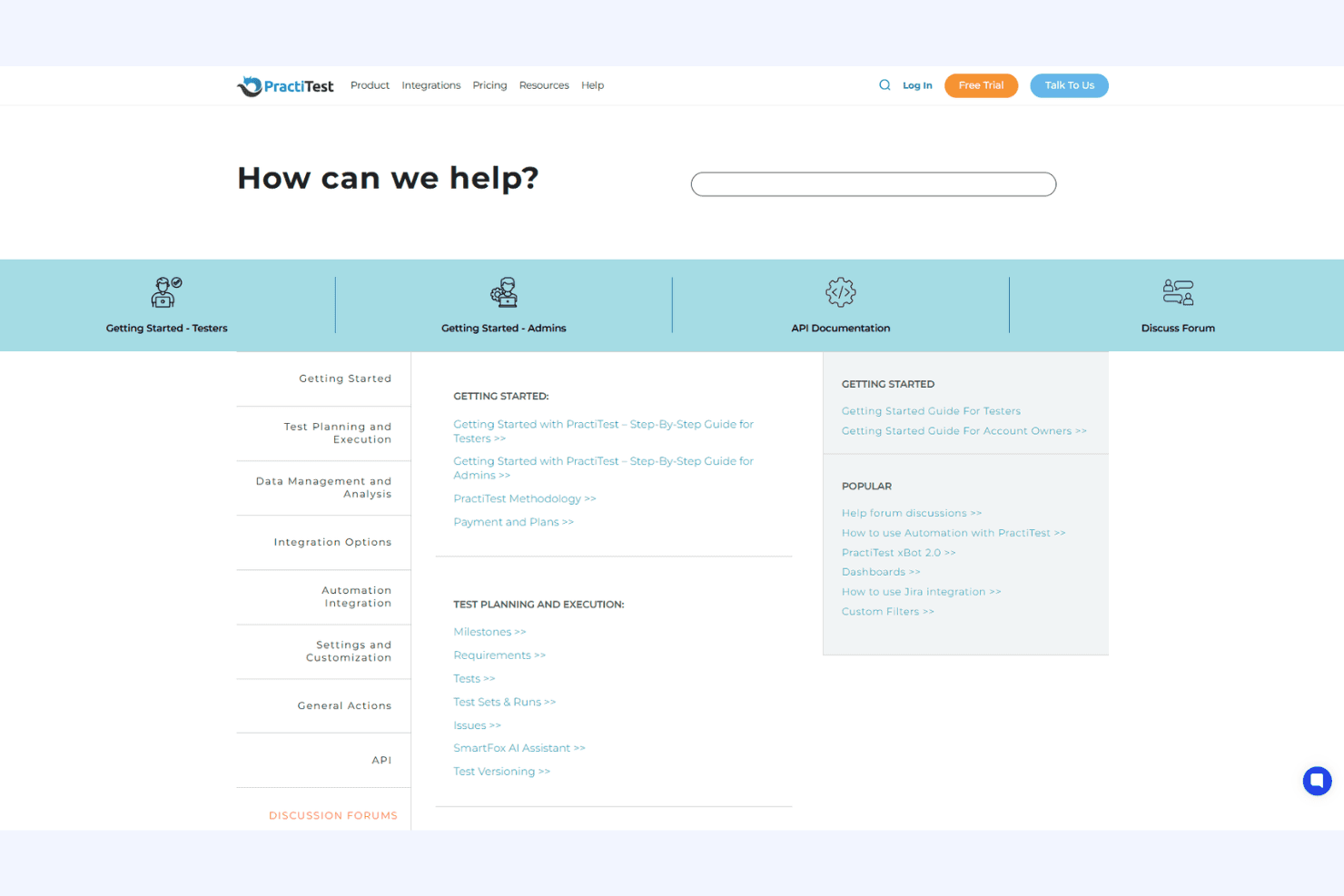
PractiTest excels in customer support, offering quick responses and helpful guidance to its users. You can reach out to their support team through various channels, ensuring you get timely assistance when needed. The platform provides a rich knowledge base and detailed documentation to help your team troubleshoot independently. Users appreciate the personalized support, which makes resolving issues more efficient and contributes to a smoother experience compared to other options.
Integrations
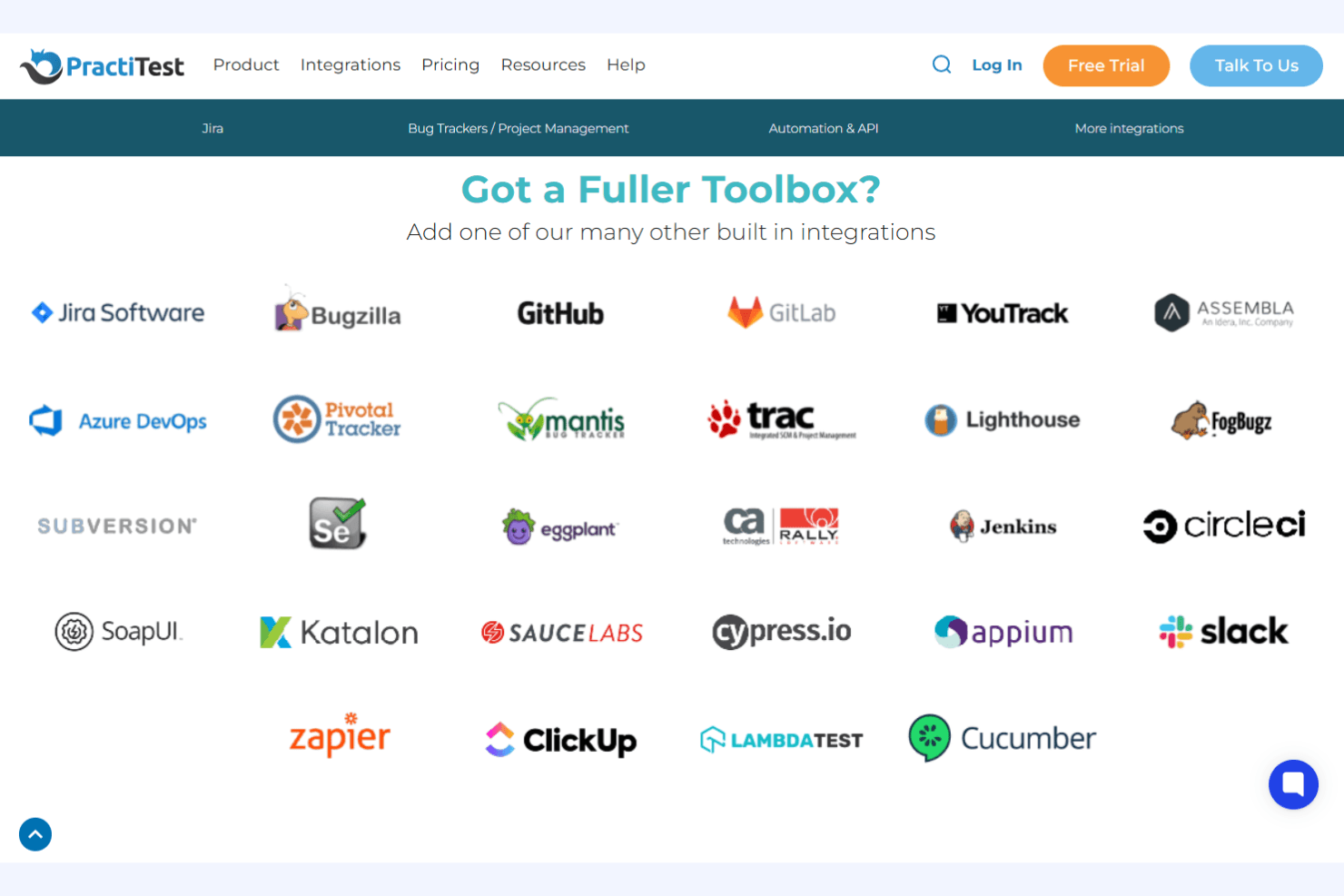
PractiTest integrates with Jira, Azure DevOps, ClickUp, YouTrack, CircleCI, Cucumber, Selenium, SoapUI, TestComplete, and Ranorex, among others.
PractiTest also offers a REST API and supports connections with third-party automation and CI/CD tools.
Value for Money
PractiTest is considered a premium solution, with pricing that reflects its advanced features, scalability, and responsive support. Users find the cost justified for larger teams or regulated industries needing traceability and audit trails, but smaller teams may see it as expensive for their needs.
- Team Plan: Unlimited projects, full end-to-end test modules, scalable licenses, and several read-only commenter users included per license.
- Corporate Plan: Adds enterprise-level support, expanded integrations, and advanced capabilities for large QA organizations with a minimum of 10 licenses.
PractiTest Specs
- A/B Testing: No
- API: Yes
- Automated Testing: Yes
- Browser Compatibility Testing: No
- Bug Tracking: Yes
- Calendar Management: No
- CI/CD Integration: Yes
- Dashboard: Yes
- Data Export: Yes
- Data Import: Yes
- Data Visualization: Yes
- Developer Tools: Yes
- External Integrations: Yes
- History/Version Control: Yes
- Manual Testing: Yes
- Multi-User: Yes
- Notifications: Yes
- Performance Testing: No
- Regression Testing: Yes
- Scheduling: Yes
- Status Notifications: No
- Third-Party Plugins/Add-Ons: Yes
PractiTest FAQs
PractiTest Company Overview & History
PractiTest is an independent SaaS company founded in 2008 and headquartered in Israel. The company focuses exclusively on its flagship AI-powered test management platform, serving organizations worldwide across industries. PractiTest is recognized for its commitment to security, innovation, and community leadership, including initiatives like the State of Testing™ report and OnlineTestConf. Notable clients include easyJet, McAfee, NHS, UCSF, and DXC.
PractiTest Major Milestones
- 2008: PractiTest was founded by Yaniv Iny, Joel Montvelisky, and Stas Krichevsky in Israel.
- 2008: Launch of the PractiTest SaaS test management platform.
- 2013: Initiation of the annual State of Testing™ report for the QA community.
- 2016: Launch of OnlineTestConf, the first fully online QA conference.
- 2023: Forrester Consulting reports a 312% ROI for PractiTest customers.
- 2024-2026: Recognized as a top test management tool by multiple industry publications.