

Les 20 meilleures solutions logicielles MDM en 2026

Meilleure liste des logiciels MDM
Voici ma sélection des meilleurs logiciels MDM :


Le meilleur logiciel MDM vous aide à appliquer des politiques de sécurité, à suivre et contrôler les appareils, et à protéger les données sensibles sur les terminaux de l'entreprise comme sur les dispositifs personnels (BYOD). Il est conçu pour relever des défis courants tels que la suppression à distance après perte ou vol, l'application incohérente des politiques sur différents systèmes d'exploitation, et la configuration longue et fastidieuse des nouveaux appareils.
Si vous avez eu du mal à lutter contre le shadow IT, à combler les lacunes dans les rapports de conformité ou à garantir un contrôle d'accès à distance fiable, vous n'êtes pas seul. De nombreuses équipes informatiques adoptent une solution MDM après avoir constaté que leur approche existante n'est pas capable d'évoluer ou de faire face à la croissance des menaces.
J'ai testé des plateformes MDM dans des environnements d'entreprise comme de taille intermédiaire, en collaborant avec des équipes déployant des flottes d'appareils dans les secteurs de la santé, de la finance et de l'éducation. Ce guide présente les outils qui simplifient réellement l'enrôlement, réduisent les tickets de support et offrent aux administrateurs une visibilité claire sur l'écosystème mobile.
Why Trust Our Software Reviews
We’ve been testing and reviewing software since 2023. As tech leaders ourselves, we know how critical and difficult it is to make the right decision when selecting software.
We invest in deep research to help our audience make better software purchasing decisions. We’ve tested more than 2,000 tools for different tech use cases and written over 1,000 comprehensive software reviews. Learn how we stay transparent & our software review methodology.
Résumé des meilleurs logiciels MDM
Ce tableau comparatif résume les détails tarifaires de mes sélections de logiciels MDM préférés pour vous aider à trouver la meilleure option selon votre budget et vos besoins métier.
| Tool | Best For | Trial Info | Price | ||
|---|---|---|---|---|---|
| 1 | Best for endpoint management and patch compliance | Free trial + free demo available | Pricing upon request | Website | |
| 2 | Best for managing devices for global remote teams | Free demo available | from $5/person/month | Website | |
| 3 | Best for onboarding and offboarding | Free trial available | From $8/user/month (billed annually) | Website | |
| 4 | Best for multi-OS with built-in compliance | 14-day trial available | Pricing available upon request | Website | |
| 5 | Best for multi-OS device management | 14-day free trial | From $2/device/month | Website | |
| 6 | Best with kiosk capabilities | Free trial available | From $24/device/year | Website | |
| 7 | Best for remote data wiping | Free trial available | From $1.30/month | Website | |
| 8 | Best for security | 30-day free trial + free demo available | From $9/user/month (billed annually) | Website | |
| 9 | Best for Android devices | 14-day free trial | From $12/device/year | Website | |
| 10 | Best for mid-market | 14-day free trial + free demo | From $2.2/device/month | Website | |
| 11 | Best for quick device enrollment | Not available | Pricing available upon request | Website | |
| 12 | Best freemium software | 14-day free trial + Free plan available | From $2.30/device/month | Website | |
| 13 | Best for multi-platform device management | Free trial available | Pricing upon request | Website | |
| 14 | Best for edge use cases | 30-day free trial | From $3.99/device/month (billed annually) | Website | |
| 15 | Best for Microsoft integrations | 30-day free trial available | From $4/user/month (billed annually) | Website | |
| 16 | Best for on-premises | 30-day free trial + Free plan available (up to 25 devices) | $495/50 devices (billed annually) | Website | |
| 17 | Best for Apple devices | 14-day free trial | From $5.75/device/month (billed annually) | Website | |
| 18 | Best for administrator support | 14-day free trial + free demo | From $8/user/month | Website | |
| 19 | Best for fast deployment and bulk management | Not available | From $2/user/month | Website | |
| 20 | Best for zero-touch deployment | Not available | Pricing available upon equest | Website |

-

Site24x7
Visit WebsiteThis is an aggregated rating for this tool including ratings from Crozdesk users and ratings from other sites.4.7 -
GitHub Actions
Visit WebsiteThis is an aggregated rating for this tool including ratings from Crozdesk users and ratings from other sites.4.8 -
Docker
Visit WebsiteThis is an aggregated rating for this tool including ratings from Crozdesk users and ratings from other sites.4.6





Avis sur les meilleurs logiciels MDM
Voici mes 20 principales recommandations de logiciels MDM, incluant leurs fonctionnalités, avantages et tarifs de départ.


NinjaOne gives IT teams a unified platform to manage, monitor, and secure endpoints across distributed environments, helping businesses maintain control over devices and automate routine management tasks.
Who Is NinjaOne Best For?
NinjaOne is a strong fit for IT teams and managed service providers that need centralized control over large, distributed device environments.
Why I Picked NinjaOne
NinjaOne earns its spot on my shortlist because of how well it handles endpoint management and patch compliance at scale. I particularly like the Patch Intelligence AI feature, which analyzes telemetry and deployment signals to automatically flag unstable updates and pause risky patches before they cause disruption. My team uses autonomous patch management to cover Windows, macOS, and Linux endpoints and 200+ third-party applications from a single console. Additionally, condition-based automated remediation means we're not manually chasing down non-compliant devices—NinjaOne detects and corrects endpoint issues without technician intervention.
NinjaOne Key Features
- Hardware and software inventory: Gives you a real-time view of every device in your environment, including hardware specs, installed software, warranty status, and performance data.
- Software and OS deployment: Deploys Windows software, updates, and configurations across endpoints using repeatable, automation-driven workflows.
- Secure remote access: Lets technicians access devices remotely to diagnose and resolve issues in real time from a centralized console.
- Flexible device reporting: Lets you customize device views with configurable data columns and filters to surface the endpoint details that matter most to your team.
NinjaOne Integrations
Integrations include ServiceNow, CrowdStrike, SentinelOne, Microsoft Entra, Okta, PagerDuty, Bitdefender, ConnectWise Manage, IT Glue, and Slack.
Pros and Cons
Pros:
- Integrated patch management
- Detailed user role management
- Remote scripting in multiple languages
Cons:
- Limited customization in alerting mechanisms
- Steep learning curve
New Product Updates from NinjaOne
NinjaOne Launches Integrated Remote Access
NinjaOne has expanded its automated management platform by introducing NinjaOne Remote, a secure remote access solution for multiple operating systems. For more information, visit NinjaOne's official site.


Deel IT serves IT teams and businesses managing distributed workforces, offering centralized device management, provisioning, and security controls to support remote and global operations.
Who Is Deel IT Best For?
Deel IT is a strong fit for companies with international or remote-first teams that need to manage, provision, and secure devices across multiple countries.
Why I Picked Deel IT
Deel IT earns its spot on my shortlist because it's one of the few MDM platforms that genuinely handles global device operations end-to-end. I like that it covers the full device lifecycle—procurement, configuration, shipping, and recovery—across 130+ countries without relying on fragmented regional vendors. In practice, that means my team can ship a pre-configured, policy-compliant laptop to a new hire in Brazil or Germany without touching a separate logistics tool. The zero-touch enrollment through Apple Business Manager and Windows Autopilot is a real differentiator, since devices arrive already enrolled and configured before the employee even opens the box.
Deel IT Key Features
- Security policy configuration: Set and enforce device security baselines—including password rules, encryption, VPN requirements, and app allowlists—across user groups or device types from a single dashboard.
- Remote wipe and lock: Remotely lock, wipe, or send messages to lost or compromised devices, with selective wipe for BYOD devices that removes only corporate data.
- Compliance monitoring and alerts: Track compliance status across your entire fleet in real time, with color-coded indicators and instant alerts when devices fall out of policy.
- Geofencing and location tracking: Set location-based access controls that automatically lock devices or revoke permissions when they leave designated secure areas or approved regions.
Deel IT Integrations
Integrations include FaceUp, Snowflake API, DefensX, Microsoft Finance, Kintsugi, ReFresh OS, Revo.ai, Keeper, Human Interest, and Everyminute.
Pros and Cons
Pros:
- Grants comprehensive visibility over IT assets worldwide
- Ensures device security with MDM and endpoint protection
- Provides customizable device configurations
Cons:
- Doesn't offer features beyond device management, like network and server management
- May not be ideal for teams with very complex IT asset needs


Rippling IT gives IT teams and HR professionals a unified platform to manage devices, apps, and security policies across their workforce, helping businesses automate device provisioning, enforce compliance, and simplify IT operations.
Who Is Rippling IT Best For?
Rippling IT is a strong fit for mid-sized to enterprise businesses that need IT and HR workflows connected in a single platform.
Why I Picked Rippling IT
I picked Rippling IT as one of the best because its onboarding and offboarding automation is directly tied to device management in a way most MDM tools can't match. When a new hire joins, Rippling IT can automatically enroll their device, push the right apps, and set access permissions based on their role—all triggered from a single workflow. Offboarding works in reverse: when someone leaves, their device can be remotely locked or wiped and app access revoked simultaneously. This coordinated automation between HR events and IT actions makes it stand out for lifecycle management.
Rippling IT Key Features
- Custom security policies: Build and enforce security rules based on hundreds of user and device attributes, like department, OS, and role, that update automatically across your org.
- SentinelOne integration: Automatically deploy SentinelOne endpoint protection to all managed devices directly from within Rippling, without separate configuration.
- Device configuration settings: Apply custom settings—including WiFi profiles, firewall rules, and login screens—to devices based on employee attributes like location and department.
- OS update enforcement: Track and enforce macOS and Windows operating system updates across your entire fleet from a single dashboard.
Rippling IT Integrations
Integrations include Microsoft 365, Google Workspace, Slack, AWS, Jira, GitHub, PayPal, 1Password, Yubikey, and Carta.
Pros and Cons
Pros:
- Can integrate HR and IT features
- Create common workflows to deploy easily
- Reduces on and offboarding friction
Cons:
- Initial setup can be time-consuming
- Does more than just MDM, which may be more than you need


Swif.ai gives IT teams a unified platform to manage, secure, and monitor devices across multiple operating systems, helping businesses in regulated industries keep endpoints compliant and under control.
Who Is Swif.ai Best For?
Swif.ai is a strong fit for small to mid-sized businesses that run mixed-OS environments and need built-in compliance tools without a heavy IT overhead.
Why I Picked Swif.ai
I picked Swif.ai as one of the best because it genuinely handles multi-OS management without making you choose between platforms. My team can enroll and enforce policies across macOS, Windows, Linux, iOS, iPadOS, and Android from a single console—no separate tools stitched together. What I find especially useful is the built-in compliance dashboard, which tracks encryption, password policies, and OS updates in real time and maps them directly to frameworks like SOC 2, ISO 27001, NIST, and HIPAA. The automated evidence syncing with tools like Vanta and Drata means my team isn't scrambling to pull audit documentation manually when a review comes around.
Swif.ai Key Features
- Shadow IT detection: Monitors browsers and SSO logs to identify unauthorized SaaS and AI apps running across your device fleet.
- Remote device actions: Lets you lock, wipe, or run commands on endpoints remotely using Live Terminal or Remote Desktop without being on-site.
- BYOD privacy controls: Separates work and personal data on enrolled devices so employees keep privacy while IT maintains policy enforcement.
- Smart group policy assignment: Groups devices by attributes and applies security configurations across macOS, Windows, and Linux in bulk.
Swif.ai Integrations
Integrations include Okta, Azure AD, Google, Deel, Vanta, Drata, Thoropass, Sprinto, Delve, and SecureFrame.
Pros and Cons
Pros:
- Integrates with major identity providers
- Provides automated compliance tracking tools
- Supports multi-OS unified device management
Cons:
- No built in patch management
- EU data residence needs set up fee


Scalefusion gives IT teams in businesses of all sizes a way to manage, secure, and monitor company devices across different platforms, helping reduce manual oversight and keep endpoints compliant with organizational policies.
Who Is Scalefusion Best For?
Scalefusion is a good fit for IT teams managing mixed-device environments across Android, iOS, Windows, and macOS from a single console.
Why I Picked Scalefusion
Scalefusion earns a spot on my shortlist because it delivers multi-OS management from a single dashboard—Windows, macOS, iOS, Android, Linux, and ChromeOS all in one place. I like that you can push OS updates, enforce security policies, and deploy apps across different platforms without switching tools or maintaining separate consoles. The AirThink AI feature lets you generate and validate PowerShell and Shell scripts from the dashboard, saving time when scripting across mixed environments. Additionally, the Maker Checker workflow adds an approval layer before critical changes are pushed to devices, a useful safeguard for managing a large, diverse fleet.
Scalefusion Key Features
- Remote cast and control: View and control enrolled devices in real time to troubleshoot issues without needing physical access.
- Kiosk mode: Lock devices to a single app or a curated set of apps, useful for dedicated-use devices like POS terminals or field tablets.
- Location tracking and geofencing: Monitor device locations and set geographic boundaries that trigger automated policy actions when crossed.
- Content management: Push documents, media, and web content to devices silently, without requiring user interaction.
Scalefusion Integrations
Integrations include Azure Active Directory, Google Workspace, Okta, PingOne, Jira, Freshservice, Checkpoint Mobile Threat Defense, B2M Elemez, Intel vPro, and Apple Business Manager.
Pros and Cons
Pros:
- Effective device management capabilities
- Complimentary round-the-clock support
- Combines UEM, ZTA & Endpoint Security in one platform
Cons:
- Per app VPN is not available
- Annual billing only
New Product Updates from Scalefusion
Scalefusion Introduces Apple TV Management
Scalefusion now supports Apple TV management, enabling IT teams to configure and monitor devices. For more information, visit Scalefusion's official site.
 .
.

TinyMDM is a mobile device management platform designed for organizations that need to secure, monitor, and control Android devices across industries like retail, logistics, and field services, helping IT teams manage large device fleets.
Who Is TinyMDM Best For?
TinyMDM is a strong fit for IT teams in retail, logistics, and field operations that need to manage dedicated Android device fleets at scale.
Why I Picked TinyMDM
I picked TinyMDM as one of the best MDM solutions because its kiosk mode capabilities go well beyond a basic lockdown. I like that it offers single-app and multi-app kiosk configurations—whether my team is deploying a self-service tablet in a retail environment or a field device locked to a logistics app, the configuration suits the use case. The "Classic" mode is particularly useful: it blocks notifications, disables the Home and Recent Tasks buttons, and prevents device shutdown, so users stay focused on the task at hand. I also find the confidential sessions feature genuinely useful—it lets a temporary user log in with personal accounts, then automatically wipes that data when the session ends.
TinyMDM Key Features
- Remote control: Access and control enrolled Android devices in real time to troubleshoot issues without being on-site.
- App management: Push, update, or remove apps silently across all enrolled devices directly from the dashboard.
- Geolocation tracking: Monitor the real-time location of devices on a map to keep tabs on field teams and assets.
- Security policies: Enforce password requirements, restrict device settings, and remotely wipe lost or stolen devices.
TinyMDM Integrations
Integrations include Microsoft Entra ID and a REST API for integration with external applications.
Pros and Cons
Pros:
- Supports non-GMS devices, expanding compatibility options
- Effective remote management capabilities
- Simple setup process, including QR code enrollment
Cons:
- Labeling devices after batch setup can be tedious
- Cannot force-enable location services remotely


Prey is a security-focused MDM platform for IT teams and organizations that track, manage, and secure laptops, phones, and tablets across multiple locations.
Who Is Prey Best For?
Prey is a good fit for IT teams in education, SMBs, and field-based organizations managing distributed fleets of laptops and mobile devices.
Why I Picked Prey
I picked Prey as one of the best because its remote data wiping capabilities are genuinely useful when a device goes missing in the field. I like that you can trigger a full wipe or selectively delete specific files and folders remotely, which gives my team more control over what gets erased depending on the situation. Prey also lets you lock a device and display a custom message before wiping, so there's a chance to recover it first. The wipe actions are logged, which helps with incident documentation and compliance reporting.
Prey Key Features
- Real-time location tracking: Monitor the live location of any device in your fleet using active tracking and Wi-Fi triangulation.
- Geofence actions: Set geographic boundaries and trigger automatic security responses when a device enters or leaves a defined zone.
- Fleet status dashboard: View the status of all managed devices from a single panel, with labels and search to organize large fleets.
- Mass actions: Apply security or management actions across multiple devices at once, rather than handling each device individually.
Prey Integrations
Integrations include Okta, Shibboleth, Keycloak, OpenAM, SimpleSAMLphp, Apache Syncope, WordPress, Drupal, NetIQ Access Manager, and Gluu Server.
Pros and Cons
Pros:
- GPS tracking feature
- Remote functionalities like lock, messaging, and alarm
- Compatibility across multiple platforms
Cons:
- Update process can be cumbersome
- Variable geolocation accuracy


JumpCloud gives IT teams a unified platform to manage devices, users, and security policies across Windows, macOS, and Linux environments, helping organizations simplify endpoint management and enforce compliance in hybrid and remote work settings.
Who Is JumpCloud Best For?
JumpCloud is a strong fit for small to mid-sized IT teams managing distributed workforces across mixed operating system environments.
Why I Picked JumpCloud
JumpCloud earns its spot as one of the best on my shortlist because of how tightly it weaves security into every layer of device management. I particularly like the conditional access policies, which let my team enforce dynamic, context-aware controls—so if a user tries to log in from an untrusted network or unmanaged device, JumpCloud can require additional MFA or block access outright. That's Zero Trust in practice, not just in theory. The integration with Google Chrome Enterprise also extends those browser-based access controls to unmanaged devices, which is a real advantage when you're managing a distributed workforce.
JumpCloud Key Features
- Cross-OS patch management: Schedule and automate patch delivery for Windows, macOS, Ubuntu Linux, browsers, and applications from a single console.
- Remote device management: Configure, secure, and support endpoint and server infrastructure across Windows, Linux, macOS, iOS, iPadOS, and Android from any location.
- Identity lifecycle management: Automate user provisioning and deprovisioning from day one of employment through offboarding, all from a centralized admin console.
- Asset management: Track and manage hardware and software inventory across your entire device fleet within the JumpCloud platform.
JumpCloud Integrations
Integrations include Google Workspace, Microsoft 365, Okta, Salesforce, Slack, AWS, Atlassian, GitHub, Zoom, and Dropbox.
Pros and Cons
Pros:
- Integrated security tools like MFA and SSO
- Convenient administrator portal
- Security-focused solution
Cons:
- Lack of customization
- Can be complicated to use


AirDroid Business is an MDM platform for IT teams and service providers that manage, monitor, and secure fleets of Android devices across multiple locations.
Who Is AirDroid Business Best For?
AirDroid Business is a strong fit for IT teams in retail, logistics, and field services that run Android-heavy device fleets.
Why I Picked AirDroid Business
AirDroid Business earns its spot as one of the best on my shortlist because it goes deeper on Android than almost any other MDM tool I've used. The Android-specific feature set is broad—it covers everything from zero-touch enrollment and Android Enterprise to kiosk mode for single or multiple apps, custom kiosk browsers, and website allowlisting. I particularly like the app management system (AMS), which lets my team release, test, and deploy private enterprise apps directly to devices without going through the Google Play Store. That's a real differentiator when you're managing custom or proprietary apps across a large fleet.
AirDroid Business Key Features
- Real-time device monitoring: Track device status, battery level, network connection, and location across your entire fleet from a central dashboard.
- Geofencing and location tracking: Set geographic boundaries and receive alerts when devices enter or leave defined zones.
- Security policy enforcement: Push password requirements, restrict device settings, and remotely lock or wipe devices that are lost or compromised.
- Workflow automation: Create automated rules that trigger actions like alerts or device locks based on specific device conditions or events.
AirDroid Business Integrations
Native integrations are not currently listed.
Pros and Cons
Pros:
- Easy to implement
- Specialized for Android use cases
- Security and privacy-focused
Cons:
- There’s a learning curve for many of the core features
- Downloading to end users’ devices can be slow


Hexnode UEM gives IT teams a unified platform to manage, secure, and monitor mobile devices, desktops, and endpoints across multiple operating systems, helping organizations control device usage, enforce security, and simplify compliance.
Who Is Hexnode UEM Best For?
Hexnode UEM is a good fit for mid-market IT teams that need to manage a growing and diverse device fleet without the complexity or cost of enterprise-grade platforms.
Why I Picked Hexnode UEM
I picked Hexnode UEM as one of the best because it hits a sweet spot mid-market IT teams rarely find: enterprise-grade device management without enterprise-level complexity. Its automated workflow engine lets my team schedule policy deployments, app installations, and OS updates across device groups at once, instead of managing each action manually. Hexnode Genie, its AI-assisted scripting tool, has helped me generate diagnostic commands and custom scripts on the fly without writing them from scratch. Dynamic device grouping automatically assigns policies based on device attributes or location, reducing the manual overhead that accumulates as a fleet grows.
Hexnode UEM Key Features
- Kiosk mode: Lock devices into single-app or multi-app kiosk configurations to restrict usage to approved applications only.
- Remote wipe and lock: Trigger a full device wipe or screen lock remotely from the management console when a device is lost or compromised.
- Location tracking: Monitor real-time device location and set geofence boundaries that automatically trigger policy actions.
- App management: Distribute, update, and silently install or remove apps across managed devices without requiring user interaction.
Hexnode UEM Integrations
Integrations include Azure Active Directory, Okta, G Suite, Zendesk, ServiceNow, Cisco Meraki, Samsung Knox, Apple Business Manager, Google Workspace, and Microsoft Exchange.
Pros and Cons
Pros:
- Simple inventory view
- Low starting price
- Can run custom scripts to deploy updates remotely
Cons:
- User interface is not always intuitive
- Administrator portal lacks some top-level information


SimpleMDM is a cloud-based mobile device management platform designed for IT teams and organizations that need to manage Apple devices at scale, offering streamlined deployment, app management, and security controls tailored for business and education environments.
Who Is SimpleMDM Best For?
SimpleMDM is a strong fit for IT teams in small to mid-sized businesses and education institutions that manage Apple device fleets.
Why I Picked SimpleMDM
SimpleMDM earns its spot as one of the best on my shortlist because of how fast you can go from zero to a fully enrolled device fleet. I like automated enrollment via Apple Business Manager, which lets you drop-ship devices to end users without touching the hardware. The "enroll by link" option lets you add devices via email, text, or QR code when ABM isn't available, avoiding enrollment dead ends. I've also found the mix-and-match enrollment approach useful when managing fleets that include both corporate-owned and BYOD devices.
SimpleMDM Key Features
- Remote device actions: Lock, wipe, restart, or enable Lost Mode on any enrolled device directly from the SimpleMDM dashboard.
- Configuration profiles: Assign native or custom configuration profiles to set up accounts, passcode policies, SSO, and other device settings.
- Remote script execution: Run scripts on managed devices immediately or on a scheduled/recurring basis without a third-party agent.
- Self-serve app storefront: Create a self-serve storefront for macOS users to install and uninstall preselected applications on their own.
SimpleMDM Integrations
Integrations include Apple Business Manager, Apple School Manager, Munki, and a REST API for custom integrations.
Pros and Cons
Pros:
- Quick to integrate and allows for rapid device enrollment
- Provides great visibility and control over devices
- Easy to deploy apps and manage devices remotely
Cons:
- Some users find the interface less intuitive compared to competitors
- Does not support Android devices, limiting its use for mixed device environments


Miradore is a cloud-based MDM platform designed for IT teams and businesses that need to manage, secure, and monitor mobile devices across multiple operating systems from a single dashboard.
Who Is Miradore Best For?
Miradore is a strong fit for small to mid-sized businesses that need a cost-accessible MDM solution with room to scale as their device fleet grows.
Why I Picked Miradore
Miradore earns its spot on my shortlist because its free plan is genuinely functional—not just a stripped-down teaser. The free tier supports up to 50 devices and includes core MDM capabilities like device lock and wipe, passcode enforcement, storage encryption, and location tracking. I've found that for smaller IT teams managing a modest device fleet, that's enough to run real security operations without spending a dollar. When you do need to scale, the business policies feature lets you automate device enrollment and configuration deployment based on device or user grouping, which cuts down on repetitive manual setup across Android, iOS, Windows, and macOS devices.
Miradore Key Features
- Configuration profiles: Create and push device settings profiles to enforce encryption, restrict data roaming, blacklist or whitelist websites, and set kiosk mode across managed devices.
- App and content management: Deploy, remove, and blacklist or whitelist applications across your device fleet, and manage software licenses from a central console.
- Custom reporting and dashboard: Build custom reports and use the device dashboard to monitor device status, compliance, and inventory data across all managed endpoints.
- Remote support: Launch a secure, attended remote support session directly from the Miradore console via its native integration with LogMeIn Resolve.
Miradore Integrations
Integrations include Microsoft Entra ID, Google Workspace, and an API is available for custom integrations.
Pros and Cons
Pros:
- Good security tooling options
- Simple to use
- Focus on customer service
Cons:
- No way to set up pre-configurations
- Limited advanced features


SOTI MobiControl gives IT teams in healthcare, retail, logistics, and field services a way to manage, secure, and support a wide range of mobile devices and endpoints from a single platform.
Who Is SOTI MobiControl Best For?
SOTI MobiControl is a strong fit for mid-to-large enterprises in asset-heavy industries like logistics, healthcare, and retail that need centralized control over large fleets of mixed-OS devices.
Why I Picked SOTI MobiControl
SOTI MobiControl earns its spot on my shortlist because it genuinely covers the full OS spectrum—Android, iOS, macOS, Windows, and Linux—from a single management console. I like that it goes beyond basic MDM by handling IoT endpoints and Linux-based devices, which most competitors don't touch. The SOTI XTreme Technology feature is something I find particularly useful in distributed environments: it speeds up app and data delivery by up to 10x, which matters when you're pushing large OS updates to hundreds of devices across warehouses or retail locations with limited bandwidth.
SOTI MobiControl Key Features
- Geofencing and location-based policy enforcement: Create custom-shaped geofences to track device locations and automatically deploy or restrict apps, content, and policies based on device position.
- Shared device configuration: Let multiple employees share a single device across shifts, with personalized app and data access granted through individual login credentials or SSO.
- Express enrollment and provisioning: Enroll and configure new devices in the field using methods like Android Zero-Touch Enrollment, Apple DEP, Samsung KME, Windows Autopilot, and Zebra StageNow.
- System health dashboard: Monitor real-time and 48-hour historical data on queue lengths, CPU usage, DB performance, and server health from a single console view.
SOTI MobiControl Integrations
Integrations include Microsoft Entra ID, Zebra, Samsung, Apple DEP, Android Zero-Touch Enrollment, Windows Autopilot, Imprivata, SOTI Hub, SOTI Surf, and SOTI Identity.
Pros and Cons
Pros:
- Effective remote troubleshooting capabilities
- Strong support for a wide range of devices and operating systems
- User-friendly interface that simplifies device management
Cons:
- Some users find the setup process complex
- Occasional performance issues reported by users

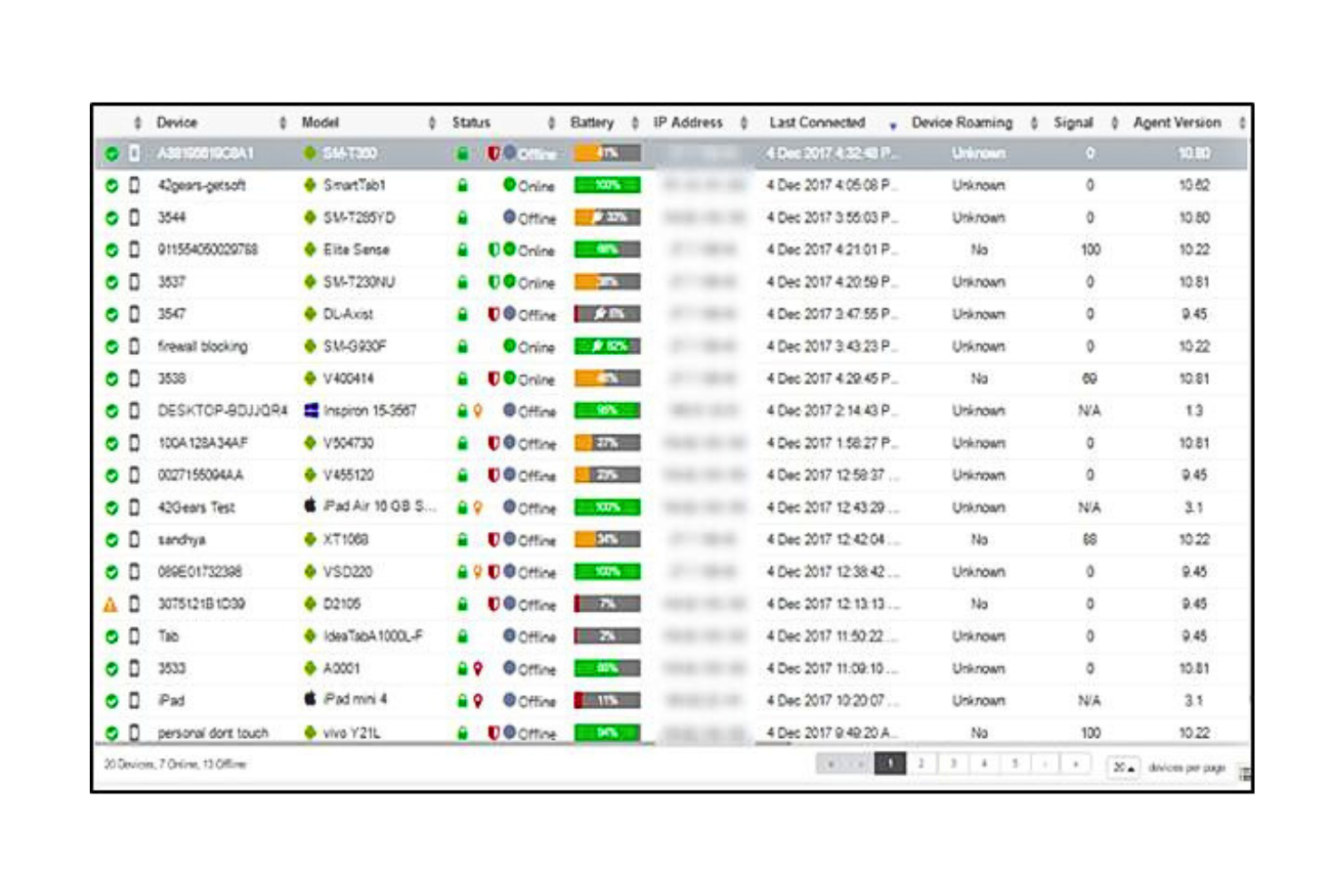
SureMDM is a mobile device management platform designed for IT teams in industries like logistics, manufacturing, and field services who need to manage, secure, and monitor a wide range of devices across multiple operating systems and environments.
Who Is SureMDM Best For?
SureMDM is a strong fit for IT teams in industries like retail, healthcare, and transportation that need to manage large fleets of mixed-OS devices across distributed or remote locations.
Why I Picked SureMDM
I picked SureMDM as one of the best because of how far it goes to support devices that most MDM platforms simply weren't built for. Where other tools focus on smartphones and laptops, SureMDM extends management to IoT endpoints, rugged handhelds, Wear OS devices, VR headsets, and Linux machines—all from the same console.
I particularly like the Things Management Technology (TMT) feature, which lets my team enroll and manage peripherals like RFID readers, barcode scanners, and GPS trackers the same way you'd manage a mobile device. That means I can push firmware updates, monitor battery and network stats, and enforce compliance policies on edge devices that would otherwise be invisible to IT. The OEMConfig support for rugged device manufacturers like Zebra and Datalogic is another thing I find genuinely useful—it lets me configure hardware-specific settings directly from the SureMDM console without needing separate OEM tools.
SureMDM Key Features
- Kiosk lockdown: Lock devices down to a single app or a restricted set of apps, preventing end users from accessing unauthorized settings or content.
- BYOD management: Enroll employee-owned devices using Android Work Profiles or Apple User Enrollment, keeping personal and corporate data in separate containers.
- Remote troubleshooting: Access and control devices remotely to diagnose and resolve issues without requiring physical access or on-site visits.
- Location tracking: Monitor device locations in real time and set geofence-based policies that automatically restrict or adjust device behavior based on where a device is.
SureMDM Integrations
Integrations include Zebra, Datalogic, Honeywell, Samsung Knox, Google Zero-Touch Enrollment, Apple Business Manager, Microsoft Azure Active Directory, VMware Workspace ONE, SOTI, and an API is available for custom integrations.
Pros and Cons
Pros:
- Simple user interface
- Strong history of customer support
- Flexible and customizable
Cons:
- Can be slow to install on users’ devices
- It can be overwhelming to configure


Microsoft Intune gives IT teams a unified way to manage, secure, and monitor devices and apps across Windows, macOS, iOS, and Android, making it a go-to choice for organizations that need centralized control and compliance in complex environments.
Who Is Microsoft Intune Best For?
Microsoft Intune is a strong fit for mid-size to enterprise IT teams that are already running Microsoft 365 or Azure and need device management that works natively within that ecosystem.
Why I Picked Microsoft Intune
Microsoft Intune earns its spot on my shortlist because of how naturally it fits into a Microsoft-heavy environment. I like that conditional access policies work directly with Azure Active Directory, so I can enforce compliance rules—like requiring device encryption or a minimum OS version—before granting access to Microsoft 365 apps. My team also uses Intune's co-management feature alongside Microsoft Configuration Manager, which lets us gradually shift workloads to the cloud without ripping out existing on-premises infrastructure.
Microsoft Intune Key Features
- Windows Autopilot provisioning: Automatically configure and enroll new Windows devices out of the box, without manual IT setup or imaging.
- Mobile application management (MAM): Apply data protection policies to corporate apps on personal devices without requiring full device enrollment.
- Endpoint Privilege Management: Let standard users run specific IT-approved tasks that would normally require admin rights, reducing the need for elevated accounts.
- Remote wipe and device retirement: Remotely remove corporate data from lost, stolen, or non-compliant devices while leaving personal data intact on BYOD devices.
Microsoft Intune Integrations
Integrations include Microsoft 365, Azure Active Directory, Microsoft Defender for Endpoint, Microsoft Configuration Manager, Microsoft Cloud PKI, Microsoft Security Copilot, Microsoft Intune Remote Help, Microsoft Intune Endpoint Privilege Management, Microsoft Intune Advanced Analytics, and Microsoft Intune Enterprise Application Management.
Pros and Cons
Pros:
- Supportive training and documentation
- Easy-to-use interface
- Zero-touch deployment
Cons:
- Can require a more complicated setup
- Only one Intune account per device


ManageEngine Mobile Device Manager Plus stands out for organizations that need a flexible on-premises MDM solution. It’s a strong choice for IT teams in regulated industries or businesses with strict data residency requirements. With support for multi-OS environments and granular device control, it helps you manage security and compliance across diverse fleets.
Who Is ManageEngine Mobile Device Manager Plus Best For?
IT departments in mid-sized to enterprise organizations across regulated industries. It fits companies that require on-premises deployment options to meet internal security or compliance requirements.
Why I Picked ManageEngine Mobile Device Manager Plus
For organizations that require on-premises control, ManageEngine Mobile Device Manager Plus offers deployment flexibility that cloud-only MDMs can’t match. I picked it because it lets IT teams host and manage their own MDM infrastructure, which is essential for businesses with strict compliance or data sovereignty needs. The platform supports detailed device policy enforcement and role-based access controls, giving admins the ability to tailor security and management to their environment. This makes it a strong fit for sectors like government, healthcare, and finance, where on-premises solutions are often a requirement.
ManageEngine Mobile Device Manager Plus Key Features
Some other features that make ManageEngine Mobile Device Manager Plus appealing for IT teams include:
- Multi-OS support: Manage and secure devices running Android, iOS, Windows, macOS, and Chrome OS.
- App distribution and management: Deploy, update, and remove apps across devices from a central console.
- Remote troubleshooting tools: Access devices remotely to diagnose and resolve issues without user intervention.
- Geofencing and location tracking: Set location-based policies and monitor device locations in real time.
ManageEngine Mobile Device Manager Plus Integrations
Integrations are available natively with platforms like ServiceNow, Zendesk, and Zoho CRM. It also offers custom API integrations.
Pros and Cons
Pros:
- Administrator portal that is simple to use
- Customer support focused
- Comprehensive features for a variety of use-cases
Cons:
- Limited customization features
- Pricing is an annual commitment


Jamf Pro software is an MDM solution that provides various management and customization options. It is purpose-built for organizations that rely on Apple devices across their workforce. With advanced automation and granular policy management, Jamf Pro helps you handle complex Apple deployments at scale.
Who Is Jamf Pro Best For?
IT and endpoint management teams in mid-sized to enterprise organizations operating Apple-first environments. It suits companies that require advanced oversight and configuration of macOS and iOS devices.
Why I Picked Jamf Pro
When managing a large fleet of Apple devices, Jamf Pro offers the depth and flexibility that many IT teams need. I picked it because it provides granular control over device configuration, security policies, and app deployment specifically for macOS, iOS, and iPadOS. Jamf Pro also supports automated onboarding and zero-touch deployment, which helps organizations get new Apple devices into users’ hands with minimal manual effort. Its focus on the Apple ecosystem makes it a top choice for businesses that want to maximize the capabilities of their Apple hardware.
Jamf Pro Key Features
Some other features that make Jamf Pro a strong option for Apple device management include:
- Self-service app portal: Give users access to a curated app catalog and resources directly on their devices.
- Patch management automation: Automatically monitor and deploy updates for macOS and third-party applications.
- Remote device diagnostics: Collect logs and run diagnostics on devices without needing physical access.
- Custom configuration profiles: Create and deploy detailed settings for Wi-Fi, VPN, restrictions, and more.
Jamf Pro Integrations
Integrations are available natively with applications and services like AWS, Microsoft applications, Google, and Okta. Jamf Pro also integrates well with Apple applications such as Apple Business Manager and Apple School Manager.
Pros and Cons
Pros:
- Simple user design
- Flexible deployments
- Comprehensive documentation
Cons:
- No out-of-the-box configurations
- Complicated setup


Kandji is an MDM solution that manages Apple devices through an administrator portal. It is focused on automations that help IT administrators streamline device management. With automated remediation and a library of pre-built controls, Kandji helps administrators keep fleets secure and up to date with less manual effort.
Who Is Kandji Best For?
IT administrators and security leads in small to mid-sized organizations managing Apple devices. It supports teams that value structured administrator guidance and automated policy enforcement.
Why I Picked Kandji
What sets Kandji apart is its focus on supporting administrators who manage Apple devices at scale. I picked Kandji because it offers automated remediation and a large library of pre-built security and compliance controls, which reduces the manual workload for IT teams. The platform’s Auto Apps feature also lets administrators deploy and update a wide range of applications with minimal intervention. For organizations that need to maintain strict compliance or want to simplify Apple device management, Kandji’s administrator-focused approach is a strong fit.
Kandji Key Features
Some other features that make Kandji a strong option for Apple device management include:
- Zero-touch deployment: Set up and configure devices remotely without manual IT intervention.
- Custom device blueprints: Create and assign tailored configurations for different teams or departments.
- Lost mode and device location tracking: Remotely lock and locate devices to help protect sensitive data.
- Automated OS and security updates: Schedule and enforce operating system and patch updates across all managed devices.
Kandji Integrations
Integrations are available with Active Directory, Okta, Google Workspace, Apple Business Manager, Microsoft Teams, Azure AD, and Slack. Kandji also offers an API.
Pros and Cons
Pros:
- Customizable and flexible
- Good customer experience
- Administrator support
Cons:
- Pricing is not transparent
- Only available for Apple products


Moki Total Control is built for IT teams that need to deploy and manage large fleets of devices quickly. Retailers, restaurants, and organizations with distributed locations often use it to configure, lock down, and monitor tablets or kiosks in bulk. Its focus on rapid provisioning and centralized control helps businesses keep devices secure and consistent across many sites.
Who Is Moki Total Control Best For?
IT administrators and endpoint management teams in mid-sized to enterprise organizations across retail, healthcare, and field services. It suits companies that need rapid deployment and centralized bulk device management across distributed mobile fleets.
Why I Picked Moki Total Control
For organizations that need to get devices up and running fast, Moki Total Control stands out for its bulk management capabilities. I picked Moki because it lets you enroll, configure, and lock down hundreds or thousands of devices at once, which is essential for large-scale rollouts. The platform’s remote device monitoring and real-time status updates help IT teams keep tabs on distributed fleets without manual checks. If you’re looking for MDM software that prioritizes speed and efficiency in deployment, Moki’s focus on bulk actions is a strong match.
Moki Total Control Key Features
Some other features that make Moki Total Control useful for device management include:
- Kiosk mode configuration: Lock devices into single-app or multi-app kiosk mode for secure public use.
- Remote app installation and updates: Push applications and updates to devices without physical access.
- Custom device grouping: Organize devices by location, function, or business unit for targeted management.
- Automated compliance checks: Schedule and enforce compliance policies across all managed devices.
Moki Total Control Integrations
Integrations are not publicly listed.
Pros and Cons
Pros:
- Strong remote management capabilities
- Supports both Android and iOS platforms
- Responsive customer support
Cons:
- Complex user interface
- Limited analytics and reporting features


Appaloosa.io is a Mobile Device Management (MDM) solution that helps businesses manage their mobile devices and applications. It offers a simple yet effective way to keep your organization's devices secure and compliant.
Who Is Appaloosa.io Best For?
IT mobility teams in mid-sized organizations distributing internal mobile applications. It works well for companies that need zero-touch deployment and secure app delivery to managed devices.
Why I Picked Appaloosa.io
What drew me to Appaloosa.io is its focus on zero-touch deployment, which is a major advantage for IT teams managing large or remote device fleets. The platform lets you pre-configure devices and push apps directly, so users can get started without any manual setup. I appreciate that Appaloosa.io supports managed Google Play and Apple VPP, making it easier to distribute and update business apps securely. If you need to automate device onboarding and reduce hands-on IT work, this tool’s deployment model is a strong fit for MDM needs.
Appaloosa.io Key Features
Some other features that make Appaloosa.io useful for device management include:
- Private app store: Distribute internal or third-party apps securely to managed devices.
- Remote device wipe: Remove all business data and apps from lost or stolen devices.
- Role-based access control: Assign permissions and management rights based on user roles.
- Device inventory dashboard: View and track all enrolled devices from a centralized interface.
Appaloosa.io Integrations
Integrations include Android Enterprise, Apple Business Manager, Microsoft Entra, Office 365, Google Workspace, Okta, SAML v2, Apple Contacts, Android Contacts, Fastlane, and Bitrise.
Pros and Cons
Pros:
- Supports zero-touch enrollment for quick deployment and configuration without manual intervention
- Allows deploying and configuring apps without individual store accounts, simplifying application management across devices
- Offers centralized management for mobile devices
Cons:
- Set up can be complex
- The interface isn't as intuitive as some competitors
Autres options de logiciels MDM
Bien qu’elles ne figurent pas dans mon top 12, ces solutions méritent tout de même d’être examinées.
- IBM MaaS360
For fast deployments
- Citrix XENMobile
For Android device management
- Datajar.mobi
For easy Apple device management
- FileWave Unified Endpoint Management Software
For multi-platform device management
- Cortado MDM
For remote device management
- Kitewire Mobility
For proactive security monitoring
- Amtel MDM Solution
For mobile lifecycle management


Critères de sélection pour un logiciel MDM
Pour sélectionner les meilleurs logiciels MDM à inclure dans cette liste, j'ai pris en compte les besoins et difficultés courants des acheteurs comme la compatibilité avec les appareils et la gestion de la sécurité. J'ai également utilisé le cadre suivant afin de maintenir une évaluation équilibrée et structurée :
Fonctionnalité principale (25 % de la note globale)
Pour figurer dans cette sélection, chaque solution devait couvrir les cas d'usage suivants :
- Enrôlement et gestion des appareils
- Application des politiques de sécurité
- Distribution et gestion des applications
- Effacement et verrouillage à distance
- Inventaire et reporting
Fonctionnalités complémentaires (25 % de la note globale)
Pour affiner davantage la sélection, j'ai aussi recherché des fonctionnalités distinctives comme :
- Fonctionnalités de géorepérage
- Analyses et rapports avancés
- Rôles et permissions utilisateurs personnalisables
- Intégration avec des applications tierces
- Prise en charge multiplateforme
Facilité d'utilisation (10 % de la note globale)
Pour évaluer l'ergonomie de chaque système, j'ai pris en compte les critères suivants :
- Interface utilisateur intuitive
- Facilité de navigation
- Options de personnalisation
- Courbe d'apprentissage
- Disponibilité d'une application mobile
Intégration des utilisateurs (10 % du score total)
Pour évaluer l’expérience d’intégration de chaque plateforme, j’ai pris en compte les éléments suivants :
- Disponibilité de vidéos de formation
- Visites interactives du produit
- Modèles d’intégration
- Accès à des webinaires
- Assistance par chatbot
Service client (10 % du score total)
Pour évaluer les services d’assistance de chaque fournisseur de logiciel, j’ai pris en compte les éléments suivants :
- Disponibilité de l’assistance 24/7
- Délai de réponse aux demandes
- Accès au chat en direct
- Qualité de la documentation
- Présence de forums communautaires
Rapport qualité/prix (10 % du score total)
Pour évaluer le rapport qualité/prix de chaque plateforme, j’ai pris en compte les éléments suivants :
- Transparence des tarifs
- Tarification concurrentielle face aux fonctionnalités
- Disponibilité de périodes d’essai gratuites
- Formules d’abonnement flexibles
- Remises pour les engagements longue durée
Avis clients (10 % du score total)
Pour me faire une idée de la satisfaction globale des clients, j’ai pris en compte les points suivants lors de la lecture des avis clients :
- Notes de satisfaction globale
- Retours sur la fiabilité et la performance
- Témoignages positifs
- Critiques sur les limitations
- Fréquence des mises à jour et des améliorations
Comment choisir un logiciel MDM
Il est facile de se laisser submerger par des listes de fonctionnalités interminables et des structures tarifaires complexes. Pour vous aider à rester concentré tout au long de votre processus de sélection de logiciel, voici une liste de points à garder à l’esprit :
| Facteur | À prendre en compte |
|---|---|
| Évolutivité | Le logiciel peut-il évoluer avec votre entreprise ? Considérez les besoins futurs et la possibilité de gérer facilement des appareils supplémentaires à mesure que votre équipe grandit. |
| Intégrations | Est-il compatible avec vos outils existants ? Vérifiez la compatibilité avec vos systèmes actuels (CRM, e-mail, applications de productivité) afin de maintenir l’efficacité du flux de travail. |
| Personnalisation | Pouvez-vous adapter le logiciel à vos processus ? Privilégiez les options qui permettent d’ajuster les paramètres, tableaux de bord et rapports selon vos besoins spécifiques. |
| Facilité d’utilisation | L’interface est-elle intuitive ? Veillez à ce que votre équipe puisse la prendre en main sans formation approfondie, ce qui fera gagner du temps et réduira la frustration. |
| Mise en place et intégration | Combien de temps faut-il pour commencer ? Évaluez le temps de mise en œuvre et les ressources nécessaires, y compris les supports de formation et l’assistance, pour une transition en douceur. |
| Coût | Quelle est la dépense totale ? Comparez le prix du logiciel à votre budget, en tenant compte des frais cachés, de la maintenance et des économies potentielles. |
| Mesures de sécurité | Protège-t-il vos données ? Recherchez des fonctionnalités telles que le chiffrement, les contrôles d’accès et la conformité aux normes de protection des données pour préserver les informations sensibles. |
Qu’est-ce qu’un logiciel MDM ?
Un logiciel de gestion des appareils mobiles (MDM) est un outil qui permet aux administrateurs informatiques de gérer tous les appareils connectés au réseau de l’entreprise de manière centralisée. Le logiciel se connecte aux appareils de votre société afin de contrôler les accès, installer des applications et appliquer des politiques de sécurité.
Le logiciel MDM peut être utilisé pour gérer des téléphones, tablettes, ordinateurs et d’autres objets connectés utilisant des systèmes d’exploitation comme iOS, Android, Windows, etc. Il offre aux administrateurs informatiques un contrôle de niveau entreprise leur permettant de protéger et de surveiller les appareils contre les menaces de sécurité.
Fonctionnalités
Lors de votre sélection de logiciel MDM, gardez un œil sur les fonctionnalités clés suivantes :
- Enrôlement des appareils : Cette fonctionnalité vous permet d’ajouter rapidement et en toute sécurité de nouveaux appareils à votre système de gestion, afin que votre équipe puisse démarrer sans prise de tête. C’est la première étape pour rassembler tous vos appareils sous un même toit.
- Gestion des appareils à distance : Contrôlez et dépannez les appareils sans avoir à être à proximité. Vous pouvez pousser des mises à jour, configurer les paramètres, ou même verrouiller ou effacer un appareil s’il est perdu, ce qui peut vous éviter bien des soucis (et des emails énervés).
- Gestion des applications : Déployez, mettez à jour ou supprimez des applications sur tous vos appareils depuis un tableau de bord unique. C’est un gain de temps précieux et cela aide chacun à utiliser les bons outils.
- Contrôles de sécurité et de conformité : Définissez des politiques pour protéger les données sensibles, imposer des exigences de mot de passe, chiffrer les données, et garantir que votre organisation respecte les réglementations sur la confidentialité.
- Inventaire et suivi des actifs : Suivez chaque appareil de votre parc, en sachant qui utilise quoi, ainsi que leur statut et localisation. Vous saurez toujours où sont vos investissements technologiques et qui pourrait avoir besoin d’une mise à niveau.
- Gestion du contenu : Distribuez des documents importants, des mises à jour ou des formulaires directement sur les appareils des utilisateurs. Cela vous assure que tout le monde a ce dont il a besoin, sans chaînes d’emails frénétiques.
- Gestion des accès utilisateurs : Contrôlez qui peut accéder à quelles ressources et applications en fonction des rôles ou groupes. Cela permet de garder les données sensibles protégées, accessibles uniquement aux personnes concernées.
- Rapports et analyses : Obtenez des informations approfondies sur l’utilisation, les incidents de sécurité et la conformité. Les tableaux de bord vous permettent de repérer les tendances, de résoudre les problèmes rapidement et de prouver à votre direction que vous êtes aux commandes.
- Prise en charge multiplateforme : Gérez un mélange de types d’appareils et de systèmes d’exploitation—comme iOS, Android et Windows—sans avoir besoin d’un outil différent pour chaque. Cela simplifie la gestion lorsque votre équipe a une approche BYOD (Bring Your Own Device).
Fonctionnalités IA courantes des logiciels MDM
Au-delà des fonctionnalités standards énumérées ci-dessus, nombre de ces solutions intègrent l’IA avec des fonctionnalités telles que :
Authentification utilisateur adaptative : Grâce à l’IA, le système ajuste les exigences d’authentification en fonction du contexte et du risque, en demandant par exemple des étapes de sécurité supplémentaires uniquement lorsqu’une anomalie est détectée.
Détection prédictive des menaces : L’IA analyse les schémas sur votre réseau pour repérer et vous alerter d’éventuels risques de sécurité avant qu’ils ne deviennent sérieux. C’est comme avoir un garde du corps numérique surveillant la foule.
Surveillance automatisée de la conformité : L’IA analyse en temps réel les paramètres et l’activité des appareils, signalant tout élément susceptible d’entraîner une violation des politiques. Cela vous évite de nombreux contrôles manuels.
Détection intelligente des anomalies : L’IA apprend le comportement habituel des appareils de votre organisation et vous alerte instantanément en cas d’écart, comme des horaires ou localisations d’accès inhabituels.
Recommandations de politiques intelligentes : Au lieu de définir chaque règle manuellement, l’IA propose des politiques optimales en fonction de l’utilisation et de l’évolution des besoins en sécurité.
Résolution automatisée des problèmes : L’IA identifie les problèmes courants des appareils et propose des solutions, ce qui vous fait gagner du temps sur le dépannage.
Avantages
La mise en place d’un logiciel MDM apporte plusieurs avantages à votre équipe et à votre entreprise. En voici quelques-uns auxquels vous pouvez vous attendre :
- Sécurité renforcée : En imposant des règles de sécurité et en permettant l’effacement à distance, un logiciel MDM protège les données sensibles contre tout accès non autorisé.
- Efficacité accrue : L’automatisation de l’enrôlement des appareils et de la distribution des applications fait gagner du temps et assure l’uniformité sur tous les appareils.
- Meilleure conformité : Un inventaire régulier et des rapports facilitent le respect des normes et réglementations du secteur.
- Productivité accrue : Veiller à ce que les utilisateurs disposent des applications et outils nécessaires favorise la productivité de toute l’équipe.
- Réduction des coûts : Prévenir les fuites de données et optimiser l’utilisation des appareils peut générer des économies significatives pour l’entreprise.
- Souplesse de gestion : Le support multiplateforme permet la gestion de différents types d’appareils via une seule interface, simplifiant les tâches administratives.
- Contrôle basé sur la localisation : Les fonctions de géorepérage offrent plus de sécurité en contrôlant l’accès aux appareils selon leur position géographique.
Coûts et tarifs
Le choix d’un logiciel MDM nécessite de comprendre les différents modèles et plans tarifaires disponibles. Les coûts varient en fonction des fonctionnalités, de la taille de l’équipe, des options supplémentaires et plus encore. Le tableau ci-dessous récapitule les plans courants, leurs prix moyens et les fonctionnalités typiques incluses dans les solutions MDM :
Tableau comparatif des offres des logiciels MDM
| Type de forfait | Prix moyen | Fonctionnalités courantes |
|---|---|---|
| Forfait gratuit | $0 | Gestion de base des appareils, distribution d’applications et rapports limités. |
| Forfait Personnel | $5-$15/utilisateur/mois | Gestion des appareils, distribution d’applications, politiques de sécurité et analyses de base. |
| Forfait Professionnel | $20-$40/utilisateur/mois | Fonctionnalités de sécurité avancées, rapports personnalisés, intégrations et gestion des rôles utilisateurs. |
| Forfait Entreprise | $50-$100/utilisateur/mois | Ensemble complet de fonctionnalités, analyses avancées, prise en charge multiplateforme et assistance 24/7. |
FAQ sur les logiciels MDM
Voici quelques réponses aux questions courantes concernant les logiciels MDM :
Quelles informations un logiciel MDM peut-il voir ?
Comment puis-je intégrer un logiciel MDM à mes systèmes informatiques existants ?
Quels sont les plus grands défis lors du déploiement du MDM à grande échelle ?
Comment assurer la conformité BYOD avec les outils MDM ?
Quels risques de sécurité le MDM permet-il de réduire ?
Quelles fonctionnalités MDM sont les plus importantes pour les équipes à distance ou hybrides ?
Et ensuite :
Si vous êtes en cours de recherche d’un logiciel MDM, contactez un conseiller SoftwareSelect pour obtenir gratuitement des recommandations.
Vous remplissez un formulaire et discutez brièvement pour préciser vos besoins. Vous recevrez ensuite une liste restreinte de logiciels à examiner. Ils vous accompagneront aussi tout au long du processus d’achat, y compris lors des négociations tarifaires.