

Ciber Inteligente: Guía de los 10 Mejores Software de PKI de 2026

10 Mejor lista corta de software PKI


El software PKI gestionado te ayuda a emitir, rastrear y renovar certificados digitales para que tu equipo pueda proteger los sistemas sin tener que estar luchando constantemente contra fechas de vencimiento, brechas de cumplimiento o la gestión manual de claves.
Muchos equipos recurren a estas herramientas después de gastar demasiado tiempo persiguiendo certificados a punto de expirar, lidiando con procesos internos o preocupándose de que algo se escape durante las auditorías. No es que la infraestructura de clave pública sea nueva, sino que gestionarla a gran escala sin herramientas dedicadas puede volverse rápidamente inmanejable.
He trabajado con organizaciones para seleccionar e implementar herramientas PKI que reducen riesgos, cumplen con requisitos normativos y hacen que la gestión de certificados sea menos pesada para equipos que ya están saturados. Esta guía está basada en esa experiencia, para ayudarte a elegir una solución que se ajuste a tu entorno y te devuelva tiempo para centrarte en otras prioridades.
Por qué confiar en nuestras recomendaciones de software
Nuestro equipo lleva probando y evaluando software desde 2012. Como líderes tecnológicos, sabemos lo difícil —y lo importante— que es elegir el software adecuado.
Para esta guía, evaluamos las herramientas mediante pruebas prácticas e investigación independiente, puntuando las herramientas según nuestros criterios de selección.
Nuestras reseñas reflejan nuestro criterio editorial humano, no un discurso de ventas.
Revisores expertos:
Resumen del mejor software PKI
Este cuadro comparativo resume los detalles de precios de mis principales selecciones de software PKI para ayudarte a encontrar el mejor según tu presupuesto y necesidades empresariales.
| Tool | Best For | Trial Info | Price | ||
|---|---|---|---|---|---|
| 1 | Ideal para la gestión de seguridad automatizada | Not available | Precio a consultar | Website | |
| 2 | La mejor para tareas de ciclo de vida de certificados | Not available | El precio de DigiCert PKI Platform se basa en una variedad de factores y sólo está disponible bajo petición. | Website | |
| 3 | La mejor opción para configuraciones PKI basadas en Windows | Not available | Microsoft Active Directory Certificate Services está incluido en la licencia de Windows Server. El precio de Windows Server parte desde $972 (facturado anualmente). | Website | |
| 4 | Ideal para la emisión de certificados empresariales | Not available | El precio de GlobalSign PKI no se revela públicamente; está disponible bajo solicitud. | Website | |
| 5 | Ideal para la renovación de certificados sin intervención | Not available | Venafi opera bajo un modelo de "Precios a consultar", lo que requiere que los posibles usuarios se pongan en contacto con ellos para obtener una cotización. | Website | |
| 6 | Mejor soporte para protocolos y hardware | Not available | EJBCA ofrece una versión Community que es gratuita, pero para conocer el precio de su versión Enterprise, es bajo petición. | Website | |
| 7 | Ideal para implementaciones PKI flexibles | Not available | Precio bajo consulta | Website | |
| 8 | La mejor solución PKI de código abierto | Not available | Gratis para usar | Website | |
| 9 | Ideal para cobertura de cifrado a gran escala | Not available | Desde $12/usuario/mes (facturado anualmente) | Website | |
| 10 | Ideal para la gestión compleja de certificados | Prueba gratuita de 30 días | Precio bajo solicitud | Website |
Reseñas del mejor software PKI
A continuación están mis resúmenes detallados de los mejores software PKI que entraron en mi lista corta. Mis reseñas ofrecen una visión detallada de sus principales características, pros y contras, integraciones y casos de uso ideales, para ayudarte a encontrar el mejor para ti.

Ideal para la gestión de seguridad automatizada
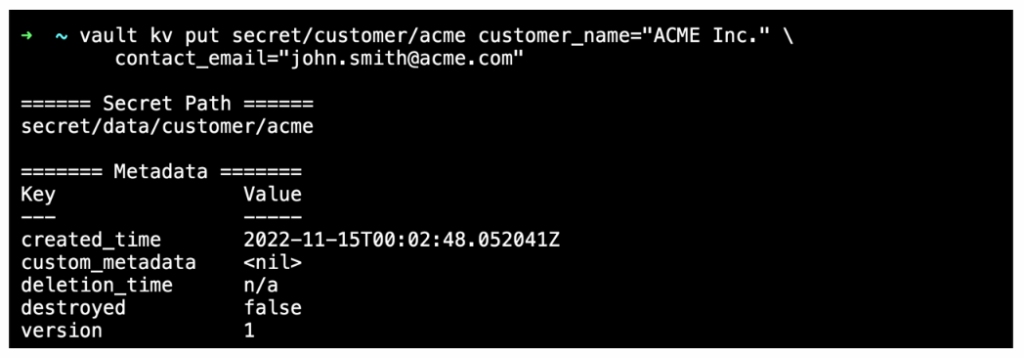
HashiCorp Vault se encarga de tu seguridad digital, proporcionando un conjunto completo para el acceso basado en identidades y la protección de datos sensibles en varios sistemas. La herramienta automatiza de manera impresionante la gestión de secretos, claves de cifrado y certificados.
Por qué elegí HashiCorp Vault:
Elegí HashiCorp Vault por su compromiso con la automatización de la seguridad. En el dinámico panorama de la seguridad digital, Vault destaca al agilizar el proceso y reducir la supervisión manual. El notable enfoque de la herramienta en la automatización proporciona un escudo formidable para los datos sensibles.
Por lo tanto, creo que HashiCorp Vault realmente sobresale como la mejor opción para las empresas que necesitan gestionar la seguridad de forma automatizada.
Características destacadas e integraciones:
La función de secretos dinámicos de Vault reduce el riesgo de exposición de datos no deseados creando secretos bajo demanda que se revocan después de su uso. Su módulo de cifrado como servicio permite a los usuarios cifrar datos sin lidiar con las complejidades de la gestión de claves.
En cuanto a integraciones, Vault se conecta a tu infraestructura existente sin problemas. Funciona bien con plataformas populares como AWS, Google Cloud y Azure, ofreciendo una cobertura extensa.
Pros and Cons
Pros:
- Gestión de claves y secretos robusta y flexible
- Amplia variedad de integraciones para un despliegue versátil
- Los secretos dinámicos garantizan la máxima seguridad de los datos
Cons:
- Curva de aprendizaje pronunciada para nuevos usuarios
- La documentación detallada puede ser abrumadora
- La estructura de precios no se muestra de manera transparente

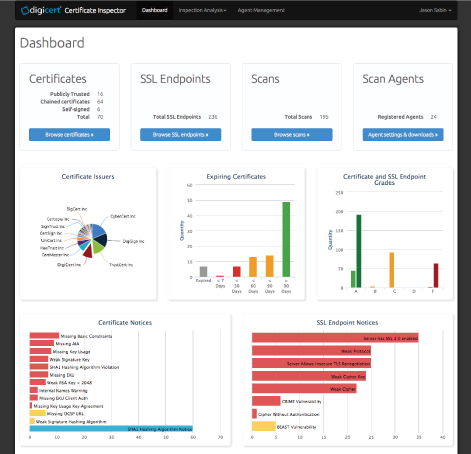
La plataforma DigiCert PKI ofrece soluciones de certificados de alta garantía, escalables y confiables. Destaca en la gestión del ciclo de vida al simplificar y automatizar los procesos de emisión, renovación y administración de certificados digitales, por lo que es la mejor opción para estas tareas.
Por qué elegí DigiCert PKI Platform:
Elegí la plataforma DigiCert PKI por su enfoque integral en la gestión del ciclo de vida de los certificados, lo que la distingue frente a otras herramientas. Su automatización de procesos complejos relacionados con los certificados respalda que sea la mejor para la gestión de ciclo de vida, asegurando que las operaciones con certificados sean eficientes y ágiles.
Funciones e integraciones destacadas:
Las características notables de la plataforma incluyen emisión y renovación automática de certificados, una interfaz intuitiva para una gestión sencilla y potentes API para la integración. DigiCert PKI Platform también ofrece integraciones clave con sistemas ampliamente utilizados como Microsoft Active Directory, Microsoft Autoenrollment y otros componentes de infraestructura de TI, ampliando así sus capacidades de gestión de ciclo de vida de certificados en estos entornos.
Pros and Cons
Pros:
- Agiliza los procesos de emisión y renovación de certificados
- Las API robustas permiten integración con varios sistemas
- Ofrece una interfaz de gestión fácil de usar
Cons:
- La estructura de precios puede ser compleja y no está disponible directamente
- Algunos usuarios pueden considerar abrumadoras las extensas funciones de la plataforma
- La configuración e implementación pueden llevar tiempo

La mejor opción para configuraciones PKI basadas en Windows
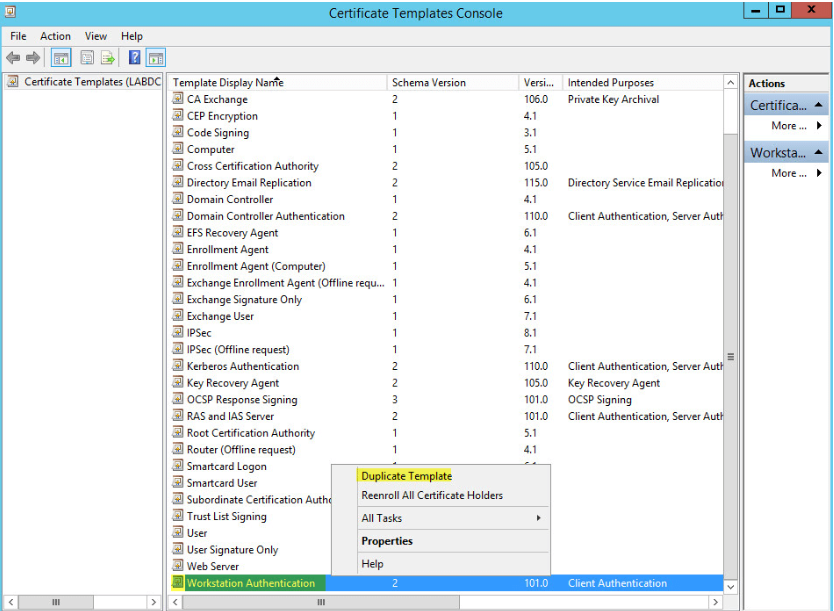
Microsoft Active Directory Certificate Services (AD CS) es una función de Windows Server que permite la creación de una infraestructura de clave pública (PKI) completamente funcional. Al estar profundamente integrado en el ecosistema de Microsoft, se convierte en la solución PKI de referencia para entornos centrados en Windows.
Por qué elegí Microsoft Active Directory Certificate Services (AD CS):
En el proceso de selección de herramientas PKI, AD CS llamó mi atención debido a su integración perfecta dentro del ecosistema de Microsoft. Creo que esta integración lo posiciona como la mejor opción para entornos enfocados en Windows, donde puede ofrecer una solución PKI nativa y optimizada.
Características y funcionalidades destacadas:
Entre las características de AD CS se incluye la capacidad de personalizar el contenido y las extensiones de los certificados, y admite la emisión automatizada de certificados mediante plantillas. Su mayor fortaleza es su integración con Microsoft Active Directory, lo que permite un despliegue y gestión de certificados sencillo dentro de un entorno Windows.
Pros and Cons
Pros:
- Integración perfecta dentro del ecosistema de Microsoft
- Certificados y extensiones personalizables
- Emisión automatizada de certificados a través de plantillas
Cons:
- Limitado a entornos Windows
- Puede ser complejo de configurar sin un buen conocimiento de los principios de PKI
- Requiere una licencia de Windows Server, que puede resultar costosa para organizaciones pequeñas

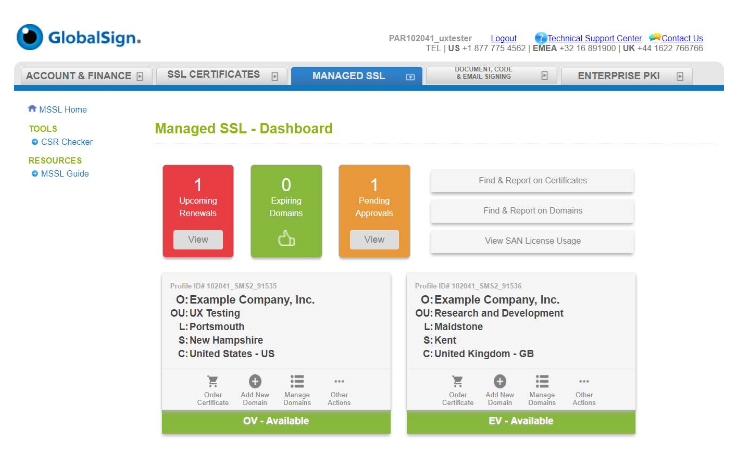
GlobalSign PKI es una plataforma diseñada para proteger las identidades digitales de las organizaciones a gran escala. Destaca por emitir grandes volúmenes de certificados y la inscripción automatizada, lo que la convierte en una opción principal para empresas que buscan una protección sólida a nivel empresarial.
Por qué elegí GlobalSign PKI:
Al seleccionar herramientas para esta lista, evalué cada una según sus cualidades distintivas. GlobalSign PKI destacó por su capacidad para gestionar la emisión de gran volumen e inscripción automatizada, aspectos fundamentales en la protección empresarial. Esta robusta capacidad justifica por qué considero que es la mejor para empresas que requieren protección a gran escala.
Características destacadas e integraciones:
GlobalSign PKI cuenta con un conjunto sólido de características, incluyendo administración del ciclo de vida de los certificados, inscripción automatizada y soporte para múltiples tipos de certificados. Ofrece integraciones con Microsoft Active Directory y otros sistemas de infraestructura de TI, asegurando una amplia cobertura de protección en diferentes aplicaciones organizacionales.
Pros and Cons
Pros:
- Proporciona una amplia protección empresarial
- Gestiona eficientemente la emisión de certificados a gran escala
- Ofrece inscripción automatizada para facilitar su uso
Cons:
- La falta de precios transparentes puede ser un desafío para los posibles usuarios
- Algunos clientes han reportado tiempos de respuesta lentos en el servicio al cliente
- La plataforma puede tener una curva de aprendizaje pronunciada para quienes son nuevos en soluciones PKI

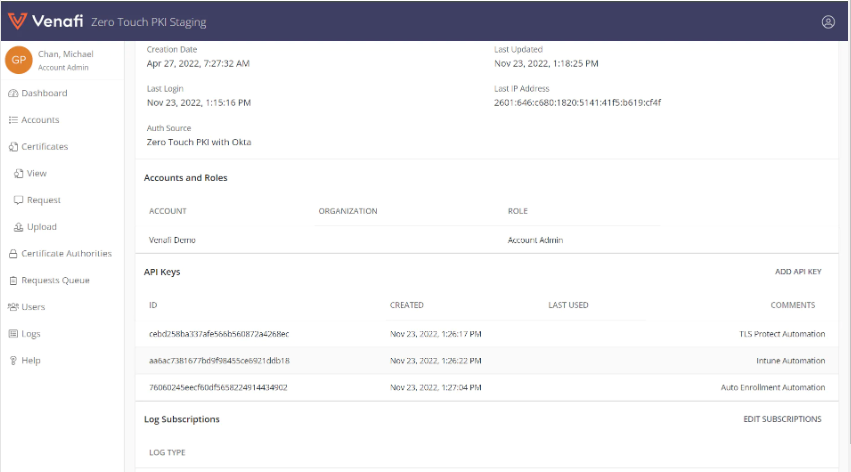
Venafi es una plataforma PKI destacada que centraliza y automatiza el ciclo de vida de los certificados digitales. Gracias a sus funciones de automatización, especialmente la emisión y renovación sin intervención, Venafi es ideal para quienes buscan una gestión de certificados ágil.
Por qué elegí Venafi:
Al decidir qué plataforma PKI incluir en esta lista, Venafi sobresalió por sus avanzadas capacidades de automatización. Su función de emisión y renovación de certificados sin intervención la diferencia del resto, lo que me llevó a decidir que es la mejor para la automatización.
Características destacadas e integraciones:
Venafi destaca por su avanzada automatización del ciclo de vida de los certificados, incluyendo emisión, renovación y revocación. Además, se integra con los principales sistemas de TI como proveedores de la nube, herramientas DevOps y más, convirtiéndolo en una plataforma altamente adaptable.
Pros and Cons
Pros:
- Automatización avanzada del ciclo de vida de los certificados
- Se integra con los principales sistemas de TI
- Proporciona visibilidad de todas las identidades de máquinas y sus riesgos asociados
Cons:
- El precio no es transparente y requiere una cotización personalizada
- Puede ser complejo de configurar y administrar sin la formación adecuada
- El soporte al cliente puede ser lento durante las horas no pico

Mejor soporte para protocolos y hardware
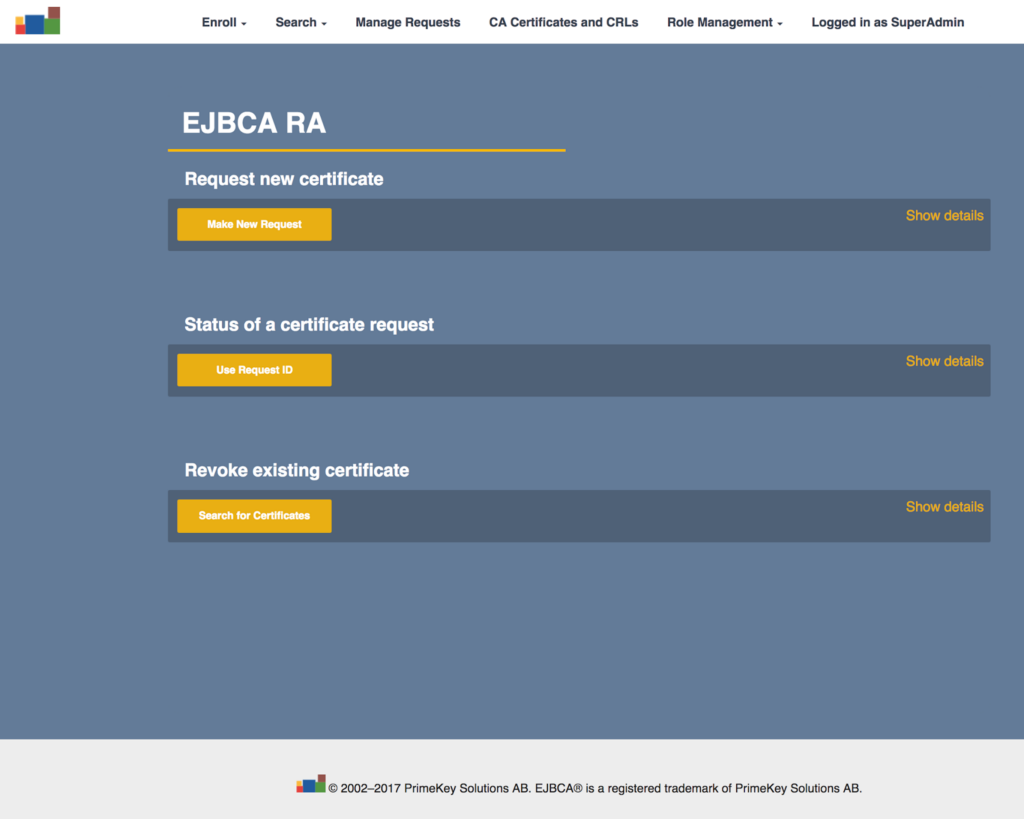
EJBCA es una solución PKI robusta y agnóstica en cuanto a plataforma, diseñada para permitir la emisión y gestión fluida de certificados digitales. Dada su capacidad para admitir todos los principales protocolos y hardware, EJBCA es ideal para la interoperabilidad en entornos informáticos diversos.
Por qué elegí EJBCA:
Seleccioné EJBCA para esta lista porque se destaca por su amplia interoperabilidad. Su compatibilidad con los principales protocolos y hardware la diferencia y la convierte en una opción ideal para ecosistemas informáticos variados. Por lo tanto, la consideré la mejor en interoperabilidad.
Características destacadas e integraciones:
EJBCA cuenta con un conjunto de funciones avanzadas, que incluyen una gestión exhaustiva del ciclo de vida de los certificados, integraciones flexibles y soporte para módulos de seguridad de hardware. Se integra con una variedad de plataformas y dispositivos, reforzando su posición como una solución PKI versátil e interoperable.
Pros and Cons
Pros:
- Alta interoperabilidad con los principales protocolos y hardware
- Gestión robusta del ciclo de vida del certificado
- Amplias integraciones de plataformas y dispositivos
Cons:
- El precio de la versión Enterprise no es público
- Puede ser complejo de configurar para quienes no están familiarizados con aplicaciones basadas en Java
- El soporte de la comunidad puede no ser tan reactivo o completo como el soporte Enterprise

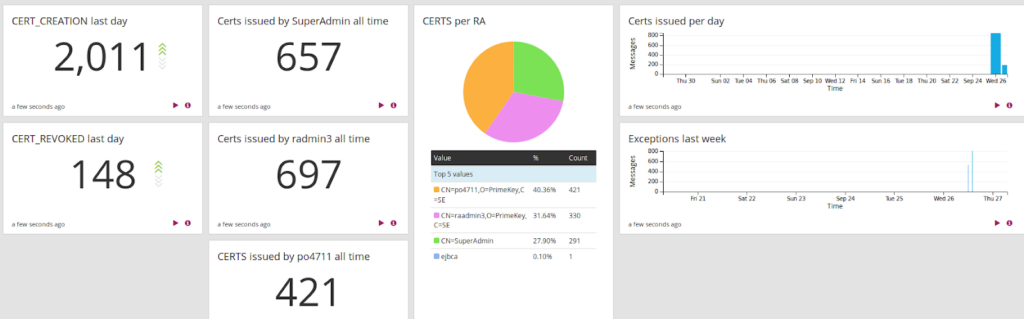
PrimeKey EJBCA® Enterprise funciona como una Autoridad Certificadora robusta, asegurando una gestión segura y flexible de identidades digitales. El software está diseñado para satisfacer las necesidades de organizaciones de todos los tamaños, ofreciendo una variedad de opciones personalizables para adaptarse a la complejidad de diversos entornos de TI.
Por qué elegí PrimeKey EJBCA® Enterprise:
Elegí PrimeKey EJBCA® Enterprise por su adaptabilidad. En un entorno tecnológico lleno de necesidades y casos de uso diversos, la naturaleza personalizable de esta solución PKI ofrece una clara ventaja. Su capacidad para ajustarse a los requisitos únicos de una organización lo convierte en la mejor opción para quienes buscan una opción de implementación flexible.
Características y integraciones destacadas:
PrimeKey EJBCA® Enterprise destaca por su potente sistema de gestión de certificados y flujos de trabajo adaptables. Es compatible con múltiples jerarquías de Autoridades Certificadoras (CA) y una amplia gama de perfiles de certificados. En el aspecto de integración, se sincroniza bien con HSM de proveedores como Thales y Utimaco, y ofrece una API REST para una integración sin problemas con la infraestructura de TI existente.
Pros and Cons
Pros:
- Versátil y personalizable para satisfacer requisitos únicos
- Gestión integral de certificados y flujos de trabajo
- Opciones de integración robustas, incluida API REST
Cons:
- Puede ser complejo para usuarios principiantes
- Se podría requerir soporte para la configuración inicial
- No hay información transparente sobre los precios

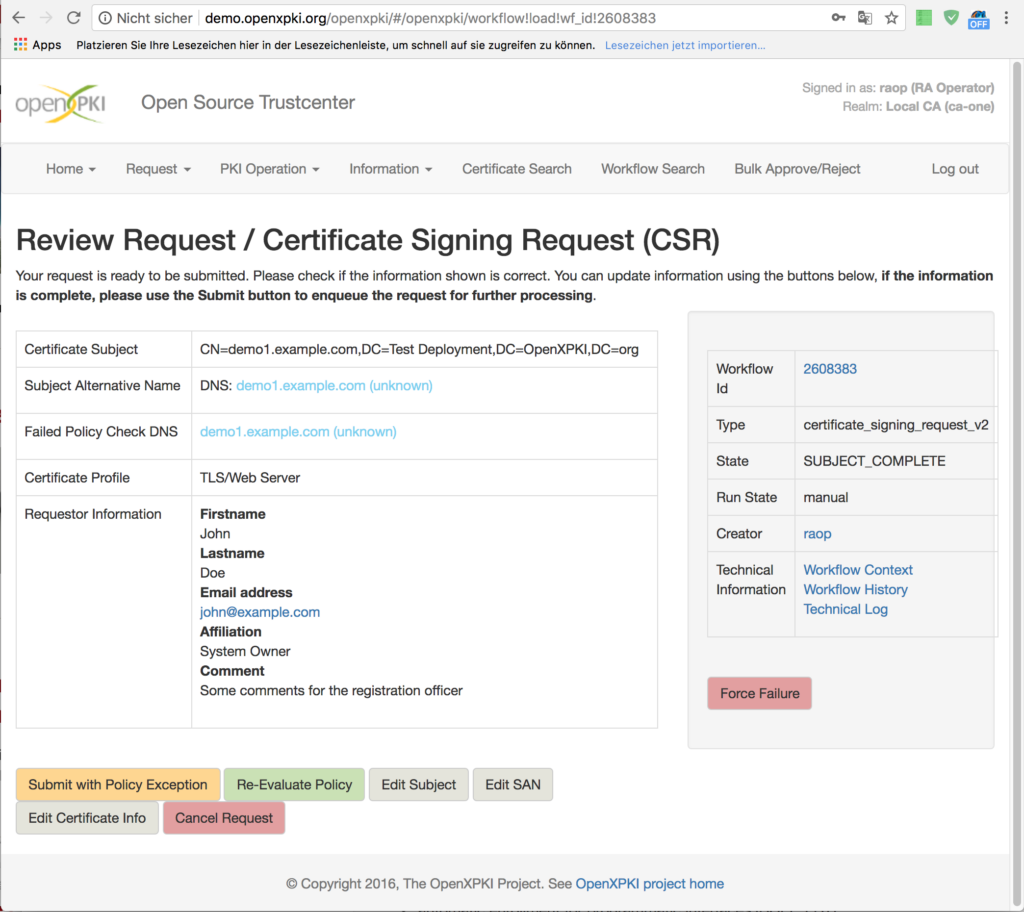
OpenXPKI es una potente solución PKI de código abierto diseñada para ofrecer flexibilidad y seguridad. La herramienta ofrece una arquitectura escalable y preparada para empresas que te permite adaptar una solución de seguridad a tus necesidades específicas.
Por qué elegí OpenXPKI:
OpenXPKI llamó mi atención por ser de código abierto. Este factor no solo la convierte en una opción rentable, sino que también permite una amplia personalización y escalabilidad. Es la diversidad en el diseño y la adaptabilidad lo que distingue a OpenXPKI, otorgándole el título de la mejor solución de código abierto para adaptar la arquitectura de seguridad.
Funciones e integraciones destacadas:
OpenXPKI ofrece un entorno rico en funciones, con flujos de trabajo personalizables, soporte para múltiples jerarquías de AC y manejo avanzado de tokens. La herramienta también proporciona una API amplia para integración y automatización, y se integra bien con una variedad de bases de datos, incluyendo MySQL, Oracle y PostgreSQL.
Pros and Cons
Pros:
- Código abierto y gratis
- Amplias opciones de personalización y escalabilidad
- API sólida para integraciones y automatización
Cons:
- La curva de aprendizaje puede ser desafiante para principiantes
- Requiere más configuración en comparación con las soluciones PKI comerciales
- Ausencia de soporte al cliente dedicado

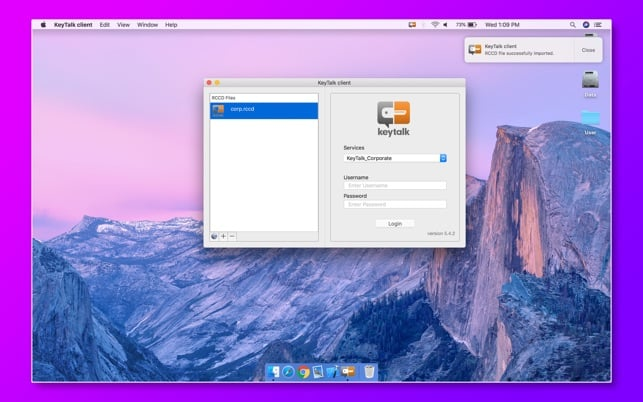
KeyTalk funciona como una solución PKI eficaz diseñada para asegurar y automatizar la gestión de tus certificados digitales en varios dispositivos. La fortaleza de KeyTalk radica en su escalabilidad, lo que lo convierte en una opción ideal para organizaciones que gestionan un gran número de dispositivos, por lo tanto, es el mejor en seguridad escalable.
Por qué elegí KeyTalk:
Elegí KeyTalk por su impresionante capacidad para escalar y gestionar el ciclo de vida de los certificados en innumerables dispositivos, lo que lo diferencia de otras soluciones PKI en la lista. En lo referido a la protección de múltiples dispositivos, considero que KeyTalk es superior, por eso lo considero el mejor en seguridad escalable.
Características destacadas e integraciones:
Las principales características de KeyTalk incluyen la renovación automática de certificados, su revocación e instalación en diversos dispositivos. También sobresale en el soporte de diferentes tipos de certificados, como SSL/TLS, firma de código y certificados de usuario. Es relevante que KeyTalk se integra con una amplia gama de sistemas de servidores, aplicaciones de software y componentes de red, lo que amplía su utilidad en diversas infraestructuras IT.
Pros and Cons
Pros:
- Escalabilidad excepcional para la gestión de dispositivos
- Amplio soporte de tipos de certificados
- Amplias integraciones con sistemas y aplicaciones
Cons:
- Puede ser demasiado para pequeñas empresas
- La interfaz puede ser desafiante para usuarios principiantes
- El precio premium puede no ajustarse a todos los presupuestos

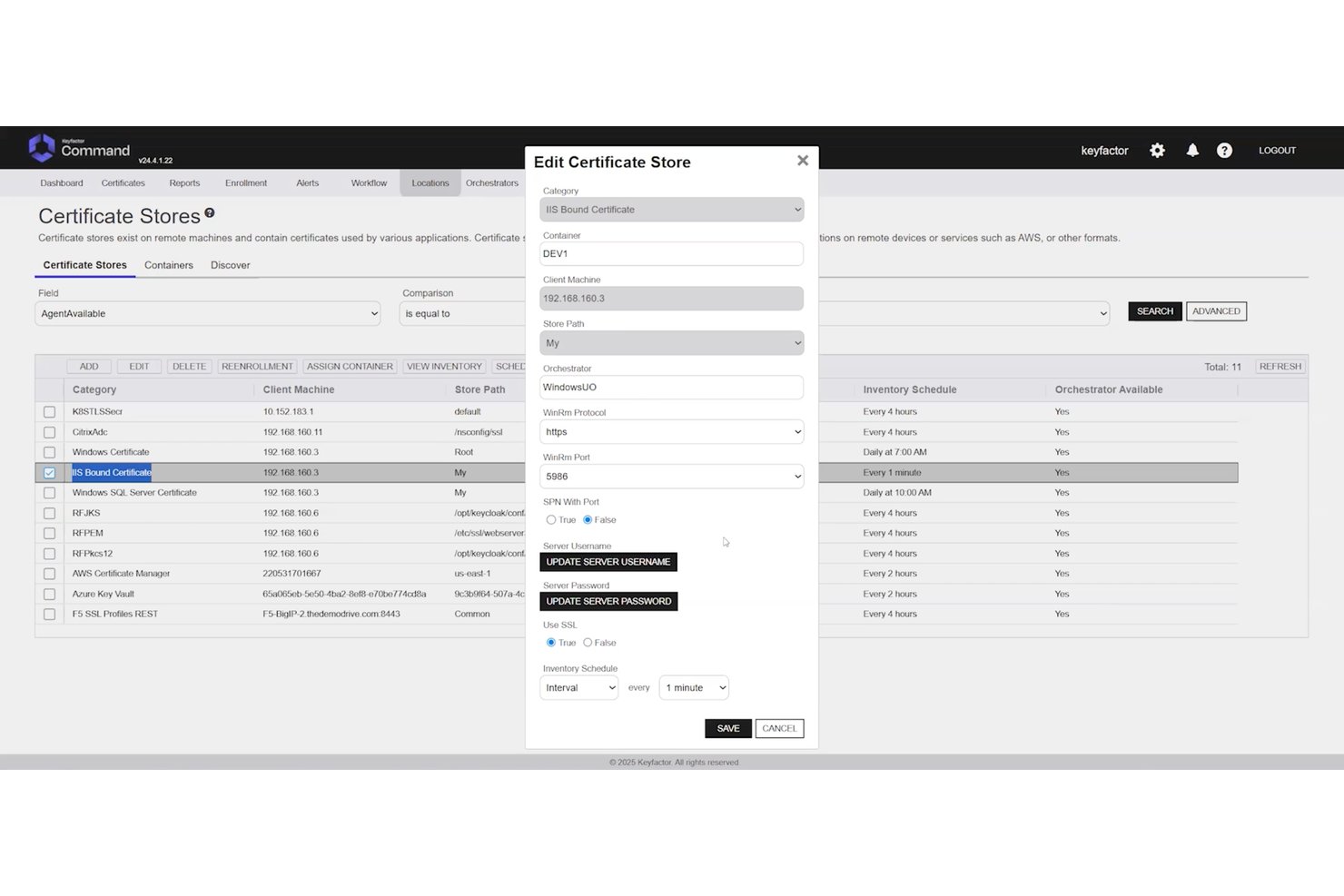
Keyfactor Command es una plataforma PKI independiente de la autoridad certificadora que centraliza la gestión del ciclo de vida de los certificados, la gestión de claves criptográficas y el descubrimiento automatizado en entornos multinube, locales e híbridos.
¿Para quién es más adecuado Keyfactor Command?
Keyfactor Command es una opción sólida para los equipos empresariales de PKI y seguridad que gestionan entornos con múltiples autoridades certificadoras y requisitos complejos de cumplimiento y automatización.
Por qué elegí Keyfactor Command
Keyfactor Command ocupa un lugar en mi lista de finalistas porque ninguna otra plataforma gestiona la complejidad de múltiples autoridades certificadoras a esta escala. Me impresiona especialmente su arquitectura independiente de la autoridad certificadora, que permite gestionar certificados en cualquier combinación de autoridades certificadoras públicas y privadas sin quedar vinculado a un único emisor. Cuando se produce una vulneración de una autoridad certificadora, la reemisión masiva en todo el inventario es una respuesta realmente rápida, no una operación caótica que dure varios días. Su preparación para la era poscuántica, incluido el inventario de certificados PQC y la compatibilidad con OID personalizados, la convierte en la apuesta adecuada a largo plazo para empresas que gestionan cientos de millones de certificados.
Características principales de Keyfactor Command
- Descubrimiento de certificados en toda la red: Escaneo sin agentes en rangos de IP, subredes, almacenes de claves, entornos en la nube y repositorios de código para localizar certificados no gestionados y no autorizados.
- RBAC con integración de proveedores de identidad: Los controles de acceso basados en roles se conectan directamente con Active Directory y proveedores de identidad externos, con inscripción basada en flujos de trabajo y barreras de aprobación.
- Integración con HSM: Compatibilidad nativa con Thales Luna, AWS CloudHSM y Azure Key Vault, además de compatibilidad con módulos validados según FIPS 140-2 para el almacenamiento seguro de claves.
- Interfaz de automatización de autoservicio para DevOps: Una interfaz específica permite a los equipos de DevOps solicitar y gestionar certificados de forma independiente, con compatibilidad nativa con cert-manager y las canalizaciones de CI/CD.
Integraciones de Keyfactor Command
Keyfactor Command ofrece más de 100 integraciones prediseñadas, incluidas Thales Luna HSM, AWS CloudHSM, Azure Key Vault, Active Directory y cert-manager. También proporciona API REST y SDK para integraciones personalizadas, y admite flujos de trabajo de CI/CD.
Pros and Cons
Pros:
- Gestiona inventarios de certificados de múltiples autoridades certificadoras
- Automatiza la renovación y reemisión masivas
- Admite controles detallados de políticas y auditoría
Cons:
- La configuración puede confundir a los administradores nuevos
- A algunos revisores la interfaz les parece anticuada
Otro software PKI
Aquí tienes algunas opciones adicionales de software PKI que no entraron en mi lista corta, pero que aún valen la pena revisar: No pude encontrar información específica sobre proveedores de software PKI.
- GoDaddy PKI Platform
La mejor para fiabilidad respaldada por la marca
- Keycloak
La mejor opción para la integración de múltiples protocolos
- Ubisecure Certificate Authority
Mejor para control de identidad digital
- SafeNet Trusted Access
Ideal para acceso inteligente y autenticación


Cómo evalúo el software PKI
Divido mi evaluación en dos niveles: requisitos básicos como soporte para jerarquías de CA y automatización en la gestión del ciclo de vida de certificados (CLM), y luego diferenciadores que determinan la mejor opción para tu entorno específico.
Funcionalidad principal (Requisitos imprescindibles para esta lista)
Cuando selecciono herramientas para mi lista, califico cada una en una escala de 0 (no ofrece la funcionalidad) a 5 (es excelente en esta área) para cada funcionalidad principal presentada a continuación. Después, calculo la puntuación total de la herramienta en un porcentaje. Cada herramienta debe alcanzar una puntuación total mínima del 65% para ser considerada en la inclusión.
- Gestión del ciclo de vida de certificados: Evalúo cómo cada plataforma gestiona la emisión, renovación, descubrimiento y revocación — en especial los flujos de trabajo automatizados de renovación que evitan interrupciones causadas por certificados expirados.
- Gestión de autoridades certificadoras: Busco la capacidad de crear jerarquías privadas de CA e integrarlas con CAs públicas, ya que la mayoría de los entornos empresariales requieren certificados tanto internos como públicamente confiables.
- Gestión de claves criptográficas: La generación segura de claves, su almacenamiento y la integración con HSM son fundamentales. Verifico si la plataforma admite dispositivos HSM dedicados o servicios HSM en la nube para proteger las claves.
- Soporte de estándares y protocolos: Cada herramienta debería ser compatible con los principales estándares PKI como x.509, SCEP, ACME y OCSP/CRL. Un soporte más amplio de protocolos reduce la necesidad de soluciones alternativas al matricular diferentes tipos de endpoints.
- Automatización y acceso a APIs: Busco APIs REST e integraciones preconstruidas con herramientas DevOps como Kubernetes y Terraform, ya que el aprovisionamiento manual no escala en entornos impulsados por CI/CD.
- Aplicación de políticas y cumplimiento: Evalúo la granularidad del control de acceso basado en roles (RBAC), la profundidad del registro de auditorías y las plantillas de políticas integradas que ayudan a los equipos a hacer cumplir mínimos de longitud de claves, restricciones de algoritmos y periodos de validez.
Una vez que tengo una lista de herramientas que cumplen con este criterio, considero qué distingue a cada plataforma.
Factores diferenciadores (qué distingue a los proveedores)
Así es como comparo y contrasto a diferentes proveedores:
Características destacadas
La preparación para la computación poscuántica es una prioridad para mí. Las plataformas que ya admiten algoritmos cripto-ágiles te dan ventaja antes de que lleguen los plazos de migración. También evalúo la orquestación multinube de CAs: los equipos que ejecutan cargas de trabajo en AWS, Azure y entornos locales no deberían necesitar consolas separadas para cada CA. Los flujos de trabajo nativos para DevOps completan el panorama. La integración nativa con cert-manager y Terraform permite que los ingenieros soliciten certificados dentro de sus propios pipelines en lugar de generar tickets.
Más allá de las características
La flexibilidad de despliegue es muy importante aquí. Algunos equipos necesitan SaaS por rapidez, mientras que otros requieren instalaciones en entornos aislados (air-gapped) o locales para cumplir con normas de soberanía de datos. También reviso cuidadosamente las certificaciones de cumplimiento que posee el proveedor, como WebTrust, Common Criteria y SOC 2 Tipo II: esto ahorra a tu equipo meses de preparación para auditorías. La integración con el ecosistema es otro factor clave. Los conectores con proveedores de identidad como Entra ID, proveedores de HSM como Thales y plataformas SIEM determinan lo fácil que puede integrarse PKI en tu infraestructura existente.
Cómo elegir un software PKI
Es fácil perderse en listas interminables de funciones y estructuras de precios complejas. Para ayudarte a mantener el enfoque durante tu proceso de selección de software, aquí tienes una lista de factores que debes tener en cuenta:
| Factor | Qué considerar |
|---|---|
| Escalabilidad | ¿Puede el software crecer con tu organización? Considera las necesidades futuras y si la herramienta puede gestionar un mayor volumen de certificados sin problemas de rendimiento. |
| Integraciones | ¿Funciona con tus sistemas actuales? Comprueba la compatibilidad con tu infraestructura de TI y con cualquier aplicación de terceros que utilices. |
| Personalización | ¿Puedes adaptar el software a tus procesos? Busca opciones para personalizar flujos de trabajo, políticas y permisos de usuario según las necesidades de tu equipo. |
| Facilidad de uso | ¿La interfaz es fácil de usar? Una herramienta compleja puede dificultar la productividad. Busca navegación intuitiva e instrucciones claras. |
| Implementación y capacitación | ¿Cuánto tiempo llevará ponerlo en marcha? Ten en cuenta el tiempo y los recursos necesarios para la configuración, y si el proveedor ofrece suficiente soporte para la incorporación. |
| Costo | ¿El precio se ajusta a tu presupuesto? Evalúa no solo los costos iniciales, sino también posibles tarifas ocultas o gastos a largo plazo. |
| Medidas de seguridad | ¿Dispone de fuertes controles de seguridad? Asegúrate de que el software cumpla con los estándares de la industria y ofrezca características como cifrado y controles de acceso. |
| Requisitos de cumplimiento | ¿Cumple con las normativas? Verifica si el software permite cumplir con las regulaciones de protección de datos relevantes para tu sector. |
¿Qué es el software PKI?
El software PKI es una herramienta que ayuda a gestionar certificados digitales y claves de cifrado para mantener seguros los datos y sistemas. Es utilizado principalmente por equipos de TI, profesionales de seguridad y administradores de sistemas que necesitan proteger sistemas internos, identidades de usuario y comunicaciones en línea.
Funciones como la emisión de certificados, el seguimiento de renovaciones y el almacenamiento de claves ayudan a mantener el orden, reducir el trabajo manual y evitar certificados caducados o mal gestionados. Estas herramientas facilitan el manejo del cifrado sin añadir estrés adicional a tu flujo de trabajo.
Funciones
Al elegir un software PKI, presta atención a las siguientes funciones clave:
- Gestión de certificados: Automatiza la emisión, renovación y revocación de certificados digitales, ahorrando tiempo y reduciendo errores.
- Cifrado: Protege información sensible convirtiéndola en un formato seguro al que solo pueden acceder usuarios autorizados.
- Autenticación de usuarios: Garantiza que solo personas autorizadas puedan acceder a los sistemas y datos verificando las identidades de los usuarios.
- Soporte para el cumplimiento normativo: Ayuda a las organizaciones a cumplir con regulaciones y estándares de la industria, reduciendo el riesgo de sanciones por incumplimiento.
- Capacidades de integración: Funciona sin problemas con la infraestructura de TI existente y aplicaciones de terceros para mantener la continuidad del flujo de trabajo.
- Políticas personalizables: Permiten crear políticas de seguridad adaptadas a las necesidades y requerimientos específicos de la organización.
- Escalabilidad: Soporta el crecimiento en el volumen de certificados y cambios organizativos sin comprometer el rendimiento.
- Controles de acceso: Proporcionan control granular sobre quién puede acceder a determinados datos o sistemas, mejorando la seguridad global.
- Registro de auditoría: Registra las actividades del sistema para supervisar y analizar incidentes de seguridad, facilitando investigaciones forenses.
- Interfaz fácil de usar: Ofrece navegación intuitiva e instrucciones claras, facilitando el uso y la gestión del software.
Beneficios
Implementar un software PKI aporta varios beneficios para tu equipo y tu empresa. Aquí tienes algunos de los que puedes esperar:
- Mayor seguridad: Cifra los datos y garantiza que solo los usuarios autorizados tengan acceso, protegiendo tu información sensible.
- Cumplimiento normativo: Facilita el cumplimiento de las regulaciones y estándares de la industria, reduciendo el riesgo de multas por incumplimiento.
- Eficiencia operativa: Automatiza tareas de gestión de certificados, ahorrando tiempo y minimizando el riesgo de errores manuales.
- Escalabilidad: Crece junto a tu organización, permitiendo gestionar más usuarios y certificados sin grandes cambios.
- Mejora la confianza: Verifica identidades de usuario y cifra las comunicaciones, generando confianza con clientes y socios.
- Ahorro de costos: Disminuye la necesidad de procesos manuales y el riesgo de brechas de seguridad, lo que supone un ahorro a largo plazo.
- Preparación para auditorías: Proporciona registros y reportes detallados para auditorías de seguridad, facilitando la identificación y resolución de vulnerabilidades.
Costos y precios
Seleccionar un software de PKI requiere comprender los diferentes modelos de precios y planes disponibles. Los costes varían según las características, el tamaño del equipo, complementos y más. La siguiente tabla resume los planes más comunes, sus precios promedio y las características típicas incluidas en soluciones de software de PKI:
Tabla comparativa de planes para software PKI
| Tipo de plan | Precio promedio | Características comunes |
|---|---|---|
| Plan gratuito | $0 | Gestión básica de certificados, soporte limitado y opciones mínimas de cifrado. |
| Plan personal | $10-$30/usuario/mes | Cifrado mejorado, autenticación de usuario y soporte de cumplimiento. |
| Plan empresarial | $40-$80/usuario/mes | Gestión avanzada del ciclo de vida de los certificados, capacidades de integración y escalabilidad. |
| Plan corporativo | $100-$200/usuario/mes | Políticas personalizables, soporte integral y registro extenso de auditoría. |
Preguntas frecuentes sobre software PKI
Aquí encontrarás respuestas a preguntas frecuentes sobre el software PKI:
¿Cómo se gestionan los certificados digitales?
La gestión de certificados digitales incluye su emisión, renovación y revocación según sea necesario. Necesitarás un sistema que automatice estas tareas para reducir errores y ahorrar tiempo. El software PKI suele incluir herramientas para rastrear el estado de los certificados y alertarte sobre vencimientos próximos.
¿Cuál es el papel de una autoridad certificadora?
Una autoridad certificadora (CA) es una entidad de confianza que emite certificados digitales. Estos certificados verifican la identidad del titular del certificado. Al elegir un software PKI, asegúrate de que permita integrar CAs reconocidas o te permita configurar la tuya propia.
¿Cómo mejora la seguridad el software PKI?
El software PKI mejora la seguridad al cifrar los datos y verificar las identidades. Utiliza claves públicas y privadas para proteger las comunicaciones. Al evaluar opciones, considera cuán eficazmente gestiona el software las claves y si admite autenticación multifactor.
¿Son difíciles de usar las herramientas de software PKI?
El nivel de dificultad puede variar según la herramienta. Algunos softwares PKI tienen una curva de aprendizaje marcada debido a sus numerosas funciones y capacidades. Sin embargo, la mayoría de las herramientas modernas priorizan la experiencia de usuario, ofreciendo interfaces intuitivas y soporte integral para facilitar la incorporación y el uso continuado.
¿Puede el software PKI integrarse con sistemas existentes?
La integración es clave para un flujo de trabajo sin inconvenientes. La mayoría del software PKI puede conectarse con infraestructuras de TI y aplicaciones de terceros. Verifica la compatibilidad con tus sistemas actuales para evitar interrupciones y asegurar operaciones sin contratiempos.
¿Cómo gestiona la escalabilidad el software PKI?
La escalabilidad asegura que el software crezca junto con tus necesidades. Ya sea que amplíes tu equipo o aumentes el uso de certificados, el software debe ser capaz de gestionar más usuarios y datos sin problemas de rendimiento. Considera tus planes futuros al evaluar opciones de escalabilidad.
¿Qué sigue?
Si estás en proceso de investigar software PKI, conéctate con un asesor de SoftwareSelect para recibir recomendaciones gratuitas.
Llenas un formulario y tienes una charla rápida donde indagan en los detalles de tus necesidades. Después recibirás una lista corta de software para evaluar. Incluso te acompañarán durante todo el proceso de compra, incluyendo las negociaciones de precio.