
10 Beste Tools Für Code-Zusammenarbeit Für Entwickler 2026

10 Beste Tools für die Zusammenarbeit an Code – Shortlist
Here's my pick of the 10 best software from the 28 tools reviewed.


Die Navigation durch die Welt des Codings kann komplex sein. Hier kommen Tools für die Zusammenarbeit an Code ins Spiel: Sie agieren als dynamische Code-Editoren, die speziell für Teamprojekte entwickelt wurden. Erinnerst du dich an die Momente der Verwirrung beim Pair Programming oder an die Herausforderungen beim Debugging? Diese Werkzeuge sind das Gegenmittel, besonders, wenn du in die große Welt der Open-Source-Projekte eintauchst. Sie optimieren die Programmierprozesse und ermöglichen einen einheitlicheren und effizienteren Ansatz. Glaub mir, nachdem du diese Optionen ausprobiert hast, wirst du dich fragen, wie du je ohne sie zurechtgekommen bist.
Table of Contents
Why Trust Our Software Reviews
Beste Tools für die Zusammenarbeit an Code – Zusammenfassung
Diese Vergleichstabelle fasst die Preisinformationen meiner Top-Auswahl an Tools für die Zusammenarbeit an Code zusammen. So findest du das passende Tool für dein Budget und dein Business.
| Tool | Best For | Trial Info | Price | ||
|---|---|---|---|---|---|
| 1 | Best for Git version control | Free plan available | From $20/developer/month | Website | |
| 2 | Best for PR-centered code quality collaboration | Free plan available (up to 5 users) | From $65/month | Website | |
| 3 | Best for integrated CI/CD with Git repositories | Free plan available | From $3.30/user/month | Website | |
| 4 | Best for frontend design and development playground | Free plan + free demo available | From $8/month (billed annually) | Website | |
| 5 | Best for visual project management tracking | Free plan available | From $5/user/month (billed annually) | Website | |
| 6 | Best for cloud-based coding from any device | Free trial available | From $9.60/user/month (billed annually) | Website | |
| 7 | Best for technical documentation collaboration | Free plan available | From $5.42/user/month | Website | |
| 8 | Best for all-in-one DevOps toolchain support | 30-day free trial + Free demo | From $19/user/month | Website | |
| 9 | Best for comprehensive IDE with collaboration | Not available | From $45/user/month | Website | |
| 10 | Best for on-demand dev environments | Free plan available | From $0.18/2 core machine/2 usage multiplier | Website |
-

Site24x7
Visit WebsiteThis is an aggregated rating for this tool including ratings from Crozdesk users and ratings from other sites.4.6 -
GitHub Actions
Visit WebsiteThis is an aggregated rating for this tool including ratings from Crozdesk users and ratings from other sites.4.8 -
Docker
Visit WebsiteThis is an aggregated rating for this tool including ratings from Crozdesk users and ratings from other sites.4.6





Beste Tools für die Zusammenarbeit an Code – Reviews
Im Folgenden findest du meine ausführlichen Zusammenfassungen der besten Tools für die Zusammenarbeit an Code, die es auf meine Shortlist geschafft haben. Meine Bewertungen bieten dir einen detaillierten Einblick in die wichtigsten Funktionen, Vor- & Nachteile, Integrationen und idealen Nutzungsszenarien jedes Tools, damit du das passende für dich findest.


UI Bakery offers a versatile low-code platform designed to accelerate the development of internal tools and web applications. It supports better team coordination through features like Git version control, helping teams manage changes more smoothly. With its drag-and-drop UI builder and extensive integration capabilities, UI Bakery addresses challenges related to rapid application development and seamless data connectivity.
Why I Picked UI Bakery
I picked UI Bakery for its Git version control support, which gives teams a reliable way to track changes and collaborate smoothly on shared projects. Its drag-and-drop UI builder facilitates teamwork by allowing non-developers to participate in app creation without coding expertise. Additionally, its deployment flexibility, offering both on-premise and cloud options, caters to diverse organizational needs, ensuring that your team can work efficiently regardless of infrastructure preferences.
UI Bakery Key Features
In addition to Git version control, UI Bakery offers:
- Workflow Automation: Streamlines processes by automating repetitive tasks, allowing your team to focus on more complex challenges.
- Pre-Built Templates: Kickstart your projects with ready-made templates for dashboards, admin panels, and more, saving your team valuable time.
- Role-Based Access Control (RBAC): Ensures secure and controlled access for team members, enhancing collaboration without compromising security.
- AI-Driven Development: Reduces time-to-market by utilizing AI to generate application components rapidly, empowering your team to innovate quickly.
UI Bakery Integrations
Integrations include AWS, Airtable, Azure Blob Storage, Close, Databricks, DynamoDB, Elasticsearch, Exasol, Firebase, and Google BigQuery.
Pros and Cons
Pros:
- Offers detailed permission controls
- Supports custom branding
- Offers both cloud and on-premise deployment options
Cons:
- Some users report occasional performance lags
- Requires some coding knowledge for advanced customization
New Product Updates from UI Bakery

UI Bakery Adds File Uploads and Voice Prompts to AI Chat
UI Bakery introduces file attachments in AI Chat and a voice prompt microphone tool. These updates improve how users interact with the AI agent, making app building faster and more flexible. For more information, visit UI Bakery’s official site.
 .
.

When your team cares about clean, secure code but collaboration lives in GitHub, GitLab, Bitbucket, or Azure DevOps, SonarQube gives everyone a shared place to spot and fix issues in the same workflow where they already review code. It analyzes each change across dozens of languages, flags bugs and vulnerabilities, and turns them into assignable tasks your developers can discuss and resolve together.
Why I Picked SonarQube
I picked SonarQube because it turns code quality into a team sport by embedding automated review and feedback directly into your pull requests. It decorates PRs in GitHub, GitLab, Bitbucket, and Azure DevOps with issue summaries and pass/fail status, so reviewers see quality gates and new-code problems without leaving their usual collaboration hub. In SonarQube itself, you can assign issues to specific developers, comment on them, and track their lifecycle, which helps your team coordinate who owns what instead of dumping everything on a lead. And because it hooks into popular CI/CD systems, every commit and PR gets analyzed automatically, giving your whole squad a consistent, shared signal on whether a change is ready to move forward.
SonarQube Key Features
In addition to its strong collaborative capabilities, SonarQube offers several other important features:
- Multi-language static analysis engine: SonarQube scans 35+ languages and frameworks, so all your backend, frontend, and infrastructure code can be reviewed under one roof.
- Security testing toolset (SAST and taint analysis): The platform includes SAST and taint analysis to catch injection flaws and other vulnerabilities.
- AI CodeFix: Provides one-click fixes for identified issues, streamlining the remediation process for collaborative teams.
- Infrastructure as code scanning: It scans Terraform, Kubernetes manifests, CloudFormation, and other IaC files so ops and platform teams can collaborate with developers on safe configuration changes.
SonarQube Integrations
Integrations include GitHub, GitLab, Azure DevOps, Bitbucket, Jenkins, Bamboo, CircleCI, Travis CI, TeamCity, and Sonatype Nexus.
Pros and Cons
Pros:
- Central dashboards expose maintainability, reliability and technical debt trends
- Automatic issue assignment links findings to the last committer
- Supports 35+ languages so cross-functional teams share one platform
Cons:
- Issue noise and false positives require ongoing manual triage time
- Large instances feel slow when browsing issues and projects
New Product Updates from SonarQube
SonarQube Cloud Introduces Architecture Management
SonarQube Cloud now offers architecture management to automatically map your project's structure, ensuring design integrity and resolving deviations seamlessly. For more information, visit SonarQube's official site.
 .
.

Bitbucket is an advanced Git repository management solution that comes packed with integrated Continuous Integration/Continuous Deployment (CI/CD) capabilities. Its prowess in linking Git operations with CI/CD processes justifies its position as "best for integrated CI/CD with Git repositories."
Why I Picked Bitbucket: Upon evaluating numerous repository management solutions, I determined that Bitbucket had a competitive edge in terms of integrated CI/CD. Through a thorough process of selecting and comparing, it's evident that Bitbucket’s tight-knit integration of Git repositories with CI/CD operations makes it a standout choice.
This very facet of Bitbucket reinforces why I chose it as the "best for integrated CI/CD with Git repositories."
Standout Features & Integrations:
Bitbucket is not just a repository; its built-in CI/CD capabilities ensure that code changes are automatically tested and ready for deployment. The tool's pull request feature streamlines code reviews, and its branching model organizes releases efficiently.
In terms of integrations, Bitbucket collaborates with other Atlassian products such as Jira. Additionally, it supports video chat and screen sharing functionalities which greatly aid in remote collaborative coding sessions. These integrations, coupled with its ability to hold video calls directly, fortify Bitbucket’s collaborative environment.
Pros and Cons
Pros:
- In-app video chat and screen-sharing functionalities bolster team collaboration.
- Robust integrations with other Atlassian tools.
- Integrated CI/CD with Git repositories streamlines development workflow.
Cons:
- Integration with non-Atlassian tools can sometimes be less intuitive.
- Larger teams might experience limitations on the free plan.
- User interface might appear complex for beginners.


CodePen serves as an interactive coding environment tailored specifically for frontend developers. As a hotspot for showcasing and testing HTML, CSS, and JavaScript snippets, it inherently fits the description of being the "Best for frontend design and development playground."
Why I Picked CodePen: In the midst of selecting tools, CodePen consistently caught my attention for its dedicated frontend focus. While judging and comparing various platforms, it was evident that CodePen offers a unique blend of features that make it an indispensable resource for frontend developers.
Its title as the "best for frontend design and development playground" stems from its ability to allow team members to collaborate on design snippets, refine their code, and witness immediate visual results.
Standout Features & Integrations:
CodePen shines with its live preview feature, allowing developers to see changes in real-time as they code. Its "Pens" system lets users save, share, and embed their projects anywhere. Integration-wise, it easily connects with popular frontend libraries and plugins, ensuring a fluid workflow for developers.
Pros and Cons
Pros:
- Robust plugin and library integrations
- Ability for team members to collaborate on 'Pens'
- Real-time coding and preview experience
Cons:
- Premium features hidden behind a paywall
- Might not be suitable for complete web app development
- Limited to frontend languages and frameworks

Trello serves as a dynamic tool that employs card and board systems for organizing and managing tasks or projects. Its visual-centric interface aligns perfectly with the intent of "best for visual project management tracking," enabling teams to gain clarity on their project’s progression at a single glance.
Why I Picked Trello: In the process of selecting and determining the best tools for project management, Trello captured my attention due to its unique visual-centric approach. When I judged and compared it against other tools, its distinct card and board system was clearly differentiated.
This uniqueness and my personal opinion, based on extensive comparisons, underscores why I believe Trello is the "best for visual project management tracking."
Standout Features & Integrations:
Trello’s primary strength lies in its boards, lists, and cards that allow users to organize projects in a flexible and rewarding way. Features like labels, checklists, and due dates ensure tasks are managed efficiently. Moreover, Trello's built-in automation, known as "Butler", optimizes repetitive tasks, ensuring consistent code quality and process adherence.
When it comes to integrations, Trello supports a vast array of Power-Ups, enhancing its functionality. This includes integrations with tools like Slack, Google Drive, and even Android apps, ensuring users can access their boards and cards on-the-go.
Pros and Cons
Pros:
- Robust integration with Android apps allows for mobile project management.
- In-built automation ensures consistent task and code quality.
- Visually engaging board system facilitates easy project tracking.
Cons:
- Some users might find the interface too simplistic for complex project management.
- Advanced features are locked behind paid tiers.
- Might require a learning curve for those new to visual-based management tools.

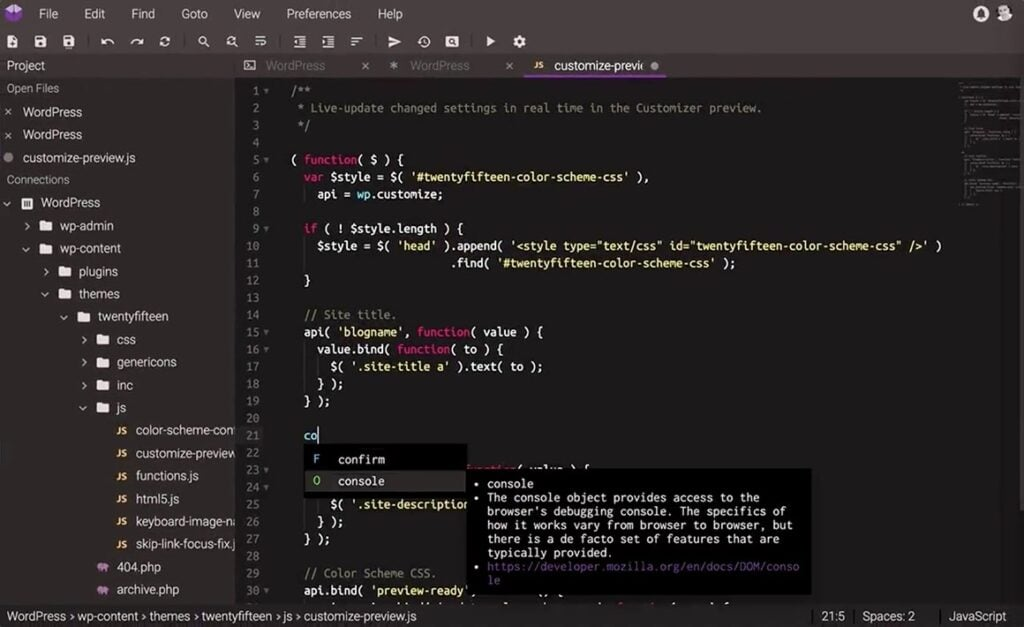
Codeanywhere is a versatile collaborative coding tool that provides an intuitive cloud-based coding environment. Its distinctive offering of enabling developers to code from virtually any device positions it firmly as the "best for cloud-based coding from any device."
Why I Picked Codeanywhere: In my quest to select the most adaptive tools, Codeanywhere emerged as a frontrunner due to its commitment to flexible, location-independent coding. The very act of comparing and judging various platforms brought out its undeniable advantage: the ability to access and contribute to a codebase from anywhere.
I chose Codeanywhere because its device-agnostic approach ensures coding is never restricted by location or device, perfectly encapsulating its "Best for..." designation.
Standout Features & Integrations:
At its core, Codeanywhere focuses on making collaborative coding fluid. It has a shared cursor feature that allows team members to see where others are working in the code in real-time. Additionally, it offers pre-configured environments, ensuring that developers can jump into their projects without the hassle of setup. On the integration front, it connects with popular repositories like GitHub and Bitbucket, making code management and collaboration smoother.
Pros and Cons
Pros:
- Strong integrations with major code repositories
- Ability to configure environments easily
- Real-time cursor sharing for effective collaboration
Cons:
- Limited offline capabilities
- Mobile app experience can be limiting
- Might require a learning curve for those new to cloud-based platforms


Confluence, developed by Atlassian, serves as a collaborative platform tailored for teams to create, share, and update technical documents. Its design specifically aids software development teams in documenting their projects, making it an optimal choice for technical documentation collaboration.
Why I Picked Confluence: In my journey of selecting the right tool, Confluence consistently emerged as a preferred choice among many professionals. My decision was based on evaluating several platforms and judging their capabilities. Confluence's focus on facilitating collaboration in software development documentation sets it apart. This unique strength is why I firmly believe it holds the title of "Best for technical documentation collaboration."
Standout Features & Integrations:
Confluence boasts an intuitive editor which makes drafting and editing technical documents straightforward. Its integration with codetogether allows real-time collaborative coding, a pivotal feature for software development teams. Additionally, templates provided by Confluence cater specifically to technical needs, making documentation creation more efficient.
For integrations, Confluence connects with other Atlassian products like JIRA. Furthermore, its compatibility with Windows ensures a smoother user experience for those operating on the Windows platform. Many third-party apps are also available to extend their functionality, catering to specific team needs.
Pros and Cons
Pros:
- Diverse templates specifically designed for technical documentation.
- Integration with codetogether facilitates collaborative coding.
- Real-time collaboration aids in keeping documentation up-to-date.
Cons:
- Integration with non-Atlassian products might require additional plugins or workarounds.
- Larger documents can sometimes slow down the editor.
- Some users might find the interface slightly less intuitive initially.


GitLab is a web-based platform that offers a comprehensive suite of tools designed to cover the full DevOps lifecycle. With its wide-ranging functionalities, GitLab aligns particularly well with those looking for robust toolchain support throughout their development operations.
Why I Picked GitLab: In my journey of examining various DevOps platforms, GitLab prominently emerged. I determined that GitLab offers a unique, holistic approach to software development and deployment. Through comparing it with other platforms and based on my own judgments, I formed the opinion that it genuinely shines as the "best for all-in-one DevOps toolchain support."
Standout Features & Integrations:
GitLab provides an end-to-end solution, including source code management, continuous integration/continuous deployment (CI/CD), monitoring, and more. Furthermore, its built-in container registry and Kubernetes integration offer teams the flexibility to develop and deploy in diverse environments.
Regarding integrations, GitLab plays well with a myriad of third-party tools, which enhances its versatility. Popular integrations include Slack, JIRA, and Jenkins, allowing teams to integrate their existing workflows smoothly.
Pros and Cons
Pros:
- A broad array of third-party integrations.
- Built-in container registry and Kubernetes integration.
- Comprehensive suite covers the entire DevOps lifecycle.
Cons:
- The platform's performance might vary depending on the deployment choice (self-hosted vs. cloud).
- Some advanced features are restricted to higher pricing tiers.
- The sheer breadth of features might be overwhelming for newcomers.


Visual Studio is a robust integrated development environment (IDE) that equips developers with tools for designing, debugging, and deploying applications across various platforms. When considering its collaborative features, the tool justifies the tag "best for comprehensive IDE with collaboration," offering a conducive environment for teams to work together efficiently.
Why I Picked Visual Studio: In my journey of selecting tools, Visual Studio consistently emerged as a preferred choice because of its comprehensive development capabilities. After determining, comparing, and judging several IDEs, it was evident that Visual Studio’s blend of features, including collaborative tools, made it distinct.
These distinguishing elements solidify my belief that it's the "Best for comprehensive IDE with collaboration."
Standout Features & Integrations:
One of Visual Studio's most notable features is its intuitive source code editor, which offers syntax highlighting and autocomplete functionality tailored for numerous languages. Additionally, it has powerful debugging tools and supports a myriad of extensions for added functionality. The platform's Live Share feature, akin to Google Docs for code, lets developers collaboratively edit and debug in real-time.
On the integration front, Visual Studio supports a plethora of plugins, one of which is GitLive, allowing real-time code collaboration similar to Google Docs but for developers. The IDE also boasts git integration, enhancing version control workflows.
Pros and Cons
Pros:
- Extensive plugin support ensures flexibility and customizability.
- Collaboration features like Live Share foster real-time teamwork.
- Rich source code editing and debugging tools enhance developer productivity.
Cons:
- Some advanced features are locked behind the premium version.
- Occupies significant system resources, potentially slowing down some machines.
- Might be overwhelming for beginners due to its plethora of features.


GitHub Codespaces allows developers to swiftly configure and create development environments directly within GitHub. By streamlining the setup process, it becomes exceptionally fitting for those seeking on-demand, instantly available dev environments.
Why I Picked GitHub Codespaces: In my exploration of development tools, GitHub Codespaces consistently met the mark. When comparing and judging tools, the efficiency and direct integration of Codespaces into the GitHub ecosystem made it stand out. The unique capability to swiftly initiate environments without any cumbersome setups reinforced my opinion that it's indeed the "best for on-demand dev environments."
Standout Features & Integrations:
GitHub Codespaces provides a fully-featured Visual Studio Code environment, accessible from any device or browser. This flexibility ensures developers can jump into their code without any hurdles. The containerized approach ensures that each Codespace has dedicated resources, which improves performance.
When it comes to integrations, being a part of the GitHub ecosystem offers native compatibility with GitHub repositories, actions, and more. Additionally, its direct integration with Visual Studio Code extensions ensures developers can harness their favorite tools effortlessly.
Pros and Cons
Pros:
- Offers dedicated resources for each Codespace, boosting performance.
- Supports Visual Studio Code extensions for personalized development experiences.
- Directly integrated into GitHub, ensuring a familiar environment.
Cons:
- Limited customization outside of the provided resources.
- Reliant on internet connectivity for optimal performance.
- May have a learning curve for those unfamiliar with containerized development.
Weitere Tools für die Zusammenarbeit an Code
Hier findest du eine Liste zusätzlicher Tools für die Zusammenarbeit an Code, die es zwar auf meine Shortlist geschafft haben, aber nicht unter die Top 10 kamen. Ein Blick lohnt sich dennoch!
- Stack Overflow
For developer teams seeking Q&A
- Replit
For instant, collaborative code execution
- GitKraken
For intuitive Git visualization
- Slack
For team communication and integration
- Asana
Good for team task and project management
- Basecamp
Good for keeping teams and projects organized
- Jira
Good for agile project tracking and bug reporting
- Microsoft Teams
Good for integrated communication and collaboration
- Coda
Good for blending docs, apps, and workflows
- Jira
Good for agile project tracking and bug reporting
- Sublime Text
Good for lightning-fast and feature-rich code editing
- JetBrains
Good for comprehensive development environments and IDEs
- Gerrit
Good for collaborative code reviews
- Gitpod
Good for ready-to-code dev environments
- Duckly
Good for voice and code-sharing sessions
- CodeSandbox
Good for real-time collaborative coding
- CoScreen
Good for joint screen editing and team collaboration
- Google Colaboratory
Good for interactive Python notebook sharing


Auswahlkriterien für Tools zur Zusammenarbeit an Code
Bei der Auswahl der besten Tools für die Zusammenarbeit an Code, die in dieser Liste erscheinen, habe ich typische Bedürfnisse und Problempunkte von Käufern berücksichtigt – wie zum Beispiel die Verbesserung der Teamkommunikation sowie das Management von Versionskontrolle. Zusätzlich habe ich den folgenden Bewertungsrahmen verwendet, um meine Bewertung strukturiert und fair zu gestalten:
Kernfunktionen (25% der Gesamtwertung)
Um in diese Liste aufgenommen zu werden, musste jede Lösung diese grundlegenden Einsatzzwecke erfüllen:
- Echtzeit-Zusammenarbeit ermöglichen
- Unterstützung von Versionskontrolle
- Code-Review und Feedback ermöglichen
- Integration in gängige Entwicklungs-Tools
- Sicheres Teilen von Code gewährleisten
Weitere besondere Features (25% der Gesamtwertung)
Um die Auswahl weiter einzugrenzen, habe ich zudem nach besonderen Funktionen Ausschau gehalten, wie etwa:
- Erweiterte Code-Analysen
- Integrierte CI/CD-Pipelines
- Anpassbare Workflows
- KI-basierte Code-Vorschläge
- Großer Plugin-Marktplatz
Benutzerfreundlichkeit (10% der Gesamtwertung)
Um ein Gefühl für die Benutzerfreundlichkeit jedes Systems zu bekommen, habe ich folgende Aspekte berücksichtigt:
- Intuitive Benutzeroberfläche
- Einfache Navigation
- Geringe Einarbeitungszeit
- Reaktionsschnelle Performance
- Anpassbare Nutzeroberfläche
Onboarding (10% der Gesamtwertung)
Um das Onboarding-Erlebnis jeder Plattform zu bewerten, habe ich folgende Aspekte betrachtet:
- Verfügbarkeit von Schulungsvideos
- Interaktive Produkttouren
- Umfassende Dokumentation
- Zugang zu Webinaren und Tutorials
- Unterstützende Community-Foren
Kundensupport (10 % der Gesamtwertung)
Um die Kundensupport-Dienste jedes Softwareanbieters zu bewerten, habe ich Folgendes berücksichtigt:
- 24/7 Verfügbarkeit
- Mehrere Supportkanäle
- Schnelle Reaktionszeiten
- Zugang zu einer Wissensdatenbank
- Personalisierte Supportoptionen
Preis-Leistungs-Verhältnis (10 % der Gesamtwertung)
Um das Preis-Leistungs-Verhältnis jeder Plattform zu bewerten, habe ich auf Folgendes geachtet:
- Wettbewerbsfähige Preise
- Flexible Abonnementpläne
- Transparente Preisstruktur
- Rabatte bei jährlicher Abrechnung
- Rendite der Investition
Kundenbewertungen (10 % der Gesamtwertung)
Um einen Eindruck von der allgemeinen Kundenzufriedenheit zu bekommen, habe ich bei der Durchsicht von Kundenbewertungen auf Folgendes geachtet:
- Konsistenz positiver Rückmeldungen
- Häufig meldete Probleme
- Nutzerzufriedenheit mit den Funktionen
- Rückmeldungen zum Kundensupport
- Gesamte Produktzuverlässigkeit
Wie wählt man ein Tool zur Code-Zusammenarbeit?
Es ist leicht, sich in langen Feature-Listen und komplexen Preisstrukturen zu verlieren. Damit Sie sich bei Ihrem einzigartigen Auswahlprozess nicht verzetteln, finden Sie hier eine Checkliste von Faktoren, die Sie im Auge behalten sollten:
| Faktor | Was zu beachten ist |
|---|---|
| Skalierbarkeit | Kann das Tool mit Ihrem Team wachsen? Berücksichtigen Sie Benutzerlimits und wie gut es sich an größere Projekte anpasst, wenn Ihr Bedarf steigt. |
| Integrationen | Lässt es sich mit Ihren bestehenden Tools verbinden? Überprüfen Sie die Kompatibilität mit Ihrer derzeitigen IT-Infrastruktur, um Unterbrechungen im Arbeitsablauf zu vermeiden. |
| Anpassbarkeit | Können Sie es an Ihre Prozesse anpassen? Achten Sie auf Optionen zur Anpassung von Workflows und Benutzeroberflächen, um die Arbeitsweise Ihres Teams zu unterstützen. |
| Benutzerfreundlichkeit | Finden Ihre Teammitglieder es intuitiv? Ein kompliziertes Tool kann die Einführung verzögern – achten Sie auf eine unkomplizierte Oberfläche und klare Dokumentation. |
| Implementierung und Onboarding | Wie schnell können Sie starten? Prüfen Sie die Verfügbarkeit von Schulungsressourcen und überlegen Sie, wie viel Zeit Sie in Einrichtung und Einarbeitung investieren müssen. |
| Kosten | Passt es in Ihr Budget? Vergleichen Sie Abonnementpläne und berücksichtigen Sie eventuelle versteckte Kosten wie Add-ons oder höherwertige Funktionen. |
| Sicherheitsmaßnahmen | Sind Ihre Projekte geschützt? Achten Sie auf Verschlüsselung, Zugriffskontrollen und die Einhaltung relevanter Datenschutzstandards. |
| Support-Verfügbarkeit | Wie leicht erhalten Sie Hilfe, wenn Sie sie brauchen? Achten Sie auf mehrere Supportkanäle und darauf, dass diese bei Problemen zeitnah unterstützen können. |
Was ist ein Tool zur Code-Zusammenarbeit?
Ein Tool zur Code-Zusammenarbeit ist eine Softwareplattform, die Teamarbeit unter Entwicklern erleichtert, sodass sie gemeinsam Code schreiben, überprüfen und optimieren können. Genutzt wird es von Entwicklern, Softwareingenieuren und sogar Projektmanagern und unterstützt Aktivitäten wie Paarprogrammierung, Code-Reviews und Echtzeitbearbeitung. Durch die Zentralisierung und Synchronisierung von Codeänderungen stellen diese Tools sicher, dass Teams effizient hochwertige Software produzieren können – unabhängig vom jeweiligen Standort.
Funktionen
Achten Sie bei der Auswahl von Tools zur Code-Zusammenarbeit auf folgende Schlüsselfunktionen:
- Versionskontrolle: Verfolgt Änderungen am Code im Laufe der Zeit und ermöglicht es Teams, verschiedene Versionen zu verwalten und ohne Konflikte zusammenzuarbeiten.
- Bearbeitung in Echtzeit: Mehrere Nutzer können den Code gleichzeitig bearbeiten, was die Zusammenarbeit verbessert und die Entwicklungszeit verkürzt.
- Code-Review: Ermöglicht strukturiertes Feedback und Diskussionen über die Codequalität und trägt so zur Verbesserung der Projektstandards bei.
- Integrationsmöglichkeiten: Verbindet sich mit anderen Tools wie GitHub, Jira und Slack und sorgt so für einen reibungslosen Workflow innerhalb Ihres bestehenden Technologiestacks.
- Anpassbare Workflows: Teams können Prozesse auf ihre individuellen Entwicklungsbedürfnisse zuschneiden und die Effizienz steigern.
- Sicherheitsmaßnahmen: Bietet Verschlüsselung und Zugriffskontrollen, um sensiblen Code und Daten vor unbefugtem Zugriff zu schützen.
- Integrierte CI/CD-Pipelines: Automatisiert Tests und Bereitstellung, beschleunigt den Entwicklungszyklus und verringert den manuellen Aufwand.
- Syntaxhervorhebung: Verbessert die Lesbarkeit des Codes durch die visuelle Unterscheidung von Elementen, sodass Fehler leichter erkannt und die Struktur des Codes besser verstanden wird.
- Kollaboratives Projektmanagement: Bietet Funktionen wie Aufgabenverteilung und Fortschrittsverfolgung zur effizienten Organisation und Kommunikation im Projekt.
Vorteile
Die Implementierung von Code-Kollaborationstools bringt zahlreiche Vorteile für Ihr Team und Ihr Unternehmen. Einige davon können Sie erwarten:
- Verbesserte Teamarbeit: Echtzeitbearbeitung und kollaborative Funktionen fördern eine bessere Kommunikation und Zusammenarbeit im Team.
- Höhere Codequalität: Code-Reviews helfen, Fehler frühzeitig zu erkennen und zu beheben, was zu saubererem und zuverlässigerem Code führt.
- Schnellere Entwicklungszyklen: Integrierte CI/CD-Pipelines und Automatisierungstools beschleunigen Tests und Bereitstellung und verkürzen die Time-to-Market.
- Verbessertes Projektmanagement: Die Integration mit Aufgabenmanagement-Tools ermöglicht eine bessere Nachverfolgung des Projektfortschritts und der Ressourcenplanung.
- Erhöhte Sicherheit: Sicherheitsmaßnahmen wie Verschlüsselung und Zugriffskontrollen schützen Ihren Code und Ihre Daten vor unbefugtem Zugriff.
- Flexible Workflows: Anpassbare Workflows erlauben es Teams, das Tool auf ihre spezifischen Entwicklungsprozesse abzustimmen und die Effizienz zu steigern.
Kosten & Preise
Die Auswahl von Code-Kollaborationstools erfordert ein Verständnis der unterschiedlichen Preismodelle und verfügbaren Tarife. Die Kosten variieren je nach Funktionen, Teamgröße, Zusatzmodulen und mehr. Die folgende Tabelle fasst gängige Tarife, deren Durchschnittspreise sowie typische enthaltene Funktionen von Code-Kollaborationstools übersichtlich zusammen:
Tarifvergleichstabelle für Code-Kollaborations-Tools
| Tarifart | Durchschnittlicher Preis | Gängige Funktionen |
|---|---|---|
| Free Plan | $0 | Basis-Versionskontrolle, eingeschränkte Integrationen und Community-Support. |
| Personal Plan | $5-$25/user/month | Erweiterter Code-Editor, Echtzeit-Kollaboration und grundlegendes Projektmanagement. |
| Business Plan | $30-$60/user/month | Erweiterte Sicherheitsfunktionen, priorisierter Support und erweiterte Integrationen. |
| Enterprise Plan | $70-$150/user/month | Anpassbare Workflows, dedizierter Account-Manager und Compliance-Fähigkeiten. |
FAQs zu Code-Kollaborationstools
Hier finden Sie Antworten auf häufig gestellte Fragen zu Code-Kollaborationstools:
Was sind die Systemanforderungen für Code-Kollaborationstools?
Die Systemanforderungen variieren je nach Tool, aber die meisten modernen Code-Kollaborationstools laufen unter Windows, macOS und Linux. Für Funktionen zur Zusammenarbeit in Echtzeit benötigen Sie eine stabile Internetverbindung. Prüfen Sie die spezifischen Anforderungen jedes Tools vor dem Kauf, um sicherzustellen, dass es mit den Geräten und Betriebssystemen Ihres Teams kompatibel ist.
Können Code-Kollaborationstools offline genutzt werden?
Einige Code-Kollaborationstools bieten eingeschränkte Offline-Funktionen, aber die meisten Features benötigen eine Internetverbindung. Offline-Zugriff kann zum Beispiel einfaches Code-Editieren ermöglichen, wobei Änderungen synchronisiert werden, sobald Sie wieder online sind. Ist Offline-Arbeit für Ihr Team unerlässlich, suchen Sie gezielt nach Tools, die diese Funktion unterstützen.
Wie handhaben Code-Kollaborationstools das Thema Sicherheit?
Code-Kollaborationstools nutzen in der Regel Verschlüsselung zum Schutz Ihrer Daten und bieten Zugriffskontrollen zur Verwaltung von Benutzerrechten. Es ist wichtig, ein Tool zu wählen, das relevante Sicherheitsstandards erfüllt und Funktionen wie Zwei-Faktor-Authentifizierung bietet. Überprüfen Sie immer die Sicherheitsrichtlinien eines Tools, um sicherzustellen, dass sie den Anforderungen Ihres Teams entsprechen.
Eignen sich Code-Kollaborationstools für Remote-Teams?
Ja, Code-Kollaborationstools sind ideal für Remote-Teams, da sie die Bearbeitung in Echtzeit, Kommunikation und Projektmanagement von überall aus ermöglichen. Diese Tools helfen, die Distanz zwischen Teammitgliedern an verschiedenen Standorten zu überbrücken und erleichtern eine effektive Zusammenarbeit und Projektsteuerung. Achten Sie dabei auf Tools mit guten Integrationsmöglichkeiten für Remote-Arbeit.
Wie geht es weiter?
Wenn Sie gerade Code-Kollaborationstools recherchieren, verbinden Sie sich mit einem SoftwareSelect-Berater für kostenlose Empfehlungen.
Sie füllen ein Formular aus und führen ein kurzes Gespräch, in dem Ihre Anforderungen im Detail besprochen werden. Anschließend erhalten Sie eine Shortlist geeigneter Softwarelösungen zur Überprüfung. Der Berater unterstützt Sie zudem während des gesamten Kaufprozesses – auch bei Preisverhandlungen.