

10 Beste SAST-Tools für sicheres Programmieren in 2026

Beste Tools für statische Anwendungssicherheits-Tests – Übersicht
Hier ist meine Auswahlliste der besten Tools für statische Anwendungssicherheits-Tests:


In der heutigen schnelllebigen Tech-Welt ist es wichtiger denn je, dass Ihr Code sicher ist. Tools für statische Anwendungssicherheits-Tests können hier für Sie und Ihr Team den Unterschied machen, indem sie Schwachstellen erkennen, bevor sie zum Problem werden. Sie kennen die Herausforderungen, angesichts der wachsenden Bedrohungslage auf dem aktuellsten Stand zu bleiben. Diese Tools bieten eine praktische Möglichkeit, diesen zu begegnen.
Ich habe diese Tools unabhängig getestet und bewertet, um Ihnen einen objektiven Einblick in die verfügbaren Optionen zu geben. Sie können darauf vertrauen, dass meine Top-Auswahl gut recherchiert ist und sich an den Bedürfnissen der SaaS-Entwicklung orientiert. In diesem Artikel zeige ich Ihnen die besten Lösungen, stelle ihre besonderen Funktionen vor und erläutere, wie sie Ihrem Team zu mehr Sicherheit verhelfen.
Table of Contents
Why Trust Our Software Reviews
We’ve been testing and reviewing software since 2023. As tech leaders ourselves, we know how critical and difficult it is to make the right decision when selecting software.
We invest in deep research to help our audience make better software purchasing decisions. We’ve tested more than 2,000 tools for different tech use cases and written over 1,000 comprehensive software reviews. Learn how we stay transparent & our software review methodology.
Zusammenfassung der besten Tools für statische Anwendungssicherheits-Tests
Diese Vergleichstabelle fasst die Preisdaten meiner ausgewählten Tools für statische Anwendungssicherheits-Tests zusammen, damit Sie das passende Produkt für Budget und Unternehmensbedarf finden.
| Tool | Best For | Trial Info | Price | ||
|---|---|---|---|---|---|
| 1 | Best for continuous code quality | Free plan available (up to 5 users) | From $65/month | Website | |
| 2 | Best for fitting into CI/CD pipelines | Free plan available | From $34/developer/month | Website | |
| 3 | Best for automatic patch generation | Free plan available | From $200/month | Website | |
| 4 | Best for vulnerability detection | Free demo available | Pricing upon request | Website | |
| 5 | Best for scalable vulnerability detection | Free plan available + free demo | From $350/month | Website | |
| 6 | Best for unlimited parallel test runs | Free demo available | Pricing upon request | Website | |
| 7 | Best for open-source collaboration | Free plan available | From $4/user/month | Website | |
| 8 | Best for real-time observability | 15-day free trial | From $7/month | Website | |
| 9 | Best for integrated DevOps workflows | Free plan available | From $29/user/month | Website | |
| 10 | Best for real-time observability | Free trial + free demo available | Pricing upon request | Website |


-

Site24x7
Visit WebsiteThis is an aggregated rating for this tool including ratings from Crozdesk users and ratings from other sites.4.7 -
GitHub Actions
Visit WebsiteThis is an aggregated rating for this tool including ratings from Crozdesk users and ratings from other sites.4.8 -
Docker
Visit WebsiteThis is an aggregated rating for this tool including ratings from Crozdesk users and ratings from other sites.4.6





Detaillierte Bewertungen – Beste Tools für statische Anwendungssicherheits-Tests
Unten finden Sie meine detaillierten Zusammenfassungen der besten Tools für statische Anwendungssicherheits-Tests, die es auf meine Auswahlliste geschafft haben. Die Bewertungen bieten einen umfassenden Überblick zu den Schlüsselfunktionen, Vor- & Nachteile, Integrationen und idealen Einsatzbereichen, um das passende Tool zu finden.


SonarQube is a Static Application Security Testing (SAST) tool that combines code security and quality in a single platform. It performs static code analysis to find bugs, vulnerabilities, and code smells in human-written and AI-generated code. The platform supports SAST, taint analysis, secrets detection, software composition analysis (SCA), and infrastructure-as-code (IaC) scanning.
Why I picked SonarQube: I included SonarQube because it joins security analysis with code quality, helping teams keep code secure and maintainable. It integrates with CI/CD pipelines for consistent checks across development stages. The tool supports multiple programming languages and produces clear reports showing where issues occur. It also includes optional LLM-powered fix suggestions for quicker remediation.
Standout features & integrations:
Features include static analysis for bugs and vulnerabilities, detailed reporting, and secrets detection with over 400 patterns.
Integrations include Jenkins, Azure DevOps, GitHub, GitLab, Bitbucket, Bamboo, TeamCity, CircleCI, Travis CI, and SonarCloud.
Pros and Cons
Pros:
- Supports many programming languages
- Integrates with CI/CD pipelines
- Continuous code quality checks
Cons:
- Some false positives
- Requires regular updates
New Product Updates from SonarQube
SonarQube Cloud Introduces Architecture Management
SonarQube Cloud now offers architecture management to automatically map your project's structure, ensuring design integrity and resolving deviations seamlessly. For more information, visit SonarQube's official site.
 .
.

Corgea is built for developers and security teams who want stronger application security through static analysis. It uses AI to surface vulnerabilities that traditional tools often miss, including business logic flaws and configuration issues. Because it integrates directly into common development environments, teams can improve security without slowing down their workflow.
Why I Picked Corgea
I picked Corgea because its AI-driven analysis reduces false positives while improving detection quality. Its use of Large Language Models (LLMs) helps it reason about code context and catch issues like business logic flaws that are typically hard to find with rule-based scanners. Corgea also fits cleanly into CI/CD pipelines, providing real-time feedback so teams can fix issues early and keep security part of the normal development process.
Corgea Key Features
In addition to its AI-driven analysis, I also found the following features noteworthy:
- Comprehensive Language Support: Analyzes code across 10+ languages and frameworks, ensuring broad coverage for diverse tech stacks.
- Secret Scanning: Identifies hardcoded secrets and sensitive data within your code to prevent data breaches.
- Intelligent File Filtering: Optimizes scan performance by excluding non-relevant files, ensuring accurate and efficient analysis.
- Automated Fixing: Offers context-aware fixes that can be applied either automatically or after review, streamlining the remediation process.
Corgea Integrations
Integrations include CI/CD pipelines, pull request reviews, IDE support, GitHub, GitLab, Bitbucket, Jenkins, and Azure DevOps.
Pros and Cons
Pros:
- Broad multi-language code coverage
- Reduced false positives with AI
- Detects complex business logic flaws
Cons:
- Newer tool with limited history
- Results may vary between scans


ZeroPath is designed to help development and security teams get ahead of code vulnerabilities by using AI to surface issues such as broken authentication, logic bugs, exploitable dependencies, and misconfigured pipelines. If your team is building software rapidly and wants a SAST solution that catches real threats without overwhelming you with false alarms, then ZeroPath is worth a look.
Why I Picked Zeropath
I picked ZeroPath because its AI-native static application security testing (SAST) engine goes beyond pattern matching and understands code context and business logic—so you and your team can trust that findings are meaningful. The tool’s automatic patch generation lets you review or merge suggested fixes directly in pull requests, reducing time spent manually crafting remediation. Its deep discovery of authentication bypasses, IDORs, race conditions and logic flaws means you’re catching vulnerability types many legacy scanners miss.
Zeropath Key Features
In addition to its core SAST capabilities, ZeroPath offers:
- Custom Code Policies: Create natural-language or rule-based policies to flag specific patterns or anti-patterns in your codebase.
- Secrets Detection: Scan for leaked credentials, keys, tokens, or API secrets within repositories and enforce remediation workflows.
- Infrastructure as Code (IaC) Misconfiguration Detection: Analyze IaC templates (e.g., Terraform, CloudFormation) for insecure configurations before deployment.
- Security Intelligence Dashboard: View real-time metrics on vulnerability trends, exploitability scoring (CVSS 4.0), team performance, and compliance status.
Zeropath Integrations
Integrations include GitHub, GitLab, Bitbucket, Azure DevOps, Jira, Jenkins, Slack, Microsoft Teams, and CircleCI.
Pros and Cons
Pros:
- Gives you clear fixes that speed up your security reviews.
- Cuts down noisy findings so your team can focus on real issues.
- It catches logic flaws and hidden risks you might miss in normal scans.
Cons:
- You may need time to adjust your workflow around its automation.
- Integration options may not be extensive enough for complex enterprise environments.

DerScanner is a static application security testing tool ideal for InfoSec and IT security managers. It integrates dynamic, static, and mobile application security testing to help organizations secure their code while maintaining privacy.
Why I picked DerScanner: It excels in vulnerability detection, offering a unified platform for static, dynamic, and mobile security testing. Its compliance with CWE standards ensures thorough security checks. The tool's ability to scan both proprietary and open-source code makes it versatile for different environments. A user-friendly interface adds to its appeal, making it accessible for various team members.
Standout features & integrations:
Features include efficient scanning of both proprietary and open-source code, compliance with Common Weakness Enumeration standards, and a user-friendly interface that simplifies security processes.
Integrations include Jenkins, Jira, GitHub, GitLab, Bitbucket, Azure DevOps, Slack, Bamboo, CircleCI, and Travis CI.
Pros and Cons
Pros:
- Supports open-source and proprietary code
- Compliance with CWE standards
- Unified security testing
Cons:
- Limited offline support
- May need technical expertise


Aikido Security offers a Static Application Security Testing (SAST) solution aimed at securing code, cloud, and runtime environments. It's designed for developers across industries like FinTech, HealthTech, and startups, focusing on vulnerability detection and compliance support.
Why I picked Aikido Security: Aikido Security specializes in scalable vulnerability detection, ensuring genuine security issues are prioritized. It integrates seamlessly with CI/CD pipelines and IDEs for real-time detection. Users can customize rules to fit their specific needs, and AI-powered one-click fixes simplify the remediation process. Its support for compliance with standards like SOC 2 and ISO further enhances its appeal.
Standout features & integrations:
Features include vulnerability detection that minimizes false alerts, customizability for tailored rule creation, and automated compliance support for standards like SOC 2 and ISO.
Integrations include Azure Pipelines, Jira, GitHub, Bitbucket, GitLab, Slack, Trello, Jenkins, CircleCI, and Travis CI.
Pros and Cons
Pros:
- Real-time detection
- Great for compliance support
- Scalable for large teams
Cons:
- Limited offline support
- May require technical setup
New Product Updates from Aikido Security

Aikido Security Introduces AI Fix Prompts and Pentest Modeling
Aikido Security introduces new features including AI-powered fix prompts, real-time pentest threat modeling, and Alibaba Cloud support to strengthen application security workflows. For more information, visit Aikido Security’s official site.

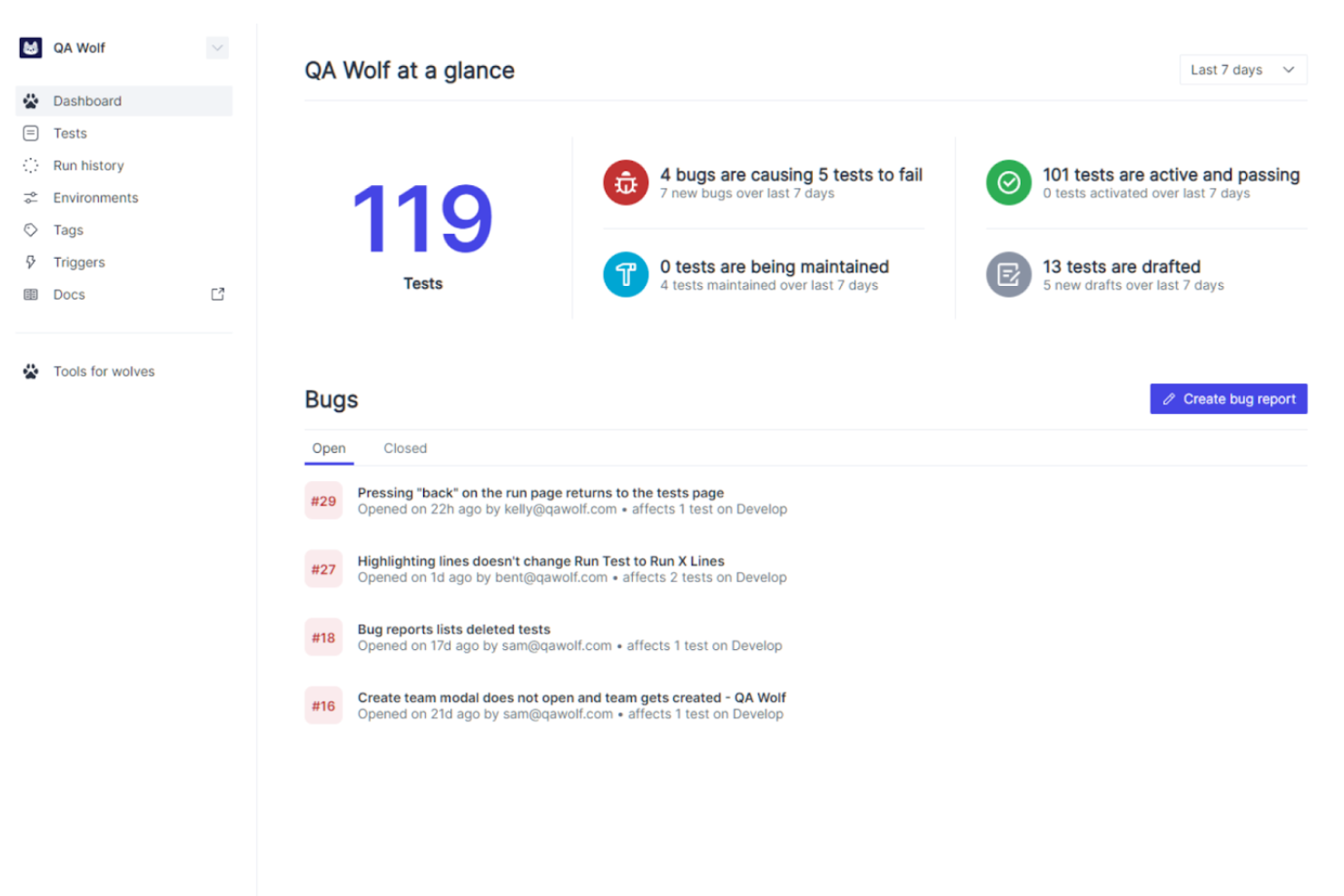
QA Wolf is a hybrid platform and service aimed at software teams in industries like fintech, healthcare, and eCommerce. It provides automated end-to-end test coverage for web and mobile applications, enhancing quality assurance and reducing QA costs.
Why I picked QA Wolf: QA Wolf excels in offering unlimited parallel test runs, which is a game-changer for teams looking to speed up their testing processes. The platform's human-verified bug reports help ensure accuracy. Its zero-flake guarantee reduces the chances of flaky tests, making it reliable for consistent testing. The AI-driven test creation and maintenance improve productivity by minimizing the time spent on QA tasks.
Standout features & integrations:
Features include human-verified bug reports that ensure accuracy, a zero-flake guarantee to reduce flaky tests, and AI-driven test creation for improved productivity.
Integrations include GitHub, GitLab, Bitbucket, Slack, Jira, Trello, Asana, CircleCI, Jenkins, Travis CI, and Azure DevOps.
Pros and Cons
Pros:
- AI-driven test creation
- Human-verified bug reports
- Unlimited parallel test runs
Cons:
- May need technical expertise
- Not ideal for small teams
New Product Updates from QA Wolf

QA Wolf Adds Android Emulator Infrastructure for Device Testing
QA Wolf introduces Android emulator infrastructure with expanded device and OS testing support. These updates enable teams to test across real-world device conditions and improve test coverage. For more information, visit QA Wolf’s official site.
 .
.
GitHub is a collaborative software development platform widely used by developers across various industries, including healthcare and finance. It offers tools for security, automation, and code management, making it suitable for tasks like DevSecOps and CI/CD.
Why I picked GitHub: GitHub excels in open-source collaboration, providing a platform where developers can work together on projects from anywhere. Its built-in application security tools use AI to quickly identify and address vulnerabilities, which supports its USP. GitHub Actions automate workflows, enhancing efficiency in managing code changes. With GitHub Advanced Security, you gain enterprise-grade security options to protect your codebase.
Standout features & integrations:
Features include GitHub Copilot for AI-assisted coding, GitHub Actions for workflow automation, and Codespaces for instant development environments. These features enhance collaboration and streamline development processes.
Integrations include Slack, Trello, Jira, Visual Studio, Azure DevOps, Google Cloud, AWS, Heroku, Docker, and Kubernetes.
Pros and Cons
Pros:
- GitHub Actions for automation
- AI-driven security tools
- Extensive open-source community
Cons:
- Dependency on Git knowledge
- Potential for complex configurations


Dynatrace is an all-in-one software intelligence platform used by IT and DevOps teams across various sectors. It provides monitoring and analytics for applications, infrastructure, and user experience, helping teams optimize performance and ensure reliability.
Why I picked Dynatrace: Dynatrace offers real-time observability, making it a top choice for teams needing instant insights into their systems. Its AI-powered root cause analysis helps quickly identify issues, saving you time. The platform's full-stack monitoring covers everything from applications to infrastructure. Additionally, automated deployment and scaling simplify managing complex environments.
Standout features & integrations:
Features include AI-driven root cause analysis that speeds up troubleshooting, full-stack monitoring to cover applications and infrastructure, and automated deployment for simplified management of complex environments.
Integrations include AWS, Azure, Google Cloud, Kubernetes, ServiceNow, Slack, Jira, Microsoft Teams, Ansible, and Puppet.
Pros and Cons
Pros:
- Full-stack monitoring
- AI-driven root cause analysis
- Real-time data analysis
Cons:
- Complex initial setup
- High resource consumption


GitLab empowers users to build modern applications and accelerate digital transformation by embracing automated processes to deliver code faster.
In addition to providing code repository and version control functions, GitLab comes with built-in DevOps workflows such as continuous integration and continuous delivery (CI/CD) pipelines. GitLab boosts developer productivity and collaboration among developers while reducing costs, cycle time, and time to market.
GitLab is free for individual users. Its Premium edition targets customers who want to enhance team productivity and coordination and is priced at $19/user/month. GitLab Ultimate tier is priced at $99/user/month and is designed for organization-wide security, planning, and compliance.


New Relic is an observability platform tailored for developers, offering monitoring solutions for applications and infrastructure. It's designed for IT teams looking to enhance performance and gain insights through data analysis.
Why I picked New Relic: New Relic excels in real-time observability, providing instant insights into application performance. Its ability to monitor an entire stack in real-time with pre-built dashboards is a key differentiator. The platform supports over 780 integrations, ensuring comprehensive visibility across programming environments. This makes it a versatile tool for troubleshooting and enhancing user experience.
Standout features & integrations:
Features include end-to-end monitoring set up in under five minutes, comprehensive visibility across various programming environments, and actionable insights to proactively troubleshoot issues.
Integrations include AWS, Azure, Google Cloud, Kubernetes, Slack, Jira, PagerDuty, ServiceNow, Splunk, and Datadog.
Pros and Cons
Pros:
- Actionable performance insights
- Supports extensive integrations
- Real-time application monitoring
Cons:
- Dependency on internet connectivity
- High data volume costs
Weitere Tools für statische Anwendungssicherheits-Tests
Hier sind einige weitere Tools für statische Anwendungssicherheits-Tests, die es nicht auf meine Auswahlliste geschafft haben, aber trotzdem einen Blick wert sind:
- DeepSource
For code quality analysis
- Nexus Lifecycle
For open-source management
- Mend SAST
For fast vulnerability detection
- IDA Pro
For advanced binary analysis
- StackHawk
For automated security testing
- Codiga
For real-time code analysis
- GuardRails
For developer-first security
- Flawnter
For in-depth code inspection
- Mend.io
For AI SAST scanning
- Codacy
DevOps intelligence platform with high-quality code on 40+ programming languages.
- Klocwork
Static code analysis and SAST tool for C, C++, C#, Java, JavaScript, Python, and Kotlin.
- Checkmarx
Fast and accurate scans easily integrated into the tools you use daily, with remediation guidance.
- Veracode
Integrate automated AppSec testing into your CI/CD pipeline.
- Brinqa
Consolidate, prioritize and manage findings from all your AST tools.
- SpectralOps
Advanced AI backed technology with over 2000 detectors to discover and classify your data silos and uncover data breaches.
- LGTM.COM
Free SAST tool for open source projects.
- Reshift
Code security tool that secures your code as you build
- INSIDER CLI
Covers the OWASP Top 10 to make source code analysis to find vulnerabilities right in the source code.


Auswahlkriterien für Tools zum statischen Anwendungssicherheits-Test
Bei der Auswahl der besten Tools für statische Anwendungssicherheits-Tests habe ich typische Anforderungen und Herausforderungen von Käufern berücksichtigt, etwa die Integration in vorhandene Entwicklungs-Workflows und Benutzerfreundlichkeit für Entwickler. Zudem nutzte ich folgendes Schema, um meine Bewertung strukturiert und fair zu gestalten:
Kernfunktionalität (25% der Gesamtbewertung)
Um in diese Liste aufgenommen zu werden, musste jede Lösung folgende typische Anwendungsfälle abdecken:
- Erkennen von Sicherheitslücken
- Analyse des Quellcodes
- Bereitstellung von Anleitung zur Behebung
- Integration mit CI/CD-Pipelines
- Unterstützung mehrerer Programmiersprachen
Zusätzliche besondere Funktionen (25% der Gesamtbewertung)
Um das Angebot weiter einzugrenzen, suchte ich nach einzigartigen Merkmalen wie:
- Echtzeit-Erkennung von Sicherheitslücken
- KI-gestützte Analysen
- Anpassbare Sicherheitsregeln
- Integration mit Entwickler-Tools
- Berichte für Compliance
Benutzerfreundlichkeit (10% der Gesamtbewertung)
Um die Nutzerfreundlichkeit jedes Systems einzuschätzen, habe ich diese Aspekte betrachtet:
- Intuitive Benutzeroberfläche
- Einfache Navigation
- Verständliche Dokumentation
- Geringe Lernkurve
- Reaktionsfähiges Design
Onboarding (10 % der Gesamtbewertung)
Um das Onboarding-Erlebnis jeder Plattform zu bewerten, habe ich Folgendes berücksichtigt:
- Verfügbarkeit von Schulungsvideos
- Interaktive Produkttouren
- Zugang zu Vorlagen
- Webinare auf Abruf
- Chatbot-Unterstützung
Kundensupport (10 % der Gesamtbewertung)
Um die Kundensupport-Dienste jedes Softwareanbieters einzuschätzen, habe ich Folgendes berücksichtigt:
- Rund-um-die-Uhr-Erreichbarkeit
- Mehrere Support-Kanäle
- Reaktionszeit
- Technisches Fachwissen
- Verfügbarkeit von FAQs
Preis-Leistungs-Verhältnis (10 % der Gesamtbewertung)
Um das Preis-Leistungs-Verhältnis jeder Plattform zu bewerten, habe ich Folgendes berücksichtigt:
- Preisstaffelungen
- Verfügbarkeit einer kostenlosen Testversion
- Inklusive Funktionen
- Kosten im Vergleich zu Mitbewerbern
- Rabatte für Langzeitverträge
Kundenbewertungen (10 % der Gesamtbewertung)
Um ein Bild der allgemeinen Kundenzufriedenheit zu erhalten, habe ich bei der Lektüre von Kundenbewertungen Folgendes berücksichtigt:
- Bewertungen zur Nutzerzufriedenheit
- Kommentare zur Funktionalität
- Feedback zu Support-Dienstleistungen
- Leichtigkeit der Implementierung
- Allgemeine Zuverlässigkeit des Tools
Wie wählt man ein Static Application Security Testing Tool aus?
Es ist leicht, sich in langen Funktionslisten und komplexen Preisstrukturen zu verlieren. Damit Sie während Ihres individuellen Auswahlprozesses den Überblick behalten, finden Sie hier eine Checkliste mit Faktoren, die Sie berücksichtigen sollten:
| Faktor | Was Sie beachten sollten |
|---|---|
| Skalierbarkeit | Kann das Tool mit Ihrem Unternehmen wachsen? Berücksichtigen Sie Benutzergrenzen, Kapazität bei der Datenverarbeitung und die einfache Integration mit zukünftigen Technologien. |
| Integrationen | Funktioniert es mit Ihren bestehenden Tools und Workflows? Prüfen Sie die Kompatibilität mit CI/CD-Pipelines und Entwicklungsumgebungen für reibungslose Abläufe. |
| Anpassungsfähigkeit | Können Sie das Tool auf Ihre spezifischen Bedürfnisse zuschneiden? Suchen Sie nach Optionen zur Anpassung von Erkennungsregeln und Berichten an Ihre Sicherheitsrichtlinien. |
| Benutzerfreundlichkeit | Ist das Tool für alle Teammitglieder leicht zu bedienen? Bewerten Sie die Benutzeroberfläche und Navigation, um eine schnelle Einführung ohne aufwendige Schulungen zu ermöglichen. |
| Implementierung und Onboarding | Wie schnell können Sie das Tool effektiv einsetzen? Berücksichtigen Sie den Zeit- und Ressourcenaufwand für die Einrichtung, die erste Schulung und die Integration in bestehende Systeme. |
| Kosten | Passt der Preis in Ihr Budget? Vergleichen Sie Preismodelle inklusive möglicher versteckter Gebühren und prüfen Sie, ob es eine kostenlose Testphase gibt, bevor Sie sich binden. |
| Sicherheitsmaßnahmen | Hält das Tool gängige Sicherheitsstandards ein? Prüfen Sie Datenverschlüsselung, Zugriffskontrollen und die Einhaltung relevanter Vorschriften. |
| Compliance-Anforderungen | Erfüllt das Tool branchenspezifische Standards? Achten Sie auf Zertifizierungen oder Unterstützung von Vorschriften wie GDPR oder HIPAA, falls diese für Ihren Sektor relevant sind. |
Was sind Static Application Security Testing Tools?
Static Application Security Testing Tools sind Softwarelösungen, die Quellcode analysieren, um Schwachstellen frühzeitig im Entwicklungsprozess zu identifizieren. Entwickler, Sicherheitsteams und Qualitätssicherungsexperten nutzen diese Tools, um die Codesicherheit zu erhöhen und die Einhaltung von Branchenstandards sicherzustellen. Codeanalyse, Schwachstellenerkennung und Integrationsmöglichkeiten helfen, potenzielle Bedrohungen zu identifizieren und die Codequalität zu verbessern. Insgesamt liefern diese Tools wertvolle Einblicke, damit Teams sichere und zuverlässige Softwareanwendungen entwickeln können.
Funktionen
Achten Sie bei der Auswahl von Static Application Security Testing Tools auf die folgenden zentralen Funktionen:
- Codeanalyse: Scannt automatisch Quellcode, um Sicherheitslücken zu identifizieren, wodurch Entwickler Probleme früh im Entwicklungsprozess beheben können.
- Schwachstellenerkennung: Erkennt potenzielle Bedrohungen und Schwächen im Code und stellt detaillierte Berichte zur Behebung bereit.
- Integrationsfähigkeit: Verbindet sich nahtlos mit bestehenden Entwicklungsumgebungen und CI/CD-Pipelines, um kontinuierliche Sicherheitstests sicherzustellen.
- Anpassbare Regeln: Ermöglicht es den Nutzern, Sicherheitsprüfungen an spezifische Unternehmensrichtlinien und Compliance-Anforderungen anzupassen.
- Echtzeit-Feedback: Gibt Entwicklern sofortige Einblicke und Vorschläge, wodurch die Zeit für manuelle Code-Reviews verkürzt wird.
- Compliance-Berichte: Erstellt Dokumentationen, die die Einhaltung von Branchenstandards und Vorschriften wie GDPR oder HIPAA belegen.
- Mehrsprachige Unterstützung: Analysiert Code, der in verschiedenen Programmiersprachen geschrieben wurde, und unterstützt so vielfältige Entwicklungsteams.
- Benutzerfreundliche Oberfläche: Sorgt mit intuitiver Navigation für einfache Bedienung und verringert die Einarbeitungszeit für neue Nutzer.
- Skalierbarkeit: Passt sich dem wachsenden Bedarf Ihres Unternehmens an und bewältigt steigende Daten- und Nutzeranforderungen effizient.
- Sicherheitsmaßnahmen: Beinhaltet Funktionen wie Datenverschlüsselung und Zugriffskontrollen zum Schutz sensibler Informationen während der Analyse.
Vorteile
Die Implementierung von Tools für statische Anwendungssicherheitsprüfungen bietet zahlreiche Vorteile für Ihr Team und Ihr Unternehmen. Hier sind einige Vorteile, auf die Sie sich freuen können:
- Früherkennung von Schwachstellen: Findet Sicherheitsprobleme im Code, bevor sie in die Produktion gelangen, und vermindert so das Risiko einer Ausnutzung.
- Verbesserte Codequalität: Bietet detaillierte Analysen und Rückmeldungen, damit Entwickler saubereren und sichereren Code schreiben.
- Erhöhte Compliance: Erstellt Berichte, die die Einhaltung von Branchenstandards und Vorschriften nachweisen und Audits vereinfachen.
- Zeitersparnis: Automatisiert den Sicherheitsprüfungsprozess, sodass Entwickler sich auf die Entwicklung von Funktionen statt auf die manuelle Prüfung des Codes konzentrieren können.
- Kosteneffizienz: Erkennt Schwachstellen früh im Entwicklungszyklus, wodurch Kosten für die Behebung nach der Bereitstellung eingespart werden.
- Erhöhte Zusammenarbeit: Integriert sich in bestehende Tools und Workflows und fördert die bessere Kommunikation zwischen Entwicklungs- und Sicherheitsteams.
- Skalierbarkeit: Passt sich den Bedürfnissen wachsender Teams an und stellt konsistente Sicherheitspraktiken bei Unternehmenswachstum sicher.
Kosten & Preise
Die Auswahl von Tools für statische Anwendungssicherheitsprüfungen erfordert ein Verständnis der verschiedenen Preismodelle und -pläne. Die Kosten variieren je nach Funktionen, Teamgröße, Zusatzoptionen und mehr. Die nachstehende Tabelle fasst gängige Pläne, ihre Durchschnittspreise und typische Funktionen von Lösungen für statische Anwendungssicherheitsprüfungen zusammen:
Vergleichstabelle der Pläne für Tools zur statischen Anwendungssicherheitsprüfung
| Plan-Typ | Durchschnittlicher Preis | Typische Funktionen |
|---|---|---|
| Free Plan | $0 | Grundlegende Codeanalyse, eingeschränkte Sprachunterstützung und Community-Support. |
| Personal Plan | $10-$30/user/month | Erweiterte Codeanalyse, mehrsprachige Unterstützung und grundlegende Integrationsmöglichkeiten. |
| Business Plan | $45-$100/user/month | Umfassende Codeanalyse, benutzerdefinierte Regeln, Integration mit CI/CD-Pipelines und E-Mail-Support. |
| Enterprise Plan | $150-$300/user/month | Vollständige Analysefunktionen, Echtzeit-Erkennung von Schwachstellen, Compliance-Berichte und dedizierter Support. |
Werkzeuge für die statische Anwendungssicherheitstests (FAQs)
Hier finden Sie Antworten auf häufig gestellte Fragen zu Werkzeugen für die statische Anwendungssicherheitstests:
Wann können statische Anwendungssicherheitstests für ein beliebiges Projekt eingesetzt werden?
Sie können Werkzeuge für statische Anwendungssicherheitstests früh im Softwareentwicklungszyklus einsetzen. Da sie keine laufende Anwendung benötigen, sind sie ideal, um Schwachstellen bereits in der Entwicklungsphase zu erkennen und Sicherheitsprobleme proaktiv anzugehen.
Welche der folgenden Probleme werden von SAST-Tools nicht erkannt?
SAST-Tools können keine Laufzeitprobleme erkennen, da sie den Code analysieren, ohne ihn auszuführen. Das bedeutet, sie entdecken keine Probleme wie Authentifizierungsfehler oder Server-Fehlkonfigurationen, die eine laufende Anwendung voraussetzen, um erkannt zu werden.
Können statische Anwendungssicherheitstests helfen, potenzielle Schwachstellen zu identifizieren?
Ja, statische Anwendungssicherheitstests sind wirksam bei der Identifizierung potenzieller Schwachstellen im Quellcode einer Anwendung. Diese Tools führen White-Box-Tests durch, die dabei helfen, die Ursachen von Sicherheitslücken zu erkennen und Empfehlungen zur Behebung zu geben.
Sind statische Anwendungssicherheitstest-Tools für alle Programmiersprachen geeignet?
Nein, nicht alle Werkzeuge für statische Anwendungssicherheitstests unterstützen jede Programmiersprache. Die meisten Tools spezialisieren sich auf gängige Sprachen wie Java, C++ und Python, wobei der Umfang der Unterstützung variieren kann. Prüfen Sie vor dem Kauf unbedingt, ob das gewählte Tool die von Ihrem Team genutzten Sprachen unterstützt. Arbeiten Sie mit weniger verbreiteten Sprachen, sollten Sie nach spezialisierten Tools suchen oder die Unterstützung beim Anbieter nachfragen.
Was kommt als Nächstes?
Wenn Sie gerade dabei sind, Werkzeuge für statische Anwendungssicherheitstests zu recherchieren, verbinden Sie sich mit einem SoftwareSelect-Berater für kostenlose Empfehlungen.
Sie füllen ein Formular aus und führen ein kurzes Gespräch, in dem Ihre spezifischen Bedürfnisse erörtert werden. Anschließend erhalten Sie eine Auswahlliste mit passenden Softwarelösungen zur Überprüfung. Die Berater unterstützen Sie außerdem während des gesamten Kaufprozesses, einschließlich Preisverhandlungen.