
Die 27 besten MDM-Softwarelösungen im Jahr 2026

Bestes MDM-Software-Shortlist
Hier ist meine Auswahlliste der besten MDM-Software:


Die beste MDM-Software hilft Ihnen, Sicherheitsrichtlinien durchzusetzen, Geräte zu überwachen und zu steuern sowie sensible Daten über firmeneigene und BYOD-Endgeräte hinweg zu schützen. Sie ist darauf ausgelegt, gängige Herausforderungen wie das Fernlöschen von Geräten nach Verlust oder Diebstahl, uneinheitliche Durchsetzung von Richtlinien über verschiedene Betriebssysteme hinweg und zeitaufwendige manuelle Einrichtung neuer Geräte zu bewältigen.
Wenn Sie mit Schatten-IT, Lücken in der Compliance-Berichterstattung oder unzuverlässiger Fernzugriffssteuerung zu kämpfen hatten, sind Sie nicht allein. Viele IT-Teams setzen MDM-Lösungen ein, nachdem sie festgestellt haben, dass ihr bisheriger Ansatz nicht skalierbar ist oder keinen ausreichenden Schutz vor neuen Bedrohungen bietet.
Ich habe MDM-Plattformen in Unternehmens- und mittelständischen Umgebungen getestet und mit Teams gearbeitet, die Gerätepools im Gesundheitswesen, Finanzwesen und Bildungsbereich ausrollen. Dieser Leitfaden erklärt, welche Tools die Anmeldung wirklich vereinfachen, Supportanfragen reduzieren und Administratoren eine klare Übersicht über ihr mobiles Ökosystem bieten.
Why Trust Our Software Reviews
Bestes MDM-Software-Fazit
Diese Vergleichstabelle fasst die Preisdetails meiner Top-MDM-Software-Auswahl zusammen, damit Sie die beste Lösung für Ihr Budget und Ihre geschäftlichen Anforderungen finden.
| Tool | Best For | Trial Info | Price | ||
|---|---|---|---|---|---|
| 1 | Best for endpoint management and patch compliance | Free trial + free demo available | Pricing upon request | Website | |
| 2 | Best for global device management | Free demo available | from $10/person/month | Website | |
| 3 | Best for onboarding and offboarding | Free trial available | From $8/user/month (billed annually) | Website | |
| 4 | Best for multi-OS with built-in compliance | 14-day trial available | Pricing available upon request | Website | |
| 5 | Best for multi-OS device management | 14-day free trial | From $2/device/month | Website | |
| 6 | Best for remote data wiping | Free trial available | From $1.30/month | Website | |
| 7 | Best with kiosk capabilities | Free trial available | From $24/device/year | Website | |
| 8 | Best for security | Free plan available (up to 10 devices) + Free demo available | From $11/user/month (billed monthly) | Website | |
| 9 | Best for Android devices | 14-day free trial | From $12/device/year | Website | |
| 10 | Best freemium software | 14-day free trial + Free plan available | From $2.30/device/month | Website | |
| 11 | Best for mid-market | 14-day free trial + free demo | From $2.2/device/month | Website | |
| 12 | Best for multi-platform device management | Free trial available | Pricing upon request | Website | |
| 13 | Best for edge use cases | 30-day free trial | From $3.99/device/month (billed annually) | Website | |
| 14 | Best for Microsoft integrations | 30-day free trial | From $6/user/month (billed annually) | Website | |
| 15 | Best for quick device enrollment | Not available | Pricing available upon request | Website | |
| 16 | Best for on-premises | 30-day free trial + Free plan available (up to 25 devices) | $495/50 devices (billed annually) | Website | |
| 17 | Best for Apple devices | 14-day free trial | From $5.75/device/month (billed annually) | Website | |
| 18 | Best for administrator support | 14-day free trial + free demo | From $8/user/month | Website | |
| 19 | Best for fast deployment and bulk management | Not available | From $2/user/month | Website | |
| 20 | Best for zero-touch deployment | Not available | Pricing available upon equest | Website |

-

Site24x7
Visit WebsiteThis is an aggregated rating for this tool including ratings from Crozdesk users and ratings from other sites.4.6 -
Docker
Visit WebsiteThis is an aggregated rating for this tool including ratings from Crozdesk users and ratings from other sites.4.6 -
Pulumi
Visit WebsiteThis is an aggregated rating for this tool including ratings from Crozdesk users and ratings from other sites.4.8





Bestes MDM-Software-Bewertungen
Hier sind meine Top-20-Empfehlungen für MDM-Software, einschließlich ihrer Funktionen, Vorteile und Einstiegspreise.


NinjaOne is a top-rated UEM and IT management software that offers a range of solutions for IT departments and MSPs, including endpoint management, patch management, mobile device management, remote control, and endpoint backup.
Who Is NinjaOne Best For?
IT operations managers and managed service providers in small to mid-sized organizations across technology and professional services. It suits teams that need centralized endpoint management with patch compliance oversight across distributed environments.
Why I Picked NinjaOne
I chose NinjaOne because it stands out for its focus on endpoint management and patch compliance, which are top priorities for IT teams handling a mix of devices. The platform lets you automate patch deployment across operating systems, reducing the risk of vulnerabilities from missed updates. You can also monitor device health and compliance status in real time, making it easier to spot and address issues before they become problems. For organizations that need to enforce security standards and keep every endpoint up to date, NinjaOne’s centralized controls and automation tools are a strong match.
NinjaOne Key Features
Some other features in NinjaOne that are useful for device management include:
- Remote device control: Access and troubleshoot devices remotely without interrupting end users.
- Automated device onboarding: Set up new devices with pre-configured policies and settings as soon as they come online.
- Inventory management: Track hardware and software assets across your entire device fleet from a single dashboard.
- Custom alerting: Set up notifications for specific device events, such as unauthorized access or configuration changes.
NinjaOne Integrations
Integrations include ConnectWise Manage, Autotask PSA, HaloPSA, Accelo, SherpaDesk, RepairShopr, Harmony PSA, and Computicate PSA.
Pros and Cons
Pros:
- Integrated patch management
- Detailed user role management
- Remote scripting in multiple languages
Cons:
- Limited customization in alerting mechanisms
- Steep learning curve
New Product Updates from NinjaOne
NinjaOne Launches Integrated Remote Access
NinjaOne has expanded its automated management platform by introducing NinjaOne Remote, a secure remote access solution for multiple operating systems. For more information, visit NinjaOne's official site.


Deel’s mobile device management solution is designed for companies managing devices and teams across multiple countries. It’s useful for IT leaders who need to deploy, secure, and track devices for a distributed global workforce. If you’re looking to simplify compliance and device logistics in international operations, Deel brings together device management and global HR expertise in one platform.
Who Is Deel Best For?
IT and people operations leaders in mid-sized to enterprise organizations with international workforces. It fits companies that manage and provision devices for employees across multiple countries.
Why I Picked Deel
What sets Deel apart is its focus on global device management, which is a challenge for organizations with employees in multiple countries. Deel lets you order, deploy, and track devices for international hires, all while handling local compliance and logistics. I picked Deel because it combines device management with global HR workflows, so you can manage both assets and employment requirements from one place. For IT teams supporting a distributed workforce, Deel’s ability to coordinate device delivery, retrieval, and compliance across borders is a unique advantage.
Deel Key Features
In addition to its global device logistics, I also found these features useful for device management:
- Device status dashboard: Monitor the real-time status and location of all managed devices from a single interface.
- Automated device provisioning: Set up new devices with pre-configured security and usage policies before shipping.
- Remote lock and wipe: Securely lock or erase devices that are lost, stolen, or no longer in use.
- Audit-ready activity logs: Access detailed logs of device actions and changes for compliance and security reviews.
Deel Integrations
Integrations include Slack, QuickBooks, Google Workspace, JIRA, NetSuite, Workable, Salesforce, Hubstaff, Gusto, Expensify, Greenhouse, and BambooHR.
Pros and Cons
Pros:
- Grants comprehensive visibility over IT assets worldwide
- Ensures device security with MDM and endpoint protection
- Provides customizable device configurations
Cons:
- Doesn't offer features beyond device management, like network and server management
- May not be ideal for teams with very complex IT asset needs


Rippling IT stands out for companies that want to tightly connect device management with employee onboarding and offboarding. It’s especially useful for HR and IT teams that need to automate device provisioning, access, and recovery as staff join or leave. The platform links device controls directly to your HR system, helping you reduce manual steps and security risks during personnel changes.
Who Is Rippling IT Best For?
IT and HR operations teams in small to mid-sized companies with distributed workforces. It suits organizations that want device provisioning aligned with employee onboarding and offboarding processes.
Why I Picked Rippling IT
What makes Rippling IT a strong choice for MDM software is how it connects device management directly to employee lifecycle events. When someone joins or leaves, the platform can automatically assign, configure, or revoke device access based on their status in the HR system. I appreciate that Rippling IT lets you enforce security policies and remotely lock or wipe devices as part of the offboarding process. This level of automation helps reduce manual errors and keeps your organization’s data safer during transitions.
Rippling IT Key Features
Some other features that make Rippling IT valuable for device management include:
- Cross-platform device support: Manage Windows, macOS, and Linux devices from a single dashboard.
- Automated patch management: Schedule and deploy operating system and software updates remotely.
- Custom device compliance rules: Set and enforce security standards for all managed devices.
- Inventory tracking: Monitor device assignments, status, and location in real time.
Rippling IT Integrations
Integrations include Slack, Zoom, Google Workspace, Microsoft 365, Salesforce, Box, Dropbox, GitHub, ADP, and Okta.
Pros and Cons
Pros:
- Can integrate HR and IT features
- Create common workflows to deploy easily
- Reduces on and offboarding friction
Cons:
- Initial setup can be time-consuming
- Does more than just MDM, which may be more than you need


Swif.ai is a Mobile Device Management (MDM) software that prioritizes compliance and security for diverse operating systems. It provides tools for unified device management, keeping your organization's devices secure and compliant with industry standards.
Who Is Swif.ai Best For?
IT administrators and security teams in small to mid-sized organizations operating across mixed device environments. It supports companies that require multi-OS device management with integrated compliance controls.
Why I Picked Swif.ai
Swif.ai caught my attention because it’s designed to handle device management across multiple operating systems while keeping compliance front and center. For IT teams juggling Windows, macOS, iOS, and Android devices, Swif.ai’s unified policy enforcement and automated compliance checks help reduce manual oversight. I picked Swif.ai since it lets you set and monitor compliance baselines for all device types from a single dashboard. This approach is especially useful for organizations in regulated industries or those with strict internal security standards.
Swif.ai Key Features
Some other features that make Swif.ai stand out for device management include:
- Zero-touch enrollment: Automatically enroll new devices into management as soon as they’re powered on and connected.
- Remote troubleshooting tools: Access device diagnostics and perform support actions without needing physical access.
- Granular app management: Control which applications can be installed, updated, or removed on managed devices.
- Real-time security alerts: Receive instant notifications about security incidents or compliance violations across your device fleet.
Swif.ai Integrations
Integrations include Slack, Zoom, Google Workspace, Deel, Azure AD, Okta, Workbrew, Vanta, Drata, Thoropass, Sprinto, and Delve.
Pros and Cons
Pros:
- Integrates with major identity providers
- Provides automated compliance tracking tools
- Supports multi-OS unified device management
Cons:
- No built in patch management
- EU data residence needs set up fee


Scalefusion is a unified endpoint management solution (UEM) that helps businesses secure and manage a wide range of endpoints, including smartphones, tablets, laptops, rugged devices, point-of-sale systems, VRs, printers, and digital signage. It offers intuitive cross-platform support that spans Android, Windows, iOS, macOS, Linux, and ChromeOS, making it ideal for multi-OS device management.
Who Is Scalefusion Best For?
IT managers and mobility teams in mid-sized organizations across retail, logistics, and field services. It works well for companies that manage multi-OS device fleets across distributed locations.
Why I Picked Scalefusion
What drew me to Scalefusion is its focus on managing devices across multiple operating systems without adding complexity for IT teams. Scalefusion supports centralized policy enforcement and device monitoring for Windows, Android, iOS, and macOS, making it a practical choice for organizations with a mixed device environment. I picked Scalefusion because it lets you configure, secure, and update devices from a single dashboard, regardless of the OS. This unified approach helps IT teams maintain control and consistency across all endpoints.
Scalefusion Key Features
Some other features that make Scalefusion appealing for device management include:
- Kiosk mode: Lock devices into single or multi-app mode for dedicated use cases.
- Remote cast and control: View and control device screens remotely for troubleshooting and support.
- Content management: Distribute, update, and remove files or documents on managed devices.
- Automated compliance alerts: Get notified when devices fall out of compliance with set policies.
Scalefusion Integrations
Integrations include Azure AD, Google Workspace, Google Maps, Okta, PingOne, Jira, Freshservice, Checkpoint Mobile Threat Defense, IceWarp, Zebra, Samsung Knox, Lenovo, and Office 365. An API is available for building custom integrations as needed.
Pros and Cons
Pros:
- Effective device management capabilities
- Complimentary round-the-clock support
- Combines UEM, ZTA & Endpoint Security in one platform
Cons:
- Per app VPN is not available
- Annual billing only
New Product Updates from Scalefusion
Scalefusion Introduces Apple TV Management
Scalefusion now supports Apple TV management, enabling IT teams to configure and monitor devices. For more information, visit Scalefusion's official site.
 .
.

Prey is a cross-platform device tracking and security tool designed to help you monitor and protect your laptops, phones, and tablets across multiple operating systems. It helps organizations that need to secure lost or stolen devices with fast, remote data wiping.
Who Is Prey Best For?
IT administrators and security leads in small to mid-sized organizations with mobile or remote employees. It suits companies that prioritize remote tracking and data wiping to protect lost or stolen devices.
Why I Picked Prey
What stands out about Prey is its focus on remote data wiping, which is a top priority for organizations managing sensitive information on mobile devices. Prey lets you trigger a secure wipe of device data remotely, helping you respond quickly if a device is lost or stolen. I picked Prey because it also includes location tracking and device locking, so you can take action before a breach occurs. These features make Prey a strong fit for IT teams that need to minimize data exposure risks across their device fleet.
Prey Key Features
In addition to its remote data wiping capabilities, I also found these features useful:
- Geofencing: Set up virtual boundaries and receive alerts when devices enter or leave designated areas.
- Hardware information reports: Access detailed reports on device hardware, including serial numbers and installed components.
- Device usage audit logs: Track device activity and access logs for security and compliance monitoring.
- Multi-OS support: Manage and monitor devices running Windows, macOS, Linux, Android, and iOS.
Prey Integrations
Integrations include Okta, Shibboleth, Keycloak, OpenAM, SimpleSAMLphp, Apache Syncope, WordPress, Drupal, NetIQ Access Manager, and Gluu Server.
Pros and Cons
Pros:
- GPS tracking feature
- Remote functionalities like lock, messaging, and alarm
- Compatibility across multiple platforms
Cons:
- Update process can be cumbersome
- Variable geolocation accuracy


TinyMDM is a mobile device management (MDM) solution designed specifically for Android devices. It enables organizations to manage and secure their mobile fleets through centralized control. With TinyMDM, you can control app access, enforce usage policies, and keep devices focused on business-critical functions.
Who Is TinyMDM Best For?
IT teams and operations managers in small to mid-sized organizations using Apple devices in frontline or customer-facing settings. It fits companies that deploy devices in kiosk mode for controlled, single-purpose use.
Why I Picked TinyMDM
TinyMDM stands out for its strong kiosk capabilities, which are essential for organizations deploying dedicated Android devices. You can configure devices to run in single-app or multi-app kiosk mode, restricting user access to only approved apps and settings. I picked TinyMDM because it also lets you remotely update apps and content, so devices stay current without user intervention. These features make it a practical choice for businesses that need to keep devices locked down and focused on specific business tasks.
TinyMDM Key Features
Some other features that make TinyMDM useful for device management include:
- Web filtering: Block or allow specific websites to control browsing on managed devices.
- Remote lock and unlock: Secure or release devices remotely if they are lost, stolen, or need to be reassigned.
- Wi-Fi configuration management: Push Wi-Fi settings to devices so users can connect without manual setup.
- Application permission control: Set and enforce app permissions to limit access to device resources.
TinyMDM Integrations
Integrations include Microsoft Entra ID and a REST API for integration with external applications.
Pros and Cons
Pros:
- Supports non-GMS devices, expanding compatibility options
- Effective remote management capabilities
- Simple setup process, including QR code enrollment
Cons:
- Labeling devices after batch setup can be tedious
- Cannot force-enable location services remotely


JumpCloud is an identity and device management solution that allows you to manage Windows, MacOS, and Linux devices easily through one platform. It’s especially relevant for organizations managing mixed environments and strict compliance requirements. With its unified directory, device management, and security controls, JumpCloud helps you centralize access and enforce policies across Windows, macOS, and Linux devices.
Who Is JumpCloud Best For?
IT and security leaders in small to mid-sized organizations across technology and distributed work environments. It works well for companies that need device management aligned with identity and access security controls.
Why I Picked JumpCloud
Security is at the core of JumpCloud’s approach to device and identity management, which is why I picked it for teams with strict security requirements. The platform offers centralized policy enforcement, multi-factor authentication, and conditional access controls that help you reduce risk across your device fleet. You can manage user identities and device compliance from a single dashboard, making it easier to spot and address vulnerabilities. These features make JumpCloud a strong fit for organizations that need to meet regulatory standards and protect sensitive data across multiple operating systems.
JumpCloud Key Features
Some other features that make JumpCloud useful for device and identity management include:
- Cross-platform device management: Manage Windows, macOS, and Linux devices from a single interface.
- Remote command execution: Run scripts and commands on devices without requiring physical access.
- Patch management: Schedule and automate operating system and application updates across your device fleet.
- SSO (Single Sign-On): Provide users with secure access to multiple applications using one set of credentials.
JumpCloud Integrations
Integrations are available natively with popular platforms like ADP, Salesforce, Slack, Box, and Cisco AMP. It can also connect to dozens more applications with its API.
Pros and Cons
Pros:
- Integrated security tools like MFA and SSO
- Convenient administrator portal
- Security-focused solution
Cons:
- Lack of customization
- Can be complicated to use


AirDroid Business is an MDM tool used to manage Android devices exclusively. It stands out for its remote access, file transfer, and device monitoring features tailored specifically for Android environments.
Who Is AirDroid Business Best For?
IT administrators and mobility managers in mid-sized organizations with Android device fleets. It supports companies that require centralized management and monitoring of Android endpoints.
Why I Picked AirDroid Business
What sets AirDroid Business apart is its deep focus on Android device management, which is ideal for organizations standardizing on Android hardware. You can remotely access devices for troubleshooting, push updates, and monitor device health in real time—all without needing physical access. I picked AirDroid Business because it offers advanced remote control and file transfer features that are especially useful for distributed teams. These capabilities make it a strong choice for IT teams that need to manage, support, and secure Android devices across multiple locations.
AirDroid Business Key Features
Some other features that make AirDroid Business useful for Android device management include:
- Geofencing: Set up location-based rules and receive alerts when devices enter or leave defined areas.
- App management: Remotely install, update, or remove apps across all managed devices.
- Device grouping: Organize devices into groups for easier bulk management and policy application.
- Kiosk mode: Lock devices into single-app or multi-app modes to restrict user access.
AirDroid Business Integrations
Integrations include Windows and Google Android Enterprise.
Pros and Cons
Pros:
- Easy to implement
- Specialized for Android use cases
- Security and privacy-focused
Cons:
- There’s a learning curve for many of the core features
- Downloading to end users’ devices can be slow


Miradore is a simple-to-use MDM solution that allows organizations to manage corporate devices quickly. If you’re looking for a mobile device management solution with a generous free tier, Miradore is worth considering. It stands out for its cloud-based setup, straightforward onboarding, and support for both Android and Apple devices.
Who Is Miradore Best For?
IT administrators and small business owners in startups and small organizations. It suits companies that need a no-cost entry point for managing a limited number of devices.
Why I Picked Miradore
Miradore’s freemium model makes it accessible for organizations that want to start managing devices without immediate budget approval. I picked it because the free plan covers core MDM needs like remote device lock, passcode enforcement, and basic inventory management. You can also manage both Android and Apple devices from the same dashboard, which is helpful for mixed environments. This approach lets IT teams get started quickly and scale up to paid features only when they need more advanced controls.
Miradore Key Features
Some other features that make Miradore appealing for device management include:
- Application whitelisting and blacklisting: Control which apps can be installed or blocked on managed devices.
- Location tracking: View the real-time location of enrolled devices from the dashboard.
- Automated device enrollment: Enroll new devices in bulk using QR codes or Apple DEP.
- Custom configuration profiles: Push Wi-Fi, VPN, and email settings to devices remotely.
Miradore Integrations
Integrations include Apple Business/School Manager and an array of Google and Microsoft applications. It also offers a custom API.
Pros and Cons
Pros:
- Good security tooling options
- Simple to use
- Focus on customer service
Cons:
- No way to set up pre-configurations
- Limited advanced features


Hexnode UEM is built for IT teams in mid-sized organizations that need unified control over a diverse device fleet. It’s especially useful for businesses managing both mobile and desktop endpoints across multiple operating systems. With its granular policy controls and flexible deployment options, Hexnode UEM helps address complex compliance and security requirements without overwhelming your team.
Who Is Hexnode UEM Best For?
IT managers and endpoint administrators in mid-market organizations across healthcare, education, and logistics. It fits companies that require unified endpoint management across diverse device types and operating systems.
Why I Picked Hexnode UEM
For organizations in the mid-market segment, Hexnode UEM offers the right balance of scalability and advanced controls. I picked it because it supports multi-OS management, letting you handle Android, iOS, Windows, macOS, and even tvOS devices from a single platform. Its policy-based automation and granular compliance settings are especially useful for IT teams that need to enforce security standards across a growing device fleet. This makes Hexnode UEM a strong fit for businesses that have outgrown basic MDM tools but don’t need the complexity of large enterprise solutions.
Hexnode UEM Key Features
Some other features that make Hexnode UEM stand out for device management include:
- Remote device lock and wipe: Securely lock or erase lost or stolen devices from the admin console.
- Kiosk mode: Restrict devices to a single app or a set of approved apps for dedicated use cases.
- Content management: Distribute, update, and remove documents and media files on managed devices.
- Geofencing: Set up location-based policies and receive alerts when devices enter or leave defined areas.
Hexnode UEM Integrations
Integrations include Apple Business Manager, Freshdesk, Okta, Zendesk, Google Suite, and more.
Pros and Cons
Pros:
- Simple inventory view
- Low starting price
- Can run custom scripts to deploy updates remotely
Cons:
- User interface is not always intuitive
- Administrator portal lacks some top-level information


SOTI MobiControl is designed for IT teams that need to manage a wide range of device types and operating systems from a single platform. It’s especially useful for organizations with mixed fleets that include mobile, desktop, rugged, and IoT devices. With its deep support for multi-platform environments, SOTI MobiControl helps you maintain security and control across complex, distributed device landscapes.
Who Is SOTI MobiControl Best For?
IT mobility managers and enterprise IT teams in mid-sized to large organizations across logistics, retail, and field services. It suits companies that require multi-platform device management across rugged, mobile, and corporate-owned endpoints.
Why I Picked SOTI MobiControl
What sets SOTI MobiControl apart is its ability to manage a truly diverse range of device types and operating systems from one unified console. I picked it because it supports not just Android and iOS, but also Windows, Linux, macOS, and even specialized devices like rugged handhelds and IoT endpoints. Its granular device configuration and remote troubleshooting tools are especially valuable for IT teams working with mixed hardware in logistics, healthcare, or field services. This makes SOTI MobiControl a strong choice for organizations that need consistent security and control across a complex, multi-platform environment.
SOTI MobiControl Key Features
Some other features that make SOTI MobiControl a strong option for device management include:
- Application management: Deploy, update, and remove apps across managed devices from a central dashboard.
- Location tracking: Monitor device locations in real time and set up geofencing rules.
- Content distribution: Push documents, files, and media to devices securely.
- Automated compliance monitoring: Set policies to automatically detect and flag non-compliant devices.
SOTI MobiControl Integrations
Integrations include SOTI Xsight, SOTI Assist, Juniper Mist Access Assurance, Microsoft Intune, Microsoft Entra ID, Okta, Google Workspace, Bitdefender GravityZone Mobile Threat Defense, ClearPass Policy Manager, Microsoft 365 Services, Microsoft Graph, and Apple VPP.
Pros and Cons
Pros:
- Effective remote troubleshooting capabilities
- Strong support for a wide range of devices and operating systems
- User-friendly interface that simplifies device management
Cons:
- Some users find the setup process complex
- Occasional performance issues reported by users

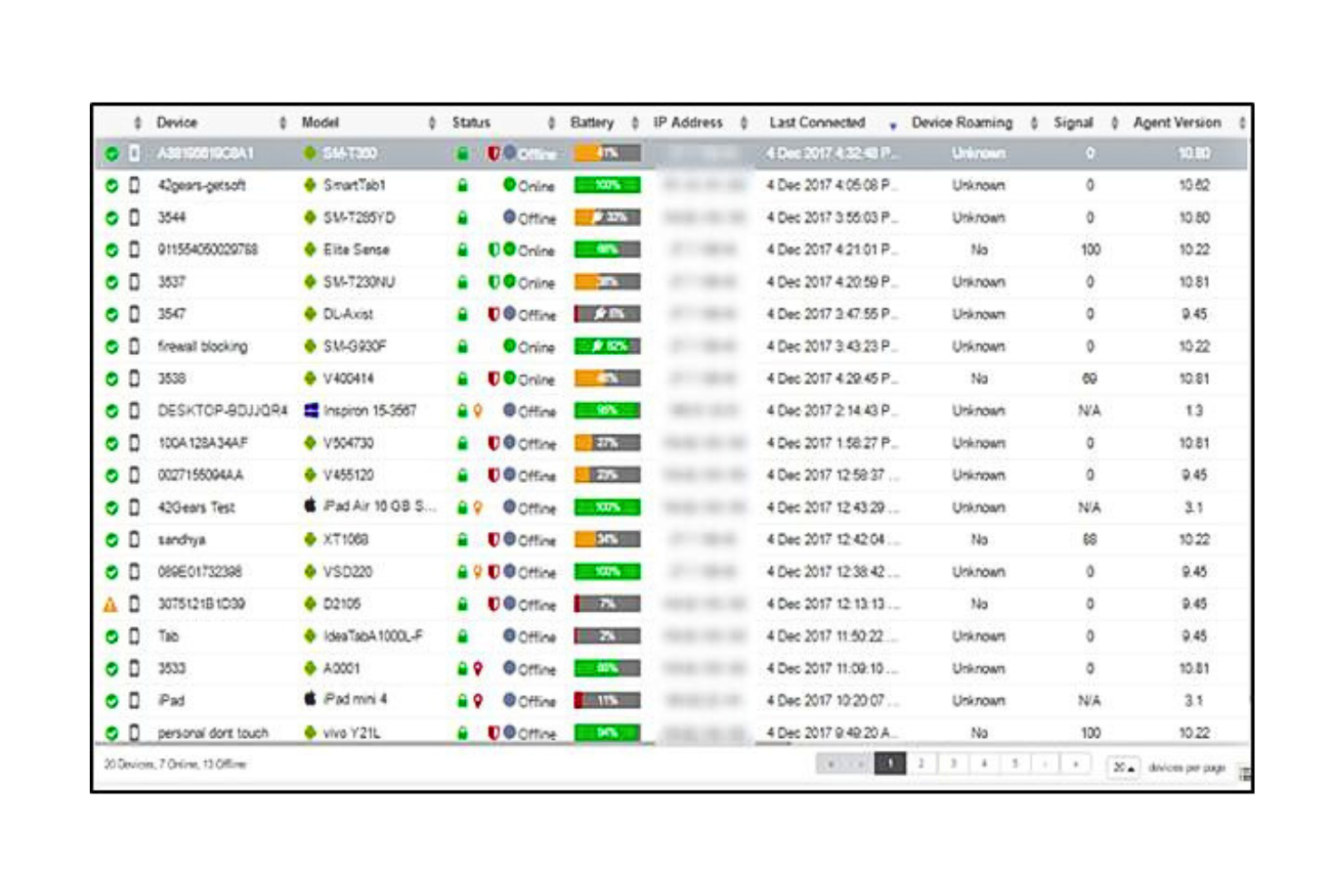
SureMDM stands out for organizations managing devices in remote, rugged, or high-security environments. It’s a strong fit for industries like logistics, manufacturing, and utilities that need to control devices at the network edge or in challenging field conditions. With its focus on edge use cases, SureMDM helps you maintain oversight and security even when devices operate outside traditional office settings.
Who Is SureMDM Best For?
IT administrators and operations leaders in mid-sized organizations with distributed or edge environments. It fits companies that manage devices in remote, frontline, or specialized operational settings.
Why I Picked SureMDM
For teams that need to manage devices in demanding or remote environments, SureMDM offers features tailored to edge use cases. I picked it because it supports remote device health monitoring and automated remediation, which are essential when devices operate far from IT support. Its kiosk mode and lockdown capabilities help secure endpoints in public or high-risk locations. These features make SureMDM a strong choice for organizations that can’t afford to lose visibility or control over devices at the edge of their networks.
SureMDM Key Features
I also found several other features that make SureMDM appealing for device management:
- Multi-OS support: Manage Android, iOS, Windows, Linux, and macOS devices from a single console.
- Bulk device enrollment: Add large numbers of devices quickly using QR codes or provisioning files.
- Remote app installation: Push, update, or remove applications on managed devices without user intervention.
- Custom scripting: Automate device tasks and maintenance using custom scripts for supported platforms.
SureMDM Integrations
Integrations include Office 365, Splunk, Cisco ISE, Intel AMT, and more.
Pros and Cons
Pros:
- Simple user interface
- Strong history of customer support
- Flexible and customizable
Cons:
- Can be slow to install on users’ devices
- It can be overwhelming to configure


If your organization relies on Microsoft 365, Azure, or Windows endpoints, Microsoft Intune is designed to fit right into your environment. It’s especially useful for IT teams managing mixed fleets of Windows, macOS, iOS, and Android devices while needing deep integration with Microsoft security and compliance tools. Intune helps you enforce policies, manage updates, and secure access across your Microsoft ecosystem from a single platform.
Who Is Microsoft Intune Best For?
IT and security teams in small to enterprise organizations standardized on the Microsoft ecosystem. It supports companies that need device management closely integrated with Microsoft 365 and Azure services.
Why I Picked Microsoft Intune
When you need MDM software that works seamlessly with Microsoft products, Intune is the clear choice. I picked it because it offers native policy management for Windows devices and integrates directly with Azure Active Directory for identity and access control. Intune also connects with Microsoft Defender, letting you enforce security baselines and monitor device compliance from the same dashboard. These features make it especially valuable for organizations already invested in the Microsoft ecosystem and looking to centralize device and security management.
Microsoft Intune Key Features
Some other features make Microsoft Intune a flexible option for device management:
- Cross-platform device support: Manage Windows, macOS, iOS, and Android devices from a single console.
- Conditional access policies: Set rules that control access to company resources based on device compliance.
- Remote wipe and lock: Remotely erase or lock lost or stolen devices to protect sensitive data.
- Application deployment: Distribute, update, or remove business apps across managed devices.
Microsoft Intune Integrations
Integrations include Microsoft’s Configuration Manager, Windows Autopilot, Microsoft 365, Microsoft Defender for Endpoint, and Managed Google Play, among others.
Pros and Cons
Pros:
- Supportive training and documentation
- Easy-to-use interface
- Zero-touch deployment
Cons:
- Can require a more complicated setup
- Only one Intune account per device


SimpleMDM is a Mobile Device Management (MDM) solution designed specifically for managing Apple devices. It provides users with tools for device enrollment, configuration, and management.
Who Is SimpleMDM Best For?
IT administrators in small to mid-sized organizations with primarily Apple device fleets. It works well for teams that need straightforward device enrollment and lifecycle management.
Why I Picked SimpleMDM
For teams that need to get Apple devices up and running fast, SimpleMDM stands out for its streamlined enrollment process. I picked it because it supports Apple Automated Device Enrollment (ADE), letting you configure and assign devices before they even reach the user. SimpleMDM also allows you to push configuration profiles and apps remotely, so devices are ready for work right out of the box. This focus on quick, hands-off deployment makes it a strong fit for organizations managing large numbers of Macs, iPhones, or iPads.
SimpleMDM Key Features
I also found several other features that make SimpleMDM appealing for device management:
- Custom scripting support: Run custom scripts on managed devices to automate advanced tasks or configurations.
- App patch management: Schedule and deploy updates for third-party and in-house apps across your fleet.
- Inventory and reporting tools: Track device details, compliance status, and generate reports from a central dashboard.
- Remote lock and wipe: Secure lost or stolen devices by locking or erasing them remotely.
SimpleMDM Integrations
Integrations include Munki, JumpCloud, SAML Single Sign-On (SSO), REST API, Workbrew, Deskpro, Zendesk, Slack, Jira, Salesforce, Google Workspace, and Microsoft 365.
Pros and Cons
Pros:
- Quick to integrate and allows for rapid device enrollment
- Provides great visibility and control over devices
- Easy to deploy apps and manage devices remotely
Cons:
- Some users find the interface less intuitive compared to competitors
- Does not support Android devices, limiting its use for mixed device environments


ManageEngine Mobile Device Manager Plus stands out for organizations that need a flexible on-premises MDM solution. It’s a strong choice for IT teams in regulated industries or businesses with strict data residency requirements. With support for multi-OS environments and granular device control, it helps you manage security and compliance across diverse fleets.
Who Is ManageEngine Mobile Device Manager Plus Best For?
IT departments in mid-sized to enterprise organizations across regulated industries. It fits companies that require on-premises deployment options to meet internal security or compliance requirements.
Why I Picked ManageEngine Mobile Device Manager Plus
For organizations that require on-premises control, ManageEngine Mobile Device Manager Plus offers deployment flexibility that cloud-only MDMs can’t match. I picked it because it lets IT teams host and manage their own MDM infrastructure, which is essential for businesses with strict compliance or data sovereignty needs. The platform supports detailed device policy enforcement and role-based access controls, giving admins the ability to tailor security and management to their environment. This makes it a strong fit for sectors like government, healthcare, and finance, where on-premises solutions are often a requirement.
ManageEngine Mobile Device Manager Plus Key Features
Some other features that make ManageEngine Mobile Device Manager Plus appealing for IT teams include:
- Multi-OS support: Manage and secure devices running Android, iOS, Windows, macOS, and Chrome OS.
- App distribution and management: Deploy, update, and remove apps across devices from a central console.
- Remote troubleshooting tools: Access devices remotely to diagnose and resolve issues without user intervention.
- Geofencing and location tracking: Set location-based policies and monitor device locations in real time.
ManageEngine Mobile Device Manager Plus Integrations
Integrations are available natively with platforms like ServiceNow, Zendesk, and Zoho CRM. It also offers custom API integrations.
Pros and Cons
Pros:
- Administrator portal that is simple to use
- Customer support focused
- Comprehensive features for a variety of use-cases
Cons:
- Limited customization features
- Pricing is an annual commitment


Jamf Pro software is an MDM solution that provides various management and customization options. It is purpose-built for organizations that rely on Apple devices across their workforce. With advanced automation and granular policy management, Jamf Pro helps you handle complex Apple deployments at scale.
Who Is Jamf Pro Best For?
IT and endpoint management teams in mid-sized to enterprise organizations operating Apple-first environments. It suits companies that require advanced oversight and configuration of macOS and iOS devices.
Why I Picked Jamf Pro
When managing a large fleet of Apple devices, Jamf Pro offers the depth and flexibility that many IT teams need. I picked it because it provides granular control over device configuration, security policies, and app deployment specifically for macOS, iOS, and iPadOS. Jamf Pro also supports automated onboarding and zero-touch deployment, which helps organizations get new Apple devices into users’ hands with minimal manual effort. Its focus on the Apple ecosystem makes it a top choice for businesses that want to maximize the capabilities of their Apple hardware.
Jamf Pro Key Features
Some other features that make Jamf Pro a strong option for Apple device management include:
- Self-service app portal: Give users access to a curated app catalog and resources directly on their devices.
- Patch management automation: Automatically monitor and deploy updates for macOS and third-party applications.
- Remote device diagnostics: Collect logs and run diagnostics on devices without needing physical access.
- Custom configuration profiles: Create and deploy detailed settings for Wi-Fi, VPN, restrictions, and more.
Jamf Pro Integrations
Integrations are available natively with applications and services like AWS, Microsoft applications, Google, and Okta. Jamf Pro also integrates well with Apple applications such as Apple Business Manager and Apple School Manager.
Pros and Cons
Pros:
- Simple user design
- Flexible deployments
- Comprehensive documentation
Cons:
- No out-of-the-box configurations
- Complicated setup


Kandji is an MDM solution that manages Apple devices through an administrator portal. It is focused on automations that help IT administrators streamline device management. With automated remediation and a library of pre-built controls, Kandji helps administrators keep fleets secure and up to date with less manual effort.
Who Is Kandji Best For?
IT administrators and security leads in small to mid-sized organizations managing Apple devices. It supports teams that value structured administrator guidance and automated policy enforcement.
Why I Picked Kandji
What sets Kandji apart is its focus on supporting administrators who manage Apple devices at scale. I picked Kandji because it offers automated remediation and a large library of pre-built security and compliance controls, which reduces the manual workload for IT teams. The platform’s Auto Apps feature also lets administrators deploy and update a wide range of applications with minimal intervention. For organizations that need to maintain strict compliance or want to simplify Apple device management, Kandji’s administrator-focused approach is a strong fit.
Kandji Key Features
Some other features that make Kandji a strong option for Apple device management include:
- Zero-touch deployment: Set up and configure devices remotely without manual IT intervention.
- Custom device blueprints: Create and assign tailored configurations for different teams or departments.
- Lost mode and device location tracking: Remotely lock and locate devices to help protect sensitive data.
- Automated OS and security updates: Schedule and enforce operating system and patch updates across all managed devices.
Kandji Integrations
Integrations are available with Active Directory, Okta, Google Workspace, Apple Business Manager, Microsoft Teams, Azure AD, and Slack. Kandji also offers an API.
Pros and Cons
Pros:
- Customizable and flexible
- Good customer experience
- Administrator support
Cons:
- Pricing is not transparent
- Only available for Apple products


Moki Total Control is built for IT teams that need to deploy and manage large fleets of devices quickly. Retailers, restaurants, and organizations with distributed locations often use it to configure, lock down, and monitor tablets or kiosks in bulk. Its focus on rapid provisioning and centralized control helps businesses keep devices secure and consistent across many sites.
Who Is Moki Total Control Best For?
IT administrators and endpoint management teams in mid-sized to enterprise organizations across retail, healthcare, and field services. It suits companies that need rapid deployment and centralized bulk device management across distributed mobile fleets.
Why I Picked Moki Total Control
For organizations that need to get devices up and running fast, Moki Total Control stands out for its bulk management capabilities. I picked Moki because it lets you enroll, configure, and lock down hundreds or thousands of devices at once, which is essential for large-scale rollouts. The platform’s remote device monitoring and real-time status updates help IT teams keep tabs on distributed fleets without manual checks. If you’re looking for MDM software that prioritizes speed and efficiency in deployment, Moki’s focus on bulk actions is a strong match.
Moki Total Control Key Features
Some other features that make Moki Total Control useful for device management include:
- Kiosk mode configuration: Lock devices into single-app or multi-app kiosk mode for secure public use.
- Remote app installation and updates: Push applications and updates to devices without physical access.
- Custom device grouping: Organize devices by location, function, or business unit for targeted management.
- Automated compliance checks: Schedule and enforce compliance policies across all managed devices.
Moki Total Control Integrations
Integrations are not publicly listed.
Pros and Cons
Pros:
- Strong remote management capabilities
- Supports both Android and iOS platforms
- Responsive customer support
Cons:
- Complex user interface
- Limited analytics and reporting features


Appaloosa.io is a Mobile Device Management (MDM) solution that helps businesses manage their mobile devices and applications. It offers a simple yet effective way to keep your organization's devices secure and compliant.
Who Is Appaloosa.io Best For?
IT mobility teams in mid-sized organizations distributing internal mobile applications. It works well for companies that need zero-touch deployment and secure app delivery to managed devices.
Why I Picked Appaloosa.io
What drew me to Appaloosa.io is its focus on zero-touch deployment, which is a major advantage for IT teams managing large or remote device fleets. The platform lets you pre-configure devices and push apps directly, so users can get started without any manual setup. I appreciate that Appaloosa.io supports managed Google Play and Apple VPP, making it easier to distribute and update business apps securely. If you need to automate device onboarding and reduce hands-on IT work, this tool’s deployment model is a strong fit for MDM needs.
Appaloosa.io Key Features
Some other features that make Appaloosa.io useful for device management include:
- Private app store: Distribute internal or third-party apps securely to managed devices.
- Remote device wipe: Remove all business data and apps from lost or stolen devices.
- Role-based access control: Assign permissions and management rights based on user roles.
- Device inventory dashboard: View and track all enrolled devices from a centralized interface.
Appaloosa.io Integrations
Integrations include Android Enterprise, Apple Business Manager, Microsoft Entra, Office 365, Google Workspace, Okta, SAML v2, Apple Contacts, Android Contacts, Fastlane, and Bitrise.
Pros and Cons
Pros:
- Supports zero-touch enrollment for quick deployment and configuration without manual intervention
- Allows deploying and configuring apps without individual store accounts, simplifying application management across devices
- Offers centralized management for mobile devices
Cons:
- Set up can be complex
- The interface isn't as intuitive as some competitors
Weitere MDM-Software-Optionen
Auch wenn diese es nicht unter die Top 12 geschafft haben, sind sie dennoch empfehlenswerte Lösungen, die Sie sich anschauen sollten.
- IBM MaaS360
For fast deployments
- Citrix XENMobile
For Android device management
- Amtel MDM Solution
For mobile lifecycle management
- Cortado MDM
For remote device management
- Datajar.mobi
For easy Apple device management
- FileWave Unified Endpoint Management Software
For multi-platform device management
- Kitewire Mobility
For proactive security monitoring


Auswahlkriterien für MDM-Software
Bei der Auswahl der besten MDM-Software für diese Liste habe ich typische Anforderungen und Schmerzpunkte von Käufern wie Gerätekompatibilität und Sicherheitsverwaltung berücksichtigt. Zusätzlich habe ich folgendes Bewertungsschema genutzt, um meine Analyse strukturiert und fair zu gestalten:
Kernfunktionen (25% der Gesamtbewertung)
Um in diese Liste aufgenommen zu werden, musste jede Lösung diese grundlegenden Anwendungsfälle erfüllen:
- Geräteanmeldung und -verwaltung
- Durchsetzung von Sicherheitsrichtlinien
- Verteilung und Verwaltung von Anwendungen
- Fernlöschung und -sperrung
- Inventarisierung und Berichte
Besondere Zusatzfunktionen (25% der Gesamtbewertung)
Um die Auswahl weiter einzuschränken, habe ich zudem nach besonderen Merkmalen gesucht, wie zum Beispiel:
- Geofencing-Funktionalitäten
- Erweiterte Analysen und Berichte
- Anpassbare Benutzerrollen und Berechtigungen
- Integration mit Drittanbieteranwendungen
- Plattformübergreifende Unterstützung
Benutzerfreundlichkeit (10% der Gesamtbewertung)
Um ein Gespür für die Benutzerfreundlichkeit jedes Systems zu bekommen, habe ich Folgendes betrachtet:
- Intuitive Benutzeroberfläche
- Leichte Navigation
- Anpassungsmöglichkeiten
- Lernkurve
- Verfügbarkeit einer mobilen App
Onboarding (10 % der Gesamtbewertung)
Um das Onboarding-Erlebnis jeder Plattform zu beurteilen, habe ich Folgendes berücksichtigt:
- Verfügbarkeit von Schulungsvideos
- Interaktive Produkttouren
- Onboarding-Vorlagen
- Zugang zu Webinaren
- Chatbot-Unterstützung
Kundensupport (10 % der Gesamtbewertung)
Um die Support-Dienste der einzelnen Softwareanbieter zu bewerten, habe ich Folgendes berücksichtigt:
- Verfügbarkeit von 24/7-Support
- Reaktionszeit auf Anfragen
- Zugang zu Live-Chat
- Qualität der Dokumentation
- Verfügbarkeit von Community-Foren
Preis-Leistungs-Verhältnis (10 % der Gesamtbewertung)
Um das Preis-Leistungs-Verhältnis jeder Plattform zu bewerten, habe ich Folgendes berücksichtigt:
- Preistransparenz
- Wettbewerbsfähige Preise im Vergleich zu den Funktionen
- Verfügbarkeit von kostenlosen Testversionen
- Flexible Abonnement-Modelle
- Rabatte bei langfristigen Verträgen
Kundenbewertungen (10 % der Gesamtbewertung)
Um ein Gefühl für die allgemeine Kundenzufriedenheit zu erhalten, habe ich bei der Auswertung von Erfahrungsberichten auf Folgendes geachtet:
- Allgemeine Zufriedenheitsbewertungen
- Feedback zu Zuverlässigkeit und Leistung
- Positive Erfahrungsberichte
- Kritik an Einschränkungen
- Häufigkeit von Updates und Verbesserungen
So wählen Sie MDM-Software aus
Es ist leicht, sich in langen Funktionslisten und komplexen Preisstrukturen zu verlieren. Damit Sie sich bei Ihrer individuellen Softwareauswahl nicht verzetteln, finden Sie hier eine Checkliste wichtiger Aspekte:
| Faktor | Zu beachten |
|---|---|
| Skalierbarkeit | Kann die Software mit Ihrem Unternehmen wachsen? Berücksichtigen Sie zukünftige Anforderungen und ob zusätzliche Geräte bei steigendem Team problemlos verwaltet werden können. |
| Integrationen | Lässt sie sich mit Ihren bestehenden Tools verbinden? Achten Sie auf Kompatibilität zu aktuellen Systemen wie CRM, E-Mail und Produktivitäts-Apps, damit Ihre Arbeitsprozesse reibungslos bleiben. |
| Anpassungsfähigkeit | Können Sie die Software an Ihre Prozesse anpassen? Suchen Sie nach Optionen, Einstellungen, Dashboards und Berichte individuell zu gestalten, um Ihre spezifischen Bedürfnisse zu erfüllen. |
| Benutzerfreundlichkeit | Wie intuitiv ist das Interface? Vergewissern Sie sich, dass Ihr Team ohne aufwendige Schulungen zurechtkommt. Das spart Zeit und reduziert Frustration. |
| Implementierung und Onboarding | Wie schnell können Sie starten? Prüfen Sie die Einrichtungsdauer und welche Ressourcen nötig sind, einschließlich Schulungsmaterialien und Support für einen reibungslosen Umstieg. |
| Kosten | Wie hoch sind die Gesamtausgaben? Vergleichen Sie den Software-Preis mit Ihrem Budget inklusive versteckter Gebühren, Wartung und möglichen Einsparungen. |
| Sicherheitsvorkehrungen | Schützt sie Ihre Daten? Achten Sie auf Features wie Verschlüsselung, Zugriffskontrollen und die Einhaltung von Datenschutzstandards zum Schutz sensibler Informationen. |
Was ist MDM-Software?
Mobile Device Management (MDM)-Software ist ein Tool, das es IT-Administratoren ermöglicht, alle mit dem Firmennetzwerk verbundenen Geräte zentral zu verwalten. Die Software verbindet sich mit den Unternehmensgeräten, sodass Sie Zugriff steuern, Software installieren und Sicherheitsrichtlinien durchsetzen können.
MDM-Software kann für Telefone, Tablets, Computer und andere IoT-Geräte eingesetzt werden, die Betriebssysteme wie iOS, Android, Windows und mehr nutzen. IT-Administratoren erhalten damit Kontrolle auf Unternehmensebene und können Geräte vor Bedrohungen schützen und überwachen.
Funktionen
Achten Sie bei der Auswahl von MDM-Software auf folgende Schlüsselfunktionen:
- Gerätebereitstellung: Mit dieser Funktion können Sie neue Geräte schnell und sicher zu Ihrem Verwaltungssystem hinzufügen, sodass Ihr Team ohne Kopfschmerzen durchstarten kann. Es ist der erste Schritt, um alle Ihre Geräte unter einem Dach zu vereinen.
- Fernverwaltung von Geräten: Steuern und beheben Sie Geräteprobleme, ohne in ihrer Nähe sein zu müssen. Sie können Updates bereitstellen, Einstellungen konfigurieren oder sogar ein Gerät sperren oder löschen, falls es verloren geht – das erspart Ihnen viel Sorgen (und verärgerte E-Mails).
- Anwendungsverwaltung: Stellen Sie Apps auf allen Geräten bereit, aktualisieren oder entfernen Sie diese, alles über ein zentrales Dashboard. Das spart enorm viel Zeit und stellt sicher, dass alle die richtigen Werkzeuge nutzen.
- Sicherheits- und Compliance-Kontrollen: Legen Sie Richtlinien fest, um sensible Daten zu schützen, Passwortanforderungen durchzusetzen, Daten zu verschlüsseln und sicherzustellen, dass Ihre Organisation die Datenschutzbestimmungen einhält.
- Inventar- und Asset-Tracking: Behalten Sie den Überblick über jedes Gerät in Ihrem Bestand – von der Nutzung über den Status bis hin zum Standort. So wissen Sie immer, wo Ihre Technik-Investitionen sind und wer eventuell ein Upgrade benötigt.
- Inhaltsverwaltung: Verteilen Sie wichtige Dokumente, Updates oder Formulare direkt auf die Geräte der Nutzer. So stellen Sie sicher, dass jeder hat, was er braucht – ganz ohne chaotische E-Mail-Ketten.
- Benutzerzugriffsverwaltung: Steuern Sie, wer auf welche Ressourcen und Apps zugreifen darf – basierend auf Rollen oder Gruppen. So bleiben vertrauliche Daten nur für die Personen zugänglich, die sie auch wirklich benötigen.
- Berichtswesen und Analysen: Erhalten Sie tiefgehende Einblicke in Nutzung, Sicherheitsvorfälle und Compliance. Mit Dashboards erkennen Sie Trends, beheben Probleme schnell und demonstrieren Ihrer Führung, dass Sie alles im Griff haben.
- Multi-Plattform-Unterstützung: Verwalten Sie verschiedene Gerätetypen und Betriebssysteme wie iOS, Android und Windows, ohne für jedes eine eigene Lösung zu benötigen. Das macht alles einfacher, besonders wenn Ihr Team nach dem BYOD-Prinzip (Bring Your Own Device) arbeitet.
Typische KI-Funktionen in MDM-Software
Über die oben aufgeführten Standardfunktionen vieler MDM-Software hinaus integrieren zahlreiche Lösungen Künstliche Intelligenz mit Features wie:
Adaptive Benutzer-Authentifizierung: Mithilfe von KI passt das System die Authentifizierungsanforderungen je nach Kontext und Risiko an, etwa indem es zusätzliche Sicherheitsstufen nur bei Auffälligkeiten verlangt.
Prädiktive Bedrohungserkennung: Die KI analysiert Muster im Netzwerk, um potenzielle Sicherheitsrisiken frühzeitig zu erkennen und darauf aufmerksam zu machen. Es ist wie ein digitaler Bodyguard, der die Menge beobachtet.
Automatisierte Compliance-Überwachung: Die KI prüft in Echtzeit Geräteeinstellungen und Aktivitäten, um alles zu kennzeichnen, was gegen Richtlinien verstoßen könnte. Das nimmt Ihnen viele manuelle Kontrollen ab.
Intelligente Anomalieerkennung: Die KI lernt die üblichen Verhaltensweisen in Ihrer Organisation kennen und informiert Sie sofort, wenn etwas Ungewöhnliches passiert – etwa bei untypischen Zugriffszeiten oder -orten.
Intelligente Richtlinienempfehlungen: Statt jede Regel selbst zu definieren, schlägt die KI optimale Richtlinien basierend auf Ihren Nutzungsdaten und sich entwickelnden Sicherheitsanforderungen vor.
Automatisierte Fehlerbehebung: Die KI identifiziert häufige Geräteprobleme und bietet Lösungsvorschläge, sodass Sie weniger Zeit mit technischen Störungen verbringen.
Vorteile
Die Einführung einer MDM-Software bringt zahlreiche Vorteile für Ihr Team und Ihr Unternehmen mit sich. Hier finden Sie einige, auf die Sie sich freuen können:
- Erhöhte Sicherheit: Durch das Erzwingen von Sicherheitsrichtlinien und die Möglichkeit zum Remote-Löschen schützt MDM-Software sensible Daten vor unbefugtem Zugriff.
- Verbesserte Effizienz: Automatisierte Gerätebereitstellung und App-Verteilung sparen Zeit und sorgen für Konsistenz auf allen Geräten.
- Bessere Einhaltung von Vorschriften: Regelmäßiges Inventar und Reporting helfen, Standards und Branchenvorschriften einzuhalten.
- Gesteigerte Produktivität: Durch den Zugang zu den benötigten Apps und Tools wird die Produktivität des gesamten Teams gefördert.
- Kosteneinsparungen: Die Vermeidung von Datenpannen und eine optimierte Gerätenutzung können die Geschäftskosten deutlich senken.
- Flexibilität in der Verwaltung: Durch Multi-Plattform-Unterstützung lassen sich unterschiedliche Geräte über eine zentrale Oberfläche verwalten – das vereinfacht administrative Aufgaben.
- Standortbasierte Kontrolle: Geofencing-Funktionen ermöglichen Zugriffsbeschränkungen oder Sicherheitsmaßnahmen auf Grundlage des Gerätestandorts.
Kosten und Preise
Für die Auswahl der passenden MDM-Software ist es wichtig, die verschiedenen Preisstrukturen und Tarifmodelle zu verstehen. Die Kosten variieren je nach Funktionsumfang, Teamgröße, Zusatzoptionen und mehr. Die folgende Tabelle fasst die gängigen Tarife, deren Durchschnittspreise und die wichtigsten enthaltenen Funktionen von MDM-Lösungen zusammen:
Vergleichstabelle der Tarife für MDM-Software
| Abonnementstyp | Durchschnittlicher Preis | Häufige Funktionen |
|---|---|---|
| Gratis-Version | $0 | Grundlegende Geräteverwaltung, App-Verteilung und eingeschränkte Berichterstattung. |
| Persönlicher Plan | $5-$15/Benutzer/Monat | Geräteverwaltung, App-Verteilung, Sicherheitsrichtlinien und grundlegende Analysen. |
| Business-Plan | $20-$40/Benutzer/Monat | Erweiterte Sicherheitsfunktionen, individuelle Berichte, Integrationen und Benutzerrollen. |
| Enterprise-Plan | $50-$100/Benutzer/Monat | Umfassender Funktionsumfang, erweiterte Analysen, plattformübergreifende Unterstützung und 24/7-Support. |
MDM-Software FAQs
Hier finden Sie Antworten auf häufig gestellte Fragen zur MDM-Software:
Welche Informationen kann MDM-Software einsehen?
Wie kann ich MDM-Software mit bestehenden IT-Systemen integrieren?
Was sind die größten Herausforderungen beim Rollout von MDM im großen Maßstab?
Wie sorge ich für BYOD-Compliance mit MDM-Tools?
Welche Sicherheitsrisiken werden durch MDM gemindert?
Welche MDM-Funktionen sind für Remote- oder Hybrid-Teams besonders wichtig?
Wie geht es weiter:
Wenn Sie gerade MDM-Software recherchieren, verbinden Sie sich kostenlos mit einem SoftwareSelect-Berater für Empfehlungen.
Sie füllen ein Formular aus und führen ein kurzes Gespräch, in dem auf Ihre spezifischen Anforderungen eingegangen wird. Anschließend erhalten Sie eine engere Auswahl an Software, die Sie überprüfen können. Die Berater begleiten Sie zudem während des gesamten Kaufprozesses, einschließlich Preisverhandlungen.