

10 Beste DevOps-Bereitstellungstools im Test 2026

10 Die besten DevOps Deployment-Tools – Shortlist
Here's my pick of the 10 best software from the 20 tools reviewed.


DevOps Deployment-Tools helfen dabei, Ordnung ins Chaos zu bringen, indem sie Deployments automatisieren und vereinfachen – das macht das Leben für Ihr Team deutlich einfacher. Nach meiner Erfahrung kann das richtige Tool Ihren Workflow komplett verändern und die Zusammenarbeit verbessern.
In diesem Artikel teile ich meine Top-Favoriten für DevOps Deployment-Tools. Ich habe jedes Tool getestet und bewertet, damit Sie objektive, gut recherchierte Einblicke erhalten. Egal, ob Sie Wert auf Skalierbarkeit, branchenspezifische Funktionen oder benutzerfreundliche Oberflächen legen – hier werden Sie fündig.
Why Trust Our Software Reviews
We’ve been testing and reviewing software since 2023. As tech leaders ourselves, we know how critical and difficult it is to make the right decision when selecting software.
We invest in deep research to help our audience make better software purchasing decisions. We’ve tested more than 2,000 tools for different tech use cases and written over 1,000 comprehensive software reviews. Learn how we stay transparent & our software review methodology.
DevOps Deployment-Tools – Zusammenfassung
Diese Vergleichstabelle fasst die Preisdaten zu meinen Top DevOps Deployment-Tools zusammen. So finden Sie die passende Lösung für Ihr Budget und Ihre Unternehmensanforderungen.
| Tool | Best For | Trial Info | Price | ||
|---|---|---|---|---|---|
| 1 | Best for infrastructure monitoring | 30-day free trial + free demo available | From $10/month (billed annually) | Website | |
| 2 | Best AI-powered observability tool for cloud infrastructure and app monitoring | 15-day free trial | From $7/month | Website | |
| 3 | Best for AI-powered anomaly detection | Free trial + free demo available | Pricing upon request | Website | |
| 4 | Best open-source DevOps automation server | Free download available | Free to use | Website | |
| 5 | Best DevOps platform for change management | Not available | Pricing upon request | Website | |
| 6 | Best for building IT automation deployment scripts | Not available | Free To Use | Website | |
| 7 | Best low-Code CI/CD built for Salesforce | 15-day free trial | $99/user/month | Website | |
| 8 | Best Scrum-ready and Agile deployment leader | Free plan available | From $6/user/month | Website | |
| 9 | Best for protecting critical data during deployment by monitoring database problems | Not available | From $1200+ per license | Website | |
| 10 | Best integrated DevOps mission-control center for agile and toolchain tracking | 7-day free trial | From $7.75/user/month | Website |
-

Site24x7
Visit WebsiteThis is an aggregated rating for this tool including ratings from Crozdesk users and ratings from other sites.4.6 -
GitHub Actions
Visit WebsiteThis is an aggregated rating for this tool including ratings from Crozdesk users and ratings from other sites.4.8 -
Docker
Visit WebsiteThis is an aggregated rating for this tool including ratings from Crozdesk users and ratings from other sites.4.6




DevOps Deployment-Tools im Test
Im Folgenden finden Sie meine ausführlichen Zusammenfassungen der besten DevOps Deployment-Tools, die es auf meine Shortlist geschafft haben. Meine Bewertungen geben Ihnen einen detaillierten Einblick in die wichtigsten Funktionen, Vorteile & Nachteile, Integrationen und die idealen Einsatzgebiete, sodass Sie das für sich passende Tool finden können.

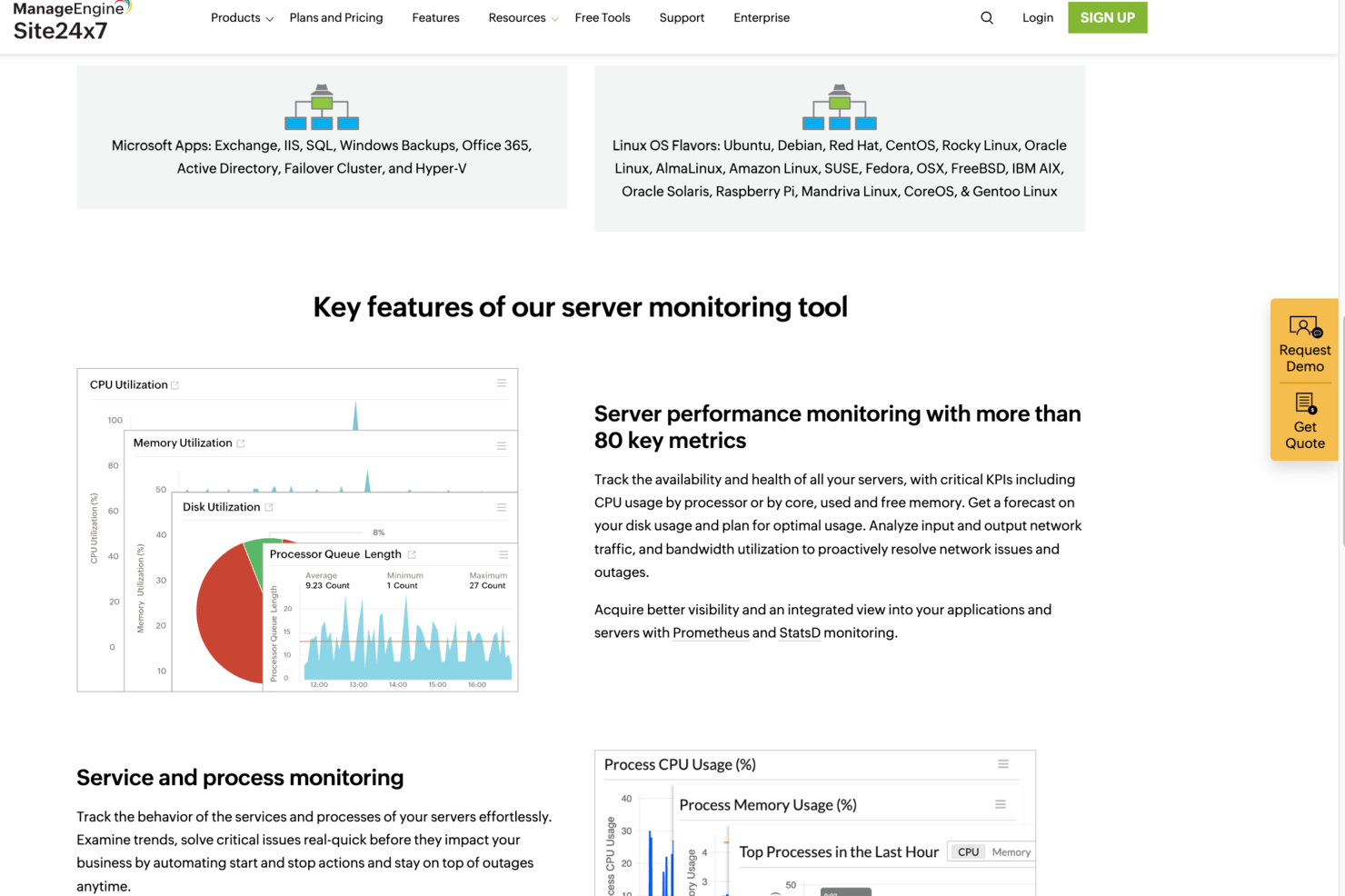
For teams seeking a DevOps deployment solution, Site24x7 offers a platform designed to enhance your operational efficiency. This tool is particularly appealing to IT professionals and businesses focused on optimizing their deployment processes across hybrid cloud environments. By addressing challenges such as real-time monitoring, proactive issue detection, and efficient log management, Site24x7 empowers your team to maintain smooth operations and improve overall performance.
Why I Picked Site24x7
I picked Site24x7 for its unique approach to integrating AIOps into DevOps deployment tools, which stands out in the industry. The platform's AI-powered insights help detect issues early, reducing the mean time to repair and optimizing system performance. Additionally, Site24x7's comprehensive monitoring solutions, including application and network monitoring, ensure that your team can maintain optimal performance across various environments. These features make it a compelling choice for those looking to enhance their DevOps practices.
Site24x7 Key Features
In addition to its AIOps capabilities, Site24x7 offers several features that enhance its value as a DevOps deployment tool:
- Infrastructure Monitoring: Provides monitoring for servers, cloud platforms like AWS, Azure, and GCP, and Kubernetes to ensure optimal performance across environments.
- Log Management: Streamlines troubleshooting and performance analysis with efficient log management capabilities.
- Network Monitoring: Includes tools for managing network performance, traffic, and configurations, ensuring efficient network operations.
- User Experience Monitoring: Offers Real User Monitoring (RUM) and synthetic monitoring to enhance digital experiences and identify performance bottlenecks.
Site24x7 Integrations
Integrations include AWS, Azure, Google Cloud Platform, Kubernetes, Docker, Slack, Microsoft Teams, Jira, PagerDuty, and ServiceNow. An API is available for custom integrations.
Pros and Cons
Pros:
- Strong integrations with DevOps tools
- AI-driven alerts reduce incident response
- Broad infrastructure and application monitoring
Cons:
- Alert tuning requires ongoing effort
- Initial setup can be complex
New Product Updates from Site24x7

Site24x7 Enhances Network Monitoring With Device and Visibility Updates
Site24x7 introduces proactive hardware health monitoring, expanded device support, centralized network controls, and enhanced SD-WAN visualization to improve network monitoring and management. For more information, visit Site24x7’s official site.
 .
.
Best AI-powered observability tool for cloud infrastructure and app monitoring

With the growing trend toward cloud computing, Dynatrace has become an important part of the DevOps toolkit, providing valuable insight into cloud infrastructure and container activity.
Why I Picked Dynatrace: Dynatrace goes beyond mere intelligent observability and infrastructure monitoring. Dynatrace also offers insight into the black box of AI explainability, bolstering the ethics governance into the effects and consequences of algorithms.
With its AIOps, Dynatrace has signaled that it’s gone big on artificial intelligence and automation by adopting machine learning models. In addition, it seamlessly pairs cloud automation with business analytics alongside log management and automatic discovery capabilities.
Dynatrace’s Standout Features & Integrations
Features include infrastructure monitoring, application lifecycle management, AI-powered automation, application security, and distributed tracing.
Integrations include all the major cloud computing and Kubernetes platforms. So, DevOps can use Dynatrace to monitor AWS, Azure, Google Cloud Compute, ServiceNow, OpenShift, and VMware Tanzu monitoring.
Dynatrace has also forged out-of-the-box integrations with test automation frameworks like JMeter, LoadRunner, and Neotys.
Dynatrace Pricing
Dynatrace costs vary by package and start at $15-74/host/month.
Pros and Cons
Pros:
- Analytics with seamless integration.
- Provides good visibility through good executive-level dashboards.
- The most popular observability platform.
Cons:
- Some users complain of receiving false alarms.
- Steep learning curve because of so much functionality.
- The user interface needs to be more intuitive.


New Relic is a DevOps deployment tool that provides real-time monitoring and analytics for your software applications. It's designed to help you understand how your applications are performing, identify bottlenecks, and troubleshoot issues quickly.
Why I picked New Relic: New Relic excels in DevOps deployment due to its unique combination of comprehensive monitoring capabilities, distributed tracing, AI-powered anomaly detection, seamless integrations with DevOps tools, scalability, and collaboration features. It provides real-time visibility into application performance and infrastructure health, allowing teams to quickly identify and resolve issues.
New Relic utilizes AI-powered anomaly detection to automatically identify and alert users about abnormal patterns or deviations in application performance data. This functionality leverages machine learning algorithms that analyze large volumes of real-time and historical data to establish baseline performance metrics. By continuously monitoring metrics such as response times, error rates, and throughput, New Relic's AI algorithms can detect deviations from normal behavior. When an anomaly is detected, it triggers alerts or notifications, enabling DevOps teams to investigate.
New Relic Standout Features & Integrations
Features include backend monitoring, Kubernetes monitoring, mobile monitoring, model performance monitoring, infrastructure monitoring, log management, error tracking, network monitoring, vulnerability management, and browser monitoring.
Integrations include over 500 apps, like AWS, Google Cloud, and Microsoft Azure, CI/CD tools like Jenkins, CircleCI, and Travis CI, communication tools like Slack and PagerDuty, and other monitoring and analytics tools like Grafana, Datadog, and Splunk. It also has an API you can use to build custom integrations.
New Relic Pricing
New Relic costs from $49/user/month and offers a free plan for 1 user and 100 GB/month of data ingest.
Pros and Cons
Pros:
- AI-powered anomaly detection and intelligent alerting
- Integrates seamlessly with popular dev tools
- Wide range of monitoring capabilities
Cons:
- Added complexity from reliance on agents installed on application servers


Jenkins is one of the most ubiquitous tools in the DevOps ecosystem. As an open-source automation server, Jenkins is supported by a robust community that provides solutions like plugins that allow users to automate different aspects of DevOps activities and the software delivery pipeline.
Why I Picked Jenkins: One of the most attractive features of Jenkins is its massive collection of 1800+ plugins that support various aspects of the software lifecycle with little effort on your part, from building, testing, deploying, and automating projects.
Jenkins' core use case is continuous integration and continuous delivery (CI/CD), so some of its activities include static code analysis, automated testing, distributed builds and packaging, documentation, deployment, and more.
Jenkins is written in Java, but Jenkins servers give you the liberty to set up CI/CD environments for multiple programming languages and different OS platforms. It is also mature and battle-tested.
Jenkins started as an automation server to test the validity of Java code before committing them to the repository and breaking builds. As a result, it can work in a “pull” or “push” mode, checking for repository changes when triggered by commit events.
Jenkins Standout Features & Integrations
Features include plugins, easy configuration, source code and build management, systems analytics and monitoring, build pipelines, and flexible and distributed architecture.
Integrations including Jira, GitHub, Microsoft Azure, Build Failure Analyzer, and Copy Artifact Plugin.
Jenkins Pricing
Jenkins is free to use and open source.
Pros and Cons
Pros:
- Easy to set up with great flexibility
- Provides seamless integration
- Great community that provides DevOps support and solutions
Cons:
- Jenkins doesn’t permit server-to-server federation, which has a huge potential to create performance issues in large-scale environments
- Teams using Jenkins are susceptible to Jenkins sprawl, creating lots of Jenkins servers difficult to manage


ServiceNow DevOps is designed to facilitate change management operations through automating the planning, developing, testing, deployment tasks. Moreover, ServiceNow DevOps provides teams with native SNOW capabilities.
Why I Picked ServiceNow DevOps: ServiceNow DevOps is equipped with useful features, such as the incident module for tracking events. This means it offers organizations in-built, exceptional knowledge management and helpdesk features. It collects data across the spectrum of DevOps activities and subsequently makes it easy to deploy applications quickly while reducing the risk of compromising quality.
ServiceNow DevOps facilitates service management activities that deliver IT services. DevOps data model allows you to move, map, and transform data while migrating from source to target destination.
ServiceNow DevOps provides visibility across a DevOps toolchain from a single dashboard while reducing your operations' costs, complexity, and risk through automation.
ServiceNow DevOps Standout Features & Integrations
Features include change and incident management, using automatic ticketing, event-driven automation, and ideal for the IT infrastructure library (ITIL).
Integrations are made possible via their IntegrationHub, an API-enabled system to integrate products quickly . Jira Software, Azure Boards, Azure Repos, Bitbucket Server/Enterprise, Azure Pipelines, GitHub, Jenkins, and GitHub Enterprise, are some of the platforms and tools that integrate with ServiceNow DevOps.
Pricing
Contact ServiceNow DevOps’ sales department for a price quote.
Pros and Cons
Pros:
- Offers a lot of customizable change management solutions
- Proves advantageous for several use cases such as help desk and knowledge management
Cons:
- Some users complain it takes more than the normal time to complete transactions
- It is expensive, so many organizations can’t afford it


Capistrano is a free, open-source utility that makes software deployment easy with its ability to create multiple CI/CD pipeline environments, including staging and production. Moreover, it allows you to create tasks that are applied to roles on host machines.
Why I Picked Capistrano: Capistrano performs IT automation, like backing up multiple releases seamlessly. But one of its most vital use cases is making it feasible to automate the deployment of web-based applications to distributed environments.
Although it is written in Ruby, you can use it to deploy other programming languages. Frameworks and languages easily used for scripting deployments with Capistrano include Java, Rails, and PHP. In practice, Capistrano functions as a remote server automation tool. It allows you to execute commands in parallel, via SSH, on multiple remote systems.
Without needing to use copy-and-paste gimmicks, Capistrano allows you to use parameterized deployments for multiple staging with single deployment definitions.
Capistrano Standout Features & Integrations
Features include task runner deployment/delivery, automate and script arbitrary workflows, and multiple staging.
Integrations can be built using their open source code.
Capistrano Pricing
Capistrano is free to use.
Pros and Cons
Pros:
- Easy automation of common DevOps tasks
- Enabling you to use gateways machines to support tunneling to perform operations behind VPNs and firewalls
- The ability to automate the deployment of web applications to distributed environments
Cons:
- Difficult to use if authenticated by one user and running commands as another
- Difficult to use if your deployment requires sudo or interactive prompts
- Expects POSIX shell like Bash or Sh., can try tchs, csh, etc. but may not work


Copado is a low-code platform focused on helping sales teams deliver CI/CD pipeline deployments. Developed by Salesforce, Copado is designed to make deployments on its secure platform easier to execute for DevOps.
Why I Picked Copado: Copado is built for system administrators, architects, and developers to implement and quickly release software changes at half the risk. Copado provides an end-to-end development lifecycle that makes your software more resilient by integrating AI-driven test automation into deployed code.
Because Copado is natively built on Salesforce, developers quickly scan code and move from working on a sandbox to deploying Salesforce metadata and seamlessly syncing with their Salesforce organization.
Copado is focused on bringing value stream management to its Salesforce customer so that a team can visualize the delivery process through value stream maps, its unified DevOps platform, flexible architecture, and improved agile adoption.
Copado Standout Features & Integrations
Features include monitoring, managing CI/CD pipelines, low-code automation, value stream management, easy integration between your product into other Salesforce application lifecycle management (ALM) tools, and track changes capabilities in your Salesforce environment.
Integrations include the ability to sync items like user stories with Jira and Azure boards in agile two-way integrations to simplify feature planning and facilitate better Agile sprints. These include built-in integrations such as Git and Vlocity. Its add-on integrations include Jenkins, Bitbucket, OwnBackup, and Welkin Suite.
Copado Pricing
Copado starts at $1000/month. They offer a free Essential version.
Pros and Cons
Pros:
- Accelerates since data is contained in a single location
- Presents DevOps practices to non-technical users
- Ideal for executing deployments with smaller teams
Cons:
- Requires a significant learning curve to execute


Azure DevOps provides DevOps teams, especially those using Microsoft tech stack, with an integrated suite of modern dev services. It provides a comprehensive ecosystem of services that is easy to implement. Yet, you aren’t beholden to it because Azure DevOps allows you to select which elements you wish to integrate into existing workflows.
Why I Picked Azure DevOps: Azure DevOps is scrum ready and facilitates collaboration, allowing teams to create and deploy applications while working on projects seamlessly.
Azure DevOps provides both cloud-based and on-premise usage. Its ecosystem provides users with various tools like Azure Boards, Azure Pipeline, and Azure Test Plans. These keep you connected from idea to release.
In addition to CD/CI capabilities, Azure DevOps provides traceability through its comprehensive tracking ability, keeping everyone abreast of activities in their project.
Azure DevOps Standout Features & Integrations
Features include code management capabilities, tracking and project management across teams, control and manage source code repository, integrated + exploratory app testing.
Integrations include Jenkins, Ansible, Chef, Puppet, and Terraform. It can also be used with developer tools such as Maven, Eclipse, and IntelliJ.
Azure DevOps Pricing
Azure DevOps offers free trials for its products. Contact Azure DevOps sales for pricing quotes.
Pros and Cons
Pros:
- Provides tremendous flexibility when managing projects
- Great for organizations who follow the Agile methodology
- Enhanced team collaboration tools
- Easy to setup and deploy
Cons:
- Its interface can be cluttered
- Significant learning curve

Redgate
Best for protecting critical data during deployment by monitoring database problems

Redgate is a software tool that helps DevOps automate database deployments. It ensures frequent deployments are handled with effective database compliance.
Why I Picked Redgate: Redgate provides organizations with end-to-end database development tools that drastically reduce release cycles from months to days. It equips management and IT leadership with the insight to standardize DevOps best practices.
Redgate enables teams to accelerate development delivery times and business requirements of projects while increasing code quality.
Redgate also shines as a database performance monitoring and availability tool. Not only does it provide the ability to scale operations across servers, but it ensures problems are pinpointed before they impact end-users.
Redgate Standout Features & Integrations
Features include standardize team-based development, database monitoring, version control and change management, and SQL provisioning.
Integrations include AWS’s EC2 and RDS. It also has integrations with ServiceNow, Jira Software, Bamboo, Jenkins, Slack, Microsoft Teams, and many others. Redgate’s Fly offers integrations with Maven, Docker, Cake, Chef, JUnit, and IntelliJ IDEA.
Redgate Pricing
Redgate has an array of products in its stable that range from $1200+ per license.
Pros and Cons
Pros:
- A lot of customization options
- Intuitive UI and flexible SDK
- Fast and lightweight
Cons:
- Products lack free trial and free version

Best integrated DevOps mission-control center for agile and toolchain tracking

Atlassian Open DevOps is fueled by Jira Software, and its integration with Atlassian products brings symmetry to the agile methodology adoption. As a result, it liberates you and your team to focus on shipping as Atlassian Open DevOps simplifies.
Why I Picked Atlassian Open DevOps: Open DevOps has the philosophy of providing something for every DevOps team member, with tools for developers, operations, and team leaders. In addition to Jira Software, Open DevOps facilitates project management and software development with tools like BitBucket, Confluence, and Opsgenie.
Because these are integrated into a single project, Open DevOps becomes the mission control center of your software toolchain. As a result, it allows you to leverage and customize it to fit your peculiar needs.
Jira software is at the center of the Open DevOps universe, facilitating tracking across your entire software development lifecycle. This allows every team member to appreciate and understand the technical and business impact each step of the way. Moreover, these tools can be used out of the box. You can use Bitbucket Server or the free Bitbucket Cloud migration app to utilize its cloud-based services.
Open DevOps’ default repository tool is Bitbucket, although you can use other version control tools like GitHub or GitLab. Moreover, you are provided the pipeline visibility with Bitbucket Pipelines, with its deployment tabs automatically populated with your data.
Atlassian Open DevOps Standout Features & Integrations
Features include issue tracking and agile planning, source code management, CI/CD deployments, and integrated use with easy extendability.
Integrations include (in addition to its native DevOps tools like Bitbucket Pipelines) Jenkins, CircleCI, Codefresh, Datadog, Dynatrace, and others.
Atlassian Open DevOps Pricing
Free to use for up to 10 users. Paid plans start from $7.75/user/month and come with a 7-day free trial.
Pros and Cons
Pros:
- Easy to integrate with other DevOps applications
- A considerable number of plugins are available
- User-friendly and intuitive to utilize
- Offers a great number of features and functionality
- Free and easily extendable
Cons:
- Unless you have a technical background, it isn’t very familiar unless you understand databases or code
Weitere DevOps Deployment-Tools
Hier sind weitere DevOps Deployment-Tools, die es zwar nicht auf meine Shortlist geschafft haben, aber dennoch einen Blick wert sind:
- Codefresh
GitOps-friendly tool for CI/CD pipeline and workflow automation
- Travis CI
Parallel build processing capabilities
- Incredibuild
For C++ code compilation and distributed processing
- Octopus Deploy
In facilitating fast, repeatable, and multi-tenancy deployment
- Datadog
For server monitoring and observability for cloud-scale applications
- Ozone
Modern delivery orchestrator for Docker containers
- GoCD
A continuous delivery server for modeling complex workflows
- Blue Canvas
DevOps solution for Salesforce software development
- DeployBot
Cloud-based code deployment and management tool
- Juju
Big data application modeling solution


Auswahlkriterien für DevOps Deployment-Tools
Bei der Auswahl der besten DevOps Deployment-Tools für diese Liste habe ich übliche Bedürfnisse und Herausforderungen der Anwender berücksichtigt – etwa die Automatisierung von Routineaufgaben und die Einbindung in bestehende Systeme. Außerdem habe ich mich an folgendem Bewertungsraster orientiert, um möglichst strukturiert und objektiv zu bleiben:
Kernfunktionen (25% der Gesamtbewertung)
Um in diese Liste aufgenommen zu werden, musste jede Lösung folgende Einsatzzwecke abdecken:
- Automatisierung von Deployments
- Anbindung an Versionskontrollsysteme
- Unterstützung von Continuous Integration und Delivery
- Überwachung von Deployment-Kennzahlen
- Verwaltung von Konfigurationsdateien
Weitere herausragende Funktionen (25% der Gesamtbewertung)
Zur weiteren Differenzierung habe ich außerdem nach besonderen Features Ausschau gehalten, zum Beispiel:
- Echtzeit-Kollaborationstools
- Individuell anpassbare Deployment-Pipelines
- Erweiterte Sicherheitsprotokolle
- Support für mehrere Cloud-Anbieter
- KI-gestützte Analysen
Benutzerfreundlichkeit (10% der Gesamtbewertung)
Um die Bedienbarkeit jedes Systems beurteilen zu können, habe ich auf folgende Aspekte geachtet:
- Intuitive Benutzeroberfläche
- Klar verständliche Navigation
- Geringe Einarbeitungszeit
- Responsives Design
- Anpassungsmöglichkeiten
Onboarding (10% der Gesamtbewertung)
Um das Benutzererlebnis beim Einstieg in jedes Tool einschätzen zu können, habe ich Folgendes beachtet:
- Verfügbarkeit von Schulungsvideos
- Interaktive Produkttouren
- Zugriff auf Vorlagen
- Webinare und Live-Demos
- Unterstützende Chatbots
Kundensupport (10 % der Gesamtbewertung)
Um die Kundensupport-Angebote der einzelnen Softwareanbieter zu bewerten, habe ich Folgendes berücksichtigt:
- 24/7 Erreichbarkeit
- Mehrere Kontaktmöglichkeiten
- Kompetentes Support-Team
- Effizienz bei der Reaktionszeit
- Zugang zu Online-Ressourcen
Preis-Leistungs-Verhältnis (10 % der Gesamtbewertung)
Um das Preis-Leistungs-Verhältnis jeder Plattform einzuschätzen, habe ich Folgendes betrachtet:
- Wettbewerbsfähige Preisgestaltung
- Flexible Abonnementmöglichkeiten
- Verhältnis von Funktionen zu Kosten
- Verfügbarkeit einer kostenlosen Testphase
- Transparente Preisstruktur
Kundenbewertungen (10 % der Gesamtbewertung)
Um ein Bild der allgemeinen Kundenzufriedenheit zu erhalten, habe ich bei der Auswertung von Kundenbewertungen auf Folgendes geachtet:
- Allgemeine Zufriedenheitswerte
- Rückmeldungen zur Benutzerfreundlichkeit der Funktionen
- Kommentare zur Supportqualität
- Hinweise auf Integrationsmöglichkeiten
- Häufigkeit von Updates und Verbesserungen
So wählen Sie ein DevOps-Bereitstellungstool aus
Lange Funktionslisten und komplexe Preisstrukturen können leicht überwältigend wirken. Damit Sie während Ihres individuellen Software-Auswahlprozesses fokussiert bleiben, finden Sie hier eine Checkliste wichtiger Punkte, die Sie beachten sollten:
| Faktor | Worauf achten? |
|---|---|
| Skalierbarkeit | Kann das Tool mit Ihrem Team mitwachsen? Beachten Sie Benutzerlimits, Datenverarbeitung und zukünftige Anforderungen. Suchen Sie nach Tools, die Ihr langfristiges Wachstum ohne zusätzliche Kosten unterstützen. |
| Integrationen | Funktioniert es mit Ihren aktuellen Systemen? Prüfen Sie die Kompatibilität mit bestehenden Tools wie Versionsverwaltung oder Cloud-Diensten, um Arbeitsablaufunterbrechungen zu vermeiden. |
| Anpassbarkeit | Können Sie das Tool an Ihre Abläufe anpassen? Bewerten Sie, wie flexibel das Tool sich den Arbeitsabläufen und spezifischen Anforderungen Ihres Teams anpasst. |
| Benutzerfreundlichkeit | Ist es für Ihr Team einfach zu bedienen? Berücksichtigen Sie die Lernkurve und ob Ihr Team die Benutzeroberfläche ohne aufwändige Schulungen handhaben kann. |
| Implementierung und Onboarding | Wie schnell können Sie starten? Bewerten Sie den Einrichtungsprozess, die Verfügbarkeit von Tutorials sowie die Unterstützung beim Übergang, um Ausfallzeiten zu minimieren. |
| Kosten | Passt es zu Ihrem Budget? Vergleichen Sie Preispläne, versteckte Gebühren und den gebotenen Gegenwert. Betrachten Sie die langfristigen Kosten im Verhältnis zum Nutzen für Ihr Team. |
| Sicherheitsmaßnahmen | Ist Ihre Daten geschützt? Achten Sie darauf, dass das Tool Sicherheitsstandards einhält und Funktionen wie Verschlüsselung und Zugangskontrollen bereitstellt, um sensible Informationen zu schützen. |
Trends bei DevOps-Bereitstellungstools
Die Landschaft der DevOps-Bereitstellungstools befindet sich in einem deutlichen Wandel, getrieben von den stetig steigenden Anforderungen an Geschwindigkeit, Zuverlässigkeit und Sicherheit in der Softwareentwicklung und beim Software-Rollout. Die Analyse aktueller Produkt-Updates, Pressemitteilungen und Release-Logs führender Tools auf dem Markt offenbart zentrale Trends, die die Zukunft der DevOps-Praxis prägen.
Hier finden Sie einen kompakten Überblick über diese Trends, die den veränderten Bedürfnissen und Herausforderungen von QA-Softwaretestern und DevOps-Profis Rechnung tragen:
- Integration mit fortschrittlichen Testframeworks: Es gibt einen wachsenden Trend zu einer engeren Integration mit ausgeklügelten Testframeworks und -diensten, wobei die Bedeutung kontinuierlicher Tests neben Continuous Deployment-Tools hervorgehoben wird.
- Beleg: Deployment-Tools bieten mittlerweile Plugins und API-Integrationen mit führenden Testframeworks, um die Ausführung von Softwaretests innerhalb der Deployment-Pipeline zu automatisieren und zu optimieren.
- Nutzung von KI und maschinellem Lernen: KI- und Machine-Learning-Funktionen entwickeln sich in DevOps-Tools rasant weiter und bieten prädiktive Analysen für Deployment-Erfolge, intelligente Ressourcenverteilung und automatisierte Erkennung sowie Behebung von Problemen.
- Beleg: Zahlreiche KI-Tools für DevOps haben Funktionen eingeführt, die historische Deployment-Daten analysieren, potenzielle Engpässe voraussagen und Optimierungsvorschläge machen.
- Verbesserte Sicherheits- und Compliance-Funktionen: Sicherheit bleibt oberste Priorität; Deployment-Tools integrieren zunehmend fortschrittliche Sicherheitsprüfungen, Compliance-Checks und automatisierte Behebung von Schwachstellen in den Deployment-Prozess.
- Beleg: Neue Versionen legen den Fokus darauf, umfassende Sicherheitsprüfungen direkt in die Deployment-Pipeline zu integrieren, bieten Echtzeit-Feedback und automatisierte Behebung erkannter Fehler.
- Skalierbarkeit und Unterstützung cloud-nativer Architekturen: Mit der zunehmenden Verbreitung cloud-nativer Architekturen geht der Trend zu Tools, die skalierbare, containerisierte Deployments sowie nahtlose Cloud-Integration unterstützen.
- Beleg: Deployment-Tools verbessern ihre Unterstützung für Docker, Kubernetes und andere Plattformen zur Container-Orchestrierung und bieten Funktionen wie automatisierte Bereitstellung, Skalierung und Verwaltung von Containern.
- Self-Service- und Automatisierungsfunktionen: Um Entwicklerteams zu stärken und die Abhängigkeit von spezialisierten DevOps-Ressourcen zu verringern, führen Tools vermehrt Self-Service-Optionen und automatisierte Workflows für typische Deployment-Aufgaben ein.
- Beleg: Funktionen, die es Entwicklern ermöglichen, Deployments, Rollbacks und Skalierung über benutzerfreundliche Interfaces oder Chatbots selbst zu steuern, nehmen zu.
Funktionen, die an Bedeutung verlieren
- Manuelle Deployment-Prozesse: Der Bedarf an manuellen Eingriffen bei Deployment-Prozessen nimmt ab, da Automatisierung und Intelligenz in den Vordergrund rücken und damit die Nachfrage nach Funktionen sinkt, die umfangreiche manuelle Konfiguration und Überwachung erfordern.
- Beleg: Der Fokus verschiebt sich von manuellen Auslösern und Freigaben hin zu vollautomatisierten Pipelines, die Deployments intelligent anhand vordefinierter Richtlinien und Echtzeitanalysen steuern können.
Diese Trends verdeutlichen eine übergeordnete Bewegung hin zu stärker integrierten, intelligenteren, sicheren und benutzerfreundlichen DevOps-Deployment-Tools und stimmen mit dem Branchenziel überein, höhere Effizienz, kürzere Markteinführungszeiten und verbesserte Sicherheit zu erreichen. Organisationen, die umfassende Lösungen implementieren möchten, sollten DevOps-Lifecycle-Tools evaluieren, die diese neuen Anforderungen abdecken. Für QA-Softwaretester und DevOps-Teams bieten diese Entwicklungen vielversprechende Möglichkeiten, ihre Workflows zu optimieren, die Zuverlässigkeit von Deployments zu verbessern und sicherzustellen, dass Software höchsten Qualitäts- und Sicherheitsstandards entspricht.
Was sind DevOps-Deployment-Tools?
DevOps-Deployment-Tools sind Softwarelösungen, die die Bereitstellung von Anwendungen in verschiedenen Umgebungen automatisieren und verwalten. Diese Tools werden typischerweise von Entwicklern, IT-Operations-Teams und Systemadministratoren zur Verbesserung von Zusammenarbeit und Effizienz genutzt. Automatisierung, Integrationsfähigkeit und Skalierbarkeit helfen, manuelle Aufgaben zu reduzieren, den Workflow zu verbessern und das Wachstum zu unterstützen. Insgesamt bieten diese Tools einen erheblichen Mehrwert, indem sie Bereitstellungsprozesse vereinfachen und eine bessere Zusammenarbeit im Team fördern.
Funktionen
Bei der Auswahl von DevOps-Deployment-Tools sollten Sie auf folgende Schlüsselfunktionen achten:
- Automatisierung: Vereinfacht wiederkehrende Bereitstellungsaufgaben, reduziert manuellen Aufwand und Fehler.
- Integrationsfähigkeit: Verbindet sich nahtlos mit bestehenden Tools wie Versionskontrollsystemen und Cloud-Diensten.
- Skalierbarkeit: Unterstützt Wachstum, indem erhöhte Arbeitslasten und Nutzerzahlen ohne zusätzliche Kosten bewältigt werden.
- Sicherheitsvorkehrungen: Schützt Daten durch Verschlüsselung und Zugriffskontrollen und gewährleistet die Einhaltung von Sicherheitsstandards.
- Anpassungsfähigkeit: Ermöglicht es den Nutzern, das Tool an spezifische Arbeitsabläufe und Teamanforderungen anzupassen.
- Echtzeit-Zusammenarbeit: Erlaubt Teammitgliedern, auch in verteilten Umgebungen effizient zusammenzuarbeiten.
- Überwachung und Analytik: Liefert Einblicke in Bereitstellungsmetriken, um die Leistung zu optimieren und Probleme zu erkennen.
- Benutzerfreundliche Oberfläche: Sorgt für einfache Bedienung durch ein intuitives Design und minimiert die Einarbeitungszeit.
- Kontinuierliche Integration und Bereitstellung: Ermöglicht automatisiertes Testen und Deployen für schnellere Releases.
Support und Ressourcen: Bietet Tutorials, Produkttouren und einen reaktionsschnellen Kundensupport zur Unterstützung beim Onboarding und Troubleshooting.
Vorteile
Der Einsatz von DevOps-Bereitstellungstools bringt für Ihr Team und Ihr Unternehmen zahlreiche Vorteile. Hier sind einige, auf die Sie sich freuen können:
- Steigerung der Effizienz: Automatisiert repetitive Aufgaben, spart Zeit und reduziert Fehler im Bereitstellungsprozess.
- Verbesserte Zusammenarbeit: Echtzeit-Zusammenarbeitsfunktionen ermöglichen ein effektiveres Arbeiten im Team – auch aus der Ferne.
- Schnellere Releases: Kontinuierliche Integration und Bereitstellung beschleunigen Tests und Deployments, sodass Updates zügiger ausgeliefert werden können.
- Erhöhte Sicherheit: Sicherheitsvorkehrungen schützen sensible Daten und gewährleisten die Einhaltung von Industriestandards.
- Skalierbarkeit: Unterstützt Wachstum, indem größere Arbeitslasten und Nutzerzahlen ohne zusätzliche Kosten verarbeitet werden.
- Bessere Einblicke: Überwachungs- und Analysefunktionen liefern wertvolle Daten zur Performance der Bereitstellung und helfen, Verbesserungsbedarf zu erkennen.
- Anpassung: Anpassbare Funktionen ermöglichen es Teams, das Tool auf individuelle Arbeitsabläufe und Anforderungen zuzuschneiden.
Kosten & Preise
Die Auswahl im vielfältigen Bereich der DevOps-Bereitstellungstools ist eine wichtige Aufgabe für Unternehmen, die ihre Softwarebereitstellung verbessern möchten. Diese Tools unterscheiden sich stark hinsichtlich Funktionen, Skalierbarkeit und Preismodellen – zugeschnitten auf die Anforderungen unterschiedlichster Nutzer, von kleinen Start-ups bis hin zu großen Unternehmen. Das Verständnis für die verschiedenen verfügbaren Tarifoptionen ist entscheidend, um ein Werkzeug auszuwählen, das nicht nur zu den aktuellen Projektanforderungen passt, sondern auch mit Ihrem Unternehmenswachstum skalieren kann.
Tarifvergleichstabelle für DevOps-Bereitstellungstools
| Tariftyp | Durchschnittlicher Preis | Häufig enthaltene Funktionen |
|---|---|---|
| Kostenlos | $0 | - Grundlegende Bereitstellungsfunktionen - Begrenzte Anzahl an Bereitstellungen pro Monat - Community-Support |
| Starter | $10 - $50 pro Monat | - Grundlegende Bereitstellungsfunktionen - Unterstützung für mehrere Projekte - E-Mail-Support - Integration einer begrenzten Anzahl von CI/CD-Tools |
| Professional | $50 - $200 pro Monat | - Erweiterte Automatisierungsfunktionen für die Bereitstellung - Höhere Anzahl an Bereitstellungen - Priorisierter Support - Umfangreichere CI/CD-Integrationen |
| Enterprise | $200+ / Individuelle Preisgestaltung | - Unbegrenzte Bereitstellungen - Anpassbare Funktionen und Workflows - 24/7 persönlicher Support - On-Premise-Optionen und erweiterte Sicherheitsfunktionen |
| Kostenlose Option | $0 | - Grundlegende Bereitstellungsfunktionen - Zugriff für eine begrenzte Nutzeranzahl - Community-Foren für Support |
Bei der Wahl eines passenden Tarifs für ein DevOps-Bereitstellungstool ist es wichtig, nicht nur auf die Einstiegskosten, sondern auch auf den langfristigen Mehrwert für Ihren Softwarebereitstellungsprozess zu achten. Achten Sie auf Tarife, die Flexibilität für Wachstum bieten und ein ausgewogenes Verhältnis zwischen Kosten, Funktionen und Support gewährleisten. Das richtige Tool passt nicht nur ins Budget, sondern trägt maßgeblich zur Optimierung Ihrer Bereitstellungsabläufe und zur Steigerung der operativen Effizienz bei.
DevOps-Bereitstellungstools FAQs
Hier finden Sie Antworten auf häufig gestellte Fragen zu DevOps-Bereitstellungstools:
Wie unterstützen DevOps-Bereitstellungstools Continuous Delivery?
Gibt es DevOps-Bereitstellungstools, die auch ohne Container funktionieren?
Wie verwalten Bereitstellungstools umgebungsspezifische Konfigurationen?
Können DevOps-Bereitstellungstools mehrere Umgebungen unterstützen?
Wie gehen diese Tools mit Rollbacks bei der Bereitstellung um?
Wie geht es weiter?
Wenn Sie sich über DevOps-Bereitstellungstools informieren, nutzen Sie die kostenlose Beratung eines SoftwareSelect-Experten für eine individuelle Empfehlung.
Sie füllen ein Formular aus und führen ein kurzes Gespräch, in dem Ihre Anforderungen im Detail besprochen werden. Anschließend erhalten Sie eine Auswahl passender Softwarelösungen zur Prüfung. Sie werden sogar während des gesamten Kaufprozesses unterstützt – bis hin zu Preisverhandlungen.