

Resolve Review 2026: IT Automation Features, Pricing, Pros, and Cons



Managing IT services across a hybrid environment gets complicated when workflows span ticketing, monitoring, cloud, and legacy systems. As incidents grow, IT teams need more than alerts and routing—they need automation that can actually act across the stack.
Resolve is an IT automation and service management software designed to orchestrate workflows across ITSM, observability, cloud, networking, and on-premises systems. I see its biggest appeal in complex enterprise environments where teams want to automate remediation and service workflows without being tied to a single ITSM ecosystem.
In this review, I cover Resolve’s features, pricing, strengths, limitations, and best use cases to help you decide if it fits your IT operations.
Resolve Evaluation Summary
- Pricing upon request
- Free demo available
Why Trust Our Software Reviews
We’ve been testing and reviewing software since 2023. As tech leaders ourselves, we know how critical and difficult it is to make the right decision when selecting software.
We invest in deep research to help our audience make better software purchasing decisions. We’ve tested more than 2,000 tools for different tech use cases and written over 1,000 comprehensive software reviews. Learn how we stay transparent & our software review methodology.
Resolve Overview
In my opinion, Resolve is a strong fit for enterprise IT teams that need automation across complex hybrid environments. Its platform-agnostic orchestration, governed AI agents, deterministic workflows, and broad integrations support incident remediation and service automation across ITSM, cloud, network, and legacy systems. The main tradeoff is that it lacks native ticketing and monitoring.
pros
-
Orchestrates workflows across ITSM, observability, cloud, network, and legacy systems
-
Combines deterministic workflows with governed AI agents for more predictable execution
-
Uses flat pricing that avoids variable usage- or token-based automation costs
cons
-
No native ticketing, so teams still need a separate ITSM platform
-
No built-in monitoring, requiring existing observability tools
-
Smaller market presence than larger vendors like ServiceNow and BMC
-

Rippling IT
Visit WebsiteThis rating combines scores from multiple user review sites to reflect overall customer sentiment about the product.4.8 -
Freshservice
Visit WebsiteThis rating combines scores from multiple user review sites to reflect overall customer sentiment about the product.4.6 -
Deel IT
Visit WebsiteThis rating combines scores from multiple user review sites to reflect overall customer sentiment about the product.4.9




Our Review Methodology
How We Test & Score Tools
We’ve spent years building, refining, and improving our software testing and scoring system. The rubric is designed to capture the nuances of software selection and what makes a tool effective, focusing on critical aspects of the decision-making process.
Below, you can see exactly how our testing and scoring works across seven criteria. It allows us to provide an unbiased evaluation of the software based on core functionality, standout features, ease of use, onboarding, customer support, integrations, customer reviews, and value for money.
Core Functionality (25% of final scoring)
The starting point of our evaluation is always the core functionality of the tool. Does it have the basic features and functions that a user would expect to see? Are any of those core features locked to higher-tiered pricing plans? At its core, we expect a tool to stand up against the baseline capabilities of its competitors.
Standout Features (25% of final scoring)
Next, we evaluate uncommon standout features that go above and beyond the core functionality typically found in tools of its kind. A high score reflects specialized or unique features that make the product faster, more efficient, or offer additional value to the user.
We also evaluate how easy it is to integrate with other tools typically found in the tech stack to expand the functionality and utility of the software. Tools offering plentiful native integrations, 3rd party connections, and API access to build custom integrations score best.
Ease of Use (10% of final scoring)
We consider how quick and easy it is to execute the tasks defined in the core functionality using the tool. High scoring software is well designed, intuitive to use, offers mobile apps, provides templates, and makes relatively complex tasks seem simple.
Onboarding (10% of final scoring)
We know how important rapid team adoption is for a new platform, so we evaluate how easy it is to learn and use a tool with minimal training. We evaluate how quickly a team member can get set up and start using the tool with no experience. High scoring solutions indicate little or no support is required.
Customer Support (10% of final scoring)
We review how quick and easy it is to get unstuck and find help by phone, live chat, or knowledge base. Tools and companies that provide real-time support score best, while chatbots score worst.
Customer Reviews (10% of final scoring)
Beyond our own testing and evaluation, we consider the net promoter score from current and past customers. We review their likelihood, given the option, to choose the tool again for the core functionality. A high scoring software reflects a high net promoter score from current or past customers.
Value for Money (10% of final scoring)
Lastly, in consideration of all the other criteria, we review the average price of entry level plans against the core features and consider the value of the other evaluation criteria. Software that delivers more, for less, will score higher.
Core Features
Workflow Orchestration
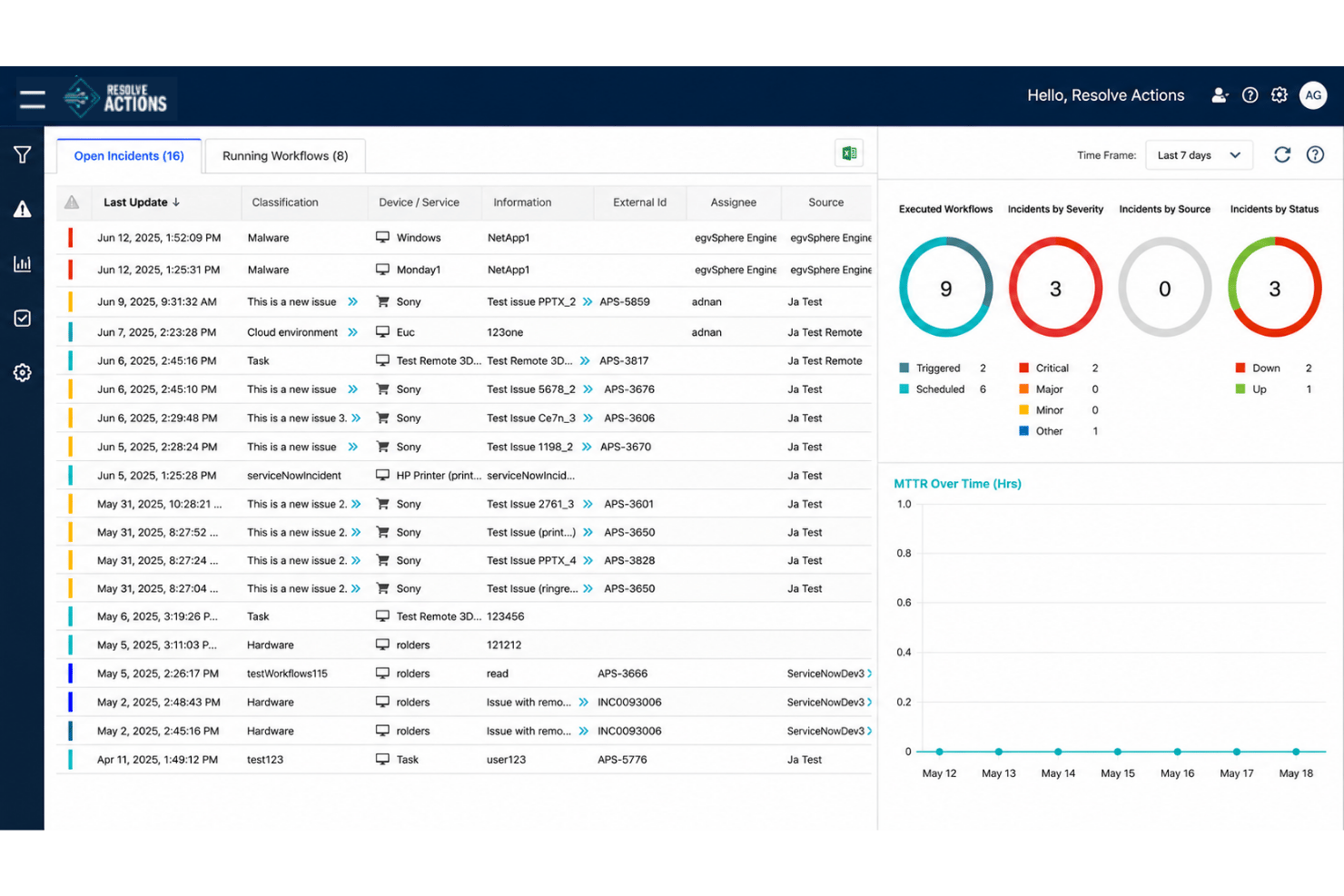
Coordinate workflows across ITSM, observability, networking, cloud, and on-premises systems without tying automation to one vendor. I like this for teams whose processes already span several tools.
Automation Agent
The Automation Agent executes approved workflows to diagnose and resolve IT issues. This helps teams use AI while keeping repeatable actions governed and predictable.
Agent Assist
Agent Assist gives service desk technicians diagnostics, context, and recommended actions during incidents. It can also surface approved automations to speed up resolution.
Employee Assistant
Employees can use conversational support for common IT questions and service requests. Where automation is available, it can take action instead of just pointing users to documentation.
Pre-Built Integrations & APIs
Pre-built integrations connect ITSM, observability, cloud, networking, security, and infrastructure tools. APIs and an open integration framework also support custom and legacy systems.
No-Code/Low-Code Workflow Building
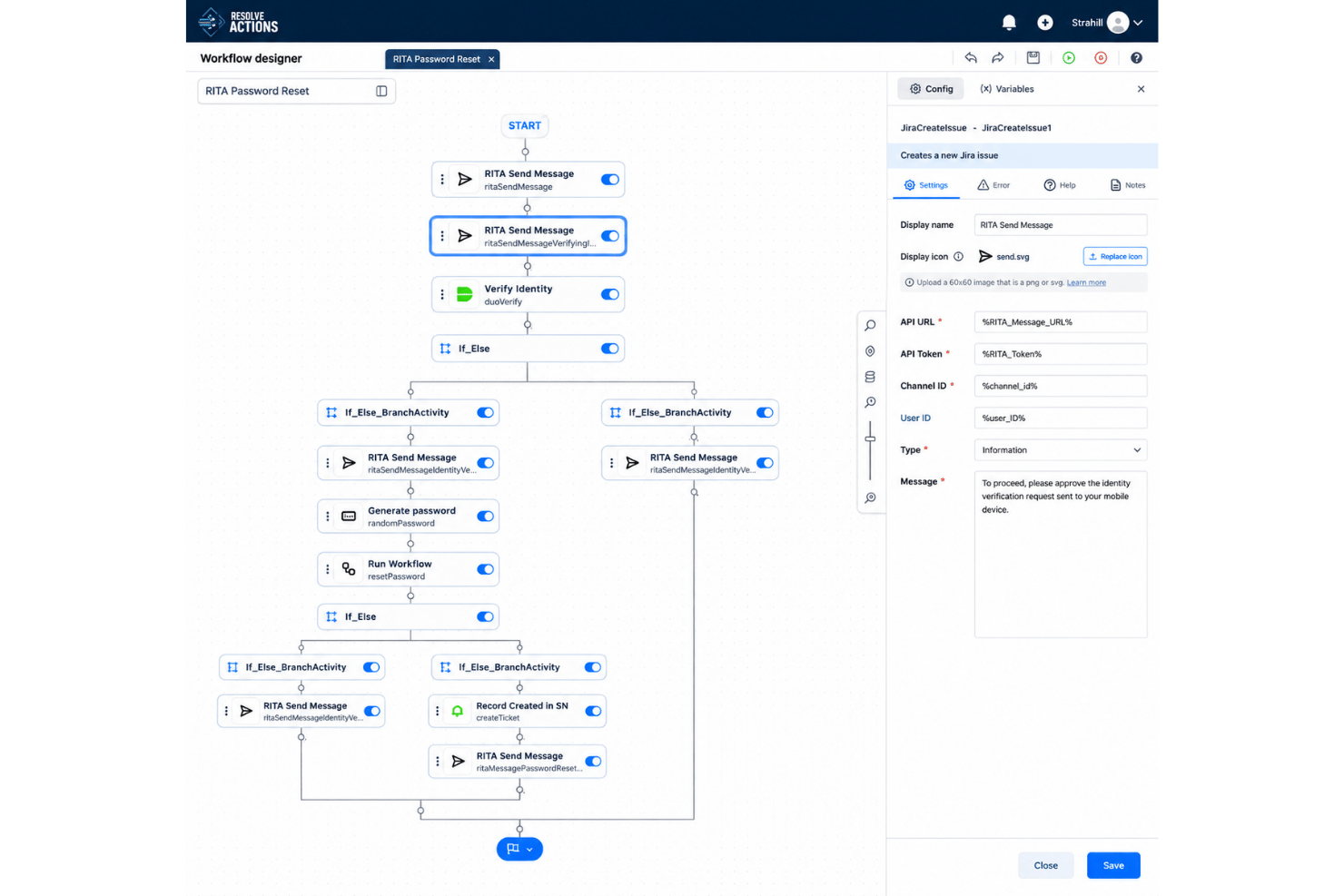
Teams can build automations visually, use AI-assisted workflow creation, or bring in existing scripts and code. This works for both simple service workflows and more technical automation.
Ease of Use
Resolve’s ease of use depends on the complexity of your IT environment and the integrations involved. Setup complexity varies depending on the number and depth of integrations involved. Dedicated onboarding support helps here, with Resolve assisting customers in setting up their first use cases and integrations.
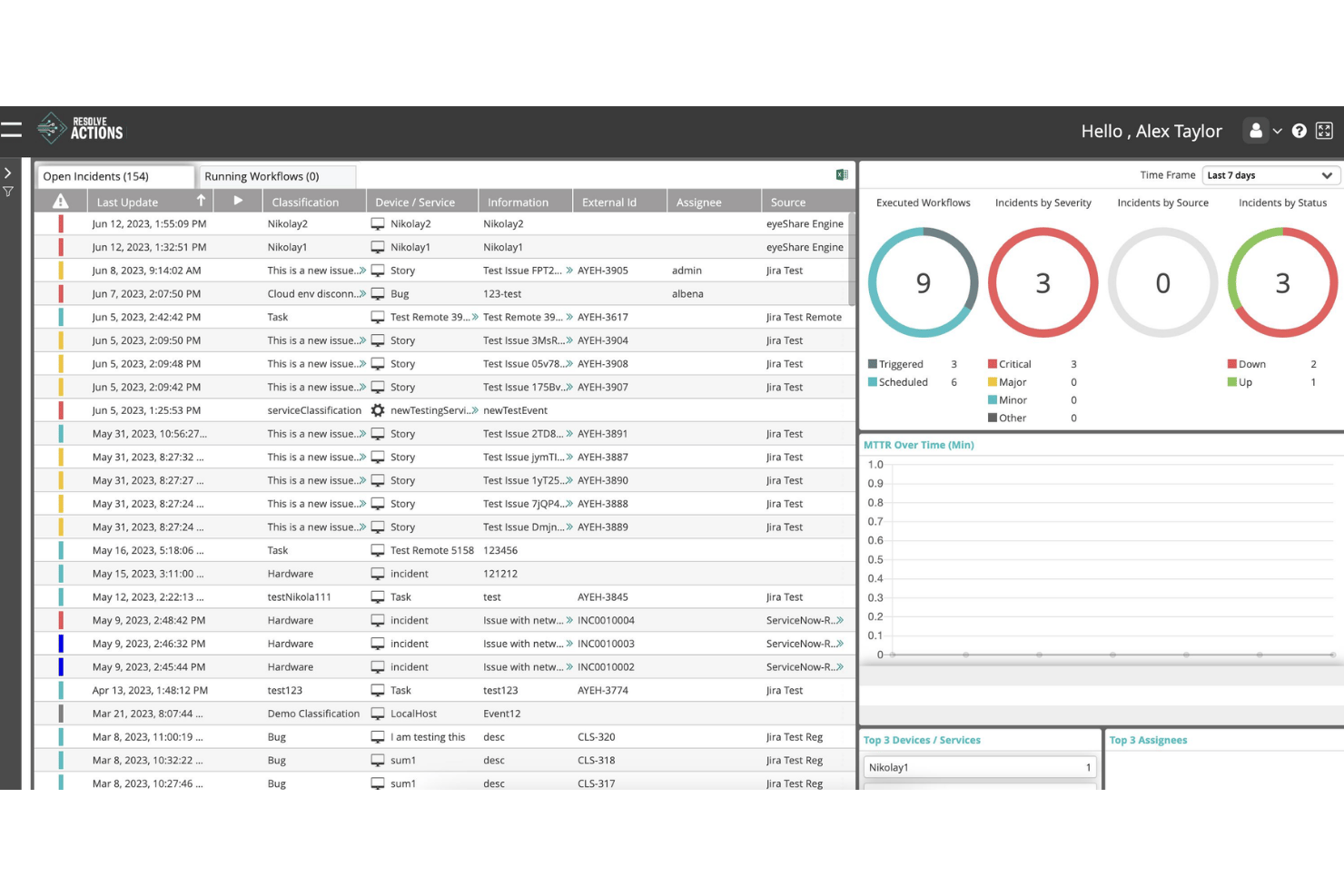
Integrations
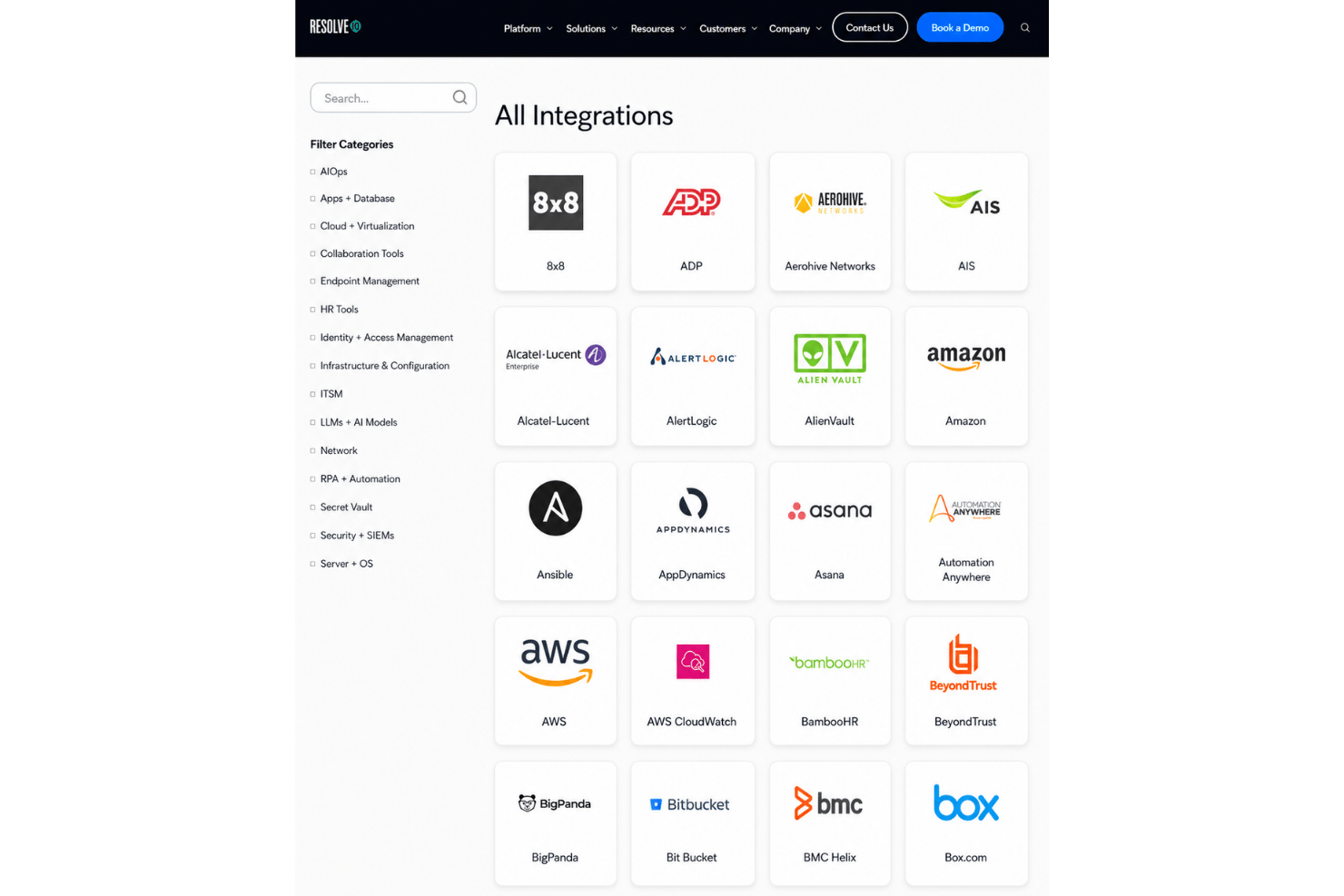
Integrations include ServiceNow, Jira, Microsoft 365 and Active Directory, Microsoft Exchange, Azure, Intune, Microsoft Teams, Slack, Workday, Datadog, Splunk, AWS, and more. An API is available through Resolve’s open integration framework, which also supports custom and legacy connections via REST APIs, SNMP, SSH, TCP, SMTP, and SOAP.
Resolve Specs
- API
- Approval Workflows
- Batch Permissions & Access
- Compliance Tracking
- Contact Management
- Custom Reports
- Dashboard
- Data Export
- Data Import
- Data Visualization
- Document Management
- External Integrations
- Inventory Tracking
- Marketing Automation
- Notifications
- Process Modeling
- Process Reporting
- Project Management
- Roadmapping
- Sales Automation
- Supplier Management
- Third-Party Plugins/Add-Ons
- Workflow Management


